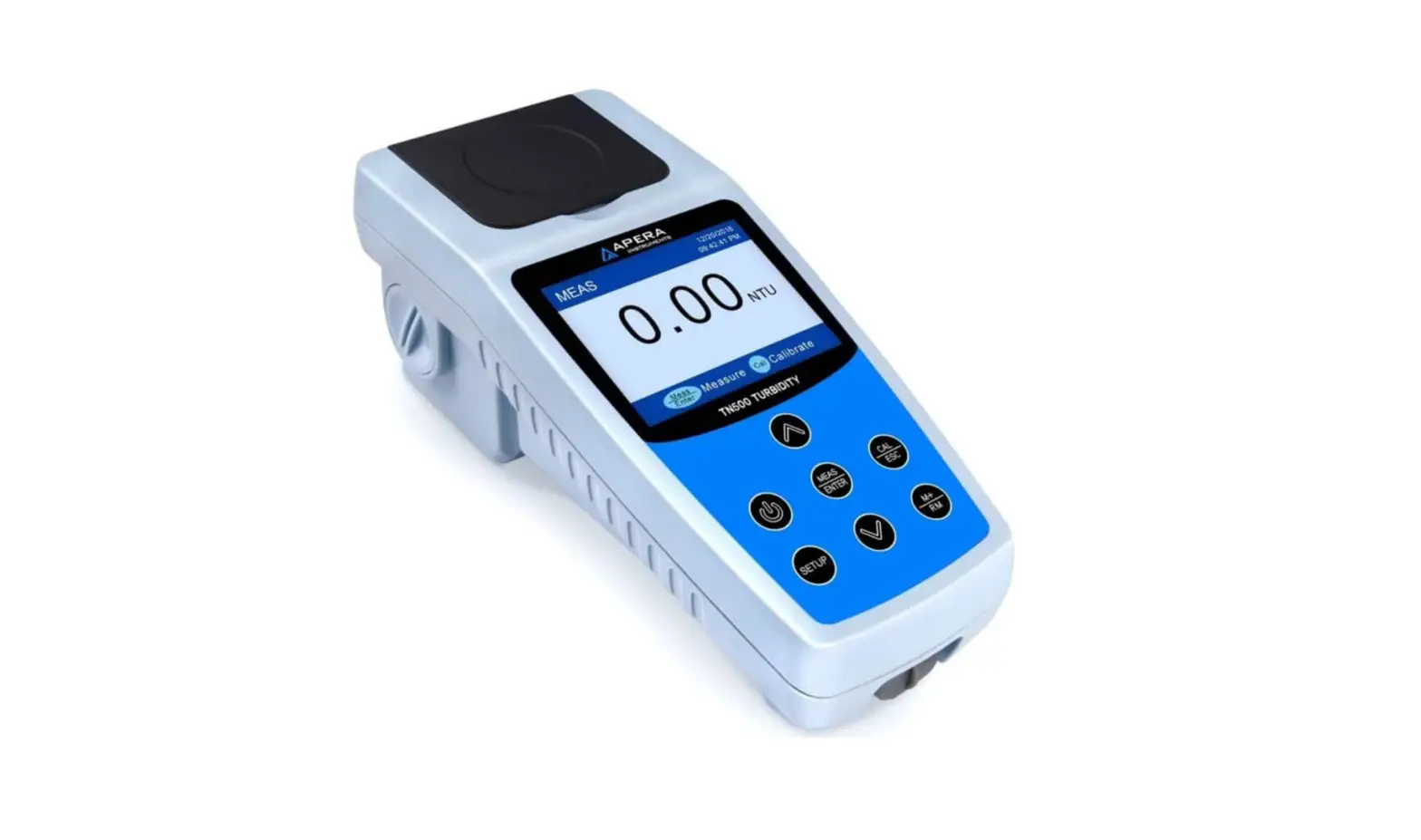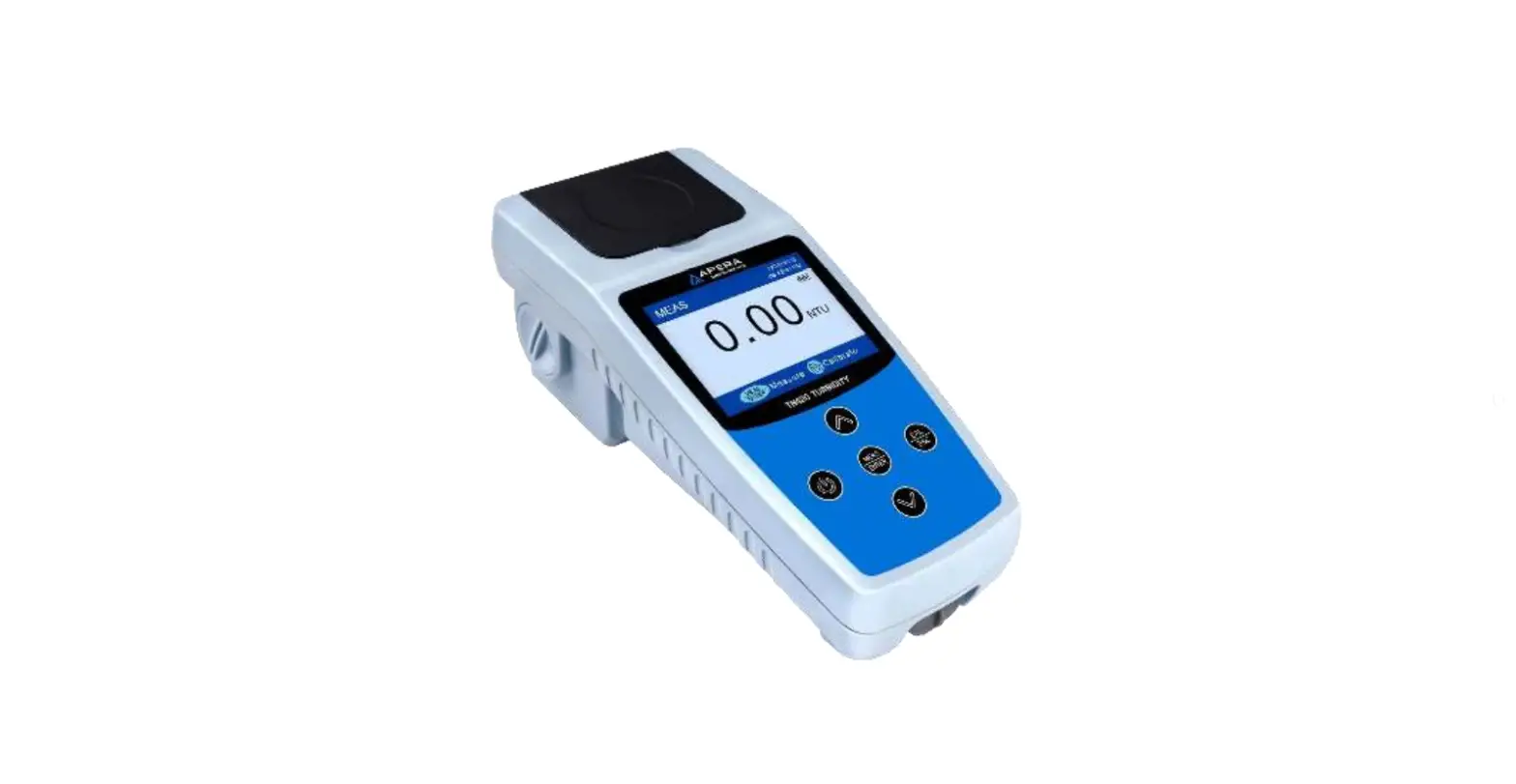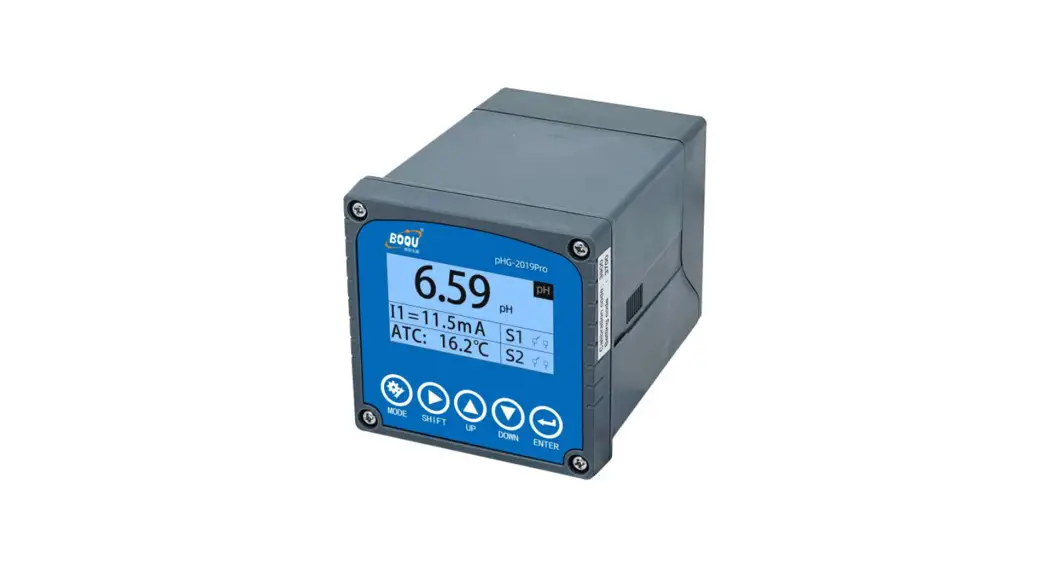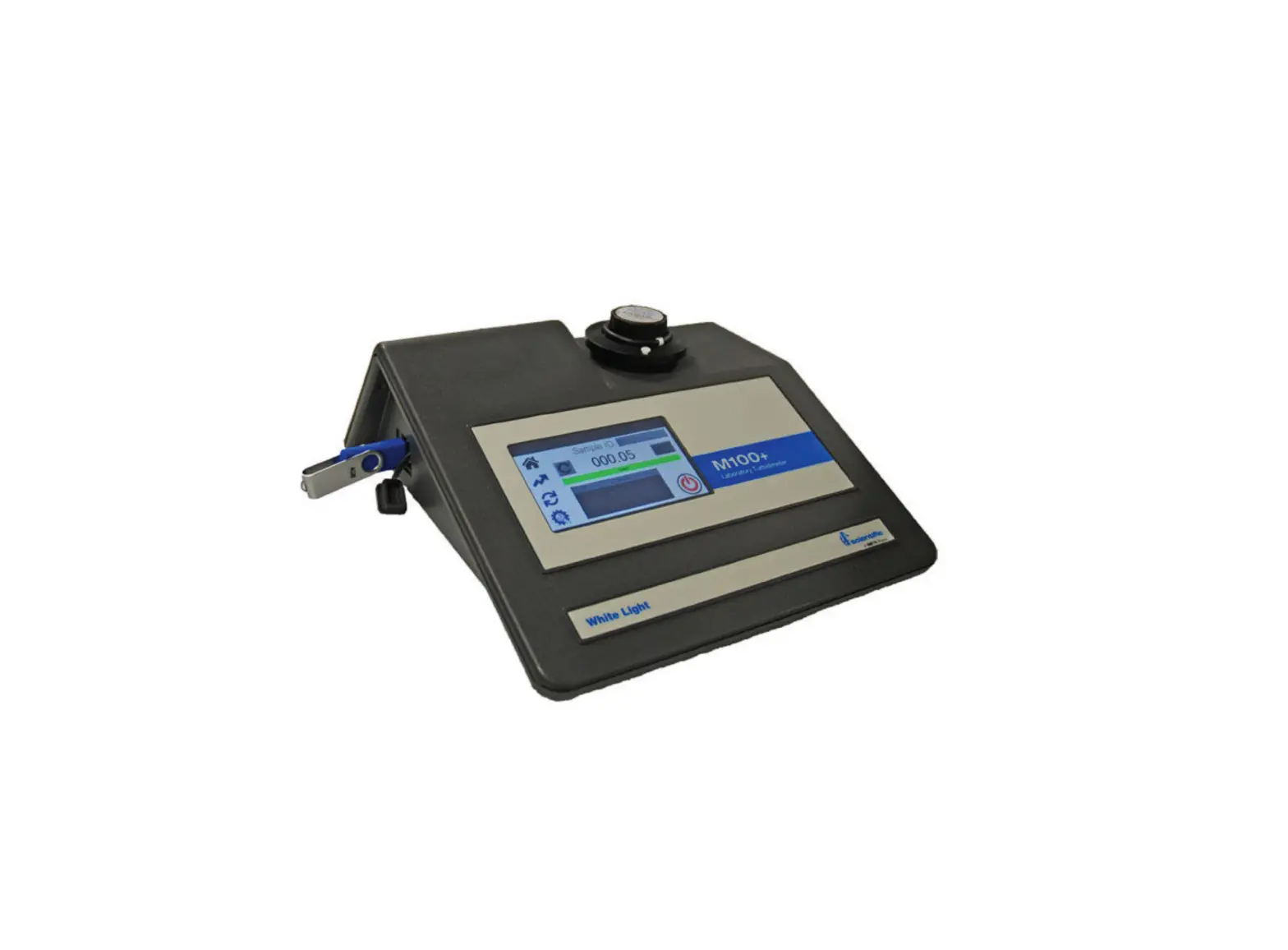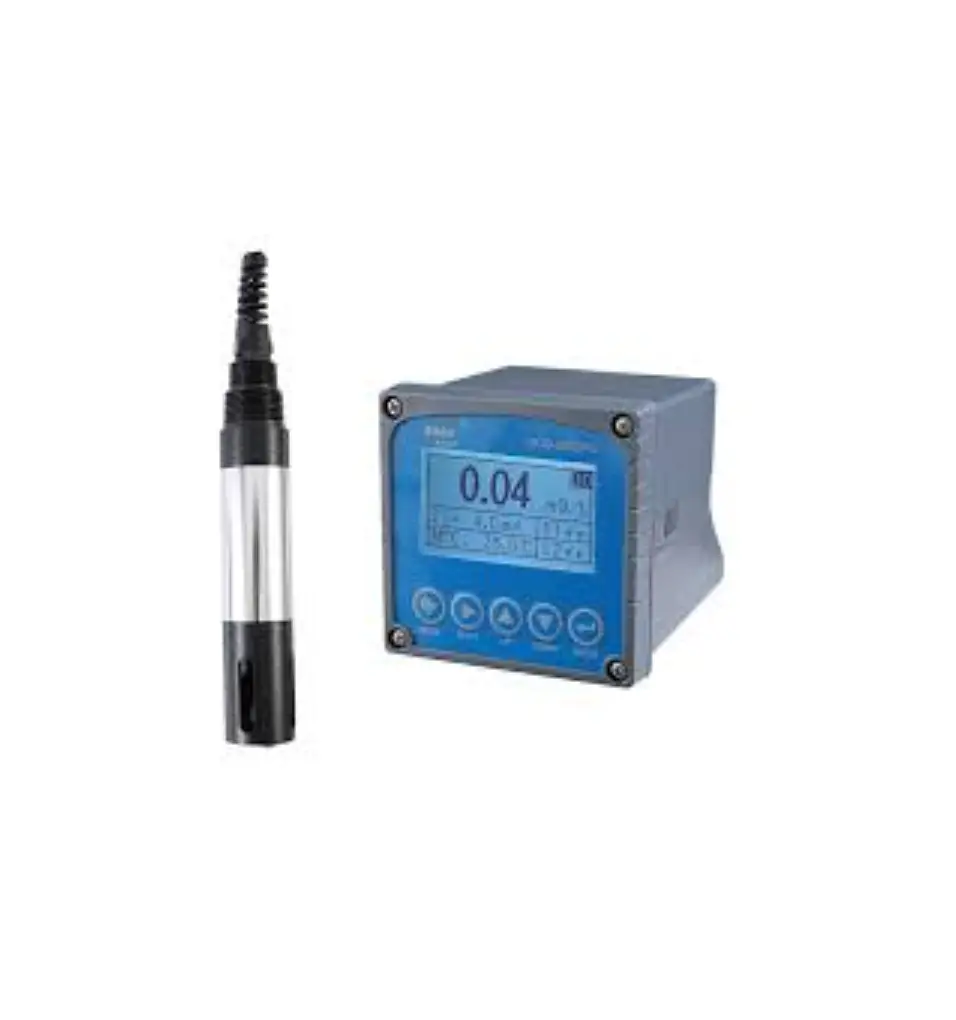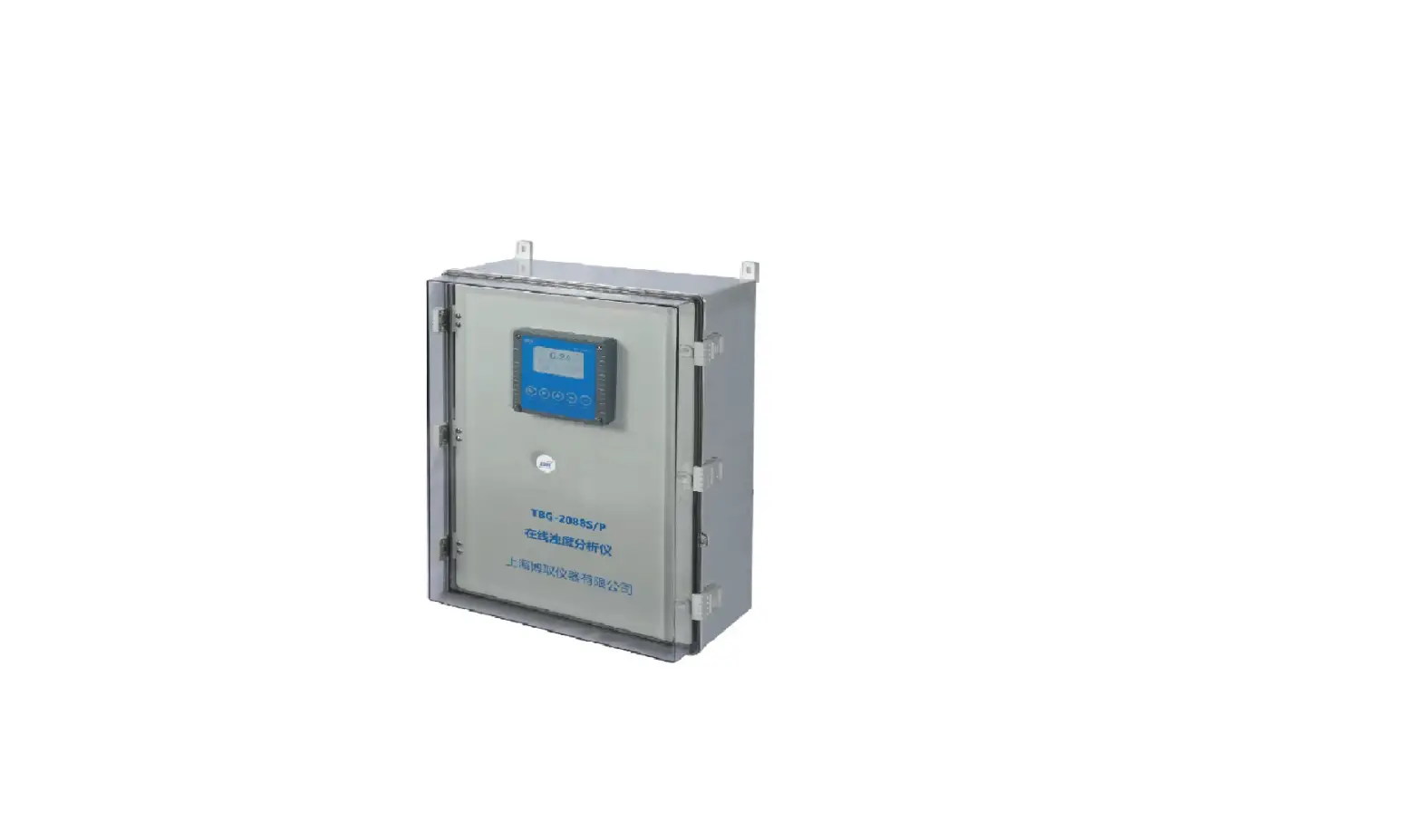

BOQU TBG-2088S/P Online Turbidity Meter
Introduction
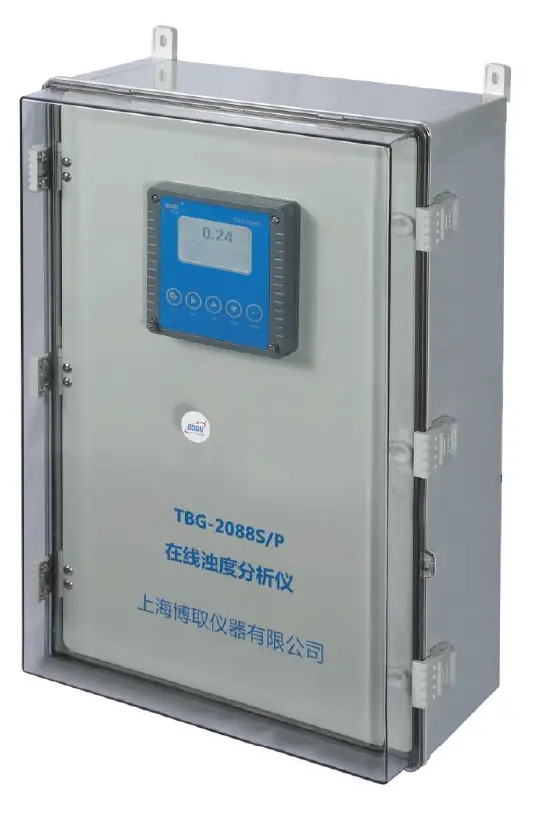
TBG-2088S/P online turbidity analyzer integrates flow through type turbidity sensor, intelligent online turbidity analyzer and waterway into a complete machine, which can view and manage data on the turbidity analyzer, perform calibration and other operations; this system It integrates the functions of online analysis of water turbidity, remote data transmission, database and calibration, which provides great convenience for the collection and analysis of water turbidity data.
The turbidity sensor part has its own defoaming tank, which can make the water sample enter the turbidity measuring tank after defoaming. The instrument requires less water samples and has strong real-time performance. A small water sample flows through the defoaming tank and enters the measuring tank, and the water sample is always kept in circulation. When the water sample passes through the circulation device, the instrument collects the turbidity of the water sample, and can also be connected to the central control room or the upper computer through digital communication.
Technical Features
- With precision digital turbidity sensor,Plug and use.
- Classic flow cell design with Bubble rejection system.
- Wide power supply:85VAC ~ 265VAC.
- Automatic drain function, few manual maintenance
- Two ways of 4-20mA,one for Turbidity ,another for temperature.
- With 3 relays: 2 relays for high &low point,another for clean set.
- Standard RS485 Modubs for PLC,Wireless,or other platform.
- Local data recording function and History data curve.
- Anti-electromagnetic interference and Surge protection.
- Power-off protection function, save measurement data completely.
Application
- Online continuous turbidity monitoring of clean water :
- Boiler water turbidity measurement
- Swimming pool clarity monitoring
- Food / drink water turbidity
- Potable water quality
- Process liquids monitoring
- Treated process water
- Pipe network
- secondary water supply etc.
Technical parameters
| Model | TBG-2088S/P | |
| Measurement configuration | Turbidity/Temperature | |
| Range | Temperature | 0-60℃ |
| Turbidity | 0-20NTU,0~100NTU | |
|
Resolution & Accuracy | Temperature | Resolution:0.1℃ ; Accuracy:±0.5℃ |
| Turbidity | Resolution:0.01NTU; Accuracy:±2% FS | |
| Communicatio n Interface | 4-20mA /RS485 | |
| Power supply | AC 85-265V | |
| Water flow | < 300mL/min | |
| Working Environment | Temp:0-50℃ | |
| Total power | 30W | |
| Inlet | 6mm | |
| Outlet | 16mm | |
| Protection | IP65 | |
| Wireless | Optional(for Mobile App and Website) | |
| Cabinet size | 600mm×400mm×230mm(L×W×H) | |
Appearance and structure
Appearance
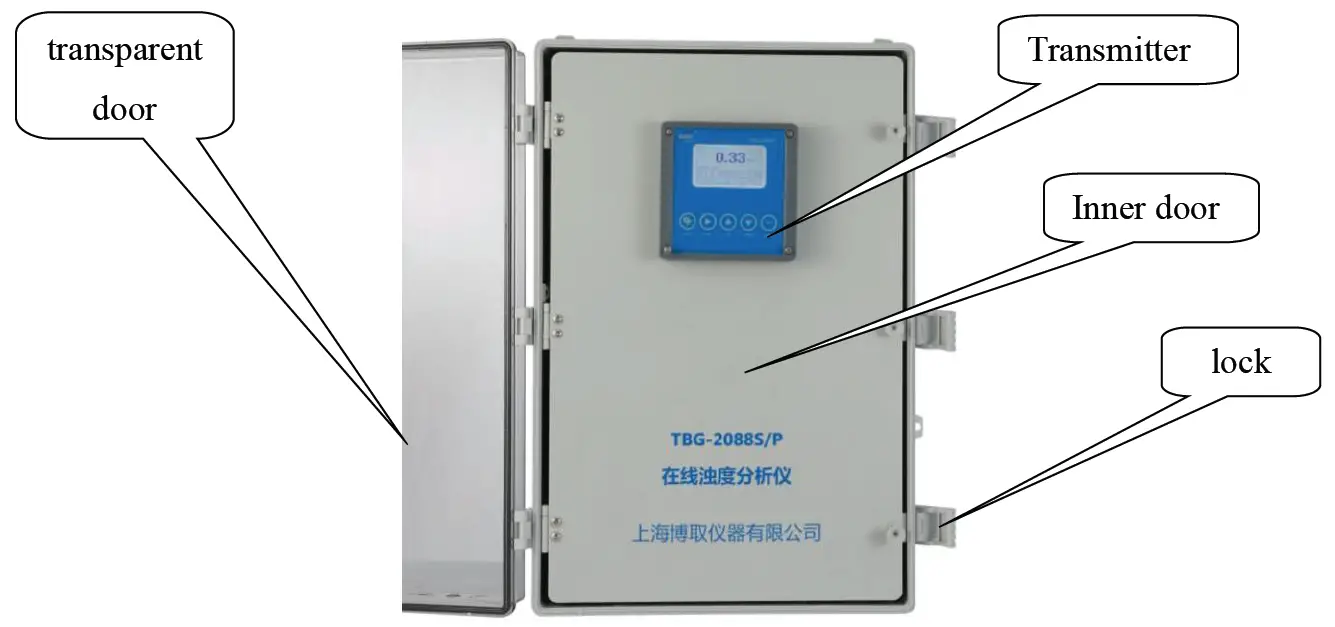
Turbidity analyzer: real-time display of measurement data, and operations such as setting and calibration can be performed by pressing keys
Inner structure
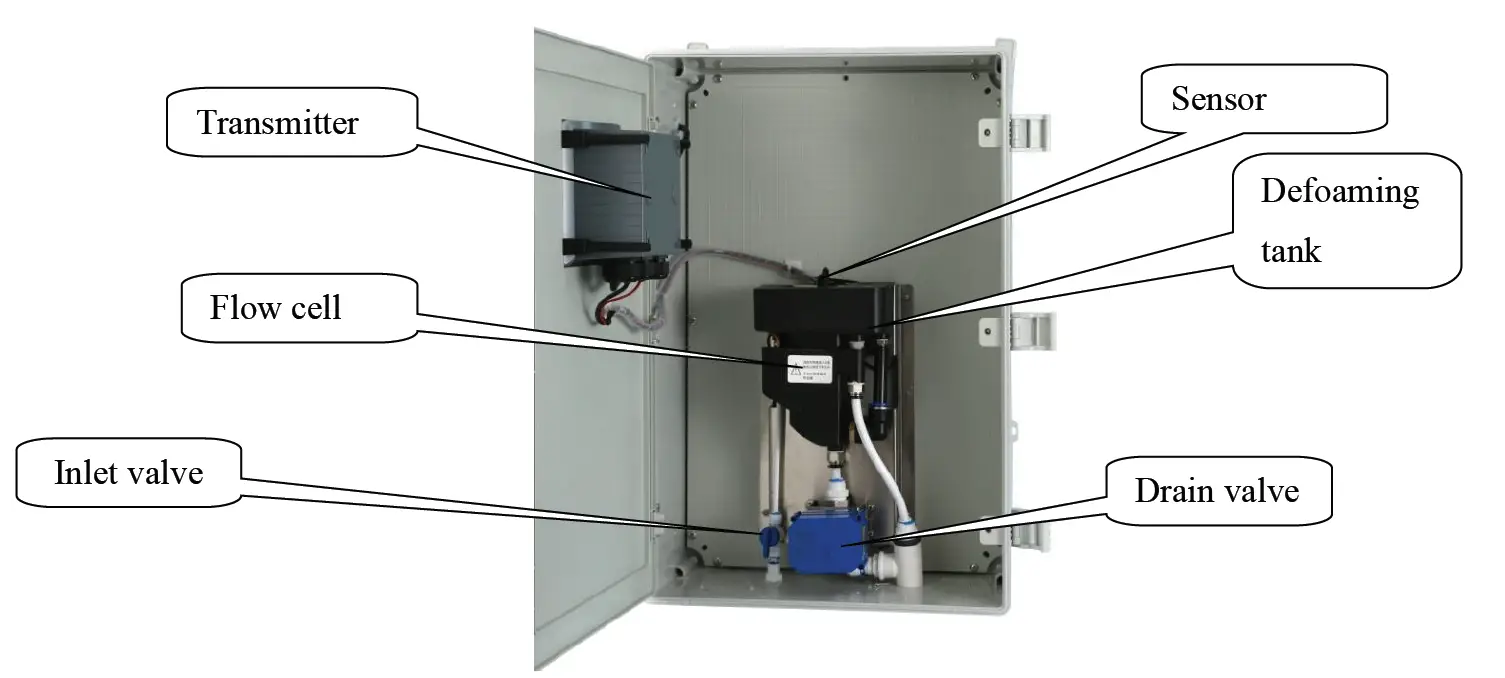
The instrument is equipped with: digital turbidity electrode, turbidity analyzer, defoaming pool, measuring pool and waterway, etc. The internal wiring of the instrument is connected and the sensor is installed. The power line and communication output line of the instrument are on the upper left side of the instrument, and the inlet and outlet pipes are on the bottom side of the instrument. Before use, customers only need to plug in the power cord and connect the inlet and outlet pipes.
Installation and Wiring
Installation requirements
- Select the installation location of the instrument in a spacious, ventilated and dry indoor environment
- The instrument should be placed and fixed at a position slightly higher than the drainage water level (300mm above the ground level is the most suitable height) to facilitate smooth drainage.
- There should be enough space for personnel to operate around the instrument to facilitate later maintenance and calibration.
- The level of the instrument’s drainage pipe layout should be lower than the level of the water outlet of the instrument, and the total length of the water outlet pipe should not exceed 3 meters, and there should be no blockage at the end.
- The water inlet and outlet pipes of the instrument all use quick-plug joints, and the water inlet pipes have matching adapters. The user can match other adapters according to the actual situation on site, but the final pipeline connected to the water inlet of the instrument cannot be changed.
- Water pressure: ≤0.3 Mpa
- Flow requirements: ≤ 300 mL/min
- Anti-interference preventive measures: Do not share a power supply with motors, inverters and other high-power equipment.
- Water and electricity measurement.
- After the instrument is powered on, open the water inlet valve, and the water sample enters the flow cell. After the water level in the flow cell reaches a certain height, the water sample flows out from the drain.
Wiring
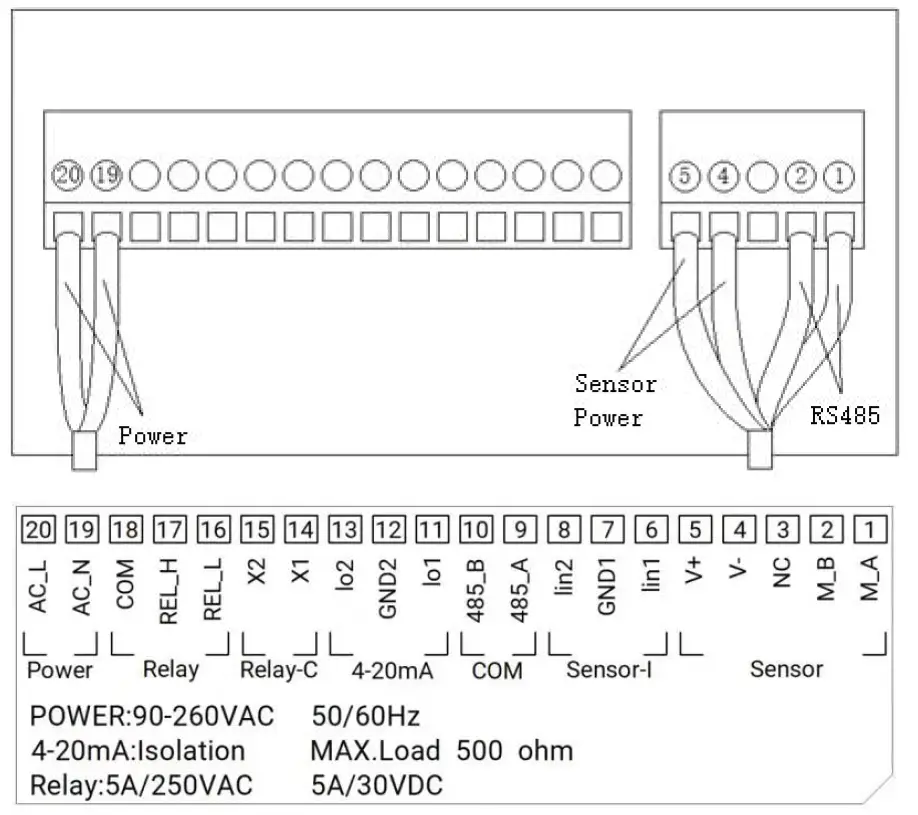
Operation
Operation Interface
There are 2 modules in the main panel of the turbidity measuring instrument, LED LCD display module and button module.
Users can set and adjust the parameters of the instrument through the 5 buttons on the panel.
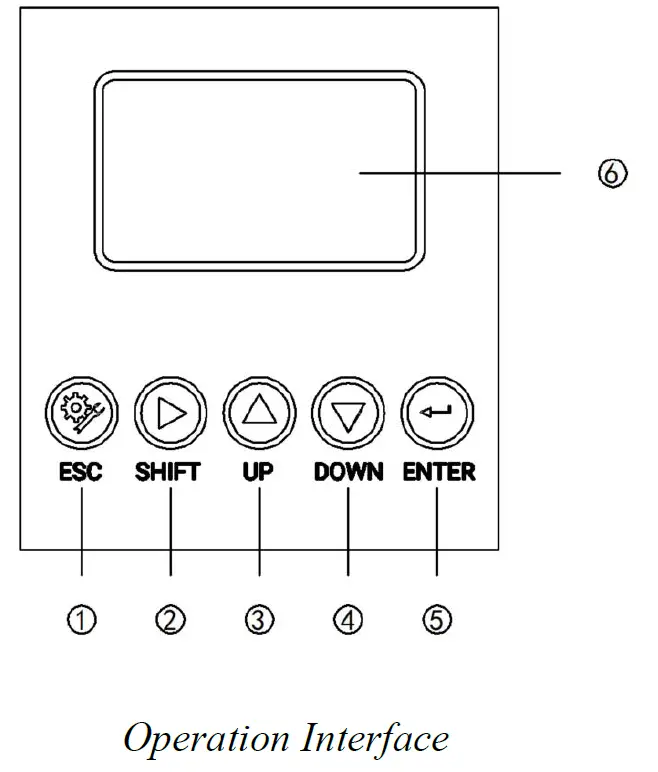
- Set/Exit button
- Select/Shift button
- Up button
- Down button
- Confirm button
- LED screen
Measurement interface
Enter the main measurement interface after the start-up animation.
When the instrument is working normally, the LED display shows the following content.
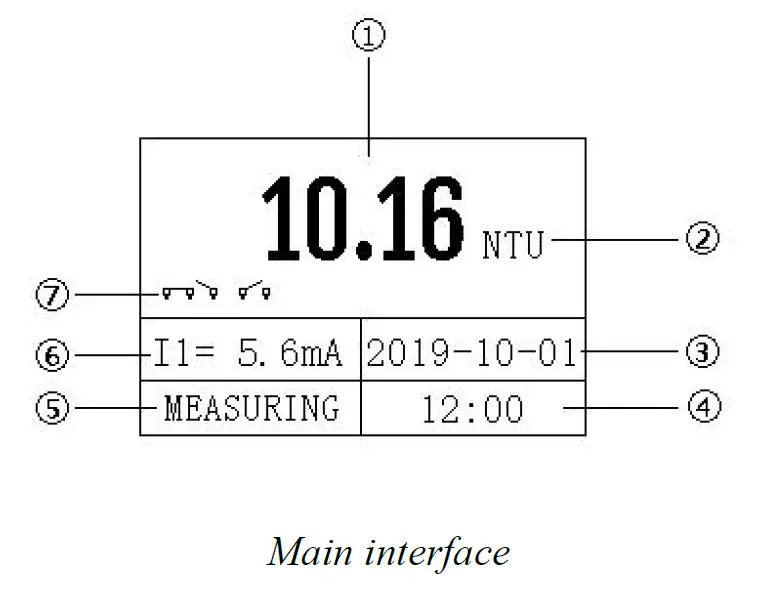
- Measurement value
- Unit
- Real-time date
- Real time
- Measurement status
- 4-20mA corresponding value of turbidity
- Relay status
Setting
Press “Set/Exit Button” to enter the password input interface.
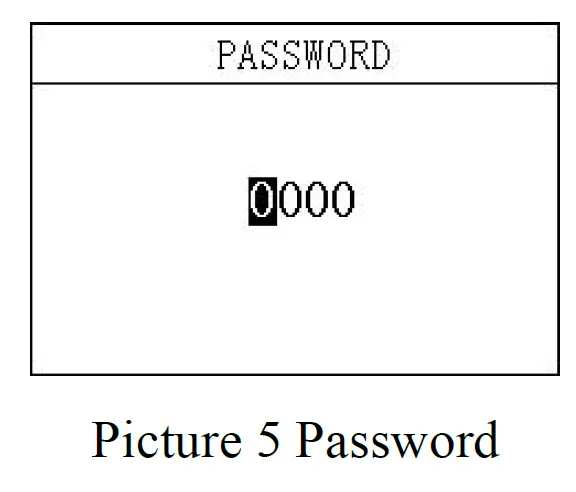
Enter settings:
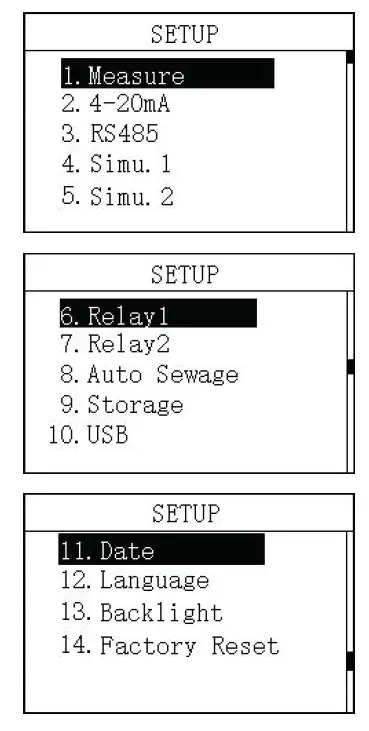
Enter the password “3700” to enter the setup menu.
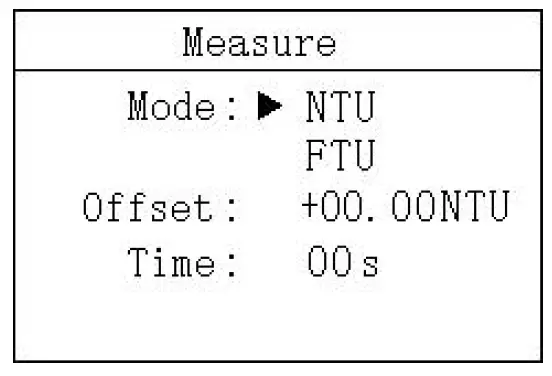
Unit
In this menu, users can change the measurement method NTU/FTU, and at the same time can adjust the offset to make the measurement accurate.
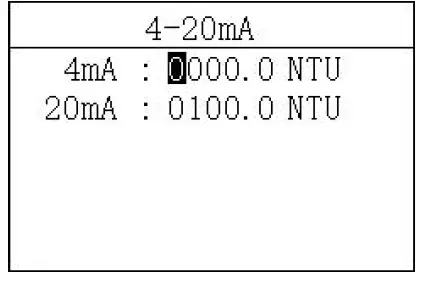
4-20mA
In this menu, users can change the corresponding value of 4-20mA and set the corresponding effective range.
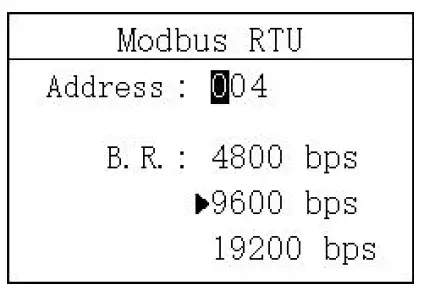
ModbusRTU communication
In this menu, users can change the communication address and rate.
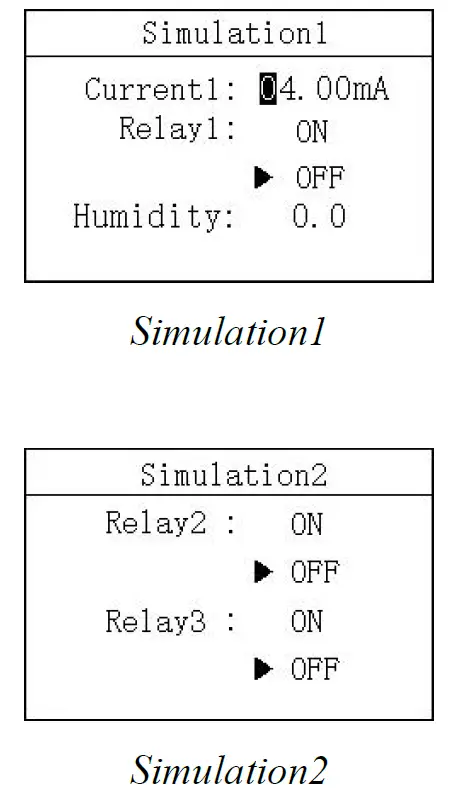
Simulation
In this menu, users can simulate the 4-20mA current output. The current output can be verified by simulating the measurement of the IO1 (measured value) and IO2 (temperature) ports. The release relay is closed. The relay is simulated and verified.
Relay Set
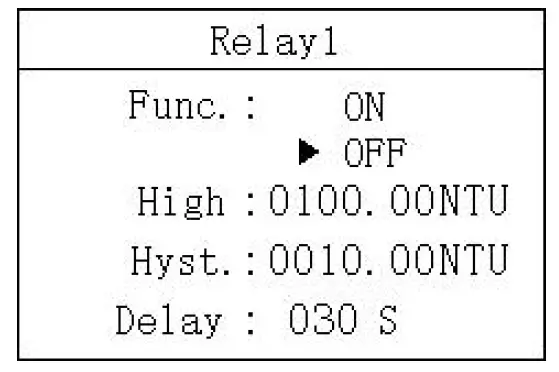
Relay1
In this menu, users can switch the relay 1 function, set the parameter alarm upper limit value, alarm return difference value, and alarm delay time.
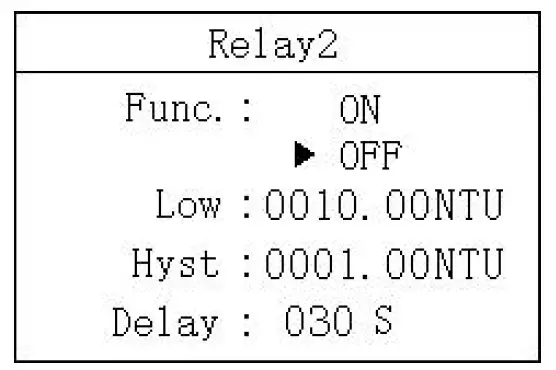
Relay2
In this menu, users can switch the relay 2 function, set the parameter alarm lower limit value, alarm return difference value, and alarm delay time.
Relay3(Immersion only)
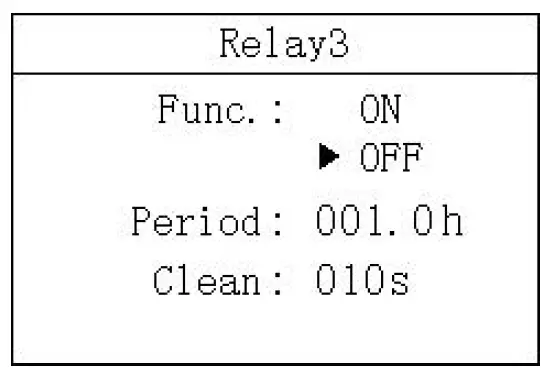
In this menu, users can set the relay 3 function, set the cleaning time and cleaning cycle.
Auto Sewage
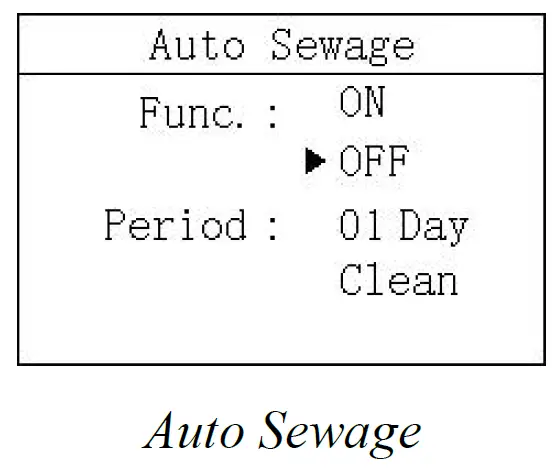
In this menu, users can switch the automatic drainage function (default on), set the drainage cycle (the shortest cycle is 1 day, the longest cycle is 30 days, if the setting exceeds 30 days, it will automatically change to 10 days) and manually perform a sewage discharge .
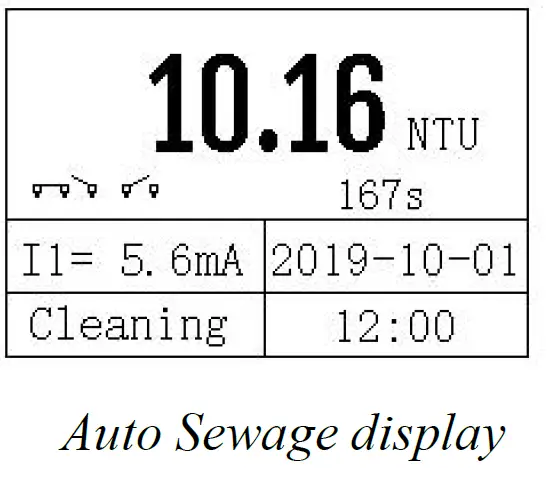
The duration of each sewage discharge is 3 minutes (cannot be changed), which will be displayed in the main interface, during which the measurement will be suspended.
Storage
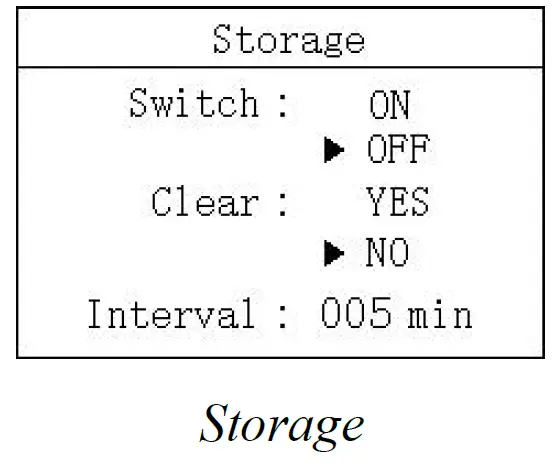
In this menu, users can set the storage function (default off), clear storage memory and recording interval.
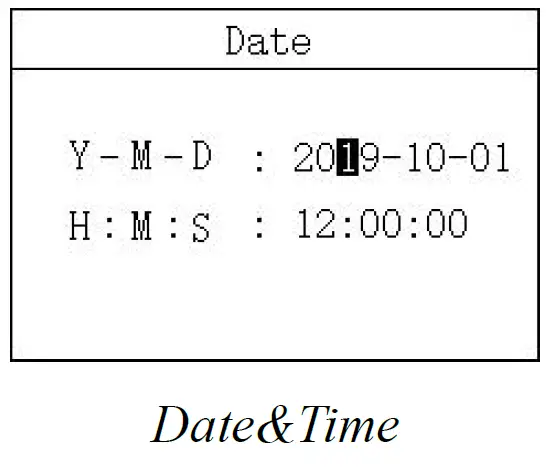
Date & Time
In this menu, users can change date and time according to different time zone.
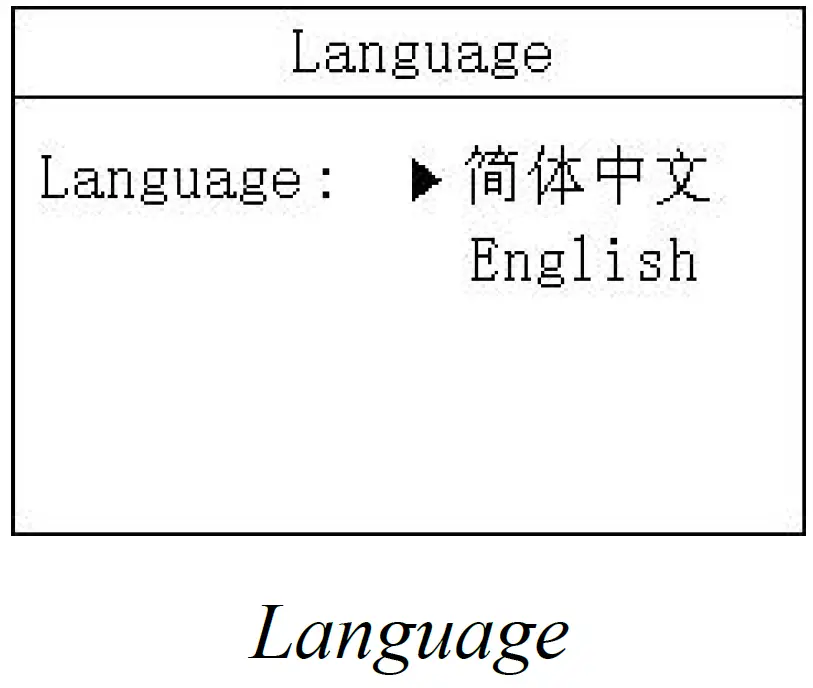
Language
Users can choose English or Chinese according to need.
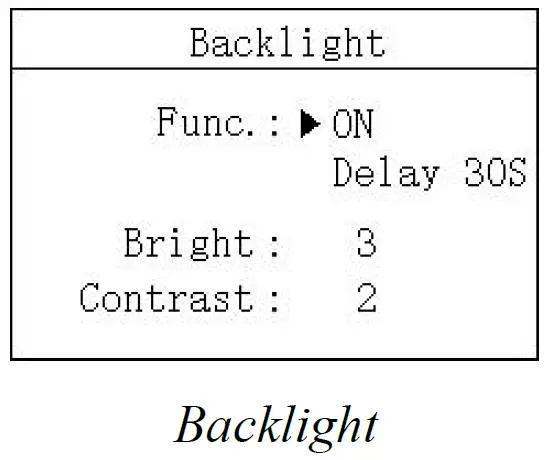
Backlight
In this menu, users can change the backlight mode of the LCD screen. The backlight can be always on or delayed off (the default is delayed off), the backlight brightness can be changed (brightness level 1-5, brightness increases), and the contrast can be changed.
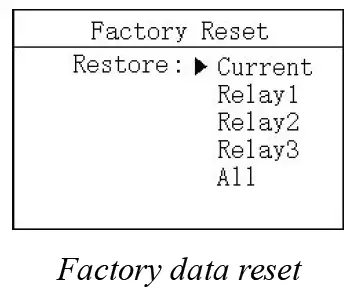
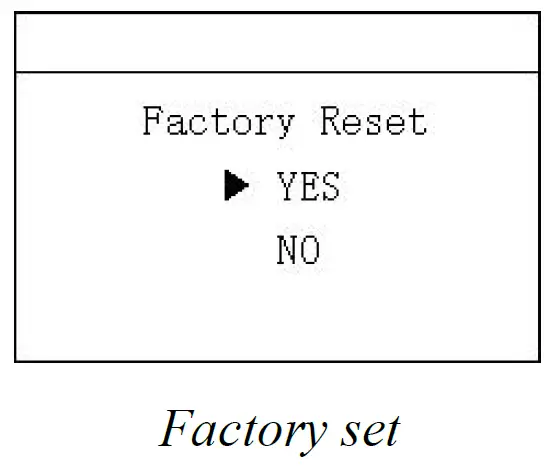
Factory data reset
In this menu, users can restore the current output and relay to the factory parameters.
Calibration
Press “Set/Exit Button” to enter the password input interface.
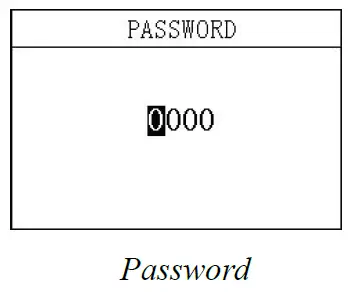
Enter calibration:
Enter the password “3900” to enter the calibration menu.
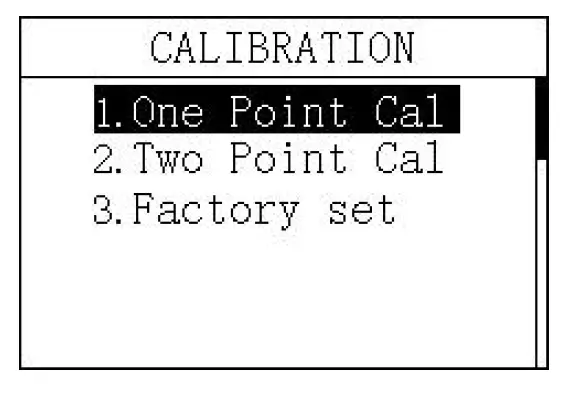
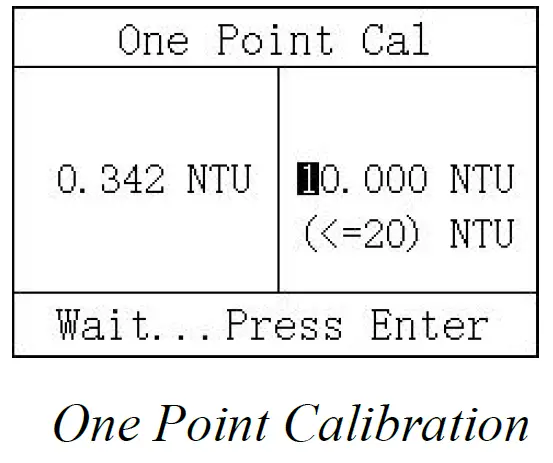
One Point Calibration
Add a solution of known concentration, when the measured value on the left is stable, modify the value on the right to the concentration of the solution and press the enter key.
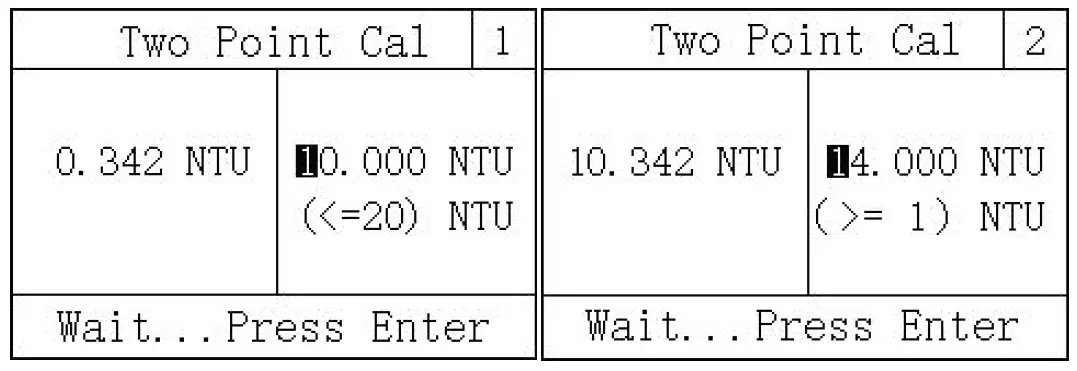
Two Point Calibration
The method is the same as one point calibration, adding solutions with different concentrations (the concentration of the solution used at the first point must be less than the second point).
Factory reset
In this menu, users can restore the calibration parameters to the factory parameters.
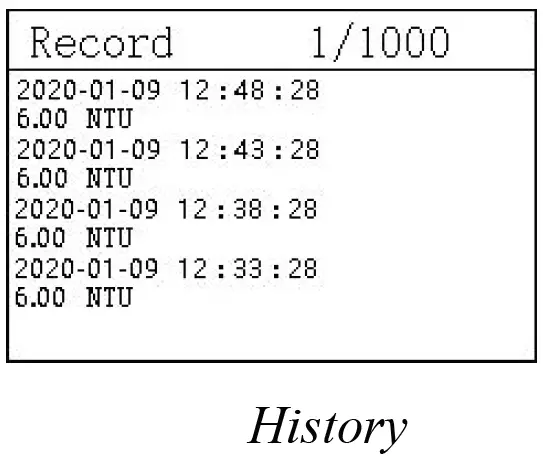
History Data Display
Press “ESC” to enter the password input interface.
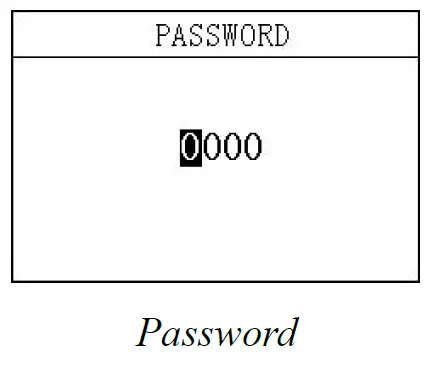
Enter History Data Display:
Enter the password “1300” to enter the History Data Display.
Press the up and down keys to switch the display. It can store up to 1000 records and overwrite automatically if reach maximum.
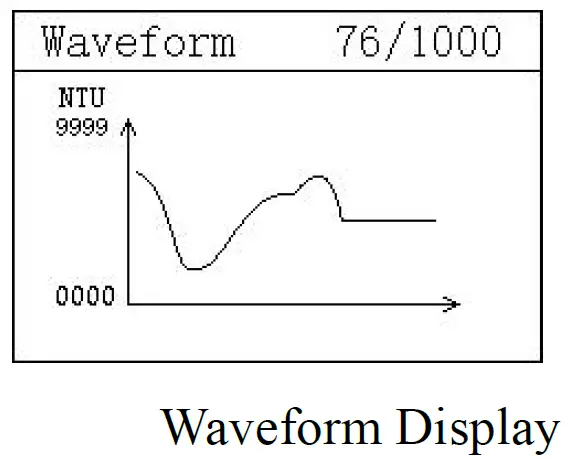
Waveform Display
Press “ESC” to enter the password input interface.
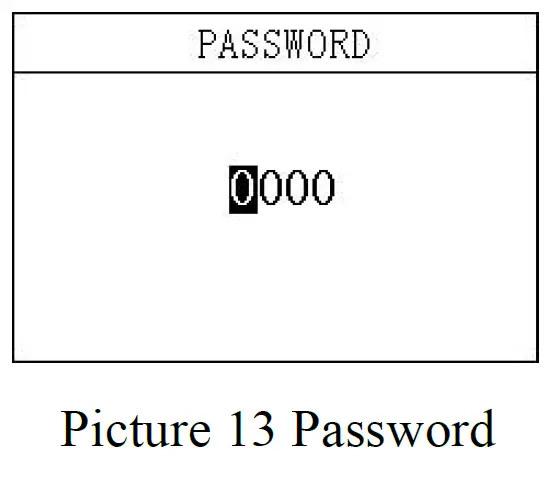
Enter Waveform Display:
Enter the password “1400” to enter the Waveform Display.
Press the up and down keys to switch the display.
Common faults and handling
| NO. | Fault | Approach |
| 1 | No display | Check power on or off |
| Check power wire connection | ||
| 2 | The instrument shows that the sensor cannot be found | Check sensor wire |
| 3 | Big measurement error | Check whether the measured water sample has obvious changes, including relevant conditions such as water quality and flow rate. If there is any abnormality, please use a portable or laboratory instrument for comparison. Check whether there is any water sample in the measuring cell, and it circulates normally. Check that the blowdown valve is closed. |
| 4 | There is water coming out of the lid of the defoaming tank | Check whether the inlet water flow is too large, and adjust the opening of the inlet valve to reduce the inlet water flow rate. |
| 5 | The overflow port of the measuring cell is not flowing smoothly or some joints are leaking | Check whether the water outlet is blocked by foreign objects and whether the drainage pipeline is unobstructed. Check whether the water outlet pipe outside the box is too high, resulting in poor drainage. |
Attention
When using it for the first time, hang the instrument securely, connect the inlet and outlet pipes, and then turn on the power.
If the instrument needs to be transported or transported, close the water inlet valve before powering off the instrument, enter the automatic blowdown setting interface of the turbidity analyzer setting menu, select manual blowdown once, open the blowdown solenoid valve, and drain the water sample in the sensor measuring cell. Empty, to avoid the liquid leaking to the outside during the handling or transportation of the instrument, which may cause the electronic parts to get wet.
If the instrument is not used for a long time, it is also recommended to manually empty the water sample in the measuring cell to prevent the water sample from remaining for a long time and scaling on the inner wall of the measuring cell.
MODBUS Protocol
Communication protocol
Communication parameters:
Baudrate:4800, 9600, 19200(9600default)
Serial data format: 8N1(8 data bits, No parity, 1 stop bit)
Function code: 03
Device address: Turbidity analyzer defaults to 4
Register definition:
| Register address(Dec) | Definition | R/W | Remarks |
| 2,3 | Turbidity | R | ×1 NTU,FP32 AB CD |
| 8 | RTU Address | R/W | Modbus communication address,TB defaults 4. |
| 9 | Baudrate | R/W | 4800,9600,19200,9600 as default |
Examples of communication formats:
Data reading instruction
Addr. + Func. + Register start address + Number of Registers read + CRC check code (Hex)
e.g. Tx:04 03 00 02 00 02 65 9E
| Address | Func. | Register start address | Number of Registers read | CRC check code |
| 04 | 03 | 0002 | 0002 | 659E |
Data return instruction:
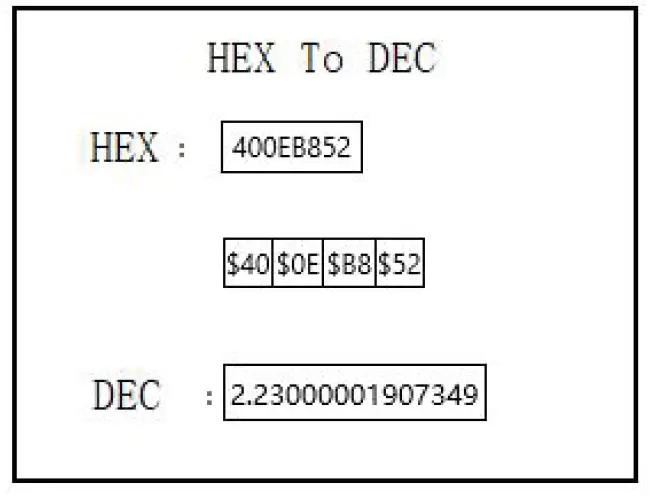
Address + Func. + Data length + Data + CRC check code (Hex) e.g. Rx:04 03 04 40 0E B8 52 28 CD
| Address | Func. | Data length | TB value | CRC check code |
| 04 | 03 | 04 | 400EB852 | 28CD |
The transmission data format is FP32 AB CD, the conversion sequence is 400EB852. Convert the hexadecimal number 400EB852 to decimal through a floating-point number converter, resulting in a value of 2.23
Shanghai BOQU instrument Co.,Ltd.
Tel: 86-021-20922782
Fax: 86-021-20981909
Mob: 86-15000087545
Postcode: 201315
Website: www.boquinstrument.com
E- mail: [email protected]
Address: No.118 Xiuyan Road, Pudong New District, Shanghai
* 30200099*
 Water Quality Analyzer, Water Quality Sensor Manufacturer | BOQU