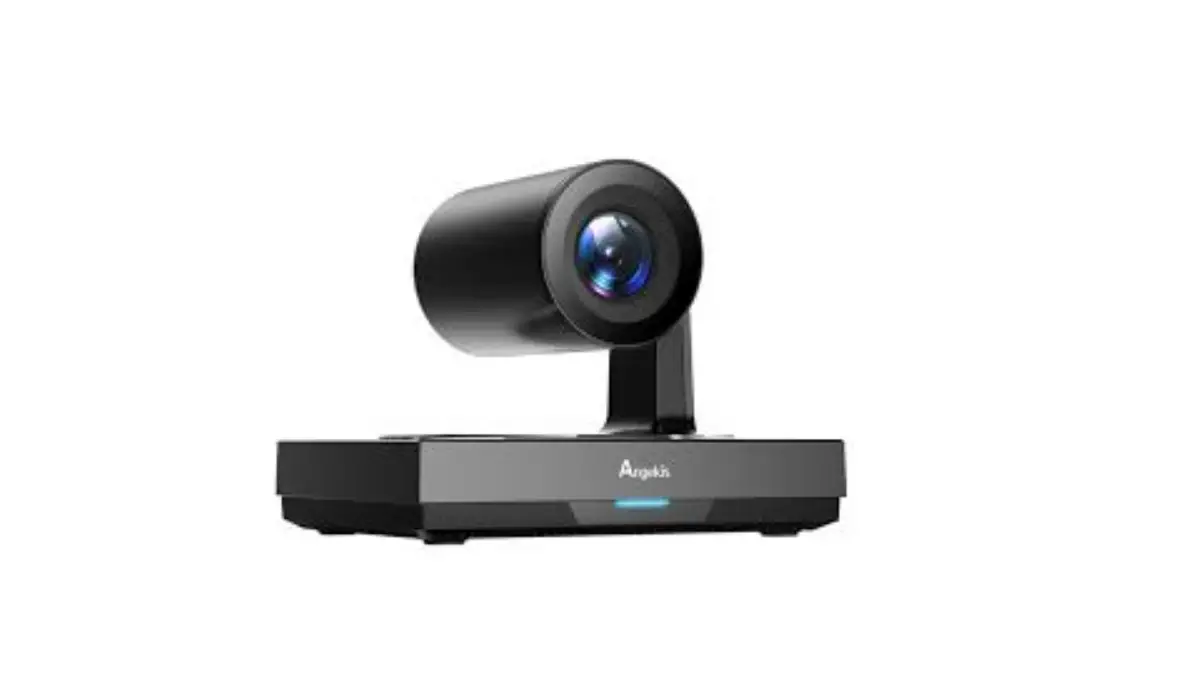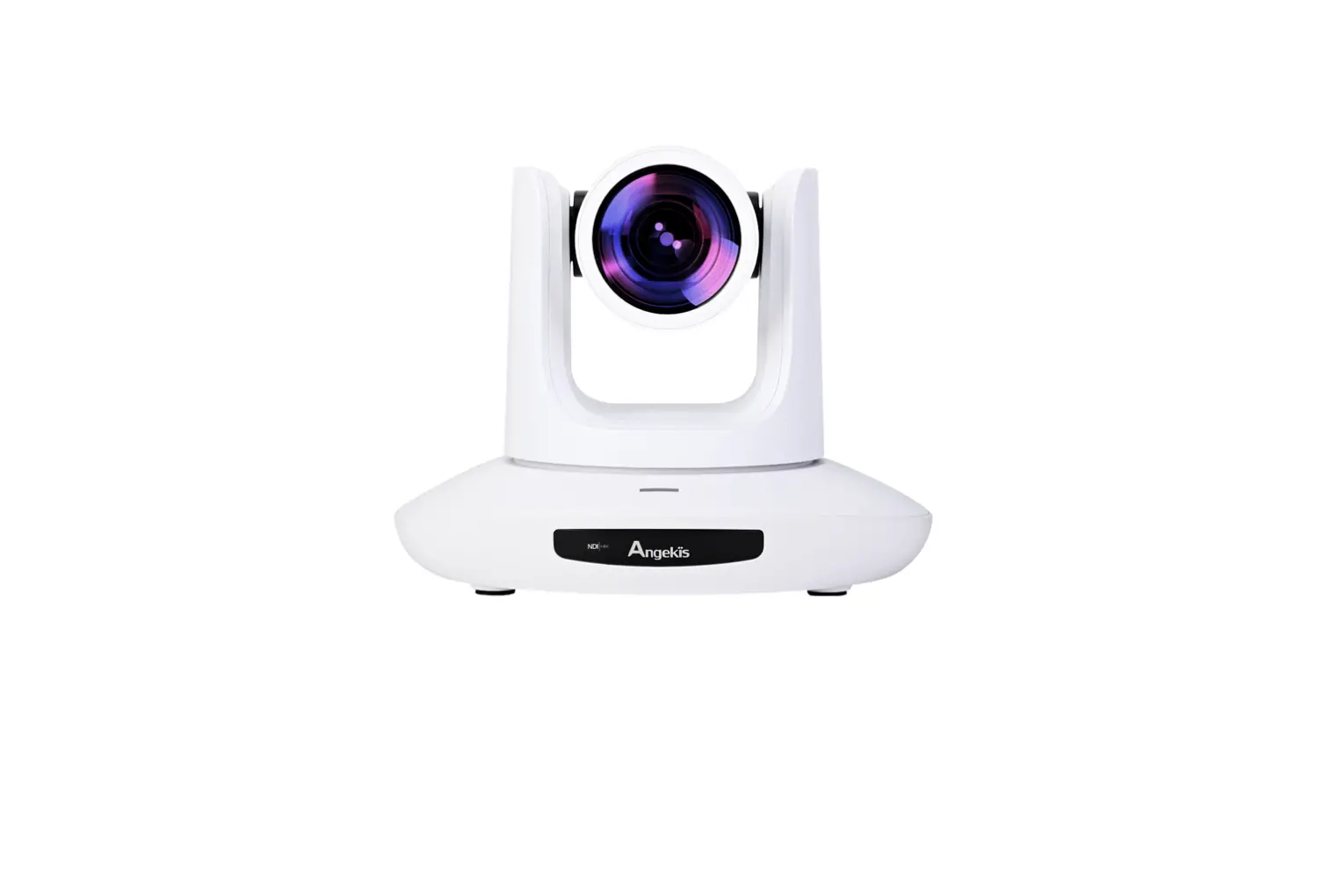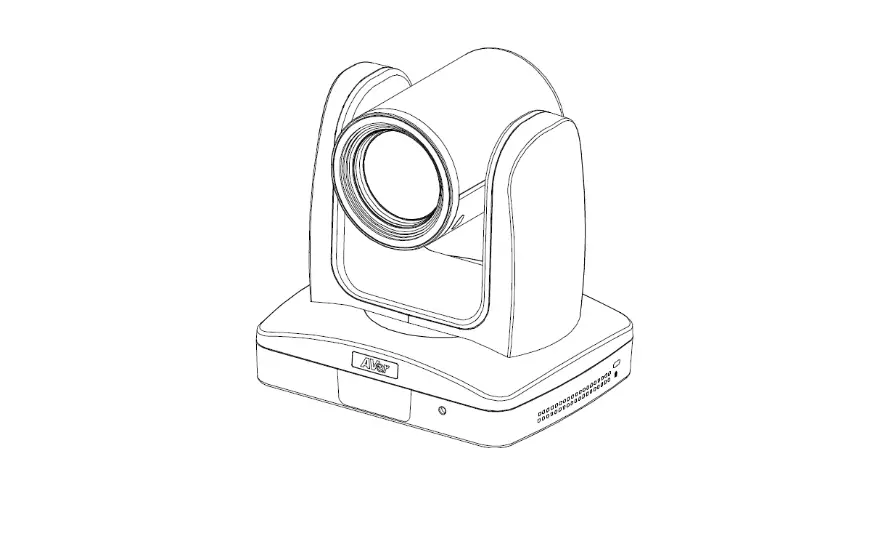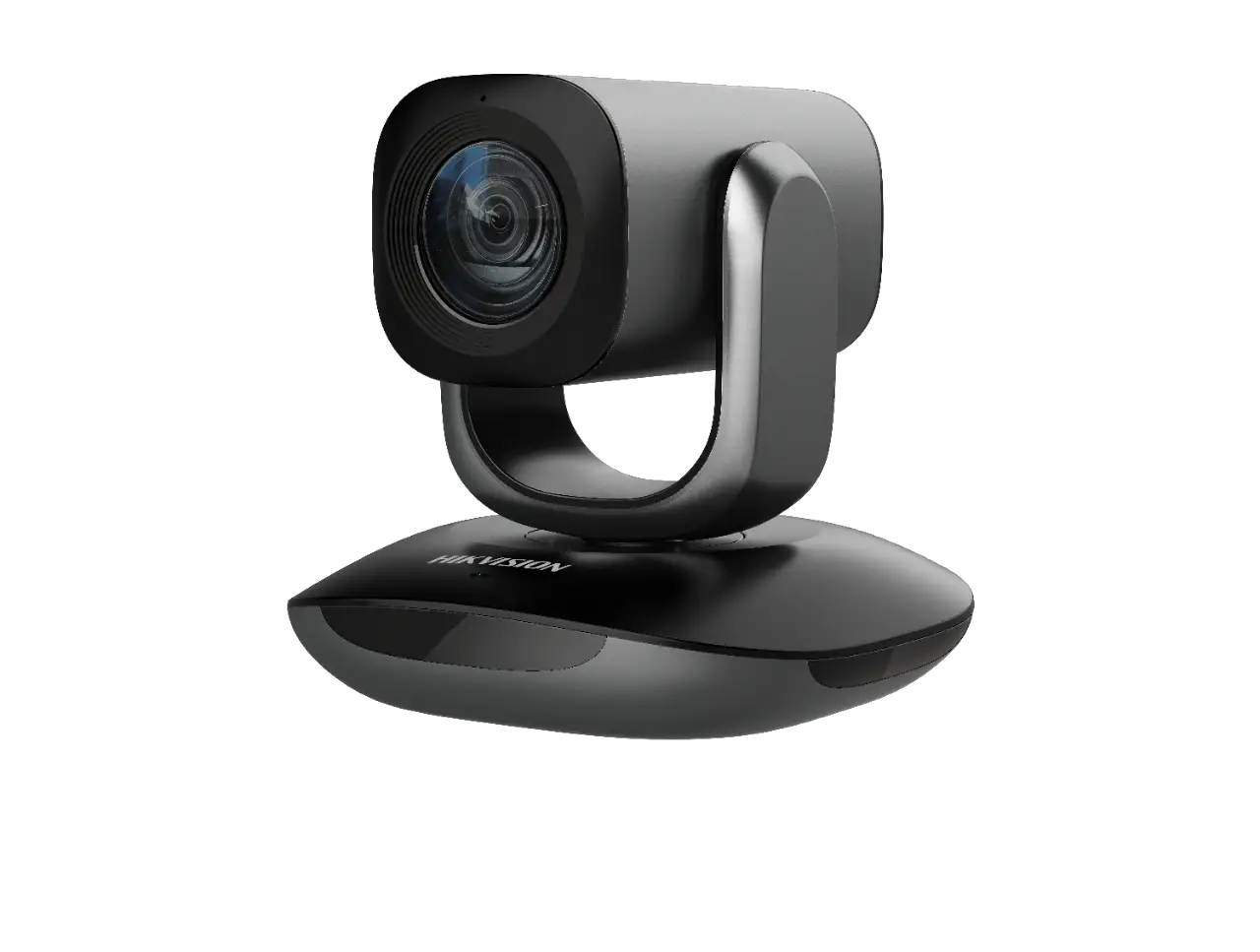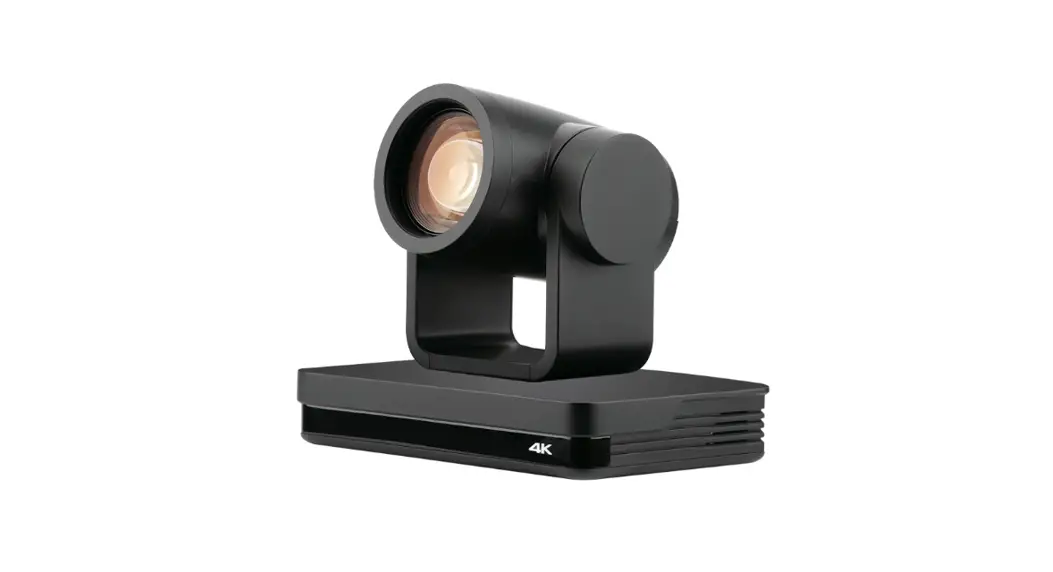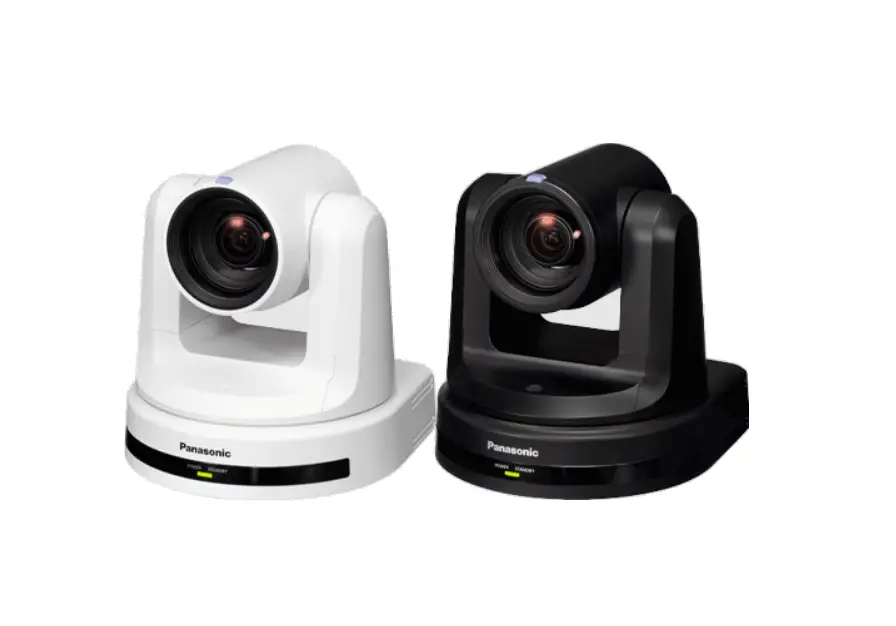

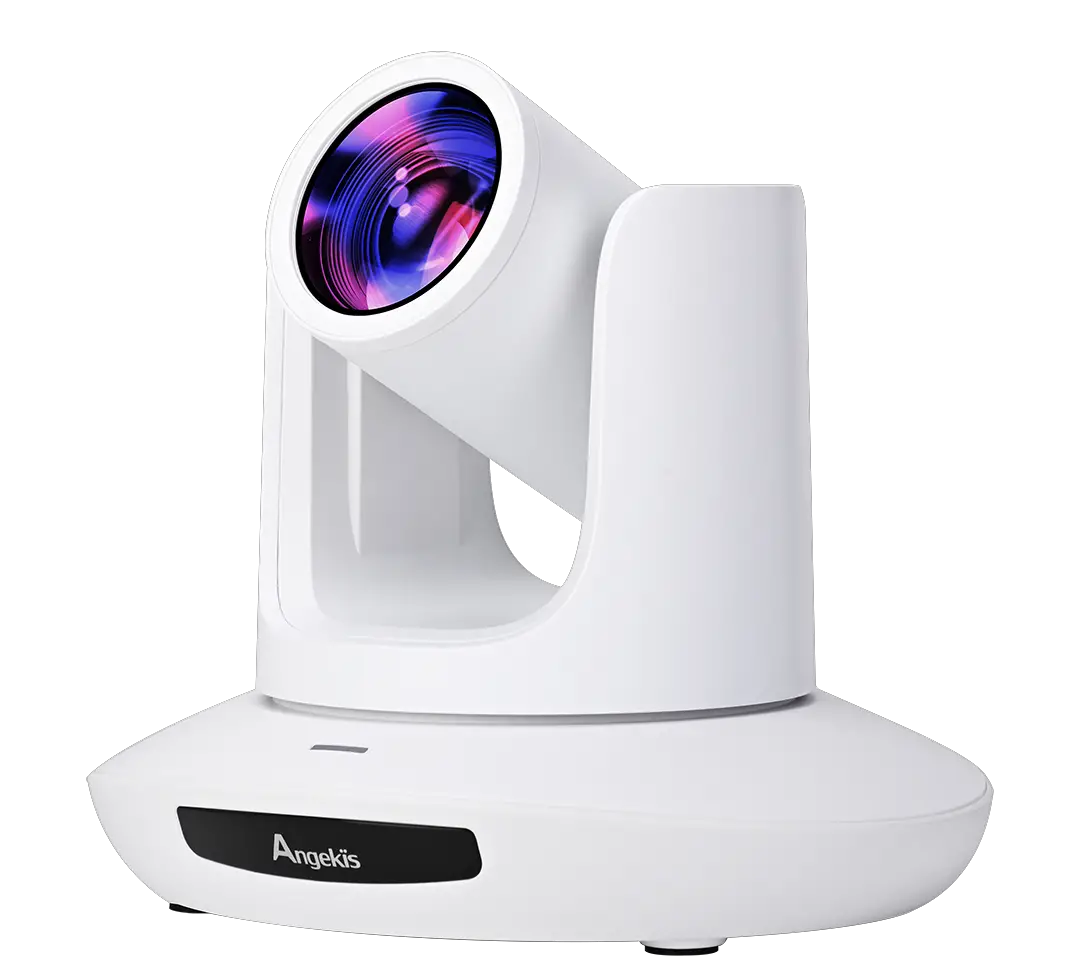
Angekis U2-12FHD30 Saber U2 PTZ Camera
SAFETY GUIDES
- Before operation, please fully read and follow all instructions in the manual. For your safety, always keep this manual with the camera.
- The camera power input range is 100-240VAC(50-60Hz),ensure the power supply input within this rate before powermg on.
- The camera power voltage is 12VDC, rated currency is 1.5A. We suggest you use it with the original power supply adapter supplied by the factory.
- Please keep the power cable, video cable and control cable in a safe place. Protect all cables especially the connectors.
- Operational environment: 0°C-50°C, humidity less than 90%.To avoid any danger, do not put anything inside the camera, and keep away from the corrosive liquid.
- Avoid stress, vibration and damp during transportation, storage and installation.
- Do not detach the camera housing and cover. For any service, please contact authorized technicians.
- RF cable and control cable should be individually shielded, and cannot be substituted with other cables. Do not direct the camera lens towards strong light, such as the sun or the intensive light.
- Use a dry and soft cloth to clean the camera housing. Applied with neutral cleaning agent when there is need to clean. To avoid damage on the camera lens, never use strong or abrasive cleaning agents on the camera housing.
- 10.Do not move the camera by holding the camera head. To avoid mechanical trouble, do not rotate the camera head by hand.
- Put the camera on fixed and smooth desk or platform, avoid leaned installation.
- Power Supply Polarity(Drawing)
ACCESSORIES
Check all bellow items when open the package:
- Camera········································································ 1
- Power Adapter································································ 1
- Power Cable·································································· 1
- RS232 Control Cable························································ 1
- USB2.0 Cable ………………………………………………………. 1
- Remote Controller··························································· 1
- User Manual·································································· 1
- Double-sided Adhesive …………………………………………….. 1
QUICK START
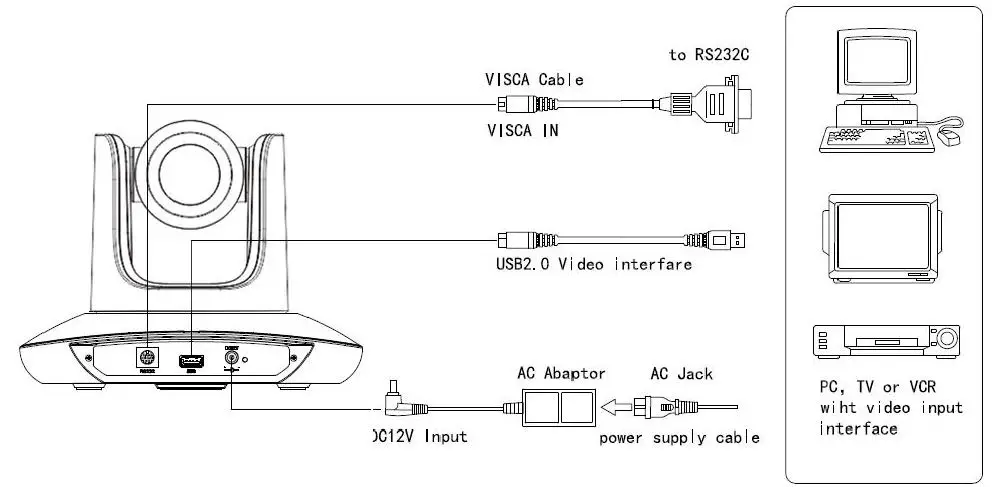
- Check all cable connections before power on.

- DIP Switch Setting (at the bottom of the camera):

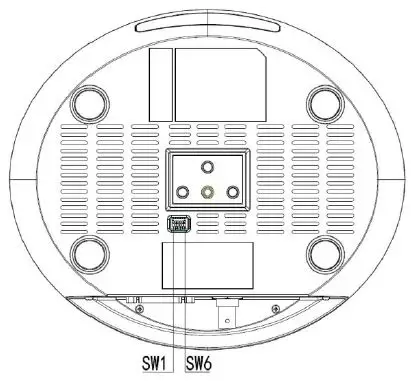
| Function | (ARM) | |||
| SW-1 | SW-2 | Instruction | ||
| 1 | OFF | OFF | Updating mode | |
| 2 | ON | OFF | Debugging mode | |
| 3 | OFF | ON | Undefined | |
| 4 | ON | ON | Working mode |
| SW-3 | SW-4 | Instruction | |
| 1 | OFF | OFF | Off(Close IR receiver) |
| 2 | ON | OFF | Undefined |
| 3 | OFF | ON | SEJIN 4PPM CODE |
| 4 | ON | ON | NEC CODE(standard) |
| Function | (USB) | ||
| SW-5 | SW-6 | Instruction | |
| 1 | OFF | OFF | Undefined |
| 2 | ON | OFF | Working mode |
| 3 | OFF | ON | Updating mode |
| 4 | ON | ON | Undefined |
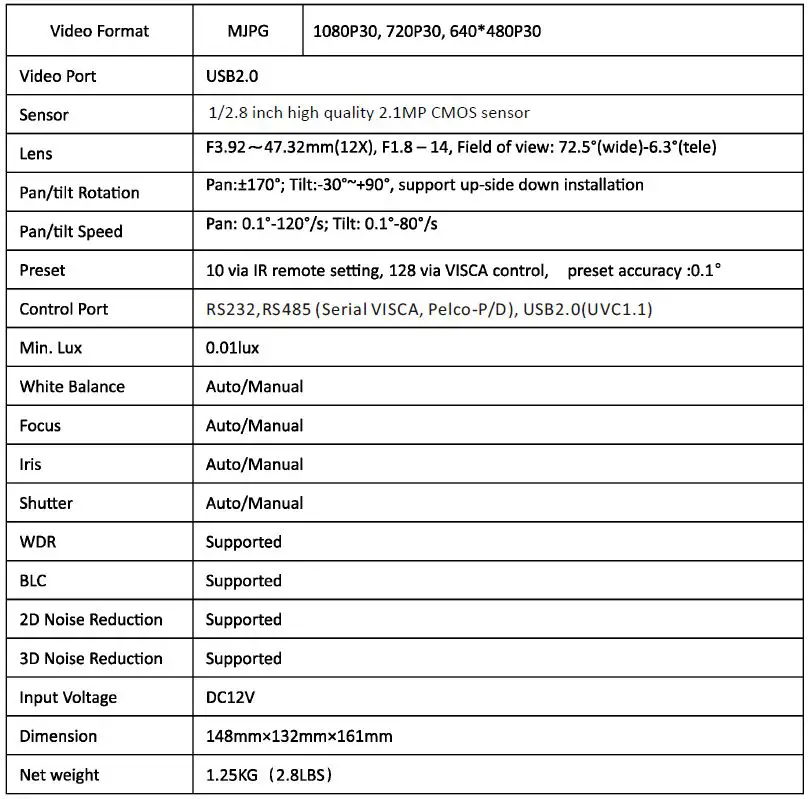
PRODUCT HIGHLIGHTS
- Smart and fashion design, ideal for cloud-based conferencing
- Adopts advanced DSP , 1/2.8 in MP image sensor, and high quality 12X 72.5degree FOV optical lens, provides fluent and crystal image quality
- Fast switching between different video formats: less than 1 second
- 12X Optical Zoom+ 12XDigital Zoom
- Fast and accurate focus performance
- Easy firmware upgrade-(field -upgradable)
- USB2.0 high speed output
- Effective RS232/485 serial control
- Up to 128 presets
- Compatible with the majority of videoconferencing software (UVCl.5 protocol standard)
- With powerful functional remote controller
- IR transfer/IR pass function: except receiving the camera remote controller signal, the camera can also receive other code’s IR remote control signal, and pass these IR control signal to the codec’s IR receiver (via VISCA IN port).
PRODUCT SPEC
CAMERA INTERFACE Camera Lens 
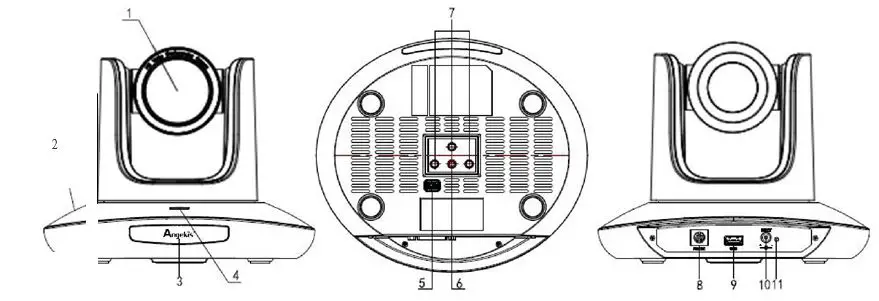
- Camera Base
- IR Receiver Panel
- indicator Light
- Dial Switch
- Tripod Screw Hole
- installation Hole
- RS232(VISCA IN) Port
- USB2.0 Port
- DC12V Power Input
- Power Indicator light (red)
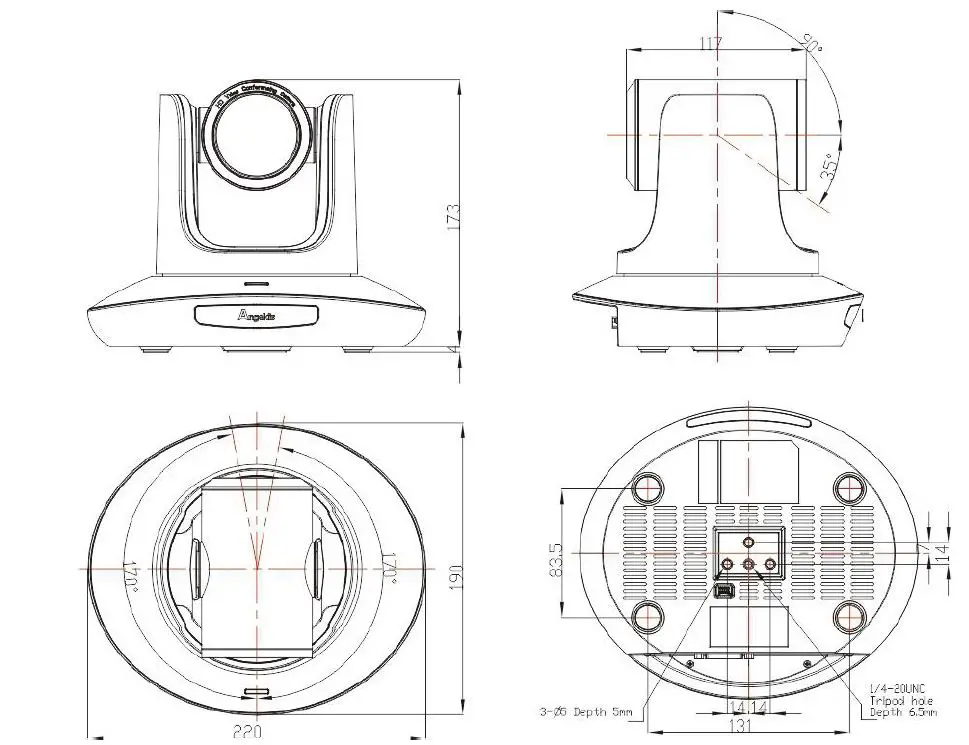
CAMERA DIMENSION(MM) 
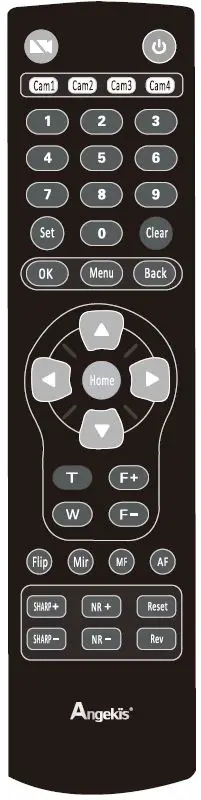
IR REMOTE CONTROLLER 
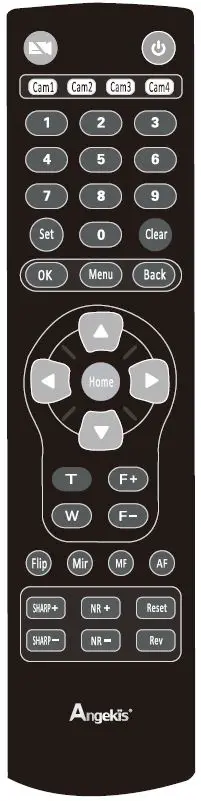
Video mute
Short press Video mute button to turn off the camera and short press again to turn it on.
Power Key
Under normal working mode,short press Power key to let the camera enter standby mode;Press it again,the camera will do self-configuration and then go back to HOME position; It will go to preset position if the power on mode has been set. 
Address/Camera Setting Key
Set+(Cam 1 ~Cam4 ):set camera’s remote control address. Short press Cam1 ~Cam4 to select the camera 
Number Key
Set Presets: Set+(0~9)to set preset.
Recall Presets: Short press the(0~9)number key to recall presets.
Clear Key
Clear+(0~9): to clear the relative preset; Long press to clear all preset. 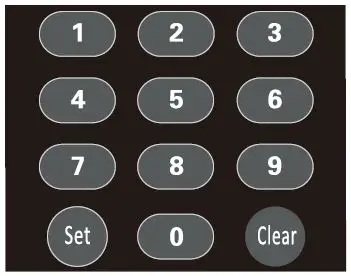
Menu Key
Ok: to confirm the menu selection Menu: enter/exit menu
Back: back to previous menu 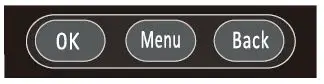
F+/F-: Set focus by manual, only valid under manual focus mode.
T/W: Set the lens zoom rate.
Navigate Key: Up/Down/Left/Right Under normal working mode, use navigate key to set the pan tilt, and select values when enter OSD.
Home Key: Under normal working mode, short press Home key to let the camera go back to home position. 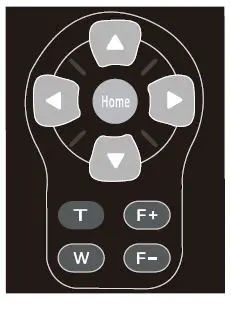
Flip: Enable/Disable the picture up/down flip;
Mir: Enable/Disable the picture left/right flip;
MF: Enable manual focus model;
AF: Enable manual focus model.  SHARP: Set sharpness level;
NR+/-: Set noise reduction level;
Reset: Long press(3S) to reset camera;
Rev: Display camera revision; 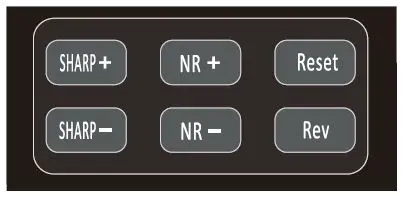
Note: under specific environment, due to heavy infrared interfere, (such as if put the camera on a big infrared touch screen, or if there is a strong iodine-tungsten lamp in the room), it may affect the infrared remote receiver performance, which may cause wrong control/movement. In this case, if the user doesn’ t need to use the remote controller, we suggest to dial the SW3-4 to OFF, to close the infrared signal receiving.
VICSA IN (RS232) PORT 
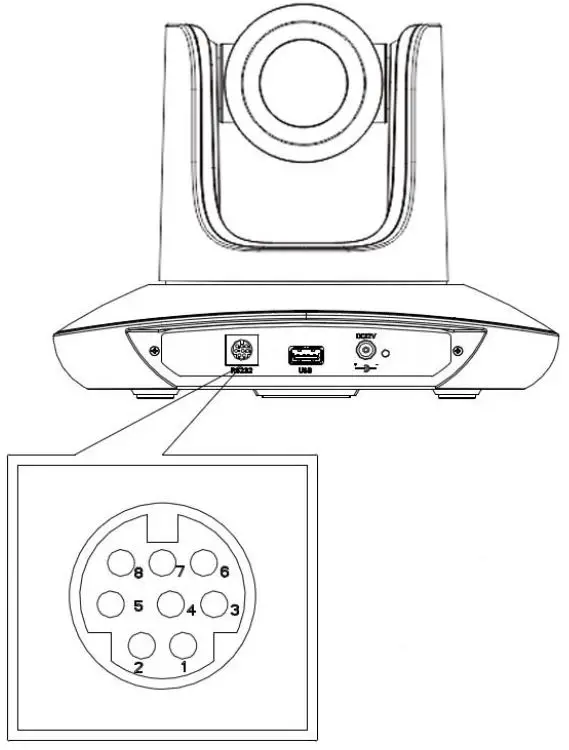
| No. | Function |
| 1 | DTR |
| 2 | DSR |
| 3 | TXD |
| 4 | GND |
| 5 | RXD |
| 6 | A |
| 7 | IROUT |
| 8 | B |
VISCA IN &RS485 Connection
| Camera VISCA IN | RS485 | |
| 1 | DTR | |
| 2 | DSR | |
| 3 | TXD | |
| 4 | GND | GND |
| 5 | RXD | |
| 6 | A(+) | A(+) |
| 7 | IROUT | |
| 8 | B(-) | B(-) |
VISCA IN &D89 Connection
| Camera VISCA IN | Windows DB-9 | ||
| 1 | DTR | 6 | DSR |
| 2 | DSR | 4 | DTR |
| 3 | TXD | 2 | RXD |
| 4 | GND | 5 | GND |
| 5 | RXD | 3 | TXD |
| 6 | A(+) | ||
| 7 | IROUT | ||
| 8 | B(-) | ||
SERIAL PORT CONFIGURATION:
| Parameter | Value | Parameter | Value |
| Baud rate | 2400/4800/9600/115200 | Stop Bit | 1bit |
| Start Bit | 1 bit | Verify Bit | None |
| Date Bit | 8 bit |
VISCA PROTOCOL
Partl Camera Return Command
| Ack/Completion Message | ||
| Command Packet | Note | |
| ACK | z0 41 FF | Returned when the command is accepted. |
| Completion | z0 51 FF | Returned when the command has been executed. |
| Error Messages | ||
| Command Packet | Note | |
| Syntax Error | z0 60 02 FF | Returned when the command format is different or when a command with illegal command parameters is accepted |
| Command Not Executable | z0 61 41 FF | Returned when a command cannot be executed due to current condi ti ons. For example, when commands controlling the focus manually are received during auto focus. |
Part2 Camera Control Command
| Command | Funnation | Command Packet | Note |
| Address Set | Broadcast | 88 30 01 FF | Address setting |
| IF Clear | Broadcast | 88 010001 FF | 1/F Clear |
| CAM Power | On | 8x 01 04 00 02 FF | Power ON/OFF |
| Off | 8x 01 04 00 03 FF | ||
|
CAM Zoom | Stop | 8x 01 04 07 00 FF | |
| Tele(Standard) | 8x 01 04 07 02 FF | ||
| Wide(Standard) | 8x 01 04 07 03 FF | ||
| Tele(Variable) | 8x 01 04 07 2p FF | p = 0(low)~7(high) | |
| Wide(Variable) | 8x 01 04 07 3p FF | ||
| Direct | 8x 01 04 47 Op 0q Or Os FF | pqrs: Zoom Position (0(wide) ~ox4000(tele)) | |
|
CAM Focus | Stop | 8x 01 04 08 00 FF | |
| Far(Standard) | 8x 01 04 08 02 FF | ||
| Near(Standard) | 8x 01 04 08 03 FF |
| Command | Funnation | Command Packet | Note |
| Direct | 8x 01 04 48 Op 0q Or Os FF | pqrs: Focus Position | |
| One Push AF | 8x 01 04 18 01 FF | ||
| CAM ZoomFocus | Direct | 8x 010447 Op 0q Or Os 0t Ou 0v Ow FF | pqrs: Zoom Position (0(wide)~ 0x4000(tele)) tuvw: Focus Position |
|
CAM WB | Auto | 8x 01 04 35 00 FF | |
| Indoor | 8x 01 04 35 01 FF | ||
| Outdoor | 8x 01 04 35 02 FF | ||
| OnePush | 8x 01 04 35 03 FF | ||
| Manual | 8x 01 04 35 05 FF | ||
| Outdoor Auto | 8x 01 04 35 06 FF | ||
| Sodium Lamp Auto | 8x 01 04 35 07 FF | ||
| Sodium Auto | 8x 01 04 35 08 FF | ||
|
CAM RGain | Reset | 8x 01 04 03 00 FF |
Manual Control of R Gain |
| Up | 8x 01 04 03 02 FF | ||
| Down | 8x 01 04 03 03 FF | ||
| Direct | 8x 01 04 43 00 00 Op 0q FF | pq: R Gain (Q~QxFF) | |
|
CAM_Bgain | Reset | 8x 01 04 04 00 FF |
Manual Control of B Gain |
| Up | 8x 01 04 04 02 FF | ||
| Down | 8x 01 04 04 03 FF | ||
| Direct | 8x 01 04 44 00 00 Op 0q FF | pq: B Gain (0-0xFF) | |
|
CAM AE | Full Auto | 8x 01 04 39 00 FF | Automatic Exposure mode |
| Manual | 8x 01 04 39 03 FF | Manual Control mode | |
| Bright | 8x 01 04 39 OD FF | Bright mode(Manual control) | |
|
CAM Shutter | Reset | 8x 01 04 0A 00 FF |
Shutter Setting |
| Up | 8x 01 04 0A 02 FF | ||
| Down | 8x 01 04 QA 03 FF | ||
| Direct | 8x 01 04 4A 00 00 Op 0q FF | pq: Shutter Position (o~ox15) | |
|
CAM Iris | Reset | 8x 01 04 OB 00 FF |
Iris Setting |
| Up | 8x 01 04 OB 02 FF | ||
| Down | 8x 01 04 OB 03 FF | ||
| Direct | 8x01044B00000p0qFF | pq: Iris Position (o~ Oxll) | |
|
CAM Gain | Reset | 8x 01 04 0C 00 FF |
Gain Setting |
| Up | 8x 01 04 0C 02 FF | ||
| Down | 8x 01 04 0C 03 FF |
| Command | Funnation | Command Packet | Note |
| Direct | 8x01040C00000p0qFF | pq: Gain Positon (o~ox0E) | |
|
CAM_Bright | Reset | Bx 01 04 OD 00 FF |
Bright Setting |
| Up | Bx 01 04 OD 02 FF | ||
| Down | Bx 01 04 OD 03 FF | ||
| Direct | 8x01044D00000p0qFF | pq: Bright I Positon () | |
|
CAM WDR | On | Bx 01 04 3D 02 FF | WDR ON/OFF |
| Off | Bx 01 04 3D 03 FF | ||
| Direct | Bx 01 04 D3 Op FF | pq: WDR Position (1~ox06) | |
| CAM_Backlight | On | Bx 01 04 33 02 FF | Backlight On |
| Off | Bx 01 04 33 03 FF | Backlight Off | |
|
CAM_Aperture | Reset | Bx 01 04 02 00 FF |
Aperture Control |
| Up | Bx 01 04 02 02 FF | ||
| Down | Bx 01 04 02 03 FF | ||
| Direct | 8x01044200000p0qFF | pq: Aperture Gain (o~ox04) | |
|
CAM_Memory | Reset | Bx 01 04 3F 00 Op FF | p: Memory Number(=0 to 127) Corresponds to 0 to 9 on the Remote Commander |
| Set | Bx 01 04 3F 01 Op FF | ||
| Recall | Bx 01 04 3F 02 Op FF | ||
| CAM LR Reverse | On | Bx 01 04 61 02 FF | Image Flip Horizontal ON/OFF |
| Off | Bx 01 04 61 03 FF | ||
| CAM_PictureFlip | On | Bx 01 04 66 02 FF | Image Flip Vertical ON/OFF |
| Off | Bx 01 04 66 03 FF | ||
| CAM ColorGain | Direct | Bx 01 04 49 00 00 00 Op FF | (o~ox0E) |
| CAM 2D Noise Reduction | Direct | Bx 01 04 53 Op FF | 0: OFF 1: ON |
| CAM 3D Noise Reduction | Direct | Bx 01 04 54 Op FF | 0:OFF 1 : AUTO 2~5 : LEVEL |
| FLICK | 50HZ | 81 01 04 23 01 FF | |
| 60HZ | 81 01 04 23 02 FF | ||
|
Freeze | Freeze On | 81 01 04 62 02 FF | Freeze On Immediately |
| Freeze Off | 81 01 04 62 03 FF | Freeze Off Immediately | |
| Preset Freeze On | 81 01 04 62 22 FF | Freeze On When Running Preset | |
| Preset Freeze Off | 81 01 04 62 23 FF | Freeze Off When Running Preset | |
| IR Transfer | Transfer On | Bx 01 06 lA 02 FF | Receive IR(remote commander) CODE from VISCA communication ON/OFF |
| Transfer Off | Bx 01 06 lA 03 FF | ||
| Pan tiltDrive | Up | Bx 01 06 01 VV WW 03 01 FF | VV: Pan speed 0x0l (low speed) to 0x18 (high speed) WW: Tilt speed 0x0l (low speed) to |
| Down | Bx 01 06 01 VV WW 03 02 FF |
| Command | Funnation | Command Packet | Note |
| Left | 8x 01 06 01 VV WW 01 03 FF | 0x14 (high speed) YYYY: Pan Position(TBD) ZZZZ: Tilt Position(TBD) | |
| Right | 8x 01 06 01 VV WW 02 03 FF | ||
| Upleft | 8x 01 06 01 VV WW 01 01 FF | ||
| Upright | 8x 01 06 01 VV WW 02 01 FF | ||
| Downleft | 8x 01 06 01 VV WW 01 02 FF | ||
| DownRight | 8x 01 06 01 VV WW 02 02 FF | ||
| Stop | 8x 01 06 01 VV WW 03 03 FF | ||
| AbsolutePosition | 8x 01 06 02 VV WW 0Y 0Y 0Y 0Y OZ OZ OZ OZ FF | ||
| RelativePosition | 8x 01 06 03 VV WW 0Y 0Y 0Y 0Y OZ OZ OZ OZ FF | ||
| Home | 8x 0106 04 FF | ||
| Reset | 8x 010605 FF | ||
|
Pan-tiltlimitSet | Set | 8x 01 06 07 00 OW 0Y 0Y 0Y 0Y OZ OZ OZ OZ FF | W:1 UpRight 0:Downleft YYYY: Pan Limit Position(TBD) ZZZZ: Tilt Limit Position(TBD) |
| Clear | 8x 01 06 07 01 OW 07 OF OF OF 07 OF OF OF FF |
Part3 Inquiry Command
| Command | Command Packet | Return Packet | Note |
| CAM_Powerlnq | 8x 09 04 00 FF | y0 50 02 FF | On |
| y0 50 03 FF | Off(Standby) | ||
| CAM_ZoomPoslnq | 8x 09 04 47 FF | y0 50 Op 0q Or Os FF | pqrs: Zoom Position |
| CAM_FocusModelnq | 8x 09 04 38 FF | y0 50 02 FF | Auto Focus |
| y0 50 03 FF | Manual Focus | ||
| CAM_FocusPoslnq | 8x 09 04 48 FF | y0 50 Op 0q Or Os FF | pqrs: Focus Position |
|
CAM_WBModelnq |
8x 09 04 35 FF | y0 50 00 FF | Auto |
| y0 50 01 FF | Indoor mode | ||
| y0 50 02 FF | Outdoor mode | ||
| y0 50 03 FF | OnePush mode | ||
| y0 50 04 FF | ATW | ||
| y0 50 05 FF | Manual | ||
| CAM_RGainlnq | 8x 09 04 43 FF | y0 50 00 00 Op 0q FF | pq: R Gain |
| CAM_BGainlnq | 8x 09 04 44 FF | y0 50 00 00 Op 0q FF | pq: B Gain |
|
CAM_AEModel nq |
8x 09 04 39 FF | y0 50 00 FF | Full Auto |
| y0 50 03 FF | Manual | ||
| y0 50 0A FF | Shutter priority | ||
| y0 50 OB FF | Iris priority | ||
| y0 50 OD FF | Bright | ||
| CAM_ShutterPoslnq | 8x 09 04 4A FF | y0 50 00 00 Op 0q FF | pq: Shutter Position |
| CAM_IrisPoslnq | 8x 09 04 4B FF | y0 50 00 00 Op 0q FF | pq: Iris Position |
| CAM_GainPosilnq | 8x 09 04 4C FF | y0 50 00 00 Op 0q FF | pq: Gain Position |
| CAM_ BrightPosilnq | 8x 09 04 4D FF | y0 50 00 00 Op 0q FF | pq: Bright Position |
| CAM_ExpCompModelnq | 8x 09 04 3E FF | y0 50 02 FF | On |
| y0 50 03 FF | Off | ||
| CAM_ExpCompPoslnq | 8x 09 04 4E FF | y0 50 00 00 Op 0q FF | pq: ExpComp Position |
| CAM_Aperturelnq | 8x 09 04 42 FF | y0 50 00 00 Op 0q FF | pq: Aperture Gain |
| CAM_Memoryl nq | 8x 09 04 3F FF | y0 50pp FF | pp: Memory number last operated. |
| SYS_MenuModelnq | 8x 09 06 06 FF | y0 50 02 FF | On |
| y0 50 03 FF | Off | ||
| CAM_LR_Reverselnq | 8x 09 04 61 FF | y0 50 02 FF | On |
| y0 50 03 FF | Off | ||
| CAM_PictureFliplnq | 8x 09 04 66 FF | y0 50 02 FF | On |
| y0 50 03 FF | Off | ||
| CAM_IDlnq | 8x 09 04 22 FF | y0 50 Op 0q Or Os FF | pqrs: Camera ID |
| CAM_Versionlnq | 8x 09 00 02 FF | y0 50 ab cd mn pq rs tu vw FF | |
| IR Transfer | 8x 09 06 lA FF | y0 50 02 FF | On |
| y0 50 03 FF | Off | ||
| Pan-tiltMaxSpeedlnq | 8x 09 06 11 FF | y0 50 ww zz FF | ww: PanMaxSpeed zz: Tilt Max Speed |
| Pan-tiltPoslnq | 8x 09 06 12 FF | y0 50 Ow Ow Ow Ow Oz Oz Oz Oz FF | wwww: PanPosition zzzz: Tilt Position |
VISCA PAN TILT ABSOLUTE POSITION VALUE
| Pan Angle | VISCA Value | Tilt Angle | VISCA Value |
| -170 | 0xF670 | -30 | 0xFE50 |
| -135 | 0xF868 | 0 | 0x0000 |
| -90 | 0xFAF0 | 30 | 0x01B0 |
| -45 | 0xFD78 | 60 | 0x0360 |
| 0 | 0x0000 | 90 | 0x510 |
| 45 | 0x0288 | ||
| 90 | 0x0510 | ||
| 135 | 0x0798 | ||
| 170 | 0x0990 |
VISCA PAN TILT SPEED VALUE
| Pan(degree/second) | tilt(degree/second) | ||
| 0 | 0.3 | 0 | 0.3 |
| 1 | 1 | 1 | 1 |
| 2 | 1.5 | 2 | 1.5 |
| 3 | 2.2 | 3 | 2.2 |
| 4 | 2.4 | 4 | 3.6 |
| 5 | 2.6 | 5 | 4.7 |
| 6 | 2.8 | 6 | 6 |
| 7 | 3.0 | 7 | 8 |
| 8 | 3.2 | 8 | 10 |
| 9 | 3.4 | 9 | 12 |
| 10 | 3.8 | 10 | 15 |
| 11 | 4.5 | 11 | 18 |
| 12 | 6 | 12 | 23 |
| 13 | 9 | 13 | 30 |
| 14 | 15 | 14 | 39 |
| 15 | 19 | 15 | 48 |
| 16 | 25 | 16 | 59 |
| 17 | 32 | 17 | 69 |
| 18 | 38 | 18 | 80 |
| 19 | 45 | ||
| 20 | 58 | ||
| 21 | 75 | ||
| 22 | 88 | ||
| 23 | 105 | ||
| 24 | 120 |
|
Shutter speed | 60/30mode | 50/25mode |
Iris | |||
| 21 | 1/10000 | 1/10000 | 0 | close | ||
| 20 | 1/6000 | 1/6000 | 1 | F14 | ||
| 19 | 1/4000 | 1/3500 | 2 | Fll | ||
| 18 | 1/3000 | 1/2500 | 3 | F9.6 | ||
| 17 | 1/2000 | 1/1750 | 4 | F8 | ||
| 16 | 1/1500 | 1/1250 | 5 | F6.8 | ||
| 15 | 1/1000 | 1/1000 | 6 | F5 . 6 | ||
| 14 | 1/725 | 1/600 | 7 | F4.8 | ||
| 13 | 1/500 | 1/425 | 8 | F4 | ||
| 12 | 1/350 | 1/300 | 9 | F3.4 | ||
| 11 | 1/250 | 1/215 | 10 | F2.8 | ||
| 10 | 1/180 | 1/150 | 11 | F2.4 | ||
| 9 | 1/125 | 1/120 | 12 | F2 | ||
| 8 | 1/100 | 1/100 | 13 | Fl.6 | ||
| 7 | 1/90 | 1/75 | ||||
| 6 | 1/60 | 1/50 | ||||
| 5 | 1/30 | 1/25 | ||||
| 4 | 1/15 | 1/12 | ||||
| 3 | 1/8 | 1/6 | ||||
| 2 | 1/4 | 1/3 | ||||
| 1 | 1/2 | 1/2 | ||||
| 0 | 1/1 | 1/1 | ||||
|
Gain | 0 | 0dB |
Gain | 8 | 16dB | |
| 1 | 2dB | 9 | 18dB | |||
| 2 | 4dB | 10 | 20dB | |||
| 3 | 6dB | 11 | 22dB | |||
| 4 | 8dB | 12 | 24dB | |||
| 5 | l0dB | 13 | 26dB | |||
| 6 | 12dB | 14 | 28dB | |||
| 7 | 14dB | 15 | 30dB |
IR TRANSFER(IR PASS)
- Currently the camera support NEC code For customized with other codes, pls contact us.
- Once the camera finish power configuration, enable the IR transfer function via sending COM command.
- Get the targeted remote controller point to the camera IR receiver, press keys on the remote controller, then the camera will output the received IR code via VISCA IN
IR Transfer output format:  The camera can save all setting, no need to re-set after power
- under working mode, press the menu button
 on the IR remote, to enter the OSD menu ; press the menu button again to exit and save modified parameter.
  Use the navigate button to select the main menu. As above picture, once been selected, the main menu will change to grey color background, and the right side will show all parameters under this sub menu
- ln the second grade menu, press the up/down navigate button to select the sub menu, use left/right navigate button to set the parameter;
- Select the last option “return” and press the right navigate button to get back to previous menu;
- Press OSD button again to exit the menu.
 on the IR remote, to enter the OSD menu ; press the menu button again to exit and save modified parameter.
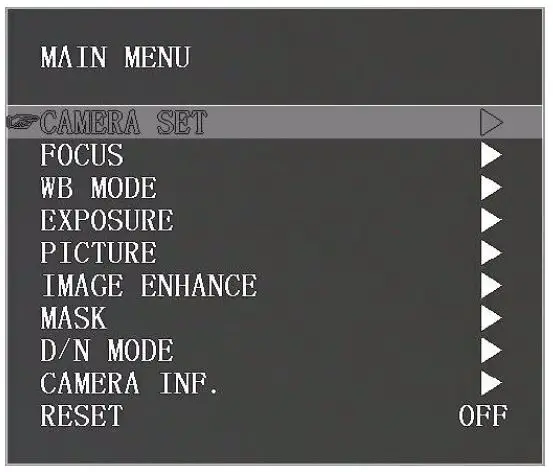 Use the navigate button to select the main menu. As above picture, once been selected, the main menu will change to grey color background, and the right side will show all parameters under this sub menu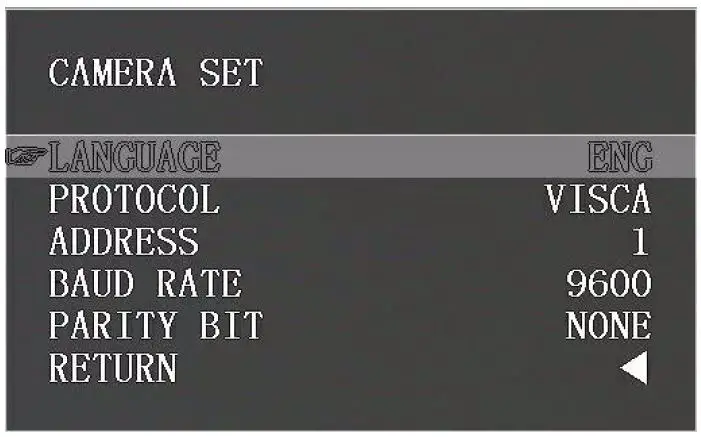
|
CAMERA SET | LANGUAGE | Chinese/English |
| PROTOCOL | VISCA/PELCO-P/PELCO-D | |
| ADDRESS | 1~7 | |
| BAUD RATE | 2400,9600,115200 | |
| PARITY BIT | NONE | |
| RETURN | Back to the main menu |
|
FOCUS | FOCUS MODE | AUTO/MANUAL/PUSH |
| SENSITIVITY | LOW/MIDDLE/HIGH | |
| FOCUS LIMIT | 1.5M/2M/3M/6M/1OM | |
| D ZOOM | OFF/ON | |
| ZOOM SPEED | 0-7 | |
| LENS INIT | OFF/5K/10K/15K/20K/EXE | |
| DIS ZOOM RATIO | OFF/ON | |
| POSITION SAVE | OFF/SAVE | |
| RETURN | Back to the main menu |
|
WBMODE | WB MODE | ATW/MANU/MANU2/SON./FL./AUTO/IDR./ODR./PUSH |
| B GAIN | 0~255 (Only Valid when WB MODE set to MANU) | |
| R Gain | 0~255 (Only Valid when WB MODE set to MANU) | |
| RETURN | Back to the main menu |
|
EXPOSURE | EXP MODE | AUTO/MANU/IRIS/SHUT/BRL |
| SHUT TIME | Shutter time: 1/1~1/10000 Only Valid when EXP MODE set to MANU | |
| IRIS | Iris value: 0-13 Only Valid when EXP MODE set to MANU | |
| AGC | Gain value: 0dB~15dB Only Valid when EXP MODE set to MANU | |
| BRIGHT | Brightness value: 0-27 Only Valid when EXP MODE set to BRI | |
| SLOW SHUT | OFF/ON | |
| FLICK | OFF/50HZ/60HZ | |
| RETURN | Back to the main menu |
|
PICTURE | BRIGHTNESS | 0-15 |
| SHARPNESS | 0-15 | |
| CONSTRAST | 0-15 | |
| SATURATION | 0-15 | |
| MIRROR | Image 180degree rotation left/right: OFF/ON | |
| PIC FLIP | Image 180degree rotation up/down: OFF/ON | |
| FREEZE | OFF/ON | |
| DEFOG | OFF/1-15 | |
| RETURN | Back to the main menu |
|
IMAGE ENHANCE | 2DNR | OFF/ON , |
| 3DNR | OFF/AUTO/ 1-4 | |
| D WDR | OFF/1-6 | |
| GAMMA | 0-4 | |
| BACKLIGHT | OFF/ON | |
| HIGHLIGHT | OFF/ON | |
| RETURN | Back to the main menu |
|
MASK | MASK SWITCH | ON/OFF |
| COLOUR | WHITE/YELLOW/GRAY/GREENN IOLET/RED/ | |
| INDEX | 1-8 | |
| INDEX SWITCH | OFF/ON | |
| ROW START | 0-1919 | |
| ROWEND | 1-1920 | |
| LINE START | 0-1079 | |
| LINE END | 1-1080 | |
| RETURN | Back to the main menu |
|
D/NMODE | D/NMODE | DAY/NIGHT/AUTO/ |
| DAY TONIGHT | 15-200 | |
| NIGHT TODAY | 5-190 | |
| SWITCH DELAY | 1-60 | |
| GAIN LIMIT | 2-511 | |
| RETURN | Back to the main menu |
|
CAMERA INF. | IMAGE VER. | PC-V0.0.6 (changes without additional notices) |
| IMAGE DATE | 16.10.20 (changes without additional notices) | |
| CONTROL VER. | UC V0.1.4 (changes without additional notices) | |
| CONTROL DATE | 17.01.07 (changes without additional notices) | |
| BAUDRATE | 9600 | |
| PARITY BIT | NONE | |
| FRAMERATE | 1080P30 | |
| RETURN | Back to the main menu |
UVC CONTROL
| Control Requests | Control Selector | |
| 1 | Brightness Control | PU- BRIGHTNESS- CONTROL |
| 2 | Contrast Control | PU- CONTRAST- CONTROL |
| 3 | Hue Control | PU HUE CONTROL – – |
| 4 | Saturation Control | PU- SATURATION- CONTROL |
| 5 | Sharpness Control | PU- SHARPNESS- CONTROL |
| 6 | Gamma Control | PU GAMMA CONTROL – – |
| 7 | White Balance Temperature Control | PU- WHITE- BALANCE- TEMPERATURE- CONTROL |
| 8 | Gain Control | PU- GAIN- CONTROL |
| 9 | Power Line Frequency Control | PU- POWER- LINE- FREQUENCY- CONTROL |
| 10 | Zoom (Absolute) Control | CT-ZOOM-ABSOLUTE-CONTROL |
| 11 | Zoom (Relative) Control | CT- ZOOM- RELATIVE- CONTROL |
| 12 | PanTilt (Absolute) Control | CT PANTILT ABSOLUTE CONTROL – – – |
| 13 | PanTilt (Relative) Control | CT- PANTILT- RELATIVE- CONTROL |