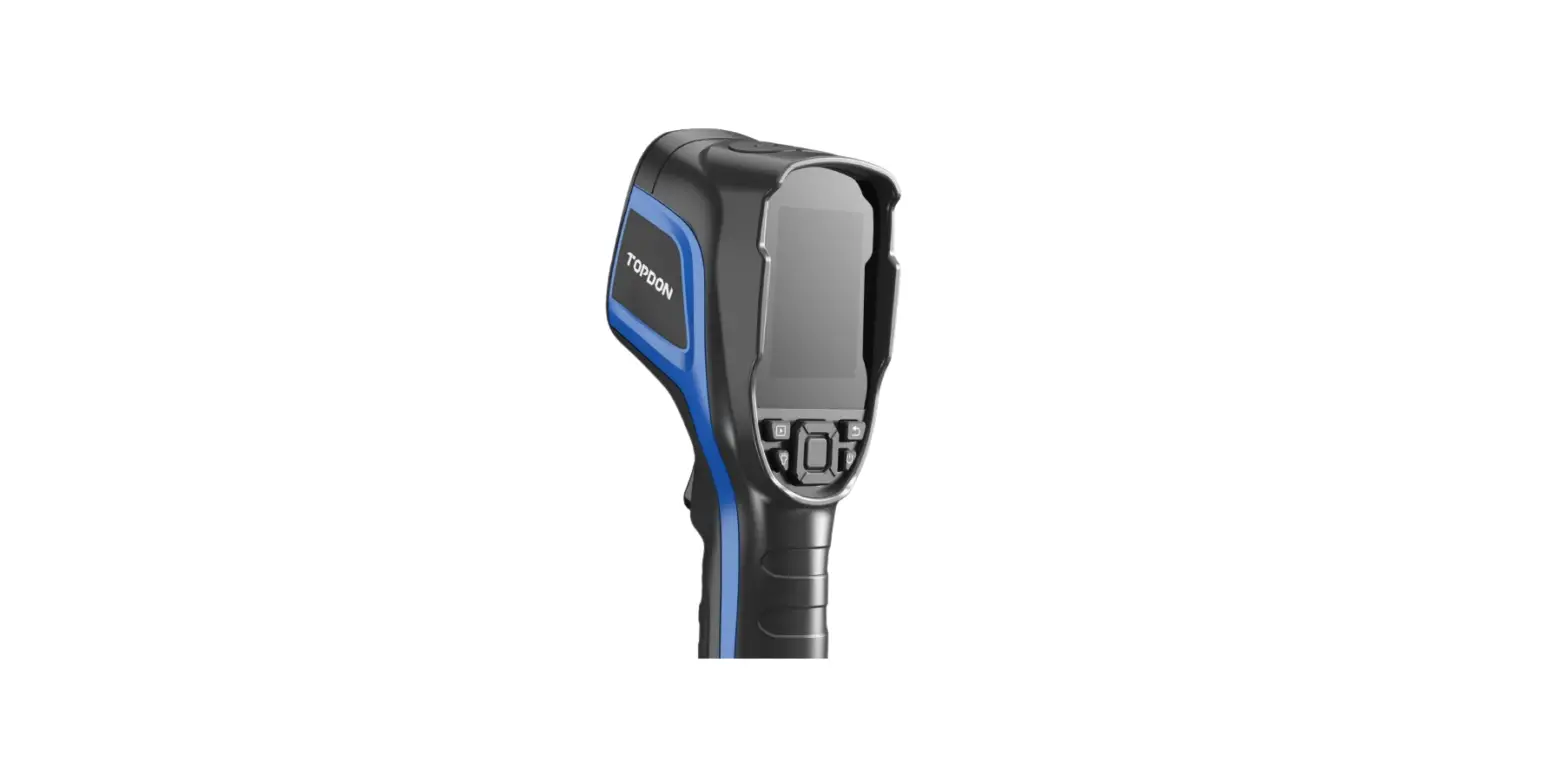
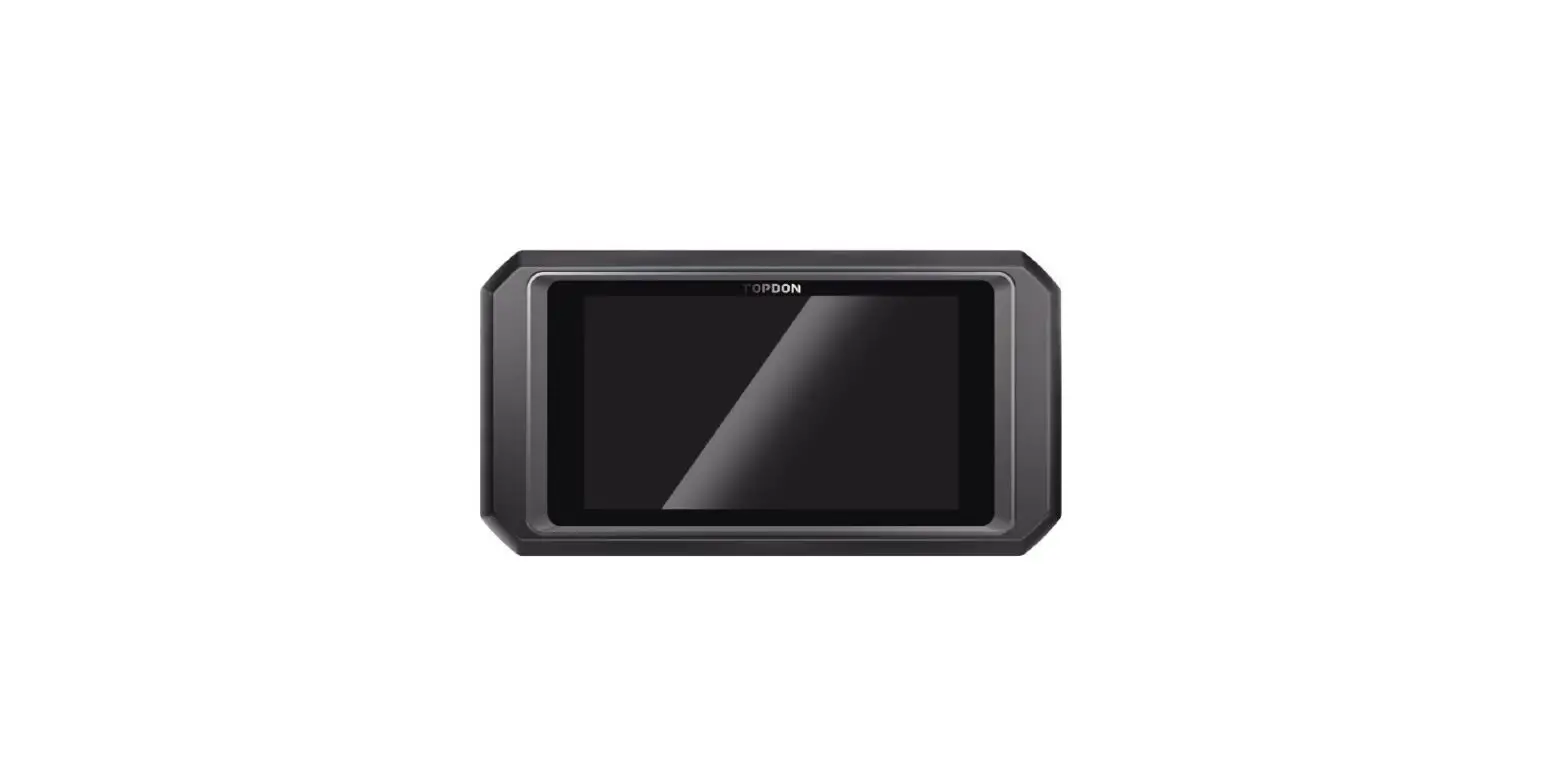
TC005 Handheld Thermal Imaging Camera
Product Information – TC005 Handheld Thermal Imaging
Camera
About TC005
TC005 is a handheld thermal imaging camera manufactured by
TOPDON. It features a resolution of 256*192 and is primarily used
for equipment inspection and maintenance. The camera can be applied
in various scenarios including home heating, water leak detection,
and agricultural protection. It can be used independently in
standalone mode or connected to a Windows-based computer via USB
for enhanced functionality.
Product Overview
The TC005 handheld thermal imaging camera comes with the
following components:
- Power Adapter
- USB Cable (Type-A to Type-C)
- User Manual
- TC005 Thermal Imaging Camera
- Carrying Bag
The camera itself features the following components:
- Keyboard with power button, return button, albums button,
flashlight button, move buttons, and OK button - 2.8-Inch Screen
- USB Type-C Port & SD Card Slot
- Camera Button for taking photos and recording videos
- Visible Light Camera
- Infrared Camera
- Two LED Flashlights
- Screw Hole (1 / 4-20 unc) for mounting the camera onto a
tripod
Product Usage Instructions
Using TC005 in Standalone Mode
When using TC005 in standalone mode, follow these steps:
- Read all instructions in the user manual before use.
- Avoid pointing the thermal imaging camera at the sun or other
strong energy sources for long periods of time to prevent damage to
the detector. - Avoid exposing the thermal imaging camera to water to prevent
electricity leakage or short circuits. - Do not touch the lens with your hands and avoid knocking,
prying, puncturing, or scratching the lens. - Do not disassemble the thermal imaging camera.
- Refer to Section 2 Product Overview to familiarize yourself
with the operation of each button and port on the TC005
device.
Using TC005 in USB Mode
To use TC005 in USB mode with a Windows-based computer, follow
these steps:
- Download and install the TDView software from the official
TOPDON website (www.topdon.com/products/tc005). - Connect your TC005 to the computer using the provided USB cable
(Type-A to Type-C). - Launch the TDView software on your computer.
- Configure the TC005 to work with the computer for screen
projecting and imagery analysis, following the instructions
provided in the TDView software.
TC005
Handheld Thermal Imaging Camera | User Manual
Contents
Cautions
EN DE FR ES IT RU PT JP 5 17 29 41 53 65 77 89
About TC005
5 17 29 41 53 65 77 89
Section 1 What’s in the Box?
Section 2 Product Overview
Section 3 Using TC005 in Standalone Mode
Section 4 Using TC005 in USB Mode
6 18 30 42 54 66 78 90 7 19 31 43 55 67 79 91 10 22 34 46 58 70 82 94 10 22 34 46 58 70 82 94
Section 5 Specifications
12 24 36 48 60 72 84 96
Section 6 FAQ
13 25 37 49 61 73 85 97
Section 7 Warranty
14 26 38 50 62 74 86 98
English
EN I 4
Cautions
Read all instructions before use. Do not point the thermal imaging camera at the sun or other strong energy sources for long periods of time, otherwise there might be damage to the detector in the thermal imaging camera. Keep the thermal imaging camera away from water to avoid electricity leakage or short circuits. Do not touch the lens with your hands. Do not knock, pry, puncture, or scratch the lens. Do not disassemble the thermal imaging camera.
About TC005
TOPDON’s TC005 is a 256*192 handheld thermal imaging camera used for equipment inspection and maintenance. You can apply the camera in home heating, water leak detection, and agricultural protection. It can be used either on its own in standalone mode or in USB mode to work with a Windows-based computer.
EN I 5
Section 1
What’s in the Box?
Power Adapter
USB Cable (Type-A to Type-C)
USER MANUAL
TC005 Thermal Imaging Camera
User Manual
Carrying Bag
EN I 6
Section 2
Product Overview
6
3
7 2
1 4 5
8 Figure 2.1.1
EN I 7
1. Keyboard
Power Button
Long press to power ON / OFF
Return Button
Short press to return to the previous page
Albums Button
Short press to view saved photos and videos
Flashlight Button
Long press to turn on / off the flashlight
Move Up / Down / Left / Right Buttons
Short press to move to the desired direction
OK Button
Short press to show the pop-out navigation menu; short press
again to confirm an action or message
2. 2.8-Inch Screen
3. USB Type-C Port & SD Card Slot Type-C port is used for charging, screen projecting to PC, and file transfer
4. Camera Button Short press to take a photo, then short press the OK Button to save the photo; long press to start recording a video, short press to stop recording, then short press the OK Button to save the video.
EN I 8
Note: You can also choose to automatically save all the photos taken on your TC005 device. To enable the function, go to Setting > Photo Setting, and turn on Photo Auto Save. 5. Visible Light Camera 6. Infrared Camera 7. Two LED Flashlights 8. Screw Hole (1 / 4-20 unc) Mounts the TC005 onto a tripod
EN I 9
Section 3
Using TC005 in Standalone Mode
While in standalone mode, the TC005 thermal imaging camera can work independently on its own. To learn more about the operation of each button and port on the TC005 device, you can refer to Section 2 Product Overview.
Section 4
Using TC005 in USB Mode
Apart from standalone use, your TC005 can also work with a Windows-based computer. This section illustrates how to configure your TC005 to work with a Windows-based computer for screen projecting and imagery analysis.
Getting Started
1. Download and install the TDView software Go to www.topdon.com/products/tc005, click “Download” to enter the download page. Then download and install the TDView software to your computer.
2. Connect TC005 to your computer with the supplied USB cable (see Figure 4.1.1).
EN I 10
Figure 4.1.1
Project Your TC005 Screen to PC
1. To project your TC005 screen to PC, you need to switch your TC005 to USB mode first (Go to Setting > System Setting, and tap Using Mode to switch to USB mode).
2. Open the TDView software and you can screen project your TC005 thermal imaging camera to PC. Imagery Analysis on PC Once your TC005 is connected to PC via the supplied USB cable, you can send files (both JPG and IRG format files required) to the PC and conduct imagery analysis with the TDView software.
Note: Screen projecting and imagery analysis features cannot be available at the same time.
EN I 11
Section 5
Specifications
Resolution of infrared camera 256*192
Spectral range
8 to 14 m
Pixel size
12 m
NETD
< 40 mK
FOV
52.5°x 39.5°
IFOV
3.85 mrad
Measurement range Measurement accuracy Measurement resolution Storage capacity Battery capacity
-4° to 1022°F (-20° to 550°C) ±2ºC or ±2% of reading, the larger value shall prevail 0.1°C 2 GB RAM + 16 GB internal storage 5,000 mAh
EN I 12
Section 6
FAQ
Q Can the TC005 detect objects underwater, through glass or a wall?
A No. Infrared detectors mainly detects 8 to 14 m long-wave infrared areas, and can only be used to measure surface temperature.
Q Why is there a lower temperature reading when the device gets far from the object and a higher reading when the device gets closer to the object?
A Infrared radiation attenuates when passing through the atmosphere. The longer the distance, the greater the attenuation. Thus, the accuracy of temperature measurement at a distance will decrease. To ensure accuracy of measurement, go to Setting > Measure Parameter > Distance, and input the actual distance (max: 5 meters) to get the corrected temperature.
Q Why is the measured temperature not very precise? A The temperature resolution of TC005 is ±2%. And the TC005
provides a normal temperature range of -4 to 302°F (-20 to 150°C), and a high temperature range of 302° to 1022°F (150 to 550°C). Please select the corresponding range in the app before measuring.
Q What external factors will affect the infrared temperature measurement?
A The following factors will have an impact on the measurement results: a) Emissivity of the object surface. b) Ambient temperature: The object will reflect the infrared rays emitted by surrounding objects, which affects the temperature measurement of the object itself. c) Atmospheric temperature: The atmosphere itself also emits infrared rays. d) Atmospheric transmittance: the infrared rays emitted by the object are attenuated in the atmosphere. e) Distance: the longer the distance, the greater the attenuation of the infrared rays emitted by the object in the atmosphere.
EN I 13
Section 7
Warranty
TOPDON’s One Year Limited Warranty TOPDON warrants to its original purchaser that the company’s products will be free from defects in material and workmanship for 12 months from the date of purchase (Warranty Period). For the defects reported during the Warranty Period, TOPDON will either repair or replace the defective part or product according to its technical support analysis and confirmation. TOPDON shall not be liable for any incidental or consequential damages arising from the device’s use, misuse, or mounting. If there is any conflict between the TOPDON warranty policy and local laws, the local laws shall prevail. This limited warranty is void under the following conditions: · Misused, disassembled, altered or repaired by unauthorized stores or technicians. · Careless handling and / or improper operation.
Notice: All information in this manual is based on the latest information available at the time of publication and no warranty can be made for its accuracy or completeness. TOPDON reserves the right to make changes at any time without notice.
EN I 14
Section 8
FCC
This device complies with Part 15 of the FCC Rules. Its operation is
subject to the following two conditions:
(1) this device may not cause harmful interference, and
(2) this device must accept any interference received, including
interference that may cause undesired operation.
”
Note: This equipment has been tested and found to comply with the limits for a Class B digital device, pursuant to Part 15 of the FCC Rules. These limits are designed to provide reasonable protection against harmful interference in a residential installation. This equipment generates, uses, and can radiate radio frequency energy. If not installed and used in accordance with the instructions, it may cause harmful interference to radio communications. However, there is no guarantee that the interference will not occur in a particular installation.
If this equipment does cause harmful interference to radio or television reception, which can be determined by turning the equipment on and off, the user is encouraged to try to correct the interference by one or more of the following measures: · Reorient or relocate the antenna. · Increase the distance between the equipment and receiver. · Connect the equipment into an outlet on a circuit different from the one connected to the receiver. · Consult a dealer or an experienced radio / TV technician for help.
EN I 15
Deutsch
DE I 16
Achtung
LESEN SIE ALLE ANWEISUNGEN VOR DEM GEBRAUCH. Richten Sie die Infrarotkamera nicht für längere Zeit auf die Sonne oder andere starke Energiequellen. Dies kann der Detektor in der Kamera beschädigt werden. Bitte halten Sie das Gerät von Wasser fern, um Lecks oder Kurzschlüsse zu vermeiden. Berühren Sie die Linse nicht mit Ihren Händen.Klopfen, hebeln, durchstechen oder zerkratzen Sie das Objektiv nicht. Zerlegen Sie das Gerät nicht.
Über TC005
TOPDON’s TC005 ist eine 256*192 große, tragbare Wärmebildkamera, die für die Inspektion und Wartung von Anlagen verwendet wird. Dieses Gerät kann in der Hausheizung, bei der Erkennung des Wasserlecks und zum Landwirtschaft-Schutz verwendet werden. Sie können die Kamera sowohl eigenständig im Standalone-Modus oder im USB-Modus mit einem Windows-basierten Computer benutzen.
DE I 17
Abschnitt 1
Was ist in der Box?
Netzadapter
USER MANUAL
USB-Kabel (Typ-A auf Typ-C)
TC005 Wärmebildkamera
Bedienungsanleitung
Tragetasche
DE I 18
Abschnitt 2
Produktübersicht
6
3
7 2
1 4 5
8 Abbildung 2.1.1
DE I 19
1. Tastatur
Stromtaste
Langes Drücken zum Ein- und Ausschalten
Zurück-Taste
Kurzes Drücken zum Zurückkehren zur vorherigen
Seite
Alben-Taste
Kurzes Drücken zum Ansehen gespeicherter Fotos und Videos
Blitzlicht-Taste
Langes Drücken zum Ein-und Ausschalten des Blitzlichtes
Aufwärts / Abwärts / Links / RechtsTasten
Kurzes Drücken zum Gehenin in die gewünschte Richtung
OK-Taste
Kurzes Drücken zum Anzeigen des Pop-Out-Navigationsmenüs; Kurzes Drücken zum Bestätigen
einer Aktion oder Nachricht
2. 2,8-Zoll-Bildschirm
3. USB Typ-C Anschluss & SD-Kartensteckplatz Der Typ-C-Anschluss wird zum Aufladen, Projizieren des Bildschirms auf den PC und zur Dateiübertragung verwendet
4. Kamera-Taste Drücken Sie kurz zur Aufnahme eines Foto und drücken Sie dann kurz die OK-Taste , um das Foto zu speichern; drücken Sie lange, um die Aufnahme eines Videos zu starten, drücken Sie kurz zum Beenden der Aufnahme und drücken Sie dann kurz die OK-Taste,
DE I 20
um das Video zu speichern. Notiz: Sie können auch wählen, dass alle mit Ihrem TC005Gerät aufgenommenen Fotos automatisch gespeichert werden. Zum Aktivieren der Funktion gehen Sie zu Einstellungen > Fotoeinstellungen, und aktivieren Sie Foto automatisch speichern.
5. Kamera mit sichtbarem Licht 6. Infrarotkamera 7. Zwei LED-Blitzlichter 8. Schraubenloch (1 / 4-20 unc)
Montieren Sie das TC005 auf einem Stativ
DE I 21
Abschnitt 3
Verwendung von TC005 im Standalone-Modus
Wenn sich das Gerät im Standalone-Modus befindet, kann die Wärmebildkamera TC005 unabhängig und eigenständig arbeiten. Um weitere Informationen über die Funktion der einzelnen Tasten und Anschlüsse des TC005-Geräts zu erfahren, beziehen Sie sich in Abschnitt 2 Produktübersicht.
Abschnitt 4
Verwendung von TC005 im USBModus
Ihr TC005 kann außer der eigenständigen Nutzung auch mit einem Windows-basierten Computer zusammenarbeiten. Dieser Abschnitt zeigt, wie Sie Ihr TC005 für die Arbeit mit einem Windows-basierten Computer zur Bildschirmprojektion und Bildanalyse konfigurieren. Erste Schritte
1. Downloaden und installieren Sie die TDView Software Gehen Sie auf www.topdon.com/products/tc005 und klicken Sie auf “Download”, um die Download-Seite zu öffnen. Laden Sie dann die Software TDView herunter und installieren Sie sie auf Ihrem Computer.
DE I 22
2. Verbinden Sie TC005 mit dem mitgelieferten USB-Kabel an Ihren Computer (siehe Abbildung 4.1.1).
Abbildung 4.1.1 Projizieren Sie Ihren TC005-Bildschirm auf den PC
1. Zum Projizieren des Bildschirms Ihres TC005 auf den PC müssen Sie zunächst den TC005 in den USB-Modus schalten (Gehen Sie zu Einstellung > Systemeinstellung, und tippen Sie auf Benutzungsmodus, um in den USB-Modus zu wechseln).
2. Öffnen Sie die TDView Software und Sie können Ihre TC005 Wärmebildkamera auf den PC projizieren.
Bildanalyse auf dem PC Sobald die TC005 über das mitgelieferte USB-Kabel mit dem PC angeschlossen ist, können Sie Dateien (sowohl JPG- als auch IRGDateien) an den PC senden und die Bildanalyse mit der TDViewSoftware durchführen.
Notiz: Die Bildprojektion- und Bildanalyse-Funktionen können nicht gleichzeitig verfügbar sein.
DE I 23
Abschnitt 5
Spezifikation
Auflösung der Infrarotkamera 256*192
Spektralbereich
8 to 14 m
Pixelgröße
12 m
NETD
< 40 mK
FOV
52.5°x 39.5°
IFOV
3,85 mrad
Messbereich Messgenauigkeit Auflösung der Messung Speicherkapazität Batteriekapazität
-4 bis 1022ºF (-20 bis 550ºC) ±2 ºC oder ±2 % des Messwerts, der größere Wert hat Vorrang 0,1°C 2 GB RAM + 16 GB interner Speicher 5.000 mAh
DE I 24
Abschnitt 6
FAQ
F Kann der TC005 Objekte unter Wasser, durch Glas oder eine Wand erkennen?
A Nein. Infrarotdetektoren erfassen hauptsächlich den langwelligen Infrarotbereich von 8~14 m und können nur zur Messung der Oberflächentemperatur benutzt werden.
F Warum zeigt das Gerät eine niedrigere Temperatur, wenn es weit vom Objekt entfernt ist, und eine höhere Temperatur, wenn es näher am Objekt ist?
A Infrarotstrahlung dämpft beim Durchqueren der Atmosphäre. Je größer die Entfernung ist, desto größer ist die Dämpfung. Deswegen verringert sich die Genauigkeit der Temperaturmessung in der Ferne. Zum Gewährleisten der Messung-Genauigkeit gehen Sie zu Einstellung > Messung > Entfernung, und geben Sie den tatsächlichen Abstand (max: 5 Meter), um die korrigierte Temperatur zu bekommen.
F Warum ist die gemessene Temperatur nicht genau? A Die Temperaturauflösung des TC005 beträgt ±2 %. Und der
TC005 bietet einen normalen Temperaturbereich von -20 bis 150 °C (-4 bis 302 °F) und einen hohen Temperaturbereich von 150 bis 550 °C (302 bis 1022 °F). Bitte wählen Sie vor der Messung den entsprechenden Bereich in der App aus.
F Welche externen Faktoren beeinflussen die InfrarotTemperaturmessung?
A Die Faktoren sind wie folgt:
a) Emissionsgrad der Zielobjektoberfläche. b) Umgebungstemperatur: Das Objekt reflektiert die von
umgebenden Objekten emittierten Infrarotstrahlen, was die Temperaturmessung des Objekts selbst beeinflusst. c) Atmosphärentemperatur: Die Atmosphäre sendet auch Infrarotstrahlen aus. d) Atmosphärische Transmission: Die vom Objekt ausgesandten Infrarotstrahlen werden in der Atmosphäre gedämpft. e) Entfernung: Je größer die Entfernung, desto größer ist
DE I 25
die Dämpfung der vom Objekt in der Atmosphäre emittierten Infrarotstrahlen.
Abschnitt 7
Garantie
TOPDONs Einjährige Eingeschränkte Garantie
TOPDON garantiert seinem ursprünglichen Käufer, dass die Produkte des Unternehmens für 12 Monate ab Kaufdatum frei von Material- und Verarbeitungsfehlern sind (Garantiezeitraum). Für die während der Garantiezeit gemeldeten Mängel wird TOPDON das defekte Teil oder Gerät gemäß seiner Analyse und Bestätigung des technischen Supports entweder reparieren oder ersetzen. TOPDON haftet nicht für Neben- oder Folgeschäden, die durch den Gebrauch, den Missbrauch oder die Montage des Geräts entstehen. Bei Widersprüchen zwischen der TOPDON-Gewährleistungsrichtlinie und den örtlichen Regelungen haben die örtlichen Regelungen bevorzugte Stellung.
Diese eingeschränkte Garantie erlischt unter den folgenden Bedingungen: · Missbrauch, Demontage, Änderung oder Reparatur durch nicht autorisierte Geschäfte oder Techniker. · Unachtsame Handhabung und Verletzung des Betriebs.
Notiz: Alle Informationen in dieser Anleitung basieren auf den neuesten Informationen, die zum Zeitpunkt der Veröffentlichung verfügbar waren, und es kann keine Garantie für ihre Genauigkeit oder Vollständigkeit übernommen werden. TOPDON behält sich das Recht vor, jederzeit ohne Vorankündigung Änderungen vorzunehmen.
DE I 26
DE I 27
Français
FR I 28
Attention
LISEZ TOUTES LES INSTRUCTIONS AVANT UTILISATION. Ne dirigez pas la caméra infrarouge vers le soleil ou toute autre source d’énergie puissante pendant de longues périodes. Cela pourrait endommager le détecteur de la caméra. Veuillez garder l’appareil à l’écart de l’eau pour éviter les fuites ou les courtscircuits. Ne touchez pas la lentille avec vos mains. Veuillez ne pas frapper, forcer, percer ou rayer la lentille. Ne démontez pas l’appareil.
À propos de TC005
La TC005 de TOPDON est une caméra thermique portable 256*192 utilisée pour l’inspection et la maintenance des équipements. La caméra peut être utilisée pour le chauffage domestique, la détection des fuites d’eau et la protection agricole. Elle peut être utilisée soit seul en mode autonome, soit en mode USB pour fonctionner avec un ordinateur sous Windows.
FR I 29
Section 1
Que contient la Boîte ?
Adaptateur Secteur
Câble USB (Type-A à Type-C)
USER MANUAL
Caméra à Image Thermique TC005
Manuel d’Utilisation Sac de Transport
FR I 30
Section 2
Aperçu du Produit
6
3
7 2
1 4 5
8 Figure 2.1.1
FR I 31
1. Clavier
Bouton d’Alimentation
Appuyez longuement pour Allumer / Éteindre
Bouton de Retour
Appuyez brièvement pour revenir à la page précédente
Bouton d’Albums
Appuyez brièvement pour
afficher les photos et vidéos enregistrées
Bouton de la Lampe de Poche
Appuyez longuement pour allumer / éteindre la lampe de
poche
Boutons de Déplacement vers le Haut / Bas / Gauche / Droite
Bouton OK
Appuyez brièvement pour vous déplacer dans la direction
souhaitée
Appuyez brièvement pour afficher le menu de navigation contextuel ; appuyez brièvement pour confirmer une action ou un
message
2. Écran de 2,8 pouces
3. Port USB Type-C & Fente pour Carte SD Le port Type-C est utilisé pour la recharge, la projection de l’écran sur un PC et le transfert de fichiers.
4. Bouton de Caméra Appuyez brièvement pour prendre une photo, puis appuyez brièvement sur le Bouton OK pour enregistrer la photo ; appuyez longuement pour démarrer l’enregistrement d’une vidéo, appuyez brièvement pour arrêter l’enregistrement, puis appuyez
FR I 32
brièvement sur le Bouton OK pour enregistrer la vidéo. Remarque : Vous pouvez également choisir d’enregistrer automatiquement toutes les photos prises sur votre appareil TC005. Pour activer la fonction, allez dans Paramètres > Paramètres Photo, et activez Sauvegarde Automatique des Photos.
5. Caméra à Lumière Visible 6. Caméra infrarouge 7. Deux lampes de poche LED 8. Trou de Vis (1/4-20 unc)
Montage du TC005 sur un trépied
FR I 33
Section 3
Utilisation du TC005 en Mode Autonome
En mode autonome, la caméra thermique TC005 peut fonctionner de manière indépendante. Pour en savoir plus sur le fonctionnement de chaque bouton et port du dispositif TC005, veuillez reporter à la Section 2 Aperçu du Produit.
Section 4
Utilisation du TC005 en mode USB
En dehors d’une utilisation autonome, votre TC005 peut également fonctionner avec un ordinateur sous Windows. Cette section illustre comment configurer votre TC005 pour qu’il fonctionne avec un ordinateur sous Windows pour la projection d’écran et l’analyse d’images. Pour Commencer
1. Téléchargez et installez le logiciel TDView Allez sur www.topdon.com/products/tc005, cliquez sur « Télécharger » pour accéder à la page de téléchargement. Ensuite, téléchargez et installez le logiciel TDView sur votre ordinateur.
FR I 34
2. Connectez le TC005 à votre ordinateur avec le câble USB fourni (voir Figure 4.1.1).
Figure 4.1.1 Projeter l’Écran de Votre TC005 sur un PC
1. Pour projeter l’écran de votre TC005 sur un PC, vous devez d’abord passer votre TC005 en mode USB (Allez dans Paramètres > Paramètres du Système, et appuyez sur Mode d’Utilisation pour passer en mode USB).
2. Ouvrez le logiciel TDView et vous pouvez projeter votre caméra thermique TC005 sur un PC.
Analyse d’Images sur PC Une fois que votre TC005 est connecté à un PC via le câble USB fourni, vous pouvez envoyer des fichiers (fichiers au format JPG et IRG requis) au PC et effectuer l’analyse des images avec le logiciel TDView.
Remarque : Les fonctions de projection d’écran et d’analyse d’images ne peuvent pas être disponibles en même temps.
FR I 35
Section 5
Spécifications
Résolution de la caméra infrarouge 256*192
Gamme spectrale
8 à 14 m
Taille du pixel
12 m
NETD
< 40 mK
FOV
52.5°x 39.5°
IFOV
3,85 mrad
Plage de mesure Précision de la mesure Résolution de la mesure Capacité de stockage Capacité de la batterie
-4 à 1022°F (-20 à 550°C) ±2ºC ou ±2% de la lecture, la plus grande valeur prévaudra 0,1°C 2GB RAM + 16GB de stockage interne 5.000 mAh
FR I 36
Section 6
FAQ
Q Le TC005 peut-il détecter des objets sous l’eau, à travers une vitre ou un mur ?
R Non. Les détecteurs infrarouges détectent principalement la région infrarouge à ondes longues de 8~14m, et ne peuvent être utilisés que pour mesurer la température de surface.
Q Pourquoi la température relevée est-elle plus basse lorsque l’appareil s’éloigne de l’objet et plus élevée lorsqu’il s’en rapproche ?
R Le rayonnement infrarouge s’atténue lorsqu’il traverse l’atmosphère. Plus la distance est grande, plus l’atténuation est importante. Ainsi, la précision de la mesure de la température à distance diminuera. Pour garantir la précision de la mesure, rendez-vous sur Réglage > Mesure > Dist, et saisissez la distance réelle (max. : 5 mètres) pour obtenir la température corrigée.
Q Pourquoi la température mesurée n’est-elle pas précise ? R La résolution de la température du TC005 est de ±2%. Le TC005
offre une plage de température normale de -20~150°C (-4~302°F) et une plage de température élevée de 150-550°C (302~1022°F). Veuillez sélectionner la plage correspondante dans l’application avant de procéder à la mesure.
Q Quels sont les facteurs externes qui affectent la mesure de la température infrarouge ?
R Les facteurs sont les suivants : a) Emissivité de la surface de l’objet cible. b) Température ambiante : l’objet reflète les rayons infrarouges émis par les objets environnants, ce qui affecte la mesure de la température de l’objet lui-même. c) Température atmosphérique : l’atmosphère émet également des rayons infrarouges. d) Transmittance atmosphérique : les rayons infrarouges émis par l’objet sont atténués dans l’atmosphère.
FR I 37
e) Distance : plus la distance est grande, plus les rayons infrarouges émis par l’objet sont atténués dans l’atmosphère.
Section 7
Garantie
Garantie limitée d’un an de TOPDON TOPDON garantit à l’acheteur initial que les produits de la société sont exempts de tout défaut matériel et de fabrication pendant 12 mois à compter de la date d’achat (période de garantie). Pour les défauts signalés pendant la période de garantie, TOPDON réparera ou remplacera la pièce ou le produit défectueux selon l’analyse et la confirmation de son support technique. TOPDON ne sera pas responsable des dommages accessoires ou indirects résultant de l’utilisation, de la mauvaise utilisation ou du montage de l’appareil. S’il y a un conflit entre la politique de garantie de TOPDON et les lois locales, les lois locales prévaudront. Cette garantie limitée est nulle dans les conditions suivantes : · Mauvaise utilisation, démontage, modification ou réparation par des magasins ou des techniciens non autorisés. · Manipulation négligente et violation des règles de fonctionnement.
Avis : Toutes les informations contenues dans ce manuel sont basées sur les dernières informations disponibles au moment de la publication et aucune garantie ne peut être donnée quant à leur exactitude ou leur exhaustivité. TOPDON se réserve le droit d’apporter des modifications à tout moment sans préavis.
FR I 38
FR I 39
Español
ES I 40
Precaución
LEE LAS INSTRUCCIONES ANTES DE USAR. No apuntes la cámara infrarroja hacia el sol u otras fuentes de energía intensa durante largos períodos de tiempo. Esto puede dañar el detector de la cámara. Mantén la unidad alejada del agua para evitar fugas o cortocircuitos. No toques la lente con las manos. No golpees, haz palanca, perfores ni rayes la lente. No desmontes la unidad.
Sobre el TC005
El TOPDON TC005 es una cámara de imagen térmica portátil de 256*192 usada para inspección de equipos y mantenimiento. Puede ser aplicada en calefacción doméstica, detección de fugas de agua, y protección agrícola. Puede ser usada tanto por si sola en modo autónomo o en modo USB para trabajar con una computadora Windows.
ES I 41
Sección 1
¿Qué hay en la caja?
Adaptador de Fuerza
Cable USB (Tipo A o Tipo C)
USER MANUAL
Cámara de Imagen Térmica TC005
Manual de Usuario
Mochila
ES I 42
Sección 2
Visión General del Producto
6
3
7 2
1 4 5
8 Figura 2.1.1
ES I 43
1. Teclado
Botón de Prender
Mantenga presionado para PRENDER / APAGAR
Botón de Volver
Mantenga presionado para regresar a la página anterior
Botón de Álbumes
Presione una vez para mirar las fotos y videos guardados
Botón de Linterna
Mantenga presionado para prender / apagar la linterna
Botones Arriba / Abajo / Izquierda /
Derecha
Presione una vez para mover hacia la dirección deseada
Botón OK
Presione una vez para exhibir el menú de navegación; presione
una vez para confirmar una acción o mensaje;
2. Pantalla de 2.8 Pulgadas
3. Puerto USB Tipo C & Ranura de Tarjeta SD El puerto Tipo C es usado para recargar, proyectar pantalla en la computadora, y transferencia de archivos
4. Botón de Cámara Presione una vez para tomar una foto, luego presione una vez el Botón OK para guardar la foto; manténgalo presionado para comenzar a grabar un video, presione una vez para detener la grabación, luego presione una vez el Botón OK para guardar el
ES I 44
video. Nota: También es posible elegir guardar automáticamente todas las fotos tomadas en su dispositivo TC005. Para activar la función, vaya a Configuración > Configuración de Foto, y prenda Guardar Fotos Automáticamente.
5. Cámara de Luz Visible 6. Cámara Infrarroja 7. Dos Linternas LED 8. Orificio para Tornillo (1 / 4-20 unc)
Monta el TC005 en un trípode
ES I 45
Sección 3
Usando el TC005 en Modo Autónomo
Cuando está en el modo autónomo, la cámara de imagen térmica TC005 puede trabajar independientemente por su cuenta. Para aprender más sobre la operación de cada botón y puerto en el dispositivo TC005, puede referirse a la Sección 2 Visión General del Producto.
Sección 4
Usando el TC005 en Modo USB
Además del modo autónomo, su TC005 también puede trabajar con una computadora Windows. Esta sección ilustra como configurar su TC005 para trabajar con una computadora Windows para proyección de pantalla e análisis de imagen.
Empezando
1. Descargue e instale el software TDView Vaya a www.topdon.com/products/tc005, haga clic en “Download” para ingresar a la página de descargas. Luego descargue e instale el software TDView en su computadora.
ES I 46
2. Conecte el TC005 a su computadora con el cable USB suministrado (ver Figura 4.1.1).
Figura 4.1.1 Proyecte Su Pantalla TC005 a la Computadora
1. Para proyectar su pantalla TC005 a la Computadora, necesitará cambiar su TC005 al modo USB primero (Vaya a Configuración > Configuración de Sistema, y toque Modo de Uso para cambiar al modo USB).
2. Abra el software TDView y podrá proyectar la pantalla de su cámara de imagen térmica TC005 a la Computadora.
Análisis de Imagen en la Computadora Una vez que su TC005 está conectado a la Computadora vía el Cable USB suministrado, usted puede enviar archivos (ambos formatos JPG y IRG requeridos) a la Computadora y conducir análisis de imagen con el software TDView.
Nota: Proyección de pantalla y análisis de imagen no pueden estar disponibles al mismo tiempo.
ES I 47
Sección 5
Especificación
Resolución de la cámara infrarroja 256*192
Rango espectral
8 to 14 m
Tamaño de pixel
12 m
NETD
< 40 mK
FOV
52.5°x 39.5°
IFOV
3.85 mrad
Rango de medición Precisión de medición Resolución de medición Capacidad de almacenamiento Capacidad de batería
-4 a 1022ºF (-20 a 550ºC) ±2ºC o ±2% de la lectura, prevalecerá el valor mayor 0.1°C 2GB RAM + 16GB almacenamiento interno 5,000 mAh
ES I 48
Sección 6
FAQ
P ¿Puede el TC005 detectar objetos bajo el agua, a través de un vidrio o una pared?
R No. Los detectores infrarrojos detectan principalmente la región infrarroja de onda larga de 8~14 m y solo se pueden usar para medir la temperatura de la superficie.
P ¿Por qué hay una lectura de temperatura más baja cuando el dispositivo está lejos del objeto y una lectura más alta cuando el dispositivo está más cerca al objeto?
R La radiación infrarroja disminuye al atravesar la atmosfera. Lo más larga la distancia, lo mayor será la disminución. Por lo tanto, la precisión de la medición de temperatura disminuye a la distancia. Para asegurar precisión de medición, vaya a Definir > Parámetros > Distân, e ingrese la distancia real (max: 5 metros) para obtener la temperatura corregida.
P P: ¿Por qué la temperatura medida no es precisa? R La resolución de temperatura del TC005 es de ±2%. Y el
TC005 proporciona un rango de temperatura normal de -20~150°C (-4~302°F), y un rango de temperatura alta de 150550°C (302~1022°F). Seleccione el rango correspondiente en la aplicación antes de medir.
P ¿Qué factores externos afectarán la medición de temperatura infrarroja?
R Los factores son los siguientes: a) Emisividad de la superficie del objeto objetivo. b) Temperatura ambiente: el objeto reflejará los rayos infrarrojos emitidos por los objetos circundantes, lo que afecta la medición de la temperatura del propio objeto. c) Temperatura atmosférica: la atmósfera también emite rayos infrarrojos. d) Transmitancia atmosférica: los rayos infrarrojos emitidos por el objeto son atenuados en la atmósfera. e) Distancia: a mayor distancia, mayor atenuación de los rayos infrarrojos emitidos por el objeto en la atmósfera.
ES I 49
Sección 7
Garantía
Garantía limitada de un a ño para TOPDON TOPDON asegura a sus compradores originales que los productos de la empresa estarán libres de defectos de materiales y mano de obra durante un período de 12 meses a partir de la fecha de compra (Período de Garantía). Para los defectos reportados durante el período de garantía, TOPDON analizará y confirmará, reparará o reemplazará las piezas o productos defectuosos de acuerdo con su soporte técnico. TOPDON no será responsable de ningún daño accidental o consecuente causado por el uso, mal uso o instalación del dispositivo. Si hay conflictos entre la política de garantía de TOPDON y las leyes locales, prevalecerán las leyes locales. Esta garantía limitada no es válida en los siguientes casos: · Uso indebido, desmontaje, modificación o reparación de tiendas o técnicos no autorizados. · Manejo de errores e irregularidades operativas.
Nota: Toda la información contenida en este manual se basa en la información más reciente disponible en el momento de su publicación y no garantiza su exactitud o exhaustividad. TOPDON se reserva el derecho de cambiarla en cualquier momento sin previo aviso.
ES I 50
ES I 51
Italiano
IT I 52
Attenzione
LEGGERE TUTTE LE ISTRUZIONI PRIMA DELL’USO. Non puntare la telecamera a infrarossi verso il sole o altre forti fonti di energia per lunghi periodi di tempo. Ciò potrebbe causare danni al rilevatore nella telecamera. Tenere l’unità lontana dall’acqua per evitare perdite o cortocircuiti. Non toccare l’obiettivo con le mani. Non battere, fare leva, forare o graffiare l’obiettivo. Non smontare l’unità.
Riguardo a TC005
La TC005 di TOPDON è una termocamera portatile 256*192 utilizzata per l’ispezione e la manutenzione delle apparecchiature. È possibile utilizzare la fotocamera per il riscaldamento domestico, il rilevamento di perdite d’acqua e la protezione agricola. Può anche essere utilizzato da solo in modalità standalone o in modalità USB per funzionare con il computer.
IT I 53
Sezione 1
Cosa c’è nella confezione?
Adattatore di alimentazione
Cavo USB (da tipo A a tipo C)
USER MANUAL
Termocamera TC005 Manuale d’istruzioni
Borsa da trasporto
IT I 54
Sezione 2
Panoramica del prodotto
6
3
7 2
1 4 5
8 Figura 2.1.1
IT I 55
1. Tastiera del computer
Tasto di accensione
Premere a lungo per accendere / spegnere
Pulsante Ritorno
Premere brevemente per tornare alla pagina precedente
Pulsante Album
Premere brevemente per visualizzare foto e video salvati
Pulsante Torcia
Premere a lungo per accendere / spegnere la torcia
Sposta i pulsanti su / giù / sinistra /
destra
Premere brevemente per spostarsi nella direzione
desiderata
Pulsante OK
Pressione breve per visualizzare il menu di navigazione a
comparsa; premere brevemente per confermare un’azione o un
messaggio
2. Schermo da 2,8 pollici
3. Porta USB di tipo C e slot per scheda SD La porta di tipo C viene utilizzata per la ricarica, la proiezione dello schermo su PC e il trasferimento di file
4. Pulsante fotocamera Premere brevemente per scattare una foto, quindi premere brevemente il Pulsante OK per salvare la foto; premere a lungo per avviare la registrazione di un video, premere brevemente per interrompere la registrazione, quindi premere brevemente il
IT I 56
Pulsante OK per salvare il video. Nota: Puoi anche scegliere di salvare automaticamente tutte le foto scattate sul tuo dispositivo TC005. Per abilitare la funzione, vai su Impostazioni > Impostazioni Foto e attiva Salvataggio Automatico Foto.
5. Fotocamera a luce visibile 6. Fotocamera a infrarossi 7. Due torce a LED 8. Foro per vite (1 / 4-20 unc)
Monta il TC005 su un treppiede
IT I 57
Sezione 3
Utilizzo del TC005 in modalità standalone
In modalità standalone, la termocamera TC005 può funzionare in modo indipendente da sola. Per ulteriori informazioni sul funzionamento di ciascun pulsante e porta sul dispositivo TC005, è possibile fare riferimento alla Sezione 2 Panoramica del Prodotto.
Sezione 4
Utilizzo del TC005 in modalità USB
Oltre all’uso autonomo, il TC005 può funzionare anche con un computer basato su Windows. Questa sezione illustra come configurare il TC005 in modo che funzioni con un computer basato su Windows per la proiezione dello schermo e l’analisi delle immagini. Iniziare
1. Scarica e installa ile TDView software Andare su www.topdon.com/products/tc005, fare clic su “Download” per accedere alla pagina di download. Quindi scarica e installa il software TDView sul tuo computer.
IT I 58
2. Collega il TC005 al tuo computer con il cavo USB in dotazione (vedi Figura 4.1.1).
Figura 4.1.1 Proietta il tuo schermo TC005 su PC
1. 1. Per proiettare lo schermo del tuo TC005 su PC, devi prima passare il tuo TC005 alla modalità USB (vai su Impostazioni > Impostazioni di sistema, e tocca Modalità di utilizzo per passare alla modalità USB).
2. Apri il software TDView e puoi proiettare la tua termocamera TC005 su PC.
Analisi delle immagini su PC Una volta che il TC005 è collegato al PC tramite il cavo USB in dotazione, è possibile inviare file (sono richiesti sia i file in formato JPG che IRG) al PC ed eseguire l’analisi delle immagini con il software TDView.
Nota: Le funzioni di proiezione dello schermo e analisi delle immagini non possono essere disponibili contemporaneamente.
IT I 59
Sezione 5
Specifiche
Risoluzione della telecamera a infrarossi Gamma spettrale
256*192 Da 8 a 14 m
Dimensione pixel
12 m
NETD
< 40 mK
FOV
52.5°x 39.5°
IFOV
3,85 mrad
Campo di misurazione Accuratezza di misurazione Risoluzione di misura Capacità di memoria Capacità della batteria
Da -4 a 1022ºF (da -20 a 550ºC) ±2ºC o ±2% della lettura, prevale il valore maggiore 0,1°C 2 GB di RAM + 16 GB di memoria interna 5.000 mAh
IT I 60
Sezione 6
FAQ
D Il TC005 può rilevare oggetti sott’acqua, attraverso il vetro o un muro
R No. I rilevatori a infrarossi rilevano principalmente la regione dell’infrarosso a onde lunghe di 8~14m e possono essere utilizzati solo per misurare la temperatura superficiale.”
D Perché c’è una lettura della temperatura più bassa quando il dispositivo si allontana dall’oggetto e una lettura più alta quando il dispositivo si avvicina all’oggetto?
R La radiazione infrarossa si attenua quando passa attraverso l’atmosfera. Maggiore è la distanza, maggiore è l’attenuazione. Quindi, l’accuratezza della misurazione a distanza diminuirà. Per garantire la precisione della misurazione, vai a Impostazione > Misurazione > Distanza dal Punto Spot e inserisci la distanza effettiva (max: 5 metri) per ottenere la temperatura corretta.
D Perché la temperatura misurata non è precisa? R La risoluzione della temperatura del TC005 è ±2% e il TC005
fornisce un intervallo di temperatura normale di -20~150°C (-4~302°F) e un intervallo di temperatura elevata di 150-550°C (302 ~1022°F). Selezionare l’intervallo corrispondente nell’app prima di misurare.
D Quali fattori esterni influenzeranno la misurazione della temperatura a infrarossi?
R I fattori sono i seguenti: a) Emissività della superficie dell’oggetto bersaglio. b) Temperatura ambiente: l’oggetto rifletterà i raggi infrarossi emessi dagli oggetti circostanti, che influiscono sulla misurazione della temperatura dell’oggetto stesso. c) Temperatura atmosferica: l’atmosfera emette anche raggi infrarossi. d) Trasmittanza atmosferica: i raggi infrarossi emessi dall’oggetto sono attenuati nell’atmosfera. e) Distanza: maggiore è la distanza, maggiore è l’attenuazione dei raggi infrarossi emessi dall’oggetto nell’atmosfera.
IT I 61
Sezione 7
Garanzia
Garanzia limitata di un anno di TOPDON TOPDON garantisce al suo acquirente originale che i prodotti dell’azienda saranno esenti da difetti di materiale e lavorazione per 12 mesi dalla data di acquisto (Periodo di garanzia). Per i difetti segnalati durante il periodo di garanzia, TOPDON riparerà o sostituirà la parte o il prodotto difettoso in base all’analisi e alla conferma del supporto tecnico. TOPDON non sarà responsabile per eventuali danni incidentali o consequenziali derivanti dall’uso, uso improprio o montaggio del dispositivo. In caso di conflitto tra la politica di garanzia TOPDON e le leggi locali, prevarranno le leggi locali. Questa garanzia limitata è nulla nelle seguenti condizioni: · Usato in modo improprio, smontato, alterato o riparato da negozi o tecnici non autorizzati. · Manipolazione negligente e violazione dell’operazione.
Avviso: tutte le informazioni contenute in questo manuale si basano sulle ultime informazioni disponibili al momento della pubblicazione e non può essere fornita alcuna garanzia per la sua accuratezza o completezza. TOPDON si riserva il diritto di apportare modifiche in qualsiasi momento senza preavviso.
IT I 62
IT I 63
RU I 64
.
. . . . , , . .
TC005
TOPDON TC005 — 256*192, . , . , USB Windows.
RU I 65
1
?
USB (Type-A Type-C)
USER MANUAL
TC005
RU I 66
2
6
3
7 2
1 4 5
8 2.1.1
RU I 67
1.
/
/
/ / /
;
;
2. 2,8-
3. USB Type-C SD- Type-C ,
4. , , OK , ; , , , , OK,
RU I 68
. : , TC005. , «» > « » .
5. 6. 7. LED 8. (1 / 4-20 unc)
TC005
RU I 69
3
TC005
TC005 . TC005, 2 .
4
TC005 USB
, TC005 Windows. , TC005 Windows .
1. TDView www.topdon.com/products/tc005, «», . TDView .
RU I 70
2. TC005 USB- (. . 4.1.1).
4.1.1
TC005
1. TC005 , TC005 USB ( > , USB).
2. TDView, TC005 .
TC005 USB-, ( JPG IRG) TDView.
: .
RU I 71
5
256*192
8 14 m
12 m
NETD
< 40
FOV
52.5°x 39.5°
IFOV
3.85
-4 to 1022°F (-20 to 550°C)
±2ºC ±2% , 0.1°C
2 GB + 16 GN
5,000 mAh
RU I 72
6
FAQ
B TC005 , ?
O . 8~14 , .
B , , , ?
O . , . , . , > > t (: 5 ), .
B ? O TC005 ±2%. TC005
-20~150°C (-4~302°F), – 150-550°C (302~1022°F). , .
B ?
O : a) . b) : , , . c) : . d) : ,
RU I 73
, . ) : ,
, .
7
TOPDON
TOPDON , TOPDON 12 ( ) . TOPDON . TOPDON , , . TOPDON .
: , , , Topdon. .
. , , , . Topdon .
RU I 74
RU I 75
Português
PT I 76
Atenção
LEIA TODAS AS INSTRUÇÕES ANTES DE USAR. Não aponte a câmera infravermelha para o sol ou outras fontes de energia forte por longos períodos de tempo. Isto pode causar danos ao detector na câmera. Por favor, mantenha a unidade longe da água para evitar vazamentos ou curto-circuito. Não toque a lente com suas mãos. Não bater, bisbilhotar, perfurar ou arranhar a lente. Não desmonte a unidade
Sobre o TC005
O TOPDON TC005 é uma câmera de imagem térmica portátil de 256*192 usada para inspeção de equipamentos e manutenção. A câmera pode ser usada para aquecimento caseiro, detecção de vazamentos de água, e proteção agrícola. Pode ser usada por si só no modo autônomo ou em modo USB para uso junto com um computador Windows.
PT I 77
Seção 1
O que tem na Caixa?
Adaptador de Energia
Cabo USB (Tipo A ou Tipo C)
USER MANUAL
TC005 Câmera de Imagem Térmica
Manual do Usuário
Mochila
PT I 78
Seção 2
Visão Geral do Produto
6
3
7 2
1 4 5
8 Figura 2.1.1
PT I 79
1. Teclado
Botão Iniciar
Mantenha pressionado para LIGAR / DESLIGAR
Botão Voltar
Pressione uma vez para voltar à página anterior
Botão Álbuns
Pressione uma vez para ver as fotos e vídeos salvos
Botão Lanterna
Mantenha pressionado para ligar / desligar a lanterna
Botões Cima / Baixo / Esquerda /
Direita
Pressione uma vez para moverse na direção desejada
Botão OK
Pressione uma vez para mostrar o menu de navegação; pressione
uma vez para confirmar uma ação ou mensagem;
2. Tela de 2.8-Polegadas
3. Entrada USB Tipo C & Compartimento de Cartão SD Entrada Tipo C é usada para recarga, projeção de tela ao Computador, e transferência de arquivos
4. Botão Câmera Pressione para tirar uma foto, então pressione o Botão OK para salvar a foto; mantenha pressionado para gravar um vídeo, pressione para parar de gravar, então pressione o Botão OK para salvar o vídeo.
PT I 80
Nota: Você também poderá escolher salvar automaticamente todas as fotos tiradas em seu dispositivo TC005. Para ativar a função, vá para Configurações > Configurações de Foto, e ligue Salvamento Automático de Fotos. 5. Câmera de Luz Visível 6. Câmera Infravermelho 7. Duas Lanternas LED 8. Buraco de Parafuso (1 / 4-20 unc) Monta o TC005 em um tripé
PT I 81
Seção 3
Usando o TC005 em Modo Autônomo
Enquanto estiver no modo autônomo, a câmera de imagem térmica TC005 pode trabalhar independentemente por si só. Para aprender mais sobre a operação de cada botão e entrada do dispositivo TC005, você pode consultar a Seção 2 Visão Geral do Produto.
Seção 4
Usando o TC005 em Modo USB
Além do modo autônomo, seu TC005 pode trabalhar também com um computador Windows. Esta seção ilustra como configurar seu TC005 para trabalhar com um computador Windows para projeção de tela e análise de imagem. Começando
1. Baixe e instale o software TDView Vá para www.topdon.com/products/tc005, clique em “Download” para entrar na página de download. Então baixe e instale o software TDView em seu computador.
PT I 82
2. Conecte o TC005 a seu computador com o cabo USB fornecido (veja a Figura 4.1.1).
Figura 4.1.1 Projete Sua Tela TC005 no Computador
1. Para projetar sua tela TC005 no computador, você deve alternar seu TC005 para o modo USB primeiro (Vá para Configurações > Configurações de Sistema, e toque em Modo de Uso para alternar para o modo USB).
2. Abra o software TDView e você poderá projetar a tela da câmera de imagem térmica de seu TC005 no Computador.
Análise de Imagens no Computador Uma vez que seu TC005 esteja conectado ao Computador através do cabo USB fornecido, você poderá enviar arquivos (arquivos em formato JPG e IRG necessários) ao Computador e conduzir análise de imagens com o software TDView.
Nota: As funções de projeção de tela e análise de imagens não podem estar disponíveis ao mesmo tempo.
PT I 83
Seção 5
Especificación
Resolução da câmera infravermelha 256*192
Faixa espectral
8 a 14 m
Tamanho do pixel
12 m
NETD
< 40 mK
FOV
52.5°x 39.5°
IFOV
3.85 mrad
Alcance de medição Precisão da medição Resolução da medição Capacidade de armazenamento Capacidade de bateria
-4 a 1022ºF (-20 a 550ºC) ±2ºC ou ±2% da leitura, deve prevalecer o valor maior 0.1°C 2GB RAM + 16GB espaço interno 5,000 mAh
PT I 84
Seção 6
FAQ
P P: O TC005 pode detectar objetos debaixo d’água, através de vidro, ou através de uma parede?
R Não. Os detectores infravermelhos detectam principalmente a região infravermelha de onda longa de 8~14m, e só podem ser usados para medir a temperatura da superfície.
P Por que há uma leitura de temperatura mais baixa quando o dispositivo se afasta do objeto e uma leitura mais alta quando o dispositivo se aproxima do objeto?
R A radiação infravermelha se enfraquece quando atravessa a atmosfera. Quanto maior a distância, maior é o enfraquecimento. Portanto, a precisão da medição de temperatura é menor à distância. Para garantir precisão na medição, vá para Definir > Medição > Distân, e digite a distância real (max: 5 metros)para obter a temperatura correta.
P Por que a temperatura medida não é precisa? R A resolução da temperatura do TC005 é de ±2%. E o TC005
fornece uma faixa de temperatura normal de -20~150°C (-4~302°F), e uma faixa de temperatura alta de 150-550°C (302~1022°F). Favor selecionar a faixa correspondente no aplicativo antes de medir.
P Que fatores externos afetarão a medição da temperatura infravermelha?
R Os fatores são os seguintes: a) Emissividade da superfície do objeto alvo. b) Temperatura ambiente: o objeto refletirá os raios infravermelhos emitidos pelos objetos vizinhos, o que afetará a medição da temperatura do próprio objeto. c) Temperatura atmosférica: a atmosfera também emite raios infravermelhos. d) Transmitância atmosférica: os raios infravermelhos emitidos pelo objeto são atenuados na atmosfera. e) Distância: quanto maior a distância, maior é a atenuação dos raios infravermelhos emitidos pelo objeto na atmosfera.
PT I 85
Seção 7
Garantia
Garantia Limitada de Um Ano TOPDON A TOPDON garante a seu comprador original que os produtos da empresa serão livres de defeitos materiais e de confecção por 12 meses a partir da data de compra (Período de Garantia). Para defeitos reportados durante o Período de Garantia, a TOPDON irá ou consertar ou substituir o componente ou produto defeituoso de acordo com a análise e confirmação de seu suporte técnico. A TOPDON não se responsabiliza por quaisquer danos incidentais ou consequentes decorrentes do uso, uso indevido ou montagem do dispositivo. Se houver qualquer conflito entre a política de garantia TOPDON e as leis locais, as leis locais devem prevalecer. Esta garantia limitada é anulada sob as seguintes condições: · Uso indevido, desmontagem, alteração ou consertos por lojas ou técnicos não autorizados. · Manejo descuidado e / ou operação indevida.
Aviso: Todas as informações neste manual são baseadas nas informações disponíveis mais recentes durante o momento de sua publicação e nenhuma garantia pode ser feita sobre sua exatidão ou integridade. A TOPDON se reserva o direito de fazer alterações a qualquer momento sem aviso.
PT I 86
PT I 87
JP I 88
TC005
TOPDON TC005 256*192 USB Windows
JP I 89
1
USER MANUAL
USB A C
TC005
JP I 90
2
6
3
7 2
1 4 5
8 2.1.1
JP I 91
1.
/
/
/ / /
OK
2. 2.8-
3.USB Type-C &SD Type-C PC
4. OK OK
JP I 92
TC005 > 5. 6. 7.LED 2 8. 1 / 4-20 unc TC005
JP I 93
3
TC005
TC005 TC005 2
4
USB TC005
TC005 Windows TC005 Windows
1. TDView www.topdon.com/products/tc005 TDView
JP I 94
2. USB TC005 4.1.1
4.1.1 PC TC005
1. PC TC005 TC005 USB , USB
2. TDView PC TC005 PC TC005 USB PC JPG IRG PC TDView
JP I 95
5
NETD FOV IFOV
256*192 8 to 14 m 12 m < 40 mK 52.5° x 39.5° 3.85 -4 1022ºF (-20 550ºC) ±2ºC ±2% 0.1° C 2 GB RAM+16 GB 5000
JP I 96
6
FAQ
Q TC005 A 8 14m
Q
A > > 5
Q A TC005 ±2TC005 -20 150° C-4
302° F 150-550° C302 1022° F
Q A
a b
c d e
JP I 97
7
TOPDON 1 TOPDON 12 TOPDON TOPDON TOPDON · ·
TOPDON
JP I 98
 TOPDON Thermal Infrared Camera TC005 – TOPDON ELECTRONIC CO., LIMITED