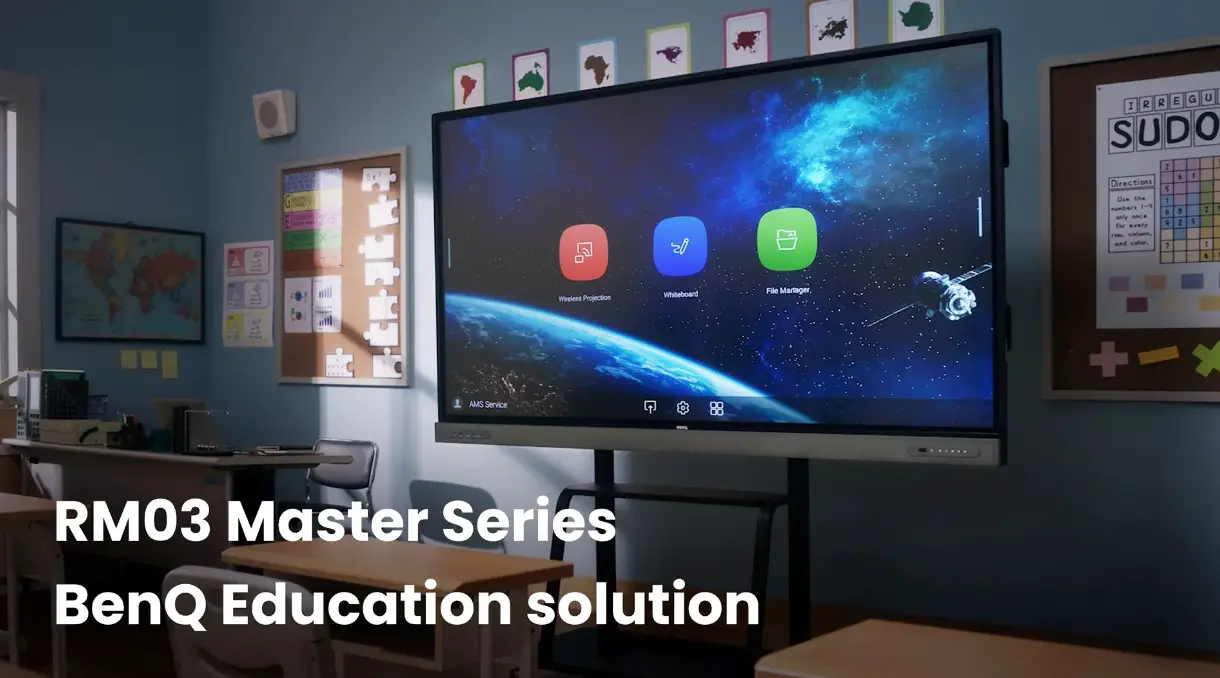
Benq Rm Series Board Master For Education User Guide

Benq Rm Series Board Master For Education User Guide

BenQ RM Series Board Master
for Education User Guide
BenQ RM Series Board Master for Education User Guide

Package Contents
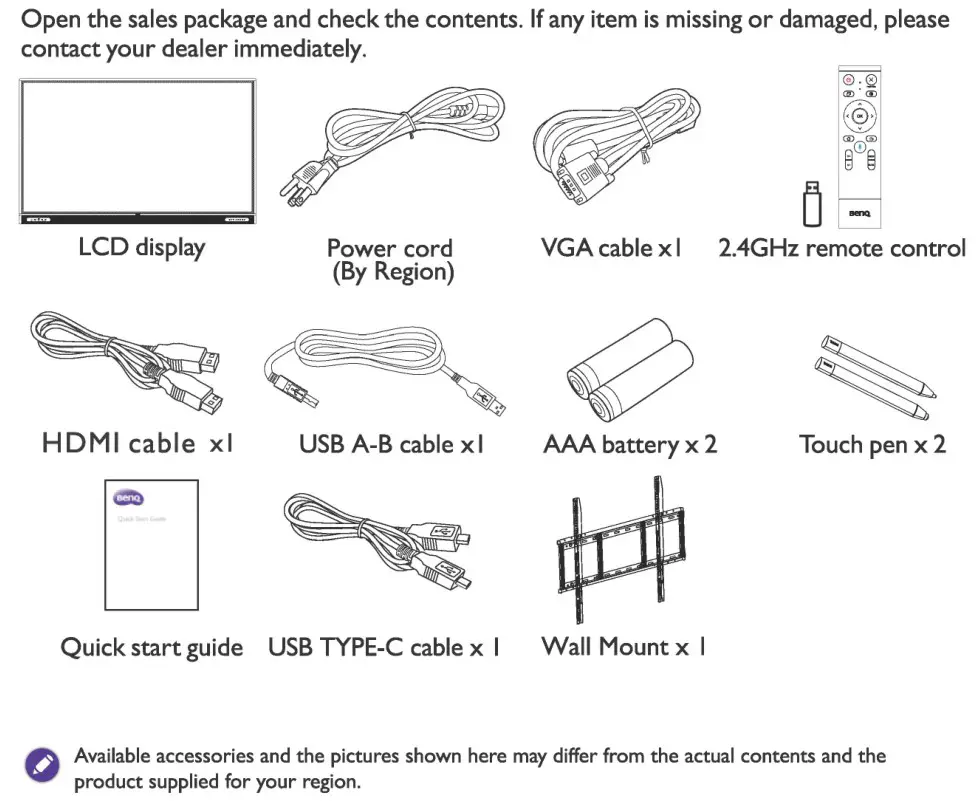
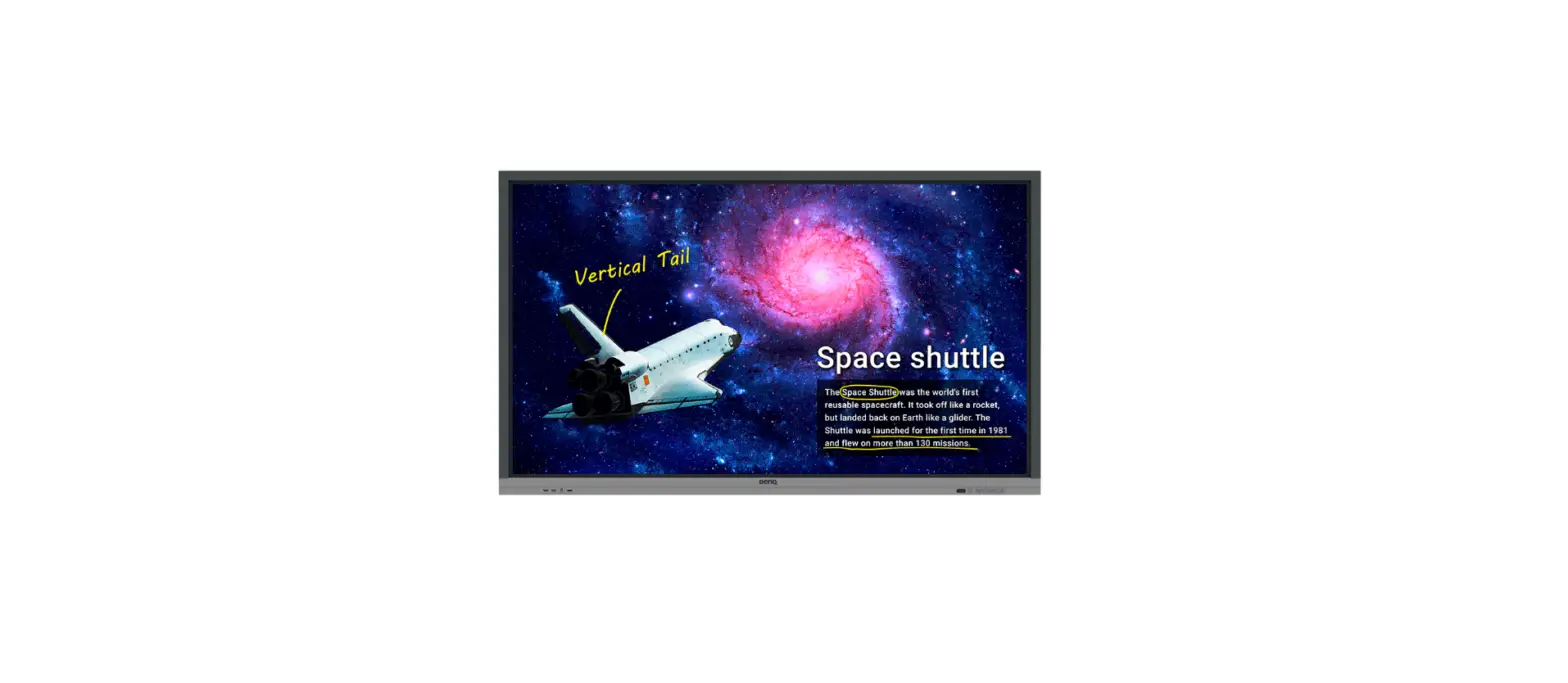
BenQ RM Series Board Master for Education - Package ContentsBenQ RM Series Board Master for Education - Fig. 1BenQ RM Series Board Master for Education - Fig. 2BenQ RM Series Board Master for Education - Fig. 3BenQ RM Series Board Master for Education - Fig. 4

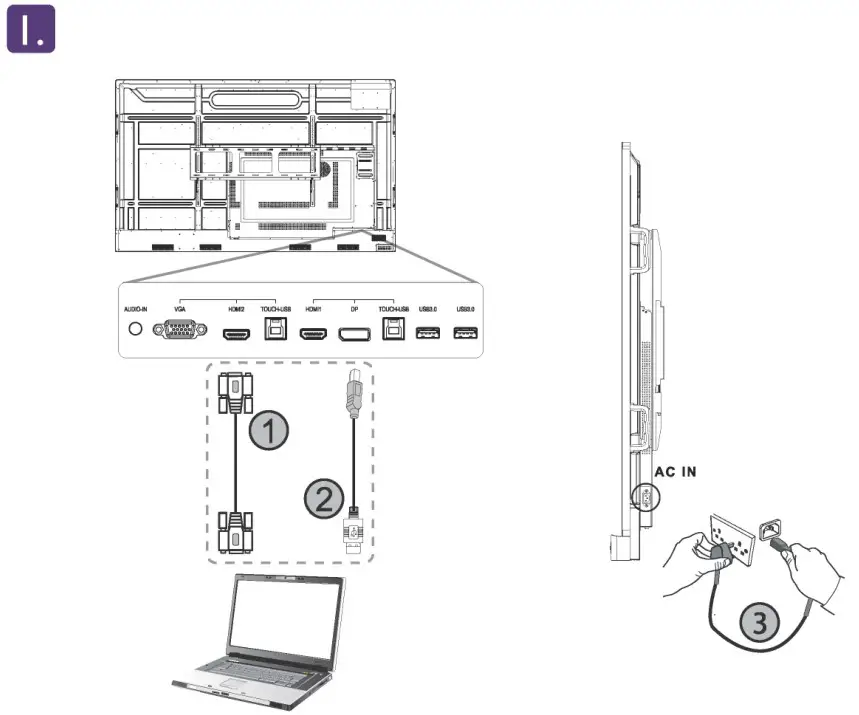
1. Connecting to the display to a computer. Connecting Power

  1. VGA (15-Pin) cable
  2. Touch USB Cable
  3. Power Cord

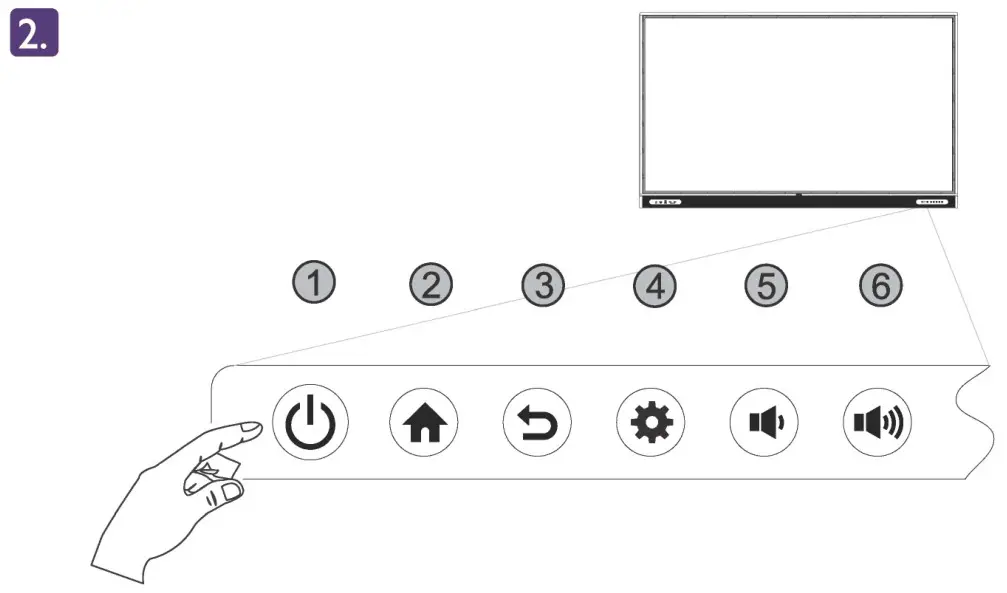
2. Control Panel

  1. Power
  2. Home
  3. Return
  4. Menu
  5. Volume Down
  6. Volume Up

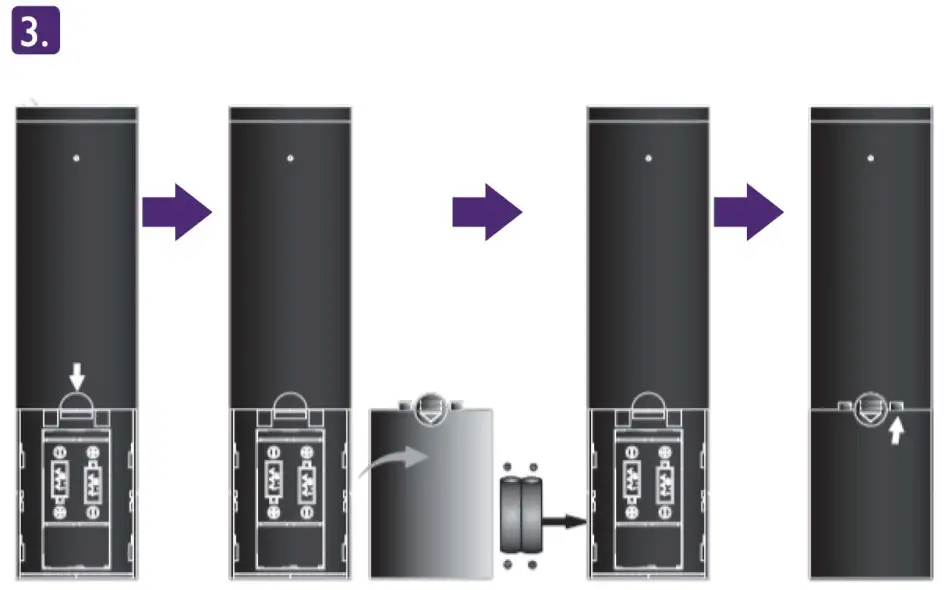
3. Installing remote control batteries

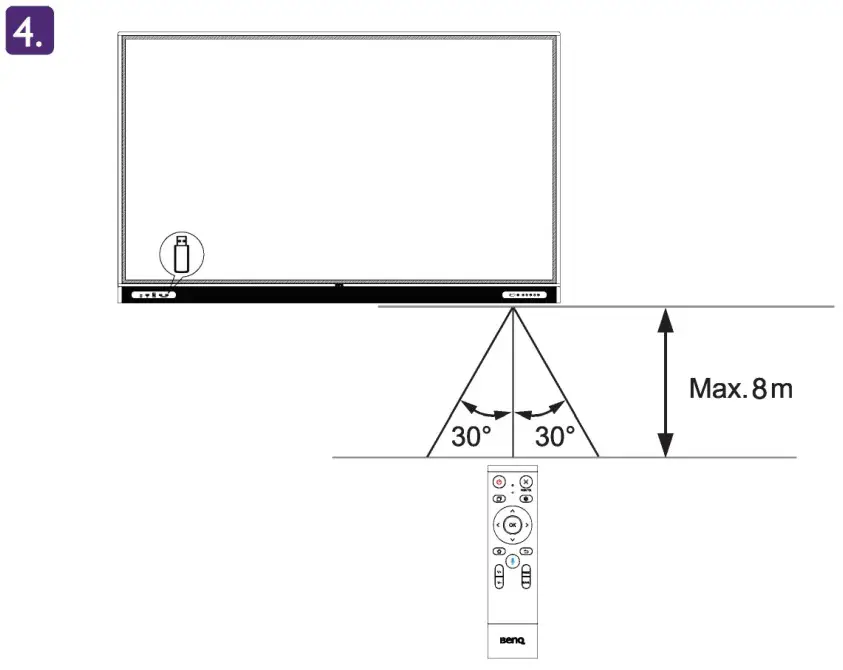
4. Using the remote control

For the user manual, visit http://www.benq.com.

To prevent personal injuries, mounting the display or installing desktop stands is required before use.

Native Resolution – 3840 x 2160
Documents / Resouces

Download manual
Here you can download full pdf version of manual, it may contain additional safety instructions, warranty information, FCC rules, etc.


Related Manuals