Jabra
Elite Active 75t
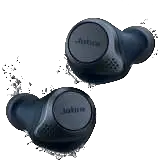

User manual
GN Making Life Sound Better
© 2020 GN Audio A/S. All rights reserved. Jabra® is a trademark of GN Audio A/S. The Bluetooth® word mark and logos are registered trademarks owned by the Bluetooth SIG, Inc. and any use of such marks by GN Audio A/S is under license.
Made in China
MODEL: OTE120L / OTE120R / CPB125 

Declaration of Conformity can be found on www.jabra.com/doc
1. Welcome …………………………………… 5
2. Jabra Elite Active 75t overview . 6
2.1 Included accessories
3. How to wear …………………………….. 8
3.1 Changing EarGels
4. How to charge …………………………. 10
4.1 Charging the earbuds
4.2 Charging the charging case via USB
4.3 Charging the charging case via wireless charger
4.4 What the LEDs mean
5. How to pair ……………………………… 14
5.1 Pairing with a smartphone
6. How to use ………………………………. 15
6.1 Power the earbuds on/off
6.2 Calls & music
6.3 HearThrough
6.4 Sidetone
6.5 Mono earbud use
6.6 Auto-pause music
6.7 Auto power off
6.8 Multiple call handling
6.9 Multi-use
6.10 Voice guidance and languages
3
6.11 Voice assistant
6.12 Update firmware
6.13 How to reset
7. Jabra Sound+ app ……………. 24
8. Support ……………………………… 25
8.1 FAQ
8.2 How to care for your earbuds
8.3 Replacement accessories
8.4 Using the replacement earbuds
8.5 Using a replacement charging case
4
1. Welcome
Thank you for using the Jabra Elite Active 75t. We hope you will enjoy it!
Jabra Elite Active 75t features
- Secure active fit. Compact and comfortable, tested for secure fit with extra grip coating.
- Waterproof durability, guaranteed. Go anywhere, do anything, with IP57-rated protection and a 2-year warranty.
- More power, more freedom. Up to 7.5 hours of battery and up to 28 hours with the charging case.
- Stay safe when you exercise outside. Hear Through mode lets ambient noise in, and allows you to choose how much background noise you want to hear.
- Your music your way. Make sure your music always sounds exactly how you like it with a customizable equalizer, available in the Jabra Sound+ App.
- Great calls, anywhere. 4-microphone technology for superior call quality, wherever you are.
- Easy access to your voice assistant. Onetouch access to Siri® and Google Assistant™
5
2. Jabra Elite Active 75t overview
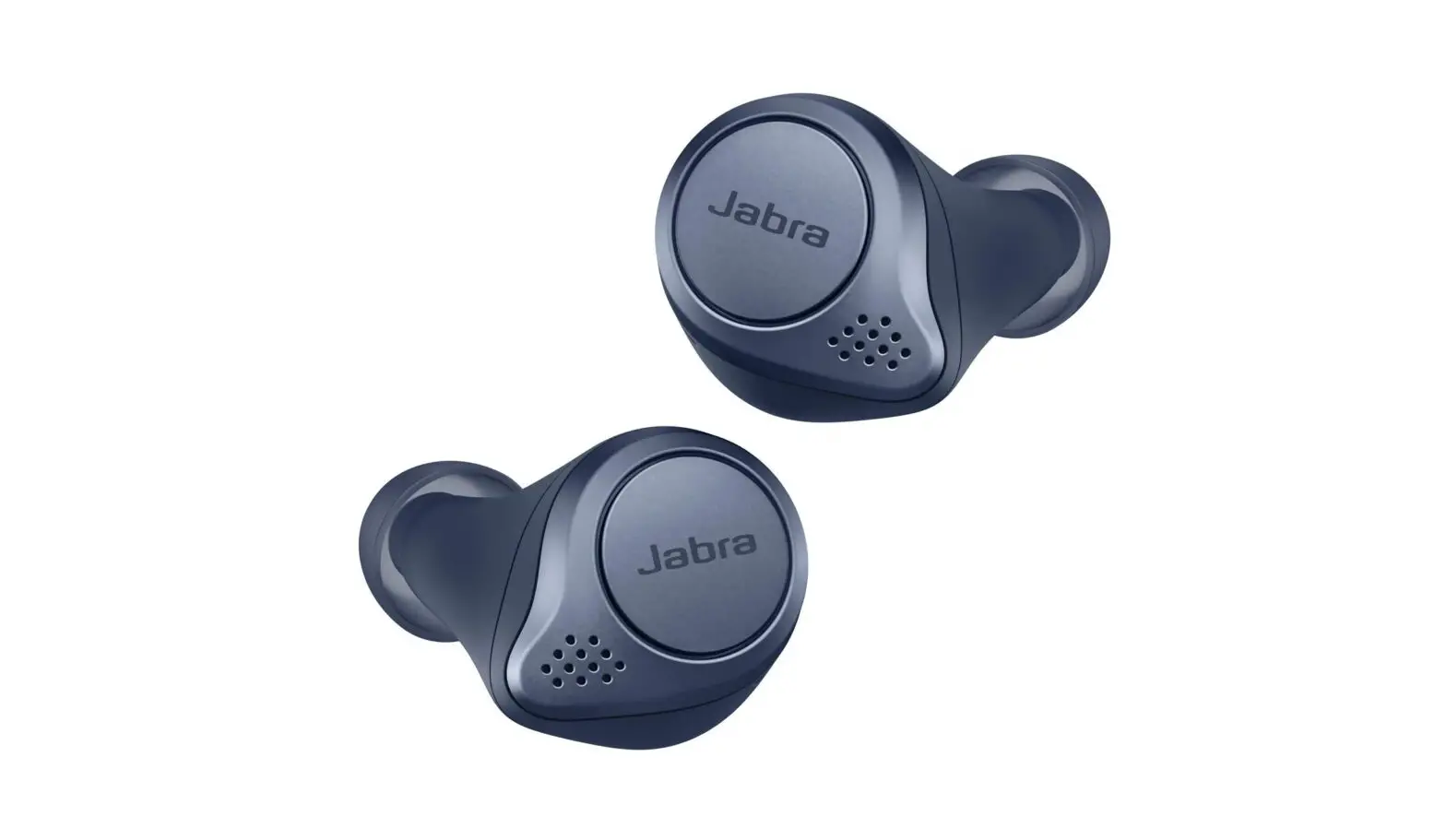
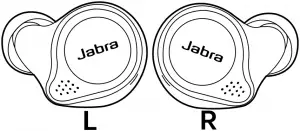
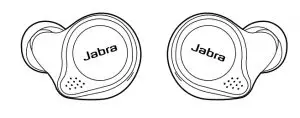
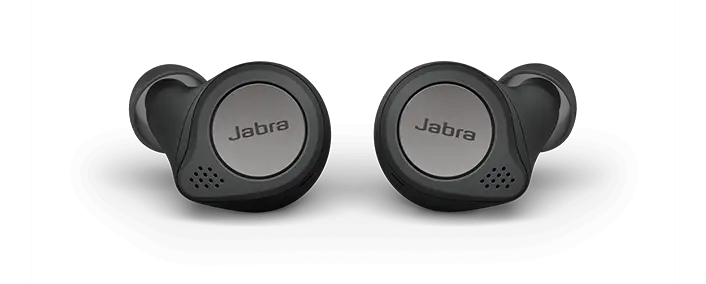
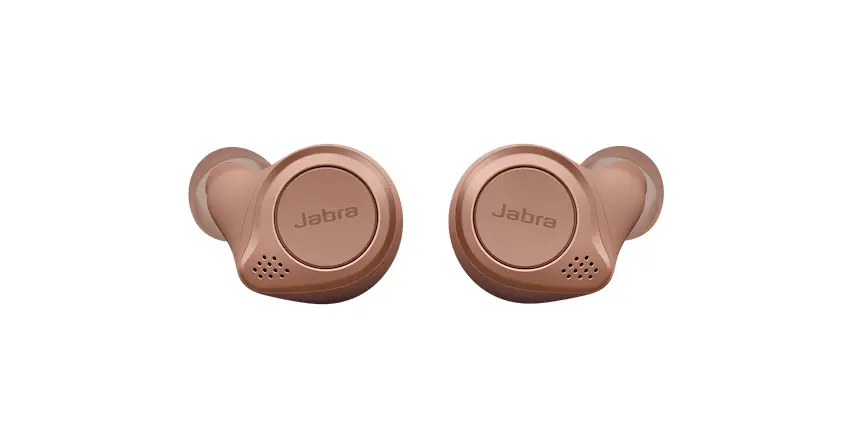
Jabra Elite Active 75t earbuds
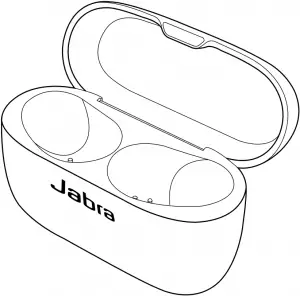
On-the-go charging case
6
2.1 Included accessories
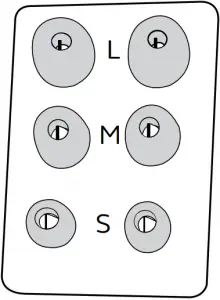
EarGels
S  M
M
L pre-mounted
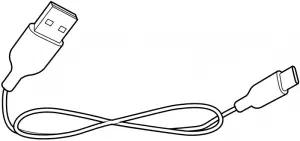
USB-A to USB-C charging cable
7
3. How to wear
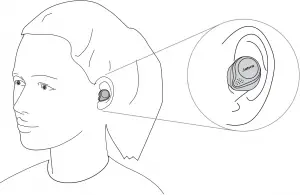
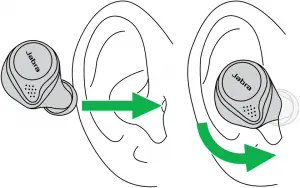
Insert the earbud into your ear and rotate to fit comfortably. Ensure the microphones are pointed towards your mouth.
8
3.1 Changing EarGels
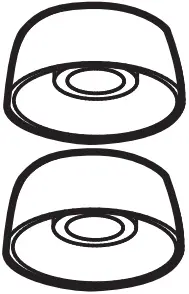
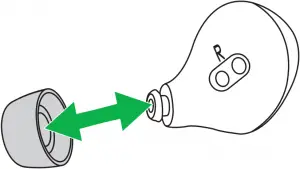
For the optimal audio experience, it is recommended to try each of the different EarGel sizes. The fit should feel tight and secure in your ear. The medium EarGel is premounted on the earbuds. Ensure the EarGel is firmly attached.
S M L
9
4. How to charge
The Jabra Elite Active 75t offers up to 28 hours of battery life. This includes 7.5 hours of battery in the earbuds, and 20.5 hours in the charging case for recharging the earbuds.
4.1 Charging the earbuds
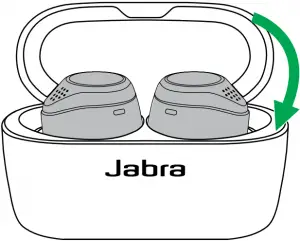
Place the earbuds in the charging case and close the lid. It takes approx. 2 hours to fully recharge the earbuds.
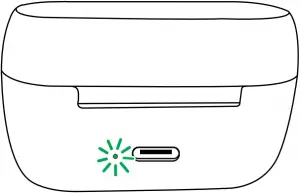
When the charging case is opened, the LEDs on the earbuds will flash red, yellow or green to indicate the battery status of the earbuds. The LED on the back of the charging case indicates the battery status of the charging case.
When the earbuds are at low battery, 15 minutes of charge time will give up to 1 hour of battery.
10
4.2 Charging the charging case via USB
Plug the supplied USB-A to USB-C charging cable into the charging case and a USB-A power supply or certified wall charger. It takes approx. 2 hours and 20 minutes to fully charge the earbuds and the charging case.
The charging case uses the standard USB voltage of 5 v +- 0.25 v. It is not recommended to charge the earbuds using a power supply with a higher voltage.
Note: non-certified chargers may take longer to charge.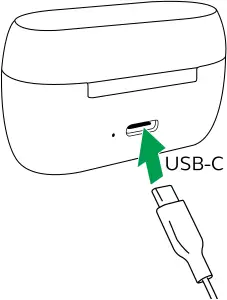
11
4.3 Charging the charging case via wireless charger
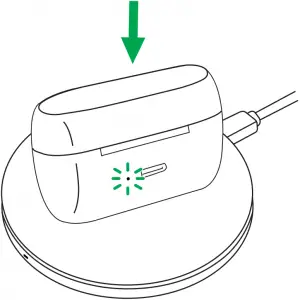
If you own the wireless charging variant of the Jabra Elite Active 75t, a wireless charger can be used to charge the charging case.
Place the charging case on the wireless charger. The LED on the charging case will flash to indicate the charging case is placed and charging correctly. It takes approx. 6 hours to fully charge the earbuds and the charging case.
12
4.4 What the LEDs mean
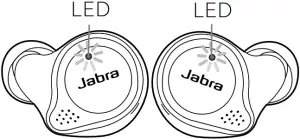
EARBUD STATUS IN CHARGING CASE
 High battery/Power on
 Medium battery
 Low battery
 Power off
 Pairing
 Resetting
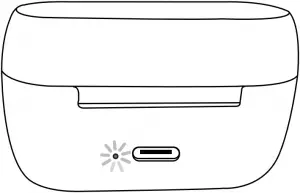
CHARGING CASE STATUS
 High battery
 Medium battery Low battery Firmware updating Fully charged
13
5. How to pair
5.1 Pairing with a smartphone
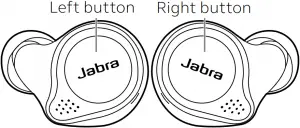
- Remove the earbuds from the charging case to power them on. Alternatively, press and hold the Left and Right buttons (1 sec) simultaneously to power them on.
- Press and hold (3 sec) the Left and Right buttons on the earbuds simultaneously until the right earbud LED flashes blue. The earbuds are now ready to pair to your phone.
- Wear the earbuds and follow the voice guided pairing instructions to pair to your smartphone.

14
6. How to use
6.1 Power the earbuds on/off
Place the earbuds in the charging case to power them off, or remove them from the charging case to power them on.
Alternatively, the earbuds can be manually powered off by pressing the Left and Right buttons on the earbuds simultaneously. To power on, press and hold (1 sec) the Left and Right buttons simultaneously.
15
6.2 Calls & music
| Right button | Calls & music | |
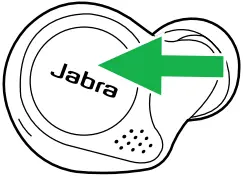 | Play/pause music | Press the Right button when not on a call |
| Answer/end call | Press the Right button | |
| Reject call | Double-press the Right button when there is an incoming call | |
| Volume up | Press and hold the Right button | |
| Activate Voice assistant (Siri, Google Assistant) | Double-press the Right button when not on a call | |
16
| Left button | Calls & Music | |
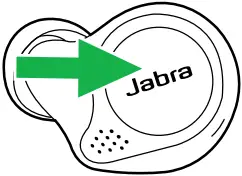 | Turn HearThrough on/off | Press the Left button when not on a call |
| Volume down | Press and hold the Left button | |
| Next track | Double-press the Left button when listening to music | |
| Restart track or previous track | Triple-press the Left button when listening to music. Repeat to skip to the previous track | |
| Mute/unmute microphone | Press the Left button when on a call | |
| Turn Sidetone on/off | Double-press the Left button when on a call | |
17
6.3 HearThrough
HearThrough utilizes the built-in microphones to enable you to pay attention to your surroundings and engage in conversation when not on a call without needing to remove the earbuds.
HearThrough levels and settings can be configured using the Jabra Sound+ app.
| Left button | HearThrough | |
| Turn HearThrough on/off | Press the Left button when not on a call |
6.4 Sidetone
Sidetone enables you to better hear your own voice when you are on a call.
Sidetone settings can be configured using the Jabra Sound+ app.
| Left button | Sidetone | |
| Turn Sidetone on/off | Double-press the Left button when on a call |
18
6.5 Mono earbud use
The right earbud can be used on its own for mono music playback or for calls.
When both earbuds are turned on and within 20 centimetres (8 inches) of one another, they will automatically relink.
| Right button | Mono earbud use | |
| Answer/end call | Press the Right button |
| Reject call | Double-press the Right button when there is an incoming call | |
| Play/pause music | Press the Right button when listening to music | |
| Activate Voice assistant (Siri, Google Assistant) | Double-press the Right button when not on a call | |
| Adjust volume | Use the volume controls on the paired smartphone | |
19
6.6 Auto-pause music
When an earbud is removed from your ear while listening to music, the music will automatically pause.
To unpause the music, return the earbud to your ear within 60 seconds. After 60 seconds, the music can be unpaused by pressing the Right button.
Auto-pause music settings can be disabled or configured using the Jabra Sound+ app.
6.7 Auto power off
To conserve battery, the earbuds will automatically power off when they are out of range of your smartphone for 15 minutes and are not in the charging case, or when they have been inactive for 30 minutes.
To power the earbuds on, press and hold (1 sec) the Left and Right buttons simultaneously. Alternatively, place them in the charging case and then take them back out.
20
6.8 Multiple call handling
The earbuds can accept and handle multiple calls at the same time.
| Right earbud | Multiple call handling | |
| End current call and answer incoming call | Press the Right button |
| Put current call on hold and answer incoming call | Triple-press the Right button | |
| Switch between held call and active call | Double-press the Right button | |
| Reject incoming call, when on a call | Double-press the Right button | |
6.9 Multi-use
The earbuds can be paired to two smartphones at once, and can accept multiple incoming calls from either smartphone.
To pair to two smartphones, use the normal pairing process separately for each smartphone (refer to section 5).
Note: Only one of the smartphones will have an active audio channel, and voice assistant will be activated on the last paired smartphone.
21
6.10 Voice guidance and languages
Voice guidance can be turned on/off and the language can be changed using the Jabra Sound+ app.
The following languages are available: English, French, German, Japanese, Chinese, Korean.
6.11 Voice assistant
| Right button | Voice assistant | |
| Activate Siri, Google Assistant | Double-press the Right button when not on a call |
Voice assistant settings can be configured using the Jabra Sound+ app.
22
6.12 Update firmware
The Jabra Elite Active 75t can be updated to the latest firmware version using the Jabra Sound+ app.
If notifications are enabled in the Jabra Sound+ app you will receive an automatic notification when a firmware update is available.
6.13 How to reset
Resetting the earbuds clears the list of paired devices and resets all settings.
| Earbuds | Reset earbuds | |
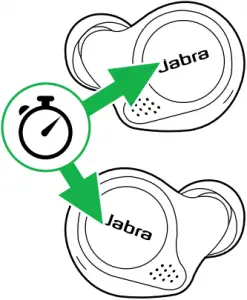 | Reset pairing list and settings | Hold (10 secs) the Right button and Left button until the LEDs flash purple. |
| Remember to delete/ forget the pairing in the Bluetooth menu on your smartphone. | ||
| The earbuds will need to be re-paired to your smartphone after the earbuds are reset. | ||
23
7. Jabra Sound+ app
 Jabra Sound+ app
 Personalize your music
 Customize HearThrough
 Register your 2-year warranty


24
8. Support
8.1 FAQ
View the FAQs on Jabra.com/help/eliteactive75t
8.2 How to care for your earbuds
- Always store the earbuds in the charging case and safely protected.
- To prevent the depletion of the battery lifetime or capacity, avoid storing the earbuds in hot or cold environments, such as a closed car in summer, or in winter conditions.
- It is recommended to keep the earbuds between 15°C and 25°C (59°F and 77°F).
- Do not store the earbuds for extended periods of time without recharging them (max. three months).
- If the earbuds or the charging case become dirty, it is recommended to clean them with a soft, lint-free cloth that has been dampened with clean water.
- The charging case uses the standard USB voltage of 5v +- 0.25v. It is not recommended to charge the earbuds using a power supplier with a higher voltage.
25
8.3 Replacement accessories
Replacement or additional accessories can be purchased online at jabra.com/accessories.
Left and right earbud set Charging case
EarGels
26
8.4 Using the replacement earbuds
- Place the replacement earbuds into the charging case and close the lid.
- Open the charging case lid and remove the earbuds.
- Wear the earbuds and follow the voice instructions to pair to your smartphone.
- Update the earbud firmware using the Jabra Sound+ app.
8.5 Using a replacement charging case
Before using a replacement charging case for the first time, it will need to be synced with your current earbuds and charged for 1 hour.
To begin syncing, place your current earbuds inside the replacement charging case, and close the lid. The LED on the charging case may flash purple to indicate that the firmware is being updated. Please wait until the LED stops flashing purple before opening the charging case.
27
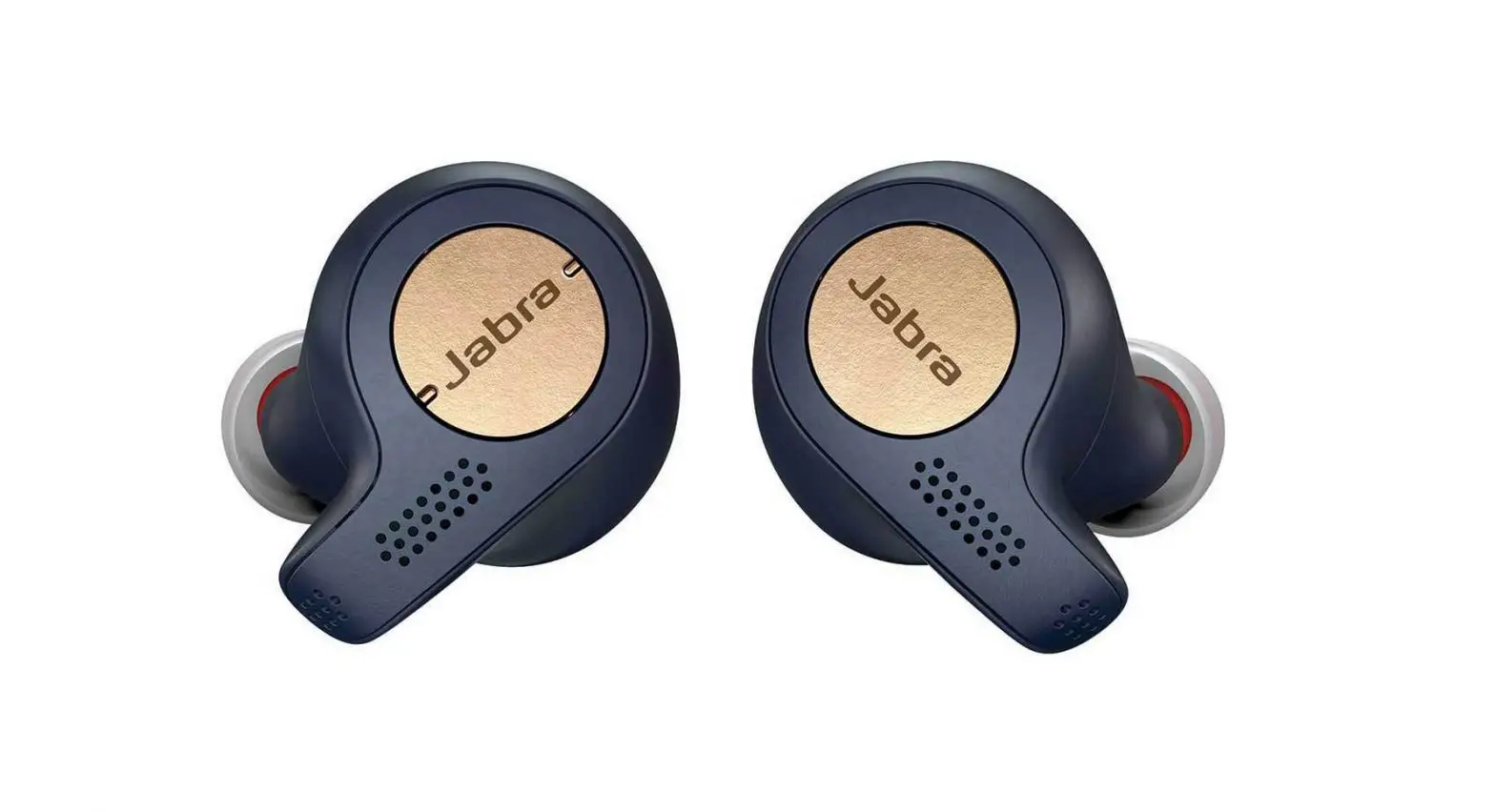
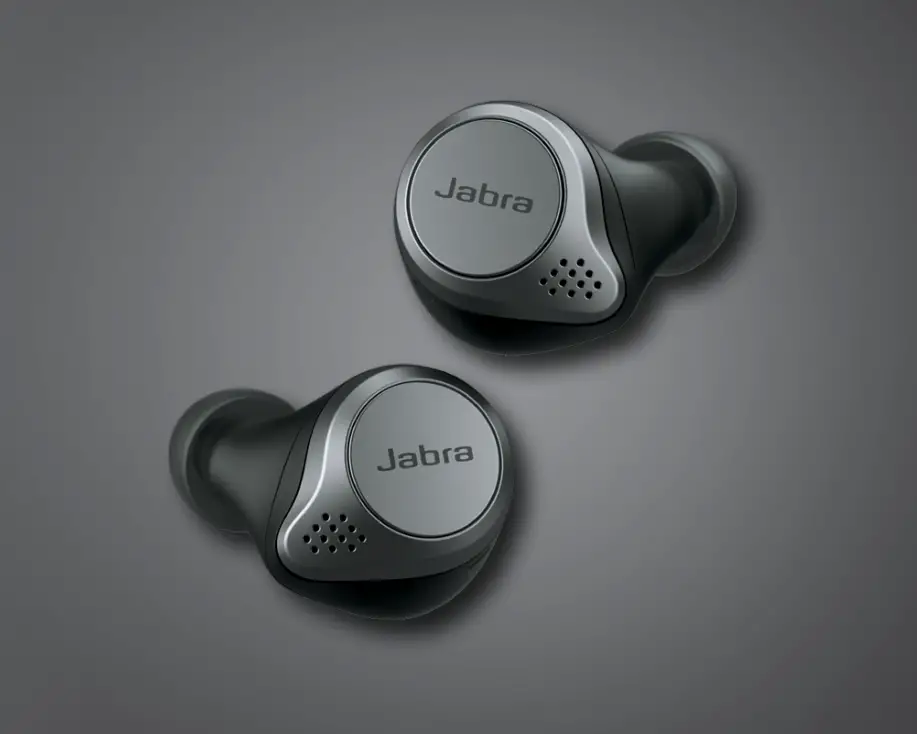
 Need an accessory for your Jabra headset ? or speakerphone ??
 Declarations of Conformity
![Jabra Elite Active 75t [ote120l, Ote120r, Cpb120] User Manual](https://static-data1.manualsee.com/1/img/32/16931/2020/12/Jabra-Elite-Active-75t.jpg "Jabra Elite Active 75t [ote120l, Ote120r, Cpb120] User Manual")
![Jabra Elite 75t [ote120l, Ote120r, Cpb125] User Manual](https://static-data1.manualsee.com/1/img/31/16934/2020/12/Jabra-Elite-75t.jpg "Jabra Elite 75t [ote120l, Ote120r, Cpb125] User Manual")