No. 68 Huatuo Road, Building-8, Zhangiang Hi-Tech Park,
Pudong, Shanghai 201203, China
For more information:[email protected]
www.asiatelco.com
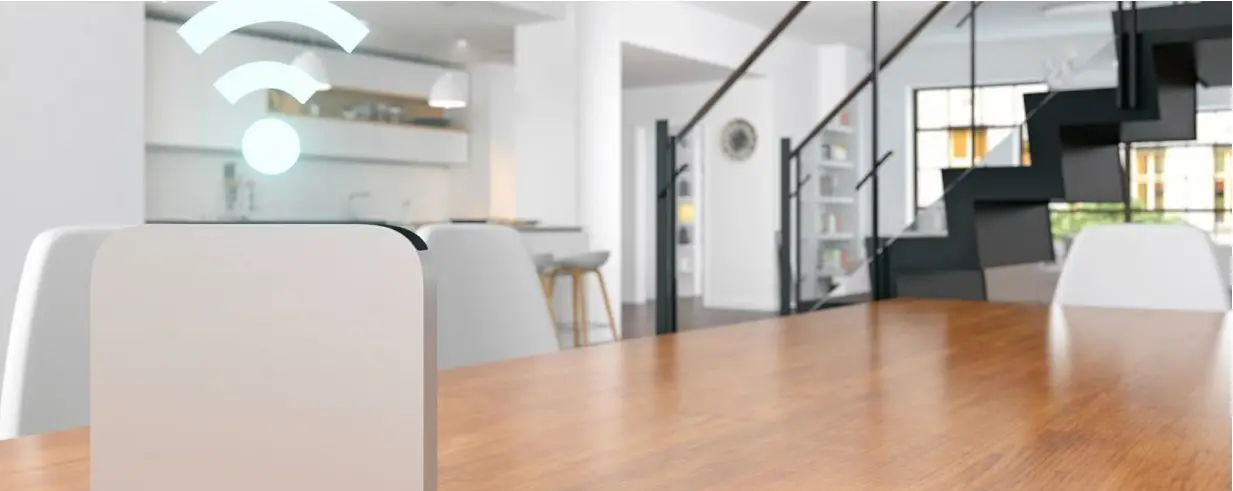
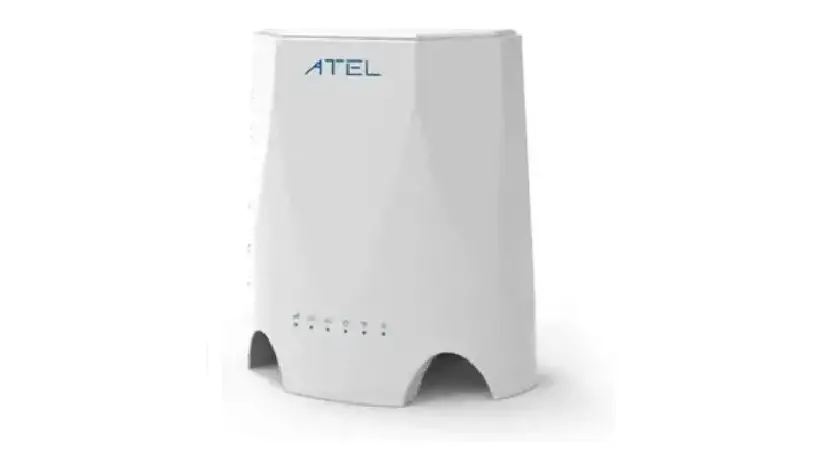
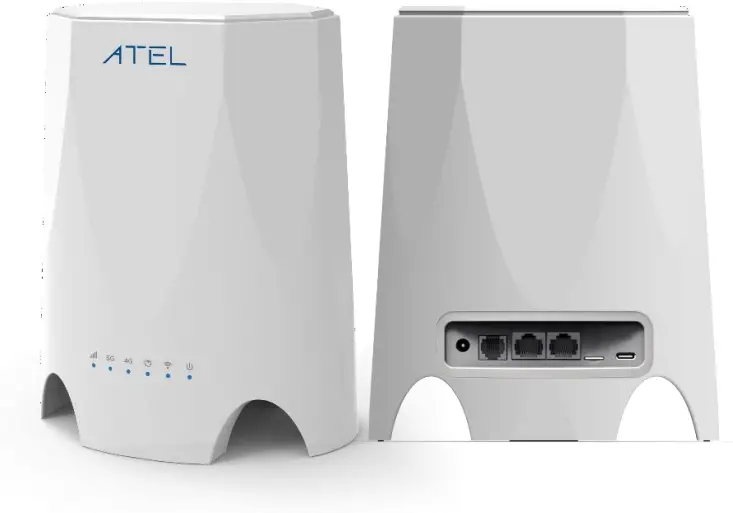
WB550
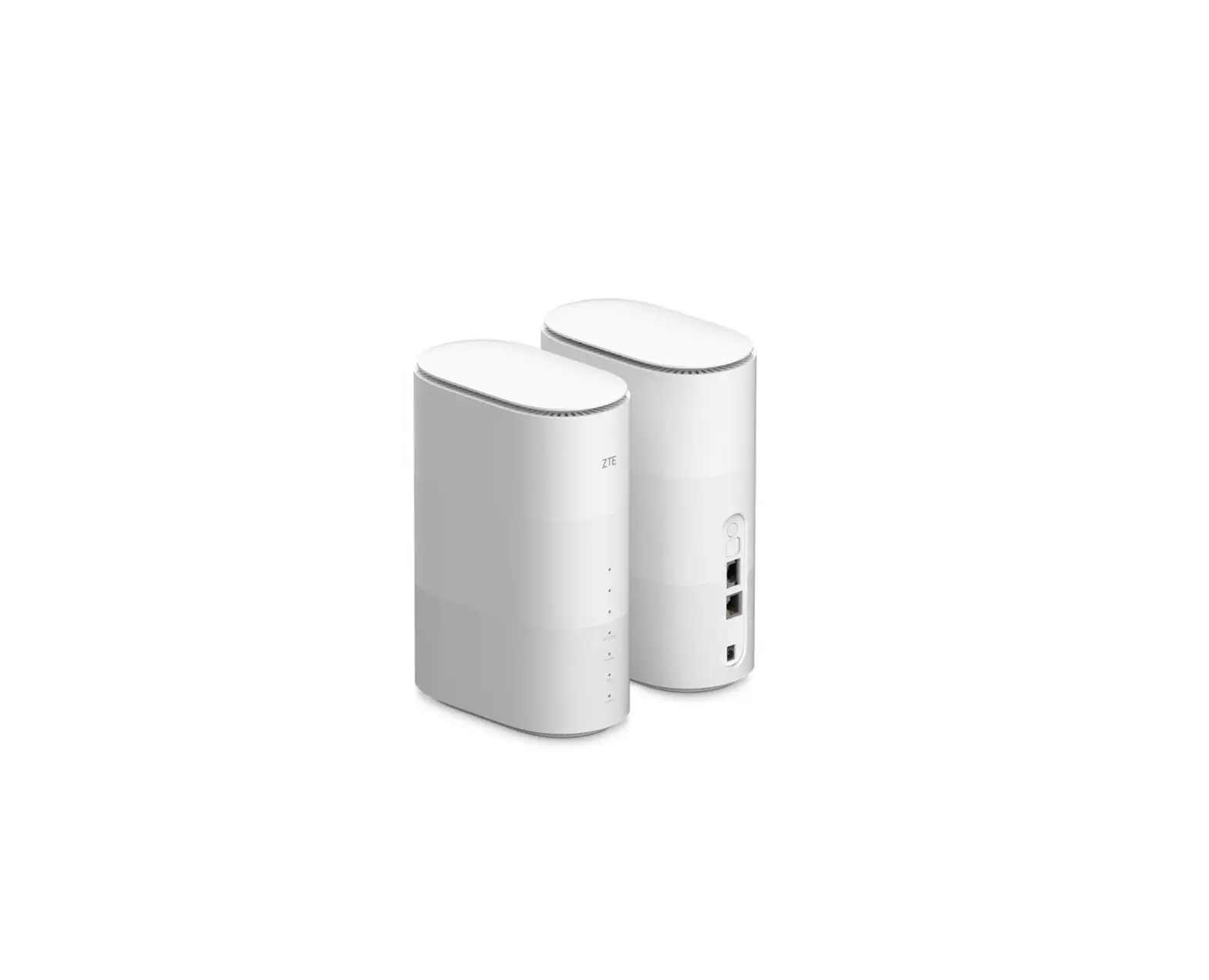
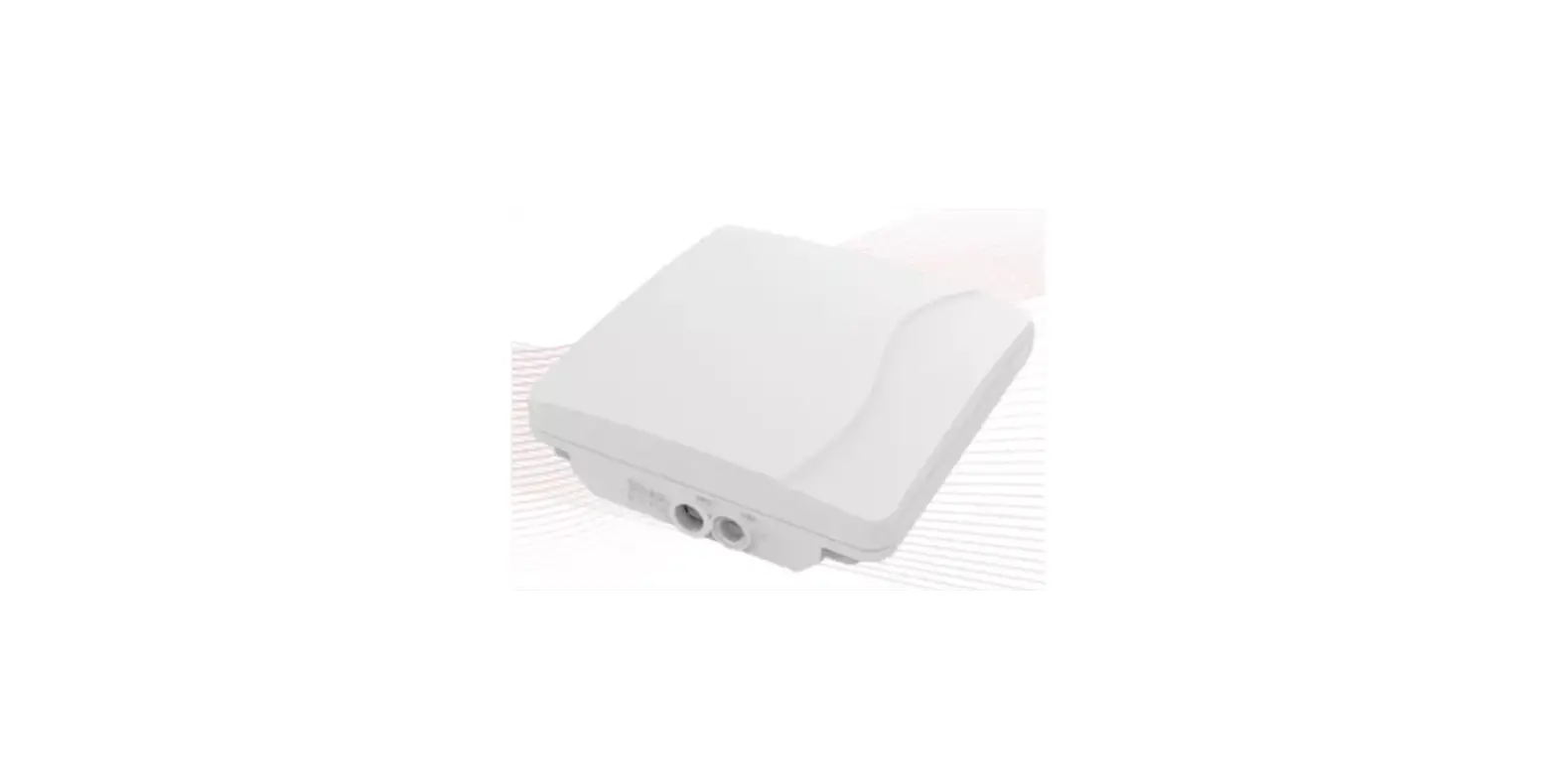
5G CPE
ATEL’S CPE WB550 Series is designed to provide high-speed cellular data connectivity via 5G/4G cellular Network to the Internet for multiple device connected over WLAN and LAN.



5G NR / 4G-LTE High Data Speed WebGUI Easier Configuration



MIMO Wi-Fi 6 HD Voice 2XGE
4×4 802.11 b/g/n/ac/ax
SPECIFICATIONS
| STANDARDS COMPLIANCE | |
| 3GPP | 3GPP Release 15 |
| LTE UE Category | Cat 19 (DL) / Cat 18 (UL) |
| Wi-Fi | 802.11b/g/n/ac/ax |
| BASIC FEATURES | |
| Data Speed | 5G NSA: 4.67Gbps(DL)/1.25Gbps(UL) 5G SA: 3.74Gbps(DL)/835Mbps(UL) LTE: 1.6Gbps(DL)/211Mbps(UL) |
| Band Width | 1.4/3/5/10/15/20/100MHz |
| USIM | 4FF |
| 5G MIMO | 4×4 |
| 4G MIMO | 4×4 |
| Wi-Fi Clients | Up to 32 |
| Wi-Fi MIMO | 2×2 |
| Voice | VoLTE/VoNR |
| Interface | 2 x GE RJ45 1 x RJ11 LEDs DC Power Input Nano USIM Socket Reset Button |
| BASIC HARDWARE FEATURES | |
| RF Transmit Power | n41/n77/n78/B41 are HPUE 26 dBm ±2 dB other bands are 23dBm+/-2dBm  |
| Receiver Sensitivity | <-100dBm(20MHz,QPSK) |
| Omni Internal Antenna | |
| 4dBi Internal Antenna | |
| Power < 24W AC: 100V-240V 50Hz/60Hz DC: 12V / 2A | |
: n30/LTE B30/LTE B48 21 dBm ±2 dB
| BASIC SOFTWARE FEATURES | |
| Configuration | Web GUI |
| FOTA | Yes |
| VPN Pass Through | Yes |
| MAC Address Filtering | Yes |
| NAT Support | Yes |
| Multi-APN | Yes |
| Auto/Manual APN | Yes |
| TR069 | Yes |
| IPV4/IPV6 Dual Stack | Yes |
| SIM Lock | Yes |
| Security | WPA2-PSK/WPA3 |
| Language | English (Other language can be customized) |
| ENVIRONMENTAL SPECIFICATIONS | |
| Operation Temp | -10 ~ 55°C |
| Storage Temp | -40 ~ 80°C |
| Operation Humidity | 5% ~ 95% (Non-Condensing) |
| MECHANICAL INFORMATION | |
| Dimension | 165(L)*123(W)”205(H) mm |
| Color | White (can be customized) |
| Weight | ~500g |
| Signal | Cellular signal Indicator |
| 5G network Indicator | |
| 4G network Indicator | |
| LAN | LAN Status Indicator |
| Wi-Fi Status Indicator | |
| Power | Power supply LED |
| PACKAGE CONTENTS | |
| WB550 Device | x1 |
| Power adaptor | x1 |
| Quick-Start Guide | x1 |
Model Definition
| Model No. | Region | Description |
| WB550-NA-00 | North America | 5G Sub-6: n2/n5/n7/n12/n14/n25/n30/n41/n48/n66/n71/n77/n78 LTE FDD: B2/B4/B5/B7/B12/B13/B14/B17/B25/B26/B29/B30/B66/B71 LTE TDD: B41/48 LAA: B46 WCDMA: B2/4/5 Module: Verizon & AT&T Certified |
Application Scenario
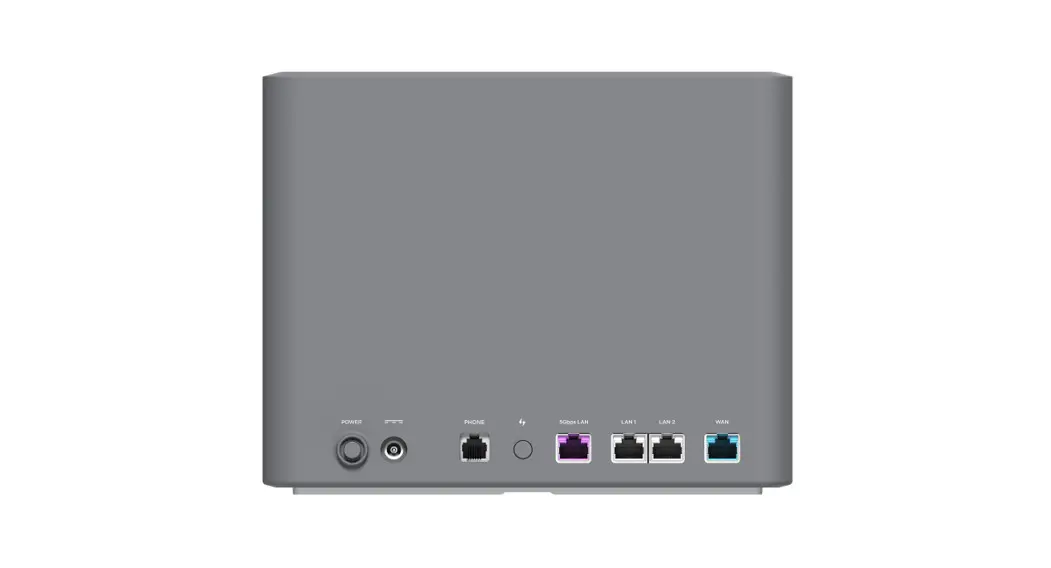
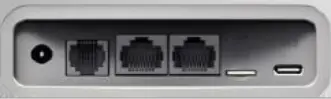
| 1. 12V Use this port to connect the Power adapter for power supply. | 3. WPS Press this button for 5 seconds to activate WPS feature. This helps connect wireless devices without input the WiFi Key Password. |
| 2. LAN Use this RJ45 port to connect your wired device over Ethernet. | 4. USB This is Type C USB Port for Diagnose & Engineering Purpose Only. |
| 5. Power LED Indicates device status. | 6. LAN LED Indicates device LAN status. |
| 7. WiFi LED Indicates device WiFi status. | 8. Connection LED Indicates device connection status with Network. |
| 9. Signal LED Indicates device connection status with Network. | 10. SIM Slot Indicates 2FF SIM Slot to insert U-SIM card. |
| 11. Reset Button Use a pin to push and hold this button for 5 seconds for factory reset | 12. Device Label Provides basic information about device like Model name, IMEI, WiFi Details etc. |
We remind users here that changes or modifications not explicitly approved by the responsible party may cause users to lose the authority to operate the equipment.
Quick Start Guide >
Introduction
The WB550 is a premium indoor 5G NR CPE, designed for 802.11a/b/ g/n/ac/ax dual band Wi-Fi access. The product provides optimized high throughput data and a wide area coverage network for residential, commercial and enterprise users, supporting multiple services.
Customers enjoy reliable dual-band Wi-Fi AP functions, broadband access and hotspot Wi-Fi connections with the WB550.
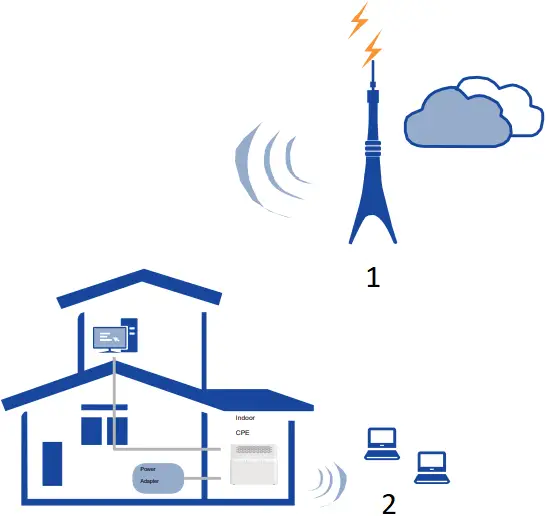
- LTE /5G NR BTS
- Wi-Fi 11 a/b/g/n/ac/ax
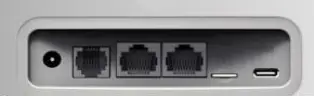
I/O Panel of Router

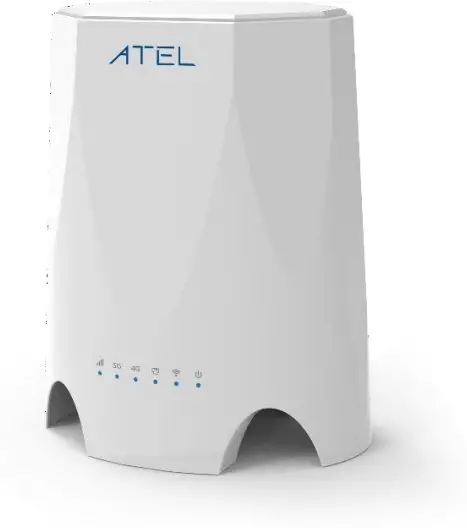
LED Panel of Router
Packing List
Make sure you have everything you need to properly configure the device.
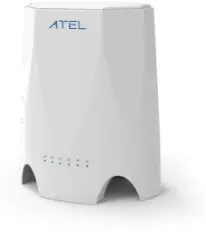 | 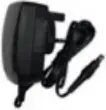 |  |
| IDU | Power supply | Ethernet cable |
Configure Hardware
Insert SIM Card
 If you want to remove the SIM card, please lightly press the SIM card, the SIM card will pop out. Make sure the CPE is turned off before you insert or remove your SIM card. Otherwise, the CPE and SIM card may be damaged.
Please insert your SIM card (3FF) as following:
How does it Work
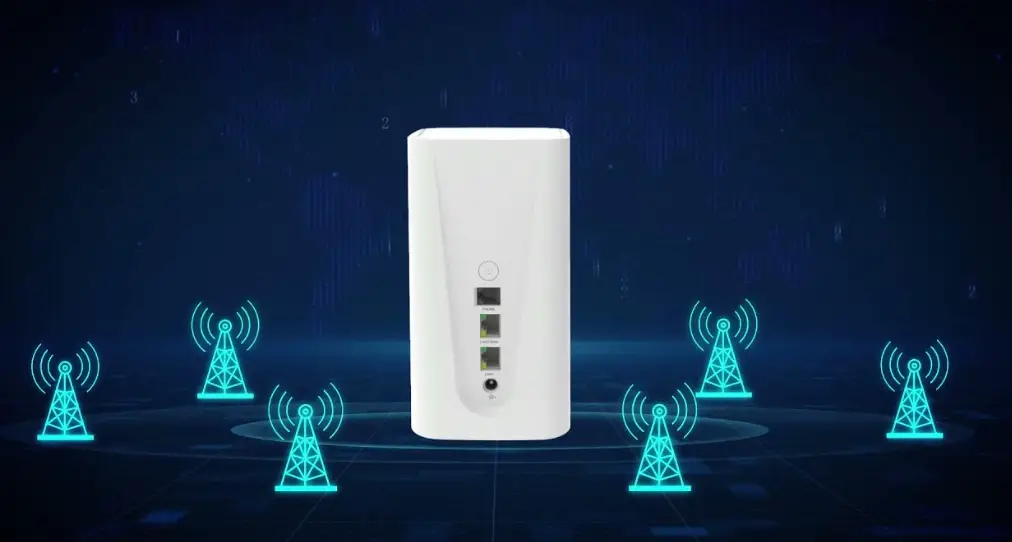
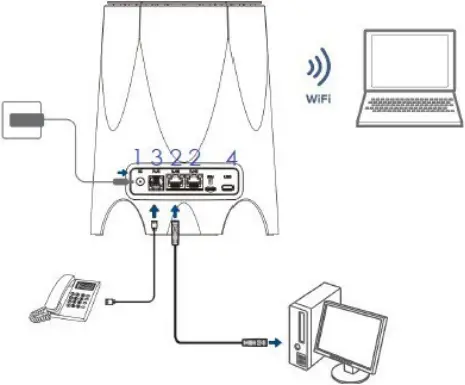
 The figure is just for reference only, please connect according to your requirements.
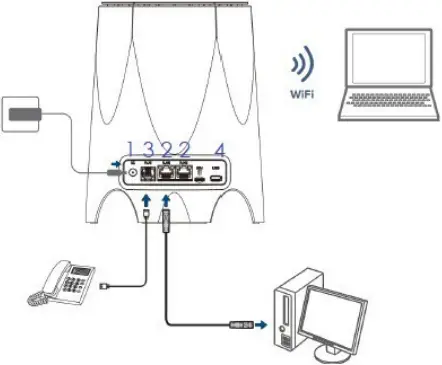
Step 1 Connect the supplied power adapter to the CPE. Step 2 Connect other devices.
- You can connect your computer or classic Switch via Ethernet cable to LAN port.
- You can connect your laptop via Wi-Fi.
- You can connect your telephone via TEL port.
When you are using the CPE, you can adjust the position and direction of CPE to get stronger NR signal, you can judge from the NR signal LED indicators.
LED Indicators
When set up the CP860, you will see the following LED indicators:
| Indicator | Status | Description |
| Steady on | Power On |
| Off | No Power Supply | |
 INTERNET INTERNET | Steady on | Internet Available |
| Off | Internet Unavailable | |
| Blinking (500ms interval) | Searching network of NR | |
| Steady on | WiFi Available |
| Off | WiFi unavailable | |
| Steady on | VOICE Available |
| Off | VOICE Unavailable | |
| Steady on | Display the current LTE network signal, the stronger signal, the more bars on |
| Off | No Signal | |
| Blinking one by one | Firmware upgrade |



Configure The CPE
Login to the Website
Use a browser to access the management web page to configure and manage the CPE.
The following procedure describes how to use a computer running Windows 7 or above version and Internet Explorer to connect to the CPE webpage.
Step 1 Connect the CPE correctly.
Step 2 Start Internet Explorer, go to http://192.168.1.1 in the address bar, and press Enter.
Step 3 Enter the user name (admin) and password (admin), and click Log In.
You can connect to the management web page after the password is verified.
Configuration of NR
Step 1 Connect the CPE correctly.
Step 2 Enter the management website.
Step 3 Choose Settings → Network → NR Settings.
Step 4 Set the connection mode and scan mode.
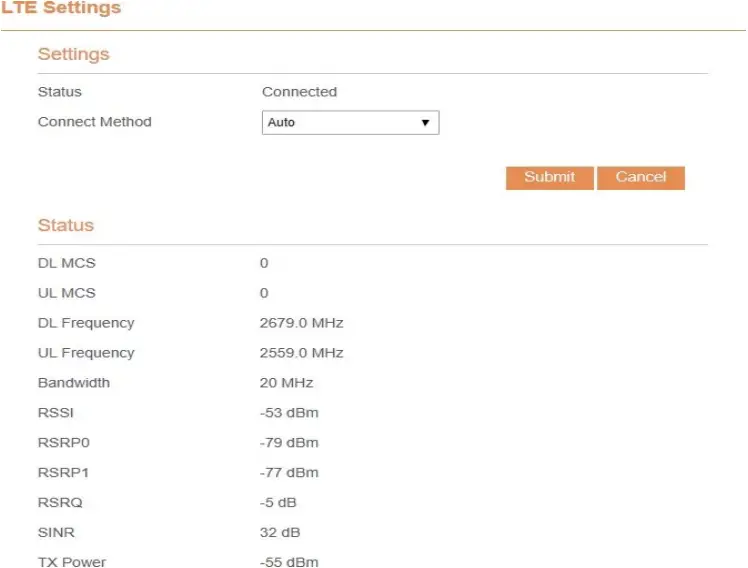
 The default setting is automatically connection and full band scanning,if you want to connect the LTE network according to your needs,you can set the connection mode as manual,and simply scan a specified band.
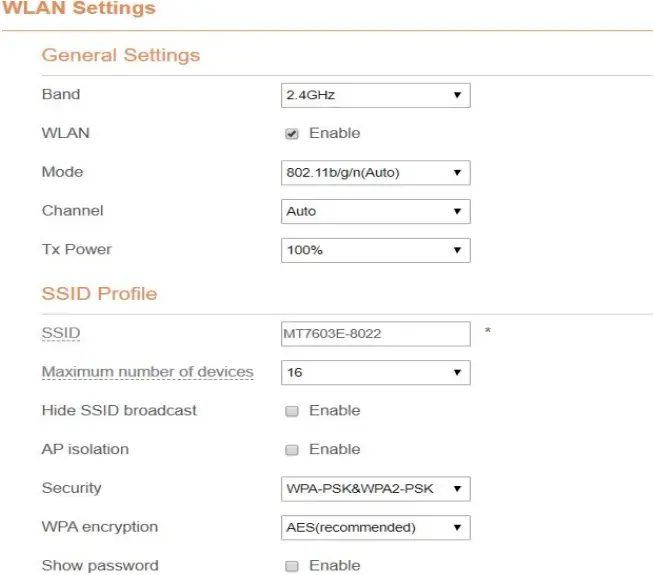
Configuration of Wi-Fi
Step 1 Connect the CPE correctly.
Step 2 Enter the management website.
Step 3 Choose Settings → Wi-Fi → WLAN Settings.
Step 4 In the General Settings, set Wi-Fi Enable or enable Wi-Fi with the Wi-Fi button.
Step 5 In the Setting, change the SSID, such as “NR-Router”
Step 6 To ensure data security, it is recommended that you change the Wi-Fi password by default.
Step 7 Click Submit to save the settings.
Troubleshooting
The POWER indicator does not turn on.
- Make sure that the power cable is connected properly and the CPE is powered on.
- Make sure that the power adapter is compatible with the CPE.
Fails to login the web management page.
- Make sure that the CPE is started.
- Verify that the CPE is correctly connected to the computer through Wi-Fi or a network cable.
The CPE fails to search for the wireless network.
- Check that the power adapter is connected properly.
- Check that the CPE is placed in an open area that is far away from obstructions, such as concrete or wooden walls.
- Check that the CPE is placed far away from household electrical appliances that generate strong electromagnetic field, such as micro-wave ovens, refrigerators, and satellite dishes.
The power adapter of the CPE is overheated.
- The CPE will be overheated after being used for a long time. There-fore, power off the CPE when you are not using it.
- Check that the CPE is properly ventilated and shielded from direct sunlight.
The parameters are restored to default values.
- If the CPE is powered off unexpectedly while being configured, the parameters may be restored to the default settings.
- After configuring the parameters, download the configuration file to quickly restore the CPE to the desired settings.
 If the problem persists,please contact authorized local service suppliers.
Product Marketing Name (PMN): ATEL 5G CPE FCC ID: XYO-WB550 IC ID: 20255-WB550
FCC Regulations
ATEL 5G CPE complies with part 15 of the FCC Rules. Operation is subject to the following two conditions: (1) This device may not cause harmful interference, and (2) this device must accept any interference received, including interference that may cause undesired operation.
This equipment has been tested and found to comply with the limits for a Class B digital device, under Part 15 of the FCC Rules.
These limits are designed to provide reasonable protection against harmful interference in a residential installation.
This equipment generates, uses, and can radiate radio frequency energy and, if not installed and used by the instructions, may cause harmful interference to radio communications.
However, there is no guarantee that interference will not occur in a particular installation. If this equipment does cause harmful interference to radio or television reception, which can be determined by turning the equipment off and on, the user is encouraged to try to correct the interference by one or more of the following measures:
– Reorient or relocate the receiving antenna.
– Increase the separation between the equipment and receiver.
– Connect the equipment into an outlet on a circuit different from that to which the receiver is connected.
– Consult the dealer or an experienced radio/TV technician for help.
FCC RF Radiation Exposure Statement
This equipment complies with FCC radiation exposure limits set forth for an uncontrolled environment. To comply with FCC RF exposure compliance requirements, this grant applies to only Mobile Configurations. The antennas used for the transmitter must be installed to provide a separation distance of at least 20cm from all persons and must not be co-located or operating in conjunction with any other antenna or transmitter.
RSS-GEN
“This device complies with Industry Canada’s licence-exempt RSSs. Operation is subject to the following two conditions: (1) This device may not cause interference; and (2) This device must accept any interference, including interference that may cause undesired operation of the device.”
A . The device shall automatically discontinue transmission in cases of absence of information to transmit, or operational failure.
B . devices contain security features to protect against modification of software by unauthorized parties the device for operation in the band 5150-5250 MHz is only for indoor use to reduce the potential for harmful interference to co-channel mobile satellite systems; for devices with detachable antenna(s), the maximum antenna gain permitted for devices in the band 5725-5850 MHz shall be such that the equipment still complies with the e.i.r.p. limits as appropriate; and where applicable, antenna type(s), antenna models(s), and worst-case tilt angle(s) necessary to remain compliant with the e.i.r.p. elevation mask requirement set forth in section 6.2.2.3 shall be clearly indicated.
ISED RF Radiation Exposure Statement
This equipment complies with ISED radiation exposure limits set forth for an uncontrolled environment. To comply with ISED RF exposure compliance requirements, this grant applies to only Mobile Configurations. The antennas used for the transmitter must be installed to provide a separation distance of at least 20cm from all persons and must not be co-located or operating in conjunction with any other antenna or transmitter.
For support information: [email protected]
Visit our website: www.aslatelco.com
__________________________________________
Specifications are subject to change Please see your ATEL contact for more details.
© 2023 Asiatelco Technologies Co. All rights reserved. The ATEL name and logo are trademarks of Asiatelco.