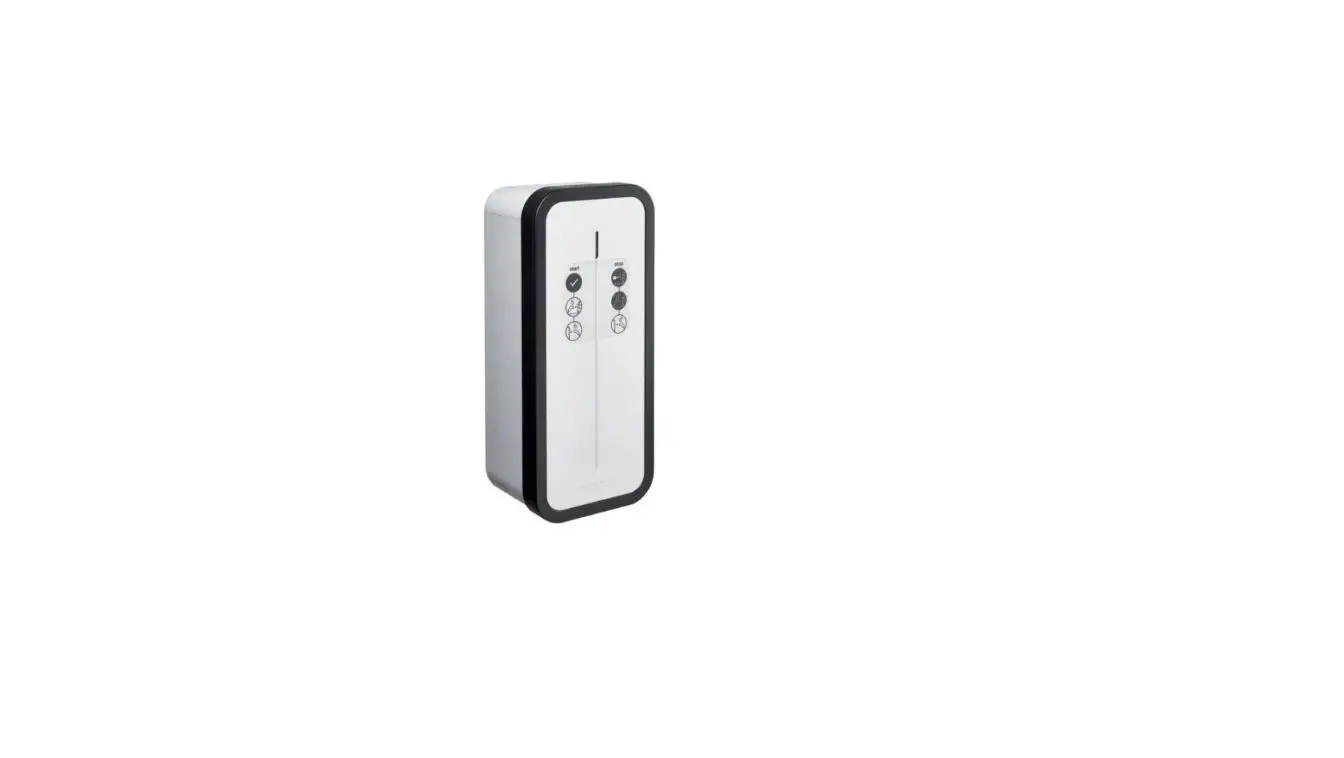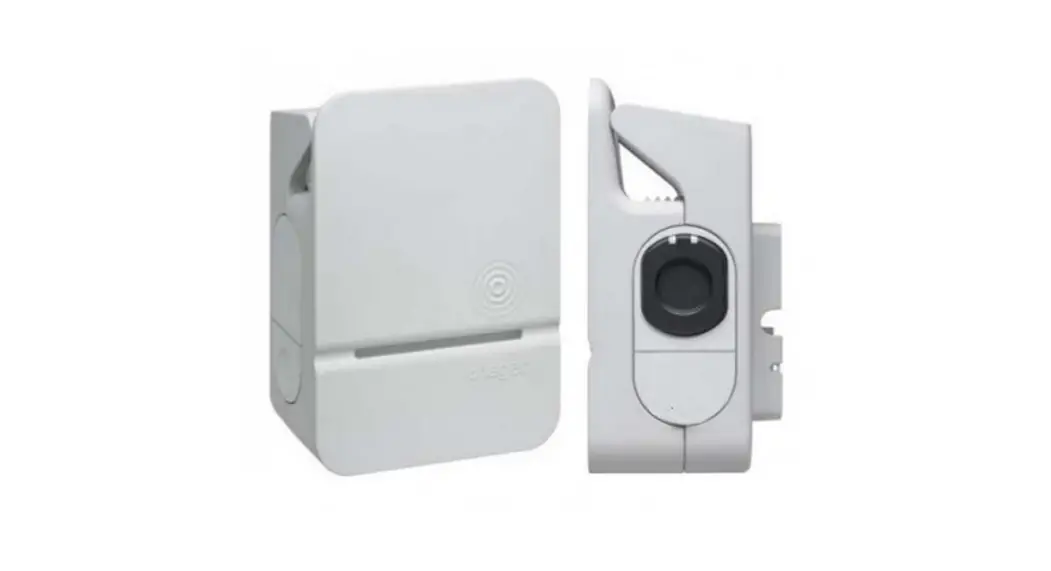
XEV1R22T2TE Charging Station For Electric Vehicle
XEV1R22T2TE XEV1R22T2TF XEV1R22T2
a notice d’installation – p. 2
Borne de charge pour véhicule électrique
z installation manual- p. 24
Charging station for electric vehicle
e Installationsanleitung – S. 46
Ladestation für Elektrofahrzeuge
6LE007171C
Sommaire
1. Descriptif extérieur………………………………………………………………………………………………………………………………………………………………………………… 3
2. Installation …………………………………………………………………………………………………………………………………………………………………………………………….. 4 2.1. Ouverture …………………………………………………………………………………………………………………………………………………………………………………………. 4 2.2. Fixation ……………………………………………………………………………………………………………………………………………………………………………………………. 4
3. Raccordement électrique………………………………………………………………………………………………………………………………………………………………………. 6
4. Protections électriques des bornes de charges…………………………………………………………………………………………………………………………………… 10 4.1. Installation et qualité de la mise à la terre selon le label EV READY 1.4I ………………………………………………………………………………………………. 10 4.2. Détection de contacts collés selon le label ZE READY 1.4I et EV READY 1.4I ……………………………………………………………………………………… 11
5. Fixation du support câble (option) ……………………………………………………………………………………………………………………………………………………….. 12
6. Configuration directe …………………………………………………………………………………………………………………………………………………………………………… 13
7. Finalisation ………………………………………………………………………………………………………………………………………………………………………………………….. 14
8. Première mise en service …………………………………………………………………………………………………………………………………………………………………….. 15
9. Activation du HotSpot Wifi…………………………………………………………………………………………………………………………………………………………………… 15
10. Configuration logicielle de la borne …………………………………………………………………………………………………………………………………………………… 16 10.1. Accès au web serveur……………………………………………………………………………………………………………………………………………………………………. 16 10.2. Page d’identification ……………………………………………………………………………………………………………………………………………………………………… 16 10.3. Configurateur………………………………………………………………………………………………………………………………………………………………………………… 16 10.4. Paramètres de configuration ………………………………………………………………………………………………………………………………………………………….. 17
11. Descriptif intérieur……………………………………………………………………………………………………………………………………………………………………………… 18
12. Maintenance………………………………………………………………………………………………………………………………………………………………………………………. 20 12.1. Introduction ………………………………………………………………………………………………………………………………………………………………………………….. 20 12.2. Fonctionnement normal …………………………………………………………………………………………………………………………………………………………………. 20 12.3. Signalisations anomalies………………………………………………………………………………………………………………………………………………………………… 20 12.4. Maintenance électrique………………………………………………………………………………………………………………………………………………………………….. 21
13. Caractéristiques techniques………………………………………………………………………………………………………………………………………………………………. 22
Consignes de sécurité · L’installation et le montage d’appareils électriques doivent être effectués uniquement par un électricien qualifié. Les prescriptions de prévention
contre les accidents en vigueur dans le pays doivent être respectées. Le non-respect des consignes d’installation peut entraîner des dommages sur l’appareil, un incendie ou présenter d’autres dangers. · Veuillez observer les prescriptions et les normes en vigueur pour les circuits électriques Très Basse Tension de Sécurité (TBTS) lors de l’installation et de la pose des câbles. Avant toute intervention sur l’appareil ou la charge, mettre hors tension la borne au niveau du disjoncteur situé en amont et réaliser la consignation si nécessaire. Après l’ouverture de la borne, contrôler par une vérification d’absence de tension que toutes les parties sont bien hors tension. · Lors de l’installation de la borne, vérifier que les conditions environnantes (pluie, brume, neige, poussière, vent…) ne sont pas une source de danger ou de casse potentielle lors des manipulations et lors de la remise sous tension. · Ne pas oublier de prendre en compte tous les disjoncteurs qui délivrent des tensions potentiellement dangereuses à l’appareil ou à la charge. · Risque de choc électrique. · Veuillez séparer le câblage entre courant fort et très basse tension (Ethernet). · Il est nécessaire de remettre le couvercle après intervention.
Comment éliminer ce produit (déchets d’équipements électriques et électroniques). (Applicable dans les pays de l’Union Européenne et aux autres pays européens disposant de systèmes de collecte sélective). Ce symbole sur le produit ou sa documentation indique qu’il ne doit pas être éliminé en fin de vie avec les autres déchets ménagers. L’élimination incontrôlée des déchets pouvant porter préjudice à l’environnement ou à la santé humaine, veuillez le séparer des autres types de déchets et le recycler de façon responsable. Vous favoriserez ainsi la réutilisation durable des ressources matérielles. Les particuliers sont invités à contacter le distributeur leur ayant vendu le produit ou à se renseigner auprès de leur mairie pour savoir où et comment ils peuvent se débarrasser de ce produit afin qu’il soit recyclé en respectant l’environnement. Les entreprises sont invitées à contacter leurs fournisseurs et à consulter les conditions de leur contrat de vente. Ce produit ne doit pas être éliminé avec les autres déchets commerciaux.
Par la présente Hager déclare que les produits bornes de rechargement référencés XEV1Rxxx sont conformes à la directive RED 2014/53/UE. La déclaration CE peut être consultée sur le site : www.hagergroup.net.
Document non contractuel, soumis à modifications sans préavis.
Recommandations Tout accès aux zones internes, au-delà des zones décrites dans la présente notice sont à proscrire et annulent la garantie et toute autre forme de prise en charge. En effet, ces manipulations peuvent être dommageables aux parties et/ou aux composants électroniques. Ces produits ont été définis afin de ne pas avoir à y accéder dans le cadre de la mise en oeuvre et des opérations de maintenance du produit.
2
8 mm
8 mm
Haut
160 mm
40,17 mm
38,51 mm
118,15 mm
En option réf. XEVA100
Etiquette identification
EV Charging Station Witty
C
8 mm
8 mm
236.30 mm
Bas
Badge RFID Hotspot wifi
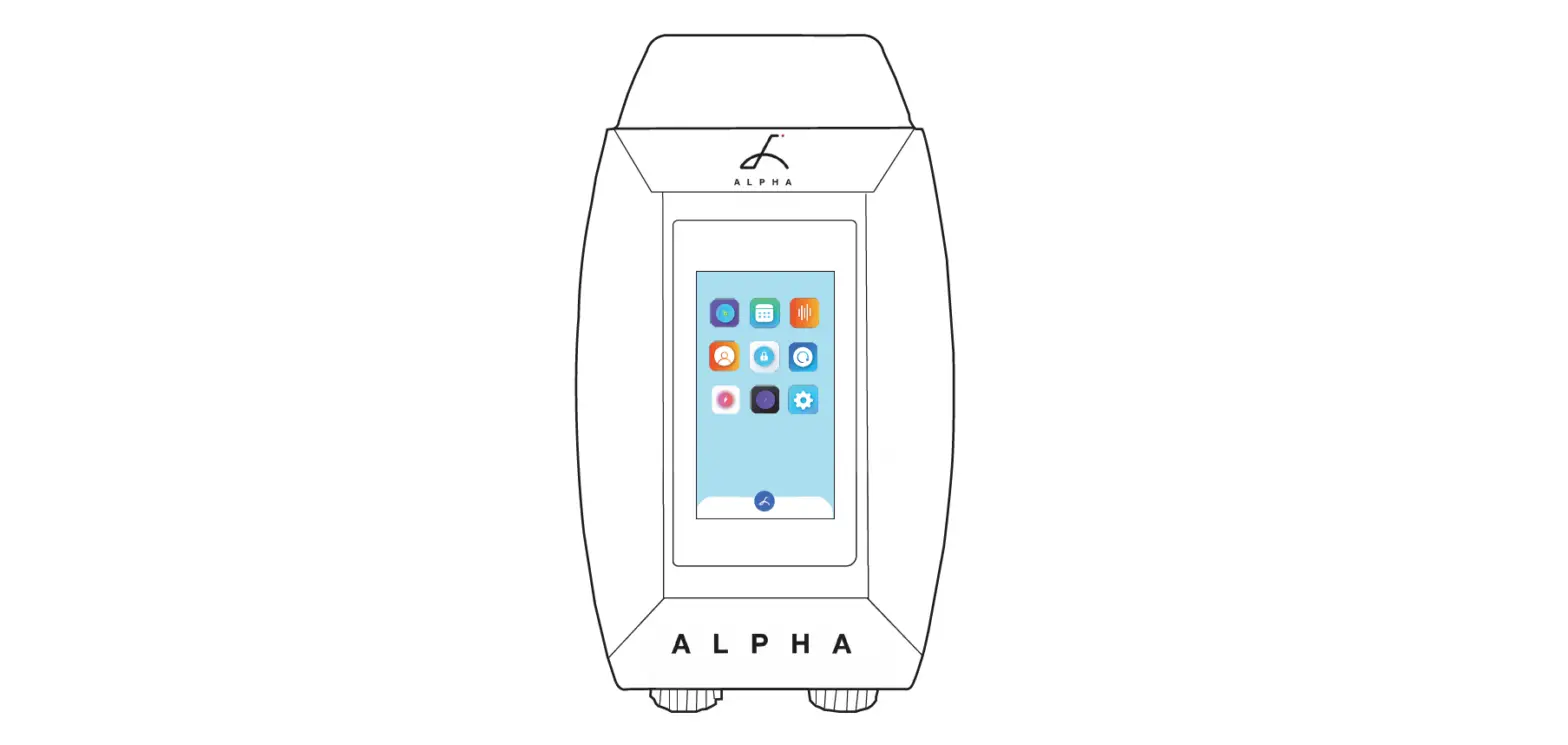
1. Descriptif extérieur
· Extérieur
Bandeau lumineux
Bouton sensitif
Zone RFID Emplacement de l’autocollant utilisateur Cadre Emplacement pour support câble
Ouverture de l’enveloppe
35,15 mm 50,5 mm
47,15 mm
472,5 mm 547,82 mm
x 4
b
c
x 2
x 8
x 4 a
x 4
x 4
x 1
a (mm) b (mm) c (mm)
549 250,5 173
x 1 x 6
8
x 2
T25S T30 10
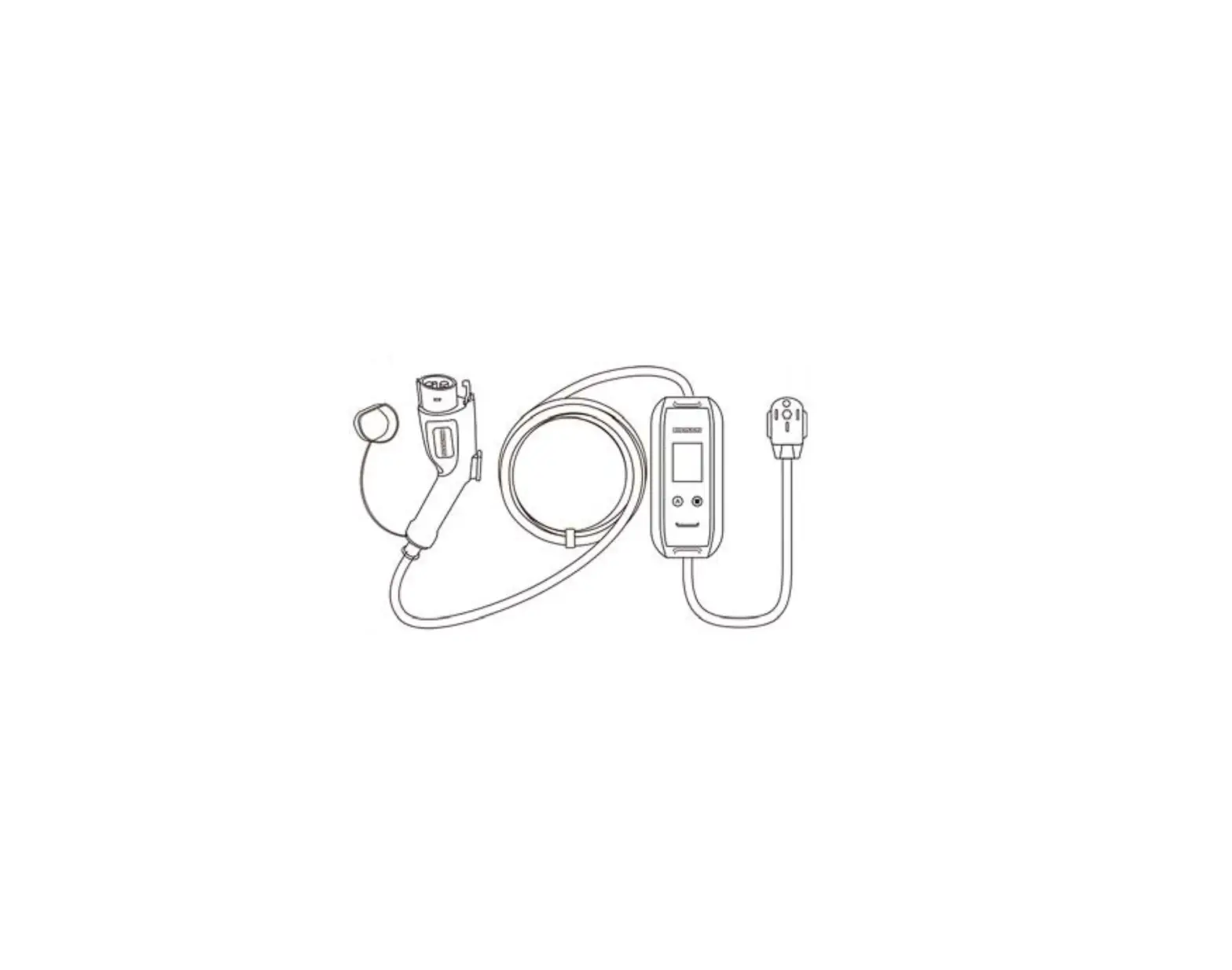
Prise mode 3 Type T2S Prise mode 2 Type TE
3
2. Installation
2.1. Ouverture
L’ouverture de la borne
de charge doit être
N
N
effectuée hors-tension.
ID 30 mA
1
En sortie usine, le cadre ainsi que la face avant ne sont pas vissés, et le câble de la carte d’interface n’est pas connecté.
ID 30 mA 3
2
2.2. Fixation
Avant de procéder à la fixation de la borne, veuillez vous assurer que l’ensemble des câbles soit présent : · 3 Ph + N + Terre pour une borne triphasée section du câble : 5G10 ou 5G16 souple ou rigide ou 1Ph + N + Terre pour une borne
monophasée section du câble : 3G10 ou 3G16 souple ou rigide. · un câble RJ45 pour la communication de la carte de contrôle. · un câble 2 fils pour le retour bobine à émission de la carte électronique de puissance (option ZE Ready). · la section minimale du câble pour une borne de charge de courant assigné à 32 A est de 10 mm². · la section maximale du câble est de 16 mm² câble multibrins, 10 mm² câble monobrin.
· Le système de fixation doit être adapté au support sur lequel le produit est installé. · Les fixations fournies conviennent pour du béton et de la maçonnerie pleine.
1
2
à 1,3 m
8
du sol
4
3
4
· Arrivée du câble par l’arrière.
Torx T30
Percer le nombre de trou nécessaire selon le nombre de câble à introduire.
· Arrivée du câble par le haut.
2
1
· Arrivée du câble par le bas.
2
3 1
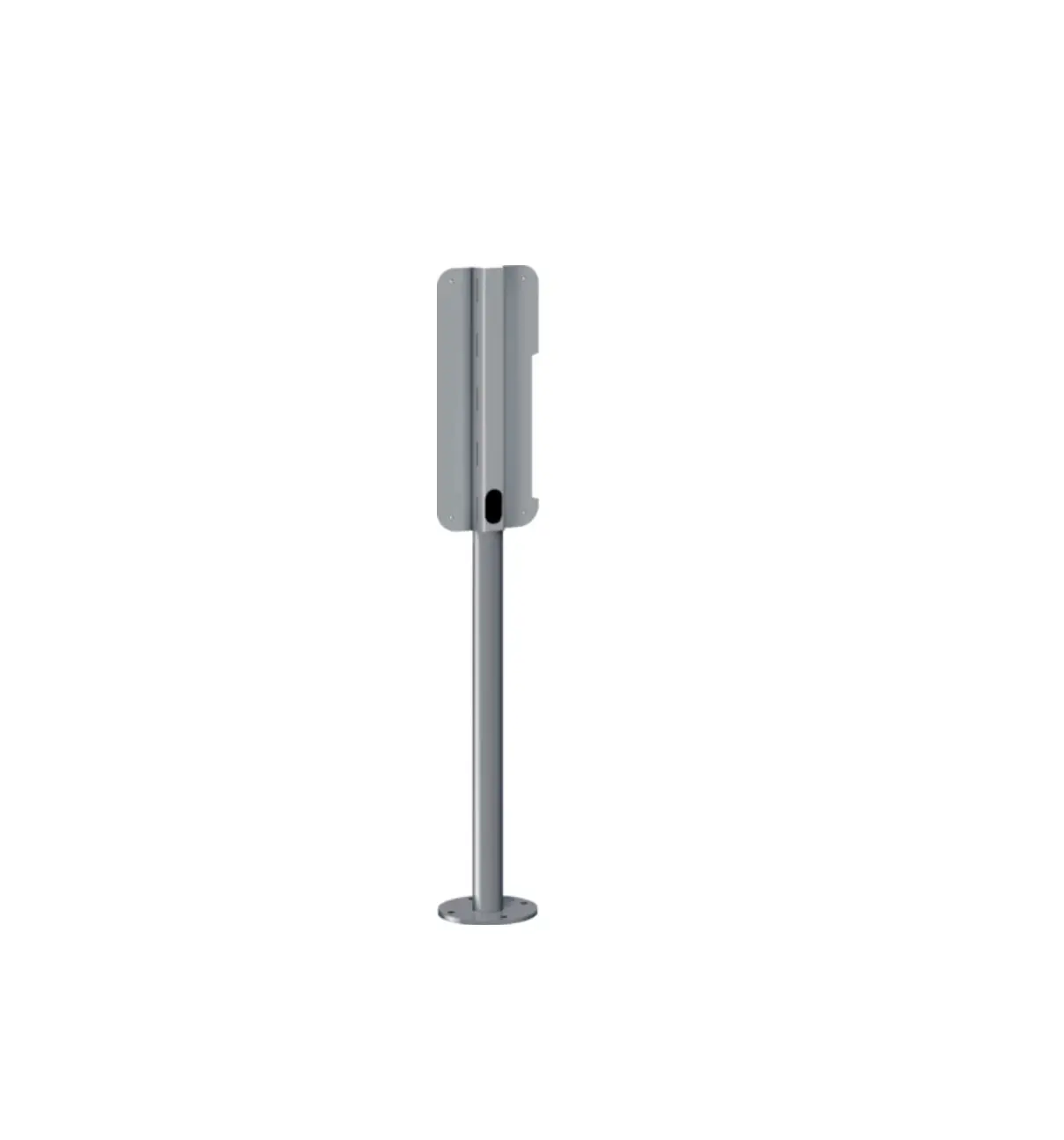
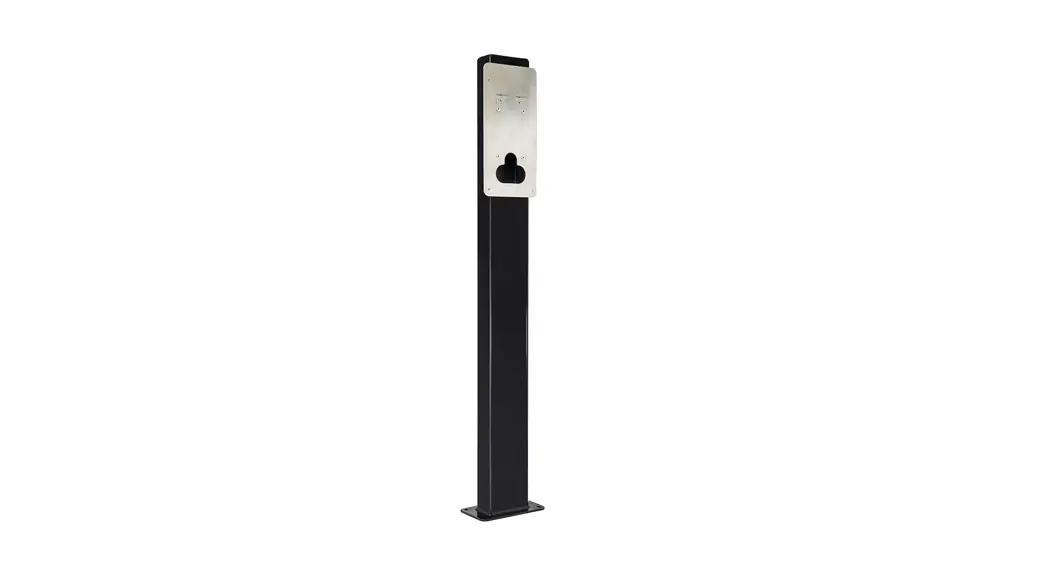
Se référer à la notice fournie avec le pied pour réaliser l’installation du socle et du pied XEVA110 (pour 1 borne) ou XEVA115 (pour 2 bornes). Puis suivre les étapes décrites ci-dessous.
1
2 Percer le nombre
de trou nécessaire
selon le nombre de
câble à introduire.
6 mm
+
5
3. Raccordement électrique
1 Câblage de l’alimentation de la borne
· Câblage en 3 Ph + N + Terre
L3 L2 L1 N
19 mm
Une attention particulière doit être apportée sur l’ordre des phases lors du raccordement sur le bornier (annoté L3-L2L1-N). Cette protection permet d’assurer des données de consommation mesurées et calculées de manière correcte. Une erreur critique se produit si l’ordre des phases n’est pas respecté et la LED d’état s’allume en permanence en rouge. Les rotations de phases autorisées sont : · L1-L2-L3-N ou · L3-L1-L2-N ou · L2-L3-L1-N
LN
LN LN
16,5 mm
3 Phases
Disjoncteur Mode 2 (suivant version)
L3 L2 L1 N
LN LN
· Câblage en 1 Ph + N + Terre
L3 L2 L1 N
LN LN
Réglage de courant max. (voir chapitre 6. Configuration directe)
19 mm
LN
16,5 mm
1 Phase
L3 L2 L1 N LN LN
Réglage de courant max. (voir chapitre 6. Configuration directe) 6
2 Câblage du câble Ethernet RJ45 Cat 6
x 3
3 Positionner la membrane à trou
Face à orienter vers
l’extérieur
4 Placer le presse étoupe
5 Utiliser les colliers de serrage
6 Positionner les caches vis
x 3
7
7 Câblage de la fonction de détection de contact collé pour ZE Ready Le déclencheur à émission de courant – 230/415 VAC – HAGER MZ203, aussi appelé bobine à émission de courant, est une sécurité
supplémentaire, non obligatoire, qui vient compléter le duo obligatoire Interrupteur différentiel + disjoncteur, afin d’assurer une protection électrique complète de votre borne de recharge. Il est mis en oeuvre pour couper l’alimentation de la borne dans le cas où le contacteur de la prise T2/T2S est collé. Le déclencheur à émission de courant est obligatoire pour obtenir la certification ZE Ready. Il se couple au disjoncteur et permet le déclenchement de celui-ci à distance.
C1
C1 C2
1
N
2
N
N
N
C2 NL
ID 30 mA
3
2A N
4
1 Compteur électronique fournisseur 2 Disjoncteur abonné/arrivée fournisseur 3 Interrupteur différentiel 30 mA 4 Disjoncteur de protection 2A
8
8 Câblage des fonctions Entrées/Sorties
La gestion des entrées/sorties est paramétrable dans le configurateur local. En sortie d’usine ces réglages sont prédéfinis : · entrée IN1 : si le 230 V est présent charge non autorisée / délestage à 0A, · entrée IN2 : si le 230 V est présent réduction de la charge à 50%, · sortie OUT1 : si la charge est en cours le relais est fermé.
· Entrée 1 / Entrée 2 Cas d’utilisation : – réduction de la charge à 50 % pour une fonction de délestage, – charge de la voiture durant les heures creuses (suivant abonnement tarifaire), – optimisation de la charge liée au démarrage d’une source de production d’énergie (photovoltaïque, cogénération).
230 V
1
2
1
2
C1 C2
1
N
2
N
IN1 IN2
OUT
2A N
3
· Sortie 1 Cas d’utilisation : – sortie d’information de réduction de la charge à 50 %, – sortie servant à déclencher un voyant ou un éclairage d’ambiance pour annoncer une charge en cours, – information qu’une charge est en cours via une source de production d’énergie (exemple : cogénération / Combined Head & Power). Sortie : – 0 V à 30 V / 10 mA à 500 mA – 0 V à 250 V / 10 mA à 500 mA
A1
1
Contacteur
A2
2
C2
1
N
2
N
IN1 IN2
24 V 230 V
OUT
2A N
3
1 Compteur électronique fournisseur 2 Disjoncteur abonné/arrivée fournisseur 3 Disjoncteur de protection 2 A
9
4. Protections électriques des bornes de charges
4.1. Installation et qualité de la mise à la terre selon le label EV READY 1.4I
· Monophasé
NOK
OK
Montage optionnel pour la fonction “Bobine à émission”
MJT702 (non fourni)
Répartiteur principal
NFT740 40 A courbe C
MZ203
BDH240F 30 mA type A 40 A
protections pour alimentation contrôleur
· Triphasé
NOK
Les références sur ce schéma sont à titre d’indication et uniquement valable pour le marché français. Pour les pays autres que la France, se référer aux caractéristiques de protection électrique de la borne (chapitre 11. Caractéristiques techniques) pour le choix des protections à installer.
OK
Montage optionnel pour la fonction “Bobine à émission”
MJT702 (non fourni)
Répartiteur principal
NFT840 40 A courbe C
protections pour alimentation contrôleur
MZ203
BDH940F (*) 30 mA type A/HI 40 A
(*) protection de 6 mA DC intégrée à la borne conforme NF-EN61851-1)
Les références sur ce schéma sont à titre d’indication et uniquement valable pour le marché français. Pour les pays autres que la France, se référer aux caractéristiques de protection électrique de la borne (chapitre 11. Caractéristiques techniques) pour le choix des protections à installer.
· Qualité de la mise à la terre selon le label EV READY 1.4
NOK
OK Régime de neutre TN ou TT
Régime
de neutre
IT
sans transformateur
d’isolement
100 maxi
100 maxi pour les 5 bornes
10 bornes maxi sur 1 fil de terre
Interconnexion
Selon la NF-EN61851-1, la présente borne intègre un DC-CDC conforme à l’IEC 62955. En cas de détection de composante continue > 6 mA au niveau du courant de défaut, ce DC-CDC agit sur les relais de puissance également intégrés à la borne, lesquels coupent automatiquement l’alimentation du point de charge. Ce dispositif de détection 6 mA DC permet de s’affranchir d’un différentiel de type B. L’ensemble des circuits doit être installé complètement dans la même structure (du point de vue électrique) du bâtiment.
10
4.2. Détection de contacts collés selon le label ZE READY 1.4I et EV READY 1.4I
Toutes les bornes sont pourvues d’un dispositif de détection de contact collé. Selon le standard EV Ready 1,4I la borne de charge doit être protégée par un disjoncteur équipé d’un dispositif de déclenchement à émission.
Sélecteur
Calibre disjoncteur
Courant de fonctionnement
EV Ready 1.4
Borne
Borne
Monophasé Triphasé
ZEReady 1.4
Borne
Borne
Monophasé Triphasé
0
40 A
32 A
OK
OK
OK
OK
1
32 A
25 A
OK
OK
OK
OK
2
25 A
20 A
OK
OK
OK
OK
3
16 A
OK
OK
NOK
OK
4
20 A
5
13 A 10 A
NOK NOK
NOK NOK
NOK NOK
NOK NOK
6
6 A
NOK
NOK
NOK
NOK
7
N/A
–
–
–
–
8
N/A
–
–
–
–
9
Retour usine
–
–
–
–
L’ensemble des circuits doit être installé complètement dans la même structure (du point de vue électrique) du bâtiment.
11
5. Fixation du support câble (option)
x 1
x 1
x 4
x 2
x 1
x 1
x 1
Le support câble peut être fixé au mur ou sur la face avant de la borne de charge. · Fixation murale
1
2
3
60 mm
8
8 mm 8 mm
95 mm
21,6 mm
95 mm
4
5
Torx T30
6 Torx T15
7
8
9
10
10
· Fixation sur la face avant de la borne de charge
1
2
3 8
Torx T30
12
6 . Configuration directe
La borne de charge peut être configurée directement sur la carte électronique pour régler le nombre de phase et le courant maximum. Dans le cas d’information contradictoire entre une configuration logicielle et le réglage physique, la valeur la moins-disante est prise en compte.
Le courant de fonctionnement maximal peut être sélectionné à l’aide du sélecteur.
1 Phase 3 Phases
Sélecteur
0 1 2 3 4 5 6 7 8 9
Calibre du disjoncteur recommandé 40 A 32 A 25 A
20 A
Courant de fonctionnement
32 A 25 A 20 A 16 A 13 A 10 A 6 A N/A N/A Retour usine
Procédure d’un retour usine : 1. Mettre la borne hors-tension pendant 2 minutes. 2. Positionner le sélecteur sur la position “9”. 3. Refermer le couvercle et mettre la borne sous-tension. 4. La borne clignote en jaune rapidement lors du démarrage. 5. La borne clignote en rouge, le retour usine est effectué. 6. La borne doit afficher un voyant rouge fixe (le sélecteur est sur la position 9 Retour Usine). 7. Mettre la borne hors-tension pendant 3 minutes. 8. Mettre le sélecteur sur une position entre 0-6. 9. Refermer le couvercle et remettre la borne sous-tension.
13
7. Finalisation
1 Câbler la nappe de la carte d’interface.
Ne pas oublier d’armer le disjoncteur de la prise Mode2 (suivant version).
2
3
x 8
2 Nm max
Respecter le couple de serrage ; risque de perdre l’IP55.
4
2 Nm max
5 1. Retirer la partie arrière de l’autocollant.
2. Ajuster l’autocollant dans la zone prévue.
3. Retirer le film de protection avant l’autocollant.
La mise sous tension de la borne doit être effectuée uniquement après le verrouillage de la face avant. 14
8. Première mise en service : Hotspot Wifi
Lors de la première mise en service, après le démarrage de la borne (jaune clignotant), la borne est en attente d’un badge RFID “Wifi Hotspot” et clignote en orange. Ce badge permettra d’activer le Hotspot wifi afin d’accéder à la configuration de la borne de charge. Si aucun badge RFID n’est utilisé durant 5 minutes, un badge fictif est mémorisé et il ne sera pas possible d’activer le hotspot. Cette étape peut être neutralisée en posant sa main sur la façade pendant 10 secondes. Le badge RFID `Wifi Hotspot” pourra être modifié ultérieurement dans le logiciel de configuration, accessible via le hotspot ou Ethernet. Un retour usine efface aussi le badge “Wifi Hotspot”.
1 sec.
9. Activation du HotSpot Wifi
Une fois un badge RFID “Wifi Hotspot” mémorisé et lorsque celui-ci est présenté sur le lecteur RFID, la borne passe en mode “Wifi Hotspot”. La borne va émettre son propre Wifi, avec comme identifiant par défaut “hager-evcs-[last6carctUID]” et comme mot de passe “hager[last6caractUID]”. Exemple : identifiant hager-evcs-ab4df5
mot de passe hagerab4df5 Les identifiants/mots de passe prennent en compte les majuscules et minuscules. En cas de perte du badge Wifi Hotspot, pour accéder au logiciel de configuration, il faut utiliser un câble ethernet ou effectuer une réinitialisation usine.
1 sec.
15
10. Configuration logicielle de la borne
Précautions initiales
Avant toute utilisation du logiciel de configuration, veuillez vous référer au manuel d’installation de la borne de recharge. Appareil à installer et configurer uniquement par un installateur électricien selon les normes d’installation en vigueur dans le pays.
Introduction
La borne est équipée d’un serveur web embarqué permettant sa configuration. La borne de recharge est configurée par défaut en tant que “DHCP client” et, par conséquent, a besoin d’un routeur avec une fonction “DHCP Serveur” pour fonctionner au sein d’un réseau local LAN. Si la borne ne détecte pas de serveur DHCP, alors elle s’auto-assigne une IP fixe (par défaut : 192.168.0.100) paramétrable dans le configurateur.
10.1. Accès au web serveur
Plusieurs méthodes sont disponibles afin d’accéder au configurateur de la borne. Le configurateur est compatible avec des tailles d’écrans différentes comme un ordinateur portable, une tablette ou un smartphone.
10.1.1. Via le nom de la borne (HostName)
Le web serveur peut-être directement accessible en saisissant l’adresse du nom de la borne (Host name) dans un navigateur web. L’adresse exacte est propre à chaque borne en indiquant les 6 derniers caractères de son code UID précisé sur l’étiquette produit ou sur l’étiquette latérale de configuration. Format de l’adresse : https://hager-evcs-[6derniers_caractères_UID]/ (exemple : https://hager-evcs-ab4df5/).
10.1.2. Via son adresse IP
Le web serveur est accessible en saisissant l’adresse IP de la borne dans un navigateur web. L’adresse IP de la borne est détectable en utilisant une application tierce de type “IP Scanner” à partir du même réseau local LAN, ou si la borne ne détecte pas de serveur DHCP grâce à son adresse IP de repli (par défaut : https://192.168.0.100/). L’adresse IP de la borne en mode Hotspot est https://10.0.0.1/.
10.2. Page d’identification
Le configurateur est protégé par un identifiant et mot de passe. Par défaut, ces identifiants sont : Identifiant : admin Mot de passe : 1234 Lors de la première connexion, il est demandé de modifier le mot de passe, par un mot de passe dit “fort”. Un mot de passe dit “fort” suit ces règles : 1. plus de 8 caractères, 2. inclus au moins 1 caractère en minuscule, 3. inclus au moins 1 caractère en majuscule, 4. inclus au moins 1 caractère spécial, 5. inclus au moins 1 chiffre. Le mot de passe est modifiable dans le configurateur. En cas de perte de ces identifiants ou de plus de 10 essais consécutifs erronés, il faut effectuer une réinitialisation usine afin de revenir aux paramètres par défaut. Attention, une réinitialisation usine efface l’ensemble des paramètres.
10.3. Configurateur
Vous trouverez une interface avec 4 pages dans lesquelles des paramètres sont modifiables : 1. Configuration : permet la configuration des réglages principaux de la borne de charge, 2. Live Debug : permet d’avoir un état de la borne pour des opérations de maintenance, 3. Logs : permet de récupérer les informations sur les erreurs et les sessions de charge, 4. Réglages : permet de configurer les identifiants du configurateur et d’effectuer un retour usine.
10.4. Paramètres de configuration
Le bouton “Enregistrer” permet l’enregistrement et la prise en compte des paramètres. Le bouton “Annuler” annule tout changement non enregistré. Le bouton “Redémarrer” redémarre la borne de charge.
Certains paramètres nécessitent un redémarrage de la borne ou des services pour être pris en compte.
10.4.1. OCPP
Permet la configuration de la connexion à un serveur OCPP. · Serveur OCPP : adresse du serveur OCPP · Authentification : méthode d’authentification au serveur OCPP · Login : identifiant OCPP · Password : mot de passe OCPP · ChargePoint ID : identifiant de la borne · RFID Access : activation de la gestion RFID par le serveur OCPP · Autorisation de reprise de charge : permet de reprendre la charge après une coupure de courant · Durée de reprise : durée maximale de la coupure pour une reprise de la charge · Tag RFID de reprise : identifiant RFID lors de la reprise de charge
16
10.4.2. Wifi
Permet la configuration du Wifi. Wifi Client : · Wifi SSID : nom du wifi Client (routeur de l’installation) · Wifi Password : mot de passe du wifi Client
Wifi Hotspot : · Wifi SSID : nom du wifi Hotspot (nom du wifi généré par la borne) · Wifi Password : mot de passe du wifi Hotspot · Hotspot badge : possibilité d’ajouter/supprimer/modifier les badges
Wifi Hotspot.
10.4.3. Réseau
Permet la configuration du réseau · DHCP client : permet de se connecter à un serveur DHCP ou d’assigner une IP fixe · Adresse IP : définit l’IP fixe · Adresse IP de repli : définit l’IP dans le cas d’erreur DHCP
10.4.4. Installation Physique
Permet de compléter la configuration de la borne. · Nombre de phase : permet de régler la borne en 1 phase ou 3 phases
Dans le cas d’un réglage du “Switch de Phase” présent sur la carte électronique de puissance, la valeur la plus contraignante (1 phase) est prise en compte.
· Courant Maximum : permet de régler le courant maximum
Dans le cas d’un réglage du “Sélecteur” présent sur la carte électronique de puissance, la valeur la plus contraignante (valeur la plus faible) est prise en compte.
· Rotation des phases : permet de remonter les informations de comptage par phase sur la bonne phase, dans le cas où la borne n’est pas alimentée dans l’ordre standard des phases ou si la borne est raccordée avec des phases différentes de celle d’un compteur de tête.
L’ordre des phases doit être respecté. Une erreur est signalée lorsque la LED d’état apparaît en “rouge fixe” indiquant que l’une des phases ne respecte pas l’un des ordres de connexion suivants : L1-L2-L3-N ou L3-L1-L2-N ou L2-L3-L1-N. Ceci permet de garantir une régulation fiable pour chaque phase sur toute l’installation.
10.4.5 Installation Physique
· Entrée 1 (IN1 : CHP) : permet d’activer cette entrée · Actif : permet de définir si l’entrée est active sur présence ou absence de tension · Fonction : permet de définir la fonction associée à l’Entrée1 · Entrée 2 (IN2 : D/N) : permet d’activer cette entrée · Actif : permet de définir si l’entrée est active sur présence ou absence de tension · Fonction : permet de définir la fonction associée à l’Entrée2 · Sortie 1 (OUT1) : permet d’activer cette sortie · Actif : permet de définir si la sortie est ouverte ou fermée par défaut · Fonction : permet de définir la fonction associée à la Sortie1
10.4.6. Fonctions avancées
· Priorité : permet de choisir la priorité de charge entre la prise Mode3 et la prise Mode2 (Mode2 disponible selon version). S’applique si les 2 prises sont connectées et la charge autorisée.
· Verrouillage permanent T2S : permet de verrouiller de façon permanente un câble sur la prise Mode3 Type2S. Il faut insérer le câble à verrouiller dans la prise Type2S, puis activer cette fonction. Le verrouillage/déverrouillage est effectif au redémarrage de la borne.
· Intensité LED : permet d’ajuster l’intensité de la LED · Redémarrage avec délai : permet de redémarrer la borne avec un court délai aléatoire afin d’éviter un pic de courant lors du redémarrage de charge. · Délai de redémarrage : définit le délai de redémarrage (de 0 à 360 secondes).
10.4.7. Smart Charging/ISO15118
ISO15118 : permet d’activer les fonctionnalités de l’ISO15118 pour la communication entre la borne de charge et le véhicule électrique.
10.4.8. Accès local
Permet d’avoir une gestion des accès locaux, complémentaire à un serveur OCPP. Si activé, une session de charge doit être initiée par un badge RFID, si celui-si est présent dans la WhiteList, la charge est autorisée. La WhiteList peut être complétée manuellement en saisissant les identifiants des badges RFID, importée via un fichier .csv, ou apprise en activant le mode “Ajouter par scan” et en passant les badges sur le lecteur RFID de la borne. Un badge lu correctement est signalé par un clignotement double en vert.
10.4.9. Accès SuperUser
Permet d’interrompre une charge sans être l’utilisateur de la borne. Cette fonction permet à un responsable du site d’interrompre une charge afin de libérer la borne ou d’effectuer des opérations de maintenance. La SuperUserList peut être complétée manuellement en saisissant les identifiants des badges RFID, importée via un fichier .csv, ou apprise en activant le mode “Ajouter par scan” et en passant les badges sur le lecteur RFID de la borne. Un badge lu correctement est signalé par un clignotement double en vert.
10.4.10. Standard et Normes
· Déséquilibre de phase : permet de limiter le déséquilibre entre phases dans le cas de borne triphasée avec un véhicule électrique monophasé. · Valeur de déséquilibre : définit la valeur maximum du déséquilibre, si cette valeur est atteinte, la charge de la voiture va être réduite afin de
respecter cette valeur.
10.4.11. Sous-comptage
Permet d’intégrer un sous-compteur MID afin de réaliser de la facturation. Seul les compteurs hager ECRxxx/ECAxxx sont compatibles. Voir kit MID XEVA431 et XEVA433. · Type Sous-compteur : compteur intégré (par défaut)/type de compteur. · Charge sans compteur : permet de bloquer les charges en cas d’absence ou d’erreur du compteur.
10.4.12. Live Debug
Cette page affiche un ensemble de valeurs correspondant aux données actuelles, agrégées ou aux statistiques d’utilisation de la borne.
17
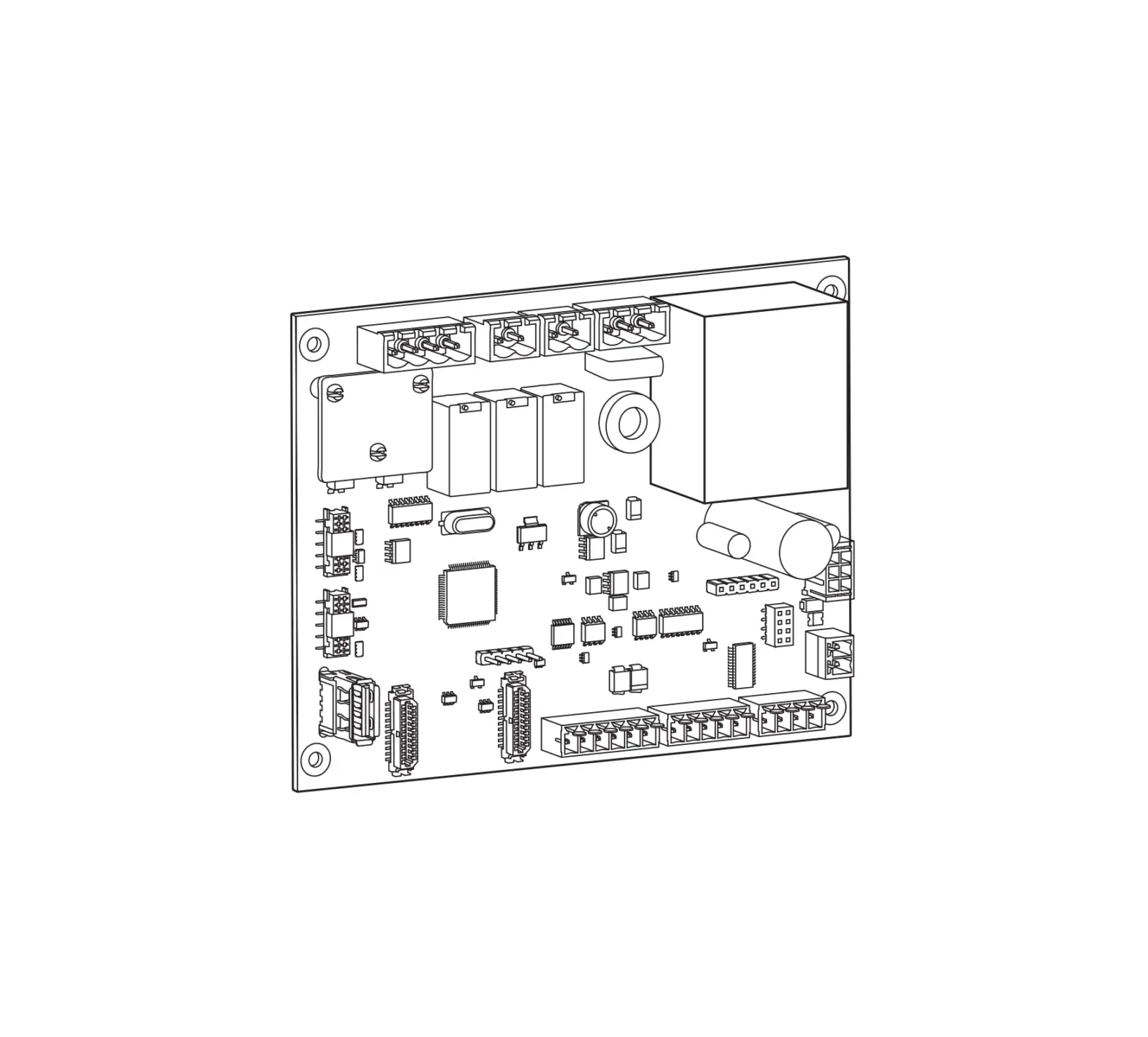
11. Descriptif intérieur
· Composition électrique du socle Bornier bobine à émission Nappe de la carte d’interface (led/rfid)
Bornier pour prise mode 2 Type TE ou TF
LN
Sélecteur de courant de fonctionnement (voir chapitre 6. Configuration directe)
Sélecteur 3 / 1 phases 3Ph = gauche 1Ph = droite
Carte électronique de contrôle Port Ethernet RJ45
Bornier de puissance : L3 = gris L2 = noir L1 = marron N = bleu
Détection 6 mA DC
Disjoncteur 13 A Courbe C 6 kA : réf. MLN513 (si Prise Mode2 présente) Raccordement PE
Passage câble Ethernet
Passage câble de puissance
L3 L2 L1 N
LN LN
18
· Composition électrique de la face avant Connecteur de la carte d’interface Carte d’interface
19
12. Maintenance
12.1. Introduction
La borne de charge intègre un ensemble de paramètres de contrôle permettant d’etablir un diagnostic pendant toutes les phases de fonctionnement de celle-ci. Les résultats sont visibles dans le configurateur embarqué sous la page “Live Debug” et “Logs”.
12.2. Fonctionnement normal
Etat RFID badge accepté RFID badge rejeté Attente et vérification de l’autorisation Station de charge prête sans voiture Charge en cours Charge terminée OCPP borne réservé Communication locale perdue ou non configurée (Ethernet/Wifi) Communication avec le serveur OCPP perdue
LED Vert clignote 2x Rouge clignote 2x Blanc fixe Vert fixe si free access, sinon vert et blanc clignotant Respiration verte Vert fixe Violet fixe Blanc clignotant Blanc fixe
12.3. Signalisations anomalies
Statut de la borne Pas d’erreur Défaillance du câble de la prise Mode 3 (mauvais PP) Défaillance de court-circuit du CP (État E)
Bandeau lumineux voir états dans le chapitre 12.2. Fonctionnement normal
1 clignotement rouge
Rejet du badge RFID
2 clignotements rouges
Surconsommation de la voiture
Erreur de communication entre la voiture et la borne de charge
3 clignotements rouges
Détection d’un courant de défaut de 6 mA DC
Erreur de communication avec le compteur
4 clignotements rouges
Température élevée – réduction ou interruption de la séance de chargement Fusible/disjoncteur prise M2 ouvert – protection contre les surintensités
5 clignotements rouges
Erreur critique : défaillance du lecteur RFID
Erreur critique : sélecteur de courant sur une mauvaise position
Erreur critique : détection de contact collé
Erreur critique : défaillance matérielle critique Erreur critique : défaillance du capteur de courant de défaut 6 mA DC
rouge fixe
Erreur critique : sélecteur de courant sur la position 9 Retour usine (voir chapitre 6. Configuration directe)
Erreur critique : alimentation électrique défaillante
Erreur critique : ordre des phases non respecté lors de la connexion
En cas d’erreur critique signalée par une led rouge fixe, mettre hors-tension la borne 2 minutes pour acquitter le défaut.
20
12.4. Maintenance électrique
Comme pour tout produit de l’installation électrique fixe, il est important de vérifier, lors d’une inspection annuelle, la qualité des serrages aux différents points de connexion de l’installation. Ils doivent être en phase avec les couples suivants :
Respecter les couples de serrage, risque de choc électrique.
Couples de serrage
CP / PP : 0,4 N.m
Montage M3T2S : 0,6N.m
Disjoncteur 2N.m
L1- L3/N/T : 1,2 N.m
L/N/T : 0,8 N.m
CP / PP : 0,4 N.m
Montage M2 : 0,5N.m
21
13. Caractéristiques techniques
Conditions environnementales Température d’utilisation Température de stockage Humidité relative Protection Altitude maximale de fonctionnement Degré de pollution Tension de choc Caractéristiques électriques Tension Tension d’isolation nominale Ui Fréquence d’utilisation
Protection électrique de la borne
Courant / Puissance de charge maximum Mode 3 prise T2/T2S (selon version) Courant / Puissance de charge maximum Mode 2 prise TE-TF (selon version) Classe de protection électrique Catégorie de surtension Schéma de liaison à la terre
Câblage minimum / possible
Compatibilité Protection Différentielle
Caractéristiques mécaniques Poids Hauteur Largeur Profondeur Caractéristiques emballage Poids Hauteur Largeur Profondeur Classification
Entrée d’alimentation
Sortie d’alimentation Conditions d’environnement et d’utilisation Emplacement
Type de montage
Matériel de classe Mode de charge Méthode de raccordement électrique
Adaptateur
Longueur de câble et extension de câble Ventilation externe
-25°C à +50°C -35°C à +70°C 5% à 95% IP 55 IK 10 2000 m 3 4 kV
230 V~ / 400 V~ (version triphasée) -15 % / +10 % 250 V~ / 500 V~ 50/60 Hz +/- 1 % disjoncteur 40 A, courbe C, classe de limitation d’énergie I2t 3, sur un circuit ne pouvant fournir plus de 6 kA en court-circuit (ou équivalent) 32 A – 7 kW (version monophasée) / 32 A – 22 kW (version triphasée) 16 A – 4 kW (version monophasée) / 16 A – 11 kW (version triphasée)
10 A – 2300 W
Classe 1 (connexion terre) 3 TN, TT 10 mm² en mono-brin ou multi-brins / 16 mm² en multi-brins. Seule l’utilisation de conducteur en cuivre est autorisee. Type A (la détection 6 mA DC est intégrée à la borne suivant la norme NF-EN61851-1)
6 kg 549 mm 251 mm 173 mm
7,9 kg 595 mm 270 mm 300 mm
système d’alimentation pour Véhicule Electrique (VE) raccordé au réseau d’alimentation à courant alternatif relié en permanence système d’alimentation à courant alternatif pour VE utilisation en intérieur et extérieur équipement pour des zones d’accès non limité monter en surface en montage mural, poteaux ou positions équivalentes et monter sur poteau, colonne et tuyau. L’installation en position horizontale sur plafond ou sur sol est interdite 1 mode 3 via prise T2/T2S et mode 2 via prise TE-TF (suivant version) relié à la fiche et au câble ou en permanence. aucun adaptateur de prise n’a le droit d’être utilisé entre la borne et le câble de charge ni entre le câble de charge et la voiture aucune extension du câble de charge n’est autorisée, le câble de charge doit être d’une seule pièce et d’une longueur maximum de 10 m non supportée
22
· Lecteur RFID Classification Bande de fréquences Puissance rayonnée maximale
Types de badges acceptés
· Wifi Classification Bande de fréquences
· Identification de la compatibilité des véhicules selon EN17186
Courant Alternatif
EN 62196-2
Type 2
13,5 Mhz
42 dBµA/m (pour 13,5 Mhz)
– MIFARE classic, 1k/4k ; MIFARE DESFire EV1 & EV2 SAM AV3 – RFID ISO 14443A / B ; ISO15693. – NFC tags 1, 2, 3, 4, 5
2,4 GHz
Fiche Socle de prise de courant
480 V RMS
23
Contents
1. Description of the exterior …………………………………………………………………………………………………………………………………………………………………… 25
2. Installation …………………………………………………………………………………………………………………………………………………………………………………………… 26 2.1. Opening …………………………………………………………………………………………………………………………………………………………………………………………. 26 2.2. Mounting………………………………………………………………………………………………………………………………………………………………………………………… 26
3. Electrical connection …………………………………………………………………………………………………………………………………………………………………………… 28
4. Electrical protections for charging stations …………………………………………………………………………………………………………………………………………. 32 4.1. Installation and quality of the earthing according to the EV READY 1.4I label ………………………………………………………………………………………. 32 4.2. Stuck contact detection, according to the ZE READY 1.4I and EV READY 1.4I labels ………………………………………………………………………….. 33
5. Fastening the cable support (optional) ………………………………………………………………………………………………………………………………………………… 34
6. Direct configuration ………………………………………………………………………………………………………………………………………………………………………………35
7. Finalisation ………………………………………………………………………………………………………………………………………………………………………………………….. 36
8. First use ……………………………………………………………………………………………………………………………………………………………………………………………….. 37
9. Activating the Wifi Hotspot ……………………………………………………………………………………………………………………………………………………………………37
10. Charging station software configuration……………………………………………………………………………………………………………………………………………. 38 10.1. Web server access ………………………………………………………………………………………………………………………………………………………………………… 38 10.2. Identification page…………………………………………………………………………………………………………………………………………………………………………. 38 10.3. Configurator………………………………………………………………………………………………………………………………………………………………………………….. 38 10.4. Configuration parameters ………………………………………………………………………………………………………………………………………………………………. 39
11. Description of the interior ………………………………………………………………………………………………………………………………………………………………….. 40
12. Maintenance………………………………………………………………………………………………………………………………………………………………………………………. 42 12.1. Introduction ………………………………………………………………………………………………………………………………………………………………………………….. 42 12.2. Normal operation…………………………………………………………………………………………………………………………………………………………………………… 42 12.3. Anomaly indicators………………………………………………………………………………………………………………………………………………………………………… 42 12.4. Electrical maintenance …………………………………………………………………………………………………………………………………………………………………… 43
13. Technical characteristics …………………………………………………………………………………………………………………………………………………………………… 44
Safety advice · Electrical devices should only be installed and mounted by a qualified electrician. Accident prevention measures in force in the country must
be respected. Failure to adhere to the installation instructions could lead to damage to the device, a fire or could be a danger to others. · Please observe the measures and standards in force for Separated Extra Low Voltage (SELV) electrical circuits when installing and fitting the
cables. Before any intervention on the device or the charge, switch off the charging station at the circuit breaker upstream and lockout the device if necessary. After opening the charging station, check that there is no voltage running to any of the parts. · When installing the charging station, check that there are no environmental conditions (rain, mist, snow, dust, wind, etc.) that could pose a danger or cause a breakage during handling and when powering on again. · Remember to take into account all of the circuit breakers delivering potentially dangerous voltages to the device or charge. · Risk of electrical shock. · Please separate the wiring into high and very low voltage currents (Ethernet). · Remember to replace the cover after any operations.
How to dispose of this product (waste electrical and electronic equipment). (Applicable in European Union countries and other European countries with selective collection systems). This symbol on the product or its documentation indicates that it must not be disposed of at the end of its life with other household waste. As uncontrolled disposal of waste can harm the environment or human health, please separate it from other types of waste and recycle it responsibly. You promote the sustainable reuse of material resources. Individuals are asked to contact the distributor who sold them the product or to check with their local authority to find out where and how they can dispose of this product so that it is recycled in an environmentally friendly manner. Companies are invited to contact their suppliers and consult the conditions of their sales contract. This product should not be disposed of with other commercial waste.
Hager hereby declares that the charging station products referenced XEV1Rxxx comply with the RED 2014/53/EU directive. The CE declaration can be viewed at: www. hagergroup.net.
Non-contractual document, subject to modification without notice.
Recommendations Any access to internal areas, beyond the areas described in this manual, is prohibited and voids the warranty and any other form of support. It can be damaging to the parts and/or to the electronic components. These products have been defined so that they do not have to be accessed during product implementation and maintenance operations.
24
8 mm
8 mm
HUaupt
160 mm
40,17 mm
38,51 mm
118,15 mm
Optional ref. XEVA100
8 mm
8 mm
236.30 mm
DBoawsn
Identification label
EV Charging Station Witty
C
Wifi Hotspot RFID card
1. Description of the exterior
· Exterior
Lighting strip
Hover button
RFID zone Location of user sticker Frame Location for cable support
Cover opening
35,15 mm 50,5 mm
47,15 mm
472,5 mm 547,82 mm
x 4
b
c
x 2
x 8
x 4 a
x 4
x 4
x 1
a (mm) b (mm) c (mm)
549 250.5 173
x 1 x 6
8
x 2
T25S T30 10
Mode 3 socket T2S
Mode 2 socket TE or TF type (depending on version)
25
2. Installation
2.1. Opening
The charging station
must be switched off
N
N
before opening.
ID 30 mA
1
When leaving the factory, the frame and the front panel are not screwed on, and the cable of the interface board is not connected.
ID 30 mA
3
2
2.2. Mounting
Before mounting the charging station, please ensure that all of the cables are present: · 3 Ph + N + Earth for a three-phase charging station, cable diameter: 5G10 or 5G16 flexible or rigid or 1Ph + N + Earth for a single-
phase charging station, cable diameter: 3G10 or 3G16 flexible or rigid. · an RJ45 cable for control card communication. · a 2-wire cable for the shunt coil return of the power electronic board (ZE Ready option). · the minimum cable diameter for a charging station with a current rated at 32 A is 10 mm². · the maximum cable diameter is 16 mm² for a multi-strand cable and 10 mm² for a single-strand cable.
· The mounting system must be suitable for the support on which the product is installed. · The fastenings provided are suitable for concrete and solid masonry.
1
2
1.3 m
8
from
the
floor
26
3
4
· Cable entry from the rear.
Torx T30
Drill the number of holes required according to the number of cables to be inserted.
· Cable inlet from above.
2
1
· Cable inlet from below.
2
3 1
Refer to the instructions supplied with the stand to install the XEVA110 (for 1 charging station) or XEVA115 (for 2 charging stations) base and stand. Then follow the steps below.
1
2 Drill the number
of holes required
according to the
number of cables to
6 mm
be inserted.
+
27
3. Electrical connection
1 Charging station power cabling
· 3 Ph + N + Earth wiring
L3 L2 L1 N
19 mm
Pay close attention to the phase sequence when connecting to the terminal block (marked L3-L2-L1-N). This protection ensures consumption data is correctly measured and calculated. A critical error occurs if the phase sequence is incorrect, and the status LED lights up and turns solid red. Permitted phase rotations are: · L1-L2-L3-N or · L3-L1-L2-N or · L2-L3-L1-N
LN
LN LN
16,5 mm
Threephase
Mode 2 circuit breaker (depending on version)
L3 L2 L1 N LN LN
· 1 Ph + N + Earth wiring
L3 L2 L1 N
LN LN
Max. current setting (see chapter 6. Direct configuration)
19 mm
LN
16,5 mm
Single-phase
L3 L2 L1 N LN LN
Max. current setting (see chapter 6. Direct configuration) 28
2 RJ45 Cat 6 Ethernet cable wiring
x 3
3 Position the perforated membrane Front site to be facing outwards
4 Position the cable gland
5 Use the cable ties
6 Position the screw covers
x 3
29
7 Wiring for the stuck contact detection function for ZE Ready The shunt coil trigger – 230/415 VAC – HAGER MZ203 is an additional, non-compulsory safety mechanism that complements the mandatory differential switch + circuit breaker pairing, in order to ensure the complete electrical protection of your charging station. It is implemented to cut the power supply to the charging station in the event that the contactor of the T2/T2S socket becomes stuck. The shunt coil must be present in order to obtain ZE Ready certification. It couples to the circuit breaker, enabling it to be tripped remotely.
C1
C1 C2
1
N
2
N
N
N
C2 NL
ID 30 mA
3
2A N
4
1 Supplier electronic meter 2 Subscriber circuit breaker/supplier entry point 3 30 mA differential switch 4 2A protection circuit breaker
30
8 Wiring for the Input/Output functions
Inputs/outputs can be managed from the local configurator. The factory settings are below: · input IN1: if the 230 V is available unauthorised load / 0 A load shedding, · input IN2: if the 230 V is available 50% load reduction, · output OUT1: if charging is in progress the relay is closed.
· Input 1/Input 2 Use scenario: – 50% load reduction for load shedding function, – vehicle charges during off-peak hours (according to tariff subscription), – charge optimisation related to the start-up of an energy production source (photovoltaic, cogeneration).
230 V
1
2
1
2
C1 C2
1
N
2
N
IN1 IN2
OUT
2A N
3
· Output 1 Use scenario: – 50% load reduction information output, – output triggering an indicator light or ambient lighting to indicate charging in progress, – information that charging is in progress via an energy production source (example: cogeneration/Combined Heat & Power). Output: – 0 V to 30 V / 10 mA to 500 mA – 0 V to 250 V / 10 mA to 500 mA
Contactor
A1
1
A2
2
C2
1
N
2
N
IN1 IN2
24 V 230 V
OUT
2A N
3
1 Supplier electronic meter 2 Subscriber circuit breaker/supplier entry point 3 2 A protection circuit breaker
31
4. Electrical protections for charging stations
4.1. Installation and quality of the earthing according to the EV READY 1.4I label
· Single-phase
NOK
OK
Optional assembly for the “Shunt Coil” function
MJT702 (not supplied)
Main distribution board
NFT740 40 A, C curve
protections for controller power supply
MZ203
BDH240F 30 mA type A 40 A
· Three-phase
NOK
The references in this diagram are for information purposes only and only valid for the French market. For countries other than France, refer to the charging station’s electrical protection features (chapter 11. Technical characteristics) for the selection of protections to install.
OK
Optional assembly for the “Shunt Coil” function
MJT702 (not supplied)
Main distribution board
NFT840 40 A, C curve
protections for controller power supply
MZ203
BDH940F (*) 30 mA type A/HI 40 A
(*) 6 mA DC protection built into the charging station, complies with NF EN 61851-1)
The references in this diagram are for information purposes only and only valid for the French market. For countries other than France, refer to the charging station’s electrical protection features (chapter 11. Technical characteristics) for the selection of protections to install.
· Quality of the earthing according to the EV READY label 1.4
NOK
OK TN or TT neutral system
Neutral
system
IT
no isolating transformer
100 max
100 max for 5 charging stations
10 charging stations max on 1 ground wire
Interconnection
According to NF EN 61851-1, this charging station contains an RDC-MD compliant with IEC 62955. If a DC component > 6 mA is detected in the fault current, this RDC-MD acts on the power relays built into the charging station, automatically cutting the power supply to the charge point. This 6 mA DC detecting device eliminates the need for type B differential protection. All of the circuits must be fully installed in the same building structure (from an electrical point of view).
32
4.2. Stuck contact detection, according to the ZE READY 1.4I and EV READY 1.4I labels
All of the charging stations have a detection mechanism for detecting contacts that are stuck. According to the EV Ready 1.4I standard, the charging station must be protected by a circuit breaker with a shunt coil triggering device.
Selector
0 1 2 3 4 5 6 7 8 9
Recommended circuit breaker
rating
40 A 32 A 25 A
20 A
Operating current
32 A 25 A 20 A 16 A 13 A 10 A 6 A N/A N/A Return to factory setting
EV Ready 1.4
Single-phase Charging
station
Threephase Charging station
OK
OK
OK
OK
OK
OK
OK
OK
NOK
NOK
NOK
NOK
NOK
NOK
–
–
–
–
–
–
ZEReady 1.4
Single-phase Charging
station
Threephase Charging station
OK
OK
OK
OK
OK
OK
NOK
OK
NOK
NOK
NOK
NOK
NOK
NOK
–
–
–
–
–
–
All of the circuits must be fully installed in the same building structure (from an electrical point of view).
33
5. Fastening the cable support (optional)
x 1
x 1
x 4
x 2
x 1
x 1
x 1
The cable support can be fastened to the wall or to the front panel of the charging station. · Wall mounting
1
2
3
60 mm
8
8 mm 8 mm
95 mm
21,6 mm
95 mm
4
5
Torx T30
6 Torx T15
7
8
9
10
10
· Mounting on the front panel of the charging station
1
2
3 8
Torx T30
34
6. Direct configuration
The charging station can be configured directly on the electronic board to adjust the phase number and maximum current. Should there be conflicting information between a software configuration and the physical setting, the lowest value is applied.
The maximum operating current can be selected using the selector. Single-phase
3 Phases
Selector
0 1 2 3 4 5 6 7 8 9
Recommended circuit breaker size 40 A 32 A 25 A
20 A
Operating current 32 A 25 A 20 A 16 A 13 A 10 A 6 A N/A N/A Return to
factory setting
Return to factory setting procedure: 1. Switch off the charging station for 2 minutes. 2. Set the selector to position “9”. 3. Close the cover again and switch on the charging station. 4. The charging station flashes yellow rapidly during start-up. 5. The charging station flashes red; return to factory setting is complete. 6. The charging station must have a steady red light (the selector is in position 9 Return to factory setting). 7. Switch off the charging station for 3 minutes. 8. Set the selector to a position between 0 and 6. 9. Close the cover and switch on the charging station again.
35
7. Finalisation
1 Wire the ribbon cable of the interface board.
Remember to reinforce the circuit breaker of the Mode 2 socket (depending on version).
2
3
x 8
2 N.m max
Respect the tightening torque; risk of losing IP55 protection.
4
2 N.m max
5 1. Remove the back of the sticker.
2. Adjust the sticker in the intended area.
3. Remove the protective film from the front of the sticker.
The charging station must only be switched on after the front panel has been locked. 36
8. First use: Wifi Hotspot
After starting up (flashing yellow) the charging station to use it for the first time, it will wait for a “Wifi Hotspot” RFID card and flash orange. You can use this card to activate the Wifi Hotspot to access the charging station’s configuration. If 5 minutes go by without an RFID card being used, a dummy card is saved and activating the Hotspot will not be possible. You can cancel this step by placing your hand on the front panel for 10 seconds. You can change the “Wifi Hotspot” RFID card at a later time using the configuration software via the Hotspot or Ethernet. A factory reset will also erase the “Wifi Hotspot”.
1 sec.
9. Activating the Wifi Hotspot
Once you have saved a “Wifi Hotspot” RFID card and allowed the RFID reader to scan it, the charging station switches to “Wifi Hotspot” mode. The charging station will broadcast its own Wifi, using the default username “hager-evcs-[last6charUID]” and the password “hager[last6charUID]”. Example: username hager-evcs-ab4df5
password hagerab4df5 Usernames and passwords are case sensitive. If you lose your Wifi Hotspot card, you will have to use an Ethernet cable or factory reset the charging station in order to access the configuration software.
1 sec.
37
10. Charging station software configuration
Initial precautions
Before using the configuration software, please refer to the charging station installation manual. Device to be installed and configured only by an electrical installer according to the installation standards applicable in the country.
Introduction
The charging station is equipped with an embedded web server to configure it. By default, the charging station is configured as a “DHCP client” and, as a result, requires a router with a “DHCP Server” function to operate within the LAN. If the charging station does not detect the DHCP server, it automatically assigns a fixed IP address (by default: 192.168.0.100), which can be set in the software configuration.
10.1. Web server access
There are several ways to access the charging station configurator. The configurator is compatible with different screen sizes, such as a laptop, tablet or smartphone.
10.1.1. Via the charging station name (HostName)
The web server can be accessed directly by entering the address of the charging station name (Host name) in the web browser. The exact address is specific to each charging station, indicating the last 6 characters of its UID code specified on the product label or on the side configuration label. Address format: https://hager-evcs-[6derniers_caractères_UID]/ (example: https://hager-evcs-ab4df5/).
10.1.2. Via its IP address
The web server can be accessed by entering the charging station’s IP address in the web browser. The charging station’s IP address can be detected using an “IP Scanner” third-party application from the same LAN, or if the charging station does not detect the DHCP server using its fallback IP address (default: https://192.168.0.100/). In Hotspot mode, the charging station’s IP address is https://10.0.0.1/.
10.2. Identification page
The configurator is protected by a user name and password. By default, these credentials are: User name: admin Password: 1234 When connecting for the first time, you will be asked to change the password to a “strong” password. A “strong” password follows these rules: 1. has more than 8 characters, 2. includes at least 1 character in lower case letters, 3. includes at least 1 character in upper case letters, 4. includes at least 1 special character, 5. includes at least 1 number. You can change the password in the configurator. If you lose these credentials or make more than 10 consecutive incorrect attempts, a factory reset must be performed in order to return to the default settings. Warning: a factory reset erases all of the parameters.
10.3. Configurator
You will find an interface with 4 pages in which the parameters can be modified: 1. Configuration: enables the configuration of the charging station’s main settings, 2. Live Debug: provides the status of the charging station for maintenance operations, 3. Logs: enables recovery of information on errors and charging sessions, 4. Settings: enables configuration of the configurator credentials and return to factory settings.
10.4. Configuration parameters
The “Save” button saves and applies the parameters. The “Cancel” button cancels all unsaved changes. The “Restart” button restarts the charging station.
Certain parameters require the charging station or services to be restarted for them to be applied.
10.4.1. OCPP
Enables configuration of the connection to an OCPP server. · OCPP server: OCPP server address · Authentication: authentication method for the OCPP server · Login: OCPP user name · Password: OCPP password · ChargePoint ID: charging station user name · RFID Access: activation of the RFID management by the OCPP server · Charging restart authorisation: enables resumption of charging following a power failure · Restart duration: maximum duration of the cut-off before resuming the charge · Restart RFID tag: RFID username when charging is resumed
38
10.4.2. Wifi
Enables Wifi configuration. Client Wifi: · Wifi SSID: name of the Client Wifi (installation’s router) · Wifi Password: password for the Client Wifi
Wifi Hotspot: · Wifi SSID: name of the Hotspot Wifi (Wifi name generated by the charging station) · Wifi Password: password for the Wifi Hotspot · Hotspot card: option to add/remove/modify Wifi Hotspot cards.
10.4.3. Network
Enables configuration of the network · DHCP client: connects to a DHCP server or assigns a fixed IP · IP address: defines the fixed IP · Fallback IP address: defines the IP should there be a DHCP error
10.4.4. Physical installation
Enables the charging station configuration to be completed. · Phase number: allows you to switch between the charging station’s single-phase or three-phase settings
If different from the “Hardware Phase Switch” setting set on the power electronic board, the most restrictive value (single phase) is applied.
· Maximum current: enables the maximum current to be set
If different from the “Hardware Maximum Current Selector” setting set on the power electronic board, the most restrictive value (lowest value) is applied.
· Phase rotation: enables the metering information to be fed back per phase on the correct phase, should the charging station not be supplied in the standard sequence of phases, or if the charging station is connected with phases that are different from that of a head meter.
It is important to use the correct phase sequence. An error is reported by the status LED turning “solid red”, indicating that one of the phases does not respect one of the following connection sequences: L1-L2-L3-N or L3-L1-L2-N or L2-L3-L1-N. This ensures reliable regulation of each phase throughout the installation.
10.4.5 Physical installation
· Input 1 (IN1: CHP): used to enable this input · Active: used to specify whether an input is active when voltage is present or absent · Function: used to specify the function associated with Input 1 · Input 2 (IN2: D/N): used to enable this input · Active: used to specify whether an input is active when voltage is present or absent · Function: used to specify the function associated with Input 2 · Output 1 (OUT1): used to enable this output · Active: used to specify whether the output is open or closed by default · Function: used to specify the function associated with Output 1
10.4.6. Advanced functions
· Priority: charging priority can be selected, between the Mode 3 socket and the Mode 2 socket (Mode 2 may or may not be available, depending on the version). Applies if the 2 sockets are connected and charging is authorised.
· T2S permanent lock: permanently locks a cable on the 2S Mode 3 socket. The cable to be locked must be inserted into the 2S socket, then activate this function. It is locked/unlocked when the charging station is restarted.
· LED brightness: adjust the brightness of the LED · Delayed restart: the charging station can be restarted after a short random delay, in order to avoid a current peak when restarting the charge. · Restart time: defines the restart time (0 to 360 seconds).
10.4.7. Smart Charging/ISO15118
ISO15118: enables the ISO15118 features for communication between the charging station and the electric vehicle.
10.4.8. Local access
Enables local access management, in addition to an OCPP server. If enabled, a charging session must be initiated by an RFID badge; if this is on the WhiteList, charging is authorised. The WhiteList can be completed manually by entering the RFID badge credentials, imported via a .csv file, or learned by enabling the “Add by scan” mode and swiping the badges on the charging station’s RFID reader. When a badge is read correctly, this is indicated by a double flash in green.
10.4.9. SuperUser access
Interrupt a charge without being the charging station user. This function enables a site manager to interrupt a charge in order to release the charging station or to perform maintenance operations. The SuperUserList can be completed manually by entering the RFID badge credentials, imported via a .csv file, or learned by enabling the “Add by scan” mode and swiping the badges on the charging station’s RFID reader. When a badge is read correctly, this is indicated by a double flash in green.
10.4.10. Standards and Regulations
· Phase unbalance: used to limit the unbalance between phases in the case of a three-phase charging station with a single-phase electric vehicle. · Unbalance value: defines the maximum unbalance value; if this value is reached, the car charge will be reduced in order to adhere to this value.
10.4.11. Sub-metering
An MID sub-meter can be integrated for invoicing purposes. Only Hager ECRxxx/ECAxxx meters are compatible. See kits MID XEVA431* and XEVA433. · Sub-meter type: meter integrated (by default)/type of meter. · Charge without meter: charges can be blocked if the meter is absent or faulty.
10.4.12. Live Debug
This page displays a set of values corresponding to current data, aggregate data or usage statistics for the charging station.
(*) Not available in all countries
39
11. Description of the interior
· Electrical composition of the base Shunt coil terminal block Interface board ribbon cable (LED/RFID)
Terminal block for mode 2 Type TE or TF socket
LN
Operating current selector (see chapter 6. Direct configuration)
3-phase/single-phase selector 3Ph = left 1Ph = right
Control electronic board RJ45 Ethernet port
Power terminal block: L3 = grey L2 = black L1 = brown N = blue
6 mA DC detection
13 A C curve circuit breaker 6 kA: ref. MLN513 (if Mode 2 socket is present) PE connection
Ethernet cable passage
Power cable passage
L3 L2 L1 N
LN LN
40
· Electrical composition of the front panel Interface board connector Interface board
41
12. Maintenance
12.1. Introduction
The charging station incorporates a set of control parameters to establish a diagnosis during all phases of its operation. The results are visible in the onboard configurator in the “Live Debug” and “Logs” page.
12.2. Normal operation
Status RFID card accepted RFID badge rejected Pending and verifying the authorisation
Charging station ready without car
Charging in progress Charging complete Charging station OCPP reserved Local communication lost or not configured (Ethernet/Wifi) Communication with OCPP server lost
LED Flashing green x 2 Flashing red x 2 Steady white Steady green if free access, otherwise flashing green and white Slow flashing green Steady green Steady purple Flashing white Steady white
12.3. Anomaly indicators
Charging station status
No error
Failure of the Mode 3 socket cable (incorrect PP) CP short circuit failure (Status E) RFID badge rejected Car overconsumption Communication error between the car and the charging station Detection of a 6 mA DC fault current Communication error with the meter Raised temperature – reduction or interruption of the charging session M2 socket fuse/circuit breaker open – protection against overcurrent Critical error: RFID reader failure Critical error: current selector in an incorrect position Critical error: detection of stuck contact Critical error: critical equipment failure Critical error: 6 mA DC fault current sensor failure Critical error: current selector at position 9 Return to factory setting (see chapter 6. Direct configuration) Critical error: electrical power failure Critical error: incorrect phase sequence used during connection
Lighting strip see statuses in chapter 12.2 Normal operation flashes red once (1) flashes red twice (2) flashes red three (3) times flashes red four (4) times flashes red five (5) times
steady red
In the event of a critical error indicated by a fixed red LED, switch off the charging station for 2 minutes to acknowledge the fault.
42
12.4. Electrical maintenance
As with any fixed electrical installation product, it is important to check the tightness at the various connection points of the installation during the annual inspection. They must be in phase with the following torques:
Respect the tightening torque; risk of electrical shock.
Tightening torques
CP/PP: 0.4 N.m
M3T2S assembly: 0.6 N.m
2 N.m circuit breaker
L1- L3/N/E: 1.2 N.m
L/N/E: 0.8 N.m
CP/PP: 0.4 N.m
M2 assembly: 0.5N.m
43
13. Technical characteristics
Environmental conditions Usage temperature Storage temperature Relative humidity Protection Maximum altitude of operation Degree of pollution Surge voltage Electrical characteristics Voltage Nominal insulation voltage Ui Usage frequency
Charging station electrical protection Maximum charging current/power Mode 3 T2/T2S socket (depending on version) Maximum charging current/power Mode 2 TE-TF socket (depending on version) Electrical protection rating Overvoltage category Earth connection diagram
Minimum/possible wiring
Differential protection compatibility
Mechanical characteristics Weight Height Width Depth Packaging characteristics Weight Height Width Depth Classification
Power supply input
Power supply output Environmental and usage conditions Location of
Type of mounting
Category equipment
Charging mode
Method of electrical connection
Adaptor
Length of cable and cable extension External ventilation
-25°C to +50°C -35°C to +70°C 5% to 95% IP 55 IK 10 2000 m 3 4 kV
230 V~ / 400 V~ (three-phase version) -15% / +10% 250 V~ / 500 V~ 50/60 Hz +/- 1% 40 A circuit breaker, C curve, energy limitation class I²t 3, on a circuit that cannot supply more than 6 kA in short-circuit (or equivalent) 32 A – 7 kW (single-phase version) / 32 A – 22 kW (three-phase version) 16 A – 4 kW (single-phase version) / 16 A – 11 kW (three-phase version)
10 A – 2300 W
Class 1 (earth connection) 3 TN, TT 10 mm² in single or multi strand/16 mm² in multi strand. Only the use of a copper conductor is authorised. Type A (the 6 mA DC detection is integrated into the charging station, according to standard NF EN 61851-1)
6 kg 549 mm 251 mm 173 mm
7.9 kg 595 mm 270 mm 300 mm
Electric Vehicle (EV) power system connected to the AC power supply network (permanently connected) alternating current power system for EV indoor and outdoor use equipment for unrestricted access areas surface mounting on a wall, posts or equivalent positions and mounting on a on post, column and pipe. Installation in a horizontal position on the ceiling or on the floor is prohibited 1 mode 3 via T2/T2S socket and mode 2 via TE-TF socket (depending on version) connected to plug and cable or permanently connected. no plug adapter can be used between the charging station and the charging cable or between the charging cable and the car charging cable extension is not permitted; the charging cable must be in one piece and a maximum length of 10 m not supported
44
· RFID reader Classification Frequency band Maximum radiated power
Types of badges accepted
· Wifi Classification Frequency band
· Identification of vehicle compatibility according to EN 17186
Alternating Current
EN 62196-2
Type 2
13.5 MHz
42 dBµA/m (for 13.5 MHz)
– MIFARE classic, 1k/4k ; MIFARE DESFire EV1 & EV2 SAM AV3 – RFID ISO 14443A / B ; ISO15693. – NFC tags 1, 2, 3, 4, 5
2.4 GHz
Plug Socket base
480 V RMS
45
Inhaltsverzeichnis
1. Äußere Beschreibung ………………………………………………………………………………………………………………………………………………………………………….. 47
2. Installation …………………………………………………………………………………………………………………………………………………………………………………………… 48 2.1. Gehäuse öffnen ………………………………………………………………………………………………………………………………………………………………………………. 48 2.2. Befestigung…………………………………………………………………………………………………………………………………………………………………………………….. 48
3. Elektrischer Anschluss ………………………………………………………………………………………………………………………………………………………………………… 50
4. Elektrische Schutzvorrichtungen der Ladestationen ……………………………………………………………………………………………………………………………. 54 4.1. Bauseitige Installation – Anforderungen an die Schutzeinrichtung ………………………………………………………………………………………………………..54
5. Optionaler Kabelhalter ………………………………………………………………………………………………………………………………………………………………………… 56
6. Konfiguration am Gerät……………………………………………………………………………………………………………………………………………………………………….. 57
7. Anschluss ……………………………………………………………………………………………………………………………………………………………………………………………. 58
8. Erstinbetriebnahme……………………………………………………………………………………………………………………………………………………………………………….59
9. Aktivierung des Wlan Hotspots……………………………………………………………………………………………………………………………………………………………..59
10. Softwarekonfiguration der Ladestation ……………………………………………………………………………………………………………………………………………… 60 10.1. Zugriff auf den Webserver………………………………………………………………………………………………………………………………………………………………. 60 10.2. Anmeldung …………………………………………………………………………………………………………………………………………………………………………………… 60 10.3. Konfigurator………………………………………………………………………………………………………………………………………………………………………………….. 60 10.4. Konfigurationsparameter ……………………………………………………………………………………………………………………………………………………………….. 61
11. Innenansicht………………………………………………………………………………………………………………………………………………………………………………………. 62
12. Wartung ………………………………………………………………………………………………………………………………………………………………………………………………64 12.1. Einführung ……………………………………………………………………………………………………………………………………………………………………………………. 64 12.2. Normale Funktion ………………………………………………………………………………………………………………………………………………………………………….. 64 12.3. Hinweise Fehlfunktionen ………………………………………………………………………………………………………………………………………………………………… 64 12.4. Elektrischer Wartung ……………………………………………………………………………………………………………………………………………………………………… 65
13. Technische Eigenschaften …………………………………………………………………………………………………………………………………………………………………. 66
Sicherheitshinweise · Installation und Montage von Elektrogeräten dürfen nur von Elektrofachkräften durchgeführt werden. Die in den jeweiligen Ländern
geltenden Unfallverhütungsvorschriften müssen eingehalten werden. Bei Nichtbeachtung der Installationshinweise können Schäden am Gerät, Brände oder andere Gefahren entstehen. · Bitte beachten Sie bei Installation und Einbau der Kabel die Vorschriften und geltenden Normen für Schutzkleinspannungs-Stromkreise (SELV). · Vor Arbeiten am Gerät vorgeschalteten Leitungsschutzschalter spannungsfrei schalten. Nach dem Öffnen der Ladestation prüfen, ob alle Zuleitungen stromlos sind. · Bei der Installation der Ladestation darauf achten, dass Umgebungsbedingungen wie Regen, Nebel, Schnee, Staub oder Wind weder beim Arbeiten am Gerät noch beim Wiedereinschalten der Stromversorgung eine Gefahrenquelle darstellen. · Denken Sie auch an alle Leistungsschalter, die potentiell gefährliche Spannungen für das Gerät oder den Ladevorgang liefern. · Stromschlaggefahr · Trennen Sie die Verkabelung zwischen Starkstrom und Kleinspannung (Ethernet). · Unbedingt daran denken, dass nach jedem Eingriff im Gerät die Abdeckung wieder anzubringen ist.
Entsorgung dieses Produkts (Elektro- und Elektronikaltgeräte). (Anwendbar in den
Ländern der Europäischen Union und in den anderen europäischen Ländern, die über Systeme für die getrennte Abfallsammlung verfügen). Dieses Symbol auf dem Produkt oder seinen Unterlagen weist darauf hin, dass es nicht im Hausmüll entsorgt werden darf. Da die unkontrollierte Entsorgung von Abfällen die Umwelt oder die menschliche Gesundheit schädigen kann, trennen Sie diese bitte von anderen Abfällen und recyceln Sie diese verantwortungsvoll. Sie fördern so die nachhaltige Wiederverwendung von Materialressourcen. Private Verbraucher werden gebeten, sich bei dem Händler, bei dem sie das Produkt erworben haben, oder ihrer Kommunalverwaltung zu informieren, wie das Produkt umweltgerecht entsorgt werden kann. Unternehmen werden gebeten, sich an ihre Lieferanten zu wenden und die allgemeinen Geschäftsbedingungen der Kaufverträge zu prüfen. Das Produkt darf nicht mit anderen Gewerbeabfällen entsorgt werden.
Hiermit erklärt Hager, dass die Ladestationen mit der Artikelbezeichnung XEV1Rxxx der Funkanlagen-Richtlinie 2014/53/EU (RED) entsprechen. Die CE-Erklärung ist auf der Website www. hagergroup.net abrufbar.
Nicht vertragliches Dokument. Änderungen ohne Vorankündigung vorbehalten.
Empfehlungen Jeglicher Zugang zu den geräteinternen Bereichen, die über die in dieser Anleitung beschriebenen Bereiche hinausgehen, ist untersagt und
führt zum Erlöschen der Garantie sowie jeder anderen Form der Deckung. Derartige Eingriffe können die Elektronik und/oder elektronischen
Bauteile beschädigen. Diese Produkte wurden so konzipiert, dass im Rahmen der Inbetriebsetzung und der Wartungsarbeiten nicht auf diese
Bereiche zugegriffen werden muss.
46
8 mm
8 mm
HOabuent
160 mm
40,17 mm
38,51 mm
118,15 mm
8 mm
8 mm
236.30 mm
UBntaesn
Ladestation Kennzeichnung
EV Charging Station Witty
RFID WLAN Hotspot Karte
C
Optional Art.-Bez. XEVA100
1. Äußere Beschreibung
· Außen
LED-Anzeige
Berührungssensor
RFID-Lesebereich Platz des Benutzeraufklebers (Informationen zum Ladevorgang) Rahmen Platz für den Kabelhalter (Zubehör)
Öffnung des Gehäuses
35,15 mm 50,5 mm
47,15 mm
472,5 mm 547,82 mm
x 4
b
c
x 2
x 8
x 4 a
x 4
x 4
x 1
a (mm) b (mm) c (mm)
549 250,5 173
x 1 x 6
8
x 2
T25S T30 10
Anschluss Mode 3 Typ T2S
Anschluss Mode 2 Typ TF
47
2. Installation
2.1. Gehäuse öffnen
Die Ladestation nur
öffnen, wenn sie nicht
N
N
unter Spannung steht.
ID 30 mA
1
Ab Werk sind weder die Vorderseite noch der Rahmen verschraubt, und das Kabel der Schnittstellenkarte ist nicht angeschlossen.
ID 30 mA
3
2
2.2. Befestigung
Prüfen Sie vor der Befestigung der Ladestationen, dass alle Kabel vorhanden sind: · 3 Ph + N + PE für eine dreiphasige Ladestation, Kabelquerschnitt: 5G10 oder 5G16 flexibel oder starr. · ein RJ45-Kabel für die Kommunikation der Controller-Karte. · der Kabel-Mindestquerschnitt für eine Ladestation mit einem Bemessungsstrom von 32 A beträgt 10 mm². · der maximale Kabelquerschnitt beträgt 16 mm² für mehrdrähtige Kabel, 10 mm² für eindrahtige Kabel.
· Das Befestigungssystem muss an den jeweiligen Befestigungsort angepasst werden, an dem das Produkt installiert wird. · Die mitgelieferten Befestigungen sind für Beton und Mauerwerk geeignet.
1
2
Oben
bis 1,3 m
8
vom
Boden
48
3
4 Je nach Anzahl der
· Einführung des Kabels von hinten.
einzuführenden Kabel
sind die entsprechenden
Torx T30
Einführungen zu bohren.
· Einführung des Kabels von oben.
2
1
· Einführung des Kabels von unten.
2
3 1
Bitte lesen Sie das mit dem Standfuß mitgelieferte Handbuch zur Installation des Sockels und des Standfußes XEVA110 (für 1 Ladestation) oder XEVA115 (für 2 Ladestationen). Danach befolgen Sie die nachfolgenden Schritte.
1
2
Je nach Anzahl der
einzuführenden Kabel
sind die entsprechenden
6 mm
Einführungen zu bohren.
+
49
3. Elektrischer Anschluss
1 Verdrahtung der Stromversorgung der dreiphasigen-Ladestation
· Verdrahtung 3 Ph + N + PE
L3 L2 L1 N
19 mm
Beim Anschluss an die Klemmenleiste (beschriftet mit L3-L2-L1-N) ist auf die Phasenfolge zu achten. Das stellt sicher, dass die Verbrauchsdaten korrekt gemessen und berechnet werden. Eine falsche Phasenfolge führt zu einem Fehler und die Status-LED leuchtet dauerhaft rot. Die zulässigen Phasenfolgen sind: · L1-L2-L3-N oder · L3-L1-L2-N oder · L2-L3-L1-N
LN
LN LN
16,5 mm
3 Phasen
Leitungsschutzschalter Steckdose Mode 2 (versionsabhängig)
L3 L2 L1 N
LN LN
· Verdrahtung 1 Ph + N + PE
L3 L2 L1 N
LN LN
Einstellung max. Betriebsstrom (siehe Kapitel 6. Konfiguration am Gerät)
19 mm
LN
16,5 mm
1 Phase
Leitungsschutzschalter Steckdose Mode 2 (versionsabhängig)
L3 L2 L1 N
LN LN
Einstellung max. Betriebsstrom (siehe Kapitel 6. Konfiguration am Gerät) 50
2 Verdrahtung des Ethernet-Kabels RJ45 Cat. 6
x 3
3 Die perforierte Kabeleinführung einsetzten Nach
außen auszurichtende
Seite
4 Die Zugentlastung anbringen
5 Die Kabelbinder anbringen
6 Die Schraubenabdeckungen anbringen
x 3
51
7 Verdrahtung der Funktion Erkennung klebender Kontakte Der Arbeitsstromauslöser – 230/415 VAC – HAGER MZ203, auch Arbeitsstromspule genannt, ist eine
zusätzliche nicht obligatorische Sicherheit, als Ergänzung des obligatorischen Duos Differentialschalter + Schutzschalter, um einen vollständigen Schutz Ihrer Ladestation zu gewährleisten. Er dient zum Trennen der Stromversorgung der Ladestation, wenn das Schütz des T2/T2S-Anschlusses verklebt ist. Der Arbeitsstromauslöser ist mit dem Schutzschalter gekoppelt und ermöglicht dessen Fernauslösung.
C1
C1 C2
1
N
2
N
N
N
C2 NL
ID 30 mA
3
2A N
4
1 Elektronischer Stromzähler des Stromversorgers 2 Kundenseitiger Leistungsschalter/Eingang des Stromversorgers 3 30 mA Fehlerstromschutzschalter 4 2A Leitungsschutzschalter
52
8 Verkabelung der Eingänge/Ausgänge
Die Verwaltung der Eingänge/Ausgänge kann im im Software-Konfigurator eingestellt werden. Bei der Auslieferung ab Werk ist folgendes voreingestellt: · Eingang IN1: Wenn 230 V anliegt, Laden nicht zulässig / Lastabwurf auf 0A, · Eingang IN2: Wenn 230 V anliegt, Reduzierung der Ladeleistung auf 50 % · Ausgang OUT1: Ladung beginnt Schütz ist geschlossen.
· Eingang 1 / Eingang 2 Anwendungsfälle: – Reduzierung des Ladens auf 50 % für eine Lastabwurffunktion, – Laden zum Nachttarif je nach Stromtarif, – Optimierung des Ladens im Zusammenhang mit dem Start einer Stromerzeugungsquelle (Photovoltaik, Kraft-Wärme-Kopplung).
230 V
1
2
1
2
C1 C2
1
N
2
N
IN1 IN2
OUT
2A N
3
· Ausgang 1 Verwendungsfälle: – Ausgang der Information, dass die Ladeleistung auf 50 % reduziert wurde. – Ausgang, der dazu dient, LED Anzeige oder Umgebungsbeleuchtung einzuschalten, die den laufenden Ladevorgang signalisiert. – Information, dass ein Ladevorgang über eine Stromerzeugungsquelle (Beispiel: Kraft-Wärme-Kopplung) stattfindet. Ausgang: – 0 V bis 30 V / 10 mA bis 500 mA – 0 V bis 250 V / 10 mA bis 500 mA
Schütz
A1
1
A2
2
C2
1
N
2
N
IN1 IN2
24 V 230 V
OUT
2A N
3
1 Stromzähler des Stromversorgers 2 Kundenseitiger Leitungsschutzschalter/Eingang des Stromversorgers 3 2 A Leitungsschutzschalter
53
4. Elektrische Schutzvorrichtungen der Ladestationen
4.1. Bauseitige Installation – Anforderungen an die Schutzeinrichtung
Gefahr! Lebensgefahr durch elektrischen Schlag. Bei Berühren spannungsführender Teile kann ein elektrischer Schlag zum Tod führen. · Vor Arbeiten am Gerät alle zugehörigen Leitungsschutzschalter freischalten, auf Spannungsfreiheit prüfen und vor Wiedereinschalten sichern. · Spannungsführende Teile in der Umgebung abdecken.
Warnung! Brandgefahr durch Überlastung des Gerätes. Bei ungenügender Dimensionierung der Versorgungsleitung besteht Brandgefahr durch Überlastung des Gerätes. · Versorgungsleitung entsprechend den technischen Daten des Gerätes auslegen.
Die Versorgungsleitung zur Ladestation bauseitig gemäß den technischen Daten des Gerätes auslegen und entsprechend den geltenden Installationsvorschriften installieren.
Anforderungen an die Schutzeinrichtung
· Jede einzelne Ladestation muss über einen separaten Fehlerstromschutzschalter mit einem Bemessungsdifferenzstrom von 30 mA abgesichert werden. An diesen Stromkreis dürfen keine weiteren Verbraucher angeschlossen werden.
· Die Schutzeinrichtung muss alle Phasen – inklusive Neutralleiter – abschalten. · Diese Ladestation verfügt über einen 6 mA DC-Schutz und ist daher kompatibel mit RCD Typ A.
Dimensionierung der Schutzeinrichtung · Geräte entsprechend der Typenschildangabe, den technischen Daten und der Drehschalter-Einstellung der Ladestation dimensionieren.
I I I I (Drehschalter) (Schutzschalter) (Versorgungsleitung) (Nennstrom)
Je nach benötigtem Betriebsstrom können beispielsweise verwendet werden, Hager: · Fehlerstrom-Leitungsschutzschalter 4-polig: ADX432D / ADX416D mit B-32 A / B-16 A, 6 kA, · 30 mA Typ A oder vergleichbare Produkte. Alternativ kann auch verwendet werden die Kombination aus, Hager: · FI-Schutzschalter, 4-polig: CDA440D mit 40 A, 6 kA, 30 mA Typ A und · Leitungsschutzschalter, 3-polig: MBN332 / MBN316 mit B-32 A / B-16 A, 6 kA oder vergleichbare Produkte.
NOK
OK
B-32 A / B-16 A, Typ A
ADX432D / ADX416D
40 A, Typ A CDA440D
B-32 A / B-16 A, MBN332 / MBN316
Bild1: Anschluss 3-phasig
Für die Schutzeinrichtungen des 1-phasigen Anschlusses sind entsprechende Geräte unter hager.de zu finden. Bei der Auswahl unbedingt die technischen Merkmale wie für den 3-phasigen Anschluss berücksichtigen.
54
Erdungswiderstand
NOK
IT
OK TN / TT
max. 50
Bild 2: Erdungswiderstand im Niederspannungsnetz Maximal dürfen 5 Ladestationen an eine Erdungsklemme angeschlossen werden mit einem Erdungswiderstand von max. 50 .
Überspannungsschutz
Achtung! Beschädigung der Ladestation oder des Elektrofahrzeugs beim Ladevorgang durch hohe Spannungen. Transiente Überspannungen durch atmosphärische Einflüsse oder Schaltvorgänge können elektronische Bauteile zerstören. · Überspannungsschutzgeräte vor dem elektronischen Haushaltszähler (eHZ) installieren. Bei der Dimensionierung die örtlichen
Gegebenheiten beachten. Überspannungsschutzeinrichtungen für Ladestationen in öffentlichen und halböffentlichen Bereichen sind gem. DIN VDE 0100-722 vorzusehen.
55
5. Optionaler Kabelhalter
x 1
x 1
x 4
x 2
x 1
x 1
x 1
Die Kabelhalterung kann an der Wand oder an die Vorderseite der Ladestation befestigt werden. · Wandbefestigung
1
2
3
60 mm
8
8 mm 8 mm
95 mm
21,6 mm
95 mm
4
5
Torx T30
6 Torx T15
7
8
9
10
10
· Befestigung an der Vorderseite der Ladestation
1
2
3 8
Torx T30
56
6. Konfiguration am Gerät
Die werksseitig eingestellten Werte (32 A Betriebsstrom für 3-phasigen Anschluss) sind zu überprüfen und bei Bedarf anzupassen. Mit dem Drehschalter wird der maximale Betriebsstrom festgelegt, mit dem Wählschalter wird die Anzahl der Phasen eingestellt. Bei unterschiedlichen Einstellungen in der Software-Konfiguration und am Gerät wird der niedrigste Wert berücksichtigt.
Der maximale Betriebsstrom kann über den Wählschalter eingestellt werden.
1 Phase 3 Phasen
Wählschalter
0 1 2 3 4 5 6 7 8 9
Empfohlener Nennstrom des Schutz-
schalters 40 A 32 A 25 A
20 A
Betriebsstrom
32 A 25 A 20 A 16 A 13 A 10 A 6 A N/A N/A Zurücksetzen Werkseinstellungen
Zurücksetzen auf Werkseinstellungen: 1. Ladestation 2 Minuten lang ausschalten. 2. Den Drehschalter auf “9” stellen. 3. Die Abdeckung schließen und die Ladestation einschalten. 4. Die Ladestation blinkt schnell gelb beim Einschalten. 5. Die Ladestation blinkt rot, das Zurücksetzten auf die Werkseinstellungen ist erfolgt. 6. Anschließend leuchtet die Ladestation dauerhaft rot, weil der Wählschalter auf 9 Zurücksetzen Werkseinstellungen steht. 7. Ladestation für 3 Minuten ausschalten. 8. Den Wählschalter auf eine Position zwischen 0 – 6 stellen. 9. Die Abdeckung wieder schließen und die Ladestation einschalten.
57
7. Anschluss
1 Flachbandkabel der Controller Karte anschließen.
Nicht vergessen, den Leitungsschutzschalter der Steckdose Mode 2 zu aktivieren (versionsabhängig).
2
3
x 8
2 Nm max
Das Anzugsdrehmoment beachten, der IP55-Schutz könnte verloren gehen.
4
2 Nm max
5 1. Die hintere Folie des Aufklebers abziehen.
2. Den Aufkleber an der vorgesehenen Stelle anbringen.
3. Den vorderen Schutzfilm des Aufklebers entfernen.
Das Einschalten der Ladestation darf erst nach dem Verriegeln der Vorderseite erfolgen. 58
8. Erstinbetriebnahme WLAN Hotspot
Bei der ersten Inbetriebnahme nach dem Start der Ladestation (gelb blinkend) wartet die Ladestation auf eine RFID WLAN Hotspot Karte und blinkt orange. Mit dieser RFID Karte wird der WLAN Hotspot aktiviert, um auf die Konfiguration der Ladestation zuzugreifen Wenn 5 Minuten lang keine RFID Karte verwendet wird, wird eine fiktive Karte gespeichert und es ist nicht möglich, den Hotspot zu aktivieren. Dieser Schritt kann rückgängig gemacht werden, indem man 10 Sekunden lang die Hand auf den vorderseitigen Helligkeitssensor legt. Die RFID Karte kann später in der Konfigurationssoftware geändert werden, auf die über den Hotspot oder Ethernet zugegriffen werden kann. Beim Zurücksetzen auf die Werkseinstellungen wird die RFID Karte ebenfalls gelöscht.
1 sec.
9. Aktivierung des WLAN Hotspots
Sobald eine ,,WLAN Hotspot” RFID Karte gespeichert ist und dieser an das RFID-Lesegerät gehalten wird, wechselt die Ladestation in den ,,WLAN Hotspot”-Modus. Die Ladestation sendet ihr eigenes WLAN, mit der Standard-ID ,,hager-evcs-[6letzte_Zeichen_UID]” und dem Passwort ,,hager[6letzte_Zeichen_UID]”. Beispiel: ID hager-evcs-ab4df5
Passwort hagerab4df5 Bei IDs/ Passwörtern wird zwischen Groß- und Kleinbuchstaben unterschieden. Bei Verlust der WLAN Hotspot Karte ist für den Zugriff auf die Konfigurationssoftware die Verwendung eines Ethernetkabels oder eine Zurücksetzung auf Werksteinstellungen erforderlich.
1 sec.
59
10. Softwarekonfiguration der Ladestation
Vorsichtsmaßnahmen
Bevor Sie die Konfigurationssoftware verwenden, lesen Sie das Installationshandbuch der Ladestation durch. Das Gerät darf nur von einem qualifizierten Elektriker gemäß den landesspezifischen Installationsnormen installiert und konfiguriert werden.
Einleitung
Die Ladestation ist mit einem integrierten Webserver ausgestattet, über den die Konfiguration erfolgt. Die Ladestation ist standardmäßig als “DHCP Client” konfiguriert und benötigt demzufolge einen Router mit einer Funktion “DHCP Server”, um in einem lokalen LAN-Netzwerk eingebunden werden zu können. Wenn die Ladestation keinen DHCP-Server erkennt, weist sie sich selbst eine feste IP zu (standardmäßig: 192.168.0.100), die im Konfigurator geändert werden kann.
10.1. Zugriff auf den Webserver
Es gibt mehrere Methoden, um auf den Konfigurator der Ladestation zuzugreifen. Der Konfigurator ist für verschiedene Bildschirmgrößen geeignet, wie zum Beispiel eines Laptops, Tablets oder Smartphones.
10.1.1. Namen der Ladestation (HostName)
Der Zugriff auf den Webserver kann direkt erfolgen, indem Sie den Namen der Ladestation (Host name) in einen Webbrowser eingeben. Die genaue Adresse ist für jede Ladestation einzigartig und enthält die letzten 6 Stellen des UID-Codes (Unique ID-Code), den Sie auf dem Produktetikett bzw. auf dem seitlichen Konfigurations-Etikett finden. Format der URL: https://hager-evcs-[6letzte_Zeichen_UID]/ (zum Beispiel: https://hager-evcs-ab4df5/).
10.1.2. IP-Adresse der Ladestation
Der Zugriff auf den Webserver erfolgt über die Eingabe der IP-Adresse der Ladestation in einen Webbrowser. Die IP-Adresse der Ladestation kann über eine App Typ ,,IP Scanner” erkannt werden, die im gleichen lokalen LAN-Netzwerk verwendet wird. Wenn die Ladestation keinen DHCP-Server erkennt, geben Sie Ersatz-IP-Adresse ein (standardmäßig: https://192.168.0.100/). Die IP-Adresse der Ladestation im Hotspot-Modus lautet https://10.0.0.1/.
10.2. Anmeldung
Der Konfigurator ist durch einen Benutzername und ein Passwort geschützt. Standardmäßig sind dies folgende Logindaten: Benutzername: admin Passwort: 1234 Bei der ersten Anmeldung werden Sie aufgefordert, dass Passwort zu ändern und ein ,,starkes” Passwort festzulegen. Ein ,,starkes” Passwort muss folgenden Vorgaben entsprechen: 1. mindestens 8 Zeichen, 2. mindestens 1 Sonderzeichen, 3. mindestens ein Zeichen in Großschreibung, 4. mindestens ein Zeichen in Kleinschreibung, 5. mindestens eine Zahl enthalten. Das Passwort kann im Konfigurator nachträglich geändert werden. Bei Verlust dieser Logindaten oder nach 10 falschen Eingaben muss die Ladestation auf Werkseinstellungen zurückgesetzt werden. Achtung, durch das Zurücksetzen auf Werkseinstellungen werden auch sämtliche Parameter zurückgesetzt.
10.3. Konfigurator
Der Konfigurator hat 4 Funktionen mit folgenden einstellbaren Parametern: 1. Konfiguration: Ermöglicht die Konfiguration der allgemeinen Einstellungen der Ladestation, 2. Live Debug: zeigt den Status der Ladestation für die Planung der Wartungseingriffe an, 3. Logs: ermöglicht es, die Informationen zu den Ladevorgängen und Fehler anzuzeigen, 4. Einstellungen: dient zur Einstellung der Logindaten des Konfigurators sowie zum Zurücksetzen auf Werkseinstellungen.
10.4. Konfigurationsparameter
Mit der Schaltfläche ,,Speichern” werden die Parameter übernommen. Mit der Schaltfläche ,,Annullieren” werden alle nicht gespeicherten Änderungen verworfen. Die Schaltfläche ,,Neustart” dient zum Neustarten der Ladestation.
Um bestimmte Parameter bzw. Funktionen übernehmen zu können, ist ein Neustart der Ladestation erforderlich.
10.4.1. OCPP
Ermöglicht die Verbindung mit einem OCPP-Server. · OCPP-Server: URL-Adresse des OCPP-Servers · Authentifizierung: Authentifizierung mit OCPP-Server · Login: OCPP-Login · Passwort: OCPP-Passwort · ChargePoint ID: Kennung der Ladestation · RFID Access: Aktivierung des RFID-Managements durch den OCPP-Server · Wiederaufnahme des Ladevorgangs: ermöglicht die Wiederaufnahme des Ladevorgangs nach einem Stromausfall · Dauer Wiederaufnahme: maximale Dauer des Stromausfalls für eine Wiederaufnahme des Ladevorgangs · RFID-Tag Wiederaufnahme: RFID-ID bei der Wiederaufnahme des Ladevorgangs
60
10.4.2. WLAN
Dient zur Konfiguration des WLAN
WLAN Client: · WLAN SSID: Name des WLAN Client
(Router der Installation) · WLAN Passwort: Passwort des WLAN Client
WLAN Hotspot: · WLAN SSID: Name des WLAN Hotspot (von der Ladestation generierter Name des WLAN) · WLAN Passwort: Passwort des WLAN Hotspot · Hotspot Karte: Möglichkeit, WLAN Hotspot Karte hinzuzufügen/zu löschen/zu ändern.
10.4.3. Netzwerk
Dient zur Netzwerkkonfiguration
· DHCP Client: ermöglicht die Verbindung mit einem DHCP-Server oder die Zuweisung einer festen IP-Adresse · IP-Adresse: definiert die feste IP-Adresse · Ersatz-IP-Adresse: definiert die IP im Fall eines DHCP-Fehlers
10.4.4. Installation
Ermöglicht die Vervollständigung der Konfiguration der Ladestation. · Anzahl Phasen: ermöglicht es, die Ladestation auf 1 Phase oder 3 Phasen einzustellen
Unterscheidet sich dieser Wert von der Einstellung des Wählschalters auf der Elektronikplatine, wird der restriktivste Wert (einphasig) verwendet.
· Maximale Stromstärke: ermöglicht es, die maximale Stromstärke einzustellen
Unterscheidet sich dieser Wert von der Einstellung des Drehschalters auf der Elektronikplatine, wird der restriktivste (kleinere) Wert verwendet.
· Phasenfolge: Ermöglicht die Rückmeldung der Zählerinformation auf die jeweils richtige Phase, wenn die Klemme nicht in der StandardPhasenreihenfolge oder der eines Hauptzählers belegt ist.
Die Phasenreihenfolge muss eingehalten werden. Ein Fehler wird gemeldet, wenn die Status-LED dauerhaft rot leuchtet. Dies weist darauf hin, dass eine der folgenden Anschlussreihenfolgen nicht eingehalten wird: L1-L2-L3-N oder L3-L1-L2-N oder L2-L3-L1-N. Diese Schutzmaßnahme stellt sicher, dass die Verbrauchsdaten korrekt gemessen und berechnet werden.
· Eingang 1 (IN1: CHP): ermöglicht das Aktivieren dieses Eingangs · Aktiv: ermöglicht zu bestimmen, ob der Eingang aktiv ist, eine Spannung anliegt oder nicht · Funktion: ermöglicht, die Funktionen von Eingang1 zu bestimmen · Eingang 2 (IN2: D/N): ermöglicht das Aktivieren dieses Eingangs · Aktiv: ermöglicht zu bestimmen, ob der Eingang aktiv ist, eine Spannung anliegt oder nicht · Funktion: ermöglicht, die Funktionen von Eingang2 zu bestimmen · Ausgang 1 (OUT1): ermöglicht das Aktivieren dieses Ausgangs · Aktiv: ermöglicht zu bestimmen, ob der Ausgang standardmäßig geöffnet oder geschlossen ist · Funktion: ermöglicht, Funktionen des Ausgangs1 zu bestimmen
10.4.5. Erweiterte Funktionen
· Priorität: ermöglicht die Auswahl der Ladepriorität zwischen der Steckdose Mode 3 und Mode 2 (Mode 2 versionsabhängig verfügbar). Gilt wenn beide Steckdosen angeschlossen sind und das Aufladen genehmigt ist.
· Permanente Verriegelung T2S: ermöglicht die permanente Verriegelung des Steckers eines Ladekabels an der Steckdose Modus 3 Typ 2S (Ladestation mit fest verbundenem Kabel). Dazu muss das zu verriegelnde Kabel an die Steckdose Typ 2S angeschlossen und die Funktion aktiviert werden. Die Verriegelung/Entriegelung ist ab dem Neustart der Ladestation aktiviert.
· LED-Intensität: Leuchtintensität der LED einstellen · Neustart mit Verzögerung: ermöglicht den Neustart der Ladestation mit einer kurzen Verzögerung, um Stromspitzen bei der Wiederaufnahme
des Ladevorgangs zu vermeiden. · Verzögerung Neustart: definiert die Verzögerung bis zum Neustart (0 bis 360 Sekunden).
10.4.6. Smart Charging/ISO15118
ISO15118: ermöglicht die Aktivierung der Funktionen von ISO15118 für die Kommunikation zwischen der Ladestation und dem Elektrofahrzeug.
10.4.7. Lokaler Zugriff
Ermöglicht den lokalen Zugriffe, ergänzend zu einem OCPP-Server. Wenn die Funktion aktiviert ist, muss das Aufladen mit einer RFID Karte gestartet werden, wenn dieser in der WhiteList aufgeführt ist, ist das Aufladen genehmigt. Die WhiteList kann manuell ergänzt werden, durch die Eingabe der Kennungen der RFID Karte, oder über einen Import einer csv-Datei, oder durch das Aktivieren des Modus ,,Per Scan hinzufügen” und durch das Lesen der RFID Karte auf dem RFID-Sensor der Ladestation. Eine korrekt gelesene Karte wird durch ein doppeltes grünes Blinken angezeigt.
10.4.8. Zugriff SuperUser
Ermöglicht die Unterbrechung des Ladevorgangs ohne Nutzer der Ladestation zu sein. Diese Funktion ermöglicht es dem Verantwortlichen des Standorts, einen Ladevorgang zu unterbrechen, um die Ladestation frei zu geben oder Wartung vorzunehmen. Die SuperUserList kann manuell ergänzt werden, durch die Eingabe der Benutzernahmen der RFID Karte, das Importieren einer.csv-Datei oder durch Aktivierung des Modus ,,Per Scan hinzufügen” und das Lesen der Karte am RFID-Sensor der Ladestation. Eine korrekt gelesene Karte wird durch ein doppeltes grünes Blinken angezeigt.
10.4.9. Standard und Normen
· Phasenunsymmetrie: ermöglicht die Beschränkung der Unsymmetrie zwischen Phasen bei einer Dreiphasen-Ladestation betrieben mit einem Einphasen-Elektrofahrzeug.
· Wert der Unsymmetrie: definiert den maximalen Wert der Unsymmetrie, wenn dieser Wert erreicht wird, wird der Ladevorgang des Fahrzeugs begrenzt, um den Wert nicht zu überschreiten.
10.04.10. Wirkenergiezähler
Ermöglicht die Integration eines MID-Wirkenergiezählers für die Verrechnung. Nur die Zähler hager ECRxxx/ECAxxx sind kompatibel. Siehe Set MID XEVA431* und XEVA433. · Art des Wirkenergiezählers: integrierter Zähler (standardmäßig)/Typ des Zählers. · Aufladen ohne Zähler: ermöglicht das Blockieren der Ladevorgänge bei fehlendem bzw. fehlerhaftem Zähler.
10.04.11. Live Debug
Diese Seite zeigt aktuelle und vergangene Daten und Nutzungsstatistiken der Ladestation an.
(*) Nicht in allen Ländern erhältlich
61
11. Innenansicht
· Elektrischer Aufbau der Ladestation
Klemmleiste Arbeitsstromauslöser Steckerbuchse für Flachbandkabel zur Schnittstelle (LED/RFID)
Klemmleiste für Steckdose Mode 2 Typ TE oder TF
LN
Drehschalter für Betriebsstrom (siehe ,,Konfiguration am Gerät”)
Wählschalter 3/1 phasig 3Ph = links 1Ph = rechts
Elektronische Kontrollkarte Ethernet-Port RJ45
Anschlussklemmleiste L3 = grau L2 = schwarz L1 = braun N = blau
Erkennung 6 mA DC
Leitungsschutzschalter 13 A C Charakteristik – 6 kA: Art.-Bez. MLN513 (wenn Steckdose Mode 2 vorhanden) PE-Anschluss
EthernetKabeldurchführung
Leitungseinführung
L3 L2 L1 N
LN LN
62
· Elektrischer Aufbau der Vorderseite Steckverbinder für Schnittstellenkarte Schnittstellenkarte
63
12. Wartung
12.1. Einleitung
Die Ladestation bietet eine Reihe von Kontrollparametern, die es ermöglichen, während sämtlicher Betriebsphasen eine Diagnose durchzuführen. Die Ergebnisse sind im integrierten Software-Konfigurator auf der Seite ,,Live Debug” und ,,Logs” zu finden.
12.2. Normaler Betrieb
Status RFID Karte akzeptiert RFID Karte abgelehnt Prüfen und Bestätigen der RFID-Karte
Ladestation bereit ohne Fahrzeug
Ladevorgang läuft Ladevorgang abgeschlossen OCPP Ladestation reserviert Lokale Kommunikation verloren oder nicht konfiguriert (Ethernet/WLAN) Kommunikation mit dem OCPP Server verloren
12.3. Hinweise Fehlfunktionen
LED Grün blinkt 2x Rot blinkt 2x Weißes Dauerlicht Grünes Dauerlicht wenn free access, sonst grünes und weißes Blinken Pulsierendes grünes Licht Grünes Dauerlicht Violettes Dauerlicht Weißes Blinklicht Weißes Dauerlicht
Status der Ladestation
Kein Fehler
Fehler des Kabels der Steckdose Mode 3 (falscher PP (Proximity Plug)) Fehler Kurzschluss CP (Status E) Ablehnung RFID Karte Übermäßiger Stromverbrauch des Fahrzeugs Kommunikationsfehler zwischen dem Fahrzeug und der Ladestation Erkennung Fehlerstrom 6 mA DC Kommunikationsfehler mit MID-Zähler Hohe Temperatur – Reduzierung oder Unterbrechung des Ladevorgangs Sicherung/Schutzschalter Steckdose Mode 2 offen – Schutz gegen Überstrom Kritischer Fehler: Ausfall RFID-Lesegerät Kritischer Fehler: Falsche Position des Stromwählschalters Kritischer Fehler: Erkennung verklebter Kontakt Kritischer Fehler: kritischer Hardwarefehler Kritischer Fehler: Ausfall des Fehlerstromsensors 6 mA DC Kritischer Fehler: Stromwählschalter auf Position 9 Zurücksetzen auf Werkseinstellungen (siehe Kapitel 6. Konfiguration am Gerät) Kritischer Fehler: defekte Stromversorgung Kritischer Fehler: Phasenfolge wurde beim Anschluss nicht beachtet
LED-Anzeige siehe Statusanzeigen unter Kapitel 12.2. Normaler Betrieb 1 x rotes Blinken 2 x rotes Blinken 3 x rotes Blinken 4 x rotes Blinken 5 x rotes Blinken
rotes Dauerlicht
Im Fall eines kritischen Fehlers, der durch ein rotes Dauerlicht angezeigt wird, schalten Sie die Ladestation 2 Minuten lang aus, um den Fehler zurückzusetzen.
64
12.4. Elektrische Wartung
Wie bei jedem Produkt der festen Elektroinstallation ist es wichtig, bei einer jährlichen Wartung alle Anschlussverbindungen der Anlage zu überprüfen. Diese müssen den folgenden Anzugsmomenten entsprechen:
Anzugsdrehmomente beachten, Stromschlaggefahr.
Anzugsdrehmomente
CP / PP: 0,4 Nm
Montage M3T2S: 0,6 Nm
Fehlerstromund Leistungsschutzschalter
2N.m
L1- L3/N/PE: 1,2 Nm
L/N/PE: 0,8 Nm
CP / PP: 0,4 Nm
Montage M2: 0,5 Nm
65
13. Technische Daten
Umgebungsbedingungen Betriebstemperatur Lagertemperatur Relative Luftfeuchtigkeit Schutz Maximale Betriebshöhe Verschmutzungsgrad Stoßspannung Elektrische Eigenschaften Spannung Isolationsspannung Ui Frequenz
Elektrischer Schutz der Ladestation
Max. Ladestrom / Ladeleistung Modus 3 Anschluss T2/T2S (versionsabhängig) Max. Ladestrom / Ladeleistung Modus 2 TE-TF-Steckdose (versionsabhängig) Elektrische Schutzklasse Überspannungskategorie Erdungsschema Mindest-/Mögliche Verdrahtung
Kompatibilität Differentialschutz
Mechanische Eigenschaften Gewicht Höhe Breite Tiefe Verpackungseigenschaften Gewicht Höhe Breite Tiefe Klassifizierung Versorgungseingang Versorgungsausgang Umgebungs- und Nutzungsbedingungen Aufstellort
Montageart
Gerät der Klasse Lademodus
Elektrischer Anschluss
Adapter
Kabellänge und Kabelverlängerung
Externe Belüftung
-25°C bis +50°C -35°C bis +70°C 5 % bis 95 % IP 55 IK 10 2000 m 3 4 kV
230 V / 400 V (dreiphasige Version) -15 % / +10 % 250 V~ / 500 V~ 50/60 Hz +/- 1 % 40 A Schutzschalter, Kennlinie C, Energiebegrenzungsklasse I²t 3, an einem Stromkreis, der nicht mehr als 6 kA im Kurzschluss liefern kann (oder gleichwertig) 32 A – 7 kW (einphasige Version) / 32 A – 22 kW (dreiphasige Version) 16 A – 4 kW (einphasige Version) / 16 A – 11 kW (dreiphasige Version)
10 A – 2300 W
Klasse 1 (Erdung) 3 TN, TT 10 mm² einadrig oder mehradrig / 16 mm² mehradrig Nur die Verwendung von Kupferleitern ist zulässig. Typ A (die 6 mA DC-Erkennung ist in die Ladestation integriert gemäß Norm NF-EN61851-1)
6 kg 549 mm 251 mm 173 mm
7,9 kg 595 mm 270 mm 300 mm
Versorgungssystem für Elektrofahrzug (EV), das permanent an das Wechselstromversorgungsnetz angeschlossen ist Wechselstromversorgungssystem für EV Einsatz im Innen- und Außenbereich Für Zonen mit nicht beschränktem Zugang Flächenmontage an Wänden, Pfosten oder ähnlichen Positionen und Montage an Pfosten, Säulen oder Rohren. Eine horizontale Installation an einer Raumdecke oder am Boden ist verboten 1 Mode 3 über Anschluss T2/T2S und Mode 2 über Anschluss TE-TF (versionsabhangig) Angeschlossen an den Stecker oder am Kabel oder permanent verbunden. Es darf kein Anschlussadapter zwischen der Ladestation und dem Ladekabel oder zwischen dem Ladekabel und dem Fahrzeug verwendet werden. Kabelverlängerungen des Ladekabels sind nicht zulässig. Das Ladekabel muss aus einem Stück bestehen und darf nicht länger als 10 m sein. nicht unterstützt
66
· RFID-Lesegerät Klassifizierung Frequenzbereich Maximal abgestrahlte Leistung
Akzeptierte Kartentypen
13,5 Mhz
42 dBµA/m (für 13,5 Mhz)
– MIFARE classic, 1k/4k ; MIFARE DESFire EV1 & EV2 SAM AV3 – RFID ISO 14443A / B ; ISO15693. – NFC tags 1, 2, 3, 4, 5
· WLAN Klassifizierung Frequenzbereich
2,4 GHz
· Identifizierung der Kompatibilität der Fahrzeuge gemäß EN17186
Wechselstrom
EN 62196-2
Typ 2
Stecker Sockel Stromsteckdose
480 V RMS
67
HagerEnergy GmbH
Karlstraße 5
49074 Osnabrück Germany
www.hager.com
Hager 07.22
6LE007171C