kingmaled
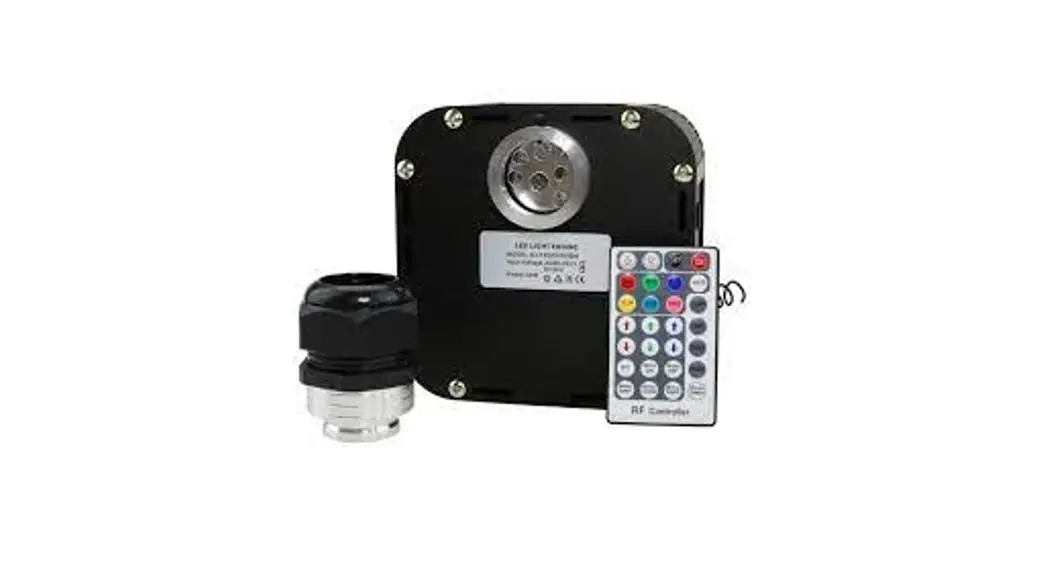
50W RGBW TWINKLE FIBER OPTICS LIGHT
User Manual
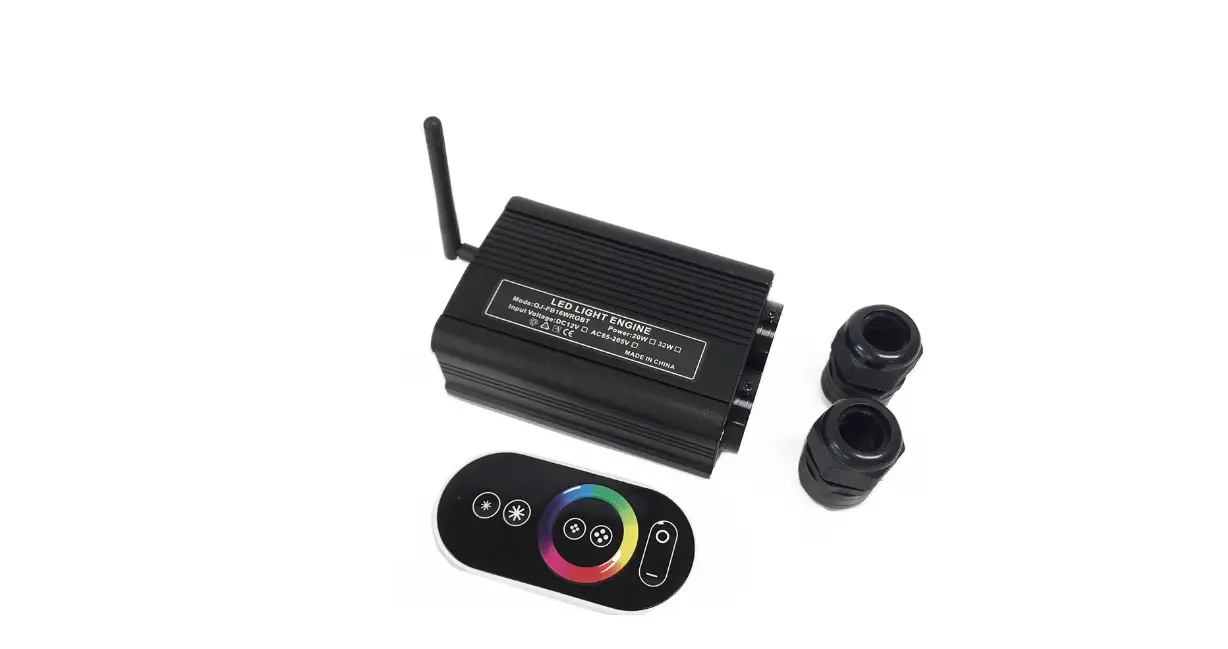
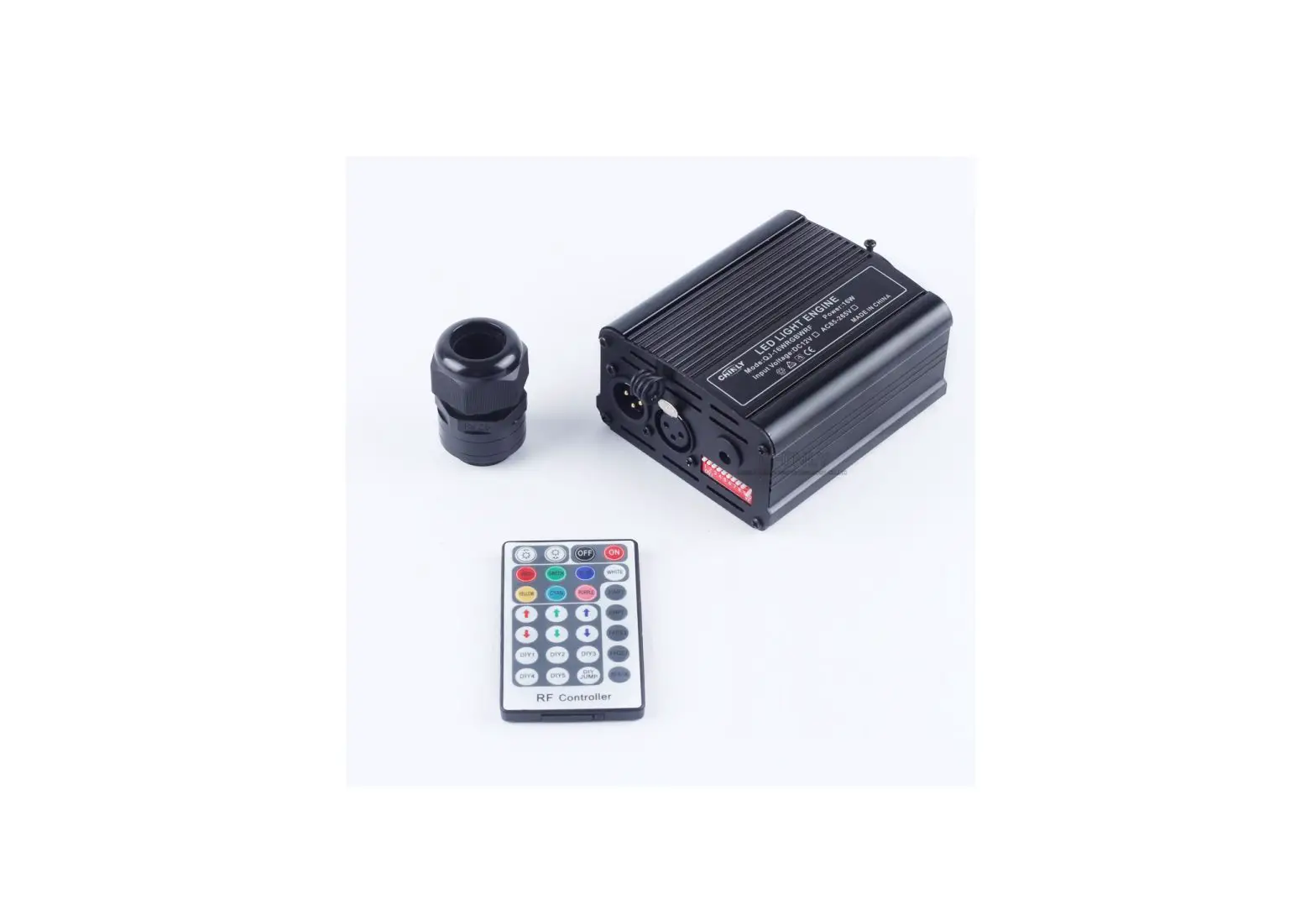
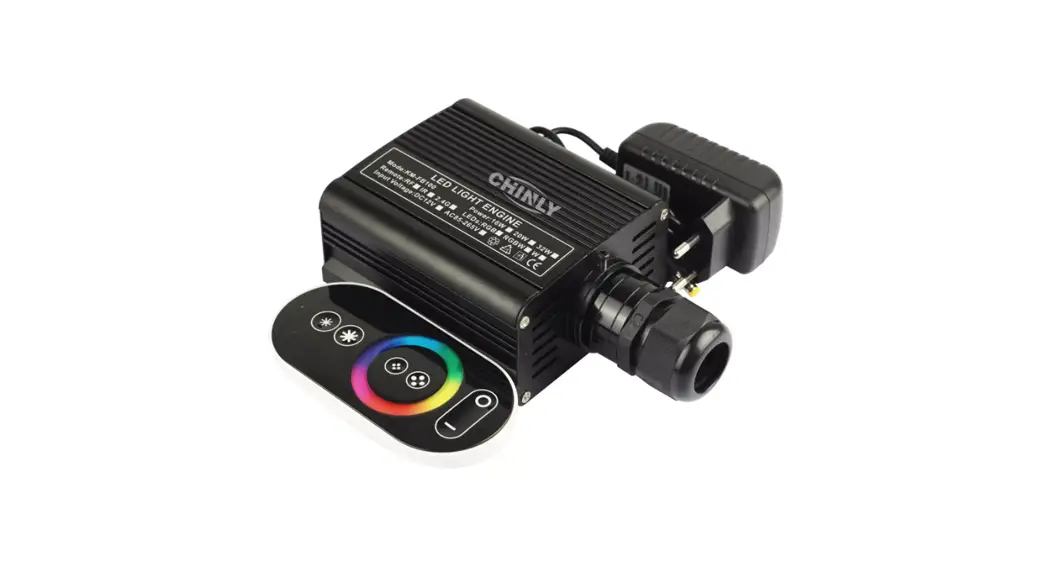
Model:QJ-FB50RGBWRFDMXT
Techincal Specification
| Input voltage:AC86-265V COLOR:R GBW Output gray level:256 Output DMX:5 channels Net Weight:1.0KG Light source device size:L150xW150xH90mm Light body material:Aluminum Remoter dimension:L85xW52xH7mm Lifetime: 50,000 hours | POWER:5 0W LED:R GBW LED Input Signal:DMX512/1990 DMX512 socket standard XLR; Gross Weight:1.8KG Fiber head inner diameter:29mm Remote: RF Package Size:L300xW200xH14.5mm Warranty: 2 years |
MODE1:DMX MODE
AttentionLight source unit Occupancy 5 bits address first bit is red light, The second bit is a green light,the third bit is blue light, the fourth bit is white, and the fifth bit is motor speeds(four levels)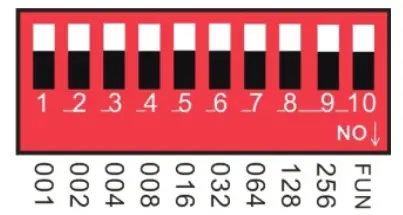 Note: FUN = OFF (the tenth code switch up) means to accept DMX512 signal mode The first DMX address setting:
The decoder set the address bit by coding switch, of which 1-9 is for setting the start address of the Binary numeric code switch of DMX512, the first one is the lowest position,
the ninth one is the highest bit of address code can be set to 512.
DMX512 start address code is the sum of switches 1-9, at the same time turn downside of the code switch (ON set to “1”), then the value of the bit can be gotten; coding switch up (set to “0”), the value of the bit is 0.
Example 1:
As the following Schematic 1, the DMX512 start address is set to 38, encoding the No. 6,3,2 position on switch dial to “1”, others set to “0”, then the sum of the switch 1-9 code value is 32+4+2, that is the DMX512 start address 38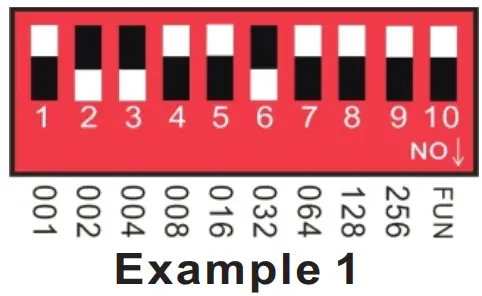 Example 2:
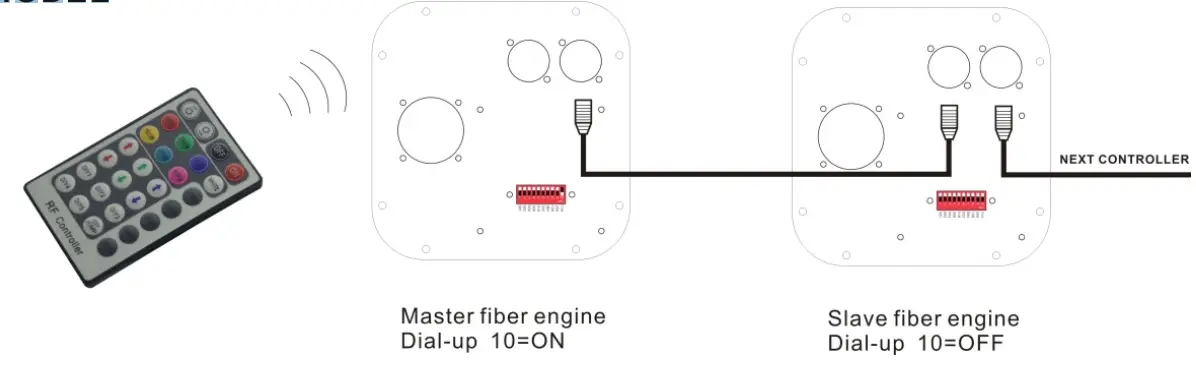
As schematic 2, the DMX512 start address is set to 388, encoding the no. 2,3,6,8 switch dial to “1”, others set to “0”,then the sum of the switch 1-8 code value is 4 + 128 + 256 = 388,that is the DMX512 start address 388.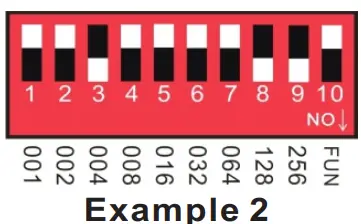 MODE2:RF MODE Note: It will be rf mode when the No. 10 switch is turned down. Remote instructions: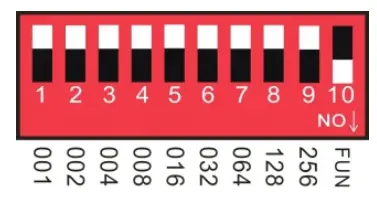
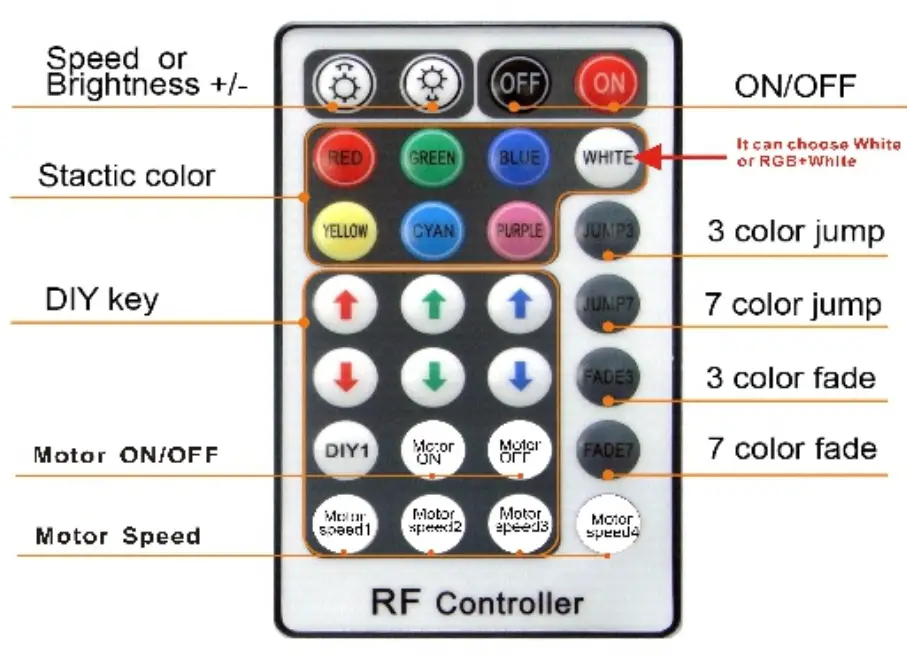
| RF28 key remote control function | Key function details specification | |
 | ON/OFF | Turn-ON/OFF the controller |
 | Speed/brightness adjust key | Press these two keys to increase/decrease the brightness when in static mode, Press these two keys to increase/decrease the changing speed when in dynamic mode |
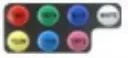 | static color mode | R-10% G:30%13:50% YELLOW-70% CYAN:80% PURPLE-90% W-100% Bngtonoss is adjustable |
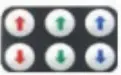 | DIY brightness adjust key | Press the DIY key to address the Green, Red, Blue color brightness to choose the specific color |
DIY | DIY mode key | Press the key to save the DIY color you adjust be the DIY brightness adjust key |
WHITE | white mode | white |
| flash | white flash | |
| Jump | white jump | |
JUUP3 | ||
JUUP 7 | fade | white fade |
FADE3 | ||
FADE7 | Jump-lade | white Jump and fade |
 | Motor ON/OFF | Turn-ON/OFF the motor- |
 | Motor speed | Four kinds of the speed about the motor |
Match Code Function (It is available when leaving the factory)
1. Power on the led engine, it works well when red indicated lights.
2. Press the FADE 3 and FADE7 at the same time in the effective remote distance, the white color of the led engine flash. The code matches success.
MODE3:Built-in effects Mode Attention:
1:1-4bit is mode 2: 5-6 bit is mode’s speed
3:7-8 bit is motor speed.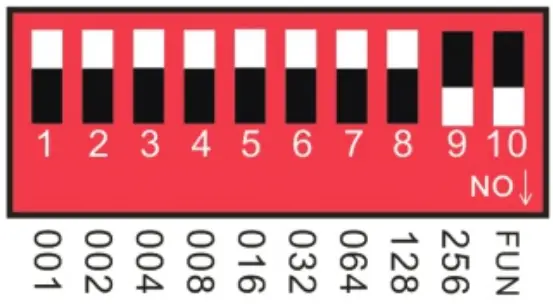 Effect choice (button switch No.1 to No.4):12 kinds
- Push No.1: Seven-color gradual cycle changing.
- Push No. 2: RGB Fade in and out.
- Push No.1 &2: Severn color jumping.
- Push No.3: RGB jumping.
- Push No.1 & 3: RGB flash jumping.
- Push No.2 & 3: Static red.
- Push No. 1 & 2 & 3:Static green.
- Push No.4: Static blue.
- Push No.1 & 4: Static yellow.
- Push No.2 & 4: Static purple.
- Push No.1 & 2 & 3: Static cyan.
- Push No.3 & 4: Static white.
Speed Choices (Button Switch No.5 to No. 6) 4 kinds
- Push No.OFF: 0.5 seconds.
- Push No.5: 1 second.
- Push No.6: 1.5 seconds.
- Push No.5,6: 2 second.
Motor Speed Choices (Button Switch No.7 to No. 8) 4 kinds
- Push No. OFF: motor off.
- Push No.7:speed 1.
- Push No.8: speed 2.
- Push No.7,8: speed 3.
Application Connection Diagram
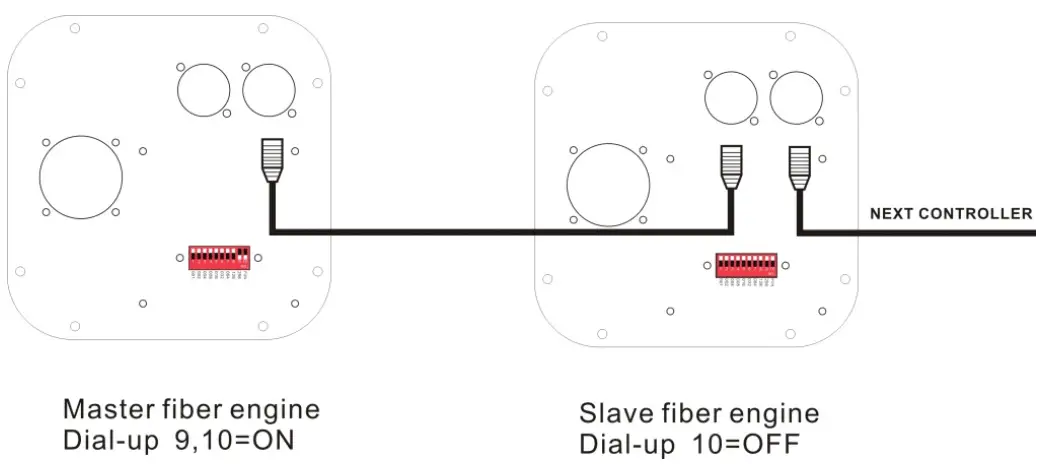
1. DMX MODEL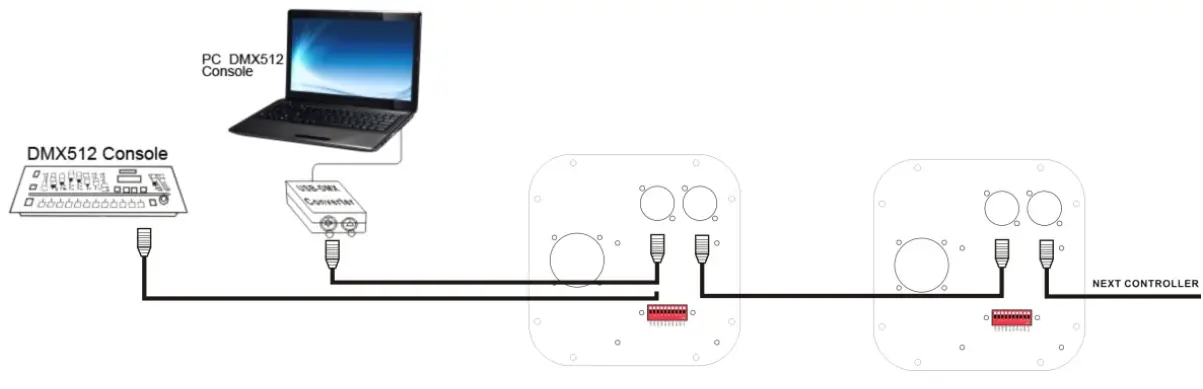 2. RF MODEL
 3.BUILT_IN MODEL
 Maximum fiber connection formula:
Fiber head’s radius: R
Fiber Diameter: D1,D2,D3……
Fiber quantity:N1,N2,N3……
Result:xRxRN1xD1xD1+N2xD2xD2+N3xD3xD3……
Example:
fiber head’s radius(Diameter 20mm)
Fiber Diameter:0.75mm,1.0mm,1.5mm
Fiber Quantity:150mm50mm,10mm……
Result:3.14x10x10150x0.75×0.75+50x1x1+10×1.5×1.5
fiber head inner diameter :16-20mm
| PGConnector inner diameter(mm) | Fiber diameter(mm) | Max fiber number |
| 29 | 0.75 | 1100 |
| 29 | 1 | 660 |
| 29 | 2. | 290 |
| 29 | 2 | 160 |
Connection method between Fiber and Led engine:
1. Align all the fiber heads, fasten with tapes which can resistance temperature over 130oC
2. Pass through the fiber to the connector, fastening the rotary tensioner. To make sure the fiber the bunch could not move each fiber must be in the same plane.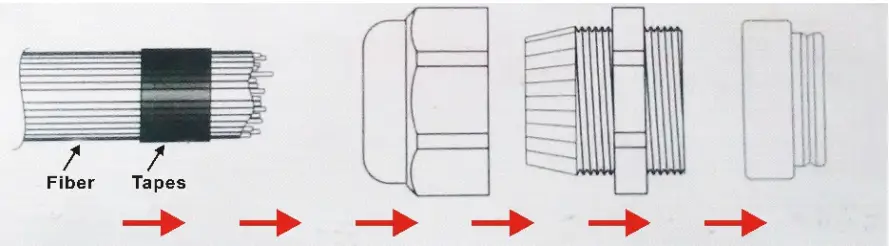 1. Cut the fiber bunch to a flat surface by heat-knife or blade.
 4. Make sure the fiber bunch head is smooth and clean. Thus each fiber’s light will be even
5. Put through the whole fiber connector to fix the ring of the Led engine. Fasten the screw on the top of the fixing ring.
Application installation diagram:
Attention: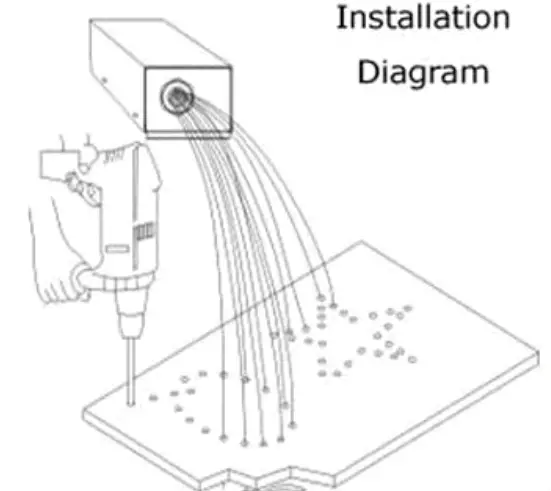
- Make sure the input voltage is correct.
- Putting a led engine in a rain or moist place is prohibited
- Please don’t open the led engine for inspection or change the electronic circuits if you are not professional.
- The led engine has to be good ventilation, please don’t put a sealed place.
- Putting debris on top of the led engine or around it will be caused poor heat dissipation.