
TAITRA Manage Your Meetings
Manage your meeting
A meeting Request Notice will be sent to the Exhibitors’ contact person by email.
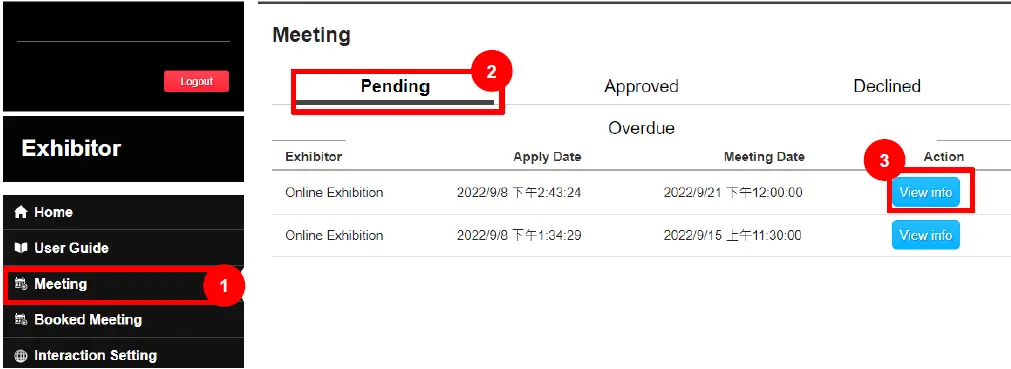
- Step 1. Go to【Official Website】→ Click【Log in】→ Click 【Meeting】
- Step 2. Click 【Pending】
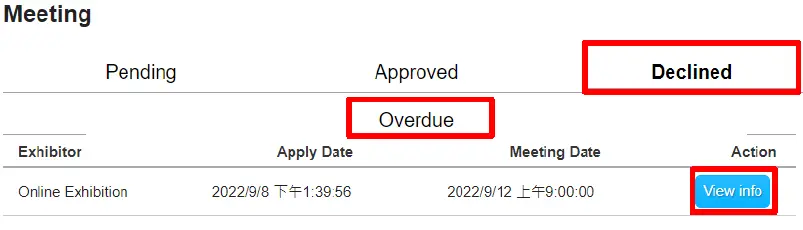
- Step 3. Click 【View info】to check the Meeting status
If you encounter any issues regarding your account or password, please contact us at [email protected].
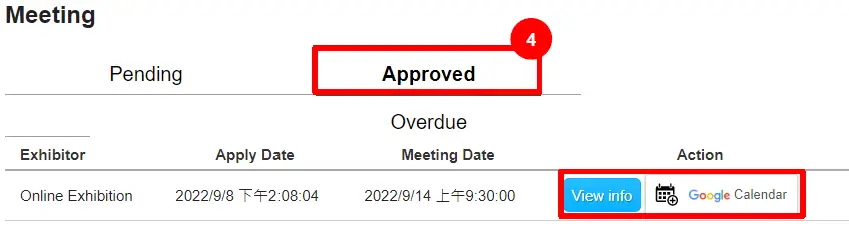
- Step4. Click【Approved】to view the scheduled meetings. You can also add the meeting in to Google Calendar.
Please notice that the Declined or Overdue Meeting List is read-only.
Manage your meeting –Booked Meeting
Meeting T00000214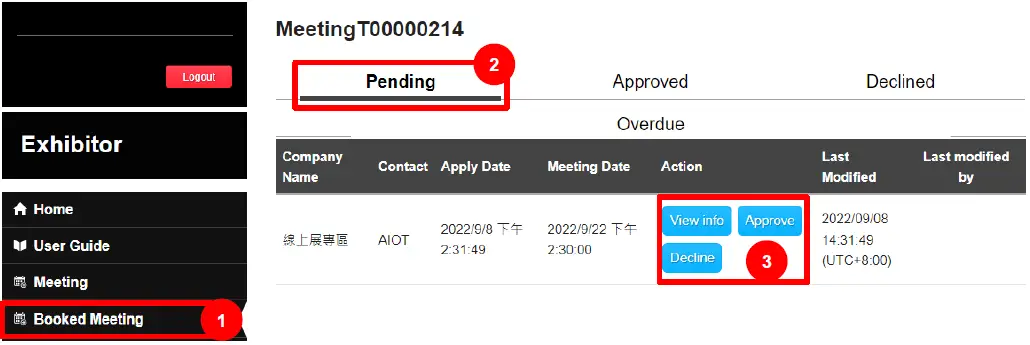
- Booked Meeting Request Notice will be sent to【Exhibitor‘s contact person 】by email.
- Step 1. Go to【Official Website】→ Click【Log in】→ Click 【Booked Meeting】
- Step 2. Click 【Pending】
- Step 3. Click 【View info】to see more information
- Click 【Approved】or 【Decline】

- Click 【Approved】or 【Decline】
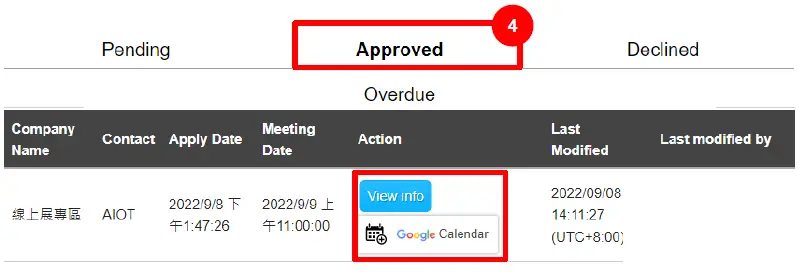
- Step4. Click【Approved】to view the scheduled meetings. You can also add the meeting in to Google Calendar.

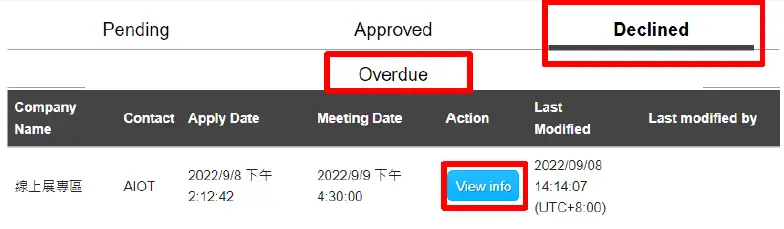
Please notice that the Declined or Overdue Meeting List is read-only.
Meeting Availability Settings
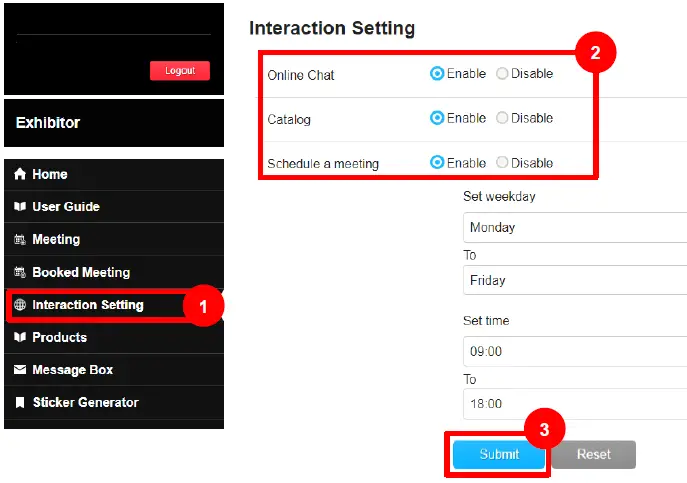
Interaction Setting
- Step 1.
Click【Interaction Setting】 - Step 2.
- Enable or Disable online chat/message/schedule meeting
- Edit your meeting availability
- Step 3.
Click【Submit】
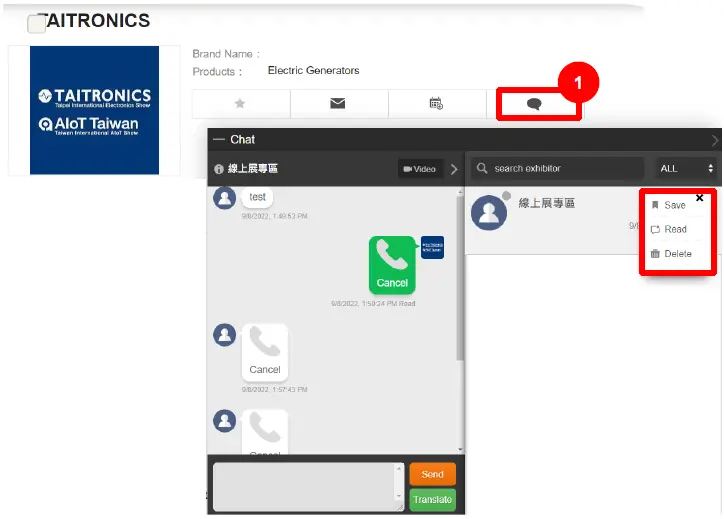
Appendix Chat Demo
- You can check sent and received messages.
- You can save or delete the conversation, and mark it as read.
- You can find unread messages.

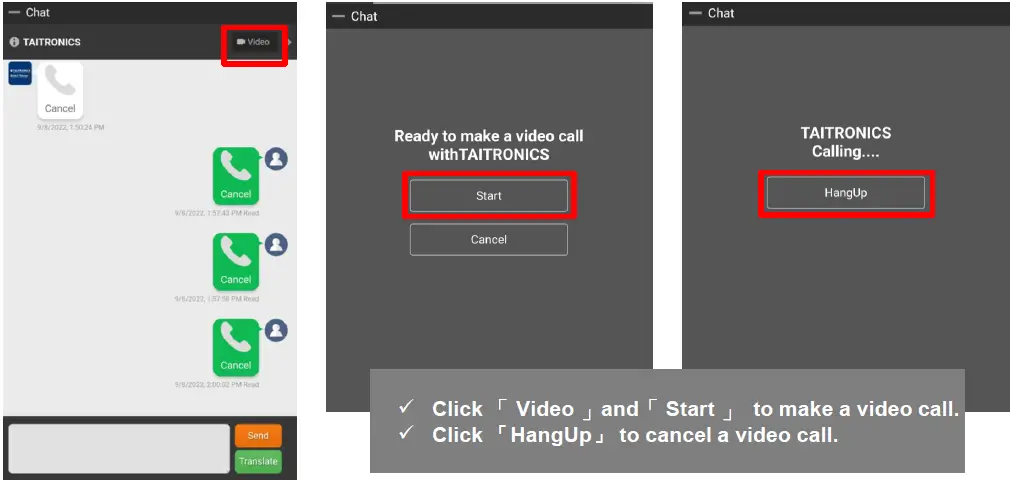
- Click 「Video 」and「Start 」to make a video call.
- Click 「HangUp」to cancel a video call.

If you have any questions, please feel free to contact us!
[email protected].
 www.org.tw DomainName For Sale!! 0971-252-119 [專業網址出售中] 專業網址轉讓代尋服務 歡迎洽詢