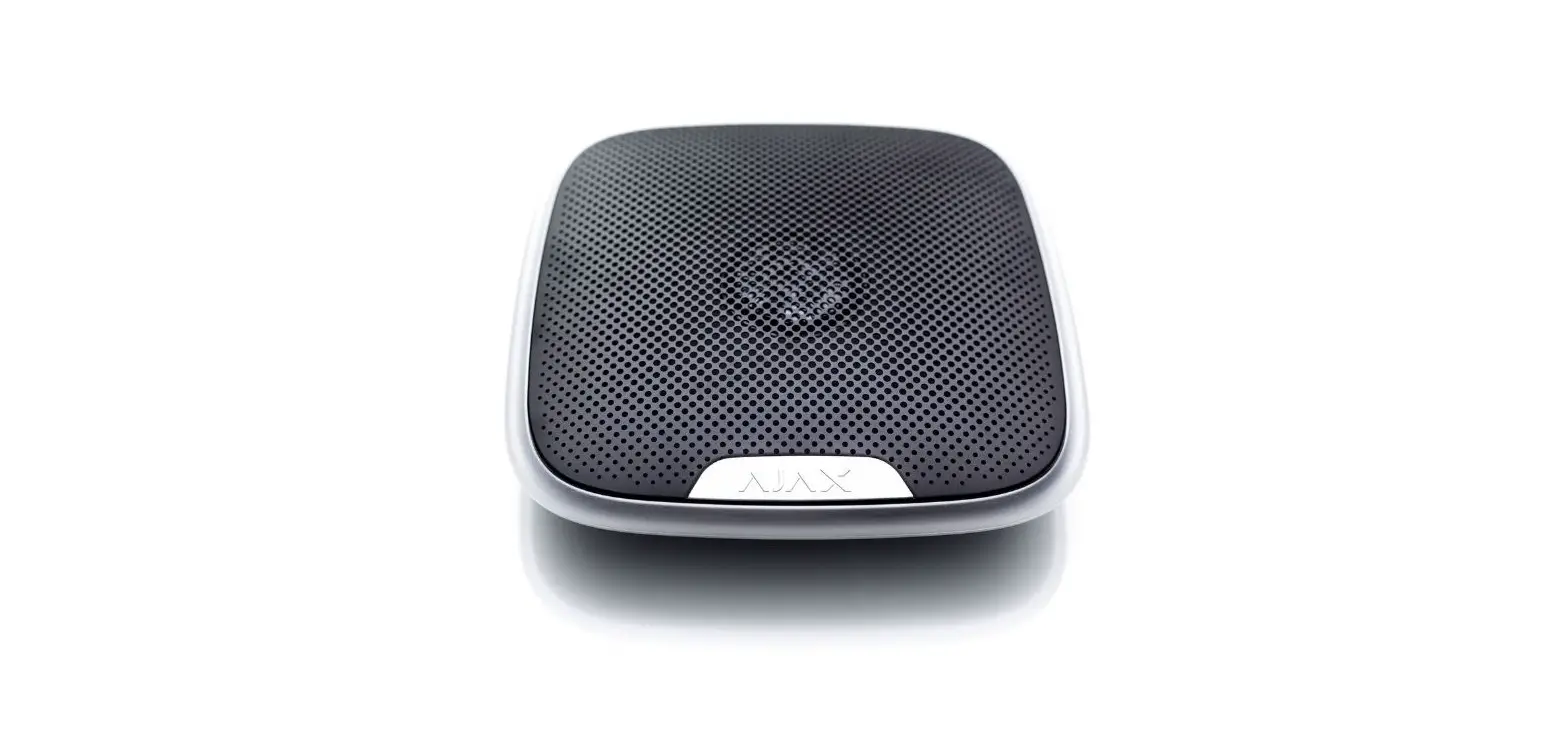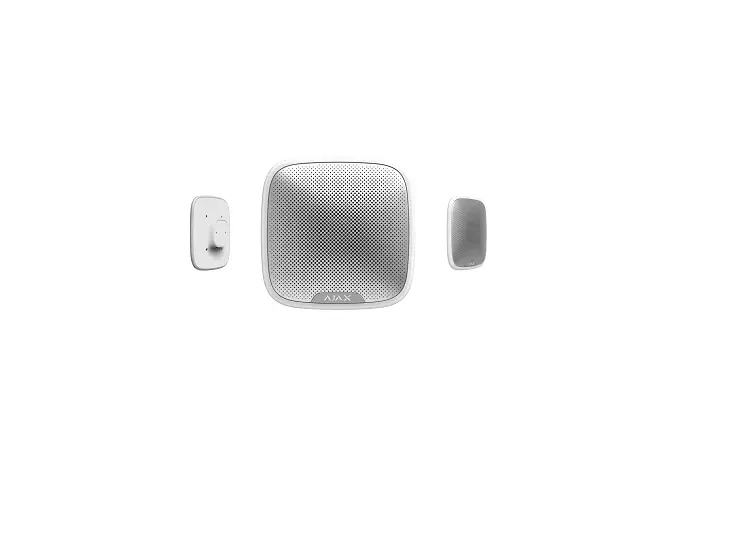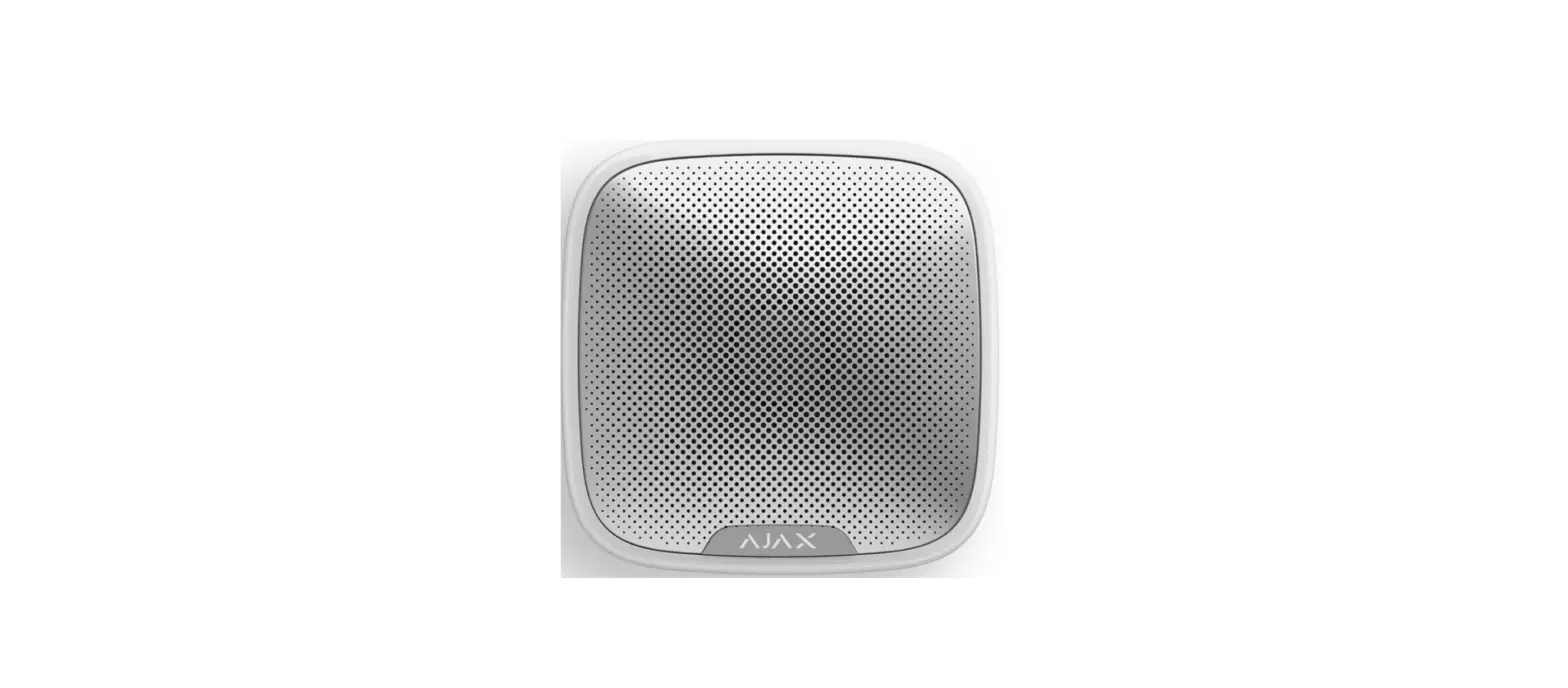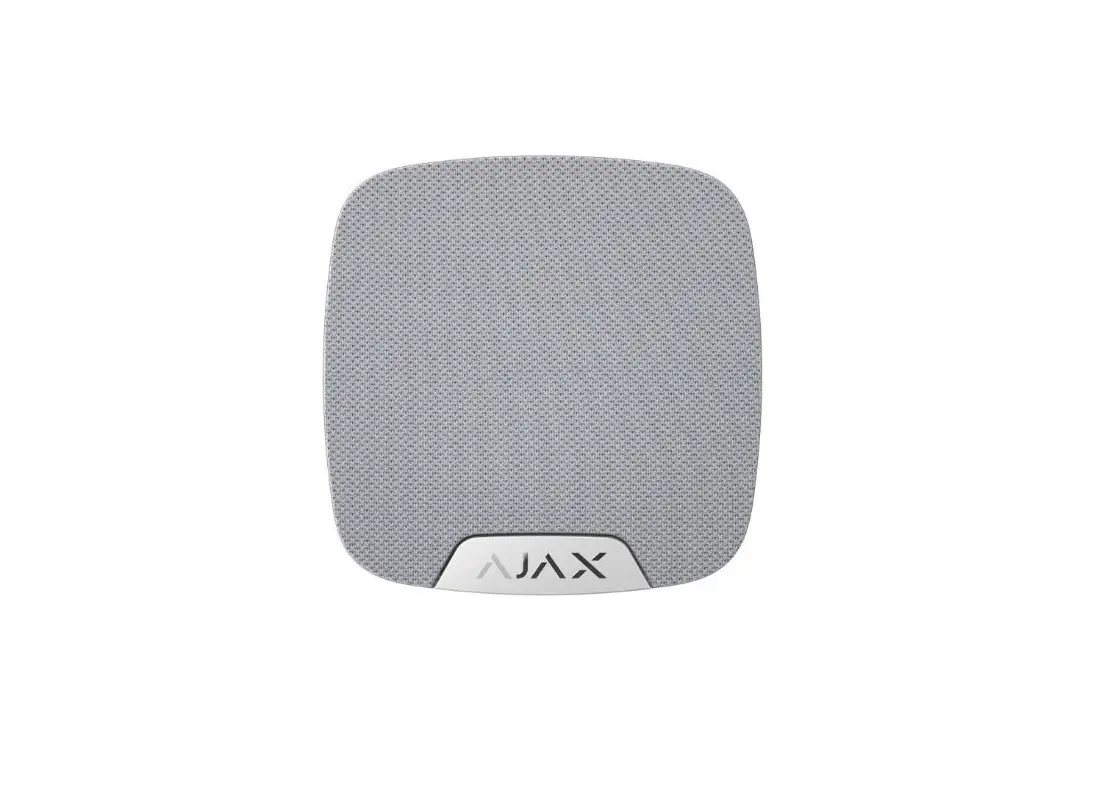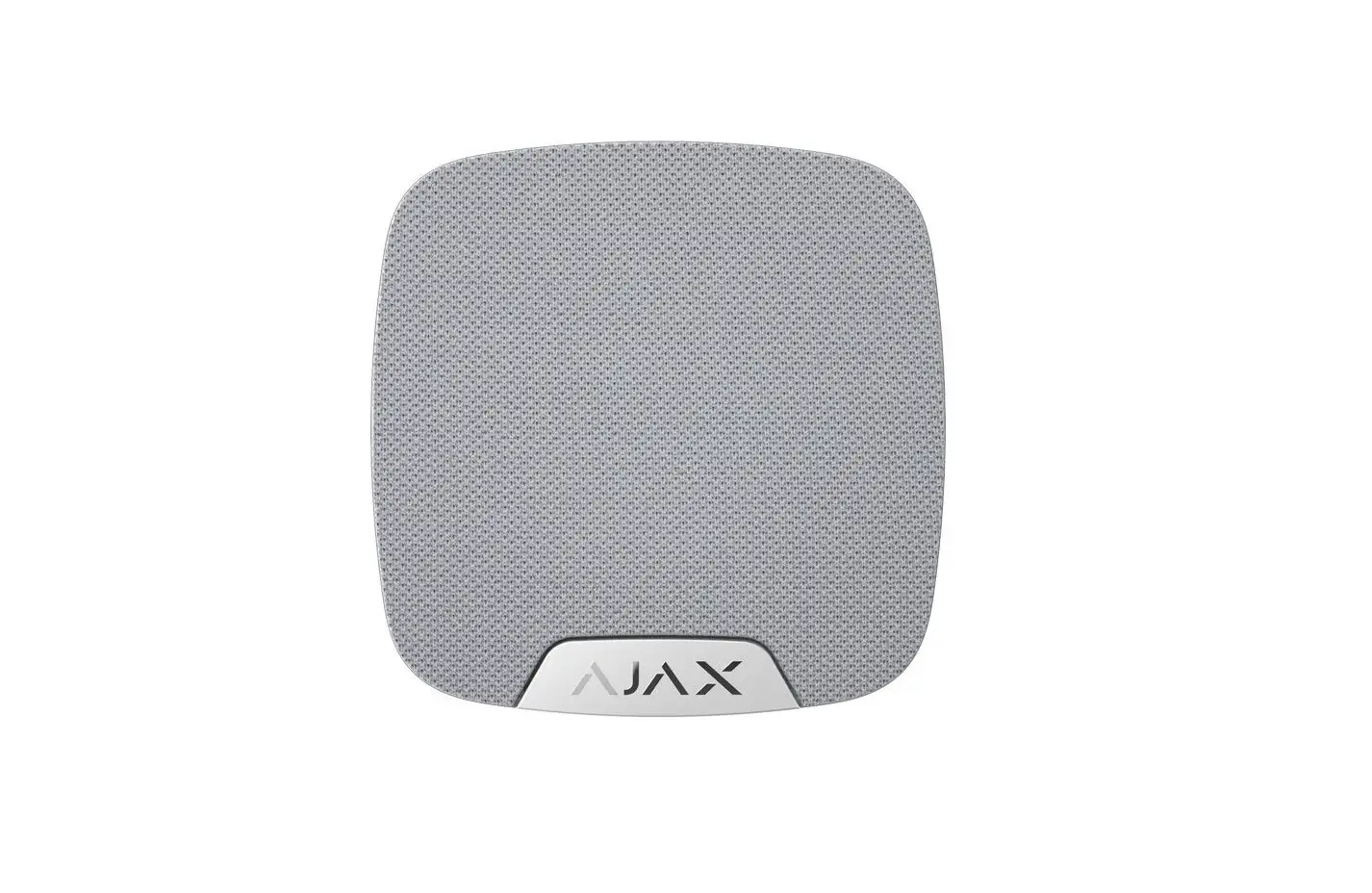
AJAX 834-03-0003 Wireless Home Siren User Manual
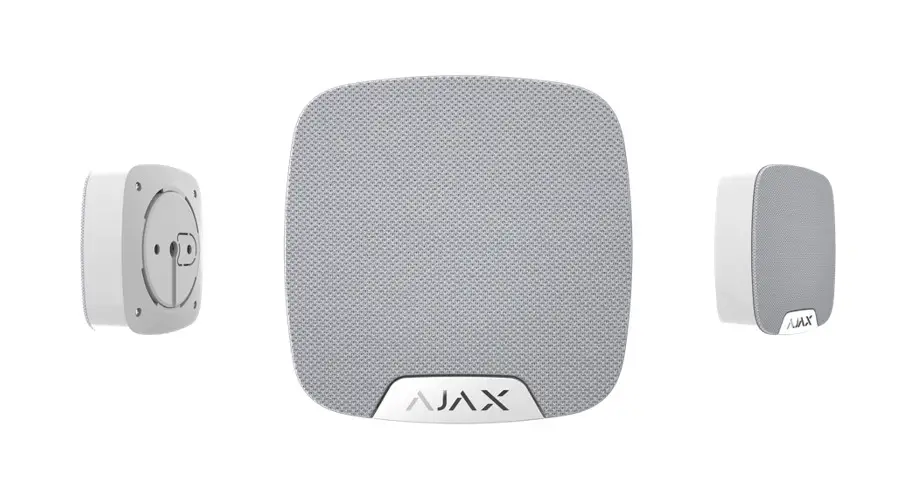
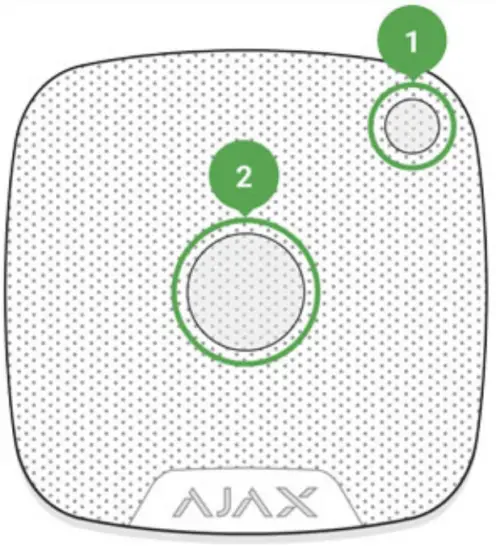
Functional elements
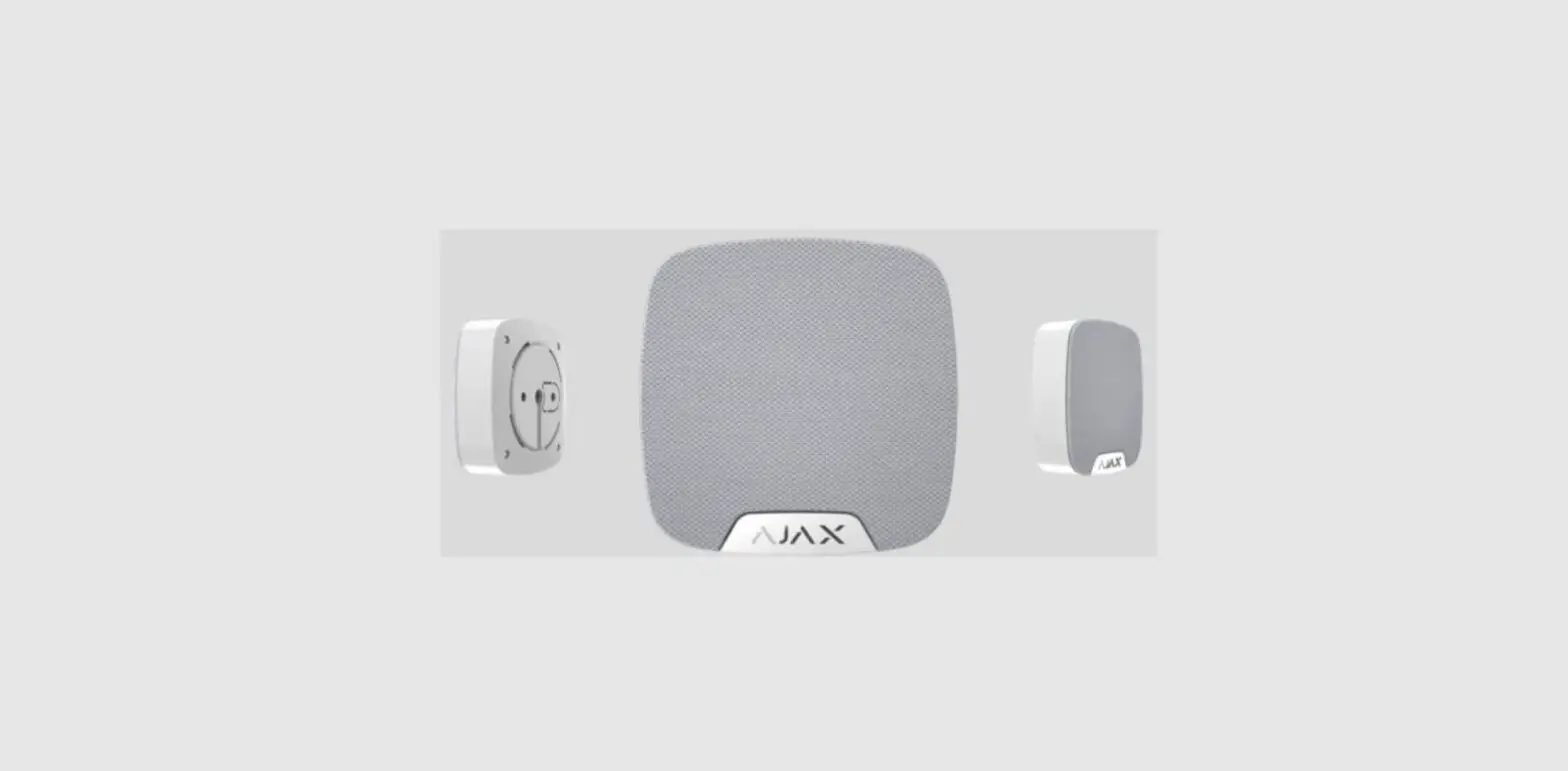
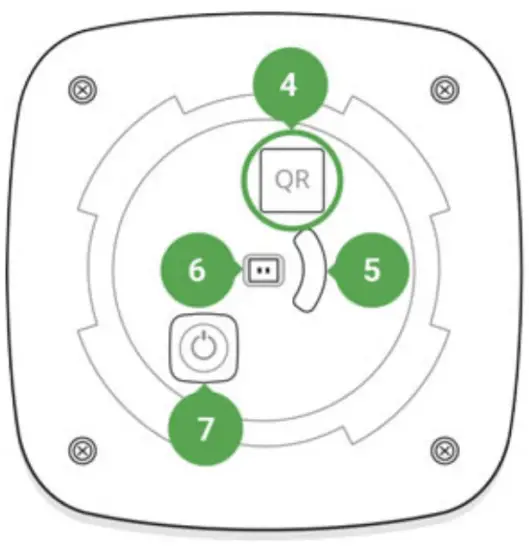
- Light indicator
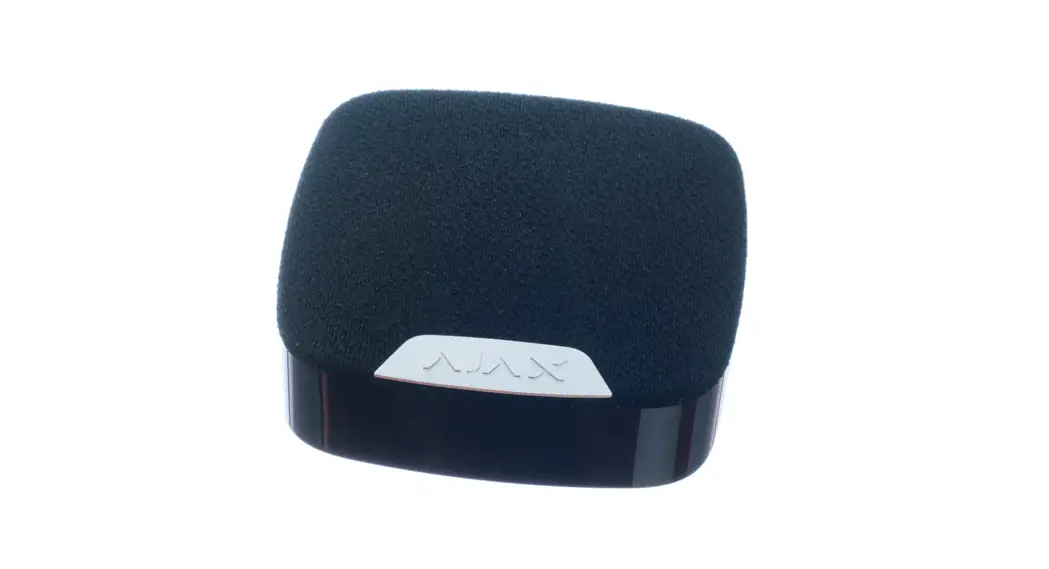
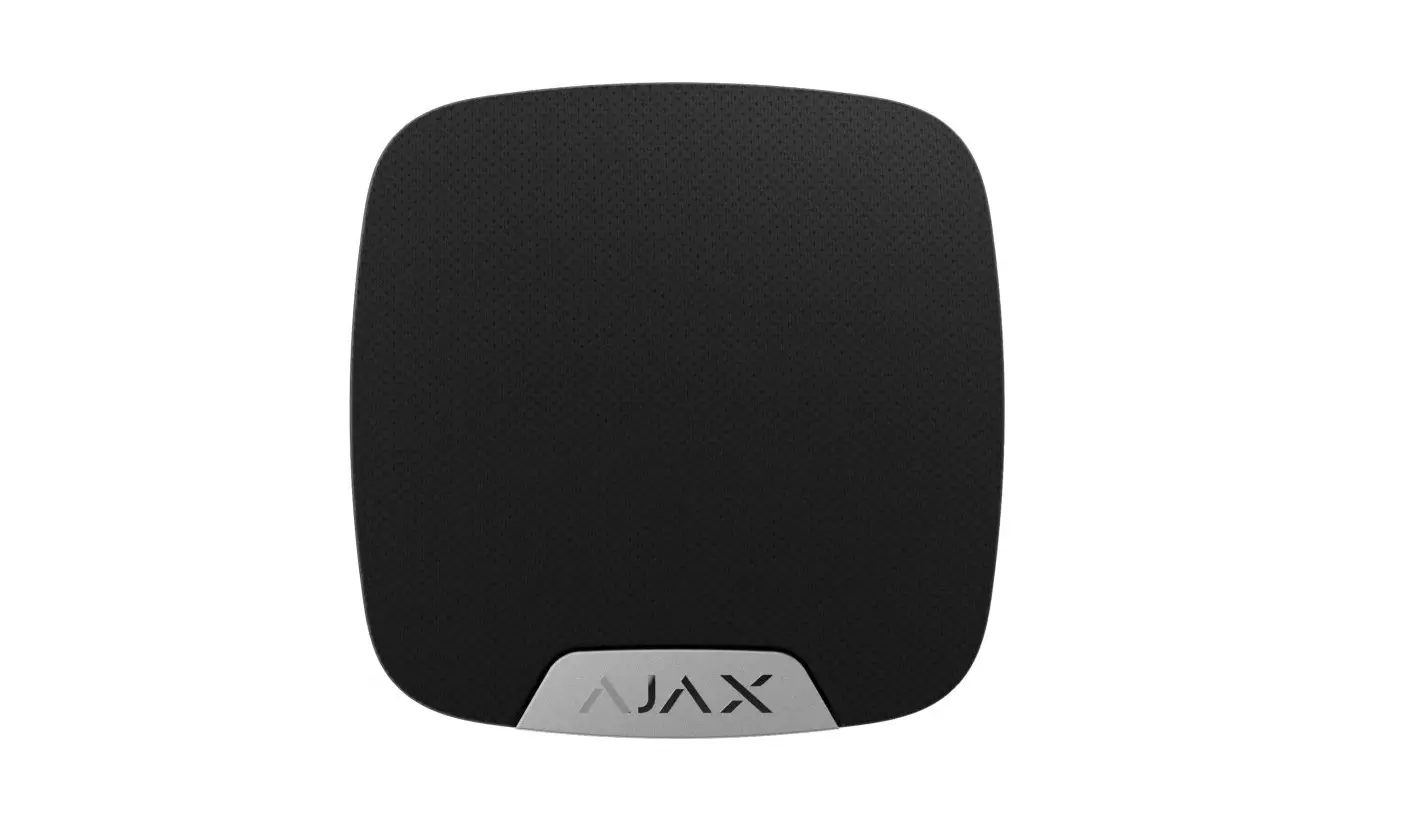
- Siren buzzer covered with a fabric

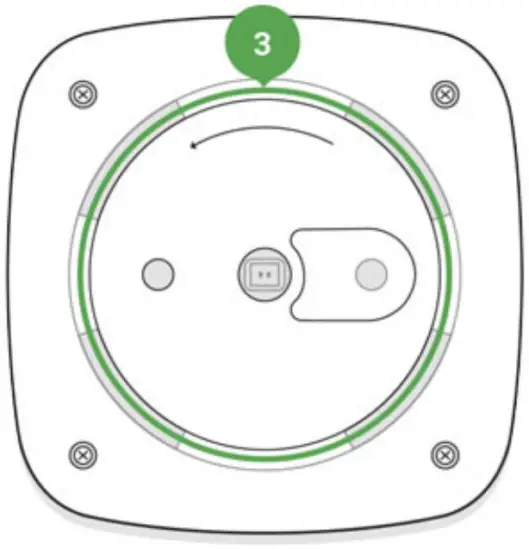
- Smart Bracket attachment panel (perforated part is required for actuating the tamper in case of any attempt to tear off the siren from the surface)

- QR code
- Tamper button
- Socket for connecting an outside-mounted light indicator
- On/off button
Operating Principle
The siren signiQcantly improves the eUciency of the security system, being the most operational means of response to the intrusion into a room. With a high probability, its alarm signal will be suUcient to frighten away the intruders.
The device is furnished with a loud buzzer – the sound of the siren can be heard from far. Subject to correct installation, it would be hard to dismount and eactivate the actuated siren: the body is Qrm, the power supply is autonomous, and the on/off button will be blocked when the security system is set in the guard mode.
Connecting the Siren to the hub
 The HomeSiren siren operates only with the Ajax security system. Up to 10 sirens may be connected to the Ajax hub.
Before starting connection:
- Following the hub instruction recommendations, install the Ajax Application on your smartphone. Create an account, add the hub to the application, and create at least one room.
- Go to the Ajax application.
- Switch on the hub and check the internet connection (via Ethernet cable and/or GSM network).
- Ensure that the hub is disarmed and does not start updates by checking its status in the mobile application.
 Only users with administrative privileges can add the device to the hub
How to connect the siren to the hub:
- Select the Add Device option in the Ajax application.
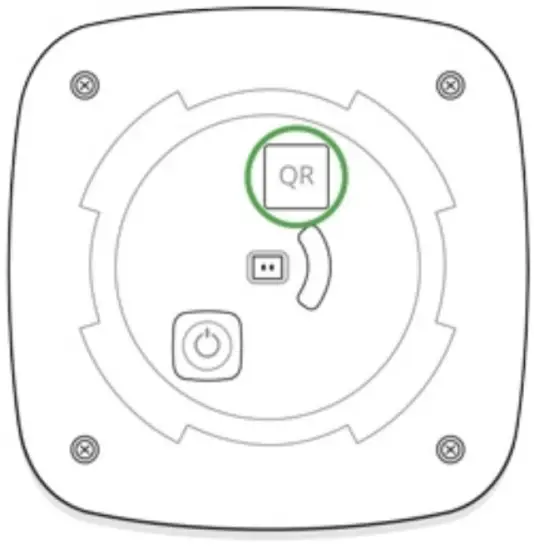
- Name the device, scan/write manually the QR Code (located on the body and packaging), and select the location room.

- Select Add — the countdown will begin.
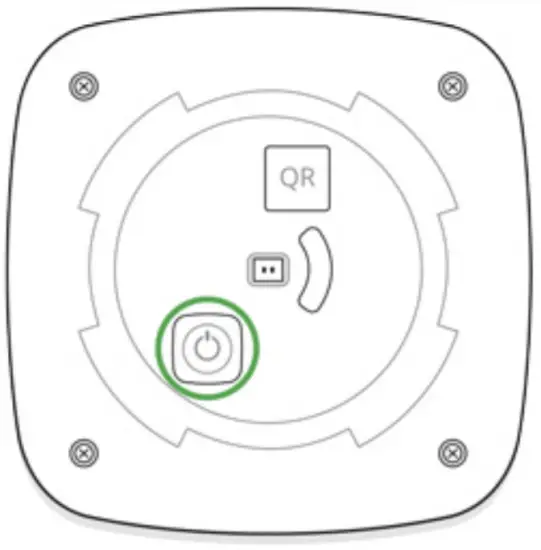
- Switch on the device (by pressing on/off button for 3 seconds).

For the detection and interfacing to occur, the siren should be located within the coverage area of the wireless network of the hub (at a single protected object). If the device was already assigned to another hub, switch off HomeSiren and then perform the standard adding procedure.
Request for connection to the hub is transmitted for a short time at the time of switching on the device.
If the connection to the Ajax hub failed, the siren will switch off after 6 seconds. You may repeat the connection attempt then. To retry the connection, you do not need to turn off the device.
The siren connected to the hub will appear in the list of devices of the hub in the application. Update of the siren statuses in the list depends on the device inquiry time set in the hub settings, with the default value — 36 seconds.
States
Siren states can be found in the Ajax app:
- Go to the Devices
 tab.
tab. - Select HomeSiren from the list.
 tab.
tab.| Parameter | Value |
| Temperature | Temperature of the device. Measured on the processor and changes gradually. Displayed in 1°C increment. Acceptable error between the value in the app and temperature at the installation site: 2–4°C |
| Jeweller Signal Strength | Signal strength between the hub/range extender and siren. We recommend installing the siren in places with the signal strength of 2-3 bars |
| Connection | Connection status between the hub/range extender and siren:
|
| ReX range extender name | Displayed if the siren is working via a radio signal range extender |
| Battery Charge | Battery level of the device. Two states available:
|
| Lid | The tamper mode of the device, which reacts to the detachment of or damage to the body |
| Alarm Volume | Volume level in case of alarm
|
| Alarm Duration, sec | Duration of the alarm sound: from 3 to 180 seconds |
| LED indication | LED indication of the siren settings:
|
| of the state of the security system More about indication | |
| Beep When Arming/Disarming | If active, the siren notifies you about the activation and deactivation the system of the guard mode by the LED and a short sound signal |
| Notify about switching the Night mode on/off | When enabled, the siren notifies you when the system is on and off the Night mode by flashing the LED and making a short beep |
| Beep on Entry/Exit delay | If activated, siren will beep delays (available in devices with firmware version 3.50 and later) |
| Notify about the entry/exit delay in the Night mode | If this option is enabled, the siren beeps to signal about an entry/exit delay in the Night mode |
| Chime on opening | When enabled, a siren notifies about opening detectors triggering in the Disarmed system mode What is chime |
| Temporary Deactivation | Shows the status of the device: active, completely disabled by the user, or only notifications about triggering of the device tamper button are disabled |
| Firmware | Detector firmware version |
| Device ID | Device identifier |
| Device No. | Number of the device loop (zone) |
Setting Up the Detector
To change the HomeSiren settings in the Ajax app::
- Select the hub if you have several of them or if you are using the PRO app.
- Go to the Devices tab.
- Select HomeSiren in the list.
- Go to Settings by clicking on the .

- Set the required parameters.
- Click Back to save the new settings

Setting | Value |
| First field | Siren name that can be edited. The name of device you can see at notifications in the event feed. The name can contain up to 12 Cyrillic characters or up to 24 Latin symbols |
| Room | Selecting the virtual room to which StreetSiren DoubleDeck is assigned. The room name you can see at notifications in the event feed |
Selecting the group to which the siren is assigned. You can select one or all groups:
| |
| Alarms in Group Mode |
Regardless of the group selected, the siren will respond to Night Mode activation and alarms Learn more |
| Alarm Volume | Volume level in case of alarm:
The volume level is measured 1 m away from the siren |
| Alarm Duration, sec | The setting determines how long the siren sounds, if the alarm is activated (from 3 to 180 seconds per each actuation) |
| LED indication | LED indication of the siren settings:
|
| More about indication | |
| Beeps Settings | Opens the siren notification settings. A detailed description of the settings is available below |
| Volume Test | Switches the device to the volume test mode What is Volume Level Test |
| Jeweller Signal Strength Test | Switching the siren to the Jeweller signal strength test mode. The test allows you to check the signal level between the hub and HomeSiren and determine the optimal installation location |
| Signal Attenuation Test | Switches the siren to the signal fade test mode (available in devices with firmware version 3.50 and later) What is Attenuation Test |
| User Guide | Opens the HomeSiren User Manual |
Allows the user to disconnect the device without removing it from the system. Two options are available:
| |
| Temporary Deactivation | automation scenarios, and the system will ignore device alarms and other notifications
|
| Unpair Device | Disconnects the siren from the hub and deletes its settings |
Siren beep settings
| Arming/Disarming | When this option is enabled, the siren warns of arming and disarming by lighting of the LED frame and by a short beep |
| Night mode Activation/Deactivation | If enabled, the siren alerts you by backlighting the LED frame and a short beep when arming and disarming the system from the Night mode |
| Entry Delays | If this option is enabled, the siren beeps to signal about an entry delay |
| Exit Delays | If this option is enabled, the siren beeps to signal about an exit delay |
| Entry Delays in Night Mode | If this option is enabled, the siren beeps to signal about an entry delay in the Night mode |
| Exit Delays in Night Mode | If this option is enabled, the siren beeps to signal about an exit delay in the Night mode |
| Chime on opening | When enabled, the siren beeps 1 to 4 times to indicate that opening detectors in the Disarmed system mode were triggered |
| Selecting the volume level of the siren at the time of notification on arming/disarming or delay when entering/leaving and opening: | |
| Beep volume |
The volume level was measured 1 m away from the siren |
Setting up the processing of detector alarms
Through the Ajax app, you can conQgure which detector alarms can activate the siren. This can help to avoid situations when the security system notiQes of LeaksProtect detector alarm or any other device alarm. The parameter is adjusted in the detector or device settings:
- Sign in to the Ajax app.
- Go to the Devices menu.
- Select the detector or device.
- Go to its settings and set the necessary parameters for activating the siren.
Setting the tamper alarm response
The siren can respond to the tamper alarm of devices and detectors. The option is disabled by default. Note that the tamper reacts to the opening and closing of the body even if the system is not armed!
For the siren to respond to tamper triggering, in Ajax app:
- Go to the Devices menu.
- Select the hub and go to its settings .
- Select the Service menu.
- Go to Siren Settings.
- Enable the Alert with a siren if the hub or detector lid is open option.
Setting the response to pressing the panic button in the Ajax app
The siren can respond to pressing the panic button in Ajax apps. Note that the panic button can be pressed even if the system is disarmed!
For the siren to respond to pressing the panic button:
- Go to the Devices menu.
- Select the hub and go to its settings .
- Select the Service menu.
- Go to Siren Settings.
- Enable the Alert with a siren if in-app panic button is pressed option.
Setting the siren after-alarm indication
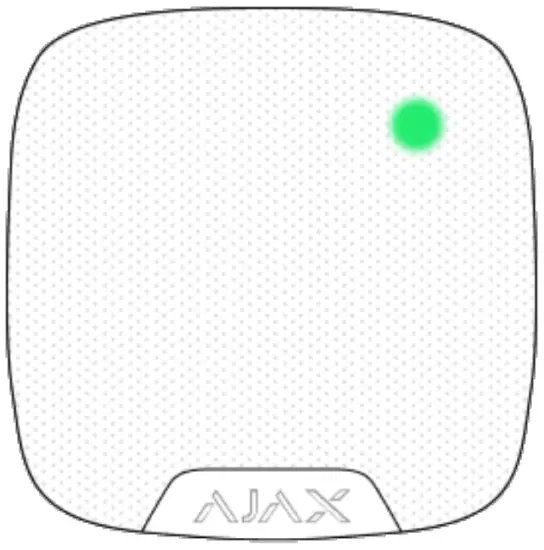
The siren can inform about triggerings in the armed system by means of LED indication.
The option functions as follows:
- The system registers the alarm.
- The siren plays an alarm (duration and volume depend on settings).
- The siren LED and external LED (if connected) blinks twice (about once every 3 seconds) until the system is disarmed.
Thanks to this feature, system users and security companies patrols can understand that the alarm has occurred.
The siren after-alarm indication does not work for always active detectors, if the detector was triggered when the system was disarmed.
- Go to siren settings:
- Hub → Settings → Service → Siren Settings
- Hub → Settings
- Specify what events the sirens will inform about by double blinking before the security system is disarmed:
- ConQrmed alarm
- UnconQrmed alarm
- Lid opening
- Select the sirens needed. Go back to Siren Settings. The set parameters will be saved.
- Click Back. All values will be applied.
HomeSiren with Qrmware 5.55.2 and later supports this function.
How to set Chime
Chime is a sound signal that indicates the triggering of the opening detectors when the system is disarmed. The feature is used, for example, in stores, to notify employees that someone has entered the building.
Notifications are configured in two stages: setting up sirens and setting up opening detectors.
Home Siren with from ware 5.55.1.0 and later supports this function.
Siren settings
- Go to the Devices menu.
- Select the siren.
- Go to its settings by clicking the gear icon in the upper right corner.
- Go to the Beeps Settings menu.
- Scroll down and enable the Chime on opening option in the Beep when disarmed category.
- Set the volume of the notiQcations. 3 options are available:
- Quiet (80 dB at a distance of 1 m).
- Loud (93 dB at a distance of 1 m).
- Very loud (98 dB at a distance of 1 m).
 The specified Beep volume also applies to the volume of siren Notifications when arming/disarming and for the entry/exit delays.
- Click Back to save the settings.
- Repeat steps 2–7 for other sirens on which you want to enable the notifications.
Detectors settings
- Go to the Devices menu.
- Select the detector.
- Go to its settings by clicking the gear icon in the upper right corner.
- Go to the Chime Settings menu.
- Select the events to be notiQed by the siren:
- If a door or a window is open.
- If an external contact is open (available if the External Contact option is enabled).
- Select the chime sound (siren tone): 1 to 4 short beeps. Once selected, the Ajax app will play the sound.
- Click Back to save the settings.
- Repeat steps 2–7 for other detectors on which you need to enable the notiQcations.
Indication
| Event | Indication |
| Alarm | Emits an acoustic signal (the duration depends on the settings) and all LED signaling ceases |
| An alarm was detected in the armed system (if after-alarm indication is enabled) | The siren LED and external LED (if connected) blinks twice approximately every 3 seconds until the system is disarmed. The indication turns on after the siren has completely played the alarm signal configured in settings |
| Switching on the device | LED lights up once |
| Switching off the device | LED will light up for 1 second, then blink three times |
| Registration failed | LED lights up and goes out, then the siren switches off |
| Security system set in the armed mode (if the indication is activated) | Blinks once with a LED and emits a short sound signal |
| Security system is disarmed (if the indication is activated) | Blinks twice with a LED and emits two short sound signals |
| Siren in the armed mode (if the indication is activated) | LED lights up for a short time every 3 seconds |
| Battery low | LED smoothly lights up and goes out when the system is armed or disarmed (if the indication is activated), the tamper is actuated or alarm is given |
Performance testing
The Ajax security system allows conducting tests for checking the functionality of connected devices.
The tests do not start straight away but within a period of 36 seconds when using the standard settings. The test time start depends on the settings of the devices scanning period (the paragraph on “Jeweller” settings in hub settings).
Jeweller Signal Strenghth Test
Installing the Siren
Location of the HomeSiren determines its remoteness from the hub and presence of any obstacles between the devices, hindering the radio signal and sound transmission: walls, inserted joors, largesize objects located within the room.
The device developed only for indoor use.
Check the signal level at the installation location.
The communication r ange is up to 2000 meters if there are noobstacles. Please consider it when choosing an installation place for HomeSiren.
If the signal level is one division, we cannot guarantee stable operation of the security system. Take possible measures to improve the quality of the signal! As a minimum, move the device — even 20 cm shift can signiQcantly improve the quality of reception.
If after moving the device still has a low or unstable signal strength,
use a radio signal range extender.
Recommended installation height — 2.5 meters and more. This will complicate the access to the device for intruders in case of intrusion.
Installation process
- Fix the SmartBracket panel on the surface using bundled screws. After selecting other attachment hardware, make sure that they do not damage or deform the panel.

 The double-sided adhesive tape may be only used for temporary attachment of the siren. The tape will run dry in course of time, which may result in the falling and damage of the device.
 - Put the siren on the SmartBracket panel and turn it clockwise. When installing in the attachment panel, the tamper will switch and the siren will blink with a LED.
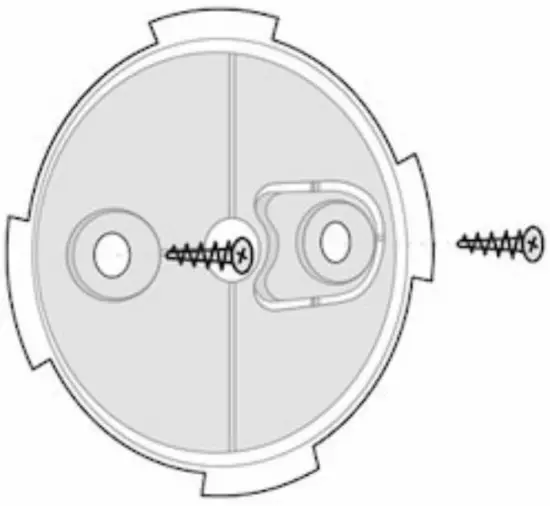
If the light indicator of the siren is not actuated after installation in SmartBracket, check the tamper mode in the Ajax Security System application and then the Qxing tightness of the device on the panel.
In case of any attempt to dismount the siren, you will receive the notiQcation.
Do not install the siren:
- outside the premises (outdoors)
- in places where the acoustic signal will be attenuated (inside furniture, behind thick curtains, etc.)
- nearby any metal objects or mirrors causing attenuation and screening of the signal
- within any premises with the temperature and humidity beyond the range of permissible limits
- closer than 1 m from the hub.
External LED connection
The outside-mount ed LED connected to the HomeSiren is paralleled with the built-in LED of the device and completely repeats its indication.
For connection, use the contact on the rear side of the siren body and observe the polarity during the connection. Black terminal wire — “+” contact.
Outlet power supply: 3 V, 10 mA
Siren Maintenance and Battery Replacement
Check the operational capability of the HomeSiren on a regular basis.
Clean the siren body from dust, spider web and other contaminations as they appear. Use soft dry napkin suitable for equipment maintenance.
Do not use for cleaning the siren any substances containing alcohol, acetone, gasoline and other active solvents.
The batteries installed in the siren ensure up to 5 years of autonomous operation (with the inquiry frequency by the hub of 1 minute) or at least 6 hours of the buzzer sound. If the battery is discharged, the security system will send respective notices and the LED will smoothly light up and goes out when the armed mode is activated.
How long Ajax device operate on batteries, and what affect this
Tech specs
| Type of notification | Acoustic and LED |
| Sound notification volume | 81 – 105 dB at a distance of 1 m (adjustable) |
| Operating frequency of the buzzer | 3.4 ± 0.5 kHz |
| Tamper protection | Yes |
| Radio communication protocol | Jeweller Learn more |
| Radio frequency band | 866.0 – 866.5 MHz 868.0 – 868.6 MHz 868.7 – 869.2 MHz 905.0 – 926.5 MHz 915.85 – 926.5 MHz 921.0 – 922.0 MHz Depends on the region of sale. |
| Compatibility | Operates only with all Ajax hubs, and radio signal range extenders |
| Maximum RF output power | Up to 25 mW |
| Radio signal modulation | GFSK |
| Radio signal range | Up to 2,000 m (any obstacles absent) |
| Battery supply | 2 × CR123A, 3 V |
| Battery life | Up to 5 years |
| Socket for connecting an external light indicator | Yes (power supply 3 V, 10 mA) |
| Body protection level | IP50 |
| Installation method | Indoors |
| Operating temperature range | From -10°С to +40°С |
| Operating humidity | Up to 75% |
| Overall dimensions | 75 × 76 × 27 mm |
| Weight | 97 g |
| Service life | 10 years |
| Certification | Security Grade 2, Environmental Class II in conformity with the requirements of EN 50131-1, EN 50131-4, EN 50131-5-3 |
Complete Set
- Home Siren
- SmartBracket mounting panel
- Battery CR123A (pre-installed) — 2 pcs
- LED connection clamp
- Installation Kit
- Quick Start Guide
Declaimer
HomeSiren is a wireless home siren with the capacity up to 105 dB. Developed only for indoor use. It can be quickly installed and set up, is furnished with a LED (plus allows connecting an external LED), and can operate up to 5 years from a battery.
HomeSiren operates within the Ajax security system, by connecting via the protected Jeweller protocol to the hub . The communication range is up to 2,000 meters if there are no obstacles.
The siren is set up via a mobile application for iOS and Androidbased smartphones. The user is notified of all events through push notiQcations, SMS messages and calls (if activated).
Operates only with Ajax hubs Connection to ocBride Plus and uartBride integration modules is not provided.
The Ajax security system is self-sustaining, but the user can connect it to the central monitoring station of a private security company.
Warranty
Warranty for the “AJAX SYSTEMS MANUFACTU RING” LIMITEDLIABILITY COMPANY products is valid for 2 years after the purchase and does not apply to the pre-installed battery
If the device does not work correctly, you should Qrst contact the support service — in half of the cases, technical issues can be solved remotely!.
Technical support:[email protected]
Subscribe to the newsletter bout safe life. No spam
References
 End user agreement - Ajax Systems
-
Jeweller radio technology | Ajax Systems
-
HomeSiren — Wireless indoor siren | Ajax Systems
-
Security system control panels | Ajax Systems
-
ocBridge Plus — Module for Ajax devices integration with wired systems
-
Signal range extenders in the security system | Ajax Systems
-
uartBridge — Module for Ajax devices integration with third-party wireless alarms systems
-
Software | Ajax Systems
-
Software | Ajax Systems
-
Ajax devices standards compliance list
-
Warranty - Ajax Systems
-
How to enable and configure group mode in the Ajax security system | Ajax Systems Support
-
How battery charge is displayed in Ajax apps | Ajax Systems Support
-
What is a tamper | Ajax Systems Support
-
What is Volume Level Test | Ajax Systems Support
-
How long Ajax devices operate on batteries, and what affects this | Ajax Systems Support
-
How to temporarily deactivate a device without removing it from the system | Ajax Systems Support
-
How to change batteries in the HomeSiren | Ajax Systems Support
-
Jeweller radio protocol: technology and capabilities | Ajax Systems Support
-
HomeSiren User Manual | Ajax Systems Support
-
What is Attenuation Test | Ajax Systems Support
-
What is Delay When Entering/Leaving | Ajax Systems Support
-
What is Night Mode and how does it work? | Ajax Systems Support
-
What is Chime, and how does this function work | Ajax Systems Support
-
What is Jeweller Signal Strength Test | Ajax Systems Support
 End user agreement - Ajax Systems
 How to enable and configure group mode in the Ajax security system | Ajax Systems Support