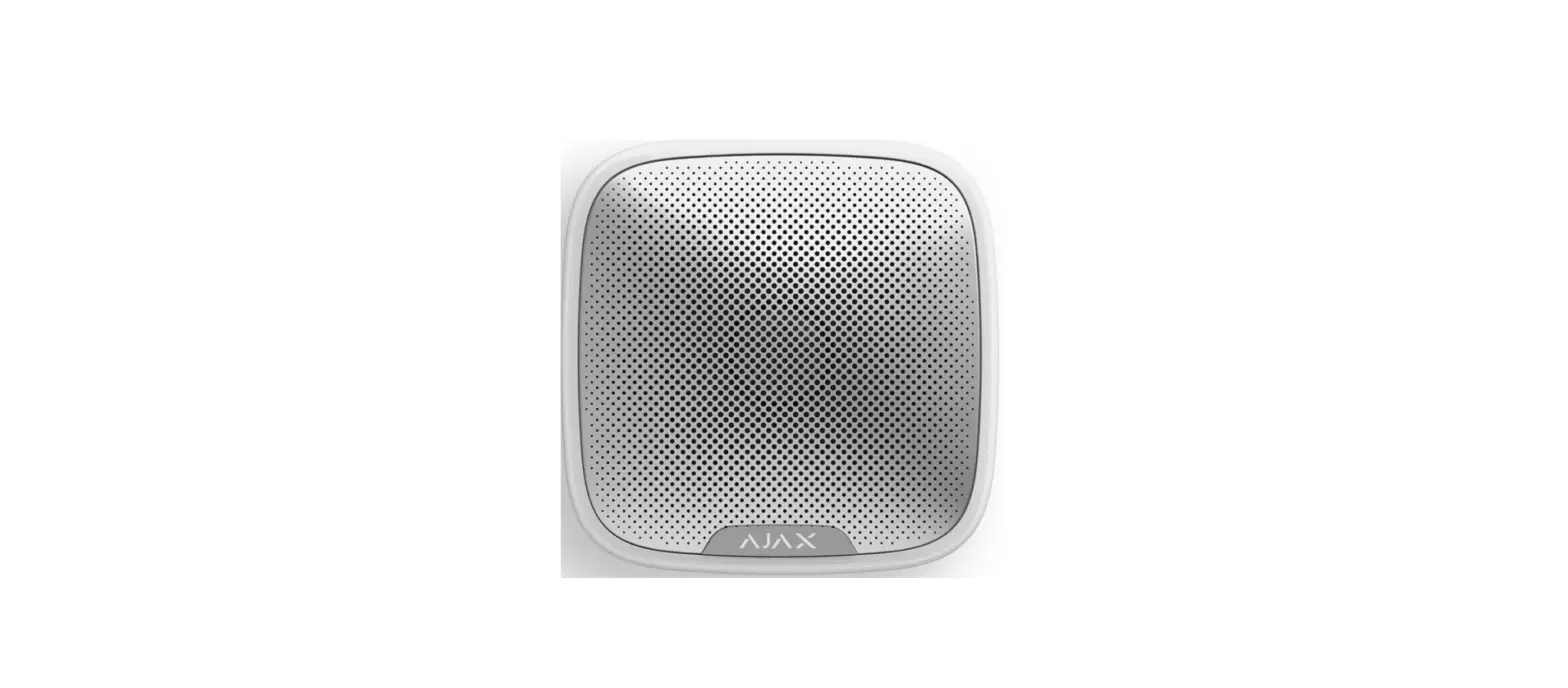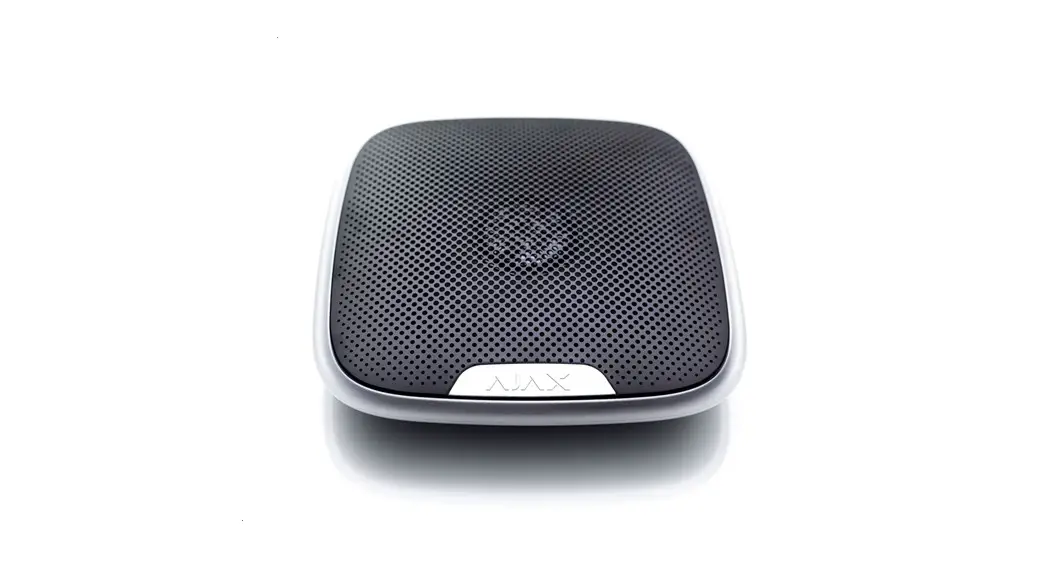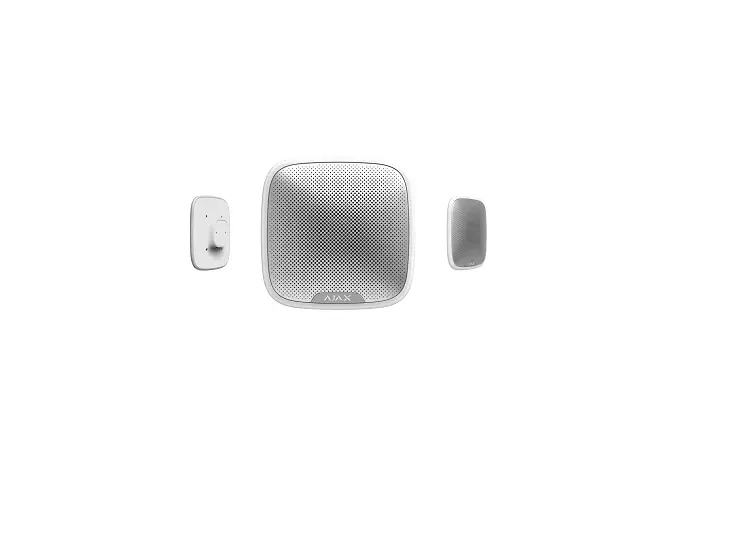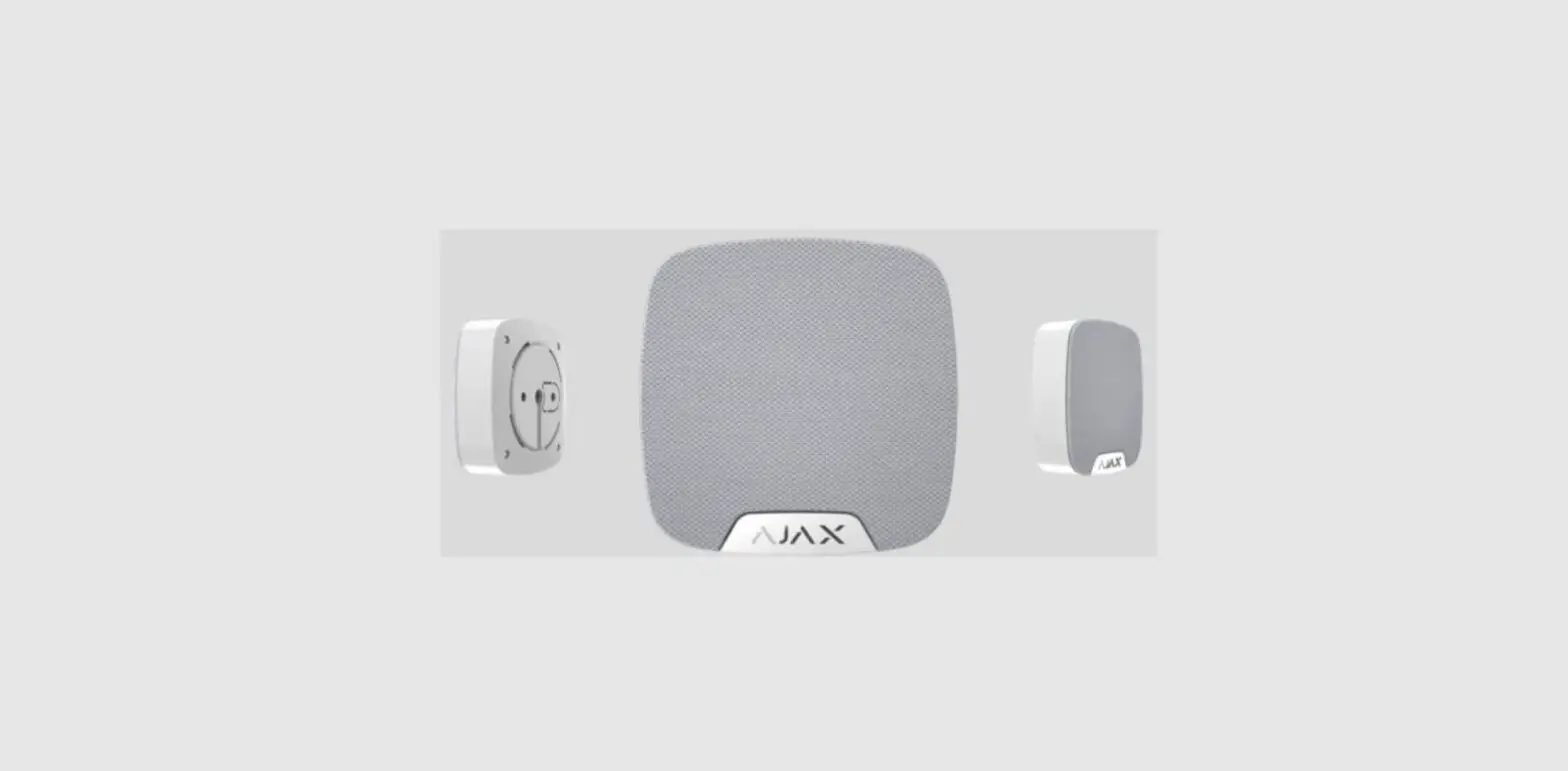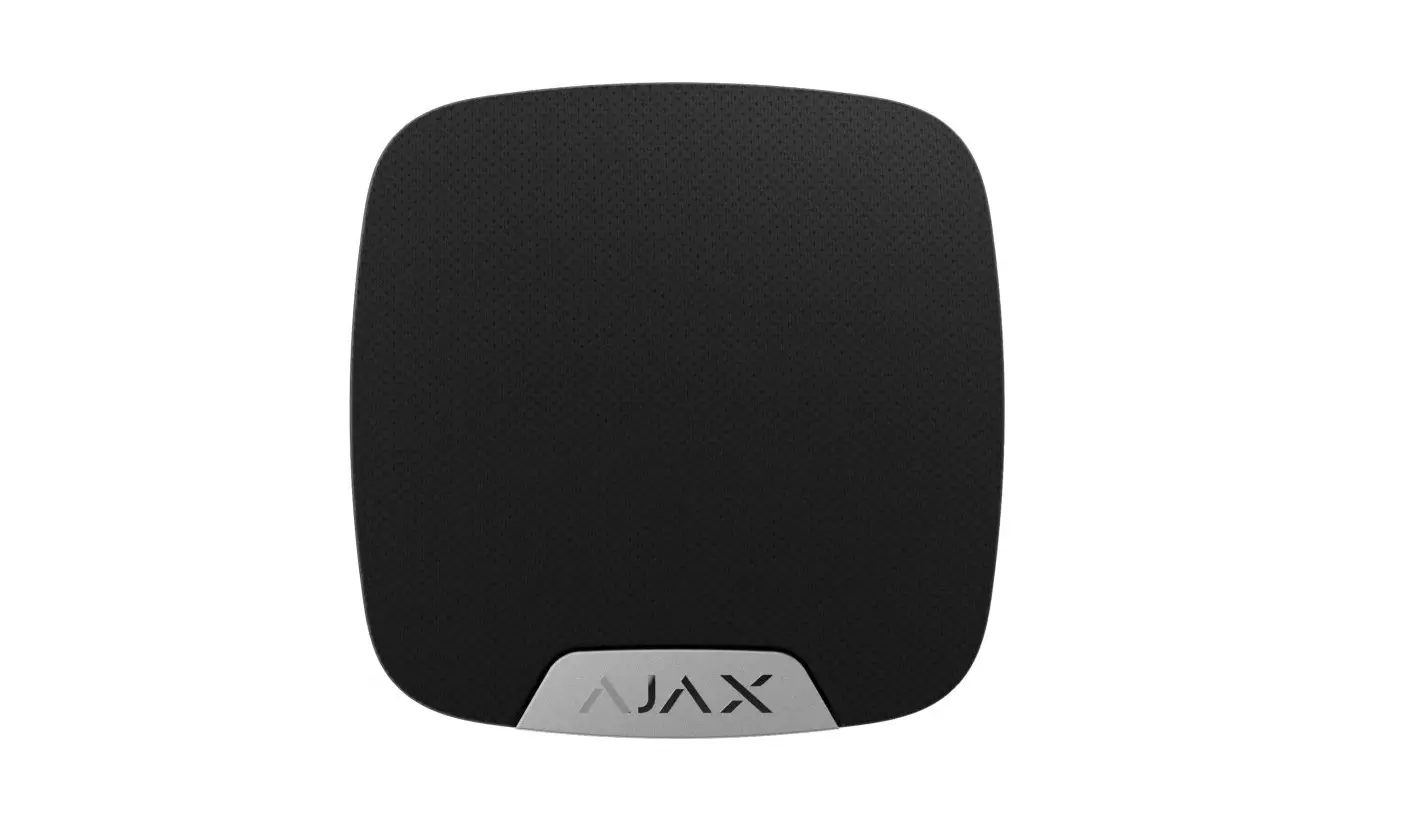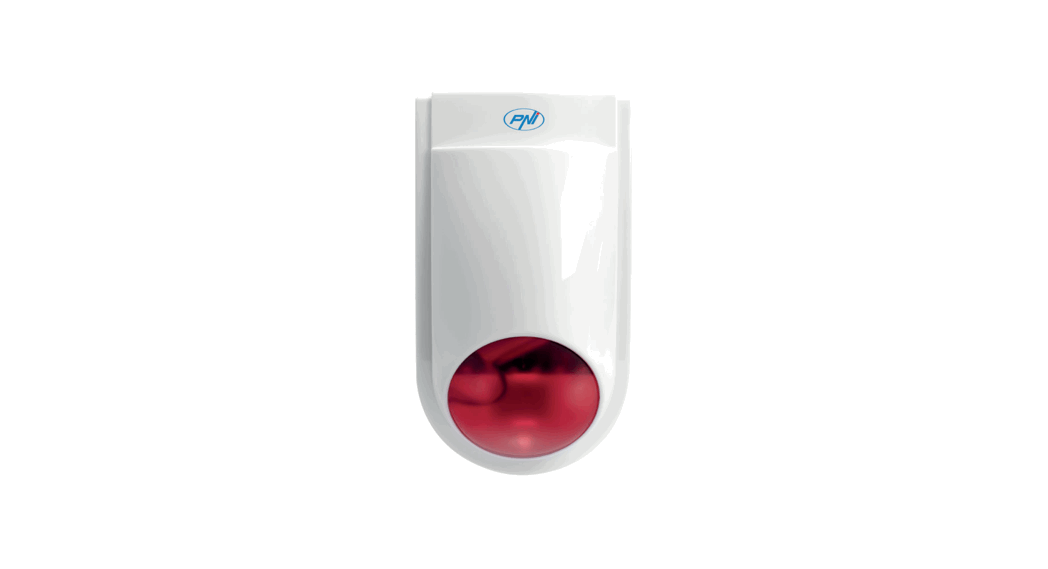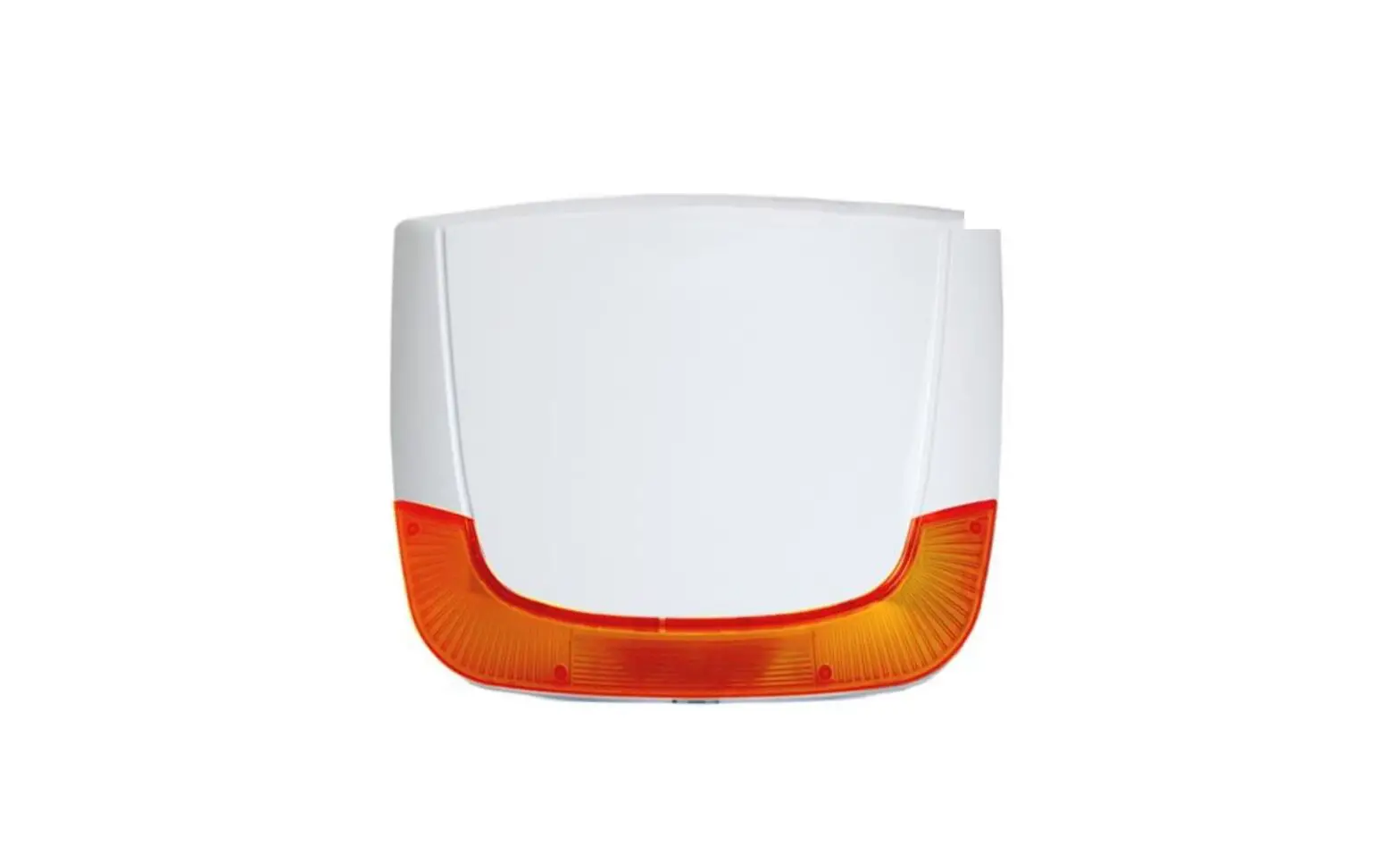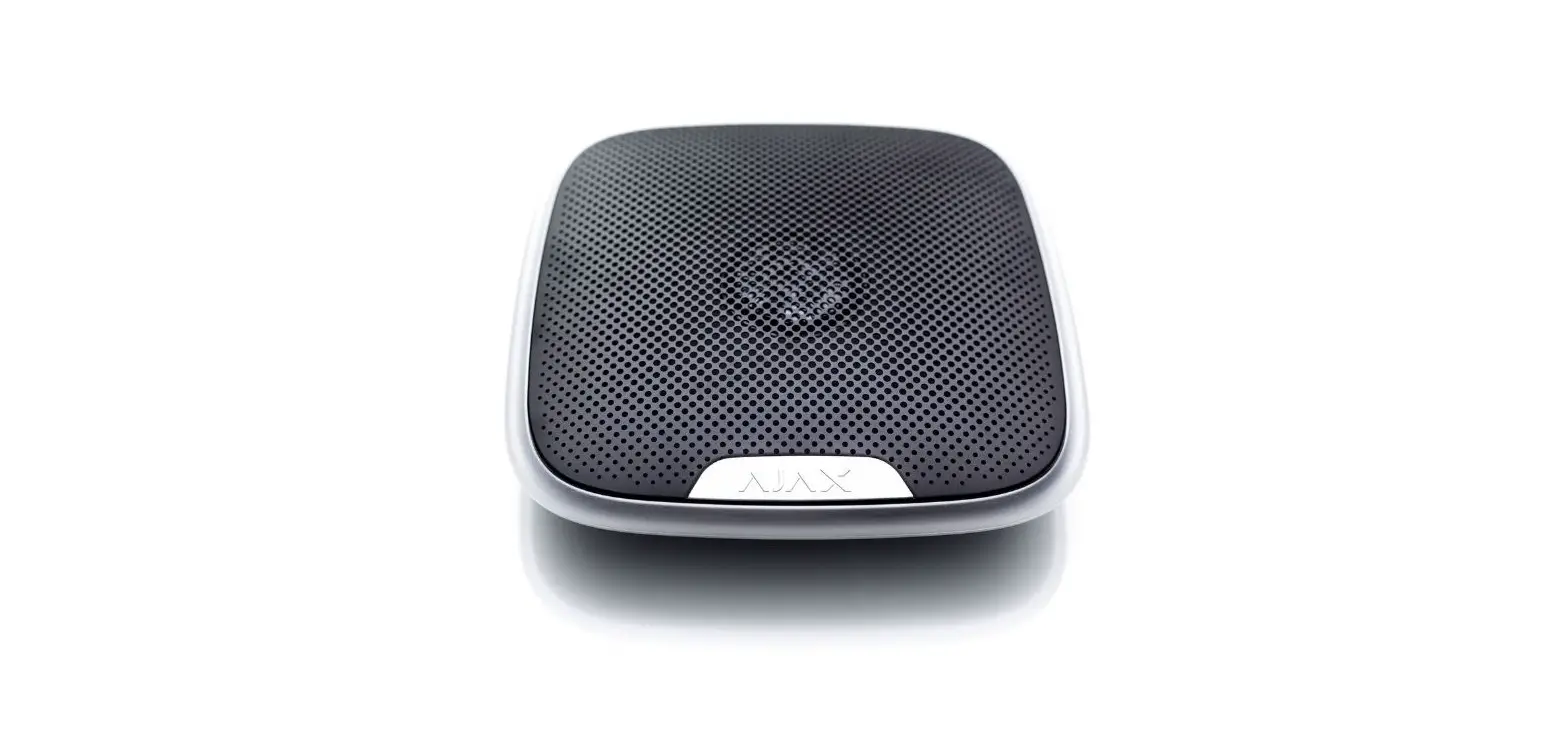

AJAX Street Siren Wireless Outdoor Siren

StreetSiren is a wireless outdoor alerting device with a sound volume of up to 113 dB. Equipped with a bright LED frame and pre-installed battery, StreetSiren can be quickly installed, set up, and operate autonomously up to 5 years.
Connecting to the Ajax security system via the secured Jeweller radio protocol, StreetSiren communicates with the hub at a distance of up to 1,500 m in line of sight.
The device is set up via the Ajax apps for iOS, Android, macOS, and Windows. The system notifies users of all events through push notifications, SMS, and calls (if activated).
The Ajax security system can be connected to a central monitoring station of a security company.
Functional elements
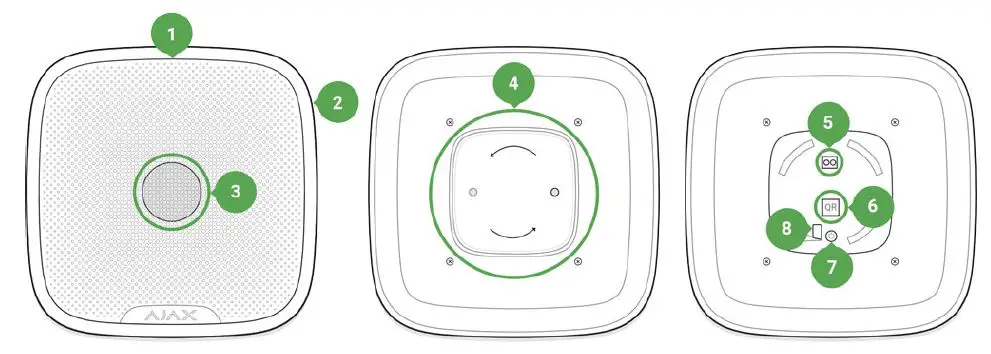
- LED frame
- Light indicator
- Siren buzzer behind the metal net
- SmartBracket attachment panel
- External power supply connection terminals
- QR code
- On/off button
- Place of fixing the SmartBracket panel with a screw
Operating Principle
StreetSiren significantly improves the eficiency of the security system.With a high probability, its loud alarm signal and light indication is suficient to attract the attention of neighbors and deter intruders. The siren can be seen and heard from far away due to the powerful buzzer and bright LED. When installed properly, it is hard to dismount and switch off the actuated siren: its body is sturdy, the metal net protects the buzzer, the power supply is autonomous, and the on/off button is locked during the alarm.
StreetSiren is equipped with a tamper button and an accelerometer. The tamper button is triggered when the device body is opened, and the accelerometer is activated when someone’s try to move or dismount the device.
Connecting
Before starting the connection:
- Following the hub user guide, install the Ajax app . Create an account, add the hub, and create at least one room.
- Switch on the hub and check the internet connection (via Ethernet cable and/or GSM network).
- Make sure that the hub is disarmed and does not update by checking its status in the Ajax app.
Note: Only users with administrator rights can pair the device with the hub
Pairing the device with the hub:
- Select Add Device in the Ajax app.
- Name the device, scan or type the QR code (located on the detector body and packaging), and select the location room.

- Tap Add — the countdown will start.
- Switch on the device by holding the power button for 3 seconds.

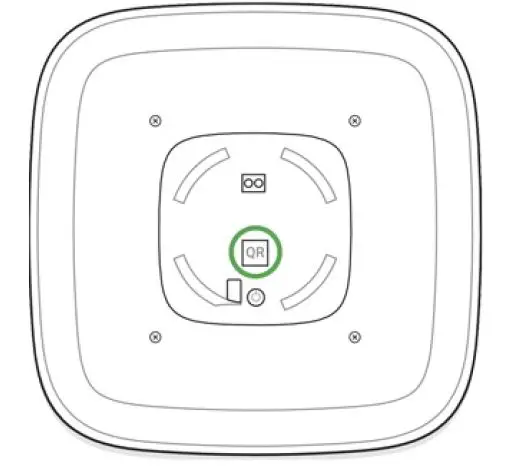
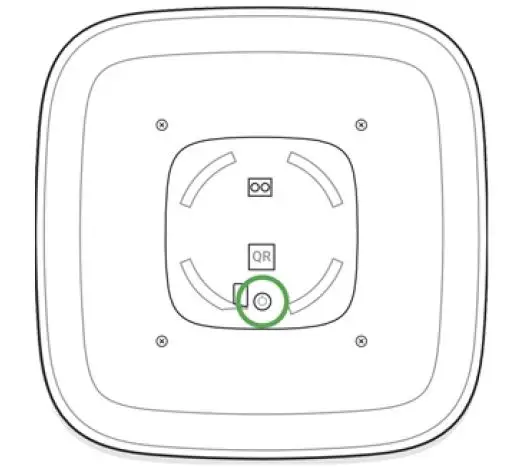
Note: The on/off button is recessed into the body of the siren and quite tight, you can use a thin solid object to press it.
For detecting and pairing to occur, the device should be located within the coverage of the wireless network of the hub (at the same protected object). The connection request is transmitted briey: at the moment of switching on the device.
StreetSiren switches off automatically after failing to connect to the hub. To retry the connection, you do not need to switch it off. If the device has already been assigned to another hub, switch it off and follow the standard pairing procedure.
The device connected to the hub appears in the list of devices in the app. The update of the detector statuses in the list depends on the device ping interval set in the hub settings (the default value is 36 seconds).
Icons
Icons display some of the StreetSiren states. You can view them in the Ajax app, in the Devices menu.
menu.
| Icon | Value |
 | Shows Jeweller signal strength between the hub/range extender and StreetSiren The recommended value is 2-3 bars |
 | Battery charge level How battery charge is displayed in Ajax apps |
 | Displayed if the device is working via a ReX radio signal range extender |
 | StreetSiren is temporarily of Learn more |
 | StreetSiren tamper triggering events are temporarily disabledLearn more |
States
Siren states can be found in the Ajax app:
- Go to the Devices
 tab.
tab. - Select StreetSiren from the list.
| Parameter | Value |
| Temperature | The temperature of the device which is measured on the processor and changes gradually. Displayed in 1°C increment. Acceptable error between the value in the app and temperature at the installation site: 2–4°C |
| Jeweller Signal Strength | Signal strength between the hub/range extender and siren. We recommend installing the siren in places with the signal strength of 2-3 bars |
| Connection | Connection status between the hub/range extender and StreetSiren: Online — the siren is connected to the hub/range extender |
| Battery Charge | Battery level of the device. Two states available: ОК Battery discharged How battery charge is displayed in Ajax apps |
| Lid | The tamper button state, which reacts to the opening of the device body |
| External Power | External power supply status of the siren: Connected — external 12 V power supply is connected to the siren Disconnected — siren powered by pre- installed batteries |
| Alarm Volume | Volume level in case of alarm Muted — the siren does not sound when the alarm is raised Quiet — 85 dB volume Loud — 100 dB volume Very loud — 113 dB volume The volume level is measured 1 m away from the siren |
| Alarm Duration, sec | Duration of the alarm sound’ from 3 to 180 seconds |
| Alert if Moved | The state of the accelerometer alarm |
| LED indication | If enabled, the siren LED blinks once every 2 seconds only when the system is armed |
| Beep when arming and disarming of the system | If enabled, the siren alerts you by backlighting the LED frame and a short beep when arming and disarming |
| Notify about arming/disarming of the Night mode | If enabled, the siren alerts you by backlighting the LED frame and a short beep when arming and disarming the system from the Night mode |
| Beep on Entry/Exit delay | If this option is enabled, the siren signals about a delay when entering/leaving (available with firmware version 3.50 or later) |
| Notify about the entry/exit delay in the Night mode | If this option is enabled, the siren beeps to signal about an entry/exit delay in the Night mode |
| Beep Volume | Volume of the audible notification signal about arming/disarming, entry/exit delay, opening |
| detector triggering:
Quiet — 88 dB volume
Loud — 94 dB volume
Very loud — 112 dB volume
The volume level was measured 1 m away from the siren | |
|
Temporary Deactivation | Shows the status of the device: active, completely disabled by the user, or only notifications about triggering of the device tamper button are disabled.
The option is available for StreetSiren with firmware version 3.71 and later. |
| Firmware | Siren firmware version |
| Device ID | Device identifier |
| Device No. | Number of the device loop (zone) |
Settings
To change the StreetSiren settings in the Ajax app:
- Select the hub if you have several of them or if you are using the PRO app.
- Go to the Devices tab.
- Select StreetSiren in the list.
- Go to Settings by clicking on the
 .
. - Set the required parameters.
- Click Back to save the new settings.
 .
.| Setting | Value |
| First field | Siren name that can be edited. The name of device you can see at notifications in the event |
| feed.
The name can contain up to 12 Cyrillic characters or up to 24 Latin symbols | |
| Room | Selecting the virtual room to which StreetSiren DoubleDeck is assigned. The room name you can see at notifications in the event feed |
|
Alarms in Group Mode | Selecting the group to which the siren is assigned. You can select one or all groups:
When assigned to a group, the siren and its indication are related to alarms and events of this group
When attached to all groups, the siren and its indication are related to alarms and events of all groups in the system
Regardless of the group selected, the siren will respond to Night Mode activation and alarms
|
|
Alarm Volume | The siren responds to system alarms with the selected volume:
Muted — the siren does not sound when the alarm is raised
Quiet — 85 dB volume Loud — 100 dB volume Very loud — 113 dB volume The volume level is measured 1 m away from the siren |
| Alarm Duration, sec | Determines how long the siren sounds in case of alarm: 3 to 180 seconds for each operation. Set in increments of 3 seconds |
| Alert if Moved | Alarm when the accelerometer is triggered: the siren is triggered if you turn the body or detach the device from the mount. |
| The built-in accelerometer takes 60 seconds to remember the normal position. Do not rush to check the performance of the function before this time expires | |
|
LED indication | LED indication of the siren settings:
Disabled — LED indication is off
Armed — LED blinks once every 2 seconds only when the system is armed
Constantly — LED blinks once every 2 seconds regardless of the mode state
More about indication |
| Beep Settings | Opens the siren notification settings. A detailed description of the settings is available below |
|
Volume Test | Switches the device to the volume test mode
|
|
Jeweller Signal Strength Test | Switching the siren to the Jeweller signal strength test mode. The test allows you to check the signal level between the hub and StreetSiren and determine the optimal installation location |
| Signal Attenuation Test | Switching the StreetSiren to the signal fade test mode (available in siren with firmware version 3.50 and later)
|
| User Guide | Opens the StreetSiren User Guide |
| Temporary Deactivation | Allows the user to disconnect the device without removing it from the system. Two options are available: |
| No — the device operates normally and transmits all events
Entirely — the device will not execute system commands or participate in automation scenarios, and the system will ignore device alarms and other notifications
Lid only — the system will ignore only notifications about the triggering of the device tamper button StreetSiren with firmware version 3.71 and later supports this function | |
| Unpair Device | Disconnects the siren from the hub and deletes its settings |
Siren beep settings
| Arming/Disarming | When this option is enabled, the siren warns of arming and disarming by lighting of the LED frame and by a short beep |
|
Night mode Activation/Deactivation | If enabled, the siren alerts you by backlighting the LED frame and a short beep when arming and disarming the system from the Night mode
|
|
Entry Delays | If this option is enabled, the siren beeps to signal about an entry delay
|
|
Exit Delays | If this option is enabled, the siren beeps to signal about an exit delay
|
| Entry Delays in Night Mode | If this option is enabled, the siren beeps to signal about an entry delay in the Night mode
|
|
Exit Delays in Night Mode | If this option is enabled, the siren beeps to signal about an exit delay in the Night mode
|
|
Beep volume | Selecting the volume level of the siren at the time of notification on arming/disarming or delay when entering/leaving and opening:
Quiet — 88 dB volume
Loud — 94 dB volume
Very loud — 112 dB volume
The volume level was measured 1 m away from the siren |
Setting up the processing of detector alarms
Through the Ajax app, you can configure which detector alarms can activate the siren. This can help to avoid situations when the security system noties of LeaksProtect detector alarm or any other device alarm. The parameter is adjusted in the detector or device settings:
- Sign in to the Ajax app.
- Go to the Devices menu.
- Select the detector or device.
- Go to its settings and set the necessary parameters for activating the siren.
Setting the tamper alarm response
The siren can respond to the tamper alarm of devices and detectors. The option is disabled by default. Note that the tamper reacts to the opening and closing of the body even if the system is not armed!
What is a tamper
For the siren to respond to tamper triggering, in Ajax app:
- Go to the Devicesmenu.
- Select the hub and go to its settings
- Select the Service menu.
- Go to Siren Settings.
- Enable the Alert with a siren if the hub or detector lid is open option.
Setting the response to pressing the panic button in the Ajax app
The siren can respond to pressing the panic button in Ajax apps. Note that the panic button can be pressed even if the system is disarmed!
For the siren to respond to pressing the panic button:
- Go to the Devicesmenu.
- Select the hub and go to its settings
- Select the Service menu.
- Go to Siren Settings.
- Enable the Alert with a siren if in-app panic button is pressed option.
Setting the siren after-alarm indication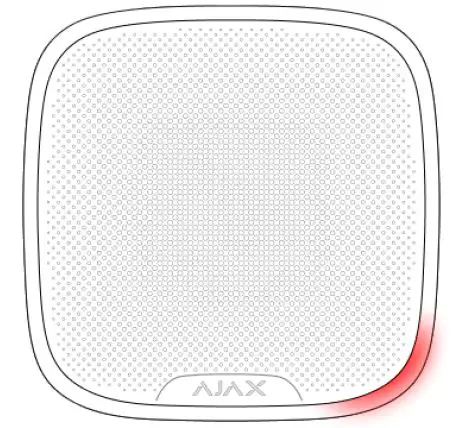
The siren can inform about triggerings in armed system by means of LED indication.
The option functions as follows:
- The system registers the alarm.
- The siren plays an alarm (duration and volume depend on settings).
- The lower right corner of the siren LED frame blinks twice (about once every 3 seconds) until the system is disarmed.
Thanks to this feature, system users and security companies patrols can understand that the alarm has occurred.
To enable the siren after-alarm indication, in Ajax PRO app
- Go to siren settings:
- Hub → Settings → Service → Siren Settings
- Hub → Settings
- Specify what events the sirens will inform about by double blinking before the security system is disarmed:
- Confirmed alarm
- Unconfirmed alarm
- Lid opening
- Select the sirens needed. Go back to Siren Settings. The set parameters will be saved.
- Click Back. All values will be applied.
Indication
| Event | Indication |
| Alarm | Emits an acoustic signal (the duration depends on the settings) and the LED frame blinks red |
|
An alarm was detected in the armed system (if after-alarm indication is enabled) | The siren LED frame blinks red twice in the lower right corner about every 3 seconds until the system is disarmed.
The indication turns on after the siren has completely played the alarm signal configured in settings |
| Switching on | The LED frame blinks once |
| Switching off | The LED frame lights up for 1 second, then blinks three times |
| Registration failed | The LED frame blinks 6 times in the corner then full frame blinks 3 times and the siren switches off |
| Security system is armed | The LED frame blinks one time and the siren |
| (if indication activated) | emits a short sound signal |
| Security system is disarmed (if the indication is activated) | The LED frame blinks two times and the siren emits two short sound signals |
|
The system is armed (if the indication is on) | No external power supply
The LED in the lower right corner lights up with a pause of 2 seconds
External power connected
If the firmware version is 3.41.0 or higher: the LED in the lower right corner is on continuously
If the firmware version is lower than 3.41.0: the LED in the lower right corner lights up with a pause of 2 seconds |
|
Low battery | The LED frame corner lights up and goes out when the system is armed/disarmed, the alarm goes off, in case of dismounting or unauthorized opening |
Performance Testing
The Ajax security system allows conducting tests for checking the functionality of connected devices.
The tests do not start straight away but within a period of 36 seconds when using the standard settings. The test time start depends on the settings of the detector polling period (the Jeweller menu settings in hub settings).
Volume Level Test
Jeweller Signal Strength Test
Attenuation Test
Installing
The location of the siren depends on its remoteness from the hub, and obstacles hindering the radio signal transmission: walls, floors, large objects.
If the signal level is low (one bar), we cannot guarantee stable operation of the detector. Take all possible measures to improve the quality of the signal. At least, move the detector: even a 20 cm shift can significantly improve the quality of signal reception. If the detector has low or unstable signal strength even after moving, use a ReX radio signal range extender.
StreetSiren is protected from dust/moisture (IP54 class), which means it can be placed outdoors. The recommended installation height is 2.5 meters and higher. Such a height hinders access to the device for intruders. When installing and using the device, follow the general electrical safety rules for electrical appliances, as well as the requirements of regulatory legal acts on electrical safety.
Note: It is strictly prohibited to disassemble the device under voltage! Do not use the device with a damaged power cord.
Mounting
Before mounting StreetSiren, make sure that you have selected the optimal location and it is in compliance with the guidelines of this manual!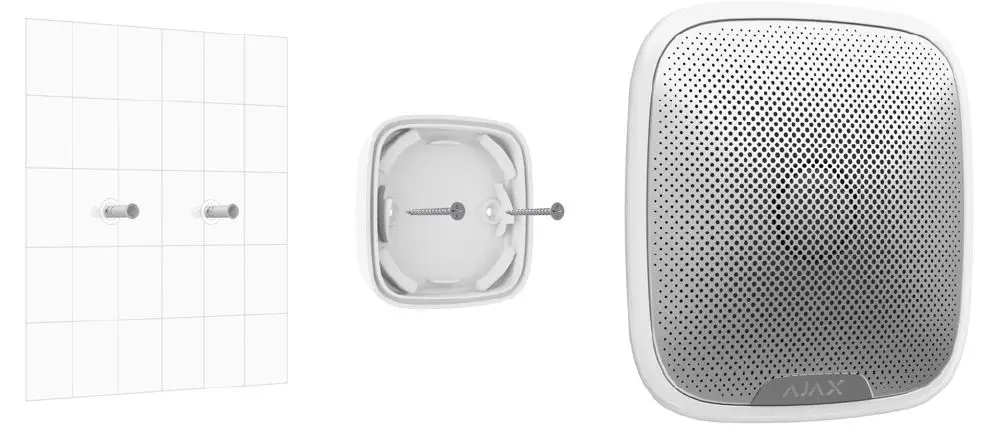
Installation process
- If you are going to use an external power supply (12 V), drill a hole for the wire in SmartBracket. Before installation, make sure that there the wire insulation is not damaged!
- Fix SmartBracket to the surface with bundled screws. If using any other attaching hardware, make sure that they do not damage or deform the panel.

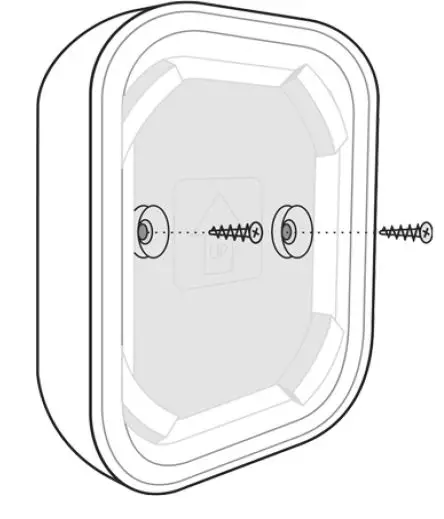
Using the double-sided adhesive tape is not recommended either for a temporary nor permanent fixing. - Put StreetSiren on the SmartBracket panel and turn it clockwise. Fix the device with a screw. Fixing the siren to the panel with a screw makes it dificult for intruders to remove the device quickly.
Do not install the siren:
- near metal objects and mirrors (they can interfere with the RF signal and cause it to fade);
- in the places were its sound can be mufied;
- closer than 1 m from the hub.
Maintenance
Check the operational capability of StreetSiren regularly. Clean the siren body from dust, spider web, and other contaminants as they appear. Use a soft dry napkin suitable for tech equipment. Do not use any substances containing alcohol, acetone, gasoline, and other active solvents to clean the detector.
StreetSiren can operate up to 5 years from pre-installed batteries (with the detector ping interval of 1 minute) or approximately 5 hours of constant signaling with buzzer. When the battery is low, the security system notifies the user, and the LED frame corner smoothly lights up and goes out when arming/disarming or when the alarm goes off, including dismounting or unauthorized opening.
How long Ajax devices operate on batteries, and what affects this
Battery Replacement
Tech specs
| Type of notification | Sound and light (LEDs) |
| Sound notification volume | 85 dB to 113 dB at a distance of 1 m (adjustable) |
| Operating frequency of the piezo annunciator | 3.5 ± 0.5 kHz |
| Protection against dismounting | Accelerometer |
| Frequency band | 868.0 – 868.6 MHz or 868.7 – 869.2 MHz depending on the region of sale |
| Compatibility | Operates with all Ajax hubs, and range extenders |
| Maximum RF output power | Up to 25 mW |
| Modulation of the signal | GFSK |
|
Radio signal range | Up to 1,500 m (any obstacles absent)
|
| Power supply | 4 × CR123A, 3 V |
| Battery life | Up to 5 years |
| External supply | 12 V, 1.5 A DC |
| Body protection level | IP54 |
| Installation method | Indoors/outdoors |
| Operating temperature range | From -25°С to +50°С |
| Operating humidity | Up to 95% |
| Overall dimensions | 200 × 200 × 51 mm |
| Weight | 528 g |
| Service life | 10 years |
| Certification | Security Grade 2, Environmental Class III in conformity with the requirements of EN 50131-1, EN 50131-4, EN 50131-5-3 |
Complete Set
- StreetSiren
- SmartBracket mounting panel
- Battery CR123A (pre-installed) — 4 pcs
- Installation kit
- Quick Start Guide
Warranty
Warranty for the “AJAX SYSTEMS MANUFACTURING” LIMITED LIABILITY COMPANY products is valid for 2 years after the purchase and does not apply to the pre-installed battery.
If the device does not work correctly, you should first contact the support service —in half of the cases, technical issues can be solved remotely!
The full text of the warranty
Technical support: [email protected]
References
 End user agreement - Ajax Systems
-
Jeweller radio technology | Ajax Systems
-
Current product lines of the Ajax security system
-
Current product lines of the Ajax security system
-
ocBridge Plus — Module for Ajax devices integration with wired systems
-
ReX — Intelligent radio signal range extender | Ajax Systems
-
StreetSiren — Wireless outdoor siren | Ajax Systems
-
uartBridge — Module for Ajax devices integration with third-party wireless alarms systems
-
Jeweller and Wings radio protocols in the Ajax security system
-
Software | Ajax Systems
-
Software | Ajax Systems
-
Ajax devices standards compliance list
-
Warranty - Ajax Systems
-
How to enable and configure group mode in the Ajax security system | Ajax Systems Support
-
How battery charge is displayed in Ajax apps | Ajax Systems Support
-
What is a tamper | Ajax Systems Support
-
What is Volume Level Test | Ajax Systems Support
-
How long Ajax devices operate on batteries, and what affects this | Ajax Systems Support
-
How to temporarily deactivate a device without removing it from the system | Ajax Systems Support
-
How to replace batteries in StreetSiren? | Ajax Systems Support
-
What is Attenuation Test | Ajax Systems Support
-
What is Delay When Entering/Leaving | Ajax Systems Support
-
What is Night Mode and how does it work? | Ajax Systems Support
-
What is Jeweller Signal Strength Test | Ajax Systems Support
 End user agreement - Ajax Systems
 How to enable and configure group mode in the Ajax security system | Ajax Systems Support