 Sharp NEC Display Solutions
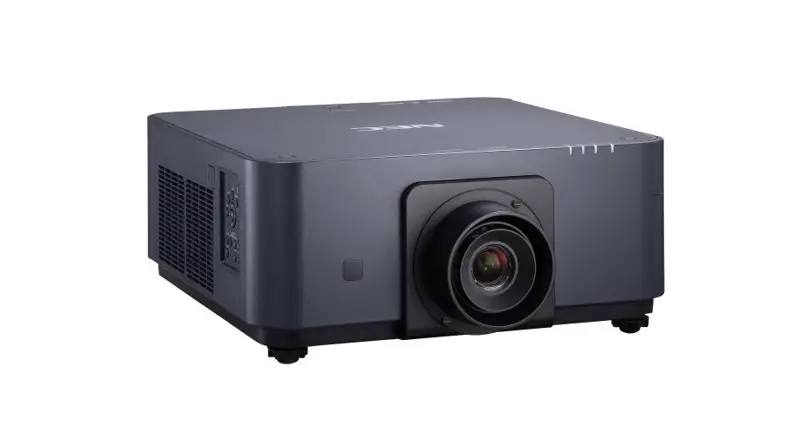
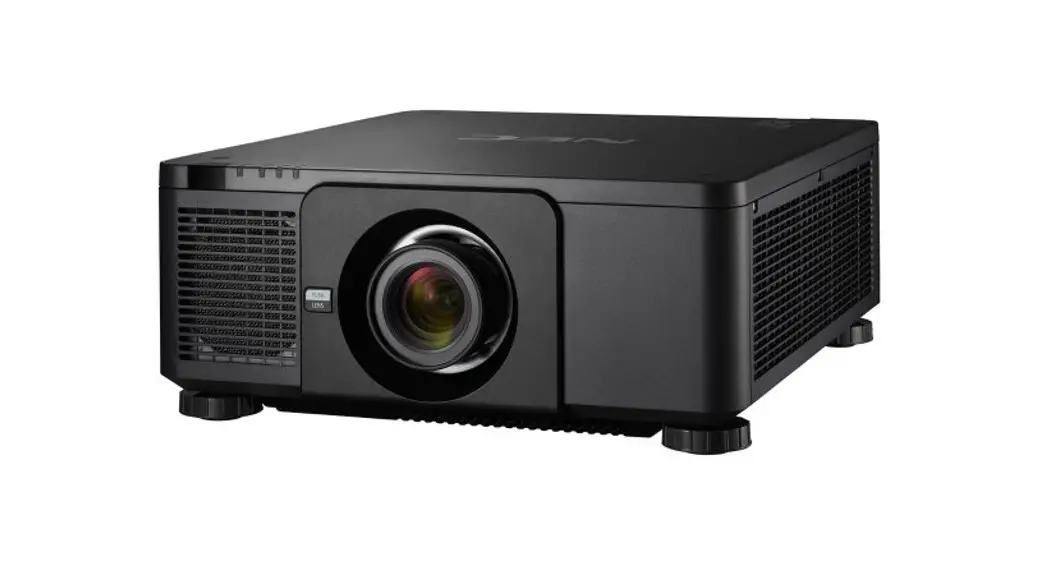
PX1005QL Installation Guide
Desktop and Ceiling Mount
Rev 1.7
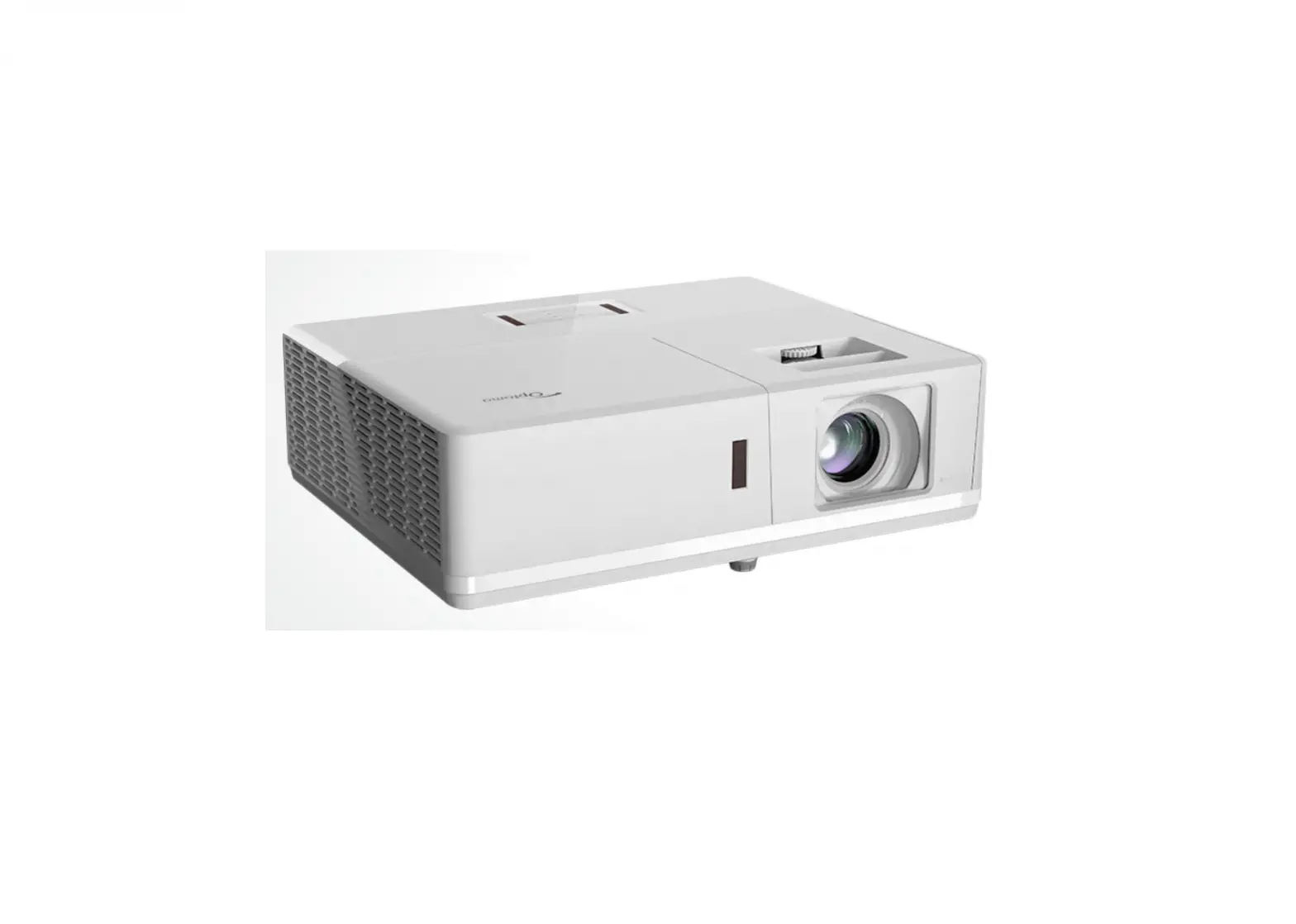
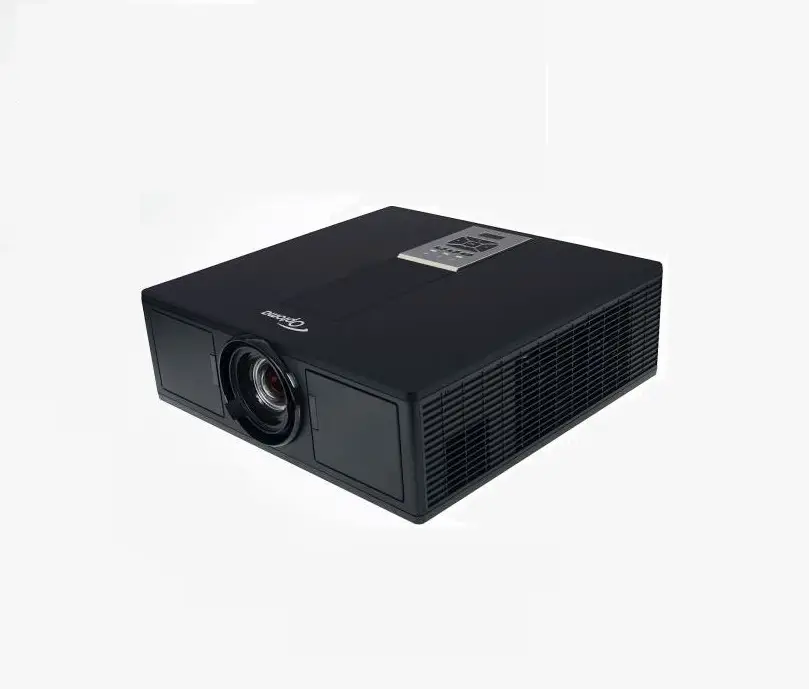
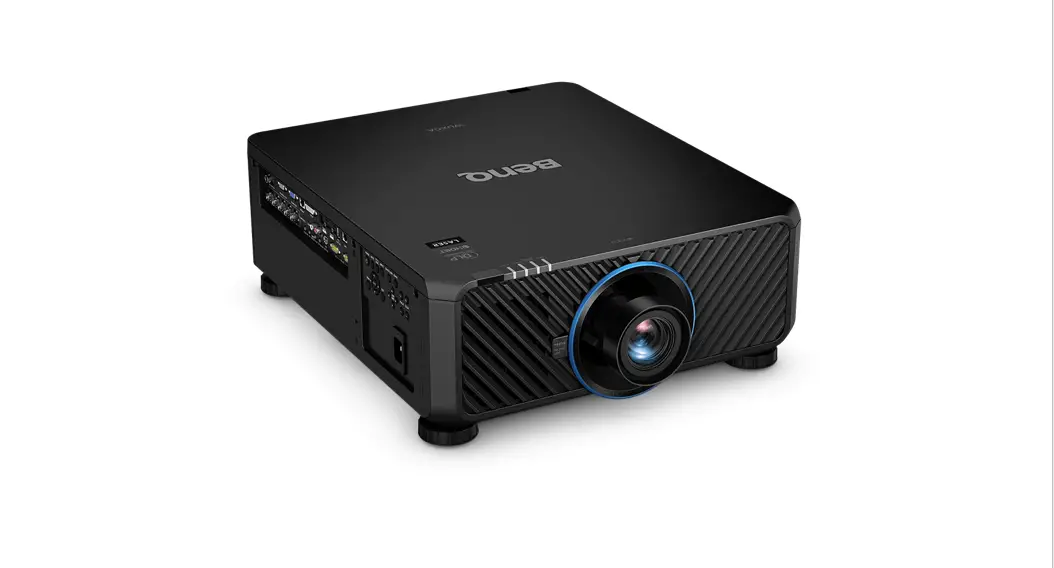
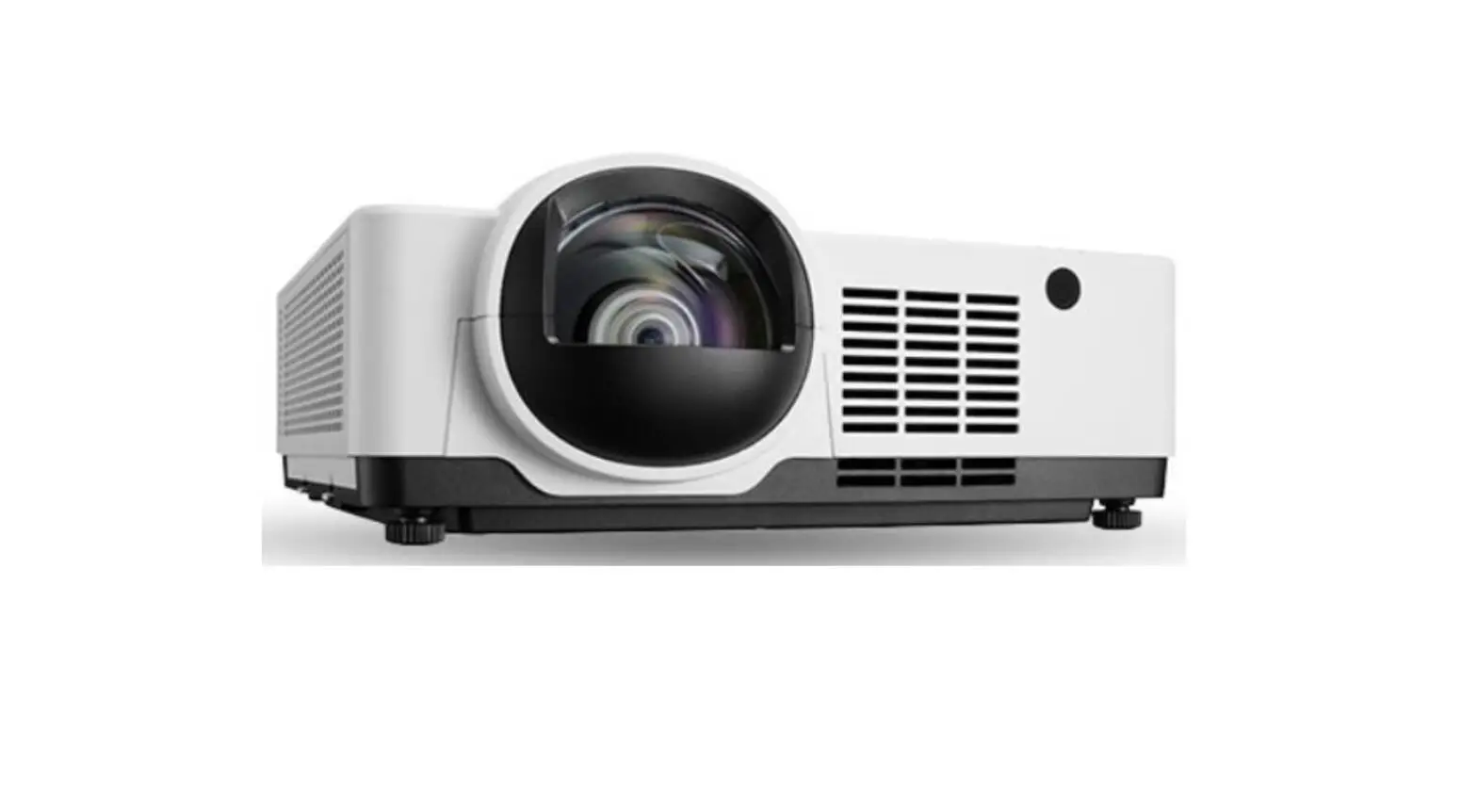
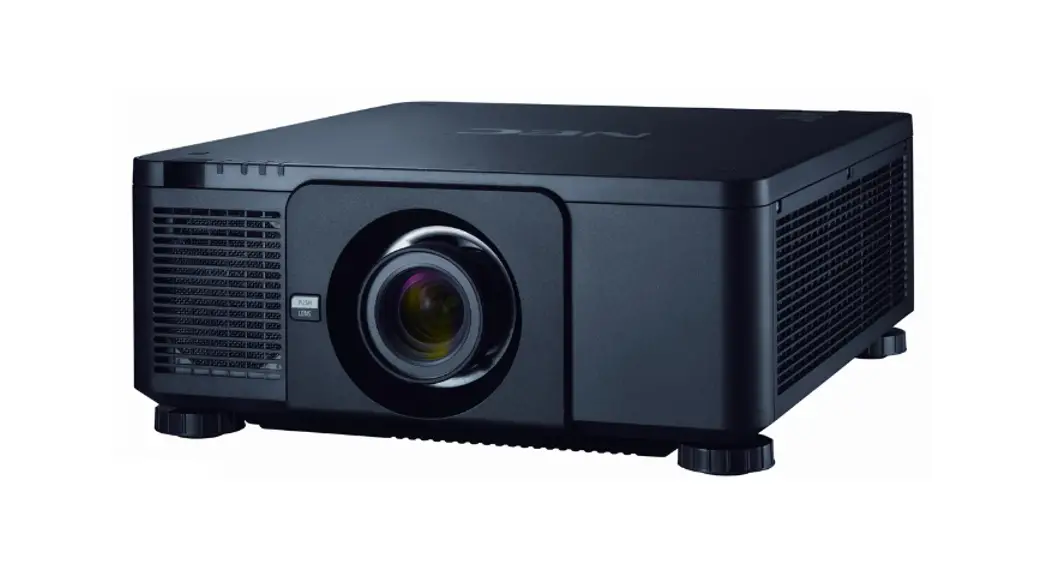
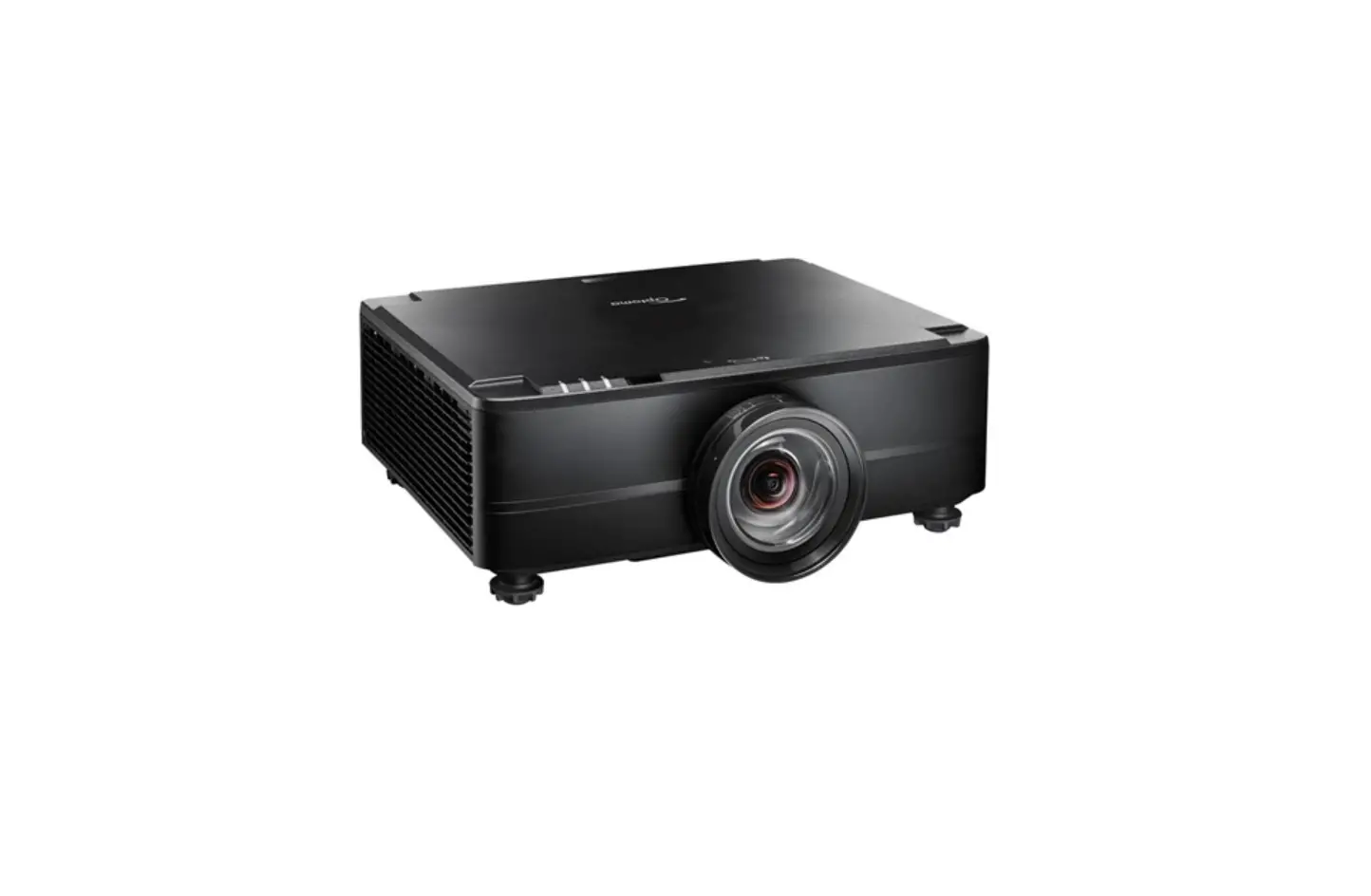
Product Description
| Type: | 1 chip DMD Reflection Type 0.66 in. TRP DMD |
| DMD Resolution: | 2716 x 1528 (16:9) WQXGA |
| Output Resolution: | 3840 x 2160 (16:9) UHD |
| Fan Noise: | 42 dB / 39dB @ 1 meter |
| Power Consumption: | 1222W (max) |
| Dimensions: | 19.7” (W) x 8.49” (H) x 23.0” (D) |
| Weight: | 68.8 lbs. / 31.2kg |
| Brightness: | 10,000 Lumens |
| BTU’s: | 4166 BTU/hour |
Network Ready, RJ45
Powered: Lens Shift, Horizontal & Vertical /Zoom/ Focus
Lens Specifications
| NP39ML-4K: | Throw Ratio: – 0.38:1 Screen Sizes: 85″-350″ | Focal Length: 11.4mm F/#: 1.85 | Weight: | 6.0Ibs. / 2.7kg |
| NP16FL-4K: | Throw Ratio: – 0.76:1 Screen Sizes: 50″-300″ | Focal Length: 11.6mm F/#: 1.85 | Weight: | 3.3lbs. / 1.5kg |
| NP17ZL-4K: | Throw Ratio: 1.24 – 1.78:1 Screen Sizes: 50″-300″ | Focal Length: 18.7 – 26.5nnm F/#: 1.85 | Weight: | 2.0Ibs. / 0.9kg |
| NP18ZL-4K: | Throw Ratio: 1.71 – 2.25:1 Screen Sizes: 50-300″ | Focal Length: 26.0 – 34.0nnnn F/#: 1.70-1.90 | Weight: | 2.4Ibs. / 1.1kg |
| NP19ZL-4K: | Throw Ratio: 2.20 -3.67:1 Screen Sizes: 50-300″ | Focal Length: 32.9 – 54.2mm F/#: 1.86 – 2.48 | Weight: | 1.9Ibs. / 0.84kg |
| NP2OZL-4K: | Throw Ratio: 3.54 – 5.36:1 Screen Sizes: 50″-300″ | Focal Length: 52.8 – 79.1 mm F/#: 1.85-2.41 | Weight: | 2.2lbs. / 1.0kg |
| NP21ZL-4K: | Throw Ratio: 5.25 – 8.28:1 Screen Sizes: 50″-300″ | Focal Length: 78.5 -121.9mm F/#: 1.85-2.48 | Weight: | 2.2lbs. / 1.0kg |
| NP31ZL-4K: | Throw Ratio: 0.74 – 0.93:1 Screen Sizes: 50-300″ | Focal Length: 11.3 -14.1 mm F/#: 1.96-2.3 | Weight: | 3.1Ibs. / 1.4kg |
Screen/Aspect Ratio
4:3, 16:9, and 16:10 screens are fully supported with proper aspect ratio control for both types of sources using NEC-developed scaling technology. Menu selections have settings for each screen type and aspect ratio control for each source type.
Notes
- For screen sizes not indicated on the projection tables, use the formulas below.
If the figures on the tables do not match the results of formulas, use the figures in the table. - Distances are in inches, for millimeters multiply by 25.4.
- Distances may vary ±5%.
Formulas: 16:9 Aspect Ratio (UHD)
The Projection Formulas use the image width for calculation. Image width is the same for all aspect ratios, only vertical image size varies. For proper projector placement, determine the image width for the desired screen size. Use the Screen Formulas below to calculate all screen dimensions. Plugin the image width for “W” in the Projection Formulas.
Refer to the diagrams and charts for popular screen sizes on pages 2 and 3:
Projection Formulas:
| NP16FL-4K: | C = 0.794W – 1.85 |
| NP17ZL-4K: | C(Wide) = 1.269W – 2.091 —— C(Tele) = 1.802W – 1.910 |
| NP18ZL-4K: | C(Wide) = 1.748W – 2.673 —— C(Tele) = 2.290W – 2.633 |
| NP19ZL-4K: | C(Wide) = 2.241W – 3.150 —— C(Tele) = 3.713W – 3.114 |
| NP20ZL-4K: | C(Wide) = 3.618W – 5.319 —— C(Tele) = 5.434W – 5.299 |
| NP21ZL-4K: | C(Wide) = 5.412W – 11.622 —- C(Tele) = 8.438W – 11.531 |
| NP31ZL-4K: | C(Wide) = 0.768W – 1.795 —— C(Tele) = 0.953W – 1.705 |
| NP39ML-4K: | Ultra-Short Throw lens (See page 3 for Formulas) |
Definitions:
W = Image Width
H = Image Height (size)
C = Throw distance
16:9 Screen Formulas
W = H x 16/9
H = W x 9/16
Screen Diagonal = W x 18.358/16
Distance Chart
Screen Size (16:9) | Rear Lens | Zoom Lenses | ||||||||||||||||||||
| NP16FL-4K | NP31ZL-4K | NP17ZL-4K | NP18ZL-4K | NP19ZL-4K | NP20ZL-4K | NP21ZL-4K | ||||||||||||||||
Diagonal | Width(W) | Height (H) | 0.76:1 | 0.74-0.93:1 | 1.24-1.78:1 | 1.71-2.25-1 | 2.20-3.67:1 | 3.54-5.36:1 | 5.25-8.28:1 | |||||||||||||
inches | inches | inches | inches | inches | inches | inches | inches | inches | inches | |||||||||||||
| 30 | 26 | 15 | 18.9 | 18.3 | – | 23.2 | 31.1 | – | 45.2 | 43.0 | – | 57.2 | 55.4 | – | 94.0 | 89.3 | – | 136.8 | 129.9 | – | 209.1 | |
| 59 | 51 | 29 | 39.0 | 37.7 | – | 47.3 | 63.2 | – | 90.8 | 87.2 | – | 115.1 | 112.1 | – | 187.8 | 180.7 | – | 274.1 | 266.7 | – | 422.4 | |
| 67 | 58 | 33 | 44.5 | 43.1 | – | 53.9 | 72.0 | – | 103.3 | 99.4 | – | 131.1 | 127.7 | – | 213.7 | 206.0 | – | 312.0 | 304.4 | – | 481.2 | |
| 70 | 61 | 34 | 46.6 | 45.1 | – | 56.4 | 75.3 | – | 108.0 | 104.0 | – | 137.1 | 133.6 | – | 223.4 | 215.4 | – | 326.2 | 318.6 | – | 503.3 | |
| 83 | 72 | 41 | 55.6 | 53.8 | – | 67.2 | 89.7 | – | 128.4 | 123.8 | – | 163.0 | 159.0 | – | 265.5 | 256.4 | – | 387.8 | 379.9 | – | 598.9 | |
| 106 | 92 | 52 | 71.5 | 69.2 | – | 86.3 | 115.1 | – | 164.6 | 158.8 | – | 208.9 | 203.9 | – | 339.9 | 328.9 | – | 496.7 | 488.4 | – | 768.0 | |
| 110 | 96 | 54 | 74.3 | 71.8 | – | 89.7 | 119.6 | – | 170.8 | 164.9 | – | 216.9 | 211.7 | – | 352.9 | 341.5 | – | 515.7 | 507.2 | – | 797.4 | |
| 126 | 110 | 62 | 85.3 | 82.5 | – | 102.9 | 137.3 | – | 196.0 | 189.3 | – | 248.8 | 242.9 | – | 404.6 | 392.0 | – | 591.4 | 582.7 | – | 915.1 | |
| 133 | 116 | 65 | 90.2 | 87.2 | – | 108.8 | 145.0 | – | 207.0 | 199.9 | – | 262.8 | 256.6 | – | 427.3 | 414.1 | – | 624.6 | 615.7 | – | 966.6 | |
| 159 | 139 | 78 | 108.2 | 104.6 | – | 130.4 | 173.8 | – | 247.8 | 239.6 | – | 314.7 | 307.4 | – | 511.4 | 496.1 | – | 747.7 | 738.4 | – | 1157.8 | |
| 184 | 160 | 90 | 125.5 | 121.4 | – | 151.1 | 201.4 | – | 287.1 | 277.6 | – | 364.6 | 356.2 | – | 592.3 | 574.9 | – | 866.1 | 856.3 | – | 1341.6 | |
| 202 | 176 | 99 | 137.9 | 133.4 | – | 166.1 | 221.3 | – | 315.3 | 305.1 | – | 400.5 | 391.4 | – | 650.6 | 631.6 | – | 951.4 | 941.2 | – | 1474.0 | |
| 220 | 192 | 108 | 150.4 | 145.5 | – | 181.0 | 241.2 | – | 343.6 | 332.5 | – | 436.5 | 426.5 | – | 708.8 | 688.4 | – | 1036.6 | 1026.1 | – | 1606.4 | |
| 263 | 229 | 129 | 180.1 | 174.2 | – | 216.7 | 288.8 | – | 411.1 | 398.0 | – | 522.3 | 510.5 | – | 848.0 | 824.0 | – | 1240.3 | 1228.9 | – | 1922.6 | |
| 299 | 261 | 147 | 205.1 | 198.3 | – | 246.6 | 328.6 | – | 467.7 | 452.8 | – | 594.1 | 580.8 | – | 964.5 _ | 937.5 | – | 1410.8 | 1398.7 | – | 2187.4 | |
Formulas: 16:9 Aspect Ratio (UHD)
The Projection Formulas use the image width for calculation. Image width is the same for all aspect ratios, only vertical image size varies. For proper projector placement, determine the image width for the desired screen size. Use the Screen Formulas below to calculate all screen dimensions. Plugin the image width for “W” in the Projection formulas.
Refer to the diagrams and charts for popular screen sizes on pages 2 and 3:
Projection Formulas:
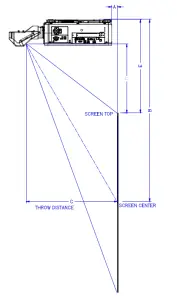
NP39ML-4K:
A=(0.348*W)-30.6
B=0.588*W
C=(0.348*W)+2.488
D=(0.284*W)-2.262
E=(0.284*W)+5.738
Definitions:
W = Image Width
H = Image Height (size)
C = Throw distance
16:9 Screen Formulas
W = H x 16/9
H = W x 9/16
Screen Diagonal = W x 18.358/16
NP39ML-4 Installation
Screen Size (16:9) | A | B | C | D | E | ||
Diagonal | Width(W) | Height (H) | |||||
| inches | inches | inches | inches | inches | inches | inches | inches |
| 107 | 93 | 52 | 2 | 55 | 35 | 24.2 | 32.2 |
| 113 | 98 | 55 | 4 | 58 | 37 | 257 | 33.7 |
| 130 | 113 | 64 | 9 | 67 | 42 | 29.9 | 37.9 |
| 137 | 119 | 67 | 11 | 70 | 44 | 31.6 | 39.6 |
| 164 | 143 | 80 | 19 | 84 | 52 | 38.3 | 46.3 |
| 189 | 165 | 93 | 27 | 97 | 60 | 44.5 | 52.5 |
| 208 | 181 | 102 | 32 | 107 | 66 | 49.2 | 57.2 |
| 226 | 197 | 111 | 38 | 116 | 71 | 53.7 | 61.7 |
| 270 | 235 | 132 | 51 | 138 | 84 | 64.6 | 72.6 |
| 300 | 261 | 147 | 60 | 154 | 93 | 72.0 | 80.0 |
| 350 | 305 | 172 | 76 | 179 | 109 | 84.4 | 92.4 |
Ceiling Mount Installation
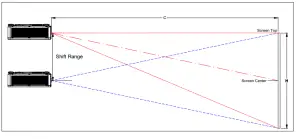
Note: Lens Shift Feature is not available for the NP16F-4KL.This lens should only be used for “zero degrees”/” no offset” applications.
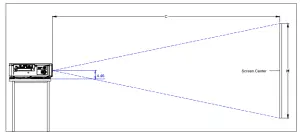
Lens Shift Adjustable Range
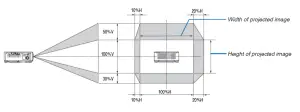
Lens Shift Range for Desktop and Ceiling Mount Application
The diagram below shows the location of the image position in the lens. The lens can be shifted within the shaded area as shown using the normal projection position as a starting point.
Note: The lens shift feature is not available with NP16FL-4K (rear lens).NP16FL-4K should be used only for “zero degrees” / no offset” applications.
Note: Projector is set out of the box at maximum lens shift, which is how it is depicted above. (W: width of the projected image, H: height of the projected image)
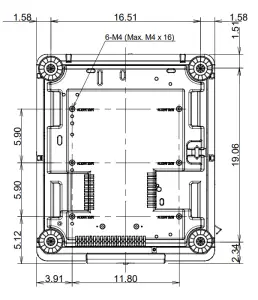
Cabinet Dimensions
The following diagrams show the cabinet dimensions for the PX1005QL.
Dimensions are in inches. For millimeters multiply by 25.4.
Note: Dimensions are below shown without a lens
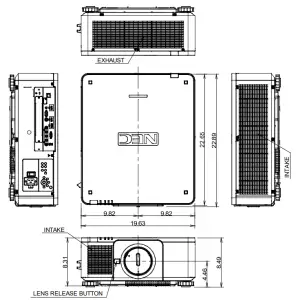
Cabinet Dimensions
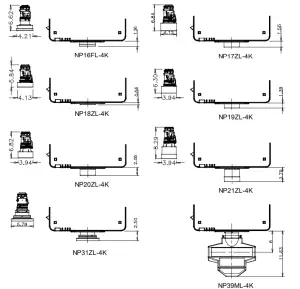
Optional Lens Dimensions
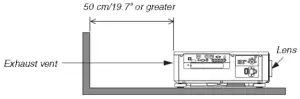
Ventilation Requirements
- If there are walls on both sides of the projector :

- If there’s a wall behind the projector :

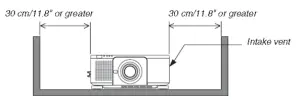
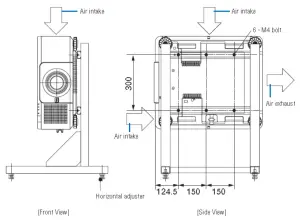
Portrait Requirements
Reference drawings
The drawing showing the dimensional requirements is not an actual stand design drawing.
(Unit. mm)
Regulatory Labels
 CAUTION
POSS48LY HAZARDOUS OPTICAL RADIATION EMITTED FROM THIS PRODUCT.
0O NOT STA£ AT OPERATING LAMP.
IT MAY BE HARMFUL TO THE EYES,
R4SK GROUP2 IC 62471.2006 COMPLIES WITH 21 CFR 1040.10
AND 1040,11 EXCEPT FOR DEVIATIONS
PURSUANT TO LASER NOTICE N, S0,
DATED JUNE 24, 2007
LASER RADA TON
AVOID DIRECT EYE EXPOSURE CLASS 3R LASER PRODUCT
WAVELENGTH: 450-460 nm
MAX. PULSE ENERGY 0,76ml
PULSE DURA TON 0.74 ms
I£GI£N 608251.200
CUA$$ 1 LASER PRODUCT
EC/EN 60825+1 2014
LASER APERTURE
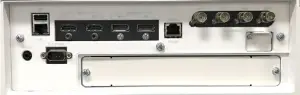
Input Panel
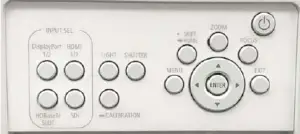
Control Panel
PC Control Codes
| Function | Code Data | |||||||
| POWER ON | 02H | OOH | OOH | OOH | OOH | 02H | ||
| POWER OFF | 02H | 01H | OOH | OOH | OOH | 03H | ||
| INPUT SELECT HDMI 1 | 02H | 03H | OOH | OOH | 02H | 01H | A1H | A9H |
| INPUT SELECT HDMI 2 | 02H | 03H | OOH | OOH | 02H | 01H | A2H | AAH |
| INPUT SELECT DisplayPort 1 | 02H | 03H | OOH | OOH | 02H | 01H | A6H | ASH |
| INPUT SELECT DisplayPort 2 | 02H | 03H | OOH | OOH | 02H | 01 H | A7H | AFH |
| INPUT SELECT HDBaseT | 02H | 03H | OOH | OOH | 02H | 01H | 20H | 28H |
| INPUT 3G SDI1 | 02H | 03H | OOH | OOH | 02H | 01H | C4H | CCH |
| INPUT 3G SDI2 | 02H | 03H | OOH | OOH | 02H | 01H | C5H | CDH |
| INPUT 3G SDI3 | 02H | 03H | OOH | OOH | 02H | 01H | C6H | CEH |
| INPUT 3G SDI4 | 02H | 03H | OOH | OOH | 02H | 01H | C7H | CFH |
| INPUT SELECT SLOT | 02H | 03H | OOH | OOH | 02H | 01H | ABH | B3H |
| PICTURE MUTE ON | 02H | 10H | OOH | OOH | OOH | 12H | ||
| PICTURE MUTE OFF | 02H | 11H | OOH | OOH | OOH | 13H | ||
Cable Connection
Communication Protocol:
| Baud Rate: | 38400 bps (for cable lengths longer than 20’, it is recommended changing to 9600 bps in the setup menu) |
| Data Length: | 8 bits |
| Parity: | No Parity |
| Stop Bit: | One bit |
| X on/off: | None |
| Communications: | Full duplex |
PC Control Connector (D-Sub 9P)
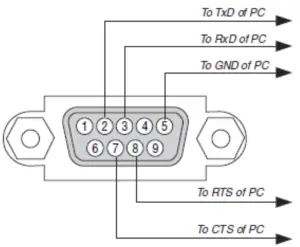
Note 1: Pins 1, 4, 6, and 9 are used inside the projector.
Note 2: For long cable runs it is recommended to set communication speed within the projector to 9600 bps.
Note 3: Jumper “Request to Send” and “Clear to Send” together on both ends of the cable to simplify cable connection.
www.sharpnecdisplays.us
PX1005QL