SALUS RT520 Programmable Thermostat User Guide
Introduction
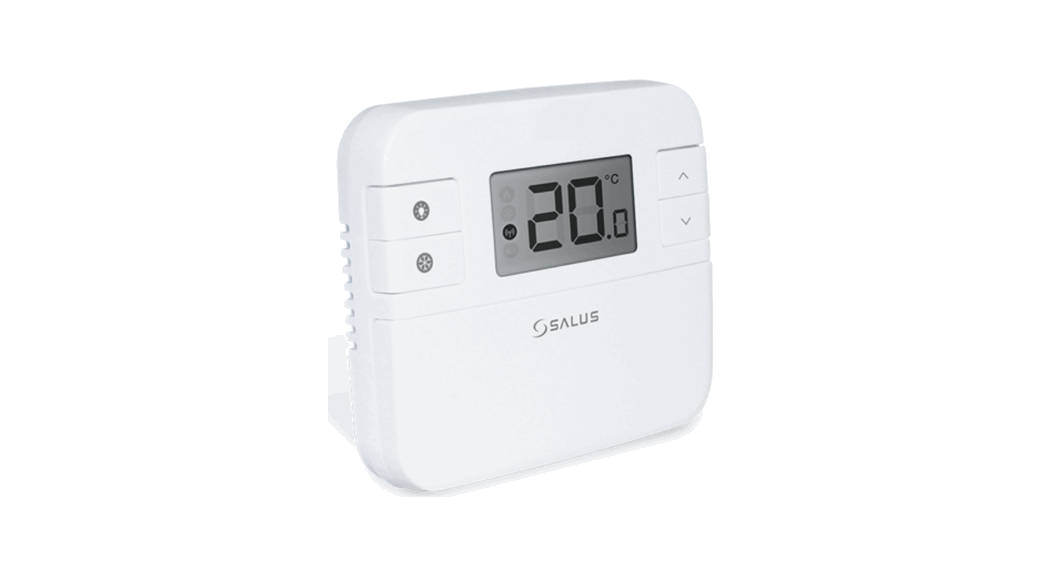
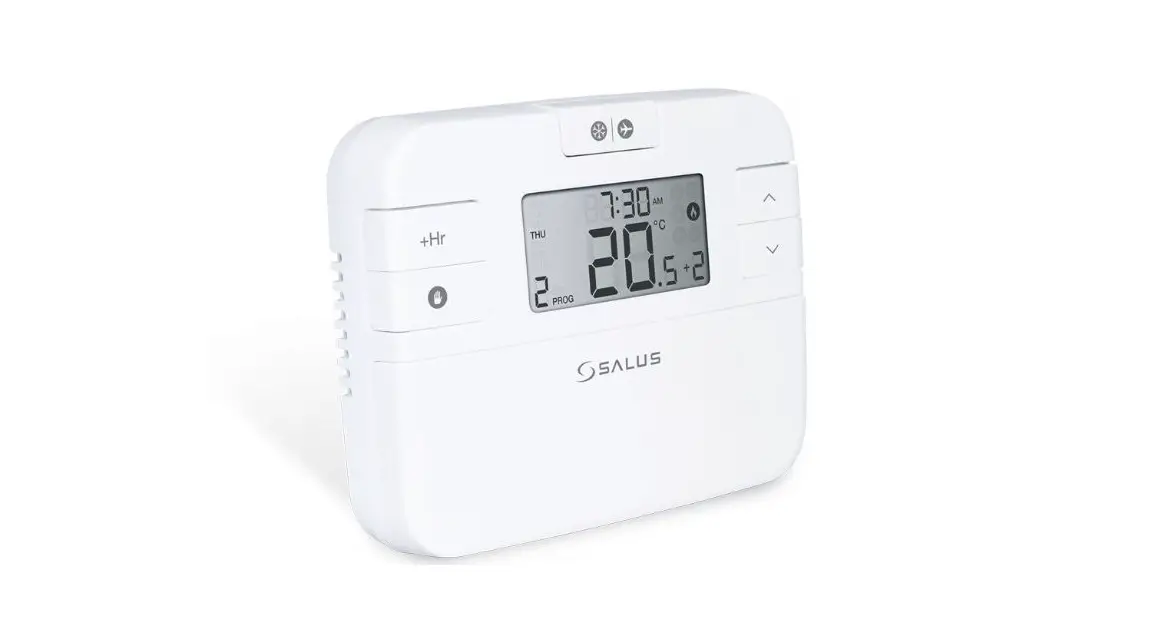
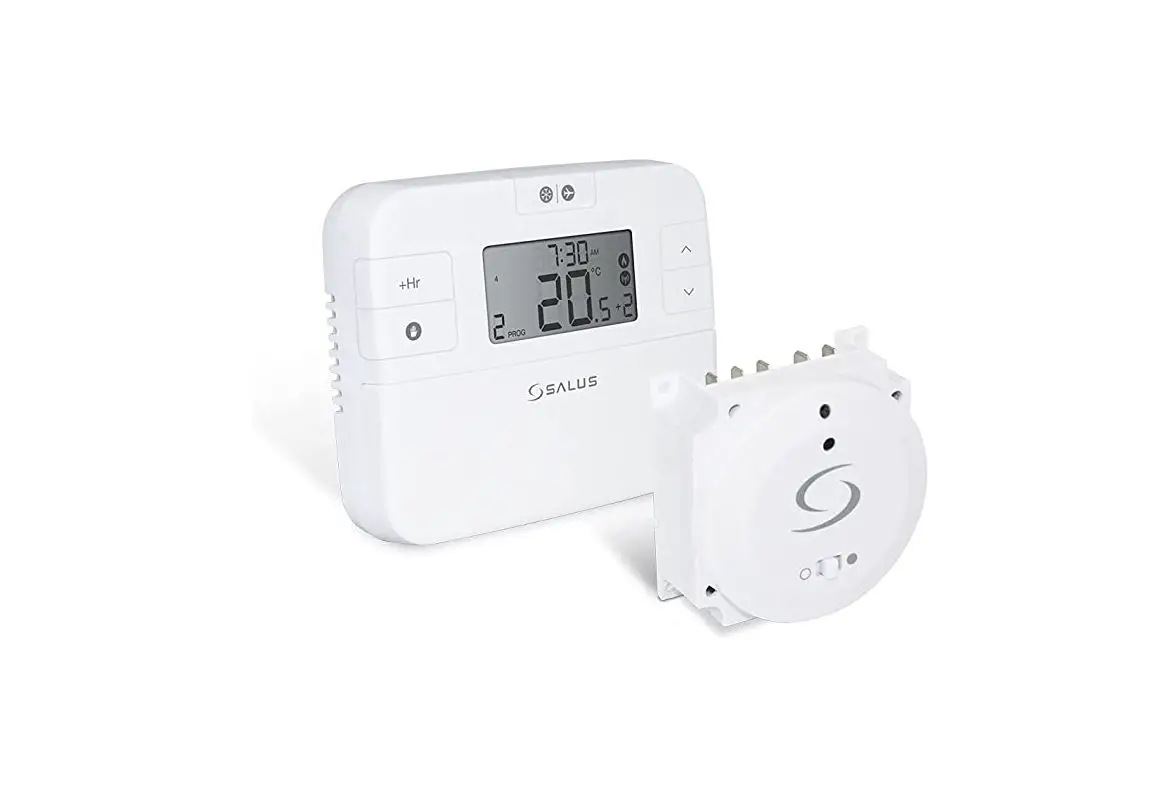
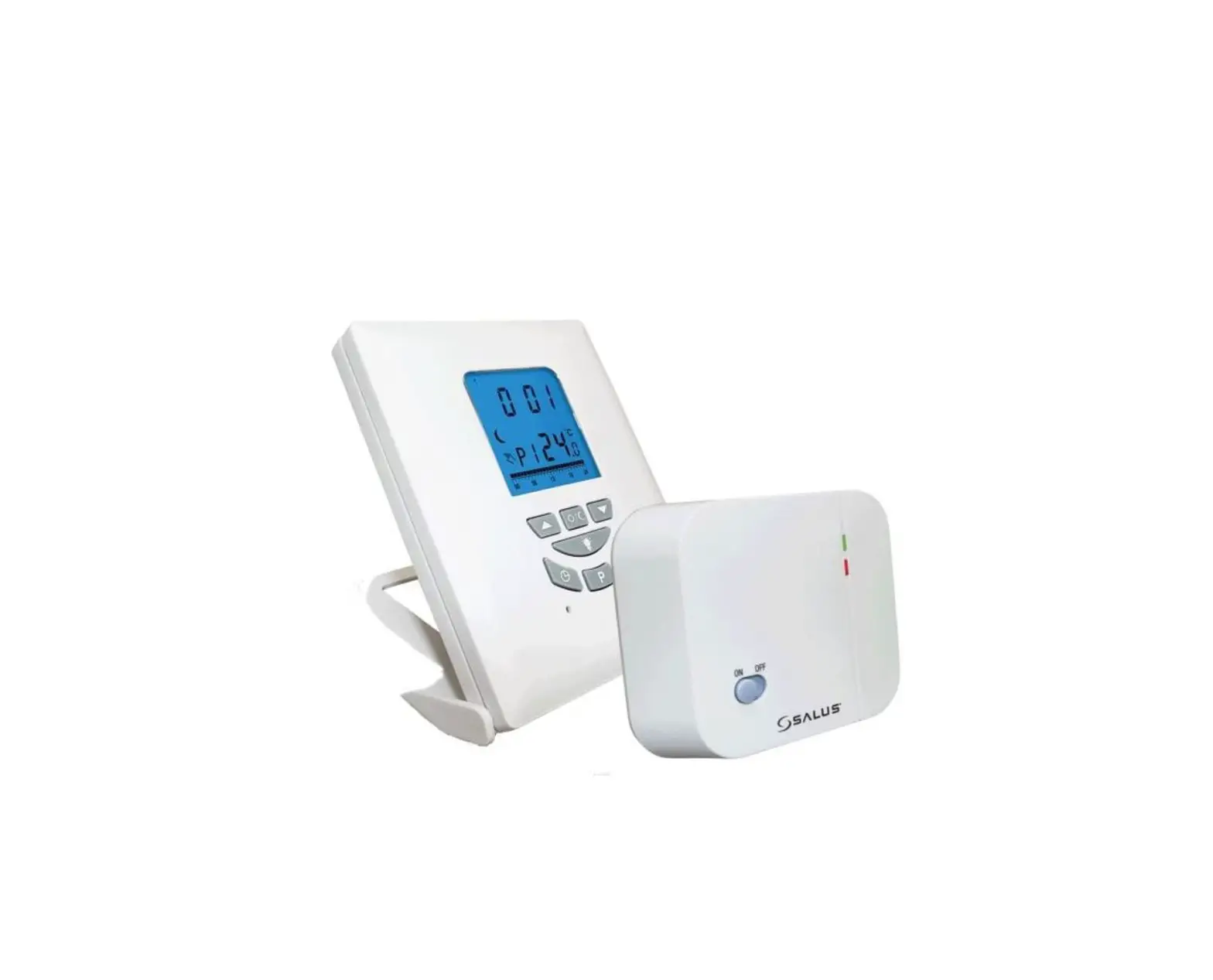
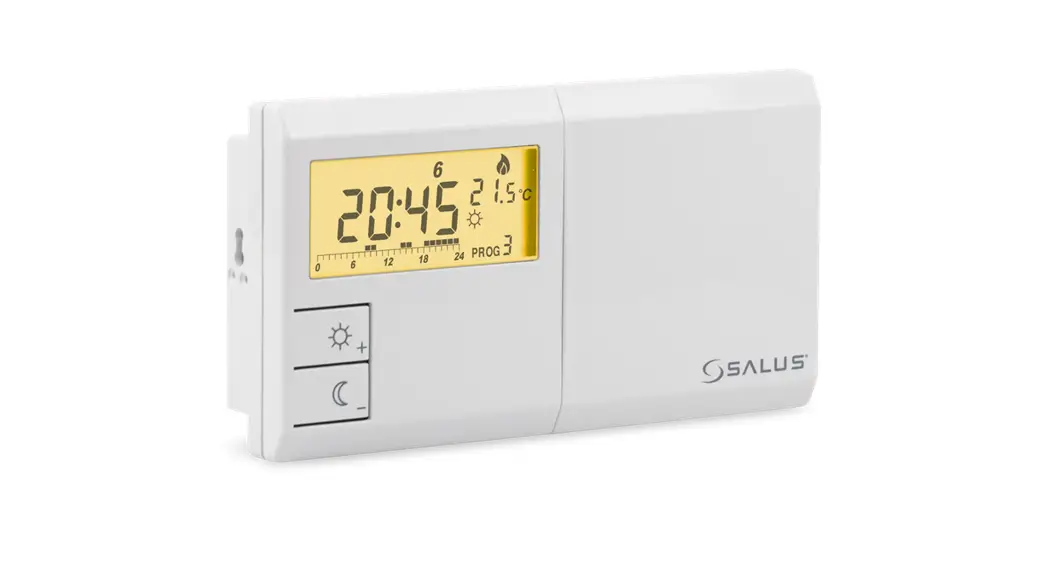
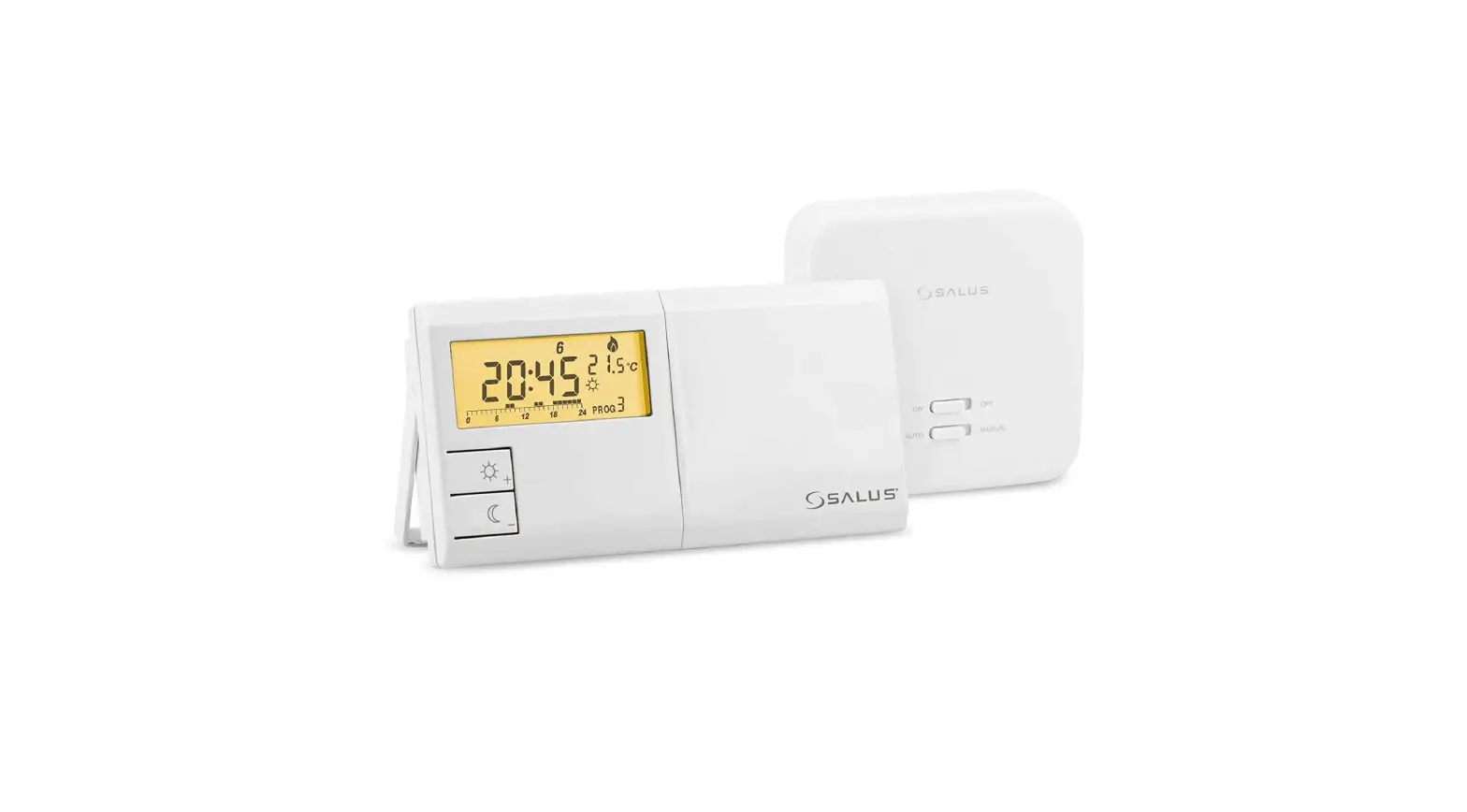
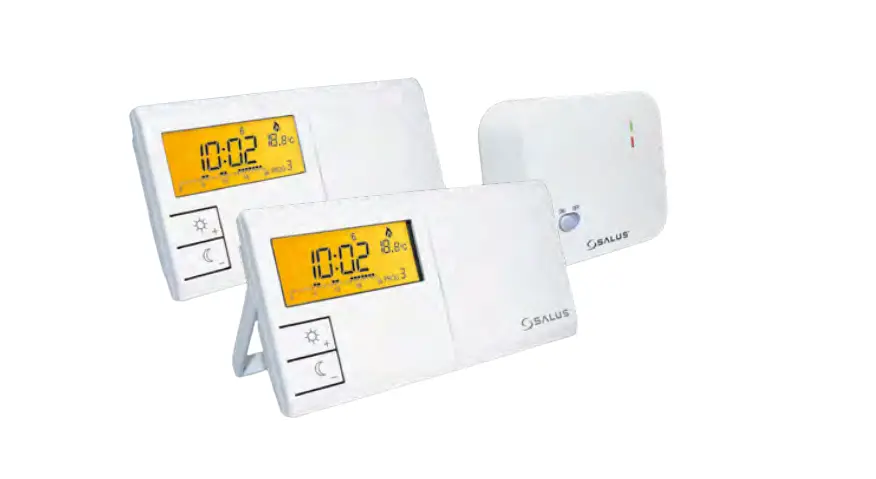
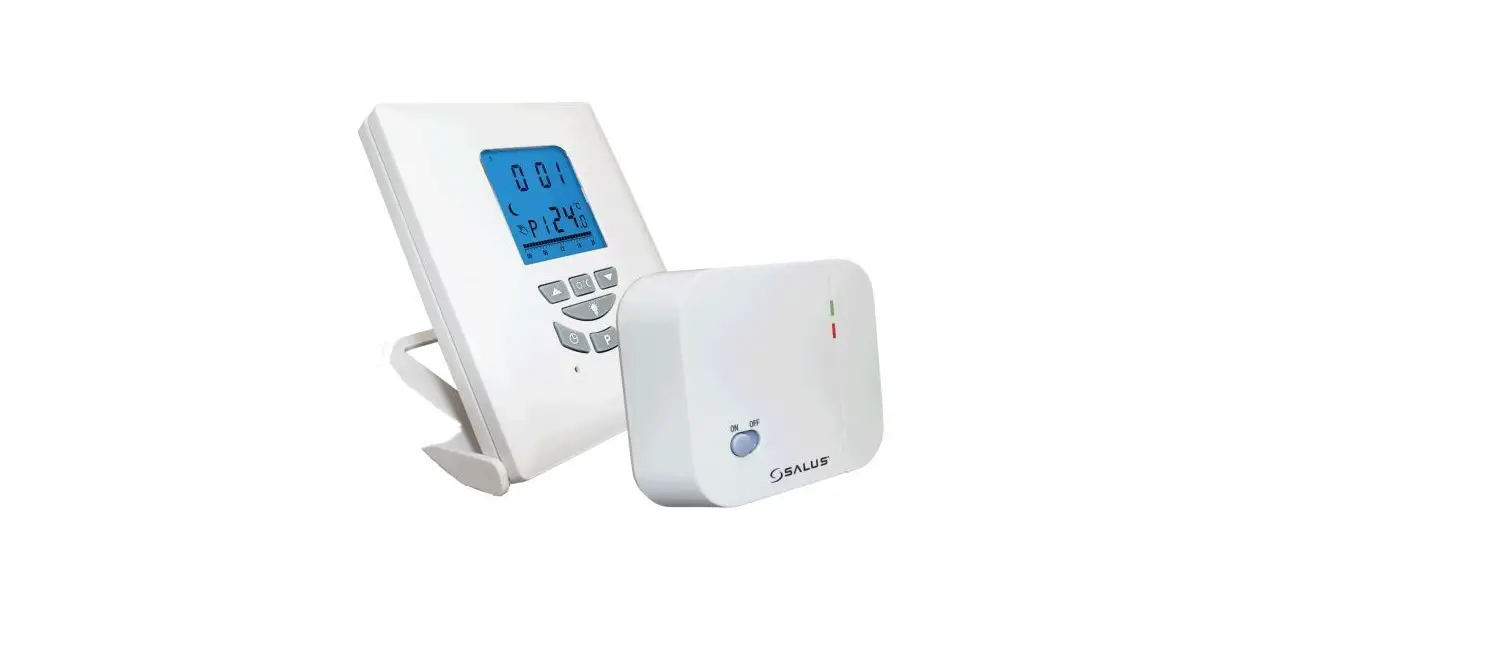
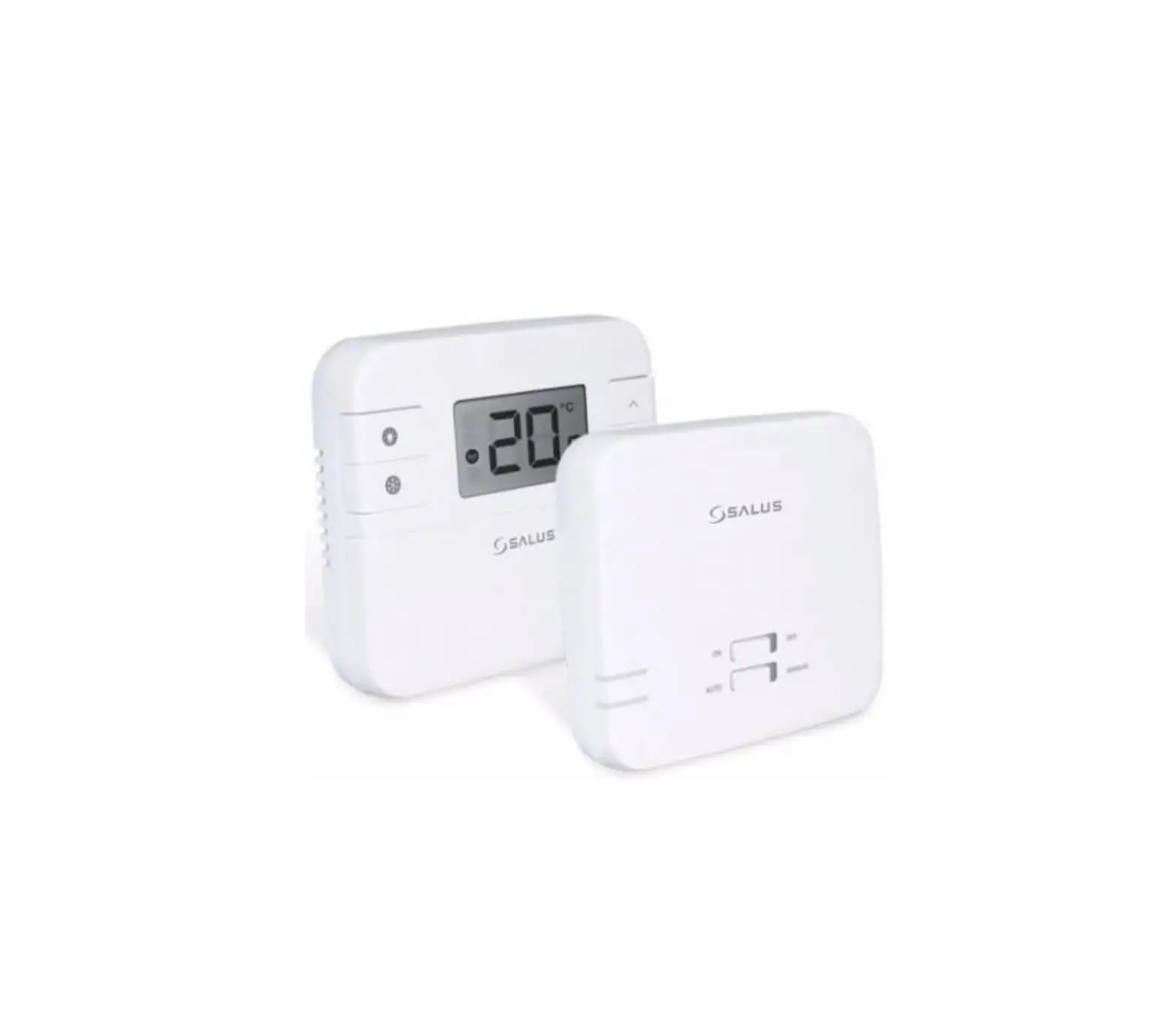
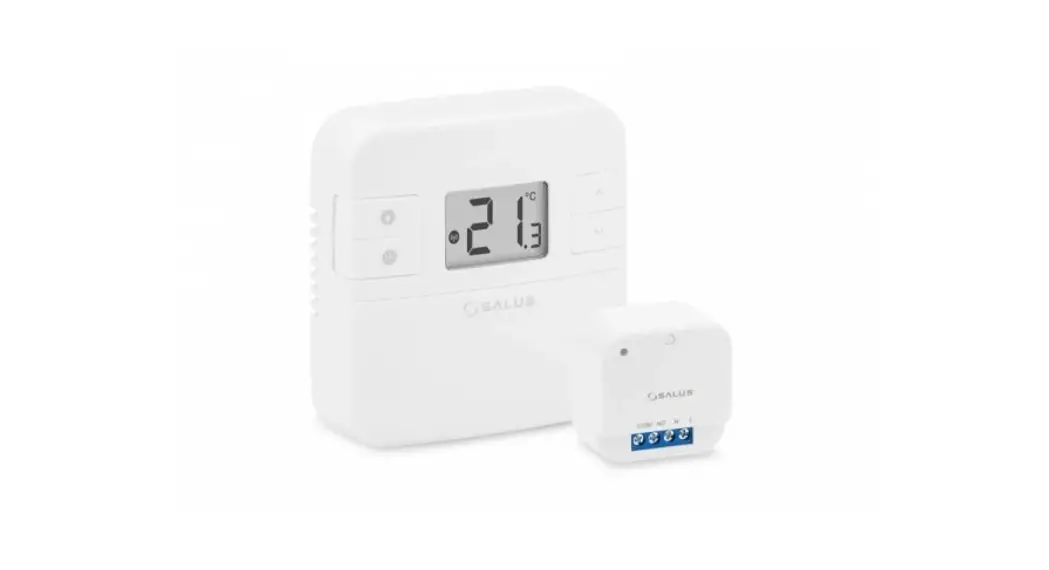
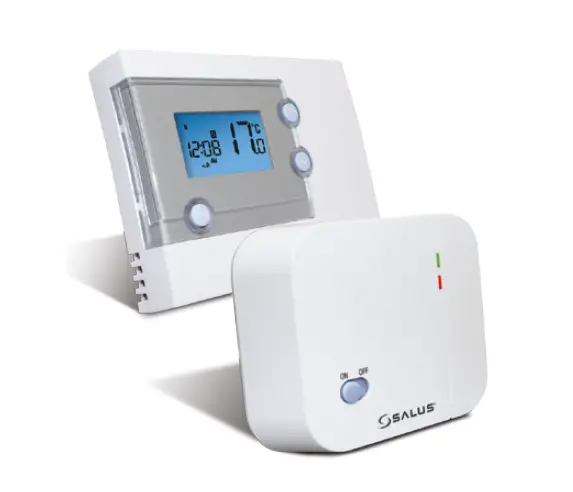
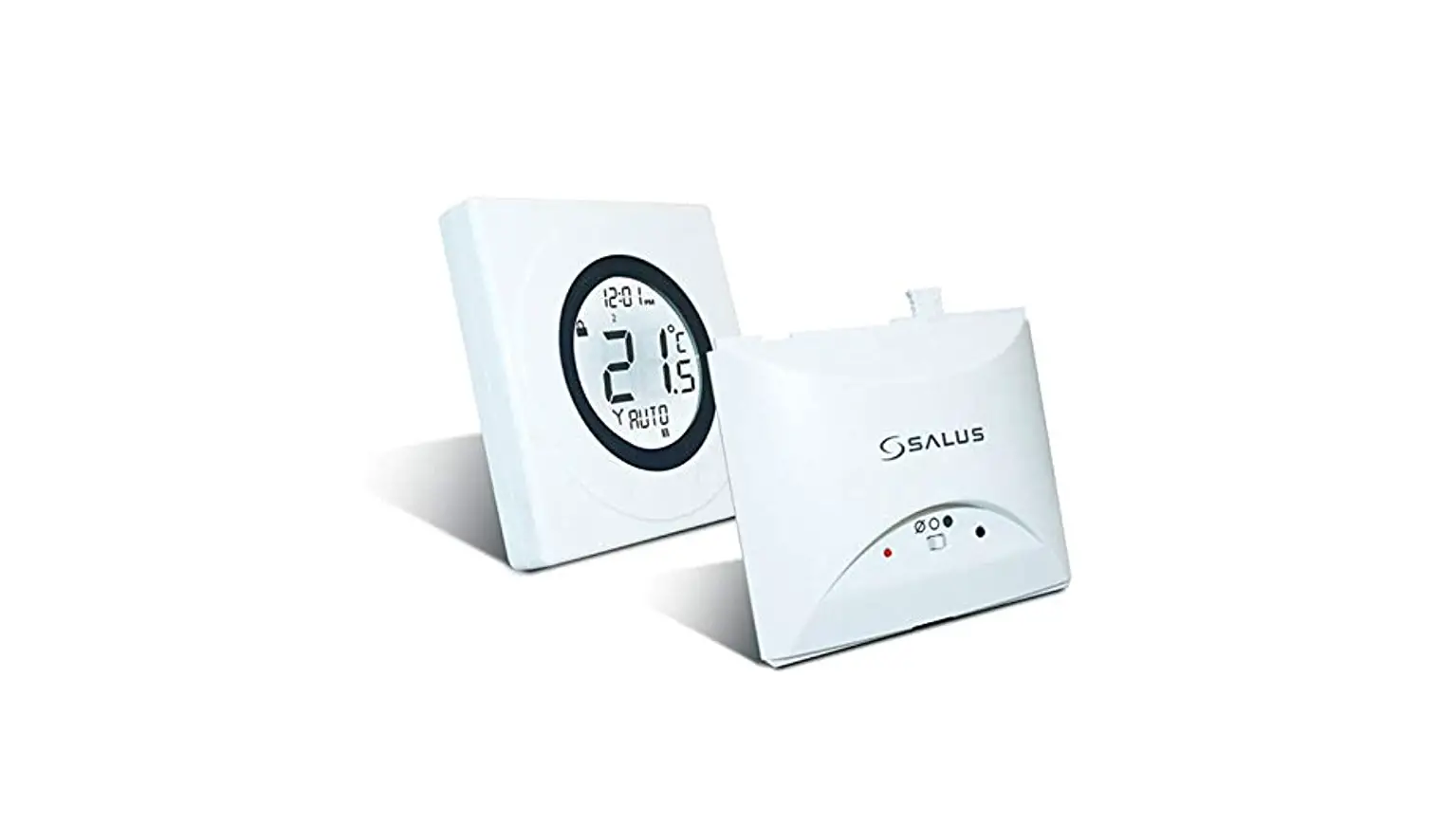
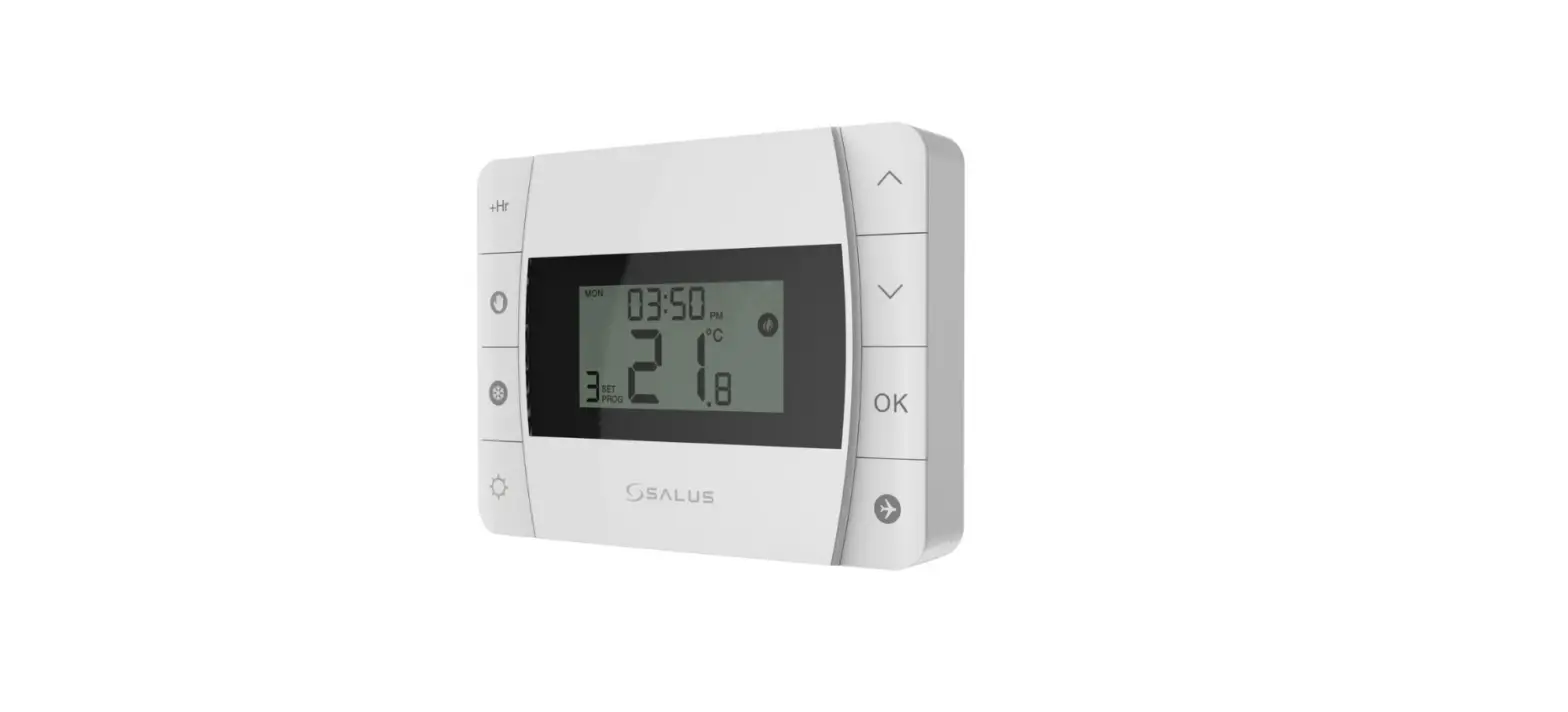
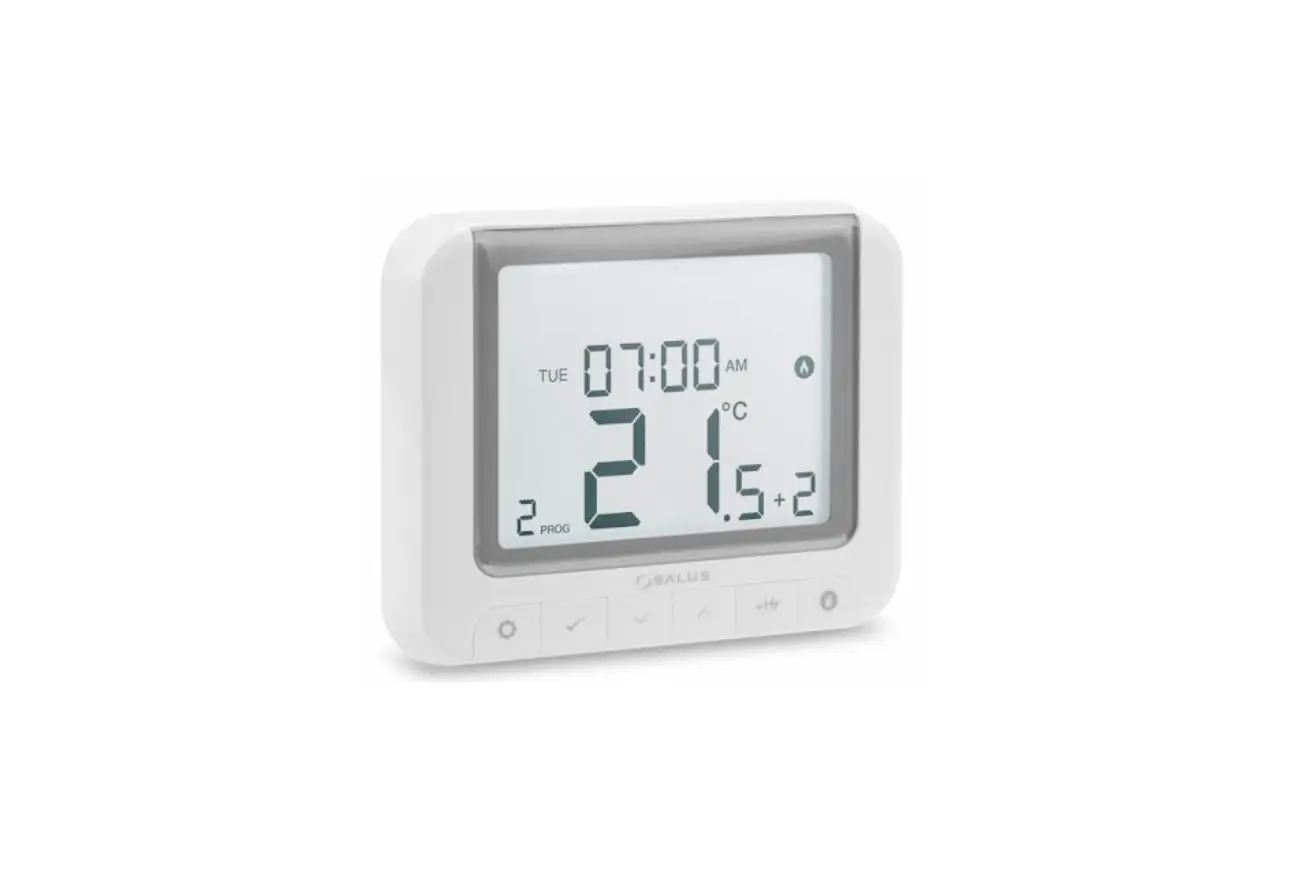
The RT520 and RT520RF are the latest additions to SALUS’ tried and tested RT range of thermostat heating controls. With a new on-board load compensation feature, they offer the most cost effective fully compliant Boiler Plus solution on the market providing the homeowner with optimum efficiency and maximum heating control comfort. Available in both wired and wireless RF versions, the new RT520 series include all the features of the previous RT series with a larger more intuitive LCD display and a handy new suite of additional operational and efficiency functions.
Before use please read this manual carefully.
Product Compliance
This product complies with the essential requirements and other relevant provisions of the following EU Directives: EMC 2014/30/EU, LVD 2014/35/EU, RED 2014/53/EU and RoHS 2011/65/EU. Full text of the EU Declaration of Conformity is available on www.saluslegal.com
 868.0-868.6MHz; <13dBm
 Safety Information
Use in accordance to national and EU regulations. Use the device as intended, keeping it in dry condition. Product for indoor use only. Installation must be carried out by a qualified person in accordance to national and EU regulations.
 Always ensure the AC mains power is switched off before installing or working on any components (this includes replacing the batteries). Use only AA 1.5 V alkaline batteries in the thermostat. Place the batteries into the battery slot located in the back of the thermostat. Do not use rechargeable batteries.
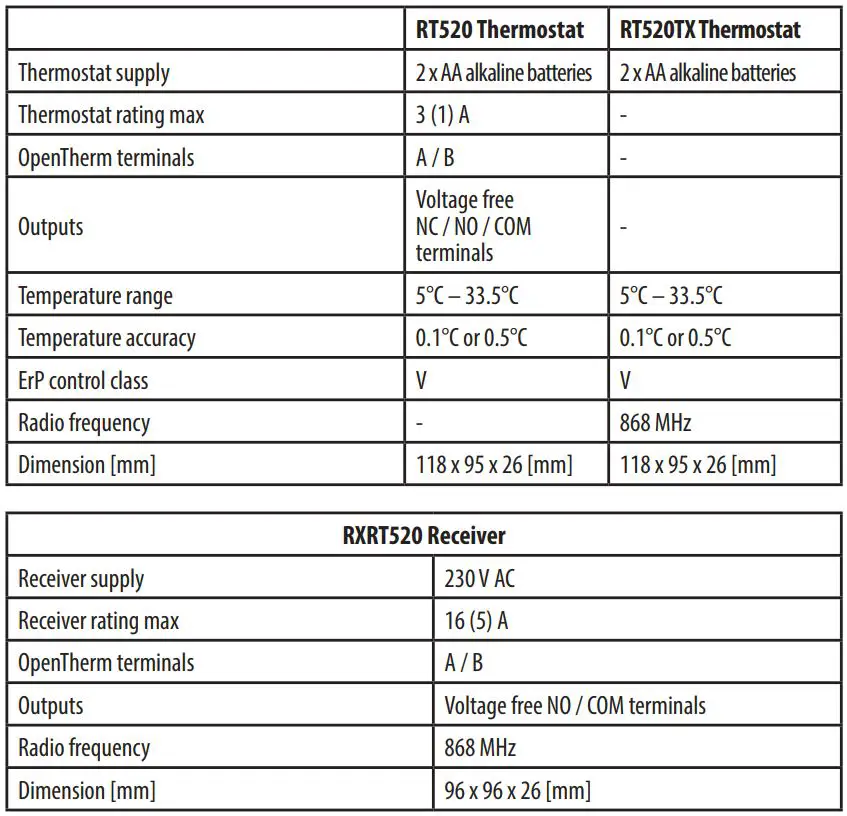
Technical Specification
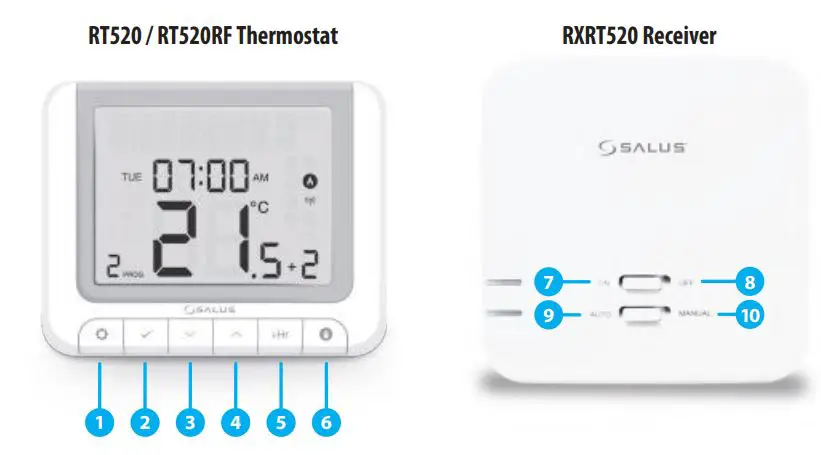
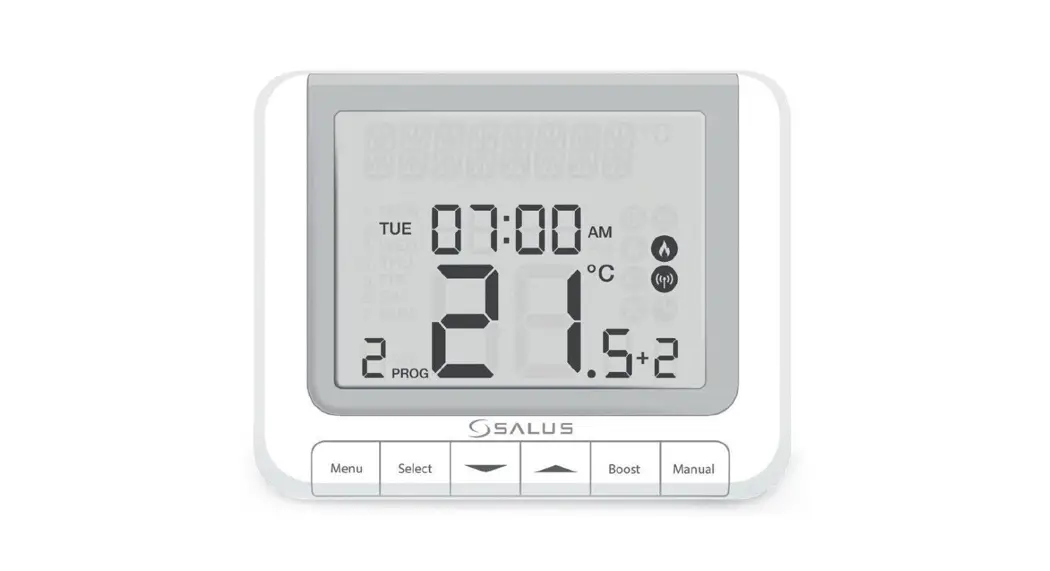
- MENU – enter the menu options, press and hold for 3 sec to return to main screen or to deactivate Boost Mode.
- SELECT – confirm changes and enter menus.
- DOWN – decrease the temperature and move through the menus.
- UP – increase the temperature and move through menus.
- BOOST – activate Boost Mode.
- MANUAL – activate / deactivate Manual Mode.
- ON – When in Manual Mode, ON will turn the boiler on.
- OFF – When in Manual Mode, OFF will turn the boiler off.
- AUTO – Receiver operates in automatic mode according to the thermostat.
- MANUAL – Receiver output is controlled by the On/Off slide switch.
LCD Icon Description
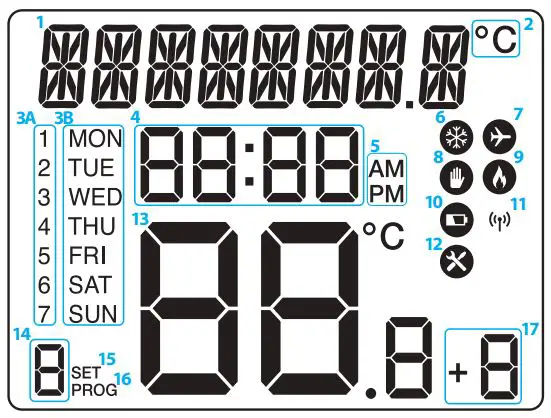
- Text Bar
- Temperature Unit
- 3A Day of the week (numeric)
3B Day of the week (alphabetic) - Clock
- AM / PM 7
- Cooling Mode On
- Holiday Mode On
- Manual Mode On
- Heating Mode On
- Low battery status
- Wireless connection with the receiver
- Service Mode On
- Temperature measured / set
- Program number
- Settings
- Program indicator
- Boost function
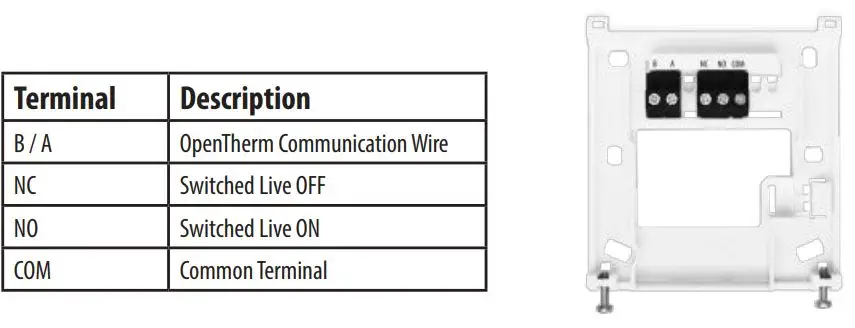
RT520 Thermostat Terminals Description
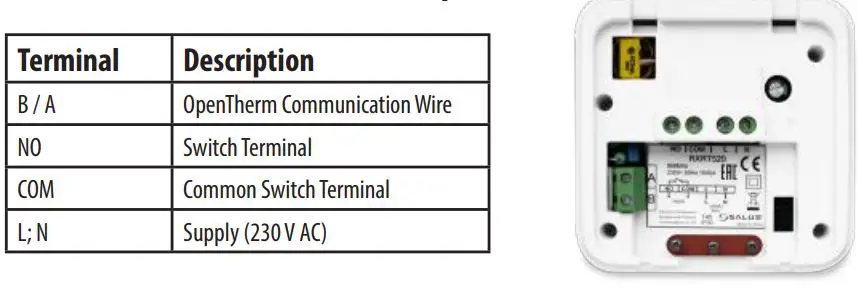
RXRT520 Receiver Terminals Description
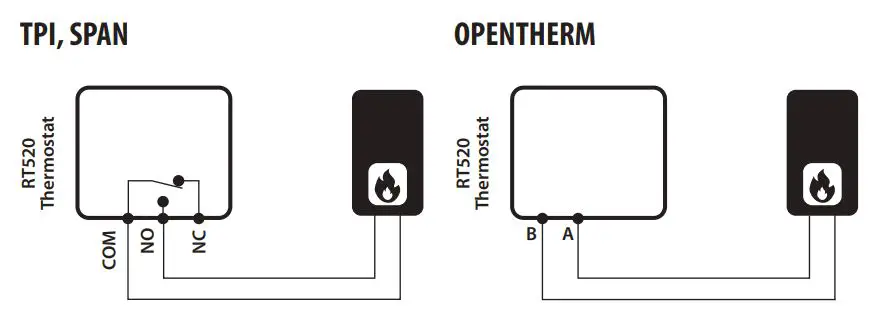
RT520 Wiring Diagram TPI, SPAN
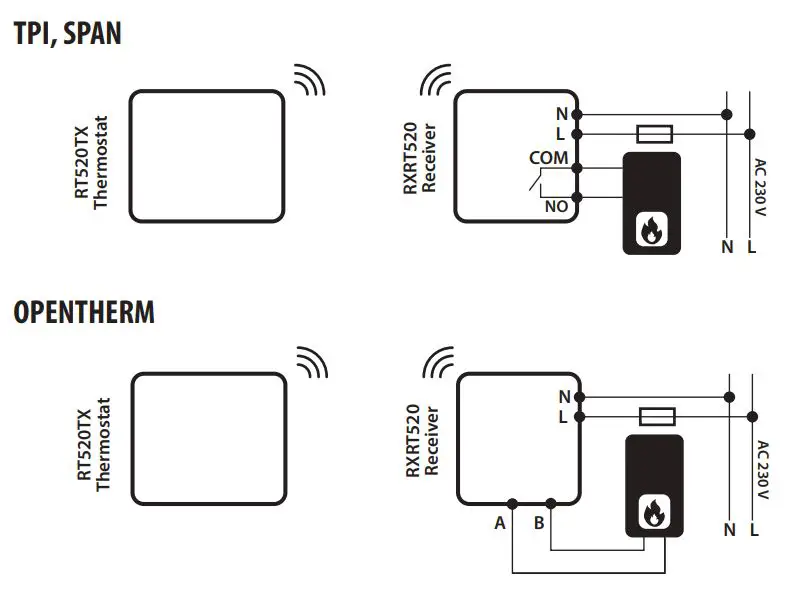
RT520TX Wiring Diagram
OpenTherm Power Up and Configuration
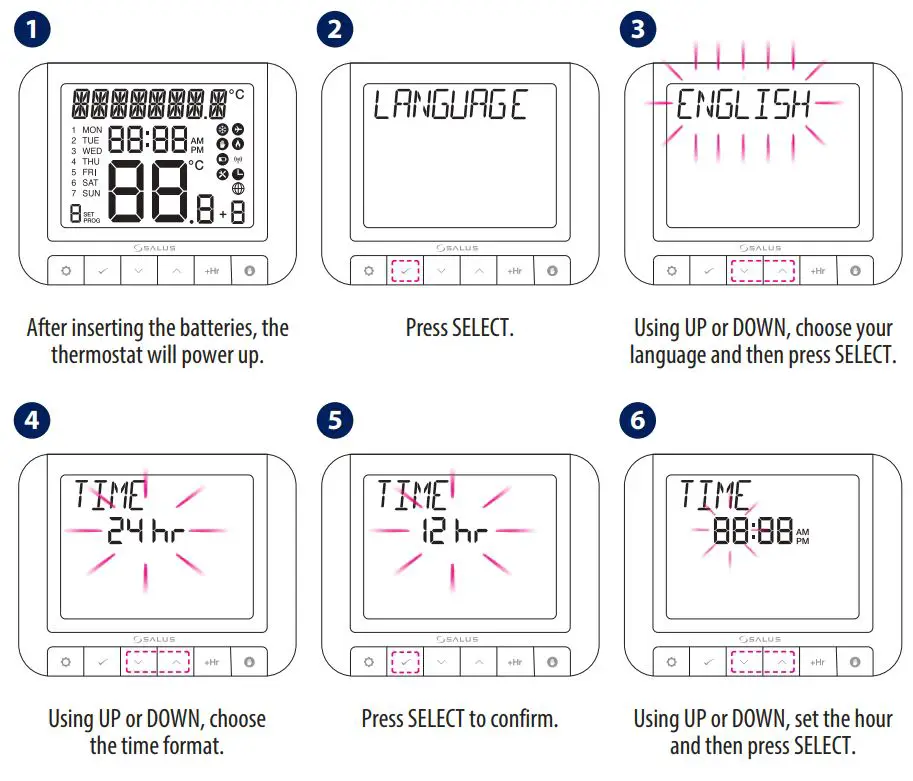
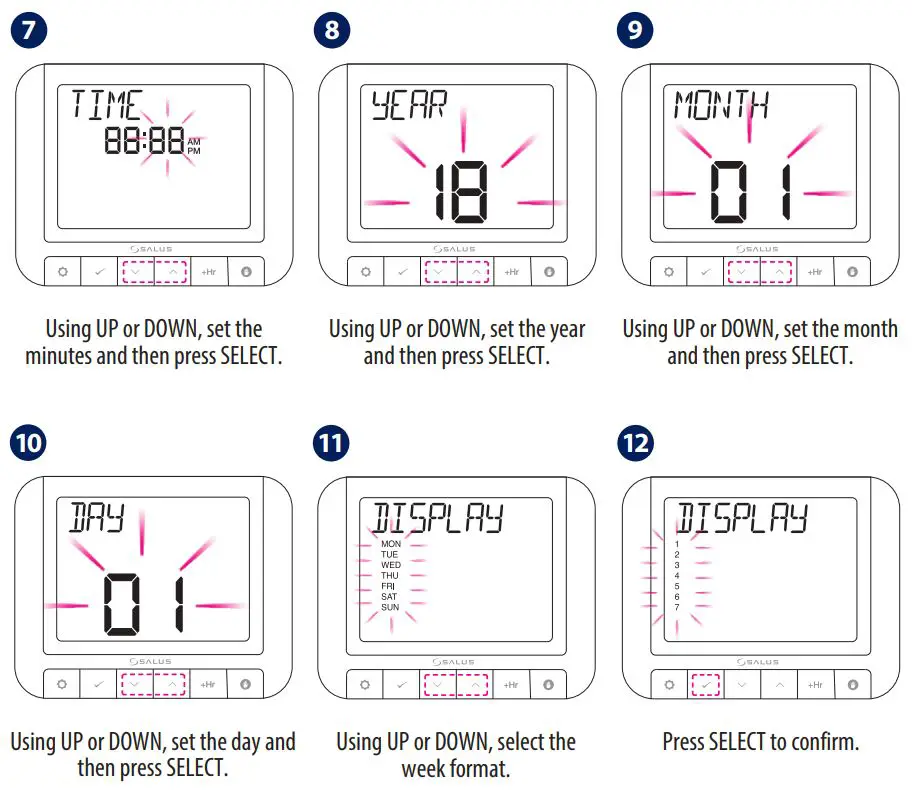
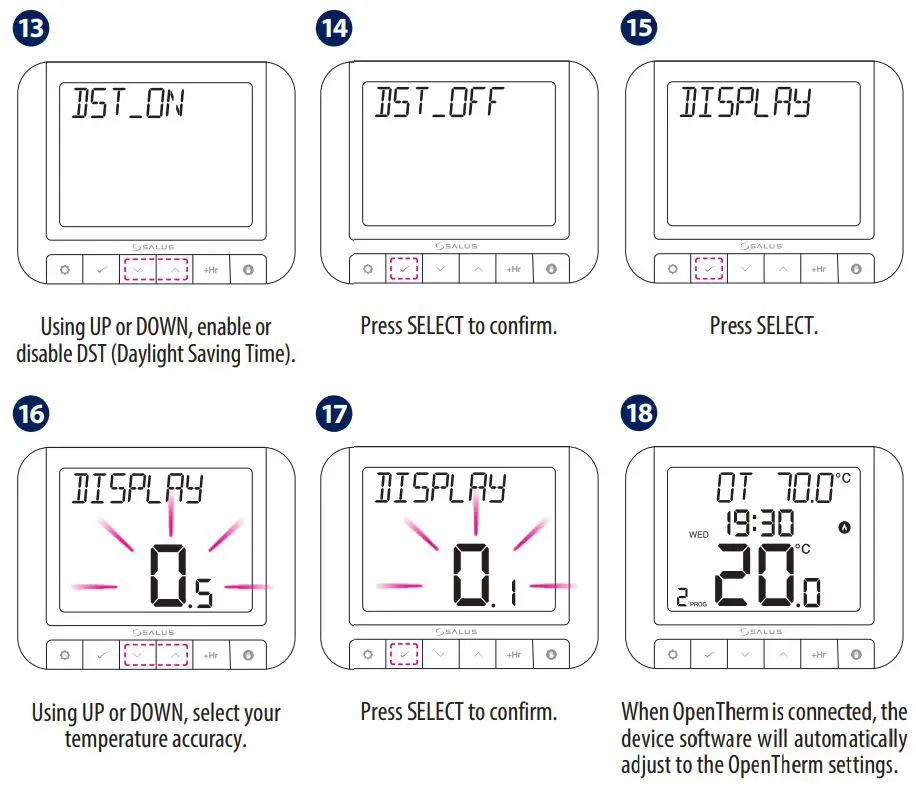
OpenTherm Modulating Control is a method of control used by modern heating systems. Instead of switching a boiler on and off at intervals, modulating control allows the amount of heat provided by the boiler to be controlled to match the varying demand from the thermostat. This means the customer has greater system efficiency, energy saving and room comfort from our heating controls.
 Please make the receiver connections and power the receiver before inserting the batteries into the thermostat.
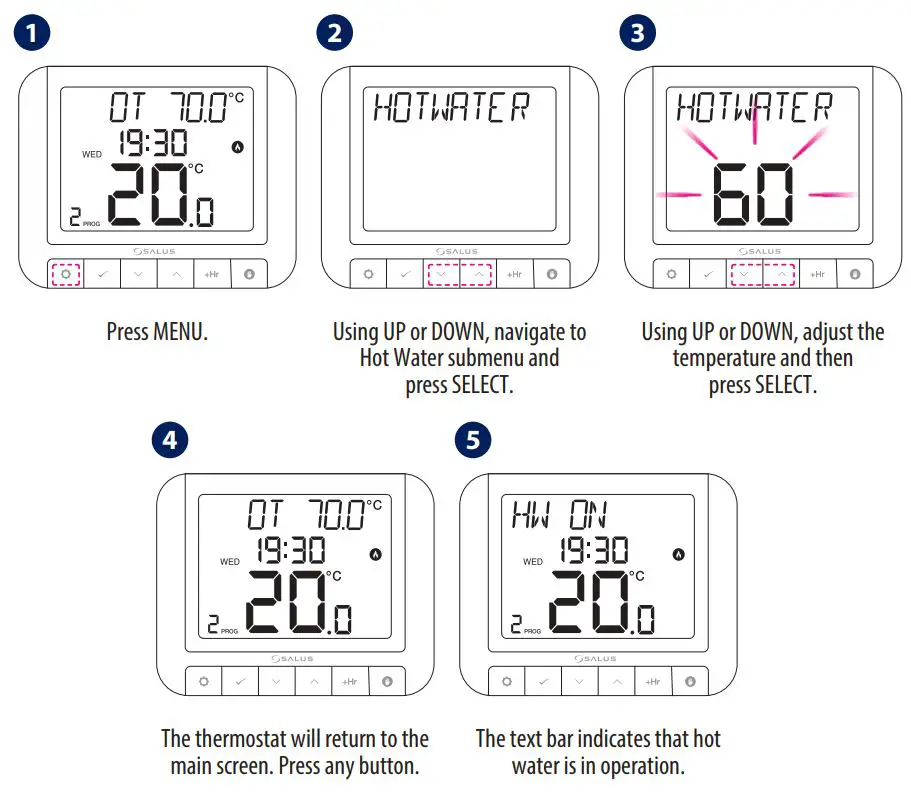
OpenTherm – Hot Water
Standard Power Up and Configuration
(1) Please follow steps 1 to 17 from section OpenTherm Power Up and Configuration.
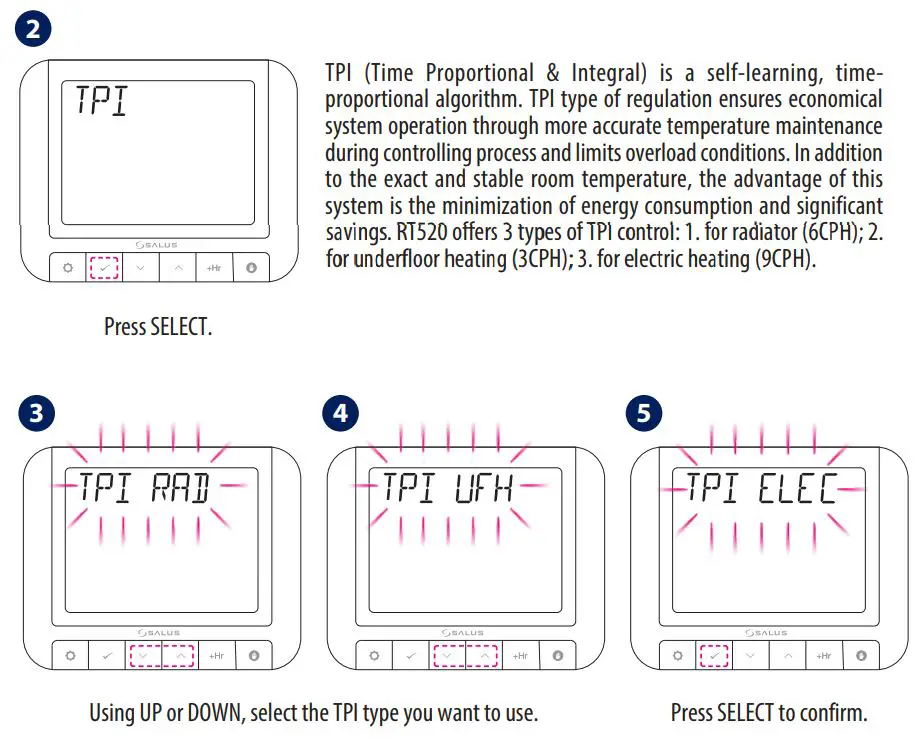
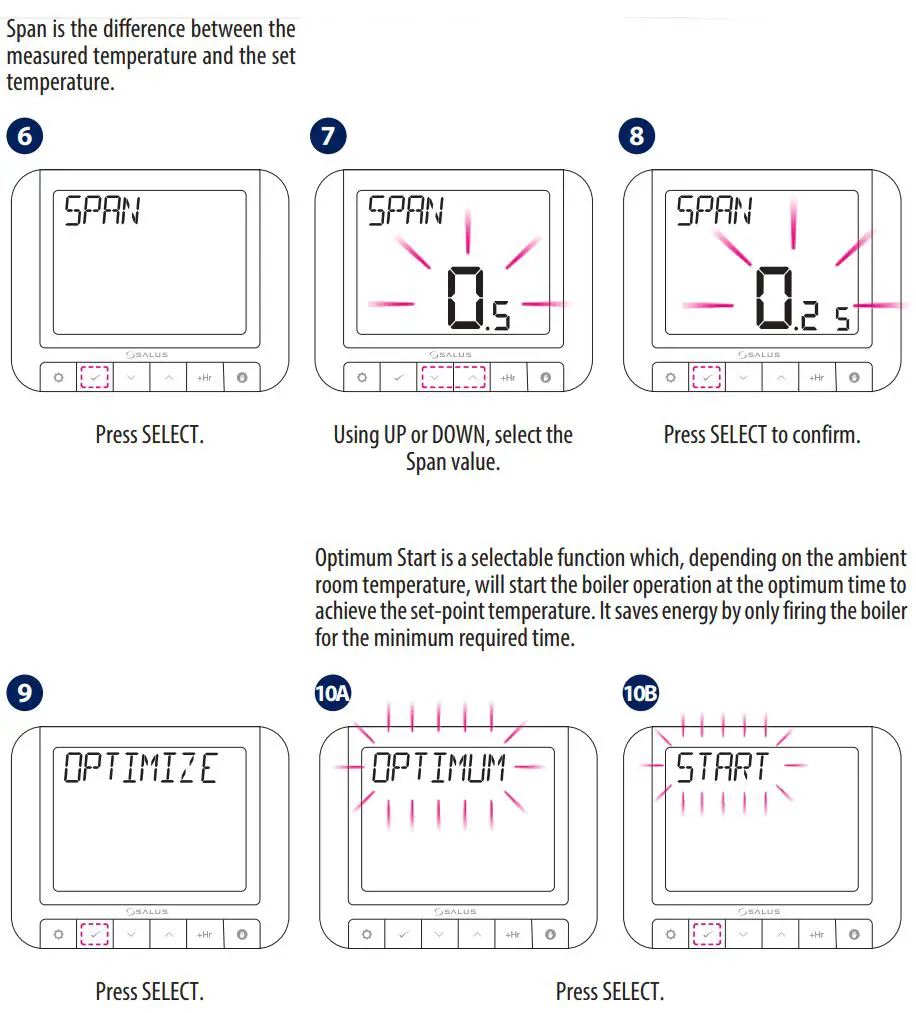
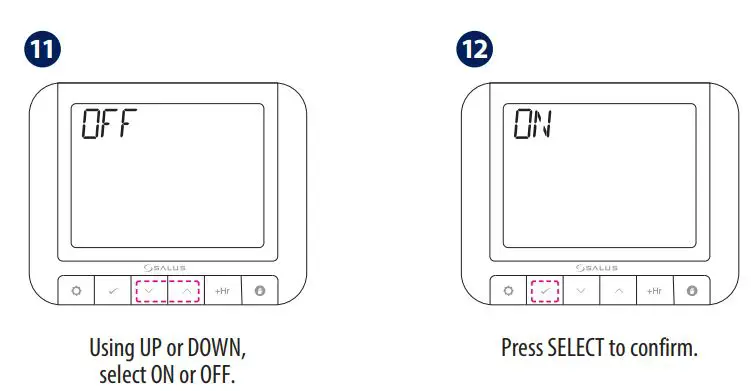
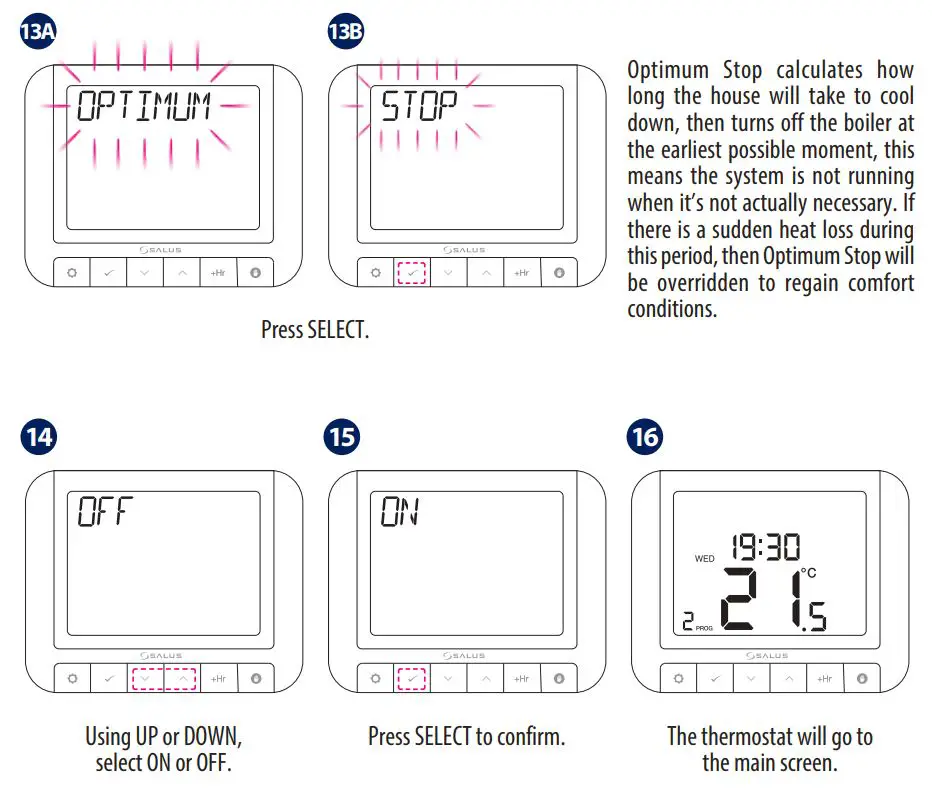
NOTE: Using UP or DOWN, you can choose either TPI (step 2) or SPAN (step 6). Choosing one option excludes the other.
Programming – Automatic Mode
In this mode, user can set the schedules for thermostat (temperature setpoints for specific periods of time). Programmed schedules should use all time periods.
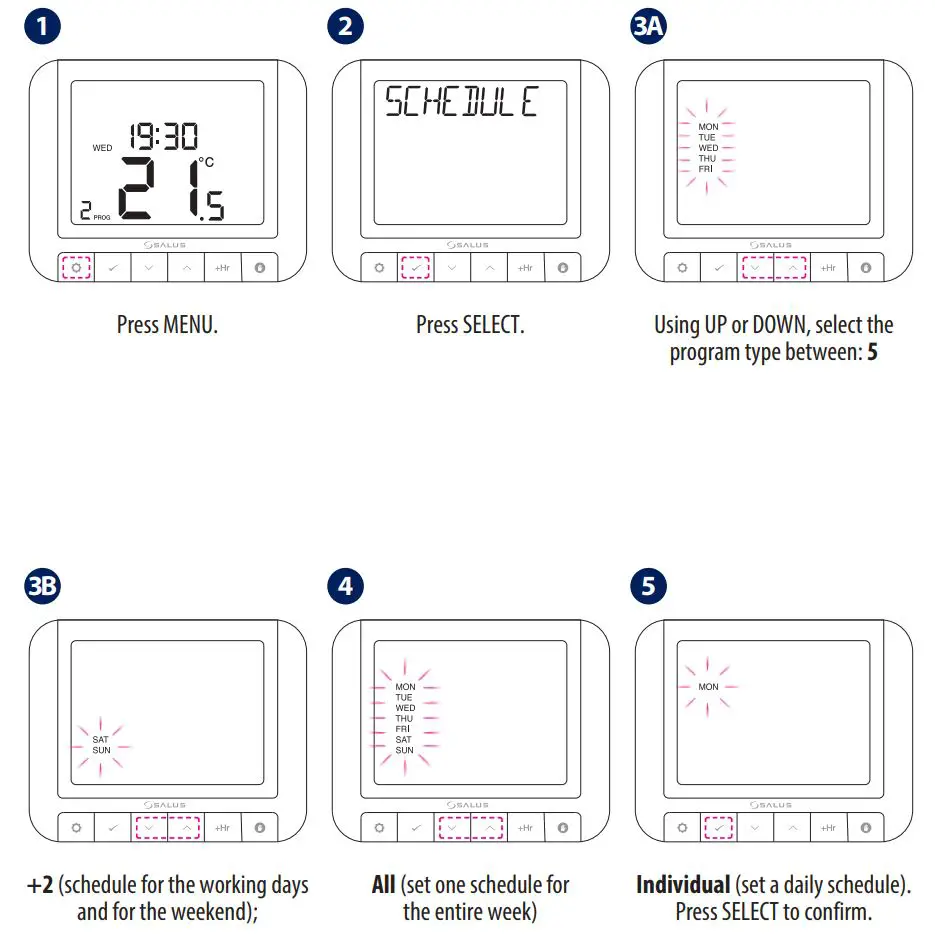
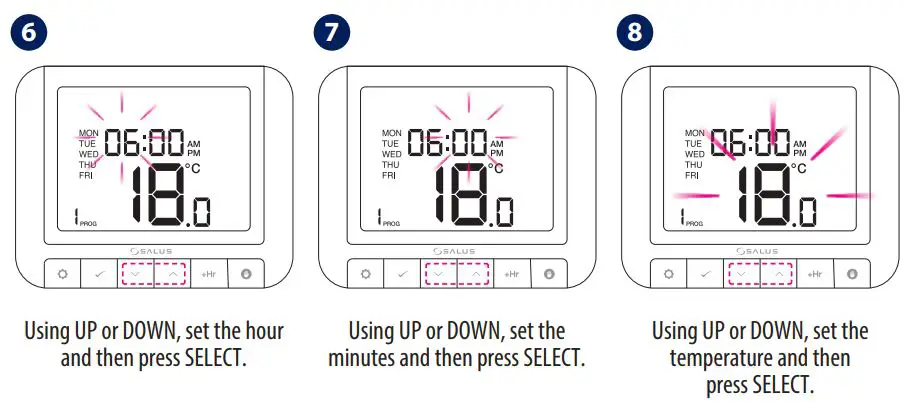
Repeat the process for all time periods.
Landlord Settings
Landlord settings is a pin code protected feature that allows the landlord to set a service reminder on the thermostat that will warn the tenant when the boiler is due its annual service.
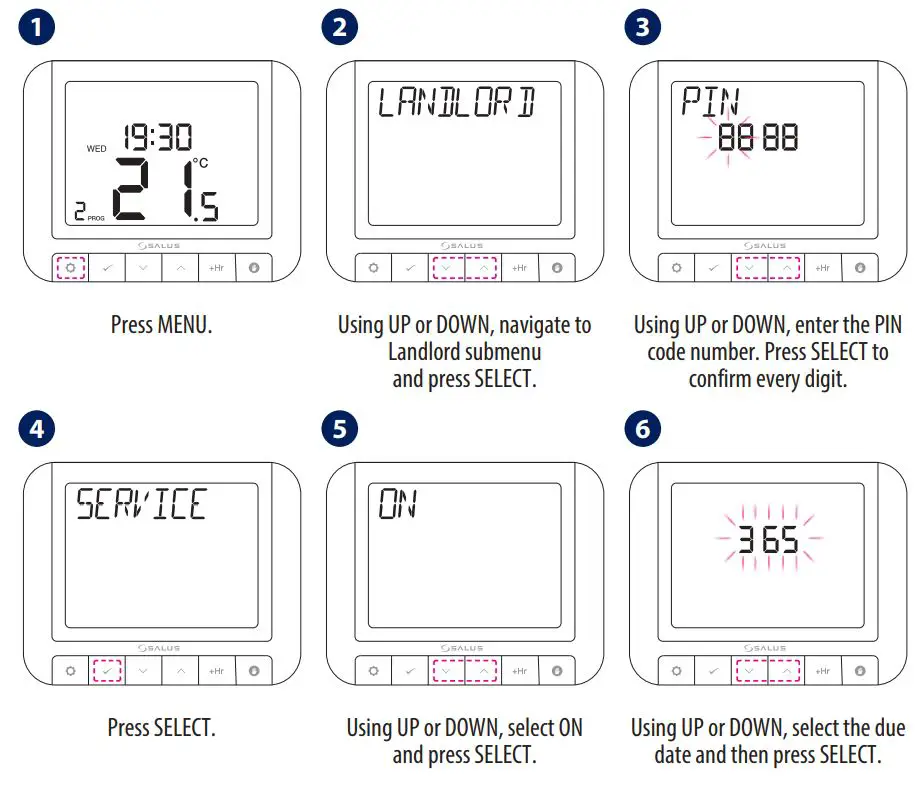
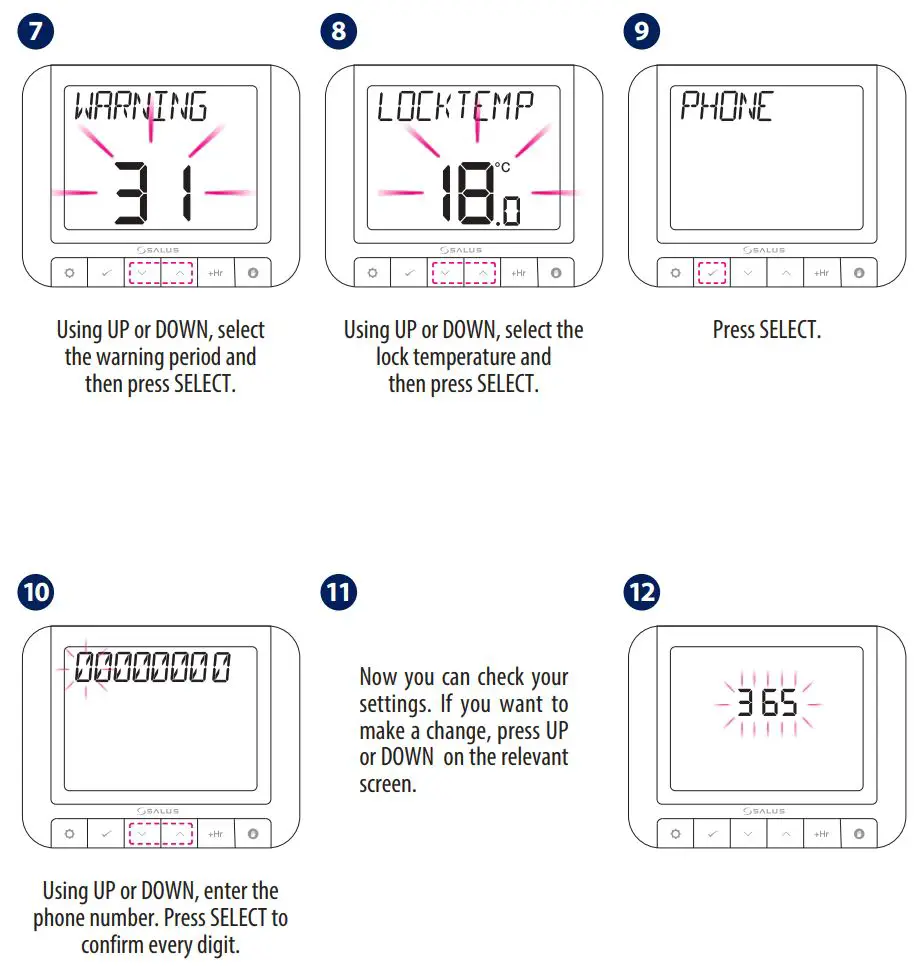
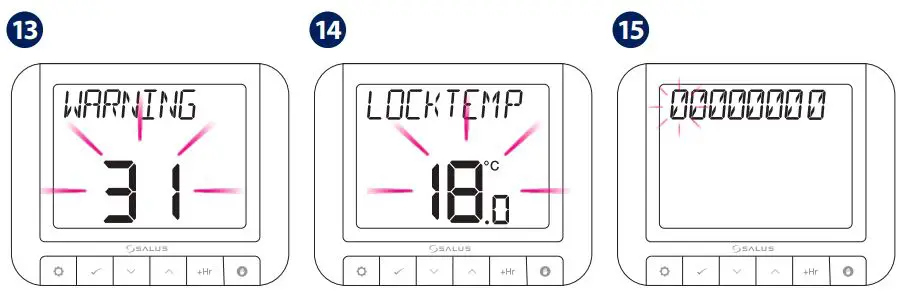
Once service mode has become active, the device will lock the set point temperature as set by the installer/landlord. To unlock this device, the landlord needs to be contacted and the boiler serviced.
RT520TX Thermostat Pairing with the Receiver
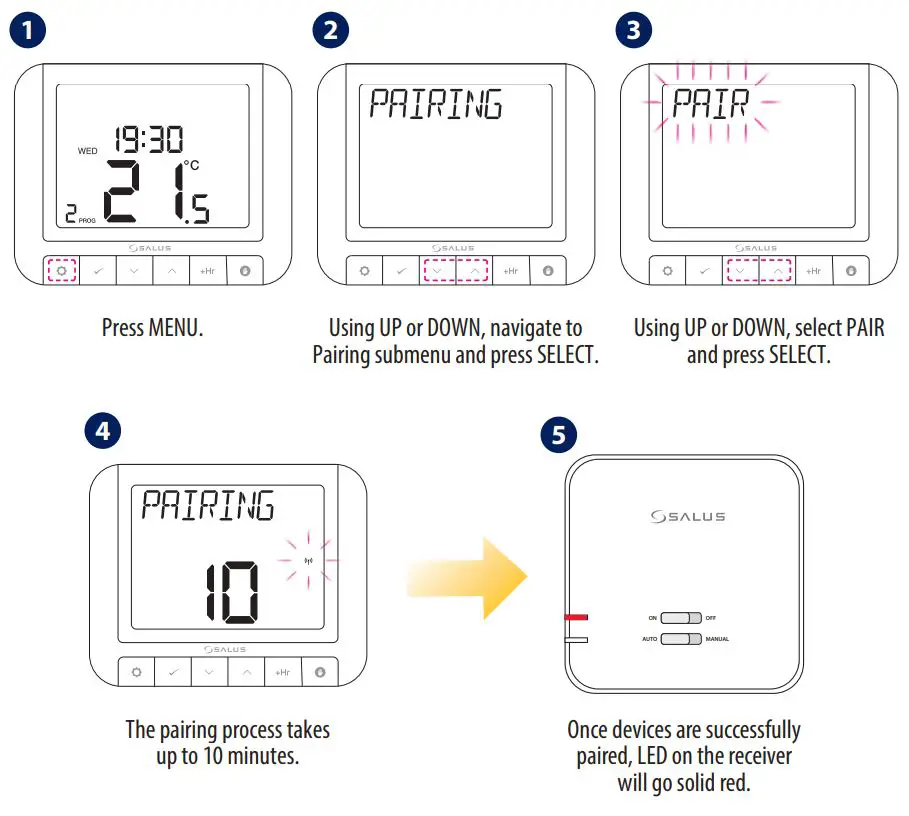
If you are using the RT520RF pack, the pairing between the thermostat and the receiver is already done
During the pairing process, please make sure the thermostat and the receiver are at least 1 meter from each other.
If you bought the RT520TX and RXRT520 separately or if you want to re-pair thermostat with the receiver, make sure that the device is disconnected from the power supply and the switches on the receiver have been set to AUTO and ON. Then connect the receiver to the power supply and wait for the red LED to light steadily. Then switch to the OFF position and again to ON position quickly. The red flashing LED will confirm entering the pairing mode.
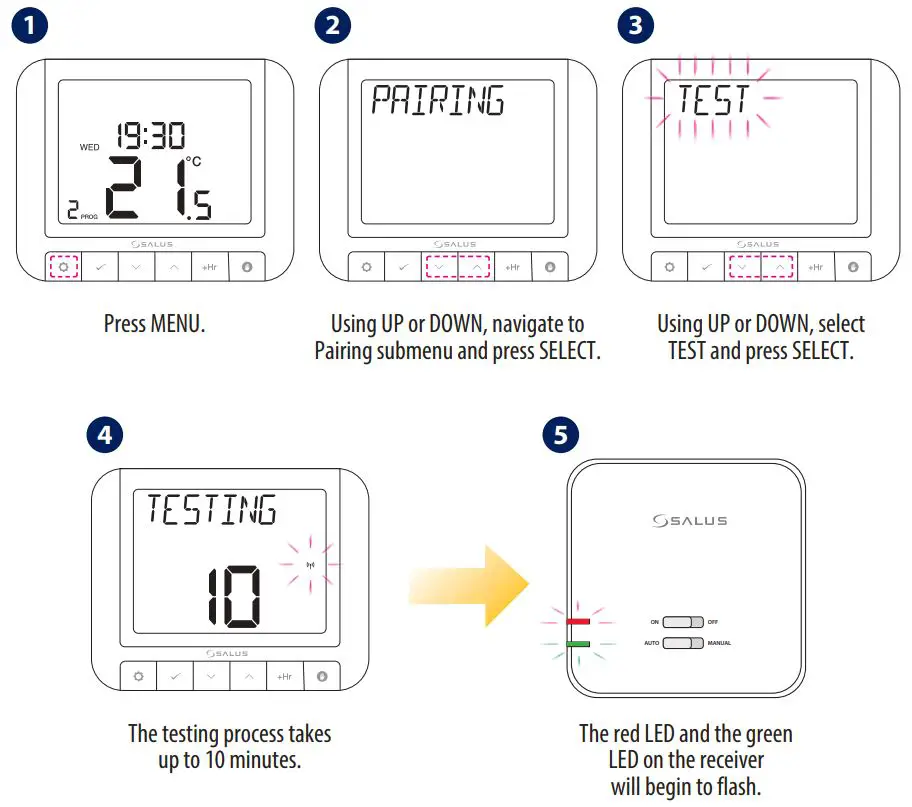
Test the Pairing Process
Factory Reset
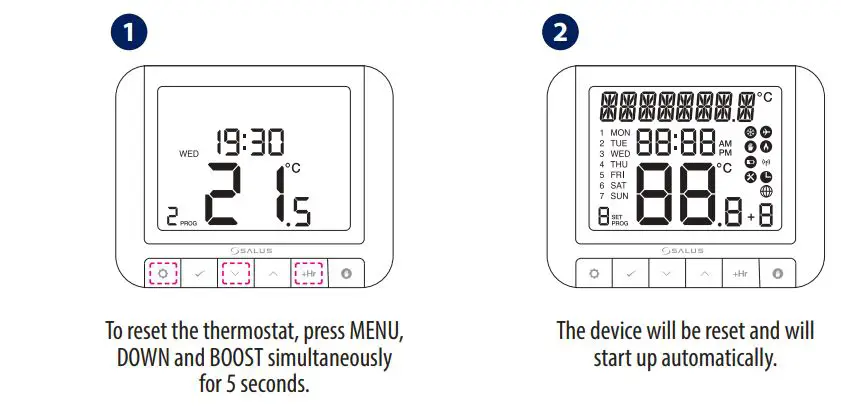
Landlord settings will not be reset.
Importer:
SALUS Controls Plc
Units 8-10 Northfield Business Park
Forge Way, Parkgate, Rotherham
S60 1SD, United Kingdom
T: +44 (0) 1226 323961
E: [email protected]
E: [email protected]

SALUS Controls is a member of the Computime Group.
Maintaining a policy of continuous product development SALUS Controls plc reserve the right to change specification, design and materials of products listed in this brochure without prior notice.
For PDF Installation guide please go to www.salus-manuals.com
Issue Date: 2020 V V011