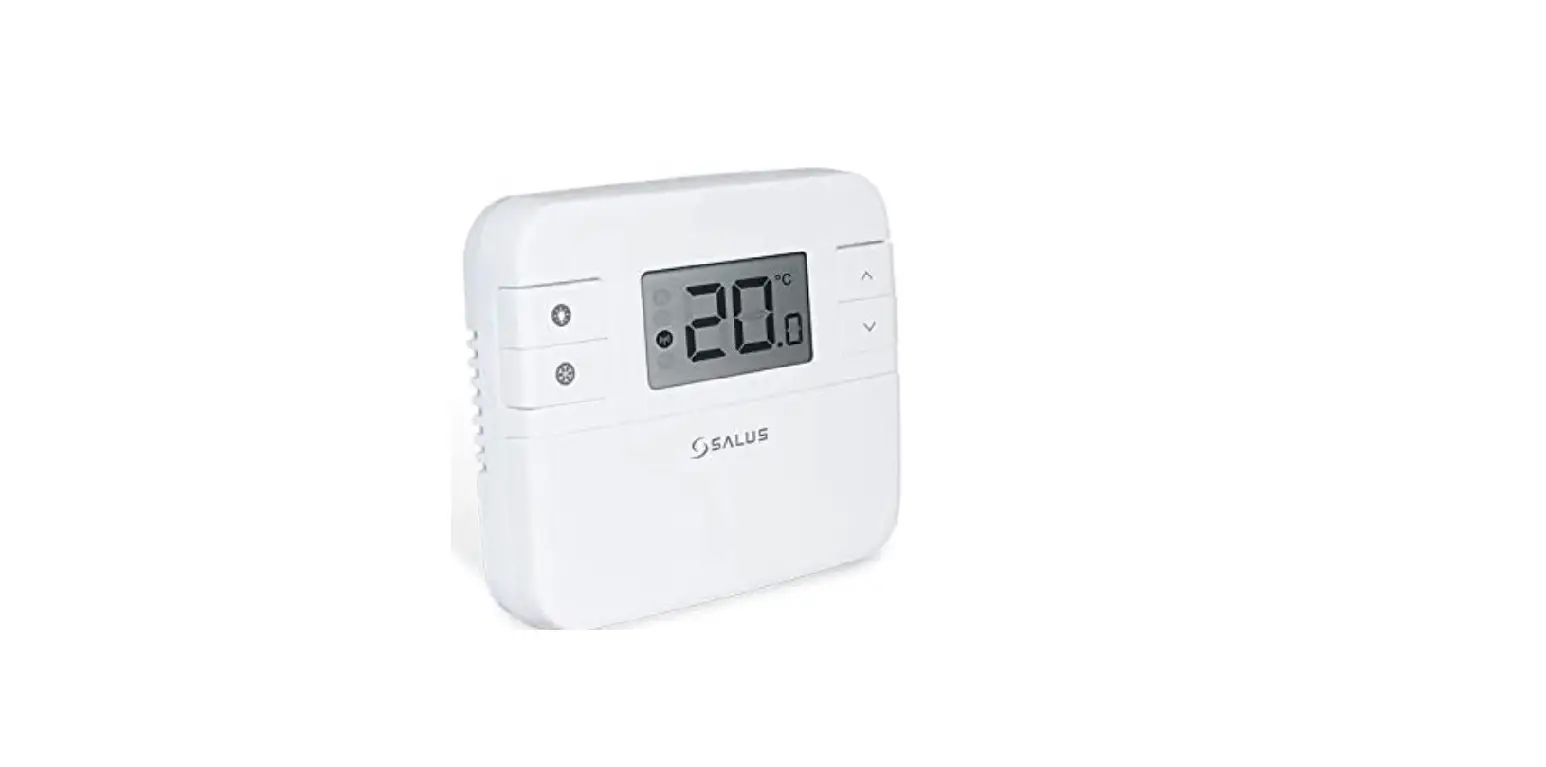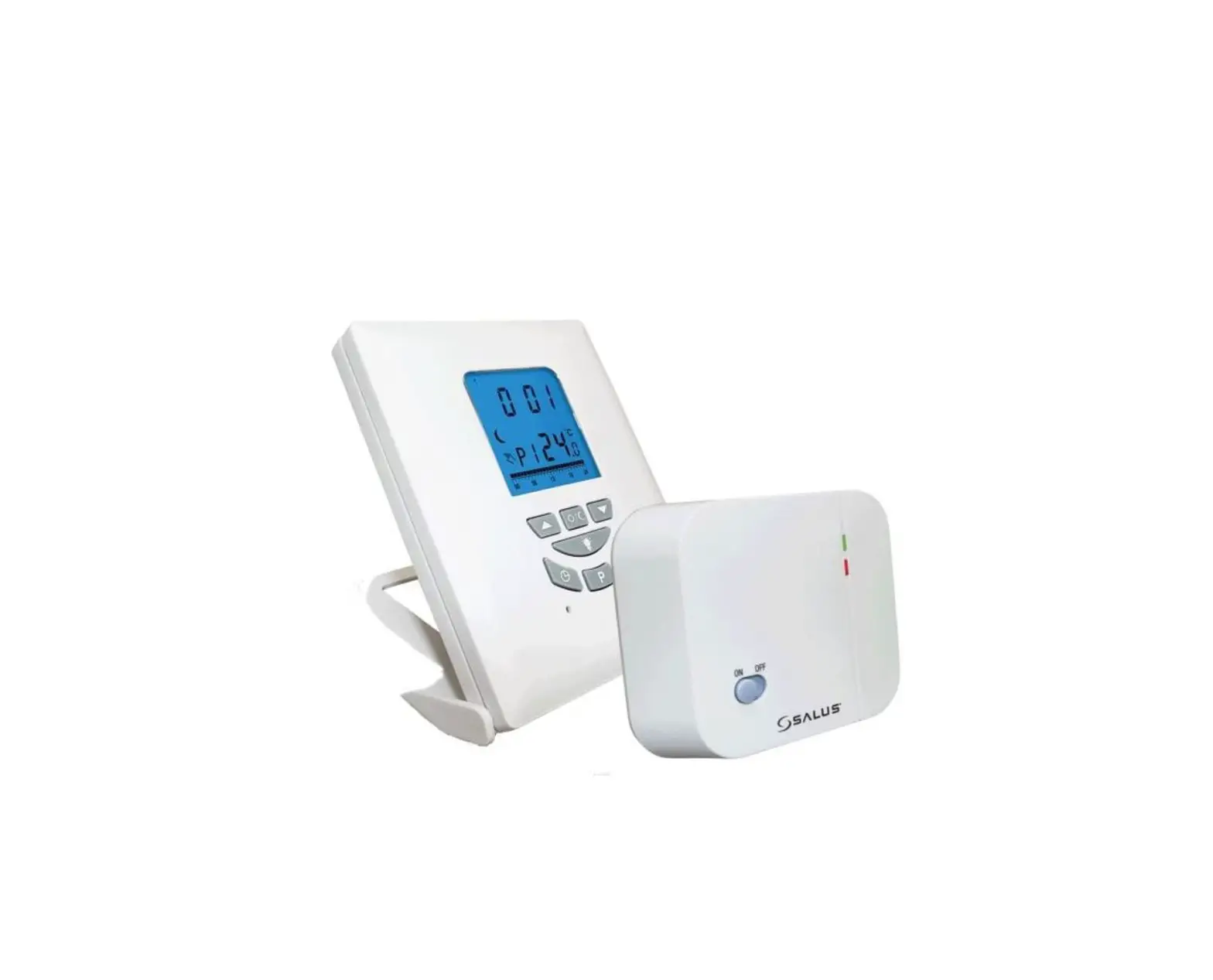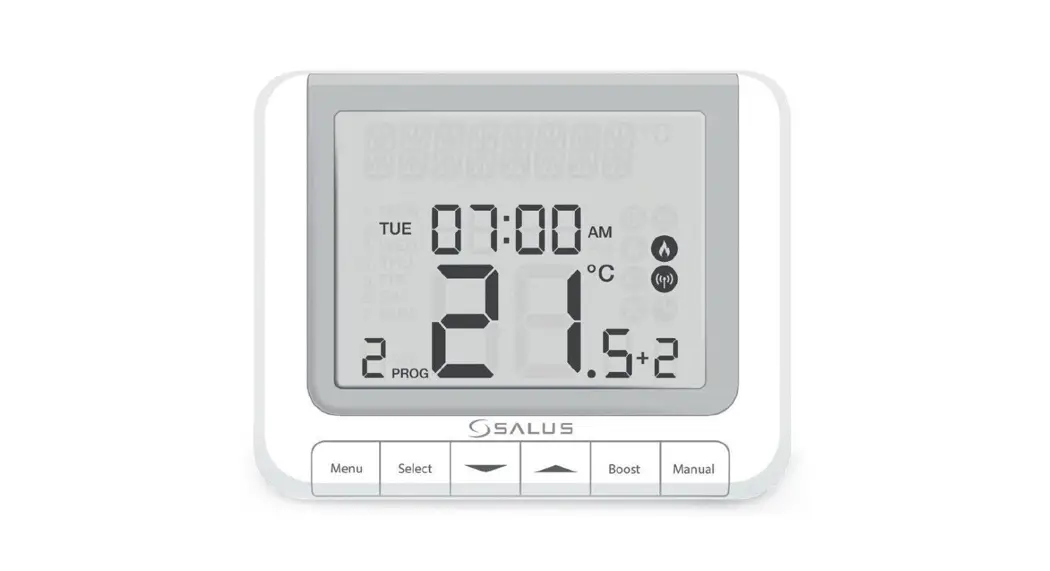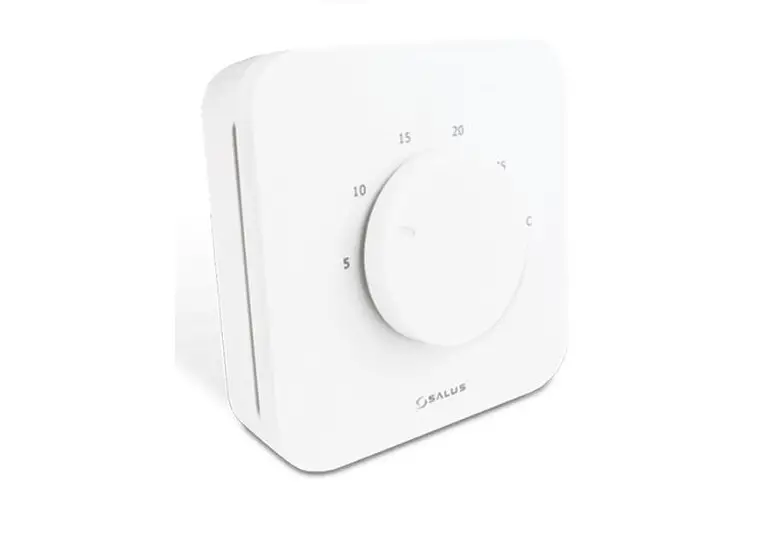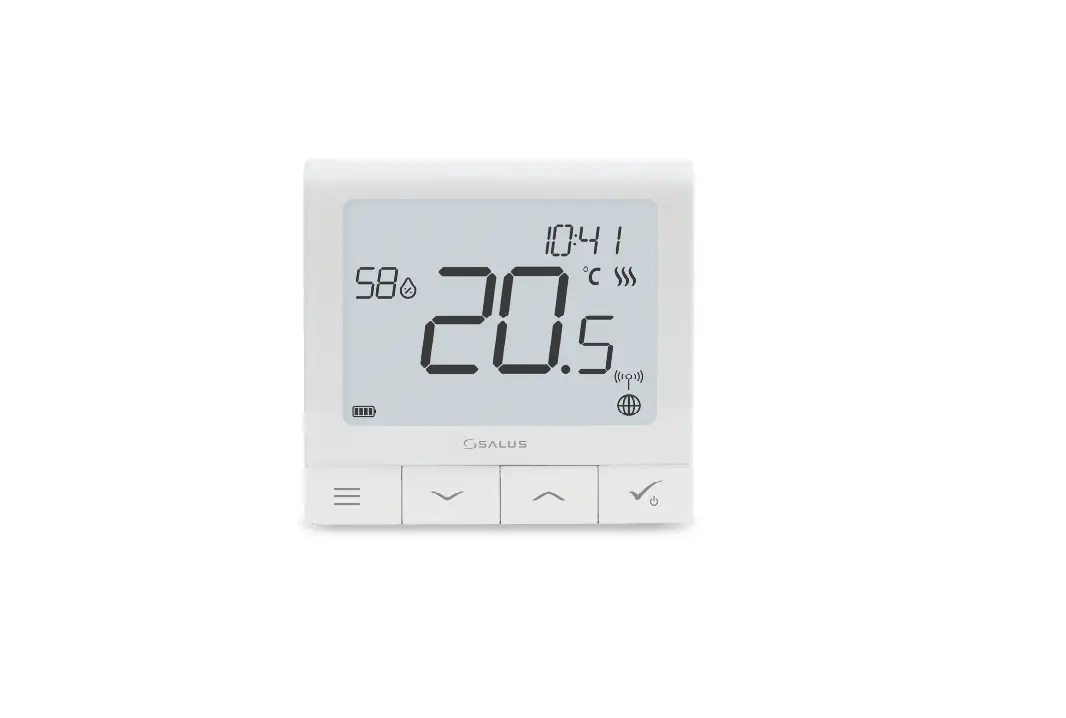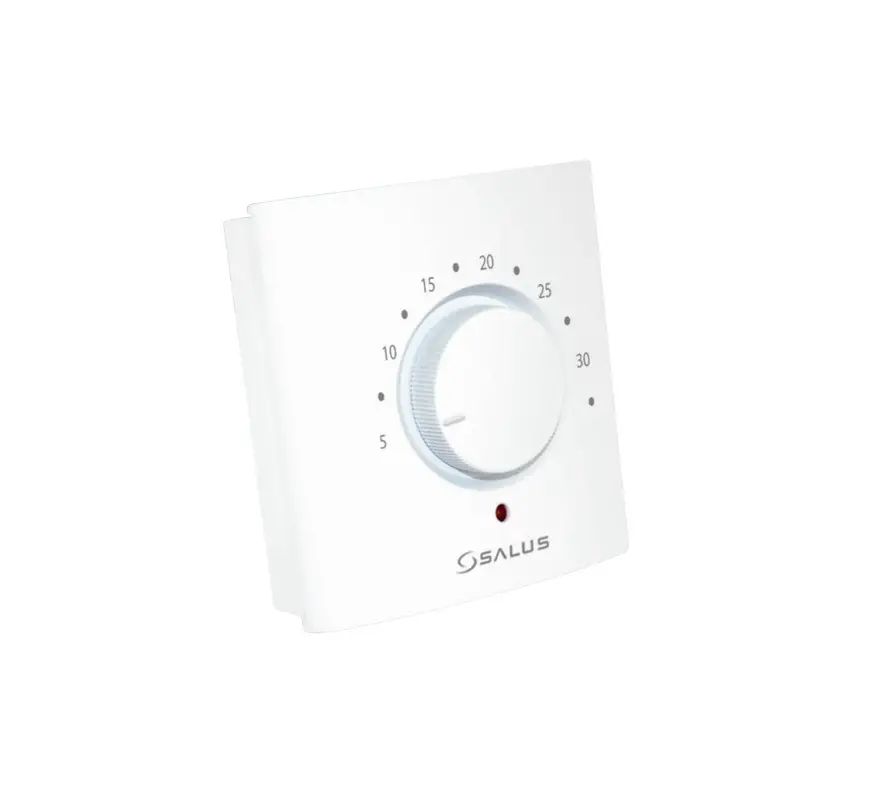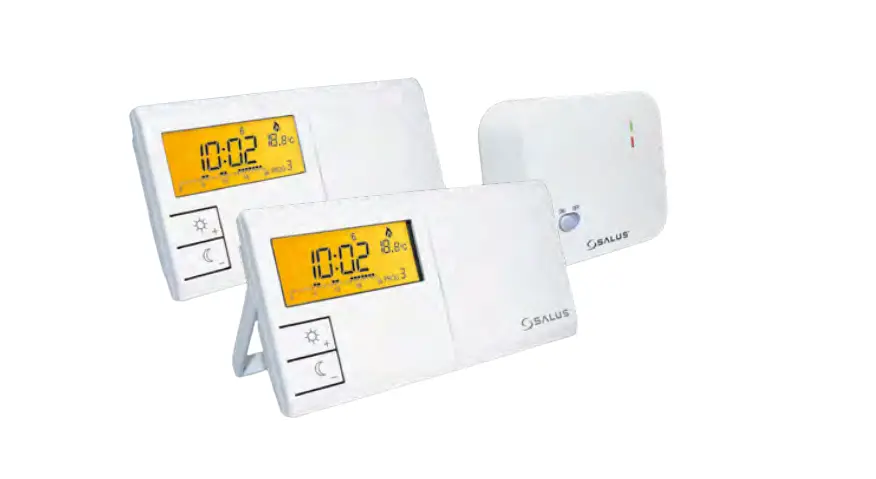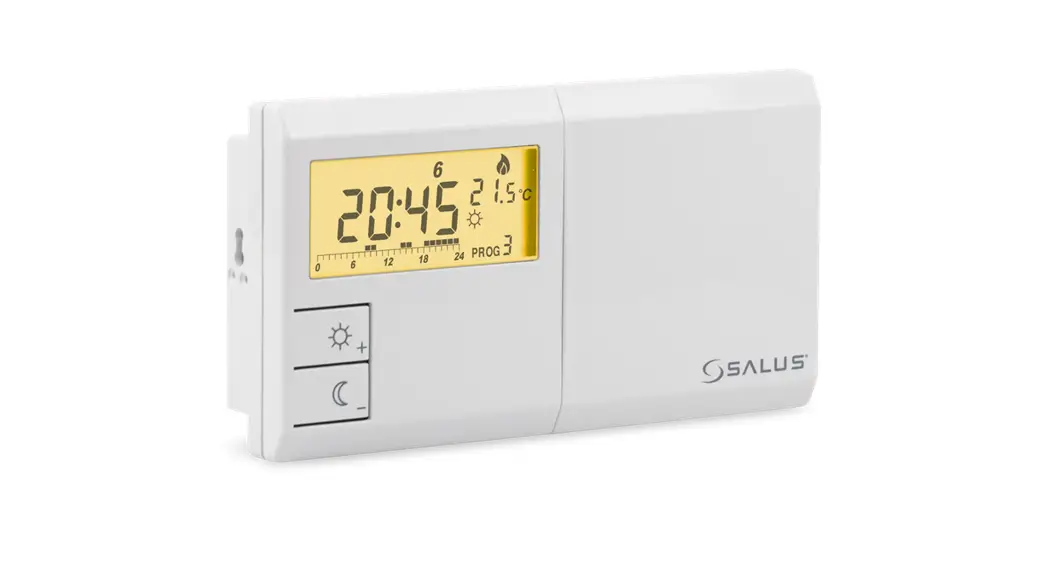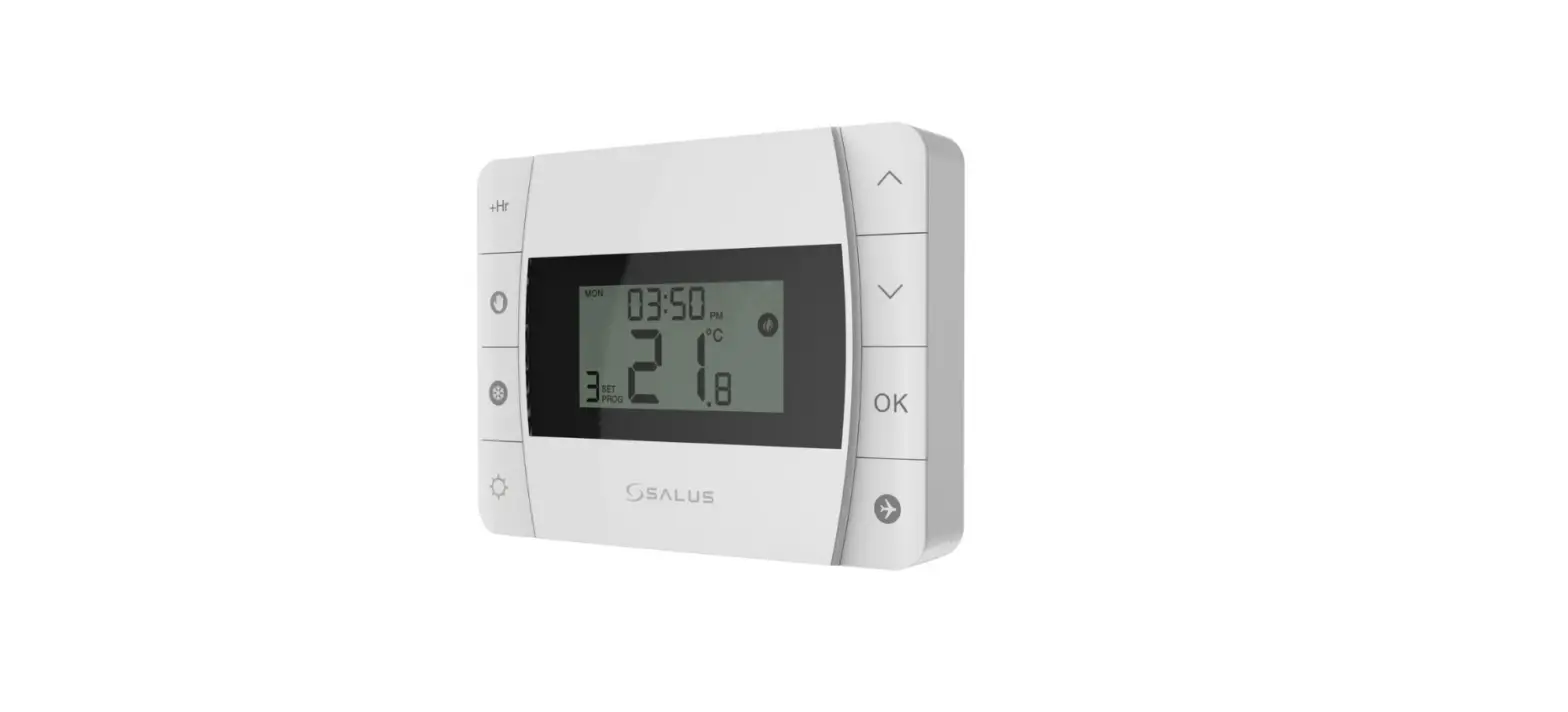

SALUS DT500 Thermostat
Introduction
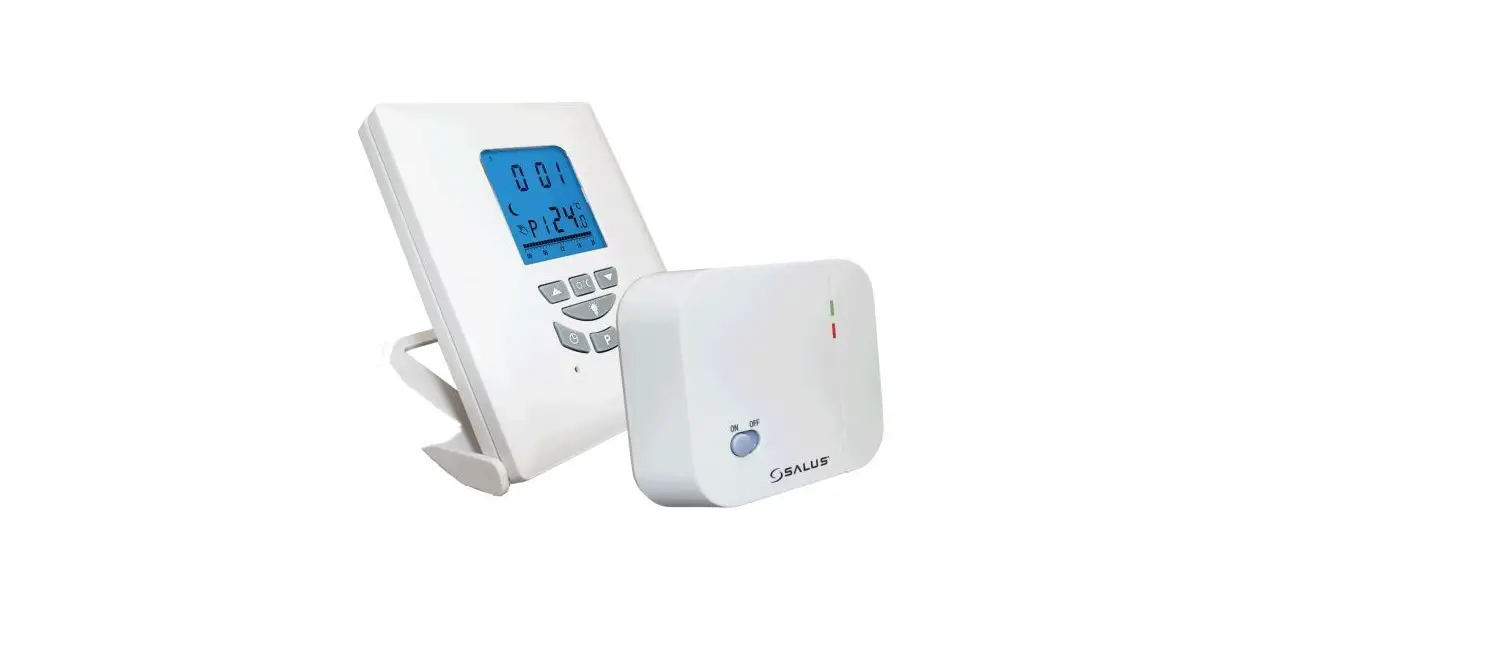
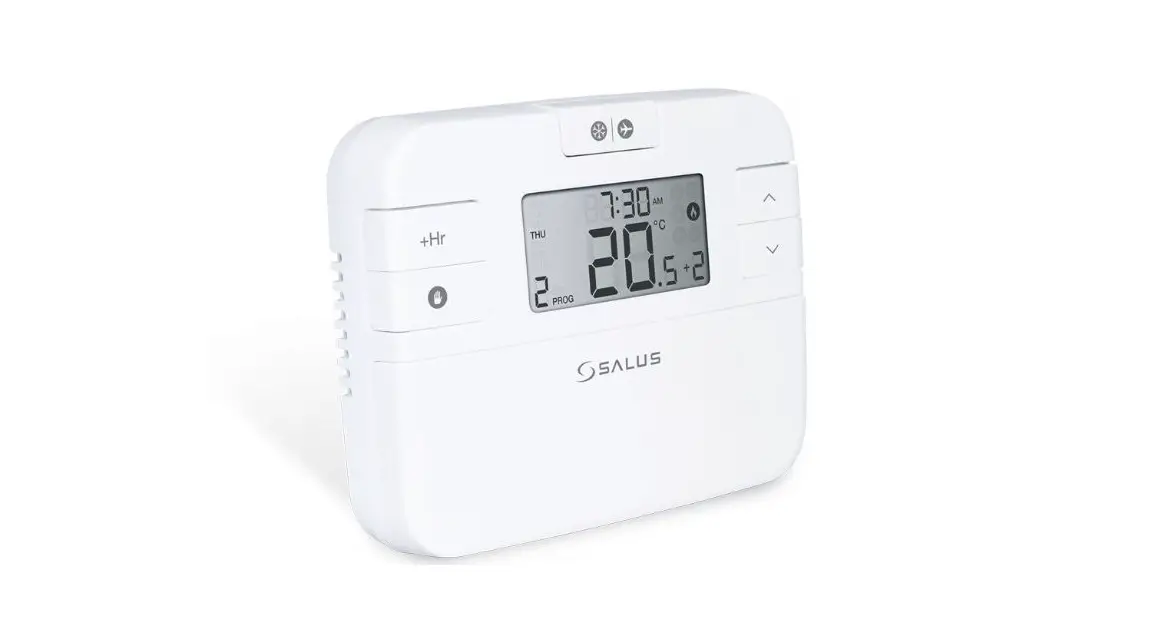
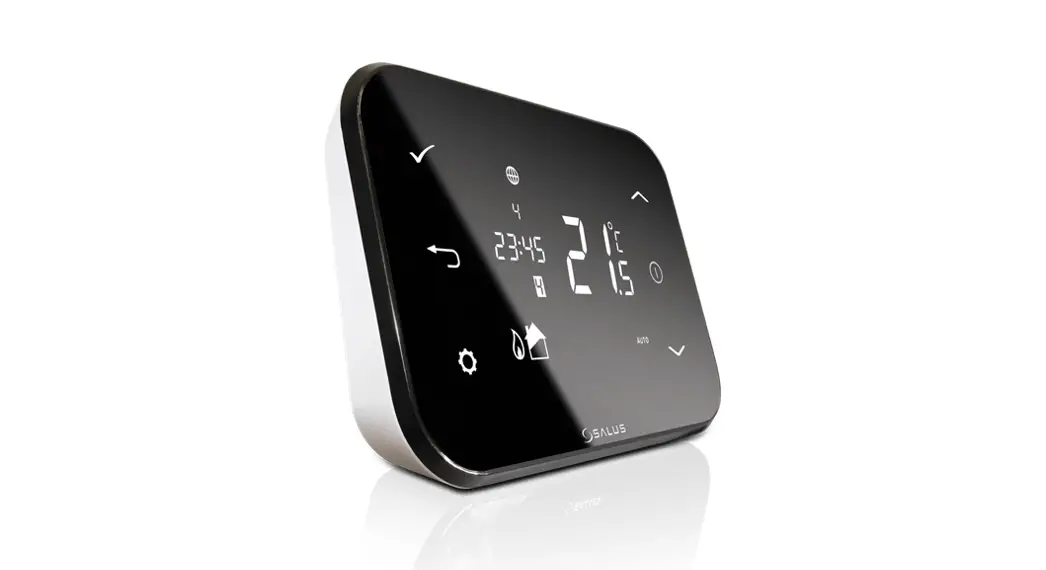
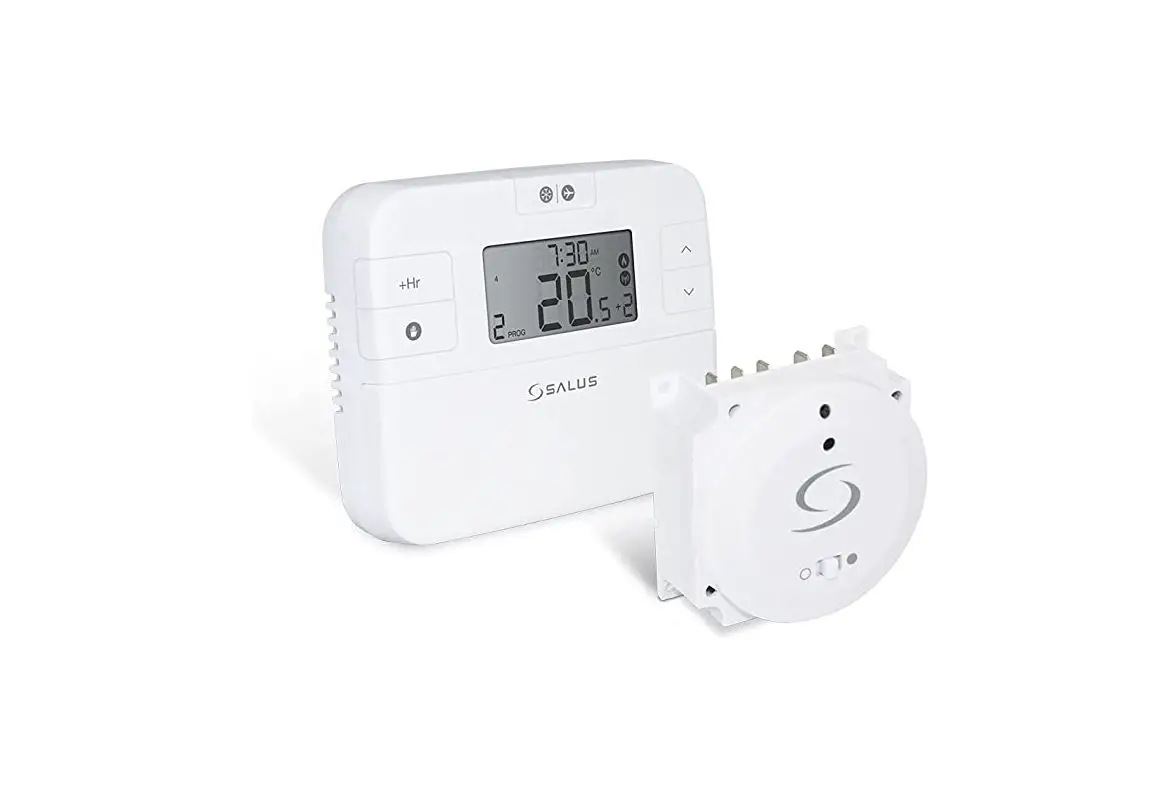
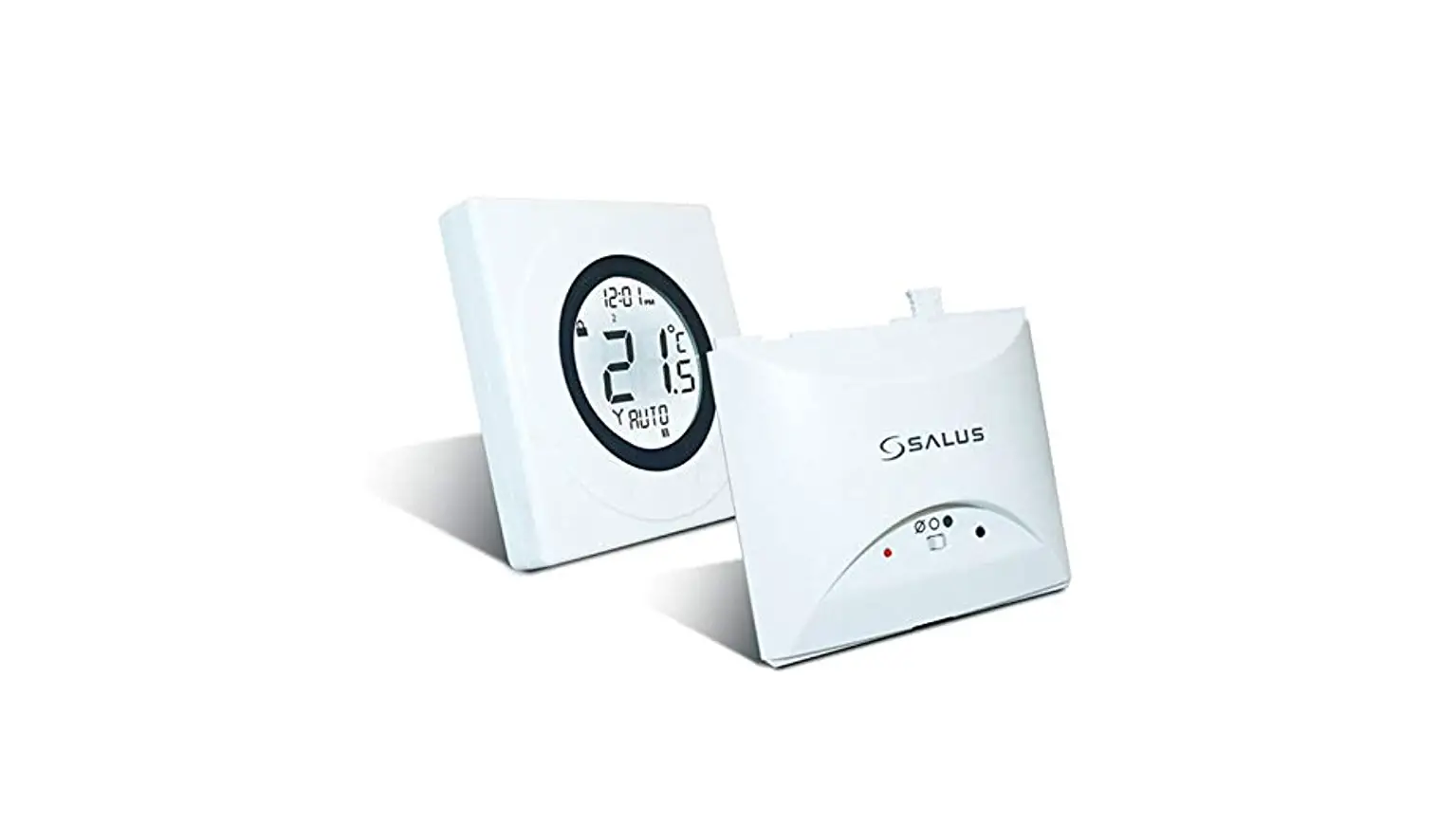
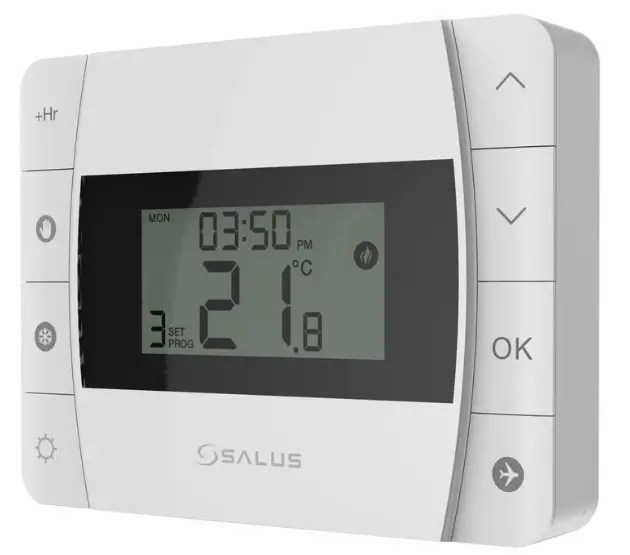
DT500/DT500RF is a programmable room thermostat used to control room temperature. Device launching heating system by shorting terminal blocks, simultaneously informing the action and showing this information on the LCD display. Extended features allows us to use various operating modes – automatic (time schedules), manual, frost protection or holiday. Before use please read this manual carefully. Use only AA 1.5 V alkaline batteries in the thermostat.. Place the batteries into the battery slot located under the cover (see the Battery replacement chapter on the back). Do not use rechargeable batteries
Product Compliance
This product complies with the essential requirements and other relevant provisions of Directives EMC 2014/30/EU, LVD 2014/35/EU, RED 2014/53/EU and RoHS 2011/65/EU. The full text of the EU Declaration of Conformity is available at the following internet address: www.saluslegal.com
Safety Information
Use in accordance to national and EU regulations . Use the device as intended , keeping it in dry condition.Product for indoor use only. Installation must be carried out by a qualified person in accordance to national and EU requlations
Technical specification
| DT500 Thermostat | DT500RF Thermostat | |
| Thermostat supply | 2 x AA alkaline batteries | 2 x AA alkaline batteries |
| Thermostat rating max | 5 (3) A | – |
| Outputs | Voltage free NC / NO / COM terminals | – |
| Temperature range | 5 °C – 35 °C | 5 °C – 35 °C |
| Temperature accuracy | 0.1 °C or 0.5 °C | 0.1 °C or 0.5 °C |
| Control algorithm | ITLC SPAN ± 0.25 °C or ± 0.5 °C | ITLC SPAN ± 0.25 °C or ± 0.5 °C |
| Radio frequency | – | 868 MHz |
| Dimension [mm] | 120 x 90 x 29 | 120 x 90 x 29 |
| DTRX5 Receiver | |
| Receiver supply | 230 V AC |
| Receiver rating max | 16 (5) A |
| Outputs | Voltage free NC / NO / COM terminals |
| Radio frequency | 868 MHz |
| Dimension [mm] | 98 x 98 x 25.2 |
Button functions
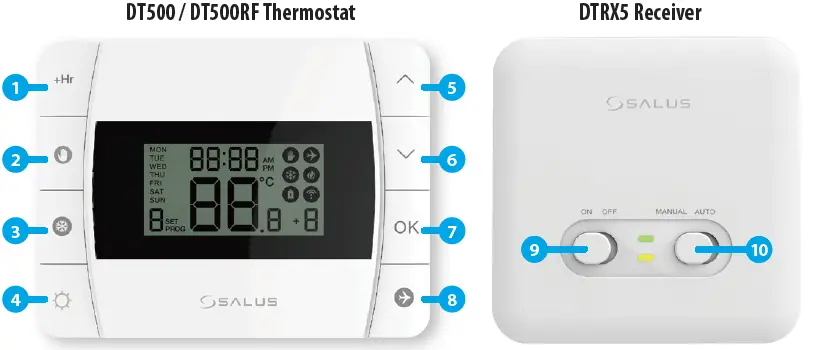
- Boost function
- Manual Mode
- Frost protection
- Schedule settings / Back button
- Increase button
- Decrease button
- Confirm button
- Holiday Mode
- When in manual mode, ON will turn the boiler on
When in manual mode, OFF will turn the boiler off - Receiver operates in automatic mode according to the thermostat/Receiver output is controlled by the On/Off slide switch
LCD Icon Description
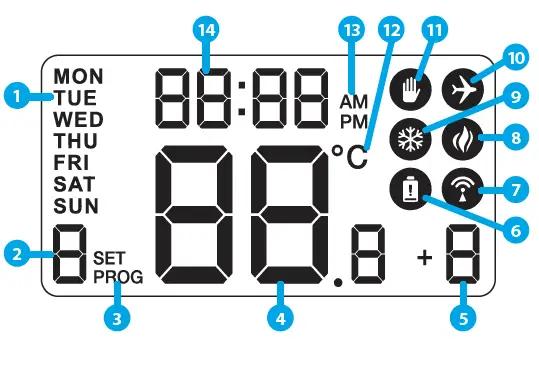
- Day of the week
- Program number
- Program indicator
- Temperature measured / set
- Boost function
- Low battery status
- Wireless connection with the receiver (only for DT500RF)
- Heating Mode On
- Frost Protection Mode On
- Holiday Mode On
- Manual Mode On
- Temperature unit
- AM / PM
- Clock
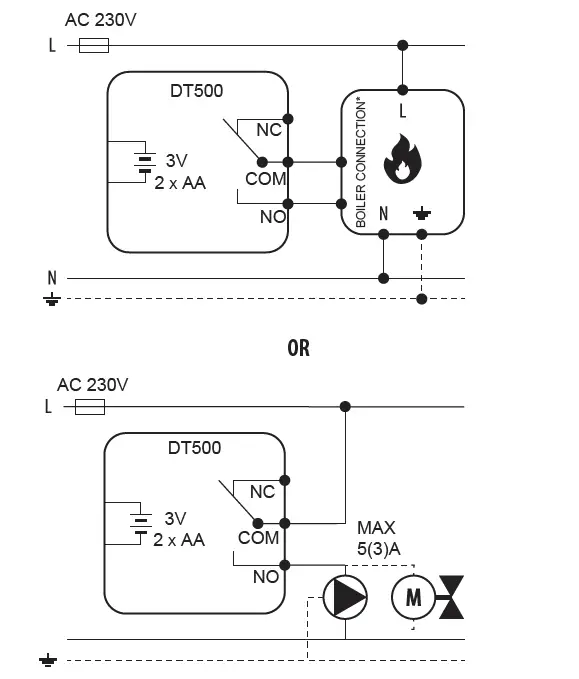
DT500 Thermostat Terminals description
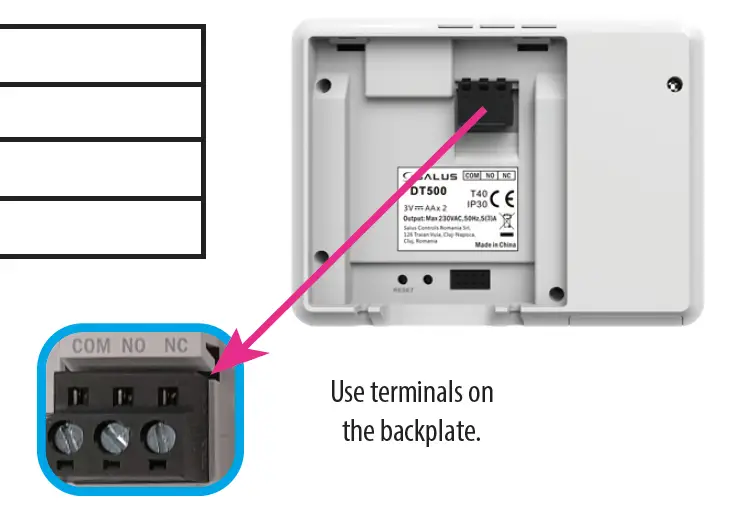
| Terminal | Description |
| COM | Common Terminal |
| NO | Switched Live ON |
| NC | Switched Live OF |
DTRX5 Receiver Terminals description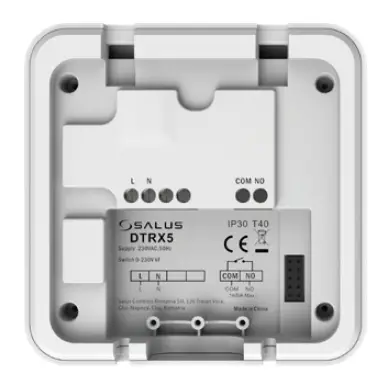
| Terminal | Description |
| NO | Switch Terminal |
| COM | Common Switch Terminal |
| L, N | Power Supply (230 V AC) |
DT500RF Thermostat Wiring Diagram.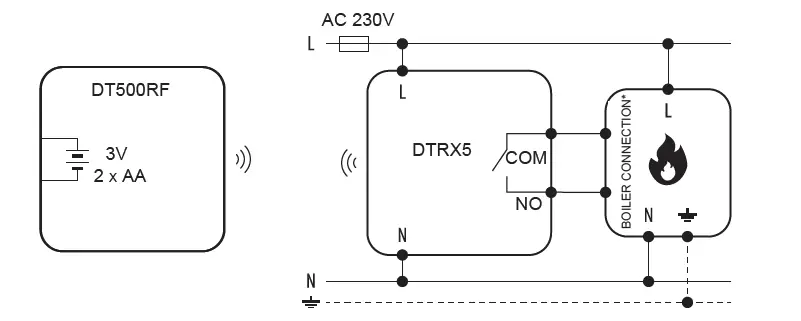
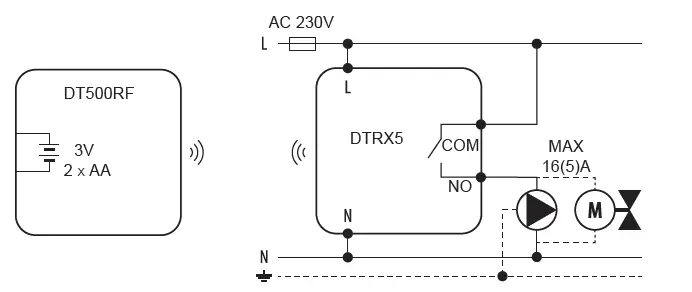
Setting the time


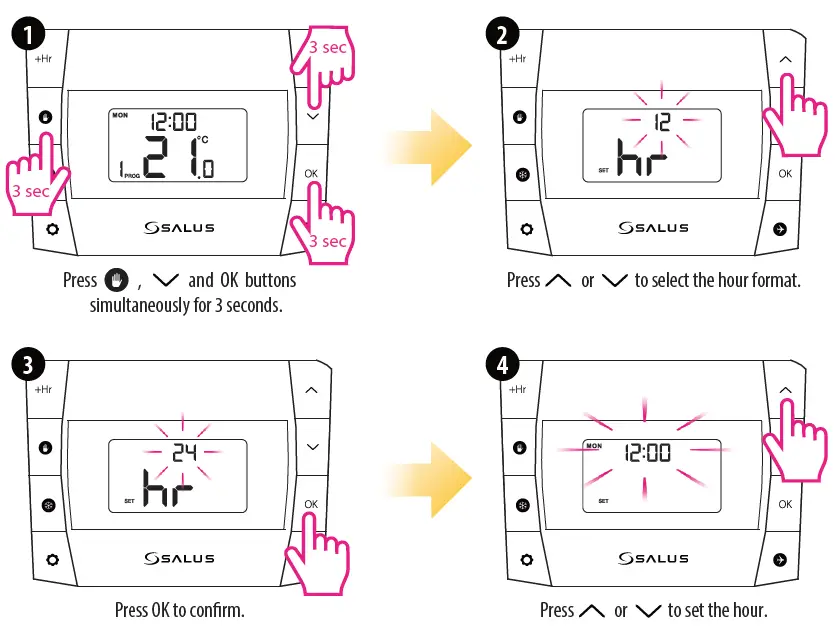
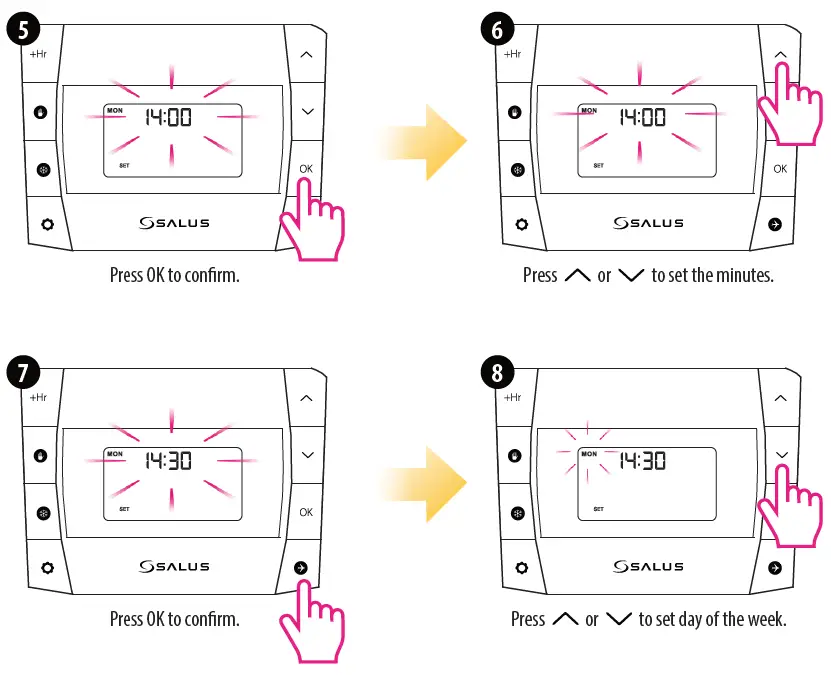
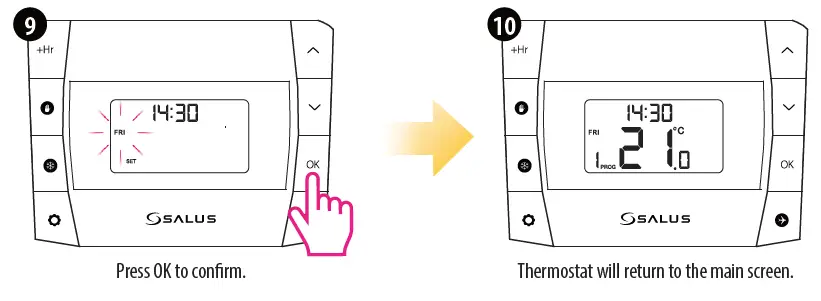
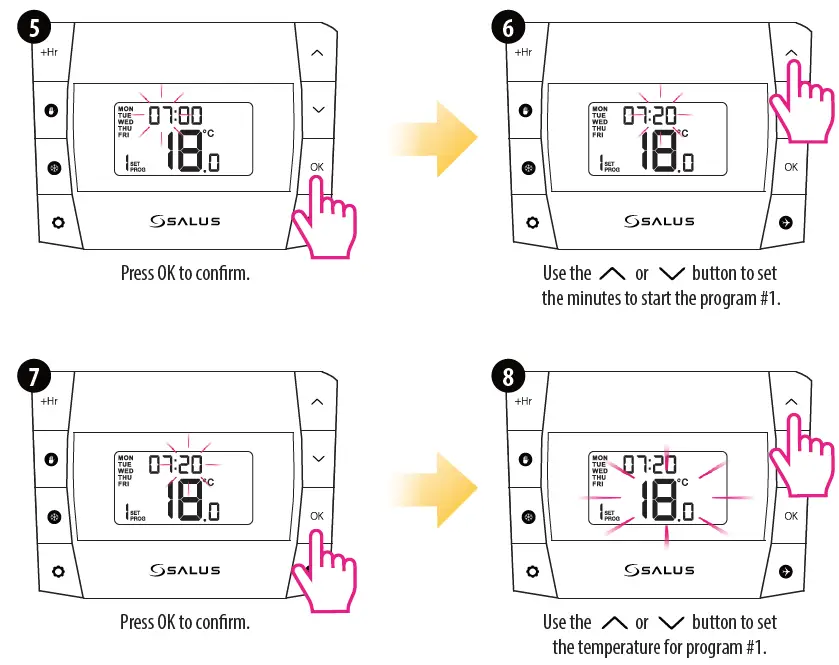
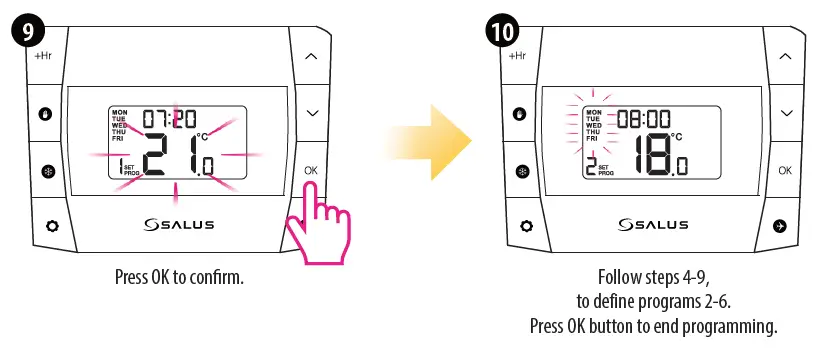
Programming – automatic mode
In this mode, user can set the schedules for thermostat (temperature setpoints for specific periods of time). To do this, firstly choose programming mode: “5-2” (business days + weekend) or “24h” (each day separately) using parameter d04 from Installer mode. Programmed schedules should use all time periods.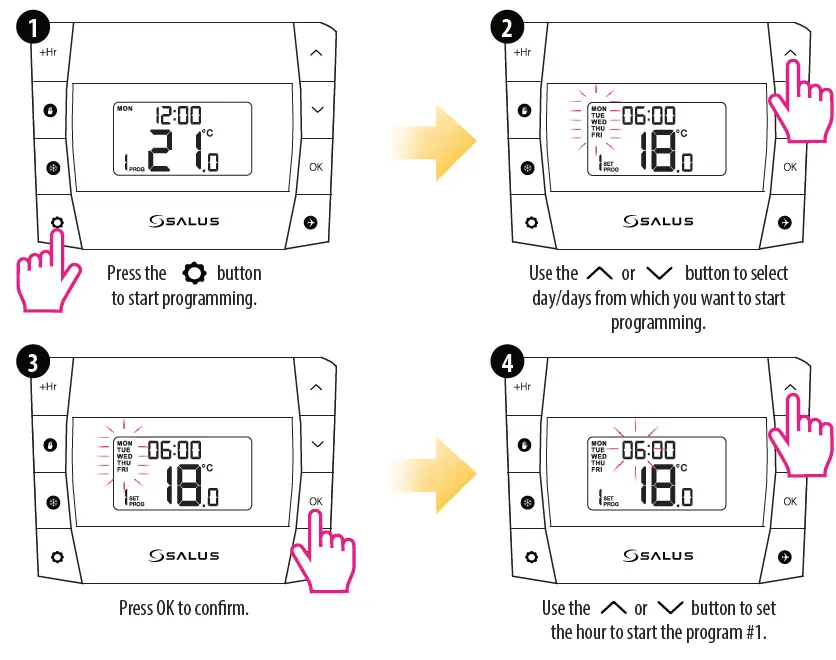
Temporary Override Mode
This function is available only in automatic mode (schedule). If a new setpoint temperature will be set during the schedule – it will be maintained until next time interval starts according to programmed schedule.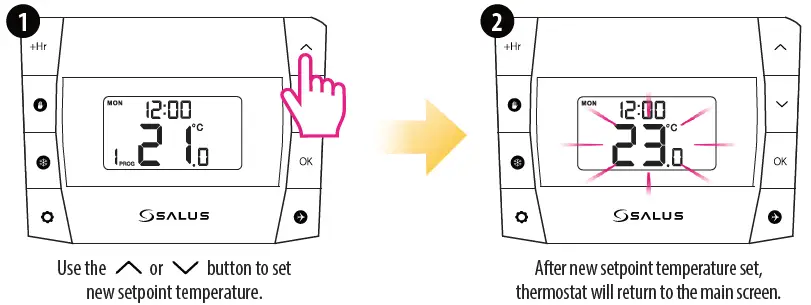
Temporary Override mode will be disabled when new schedule will be set
Manual Mode and setting setpoint temperature
In this mode thermostat does not work according to the programmed schedule but it will maintain selected temperature.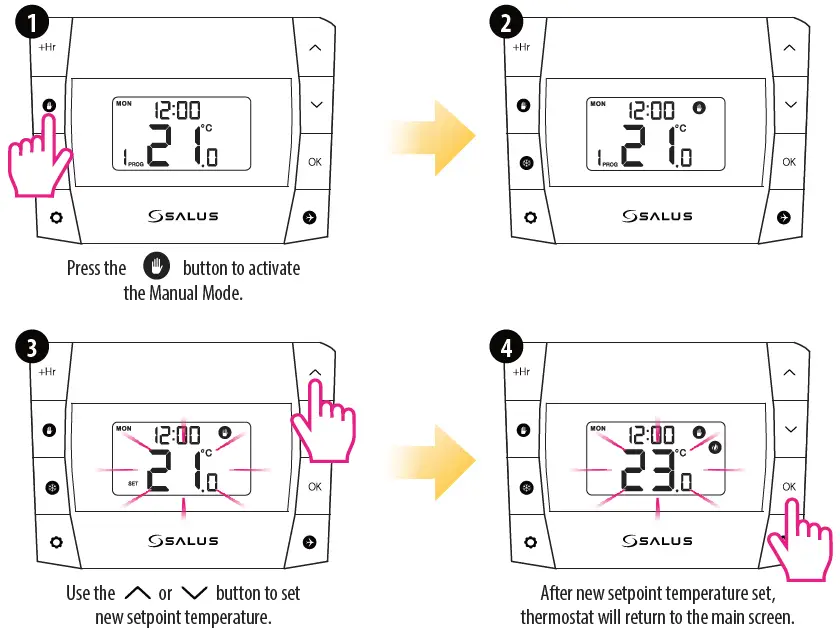
To turn off the Manual Mode press the button. Once the manual mode is off, the hand icon on the thermostat will disappear.
Hourly temperature Override Mode (+Hr)
This function is available in Automatic and Manual Mode. It is used to change the setpoint temperature for a specified number of hours (up to 9 hours). Once that time is over, thermostat returns to previous mode.
Turning off hourly temperature override mode before time’s up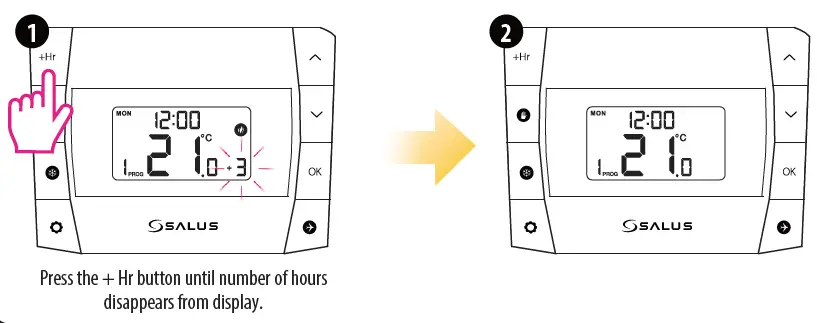
Frost Protection
Temperature of the Frost Protection  mode is set as default at 5°C. This temperature can be changed in Installer Mode in d03 parameter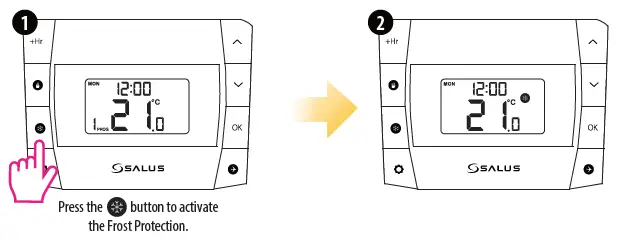
Deactivate Frost Protection
Sleep Mode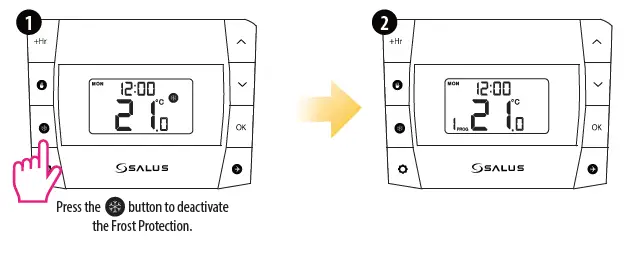
When the sleep mode is activated, all thermostat functions are paused.
Deactivate the Sleep Mode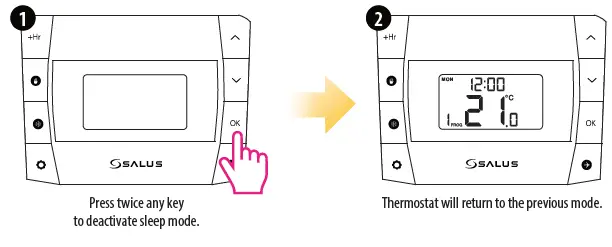
Holiday Mode
In this mode the “frost protection” temperature is maintained for a specific number of days.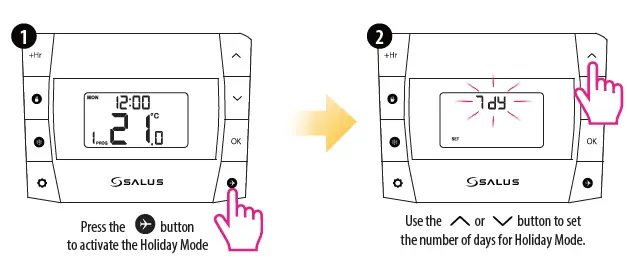
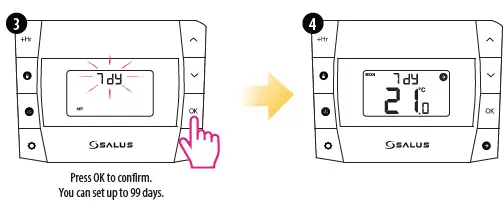
To turn off the Holiday Mode, hold down  button for 3 seconds. The airplane icon should disappear from the display.
DT500RF Thermostat Pairing with the DTRX5 Receiver
Note: If you are using the DT600RF pack, the pairing between the thermostat and the receiver is already done. During the pairing process, please make sure the thermostat and the receiver are at least 1 meter from each other
Important note: The communication radius of the thermostat with the receiver is of maximum 100m, in open space. In built space, with various obstacles (eg walls, floors, metal structures, furniture elements), the communication radius will be significantly reduced. RF communication can be disrupted by local factors, such as GSM antennas, radio frequency devices or toys, or other equipment that produces electromagnetic interference. Receivers for the boiler must be powered from a stable voltage source, without frequent interruptions or voltage fluctuations (outside the standard
If you want to re-pair the devices with each other, follow the steps below
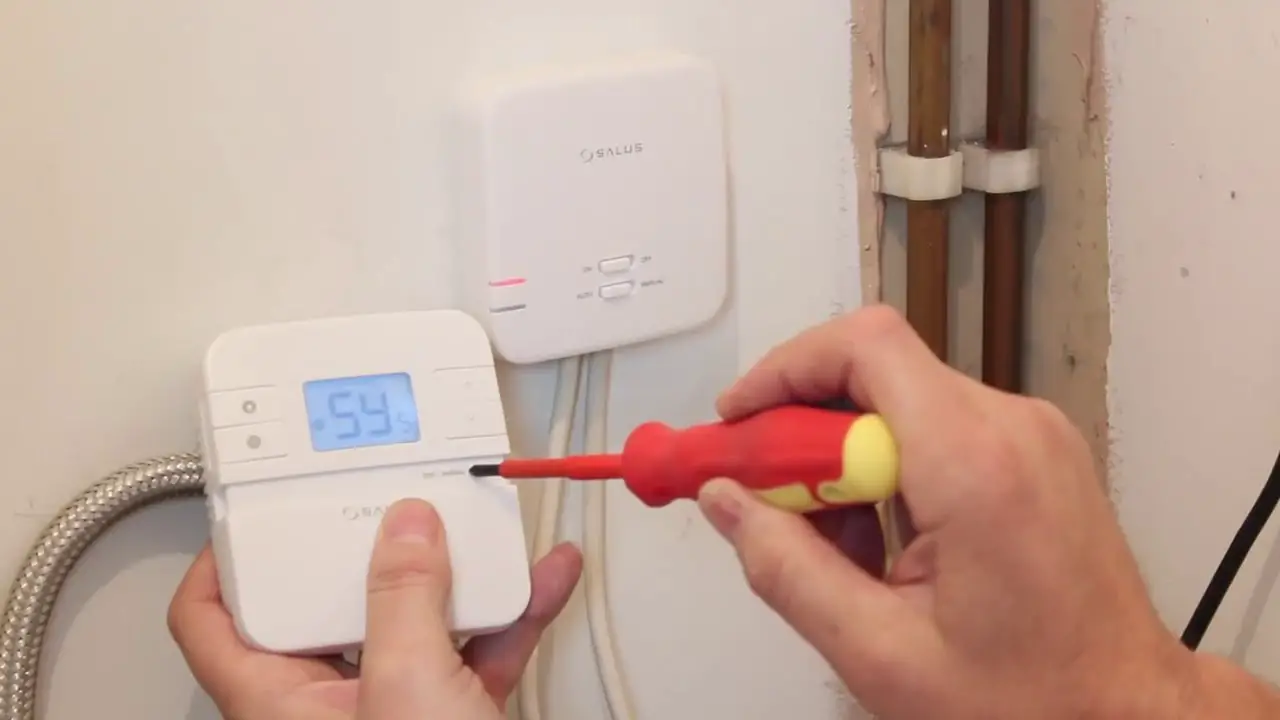
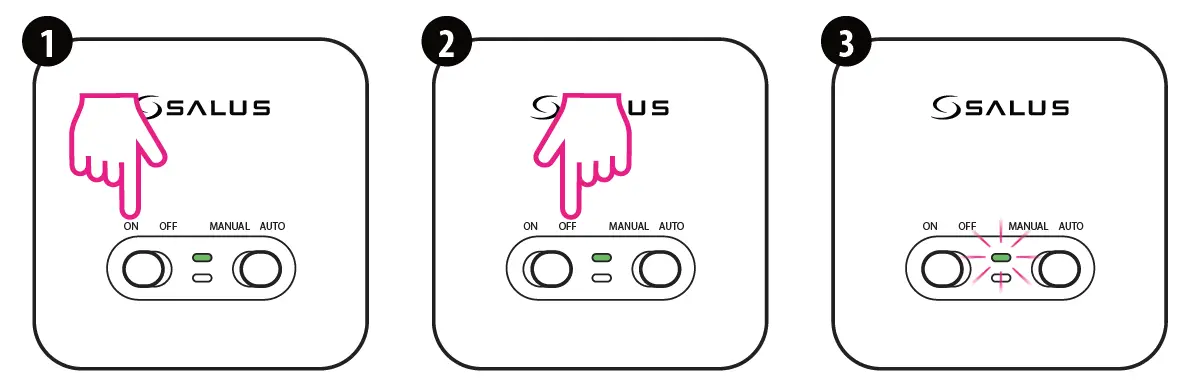
- Make sure that the receiver is disconnected from the power supply and the switches on it are in the AUTO and ON positions. Then connect the receiver to the power supply and wait for the green LED to glow continuously
- Move the left switch to the OFF position with a quick motion and back to the ON position
- The green LED will start blinking,which will confirm that the receiver has entered the pairing mode.

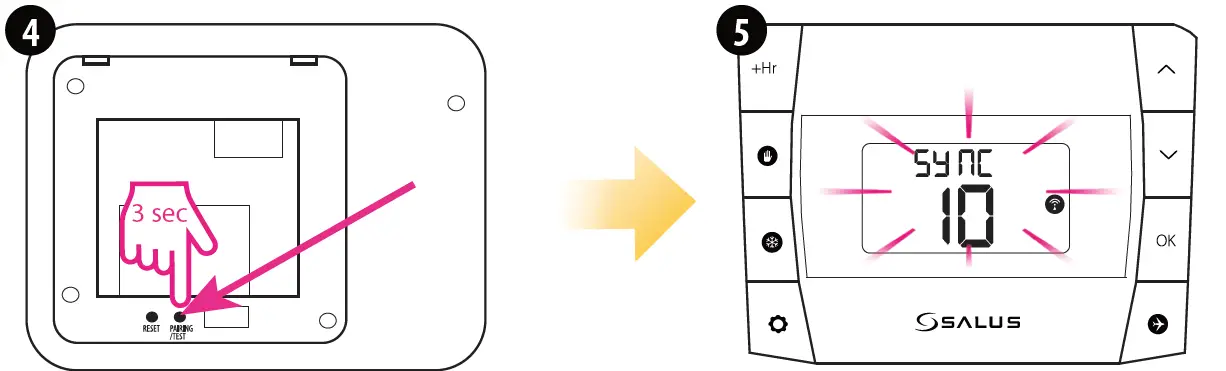
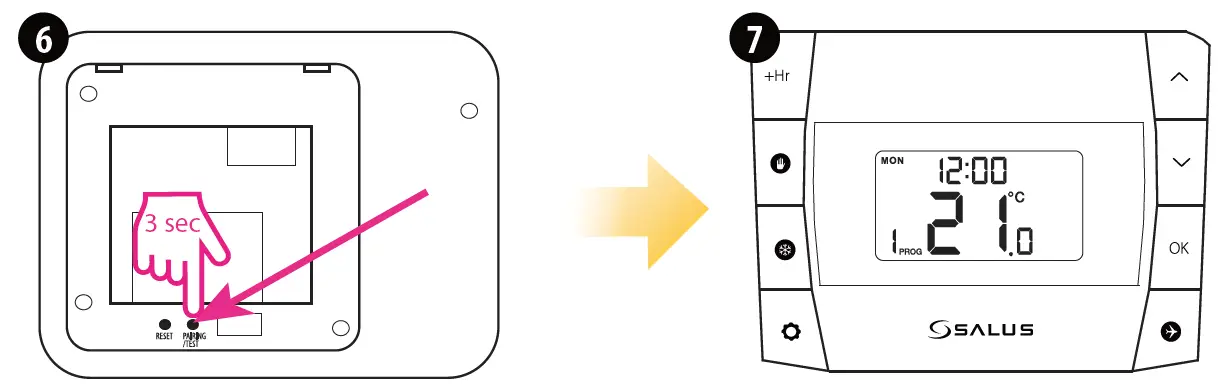
- Press and hold PAIRING / TEST button for 3 seconds
- The pairing process takes up to 9 minutes. Once devices are successfully paired, LED on the receiver will go solid green.

- Press and hold PAIRING / TEST button for 3 seconds to end the pairing process.

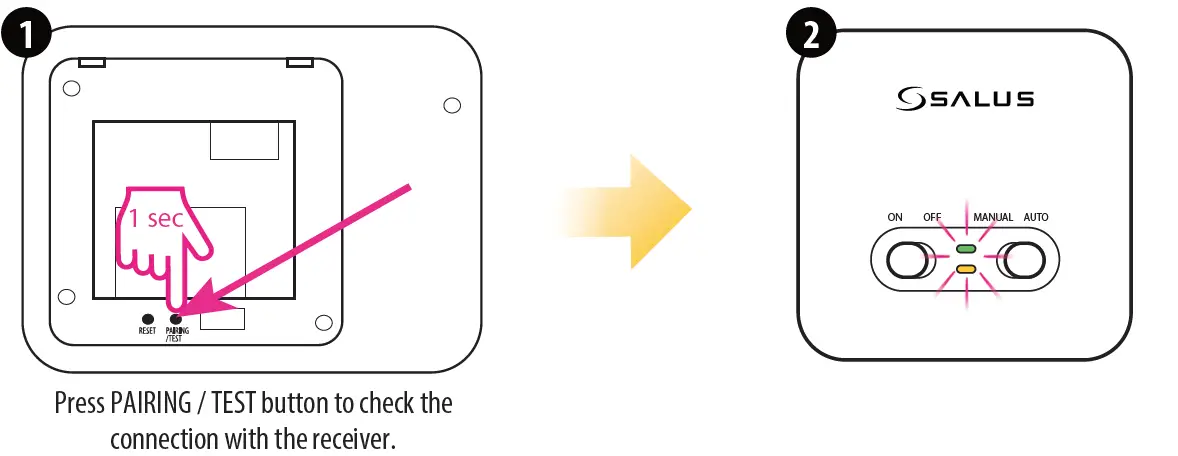
Test the pairing process
Installer Mode
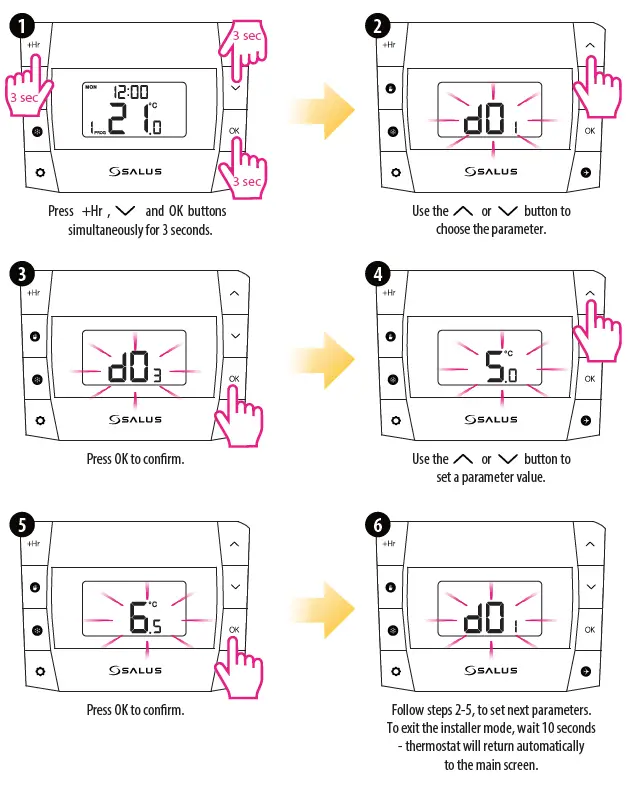
| dxx | Function | Parameter value | Default value |
| d01 | Temperature display increments | 0.1 °C or 0.5 °C | 0.5 °C |
| d02 | Temperature offset | +/- 3.0°C | 0.0 °C |
| d03 | Frost protection setpoint temperature | 5.0 °C – 17.0 °C | 5.0 °C |
| d04 | Programmer selection | 5/2 or 24hr (7d) | 5/2 d |
| d05 | TPI or SPAN algorithm selection TPI = self-adaptive algorithm SPAN = hysteresis (fixed temperature deviation) | ITLC or SPAN | ITLC |
| d06 | TPI or SPAN adjustment (if you selected SPAN in parameter d04, then parameter d05 will display the SPAN settings, the same applies to the TPI algorithm) | 6CP or 9CP / 0.25 °C or 0.5 °C | 6CP / 0.5 °C |
Battery replacement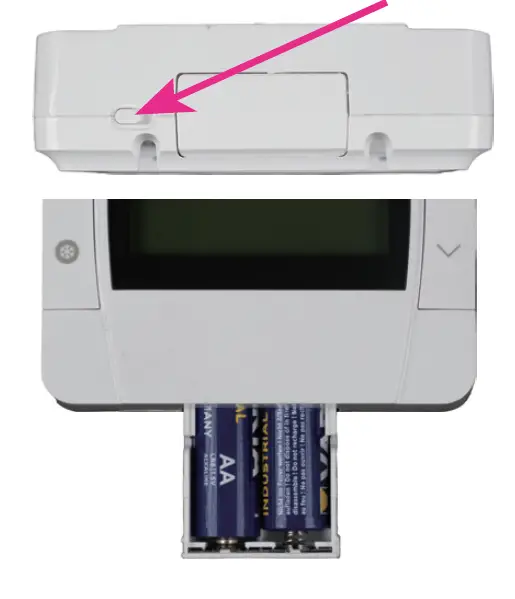
To insert and replace the batteries, follow the steps below:
- Unlock the battery compartment.
- Push the battery holder at the bottom of the thermostat
- After adding or replacing the batteries, re-insert the battery holder.
Reset of the DT500/DT500RF thermostat
Press and hold +  and OK buttons for 5 seconds, or press the RESET button on the back of the thermostat. Then the thermostat will be reset. It will display all segments on the display and the default settings will be restored
SALUS Controls Units 8-10, Northfield Business Park Forge Way, Parkgate, Rotherham, S60 1SD
Email: [email protected]
http://www.salus-controls.com
SALUS Controls is a member of the Computime Group.
Maintaining a policy of continuous product development SALUS Controls plc reserve the right to change specification, design and materials of products listed in this brochure without prior notice
Issue Date: May 2022
V04
 Choose your country – Salus
 Salus – Smart Technology for your comfort