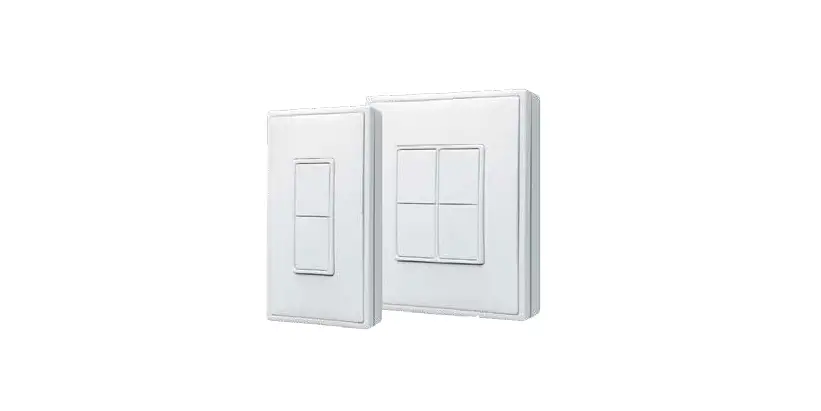
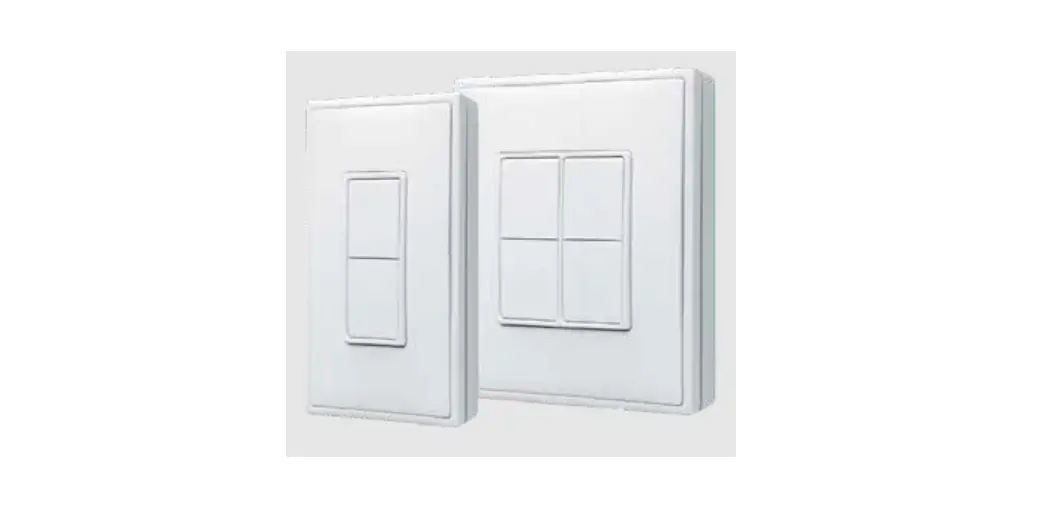
M9-ILS2 Integrated Rocker Switch
Product Information: Integrated Rocker Switch M9-ILS2
The Mx-ILS2 Rocker Switch is a wireless communication (902 MHz)
switch that provides remote control of lighting. The switch has a
relay that turns the load ON when the top button is pressed and OFF
when the bottom button is pressed. An indicator LED blinks Red when
a message is received from a learned wireless device such as an
occupancy sensor or remote switch. The switch can learn devices
directly through the Programming Mode Selection Menu or via
airConfig Tool. It has a reception range of 100-150 ft. which
varies depending upon the environment and transmission device.
The Mx-ILS2 switch comes with three color options and includes a
white frame attached. The color of the frame can be changed by
following the instructions provided in the user manual.
The switch can be used in Auto-ON / Auto-OFF mode which can be
enabled using the dip switches. The product comes from the factory
in Manual-ON/Auto-OFF mode. Walk-through mode can be used only in
Auto-ON mode and is recommended only when wireless occupancy
sensors with batteries have been installed. Timeout options include
2 (test), 10, 20, and 30 minutes.
Features
- Wireless communication (902 MHz)
- Remote control of lighting
- Indicator LED blinks Red when a message is received from a
learned wireless device - Reception range of 100-150 ft.
- Auto-ON / Auto-OFF mode
- Three color options for the switch frame
Equipment Needed For Installation
- Circuit breaker or fuse
- Wall box
- Screws for mounting the switch and wall plate
- Plastic/Nylon wall plate (metal wall plate may result in
reduction of receiving range) - Electrician (if wiring in wall box does not resemble the
configuration provided in the user manual)
Product Usage Instructions: Integrated Rocker Switch
M9-ILS2
Installation
Step 1: Turn off power at circuit breaker or
fuse and test that power is off before wiring.
Step 2: Identify your wiring application (most
common). If the wiring in your wall box does not resemble this
configuration, consult an electrician.
Step 3: Connect wires as instructed in the user
manual.
Step 4: Set dip switch settings. Dip switch
settings, the switch frame, and paddle will need to be removed.
Refer back to the Changing the color of your ILS2 switch section
for removal instructions of the switch frame. This can only be done
with the wall plate removed.
Step 5: Attach the switch to the wall box using
mounting screws.
Step 6: Place plastic/nylon wall plate over the
device and secure it in place with screws provided. Note: Usage of
a metal wall plate may result in reduction or loss of receiving
range for ILS2 wall switch.
Step 7: Restore power at circuit breaker or
fuse. Installation is complete.
General Operation
- The locator LED illuminates GREEN when the load is in the OFF
position to facilitate access in the dark. - Turn ON from OFF position: Push the top of the switch.
- Turn OFF from ON position: Push the bottom of the switch.
- Clean with a damp cloth. DO NOT use chemical cleaners.
Product Installation Guide
Integrated Rocker Switch M9-ILS2
1] Description
The Mx-ILS2 Rocker Switch is designed to use wireless communication (902 MHz) and provide remote control of your lighting. The relay will turn the load ON when the top button is pressed and OFF when the bottom button is pressed. The Indicator LED will blink Red when a message is received from a learned wireless device such as an occupancy sensor or remote switch. NOTE: The no-neutral version of the WSS20 has a minimum load requirement of 25 watts.
Devices can be learned directly into the Mx-ILS2 via the Programming Mode Selection Menu or via airConfig Tool. The Mx-ILS2 rocker switch has a 100-150 ft. reception range depending upon the environment and transmission device. Range will be reduced by signals having to transmit through walls. Transmit range for Mx-ILS2, when utilized as a repeater or for initial setup/ commissioning is approximately 50ft.
2] Features
· Able to switch single load ON/OFF remotely · Scene Capable · Green Locator LED when device is OFF · Can be remotely configured and commissioned using the airConfig Tool · Includes repeater function to increase wireless reception to other devices · Ease of installation – no new wiring · Title 24 Vacancy Mode (Manual ON/Auto OFF) supported when paired with occupancy sensor Mx-ILS2 has built in air-gap switch to disable current flowing to the load for replacing bulbs
3] Equipment Needed For Installation
· Slotted/Phillips Screwdriver · Cutters
· Pencil · Pliers
· Electrical Tape · Ruler
4] Installation
Changing the color of your ILS2: Your ILS2 switch includes three color options. The ILS2 switch ships with the white frame attached. To change color of the frame, proceed as follows:
4] Installation (continued)
INSTALLING YOUR ILS2 SWITCH Step 1: WARNING: TO AVOID FIRE SHOCK OR DEATH; TURN OFF POWER at circuit breaker or fuse and test that power is off before wiring!
Step 2: Identifying your wiring application (most common): NOTE: If the wiring in your wall box does not resemble this configuration, consult an electrician.
Step 3: Single Pole Wiring Application · ILS2 Receiver Control Switch is only intended as a Single Pole device. Multiple Location Wiring Application: · Wireless remote switch can be used for additional switches (3-way and 4-way), no wires necessary.
Wiring Switch: Connect wires per WIRING DIAGRAM below as follows: · Connect (Hot) wire from wall box to black wire on switch. · Connect (Load) wire in wall box to blue wire on switch. · Connect (Neutral) wire in wall box to white wire on switch. (NOTE: For No Neutral model, white wire will not be available (Figure 2).
Step 4: Dip Switch Settings: NOTE: Dip switch settings, the switch frame and paddle will need to be removed. Refer back to the “Changing the color of your ILS2 switch” section for removal instructions of the switch frame. This can only be done with the wall plate removed.
Magnum First – 1 Seneca Street, 29th Floor, M55 – Buffalo, NY 14203 – phone 716-293-1588 – www.magnumfirst.com – [email protected]
1
Product Installation Guide
4] Installation (continued)
Auto-ON / Auto-OFF mode: Auto mode can be enabled using the dip switches, product comes from the factory in Manual-ON/Auto-OFF. Walk-through: Can be used only in Auto-ON mode. It is recommended to only use this setting when wireless occupancy sensors with batteries have been installed. Timeout: 2 (test), 10, 20, 30min; (Longer time delay is recommended for continuous self-powering of the occupancy sensor and to ensure packets are sent to the WSS20 receiver switch.
4] Installation (continued)
Step 6: Switch Mounting: TURN OFF POWER AT CIRCUIT BREAKER OR FUSE:
Tighten mounting screws to secure the device to the wall box.
Step 5: Testing your ILS2 prior to mounting in wall box: · Position all wires to provide room in outlet wall box for device. · Ensure that the locator LED is facing up on device. · Partially screw in mounting screws in wall box mounting holes. NOTE: Dress wires with a bend as shown in diagram in order to relieve stress when mounting ILS2
· Restore power at circuit breaker or fuse. · Press pad at the TOP until locator LED is OFF. Lights should turn ON. If lights do not turn ON, refer to the TROUBLESHOOTING section.
Step 7: Wall Plate Mounting: Place plastic/nylon wallplate over device and secure in place with screws provided. Note: Usage of a metal wall plate may result in reduction, or loss of receiving range for ILS2 wall switch.
Step 8: Restore Power: Restore power at circuit breaker or fuse. Installation is complete.
5] General Operation
The locator LED will illuminate GREEN when the load is in the OFF position to facilitate access in the dark.
Push Pad (Default settings) – Turn ON from OFF position: Push the top of the switch. – Turn OFF from ON position: Push the bottom of the switch. – Cleaning: Clean with a damp cloth. DO NOT use chemical cleaners.
If there is a power outage, when the power is restored, the lights will return to the last known state so long as the device was in that state for 30 seconds or more.
INSTALLING AIRCONFIG SOFTWARE (OPTIONAL) Please refer to the Magnum AirConfig tool available at http://download.magnum-innovations.net.
Programming Instructions: All devices are learned in a “reduced sensitivity” mode to avoid interference from other devices which may be active in areas close by. This reduction of sensitivity reduces the range so devices learned to the ILS2 Rocker Switch should be within 10 ft when learning.
Factory settings: ILS2: Manual ON/Auto OFF, Walk Through mode OFF (disabled), Occupancy Time-Out delay = 20min, Key Card/Momentary Time-Out delay = 0s, Repeater = disabled.
Magnum First – 1 Seneca Street, 29th Floor, M55 – Buffalo, NY 14203 – phone 716-293-1588 – www.magnumfirst.com – [email protected]
2
Product Installation Guide
5] General Operation (continued)
Factory setting operation: When entering the room, the wireless receiver control switch will need to be manually turned ON. Once learned into the receiver switch, the Wireless occupancy sensor will send messages to the receiver switch, keeping the lights on until the room is vacant. Once the occupancy sensor stops sending messages and the receiver time out period expires the lights will turn OFF.
Time-Outs: When used with an occupancy sensor the ILS2 has four time-out settings: 2 (test), 10, 20, or 30 min. (a longer timeout is recommended when using self-powered devices in dark spaces). The time-out duration is user selected through the use of the Dip Switch Settings. NOTE: Since the sensor is only sending a message every one to two minutes, the 2 minute time delay is not sufficient for normal operation.
Walk-Through Time Delay: The walk-through feature is only active in the Auto-ON/Auto-OFF mode with time delay > 2 minutes. This feature is useful when a room is momentarily occupied. When enabled, the ILS2 will turn the lights OFF shortly after the person leaves the room. The walk-through feature works in the following manner: When a person enters the room, the lights will turn ON. If the person leaves the room before the walk-through time-out of 2.5 minutes, the Sensor will turn the lights OFF within 2.5 minutes of no occupancy detected. If the room is occupied for longer than 2.5 minutes, the Sensor will enter the Occupied Mode with the time-out duration specified by the Dip Switch settings.
6] Technical Specifications
Part Numbers (Frequency Dependant)
Modulation Type Operational Temperature Power Consumption (< 1 Watt)
Addressing ETL Certified to UL Standard Radio Certification
M9-ILS2 (902 MHz – North America) M8-ILS2 (868 MHz – Europe and China) MJ-ILS2 (928 MHz – Japan)
FSK (Frequency Shift Keying)
0° to +40°C
120VAC @6.2mA AC (330mW typical) 277VAC @4.5mA AC (460mW typical)
Factory set unique ID (1 of 4 billion)
UL-508, CAN / CSA-C22.2 No. 14
FCC Part 15 Subpart C IC RSS-Gen Issue 2, RSS-210 Issue 7, RSS-102 Issue 4 Contains FCC ID: SZV-STM300U Contains IC: 5713A-STM300U
7] Warnings & Cautions
· TO AVOID FIRE SHOCK OR DEATH; TURN OFF POWER at circuit breaker or fuse and test that power is off before wiring, servicing, installing or removing device. · ILS2 products do not require a neutral wire. There is a minimum load requirement of 25 Watts for these products. · To be installed and/or used in accordance with electrical codes and regulations. · If you are unsure about any part of these instructions, consult an electrician. · Recommended minimum wall box depth is 2-1/2″. · Use this device with copper or copper clad wire only.
8] Warranty
U.S. Two-year Limited Warranty: Products purchased in the U.S.A. are warranted for two years from date of purchase by Magnum Innovations to be free of defects in materials and workmanship. In the event of such defect, product will be repaired promptly without charge or, at our option, replaced with a new product of equal or superior value if delivered to Magnum or an Authorized Service Center, prepaid, together with the sales slip or other proof of purchase date. This warranty excludes defects due to normal wear, abuse, shipping damage, or failure to use product in accordance with instructions. This warranty is void in the event of unauthorized repair or modification, or removal or defacing of the product labeling. The Magnum warranty specified herein covers material only and does not include labor or incidental costs associated with product replacement or repair.
Magnum First – 1 Seneca Street, 29th Floor, M55 – Buffalo, NY 14203 – phone 716-293-1588 – www.magnumfirst.com – [email protected]
3
 BMS | Building Management Systems | Magnum First