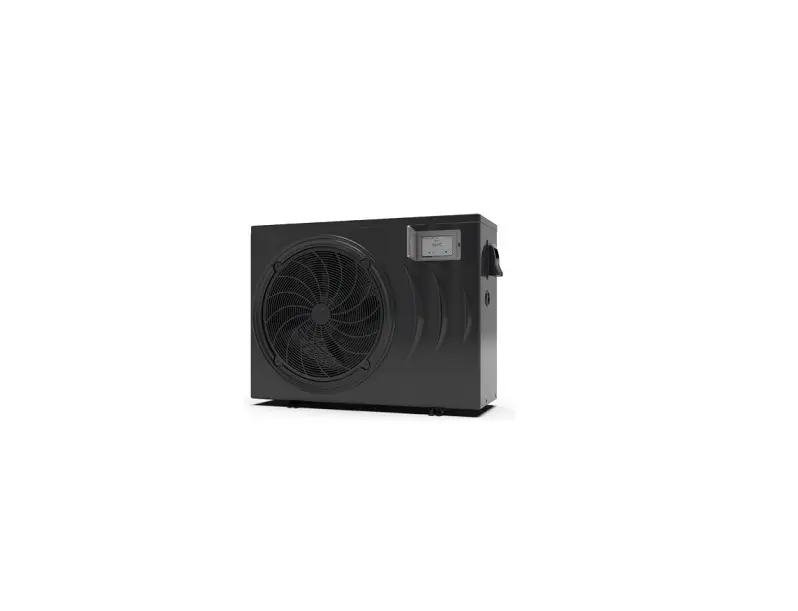
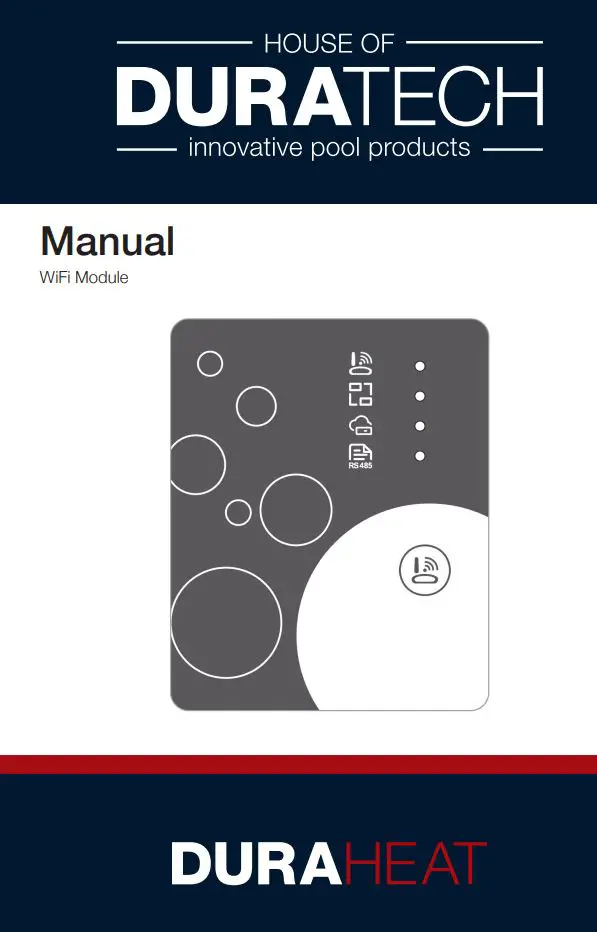
DURATECH DURA HEAT Thermotec Inverter Wifi
Module User Manual
1. Box contents
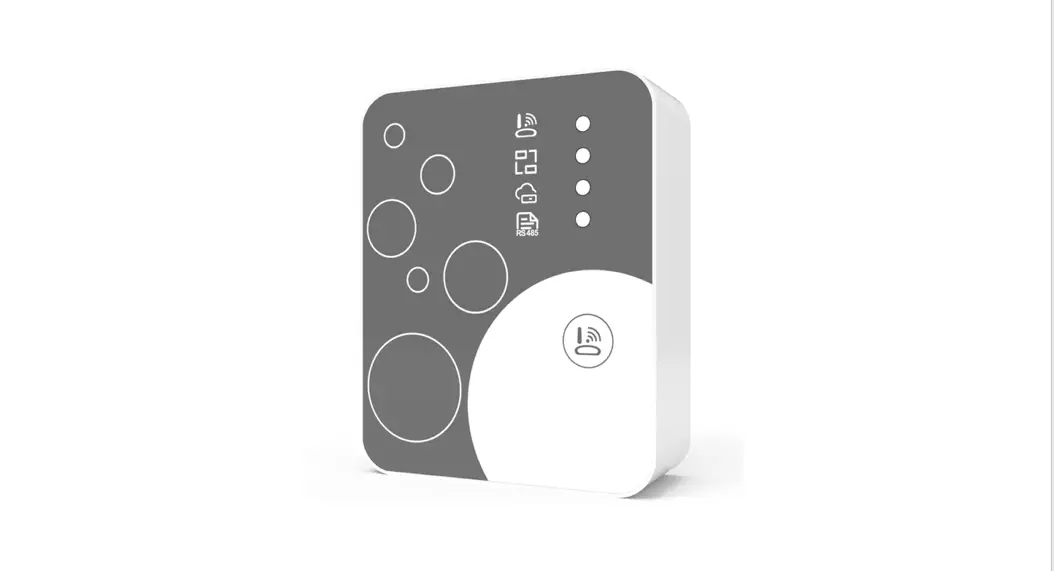
2. WiFi module description
3. Preface
3.1 User privacy instructions
We take your privacy very seriously and we promise to inform you how we use the data. Users’ private data, such as mailboxes, address, before uploading to the cloud, we will get your permission, and we will work hard to protect your data security.
3.2 Description
– Receive data signal from cloud server and transmit to the main device – Receive data signal from main device and transmit to cloud server
– To achieve remote upgrade the WiFi module baseplate MCU by cloud server
– To achieve the remote upgrade of the main device by WiFi module baseplate MCU
3.3 Technical parameters
OPERATING VOLTAGE: DC8V~12V (Recommended value 12V) OPERATING CURRENT: Max. recurrent peak 1A, average standby current 50mA
TEMP. RANGE: Operating Temp.: -30°C~+70°C; Storage Temp.: -40°C~+85°C
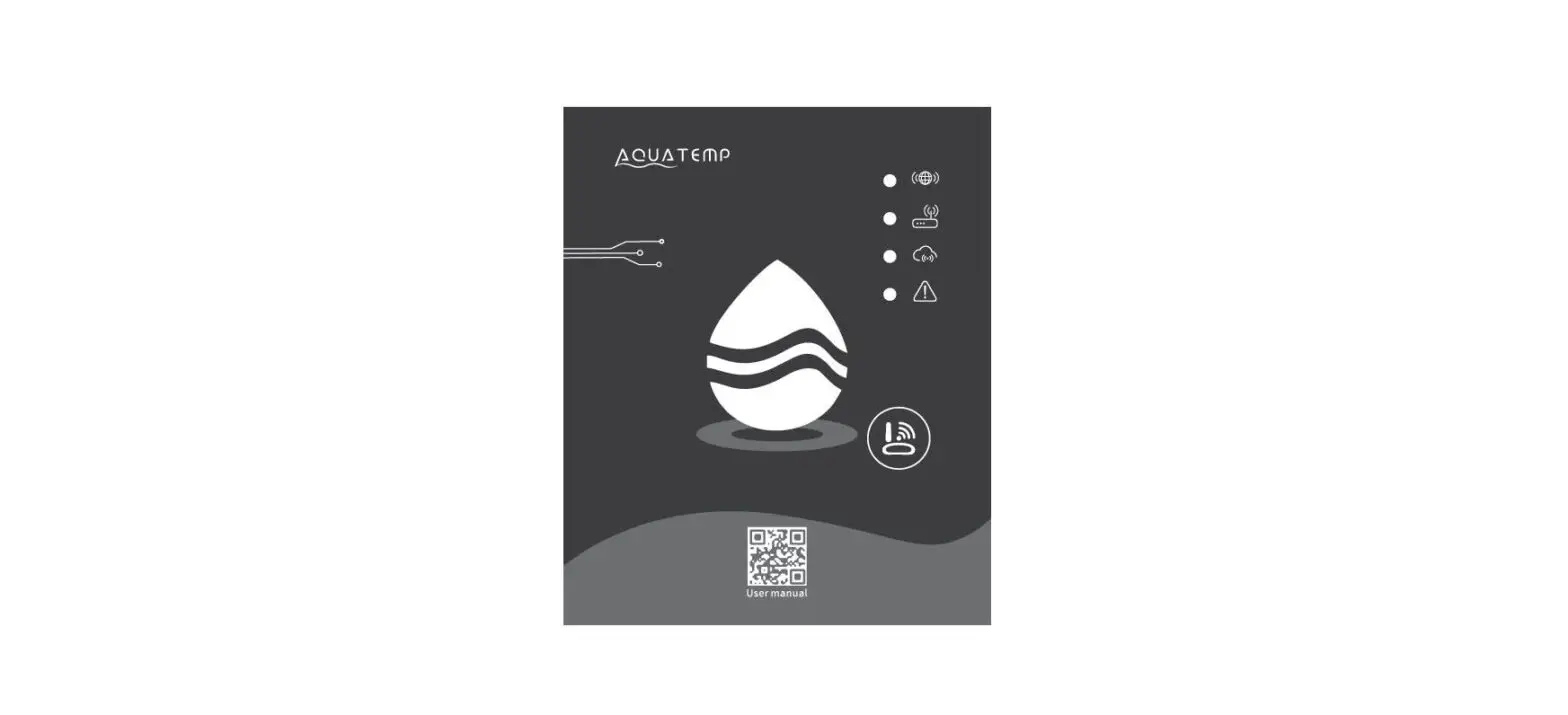
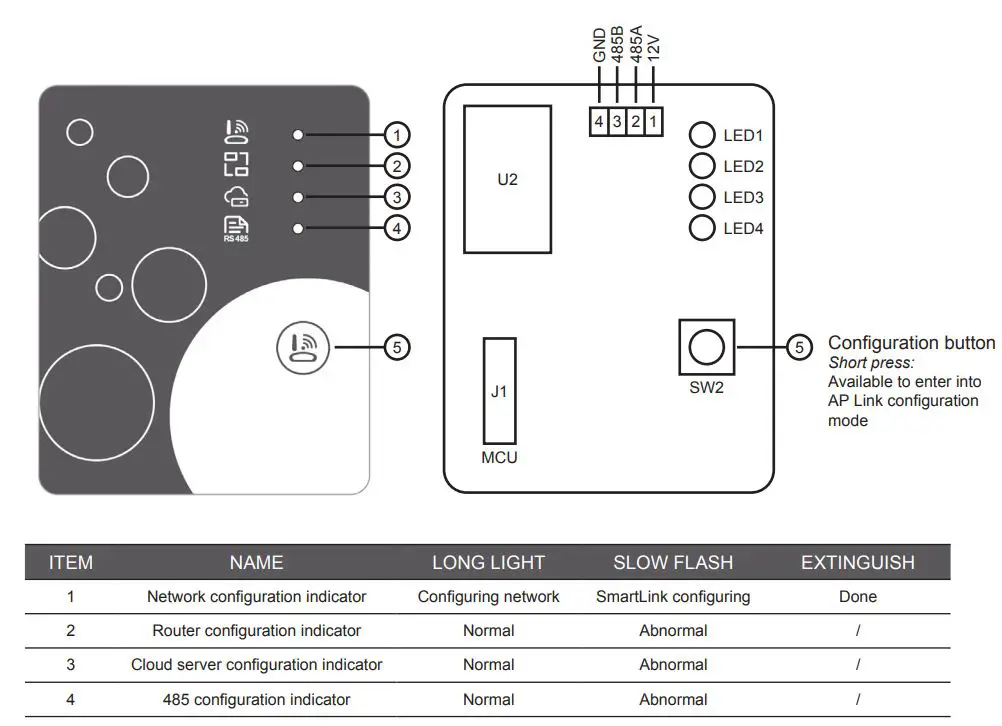
LED INDICATOR LIGHT: 4 lights, Network configuration indicator, router connection indicator, cloud server connection indicator, 485 communication indicator;
DIMENSION(L×W×H): 78mm×63mm×24mm
3.4 App installation
Please scan the following QR code to download APP

4. WiFi module installation
4.1 Overview instructions
Depending on which heat pump and version you own, the installation of the WiFi module will be slightly different. In the table below you will find which instruction you should follow.
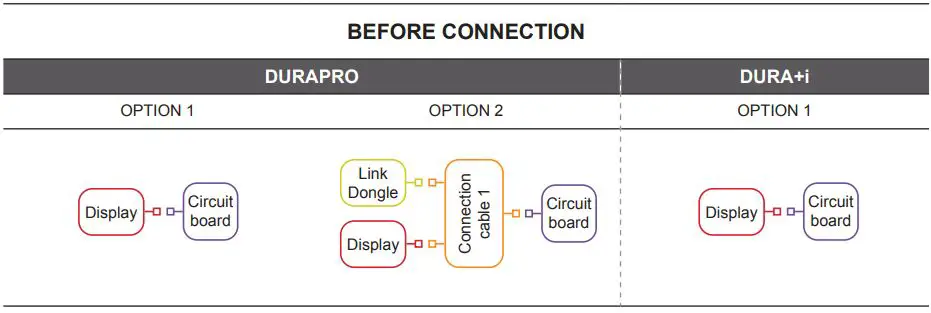
DURAPRO – option 1 The WiFi module can be easily connected between the display and circuit board.
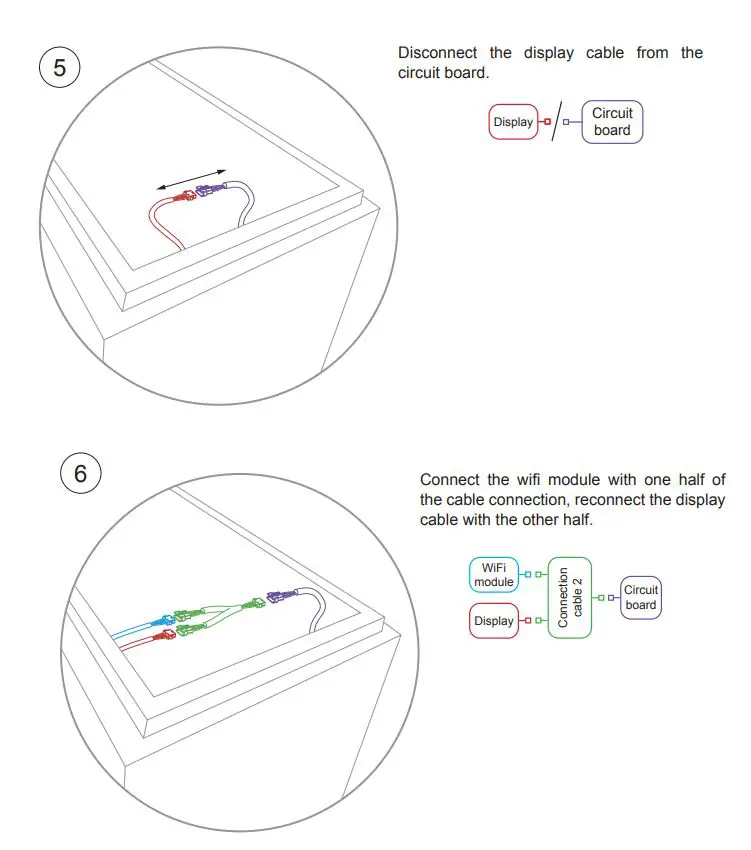
DURAPRO – option 2 The Link Dongle is connected with an extra cable between the display and the circuit board. This will first have to be disconnected before the WiFi module can be connected.
DURA + i – option 1 The WiFi module can be easily connected between the display and circuit board.
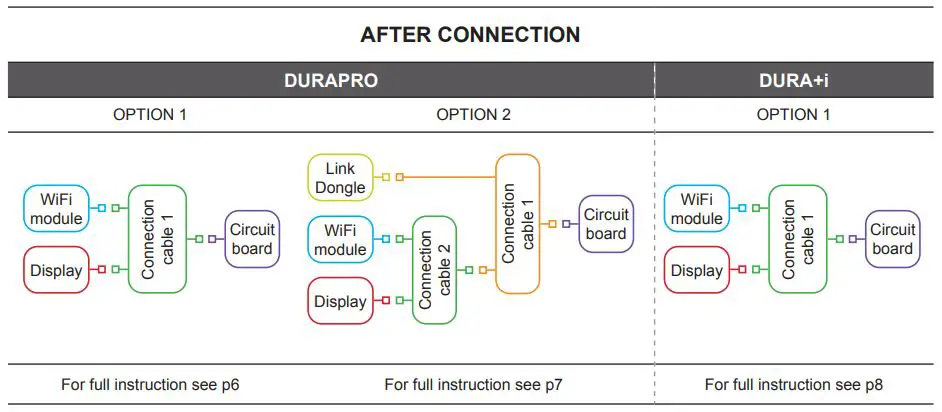
 The WiFi module must always be connected between the display and circuit board
4.2 DURAPRO – Installation option 1
Power off the heat pump and disconnect from mains (230 VAC), prior to the installation of the WiFi module.
The WiFi module can be installed indoors or outdoors, and avoid direct sunlight.
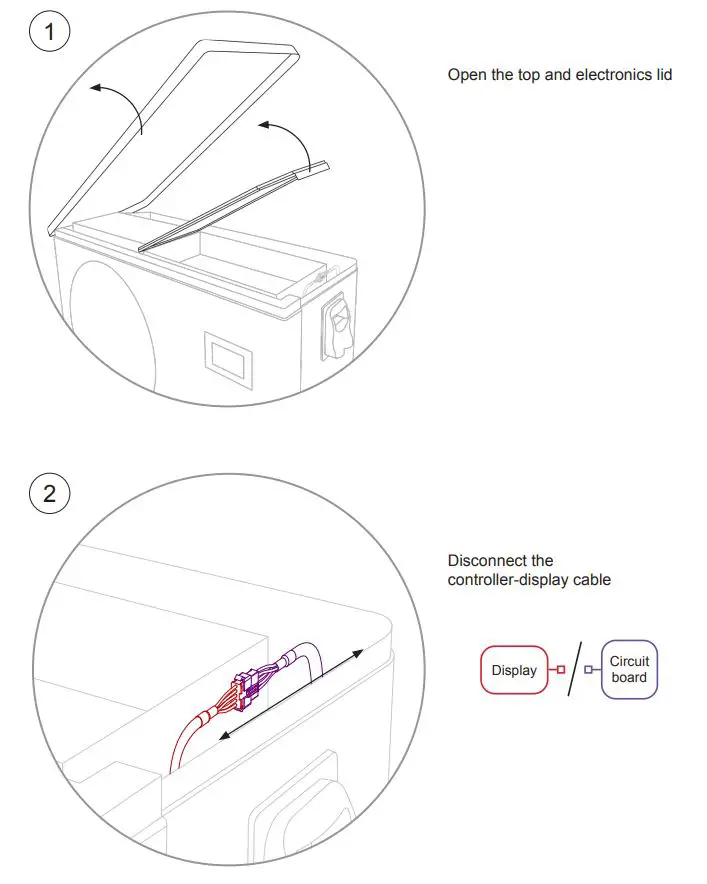
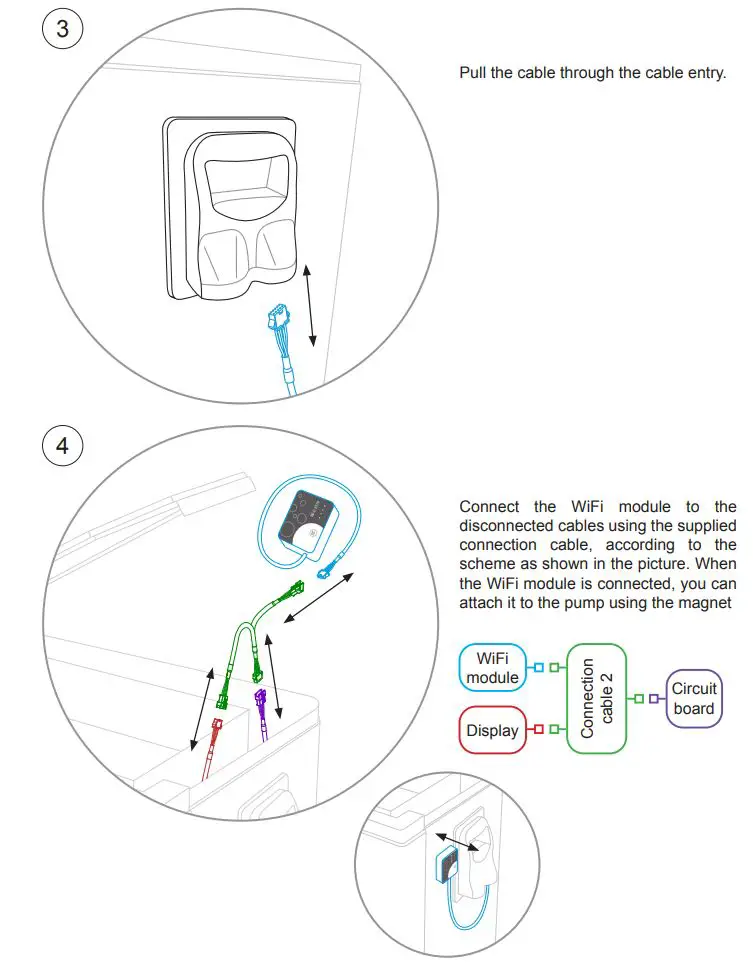
After installation close the top & electronic lid, and reconnect the heat pump to mains (230VAC) and power on.
4.3 DURAPRO – Installation option 2
Power off the heat pump and disconnect from mains (230 VAC), prior to the installation of the WiFi module.
The WiFi module can be installed indoors or outdoors, and avoid direct sunlight.
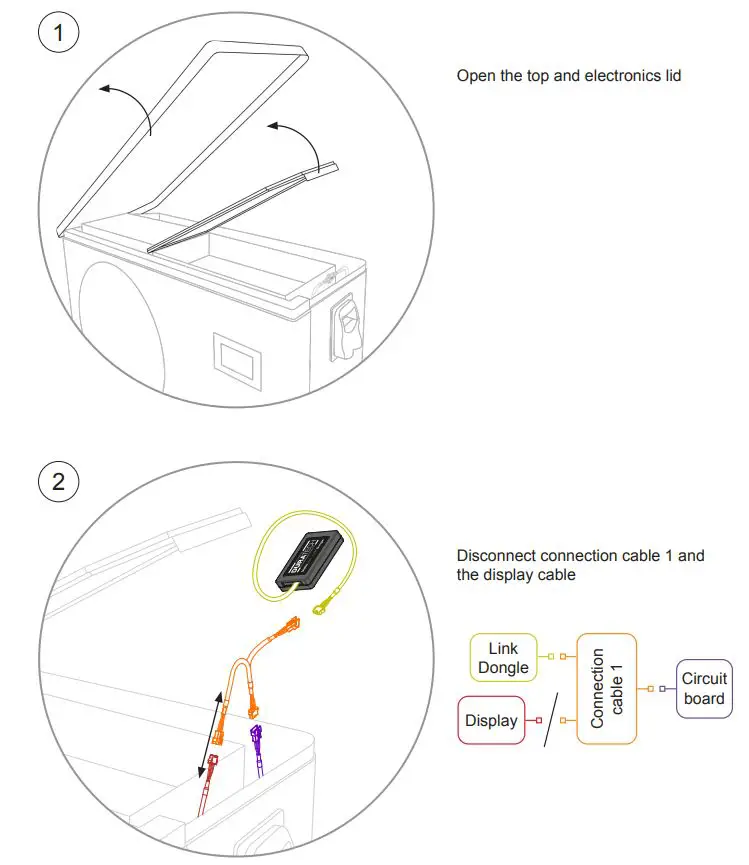
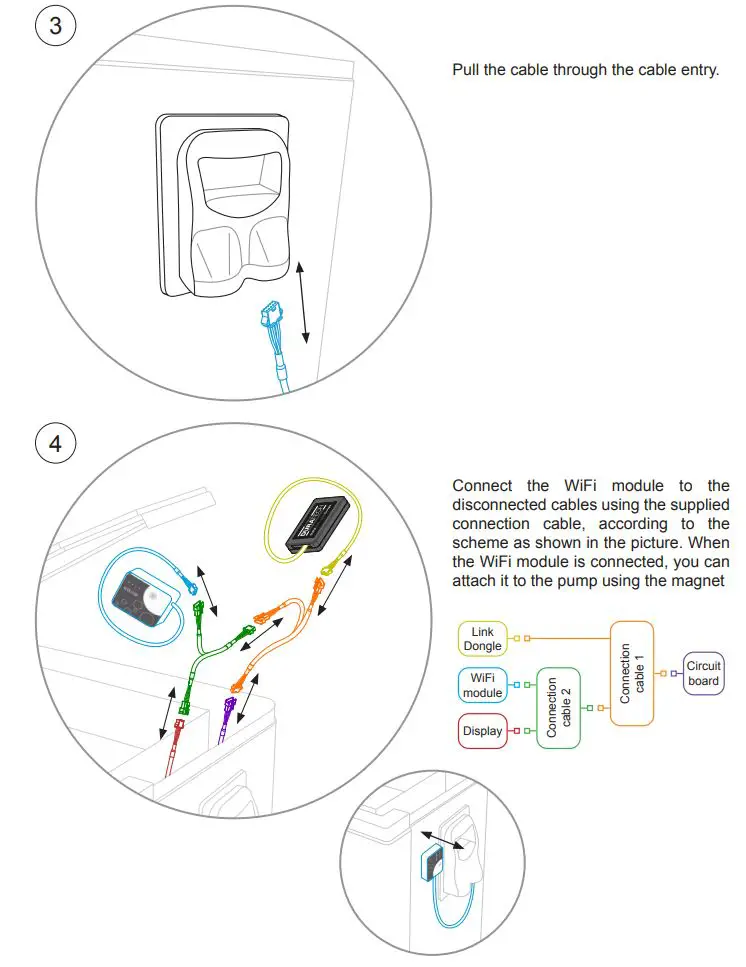
After installation close the top & electronic lid, and reconnect the heat pump to mains (230VAC) and power on.
4.4 DURA +i – Installation option 1
Power off the heat pump and disconnect from mains (230 VAC), prior to the installation of the WiFi module.
The WiFi module can be installed indoors or outdoors, and avoid direct sunlight.
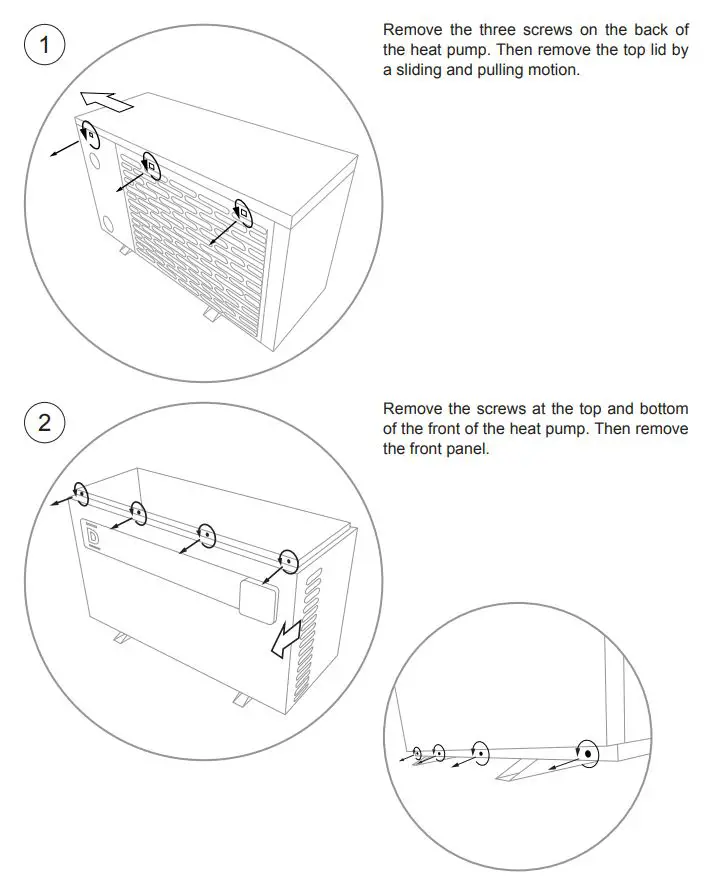
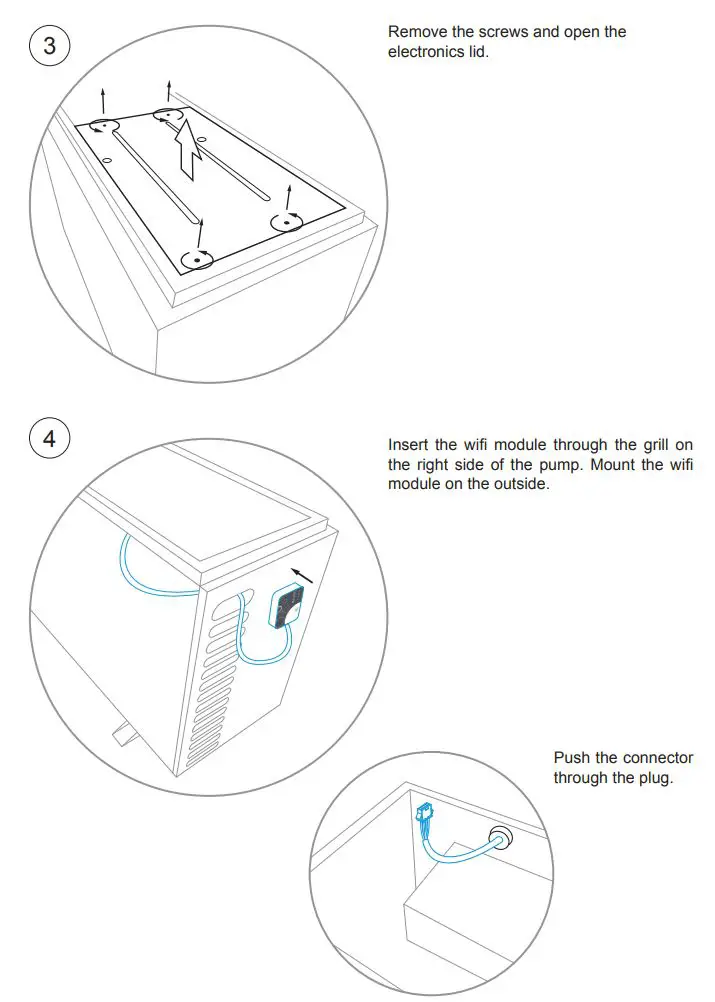
After installation close the front, top & electronic lid, and reconnect the heat pump to mains (230VAC) and power on.
5. Application interface
5.1 Account login
Use email address and password to register, login or reset the password.
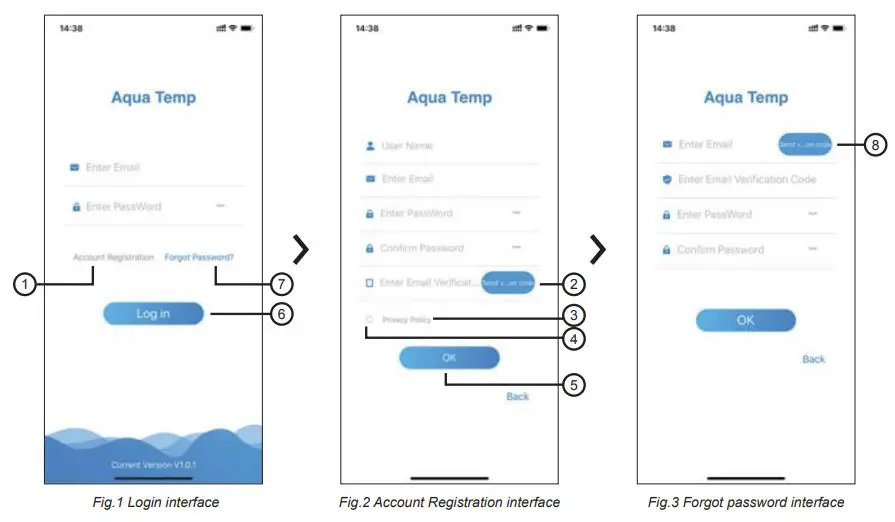
- Account Registration: To register an account, click 1 (Fig.1) to jump to the Account Registration interface, fill in the relevant information and click 2 to receive verification code, while completed the application information, click 3 to read the details of the Privacy Policy, then click 4 to agree, and click 5 , registration is done. Please note, the valid time of one verification code is 15min, please fill in the verification code within 15min, otherwise you need to ask for a new one.
- Log in: Follow the instructions on the page (Fig.1), enter your registered email address and password, click 6 and jump to device list;
- Forgot Password: While forget your password, click 7 (Fig.1), jump to the Forgot Password interface (Fig.3). Follow the instructions on the page, fill in the relevant information’s, click 8 to receive verification code from your mailbox, click 9 to confirm and password reset is done.
5.2 Add device
After log in, the application displays My Device interface (Fig.4). Follow the instructions to add a new device via the WiFi or DTU (barcode scanner) procedure.
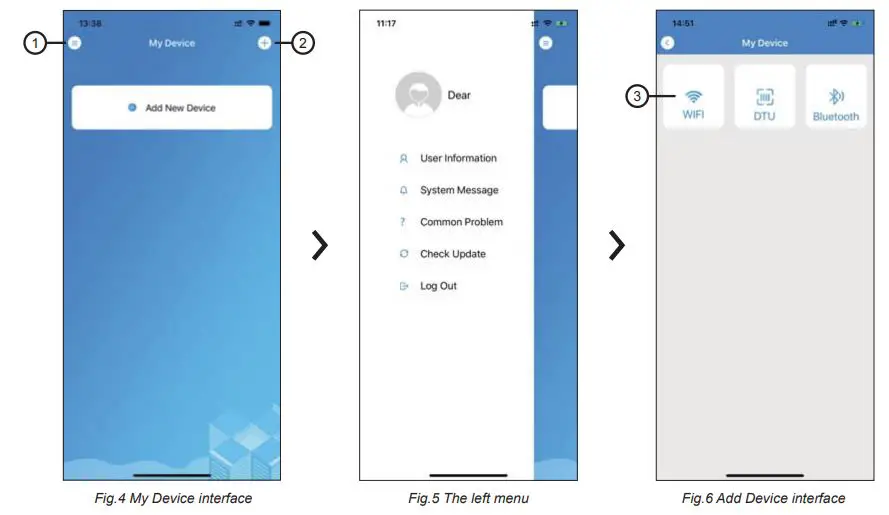
5.3 WiFi configure network
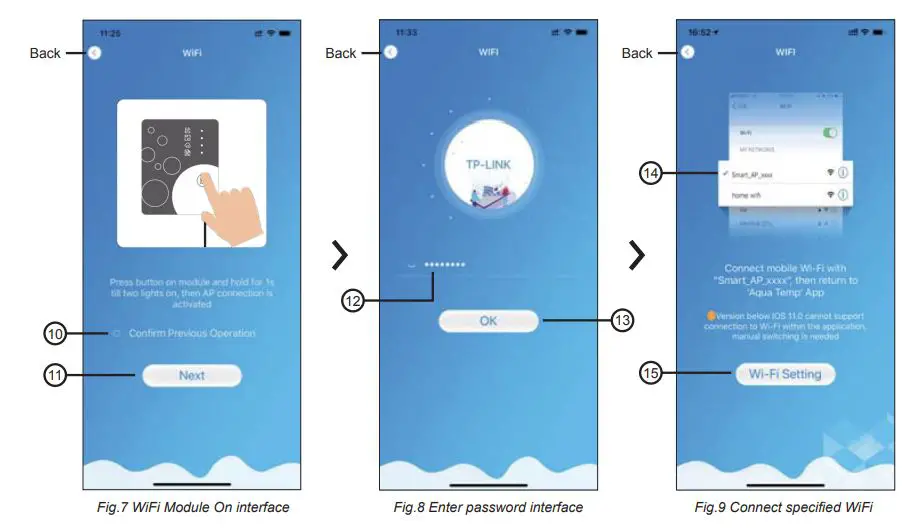
- Follow the instructions on the page (Fig.7), press button on module and hold for 1s till two lights on, then AP connection is activated, click 10 to confirm, click 11 to turn the page.
- Click 12 to enter the WiFi password for the current connection, click 13 to confirm.
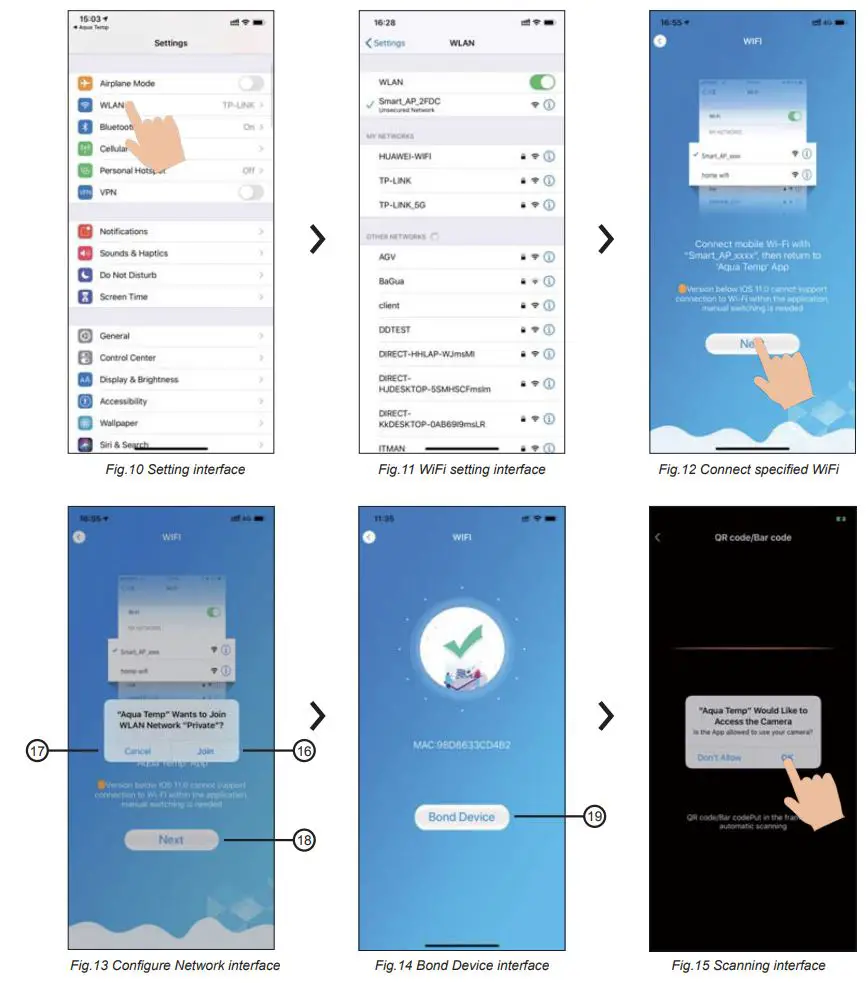
- Jump to system settings, connect specified WiFi, click 14 to select the “Smart_AP_xxx”, click 15 to popup window (Fig.10), follow the instruction and then jump to WiFi setting interface (Fig.11).

- Slide the page back to configure network interface (Fig.12), click 16 to join WLAN Network, click 17 to cancel, click 18 to turn next page (Fig.13); click 19 to bond device (Fig.14).
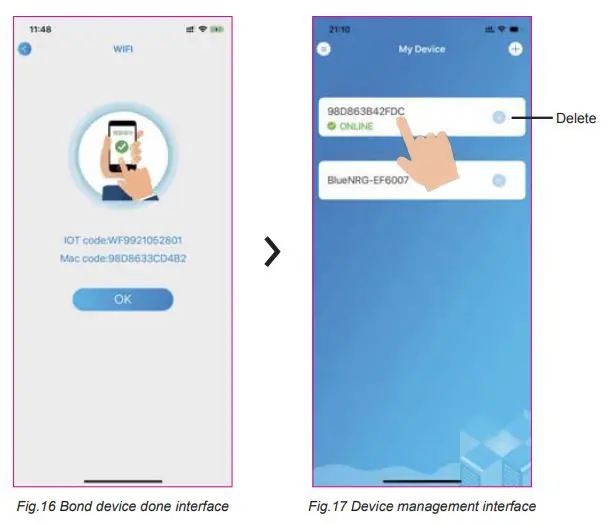
- Click “OK” to allow this application to use the camera for scanning the barcode on heat pump unit (Fig.15); click “OK”, device bond is done (Fig.16).
- After WiFi and DTU bonding is done, jump back to My Device (Fig.17).
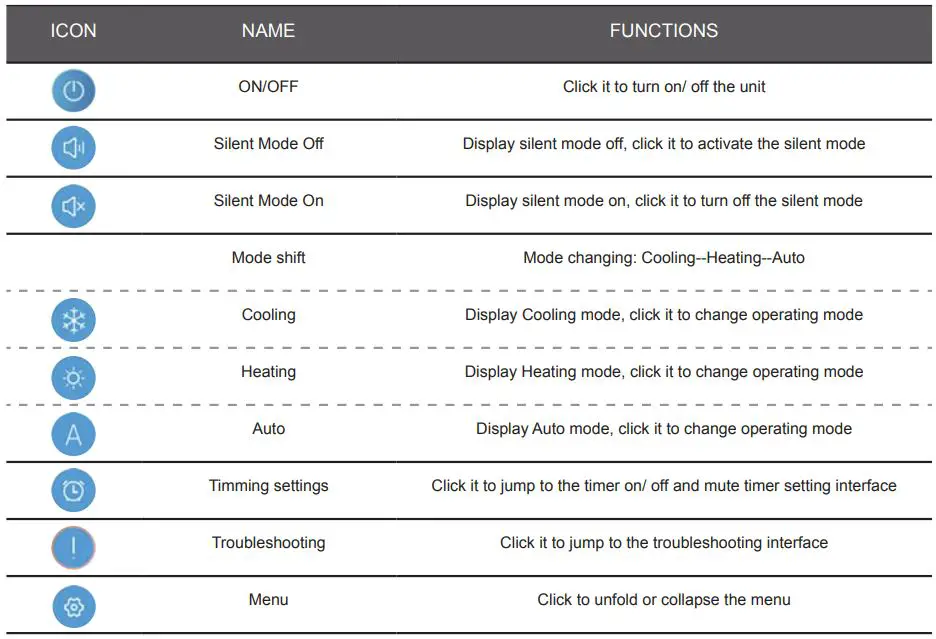
5.4 Device management
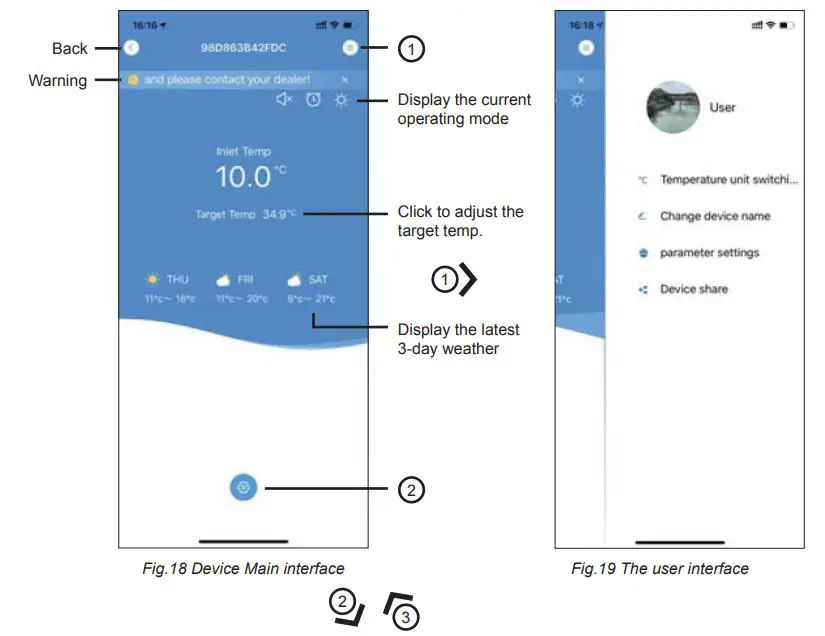
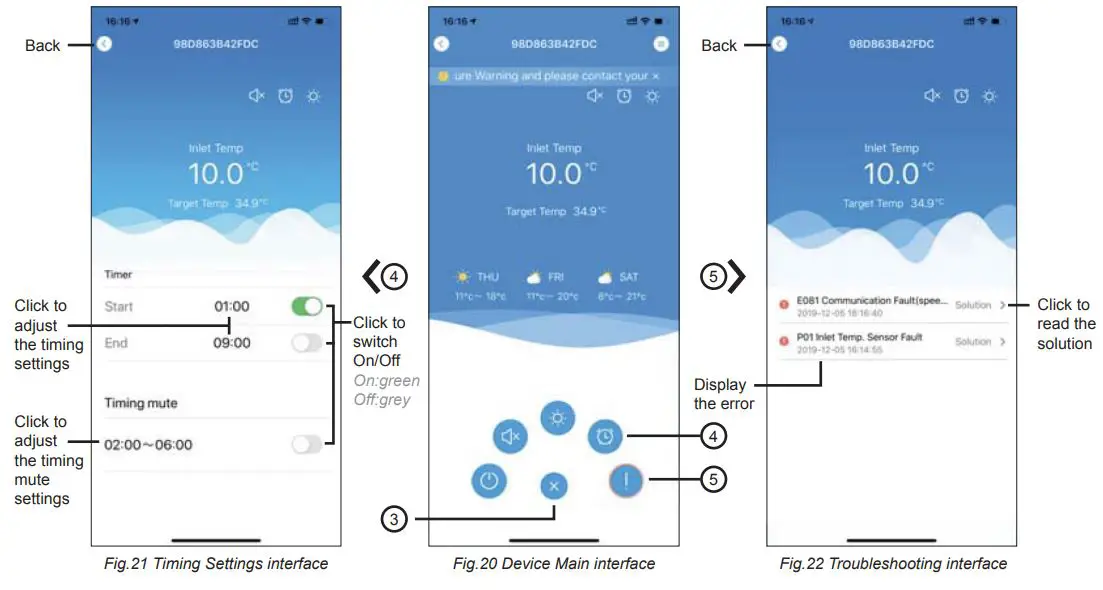
Device management operations are as below:
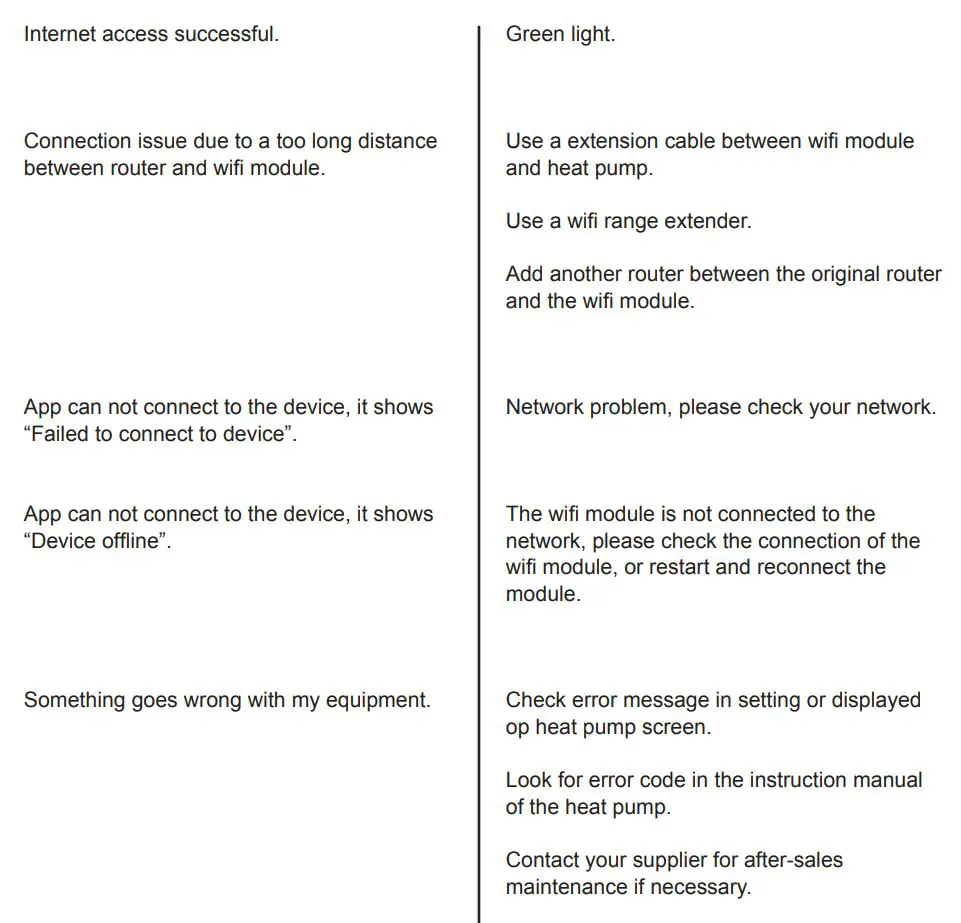
6. FAQ
Declaration of Conformity
Declarations of conformity covering this product are available for download from the House of Duratech website: www.duratech.be
Contact details
Propulsion Systems bv Dooren 72
1785 Merchtem, Belgium
Tel +32 2 461 02 53
www.duratech.be
[email protected]

We reserve the rights to change all or part of the contents of this document without prior notice