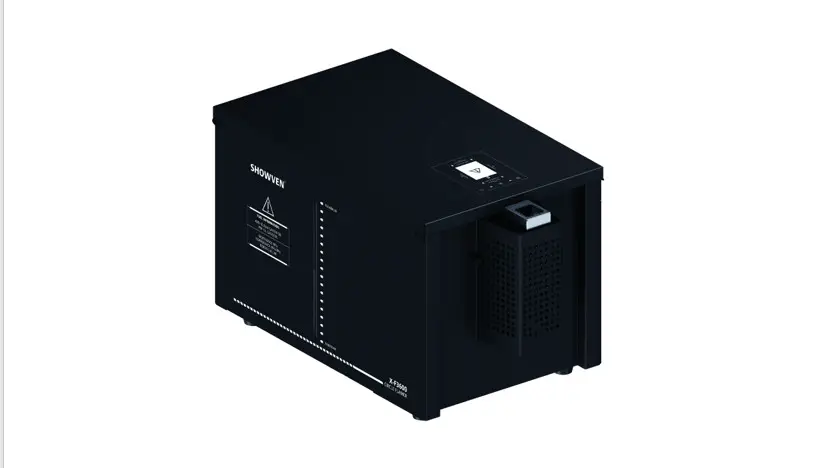
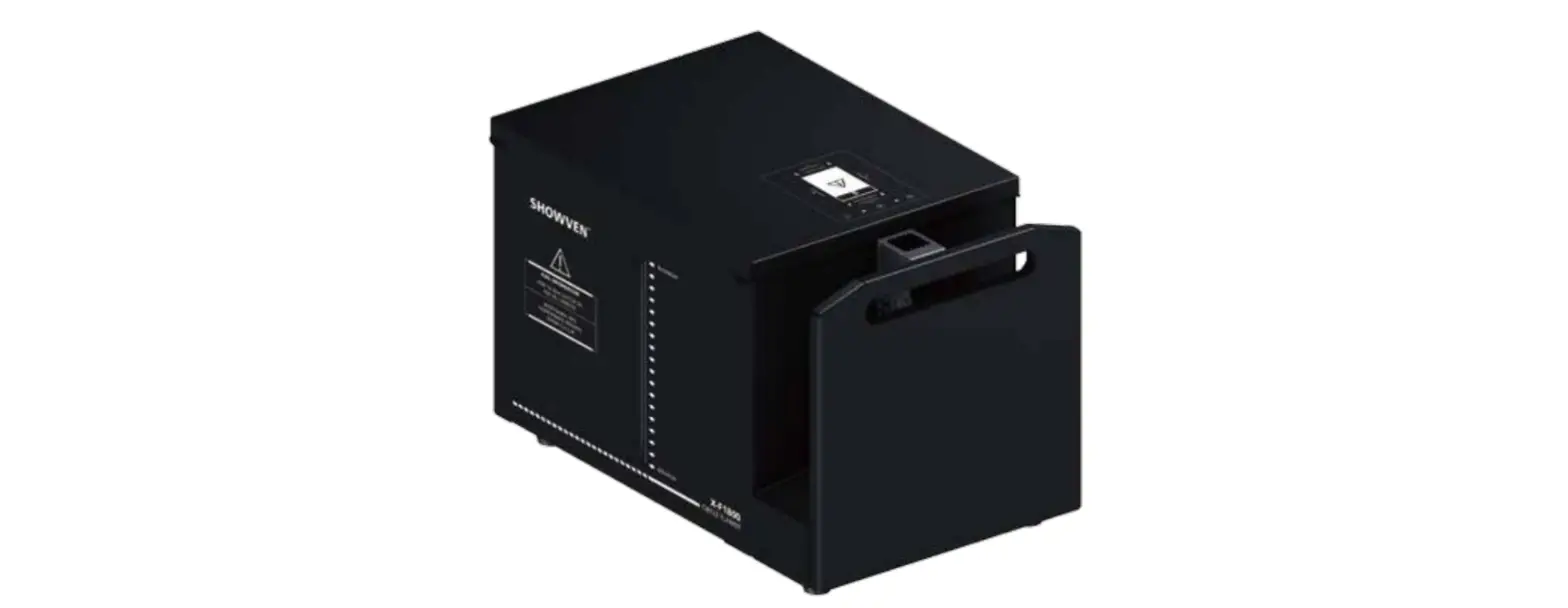
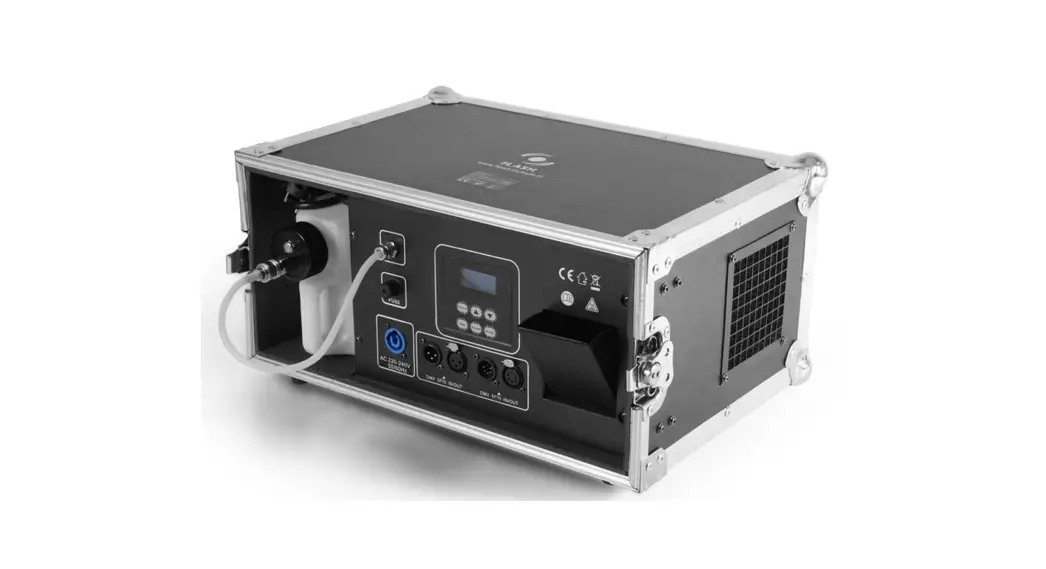
U-FLAMER-01 uFlamer
Product Information – uFlamer
Functional Characteristics
- Product Model: uFlamer
Technical Specifications
| Structure of uFlamer | |
|---|---|
| 1. Firing Box | 5. Safety Loop |
| 2. Top Panel | 6. Igniter (dual) |
| 3. Fuel Bottle Area | |
| 4. Control Panel |
Operation Panel
LED Display Area: RX: Radio receiving
(reserved) DMX: DMX signal. Flash means DMX signal available,
otherwise no DMX signal ERR: Light on when there is an error PUMP:
Light on when pump is running
Button Functions: MENU: Switch interface to
setup parameter; +: Parameter Up -: Parameter Down ENTER: Confirm
and save parameters (screen will flash when parameters saved) Note:
screen display will switch to main interface if there is no
operation in 15s.
Welcome Interface: uFlamer211129
xxxxxxxxxxx
First Line: Product model and software version
Second Line: Equipment series number
Main Interface:
Fire 1 M:2CH-P P:75 V:13.6
Safe 2 M:2CH-P P:75 V:13.6
DMX:2 M:2CH-N P:75 V:13.6
First Line: Operational DMX address (FIRE) and Safety DMX address
(safe) under DMX Channel Mode 2CH-P; DMX address under DMX Channel
Mode 6CH and 2CH-N;
Second Line: Pressure 75 (e.g. 100=10bar); V: 13.6 means internal
voltage is 13.6V.
Product Usage Instructions
Warning
- This product is only suitable for qualified or skilled
operators who have experience with the technology of the device and
are particularly informed about the types of fuel used by the
device. - Unauthorized repairs are prohibited, as they may cause serious
incidents. - Make sure the power supply is consistent with the rated voltage
of the equipment, and the socket must be well grounded. Unplug and
turn off the machine when not in use. - Before connecting the power cable, ensure that the
communication DMX cable is well connected and that the command is
kept at firing OFF status. Also, ensure that the safety lock of
uFlamer is in TEST MODE. - Before powering on the machine, please check carefully the
safety distance and make sure it meets the requirements in this
manual. - The device can only be placed horizontally.
- After turning on the device, no person is allowed to stay in
the danger area. Ensure all persons that are part of the show are
informed about the safety distance, risks, and functions of the
device. - Always have a CO2 fire extinguisher and an extinguishing
blanket in case of need. - If there is any doubt as to the safe operation of the device in
any circumstances, the device should be
Disclaimers
SHOWVEN Technologies Co., Ltd. excludes liability for unsafe
situations, accidents, and damages resulting from:
- Ignoring warnings or regulations as shown on flamer or this
manual. - Use for other applications or circumstances other than those
indicated herein. - Changes to the flamer, including use of non-original spare
parts. - Removed safety cover without authorization from SHOWVEN.
- Use of this machine by unqualified or untrained personnel.
- Improper use of the machine.
USER MANUAL uFlamer
V2.2 2022/11
Showven Technologies Co., Ltd.
Foreword
Thanks for choosing SHOWVEN uFlamer, we wish it will bring you lots of exciting moments. Please read the following manual carefully before operating this product. Operate according to instructions is very important for safety, and can elongate the service life of the machine Strictly follow the instruction in the manual when operate uFlamer. If you have any doubts, please contact SHOWVEN technologies Co., Ltd by [email protected] We assume the person who use or come in contact with the device are familiar with how the device should be handled. This includes proper use, maintenance and repair of the machine as defined in this user manual.
Warning
This product is only suitable for qualified or skilled operators who has experience with the technology of the device and is particularly informed about the types of fuel used by the device.
Unauthorized repair are prohibited, it may cause serious incident Make sure power supply in consistent with the rated voltage of the equipment, and the socket must well
grounded. Unplug and turn off the machine when not use Before connect the power cable, communication DMX cable should well connected and ensure the
command keep at firing OFF status. And safety lock of uFlamer stay at TEST MODE. Before power on the machine, please check carefully the safety distance and make sure it meets the
requirements in this manual. The device can only be placed horizontally. After turning on the device, no person allows to stay in the danger area. Ensure all persons that are part of
the show be informed about the safety distance, risks and functions of the device Always have a CO2 fire extinguisher and an extinguishing blanket in case of needed If there be any doubt as to the safety operation of the device in any circumstances, the device should be
taken out of service immediately. Be sure the device is in good operating condition before use. If fail to fire correctly, immediately shut down and check it accordingly Be sure to use high quality flame fluid, otherwise, it is easily leads to failure or danger. Be careful when refill the flame fluid tank. Please keep flame fluid away from heat source, sparks, fire or other possibility of ignition. Do not smoke! The operator responsible for the control of uFlamer must always have a clear view of the device, so that he/she can stop the show immediately when there is danger. The main AC power switch should near operator. So that operator can turn off the power of all devices in case of abnormal The device shall not be altered and applied to other use purpose
Disclaimers
SHOWVEN technologies Co., Ltd. excludes liability for unsafe situations, accidents and damages resulting from: 1. Ignoring warnings or regulations as shown on flamer or this manual. 2. Use for other applications or circumstances other than those indicated herein. 3. Changes to the flamer, including use of non-original spare parts. 4. Removed safety cover without authorization from SHOWVEN. 5. Use this machine by unqualified or untrained personnel. 6. Improper use of machine.
1
Functional Characteristics
Fluid driven vertical flamer original designed by SHOWVEN Flame up to 8-10m, indoor nozzle optional Dual igniter, built-in pump, plug and play system Super compact pumping system design, easy carrying Stainless steel housing, can be used in rainy weather, reliable and durable Built-in 5L fuel tank, no external hose connection needed Safety lock with switchable test mode, safer for service Tilt protection, the tilt sensor will be activated when machine slant Over 45° Intelligent control system, safer for use Standard DMX control, compatible with all DMX console Neutrik®powerCON TRUE1 connectors Built-in battery optional
Technical Specifications
Model: uFlamer DIMENSION: 330×260×320mm WEIGHT: 14kg VOLTAGE: 100-240V, 50/60Hz POWER: 300W CONTROL: DMX INTERFACE: 3-pin&5-pin DMX IN/OUT FLAME HEIGHT: 8-10m (no wind) FUEL: ISOPROPANEL, ISOPAR-G,H,L,M FUEL TANK CAPACITY: 5L FUEL CONSUMPTION RATE: 60ml/s FUEL LEVEL SENSOR: YES EFFECT DIRECTION: Vertical IGNITION: High voltage electron ignition IGNITOR: Dual BUILT-IN BATTERY: OPTIONAL USAGE IN RAIN: YES
Structure of uFlamer
2
1. Firing Box 2. Top Panel 3. Fuel Bottle Area 4. Control Panel 5. Safety Loop 6. Igniter (dual) Overview of Bottom Panel
Overview of Control Panel
1. LCD screen operate panel 2. ON/OFF switch (pressurized indicator light, blue LED) 3. Safety Lock (safety indicator light, red LED) 4. 5-pin DMX socket (Wireless DMX512 power DC5V between 1 and 4 pin) 5. 3-pin DMX socket 6. Power socket 7. Charging Input
3
Operation Panel
1. LED Display Area: RX: Radio receiving (reserved) DMX: DMX signal. Flash means DMX signal available, otherwise no DMX signal ERR: Light on when there is an error PUMP: Light on when pump is running
2. Button Functions: MENU: Switch interface to setup parameter; +: Parameter Up -: Parameter Down ENTER: Confirm and save parameters (screen will flash when parameters saved) Note: screen display will switch to main interface if there is no operation in 15s.
3. Welcome Interface:
uFlamer211129 xxxxxxxxxxx
First Line: Product model and software version Second Line: Equipment series number
4. Main Interface:
Fire 1 M:2CH-P P:75 V:13.6
Safe 2 M:2CH-P P:75 V:13.6
DMX:2 M:2CH-N
P:75 V:13.6
First Line: Operational DMX address (FIRE) and Safety DMX address (safe) under DMX Channel Mode 2CH-P; DMX address under DMX Channel Mode 6CH and 2CH-N; Second Line: Pressure 75 (e.g. 100=10bar); V: 13.6 means internal voltage is 13.6V.
5. Alert Message: Alert Message E0 Test Mode
E0 Factory Mode
Why it appears Safety Switch at TEST MODE
Factory mode
How to remove Switch to USER MODE Switch to Normal mode
4
6. Error Message:
Error Message
Why it appears
E1 Pressure Err
E2 P Relief Err
Pressurize for 8s, pressure value failed to reach target value
Depressurize for 3s, pressure value 50% of target value
E5 Voltage Err
DC input < 11V or > 18V
E6 Tip Err
Machine slant over 45°
E7 Low Fuel
Fuel level low
Reason / How to remove No fuel, pump failure, pipeline leakage etc reason,
please check accordingly pressure relief valve failure
Make sure DC input between 11-18V Tip setting set to OFF, or horizontal install machine.
Fill the tank or Switch OFF the liquid level sensor
7. Interface setup:
Press “MENU” to switch through setup menu, press and hold “MENU” 3s back to main interface.
DMX Channel Mode
Menu
Range
Explanation
6CH / 2CH-N
Set DMX Address
1~511
DMX address setup
2CH-P
Fire Address Safety Address
1~511 1~512
Fire address setup Safety address setup
8. Advanced Interface:
Press “MENU” 3s enter advanced interface, press “MENU” to switch interface, press “MENU” 3s can back to
main interface. The value in bold character is default value.
Items
Contents
Description
Drive Test Language
OFF / Pump / Igniter / Relief Valve / Jet Valve
1. Pump
Pump running, if pressure reached the target value, the pump will not running.
2. Igniter
Ignite 1s
3. Relief Valve 4. Jet Valve 1 5. Jet Valve 2 none English / Chinese
Relief valve will be on and off for 3 times
Safety lock located at user mode, release pressure for a period of time, jet valve will be on and off for 3 times
Language switch
Mode Select
Normal Mode / Factory Mode Factory mode is for test in factory only
Tip setting
ON / OFF
Turn ON/OFF tip over function
DMX Channel Mode
2CH-P / 6CH / 2CH-N
Change the DMX Channel Mode.
Low Fuel Switch
ON / OFF
Turn ON/OFF the fuel level sensor
Default Parameter
OFF / ON
Reset default parameter settings
DMX CONTROL
uFlamer with 3 different channel mode: 2CH-P, 2CH-N and 6CH.
2CH-P: In this channel mode uFlamer occupies 1 functional channel and 1 separate safety channel (this channel is independent from operational channel, can be shared with other machine).
5
Channel Functional Channel
Safety Channel
Function Firing
Device enable / disable
Value
0~110: Firing OFF 111~255: Firing ON 0~49: Depressurize mode, disable device (Emergency STOP) 50~200: Pressurize mode, enable device 201~255: Depressurize mode, disable device (Emergency STOP)
2CH-N: In this channel mode uFlamer occupies 2 functional channel.
Channel
Function
Value
0~110: Firing OFF
CH-1
Firing
111~255: Firing ON
0~239: Depressurize mode (Emergency STOP)
CH-2
Pressurize / Depressurize
240~255: Pressurize mode, enable device
6CH: In this channel mode uFlamer occupies 6 functional channel. This channel mode is designed to control the uFlamer together with CIRCLE FLAMER on our Host Controller.
Channel
Function
Value
CH1
–
–
CH2
–
–
CH3
Firing ON/OFF
0~253: Firing OFF 254~255: Firingn ON
0 and 255: permanent fire (8s is limit duration time)
CH4
Firing Duration setup
1~254: 10~2540ms duration time
(Manual firing duration = DMX Value * 10ms)
CH5
–
–
0~49: Depressurize (Emergency Stop)
CH6
Pressurize / Depressurize 50~200: Pressurize
201~255: Depressurize (Emergency Stop)
Control with SHOWVEN Host Controller ZK6200/ZK6300
If use SHOWVEN Host Controller ZK6200 or ZK6300 to program the uFlamer, after set DMX channel mode on uFlamer please also set on Host Controller. The setting step is: Press “F3” on Host Controller find “Device” choose the right device “CIRCLE FLAMER” (6CH mode). Host Controller with bi-directional communication with device, please allocate a unique DMX address for each unit of uFlamer. FIRING HEIGHT is meaningless, just need to set the FIRING DURATION.
S tartN o. E nd N o. D evice M ode S election R epeatTim e M ode D M X IN D M X A ddress CAN Trigger S ource A udio Level A udio Filter D elay
F3 C O N FIG
:
1
:
10
:C IR C LE FLA M E R
:U ser M ode
:R epeatP eriod M ode
:O N
:
1
:O FF
:H AN D
: 2
:100m s
F1 M A IN
S ynchronizarion C IR C LE F LA M E R N o.1-10
F IL E F IR IN G F IR IN G
N O . H E IG H T D U R T N
1
31 0.5s
T R IG R E P E A T R E P E A T
D E LA Y D E LA Y C O U N TS
0.0s
10.0s
1
T e rm in a l M o n ito r
1
2
3
4
5
7
8
9
10
11
13
14
15
16
17
F rom 1-15 S teppsequence short2.4s
M A IN
F ILE S E LE C T
C O N F IG
6 12 18
ABO UT
6
Operation
1. Safety Distance Definition and Instructions
Safety distance for uFlamer divided into two parts safety radius around machine (a) and safety distance at firing direction (b). No person and flammable materials are allowed to stay inside the safety isolation zone when flamer was armed.
The safety radius around machine depends on the firing height (nozzle size), with a radius from 2.5m to 3m.
For safety distance at firing direction equals to maximum firing height * 1.5.
Nozzle Type
SFSMA002 Nozzle M SFSMA003 Nozzle L
Max. Flame Height
10m 8m
Safety Radius around uFlamer (a) 3m 2.5m
Safety Distance at Firing Direction (b) 15m 12m
The uFlamer safety isolation zone (show as below) is a cylindrical three-dimensional space with Safety radius around machine (a) and Height of b. Unauthorized persons and objects are strictly prohibited from entering.
For angled installation, the safety distance both around machine and firing direction should shift accordingly.
Safety distance in windy environment The safety isolation zone radius (a) and safety distance of firing direction (b) increase with wind direction and wind speed (v, m/s). The safety distance in windy conditions can be calculated as below: For Nozzle M: a = 3 + v; b = 15 + v For Nozzle L: a = 2.5 + v; b = 12 + v For example when the wind speed is 3m/s, we use the Nozzle M on uFlamer, then the safety isolation zone radius should be 6m, safety distance of firing direction is 18m. When the wind speed 8m/s (wind force 5), please use it with caution. When wind speed 17m/s wind force 8 , please stop use uFlamer.
7
Safety mark
Label of uFlamer
Fuels for uFlamer 1. Water content in fuel should less than 0.5% 2. For maximum safety, please use fuel with flash point between 60-80, ISOPAR L is highly recommended. 3. Ethanol is not suggested due to three reasons, first ethanol is highly flammable makes it not as safe as
ISOPAR; secondly the color of flame is very weak; thirdly there are always high water content (> 0.5%) in ethanol. 4. Colored fuels are forbidden to use on uFlamer it may damage the machine. SHOWVEN excludes liability for the losses, damages and accidents caused by not using qualified fuels in accordance with this requirement. Always have a dry powder fire extinguisher, a CO2 fire extinguisher and an extinguishing blanket next to the equipment in case of needed. And someone must be on duty during operation. In case accident occurs, a dry powder fire extinguisher can be used when the fire is large, and a carbon dioxide fire extinguisher can be used when the fire is small.
8
2. Install uFlamer a) Choose the correct nozzle, ensure the installation position of uFlamer meet above safe distance requirements. New uFlamer supplied with a nozzle M which generate up to 10m flame. b) Horizontal installation is preferred for uFlamer. If need to install uFlamer in angles, to avoid fake error message please turn the TIP Setting and Low fuel switch to OFF status first. uFlamer with maximum tilt angle of 45° or -45°, and it can be angled to two directions as show in below picture. Besides please be aware the fuel level in fuel tank to avoid fuel leakage when tilt installation. c) For truss installations always connect with safety rope to ensure extra safety. If there is any other national or regional guidelines please follow it accordingly. d) Double confirm the machine was firmly installed.
3. Connect Power and DMX cable to uFlamer Before power and/or DMX cable connection, make sure safety button of uFlamer stay at TEST MODE. When safety button is pressed down, it is USER MODE; when it pops up, it is TEST MODE. So before connect power and DMX cable make sure the safety button of uFlamer pops up.
a) Connect a power cable to the POWER IN socket of uFlamer. Connect the other end of power cable to the power source. Make sure power supply in consistent with the rated voltage of the equipment, and the socket must well grounded.
b) Each unit of uFlamer can be connected to power supply directly. If connect machine in sequence, please connect a power link cable to the POWER OUT of previous machine, connect the other end of the power link cable to POWER IN of the next machine. Do not connect exceed units to a single electrical circuit.
c) Power on all uFlamer. Check the safety button, double confirm it stays at “TEST MODE”.
USER MODE
TEST MODE
d) Assign DMX address for each unit of uFlamer. If use SHOWVEN host controller or FXcommander to
control the machine please allocate a unique DMX address for each unit of machine.
e) Connect a DMX cable to the DMX IN socket of first unit of uFlamer, another head of this DMX cable
connect to DMX console (such as FXcommander). Make sure the DMX console is powered off.
f) Connect a DMX cable to the DMX OUT socket of previous uFlamer, and the other end to the DMX IN of
next machine. Connect all devices in series in this way.
g) Suggest to plug in a DMX terminator into the DMX OUT in last unit of machine to improve signal reliability.
Signal amplifier is required for long distance (>200m) DMX signal transmission.
9
4. Power ON the DMX console and programming Power on DMX console and program the uFlamer effect on DMX console
5. Test the ignition function of uFlamer Test the ignition function of uFlamer, we can check whether the igniters of each unit of uFlamer is working fine. Due to the safety switch is stay at TEST MODE the pump won’t work, there will be only ignition while no fuel spray out, so no flames generated.
6. Fill the uFlamer Please fill the machine with qualified fuel. The fuels suggested on uFlamer are ISOPAR, ISOPROPANOL, please make sure water content in fuel should less than 0.5%.
7. Firing a) Double confirm the prescribed safety isolation zone is clear, no person, animal or other property within this region. b) Switch the safety button of uFlamer to USER MODE.
c) Pressurize uFlamer. d) Firing, the operator should always have a clear view of the device, so that he/she can stop the show
immediately when there is danger.
8. Depressurize Depressurize all uFlamer after use or if not use for a long time during the show we also suggest to depressurize to ensure the safety.
9. Power OFF a) Power OFF DMX console b) Switch safety switch of uFlamer to TEST MODE c) Power OFF uFlamer d) Unplug power cable, DMX cable.
Nozzles and Nozzle Replacement
Nozzles There are two types of Nozzle for uFlamer. Nozzle M and Nozzle L. Nozzle M: (standard configuration) Short flame: 5-7m, Long flame: 8-10m. Nozzle L: Short flame: 3-5m, Long flame: 6-8m.
Nozzle Replacement Use 14mm outer hexagon socket wrench to disassemble the nozzle, clean the nozzle and nozzle socket with air gun (air compressor), change a different nozzle and install it.
10
Igniter Position Adjustment
Whenever changed the nozzle or ignition is not good, please check igniter pole position according to below parameters. The right position for each pair of pole should have a gap from tip to tip of 4±0.5mm and a gap between two igniter of 13±1mm. Check the ignition success rate after adjustment by firing.
Note: Do unplug the power cable when service flamer.
Battery Recommendation
uFlamer can be driven by battery, you can order battery from us directly or buy it locally. The battery
specifications are as below:
Capacity
5200mah 20c-70c
Voltage
14.8V
Size
140*43*44mm (L*H*W)
Charge Jack
2.54-5A
Discharge Jack
XT60
Installation
Contact SHOWVEN sales for installation guide/video
Maintenance
1. To maintain the system in good performance and running status, it is recommended to running the device at least once per month.
2. Check the ignition probes both before and after each show, if there is any foreign objects on it please clean it up.
3. Maintenance of the nozzle: Nozzle needs to be cleaned from time to time, and it is recommended that once every six months (depending on the environment and frequency of use). In the process of using the equipment, if the flame shape is seriously deformed or the fuel injection line is significantly deformed or
11
coarsened, the nozzle should be removed immediately for cleaning. If after clean, there are still problems please replace new nozzle.
4. Maintenance of the O-ring: If it is found that the O-ring of the nozzle is damaged or ageing when cleaning the nozzle, the O-ring should be replaced in time (material and size of O-ring: fluororubber O-ring, the outermost diameter is 14 mm, and the line diameter is 2 mm).
Optional Parts for uFlamer
Part. No. RMWAS025 RMBOT036 RMMET045 RMEMD062 SFSMA002 SFSMA003 SFMET944 RMSPS029 SFCAB100 RMEMD057 RMCAB083
FPFLI026 SFCAB065
Description O ring for nozzle
Safety ring Safety rope Wireless receiver (for wireless control with FXcommander) nozzle M
nozzle L Nozzle disassemble tool 5500MAH 50C 14.8V 4S XT60 Lithium Battery Connection cable between RC battery charger and uFlamer HOT RC Lithium Battery Charger A400 EU power cord for HOT RC Charger A400 (For EU only) uFlamer Flightcase 2in1 Waterproof DMX cable, 6m
pcs / unit 1 1 1 1 1 1 1 1 1 1 1 1 1
12
Warranty Instructions
Sincere thanks for your choosing our products, you will receive quality service from us The product warranty period is one year. If there are any quality problems within 7 days after shipping out
from our factory, we can exchange a brand new same model machine for you We will offer free of charge maintenance service for machines which with hardware malfunction (except
for the instrument damage caused by human factors) in warranty period. Please don’t repair machine without factory permission Below situations NOT included in warranty service: Damage caused by use unqualified fuels; Damage caused by improper transportation, usage, management, and maintenance, or damage caused by human factors; Disassemble, modify or repair products without permission; Damage caused by external reasons (lightning strike, power supply etc.) Damage caused by improper installation or use; For product damage not included in warranty range, we can provide paid service. Invoice is necessary when applying for maintenance service from SHOWVEN
13
Showven Technologies Co., Ltd.
Tel: +86-731-83833068 Web: www.showven.cn E-mail: [email protected] Add: Liuyang Economic Development Zone, Changsha, 410300, Hunan Province,
P.R.China
 Founder of Sparkular, Sparkular Machine Maker | Showven