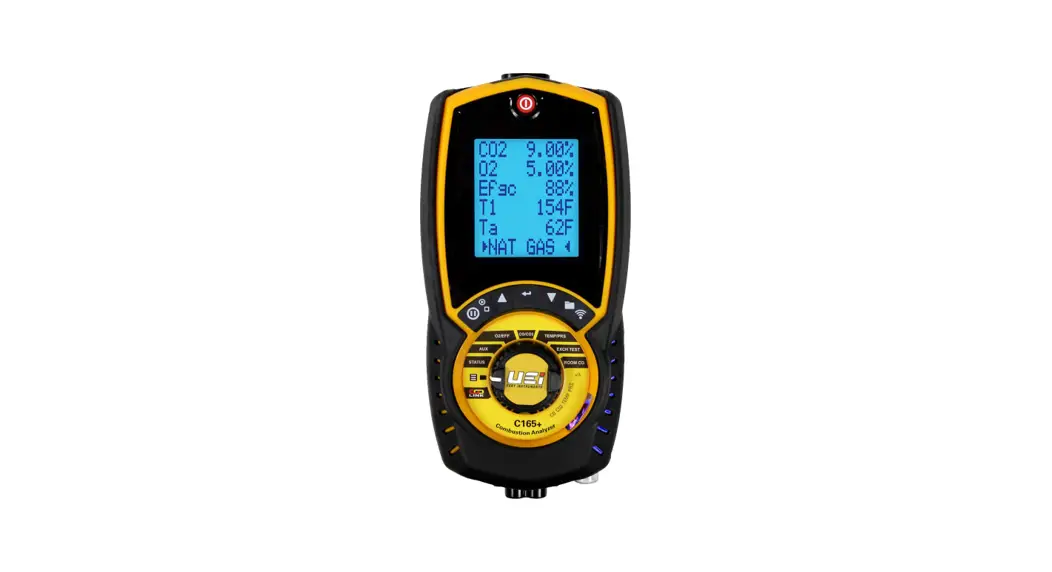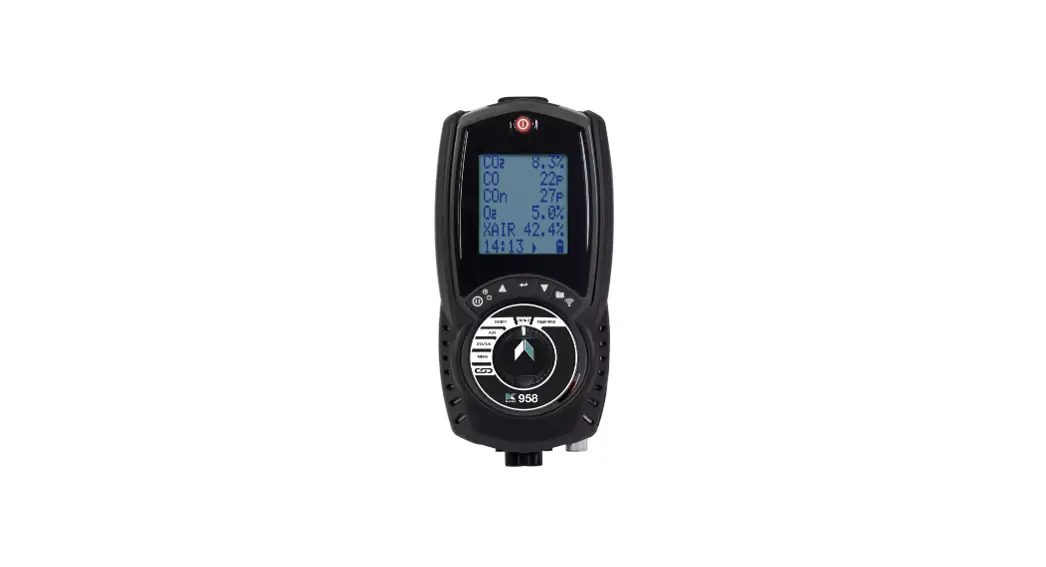
KANE958
Flue Gas Analyzer with direct O2
Measurement and CO sensor protection 
 |  |  |  |
KANE958 OVERVIEW
Your KANE958 combustion Analyzer measures:
- Carbon Monoxide (CO)
- Oxygen (O2)
- Pressure
- Differential Temperature
- Temperature
- Differential Pressure
Depending on your options it measures or calculates:
- Carbon Dioxide (CO2)
- Nitric Oxide (NO)
- Nitrogen Oxides (NOx)
- CO/CO2 ratio
- Combustion Efficiency
- Losses
- Excess Air
- Sulphar Dioxide (SO2)
- Nitrogen Dioxide (NO2)
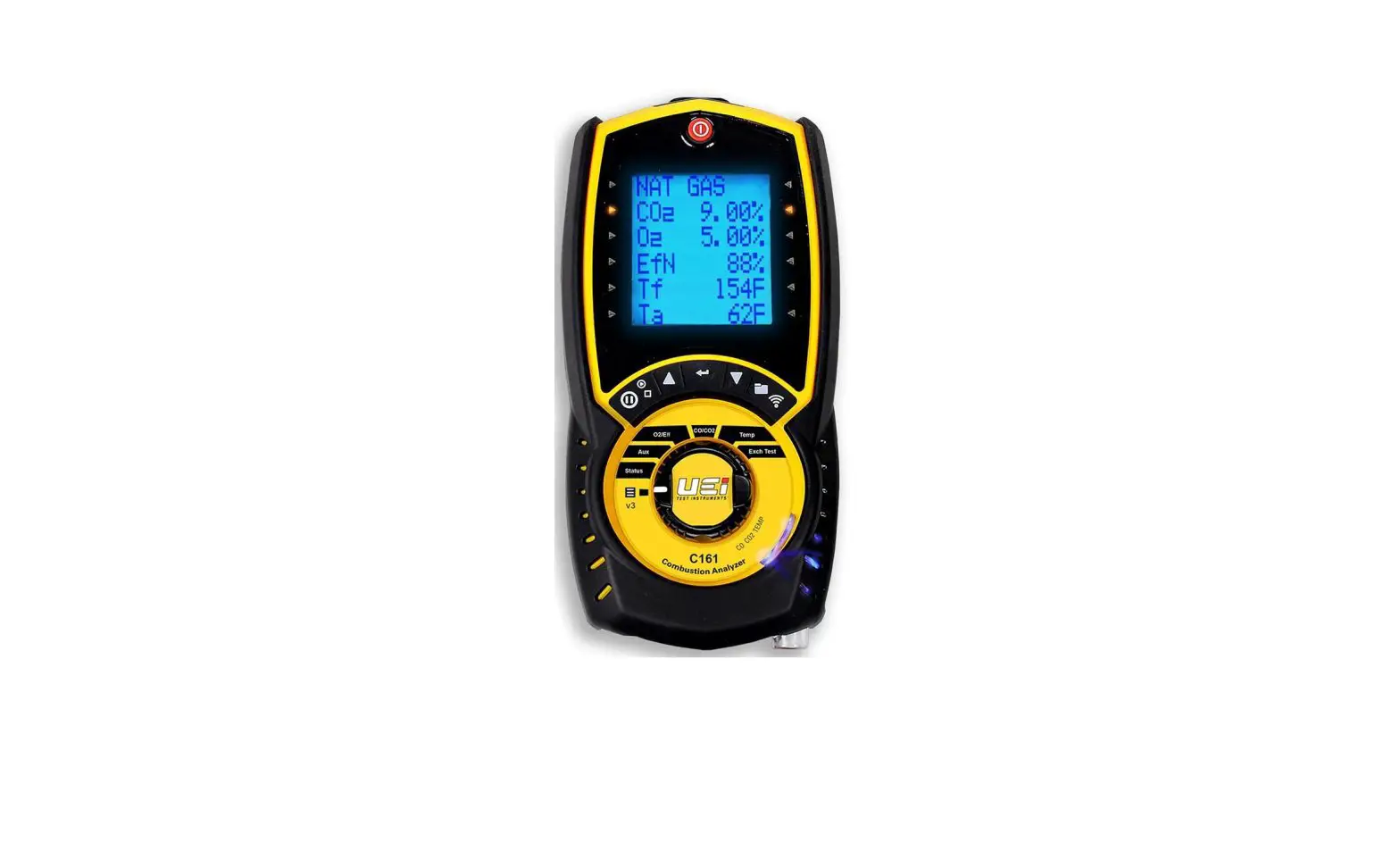
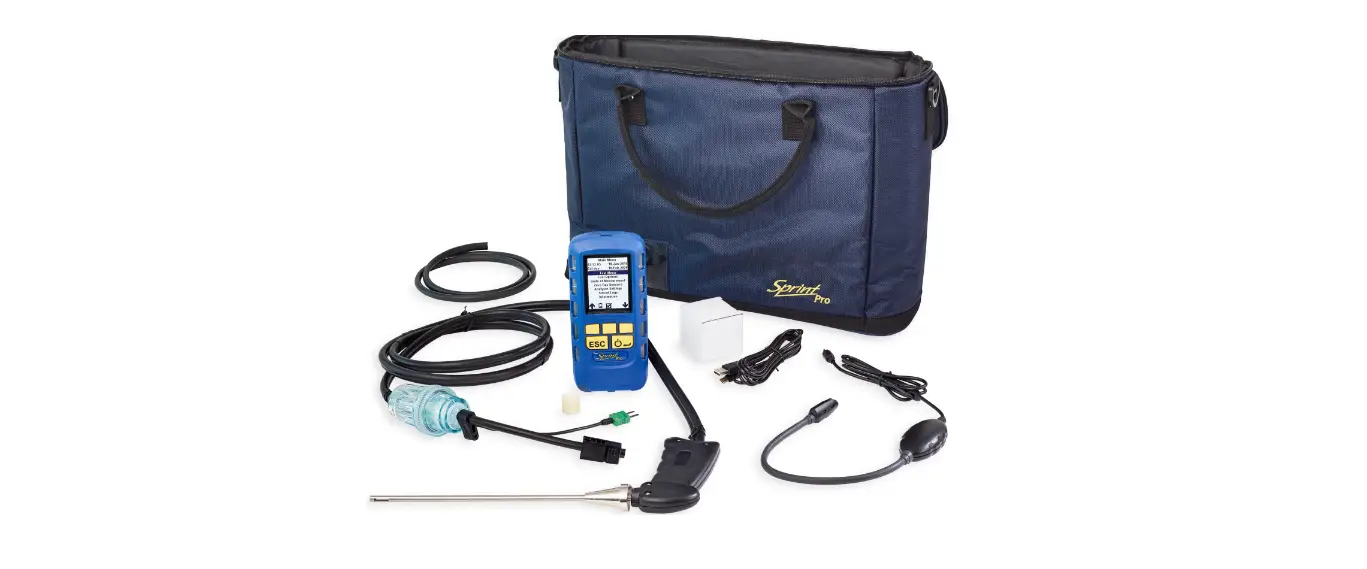
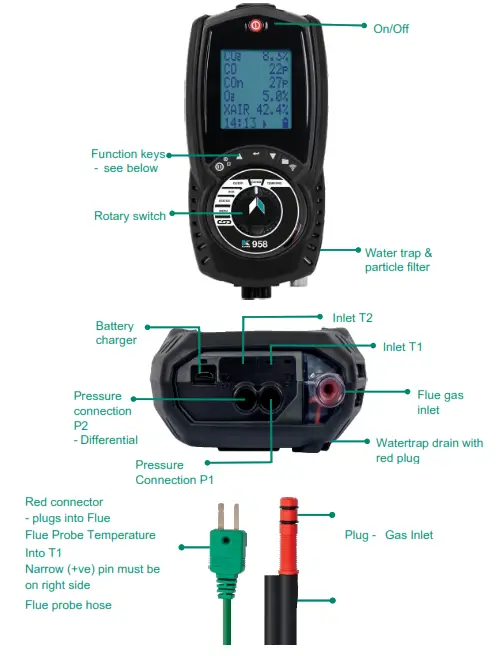
Your KANE958 has a protective rubber cover with magnets for “hands-free” operation and is supplied with a flue probe with integral temperature sensor.
Your KANE958 has a low flow detector system to switch off the Analyzer pump if it detects water entering from an over filled water trap.
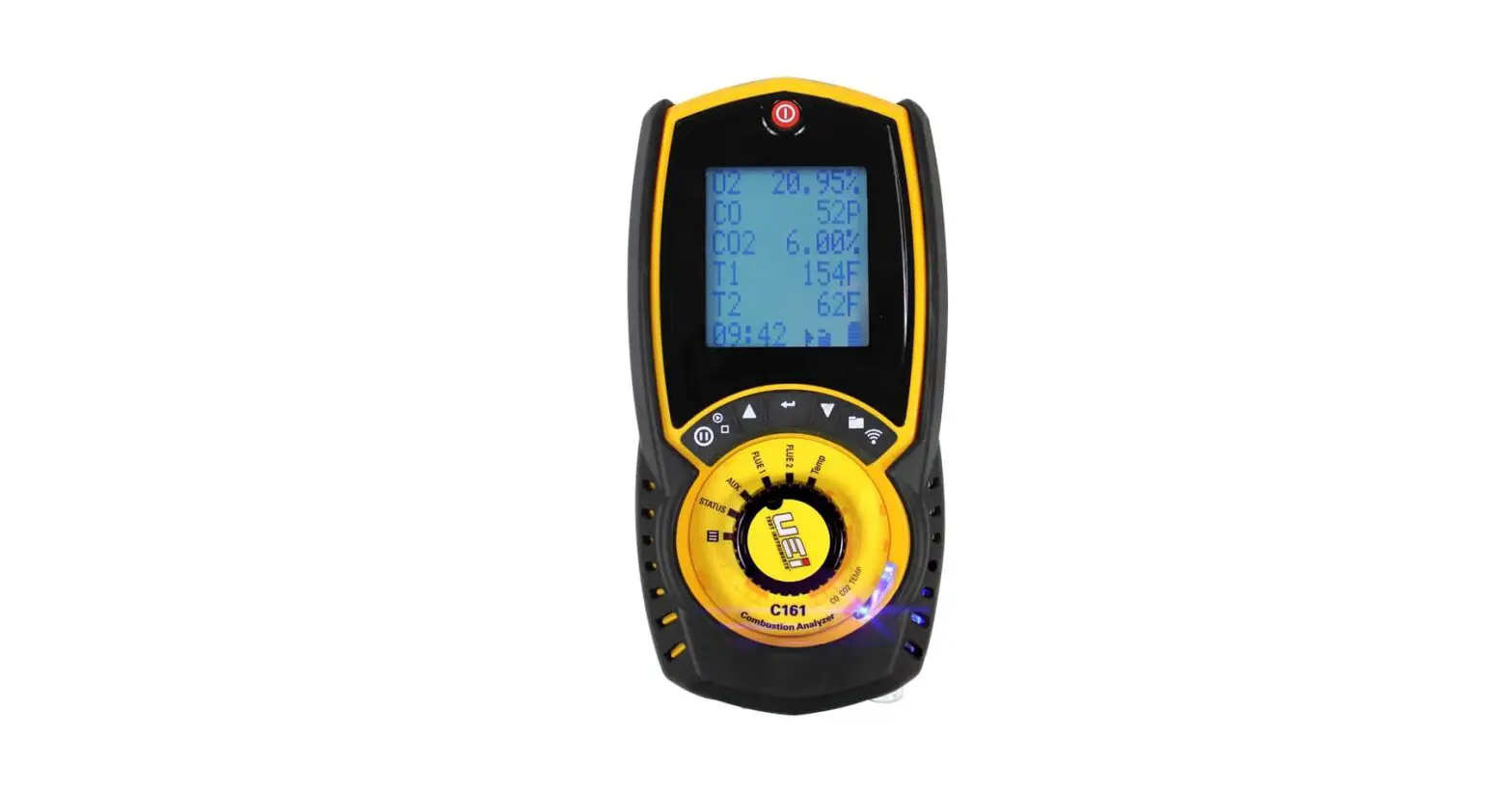
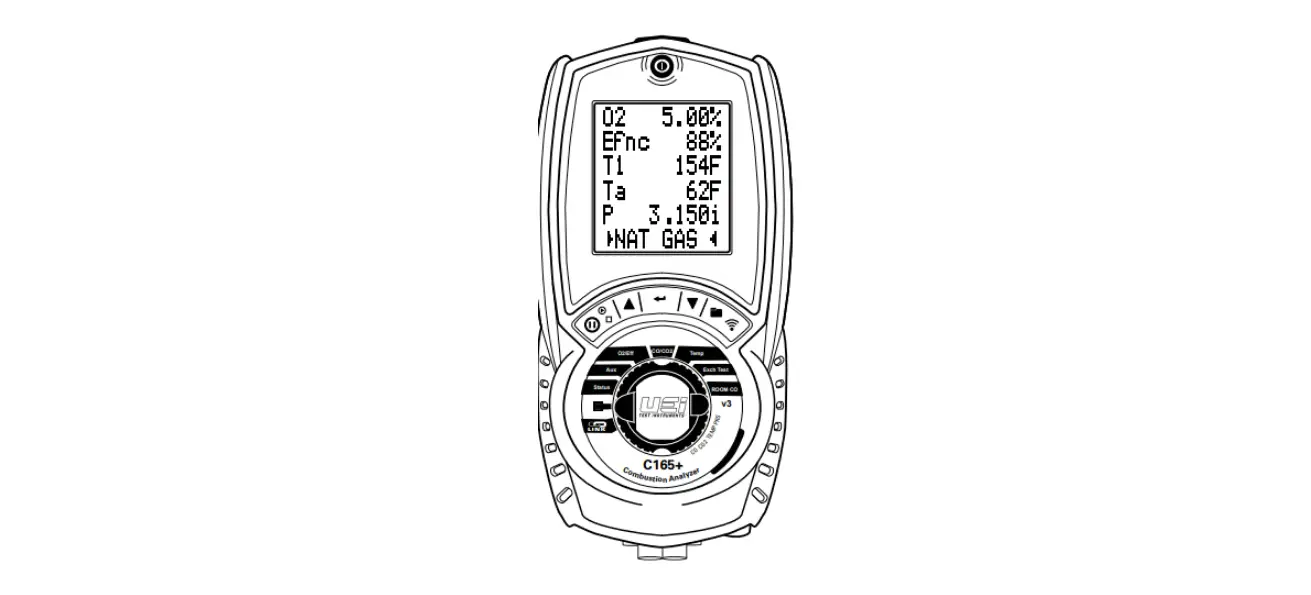
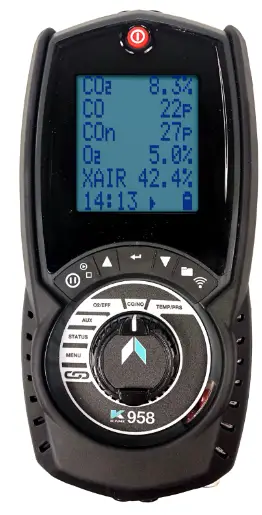
Your KANE958 has a large 6 line display showing data and test results based on your actions. The display bottom line also highlights Analyzer status at all times.
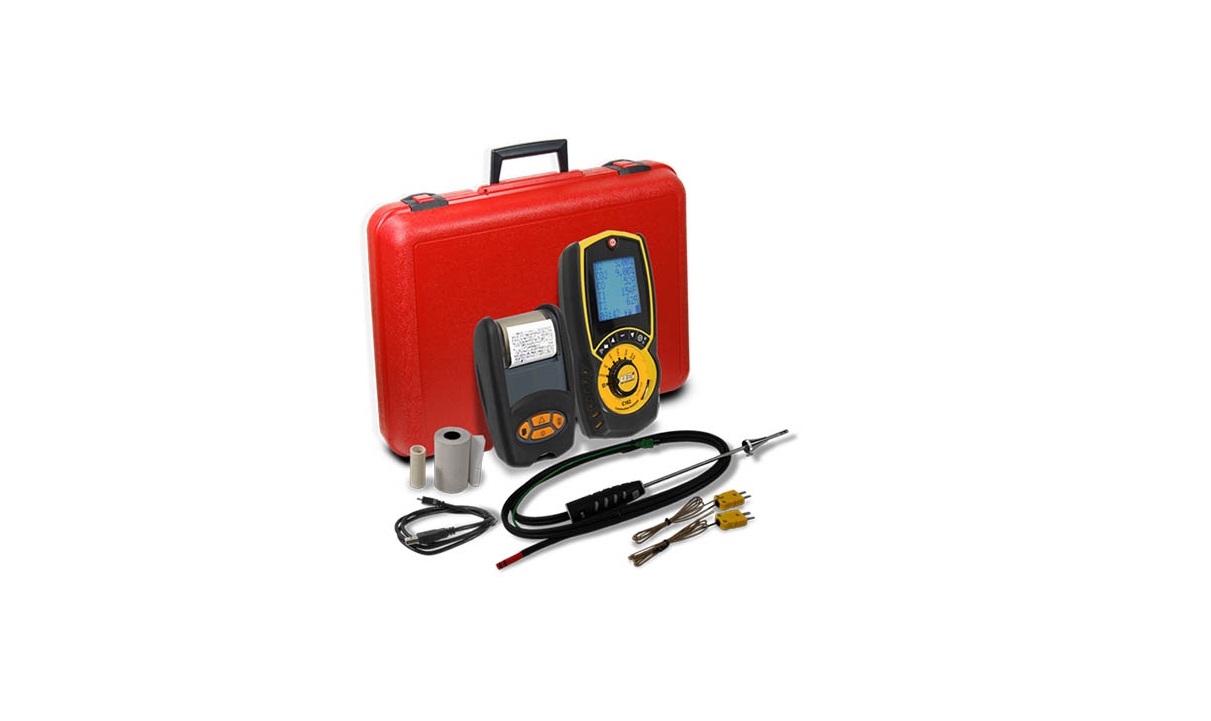
Your KANE958 prints test results using an optional infrared printer or wirelessly sends them to the KANE wireless APP.
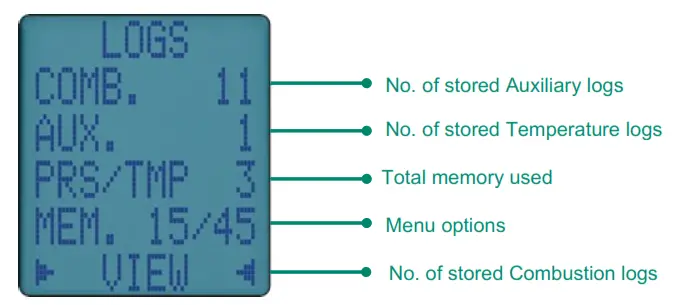
Your KANE958 stores up to 45 logs of any combination of Combustion, AUX, Temperature & Pressure test results.
You can enter 2 lines of 24 characters on your test results printout.
ANALYZER FEATURES AND KEYPAD
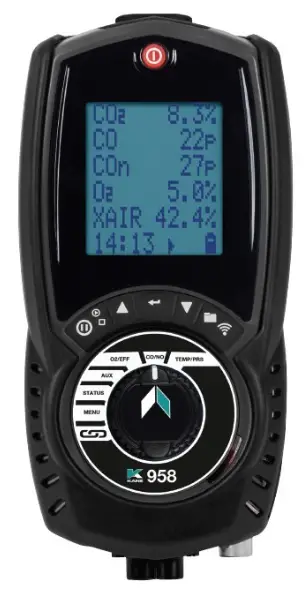
KEYPAD BUTTONS
| ICON | DESCRIPTION | |
 | SAVE LOG | Long press to store data |
 | PRINT REPORT | Short press to print a report – Analyzer offers a destination choice when wireless & irda fitted |
 | NAVIGATE UP | Short press to scroll up |
 | ENTER KEY | Use to select current option – also selects worklight in some dial positions |
 | NAVIGATE DOWN | Short press to scroll down |
 | DATA HOLD | Short press to hold current data on screen – see status bar section on page 13 |
 | PUMP ON/OFF | Press to turn pump on or off |
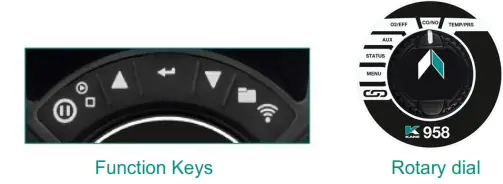
ANALYZER LAYOUT
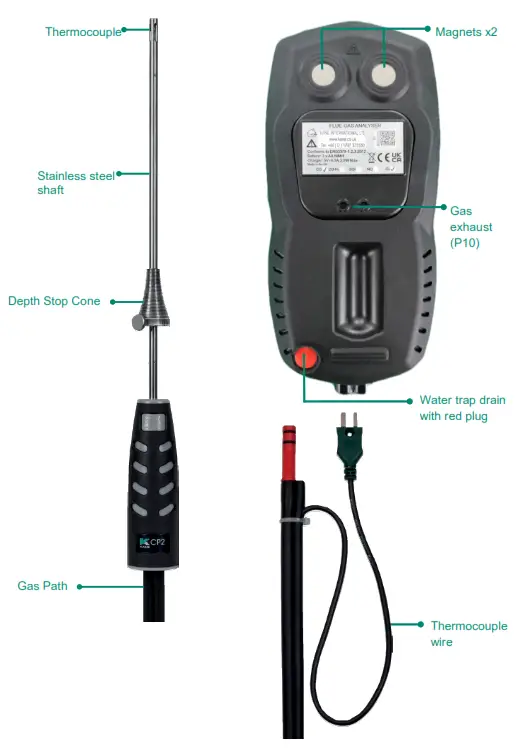
BATTERIES
BATTERY TYPE
Your KANE958 uses rechargeable Nickel Material Hydride (NiMH) batteries
– Using other battery types may void your Analyzer’s warranty.
 WARNING
Although you can use Alkaline batteries you must not charge your Analyzer with Alkaline batteries fitted. Do not mix NiMH cells with different capacities or from different manufacturers – All batteries must be identical.
REPLACING BATTERIES
Turn over your Analyzer, remove protective rubber cover, find battery compartment & fit 3 NiMH “AA” rechargeable batteries ensuring correct battery polarity. Replace battery cover & protective rubber cover.
TIME AND DATE
After changing batteries reset your Analyzer time & date.
CHARGING NiMH BATTERIES
Your KANE958 uses a standard Micro USB connector – For best results turn off then connect your charger. Charging indicator will illuminate then turn off when charging is complete.
Your first charge should be for 8 hours – Thereafter NiMH batteries can be topped up at any time, even for short periods
If your batteries discharge and your Analyzer enters a low power shutdown, 1 hour charge provides approx. 2 hours continuous use.
BATTERY DISPOSAL
Always dispose of depleted batteries using approved disposal methods to protect our environment.
GENERAL SAFETY
SAFETY WARNING
Your Analyzer extracts combustion gases that may be toxic in relativity low concentrations. These gases are exhausted from the back of the Analyzer. This Analyzer must only be used in well-ventilated locations by trained and competent persons after due consideration of all the potential hazards.
Portable gas detectors should conduct “bump” tests before relying on units to verify atmospheres are free from hazards. A “bump” test is a way to check an instrument works within acceptable limits by briefly exposing it to known gas mixtures to change the output of all sensors present.
NOTE: This is different from a calibration where your Analyzer is exposed to known gas mixtures but allowed to settle to a steady figure with readings adjusted to the stated gas concentration of the test gas.
Protection Against Electric Shock (In accordance with EN 61010-1:2010):
This Analyzer is designed as Class III equipment and should only be connected to SELV circuits. The battery charger is designated as:
- Class II equipment
- Installation category II
- Pollution degree 2
- Indoor use only
- Altitude to 6,562ft
- Ambient temperature 32˚F to 104˚F
- Maximum relative humidity 80% for temperatures up to 87.8˚F decreasing linearly to 50%RH at 104˚F
- Mains supply fluctuations not to exceed 10% of the nominal voltage
COLD WEATHER PRECAUTIONS
It is important you keep your Analyzer in a warm place overnight.
Electronic devices that become really cold, by being left in a vehicle overnight, suffer when taken into a warm room the next morning. Condensation may form affecting Analyzer performance. Analyzer electrochemical sensors are affected by condensation or water being sucked into the Analyzer, stopping sensors seeing flue gas. When this happens, oxygen or carbon dioxide reading will display as “-” & sensors may be permanently damaged.
If you think your Analyzer is affected by condensation or water ingress, leave the Analyzer running in a warm place with pump ‘ON’ sampling fresh air for a few hours. Connect your mains adapter or battery charger to avoid draining batteries. If you still experience problems please contact UEi Customer Services.
FIRST TIME USE
Charge your Analyzer batteries for 8 hours – an overnight charge should be sufficient for an average 8 hour day.
Take time to read this manual fully and be aware your Analyzer configuration may not support all features explained in this manual.
Before using your Analyzer ensure it is set up for your requirements.
NOTE: Your Analyzer STATUS bar displays current time, date and battery status – Check time & date are correct as they can only be changed if you have not stored logs in Memory to protect the integrity of your stored data.
GENERAL OPERATING PRINCIPLE
Using your KANE958 is simple with the rotary dial and user interface. Most tests can be made with little user activity.
Your Analyzer status bar offers options based on tasks you are performing and displays useful information and messages.
QUICK START
Turn on your Analyzer in fresh outdoor air pressing the  button for 2 seconds. Your Analyzer starts a 60 second zero calibration – once completed select your tests by turning the Analyzer rotary dial.
USER INTERFACE
Your Analyzer display shows 5 lines of tests & a status bar. The backlight activates on each button press then turns off after 10 seconds.
Navigate through your options and menu choices via 3 dedicated 
 &
&  buttons.
Button presses are either short or long.
STATUS
Rotate dial to “Status”:
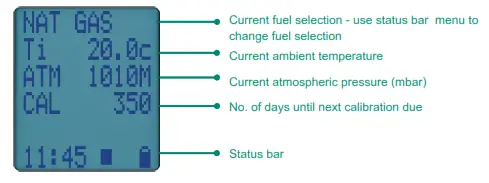
STATUS BAR
Status bar shows Analyzer status and offers options based on your settings.
Navigate through status bar options via & buttons when status bar is on display.
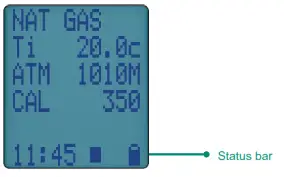 STATUS BAR LAYOUT
Status bar splits into 2 zones, Message & Icons shown below:
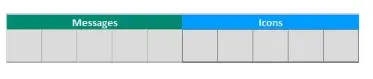
STATUS BAR MESSAGE ZONE
| CLOCK FUNCTION | 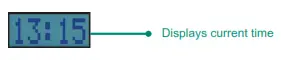 |
| DATA HOLD FUNCTION | 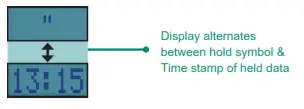 |
| CALIBRATION DUE WARNING MESSAGE | 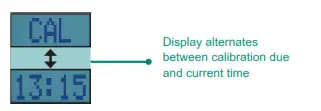 |
| AIR PURGE “SNOOZE” TIMER | 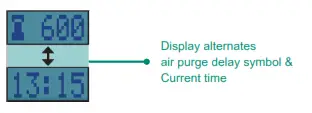 |
| LOW BATTERY WARNING MESSAGE | 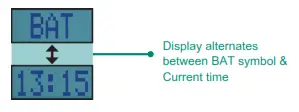 |
STATUS BAR ZONES
Icons give quick and simple status information:
STAUS BAR ICON LEVEL
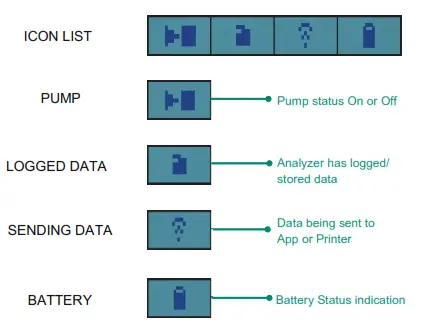
STATUS BAR MENU OPTIONS
Status Bar offers you contextual menu items based on your display screen.
STANDARD OPTIONS
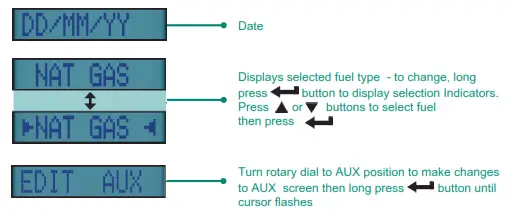
Rotate dial to MENU to customise your Analyzer default setting to your requirements.
Navigate through the MENU using these buttons 
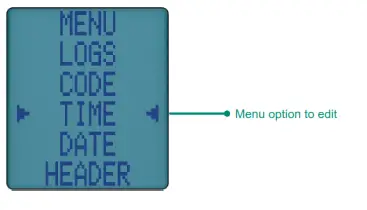 As you navigate up or down items will move up or down the screen returning to the beginning.
Note: To exit menu turn your Analyzer rotary dial to any position – note any unsaved changes will be lost.
MENU ITEMS
| MENU ITEM | MENU TEXT | OPTIONS/COMMENTS |
| TIME | TIME | HH:MM:SS format E.G.. 7am = 07:00:00, 7pm = 19:00:00 |
| DATE | DATE | DD/MM/YY format |
| HEADER | HEADER | Edit 2 Line Header on your printouts |
| PRINTER TYPE | IR PRINT | Select, KMIRP, IRP-3 |
| GAS SCALE | GAS UNIT | Select, ppm, mg/m3, Mg/kWh |
| 02 REF | 02 REF | Used for “Normalized” readings. Default set to 3%, can be adjusted up or down |
| IF NO OPTION FITTED | NOX CALC | Enables selection of NOx equation types and assumed percentage of NO2. NOx equations are: NOx reference to NO NOx sum equation (NO + NO2) NOx reference to NO2 |
| LOGS | LOGS | View current memory usage & stored logs |
| AIRFLOW | AIRFLOW | Change airflow scale and adjust pitot factor |
| EFF | EFF | Efficiency calculation Analyzer set to Gross or Net -Condensing automatically selected based on selected fuel type |
| LANGUAGE | LANGUAGE | Select required language from list |
| UTIL | UTIL | Consists of a sub menu to: INFO – View firmware information BLIGHT – Set backlight timeout (S) LEAK – Perform system integrity test |
| CODE | CODE | Password protected for authorised service agents only – Default to 000000 |
MEASURING FLUE GASES
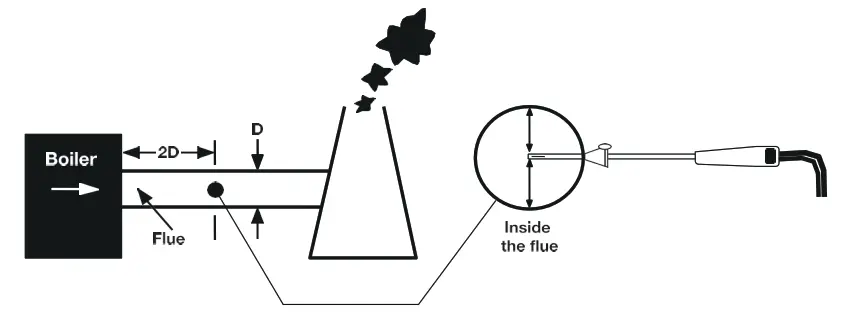
After countdown is finished and your Analyzer is correctly set up, put your flue probe into the appliance sampling point. The probe tip should be in the flue centre – use flue probe depth stop cone to set position.
With balanced flues, make sure probe is positioned far enough into the flue so no air can “back flush” into the probe.
SAFETY WARNING
Ensure your flue probe handle does not get hot!
 Do not exceed Analyzer operating specifications – In particular:
- Do not exceed flue probe maximum temperature (600°C)
- Do not exceed Analyzer internal temperature operating range
- Do not put Analyzer on a hot surface
- Do not exceed Analyzer water trap levels
- Do not let Analyzer particle filter become dirty and blocked
Check readings are stable and within expected range.
CO SENSOR PROTECTION PUMP OPERATION
Your Analyzer CO sensor is automatically protected from high levels of CO. When CO is above the maximum range of your Analyzer the main pump stops and CO Purge pump starts.
Your Analyzer displays – – – – until CO levels fall below the maximum measurement range.
AUX SCREEN
EDITING THE AUX SCREEN
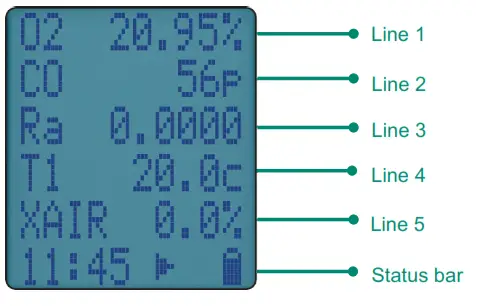
You can customise lines 1 to 5 of your Analyzer AUX screen.
To edit a line, press  until EDIT appears on the status bar. Press and hold to select EDIT.
Cursor flashes and line number appears in status bar. Use to select option to appear on line then press to enter option.
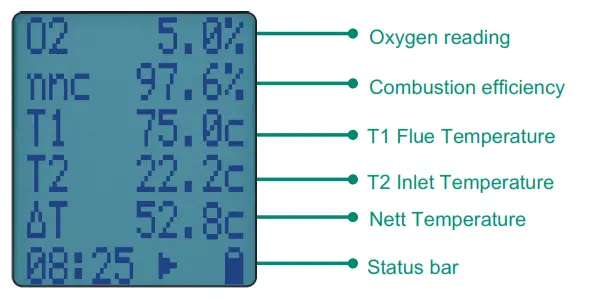
O2/EFF SCREEN
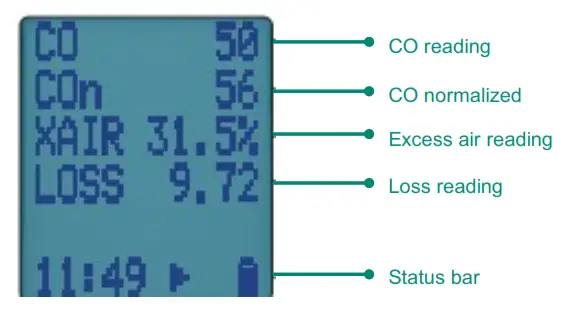
CO/NO SCREEN
STORED MEMEORY REPORTS
Your KANE958 utilises a shared memory system which means stored logs are not limited by type.
An icon displays when your Analyzer has stored data.
To view current memory rotate dial to MENU then select LOGS to display.
MENU OPTIONS
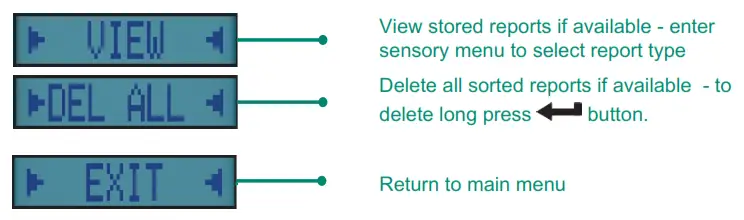
VIEWING STORED REPORTS
To view your reports, select VIEW option from LOGS Menu:
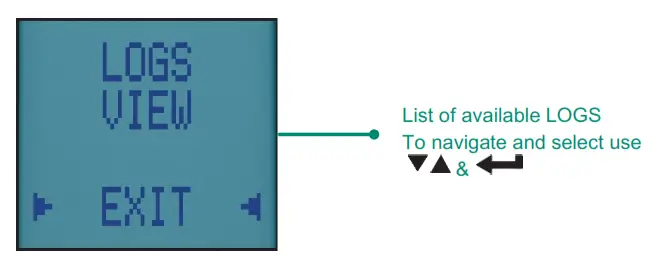
LOG VIEW MENU OPTIONS 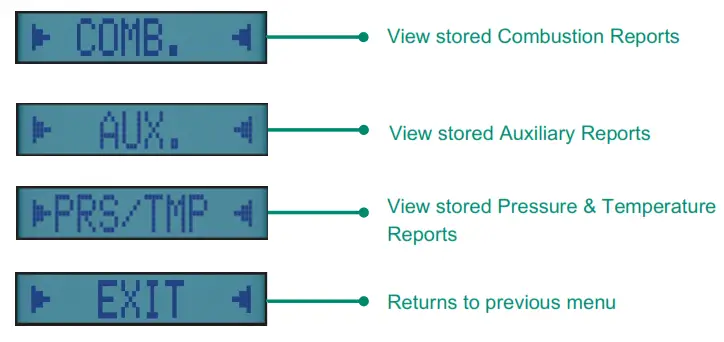
FINDING STORED REPORTS
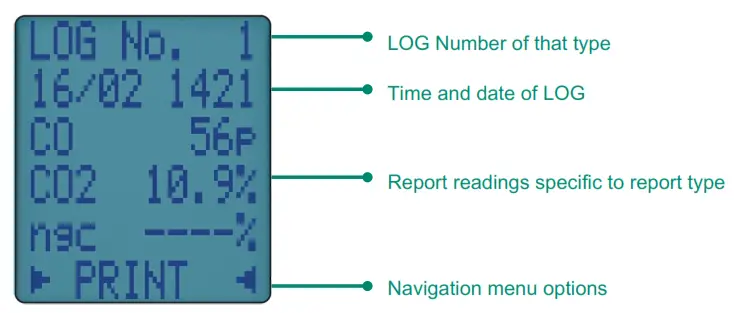
Once you select your report type the first stored log is displayed:
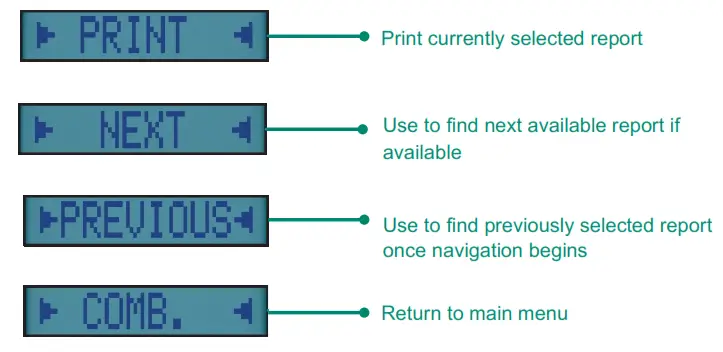
REPORT MENU OPTIONS
Note: ROOM CO and tightness are accessed via TEST position.
Rotate dial to TEST to find ROOM CO and TIGHTNESS Tests.
PRESSURE & TEMPERATURE TESTING WARNING
Never take a pressure reading without knowing the maximum pressure present. Your Analyzer pressure transducer is rated at 160 mbar with a maximum over range of 400 mbar.
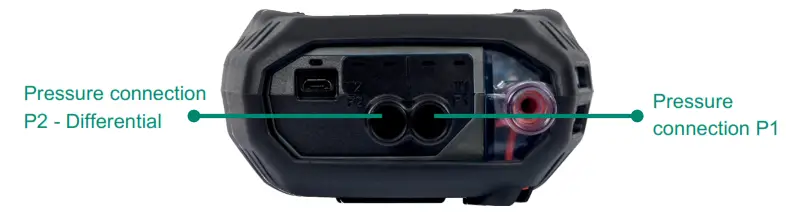
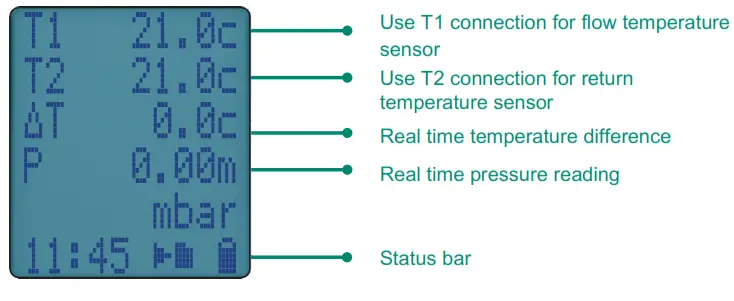
Rotate dial to Prs/Temp and use the black connectors & manometer hose to connect to P1 for single pressure or P1 & P2 for different pressure.
TEMPERATURE & PRESSURE DISPLAY
VIEWING & PRINTING
Press  button to send full Pressure & Temperature reports to your optional KANE-IRP3 printer or wirelessly to a KANE APP.
Press and hold button for 2 seconds to log a pressure and temperature report – See PRINTING to print stored reports.
PRESSURE MEASUREMENT GOOD PRACTICE WARNING
Before using your KANE958 to measure an appliance gas/air ratio valve, read appliance manufacturer instructions thoroughly. If in doubt, contact appliance manufacturer. After adjusting a gas/air ratio valve CO, CO2 & CO/CO2 ratio readings must be within appliance manufacturer specified limits.
LARGE BORE TUBING ISSUES
If using large bore tubing when performing pressure tests:

Push orange tube over rim of spigot to ensure a gas tight seal.
 Failure to do so may not produce a gas tight seal.
PRINTING
Press and release to send test results to your optional KANE IRP-3 printer or wirelessly to KANE APP. You can stop printing by pressing button again.
KANE INFRARED PRINTER
To use your printer, switch on and place the printer infrared receiver in line with the emitter on top of your Analyzer – allow a 15cm gap between Analyzer and printer.
PRINTOUTS
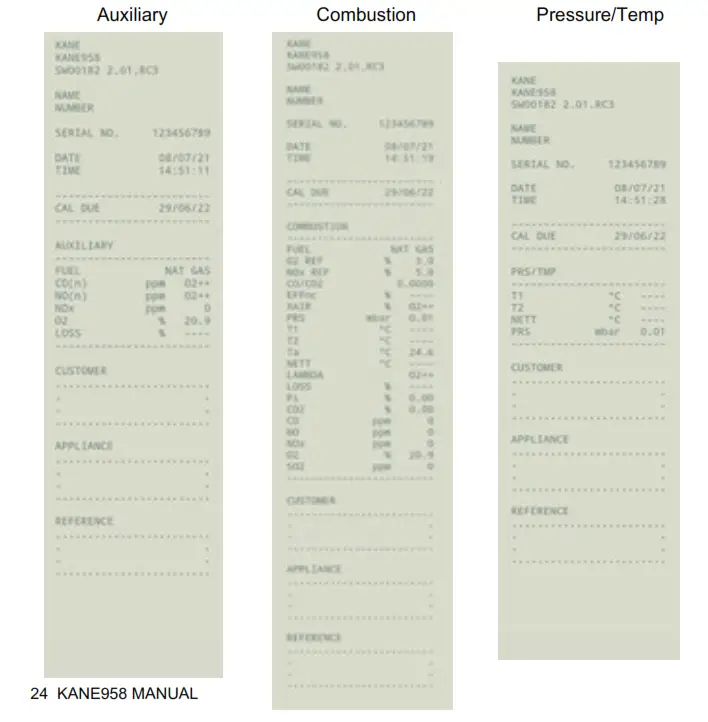
KANE  LINK WIRELESS MEASUREMENT AND DATA TRANSFER You can wirelessly connect optional KANE LINK devices to your Analyzer.
Rotate dial to KANE LINK on your Analyzer to manage how your Analyzer communicates with wireless devices.
To wirelessly transfer data to a connected smart device running our KANE APPS, select APP using
To ADD, REMOVE and check STATUS of optional KANE LINE device select LINK using & buttons.
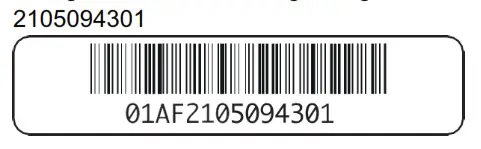
WPCP2 WIRELESS PIPE CLAMP
To add select it then enter its serial number using & buttons.
Enter its serial number using & buttons. Each clamp serial number must be 10 digits long.
If longer use the last 10 digits, e.g, in this example only enter last 10 digits: 2105094301
DTHA2 ANEMOMETER
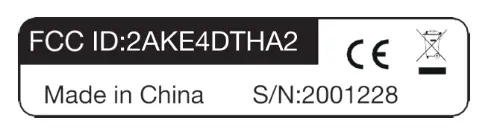
To add a DTHA2 anemometer select DTHA2 using & buttons.
Enter its serial number using & buttons. Each serial number must be 10 digits long.
If shorter enter 0’s to make up to 10 e.g in this example enter 2001228 as 0002001228.
 Other KANE LINK devices can be paired – Contact KANE for more details
SPECIFICATIONS
| PARAMETER | RANGE | RESOLUTION | ACCURACY |
| Temperature Measurement | |||
| Flue Temperature Inlet temperature External sensor | 0 – 600°C | 0.1°C | ±0.5°C |
| Inlet Temperature Internal sensor | 0 – 600°C | 0.1°C | ±0.5°C |
| (Internal Sensor) Inlet temperature | 0-0.50°C | 0.1°C ±1°C | |
| Flue Gas Measurement | |||
| Oxygen | 0 – 25% | 0.1% | ±0.3% Volume |
| Carbon Monoxide H2 Compensated | 0 – 10,000ppm | 1 ppm | ±5ppm < 100ppm ±20ppm < 400ppm ±5% > 400ppm – 2000ppm ±10% > 2000ppm -10,000ppm |
| Nitric Oxide (optional) | 0 – 5000ppm | 1ppm | ±5ppm < 100ppm 5% > 100ppm |
| Nitrogen Dioxide (optional) | 0 – 1000ppm | 1ppm | ±5ppm < 100ppm 5% > 100ppm |
| Sulphur Dioxide (optional) | 0 – 5000ppm | 1ppm | ±5ppm < 100ppm ±5% > 100ppm |
| Pressure Measurement | |||
| Pressure (Differential) | I ±160mbar | I 0.lmbar | I ±0.5% FSD |
| Calculations | |||
| CO/CO2 Ratio | 0 – 0.9999 | 0.0001 | ±5% of reading |
| Efficiency (Net or Gross) | 0 – 99.9% | 0.1% | ±1% of reding |
| Efficiency High (C) | 0 -119.9% | 0.1% | ±1% of reading |
| Excess Air | 0 -119.9% | 0.1% | ±0.2% of reading |
| Preprogrammed Fuels | |||
| UK, USA & France European | Natural Gas, LPG, Light Oil, Digester Gas, Coke, Wood, Heavy Oil, Coal | ||
| Battery Life | >8 hours (continuous with pump on) | ||
| Certification | KANE958 is independently tested and certified to EN50379, Parts 1-2 in accordance to 1st German Federal Emission Control Ordinance (BimschV) | ||
SPECIFICATIONS CONTINUED
| Operating Conditions | |
| Temperatures | 0 to 113°F (0 to 45°C) |
| Humidity | 15 to 90% RH, (non-condensing) |
| Power Supply | Rechargeable batteries, USB Charging |
| Physical Characteristics | |
| Weight | Approx. 2.51b (1.34kg) |
| Dimensions | 8.5in x 4.1in x 1.7in (216mm x 105mm x 45mm) |
THIS PRODUCT CONFIRMS WITH THE FOLLOWING

The KANE958 is independently tested and certified to EN 50379, Parts 1 & 3.
Warranty
The KANE958 is warranted to be free from defects in materials and workmanship for a period of 1 year from the date of purchase. If within the warranty period your instrument should become inoperative from such defects, the unit will be repaired or replaced at UEi’s option. This warranty covers normal use and does not cover damage which occurs in shipment or failure which results from alteration, tampering, accident, misuse, abuse, neglect or improper maintenance. Batteries and consequential damage resulting from failed batteries are not covered by warranty.
Any implied warranties, including but not limited to implied warranties of merchantability and fitness for a particular purpose, are limited to the express warranty. UEi shall not be liable for loss of use of the instrument or other incidental or consequential damages, expenses, or economic loss, or for any claim or claims for such damage, expenses or economic loss. A purchase receipt or other proof of original purchase date will be required before warranty repairs will be rendered. Instruments out of warranty will be repaired (when repairable) for a service charge
For more information on warranty and service, contact:
www.ueitest.com • Email: [email protected] • 1-800-547-5740
This warranty gives you specific legal rights. You may also have other rights, which vary from state to state.

Complete Care for Your Combustion Analyzer.
| When you: Request Annual Recertification or Service Online Within 1 Year of Purchase or Last Service Date |
| UEi will: 10-Year Warranty: All UEi combustion analyzers have a standard 1-year warranty. Each recertification extends the warranty for 1 more year for up to 10 years from the date of purchase. |
| Contractors who book recertification of a KANE958 analyzer at www.ueitest.com/service within 12 months from either the date of purchase or the date of the last recertification will receive reduced service pricing that lowers the cost of ownership and 2 additional benefits: |
| 48-Hour Service: All qualifying KANE958 analyzers received for recertification through UEi Service+ are returned on the second business day. Free Shipping: UEi Service+ offers free shipping both to and from our service center. When customers book their recertification, they receive a prepaid UPS Ground shipp ing label. |
Register Online
Registering you analyzer online is quick and easy. Just log in or setup an account, it only takes a couple of minutes. Once logged in you can register you analyzer by providing some product information and uploading a proof-of-purchase. When it’s time to request recertifcation, just log into your account, select the analyzer, select the service and place your order.
Canadian Customers
All Canadian customers needing annual recertification should visit https://www.kanetest.ca.
 Kane USA
 Flue Gas Analysers | Kane Canada | Vancouver