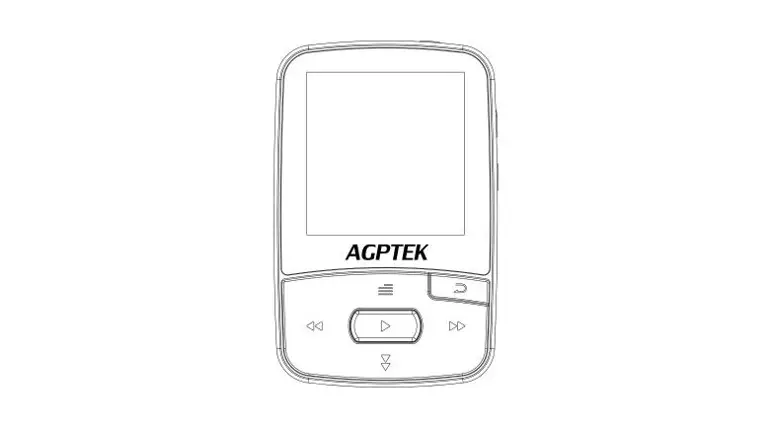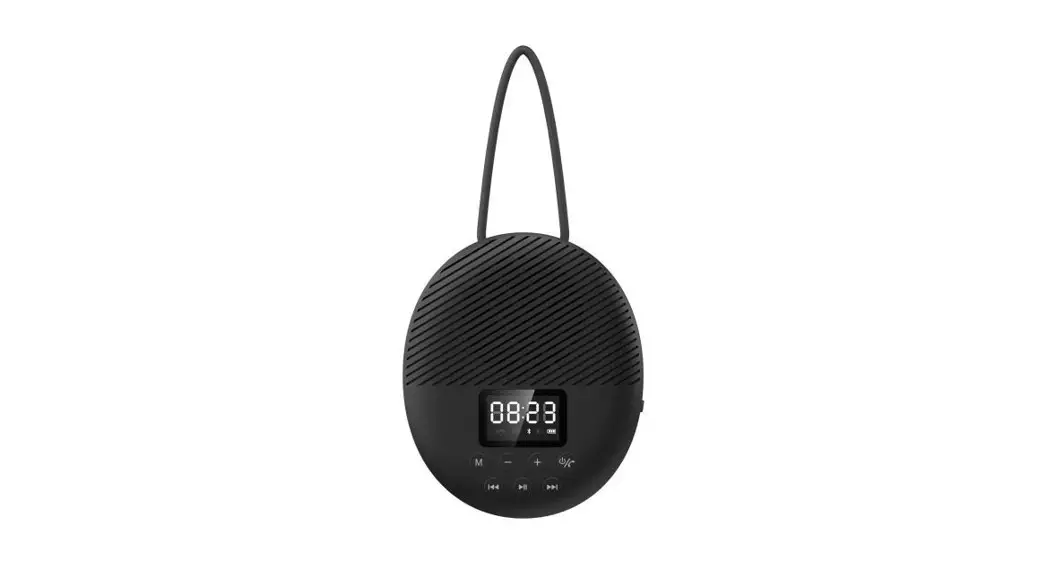

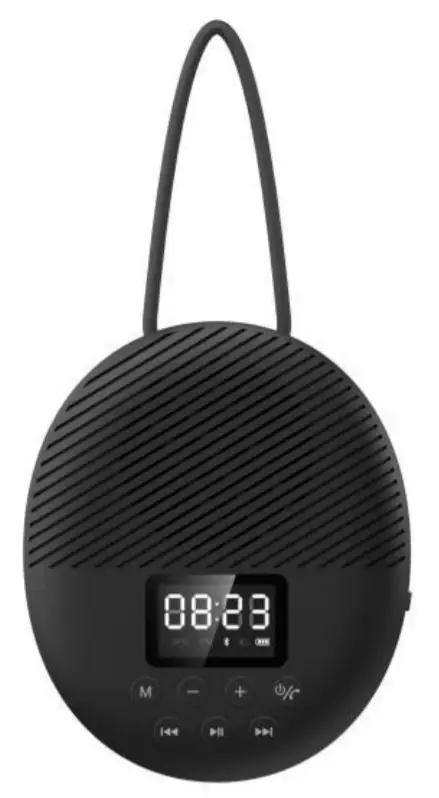
BTS141 User Manual
Thank you for purchasing the AGPTEK product. Please read this [User Manual] carefully before using the product, retain it for future use.
Note:
To find out how to use S2 or if you have a problem, please refer to User Manual.
This [User Manual] can help you understand how to use and troubleshoot the problem.
For better use of this product, please connect the speaker to the computer with a USB 2.0/3.0 port or a 5V/1A charger (not a quick charger) by the included USB cable. Usually, it will be fully charged in 3hours.
Register AGPTEK Forum
Please visit www.agptek.com/forum and register AGPTEK official forum to get better customer support.
Manufacturer: Betrue Technology Company Limited.
Address: D07, 5/F, King Yip Factory Building, 59 King Yip Street, Kwun Tong, Kowloon, Hong Kong.
E-mail: [email protected]
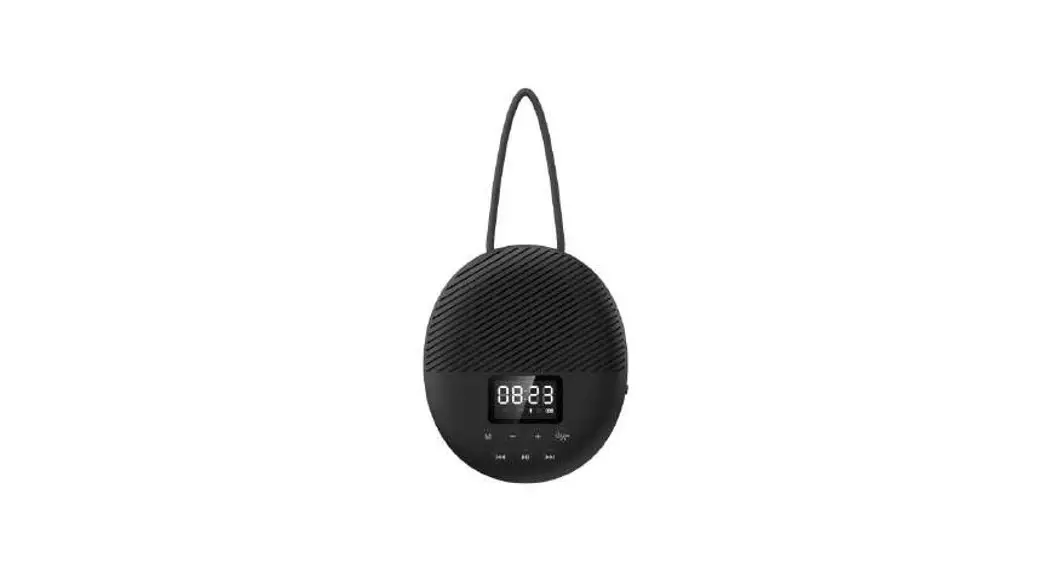
A. Buttons & Controls
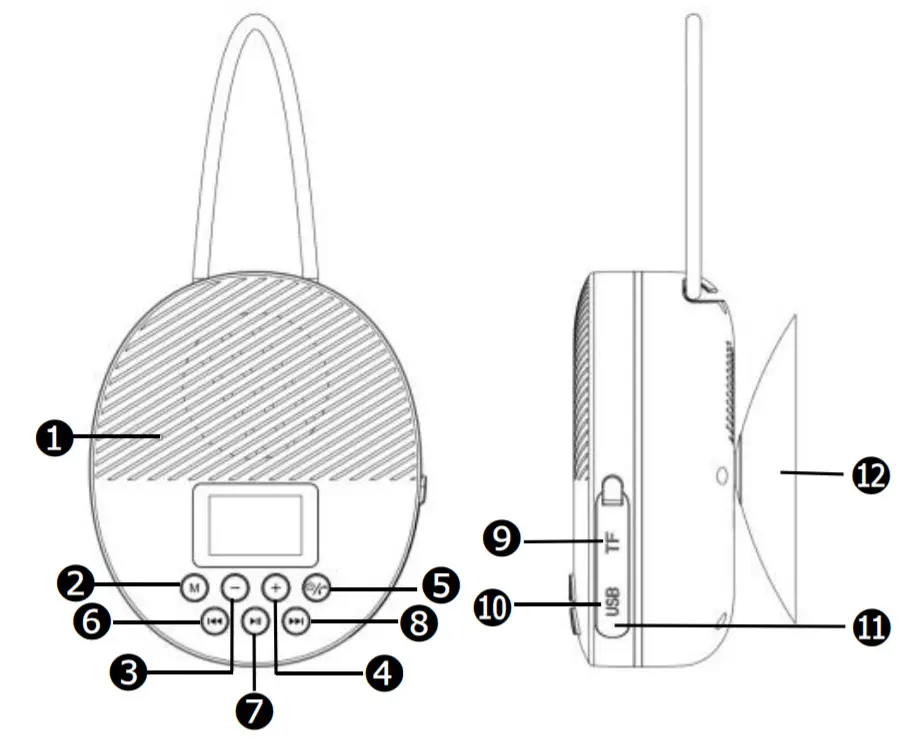
| 1 | MIC Hole (For Hand-Free) |
| 2 M | M Button (Cycle Time/Bluetooth/FM /TF mode) |
| 3 – | Volume down |
| 4 + | Volume up |
5 | Power On/Off, Pick up/Ignore/Hang up/Last dialed call |
6 | Previous track |
7 | Play, Pause |
8 | Next track |
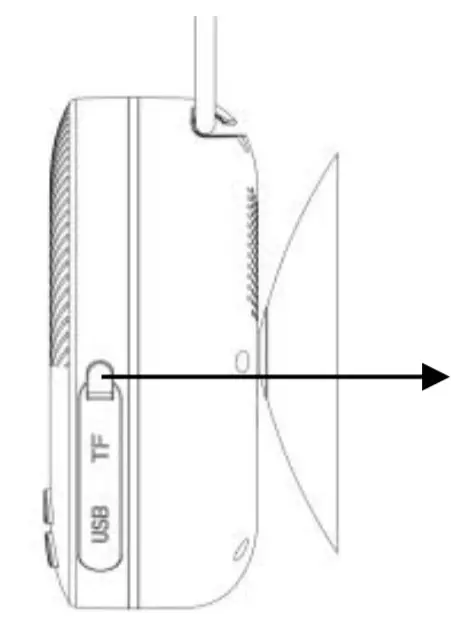
| 9 | TF card slot |
| 10 | Micro USB socket(Under Rubber Seal Cover) |
| 11 | Reset hole(Under Rubber Seal Cover) |
| 12 | Vacuum Cupule |
B.LED Digital Screen
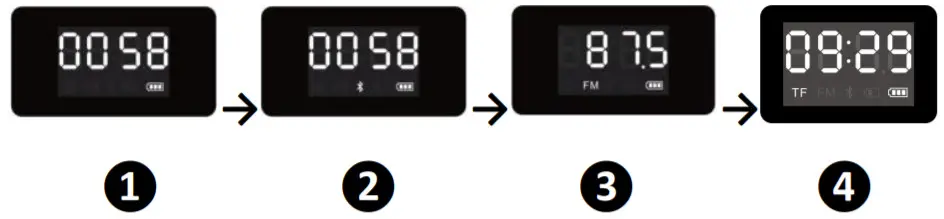
After booting up this product, this speaker will display the Time Calibration Interface ❶ firstly. Press the M button to cycle through different interfaces, such as Bluetooth Mode❷, FM Function❸, TF Card Mode❹(Available when TF card is inserted).
C. Time Calibration
- In power-on mode, press the “M” to switch to the clock mode if it is in another mode.
- Press and hold the “M” to go to the hour set, the number of hours will blink on the LED display.
- Press the “
 ” or “
  ” button for adjusting the hour time to the current time.
 - Short press the “
 ” button to confirm the hour time set and go for the Minute set. The number of minutes will blink on the LED display.
 - Press the “ ” or “ ” button for adjusting the minute time to the current time.
- Short press the “ ” button to confirm the minute time set.
Note:
- To maintain the battery life and performance, if the speaker isn’t used for a while, the battery might need to be recharged. Charge the battery at least once every month.
- Connect the Micro USB socket with the PC’s USB port Power or DC 5V, 1000mA through USB cable.

Note: Please tighten the Rubber Seal Cover after charging to prevent water from penetrating into the speaker. - Disconnect the USB cable when it is done.
D. Playing Music Via Bluetooth Power on and Pairing
- Press and hold the button
 to turn on the device. A series of tones will sound. If it is in clock mode, press button M to switch to Bluetooth mode, the
  icon is blinking quickly.
 - Then turn on your device’s Bluetooth, the device will enter Bluetooth searching mode automatically, if not, please search manually, then tap the related selection to manually enter to searching mode. (Refer to the user manual when necessary).
- Your device show “AGPTEK S2” to select it for pairing. Waiting for some seconds, you will see the connected message as shown on your device. (For some Bluetooth devices, you may need to input “0000” as a pairing password).
- If pairing is successful, the icon will constantly show on the display. Then you can start to play music on the device.
- Press and hold to turn off the device when it is not in use.
 icon is blinking quickly.
Disconnect from the paired device
- Press and hold to switch to the new “Searching/Pairing” mode, the paired device will be disconnected. Or, you can choose “Disconnect” from the Bluetooth paired device list on your mobile device. In this case; the Bluetooth Speaker will turn back into “Searching/Pairing” mode in seconds, a series of tones will sound and the is blinking fast.
- Now, you can process for new mobile device pair or power off the Bluetooth Speaker.
Note: If Bluetooth is not connected for more than 8 minutes, this device will shut down automatically.
Auto re-connect with the paired device and New pairing
- Every time you turn on the speaker and enter into Bluetooth mode; it will firstly searching for the mobile device, which has been paired previously and is still in the record. The Speaker will re-connect this mobile device as a priority if it is in Bluetooth searching device mode.
- If not found in some seconds, the Bluetooth Speaker then turns into a new pairing mode internally.
- Now you can process for new mobile device pair. (Refer to “Power on and Pairing”)
After Bluetooth Paring
After Bluetooth pairing, the speaker can be operated by the following buttons while playing music.
| press | to pause/resume the music |
| Press + | increase the volume level |
| Press – | decrease the volume level |
| Press | go to the next music |
| Press | go to previous music |
Note: When maximum or minimum volume is reached, a series of tones will sound.
E. Call Function
About how to use Hand-free Function
When there is an incoming call during Bluetooth music playing mode;
The ringing sound will up and the playing music will pause automatically.
| Press | pick up the call if you want |
| Press again | hang up the call when finished. And the paused music will start to play automatically |
| Press and hold button for 3 seconds | ignore the incoming call |
Tip: speak to the MIC hole directly at a distance of 30~60cm to get the best speakerphone performance when necessary.Redial for last call Function
To redial for last called number by the Speaker, even it is in music playing mode.
Press the  / / for twice for twice | enter into the redial function, the playing music will pause and switch to the hand-free function for redial. |
| Press theagain | hang up the redial call |
Note: Make sure that your mobile phone has had the last dial call used, if not, the redial for the last call function cannot be activated.
F. FM FunctionAuto-Tune Radio Frequency:
In Bluetooth mode, press button M to enter into FM mode.
Press and hold the button to enter into auto searching mode.
- The FM radio will search up the frequency from 87.5 MHz to 108.0MHz and will save the searched stations automatically.
- When finished searching, it will play from the firstly searched station automatically. You can select radio station P01-P40 through the “ ” or “ ” button, and press the “ ” button again to confirm.
FM playing control:
To switch back to Bluetooth mode, press twice button
M.
| Press button | to pause/resume the music |
| Press button | go to the next station |
| Press button | go to the previous station |
| Press and hold button+ | increase the volume level |
| Press and hold button– | decrease the volume level |
G. How to set the clock
- In time mode, press and hold the “ ” button to enter the alarm clock set. “AL” will show on the screen. You can press the “ ” button to turn ON the alarm clock.
- When “ON” shows on the screen, press the “ ” button to go to the hour set.
- Press or press the “ ” or “ ” button for adjusting the hour time as you desired.
- Short press the “ ” button to confirm the hour time set and go for the Minute set. The number of minutes will blink on the LED display;
- Press or press the “ ” or “ ” button for adjusting the minute time as you desired.
- Short press the “ ” button to confirm the minute time set.
- When the alarm is set, it will emit a series of beeps and then adjust the alarm volume.
- Press or press the “ +” or “ -” button for adjusting the volume level as you desired.
- Short press the “ ” button to confirm the volume level and the volume of the alarm clock setting is completed.
- Press the once “
 ” button to stop the alarm.
H. Low Power Reminder and Auto Sleep
- The Bluetooth Speaker will send tones from the speaker by every minute. When you heard this reminder, please connect the device to the USB power for charging, if you still want to use the device.
- If not, the Bluetooth Speaker will power off automatically when the battery is keeping a low energy level in some minutes.
- In this case, the device cannot be turned on, until you recharge the battery for at least 10~15 minutes, because the rechargeable battery has not had enough energy.
I. Reset the Device
- In some circumstances, the device’s function may hanging and need to be reset. To reset the Bluetooth speaker;
- Insert a needle into the reset hole near the Micro USB socket. Then the device will reset automatically.
- After that, turn on the Bluetooth Speaker by the press and hold the button
Note: Do not reset the device if it is in proper working.
J. Splash Proof Handling
The Bluetooth Speaker can handle a brief jet of water on its surface (IPX5 water-resistant). However, it should never be operated under running water, and under no circumstance, it should never be fully immersed in water. Before use, the Shower Bluetooth speaker in the bathroom, make sure that the splash-proof “Rubber Seal Cover ” is tighten closed at the right position.
After being used in the bathroom, always wipe the outside of the cabinet thoroughly if it becomes wet with moisture or water splashes. This will help to prevent the internal parts of the unit from an entry of water and possible moisture damage.
Note: If the water gets into the USB socket, please always clean the water thoroughly before charging the device.
K. Specifications
| Dimension | 80(L)x35(W)x95mm(H) (Not include Vacuum Cupule) | |
| Weight | 149g (Approximate) | |
| Bluetooth | Specification | V5.0 |
| Supported Profile | WAV/FLAC/APE/ WMA/FIA/NWT/ AMR/DTS | |
| Effective Distance | 20m(In open area) | |
| FM Radio | Tuning Range | 87.5– 108MHz |
| Presets | up to 40 stations | |
| Antenna | Wireless type | |
| Built-In Battery | Lithium3.7V, 2000mAh | |
| Charging Time: around 3 H | ||
| Playing Time: around 10.5-12H(at max. volume setting, Bluetooth mode) | ||
| Power | Micro USB Port | |
| Source | PC’s USB port Power or DC 5V, 1A | |
| Water Resistance | Splash-Proof IPX5 | |
| Operating Temperatur | 0 to 40℃ | |
 Agptek forum - Index