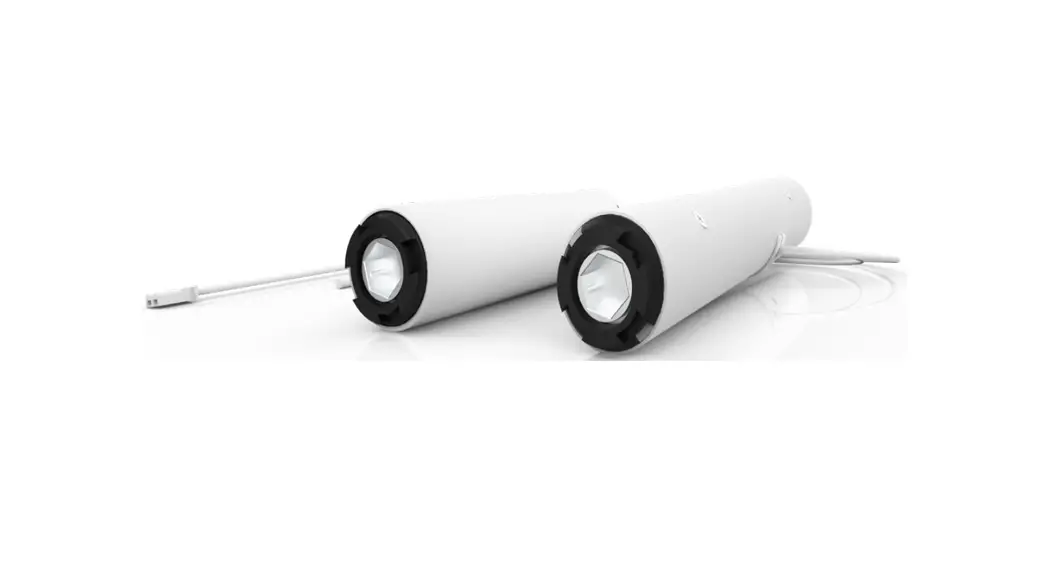



| Description | |
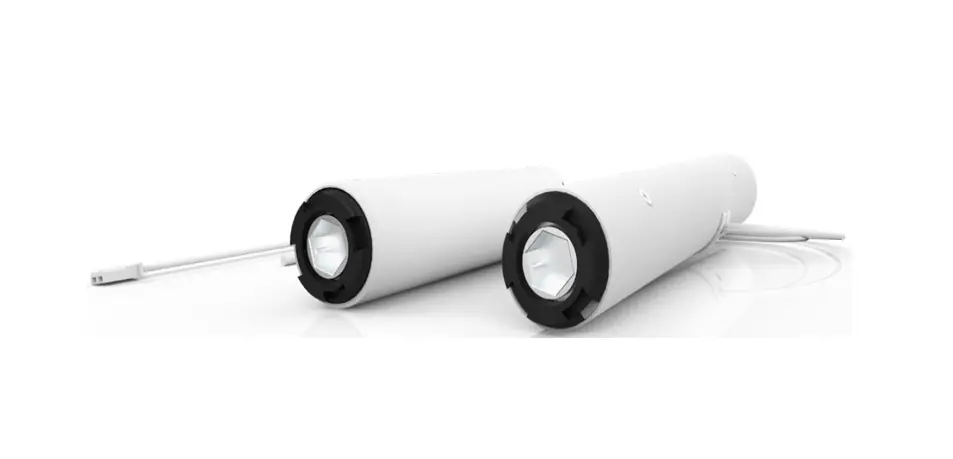
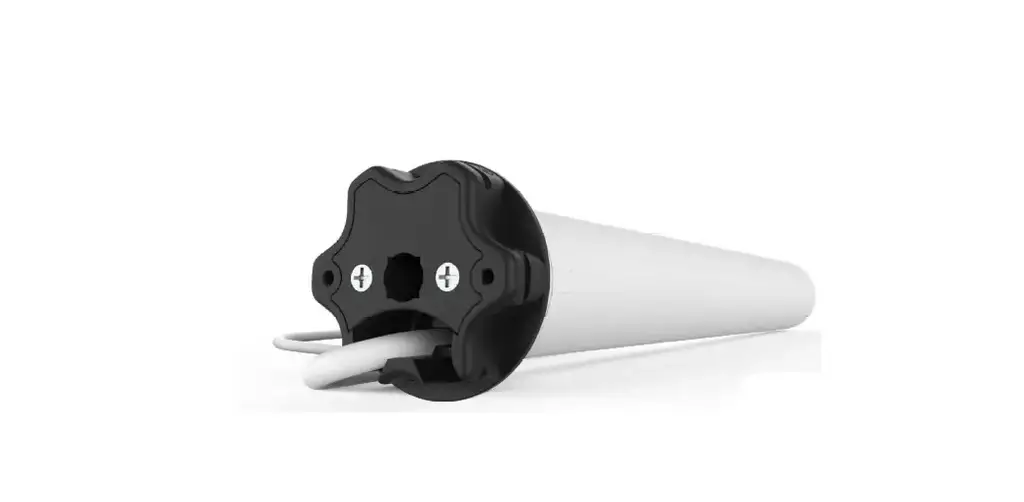
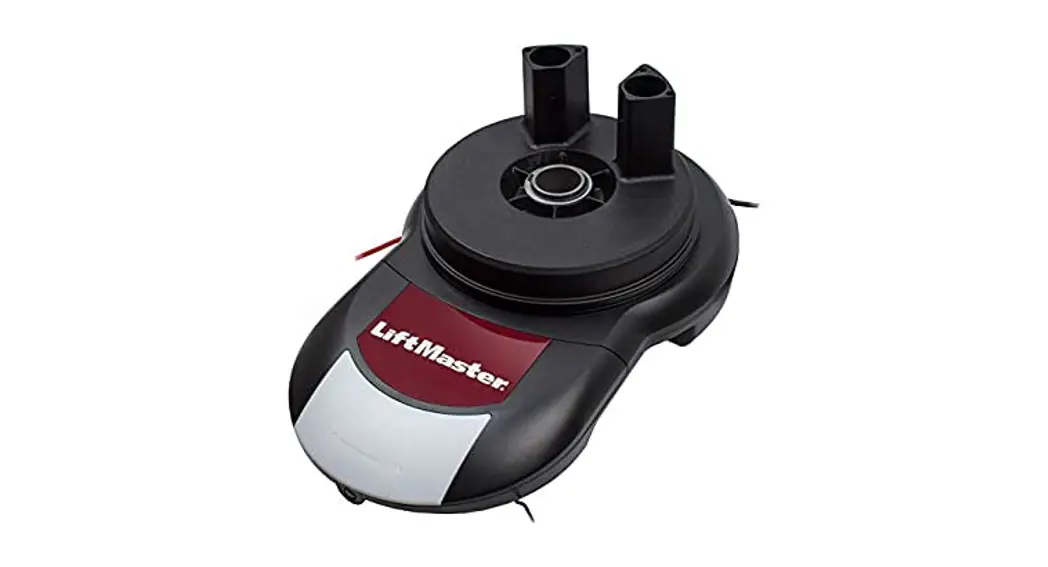
| CL 0.6Nm Cord Lift Motor | |
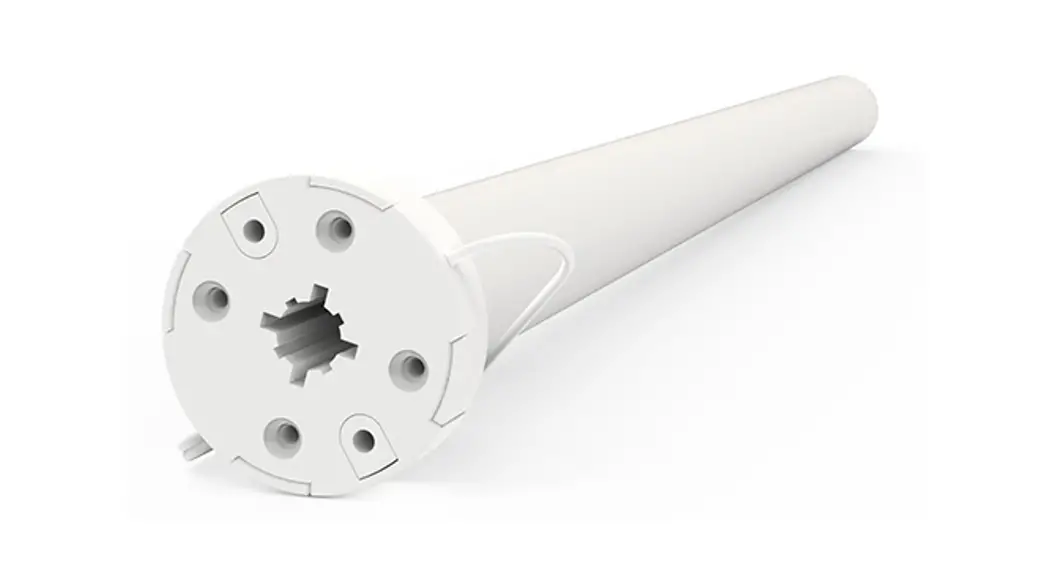
| CL 0.8Nm Cord Lift Motor |

AUTOMATE™ | ARC™ Cord Lift motors enable the motorized function of shades utilizing cord take-up systems.
The Leveling Control allows for precise positioning of an individual or multiple shades ensuring perfect alignment every time.
Additionally, a favorite position can be pre-set and recalled at any time.
FEATURES:
- Smart Home Control
- IOT Integration
- Electronic Limits
- 433 MHz Bi-Directional RF Communication
- Leveling Control
- 3 x Selectable Rpm
- Favorite Position
- Roller & Tilt Modes.
SAFETY INSTRUCTIONS
WARNING: Important safety instructions to be read before installation.
Incorrect installation can lead to serious injury and will void the manufacturer’s liability and warranty.
CAUTION
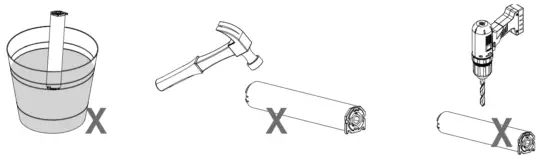
- Do not expose to moisture or extreme temperatures.
- Do not allow children to play with this device.
- Use or modification outside the scope of this instruction manual will void the warranty.
- Installation and programming to be performed by a suitably qualified installer.
- For use within tubular blinds.
- Ensure correct crown and drive adaptors are used for the intended system.
- Keep antenna straight and clear from metal objects
- Do not cut the antenna.
- Use only Rollease Acmeda hardware.
- Before installation, remove any unnecessary cords and disable any equipment not needed for powered operation.
- Ensure torque and operating time is compatible with the end application.
- Do not expose the motor to water or install it in humid or damp environments.
- The motor is to be installed in horizontal application only.
- Do not drill into the motor body.
- The routing of cable through walls shall be protected by isolating bushes or grommets.
- Ensure power cable and aerial are clear and protected from moving parts.
- If the cable or power connector is damaged do not use it.
Important safety instructions to be read prior to operation.
- It is important for the safety of persons to follow the enclosed instructions. Save these instructions for future reference.
- Persons (including children) with reduced physical, sensory or mental capabilities or lack of experience and knowledge should not be allowed to use this product.
- Keep remote controls away from children.
- Frequently inspect for improper operation. Do not use if repair or adjustment is necessary.
- Keep motor away from acid and alkali.
- Do not force the motor to drive.
- Keep clear when in operation.
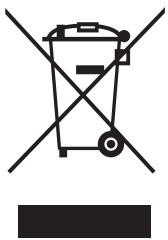 Do not dispose of general waste.
Please recycle batteries and damaged electrical products appropriately.

ASSEMBLY
1.1 0.6 Nm Motor
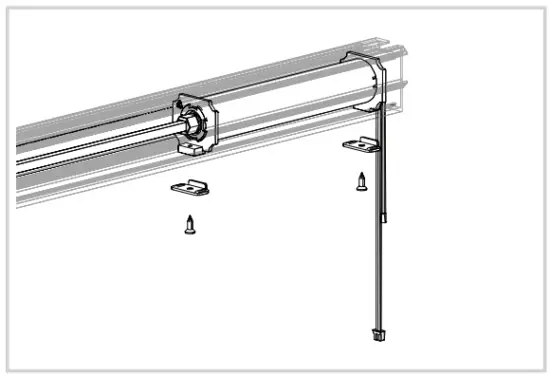
The 0.6Nm Automate Cord Lift motor must be installed flush with the end cap.
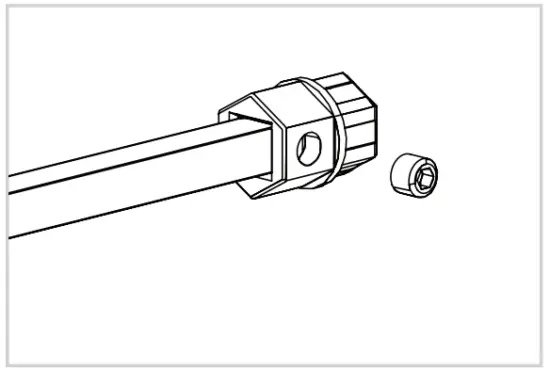
Step 1. Secure the shaft adapter to the shaft with a grub screw.
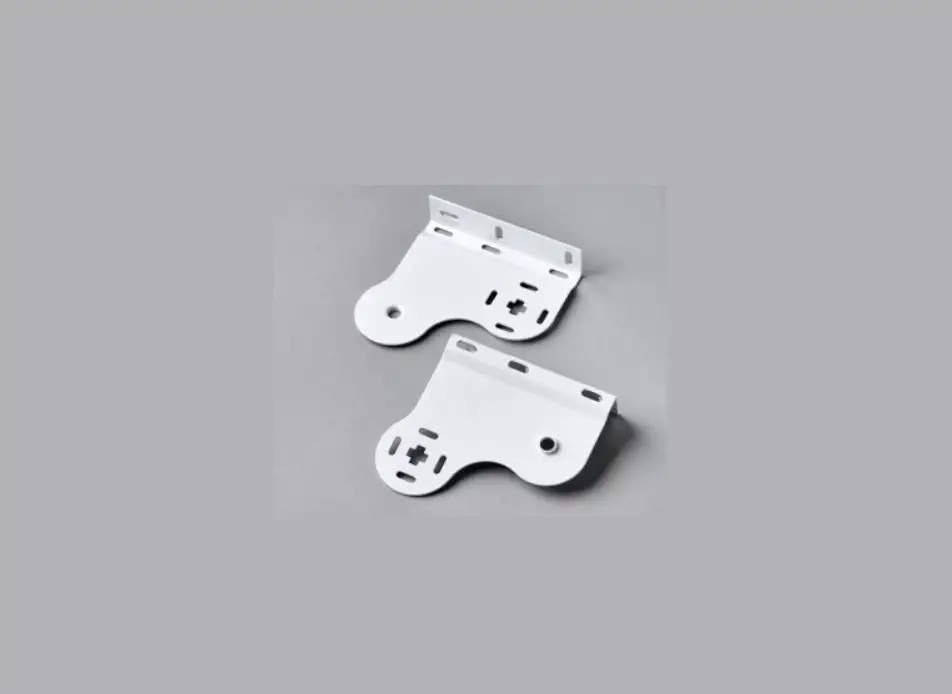
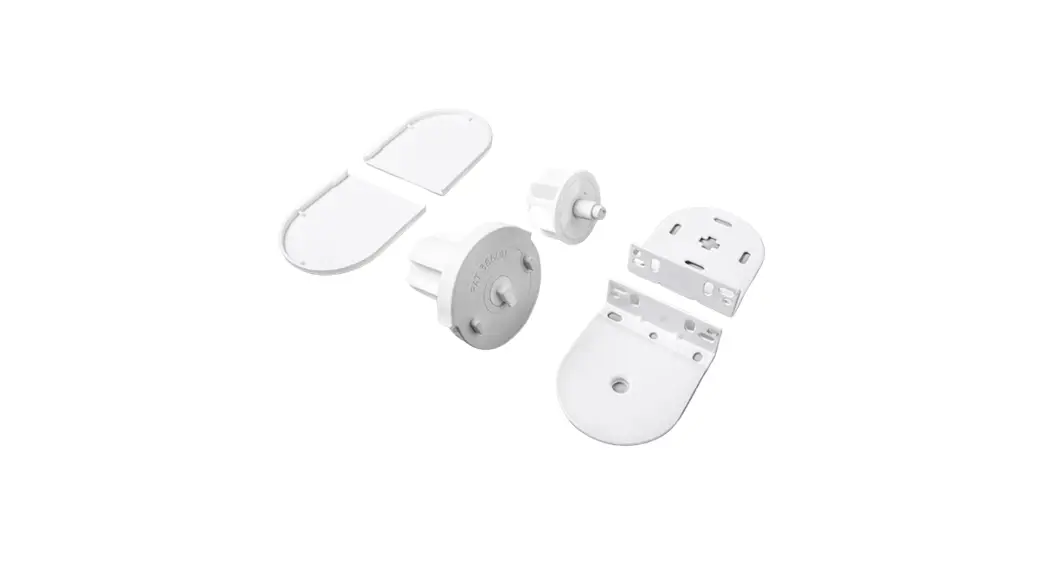
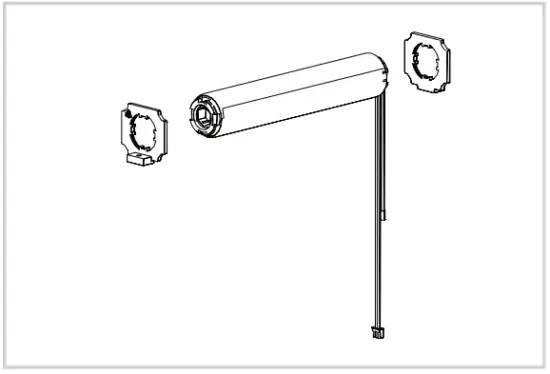
Step 2. Attach Headrail Adapters to the motor (2 each required).
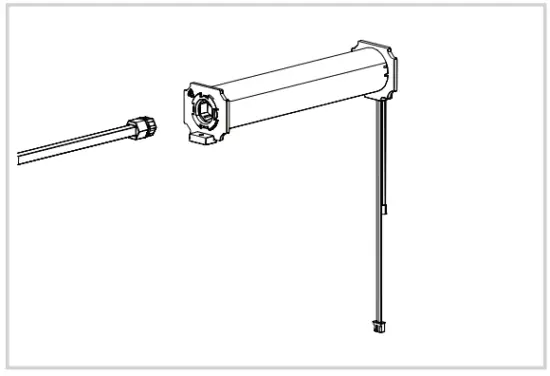
Step 3. Attach the shaft with an adapter to the Motor assembly.
Step 4.
Insert Motor assembly into the headrail.
Ensure shaft adapter fully engages motor drive recess.
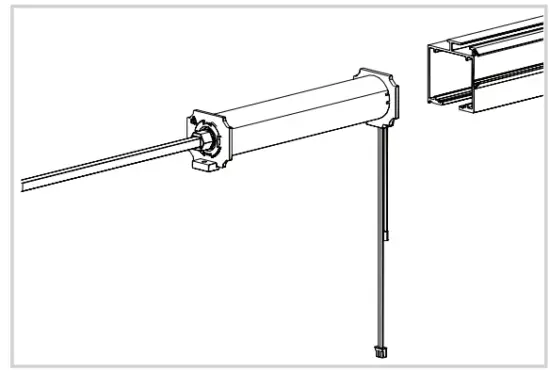
Step 5. Ensure the power cord and antenna extend freely from the headrail. Anchor the Motor to the headrail.
1.2 0.8 Nm Motor
The 0.8Nm Automate Cord Lift motor can be installed at any position inside the aluminum extrusion.
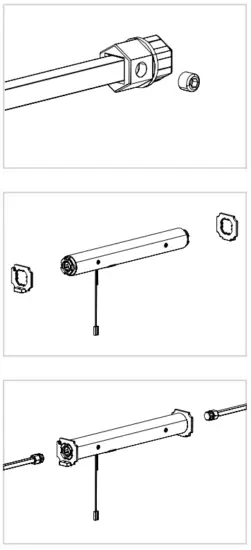 | 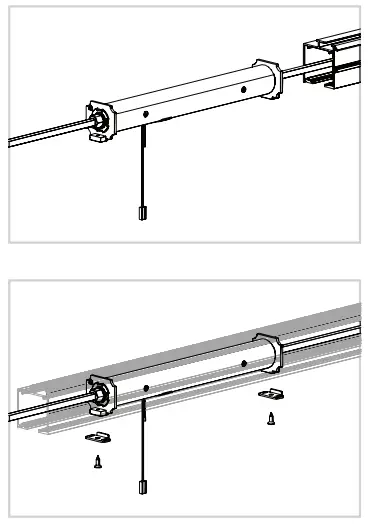 |
| Step 1. Secure the shaft adapter to the shaft with a grub screw (2 assemblies required). Step 2. Attach Headrail Adapters to the motor (2 each required). Step 3. Attach the shaft with an adapter to the Motor assembly. | Step 4. Insert Motor assembly into the headrail. Ensure the shaft adapter fully engages with the motor drive recess. Step 5. Ensure the power cord and antenna extend freely from the headrail. Anchor the Motor to the headrail where desired. |
WIRING
2.1 Power Option
Automate DC motors are powered from a 12V DC power source. AA Battery wands, re-chargeable battery packs, and A/C Adapters are available, with a variety of quick-connect extension cords. For centralized installations, the power supply range can be extended with 18/2 wire (not available through Rollease Acmeda).
- During operation, if the voltage drops to less than 10V, the motor will beep 10 times to indicate a power supply issue.
- The motor will stop running when the voltage is lower than 7V and it will resume again when the voltage is greater than 7.5V.
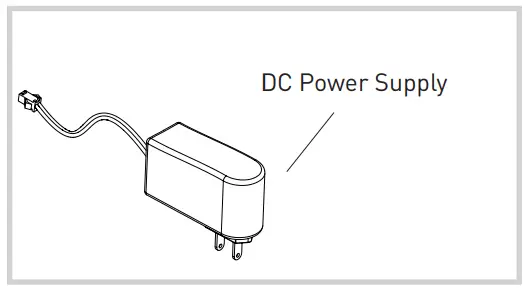
Power Supply | Motor |
| MTBWAND18-25 Battery Tube for DCRF (no Battery) Motors | MTDCRF-CL-0.6-50 MT01-3001-069001 |
| MTDCPS-18-25 Power Supply for 18/25-CL/Tilt DCRF (no Battery) Motor | |
| MTBPCKR-28 Rechargeable Battery Pack |
Extension Cables | Length |
| MTDC-CBLXT6 DC Battery Motor Cable extender 6” / 155mm | 6 inch |
| MTDC-CBLXT48 DC Battery Motor Cable extender 48” / 1220mm | 48 inches |
| MTDC-CBLXT96 DC Battery Motor Cable extender 96” / 2440mm | 96 inches |
 Ensure the cable is kept clear of the fabric.
Ensure the antenna is kept straight and away from metal objects.
3.1 Motor State Test
This table describes the function of a short P1 button press/release(<2 seconds) depending on the current motor configuration.
P1 Press | Condition | Function Achieved | Visual Feedback | Audible Feedback | Function Described |
| Short Press then Release (<2 sec) | If the limit is NOT set | None | No Action | None | No Action |
| If limits are set | Operational control of the motor, run to limit. Stop if running | Motor runs | None | Operational control of motor after pairing and limit setting is completed the first time | |
| If the motor is in “Sleep Mode” & limits are set (Refer to Sec.10) | Wake and control | Motor wakes and runs in a direction | None | The motor is restored from Sleep mode and RF control is active |
3.2 Motor Configuration Options
The P1 Button is utilized to administer motor configuration as described below and beginning in Section 4.
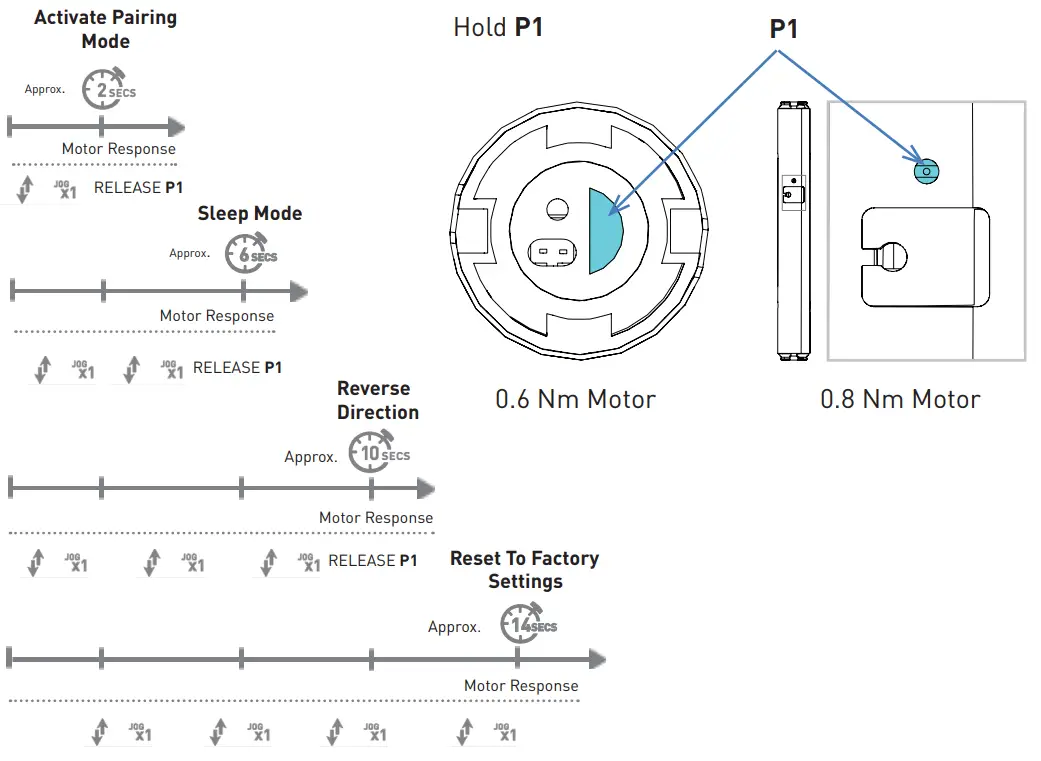
INITIAL SET-UP
4.1 Pair Motor with controller
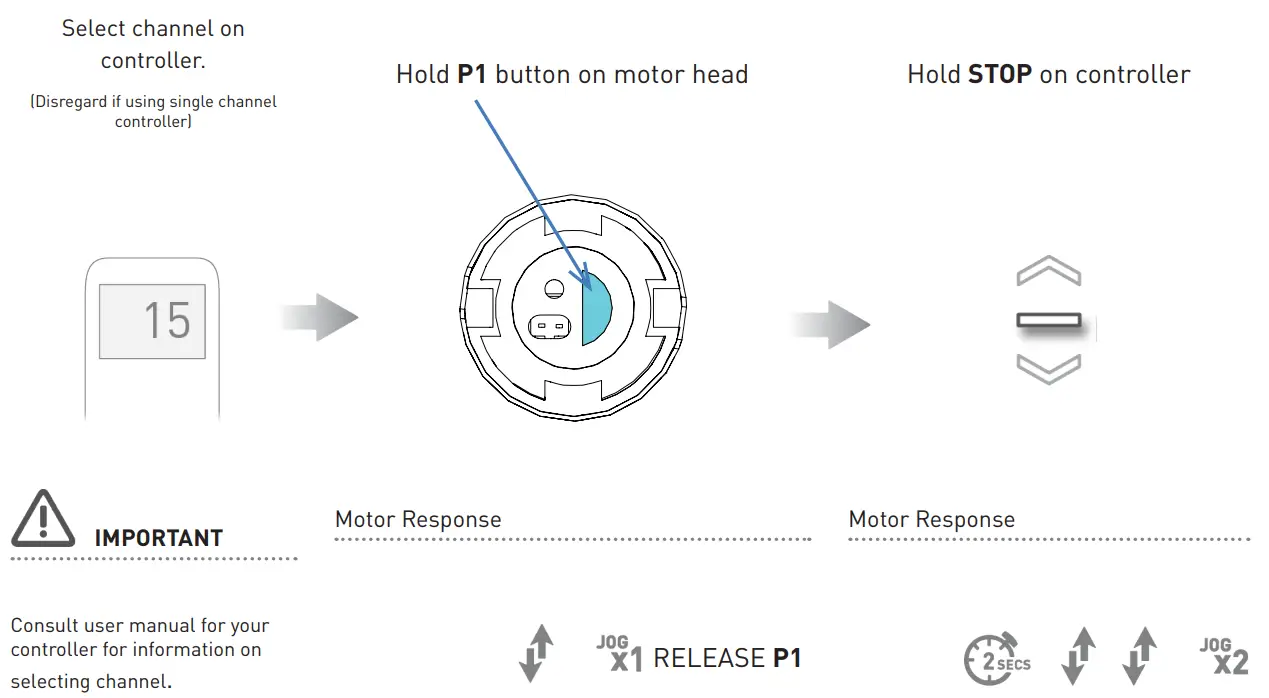
4.2 Check motor direction
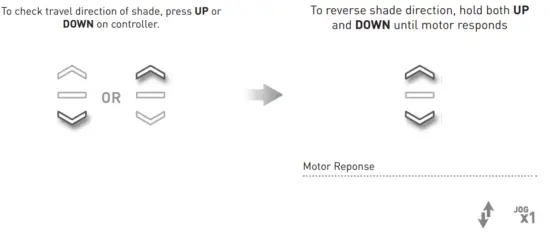
Reversing motor direction using this method is only possible during initial set-up, prior to the first-time limit of the setting, or after a re-set of motor
4.3 Set limitsIMPORTANT
Damage to shade may occur when operating the motor prior to setting limits. Attention should be given.
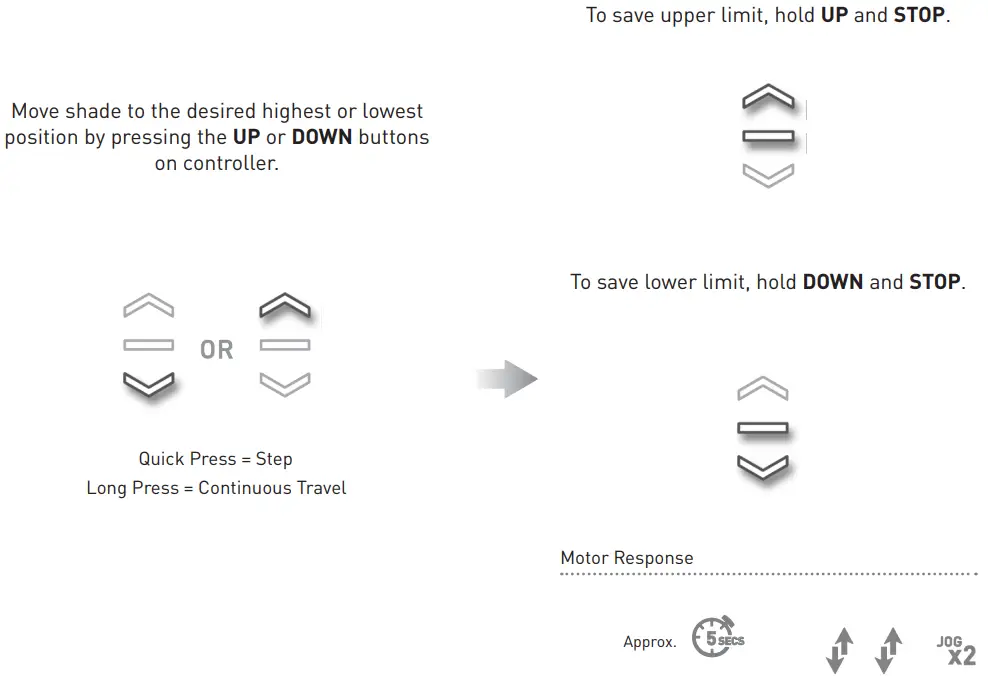
The initial set-up is now complete
ADJUSTING LIMITS
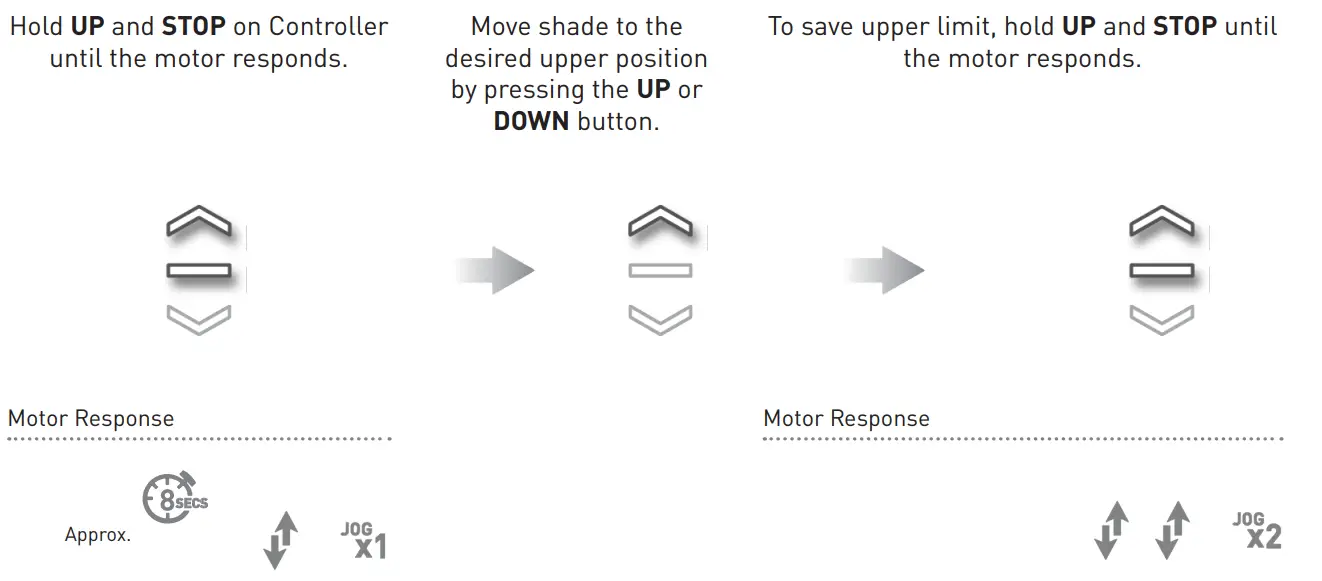
5.1 Adjust upper limit
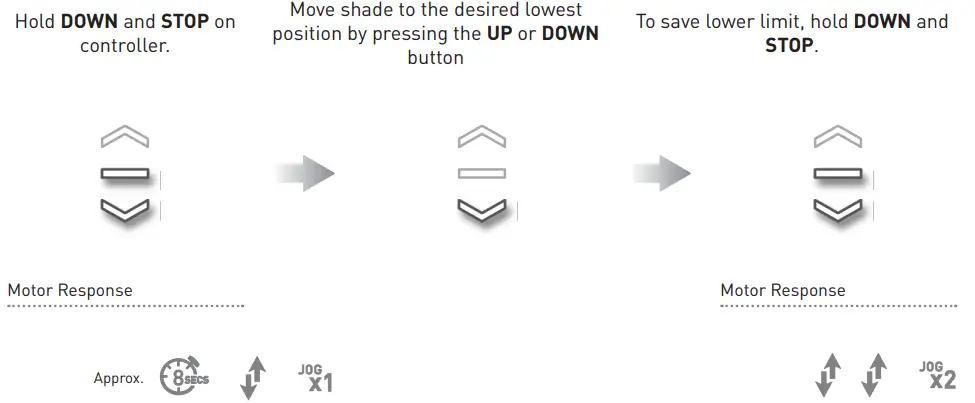
5.2 Adjust lower limit
IMPORTANT
Consult the user manual for your controller or sensor.
ADDING OR REMOVING CONTROLLERS AND CHANNELS
6.1 Using the motor P1 button
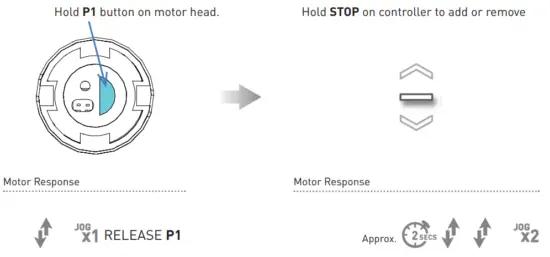
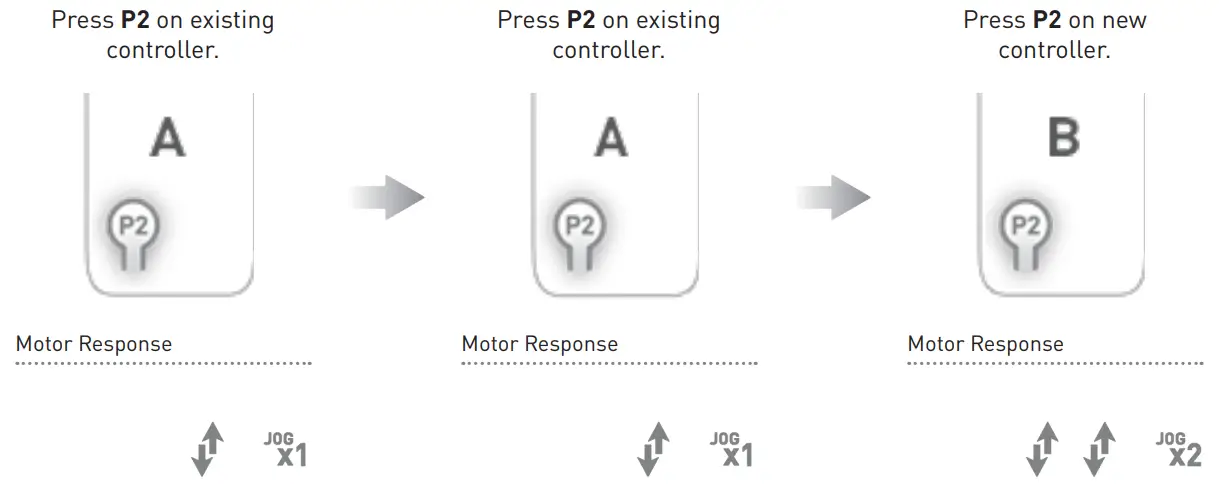
6.2 Using a pre-existing controller
A= Existing controller or channel (to keep)
B= Controller or channel or add or remove
FAVORITE POSITIONING
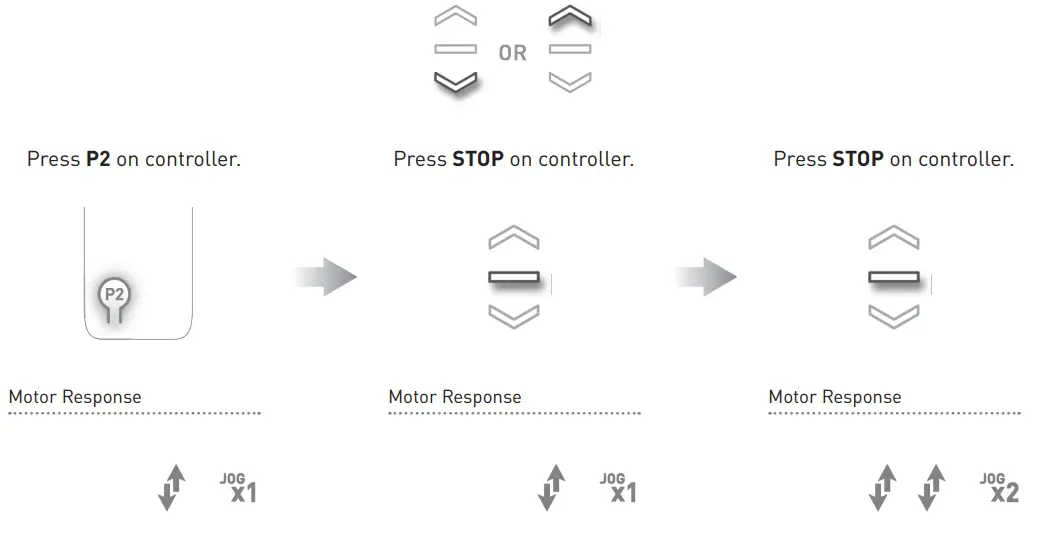
7.1 Set favorite position
Move shade to the desired position by pressing the UP or DOWN button on the controller.
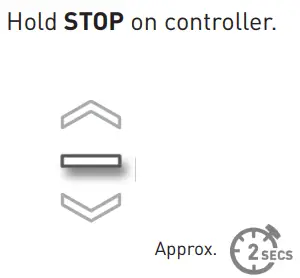
7.2 Send shade to favorite position
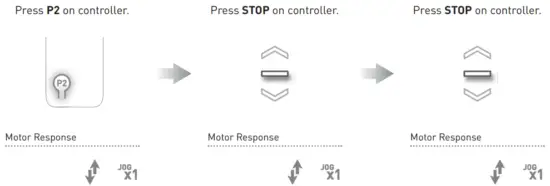
7.3 Delete favorite position
ADJUSTING 0.8NM MOTOR SPEED
8.1 Increase or decrease 0.8Nm motor speed
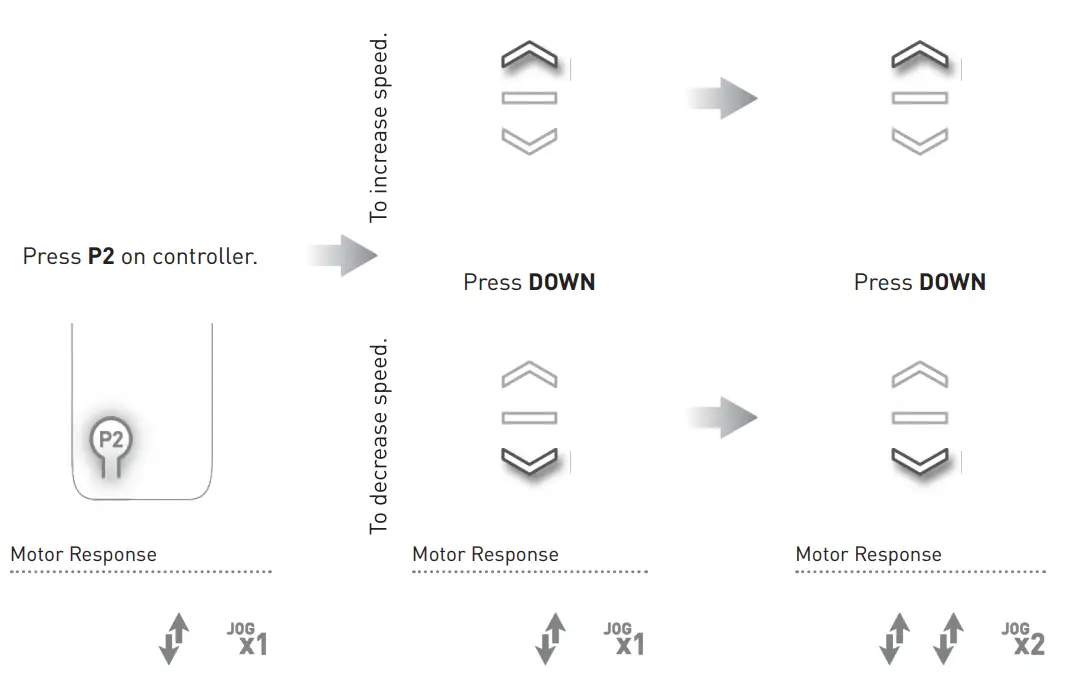
IMPORTANT
If the motor does not react to speed adjustment, the maximum or minimum speed has already been reached.
TILT & ROLLER MODE
9.1 Enter tilt mode
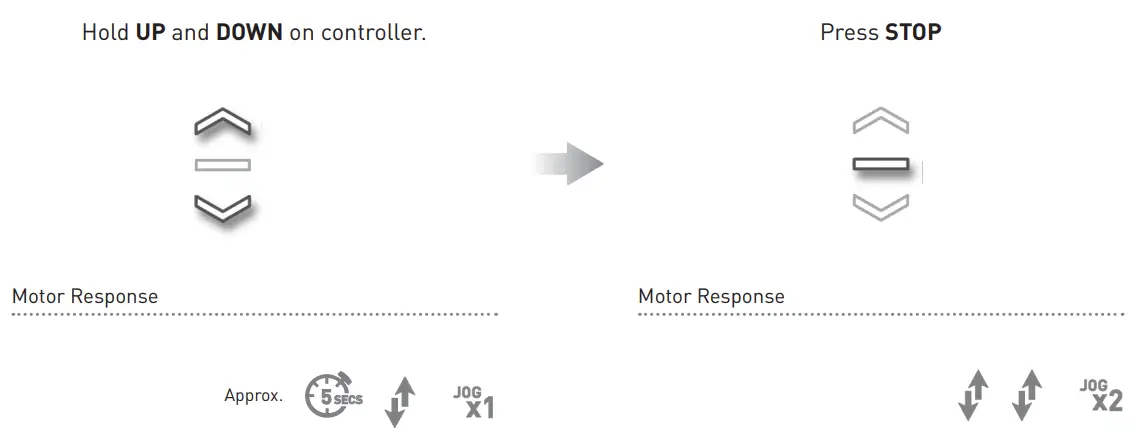
For slat adjustment on Venetians.
9.2 Enter roller mode (Default)
Enter sleep mode
Sleep mode is utilized to prevent a motor from moving during the shipping of a fabricated shade.
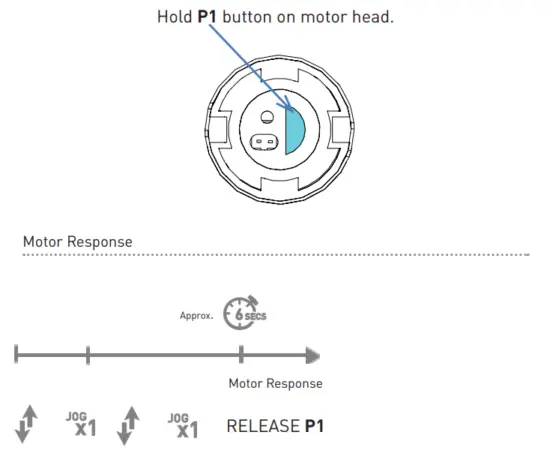
10.2 Exit sleep mode
Exit sleep mode once the shade is installed.
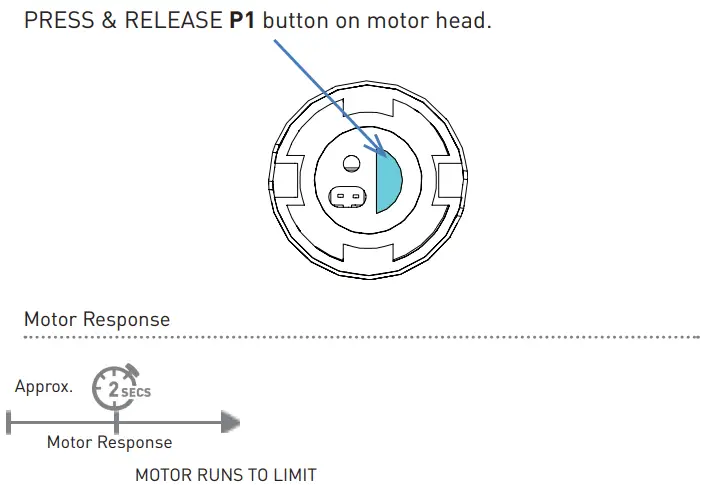
TROUBLESHOOTING
Problem | Cause | Remedy |
|
The motor is not responding | A / C Adapter not plugged in. | Check the motor to power the cable connection and AC plug. |
| The battery in the motor is depleted | Replace 8xAA alkaline batteries. | |
| Power failure | Check the power supply to the motor is connected and active | |
| The transmitter battery is discharged | Replace battery | |
| The battery is inserted incorrectly into the transmitter | Check battery polarity | |
|
Radio interference/shielding | Ensure the transmitter is positioned away from metal objects and the aerial on motor or receiver is kept straight and away from metal | |
| The receiver distance is too far from the transmitter | Move transmitter to a closer position | |
| Incorrect wiring | Check that wiring is connected correctly (refer to motor installation instructions) | |
| Unable to adjust or set limits. | The Remote is in a locked state. | Change remote status to an unlocked state |
| Cannot program a single Motor (multiple motors respond) | Multiple motors are paired to the same channel. | Always reserve an individual channel for programming functions |
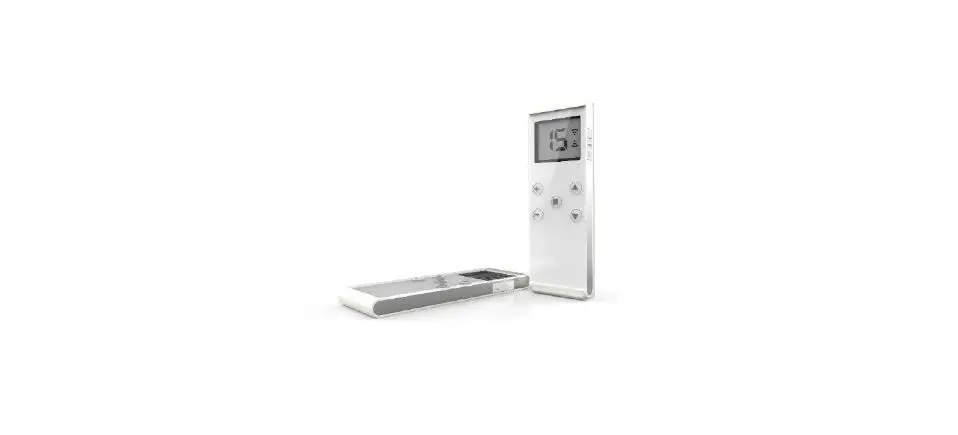
| SYSTEM BEST PRACTICE – Provide an extra 15 channel remote in your multi-motor projects, that provides individual control for each motor for programming purposes | ||
| Place all other motors into sleep mode (ref to P1 function overview – sections 3.2 and 10.1) |
[email protected]
rolleaseacmeda.com
| ROLLEASE CAMERA USA 200 Harvard Avenue Stamford, CT 06902 6320 T +1 203 964 1573 | F +1 203 964 0513 | ROLLEASE CAMERA EUROPE Via Conca Del Naviglio 18, Milan (Lombardia) Italy T +39 02 8982 7317 | F +39 02 8982 7317 | ROLLEASE CAMERA AUSTRALIA 110 Northcorp Boulevard, Broadmeadows VIC 3047 T +61 3 9355 0100 | F +61 3 9355 0110 +39 02 8982 7317 Queensland Branch Unit 2/62 Borthwick Avenue, Murarrie QLD 4172 |
Caution:
This device complies with Part 15 of the FCC Rules / Industry Canada licence-exempt RSS standard(s). Operation is subject to the following two conditions: (1) this device may not cause harmful interference, and (2) this device must accept any interference received, including interference that may cause undesired operation.
Changes or modifications not expressly approved by the party responsible for compliance could void the user’s authority to operate the equipment.
This equipment has been tested and found to comply with the limits for a Class B digital device, pursuant to part 15 of the FCC Rules. These limits are designed to provide reasonable protection against harmful interference in a residential installation. This equipment generates uses and can radiate radio frequency energy and, if not installed and used in accordance with the instructions, may cause harmful interference to radio communications. However, there is no guarantee that interference will not occur in a particular installation. If this equipment does cause harmful interference to radio or television reception, which can be determined by turning the equipment off and on, the user is encouraged to try to correct the interference by one or more of the following measures:
- Reorient or relocate the receiving antenna.
- Increase the separation between the equipment and receiver.
- Connect the equipment into an outlet on a circuit different from that to which the receiver is connected.
- Consult the dealer or an experienced radio/TV technician for help.
Automate™ Programming Instructions
ARC™ Cord Lift Motors
 Rollease Acmeda - Precision in Motion