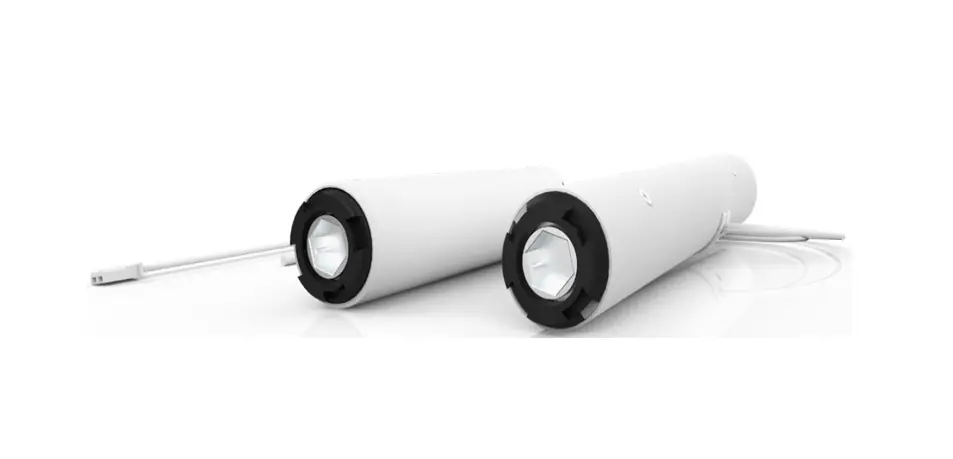
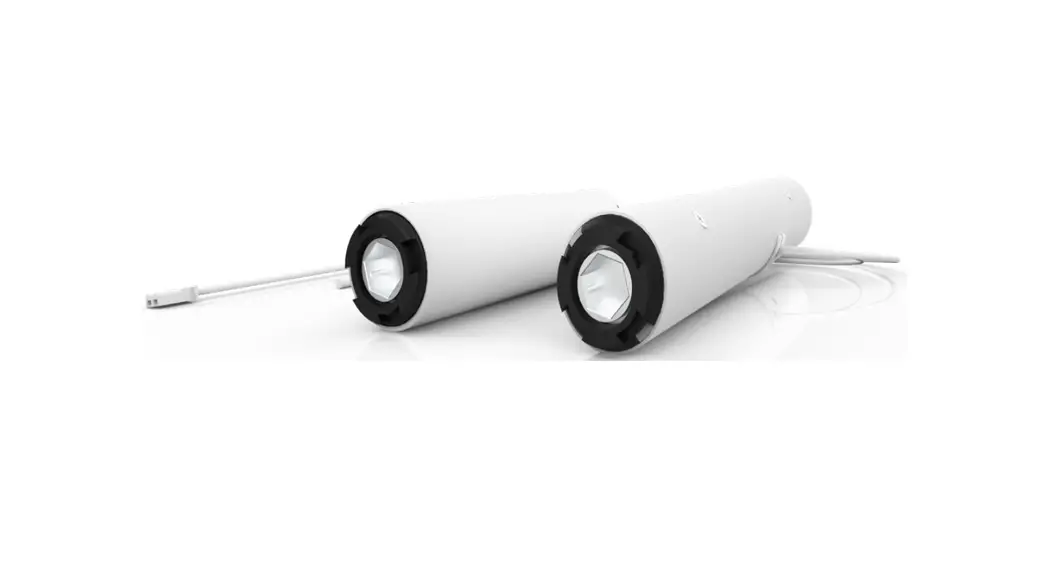
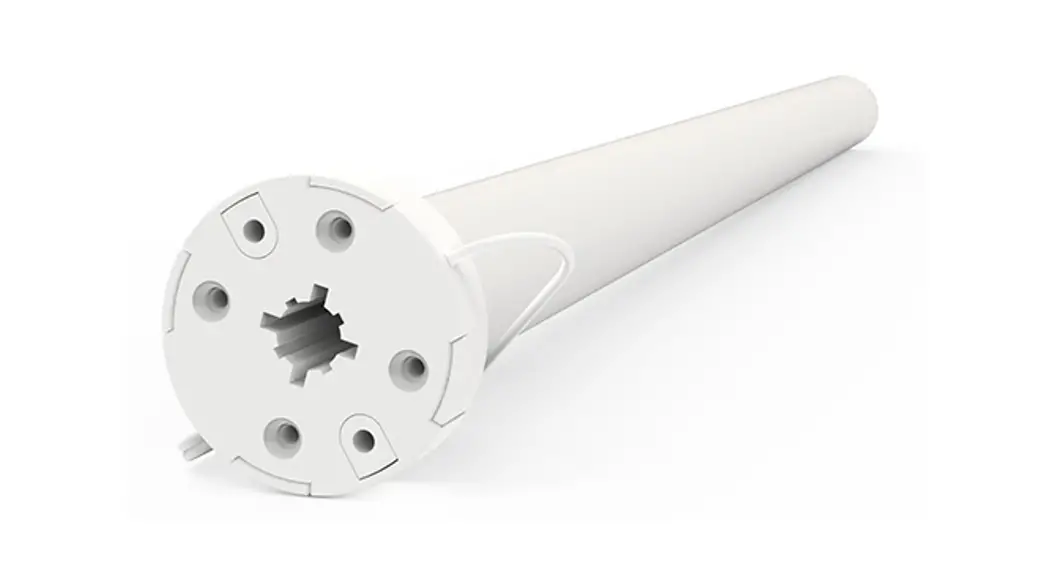
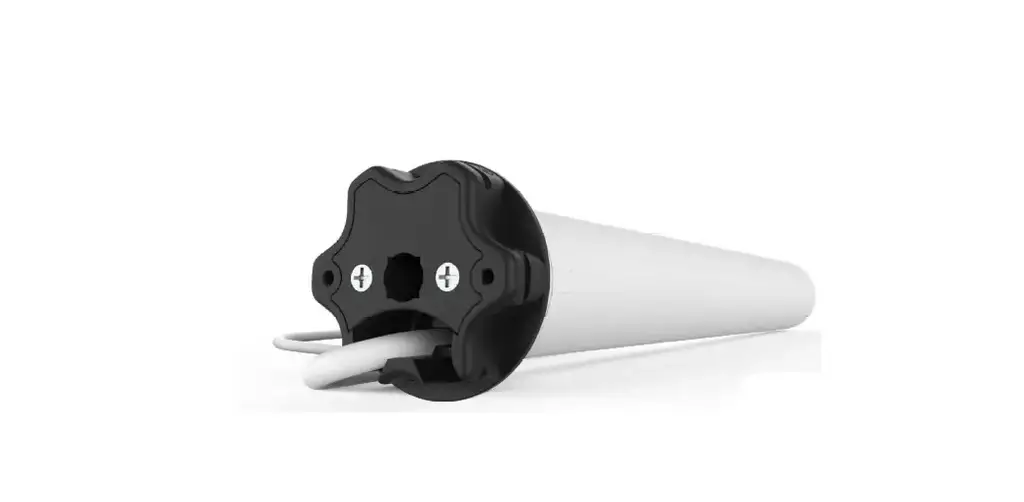
MT01-1325-069002 Automate Li-Ion and DC Motor
Product Information
- MOTOR PROGRAMMING INSTRUCTIONS
- Compatible with Li-ion & DC Motors
- Features SOFT STOP for smooth motor operation
- Includes ELECTRONIC LIMIT for precise positioning
- SELECTABLE SPEED allows customization of motor speed
- Operates on a 433 MHZ BI-DIRECTIONAL frequency
- FAVORITE POSITION function for easy access to preferred
settings - BATTERY CHECK feature to monitor battery level
- USB CHARGE option available for Li-ion Motors
- SOLAR OPTION for alternative power source
- LEVEL CONTROL for adjusting motor position
- BATTERY POWERED operation
- AUTOMATE V3.2_PRGM_APRIL_2022 version
Product Usage Instructions
- ASSEMBLY: Follow the assembly instructions provided in the
manual. - RETROFIT INSTALLATION: Install the motor according to the
retrofit installation instructions. - CHARGING: If using a Li-ion Motor, connect it to a USB charger
to charge the battery. Refer to the charging instructions for more
details. - P1 BUTTON FUNCTIONS: Familiarize yourself with the various
functions of the P1 button, including Motor state test and Motor
configuration options. Refer to section 4.1 and 4.2 of the manual
for detailed instructions. - BATTERY CHECK FUNCTION: Use the Battery Check function to
monitor the battery level. Follow the instructions in section 12 of
the manual to perform this function. - SEND SHADE TO BATTERY CHARGE LEVEL: Utilize this function to
send the shade to the battery charge level. Refer to section 12.1
for step-by-step instructions. - CHARGING LED: Learn how to turn the Charging LED on or off by
following the instructions in section 13.1 of the manual. - SLEEP MODE: Understand how to activate and deactivate the Sleep
Mode feature. Refer to section 14 for instructions. - TROUBLE SHOOTING: If you encounter any issues, consult the
troubleshooting section (15) of the manual for possible
solutions. - INITIAL SET UP: Complete the initial set up process as outlined
in the manual.
MOTOR PROGRAMMING INSTRUCTIONS
Li-ion & DC Motor
SOFT STOP
ELECTRONIC LIMIT
SELECTABLE SPEED
433 MHZ BI-DIRECTIONAL
FAVORITE POSITION
BATTERY CHECK
USB CHARGE (Only for Li-ion Motor)
SOLAR OPTION
LEVEL CONTROL
BATTERY POWERED
AUTOMATE V3.2_PRGM_APRIL_2022
SAFETY INSTRUCTIONS
WARNING: Important safety instructions to be read before installation.
Incorrect installation can lead to serious injury and will void manufacturer’s liability and warranty.
WARNING: Important safety instructions to be read before installation and use.
Incorrect installation or use can lead to serious injury and will void manufacturer’s liability and warranty. It is important for the safety of persons to follow the enclosed instructions. Save these instructions for future reference.
· Do not expose to water, moisture, humid and damp environments or extreme temperatures. · Persons (including children) with reduced physical, sensory or mental capabilities, or lack of experience and knowledge should not be
allowed to use this product. · Use or modification outside the scope of this instruction manual will void warranty. · Installation and programming to be performed by a suitably qualified installer. · Follow installation instructions. · For use with motorized shading devices. · Keep away from children. · Frequently inspect for improper operation. Do not use if repair or adjustment is necessary. · Keep clear when in operation. · Replace battery with correctly specified type.
COMPLIANCE STATEMENT
This device complies with Part 15 of the FCC Rules / Industry Canada licence-exempt RSS standard(s). Operation is subject to the following two conditions:
(1) this device may not cause harmful interference, and
(2) this device must accept any interference received, including interference that may cause undesired operation.
Le présent appareil est conforme aux CNR d’Industrie Canada applicables aux appareils radio exempts de licence. L’exploitation est autorisée aux deux conditions suivantes:
(1) l’appareil ne doit pas produire de brouillage, et
(2) l’utilisateur de l’appareil doit accepter tout brouillage radioélectrique subi, même si le brouillage est susceptible d’en compromettre le fonctionnement.
Changes or modifications not expressly approved by the party responsible for compliance could void the user’s authority to operate the equipment.
This equipment has been tested and found to comply with the limits for a Class B digital device, pursuant to part 15 of the FCC Rules. These limits are designed to provide reasonable protection against harmful interference in a residential installation.
This equipment generates uses and can radiate radio frequency energy and, if not installed and used in accordance with the instructions, may cause harmful interference to radio communications. However, there is no guarantee that interference will not occur in a particular installation.
If this equipment does cause harmful interference to radio or television reception, which can be determined by turning the equipment off and on, the user is encouraged to try to correct the interference by one or more of the following measures:
– Reorient or relocate the receiving antenna.
– Increase the separation between the equipment and receiver.
– Connect the equipment into an outlet on a circuit different from that to which the receiver is connected.
– Consult the dealer or an experienced radio/TV technician for help.
To satisfy FCC / IC RF exposure requirements, a separation distance of 20 cm or more should be maintained
between the antenna of this device and persons during device operation.
To ensure compliance, operations at closer than this distance is not recommended.
Les antennes installées doivent être situées de facon à ce que la population ne puisse y être exposée à une distance de moin de 20 cm. Installer les antennes de facon à ce que le personnel ne puisse approcher à 20 cm ou moins de la position centrale de l’ antenne.
La FCC des éltats-unis stipule que cet appareil doit être en tout temps éloigné d’au moins 20 cm des personnes pendant son functionnement.
Do not dispose of in general waste. Please recycle batteries and damaged electrical products appropriately.
2 | AutomateTM Programming Instructions | Li-ion & DC Motors
ROLLEASE ACMEDA
CONTENTS
1 ASSEMBLY 2 RETROFIT INSTALLATION 3 CHARGING 4 P1 BUTTON FUNCTIONS 4.1 Motor state test 4.2 Motor configuration options
4
12 BATTERY CHECK FUNCTION
15
5
12.1 Send Shade to battery charge level
15
13 CHARGING LED
15
5
13.1 Turn Charging LED ON/OFF
15
6
14 SLEEP MODE
16
6
6
15 TROUBLE SHOOTING
16
5 INITIAL SET UP
7
5.1 Pair motor with controller
7
5.2 Check motor direction
7
5.3 Set Limits
8
6 ADJUSTING LIMITS
9
6.1 Adjust upper limit
9
6.2 Adjust lower limit
9
7 CONTROLLERS AND CHANNELS
10
7.1 Using P2 Button on existing controller to add a
new controller or channel
10
7.2 Using a pre-existing controller to add or delete
a controller or channel
10
8 FAVORITE POSITIONING
11
8.1 Set a favorite position
11
8.2 Send shade to favorite position
11
8.3 Delete favorite position
11
9 TILT & ROLLER MODE
12
9.1 Toggle motor to Tilt Mode
12
9.2 Toggle Motor to Roller Mode
12
10 ADJUSTING SPEED
13
10.1 Increase Motor Speed
13
10.2 Decrease Motor Speed
13
11 SOFT STOP CONFIGURATION
14
11.1 Turn Soft Stop OFF
14
11.2 Turn Soft Stop ON
14
ROLLEASE ACMEDA
AutomateTM Programming Instructions | Li-ion & DC Motors | 3
1 ASSEMBLY
ZERO HEAD ADAPTER
GENERIC CROWN, DRIVE & TUBE ASSEMBLY
ZERO HEAD ANTENNA WRAP
4 | AutomateTM Programming Instructions | Li-ion & DC Motors
ROLLEASE ACMEDA
2 RETROFIT INSTALLATION
(1.1Nm & 2.0Nm MOTOR ONLY)
3 CHARGING/POWER SUPPLY
(LI-ION 1.1Nm & 2.0Nm ONLY)
(LI-ION 3.0Nm & 10.0Nm ONLY)
(DC 1.1Nm & 2.0Nm ONLY)
ROLLEASE ACMEDA
Requries a continuous 12V DC Power Source. AutomateTM Programming Instructions | Li-ion & DC Motors | 5
4 P1 BUTTON FUNCTIONS
4.1 Motor state test
This table describes the function of a short P1 Button press/release (<2 seconds) depending on current motor configuration.
P1 Press
Condition
Function Achieved
Visual Feedback
Audible Feedback
Function Described
If limit is NOT set
None
No Action
None
No Action
Short Press
If limits are set
Operational control of motor, run to limit. Stop
if running
Motor Runs
None
Operational control of motor after pairing
and limit setting is completed first time
If motor is in “Sleep Mode” &
limits are set
Wake and control
Motor wakes and runs in a
direction
None
Motor is restored from Sleep Mode and RF control is active
4.2 Motor configuration options
The P1 Button is utilized to administer motor configurations as described below. Hold P1 button on motor head.
Activate Pairing Mode
Approx.
Sleep Mode
Approx.
Approx.
Reverse Direction
P1 button on motor head.
Approx.
Approx.
Approx. 10
Reset To Factory Settings
Approx.
Approx.
Approx. 10
Approx.
6 | AutomateTM Programming Instructions | Li-ion & DC Motors
ROLLEASE ACMEDA
5 INITIAL SET UP 5.1 Pair motor with controller
Select channel on controller.
Hold P1 button on motor head.
Hold STOP on controller.
IMPORTANT
Consult user manual for your controller for information on selecting channel.
Motor Response
Motor Response Approx.
Motor is now in step mode and ready for setting limits
5.2 Check motor direction
To check travel direction of shade, press UP or DOWN on controller..
To reverse shade direction, hold both UP and DOWN.
Until the motor responds.
OR
Quick Press = Step Long Press = Continuous Travel
IMPORTANT
Damage to shade may occur when operating motor prior to setting limits. Attention should be given.
ROLLEASE ACMEDA
Motor Response
Approx.
IMPORTANT
Reversing motor direction using this method is only possible during initial set-up
AutomateTM Programming Instructions | Li-ion & DC Motors | 7
5.3 Set Limits
IMPORTANT
Cycle shade up and down prior to setting limits to settle fabric
Move shade to the desired highest or lowest position by pressing the UP or DOWN buttons
on controller.
OR
To save upper limit, hold UP and STOP.
Motor Response Approx. 5 SECS
Move shade to the desired highest or lowest position by pressing the UP or DOWN buttons
on controller.
To save lower limit, hold DOWN and STOP.
OR
Motor Response Approx. 5 SECS
IMPORTANT
After setting limits, motor will automatically exit from initial set-up mode.
8 | AutomateTM Programming Instructions | Li-ion & DC Motors
ROLLEASE ACMEDA
6 ADJUSTING LIMITS 6.1 Adjust upper limit
Hold UP and STOP on controller.
Move shade to the desired highest position by pressing
the UP or DOWN button.
To save upper limit, hold UP and STOP.
Motor Response Approx. 5 SECS
OR
Motor Response Approx. 5 SECS
6.2 Adjust lower limit
Hold DOWN and STOP on controller.
Move shade to the desired lowest position by pressing
the UP or DOWN button.
To save lower limit, hold DOWN and STOP.
Motor Response Approx. 5 SECS
OR
Motor Response Approx. 5 SECS
IMPORTANT
The bottom limit should be set ~ 1.38 in. (35mm) below the Ultra-Lock to disengage the auto lock mechanism when the shade is raised.
ROLLEASE ACMEDA
AutomateTM Programming Instructions | Li-ion & DC Motors | 9
7 CONTROLLERS AND CHANNELS
7.1 Using P2 Button on existing controller to add a new controller or channel
A = Existing controller or channel (to keep) B = Controller or channel to add or remove
Press P2 on controller A.
Press P2 on controller A.
Press STOP on an new controller to add it.
Motor Response
Motor Response
Motor Response
IMPORTANT Consult user manual for your controller or sensor
7.2 Using a pre-existing controller to add or delete a controller or channel
A = Existing controller or channel (to keep) B = Controller or channel to add or remove
Press P2 on controller A.
Press P2 on controller A.
Press P2 on the controller B to remove
it.
Motor Response
Motor Response
IMPORTANT Consult user manual for your controller or sensor
10 | AutomateTM Programming Instructions | Li-ion & DC Motors
Motor Response ROLLEASE ACMEDA
8 FAVORITE POSITIONING 8.1 Set a favorite position
Move shade to the desired position by pressing the UP or DOWN button on the controller.
Press P2 on controller.
OR Press STOP on controller.
Press STOP on controller.
Motor Response
Motor Response
Motor Response
8.2 Send shade to favorite position
Approx.
8.3 Delete favorite position
Press P2 on controller.
Press STOP on controller.
Press STOP on controller.
Motor Response ROLLEASE ACMEDA
Motor Response
Motor Response
AutomateTM Programming Instructions | Li-ion & DC Motors | 11
9 TILT & ROLLER MODE
9.1 Toggle motor to Tilt Mode
Default motor mode is Roller after initial Limits have been set, use following steps to change to Roller Mode.
Hold UP & DOWN on controller.
Press STOP on controller.
Motor Response Approx. 5 SECS
Motor Response
9.2 Toggle Motor to Roller Mode
If motor is in Tilt Mode, use following steps to change to Roller Mode.
Hold UP & DOWN on controller.
Press STOP on controller.
Motor Response Approx. 5 SECS
Motor Response
12 | AutomateTM Programming Instructions | Li-ion & DC Motors
ROLLEASE ACMEDA
10 ADJUSTING SPEED 10.1 Increase Motor Speed
Default motor mode is the slowest speed.
Press P2
Press UP
Press UP
Motor Response
Motor Response
Motor Response
10.2 Decrease Motor Speed
Press P2
Press DOWN
Press DOWN
Motor Response
Motor Response
Motor Response
ROLLEASE ACMEDA
AutomateTM Programming Instructions | Li-ion & DC Motors | 13
11 SOFT STOP CONFIGURATION
11.1 Turn Soft Stop OFF
Motor must be in slowest speed to turn Soft Stop OFF.
Press P2
Press DOWN
Press DOWN
Motor Response
Motor Response
Motor Response
11.2 Turn Soft Stop ON
Motor must be in fastest speed to turn Soft Stop ON.
Press P2
Press UP
Press UP
Motor Response
Motor Response
Motor Response
14 | AutomateTM Programming Instructions | Li-ion & DC Motors
ROLLEASE ACMEDA
12 BATTERY CHECK FUNCTION
12.1 Send Shade to battery charge level
Shade must be at Upper Limit.
Hold UP
Upper Limit
Lower Limit
Percentage of Battery Charge
Remaining
Percentage Depleted
Motor Response Approx. 5 SEC
Shade must be at Upper Limit Hold UP for Approx. 5s
Shade moves to percentage of battery charge remaining
NOTE: This feature is can only be used with a DC motor when it is using a Barrery Pack as its power source.
13 CHARGING LED
(ONLY FOR LI-ION MOTORS)
13.1 Turn Charging LED ON/OFF
Motor must be at Lower Limit.
Hold DOWN to toggle off
Hold DOWN to toggle on
CHARGING LED STATUS
SOLID GREEN Motor is fully charged
Motor Response
Approx. 5 SECS Red LED flashes x3
Motor Response
Approx. 5 SECS Red LED flashes x3
BLINKING GREEN Motor is charging. Battery is greater than 50%.
BLINKING GREEN & RED Motor is charging. Battery is lower than 50%.
ROLLEASE ACMEDA
AutomateTM Programming Instructions | Li-ion & DC Motors | 15
194 SSLLEEEEPP MMOODDEE
If multiple motors are grouped on a single channel, Sleep Mode may be used to put all but 1 motor to sleep, allowing programming of just the one motor that remains “Awake”. See page 6 for detailed P1 functions.
Enter Sleep Mode Sleep mode is utilized to prevent a motor from incorrect configuration during other
motor setup.
Hold P1 button on the motor head
Exit Sleep Mode: Method 1
Exit sleep mode once the shade is ready.
Press and release P1 button on the motor head
Exit Sleep Mode: Method 2
Remove power and then re-power the motor.
Motor Response
Motor Response
Approx.
15 TROUBLE SHOOTINGG
automateshades.com
Problem Motor is not responding
Motor beeps x10 when in use Cannot program a single motor (multiple motors respond)
Cause
Remedy
Battery in motor is depleted or Power Supply is not working
Recharge with a compatible charger
Insufficient charging from solar PV panel
Check connection and orientation of PV panel
Transmitter battery is discharged Replace battery
Battery is inserted incorrectly into transmitter
Check battery polarity
Radio interference/shielding
Ensure transmitter is positioned away from metal objects and the aerial on motor or receiver is kept straight and away from metal
Receiver distance is too far from transmitter
Move transmitter to a closer position
Charging failure
Check power supply to motor is connected and active
Battery voltage is low
Recharge with a compatible charger
Multiple motors are paired to the same channel
Always reserve an individual channel for programming functions. Use Sleep Mode to program individual motors.
ROLLEASE ACMEDA | USA Level 7 / 750 East Main Street Stamford, CT 06902, USA T +1 800 552 5100 | F +1 203 964 0513
ROLLEASE ACMEDA | AUSTRALIA 110 Northcorp Boulevard, Broadmeadows VIC 3047, AUS T +61 3 9355 0100 | F +61 3 9355 0110
16 | AutomateTM Programming Instructions | Li-ion & DC Motors
ROLLEASE ACMEDA | EUROPE Via Conca Del Naviglio 18, Milan (Lombardia) Italy T +39 02 8982 7317 | F +39 02 8982 7317
ROLLEASE ACMEDA
 Automate Shades