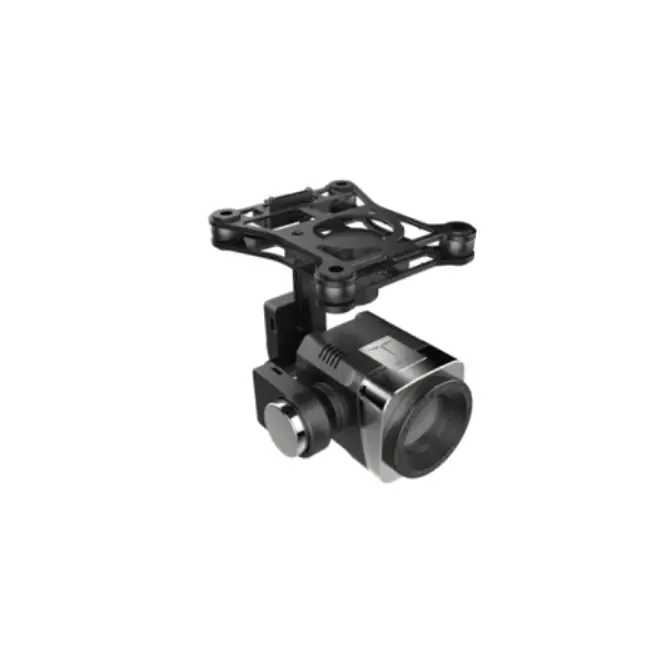
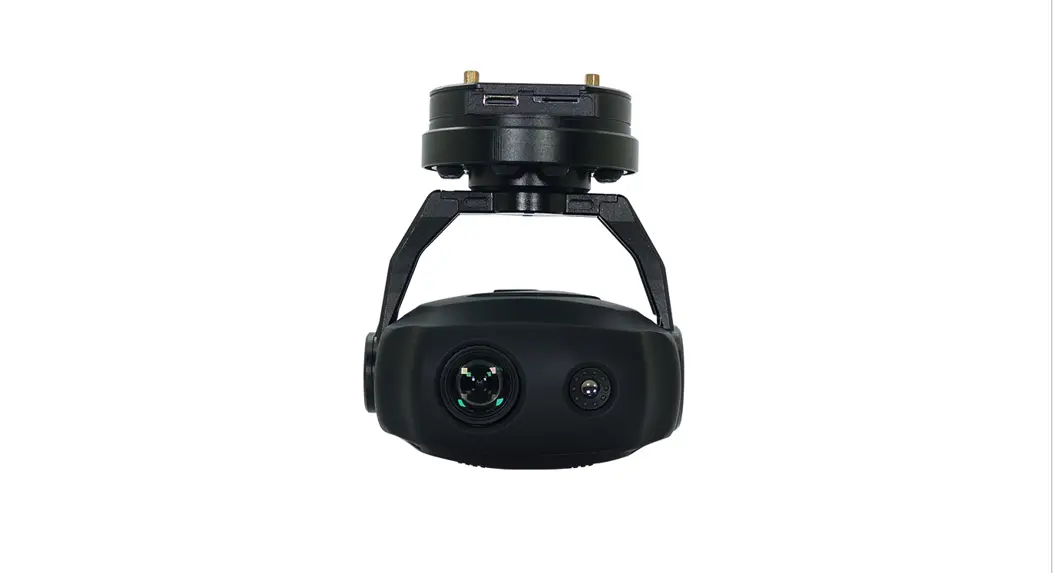
Mini Z10TIRM 10x Optical Zoom EO + IR Dual-Sensor Laser Rangefinder Object Tracking Gimbal Camera
Product Information:
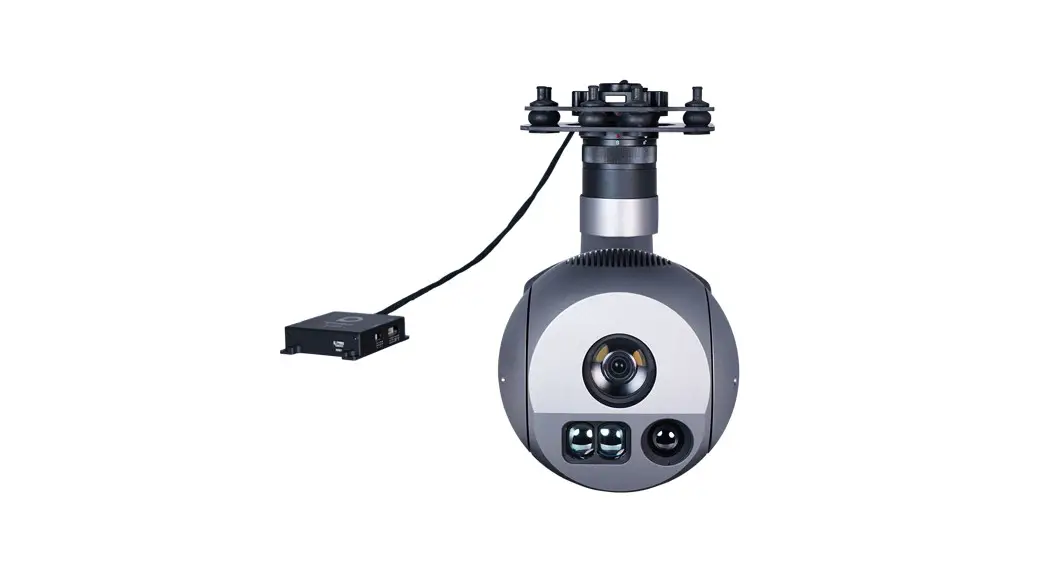
The Mini Z10TIRM is a gimbal camera equipped with a 10x optical
zoom EO + IR dual-sensor laser rangefinder and object tracking
feature. It has a high-precision laser rangefinder that can
accurately resolve the GPS location and distance of an object
within 1500 meters. The 3-axis gimbal can achieve stabilization in
yaw, roll, and pitch. The integrated design of damping system and
gimbal can greatly reduce mechanical vibration. This camera is
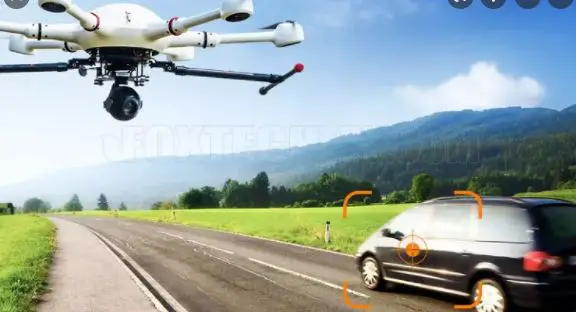
widely used in UAV industries of public security, electric power,
fire fighting, zoom aerial photography and other industrial
applications.
What’s in the Box:
A. Standard Version
- Gimbal Camera x 1 pc
- USB to TTL Cable x 1 pc
- Copper Cylinder x 4 pcs
- Power Cable x 1 pc
- M3 Screw x 8 pcs
B. Viewport Version
- Gimbal Camera x 1 pc
- Copper Cylinder x 4 pcs
- Power Cable x 1 pc
- PWM Control Cable x 1 pc
- TTL / S.BUS Control Cable x 1 pc
- TTL Connect Cable x 3 pcs
- Ethernet Cable x 1 pc
- USB to TTL Cable x 1 pc
- M3 Screw x 8 pcs
Disclaimer and Warning:
Please read the user manual carefully before using the product.
Failure to follow instructions and warnings in the user manual may
result in damage to your Viewpro product. Disassembling the gimbal
camera by the user is not permitted, which may cause the camera not
to work normally. Viewpro accepts no liability for damage, injury
or any legal responsibility incurred directly or indirectly from
the use of this product. The user shall observe safe and lawful
practices including, but not limited to, those set forth in the
manual.
Installation Instructions:
Before installing the Mini Z10TIRM, please ensure that there
isn’t any obstacle while the motor is rotating. If the gimbal
camera is blocked during rotation, please remove the obstacle
immediately.
Control Box Printing (Standard Version):
The input voltage cannot be higher than 6S. The pin insertion
interface cannot be connected with power supply. The yellow jumper
cap cannot be removed.
PITCH  YAW
MODE   ZOOM   FOCUS   PIC/REC   MULTI
AV     5V     output  GND       USB
TX     RX     GND
123   Yellow Jumper Cap
Control Box Printing (Viewport Version):
Front Side:
PITCH  YAW
MODE   ZOOM   FOCUS/PPM   PIC/REC   MULTI
5V     GND    CVBS
3S-6S GND
POWER  PWM

Left Side:
GND    5V
S.BUS  TTX   GND       RXD      TXD
RXRX+  TXTX+

ETHERNET
UART & S.BUS

Right Side:
31.5
168.1
Device Dimensions:
Standard Version:

Viewport Version:

Mini Z10TIRM 10x Optical Zoom EO + IR Dual-Sensor Laser Rangefinder Object Tracking Gimbal Camera
User Manual
Standard Version
Viewport Version
For more details please scan the QR code or visit our website: www.viewprotech.com
Disclaimer and Warning
Congratulations on purchasing your new Viewpro product. Please read this entire document carefully. Failure to read or follow instructions and warnings in this document may result in damage to your Viewpro product. Disassemble the gimbal camera by user is not permitted, which may cause the camera does not to work normally.
Viewpro accepts no liability for damage, injury or any legal responsibility incurred directly or indirectly from the use of this project. The user shall observe safe and lawful practices including, but not limited to, those set forth in the manual.
Legends:
Warning
Important Note
1.Product Introduction
1.1 Introduction
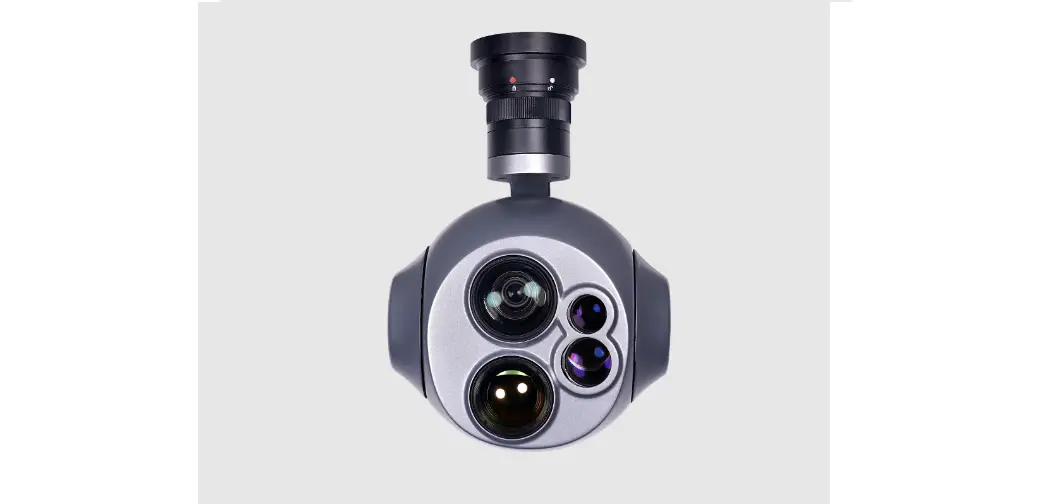
Min Z10TIRM is the lightest LRF Viewpro gimbal camera currently which with weight 598g. It is a powerful 3-aixs is a powerful 3-axis gimbal integrated with a 4.08MP 10x optical zoom camera, 24mm lens 640*512 IR thermal sensor and 1.5km laser rangefinder. It supports visible optical zoom, IR thermal and visible PIP switch, IR color palette switch, photographing and video, target tracking, thermal digital zoom and laser ranging. When the external GPS and time input, the OSD can display angle, zoom times, target GPS location, target distance measured, real-time, tracking frame, photo and video status, also can select to turn off the OSD. It features fast
1
focus and sensitive distance measurement. The high-precision laser rangefinder can accurately resolve the GPS location and distance of the object within 1500 meters. The 3 axis gimbal can achieve stabilization in yaw, roll and pitch. The integrated design of damping system and gimbal can greatly reduce mechanical vibration.
Mini Z10TIRM is widely used in UAV industries of public security, electric power, fire fighting, zoom aerial photography and other industrial applications.
1.2 In the Box A. Standard Version
Gimbal Camera x 1 pc
USB to TTL Cable x 1 pc
Copper Cylinder x 4 pcs
Power Cable x 1 pc
M3 Screw x 8 pcs
2
B. Viewport Version
Gimbal Camera x 1 pc
Copper Cylinder x 4 pcs
Power Cable x 1 pc
PWM Control Cable x 1 pc
TTL / S.BUS Control Cable x 1 pc
TTL Connect Cable x 3 pcs
Ethernet Cable x 1 pc
USB to TTL Cable x 1 pc
M3 Screw x 8 pcs
3
2. Installation Instruction
2.1 Overview
Control Box Back Side (Standard Version)
[11]
[15]
Viewport
4
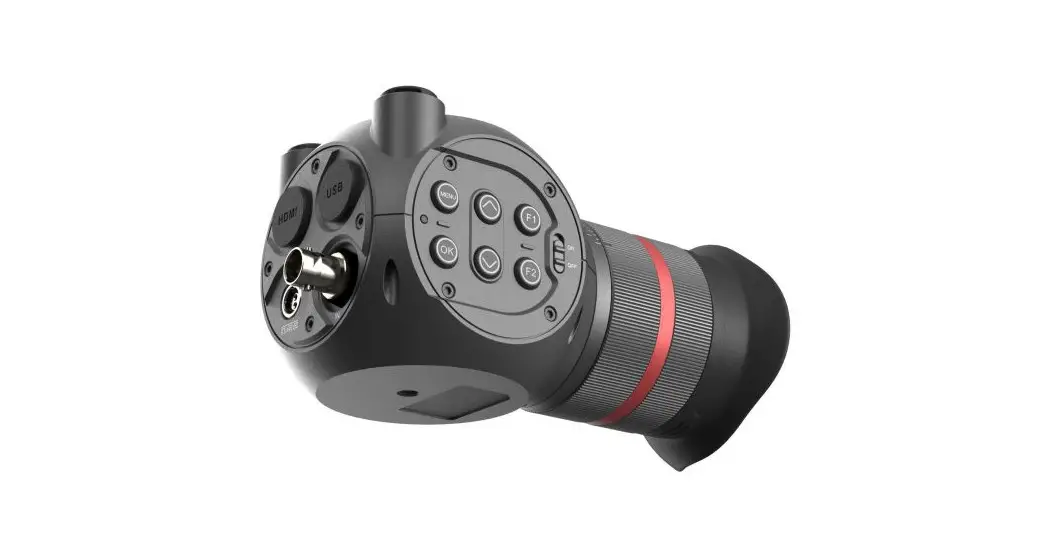
[1] Control box [2] Upper damping board [3] Lower damping board [4] laser rangefinder [5] FHD zoom camera [6] Infrared thermal camera [7] Damping ball [8] Yaw axis motor [9] TF card slot [10] Roll axis motor [11] Pitch axis motor [12] 3-6S power interface [13] Micro HDMI interface [14] Ethernet interface [15] Viewport unlock buttonPlease ensure that there isn’t any obstacle while the motor rotating.
Please remove the obstacle immediately if gimbal camera is blocked during rotation.
2.2.1 Control Box Printing (Standard Version)
PITCH YAW
MODE ZOOM FOCUS PIC/REC MULTI
AV
5V output GND
USB
5
TX RX GND
123
Yellow Jumper Cap
The input voltage cannot be higher than 6S. The pin insertion interface cannot be connected with power supply. The yellow jumper cap cannot be removed.
2.2.2 Control Box Printing (Viewport Version)
Front Side
PITCH YAW
MODE ZOOM FOCUS/PPM PIC/REC MULTI
5V GND CVBS
3S-6S GND
POWER
PWM
Left Side
GND 5V
S.BUS TTX GND RXD TXD
RXRX+ TXTX+
ETHERNET
UART & S.BUS
Right Side 6
31.5
168.1
2.3.1 Device Dimensions (Standard Version)
Unit: mm
82 119.4
65 105.7 4*3.1 60 7
72 115
24.5
POWER
UART
51.2 56.2
46.2
PWM
ETHERNET
2.3.2 Device Dimensions (Viewport Version)
Unit: mm
43.2 34.3 48.4
8
2.4 Install Mounting Part
(1) Find out the arrow on the gimbal which indicating the yaw heading of the payload (i.e. the lens direction when the camera power on), and synchronize with the direction specified by the UAV. (2) Fix one end of the copper cylinder on the screw hole of lower damping board, and use M3 screw to fasten it. (3) According to the provided screw hole dimension you can make suitable mounting holes on the UAV mounting board, and fixes the other end of the copper cylinder on the mounting board of the UAV (Viewport version is the same).
Front
9
2.5 Viewport Release Instruction
×
1. Make sure the two white stripes indicated in above picture are aligned with each other. (If the stripes are not aligned to each other, please pinch the connector part and turn it to left manually)
10
2. Align the white dot (unlock icon) to the red triangle (below unlock button), push the gimbal into the Viewport completely and then rotate the gimbal camera anticlockwise.
3. When you hear “click” sound (when red dot is aligned to the red triangle) means the gimbal camera and Viewport has been locked.
4. To unlock the Viewport, you need to press on unlock button and rotate the gimbal camera clockwise till the white dot align to the red triangle. Then pull the gimbal out from the Viewport.
11
2.6 Install TF Card
TF (Micro SD card): Install the TF card to the card slot (Re. 2.1 Overview). Support max 128GB. Request Class 10 (10m/s) transmission speed or higher and FAT32 or exFAT format.
Make sure device is power off when inserting the TF card, hot plugging is not supported.
2.7 Image Output Interface
HDMI: Micro HDMI output, HD 1080P 60/50/30/25fps, 1080P 60fps as default. (Optional) Network: Ethernet output interface, support RTSP/RTMP/UDP/ONVIF video streaming. Default: RTSP output, IP address: RTSP: //192.168.2.119:554, output resolution: 720P (record in 1080p), frame rate: 25fps, bit rate: 2M. (Optional) SDI: SMA outer screw inner hole interface, 1080P 30fps output. (Optional) AV: no AV output
Above output mode is optional, HDMI and SDI output cannot coexist at the same time. Please subject to your actual product. When using user interface software Viewlink for network connection, the network of external device (computer) should be the IP address: 192.168.2.2 (choose the last byte among 2~254, can not be 119 same as the gimbal), subnet mask: 255.255.255.0, Default gateway:
12
192.168.2.1, and all firewalls of the computer must be closed. Then enter the IP address of the gimbal camera, Open Video, the video stream can be outputted.
3. Signal Control
3.1 PWM Control
Control the gimbal camera functions by the multiplex pulse width modulation signal outputted by PWM channel of the remote control receiver. The camera needs up to 6 control channels of PWM (to expand tracking function use up to 7 PWM channels). You can choose needed functions according to actual usage to reduce the required number of PWM channels.
3.1.1 PWM Connection Diagram (Connect pitch channel as example)
PWM IN 5V OUTPUT
GND
PITCH YAW
MODE ZOOM FOCUS PIC/REC
MULTI
Remote Controller
Receiver
Connection Diagram(Standard Version)
13
Remote Controller
Receiver
Connection Diagram (Viewport Version)
3.1.2 PWM Control Operation Instruction
1) Pitch (PWM Pitch channel in to control Pitch. Joystick, rotary knob or 3-gear switch on remote control are optional. 3-gear switch as example.)
Position 1
Low Gear Pitch Up
Position 2
Middle Gear Pitch Stop
14
Position 3
High Gear Pitch Down
2) Yaw (PWM Yaw channel in to control Yaw. Joystick, rotary knob or 3-gear switch on remote control are optional. 3-gear switch as example.)
Position 1
Low Gear Yaw Left
Position 2
Middle Gear Yaw Stop
Position 3
High Gear Yaw Right
3) Mode (PWM Mode channel in to adjust speed control/one key to Home position etc functions. Rotary knob or 3-gear switch on remote control are optional. 3-gear switch as example.)
Position 1
Low Gear
Position 2
Middle Gear
Position 3
High Gear
Position 1: Low speed mode, control pitch / yaw with this mode at lowest speed Position 2: Middle speed mode, control pitch / yaw with this mode at middle speed Position 3: High speed mode, control pitch / yaw with this mode at highest speed (If it is controlled by rotary knob, the speed will change according to switch position)
15
4) Function of continuous switching:
3.1) Operate 1 time continuously and quickly, from position 2 – 3 – 2, to Home position.
3.2) Operate 2 times continuously and quickly, from position 2 – 3 2 – 3 – 2, the camera lens looks vertically down.
3.3) Operate 3 times continuously and quickly, from position 2 – 3 2 – 3 – 2 – 3 – 2, to disable Follow Yaw Mode (gimbal yaw not follows by frame)
3.4) Operate 4 times continuously and quickly, from position 2 – 3 2 – 3 – 2 – 3 – 2 – 3 – 2, to enable Follow Yaw Mode (gimbal yaw follows by frame)
5) Zoom (PWM Zoom channel in to control Zoom. Joystick, rotary knob or 3-gear switch on remote control are optional. 3-gear switch as example.)
Position 1
Low Gear Zoom Out
Position 2
Middle Gear Stop Zoom
16
Position 3
High Gear Zoom In
6) Focus (PWM Focus channel is to control PIP / IR color palette switch. 3-gear switch as example.)
Position 1
Low Gear PIP switch
Position 2
Middle Gear No control
Position 3
High Gear IR color palette switch
Switch from Position 2 to 1: Picture in Picture. EO+IR , IR+EO, EO only, IR only. Switch from Position 2 to 3: IR color switching: white hot, black hot, pseudo color.
7) Pic/Rec (PWM Pic/Rec channel in to control take picture and record. Joystick, rotary knob or 3-gear switch on remote control are optional. 3-gear switch as example.)
Position 1
Low Gear
Position 2
Middle Gear
Position 3
High Gear
Switch from Position 2 to 1: Take a picture
OSD display ‘REC IMG’ a second. 17
Switch from Position 2 to 3: Start record / repeat operation to stop record
Start record, the OSD display rec hh:mm:ss. Stop record, the OSD display STBY.
8) Multi: IR digital zoom / tracking control
Position 1
Low Gear
Position 2
Middle Gear
Position 3
High Gear
Switch from Position 2 to 1: IR digital zoom, 1x~4x Switch from Position 2 to 3:
Exit the tracking, display the cross cursor. Adjust the cross cursor to lock target object and start tracking Switch from Position 3 to 2: Cancel tracking
18
3.2 Serial Port / TTL Control
TTL communication requirements: TTL signal is 3.3V, baud rate: 115200, data bit 8, stop bit 1, no parity, HEX send and receive.
Connection Diagram (PC – USB to TTL Cable- Gimbal Camera as example):
Gimbal Camera
RX TX GND
Cable
TX (Green) RX (White) GND (Black)
USB to TTL Cable
TX RX GND
Control Box
PC
Connection Diagram Standard Version
GND GANL CANH DC5V
GND S.BUS
TTX GND RXD TXD
RXRX+ TXTX+
USB to TTL Cable
Viewport Control Box PC
Connection Diagram Viewport Version
19
Diagram of USB to TTL Cable:
Connect the camera to the upper computer by USB to TTL cable (Adopt connection method of TX to RX, RX to TX, GNG to GND at Dupont ends of the provided USB to TTL cable, connect to the specified TTL of the gimbal, and the USB end of the cable connect to computer). Install Viewlink control software to test the functions directly. Users may choose to develop their own software, please contact technical support for TTL control protocol file. ViewLink is a user interface developed by Viewpro for Viewpro gimbal cameras, you can download it from Viewpro website (www.viewprotech.com) or ask distributors for installation package.
Connect serial port of gimbal to pins, DO NOT connect with power supply. The default baud rate of serial port is 115200, which can be changed according to the docking equipment.
3.3 S.BUS Control
Control the gimbal camera functions by one combining signals. Connect the external S.Bus to S.Bus port on the control box, and the external S.bus signal GND connect to the GND interface of the control box. Wiring Diagram (Take Futaba remote control for example):
20
S.BUS
5V OUTPUT GND
Remote Control
Receiver
Wiring Diagram Standard Version
GND 5V
S.BUS
TTX GND RXD TXD
Remote Control
Receiver
Wiring Diagram Viewport Version
21
S.Bus control mode: default S.Bus signal channel 9-15 to control gimbal camera functions (the function of channel is consistent with corresponding channel in PWM function description)
Channel 9: Yaw Control Channel 10: Pitch Control Channel 11: Mode Control Channel 12: Zoom Control
Channel 13: Focus Control Channel 14: Pic/Rec Control Channel 15: Multi Backup
User can set the channels by setting serial command according to the actual requirement. The S.Bus channel position can be arranged in any sequence within channel 1-15 to connect with the flight controller or remote control.
TTL control and S.bus control cannot coexist at the same time for the standard version. The default control is TTL if no requirement. The user can set to S.bus control if needed (please contact our technical support for the setting instruction.)
3.4 TCP control
For Viewpro gimbal cameras with Ethernet output, the default IP address is: 192.168.2.119, control port: 2000. You can send the corresponding protocol to realize TCP control after connecting.
The TCP control protocol is [Frame header: EB + command ID: 90 + data body (serial port protocol) + Checksum (CS = body checksum, checksum is calculated as a sum of all bytes of data body modulo 256)]. Or directly use UI Viewlink to control after TCP connection.
22
4. Specification
Hardware Parameter
Working voltage
12V
Input voltage
3S ~ 6S
Output voltage
5V (connect with PWM)
Dynamic current
1000mA @ 12V
Idle current
800mA @ 12V
Working environment -20°C ~ +60°C temp.
Output
IP(1080P/720p 25/30fps) /HDMI 1080P
Local-storage
TF card (Up to 128G, class 10, FAT32 or ex FAT format)
Photo storage format JPG(1920*1080 / 1280*720)
Video storage format MP4 (1080P/720P 25fps/30fps)
Control method
TTL / TCP/PWM
Mechanical Range
Gimbal Spec
Pitch/Tilt: -30°j115°, Roll: ±40°, Yaw/Pan: ±360°*N
Controllable Range
Pitch/Tilt: -25°j90°, Yaw/Pan: ±360°*N
Vibration angle
Pitch/Roll: ±0.02°, Yaw±0.02° 23
One-key to center
EO Camera Spec
Imager Sensor
1/3-type CMOS(Progressive Scan)
Picture quality
Full HD 1080 (1920*1080)
Effective pixel
4.08MP
Lens optical zoom
10x, F=3.3~33.0mm, F1.8~3.4
Digital zoom
None
Min object distance 10mm(wide end) to 800mm(tele end)
Horizontal viewing angle
58.2°(wide end) ~ 6.9°(tele end)
Sync system
Internal
S/N ratio
more than 50dB
Min illumination
0.5 lx (1/30s, F1.8, 50%)
Gain
Auto / Manual
White balance
ATW1 (Narrow), ATW2 (Wide), One push, manual (B, R),indoor,outdoor
Shutter speed
1/1s to 1/10,000s
Backlight
Yes
compensation
Aperture control
16 steps
OSD
Yes
24
IR Thermal imager spec
Lens size
24mm
Horizontal FOV
18.2°
Vertical FOV
14.6°
Diagonal FOV
23.2°
Detective Distance (Man: 1.8×0.5m)
1000 meters
Recognize Distance (Man: 1.8×0.5m)
250 meters
Verified Distance (Man: 1.8×0.5m)
125 meters
Detective Distance (Car: 4.2×1.8m)
3067 meters
Recognize Distance (Car: 4.2×1.8m)
767 meters
Verified Distance (Car: 4.2×1.8m)
383 meters
Working mode
Uncooled long wave (8m~14m) thermal imager
Detector pixel
640*512
Pixel size
12m
Focusing method
Athermal prime lens
Emissivity correction 0.01~1
25
NETD MRTD Image enhancement
50mK (@25°C)
650mK (@characteristic frequency)
Auto adjust image brightness and contrast ratio
Color palette
White, iron red, pseudo color
Auto Non-uniform correction
Yes (no shutter)
Digital zoom
1x ~ 12x
Sync correct time
Yes
EO / IR Camera Object Tracking
Update rate of deviation pixel
50Hz
Output delay of deviation pixel
5ms
Minimum object contrast
5%
SNR
4
Minimum object size
32*32 pixel
Maximum object size
128*128 pixel
Tracking speed
±48 pixel/frame
Object memory time
100 frames (4s)
The mean square root values of pulse noise in the object position
< 0.5 pixel
26
IR Laser Rangefinder
Range
5~1500 meters
Resolution Working current:
0.5m 80mA cmax
Light Beam
905nm pulse laser
Divergent Angle
3 mrad
Laser pulse frequency 1HZ
Power
1 mW (safe for eye)
Ranging mode
Pulse
Location Resolving Latitude and longitude of target
Ranefinder
Target distance measuring
Packing Information
N.W.
598g( Standard version) , 675g ( Viewport version)
Product meas.
119.4*101.7*157.3mm
Accessories
1pc gimbal camera device, screws, copper cylinders, damping balls, damping boards, TTL cable / Hight quality plastic box with foam cushion
G.W.
2113g
Package meas.
300*250*200mm
27
5. FAQ
1.How to deal with whitening visible image of Mini Z10TIRM in foggy weather? A: Enable defogging mode
2.Does Mini Z10TIRM support taking photos during recording? A: Yes
3.How to set the storage format of Mini Z10TIRM ? A: When the IP output resolution is set to 1280*720, the storage resolution is 1920 * 1080; Storage resolution is 1280 * 720 when the IP output resolution is set to 1920*1080; The video frame rate saved in the TF card is the same with the one set during IP output. The frame rate is 25fps or 30fps for optional.
4. Does Mini Z10TIRM support simultaneous TCP control for multiple devices? A: Yes.
5.How to switch the target position or the current aircraft position of OSD for Mini Z10TIRM? A: Send the serial command for switching. After command is sent successfully, reboot gimbal to save setting. Display the target GPS position “AA 55 0F 31 FF”, display the current GPS position of the aircraft “AA 55 0F 30 FF”.
6.How to set Mini Z10TIRM network encoding? A: You can use “camera configure tool V12.13” to set the resolution, bit rate, net push mode,Encoder format, frame rate, packet format, record format.
Viewpro Support: www.viewprotech.com/support 28
 Shenzhen Viewpro Technology Co., Ltd.