 Smartphones BLE-IR-Adapter
Instructions
Safety instructions
 Fire hazard!
This device contains a lithium polymer battery.
Do not crush, heat, burn, short-circuit, disassemble or immerse the device/battery in any liquid.
Only charge with the supplied charging cable on a USB port.
Device/battery disposal
 As end user you are legally obliged to return used old devices and batteries.
The return is free of charge.
Operation
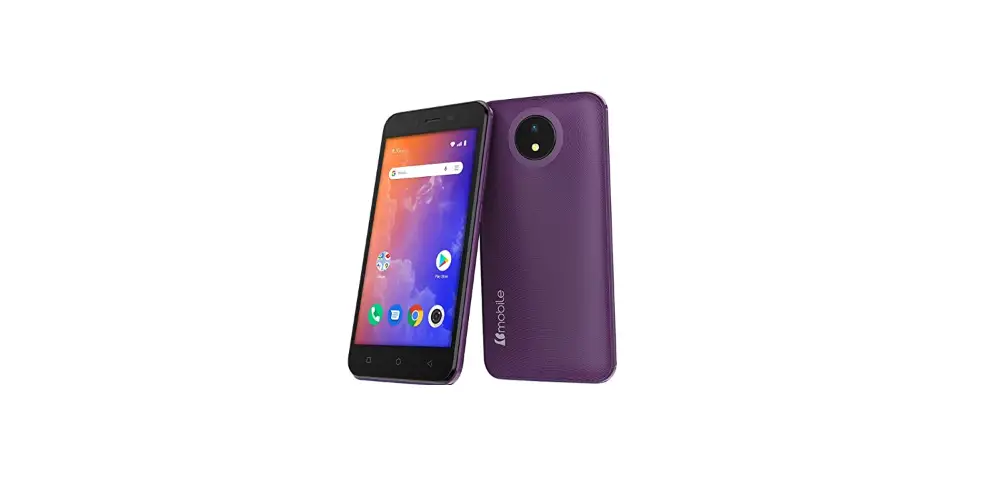
 A compatible Android or iOS smartphone is required to use the BLE-IR adapter.
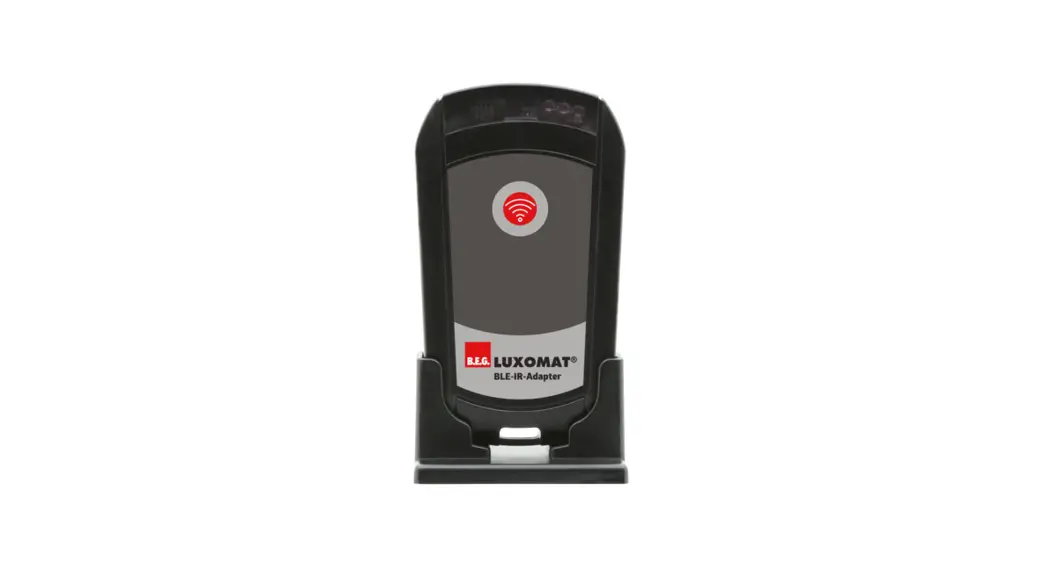
 The BLE-IR adapter, in conjunction with a smartphone with installed B.E.G. One app, is a remote control for the configuration of detectors, lights and twilight switches that can be remote-controlled by infrared.
Communication between the BLE-IR adapter and the smartphone is by radio (BLE – Bluetooth Low Energy).
The uni- or bidirectional communication with the B.E.G. device is carried out via infrared. The BLE-IR adapter is powered by a USB rechargeable battery.
Charging the device‘s battery
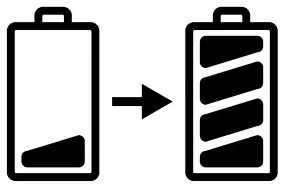
Fully charge the battery of the BLE-IR adapter before initial operation.
Connect the device to a USB port using the supplied USB cable.
The red LED lights up during the charging process and goes out when the device battery is fullycharged.
Store with a charged battery.
Device overview
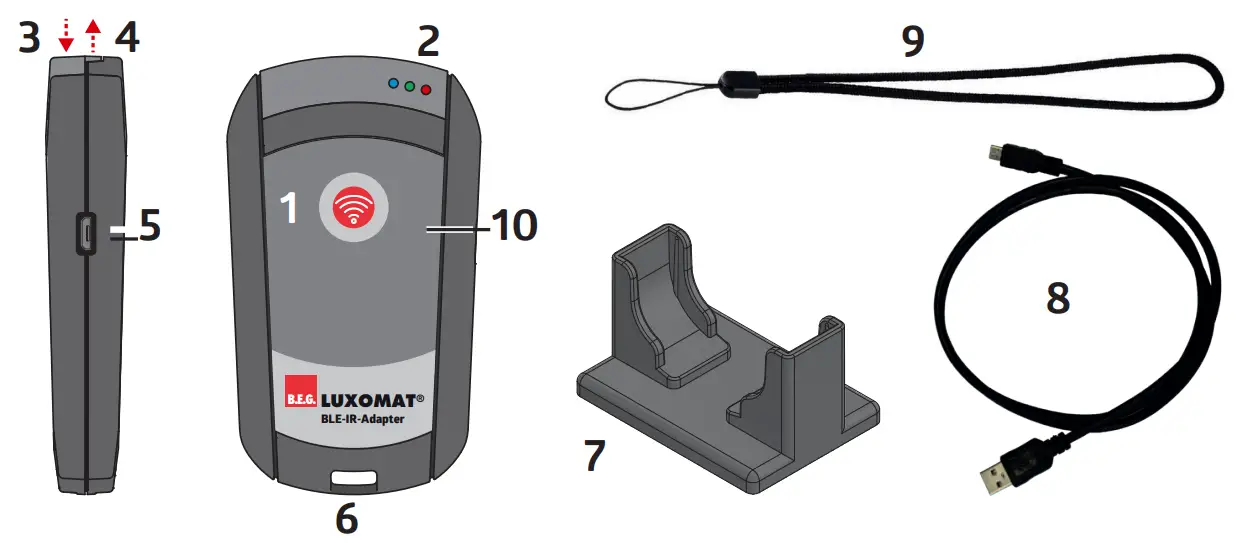
| 93067 | Device overview |
| 1 | Operating button (on/off/send) |
| 2 | 3 status LEDs (blue, green, red) |
| 3 | Infrared receiver |
| 4 | Infrared transmitter |
| 5 | Micro USB socket (charging only) |
| 6 | Strap eye |
| 7 | Stand |
| 8 | USB charging cable |
| 9 | Hand strap |
| 10 | Protective foil – please remove |
Installation B.E.G. Remote
Control App (B.E.G. One)
- Install the latest version of the B.E.G. One app on your iOS or Android smartphone.
- Allow the app to access after the first start:
– audio recordings
– device location
– photos, media and files
Establishing the connection
Activate Bluetooth on your smartphone and start the B.E.G.
One app. On the start screen, select “Connect BLE/IR adapter” and then press the button on the BLE-IR adapter. The adapter is switched on and the connection to the smartphone is established.
Automatic switch-off
The BLE-IR adapter automatically turns off after:
- 10 seconds if the radio connection is interrupted.
- 30 s, if no radio connection is established after switching on.
- 3 min, if no IR signals are transmitted/received.
Displays / Components
 | Blue LED flashes every 2 s: BLE active flashes shortly/flickers: IR communication active (transmission/reception) |
 | Red LED lights up: Battery charging. off: Charging completed. |
 | Operating button press briefly: switch on/off |
Technical data
93067
| 10 m | Radio range |
| 10 m | Infrared range |
| ISM-Band | Frequency band |
| Bluetooth | Radio system |
| 2.40 – 2.48 GHz | Transmission frequency |
| 0.2 dBm + 5.3 dBi = 5.5 dBm | EIRP Transmission power GFSK |
| -20°C – +40°C | Operating temperature range |
| -15°C – +45°C | Storage temperature range |
| 0°C – +40°C | Loading temperature range |
| 95 x 55 x 17.5 mm / 30 x 55 x 40 mm | Dimensions (device/stand) |
| 50 g / 40 g | Weight (device/stand) |
| PC | Housing material |
| USB 2 Micro-B | Charging socket |
| 0.3 m USB 2 Standard-A / Micro-B | Charging cable (plug1 / plug2) |
| 2.22 Wh | Li-polymer battery |
| IP20 / III | Degree / class of protection |
Declaration of conformity
This product respects the directives concerning
- electromagnetic compatibility (2014/30/EU)
- restriction of the use of certain hazardous substances in electrical and electronic equipment (2011/65/EU)
Trouble shooting
| The BLE-IR adapter cannot be switched on: § The battery is empty ➜ Charge the battery |
| No connection can be established between the smartphone app and the BLE-IR adapter: § The BLE-IR adapter cannot be connected to multiple smartphones in parallel. ➜ Checkwhetherthe BLE-IR adapter is already connected to another smartphone. § Bluetooth must be activated on the smartphone. ➜ Check if Bluetooth is switched on in your smartphone. | |
| The detector cannot be configured: § The distance to the detector is too great or there is no direct line of sight to the detector. ➜ Reduce the distance to the detector. § The BLE-IR adapter is not switched on. ➜ Switch on the adapter. |
 https://www.beg-luxomat.com/qr.php?prtno=93067
For more information on the device and the full text of the EU Declaration of Conformity, please visit the B.E.G. website.
Subject to technical changes
93067M1_Short_MAN_BLE-IR-Adapter_de_en_fr_nl_V2.indd
22.02.21
Brück Electronic GmbH I Gerberstr. 33 I 51789
Lindlar I GERMANY I
Phone: +49 (0) 2266 90121-0 I
Fax: +49 (0) 2266 90121-50
I [email protected] I beg-luxomat.com
 B.E.G. - The lighting control professionals