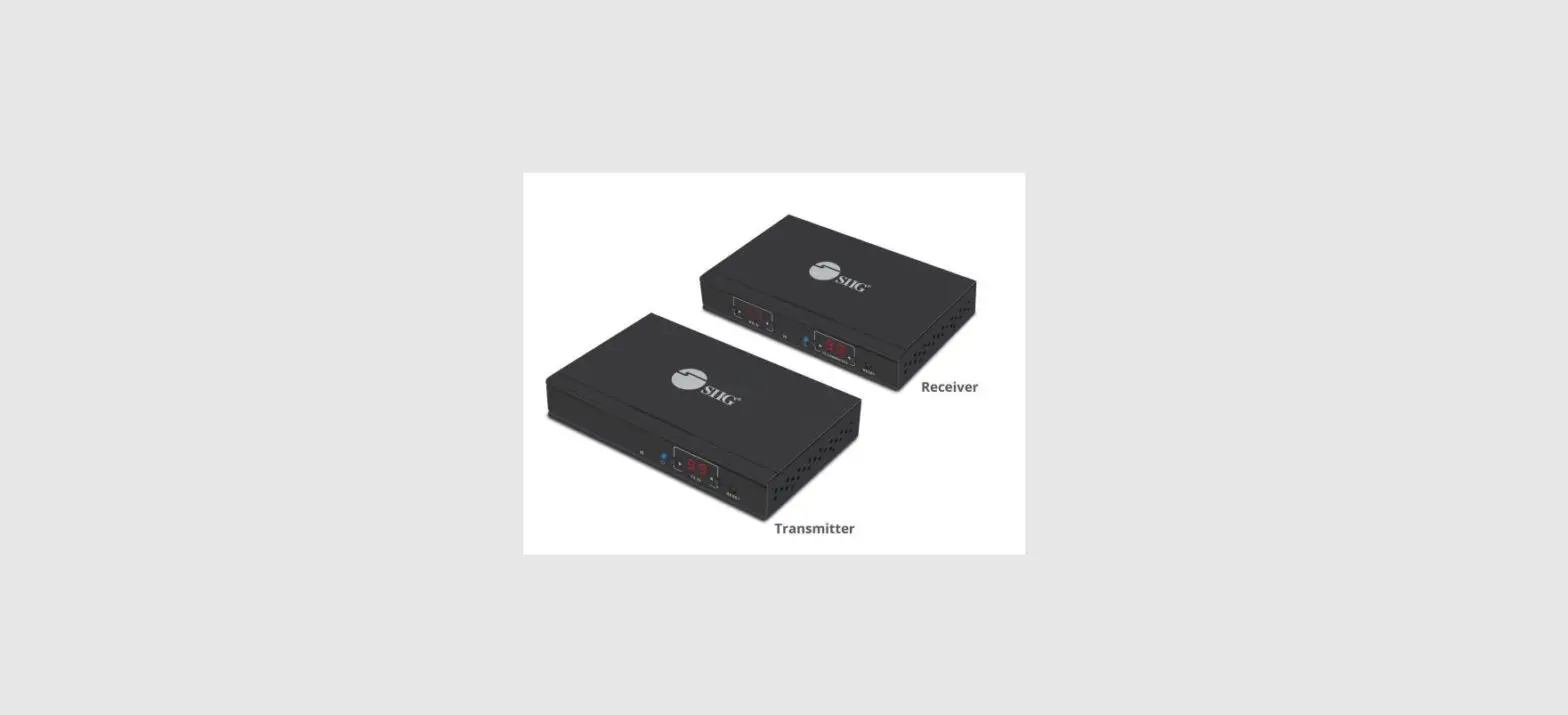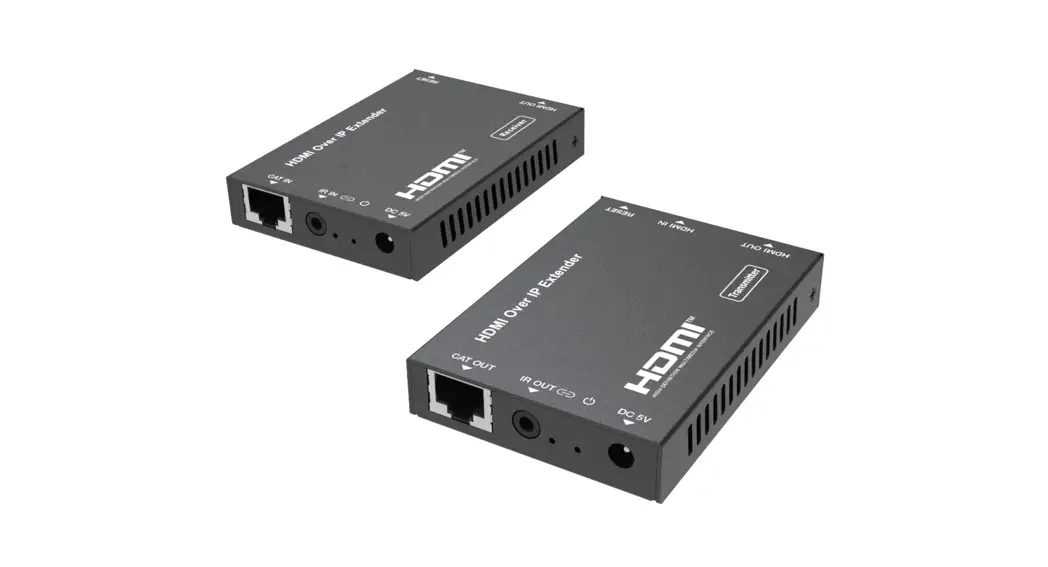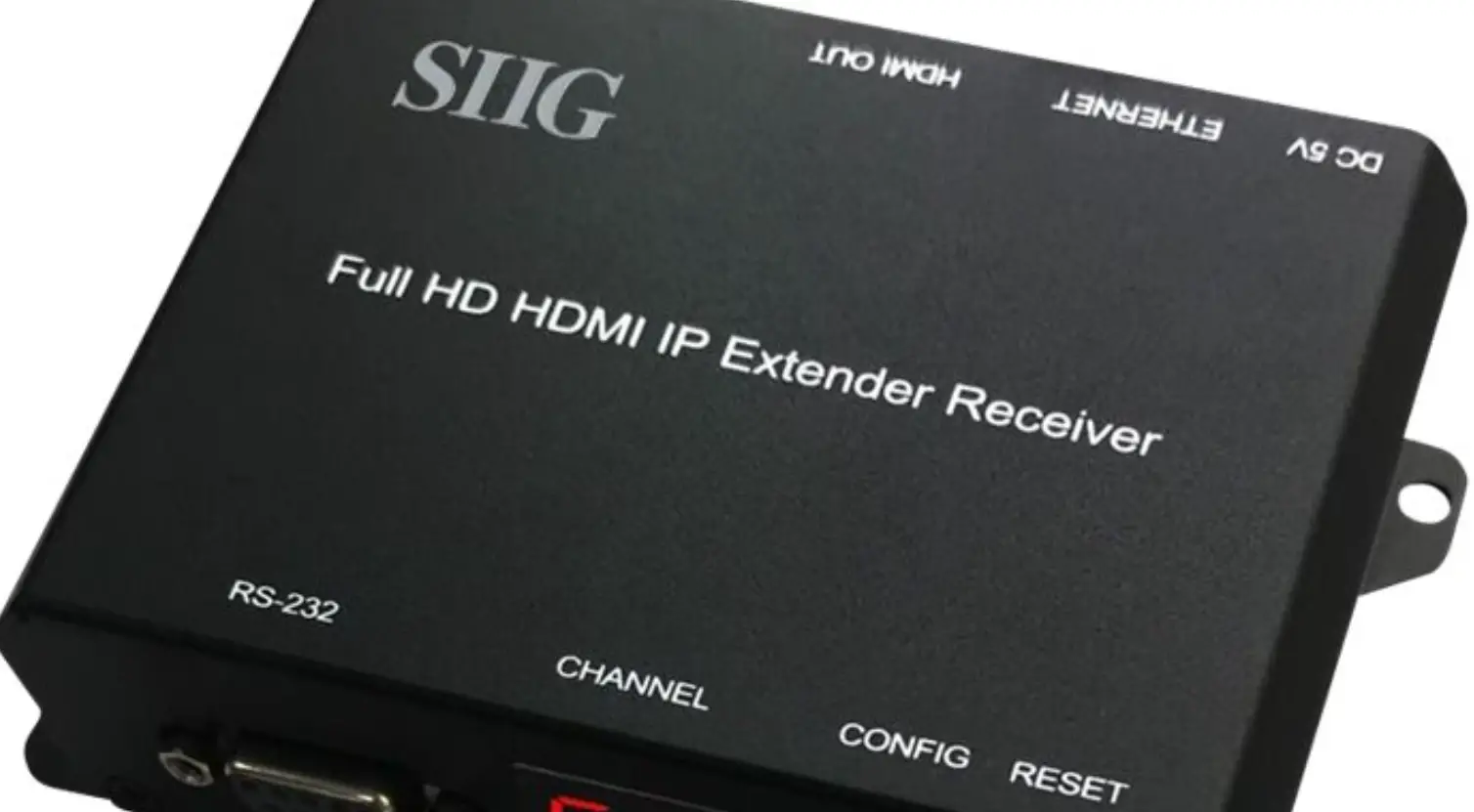

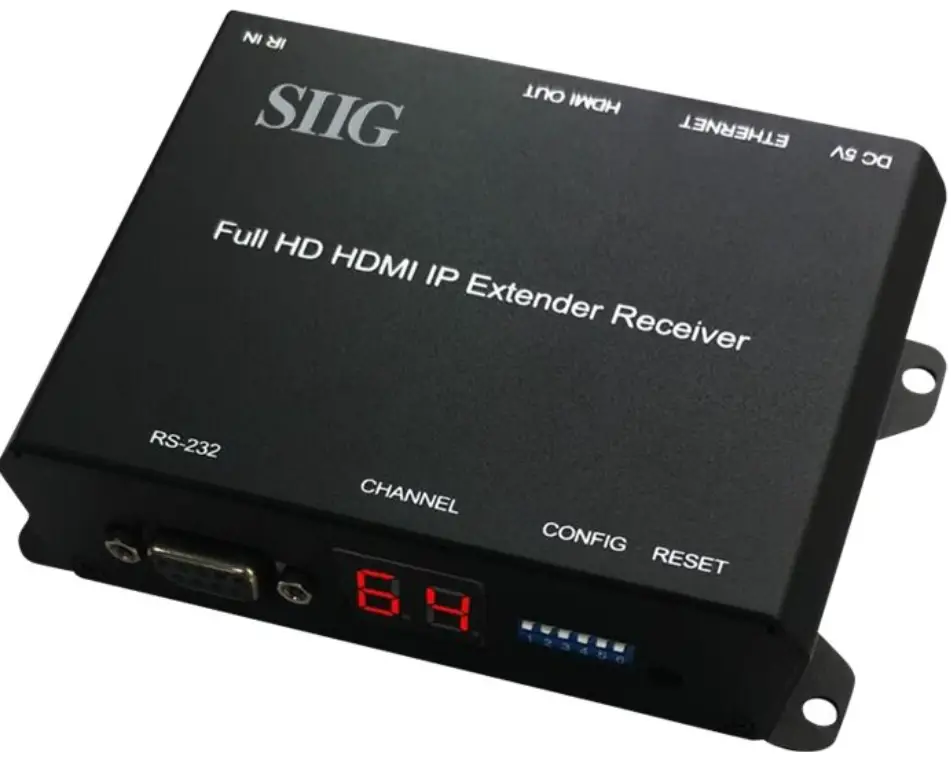
SIIG CE-H26511-S1 Full HD HDMI Extender over IP with POE RS-232 and IR
Introduction
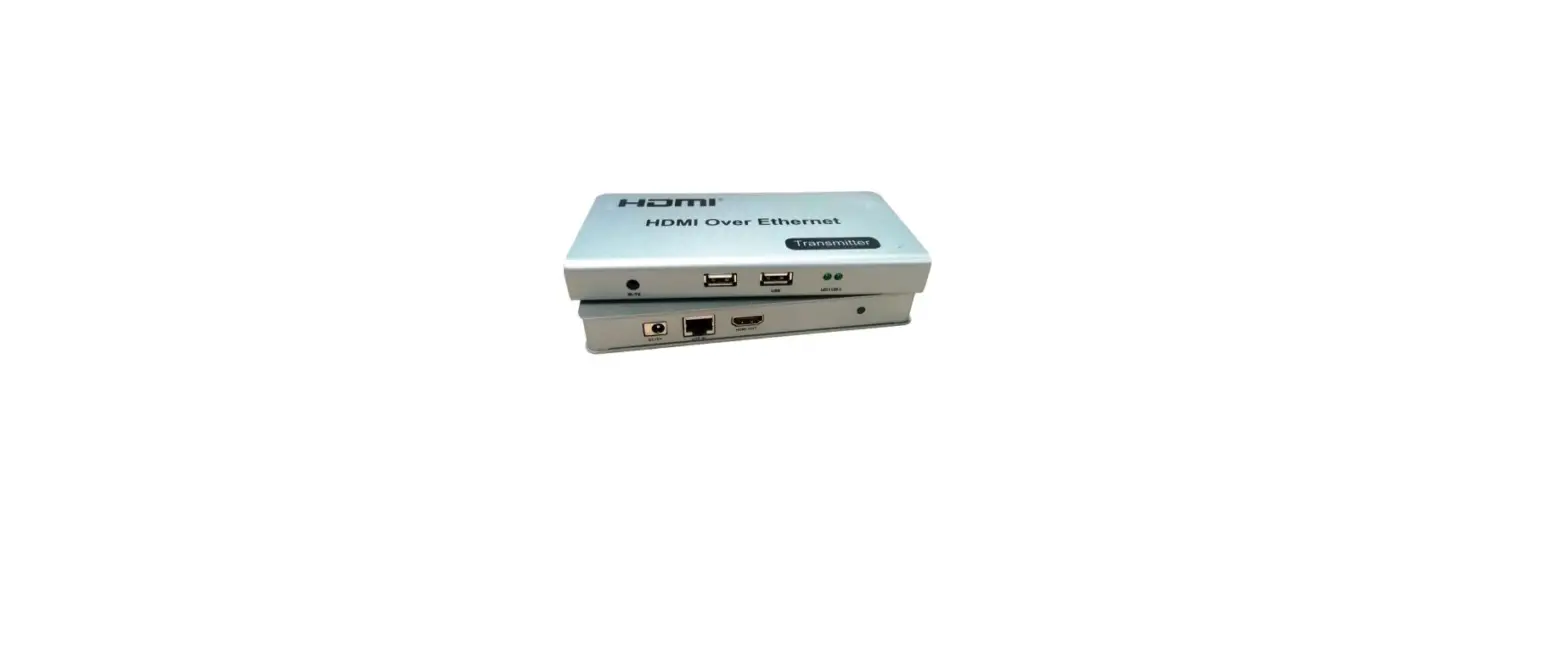
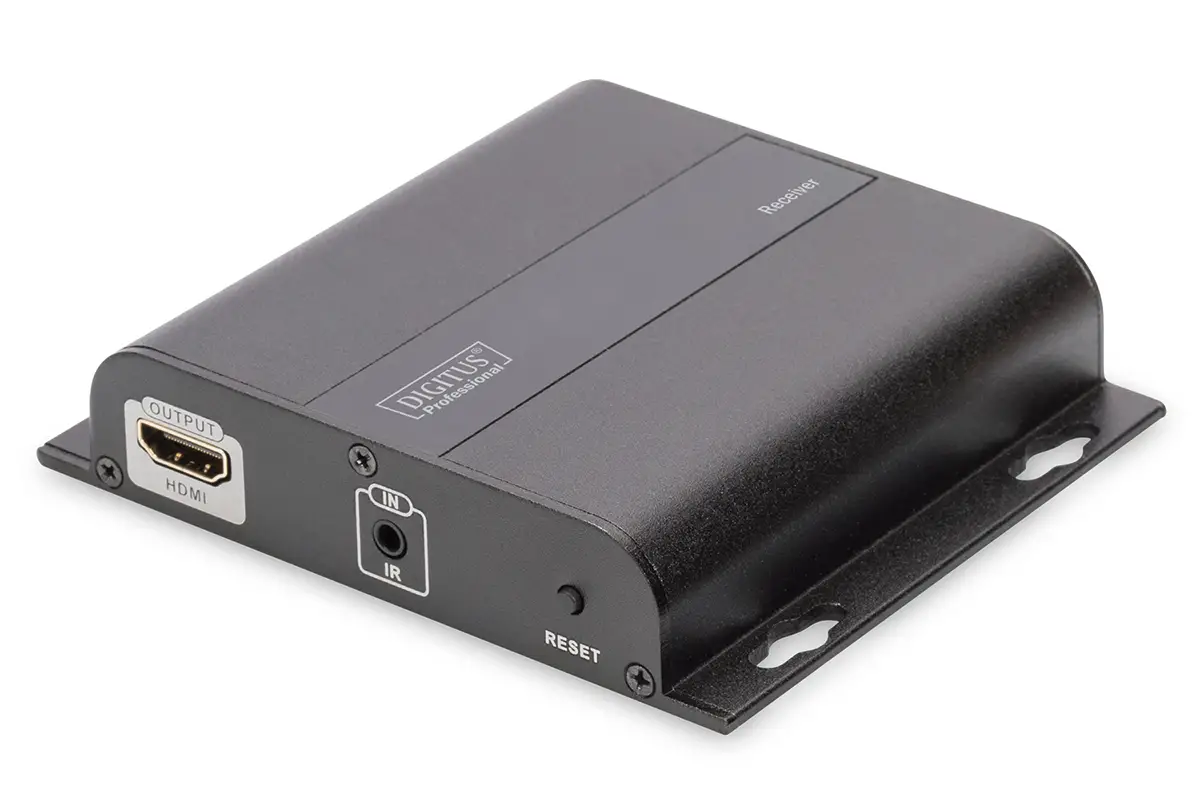
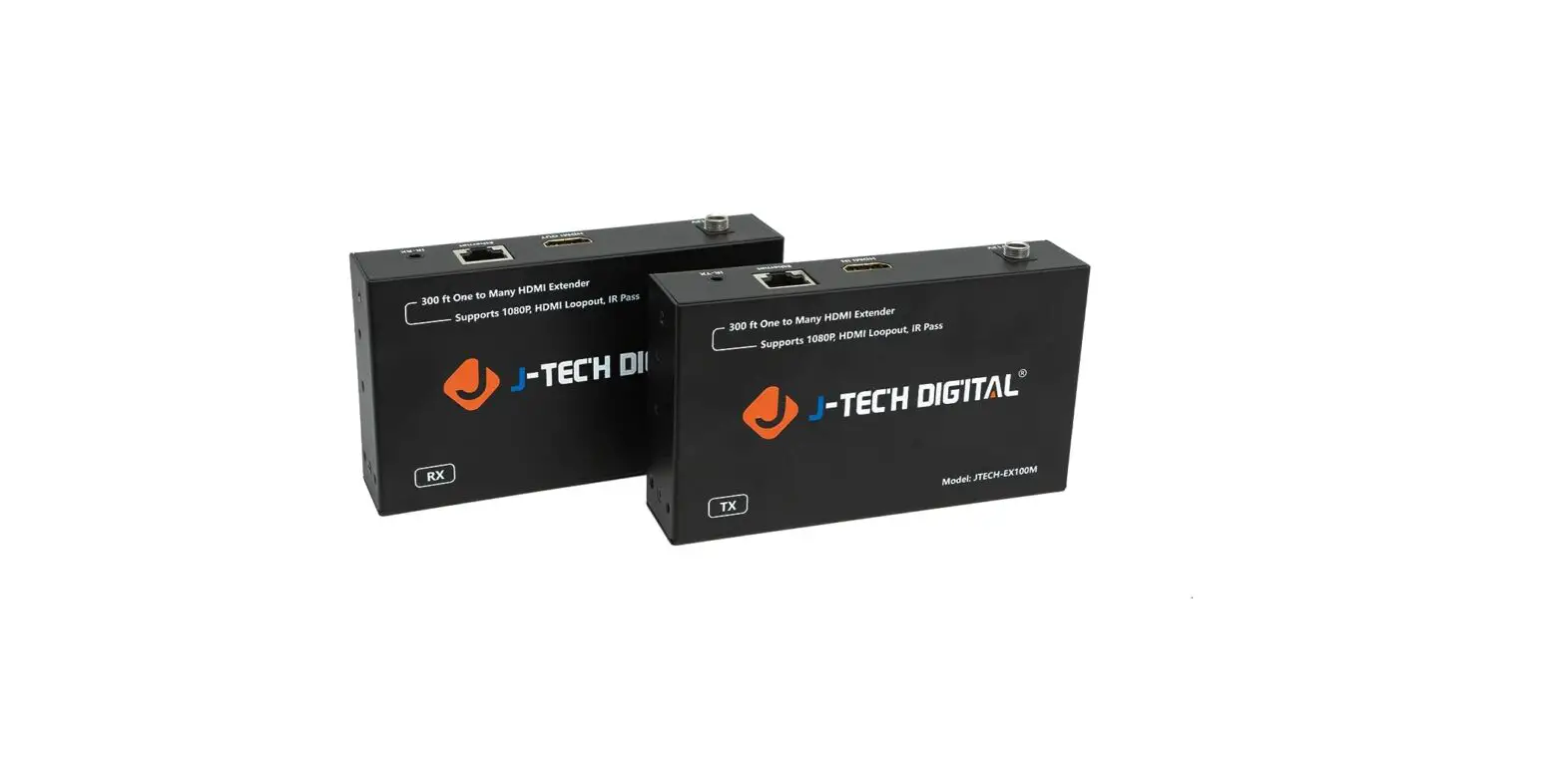
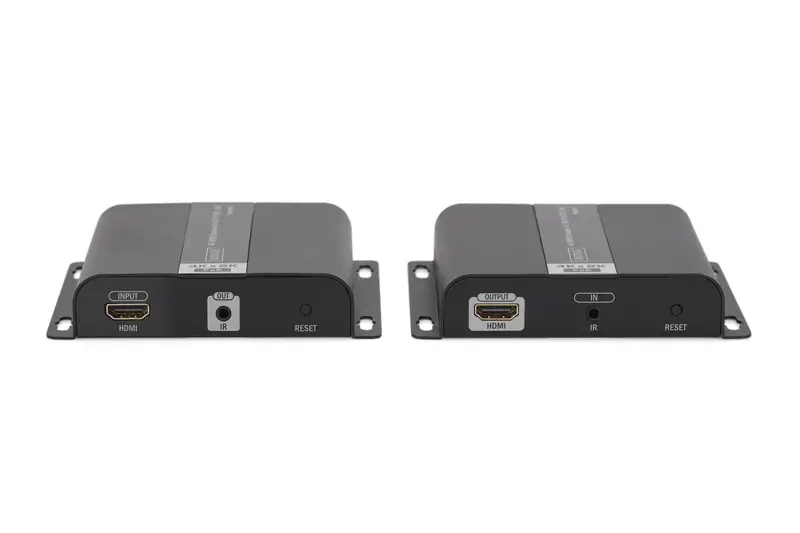
 Full HD HDMI Extender over IP with POE, RS-232 & IR for point to point, point to multi-point, multi- point to multi-point and screen wall broadcast including RS-232 and IR control extension. Easy installation with networking 10/100 BASE-T switch hub and CAT-5 cable for building up the extension or broadcast system.
- Full HD HDMI Extender over IP with POE, RS-232 & IR
Features & Application
- RS-232 bi-directional extension
- 6 bits switch for 64 stream channel selection
- HDCP compliant and Blu-Ray ready
- Support IR extension
- Automatic or manual EDID configuration
- Networking environment under 10/100 BASE-T switch hub and CAT-5 cable
- Point to point extension, unicast, multicast and screen wall system
- Point to point extension via CATx without Ethernet switch up to 100M
- Support PC tool Ethernet control
Specifications
| Transmitter | Receiver | |
| VIDEO INPUT | HDMI Type-A female connector | None |
| VIDEO OUTPUT | HDMI Type-A female connector for loop through | HDMI Type-A female connector |
| IR | 3.5mm phone jack for IR emitter to control video source device | 3.5mm phone jack for IR receiver cable to receive remote signal |
| COMPRESSION | H.264 compression video format Full HD encoder/ decoder MP3 compression audio format stereo 192Kbps encoder/ decoder Media stream up to 18Mbps | |
| HDMI INPUT RESOLUTION | 1080p 60/50, 1080p 30/25, 1080i 60/50,720p 60/50, 480i 60/50, 480p 60/50 | |
| HDMI OUTPUT RESOLUTION | 1080p 30/25, 1080i 60/50, 720p 60/50, 480i 60/50, 480p 60/50 | |
| AUDIO FORMAT | Stereo 192Kbps | |
| IP PROTOCOL | TCP, UDP, RTSP, RTP, DHCP, IGMP, Multicast, IPV4 | |
| LAN PORT | RJ-45 connector for 10/100 BASE-T CAT-5 extension | |
| SERIAL | DB-9 female connector for RS-232 | |
| POWER INPUT | 2.0mm power jack for DC5V/2A RJ-45, Power over Ethernet 36V~57V / 7W in (PoE model only) | |
| OPERATING TEMPERATURE | 0~55℃ | |
| OPERATING HUMIDITY | 5%~90% RH | |
| POWER ADAPTER | AC in 100~240V (50~60Hz), DC5V/2A out | |
| ESD | ESD protection air gap discharge ±8KV, contact discharged ±4KV | |
| DIMENSION (W x D x L) | 130 x 82 x 30.25 mm ( L x W x H ) | |
| WEIGHT | 290g per transmitter or receiver unit | |
- Product specifications are subject to change without notice.
Hardware Description
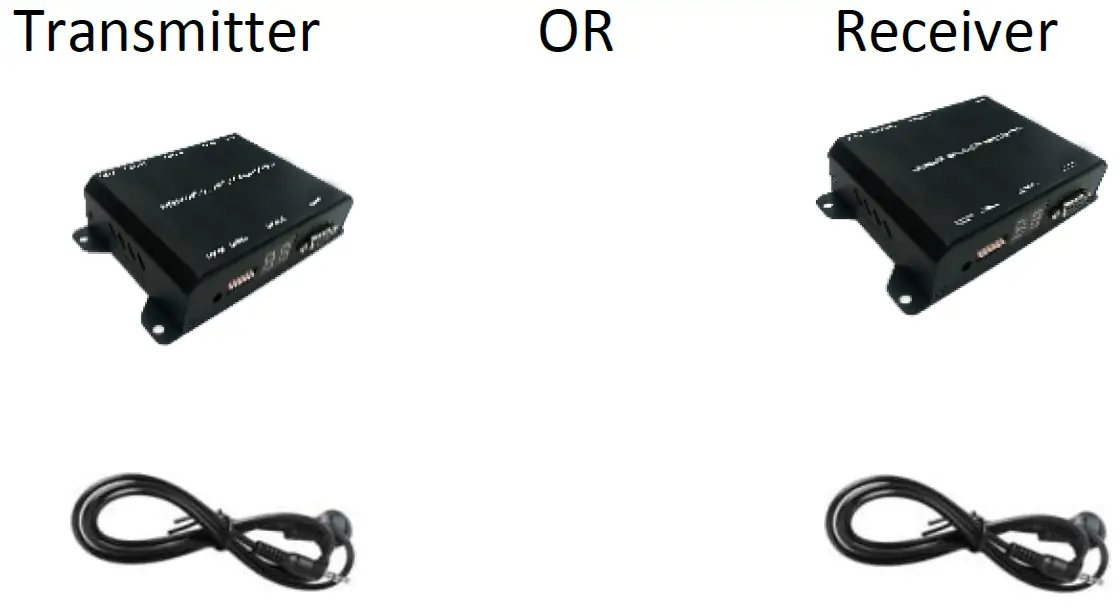
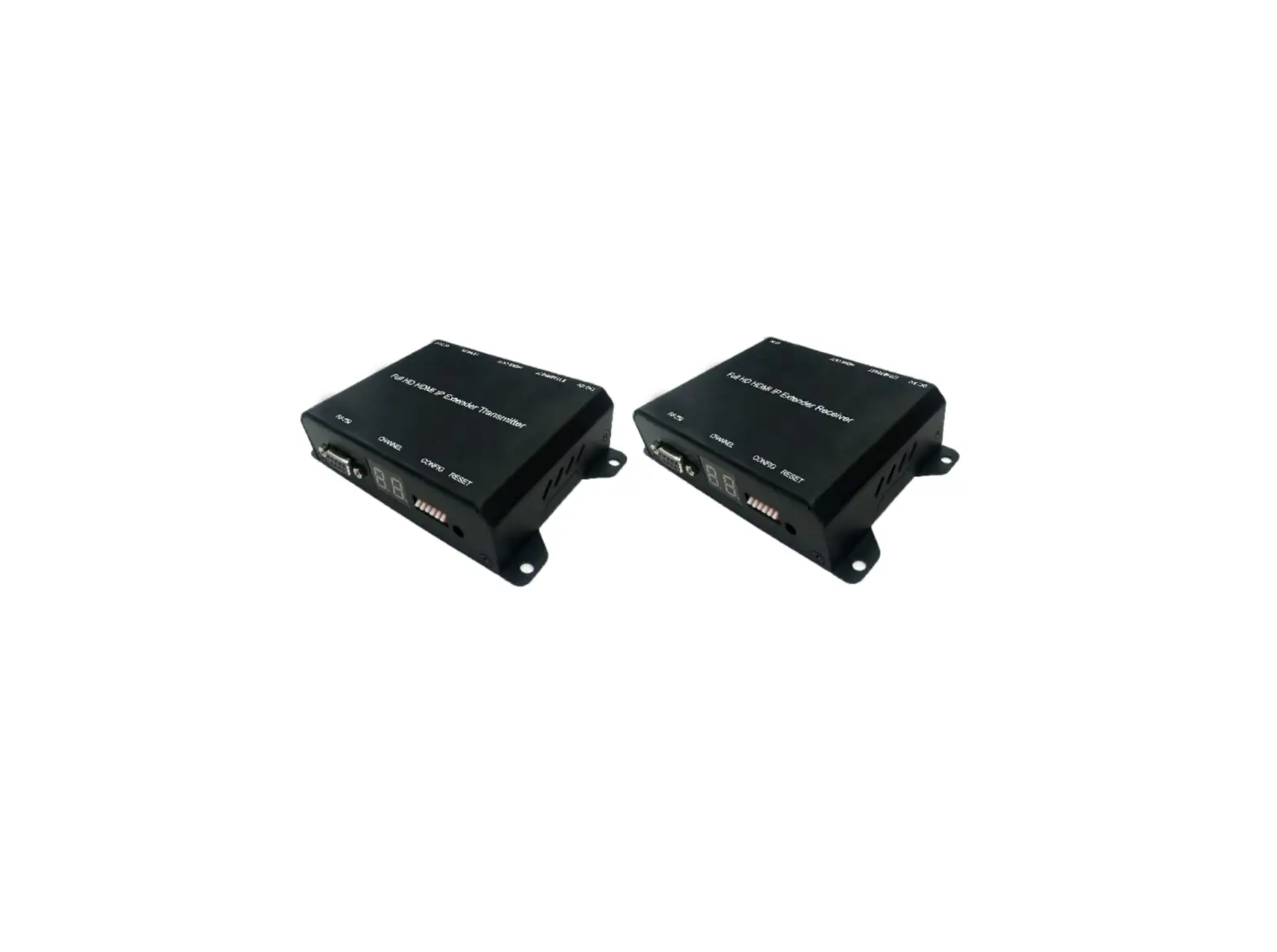
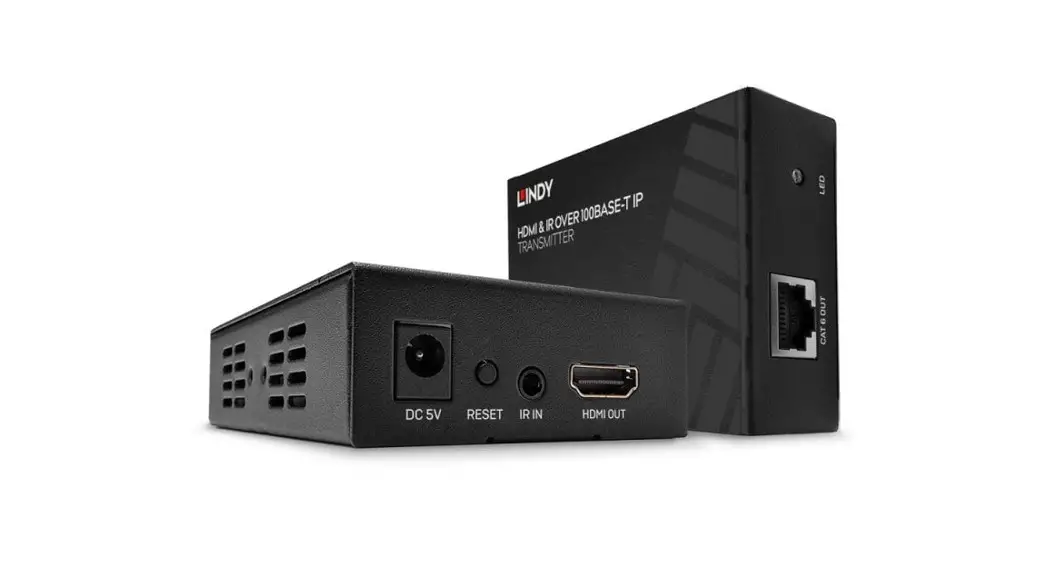
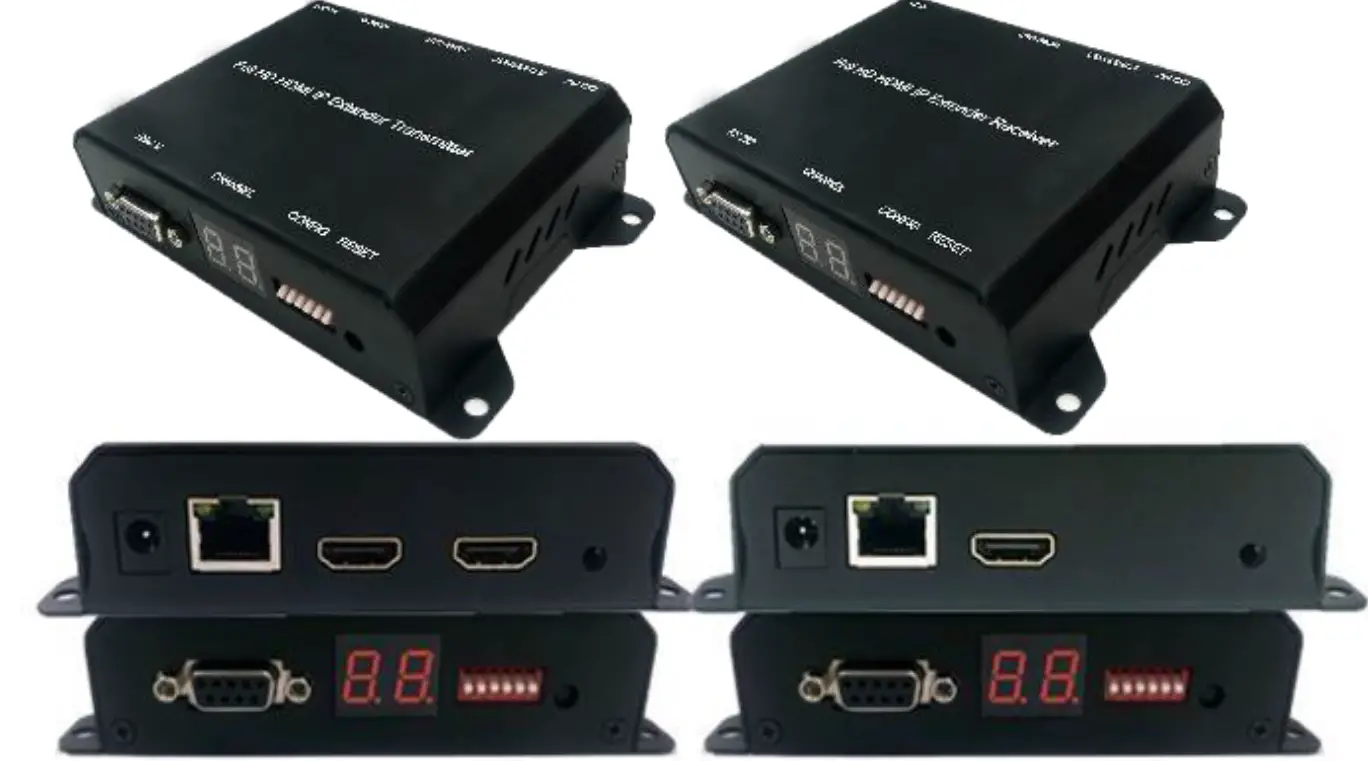
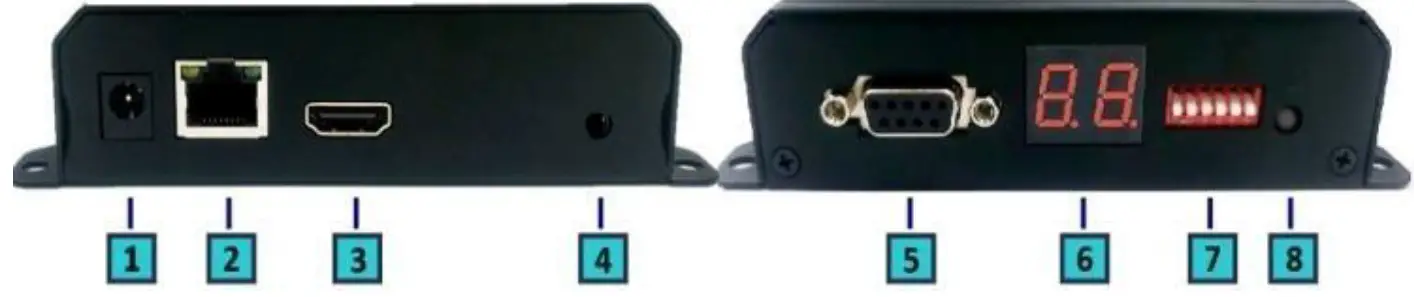
- Transmitter (TX)

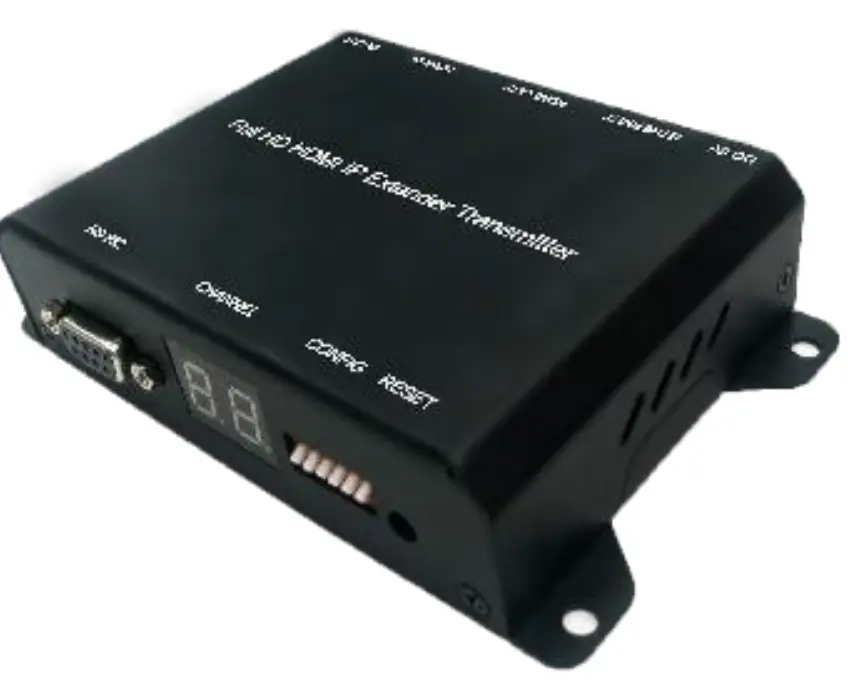
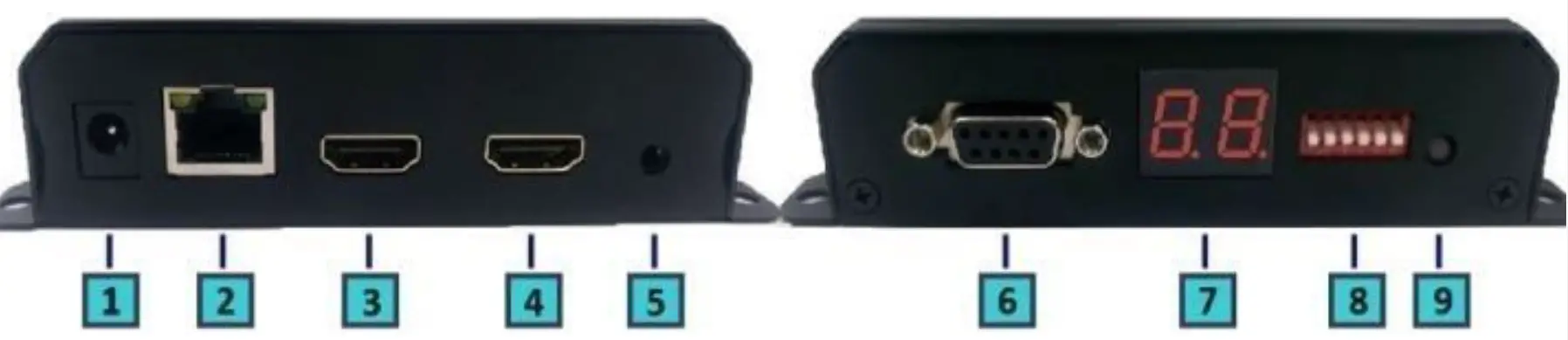
- 2.0 mm power jack for DC5V2A power input.
- LAN port, RJ-45 connector for 10/100 BASE- T CAT5 extension.
- HDMI Type-A female connector for loop through video output.
- HDMI Type-A female input connector.
- 3.5mm phone jack for IR emitter to control video source device.
- DB-9 female connector for RS-232 cable bi- directional remote extension
- Display group indication.
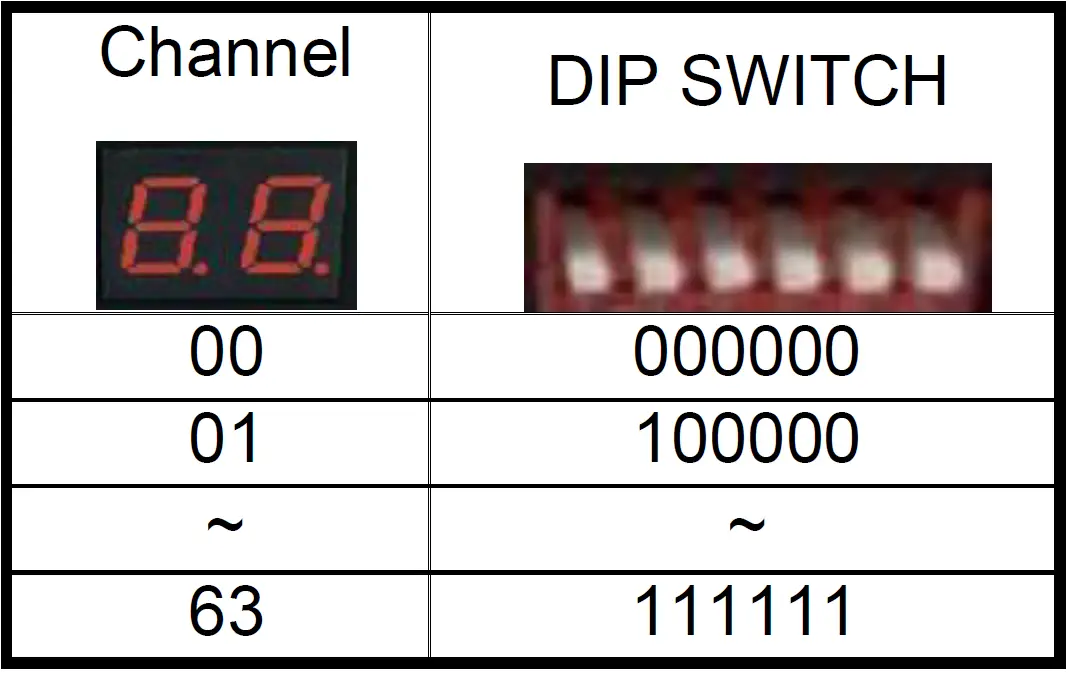
- Group configuration, 6 bits switch for 64 stream channel selection.
- Reset button.
Channel

DIP SWITCH

00 000000 01 100000 ~ ~ 63 111111 
Transmitter CE-H26411-S1 Shell Metal Width 110mm/130mm Height 30mm Depth 86mm Weight 290g

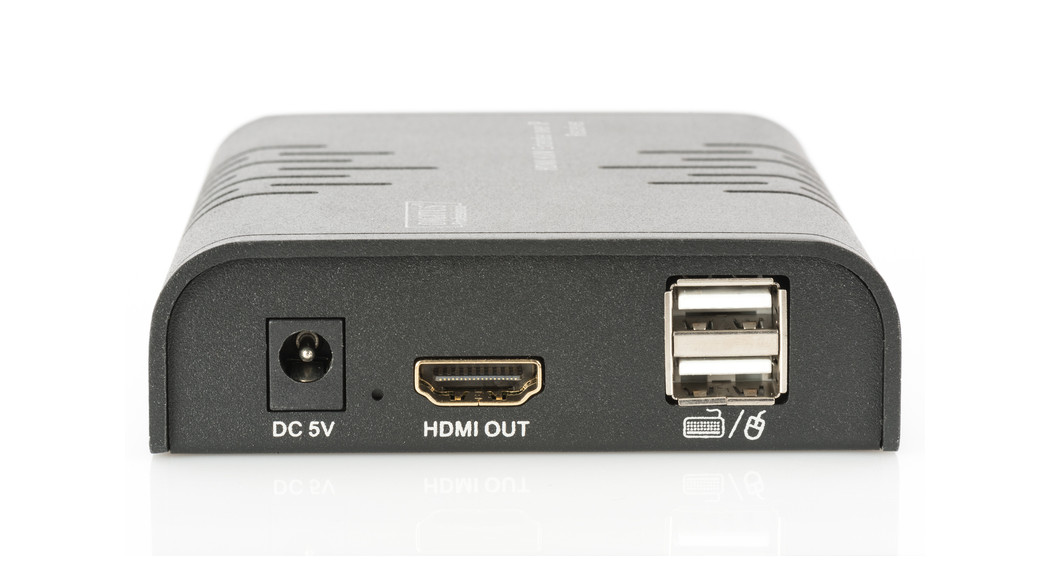
- Receiver (RX)

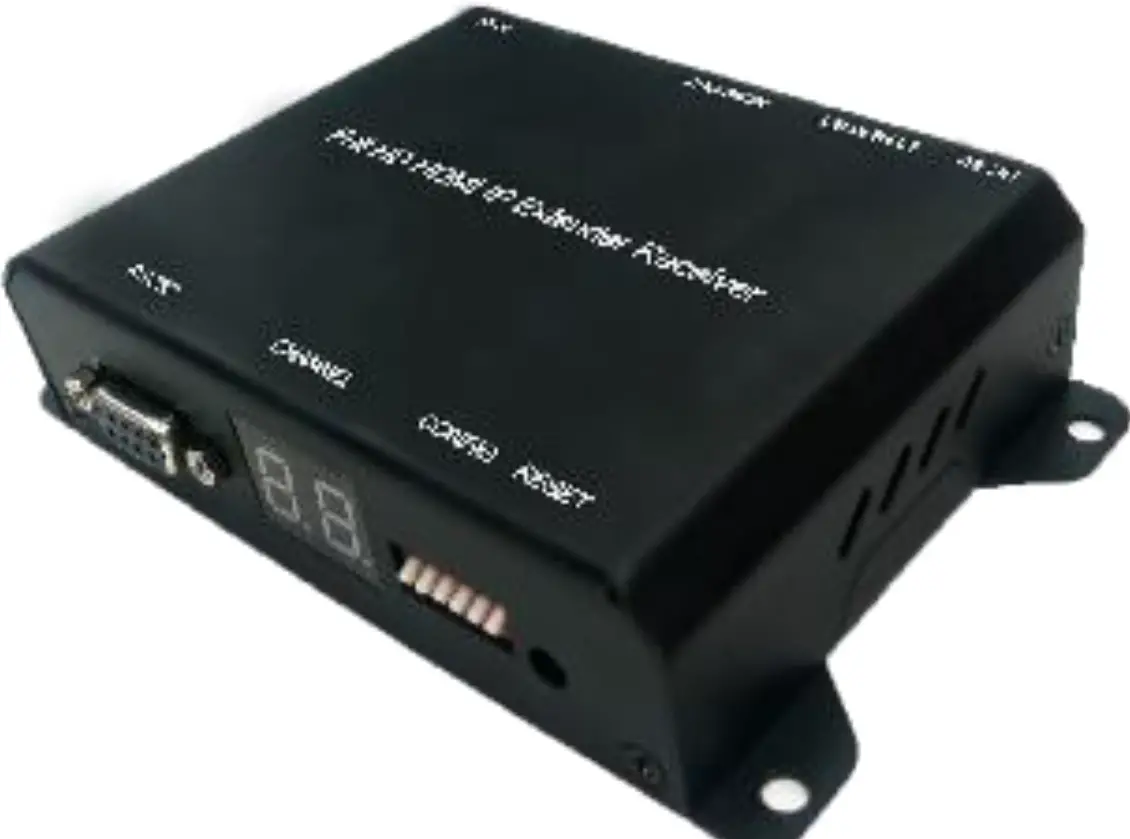
- 2.0 mm power jack for DC5V2A power input.
- LAN port, RJ-45 connector for 10/100 BASE- T CAT5 extension.
- HDMI Type-A female connector for video output.
- 3.5mm phone jack for IR receiver cable to receive signal from remote controller.
- DB-9 female connector for RS-232 bi- directional remote extension.
- Display group indication.
- Group configuration, 6 bits switch for 64 stream channel selection.
- Reset button.


Receiver CE-H26511-S1 Shell Metal Width 110mm/130mm Height 30mm Depth 86mm Weight 290g Installation
Device Connection
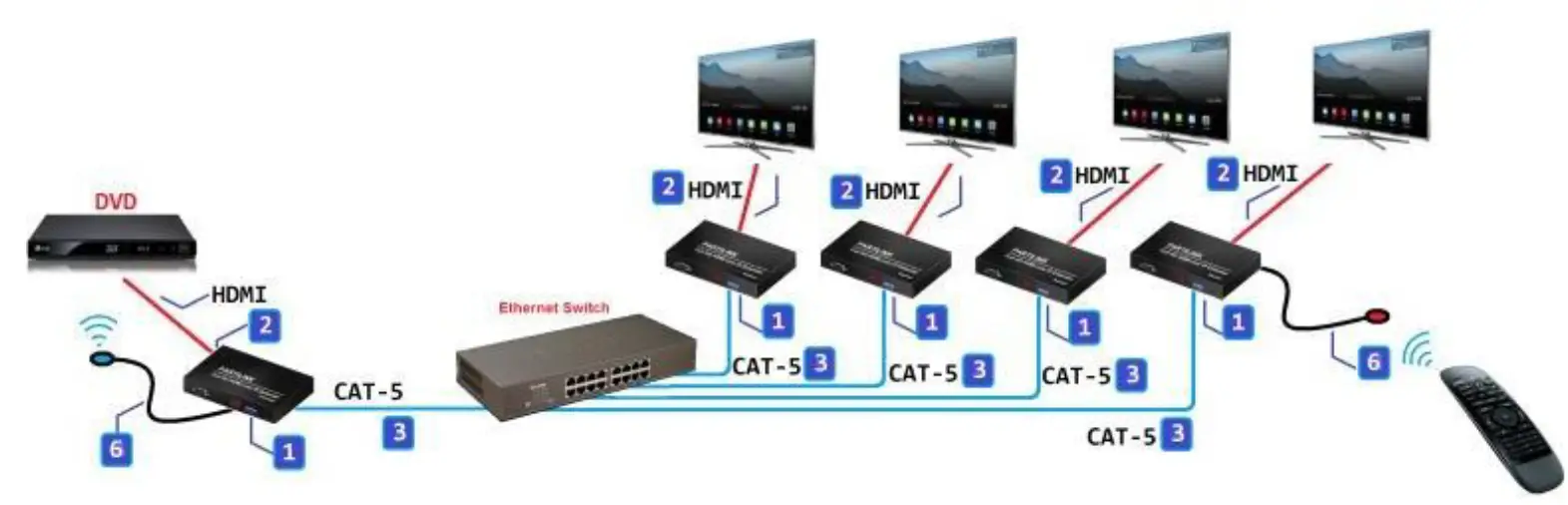
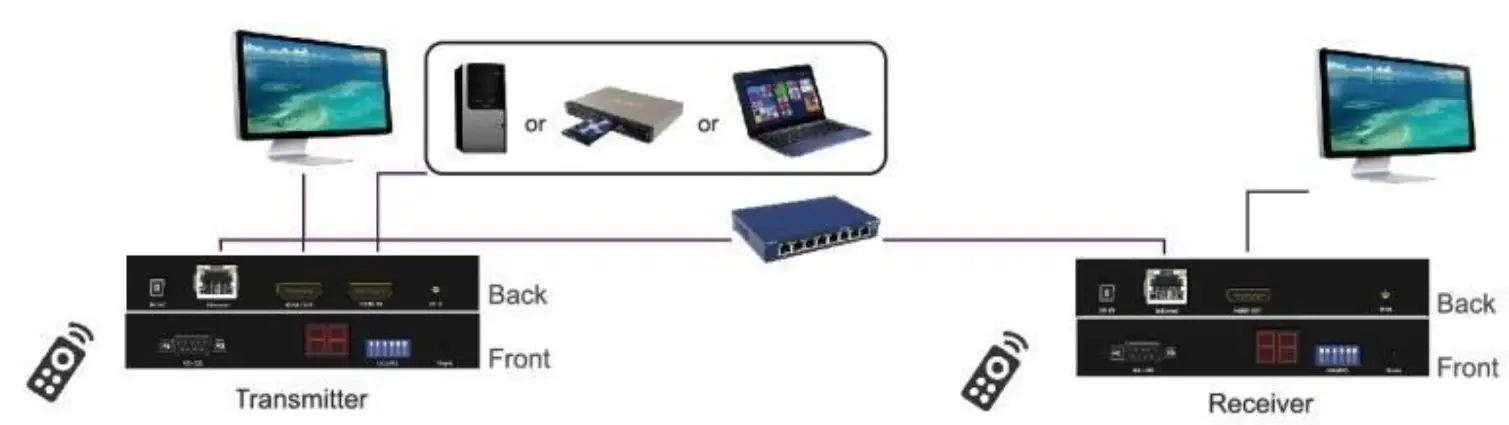
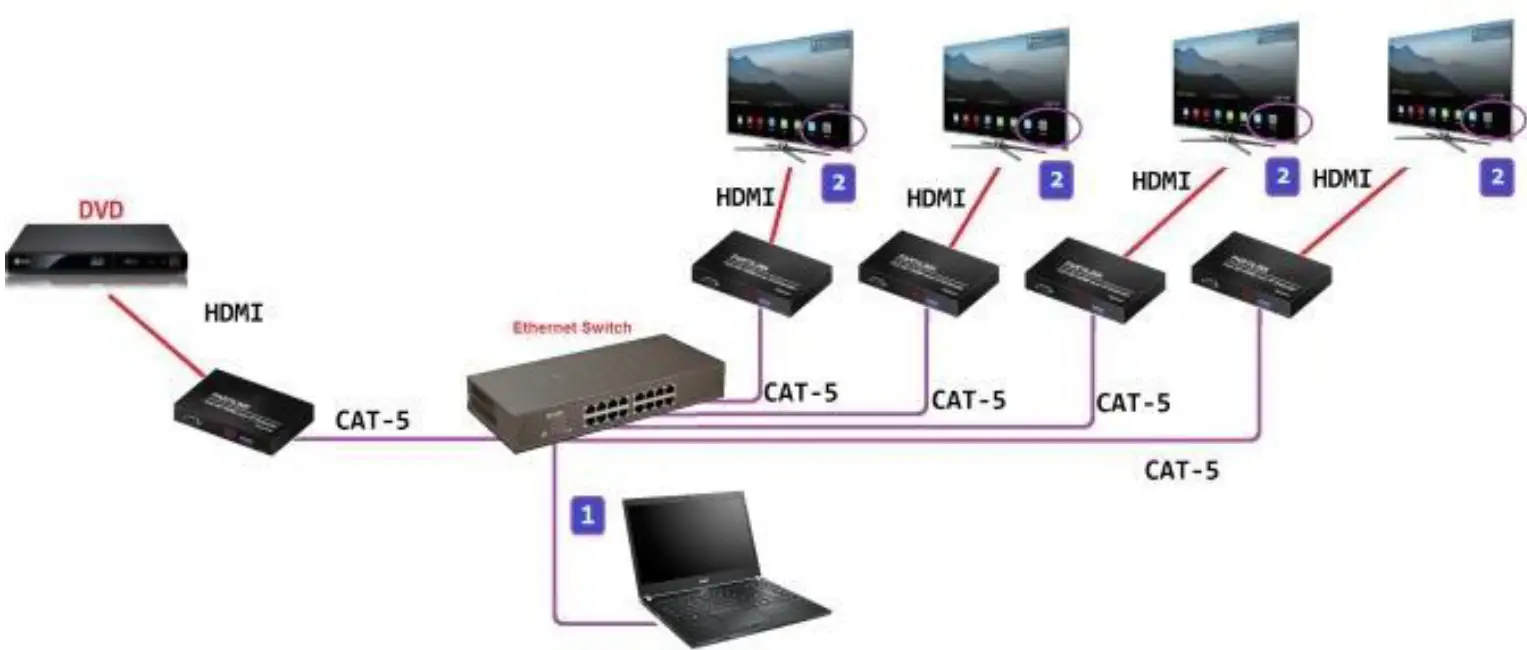
- Set up the group of the transmitter with the correspondent receiver for signal extension and display.
- Connect the HDMI cables between the source and transmitter for input, and the display and receiver for output.
- Connect CAT5 cable among the
transmitter, Ethernet switch and receiver. - Connect the DC5V power adapter with the transmitter and receiver for power supply.
- Turn on and play source.
- Connect the IR emitter cable with the transmitter and the IR receiver cable with the receiver to control the source remotely.

Configuration
Application Pattern
- Unicast

- Multicast
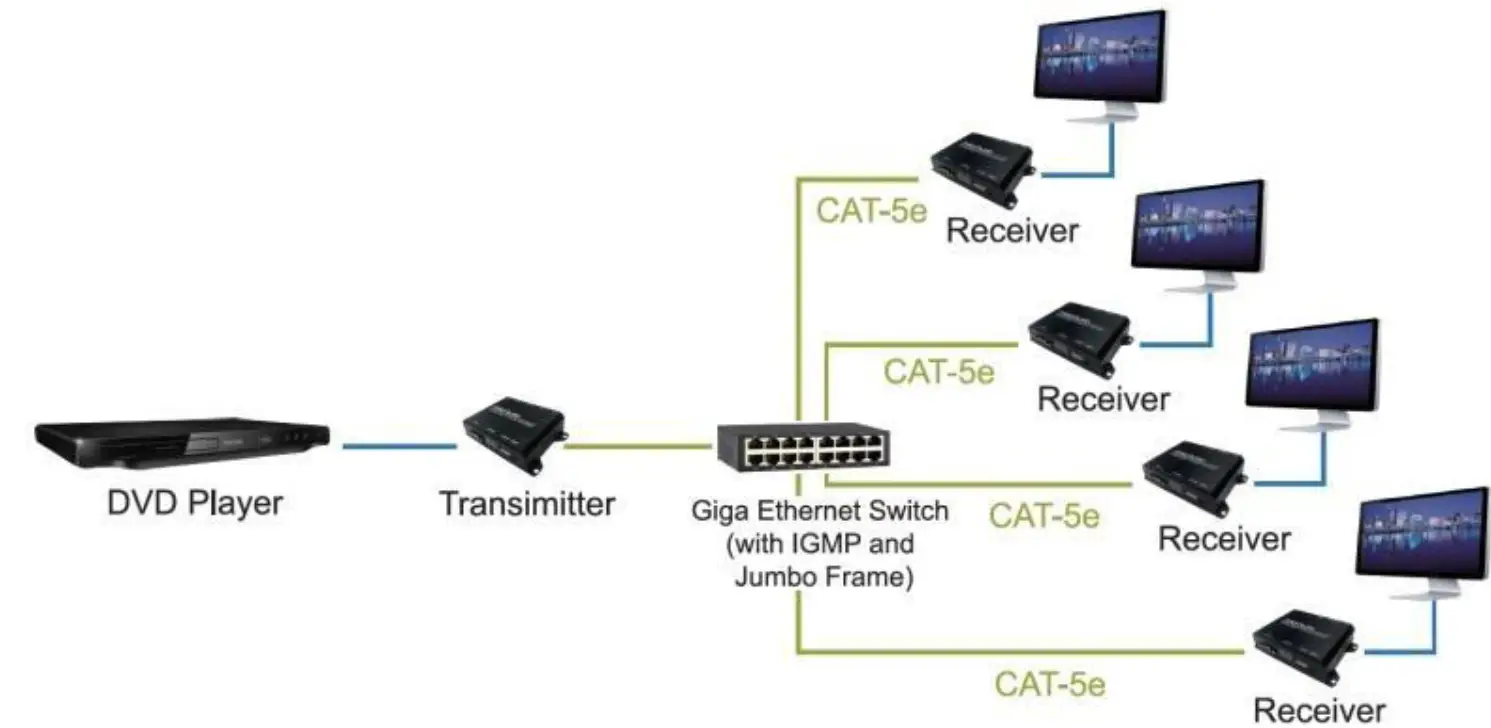
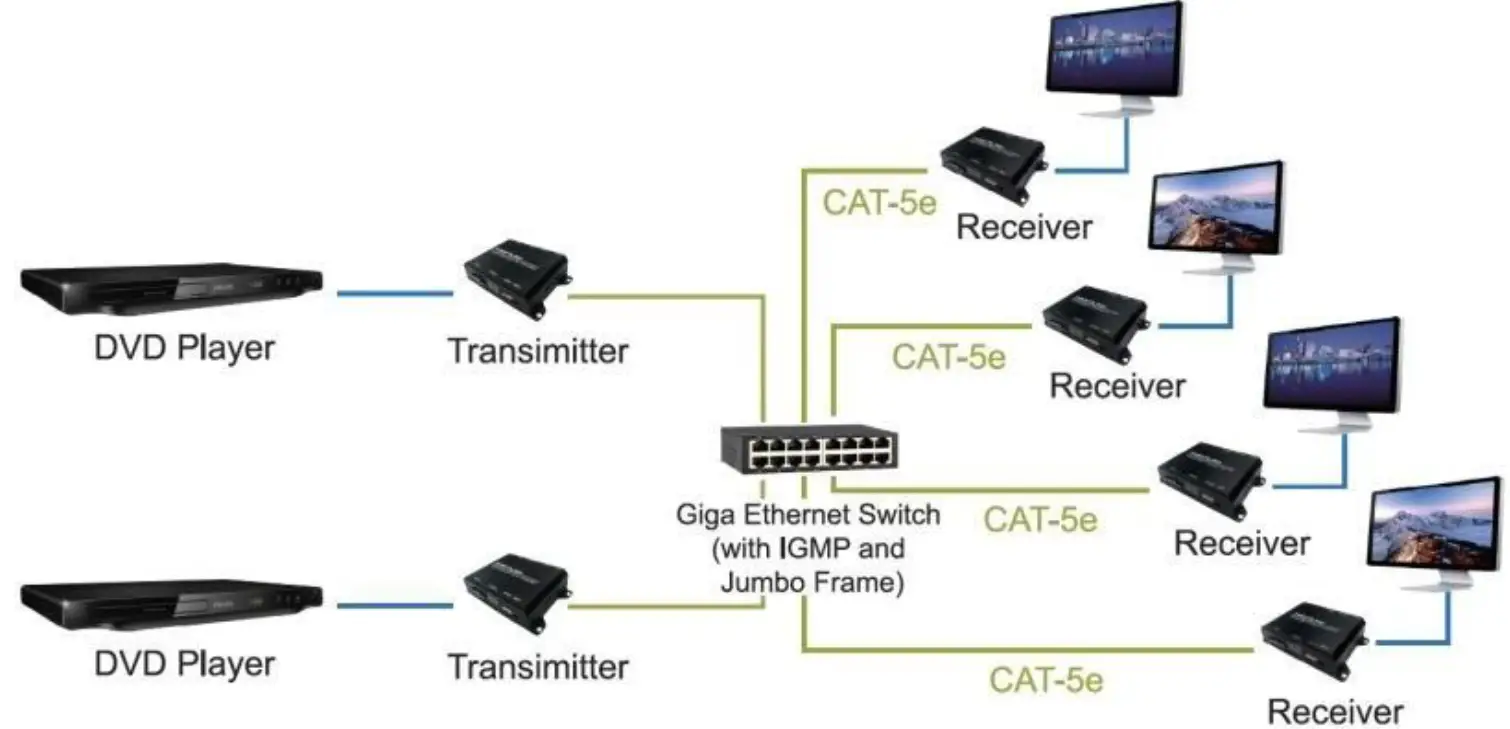
- Screen Wall
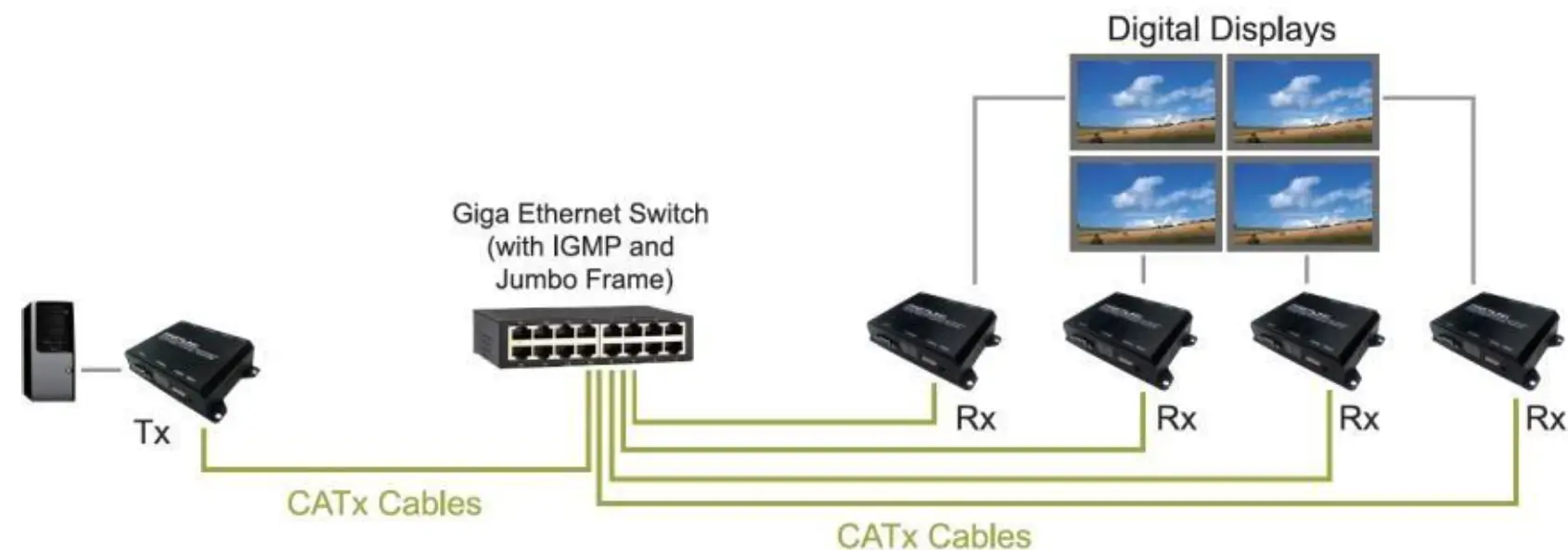
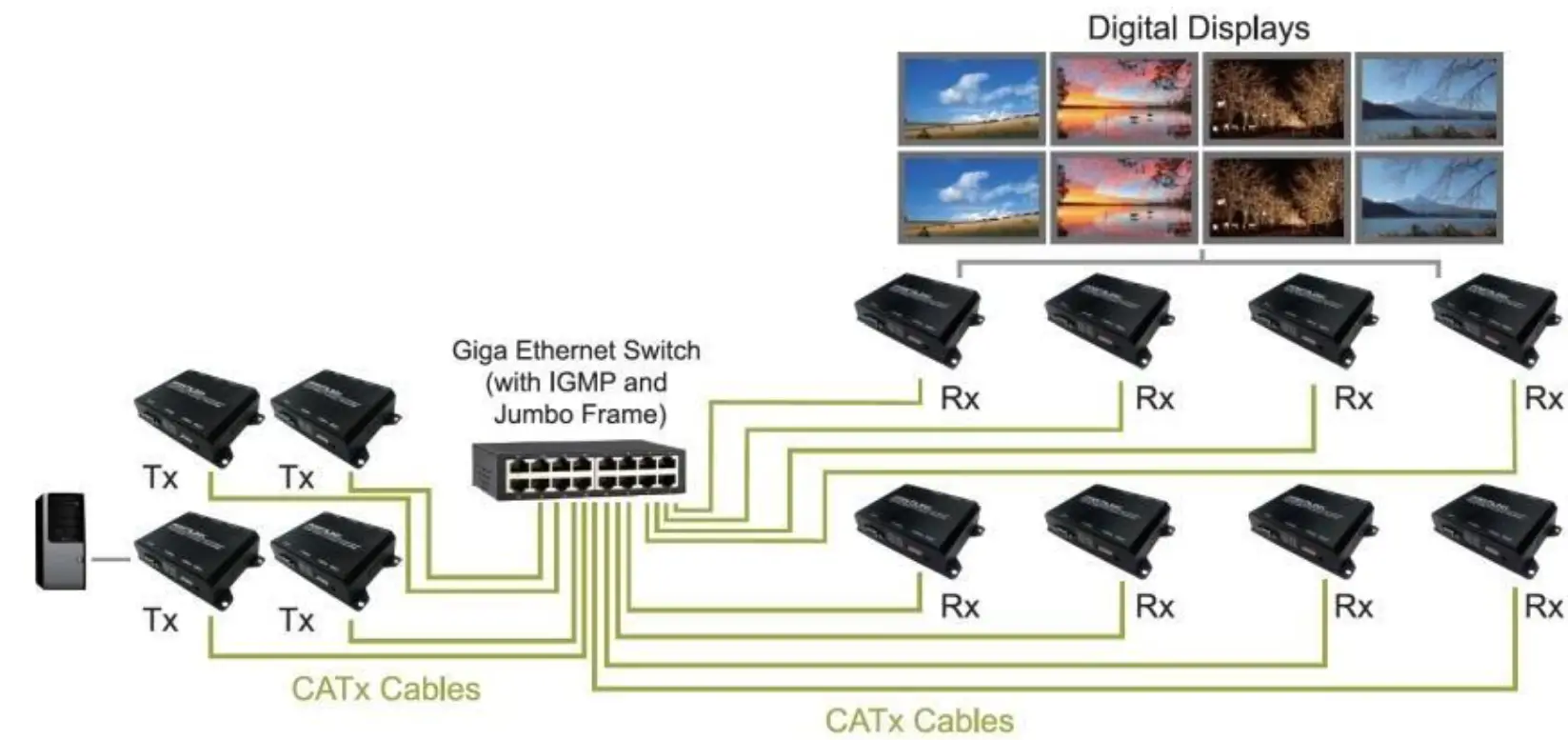
PC Tool Setup and Control
The CE-H26411-S1 is a Ethernet based system, administrator can control the system by PC via the PC tool ” IPTV_Control_Center.exe” to set up and control the system.
- Please download the PC tool from the SIIG website or contact us by email to get the software.
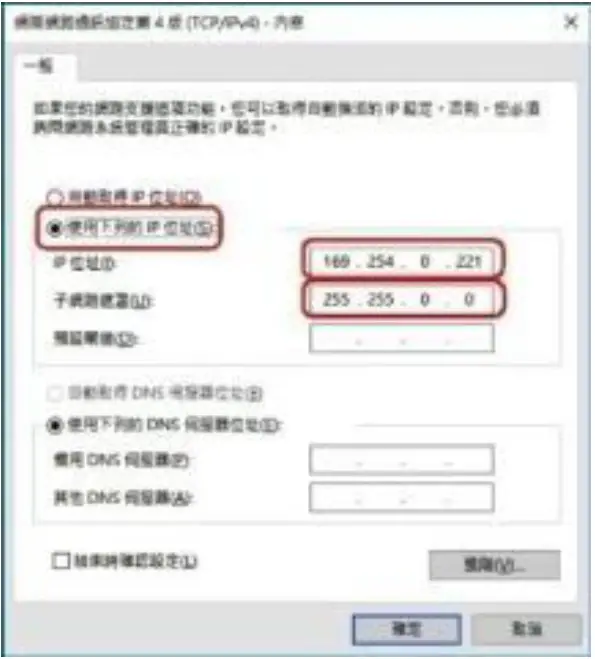
- The IP address default of the CE-H26411-S1 is B class Networking :168.254.xxx.xxx, please set up the IP address of the connected PC as static IP, such as 169.254.xxx.xxx and the sub mask as 255.255.0.0.

- Connect the PC with the Ethernet switch of application site to enter.

- Activate the tool “IPTV_Control_Center.exe” to search and setup.

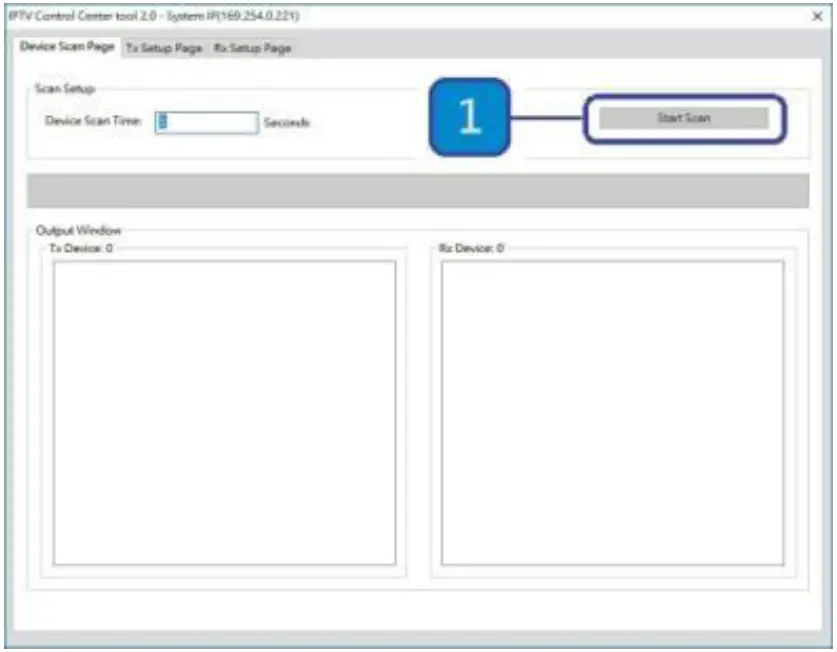
- Enter the tool in “Device Scan Page” and click on “Start Scan” to search for the connected devices. The connected devices will be indicated in “Output Window” area. (Illustration
[1] [2])
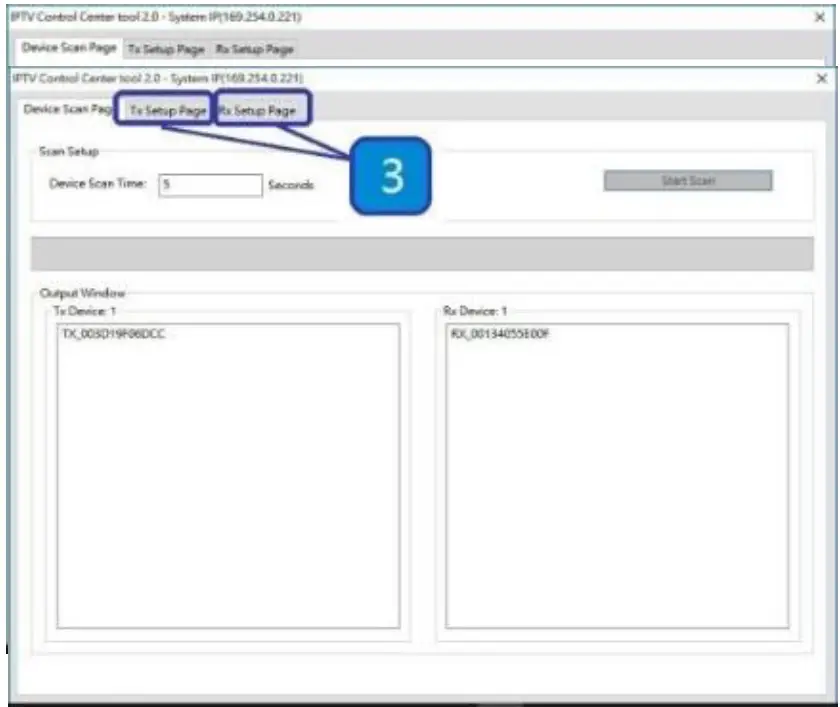
- In the “TX Setup Page” to do transmitter setting and in the “RX Setup Page” to do receiver setting separately. ( Illustration [3])

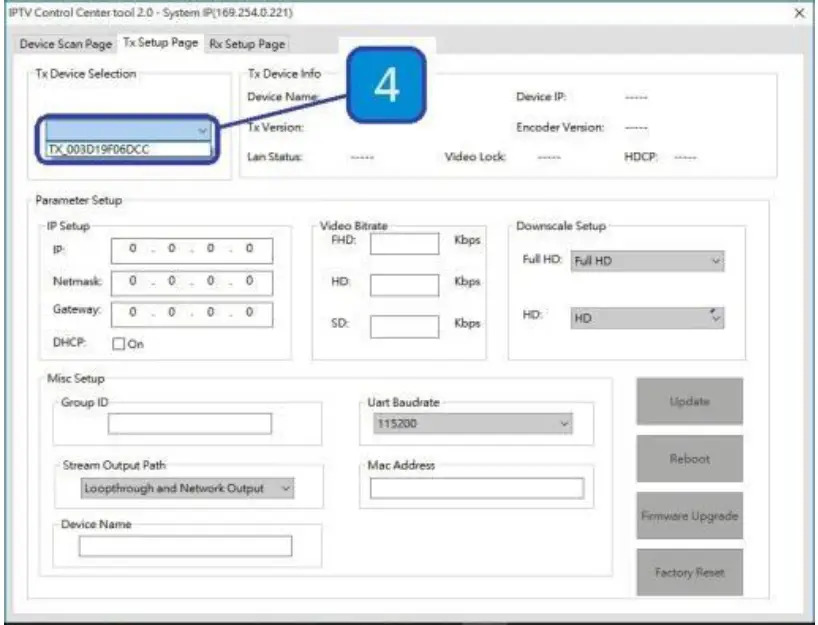
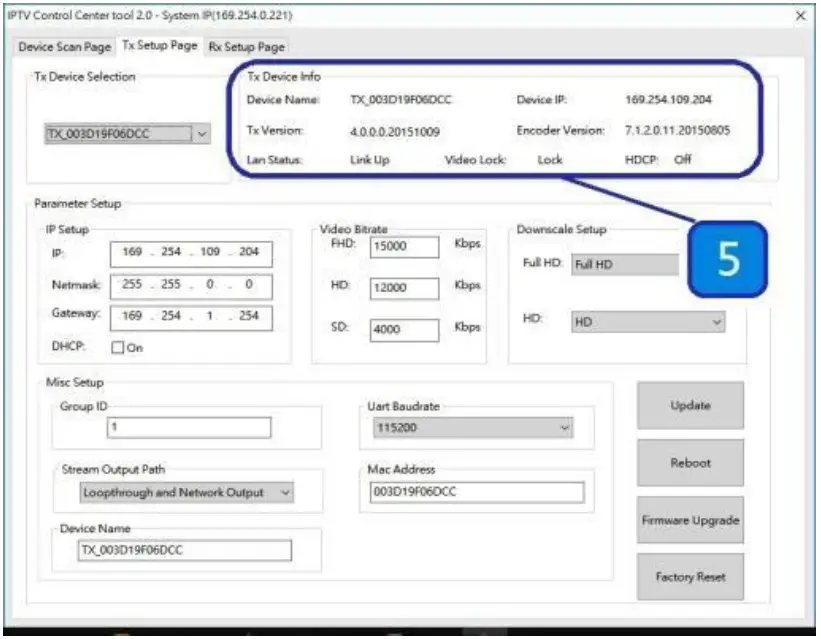
- TRANSMITTER SETTING In the “TX Setup Page”, please select the TX device which is required to setup on the “TX Device Selection” and the relevant setting information of the selected TX device will be shown in the “TX Device Info” area (Illustration [4] [5])


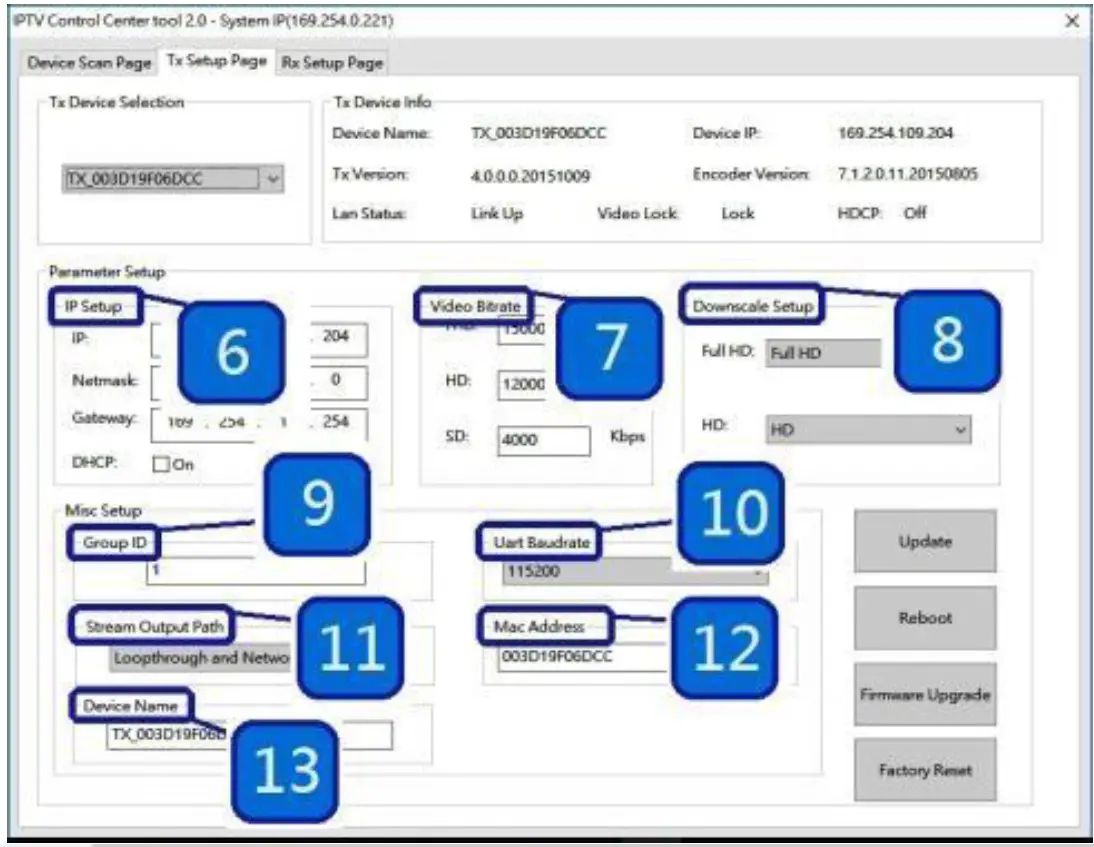
The setting functions of the transmitter clarified below, please set up based on the request of the application site.- IP Setup:
Setting the static IP of the selected TX. **We suggest activating the DHCP automatic IP assignment to avoid the conflict of IP address.(Illustration [6]) - Video Bitrate:
Setting the resolution’s video bitrate of each group on the selected TX (Illustration [7]) - Down Scale Setup:
Setting the resolution downscale of each group on the selected TX. (Illustration [8]) - Group ID:
Setting the selected TX group ID, maximum up to 64 groups from 0 to 63. (Illustration [9]) - UART Baudrate:
Setting the baud rate of RS-232 extension on the selected TX. (Illustration [10]) - Stream Output Path:
Setting the selected TX video output path. Options including “Loopthrough and Network Output”, “Disable Network Output”, “Disable Loopthrough Output” and “Disable All Video Output” to activate the HDMI output on the transmitter and receiver simultaneously or separately. (Illustration [11]) - MAC Address:
Setting the selected TX MAC address with 12 digits and hexadecimal base, values is limited to 0~F. Please use the legal MAC address to avoid conflict with other devices.(Illustration [12]) - Device Name:
Setting the selected TX name for identification. Up to 32 digits is accepted for the device name setting. (Illustration [13])
- IP Setup:
- RECEIVER SETING
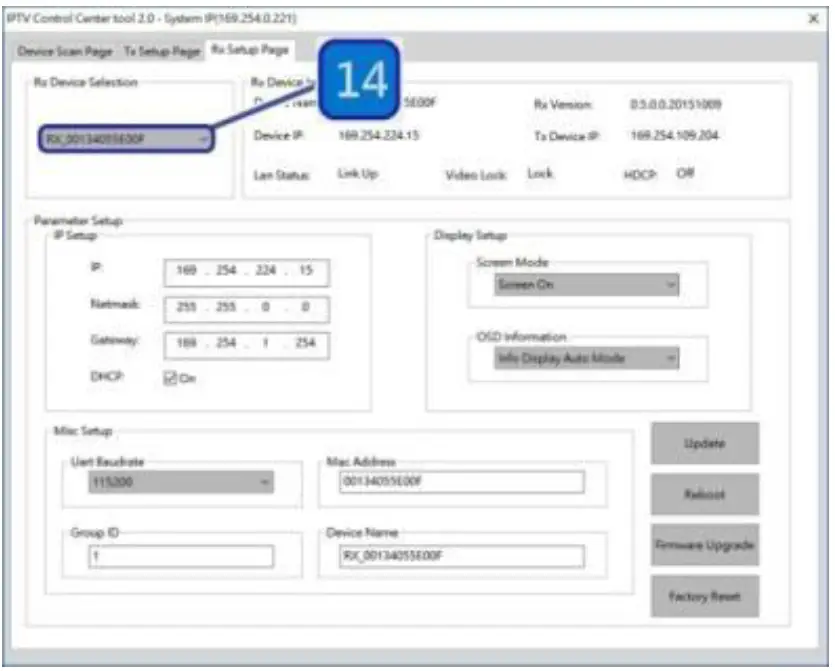
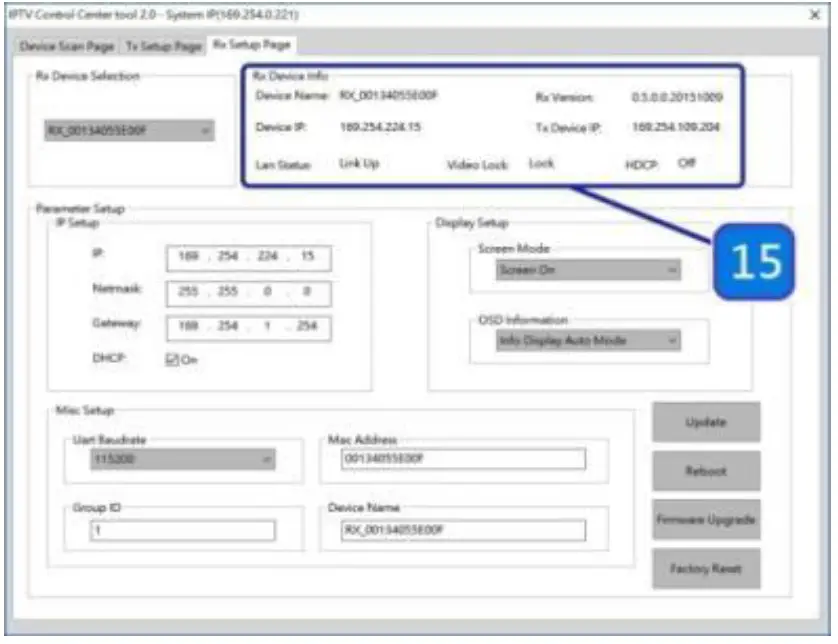
In the “RX Setup Page”, please select the RX device which is required to setup on the “RX Device Selection” and the relevant setting information of the selected RX device will be shown in the “RX Device Info” area (Illustration [14] and [15])

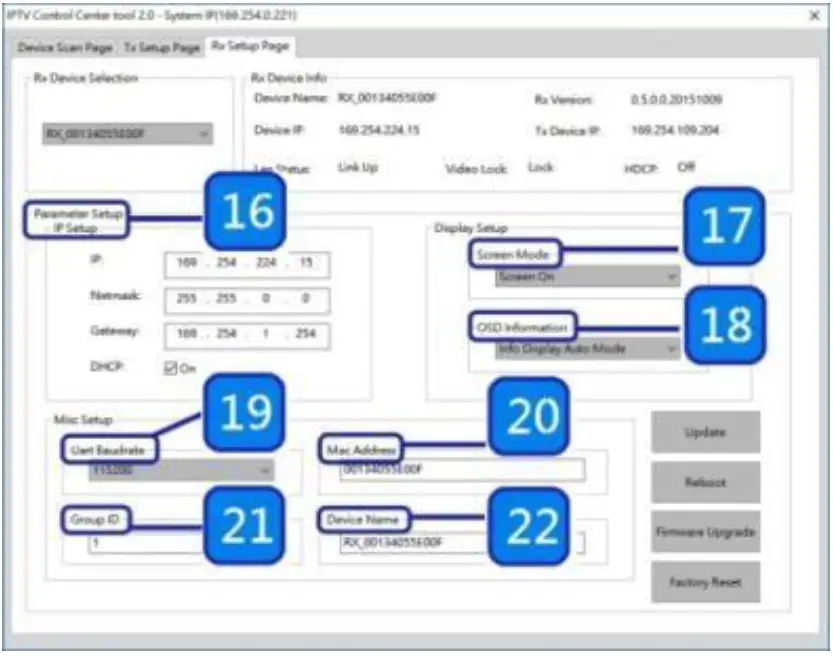
The setting functions of the receiver clarified below, please set up based on the request of the application site.- IP Setup:
Setting the static IP of the selected RX(Illustration [16]) - Screen Mode:
Setting to display the video on the selected RX or not. (Illustration [17]) - OSD Information:
Setting the OSD display mode on the selected RX, OSD display modes including “Info Display Auto Mode”, “Infor Display On Mode” and “Info Display Off Mode”.
(Illustration [18]) - UART Baudrate:
Setting the baud rate of RS-232 extension on the selected RX. (Illustration [19]) - MAC Address:
Setting the selected RX MAC address with 12 digits and hexadecimal base, values is limited to 0~F. Please use the legal MAC address to avoid conflict with the devices. (Illustration [20]) - Group ID: Setting the selected RX to the group ID for streaming between the corresponding TX and RX, maximum up to 64 groups from 0 to 63 (Illustration [21])

- Device name: Setting the selected RX name for identification. Up to 32 digits is accepted for the device name setting. (Illustration [22])
- IP Setup:
- NOTICE:
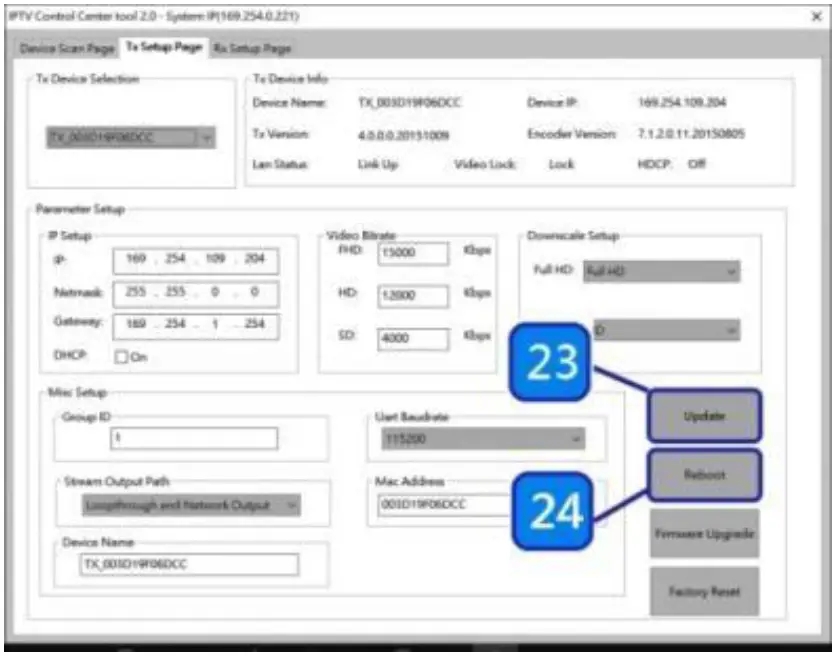
Please reboot after setting up the CE-H26411-S1 system via the PC tool and the previous setting via hardware or software will be ignored, the system will auto detect to update the latest setting and apply as the start mode. (Illustration [23] and [24])
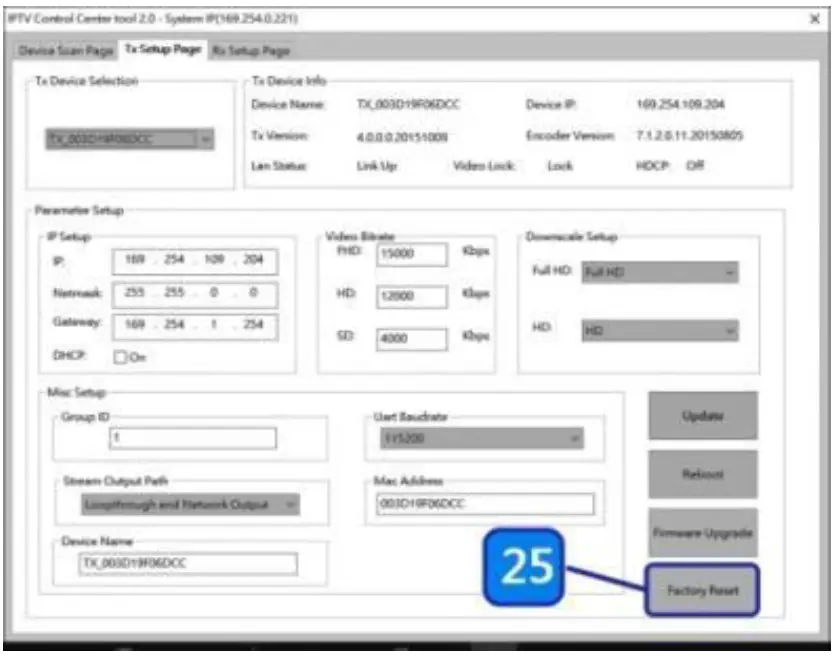
- When the system is instable or setting incompletely, please click on “Factory Reset” to recover the initial default of the system. (Illustration [25])

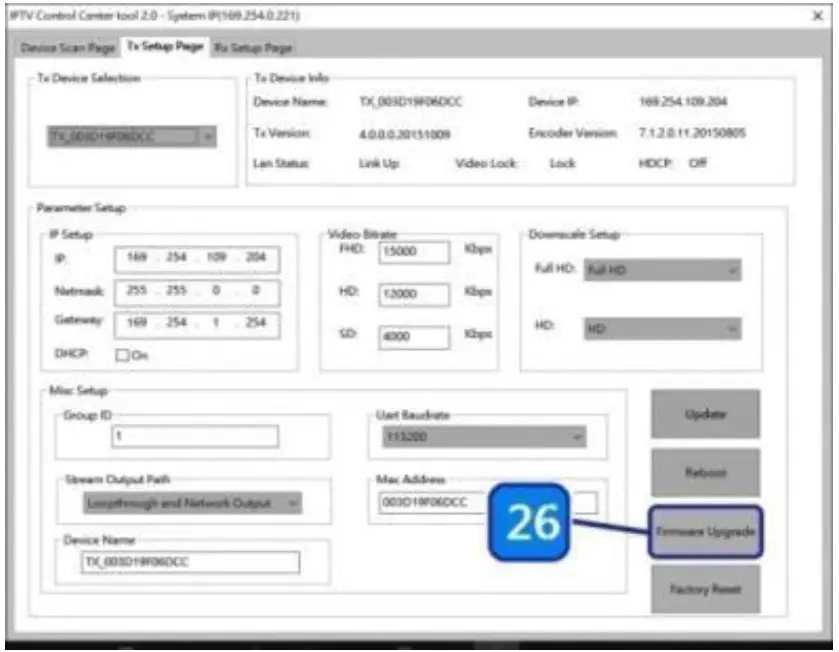
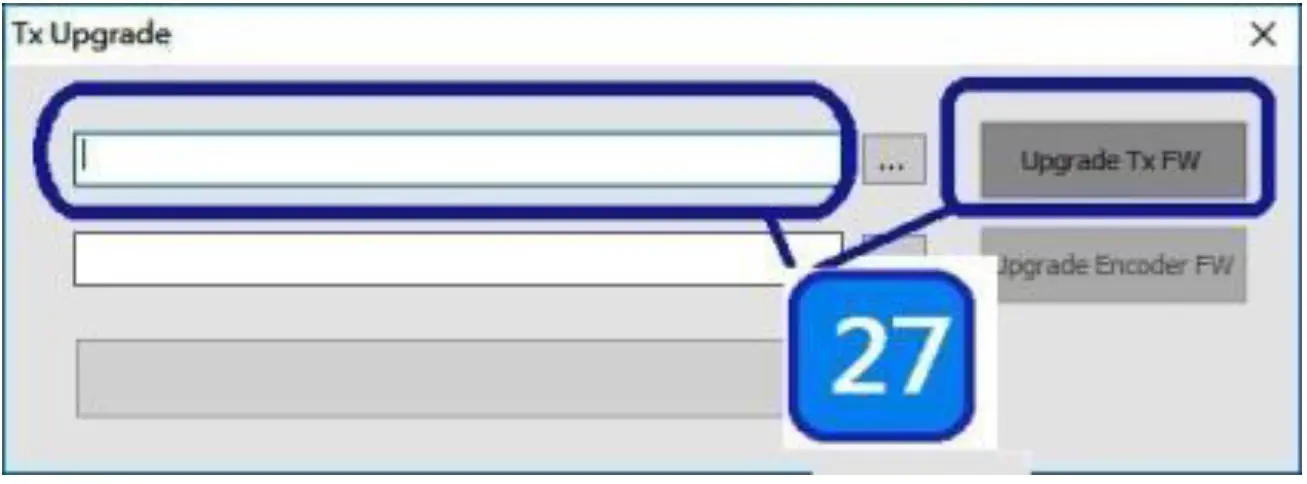
- The CE-H26411-S1 system can be firmware upgraded via PC. To upgrade the firmware please click on “Firmware Upgrade” and select the path to save the firmware and click on “Upgrade TX Firmware” to accomplish upgrade version. (Illustration [26] and [27])


Web User Interface Configuration
TX System
TX Log-in
Log-in page will pop up when entering TX system
Default User Name and Password: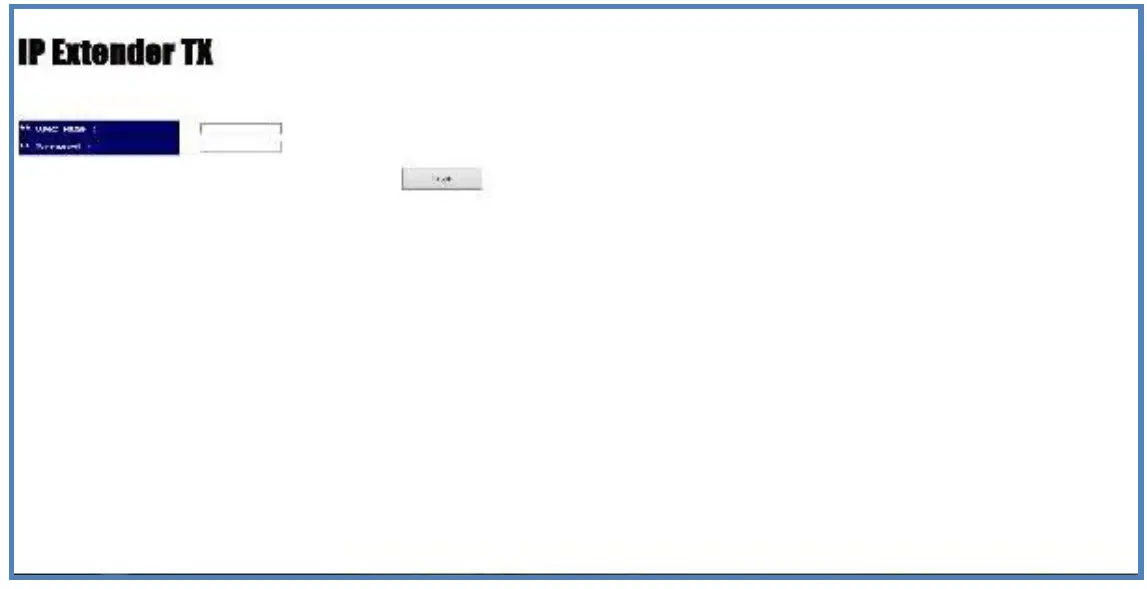
User Name: ite000
Password: 123456
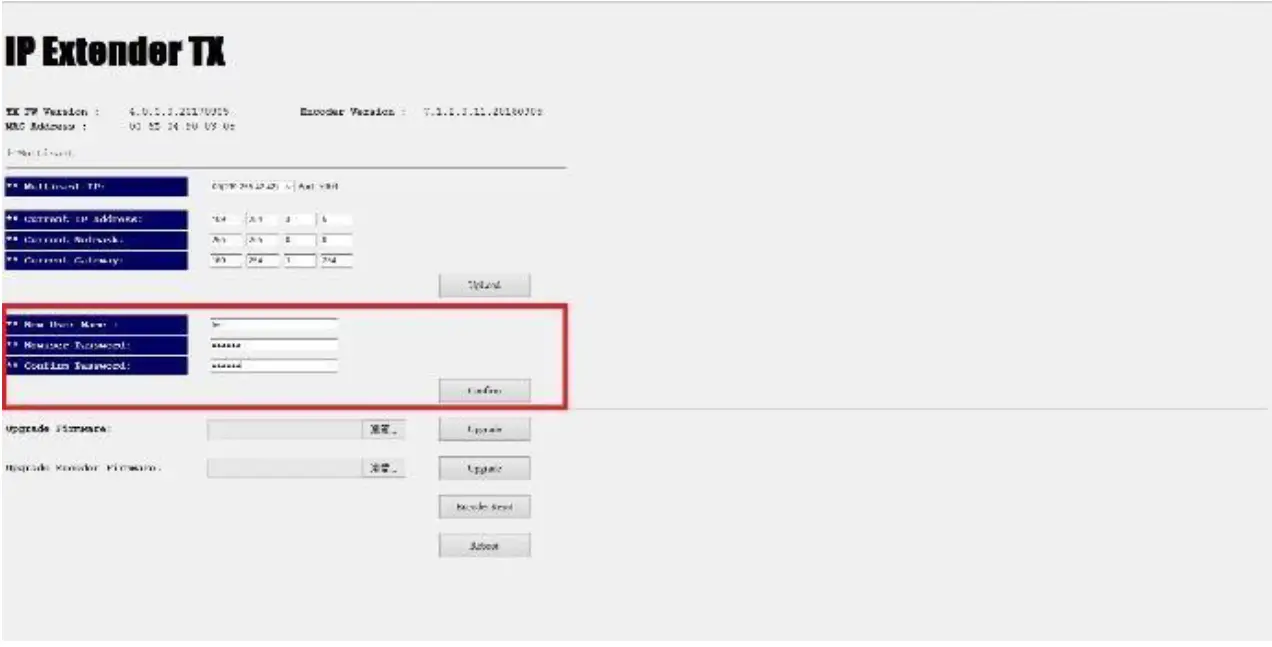
- Update User Name and Password System provides 1 set user name and password. If user doesn’t want to user default, please put preferred User Name and Password as follows. Then press “Confirm” to change user name and password.

Version Information
Here user can see firmware information and network setting of TX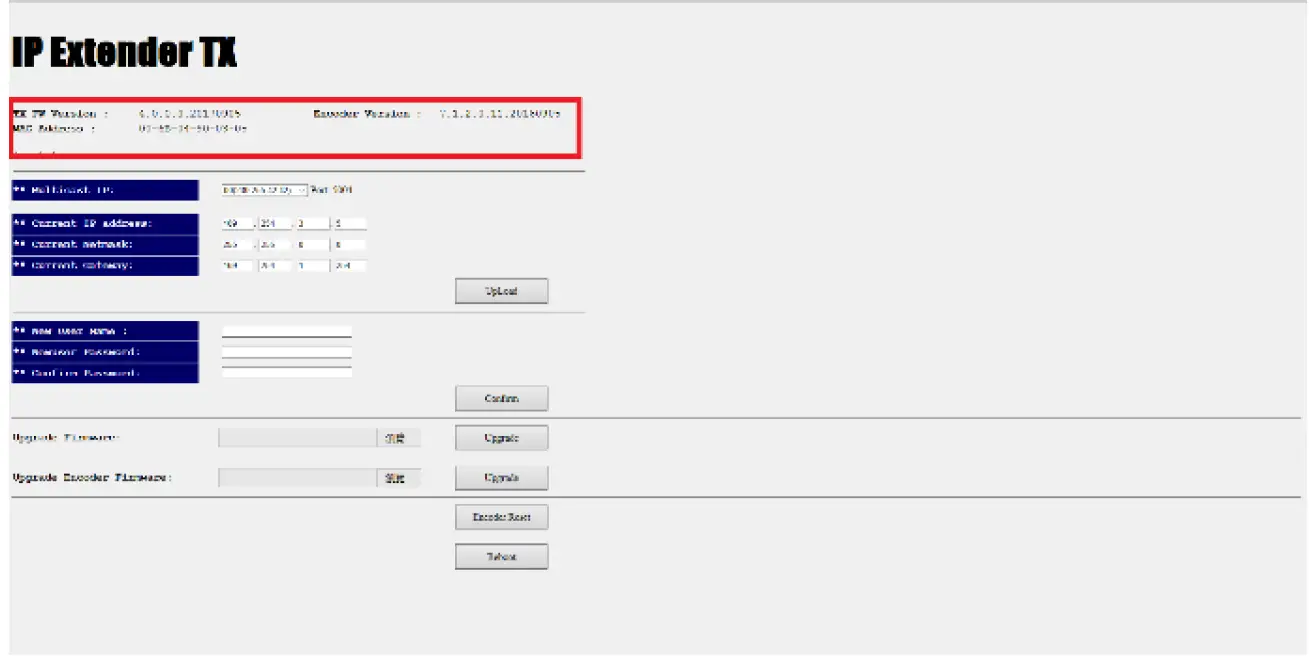
Note. Please also set TX and all RXs in the same group by setting DIP SWITCH. Multicast
To support several RX please press “Multicast” to enable multicast function.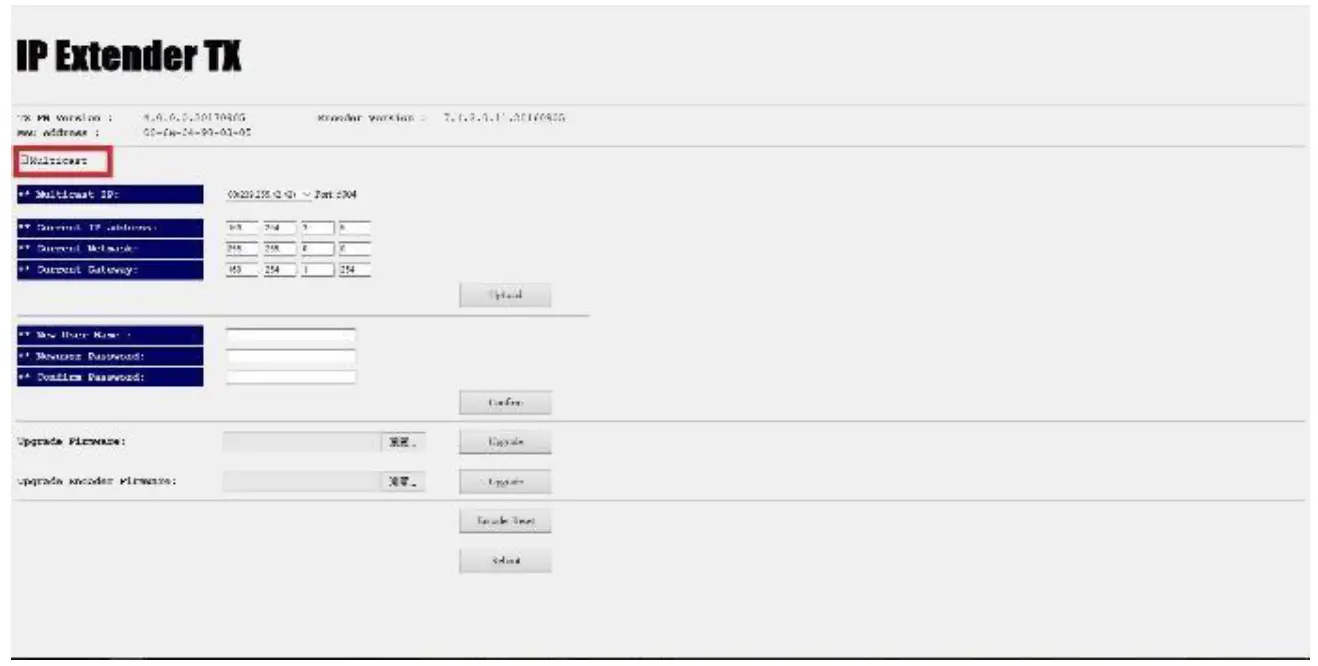
Upgrade firmware
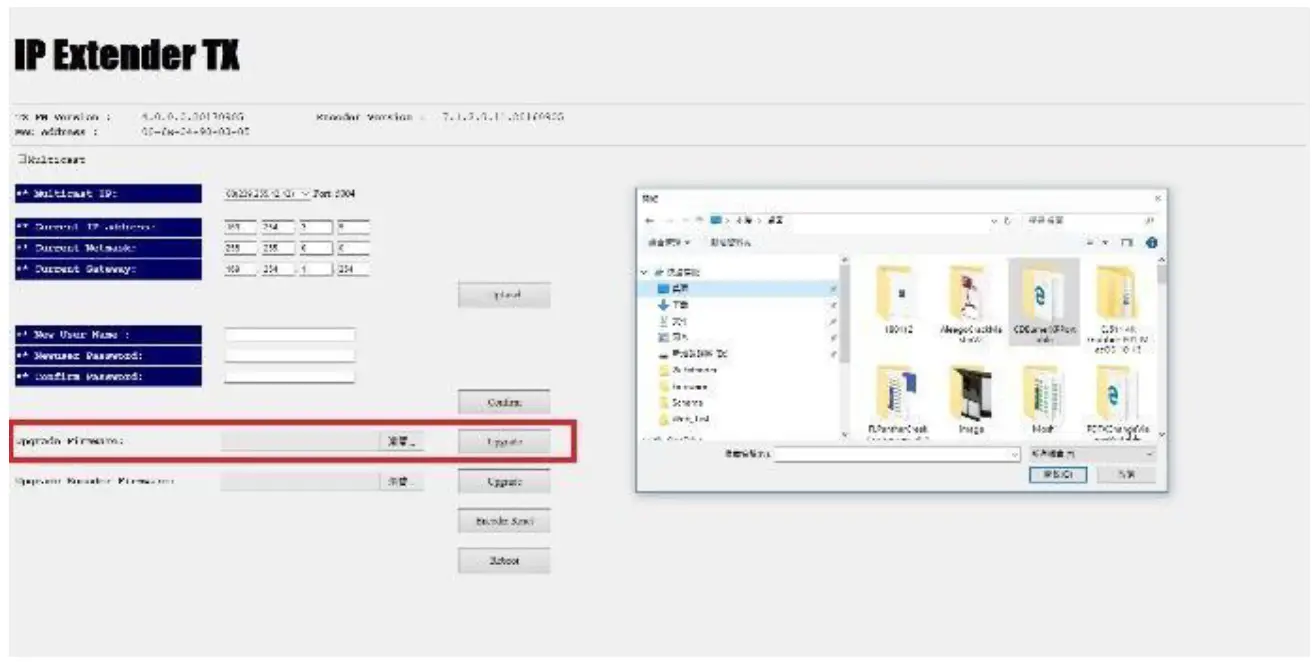
To upgrade firmware please press “Upgrade” button which is under “Upgrade Firmware”. Please choose the location of firmware file. Then press ”Upgrade” button again to load firmware and system will start firmware upgrade automatically.
 Reset
Reset
Encoder Reset:
To reboot Encoder only please click on “Encoder Reset” button.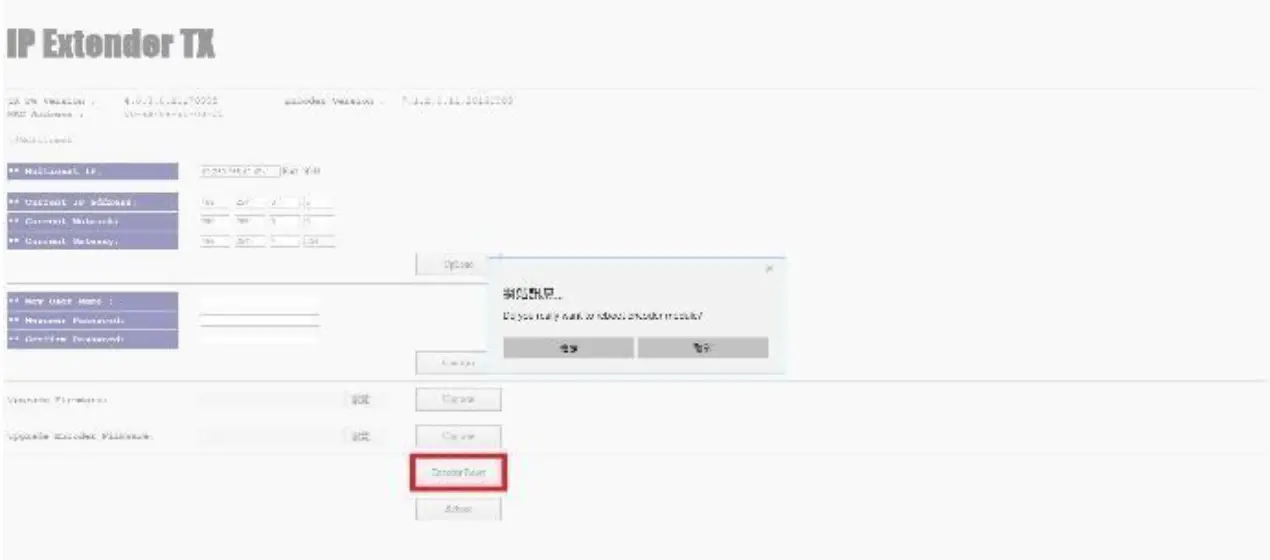
Reboot Device:
To reboot whole device please click on “Reboot” button.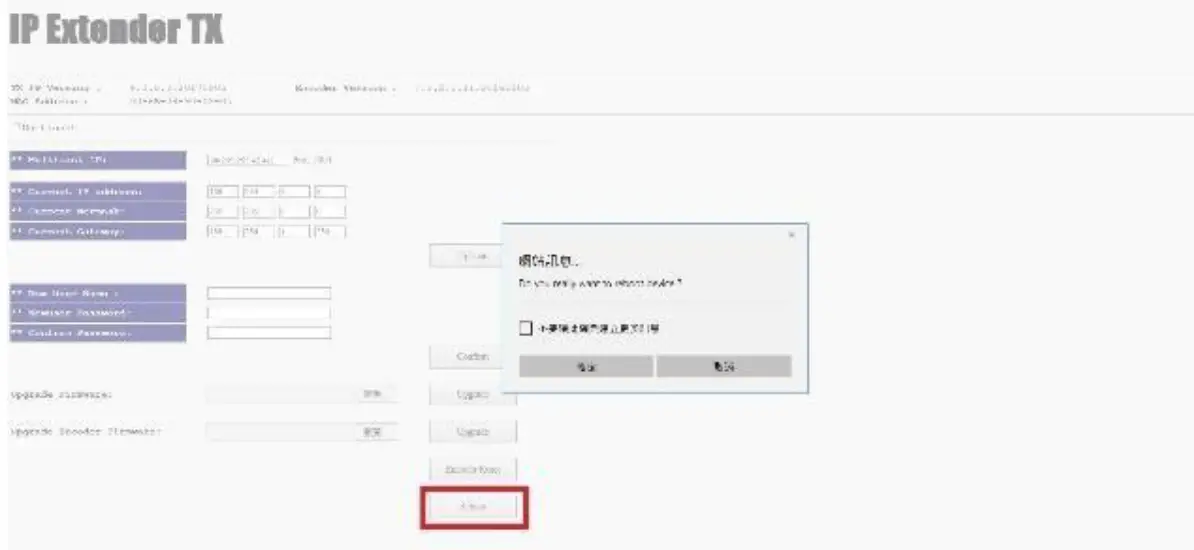
RX System
RX Log-in
Log-in page will pop up when entering RX system
Default User Name and Password: User Name: admin
Password: 123456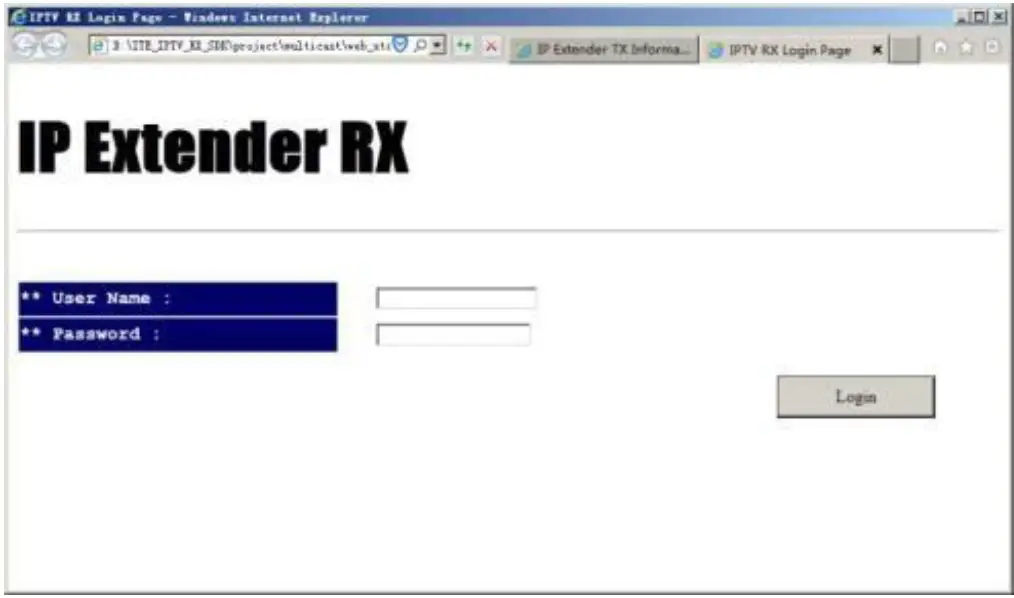
Upgrade firmware
To upgrade firmware please press “Upgrade” button which is under “Upgrade Firmware”. Please choose the location of firmware file. Then press ”Upgrade” button again to load firmware and system will start firmware upgrade automatically.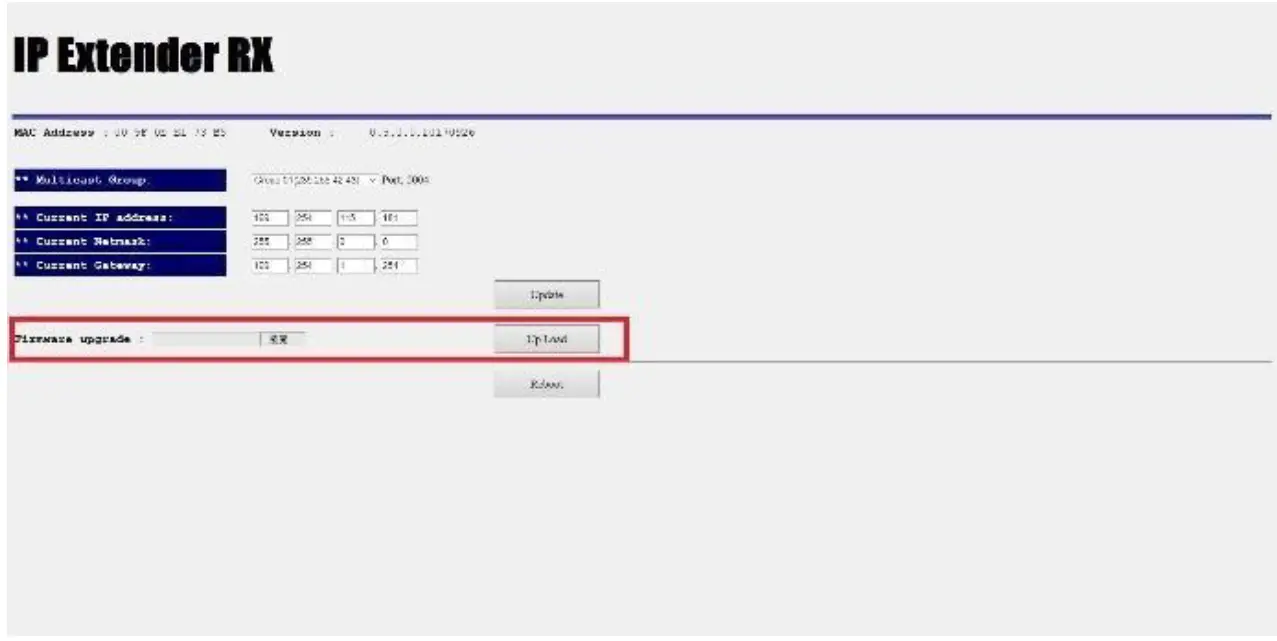
6.2.3 Reboot
To reboot whole device please click on “Reboot” button. It will show message as “Reload page after 10 seconds” in the bottom of the page.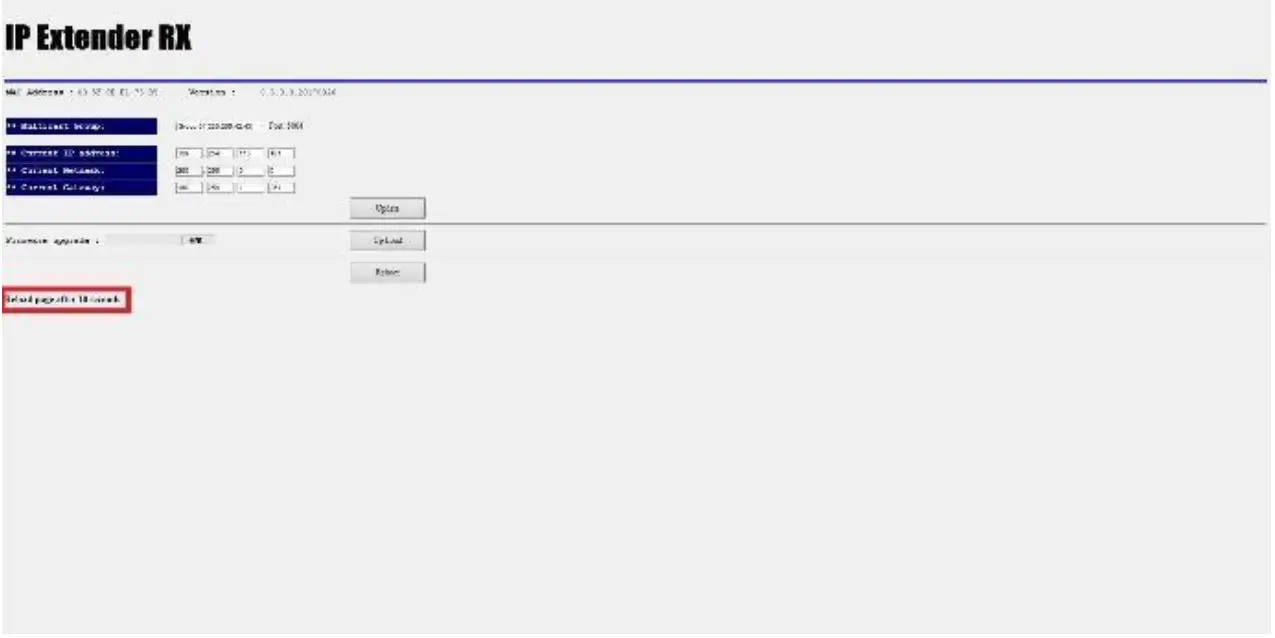
Package Contents
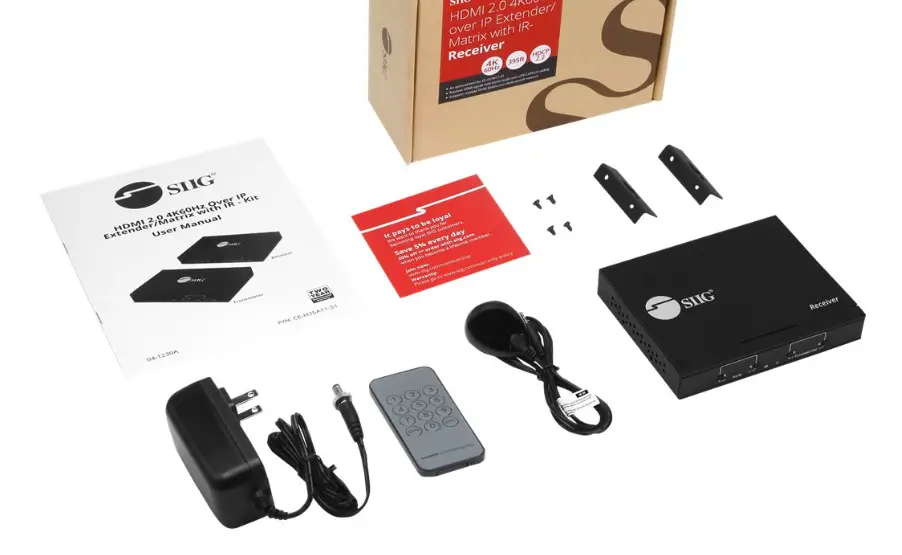
- Full HD HDMI Extender over IP with POE, RS-232 & IR – Transmitter (1)
- Full HD HDMI Extender over IP with POE, RS-232 & IR – Receiver (1)
- IR receiver cable comes with receiver (1)
- IR emitter cable comes with transmitter (1)
- User manual (1)