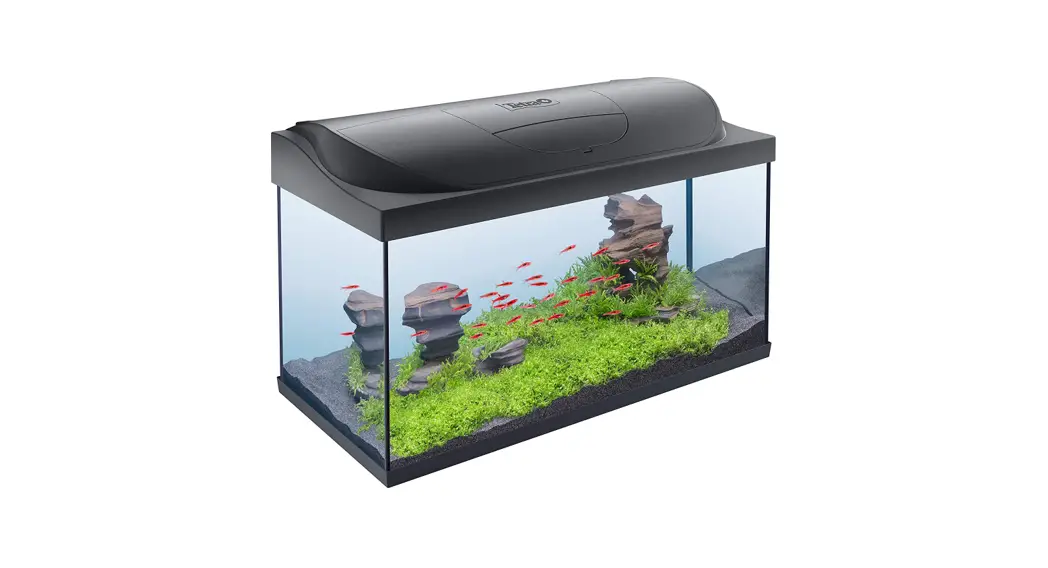
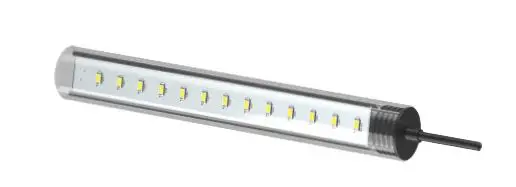
Tetra 270/430 LightWave Complete Set
SAFETY INSTRUCTIONS
Prevention of electric shocks
- Only connect the power supply to a professionally installed plug socket.
- Only connect the power supply to the mains if the local supply voltage corresponds to the specifications in the technical data.
- Protect the power supply and plug-in connectors from moisture.
- Never open the housing of the LED luminaire or the power supply.
- Do not modify the LED luminaire, the power supply or the connection cables.
- Check all components for damage before use. In case of damage, do not switch on the equipment.
- The external flexible cord of this luminaire cannot be replaced; if the cord is damaged, the luminaire shall be destroyed.
- The external flexible cord of the power supply cannot be replaced; if the cord is damaged, the power supply shall be destroyed.
- In case of damage, immediately unplug the power supply from the mains
Prevention of injuries and risks to people
- Do not allow children to play with the packaging materials. There is a risk of choking.
- Rapidly changing brightness levels/strobe effects of the LED light can trigger epileptic seizures. People with epilepsy should not be exposed to these effects.
- Never look directly at the LEDs. Strong LED radiation can cause eye injuries.
- Ensure the connection cables do not pose a trip hazard.
- Glass breakage results in a risk of cuts. Wear protective gloves when removing shards of glass.
Preventing material damage - Do not bend or crush the connection cables.
- Only use the LED luminaire with the power supply provided or a replacement power supply from Tetra.
- Only use original spare parts and accessories.
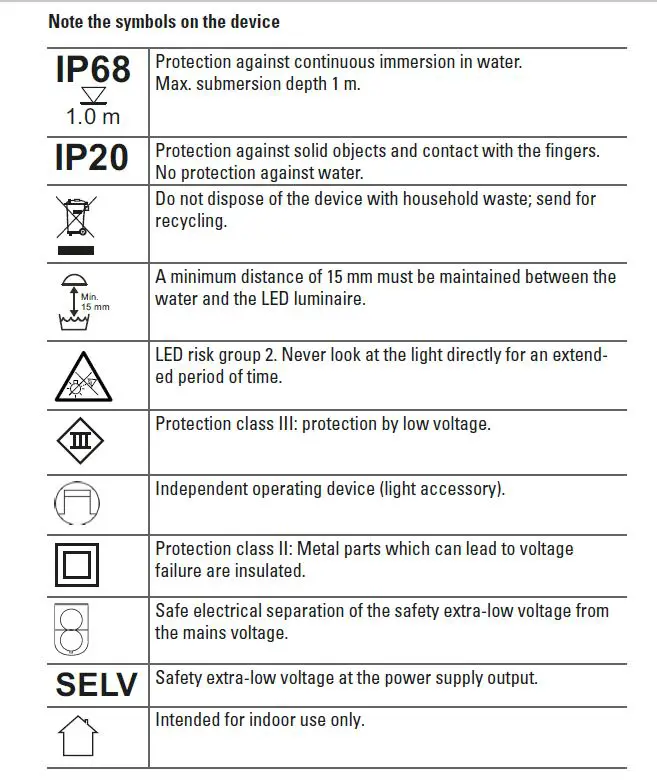
Note the symbols on the device
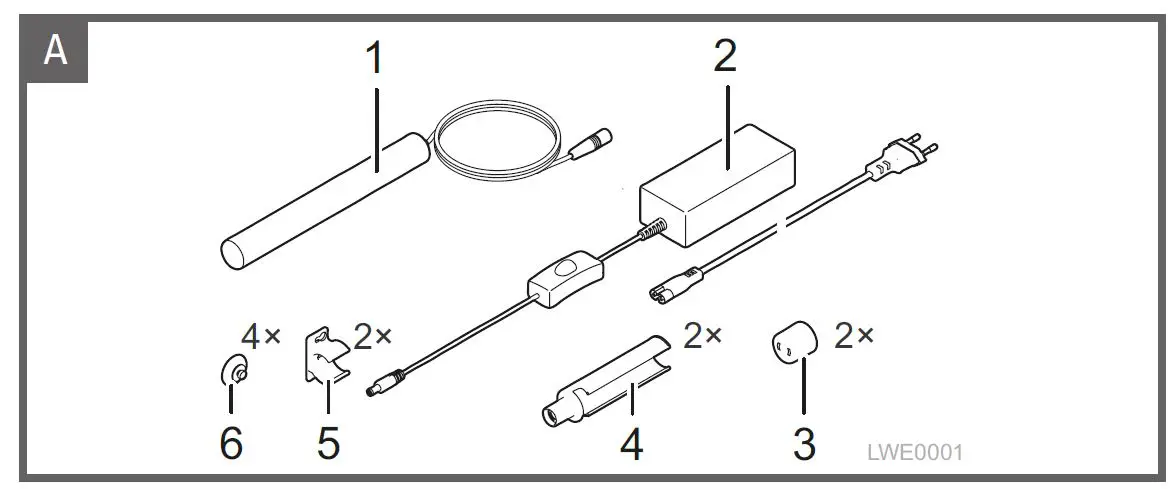
SCOPE OF DELIVERY
Fig. A
- LED luminaire
- Power supply
- T5 adapter
- T8 adapter
- Clip
- Suction cup
PRODUCT BASICS
Product description
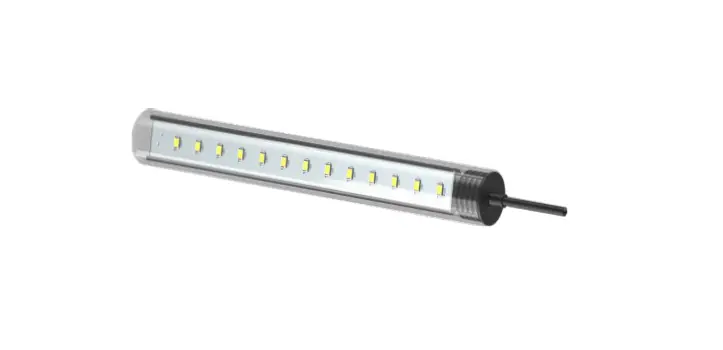
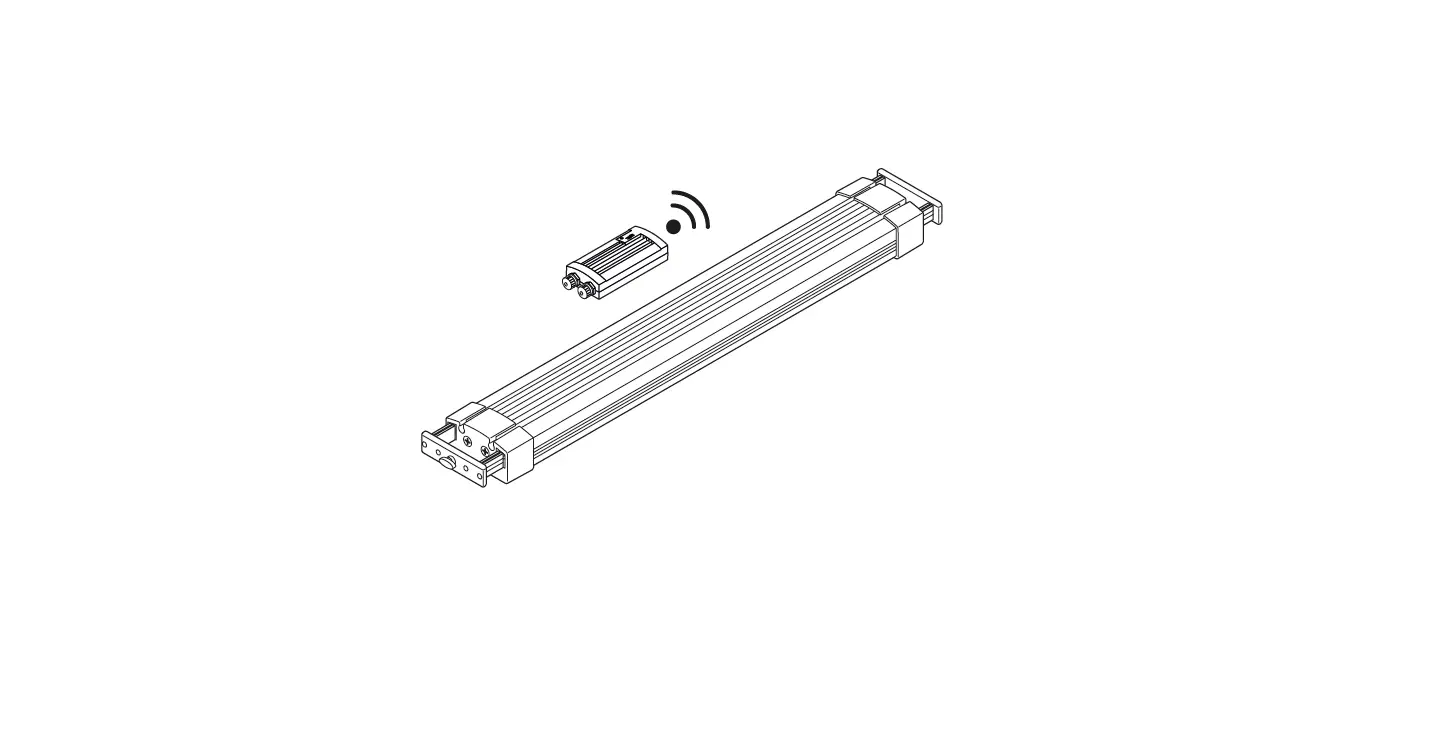
The LightWave Complete Set provides LED luminaire for aquariums. The optional LightWave Timer can be used to control various additional functions.
Intended use
Only use the LightWave Complete Set
- as LED luminaire for an aquarium or terrarium,
- in indoor areas,
- for private use,
- In line with the technical data.
INSTALL T5/T8 LAMP HOLDER
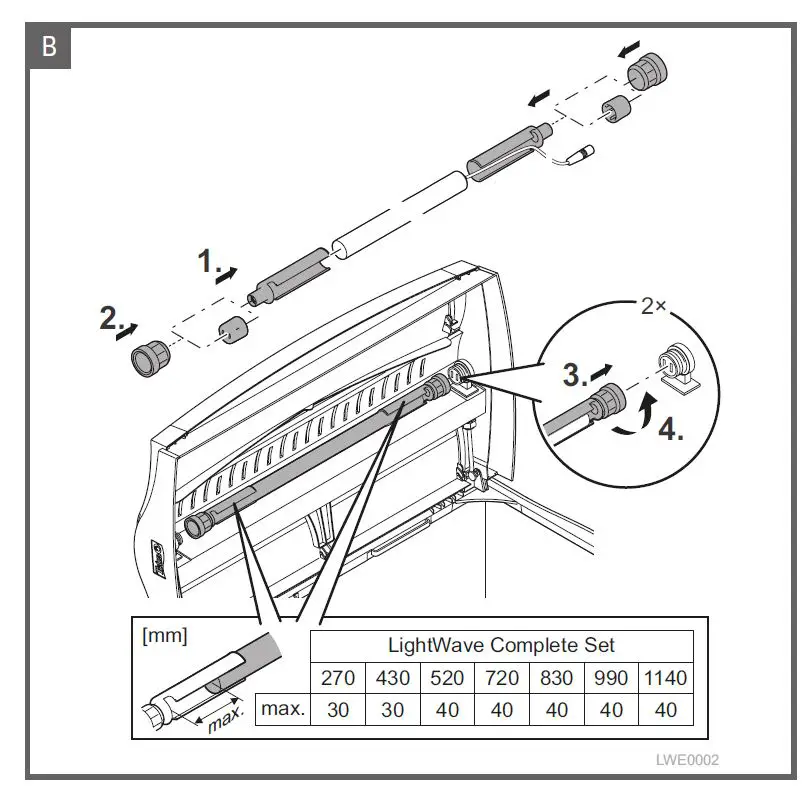
The LED luminaire is installed in the existing lamp holder using a T5 and/or T8
adapter. The original union nuts and lamp holder seals will be required.
- The adapters can be extended to fit the aquarium width (LightWave Complete Set 270/430: max. 3 cm on each side, LightWave Complete Set 520/720/830/990/1140: max. 4 cm on each side). Procedure:
Fig. B - T5 lamp holder: use T5 adapter.
- T8 lamp holder: use T5 adapter with T8 adapter.
ATTACH LED LUMINAIRE WITH CLIPS
The clips can be screwed on or attached to the aquarium wall with suction cups. Procedure:
Fig. C
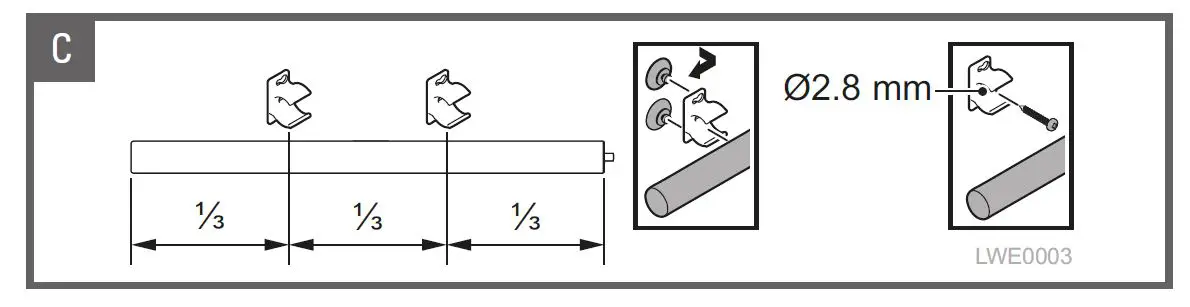
• Maintain the specified distance between the clips.
• Attach clip using screws: use flat head screws only, no countersunk screws.
– Screw the clip onto a firm base so that the LED luminaire is held in place securely.
NOTICE: The screw head must be totally flush with the nut to avoid damaging the LED luminaire.
• Attach clip using suction cups: to ensure that the suction cups hold securely, moisten and use on smooth, grease-free and clean surfaces
INITIAL USE
CAUTION
Strong LED radiation can dazzle and injure your eyes.
• Never look at the LED directly for an extended period of time. The power supply can operate the LED luminaire supplied and no more than one additional LED luminaire of the LightWave range. The additional luminaire is available as a LightWave Single Light. A LightWave Splitter is required to operate two LED luminaires.
• Only use the LightWave Splitter with LightWave LED luminaire of the same length. Procedure:
Fig. D
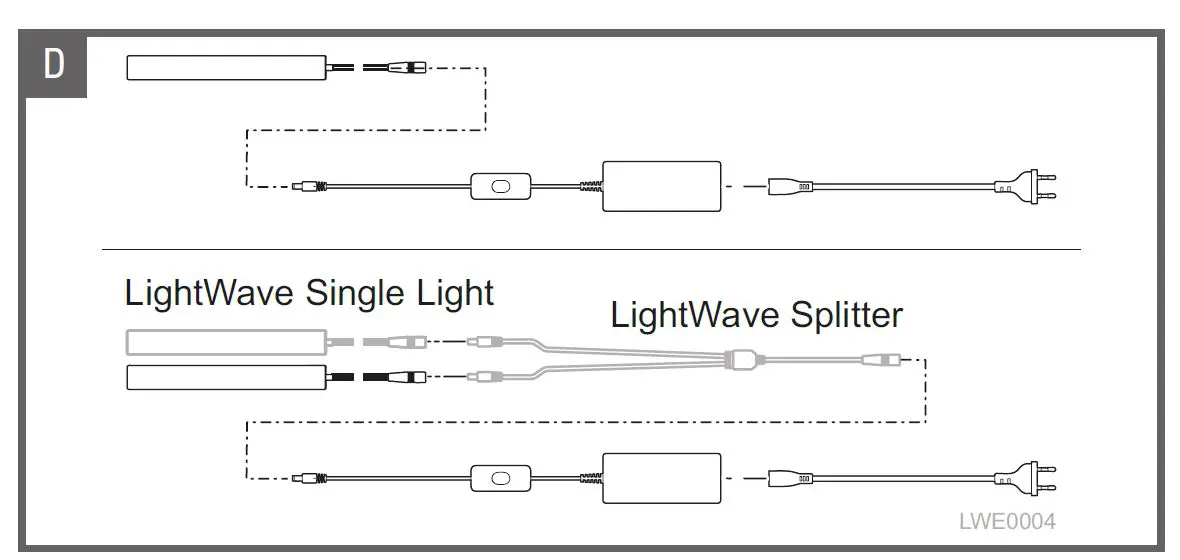
1. Connect all components and connect the power supply to the mains.
– Do not attach electric accessories, such as the power supply, to the aquarium in order to avoid contact with water.
2. To switch the device on and off, use the switch on the power supply.
CLEANING AND CARE
The LightWave Complete Set is maintenance-free but requires occasional cleaning. Simply wipe the luminaire and the power supply with a damp cloth.
NOTE
Do not use chemical cleaning agents as these can be harmful to animals, plants and the environment.
REPAIRS
The LED packages in the LED luminaire are not replaceable. When the LED packages reaches their end of life, the whole LED luminaire must be replaced. In the event of a malfunction, contact the manufacturer or a specialist retailer.
DISPOSAL
The LightWave Complete Set contains electronic components and cannot be disposed of with standard household waste.
• Dispose of the device using the return system for your area so that the raw materials can be recycled.
• Cut off all cables prior to disposal to prevent the device from being used.
WARRANTY
Thanks to state-of-the-art production technology, premium-quality components and stringent quality controls, the LightWave Complete Set comes with a twoyear warranty from the purchase date. Please save your receipt. The warranty shall not apply in the event of improper handling, standard wear and tear, failure of up to 4% of the LEDs or interference with the device technology. Your statutory warranty claims remain unaffected. In the event of complaint, please contact your retailer or Tetra:
Tetra technical support centre, Postfach 1580, 49304 Melle, Germany www.tetra.
TECHNICAL SPECIFICATIONS
| LightWave Complete Set Power supply | 270 | 430 | 520 | 720 | 830 | 990 | 1140 | ||
| Mains voltage | 230 | 230 | 230 | 230 | 230 | 230 | 230 | V AC | |
| Mains frequency | 50 | 50 | 50 | 50 | 50 | 50 | 50 | Hz | |
| Max. input current | 0.6 | 0.9 | 0.9 | 1.3 | 1.3 | 1.3 | 1.3 | A | |
| Output voltage | 12 | 12 | 12 | 12 | 20 | 20 | 20 | V DC | |
| Max. output current | 1.5 | 3 | 3 | 4 | 3 | 3 | 3.5 | A | |
| Protection rating | IP20 | IP20 | IP20 | IP20 | IP20 | IP20 | IP20 | ||
| Dimensions | Height | 32 | 32 | 32 | 32 | 34 | 34 | 36 | mm |
| Width | 50 | 50 | 50 | 50 | 54 | 54 | 64 | mm | |
| Depth | 89 | 115 | 115 | 115 | 130 | 130 | 124 | mm | |
| Cable length | 500 | 500 | 500 | 500 | 500 | 500 | 500 | mm | |
| LightWave Complete Set LED luminaire | 270 | 430 | 520 | 720 | 830 | 990 | 1140 | ||
| Connection voltage | 12 | 12 | 12 | 12 | 20 | 20 | 20 | V DC | |
| Power consumption | 6,3 | 12 | 14,2 | 19,4 | 21 | 23,4 | 28,4 | W | |
| Protection rating | IP68 | IP68 | IP68 | IP68 | IP68 | IP68 | IP68 | ||
| Max. immersion depth | 1 | 1 | 1 | 1 | 1 | 1 | 1 | m | |
| Energy efficiency class | E | E | E | E | E | E | E | ||
| Number of LEDs | 12 | 24 | 27 | 39 | 48 | 54 | 66 | ||
| Brightness | 603 | 1209 | 1456 | 1939 | 2511 | 2864 | 3444 | lm | |
| Colour temperature | 6478 | 6612 | 6526 | 6566 | 6582 | 6570 | 6654 | K | |
| Dispersion angle | 120 | 120 | 120 | 120 | 120 | 120 | 120 | ° | |
| Lighting length | 205 | 365 | 455 | 660 | 765 | 925 | 1075 | mm | |
| Lighting + adapter length | 270-330 | 430-490 | 520-600 | 720-800 | 830-910 | 990-1070 | 1140-1220 | mm | |
| Cable length | 1500 | 1500 | 1500 | 1500 | 1500 | 1500 | 1500 | mm | |
| Weight | 0.16 | 0.24 | 0.28 | 0.39 | 0.46 | 0.53 | 0.61 | kg | |
WARNING
- This device is suitable for use by children aged 8 and over as well as people with reduce physical, sensory or mental capacities or a lack of experience and knowledge if they are supervise or have been instructed how to safely use the device and understand the resultant risks.
- Children must not play with the device.
- Children must not conduct cleaning or user maintenance activities without supervision.
- Always switch off and unplug all devices in the aquarium before carrying out any tasks which require reaching into the water.
- Do not use the device if the electrical cables or housing are damaged.
- Damaged connection cables cannot be replaced Dispose of the device.