
JLL IC300 Monitor 
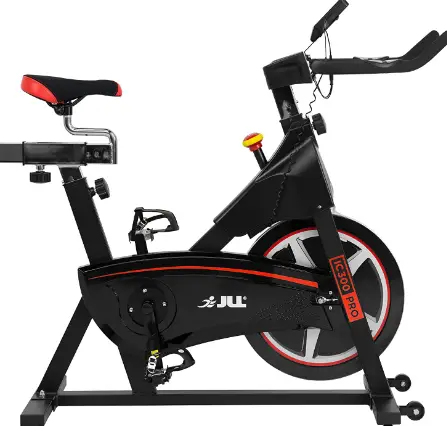
IC300 MONITOR
Product Information
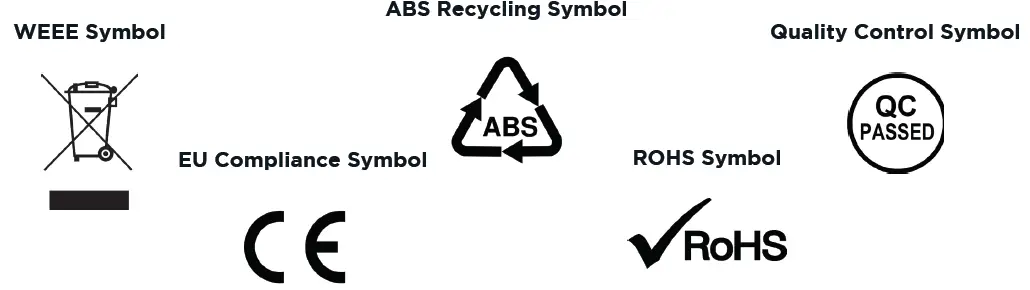
The IC300 Monitor is a fitness equipment product manufactured by JLL Fitness Ltd. The monitor has been tested and passed regulations for Waste Electrical and Electronic Equipment Recycling, Acrylonitrile Butadiene Styrene (ABS) recycling, EU directives regarding health and safety or environmental protection, Quality Control, and Restriction of (the use of certain) Hazardous Substances in electrical and electronic Equipment (ROHS).
Product Usage
Safety Precautions
Before using the IC300 Monitor, it is important to read and follow the safety precautions outlined in the user manual. The monitor has been tested to required standards and each of those passed regulations are shown via the symbols provided in the manual.
Cleaning
To clean the monitor, use a soft dry cloth. Do not spray cleaning chemicals directly onto the monitor or apply water to the monitor as it is electrical and may damage the internal components.
Installation
To install the monitor, follow the below steps:
STEP 1: Insert the batteries, making sure they are the correct way round.
STEP 2: Connect the male to female wires from the base to the monitor.
STEP 3: Connect the pulse wire from the base to the monitor.
STEP 4: Secure the monitor to the handlebars by slotting it onto the frame.
Operation
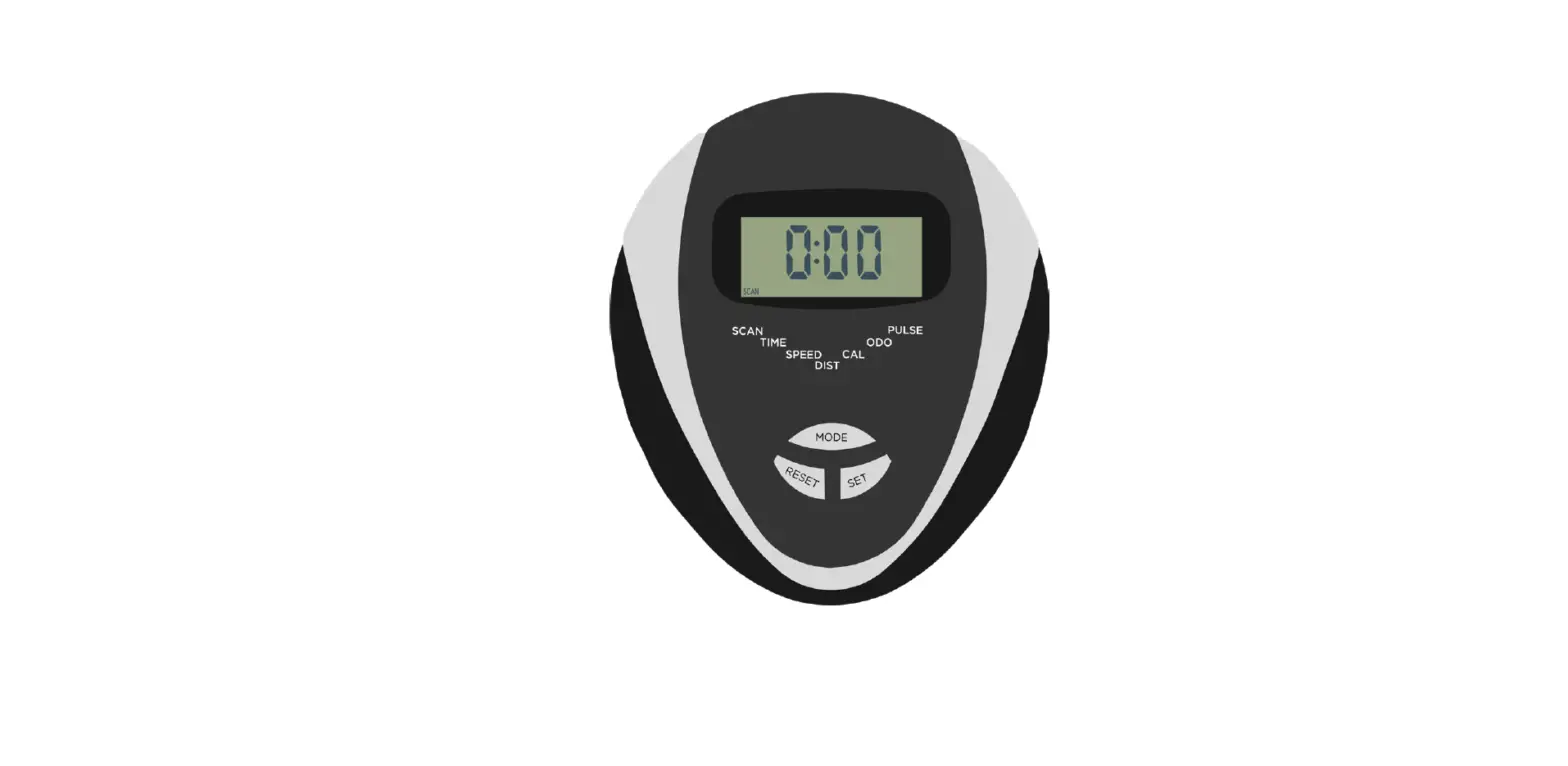
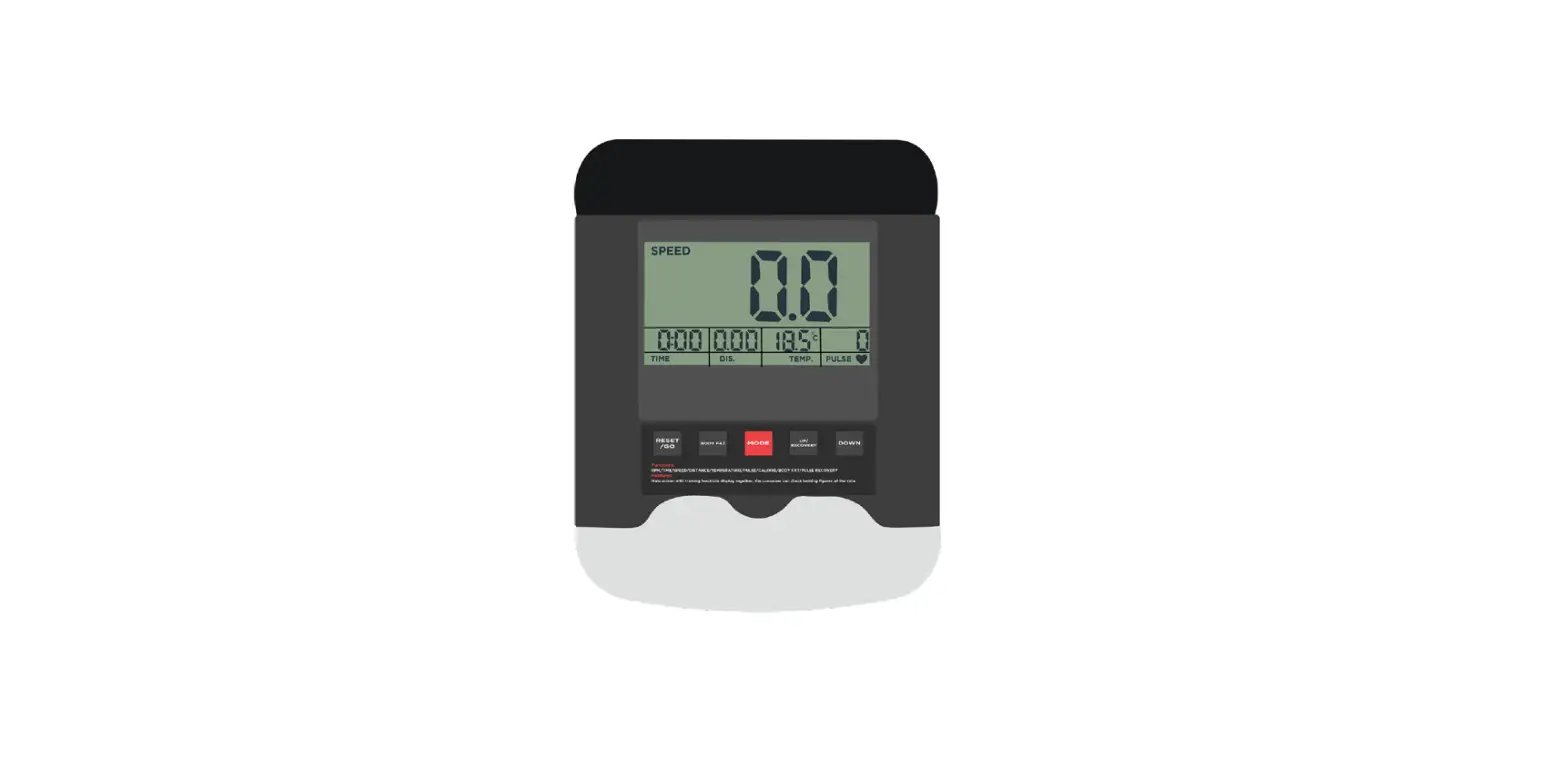
The IC300 monitor has a total of 6 readouts, displaying Time, Speed, Distance, Odometer, Heart Rate, and Calories. When first
powered on, the monitor will automatically be in `Scan’ mode. This means the digits on the screen will change every few seconds
between time, distance, speed, etc. This will allow you to have an overview while training without pressing any buttons.
Exiting Scan Mode
To exit scan mode, press the button on the monitor. To view each readout continuously, press the same button. The arrow at the top of the screen will indicate which setting you are currently viewing.
Resetting Your Monitor
To reset all of the readings to zero, press and hold the button for a few seconds. You will then see the digits flash zero’s and the
monitor will beep.
Data Readouts
The IC300 monitor has a total of 6 readouts:
- Time: Minutes : Seconds
- Speed: MPH
- Distance: Miles
- Pulse: PPM (Pulsations Per Minute)
- Odometer: Miles
Troubleshoot
If you experience any issues with the monitor, refer to the user manual for resolutions.
Contact Details:
For further assistance, contact JLL Fitness Ltd via Tel: 0121 328 7507, Email: [email protected], or Live Chat:
WWW.JLLFITNESS.CO.UK.
COPYRIGHT
The contents of this manual are subject to change without notice to improve quality.
© 2023 JLL Fitness Ltd
JLL Fitness Ltd owns the copyright for this manual. Use or reproduction of this manual in parts or entirety without the authorization of JLL Fitness Ltd is prohibited.
SAFETY PRECAUTIONS
The monitor on this machine has been tested to the required standards, each of those passed regulations are shown via the following symbols:
- WEEE – Waste Electrical and Electronic Equipment Recycling.
- ABS – Acrylonitrile Butadiene Styrene often referred to as ABS is a type of plastic that is an opaque thermoplastic.
- CE – The product conforms with relevant EU directives regarding health and safety or environmental protection.
- QC Pass – A product which has fulfilled the requirements of a technical control and passed the outgoing exams.
- ROHS – This is an abbreviation for “Restriction of (the use of certain) Hazardous Substances in electrical and electronic Equipment”.
- ABS Recycling Symbol
CLEANING
Please take care when cleaning this monitor as the LCD screen can easily be scratched.
 You will need a soft dry cloth.
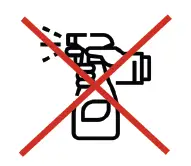 Do not spray cleaning chemicals directly onto the monitor.
 Do not apply water to the monitor as it is electrical and may damage the internal components.
INSTALLATION
STEP 1
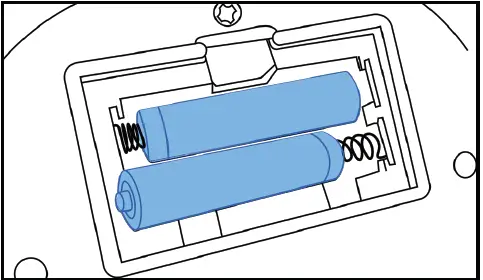
- Insert the batteries, making sure they are the correct way round.
STEP 2
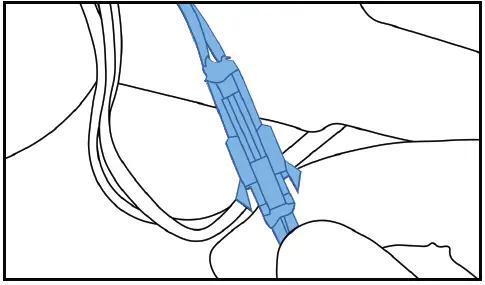
- Connect the male to female wires from the base to the monitor.
STEP 3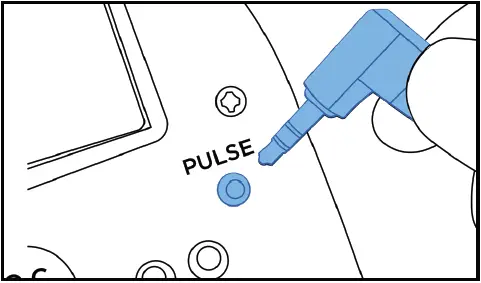
- Connect the pulse wire from the base to the monitor.
STEP 4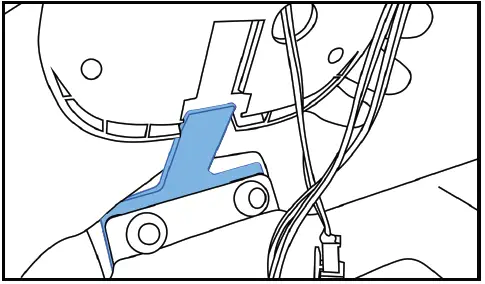
- Secure the monitor to the handlebars by slotting it onto the frame.
OPERATION
The IC300 monitor has a total of 6 readouts, displaying: Time Speed Distance Odometer Heart Rate Calories When first powered on, the monitor will automatically be in ‘Scan’ mode. This means the digits on the screen will change every few seconds between time, distance, speed etc. This will allow you to have an overview while training without pressing any buttons.
EXITING SCAN MODE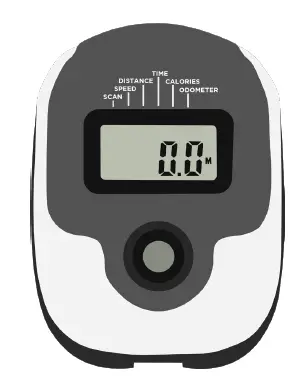 On this monitor there is only one button, press this to exit scan mode and continuously press it to view each readout.
The arrow at the top of the screen will indicate which setting you are currently viewing.
RESETTING YOUR MONITOR
To reset all of the readings to zero, press and hold the button for a few seconds. You will then see the digits flash zero’s and the monitor will beep.
DATA READOUTS
| Readout | Measurement |
| Time | Minutes : Seconds |
| Speed | MPH |
| Distance | Miles |
| Pulse | PPM (Pulsations Per Minute) |
| Odometer | Miles |
TROUBLESHOOTING
| Issue | Resolutions |
| No power to the monitor |
|
| No pulse reading |
|
CONTACT DETAILS
 Tel: 0121 328 7507
 Email: [email protected]
 Live Chat: WWW.JLLFITNESS.CO.UK

 Buy Gym & Fitness Equipment Online | Empower Your Fitness | JLL Fitness