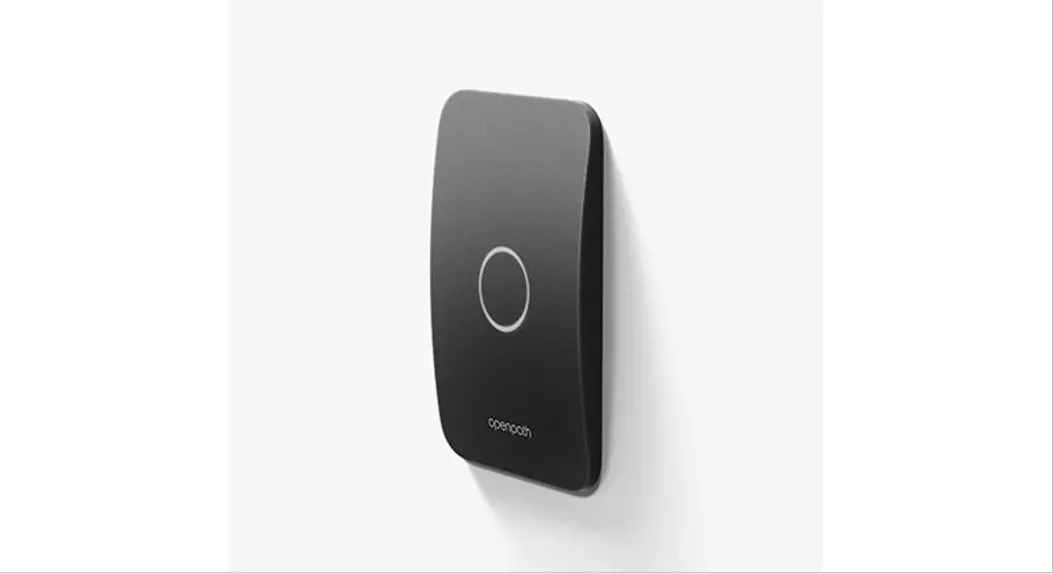
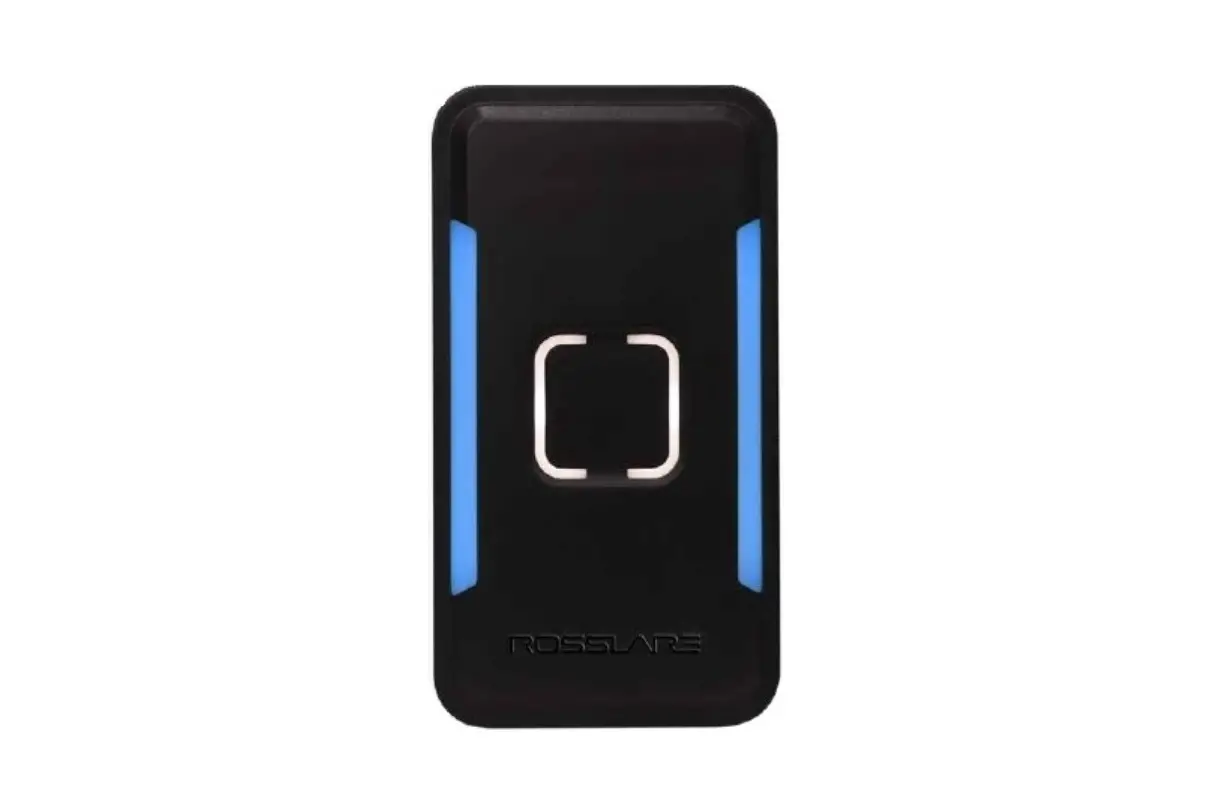
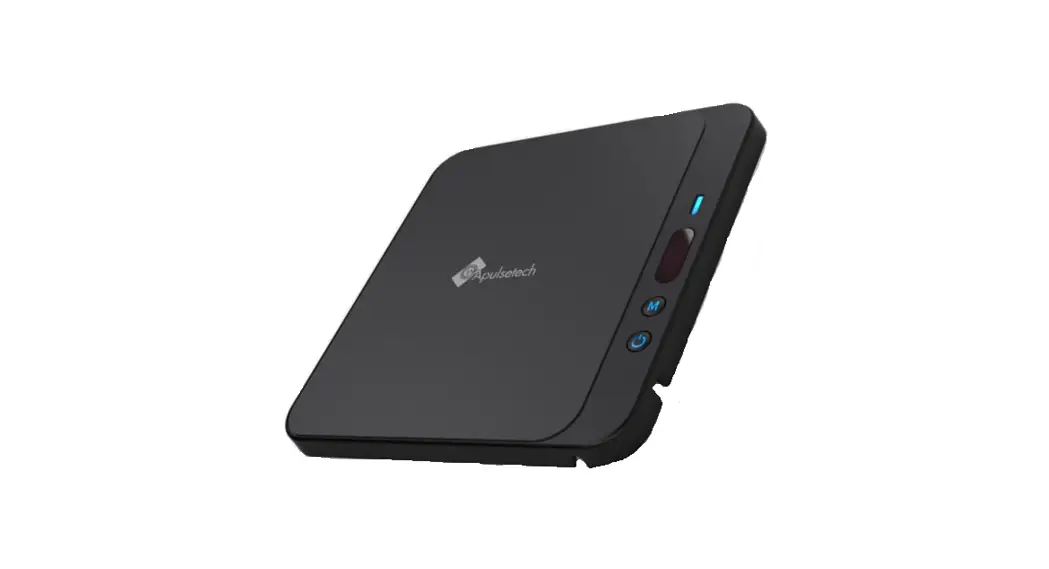
OP-R2X-MULL Mullion Smart Reader
Product Information
The Openpath Mullion Smart Reader v2 is an access control device
designed for the modern workplace. It combines industry-leading
security with an elegant design that enhances any door and office
environment. The Smart Reader v2 is a multi-technology reader that
supports both low (125 kHz) and high (13.56 MHz) frequencies. Its
mullion form factor makes it ideal for surface mounting on
doorframes where space is limited.
Openpath Access is the flagship product of Openpath, the company
behind the Mullion Smart Reader v2. Openpath Access is a smart
security solution for the modern office. It features sleek hardware
and an app that allows employees to enter the office using their
smartphone. Unlike traditional access control systems, Openpath
Access is cloud-based, ensuring scalability and seamless
integration with platforms like G Suite and Azure AD.
Openpath’s patented SurePath Mobile technology enables reliable
and quick entry via Bluetooth, Wi-Fi, and LTE. With encryption at
every level and powerful user-level permissions, Openpath Access
provides enhanced security compared to legacy systems. The
streamlined and customizable features of Openpath Access make
office management easier than ever.
Specifications:
- Card Compatibility: ISO 14443A, Prox CE, FCC, UL 294, UKCA
- Form Color: Standard Black
- Frequency: 125 kHz, 13.56 MHz
- Openpath Bluetooth: Yes
- NFC Wave to Unlock/Touch: Yes
- Auto Proximity Unlock: Yes
- Openpath Prox Cards/Fobs: Yes
- Cloud Managed: Yes
- IP Rating: IP65
Installation:
- PIGTAIL color: Gray, Blue, Violet, Orange
- Primary Controller Connections:
- Ground (RTN)
- RS485-B
- RS485-A
- +12V IN
- Wiegand Voltage: Red (VO)
- Wiegand RTN: Black (GND)
- Wiegand Data 0: Green (WD0)
- Wiegand Data 1: White (WD1)
- Wiegand LED: Brown (LED)
- Wiegand Buzzer: Yellow (BUZZER)
Security:
- System Compatibility: Openpath Access
Dimensions:
- Power Rating: Available at openpath.com
Product Usage Instructions
- Choose a suitable location on the doorframe where space is
limited for surface mounting. - Connect the Mullion Smart Reader v2 to the primary controller
using the following connections:- Connect the Ground (RTN) wire to the corresponding terminal on
the primary controller. - Connect the RS485-B wire to the corresponding terminal on the
primary controller. - Connect the RS485-A wire to the corresponding terminal on the
primary controller. - Connect the +12V IN wire to the corresponding terminal on the
primary controller.
- Connect the Ground (RTN) wire to the corresponding terminal on
- Connect the Wiegand connections to an auxiliary Wiegand reader
if required. Use the following connections:- Connect the Wiegand Voltage (VO) wire to the corresponding
terminal on the auxiliary Wiegand reader. - Connect the Wiegand RTN (GND) wire to the corresponding
terminal on the auxiliary Wiegand reader. - Connect the Wiegand Data 0 (WD0) wire to the corresponding
terminal on the auxiliary Wiegand reader. - Connect the Wiegand Data 1 (WD1) wire to the corresponding
terminal on the auxiliary Wiegand reader. - Connect the Wiegand LED (LED) wire to the corresponding
terminal on the auxiliary Wiegand reader. - Connect the Wiegand Buzzer (BUZZER) wire to the corresponding
terminal on the auxiliary Wiegand reader.
- Connect the Wiegand Voltage (VO) wire to the corresponding
- Ensure that the Mullion Smart Reader v2 is compatible with
Openpath Access system. - Configure the card compatibility settings based on your
requirements. The Mullion Smart Reader v2 supports ISO 14443A, Prox
CE, FCC, UL 294, and UKCA standards. - Customize the form color of the Smart Reader v2 if desired. The
default color is Standard Black. - If using Openpath Bluetooth, NFC Wave to Unlock/Touch, or Auto
Proximity Unlock features, ensure they are enabled and configured
according to your preferences. - If using Openpath Prox Cards/Fobs, ensure they are compatible
and properly configured. - If you want to manage the Smart Reader v2 using cloud
management, make sure it is set up accordingly. - Install the Mullion Smart Reader v2 on the chosen location,
following the provided installation instructions in the user
manual.
For more detailed pricing information and to get started, visit
openpath.com or contact
Openpath sales at 1-844-673-6728 or [email protected].
access control for the modern workplace
Openpath Mullion Smart Reader v2
The Openpath door reader leverages industry leading security combined with an elegant design that will enhance any door and office environment. The Smart Reader v2 is a multi-technology reader that supports both low (125 kHz) and high (13.56 MHz) frequencies. The mullion form is ideal for surface mounting where space is limited, like on a doorframe.
OP-R2X-MULL
Mullion Smart Reader v2
Openpath Access
Openpath creates smart security solutions for the modern office. The company’s flagship product, Openpath Access, combines sleek hardware with an app, enabling employees to enter the office using their smartphone. Unlike legacy systems, Openpath’s software is cloud-based, meaning Access easily scales with your business and seamlessly integrates with platforms like G Suite and Azure AD.
Openpath’s patented SurePath Mobile technology ensures reliability and quick entry via Bluetooth, Wi-Fi and LTE. With encryption at every level and powerful, user-level permissions, Openpath Access is both more secure and more dynamic than traditional access control systems. Openpath Access’ streamlined, customizable features make office management easier than ever.
Unlocked Unlocked
Unlocked Unlocked
pricing details available at openpath.com
contact us to get started: 1-844-673-6728 | [email protected]
OP-R2X-MULL
Mullion Smart Reader v2
Smart Reader v2
Card Compatibility
· Openpath DESFire EV3 · MIFARE Classic/DESFire/Ultralight (ISO14443A) CSN · Openpath Proximity · HID® Proximity · LenelProx®
Specifications
Cloud Managed Form Color
Frequency Openpath Bluetooth
NFC Wave to Unlock/Touch
Auto Proximity Unlock Openpath Prox Cards/Fobs
HID® Prox LenelProx® Openpath DESFire EV3 MIFARE/DESFire (CSN) Standards Certification Environmental
Yes Standard Black 125 kHz, 13.56 MHz Yes Yes Yes Yes Yes Yes Yes Yes Yes ISO 14443A, Prox CE, FCC, UL 294, UKCA IP65
Features
· Modern design, can seamlessly blend into or upgrade the aesthetics of any entry · Indoor/outdoor design · Supports auxiliary Wiegand readers connected through the Openpath reader · Functions seamlessly with the mobile application · Available on both Android and iOS · Works with Smart Watches in addition to the mobile app · Supports remote unlocking with user-level privileges · Lifetime warranty
Installation
· Easy installation via RS-485 wiring · Compatible with legacy Wiegand wiring
PIGTAIL color
Gray Blue Violet Orange
Name (short) Name (full)
GND +B -A VIN
Ground (RTN) RS485-B RS485-A +12V IN
Primary Controller Connections
Red
VO
Wiegand Voltage
Black
GND
Wiegand RTN
Green
WD0
Wiegand Data 0
White
WD1
Wiegand Data 1
Brown
LED
Wiegand LED
Yellow
BUZZER
Wiegand Buzzer
Temperature should not exceed -30°C to 60°C (-22°F to 140°F)
Connections to Auxiliary Wiegand Reader
Security
· Fully encrypted communication between mobile app and controller · Fully encrypted communication between Openpath key cards and reader · Eliminates the threat of copying or cloning Openpath key cards · Includes tamper resistant secure storage
System Compatibility
· Reader works with Openpath Access System including Openpath controllers, cloud management software, and mobile app · Reader works with legacy access control systems via Mobile Gateway option · Support for Apple Enhanced Contactless Protocol (ECP)
Dimensions
· 1.7 x 4.7 x 0.86 in (4.3 x 11.9 x 2.2 cm)
Power Rating
· 0.25A @ 12VDC · 0.12A @ 24VDC
pricing details available at openpath.com
contact us to get started: 1-844-673-6728 | [email protected]
 End-to-End Security System Solutions | Avigilon