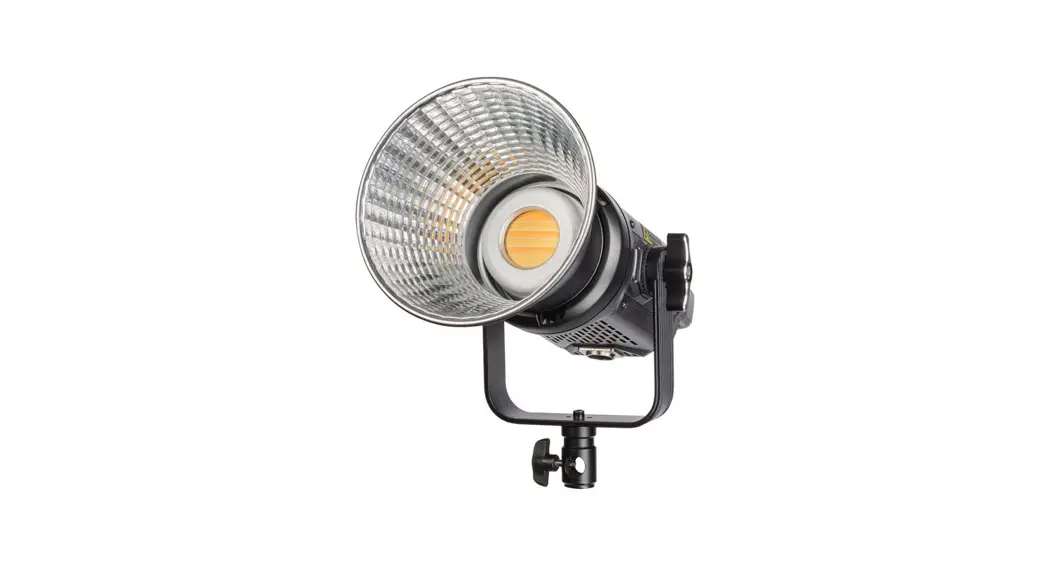
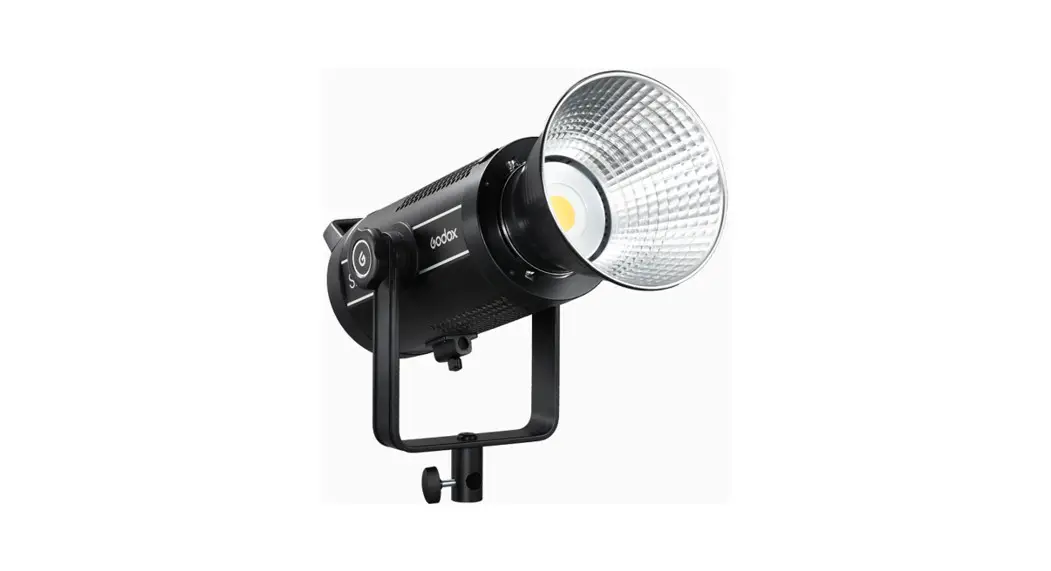
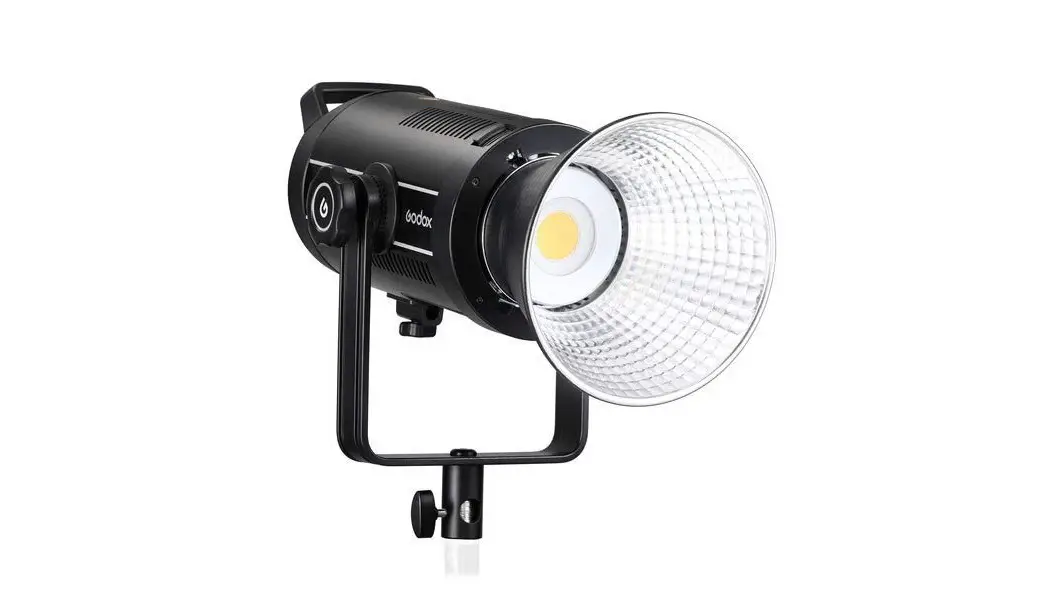
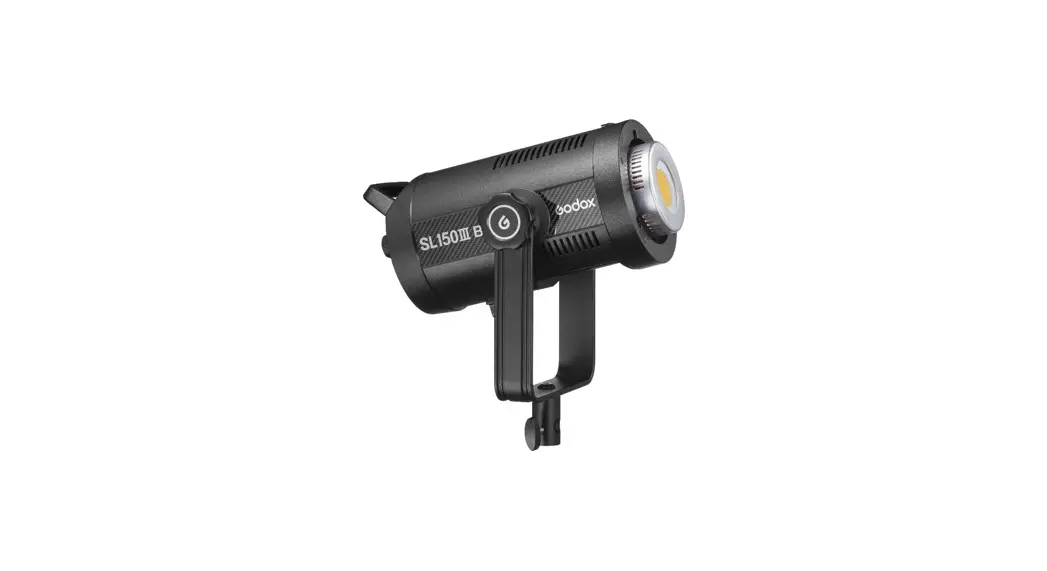
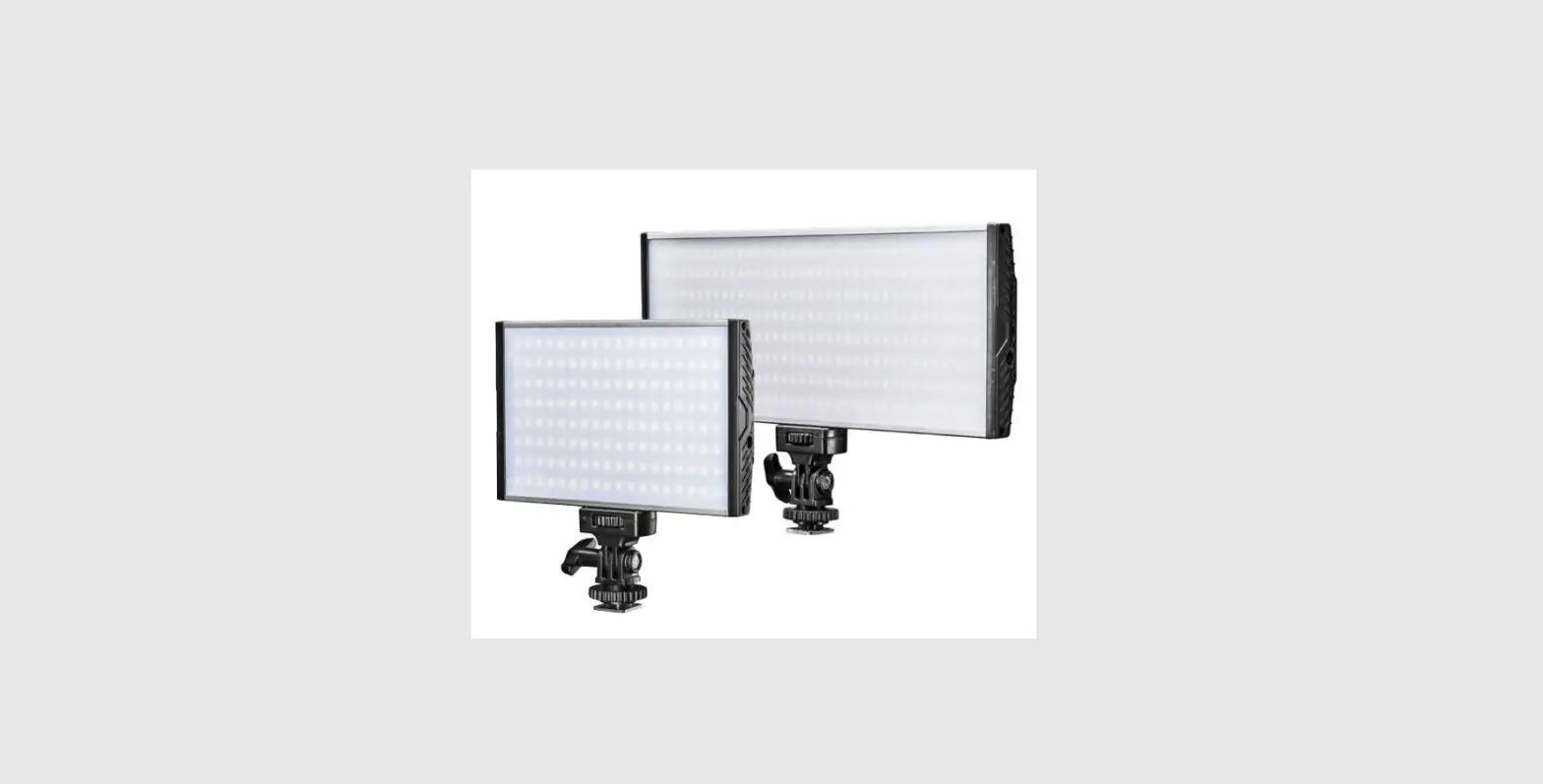
NIOVA 80 120 Compact Series BiColor LED
Product Information: – Product Name: NIOVA 80 / 120 Compact Series
– Manufacturer: WALSER GmbH & Co. KG – Address:
Senefelderstrasse 23, 86368 Gersthofen, Germany – Email:
[email protected] – Website: www.walser.de – Country of Origin: Made
in China Product Usage Instructions: 1. Notes on understanding
these operating instructions: – Refer to section 1.1 for markings
and symbols on the unit. – Refer to section 1.2 for symbols related
to safety instructions. 2. Important safety instructions: – Follow
all safety instructions mentioned in these operating instructions.
– Keep this instruction manual in a safe place. 3. Unpack and check
the unit. 4. Overview of components and controls: – Refer to the
provided diagram for the detailed overview of components and
controls. 5. Kurzanleitung (Quick Guide): – Follow the user
information provided by the tripod manufacturer. 6.
Kanalauswahltaste (Channel selection button). 7. LED Display,
illuminated. 8. Befestigungsschraube Leuchtenhalterung (Mounting
screw for light holder). 9. Leuchtenhalterung (Light holder) with a
5/8-inch spigot (16mm pin). 10. Anschluss (Bowens-compatible
connection). 11. Ver-/Entriegelungshebel Befestigungsadapter
(Lock/unlock lever for mounting adapter). 12.
Neigungswinkelverstellung Leuchtenhalterung (Tilt angle adjustment
for light holder). 13. Fernbedienung (Remote control). 14.
Schutzkappe (Protective cap). 15. Reflektor (Reflector). 16.
Handgriff (Handle). 17. Netzteil mit Stromanschlusskabel (Power
supply with power cable). 8.6.4 Einstellen der Farbtemperatur per
Fernbedienung (Adjusting the color temperature using the remote
control). 8.6.5 Einstellen des FUN Modus per Fernbedienung
(Adjusting the FUN mode using the remote control). 10. Probleme
beheben (Troubleshooting): – Refer to the provided table for common
problems and their solutions. Note: The provided text extract
contains information related to safety instructions, components,
controls, and troubleshooting. For detailed usage instructions and
specific functions, please refer to the complete user manual.
WALSER GmbH & Co. KG Senefelderstrasse 23 86368 Gersthofen Germany
[email protected] www.walser.de
Made in China
NIOVA 80 / 120 Compact Serie NIOVA 80 / 120 Compact Series
Gebrauchsanleitung Instruction Manual
D Gebrauchsanleitung
1. Hinweise zum Verständnis dieser Gebrauchsanleitung …………………. 4 1.1 Kennzeichen und Symbole am Gerät……………………………………………………….4 1.2 Symbole zu Sicherheitshinweisen in dieser Gebrauchsanleitung …………………5
2. Wichtige Sicherheitshinweise ………………………………………………………. 5 3. Gerät auspacken und prüfen ………………………………………………………… 7 4. Übersicht über Bestandteile und Bedienelemente …………………………. 8
4.1 Niova 80 Compact Bi Color …………………………………………………………………….8 4.2 Niova 120 Compact Bi Color …………………………………………………………………..9 5. Kurzanleitung ………………………………………………………………………………. 10 6. Gerät für den Einsatz vorbereiten …………………………………………………. 10 6.1 Montage Reflektor …………………………………………………………………………………10 6.2 Montage auf einem Stativ / Halterung ……………………………………………………….11 7. Stromversorgung herstellen…………………………………………………………. 11 7.1 Stromversorgung – Netzteilanschluss……………………………………………………….11 7.3 Akkubetrieb…………………………………………………………………………………………..12 8. Gerät betreiben und bedienen ………………………………………………………. 12 8.1 Gerät einschalten / ausschalten am Gerät …………………………………………………12 8.2 Einstellen der Leuchtstärke (Dimmfunktion) am Gerät………………………………..13 8.3 Einstellen der Farbtemperatur am Gerät…………………………………………………..13 8.4 Einstellen des Fernsteuerungskanals am Gerät ………………………………………..13 8.5 Einstellen der verschiedenen ,,FUN” Modi F1-F5 ……………………………………….13 8.6 Funktionstasten / Anzeigen der Fernbedienung /
Menübeschreibung der Fernbedienung …………………………………………………….14 8.6.1 Wahl des Kanals an der Fernbedienung /
Synchronisierung Leuchte Fernbedienung ……………………………………………15 8.6.2 Gerät einschalten / ausschalten / Standby Status per Fernbedienung ………..15 8.6.3 Einstellen der Leuchtstärke (Dimmfunktion) per Fernbedienung ………………16 8.6.4 Einstellen der Farbtemperatur per Fernbedienung …………………………………16 8.6.5 Einstellen des FUN Modus per Fernbedienung ……………………………………..16 9. Gerät transportieren, lagern …………………………………………………………. 17 10. Probleme beheben……………………………………………………………………….. 18 11. Gerät instand halten und reinigen…………………………………………………. 19 12. Zubehör……………………………………………………………………………………….. 19 13. Entsorgung und Umweltschutz …………………………………………………….. 19 14. Verweis auf die Konformitätserklärung …………………………………………. 19 15. Technische Daten ………………………………………………………………………… 20
2
EN Instruction Manual
1. Notes on understanding these operating instructions …………………… 23 1.1 Markings and symbols on the unit……………………………………………………………23 1.2 Symbols for safety instructions in these operating instructions…………………….24
2. Important safety instructions ……………………………………………………….. 24 3. Unpack and check the unit …………………………………………………………… 26 4. Overview of components and controls………………………………………….. 27
4.1 Niova 80 Compact Bi Color …………………………………………………………………….27 4.2 Niova 120 Compact Bi Color …………………………………………………………………..28 5. Quick guide …………………………………………………………………………………. 29 6. Preparing the unit for use …………………………………………………………….. 29 6.1 Mounting reflector………………………………………………………………………………….29 6.2 Mounting on a tripod / bracket…………………………………………………………………30 7. Establishing the power supply ……………………………………………………… 30 7.1 Power supply – power supply connection ………………………………………………….30 7.3 Battery operation …………………………………………………………………………………..31 8. Operating and handling the unit……………………………………………………. 31 8.1 Switching the unit on / off on the unit ……………………………………………………….31 8.2 Setting the luminosity (dimming function) on the unit………………………………….32 8.3 Setting the colour temperature on the unit ………………………………………………..32 8.4 Setting the remote control channel on the unit…………………………………………..32 8.5 Setting the different “FUN” modes F1-F5 ………………………………………………….32 8.6 Function keys / remote control displays / remote control menu description ……….33 8.6.1 Selecting the channel on the remote control / synchronising the luminaire
Remote control………………………………………………………………………………….34 8.6.2 Switching the unit on / off / standby status by remote control …………………..34 8.6.3 Adjusting the luminosity (dimming function) by remote control …………………35 8.6.4 Adjusting the colour temperature by remote control………………………………..35 8.6.5 Setting the FUN mode by remote control………………………………………………35 9. Transporting, storing the unit……………………………………………………….. 36 10. Troubleshooting…………………………………………………………………………… 37 11. Maintaining and cleaning the unit …………………………………………………. 38 12. Accessories…………………………………………………………………………………. 38 13. Disposal and environmental protection ………………………………………… 38 14. Reference to the declaration of conformity……………………………………. 38 15. Technical Data……………………………………………………………………………… 39
3
D Gebrauchsanleitung
Wir freuen uns, dass Sie sich für ein Walimex pro Produkt aus dem Hause WALSER entschieden haben.
Die Walimex pro Niova 80/120 Compact LED Studioleuchten begleiten Sie zu Shootings und Drehs und arbeiten sowohl mit Netzstrom, als auch mit Akkus (nicht im Lieferumfang enthalten). Mit ihrem geringen Gewicht und einer starken Leistung sind sie hoch transportabel und damit ein großes Plus für Ihren Beleuchtungsfuhrpark. Gesteuert wird die Leuchte am Gerät oder per 2,4 GHz-Fernbedienung aus bis zu 30 m Entfernung. Dank 99 Kanälen können Sie sie störungsfrei auch in größeren Setups ansteuern. · LED Dauerlicht für Foto- und Videoprojekte aller Art, besonders leuchtstark durch neueste
COB-LED Technologie · 80 oder 120 W Leistung für bis zu 10.800 Lumen (Modell 120), Helligkeit dimmbar von 10
100 %. · Variable Farbtemperatur von 3.000 6500 K, hohe Lichtqualität dank CRI von 95 Ra · Ideal für Run’n’Gun-Einsätze, aber auch im Studio bei People, Produkt und Food-Aufnahmen
einsetzbar. · Dank Bowens-kompatiblem Anschluss mit vielen verschiedenen Lichtformern verwendbar.
Wir wünschen Ihnen viel Freude mit unserem Produkt. Ihr Team von WALSER
Bitte lesen Sie sich die vorliegende Gebrauchsanleitung sorgfältig durch, bevor Sie das Produkt zum ersten Mal benutzen. Sie beinhaltet alle Informationen, die Sie benötigen, um Verletzungen und Sachschäden vorzubeugen.
Befolgen Sie unbedingt alle hierin enthaltenen Sicherheitshinweise. Bewahren Sie diese Gebrauchsanleitung an einem sicheren Ort auf. Achten Sie bei
einem Verkauf oder der Weitergabe des Produkts an Dritte darauf, dass Sie auch diese Gebrauchsanleitung mit aushändigen.
1. Hinweise zum Verständnis dieser Gebrauchsanleitung
1.1 Kennzeichen und Symbole am Gerät
Dieses Zeichen bedeutet, dass Ihr Gerät die Sicherheitsanforderungen aller geltenden EU-Richtlinien erfüllt.
Umweltschonende Entsorgung Elektrische und elektronische Geräte sowie Batterien oder Akkus dürfen nicht mit dem allgemeinen Hausmüll zusammen entsorgt werden. Der Verbraucher ist gesetzlich dazu verpflichtet, elektrische und elektronische Geräte sowie Batterien oder Akkus zu öffentlich eingerichteten Sammelstellen oder zur Verkaufsstelle zurückzubringen, sobald das Gerät das Ende seiner Lebensdauer erreicht hat. Einzelheiten sind der nationalen Gesetzgebung zu entnehmen. Das Symbol auf dem Produkt, in der Gebrauchsanleitung oder auf der Verpackung verweist auf diese Vorschriften. Wiederverwertung, stoffliche Verwertung oder sonstige Formen von Wiederverwertung von Altgeräten bzw. Batterien oder Akkus sind ein wichtiger Beitrag zum Schutz unserer Umwelt.
4
1.2 Symbole zu Sicherheitshinweisen in dieser Gebrauchsanleitung
Symbol
Bedeutung
Weist auf sicherheitsrelevante Informationen und eventuelle Folgen hin.
WARNUNG HINWEIS VORSICHT
Weist auf schwere oder gar tödliche Verletzungen hin, wenn ein bestimmtes Risiko nicht vermieden wird.
Weist auf mögliche Sach- oder Gerätschäden oder sonstige wichtige Informationen in Zusammenhang mit dem Gerät hin.
Weist auf eine gefährliche Situation hin, die zu geringfügigen oder mittelschweren Verletzungen führen kann, wenn das Risiko nicht vermieden wird.
2. Wichtige Sicherheitshinweise
WARNUNG
Blendgefahr und Schädigung der Augen Die optische Strahlung der LED Lampe kann die Augen blenden und zu Nachbildern führen, wenn Menschen oder Tiere direkt in die Leuchtmittel blicken. Dies kann zu Unfällen und Augenschädigung führen. Sorgen Sie dafür, dass Menschen oder Tiere nicht direkt in die Leuchtmittel blicken und ausreichend Abstand von mindestens 5m eingehalten werden. Verwenden Sie, wenn nötig, Diffusoren zwischen der Lampe und dem Model oder Objekt. Verwenden Sie die Lampe nicht zur Ausleuchtung bei Aufnahmen mit Kleinkindern oder Babys.
WARNUNG
Stoß-, Quetsch-, Verbrennungs- und Brandgefahr durch umfallendes Gerät Das Gerät ist je nach Modell bis zu 3.500 g schwer. Achten Sie darauf, dass Sie das Gerät stets kippsicher und rutschfest aufstellen und
sicher lagern. Achten Sie darauf, dass alle Befestigungsschrauben fest und sicher angezogen sind. Halten Sie Kinder und Tiere vom Gerät fern, sie könnten das Gerät umwerfen. Achten Sie darauf, dass niemand über die mit dem Gerät verbundene Kabel stolpern
kann. Das Gerät könnte dabei umgeworfen werden.
WARNUNG
Stromschlaggefahr, Verbrennungsgefahr Beachten Sie, dass das Gerät auch dann noch mit der Netzspannung verbunden ist, wenn es ausgeschaltet ist. Erst wenn Sie das Gerät von der Stromversorgung trennen, indem Sie den Netzstecker ziehen, ist es wirklich spannungsfrei. Schalten Sie das Gerät aus, wenn Sie es nicht benutzen. Schalten Sie das Gerät vor allen Montage- und Instandhaltungsmaßnahmen aus, und
unterbrechen Sie die Stromversorgung, indem Sie den Netzstecker ziehen. Sichern Sie das Gerät gegen unabsichtliches Einschalten. Unterbrechen Sie bei längeren Betriebspausen die Stromversorgung, indem Sie den
Netzstecker ziehen.
5
WARNUNG
Stromschlaggefahr und Brandgefahr durch Kurzschluss Ein Kurzschluss kann u. a. durch defekte Kabel und durch Feuchtigkeit oder Nässe verursacht werden. Bei einem Kurzschluss können sich die Leitungsdrähte so stark erwärmen, dass deren Isolierung schmilzt oder sogar die Leitungsdrähte selbst durchschmelzen. Dadurch kann es zu einem Brand kommen. Verwenden Sie für das Gerät nur die mitgelieferten Originalkabel. Nur diese Kabel sind auf
das Gerät abgestimmt und garantieren die notwendige Sicherheit für Sie und Ihr Gerät. Betreiben Sie das Gerät nicht mit nassen Händen oder Füßen. Betreiben Sie das Gerät nur in trockenen Räumen. Betreiben Sie das Gerät nicht im Freien. Reinigen Sie das Gerät nur auf die in dieser Gebrauchsanleitung angegebene Weise. Achten Sie darauf, dass Kabel und Leitungsdrähte nicht beschädigt werden. Dies könnte
z. B. der Fall sein durch Hitzeeinwirkung, durch chemische Einflüsse oder durch mechanische Einflüsse wie Scheuern, Knicken, Zerren, Überrollen oder knabbernde Haustiere. Achten Sie darauf, dass das Gerät nicht herunterfällt. Lassen Sie ein heruntergefallenes Gerät von einer Elektrofachkraft prüfen, bevor Sie es wieder einschalten. Wenn das Gerät einmal beschädigt oder defekt sein sollte oder wenn Sie Schmorgeruch feststellen: Unterbrechen Sie sofort die Stromversorgung, indem Sie den Netzstecker ziehen. Betreiben Sie das Gerät nicht mit beschädigtem Gehäuse, beschädigtem Reflektor, defektem oder beschädigtem LED Leuchtmittel oder beschädigtem Netzkabel. Öffnen Sie das Gerät nicht. Reparieren Sie das Gerät niemals selbst. Lassen Sie das Gerät ausschließlich von einer Elektrofachkraft reparieren. Halten Sie das Gerät stets so instand, wie diese Gebrauchsanleitung es vorschreibt. Verwenden Sie für dieses Gerät ausschließlich Ersatzteile, die der vorgeschriebenen Spezifikation entsprechen. Leuchtmittel dürfen nur von einer Elektrofachkraft getauscht werden
WARNUNG
Brandgefahr durch Überhitzen Das Gerät kann überhitzen, wenn Sie es mit abgedeckten Lüftungsschlitzen betreiben. Das Gerät selbst und leicht entflammbare Materialien in der Nähe des Geräts können zu brennen beginnen. Decken Sie die Lüftungsschlitze des Geräts während des Betriebs nicht ab. Entfernen Sie leicht entflammbare Materialien aus der Nähe des Geräts. Verwenden Sie für dieses Gerät ausschließlich Ersatzteile, die der vorgeschriebenen Spezi-
fikation entsprechen.
WARNUNG
Verbrennungsgefahr an heißen Geräteteilen Die Leuchtmittel können bis zu 40°C heiß werden. Fassen Sie diese Geräteteile während des Betriebs und während der
Abkühlphasen nicht an. Lassen Sie das Gerät vollständig abkühlen, bevor Sie mit Montage- oder Instand-
haltungsmaßnahmen beginnen.
6
VORSICHT Vorsichtsmaßnahmen bei der Verwendung mit Akkus Verwenden Sie nur Akkus, die in der Bedienungsanleitung genannt werden. Legen Sie die Akkus nicht in ein Feuer oder setzen Sie sie keiner direkten Hitze aus. Laden Sie den Akku nicht unbeaufsichtigt. Nach dem Beenden des Ladevorgangs entfernen Sie das Ladegerät vom Netzstrom.
WARNUNG Erstickungsgefahr durch Kleinteile Halten Sie das Gerät und das Verpackungsmaterial von Kindern und Haustieren fern. 3. Gerät auspacken und prüfen 3.1 Packen Sie die im Lieferumfang enthaltenen Produkte vorsichtig aus. 3.2 Überprüfen Sie den Lieferumfang unmittelbar nach dem Erhalt der Ware auf
Vollständigkeit. 3.3 Detaillierte Hinweise zum jeweiligen Lieferumfang Ihres Modells erhalten
Sie auf Seite 20 & 21 dieser Bedienungsanleitung. 3.4 Prüfen Sie, ob die im Lieferumfang enthaltenen Artikel unbeschädigt sind.
HINWEIS Falls die Lieferung unvollständig ist oder Teile beschädigt sind, wenden Sie sich bitte per E-Mail an [email protected]. Im Rahmen von Produktverbesserungen behalten wir uns das Recht auf technische und optische Änderungen vor. Abbildungen können geringfügig voneinander abweichen. Richtlinie 2009/125/ EG in Verbindung mit Verordnung 2019/2015 zur Energieverbrauchskennzeichnung findet hier keine Anwendung. Das Gerät eignet sich nicht als Lichtquelle zur Beleuchtung von Räumen. Speziell für die Anforderungen an Foto- und Videoaufnahmen entwickelt.
7
4. Übersicht über Bestandteile und Bedienelemente 4.1 Niova 80 Compact Bi Color
1
7
10
6
9
2 3
4
5
8
11
12 13 14
1. LED Leuchtmittel 2. Kühlventilator inkl. Schutzabdeckung 3. Gehäuse (Kunststoff) 4. Drehregler 5. EIN / AUS Schalter Leuchte <ON / OFF>
6. Kanalauswahltaste
7. LED Display, beleuchtet 8. Befestigungsschraube Leuchtenhalterung
9. Leuchtenhalterung
(5/8 Zoll Spigot, 16 mm Zapfen) 10. Anschluss (Bowens-kompatibel) 11. Ver-/Entriegelungshebel Befestigungsadapter
12. Neigungswinkelverstellung Leuchtenhalterung
13. 2x NP-F-Mount Anschluss für Akkus 14. Stromanschlussbuchse Leuchte
Zubehör:
15. Fernbedienung
16. Schutzkappe
17. Reflektor
18. Handgriff
19. Netzteil mit
Stromanschlusskabel
15
16
17
18
19
8
4.2 Niova 120 Compact Bi Color
1
7
10
6
9
2 3
4
5
8
11
12 13
14
1. LED Leuchtmittel 2. Kühlventilator inkl. Schutzabdeckung 3. Gehäuse (Kunststoff) 4. Drehregler 5. EIN / AUS Schalter Leuchte <ON / OFF>
6. Kanalauswahltaste
7. LED Display, beleuchtet 8. Befestigungsschraube Leuchtenhalterung
9. Leuchtenhalterung
(5/8 Zoll Spigot, 16 mm Zapfen) 10. Anschluss (Bowens-kompatibel) 11. Ver-/Entriegelungshebel Befestigungsadapter
12. Neigungswinkelverstellung Leuchtenhalterung
13. V-Mount Anschluss für Akku 14. Stromanschlussbuchse Leuchte
Zubehör:
15. Fernbedienung
16. Schutzkappe
17. Reflektor
18. Handgriff
19. Netzteil mit
Stromanschlusskabel
15
16
17
18
19
9
5. Kurzanleitung
HINWEIS
Die detaillierte Anleitung zu den nachfolgenden Tätigkeiten finden Sie in den jeweiligen Abschnitten dieser Gebrauchsanleitung. Halten Sie bei der ersten Inbetriebnahme die Reihenfolge der nachfolgenden Tätigkeiten ein, um Schäden am Gerät zu vermeiden.
WARNUNG
Beachten Sie bei allen Tätigkeiten die Sicherheitshinweise in den jeweiligen Abschnitten.
· Verwendung mit dem Netzteil. · Gerät auf ein Stativ montieren. · Gerät an die Stromversorgung anschließen. · Gerät einschalten, ausschalten Dimmfunktion.
6. Gerät für den Einsatz vorbereiten 6.1 Montage Reflektor Die Walimex pro Niova 80/120 Compact Studioleuchten können mit oder ohne Reflektor betrieben werden. Sollte kein Reflektor eingesetzt werden, findet keine Bündelung des Lichtkegels statt und die Leuchte produziert einen sehr breiten, ungebündelten Lichtstrahl. Für das Erreichen einer größeren Leuchtstärke auch auf größere Distanzen empfehlen wir den Einsatz des mitgelieferten Reflektors. Der Anschluss der Leuchte ist Bowens-kompatibel und ermöglicht die Montage weiteren Zubehörs wie z.B. einer Softbox oder eines Reflektorschirms. Wir empfehlen, die Installation des Reflektors vor der Montage auf einem Stativ durchzuführen. · Ziehen Sie den Ver-/Entriegelungshebel des Befestigungsadapters (11) nach hinten. · Drehen Sie die Schutzkappe (16) und entfernen Sie diese aus dem Befestigungsadapter. · Führen Sie den Reflektor (17) in die Reflektorhalterung (10) ein und drehen Sie den Reflektor
bis zur Arretierung. · Ein Klicken des Ver-/Entriegelungshebel des Befestigungsadapters (11) signalisiert die kor-
rekte Arretierung des Reflektors. · Prüfen Sie den sicheren Sitz des Reflektors (17). · Der Reflektor ist korrekt montiert. · Verfahren Sie bei der Demontage des Reflektors in umgekehrter Reihenfolge. Montage Reflektor (Abb. ähnlich):
1. Schieben Sie die Zubehörarretierung nach hinten.
10
2. Setzen Sie den Reflektor in die Zubehörhalterung und arretieren Sie den Reflektor mit einer Rechtsdrehung.
6.2 Montage auf einem Stativ / Halterung · Lösen Sie die Befestigungsschraube der Leuchtenhalterung (8) soweit, dass die Halterung
in den Befestigungsadapter eines passenden Lampenstativs / Deckenhalterung eingesetzt werden kann. · Setzen Sie die Leuchte mit der Halterung auf ein geeignetes Lampenstativ oder eine geeignete Deckenhalterung. Hierfür ist i.d.R. ein 5/8 Zoll Spigot (16 mm Zapfen) Befestigungsadapter am Lampenstativ bzw. an der Deckenhalterung verbaut. · Die Leuchte verfügt über einen horizontalen, sowie einen vertikalen Spigot Anschluss, sodass das Lampenstativ oder die Deckenhalterung horizontal bzw. vertikal nutzbar ist. · Ziehen Sie die Befestigungsschraube der Leuchtenhalterung (8) fest. · Lösen Sie die Neigungswinkelverstellung der Leuchtenhalterung (12). Stellen Sie den gewünschten Neigungswinkel der Leuchte ein und ziehen Sie die Neigungswinkelverstellung der Leuchte (7) wieder fest an. · Die Leuchte ist korrekt montiert und bereit für den Einsatz. · Verfahren Sie für die Demontage der Leuchte in umgekehrter Reihenfolge.
Montage auf Stativ (Abb. ähnlich):
HINWEIS Beachten Sie die Benutzerinformation des Stativherstellers.
WARNUNG Montieren Sie das Gerät nur auf einem Stativ, das für Gewicht und Abmessungen des Geräts ausgelegt ist. Siehe Technische Daten. Stellen Sie sicher, dass das Stativ mit dem montierten Gerät kippsicher und rutschfest steht. 7. Stromversorgung herstellen 7.1 Stromversorgung – Netzteilanschluss · Schalten Sie das Gerät am EIN/AUS Schalter (5) auf <OFF> aus. · Verbinden Sie das Stromanschlusskabel mit dem Netzteil (19). · Stecken Sie den Rundstecker des Netzteils (19) in die Stromanschlussbuchse (14) der Leuchte. · Verbinden Sie das Netzteil (19) mit der Steckdose des örtlichen Stromnetzes (AC 100-220240V/50-60 Hz).
11
· Schalten Sie das Gerät am EIN/AUS Schalter (5) ein <ON>. · Das Gerät ist einsatzbereit für den Netzstrombetrieb. · Schalten Sie die Leuchte nach Gebrauch aus.
7.3 Akkubetrieb
· Stecken Sie den passenden Akku in den dafür vorgesehenen V-Mount Anschluss (13) auf der Rückseite der Leuchte. (Niova 120 Compact Bi Color)
· Stecken Sie die passenden Akkus in den dafür vorgesehenen NP-F-Mount Anschluss (13) auf der Rückseite der Leuchte. (Niova 80 Compact Bi Color)
· Der Akkubetrieb wird automatisch hergestellt, sobald die Leuchte von der externen Stromversorgung getrennt wird.
HINWEIS
Örtliche Stromversorgung mit den Anschlusswerten des Geräts vergleichen. Wenn die Werte nicht übereinstimmen, wenden Sie sich bitte an [email protected].
HINWEIS Schließen Sie das Netzteil nur an einer schutzgeerdeten Steckdose an.
HINWEIS
Nach Verwendung trennen Sie das Gerät von der örtlichen Stromversorgung, indem Sie den Netzstecker ziehen.
8. Gerät betreiben und bedienen 8.1 Gerät einschalten / ausschalten am Gerät · Stellen Sie wie im vorherigen Abschnitt 7 beschrieben die Stromversorgung her. · Schalten Sie das Gerät am EIN / AUS Schalter (5) ein. · Die Leuchte ist betriebsbereit. Status Anzeige:
Anzeige Kanalauswahl
Anzeige Batteriezustand
Anzeige Leuchtstärke in %
12
Anzeige Farbtemperatur in Kelvin
8.2 Einstellen der Leuchtstärke (Dimmfunktion) am Gerät · Schalten Sie die Leuchte am EIN / AUS Schalter (5) ein (falls noch nicht erfolgt). · In der Anzeige erscheint die Leuchtstärke in % wie zuletzt eingestellt. · Die Leuchtstärke kann mittels des Drehreglers (4) in 1 %-Schritten von 10 bis 100 %
eingestellt werden. · Der Wert für die Leuchtstärke wird sofort vom Gerät übernommen, gespeichert und im
Display (7) angezeigt. 8.3 Einstellen der Farbtemperatur am Gerät · Schalten Sie die Leuchte am EIN / AUS Schalter (5) ein (falls noch nicht erfolgt). · Drücken Sie den Drehregler (4),. Im Display blinkt die Farbtemperaturanzeige. · Drehen Sie am Drehregler (4), um die gewünschte Farbtemperatur einzustellen. · Die Farbtemperatur kann in 100er-Schritten von 3.000 bis 6.500 Kelvin eingestellt werden. · Der Wert für die Farbtemperatur wird sofort vom Gerät übernommen, gespeichert und im
Display (7) angezeigt. 8.4 Einstellen des Fernsteuerungskanals am Gerät · Schalten Sie die Leuchte am EIN / AUS Schalter (5) ein (falls noch nicht erfolgt). · Im Display (7) wird der aktuell eingestellte Kanal angezeigt. · Drücken Sie die Kanalauswahltaste (6). Im Display (7) blinkt die Kanalanzeige. · Mit dem Drehregler (4) kann der Kanal von 1 – 99 eingestellt werden. 8.5 Einstellen der verschiedenen ,,FUN” Modi F1-F5 · Schalten Sie die Leuchte am EIN / AUS Schalter (5) ein (falls noch nicht erfolgt). · Drücken und halten Sie den Drehregler (4). Im Display (7) blinkt der eingestellte Modus (F1-
F6) unten links. · Drehen Sie am Drehregler (4) um zwischen den verschiedenen FUN-Modi zu wechseln. · Durch Drücken des Drehreglers (4) blinkt die Intervallanzeige unten rechts im Display. Drehen
Sie am Drehregler (4) um den Intervall des eingestellten Modus von schwach (1) bis stark (9) einzustellen. · Durch ein erneutes Drücken des Drehreglers (4) wechselt das Display (7) wieder in den Helligkeitsmodus (Die Anzeige Helligkeit blinkt) und die Leuchtstärke kann mittels des Drehreglers (4) in 1 %-Schritten von 10 bis 100 % eingestellt werden. · Drücken und halten Sie den Drehregler (4) um die FUN-Modus-Einstellung zu verlassen.
13
8.6 Funktionstasten / Anzeigen der Fernbedienung / Menübeschreibung der Fernbedienung
Anzeige (2 Ziffern) der Werte für Helligkeit, Kanal, Farbtemperatur (nur Bi Color Modell)
Status LED Rot = Dimmfunktion Display
Status LED Orange = Farbtemperaturwahl (nur Bi Color Modell)
Knopf Minus < >
Knopf <EIN / AUS> Knopf Plus <+>
Knopf <Funktions- / Menüwahl>
14
8.6.1 Wahl des Kanals an der Fernbedienung / Synchronisierung Leuchte Fernbedienung · Legen Sie vor der ersten Nutzung ausreichend geladene Akkus bzw. kompatible Batterien
(2x AAA 1,5 V) in die Fernbedienung ein. · Schalten Sie die Leuchte am EIN / AUS Schalter (5) ein (falls noch nicht erfolgt). Die Fern-
bedienung funktioniert nicht, wenn der Hauptschalter an der Leuchte ausgeschaltet ist. · Drücken Sie den EIN / AUS Schalter der Fernbedienung einmal kurz um die Anzeige zu
aktivieren. · Aktivieren Sie die Kanalwahl, es leuchtet KEINE LED im Display der Fernbedienung. · Falls die Kanalwahl nicht eingestellt ist, drücken Sie so oft auf die <Menüwahl> Taste der
Fernbedienung, bis KEINE Status LED im Display der Fernbedienung leuchtet. Mit jedem Druck auf die <Funktionswahl> Taste der Fernbedienung wechseln Sie zwischen der Einstellung der Helligkeit, der Farbtemperatur (nur Bi Color Modell) und des Kanals. · Kontrollieren Sie die aktuell gewählten Einstellungen im Displays des Gerätes und der Fernbedienung. Der gewählte Kanal der Fernbedienung muss mit dem eingestellten Kanal auf dem Gerät übereinstimmen. · Der aktuell eingestellte Kanal der Fernbedienung wird im Display der Fernbedienung angezeigt · Stellen Sie den gewünschten Kanal der Fernbedienung durch das Betätigen der Plus- <+> oder Minustaste <-> auf der Fernbedienung ein. · Es können Kanäle von 1 bis 99 eingestellt werden. · Drücken Sie die <Menüwahl> Taste erneut, um die Kanalwahl zu bestätigen und wieder in das Einstellungsmenü der Helligkeitsverstellung zu gelangen (Grundeinstellung). · Überprüfen Sie abschließend, ob die eingestellten Daten auf der Fernbedienung und am Gerät übereinstimmen. Korrigieren Sie ggf. die Werte an der Leuchte, wie im Abschnitt 8.4 beschrieben. · Die Leuchte ist jetzt bereit für die Steuerung per Fernbedienung. · Das Display der Fernbedienung verfügt über eine automatische Abschaltung. Um die Anzeige wieder zu aktivieren, drücken Sie kurz den <EIN / AUS> Knopf.
8.6.2 Gerät einschalten / ausschalten / Standby Status per Fernbedienung · Schalten Sie die Leuchte am EIN / AUS Schalter (5) ein (falls noch nicht erfolgt). Die Fern-
bedienung funktioniert nicht, wenn der Hauptschalter an der Leuchte ausgeschaltet ist. · Drücken Sie den EIN / AUS Schalter der Fernbedienung einmal kurz, um die Fernbedienung
zu aktivieren. · Stellen Sie sicher, dass das Gerät und die Fernbedienung korrekt miteinander verbunden und
auf die gleichen Kanäle eingestellt sind (siehe vorheriger Abschnitt 8.6.1). · Durch ein längeres Drücken (ca. 2 – 3 Sekunden) des <EIN / AUS> Knopfes der Fernbedie-
nung können Sie die Leuchte ausschalten und in den Standby Modus versetzen. · Durch ein kurzes Drücken des <EIN / AUS> Knopfes der Fernbedienung können Sie im
Standby-Modus die Leuchte mit der Fernbedienung wieder anschalten. · Die Fernbedienung verfügt über eine automatische Abschaltung. Um die Anzeige wieder zu
aktivieren, drücken Sie kurz den <EIN / AUS> Knopf.
15
8.6.3 Einstellen der Leuchtstärke (Dimmfunktion) per Fernbedienung
· Drücken Sie den EIN / AUS Knopf der Fernbedienung einmal kurz, um die Fernbedienung zu aktivieren.
· Stellen Sie sicher, dass das Gerät und die Fernbedienung korrekt miteinander verbunden und auf die gleichen Kanäle eingestellt sind (siehe vorheriger Abschnitt 8.6.1).
· Überprüfen Sie, ob die rote Status LED im Display der Fernbedienung leuchtet und somit die Dimmfunktion aktiviert ist.
· Falls nicht die Dimmfunktion eingestellt ist, drücken Sie so oft auf die <Menüwahl> Taste der Fernbedienung, bis die rote Status LED im Display der Fernbedienung leuchtet. Mit jedem Druck auf die <Menüwahl> Taste der Fernbedienung wechseln Sie zwischen der Einstellung der Leuchtstärke, der Farbtemperatur und des Kanals.
· Der aktuell an der Fernbedienung eingestellte Wert für die Leuchtstärke wird in Prozent im Display der Fernbedienung angezeigt.
· Stellen Sie den gewünschten Wert für die Helligkeit der Leuchte durch das Betätigen der Plus- <+> oder Minustasten <-> auf der Fernbedienung ein. Mit dem erstmaligen Einstellen eines neuen Wertes werden die Werte an der Leuchte automatisch mit den Einstellungen der Fernbedienung synchronisiert.
· Die Leuchtstärke der Leuchte verändert sich und die gewählten Werte für die Leuchtstärke werden synchron auf den Displays der Leuchte und der Fernbedienung angezeigt.
· Die Leuchtstärke kann in 1 %-Schritten von 10 bis 100 % eingestellt werden.
· Die gewählten Werte werden sofort vom Gerät übernommen und gespeichert.
8.6.4 Einstellen der Farbtemperatur per Fernbedienung
· Drücken Sie den EIN / AUS Knopf der Fernbedienung einmal kurz, um die Fernbedienung zu aktivieren.
· Stellen Sie sicher, dass das Gerät und die Fernbedienung korrekt miteinander verbunden und auf die gleichen Kanäle eingestellt sind (siehe vorheriger Abschnitt 8.6.1).
· Überprüfen Sie, ob die orange Status LED im Display der Fernbedienung leuchtet und somit die Farbtemperaturwahl aktiviert ist.
· Falls nicht die Farbtemperaturwahl eingestellt ist, drücken Sie so oft auf die <Menüwahl> Taste der Fernbedienung, bis die orange Status LED im Display der Fernbedienung leuchtet. Mit jedem Druck auf die <Menüwahl> Taste der Fernbedienung wechseln Sie zwischen der Einstellung der Helligkeit, der Farbtemperatur und des Kanals.
· Die aktuell an der Fernbedienung eingestellte Farbtemperatur wird verkürzt im Display der Fernbedienung angezeigt. Hierbei steht z.B. 30 für 3.000 Kelvin, 44 für 4.400 Kelvin oder 65 für 6.500.
· Stellen Sie den gewünschten Wert für die Farbtemperatur der Leuchte durch das Betätigen der Plus- <+> oder Minustasten <-> auf der Fernbedienung ein. Mit dem erstmaligen Einstellen eines neuen Wertes werden die Werte an der Leuchte automatisch mit den Einstellungen der Fernbedienung synchronisiert.
· Die Farbtemperatur kann in 100er-Schritten von 3.000 bis 6.500 Kelvin eingestellt werden · Die gewählten Werte werden sofort vom Gerät übernommen und gespeichert.
8.6.5 Einstellen des FUN Modus per Fernbedienung
· Drücken Sie den EIN / AUS Knopf der Fernbedienung einmal kurz, um die Fernbedienung zu aktivieren.
· Stellen Sie sicher, dass das Gerät und die Fernbedienung korrekt miteinander verbunden und auf die gleichen Kanäle eingestellt sind (siehe vorheriger Abschnitt 8.6.1).
16
· Drücken und halten Sie den Menüwahl-Knopf bis die grüne LED im Display der Fernbedienung leuchtet.
· Die Fernbedienung wechselt in die Einstellungen für den FUN-Modus. · Drücken Sie den Menüwahl-Knopf kurz, um zwischen den Einstellungen für Helligkeit,
FUN-Modus (F1-F6) und Blitz-Geschwindigkeit zu wechseln. · Wählen Sie den gewünschten FUN-Modus (F1-F6) durch das Betätigen der Plus- <+> oder
Minustasten <-> auf der Fernbedienung. · Sie erkennen den FUN-Modus daran, dass die rote und orangene LED nicht leuchtet. · Sie können aus den folgenden 6 Modi wählen: Paparazzi (F1), Fireworks (F2), Bad bulbs
(F3), Thunder Flash (F4), TV (F5) und SOS (F6) · Sie erkennen den FUN-Modus daran, dass die rote und orangene LED nicht leuchtet. · Sie können aus den folgenden 6 Modi wählen: Paparazzi (F1), Fireworks (F2), Bad bulbs
(F3), Thunder Flash (F4), TV (F5) und SOS (F6) Leuchtstärke des gewählten FUN-Modus einstellen. · Drücken Sie den Menüwahl-Knopf kurz, wenn die rote und grüne LED im Display der Fernbe-
dienung leuchtet. · Stellen Sie den gewünschten Wert für die Leuchtstärke der Leuchte durch das Betätigen der
Plus- <+> oder Minustasten <-> auf der Fernbedienung ein. Blitz-Geschwindigkeit des gewählten FUN-Modus einstellen. · Drücken Sie den Menüwahl-Knopf kurz, wenn die orangene und grüne LED im Display der
Fernbedienung leuchten. · Stellen Sie den gewünschten Wert (01 bis 09) für die Geschwindigkeit der Leuchte durch das
Betätigen der Plus- <+> oder Minustasten <-> auf der Fernbedienung ein. 9. Gerät transportieren, lagern
WARNUNG Brandgefahr durch heiße Geräteteile. Lassen Sie das Gerät vollständig abkühlen. · Gerät ausschalten (siehe Gerät einschalten, ausschalten) · Gerät vollständig abkühlen lassen · Netzkabel vom Gerät abstecken · Gerät ggf. reinigen (siehe Gerät reinigen) · Gerät und alle demontierten Elemente in die Artikelverpackung legen und entsprechend den Vorgaben in den Technischen Daten transportieren oder lagern (siehe Technische Daten)
17
10. Probleme beheben
Problem
Mögliche Ursachen
Abhilfe
Netzkabel ist nicht oder nicht korrekt eingesteckt
Netzkabel und Netzteil korrekt anschließen
Netzteil nicht korrekt ange-
schlossen
Gerät ist eingeschaltet,
zeigt aber keine Funktion
Leuchte ist nicht eingeschaltet
Nur ein Akku eingesetzt (Niova 80)
Netzteil anschließen
Leuchte am EIN/AUS Schalter einschalten
Beide Akku-Steckplätze bestücken
Akkus sind leer
Akkus laden
Gerät ist ausgeschaltet
Gerät einschalten
Leuchtmittel leuchten nicht
Gerät ist defekt
Keine Batterien eingelegt Batterien leer
Wenden Sie sich an unseren Service! Reparaturen dürfen nur von einer Elektrofachkraft durchgeführt werden.
Batterien oder Akkus einlegen
Ausreichend geladene Batterien oder Akkus einlegen
Fernbedienung funktioniert nicht
Leuchte per Netzschalter ausgeschaltet
Gerät per EIN/AUS Schalter einschalten
Falsche Kanalwahl
Korrekte Kanalwahl vornehmen
Gerät ist defekt
Wenden Sie sich an unseren Service! Reparaturen dürfen nur von einer Elektrofachkraft durchgeführt werden.
18
11. Gerät instand halten und reinigen
WARNUNG
Stromschlaggefahr und Brandgefahr durch Kurzschluss Lassen Sie das Gerät sofort durch eine Elektrofachkraft reparieren. Reinigen
WARNUNG
Stromschlaggefahr Bringen Sie das Gerät niemals mit Feuchtigkeit oder Wasser in Berührung. Ziehen Sie stets den Netzstecker, bevor Sie das Gerät reinigen.
Gerät Gehäuse
Leuchtmittel
Reinigung
Leichte und hartnäckige Verschmutzungen vorsichtig mit einem feuchten Tuch beseitigen. Mit Staubpinsel oder trockenem, weichem Tuch abtupfen.
HINWEIS
Reinigen Sie die Leuchtmittel nicht mit Wasser. Bereits geringe Rückstände an den Leuchtmitteln können zum Bersten der Leuchtmittel führen.
12. Zubehör In unserem Webshop unter www.foto-walser.de finden Sie das optimale Zubehör zu Ihrer Leuchte, wie z.B.
· 12138 Walimex pro WT-806 Lampenstativ, 256 cm · 21424 Walimex pro GN-806 Lampenstativ 215 cm
· 17679 Walimex pro Durchlichtschirm weiß, 109 cm · 19222 Walimex pro Softbox PLUS OL, 60x90cm Aurora/Bowens
13. Entsorgung und Umweltschutz Entsorgen Sie das Gerät bei einer gesetzlich vorgeschriebenen Rücknahmestelle wie z.B. beim Hersteller, bei Elektronikfachmärkten oder bei örtlichen Entsorgungsstellen. Dieser Service ist für Sie kostenlos.
14. Verweis auf die Konformitätserklärung ,,Hiermit erklärt WALSER GmbH & Co. KG, dass sich die Fernbedienung und die LED-Leuchte mit integriertem Funkempfänger in Übereinstimmung mit den grundlegenden Anforderungen und den übrigen einschlägigen Bestimmungen befinden. Die Konformitätserklärung kann unter folgender Adresse angefordert werden: [email protected].
19
15. Technische Daten Gerät Artikel Nummer Max. Leistung Modellvariante Anzahl LEDs verbaut Anzahl LEDs Daylight Anzahl LEDs Wolfram
LED Variante
Farbtemperatur Lichtstrom
Farbwiedergabeindex CRI
Dimmbar Synchrone Steuerung mehrerer Leuchten Flickerfrei Lebensdauer LED (Std.) Halterung
Reflektor
Soft Diffusor Gewicht Leuchte + Reflektor + Halterung Länge Anschlusskabel + Netzteil Gewicht inkl. Verpackung
20
Niova 80 Compact Bi Color
23145
Niova 120 Compact Bi Color
23146
80 Watt
120 Watt
Bi Color
2
2
1
1
1
1
COB Foto-Video High Performance LED
3.000 – 6.500 Kelvin
3.000 – 6.500 Kelvin
7.200 lm
10.800 lm
95 Ra
10-100 %
10-100 %
ja
ja
ja
ja
50.000
Stativhalterung 5/8 Zoll Spigot
Ja, Bowens-kompatibel
nein
nein
1,15kg 9 m
2,25 kg
1,20kg 9 m
2,30 kg
Maße Leuchte
142 x 121 x 121 mm
158 x 121 x 121 mm
Stromversorgung
Spannungsaufnahme Leuchte
Netzteil Stromversorgung Netzteil/ Akkus Ausgabeleistung Netzteil
Betriebsdaten Zulässige Betriebsbedingungen
Lagerbedingungen
Fernbedienung
DC 10-17 V
Ja AC 100-240V, 50/60Hz, 2x
NP-F Akkus DC19V 6.3A
DC 10-17 V
Ja AC 100-240V, 50/60Hz,
V-Mount Akkus DC19V 6.3A
-20 °C bis + 40 °C
-20 °C bis + 40 °C
Trocken und staubfrei in der Originalverpackung oder Tasche, bei -20 °C bis +50 °C
Stromversorgung
3.0 V (2x AAA 1,5 V) Batterien oder Akkus (nicht enthalten)
Frequenz Reichweite
2,4 GHz max. 30 m
Kanäle Standby Zeit Abmessungen
99 >1 Jahr 85 x 45 x 55 mm
Gewicht
50 g
Betriebstemperaturen Lieferumfang
-10°C bis +50°C
LED Leuchte, Netzteil, Reflektor, Schutzkappe, Fernbedienung, Handgriff.
21
Wir sind für Sie da! Sollten Sie Hilfe oder eine kostenfreie, individuelle Beratung durch unser geschultes Fachpersonal benötigen, dann freuen wir uns, wenn Sie mit unserem Serviceteam Kontakt aufnehmen. Wir helfen Ihnen gerne! Ihr Team von WALSER E-Mail / Homepage [email protected] www.walser.de Unsere Postanschrift: WALSER GmbH & Co. KG Senefelderstraße 23 86368 Gersthofen Deutschland
Unser Garantieversprechen WALSER ist bekannt für seine hochwertige Verarbeitung, beste Funktionalität und einen kundennahen Service. Um unserem außergewöhnlichen Serviceniveau zusätzlichen Ausdruck zu
verleihen, geben wir für dieses Walimex pro Produkt eine Garantie von 2 Jahren. Diese Garantie ist nur in Verbindung mit Ihrem Kaufbeleg gültig.
Wenn Sie unsere Garantie in Anspruch nehmen wollen, kontaktieren Sie uns bitte per Mail unter [email protected].
Unser umfassendes Garantieversprechen und den Garantieumfang finden Sie unter www.foto-walser.de/garantie
Niclas Walser
Inhaber
22
EN Instruction Manual
We are pleased that you have chosen a Walimex pro product from WALSER. The Walimex pro Niova 80/120 Compact LED studio lights accompany you to shootings and shoots and work with mains power as well as with rechargeable batteries (not included). With their low weight and powerful output, they are highly portable and thus a big plus for your lighting fleet. The luminaire is controlled on the unit or via 2.4 GHz remote control from up to 30 m away. Thanks to 99 channels, you can control them without interference even in larger set-ups. · LED continuous light for photo and video projects of all kinds, especially bright thanks to the
latest COB LED technology. · 80 or 120 output for up to 10,800 lumens (model 120), brightness dimmable from 10 100 %. · Variable colour temperature from 3,000 6500 K, high quality of light thanks to CRI of 95 Ra · Ideal for run’n’gun applications, but can also be used in the studio for people, product and
food shots · Can be used with many different light shapers, thanks to Bowens-compatible connection
We wish you lots of fun with our product Your WALSER team
Please read these instructions carefully before using the product for the first time. It contains all the information you need to prevent injuries and damage to property
Be sure to follow all safety instructions contained herein. Keep these instructions for use in a safe place. If the product is sold or passed on to
a third party, make sure that you also hand over these instructions for use.
1. Notes on understanding these operating instructions 1.1 Markings and symbols on the unit
This symbol means that your unit complies with the safety requirements of all applicable EU directives.
Environmentally-friendly disposal You must not dispose of electrical and electronic equipment, in addition to batteries or rechargeable batteries with general household waste. The consumer is legally obliged to return electrical and electronic equipment as well as batteries or rechargeable batteries to publicly established collection points or to the point of sale as soon as the equipment has reached the end of its service life. More details can be found in national legislation. The symbol used on the product, in the instructions for use or on the packaging, refers to these regulations. Recycling, material recovery or other forms of reuse of old units or batteries or accumulators are an important contribution to protecting our environment.
23
1.2 Symbols for safety instructions in these operating instructions
Symbol
Meaning
Indicates safety-related information and possible consequences.
WARNING
Indicates serious or even fatal injuries if a certain risk is not avoided.
NOTICE ATTENTION
Indicates possible damage to property or equipment or other important information related to the unit.
Indicates a hazardous situation which, if not avoided, may result in minor or moderate injury.
2. Important safety instructions
WARNING
Danger of glare and damage to the eyes The optical radiation of the LED lamp can blind the eyes and cause after-images if people or animals look directly into the lamps. This can result in accidents and eye damage. Ensure that people or animals do not look directly into the lamps and that sufficient distance of at least 5m is maintained. If necessary, use diffusers between the lamp and the model or object. Do not use the lamp for illumination purposes when shooting with little children or babies.
WARNING
Risk of impact, crushing, burns and fire if the unit falls over. The unit weighs up to 3,500 g depending on the model. Make sure that you always set up the unit so that it cannot tip over or slip and that you
store it safely. Make sure that all fastening screws are tightened firmly and securely. Keep children and animals away from the unit, they could knock the unit over. Make sure that no one can trip over the cables connected to the unit. The unit could be
knocked over in the process.
WARNING
Risk of electric shock, risk of burns Note that the unit is still connected to the mains voltage even when it is switched off. Only when you disconnect the unit from the power supply by pulling the mains plug is it really voltage-free. Switch the unit off when you are not using it. Switch off the unit before all assembly and maintenance work and disconnect the power
supply by pulling out the mains plug. Secure the unit against unintentional switch-on. Interrupt the power supply during longer breaks in operation by pulling out the mains plug.
24
WARNING
Electric shock hazard and fire hazard, caused by a short circuit A short circuit can be caused, among other things, by defective cables and by moisture or wetness. In the event of a short circuit, the cable wires can heat up so much that their insulation melts or even the cable wires themselves melt through. This can cause a fire. Only use the original cables supplied with the unit. Only these cables are matched to the
unit and guarantee the necessary safety for you and your unit. Do not operate the unit with wet hands or feet. Operate the unit only in dry rooms. Do not operate the unit outdoors. Only clean the unit in the manner specified in these instructions for use. Make sure that cables and wires are not damaged. This could be the case, for example,
due to the effects of heat, chemical influences or mechanical influences such as rubbing, kinking, tugging, rolling over or nibbling pets. Make sure that the unit does not fall down. If the unit has fallen down, have it checked by a qualified electrician before switching it on again. If the unit is damaged or defective or if you notice a smell of burning: Immediately interrupt the power supply by pulling out the mains plug. Do not operate the unit with a damaged housing, damaged reflector, defective or damaged LED bulb or damaged mains cable. Do not open the unit. Never repair the unit yourself. Only have the unit repaired by a qualified electrician. Always maintain the unit in accordance with the instructions in this manual. Only use spare parts for this unit that comply with the prescribed specification. Lamps may only be replaced by a qualified electrician.
WARNING
Fire hazard due to overheating The unit may overheat if you operate it with the ventilation slots covered. The unit itself and highly flammable materials near the unit may start to burn. Do not cover the ventilation slots of the unit during operation. Remove easily flammable materials from the vicinity of the unit. Only use spare parts for this unit that comply with the prescribed specification.
WARNING
Danger of burns on hot parts of the unit The light sources can become hot up to 40°C. Do not touch these parts of the unit during operation or during the
during operation and cooling down phases. Allow the unit to cool down completely before starting any assembly or maintenance
work.
25
ATTENTION Precautions when using rechargeable batteries Only use rechargeable batteries that are specified in the operating instructions. Do not place the batteries in a fire or expose them to direct heat. Do not charge the battery unattended. When charging is complete, disconnect the charger from the mains.
WARNING Choking hazard due to small parts Keep the unit and the packaging material away from children and pets. 3. Unpack and check the unit 3.1 Carefully unpack the products included in the delivery. 3.2 Check the scope of delivery for completeness immediately after receiving the goods. 3.3 For detailed information on the scope of delivery of your model,
please refer to pages 20 & 21 of these operating instructions. 3.4 Check that the items included in the delivery are undamaged.
NOTICE If the delivery is incomplete or parts are damaged, please contact us by e-mail at [email protected]. Within the scope of product improvements, we reserve the right to make technical and optical changes. Illustrations may differ slightly from each other. Directive 2009/125/EC in conjunction with Regulation 2019/2015 on energy labelling does not apply here. The unit is not suitable as a light source for illuminating rooms. Specially designed for the requirements of photo and video shooting.
26
4. Overview of components and controls 4.1 Niova 80 Compact Bi Color
1
7
10
6
9
2 3
4
5
8
11
12 13 14
1. LED illuminant 2. Cooling fan incl. protective cover 3. Housing (plastic) 4. Rotary control 5. ON / OFF switch light <ON / OFF> 6. Channel selection button 7. LED display, illuminated 8. Fixing screw for luminaire holder 9. Luminaire holder
(5/8 inch spigot, 16 mm spigot) 10. Connection (Bowens compatible) 11. Lock/unlock lever mounting adapter
Accessories:
15. Remote control 16. Protective cap 17. Reflector 18. Handle 19. Power supply unit with
power connection cable 15
12. Tilt angle adjustment Luminaire holder
13. 2x NP-F mount connector for batteries 14. Power connection socket luminaire
16
17
18
19
27
4.2 Niova 120 Compact Bi Color
1
7
10
6
9
2 3
4
5
8
11
12 13
14
1. LED illuminant 2. Cooling fan incl. protective cover 3. Housing (plastic) 4. Rotary control 5. ON / OFF switch light <ON / OFF> 6. Channel selection button 7. LED display, illuminated 8. Fixing screw for luminaire holder 9. Luminaire holder
(5/8 inch spigot, 16 mm spigot) 10. Connection (Bowens compatible) 11. Lock/unlock lever mounting adapter
Accessories:
15. Remote control 16. Protective cap 17. Reflector 18. Handle 19. Power supply unit with
power connection cable 15
28
12. Tilt angle adjustment Luminaire holder
13. V-mount connection for battery 14. Power connection socket luminaire
16
17
18
19
5. Quick guide
NOTICE
Detailed instructions for the following activities can be found in the respective sections of these operating instructions. When using the unit for the first time, follow the sequence of the following steps to avoid damage to the unit.
WARNING
Please observe the safety instructions in the respective sections for all activities.
· Use with the power supply unit. · Mount the unit on a tripod. · Connect the unit to the power supply. · Switch on the unit, switch off dimming function.
6. Preparing the unit for use 6.1 Mounting reflector The Walimex pro Niova 80/120 Compact studio lights can be operated with or without reflector. If no reflector is used, there is no bundling of the light cone and the lamp produces a very wide, unconcentrated light beam. To achieve a greater luminous intensity even at greater distances, we recommend the use of the reflector supplied. The connection of the luminaire is Bowens-compatible and allows the installation of further accessories such as a softbox or a reflector umbrella. We recommend installing the reflector on a tripod before mounting. · Pull the locking/unlocking lever of the fastening adapter (11) backwards. · Turn the protective cap (16) and remove it from the fastening adapter. · Insert the reflector (17) into the reflector holder (10) and turn the reflector until it locks in
place. · A click of the locking/unlocking lever of the fastening adapter (11) signals the correct locking
of the reflector. · Check the secure fit of the reflector (17). · The reflector is correctly mounted. · Proceed in reverse order when dismantling the reflector. Mounting reflector (fig. similar):
1. Slide the accessory lock to the back.
2. Place the reflector in the accessory holder and lock the reflector in place. lock the reflector in place with a clockwise rotation.
29
6.2 Mounting on a tripod / bracket · Loosen the fastening screw of the lamp holder (8) so far that the holder can be inserted into
the fastening adapter of a suitable lamp stand / ceiling mount. · Place the lamp with the bracket on a suitable lamp stand or ceiling mount. For this purpose,
a 5/8 inch spigot (16 mm spigot) fastening adapter is usually built into the lamp tripod or the ceiling mount. · The luminaire has a horizontal and a vertical spigot connection so that the lamp tripod or ceiling mount can be used horizontally or vertically. · Tighten the fixing screw of the lamp holder (8). · Loosen the inclination angle adjustment of the fixture holder (12). Set the desired inclination angle of the fixture and tighten the inclination angle adjustment of the fixture (7) again. · The luminaire is correctly mounted and ready for use. · Proceed in reverse order to dismantle the lamp.
Mounting on tripod (fig. similar):
NOTICE Observe the tripod manufacturer’s user information.
WARNING Only mount the unit on a stand that is designed for the weight and dimensions of the unit. See technical data. Make sure that the tripod with the mounted unit is non-tilting and non-slip. 7. Establishing the power supply 7.1 Power supply – power supply connection · Switch the unit off at the ON/OFF switch (5) to <OFF>. · Connect the power cable to the power supply unit (19). · Insert the round plug of the power supply unit (19) into the power connection socket (14) of the fixture. · Connect the power supply unit (19) to the socket of the local mains supply (AC 100-220-240V/50-60 Hz). · Switch the unit on at the ON/OFF switch (5) <ON>. 30
· The unit is ready for mains operation. · Switch the fixture off after use.
7.3 Battery operation
· Insert the appropriate battery into the V-mount connector (13) on the back of the lamp. (Niova 120 Compact Bi Color)
· Insert the appropriate batteries into the NP-F mount connector (13) provided on the back of the light. (Niova 80 Compact Bi Color)
· Battery operation is automatically established as soon as the lamp is disconnected from the external power supply.
NOTICE
Compare local power supply with the connection values of the unit. If the values do not match, please contact [email protected].
NOTICE Only connect the power supply unit to a protective earthed socket.
NOTICE After use, disconnect the unit from the local power supply by pulling out the mains plug.
8. Operating and handling the unit 8.1 Switching the unit on / off on the unit · Establish the power supply as described in the previous section 7. · Switch the unit on at the ON/OFF switch (5). · The fixture is ready for operation.
Status display:
Channel selection display
Battery status indicator
Luminosity % indicator
Display Colour temperature in Kelvin
31
8.2 Setting the luminosity (dimming function) on the unit · Switch the light on at the ON / OFF switch (5) (if not already done). · The display shows the luminosity in % as last set. · The luminosity can be adjusted in 1 % steps from 10 to 100 % by means of the rotary
control (4) in 1 . · The value for the luminosity is immediately accepted by the unit, saved and shown in the
display (7) . 8.3 Setting the colour temperature on the unit · Switch the light on at the ON / OFF switch (5) (if not already done). · Press the rotary control (4),. The colour temperature indicator flashes in the display. · Turn the rotary control (4) to set the desired colour temperature. · The colour temperature can be adjusted in steps of 100 from 3,000 to 6,500 Kelvin. · The value for the colour temperature is immediately accepted by the unit, saved and shown in
the display. (7) . 8.4 Setting the remote control channel on the unit · Switch the light on at the ON / OFF switch (5) (if not already done). · The display (7) shows the currently set channel. · Press the channel selection button (6). In the display (7) the channel indicator flashes. · The channel can be set from 1 – 99 with the rotary control (4). 8.5 Setting the different “FUN” modes F1-F5 · Switch the light on at the ON / OFF switch (5) (if not already done). · Press and hold the rotary control (4). The set mode (F1-F6) flashes at the bottom left of the
display (7) . · Turn the rotary control (4) to switch between the different FUN modes. · By pressing the control dial (4), the interval indicator at the bottom right of the display flashes.
Turn the control dial (4) to adjust the interval of the set mode from weak (1) to strong (9). · By pressing the rotary control (4) again, the display (7) changes back to brightness mode
(the brightness display flashes) and the luminosity can be adjusted in 1 % steps from 10 to 100 % using the rotary control (4). . · Press and hold the control dial (4) to exit the FUN mode setting.
32
8.6 Function keys / remote control displays / remote control menu description
Display (2 digits) of values for brightness, channel, colour temperature (Bi Color model only)
Status LED Red = Dimming function Display
Status LED Orange = Colour temperature selection (Bi Color model only)
Button Minus < >
Button <ON / OFF> Plus button <+>
Button <function / menu selection>
33
8.6.1 Selecting the channel on the remote control / synchronising the luminaire Remote control
· Before using the remote control for the first time, insert sufficiently charged rechargeable batteries or compatible batteries (2x AAA 1.5 V) into the remote control.
· Switch the light on at the ON / OFF switch (5) (if not already done). The remote control does not work if the main switch on the fixture is turned off.
· Press the ON / OFF switch on the remote control once briefly to activate the display. · Activate the channel selection, NO LED lights up in the display of the remote control. · If the channel selection is not set, press the <menu selection> button on the remote control
repeatedly until NO status LED lights up in the display of the remote control. Each time you press the <function selection> button on the remote control, you switch between setting the brightness, the colour temperature (Bi Color model only) and the channel. · Check the currently selected settings on the display of the unit and the remote control. The selected channel on the remote control must match the channel set on the unit. · The currently set channel of the remote control is shown in the display of the remote control · Set the desired channel of the remote control by pressing the plus <+> or minus <-> button on the remote control. · Channels from 1 to 99 can be set. · Press the <menu selection> key again to confirm the channel selection and return to the brightness adjustment setting menu (basic setting). · Finally, check whether the data set on the remote control and on the unit match. If necessary, correct the values on the fixture as described in section 8.4. · The luminaire is now ready to be controlled by remote control. · The display of the remote control has an automatic switch-off. To reactivate the display, briefly press the <ON / OFF> button.
8.6.2 Switching the unit on / off / standby status by remote control · Switch the light on at the ON / OFF switch (5) (if not already done). The remote control does
not work if the main switch on the fixture is turned off. · Press the ON / OFF switch of the remote control once briefly to activate the remote control. · Make sure that the unit and the remote control are correctly connected and set to the same
channels (see previous section 8.6.1) · By pressing the <ON / OFF> button on the remote control for a longer time (approx. 2 – 3 seconds),
you can switch off the fixture and put it into standby mode. · By briefly pressing the <ON / OFF> button on the remote control, you can switch the light on
again with the remote control in standby mode. · The remote control has an automatic switch-off function. To reactivate the display, briefly
press the <ON / OFF> button.
34
8.6.3 Adjusting the luminosity (dimming function) by remote control · Press the ON / OFF button on the remote control once briefly to activate the remote control. · Make sure that the unit and the remote control are correctly connected and set to the same
channels (see previous section 8.6.1) · Check whether the red status LED in the display of the remote control is lit and thus the
dimming function is activated.
· If the dimming function is not set, press the <menu> button on the remote control repeatedly until the red status LED in the remote control display lights up. Each time you press the <menu> button on the remote control, you switch between setting the luminosity, the colour temperature and the channel.
· The luminosity value currently set on the remote control is shown in percent in the display of the remote control.
· Set the desired value for the brightness of the fixture by pressing the plus <+> or minus <-> buttons on the remote control. The first time you set a new value, the values on the fixture are automatically synchronised with the settings on the remote control.
· The luminosity of the fixture changes and the selected luminosity values are shown synchronously on the displays of the fixture and the remote control.
· The luminosity can be adjusted in 1 % steps from 10 to 100 %.
· he selected values are immediately accepted and stored by the unit.
8.6.4 Adjusting the colour temperature by remote control
· Press the ON / OFF button on the remote control once briefly to activate the remote control. · Make sure that the unit and the remote control are correctly connected and set to the same
channels (see previous section 8.6.1) · Check whether the orange status LED in the display of the remote control is lit and thus the
colour temperature selection is activated. · If the colour temperature selection is not set, press the <menu selection> button on the
remote control repeatedly until the orange status LED lights up in the display of the remote control. Each time you press the <menu selection> button on the remote control, you switch between setting the brightness, the colour temperature and the channel. · The colour temperature currently set on the remote control is shown in abbreviated form on the display of the remote control. For example, 30 stands for 3,000 Kelvin, 44 for 4,400 Kelvin or 65 for 6,500. · Set the desired value for the colour temperature of the luminaire by pressing the plus <+> or minus <-> buttons on the remote control. The first time you set a new value, the values on the fixture are automatically synchronised with the settings on the remote control. · The colour temperature can be adjusted in steps of 100 from 3,000 to 6,500 Kelvin · The selected values are immediately accepted and stored by the unit.
8.6.5 Setting the FUN mode by remote control
· Press the ON / OFF button on the remote control once briefly to activate the remote control. · Make sure that the unit and the remote control are correctly connected and set to the same
channels (see previous section 8.6.1) · Press and hold the menu selection button until the green LED in the remote control display
lights up. · The remote control switches to the settings for FUN mode. · Briefly press the menu selection button to switch between the settings for brightness,
FUN mode (F1-F6) and flash speed.
35
· Select the desired FUN mode (F1-F6) by pressing the plus <+> or minus <-> buttons on the remote control.
· You can recognise the FUN mode by the fact that the red and orange LEDs are not lit. · You can choose from the following 6 modes: Paparazzi (F1), Fireworks (F2), Bad bulbs (F3),
Thunder Flash (F4), TV (F5) and SOS (F6). · You can recognise the FUN mode by the fact that the red and orange LEDs are not lit. · You can choose from the following 6 modes: Paparazzi (F1), Fireworks (F2), Bad bulbs (F3),
Thunder Flash (F4), TV (F5) and SOS (F6). Set the luminosity of the selected FUN mode. · Press the menu selection button briefly when the red and green LEDs in the display of the
remote control light up. · Set the desired value for the light intensity of the lamp by pressing the plus <+> or minus <->
buttons on the remote control. Set the flash speed of the selected FUN mode. · Briefly press the menu selection button when the orange and green LEDs light up in the
remote control display. · Set the desired value (01 to 09) for the speed of the light by pressing the plus <+> or
minus <-> buttons on the remote control. 9. Transporting, storing the unit
WARNING Fire hazard due to hot unit parts. Let the unit cool down completely. · Switch off the unit (see Switching on the unit, switching off). · Let the unit cool down completely · Disconnect the mains cable from the unit · Clean the unit if necessary (see Cleaning the unit) · Place the unit and all dismantled elements in the item packaging and transport or store according to the specifications in the technical data (see technical data).
36
10. Troubleshooting
Problem
Possible causes
Remedy
Mains cable is not plugged Connect the mains cable and in or not plugged in correctly plugged in correctly
Unit is switched on, but shows no function
Mains cable is not plugged in or not plugged in correctly
Connect power supply unit
Luminaire is not switched on
Only one battery inserted (Niova 80)
Switch on the lamp with the ON/OFF switch
Load both battery slots
Batteries are empty
Charge batteries
Unit is switched off
Switch on the unit
Lamps Do not light up
Remote control Doesn’t work
Unit is defective
Please contact our service! Repairs may only be carried out by a qualified electrician be carried out by a qualified electrician.
No batteries inserted
Batteries empty
Luminaire switched off by mains switch
Insert batteries or rechargeable batteries
Insert sufficiently charged batteries or rechargeable batteries
Switch on the unit with the ON/OFF switch switch on
Incorrect channel selection Make correct channel selection
Unit is defective
Please contact our service! Repairs may only be carried out by a qualified electrician.
37
11. Maintaining and cleaning the unit
WARNING
Electric shock hazard and fire hazard, caused by a short circuit Have the unit repaired immediately by a qualified electrician. Cleaning
WARNING
Risk of electric shock Never allow the unit to come into contact with moisture or water. Always unplug the unit before cleaning it.
Unit Housing Lamps
Cleaning Remove light and stubborn dirt carefully with a damp cloth. Dab with a dust brush or dry, soft cloth.
NOTICE
Do not clean the lamps with water. Even a small amount of residue on the can cause the bulbs to burst.
12. Accessories In our webshop at www.foto-walser.de you will find the optimal accessories for your luminaire, e.g.
· 12138 Walimex pro WT-806 lamp tripod, 256 cm · 21424 Walimex pro GN-806 lamp tripod 215 cm · 17679 Walimex pro translucent screen white, 109 cm · 19222 Walimex pro Softbox PLUS OL, 60x90cm Aurora/Bowens
13. Disposal and environmental protection Dispose of the unit at a legally required collection point such as the manufacturer, electronics stores or local disposal points. This service is free of charge for you.
14. Reference to the declaration of conformity “WALSER GmbH & Co. KG hereby declares that the remote control and the LED luminaire with integrated radio receiver are in conformity with the essential requirements and the other relevant provisions. The declaration of conformity can be requested at the following address: [email protected].
38
15. Technical Data Unit Item number
Max. Power Model variant Number of LEDs installed Number of LEDs Daylight Number of LEDs Tungsten
LED version
Colour temperature Luminous flux Colour rendering index CRI
Dimmable Synchronous control of several luminaires Flicker-free LED service life (hrs.) Bracket Reflector
Soft diffuser Weight luminaire + reflector + bracket Length connection cable + power supply unit Weight, incl. packaging
Niova 80 Compact Bi Color
23145
Niova 120 Compact Bi Color
23146
80 watt
120 watt
Bi Color
2
2
1
1
1
1
COB Photo Video High Performance LED
3,000 – 6,500 Kelvin
3,000 – 6,500 Kelvin
7,200 lm
10,800 lm
95 Ra
10-100 %
10-100 %
yes
yes
yes
yes
50,000
Tripod mount 5/8 inch spigot
Yes, Bowens compatible
no
no
1,15kg
1,20kg
9 m 2,25 kg
9 m 2,30 kg
39
Dimensions luminaire Power supply Power consumption luminaire power supply unit Power supply Power supply/batteries Power output power supply unit Operating data Permissible Operating conditions
Storage conditions
Remote control
Power supply
Frequency Range
Channels Standby time
Dimensions Weight
Operating temperatures
Scope of delivery
142 x 121 x 121 mm
158 x 121 x 121 mm
DC 10-17 V
Yes AC 100-240V, 50/60Hz, 2x NP-F batteries
DC19V 6.3A
DC 10-17 V
Yes AC 100-240V, 50/60Hz, V-Mount batteries
DC19V 6.3A
-20 °C to + 40 °C
-20 °C to + 40 °C
Dry and dust-free in the original packaging or bag, at -20 °C to +50 °C
3.0 V (2x AAA 1,5 V) batteries or rechargeable batteries (not included) 2,4 GHz
max. 30 m
99
>1 year
85 x 45 x 55 mm
50 g
-10°C to +50°C LED lamp, power supply unit, reflector, protective cap, remote control, handle.
40
We are here for you! If you need help or free, individual advice from our trained specialist staff, please contact our service team. We are happy to help you! Your WALSER team E-mail / Homepage [email protected] www.walser.de Our postal address: WALSER GmbH & Co. KG Senefelderstraße 23 86368 Gersthofen Germany
Our guarantee promise WALSER is known for its high-quality workmanship, best functionality and customer-oriented service. To give additional expression to our exceptional level of service, we provide a 2-year
warranty for this Walimex pro product. This guarantee is only valid in conjunction with your proof of purchase. If you wish to make use of our guarantee, please contact us by e-mail at [email protected]. You can find our comprehensive guarantee promise and the scope of the guarantee under
www.foto-walser.de/garantie
Niclas Walser
Owner
41
 WALSER FOTO & VIDEOZUBEHÖR | INDOOR & OUTDOOR
 Fotostudio-Sets und Foto-Zubehör | Foto Walser
 WALSER FOTO & VIDEOZUBEHÖR | INDOOR & OUTDOOR