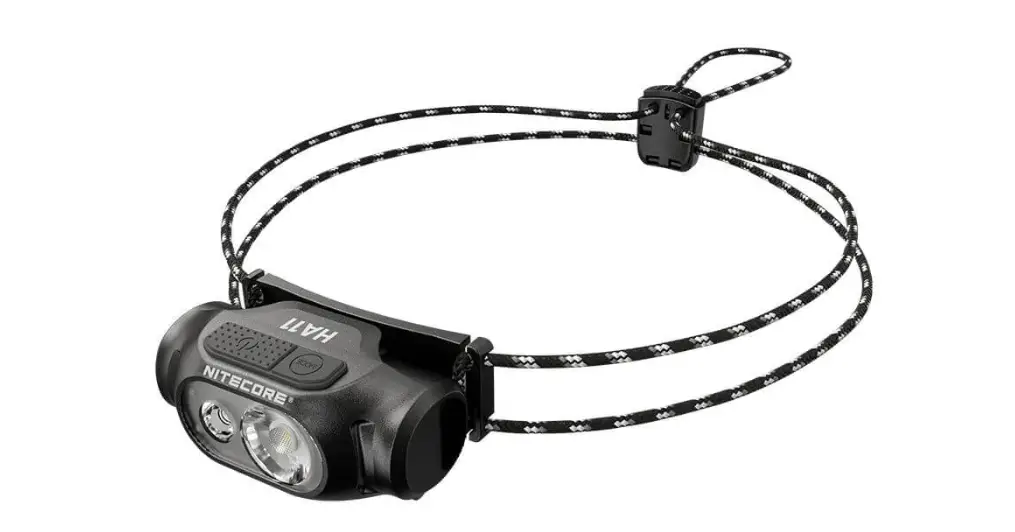
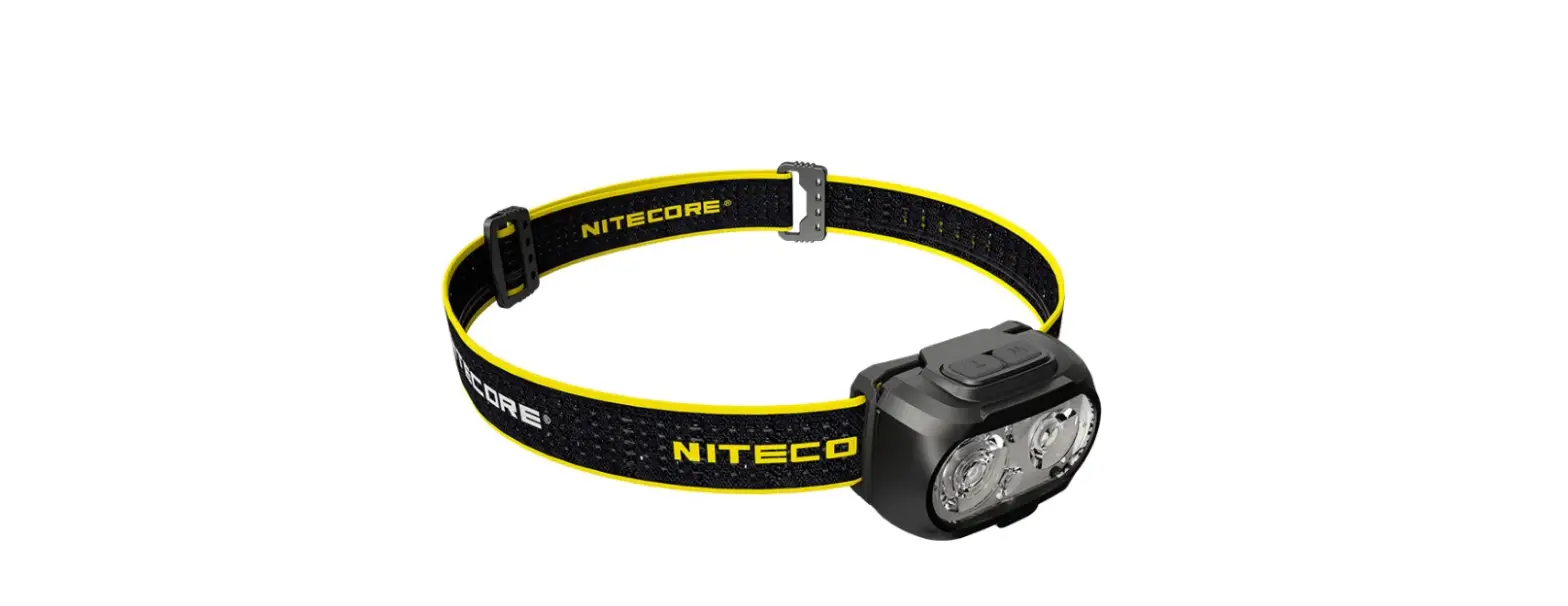
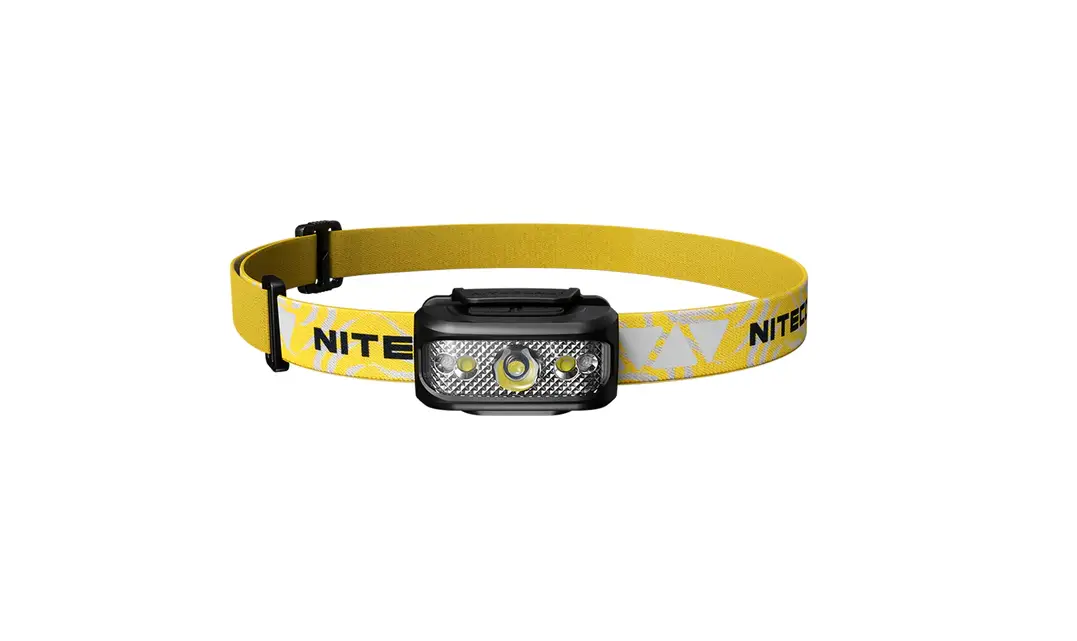
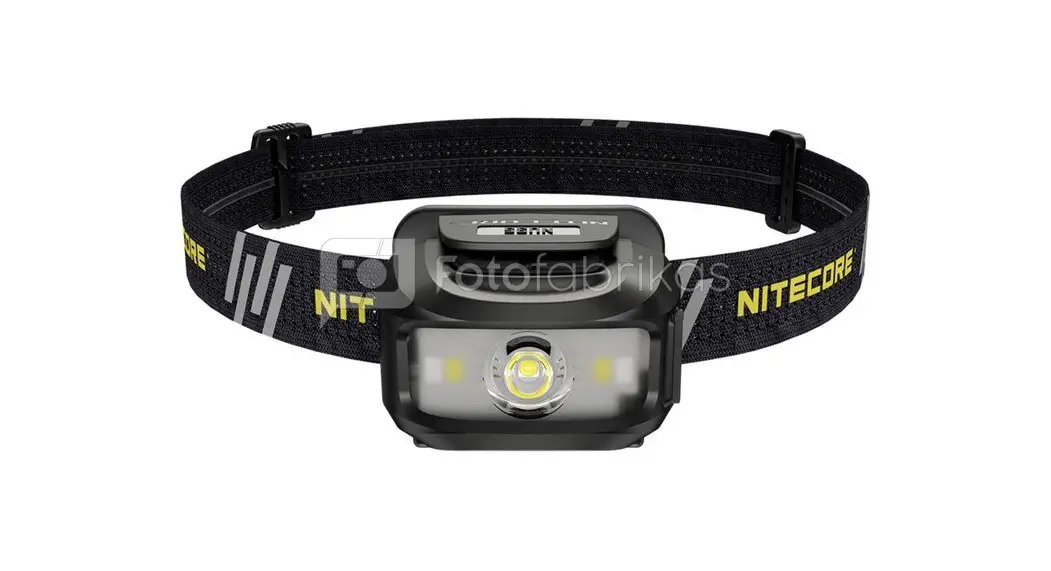
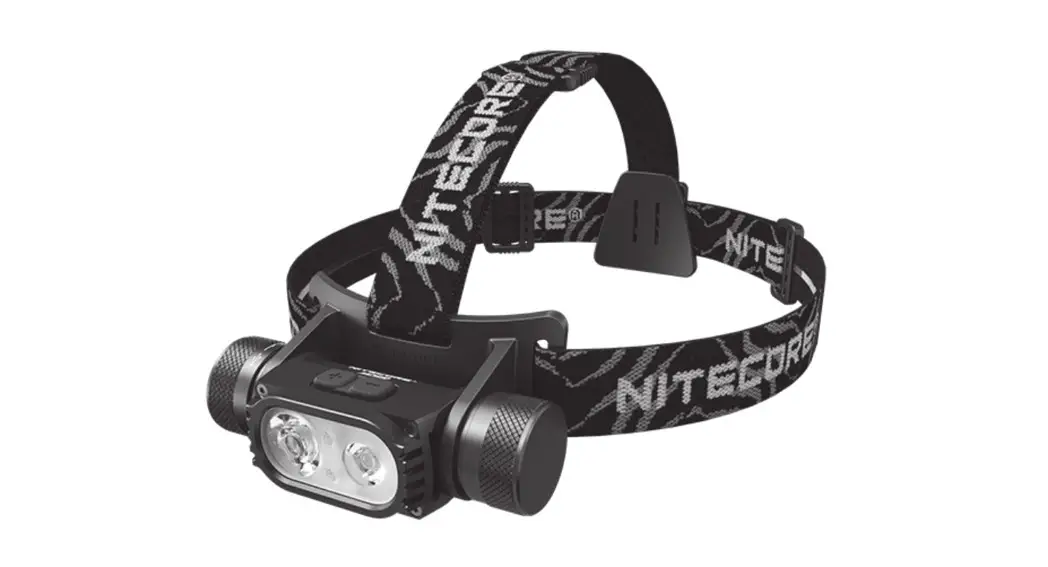
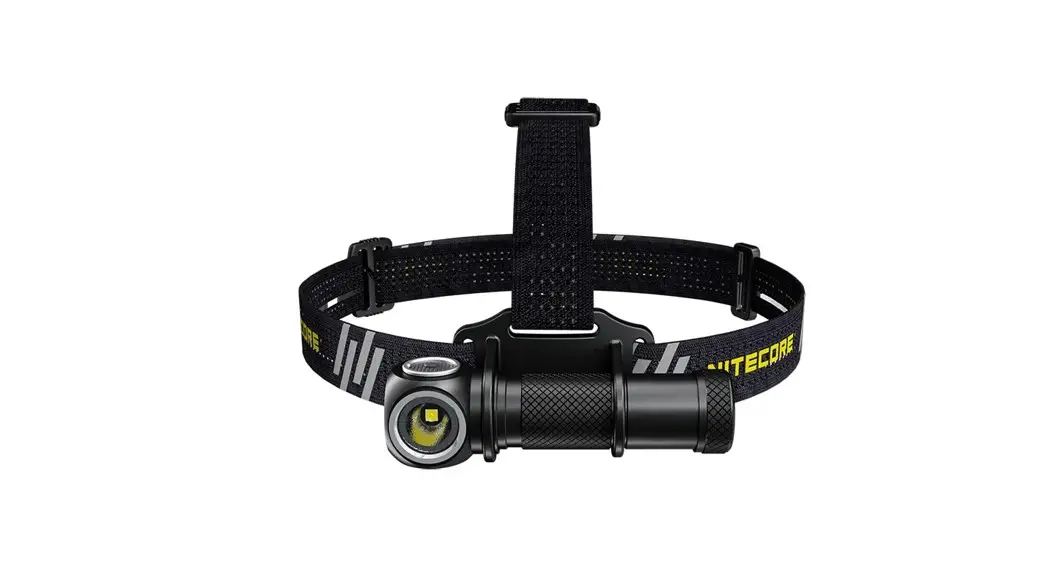
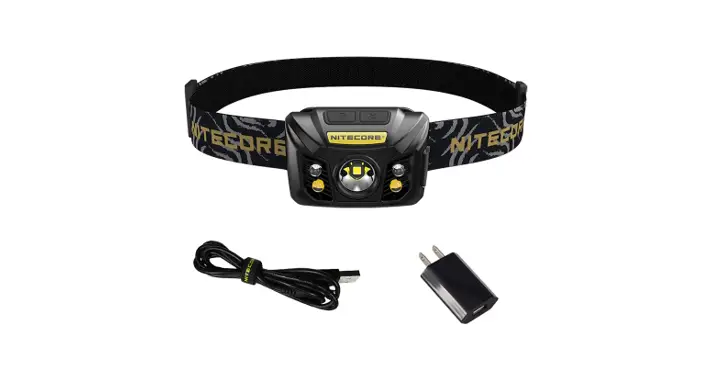
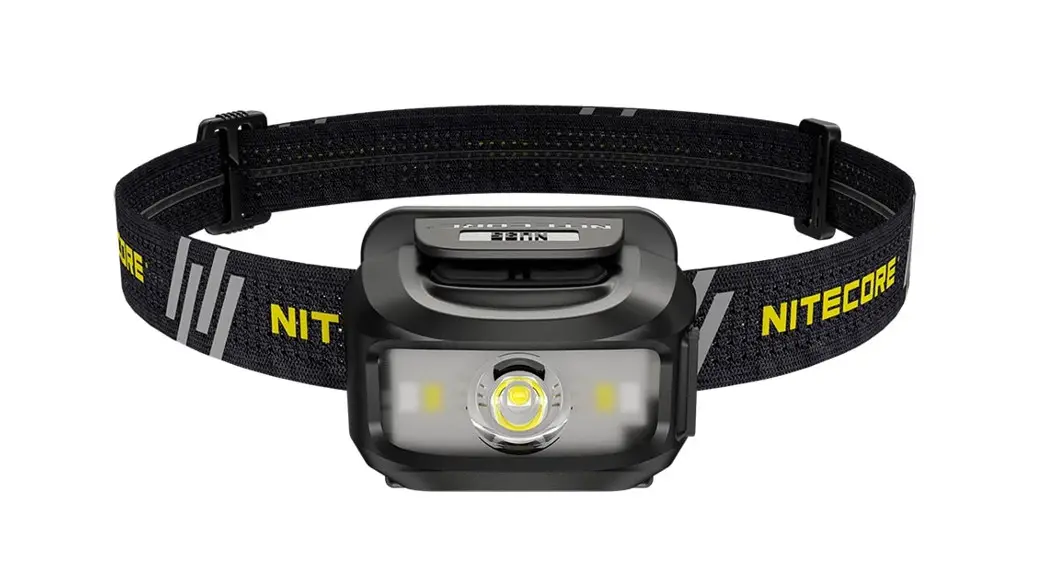
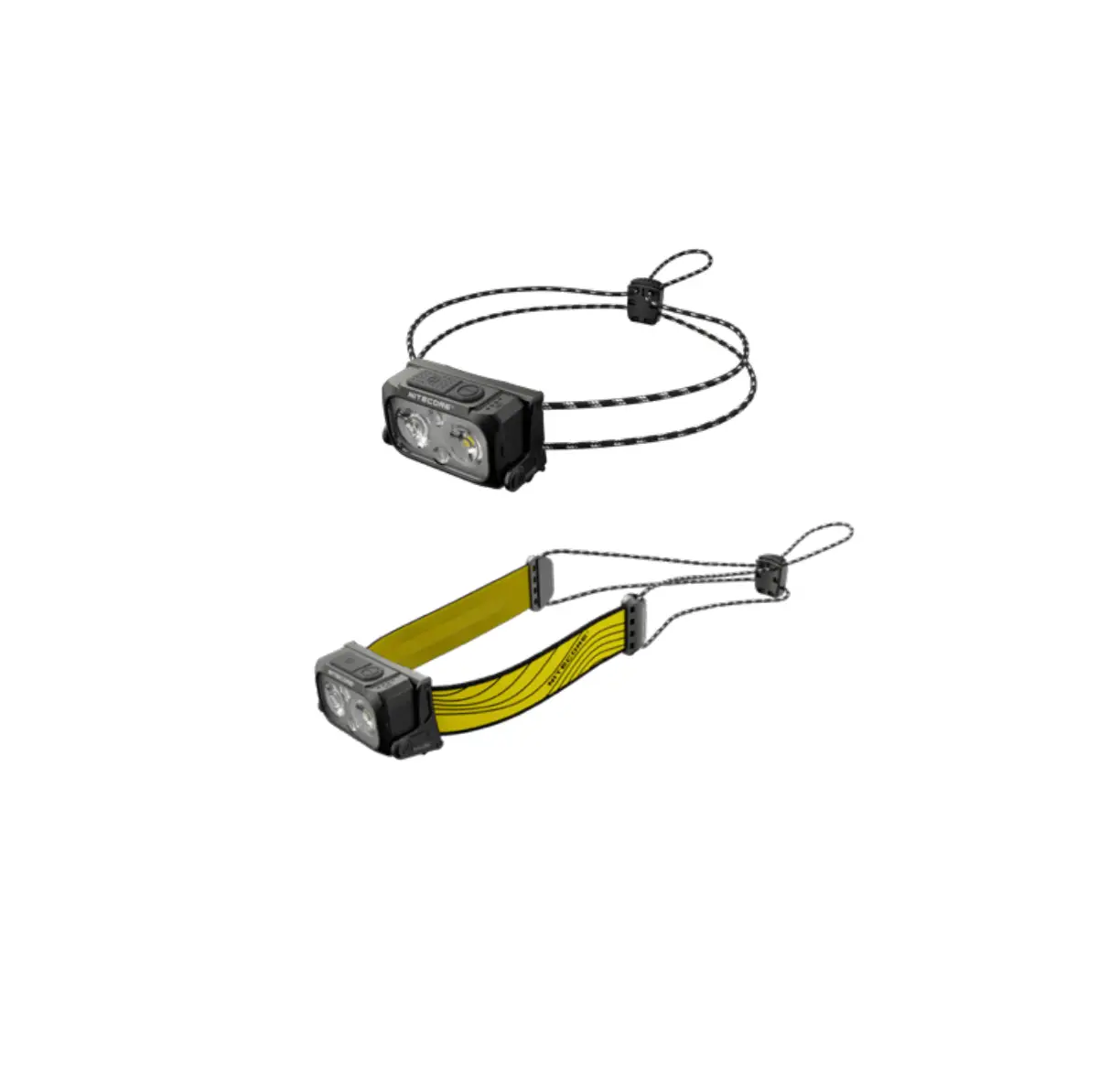
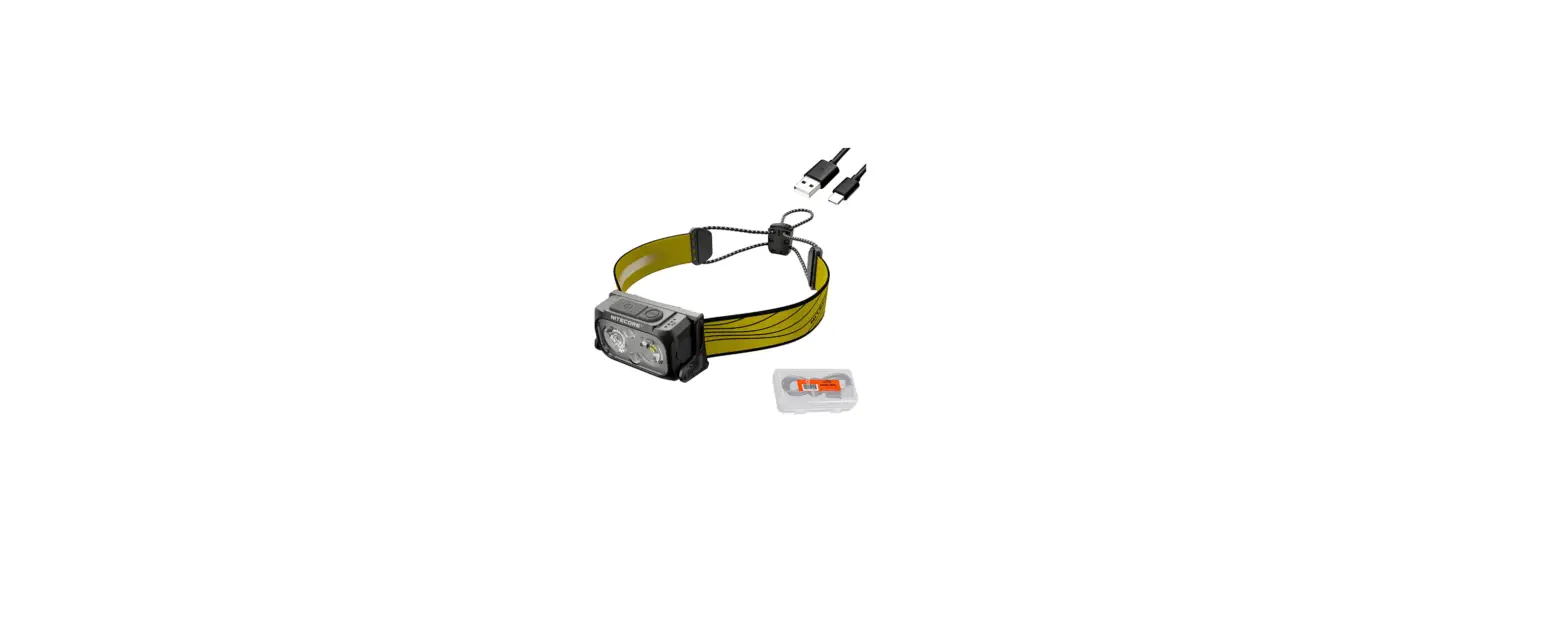
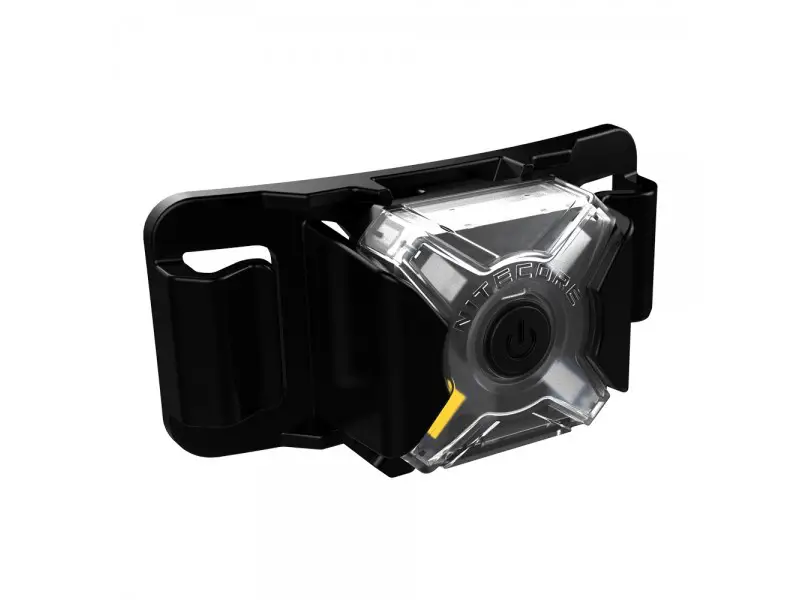
NU21 Ultra Lightweight Dual Beam Outdoor Headlamp
Product Information: Product Name: NU21 Ultra Lightweight Dual Beam
Outdoor Headlamp Dimensions: 60.1mm x 33mm x 25.5mm (2.37 x 1.30 x
1.00) (Bracket Included) Weight: 44g (1.55 oz) (Bracket and
Headband Included) Accessories: Headband, USB-C Charging Cable
Light Sources: White Light, Red Light Special Modes: SOS, BEACON
Power Indication: 4 Constant-on, 3 Constant-on, 2 Constant-on, 1
Constant-on Power Level Indication: Approx. 100%, Approx. 75%,
Approx. 50%, Approx. 25% (Please charge the product as soon as
possible) Warranty Service: Refer to the warranty section in the
manual for complete warranty information. Technical Data: – Lumens:
60, 170, BEACON, SOS, HIGH, MID, LOW, ULTRALOW, CONSTANT-ON, SLOW
FLASHING – Runtime: 26h, 4.5m, 5cd; 37h; 8h; 3.5h; 2h – Beam
Distance: 1m; 6m; 39m; 24m; 58m – Peak Beam Intensity: 5cd; 10cd;
399cd; 150cd; 840cd – Impact Resistance: IP66 – Water Resistance:
Yes Product Usage Instructions: 1. On/Off: Long press the Power
Button to turn the light on or off. 2. Light Sources Switching:
When the light is on, short press the MODE Button to switch between
White Light and Red Light. 3. Special Modes: – SOS/BEACON: Double
press the MODE Button in any status to activate SOS or BEACON mode.
4. Lockout/Unlock: – Lockout: Long press both Power Button and MODE
Button simultaneously for 2 seconds when the light is off to
activate the lockout mode. – Unlock: Long press the Power Button to
unlock the light when it is in lockout mode. 5. Power Indication: –
When the light is off, short press the MODE Button, and the
corresponding power indicators next to the MODE Button will be on
in turn and go off after 2 seconds. – Note: The battery should be
recharged when the output appears to be dim or the headlamp becomes
unresponsive due to low power. 6. Warnings: – CAUTION! Possible
dangerous radiation! Don’t look into the light! May be dangerous
for your eyes. – Please recharge the product every 6 months when
left unused for a prolonged time. – When the product is kept in the
backpack, please activate the Lockout Mode to prevent accidental
activation. – DO NOT disassemble or modify the headlamp as doing so
will cause damage to it and render the product warranty invalid.
Please refer to the warranty section in the manual for complete
warranty information. – Dispose of the device/batteries in
accordance with applicable local laws and regulations.
Short press when the light is on LOW MID HIGH
White Light Red Light Short press when the light is on
Double press when the light is off ULTRALOW
SOS / BEACON Double press in any status Red Light Long press when the light is off Off Long press when the light is on
NU21 Manual
Long press both for 2s
Lockout when the light is off Unlock
Long press On / Off
Note: The stated data is measured by using the built-in Li-ion battery (3.7V 500mAh) under laboratory conditions. The data may vary in real world use due to different environmental conditions.
360 Lumens
360 Lumens
10 Lumens
5 Lumens
26h 4.5m 5cd
1m IP66
6 Lumens
37h
6m
10cd
399cd 150cd
39m 24m
8h
3.5h
360 Lumens
2h
58m
840cd
Brightness
Runtime Beam Distance Peak Beam Intensity Impact Resistance Water Resistance
NU21
Ultra Lightweight Dual Beam Outdoor Headlamp
· White Light + Red Light · 360 Lumens Max Output · Innovative Unibody Optical Lens System
Specifications
Dimensions: 60.1mm x 33mm x 25.5mm (2.37″ x 1.30″ x 1.00″) (Bracket Included) Weight: 44g (1.55 oz) (Bracket and Headband Included)
Accessories
Headband, USB-C Charging Cable
Technical Data
Charging Function
Lumens Lumens
60
170
BEACON
SOS
HIGH MID LOW ULTRALOW CONSTANT-ON SLOW FLASHING
White Light
Red Light
White Light
Features
· Dual beam USB-C rechargeable outdoor headlamp
· Specially designed for outdoor activities · With a max output of 360 lumens · Utilizes a unibody optical lens system
with various facets for reflecting a uniform and soft light · Built-in 500mAh Li-ion battery · Highly efficient constant current circuit provides a stable output with a max runtime of 37 hours · Designed with two buttons different in shape and touch, offering easy onehanded operation · 4 brightness levels, 2 light sources and 3 special modes available · Built-in intelligent Li-ion battery charging circuit with a USB-C charging port · Designed with 4 power indicators to indicate the remaining battery power · Made from durable PC material · Waterproof and dustproof rating in accordance with IP66 · Impact resistant to 1 meter
Power Button / MODE Button
Power Indication
Status of Indicators 4 Constant-on 3 Constant-on 2 Constant-on
1 Constant-on
Power Level
Approx. 100% Approx. 75% Approx. 50% Approx. 25% (Please charge the product as soon as possible)
Warranty Service
All NITECORE® products are warranted for quality. Any DOA / defective product can be exchanged for a replacement through a local distributor/dealer within 15 days of purchase. After that, all defective / malfunctioning NITECORE® products can be repaired free of charge within 24 months from the date of purchase. Beyond 24 months, a limited warranty applies, covering the cost of labor and maintenance, but not the cost of accessories or replacement parts. The warranty will be nullified if 1. the product(s) is/are broken down,
reconstructed and/or modified by unauthorized parties; 2. the product(s) is/are damaged due to improper use. For the latest information on NITECORE® products and services, please contact a local NITECORE® distributor or send an email to [email protected]. All images, texts and statements specified herein this user manual are for reference purposes only. Should any discrepancy occur between this manual and information specified on www.nitecore.com, Sysmax Innovations Co., Ltd. reserves the rights to interpret and amend the content of this document at any time without prior notice.
(English)
Charging Function
The NU21 is equipped with an intelligent charging system. Please charge the battery before the first use. Power Connection: As illustrated, uncap the charging port and use the USB cable to connect an external power supply to the charging port to begin the charging process. Charging Indication: During the charging process, 4 power indicators on the top will flash to inform the user. When the battery is fully charged, 4 power indicators will become steadily turned on. The charging time is approx. 1.5h (charged via the 5V/0.5A adapter). When fully charged, the standby time is approx. 12 months.
Power Button / MODE Button
· The Power Button is used for turning on / off the light and adjusting brightness levels.
· The MODE Button is designed for switching light sources.
On / Off
· When the light is off, long press the Power Button for 1 second to access LOW.
· When the light is on, long press the Power Button or MODE Button for 1 second to turn it off.
White Light
· When the light is off, long press the Power Button for 1 second to access LOW.
· When the light is off, double press the Power Button to access ULTRALOW.
· When the light is on, short press the Power Button to cycle through the following brightness levels: LOW MID HIGH.
Note: The HIGH Level will step down to prevent overheating and prolong battery life when it runs for a prolonged period.
Red Light
· When the light is off, long press the MODE Button for 1 second to turn on the Red Light.
· When the Red Light is on, short press the Power Button to switch between CONSTANT-ON and SLOW FLASHING.
Light Sources Switching
When the light is on, short press the MODE Button to switch between White Light and Red Light.
Special Modes (SOS / BEACON)
· When the headlamp is in any status, double press the MODE Button to access SOS.
· When either special mode is on, short press the Power Button to switch between SOS and BEACON. Double press the MODE Button again to return to the previous status.
Lockout / Unlock
· When the headlamp is off, long press both buttons for 2 seconds until the headlamp flashes 3 times to indicate access to the Lockout Mode. In the Lockout Mode, any brightness levels or special modes are unavailable, and the headlamp will flash once to indicate this status when pressing either button.
· When in the Lockout Mode, long press both buttons for 2 seconds again until the ULTRALOW is on to indicate the unlock status.
Note: The NU21 will be automatically unlocked when charged in the Lockout Mode.
Power Indication
When the light is off, short press the MODE Button, and the corresponding power indicators next to the MODE Button will be on in turn and go off after 2 seconds. Note: The battery should be recharged when the output appears to be dim or the headlamp becomes unresponsive due to low power.
Warnings
1. CAUTION! Possible dangerous radiation! Don’t look into the light! May be dangerous for your eyes.
2. Please recharge the product every 6 months when left unused for a prolonged time.
3. When the product is kept in the backpack, please activate the Lockout Mode to prevent accidental activation.
4. DO NOT disassemble or modify the headlamp as doing so will cause damage to it and render the product warranty invalid. Please refer to the warranty section in the manual for complete warranty information.
5. Dispose of the device/batteries in accordance with applicable local laws and regulations.
(Español)
Función de carga
La NU21 está equipada con un sistema de carga inteligente. Por favor cargue la batería antes del primer uso.
Conexión a la fuente de carga: Como se muestra en la imagen, destape el puerto de carga y utilice el cable USB para conectar a una fuente de alimentación externa al puerto de carga para iniciar el proceso de carga.
Indicador de carga: Durante el proceso de carga, 4 indicadores en la parte superior parpadearán para informar al usuario. Cuando la batería esté completamente cargada, los 4 indicadores permanecerán encendidos. El tiempo aproximado de carga es de aproximadamente 1.5 horas. (cargando con un adaptador 5V/0.5A). Cuando está completamente cargada, el tiempo en espera es de aproximadamente 12 meses.
Botón de encendido / Botón MODE
· El botón de encendido es utilizado para encender / apagar la luz y ajustar los niveles de intensidad.
· El botón MODE está diseñado para cambiar las fuentes de iluminación.
Encendido / Apagado
· Cuando la luz está apagada, mantenga presionado el Botón de encendido por 1 segundo para acceder al modo BAJO.
· Cuando la luz está encendida, mantenga presionado el Botón de encendido o el Botón MODE por 1 segundo para apagar.
Luz blanca
· Cuando la luz está apagada, mantenga presionado el Botón de encendido por 1 segundo para acceder al modo BAJO.
· Cuando la luz está apagada, presione el Botón de encendido 2 veces para acceder al modo ULTRABAJO.
· Cuando la luz está encendida, presione ligeramente el Botón de encendido para cambiar entre los siguientes niveles de intensidad: BAJO MEDIO ALTO.
Nota: El nivel ALTO bajará para evitar sobrecalentamiento y prolongar la vida de la batería cuando funcione durante un tiempo prolongado.
Luz roja
· Cuando la luz está apagada, mantenga presionado el Botón MODE por 1 segundo para encender la luz roja.
· Cuando la luz roja está encendida, presione ligeramente el Botón de encendido para cambiar entre ENCENDIDO CONSTANTE y PARPADEO LENTO.
Cambio de fuente de iluminación
Cuando la luz está encendida, presione ligeramente el Botón MODE para cambiar entre luz blanca y luz roja.
Modos especiales (SOS / BALIZA)
· Cuando la linterna está en cualquier estado, presione dos veces el Botón MODE para acceder al modo SOS.
· Cuando cualquiera de los modos especiales está activado, presione ligeramente el Botón de encendido para cambiar entre SOS y BALIZA. Presione dos veces el Botón MODE nuevamente para regresar al estado anterior.
Bloqueo / Desbloqueo
· Cuando la linterna está apagada, mantenga presionados ambos botones por 2 segundos hasta que la luz parpadee 3 veces para indicar el acceso al Modo de Bloqueo. En el Modo de Bloqueo, no estará disponible ninguna intensidad o modo especial, y la luz parpadeará una vez para indicar este estado al presionar cualquier botón.
· Cuando esté en el Modo de Bloqueo, mantenga presionados ambos botones por 2 segundos nuevamente hasta que el modo ULTRABAJO encienda para indicar el estado de desbloqueo.
Nota: La NU21 se desbloqueará automáticamente al cargarla en el Modo de Bloqueo.
Indicador de batería
Cuando la luz está apagada, presione ligeramente el Botón MODE, los indicadores de carga correspondientes junto al botón MODE encenderán sucesivamente y se apagarán después de 2 segundos.
Nota: La batería debe ser recargada cuando la intensidad luzca débil o la linterna no responda debido a la baja potencia.
Advertencias
1. ¡PRECAUCIÓN! ¡Posible radiación lumínica peligrosa! ¡No mire directo a la luz! Puede ser peligroso para sus ojos.
2. Por favor recargue el producto cada 6 meses cuando no sea utilizado por periodos prolongados de tiempo.
3. Cuando deje el producto en una mochila, por favor active el Modo de Bloqueo para prevenir activación accidental.
4. NO desarme o modifique la linterna, hacerlo causará daño al mismo e invalidará la garantía. Por favor consulte la sección de garantía en el manual para información completa de la misma.
5. Elimine el dispositivo/baterías de acuerdo con las leyes y reglamentos locales aplicables.
(Francais)
Fonction de charge
La NU21 est équipée d’un système de charge intelligent. Veuillez charger la batterie avant la première utilisation.
Connexion à l’alimentation : Comme illustré, débouchez le port de charge et utilisez le câble USB pour connecter une alimentation externe au port de charge afin de commencer le processus de charge.
Indication de charge : Pendant le processus de charge, les 4 indicateurs de puissance situés sur le dessus clignotent pour informer l’utilisateur. Lorsque la batterie est complètement chargée, les 4 indicateurs d’alimentation s’allument de façon continue. Le temps de charge est d’environ 1,5 heure (avec l’adaptateur 5V/0,5A). Lorsque la batterie est complètement chargée, l’autonomie en veille est d’environ 12 mois.
Bouton POWER / Bouton MODE
· Le bouton POWER sert à allumer/ éteindre la lumière et à régler les niveaux de luminosité.
· Le bouton MODE permet de changer de source lumineuse.
On / Off
· Lorsque la lumière est éteinte, appuyez longuement sur le bouton marche/arrêt pendant 1 seconde pour accéder à BAS.
· Lorsque la lumière est allumée, appuyez longuement sur le bouton d’alimentation ou le bouton MODE pendant 1 seconde pour l’éteindre.
Lumière blanche
· Lorsque la lumière est éteinte, appuyez longuement sur le bouton d’alimentation pendant 1 seconde pour accéder à BAS.
· Lorsque la lumière est éteinte, appuyez deux fois sur le bouton marche/arrêt pour accéder à ULTRALOW.
· Lorsque la lumière est allumée, appuyez brièvement sur le bouton marche/arrêt pour faire défiler les niveaux de luminosité suivants : FAIBLE MOYENNE – ÉLEVÉE.
Remarque : le niveau HIGH diminue pour éviter la surchauffe et prolonger la durée de vie de la batterie en cas de fonctionnement prolongé.
Lumière rouge
· Lorsque la lumière est éteinte, appuyez longuement sur le bouton MODE pendant 1 seconde pour allumer la lumière rouge.
· Lorsque la lumière rouge est allumée, appuyez brièvement sur le bouton Marche/Arrêt pour passer de l’allumage constant au clignotement lent.
Changement de source lumineuse
Lorsque la lumière est allumée, appuyez brièvement sur le bouton MODE pour passer de la lumière blanche à la lumière rouge.
Modes spéciaux (SOS / BALISE)
· Lorsque la lampe frontale est dans n’importe quel état, appuyez deux fois sur le bouton MODE pour accéder au mode SOS.
· Lorsque l’un des modes spéciaux est activé, appuyez brièvement sur le bouton marche/arrêt pour basculer entre SOS et BALISE. Appuyez à nouveau deux fois sur le bouton MODE pour revenir à l’état précédent.
Verrouillage / Déverrouillage
· Lorsque la lampe frontale est éteinte, appuyez longuement sur les deux boutons pendant 2 secondes jusqu’à ce que la lampe frontale clignote 3 fois pour indiquer l’accès au mode verrouillage. En mode verrouillage, tous les niveaux de luminosité ou modes spéciaux sont indisponibles, et la lampe frontale clignote une fois pour indiquer cet état lorsque l’on appuie sur l’un des boutons.
· En mode verrouillage, appuyez longuement sur les deux boutons pendant 2 secondes jusqu’à ce que l’ULTRALOW s’allume pour indiquer l’état de déverrouillage.
Remarque : la NU21 est automatiquement déverrouillée lorsqu’elle est chargée en mode verrouillage.
Indication de puissance
Lorsque la lumière est éteinte, appuyez brièvement sur le bouton MODE, et les indicateurs de puissance correspondants à côté du bouton MODE s’allumeront à tour de rôle et s’éteindront après 2 secondes. Remarque : la batterie doit être rechargée lorsque la sortie semble être faible ou que la lampe frontale ne répond plus en raison d’une faible puissance.
Avertissements
1. ATTENTION ! Risque de radiation dangereuse ! Ne regardez pas la lumière ! Peut être dangereux pour les yeux.
2. Veuillez recharger le produit tous les 6 mois s’il n’est pas utilisé pendant une période prolongée.
3. Lorsque le produit est rangé dans le sac à dos, activez le mode verrouillage pour éviter toute activation accidentelle.
4. NE PAS démonter ou modifier la lampe frontale, car cela l’endommagerait et rendrait la garantie du produit invalide. Veuillez vous référer à la section garantie du manuel pour des informations complètes sur la garantie.
5. Disposez de l’appareil/des piles conformément aux lois et réglementations locales en vigueur.
(Italiano)
Funzione di Ricarica
L’NU21 è dotata di un sistema di ricarica intelligente. Si prega di caricare la batteria prima del primo utilizzo.
Collegamento all’alimentazione: Come illustrato, togliere il tappo dalla porta di ricarica e utilizzare il cavo USB per collegare un alimentatore esterno alla porta di ricarica per avviare il processo di ricarica.
Indicazione di carica: Durante il processo di carica, i 4 indicatori di alimentazione sulla parte superiore lampeggiano per informare l’utente. Quando la batteria è completamente carica, i 4 indicatori di alimentazione si accendono costantemente. Il tempo di ricarica è di circa 1,5 ore (ricarica tramite adattatore 5V/0,5A). Quando è completamente carica, l’autonomia in standby è di circa 12 mesi.
Pulsante Power e Pulsante MODE
· Il pulsante di accensione Power serve ad accendere/spegnere la luce e a regolare i livelli di luminosità.
· Il pulsante MODE serve a commutare le sorgenti luminose.
Accensione e Spegnimento
· Quando la luce è spenta, premere a lungo il pulsante di accensione per 1 secondo per accedere alla modalità LOW.
· Quando la luce è accesa, premere a lungo il pulsante di accensione o il pulsante MODE per 1 secondo per spegnerla.
Luce Bianca
· Quando la torcia è spenta, premere a lungo il pulsante di accensione per 1 secondo per accedere a LOW.
· Quando la torcia è spenta, premere due volte il pulsante di accensione per accedere a ULTRALOW.
· Quando la torcia è accesa, premere brevemente il pulsante di accensione per scorrere i seguenti livelli di luminosità: LOW – MID – HIGH.
Nota: il livello HIGH si abbassa per evitare il surriscaldamento e prolungare la durata della batteria in caso di utilizzo prolungato.
Luce Rossa
· Quando la torcia è spenta, premere a lungo il pulsante MODE per 1 secondo per accendere la luce rossa.
· Quando la torcia rossa è accesa, premere brevemente il pulsante di accensione per passare da COSTANTE a LAMPEGGIO LENTO.
Commutazione delle Fonti Luminose
Quando la torcia è accesa, premere brevemente il pulsante MODE per passare dalla luce bianca alla luce rossa.
Modalità Speciali (SOS / BEACON)
· Quando la lampada frontale è in qualsiasi stato, premere due volte il pulsante MODE per accedere a SOS.
· Quando una delle due modalità speciali è attiva, premere brevemente il pulsante di accensione per passare da SOS a BEACON. Premere due volte il pulsante MODE per tornare allo stato precedente.
Sblocco e Blocco
· Quando la torcia è spenta, premere a lungo entrambi i pulsanti per 2 secondi finché il LED non lampeggia 3 volte per indicare l’accesso alla modalità di Blocco. In modalità Blocco, tutti i livelli di luminosità o le modalità speciali non sono disponibili e il LED lampeggia una volta per indicare questo stato quando si preme uno dei due pulsanti.
· Quando si è in modalità di Blocco, premere di nuovo a lungo entrambi i pulsanti per 2 secondi fino a quando l’indicatore ULTRALOW si accende per indicare lo stato di sblocco.
Nota: l’NU21 si sblocca automaticamente quando viene caricata mentre si trova nella modalità di blocco.
Indicatore di potenza residua
Quando la torcia è spenta, premere brevemente il pulsante MODE; gli indicatori di potenza corrispondenti accanto al pulsante MODE si accendono a turno e si spengono dopo 2 secondi.
Nota: la batteria deve essere ricaricata quando l’uscita luminosa appare debole o la torcia non risponde ai comandi a causa della bassa potenza di carica.
Precauzioni
1. ATTENZIONE! Possibili radiazioni pericolose! Non guardare la luce! Può essere pericoloso per gli occhi.
2. In caso di inutilizzo prolungato, ricaricare il prodotto ogni 6 mesi.
3. Quando il prodotto viene tenuto nello zaino, attivare la modalità di blocco per evitare un’attivazione accidentale.
4. NON smontare o modificare la lampada frontale per evitare di danneggiarla e invalidare la garanzia del prodotto. Per informazioni complete sulla garanzia, consultare la sezione del manuale dedicata alla garanzia.
5. Smaltire il dispositivo/batterie in conformità alle leggi e alle normative locali vigenti.
(Deutsch)
Ladefunktion
Die NU21 ist mit einem intelligenten Ladesystem ausgestattet. Bitte laden Sie den Akku vor dem ersten Gebrauch auf.
Anschließen an einen externen Stromanschluss: Nehmen Sie wie abgebildet – die Abdeckung des Ladeanschlusses ab und schließen Sie ein externes Netzteil mit dem USBKabel an den Ladeanschluss an, um den Ladevorgang zu starten.
Anzeige des Ladevorgangs: Während des Ladevorgangs blinken die 4 LEDs auf der Oberseite. Wenn der Akku vollständig aufgeladen ist, leuchten die 4 LEDs dauerhaft. Die Ladezeit beträgt ca. 1,5h. (geladen mit einem 5V/0,5A-Adapter) Bei voller Ladung beträgt die Standby-Zeit ca. 12 Monate.
Power Button / MODE Button
· Der Power-Button dient zum Einund Ausschalten der Lampe und zum Einstellen der Helligkeit.
· Der MODE-Button ist für das Umschalten der Lichtquellen vorgesehen.
EIN / AUS
· Wenn das Licht aus ist, halten Sie den Power-Button 1 Sek. lang gedrückt, um in den ,,LOW”-Mode zu gelangen.
· Wenn das Licht an ist, halten Sie den Power-Button oder den MODEButton 1 Sek lang gedrückt, um es auszuschalten.
Weißes Licht
· Wenn das Licht aus ist, drücken Sie den Power-Button 1 Sek lang, um auf den ,,LOW”-Mode zuzugreifen.
· Wenn das Licht ausgeschaltet ist, drücken Sie zweimal auf den PowerButton, um auf “ULTRALOW” zuzugreifen.
· Wenn das Licht eingeschaltet ist, drücken Sie kurz auf den PowerButton, um zwischen den folgenden Helligkeitsstufen zu wechseln: “LOW” “MID” “HIGH”.
Hinweis: Wenn das Gerät über einen längeren Zeitraum im ,,HIGH”-Mode läuft, wird die Stufe heruntergeregelt, um eine Überhitzung zu vermeiden und die Lebensdauer des Akkus zu verlängern.
Rotes Licht
· Wenn das Licht aus ist, halten Sie die MODE-Taste 1 Sek lang gedrückt, um das rote Licht einzuschalten.
· Wenn das rote Licht eingeschaltet ist, drücken Sie kurz auf den PowerButton, um zwischen Dauerlicht und langsamen Blinken zu wechseln.
Wechseln der Lichtquellen
Wenn das Licht eingeschaltet ist, drücken Sie kurz den MODE-Button, um zwischen weißem Licht und rotem Licht zu wechseln.
Spezial-Modi (SOS / BEACON)
· Wenn sich die Lampe in einem beliebigen Mode befindet, drücken Sie zweimal den MODE-Button, um ,,SOS” aufzurufen.
· Wenn einer der beiden Spezial-Modi eingeschaltet ist, drücken Sie kurz auf den Power-Button, um zwischen ,,SOS” und ,,BEACON” zu wechseln. Drücken Sie den MODE-Button erneut doppelt, um zum vorherigen Mode zurückzukehren.
Sperren / Entsperren
· Wenn die Lampe ausgeschaltet ist, halten Sie beide Tasten 2 Sek lang gedrückt, bis die Lampe dreimal blinkt um den Zugriff auf den SperrMode anzuzeigen. Im Sperr-Mode sind keine Helligkeitsstufen oder SpezialModi verfügbar, und die Lampe blinkt einmal, um diesen Status anzuzeigen, wenn eine der Tasten gedrückt wird.
· Wenn Sie sich im Sperr-Mode befinden, halten Sie beide Tasten erneut 2 Sek lang gedrückt, bis die Lampe in “ULTRALOW” leuchtet, um den Entsperrungsstatus anzuzeigen.
Hinweis: Die NU21 wird automatisch entsperrt, wenn sie im Sperr-Mode geladen wird.
Restenergie-Anzeige
Wenn das Licht ausgeschaltet ist, drücken Sie kurz auf den MODE-Button. Die entsprechenden LEDs neben dem MODEButton leuchten auf und erlöschen nach 2 Sekunden.
Hinweis: Der Akku sollte aufgeladen werden, wenn die Leistung schwach erscheint oder die Lampe aufgrund niedrigem Energiestand nicht mehr reagiert.
Warnungen
1. VORSICHT! Mögliche gefährliche Strahlung! Nicht in das Licht schauen! Dies kann gefährlich für Ihre Augen sein.
2. Bitte laden Sie das Produkt alle 6 Monate auf, wenn es über einen längeren Zeitraum nicht benutzt wird.
3. Wenn das Produkt im Rucksack aufbewahrt wird, aktivieren Sie bitte den Sperr-Mode, um eine versehentliche Aktivierung zu verhindern.
4. Die Lampe darf NICHT zerlegt oder modifiziert werden, da dies zu Schäden führt und die Produktgarantie erlischt. Vollständige Informationen zur Garantie finden Sie im Abschnitt “Garantie” in der Bedienungsanleitung
5. Entsorgen Sie das Gerät/die Batterien in Übereinstimmung mit den geltenden örtlichen Gesetzen und Vorschriften.
Entsorgung von Elektround Elektronikgeräten
Die durchgestrichene Mülltonne bedeutet, dass Sie gesetzlich verpflichtet sind, diese Geräte einer vom unsortierten Siedlungsabfall getrennten Erfassung zuzuführen. Die Entsorgung über die Restmülltonne oder die gelbe Tonne ist untersagt. Enthalten die Produkte Batterien oder Akkus, die nicht fest verbaut sind, müssen diese vor der Entsorgung entnommen und getrennt als Batterie entsorgt werden.
( )
NU21 . , .
: , , USB- .
: 4 , . , 4 . 1.5 ( 5 / 0.5 ). 12 .
/
· / .
· (MODE) .
/
· , 1 , .
· , (MODE) 1 , .
· , 1 , .
· , , .
· , , : — — .
. , .
· , 1 , .
· , , .
, , .
(SOS / )
· , SOS.
· , SOS . , .
/
· , 2 , 3 , . , , , .
· 2 , , .
. NU21 , .
, , .
. , .
1. ! ! , .
2. , 6 , .
3. / , , .
4. , . , , .
5. / .
( )
NU21 : USB : 4 1 30 12
/
· /
·
/
·
·
·
·
·
:
· 1
·
(SOS / )
· SOS
· SOS
/
· 2 3 1
· 2
:
2 :
1.
2.
3.
4.
5.
( )
NU21 . . : USB . : 4 . 4 . 1.5 (5V/0.5A ) . 12 .
/
· .
· MODE .
On / Off
· 1 LOW .
· MODE 1 .
· 1 LOW .
· ULTRALOW .
· LOW MID HIGH .
: HIGH .
· MODE 1 .
· CONSTANT-ON SLOW FLASHING .
MODE .
(SOS / BEACON)
· SOS .
· SOS BEACON . MODE .
/
· 3 2 . , .
· ULTRALOW 2 .
: NU21 .
MODE MODE 2 . : .
1. ! ! .
2. 6 .
3. .
4. . . .
5. / .
()
NU21 . , .
: , USB, , .
: 4 , . , 4 . . 1,5 ( 5 /0,5 ). . 12 .
/ MODE
· / .
· MODE .
/
· , 1 , .
· , MODE 1 , .
· , 1 , .
· , , .
· , , : .
: , , .
· , MODE 1 , .
· , , .
, MODE, .
(SOS / BEACON)
· – , MODE, SOS.
· – , , SOS . MODE , .
/
· , 2 , 3 , . – , – , .
· , 2 , , .
: NU21 .
, MODE, MODE 2 . . , .
1. ! ! ! .
2. , 6 , .
3. , , , .
4. , . , , .
5. / .
(Polski)
Funkcja ladowania
NU21 jest wyposaona w inteligentny system ladowania. Prosimy o naladowanie akumulatora przed pierwszym uyciem. Podlczenie zasilania: Jak pokazano na ilustracji, odblokuj port ladowania i za pomoc kabla USB podlcz zewntrzne ródlo zasilania do portu ladowania, aby rozpocz proces ladowania. Wskanik ladowania: Podczas procesu ladowania, 4 wskaniki mocy na górze bd miga, aby poinformowa uytkownika. Kiedy bateria jest w pelni naladowana, 4 wskaniki zasilania bd stale wlczone. Czas ladowania wynosi okolo 1,5 godziny (ladowanie przez adapter 5V/0,5A). Po pelnym naladowaniu czas czuwania wynosi ok. 12 miesicy.
Przycisk zasilania / Przycisk MODE
· Przycisk zasilania sluy do wlczania/ wylczania wiatla i regulacji poziomów jasnoci.
· Przycisk MODE przeznaczony jest do przelczania ródel wiatla.
Wl. / Wyl.
· Kiedy wiatlo jest wylczone, dlugo nacinij przycisk zasilania przez 1 sekund, aby uzyska dostp do LOW (NISKI)
· Kiedy wiatlo jest wlczone, dlugo nacinij przycisk zasilania lub przycisk MODE przez 1 sekund, aby je wylczy.
Biale wiatlo
· Kiedy wiatlo jest wylczone, dlugo nacinij przycisk zasilania przez 1 sekund, aby uzyska dostp do LOW. (NISKI)
· Gdy wiatlo jest wylczone, dwukrotnie nacinij przycisk zasilania, aby uzyska dostp do ULTRALOW (ULTRANISKI).
· Gdy wiatlo jest wlczone, nacinij krótko przycisk zasilania, aby przelcza si przez nastpujce poziomy jasnoci: NISKA – REDNIA – WYSOKA.
Uwaga: Poziom HIGH (WYSOKI) bdzie obniany, aby zapobiec przegrzaniu i przedluy ywotno akumulatora, gdy urzdzenie pracuje przez dluszy czas.
Czerwone wiatlo
· Gdy wiatlo jest wylczone, dlugo nacinij przycisk MODE przez 1 sekund, aby wlczy czerwone wiatlo.
· Kiedy czerwona lampka jest wlczona, nacinij krótko przycisk zasilania, aby przelczy pomidzy CONSTANT-ON i SLOW FLASHING.
Przelczanie ródel wiatla
Kiedy wiatlo jest wlczone, nacinij krótko przycisk MODE, aby przelczy pomidzy wiatlem bialym i czerwonym.
Tryby specjalne (SOS / BEACON)
· Kiedy latarka jest w dowolnym stanie, dwukrotnie nacinij przycisk MODE, aby uzyska dostp do SOS.
· Kiedy jeden z trybów specjalnych jest wlczony, krótko nacinij przycisk zasilania, aby przelczy pomidzy SOS i BEACON. Nacinij ponownie dwukrotnie przycisk MODE aby powróci do poprzedniego stanu.
Blokada / Odblokowanie
· Gdy reflektor jest wylczony, naley dlugo nacisn oba przyciski przez 2 sekundy, a reflektor zamiga 3 razy, aby wskaza dostp do trybu Lockout. W trybie Lockout, wszelkie poziomy jasnoci lub tryby specjalne s niedostpne, a reflektor mignie raz, aby wskaza ten stan po naciniciu któregokolwiek przycisku.
· W trybie blokady naley ponownie dlugo nacisn oba przyciski przez 2 sekundy, a ULTRALOW zapali si, aby wskaza stan odblokowania.
Uwaga: Urzdzenie NU 21 zostanie automatycznie odblokowane po naladowaniu w trybie blokady.
Wskazanie zasilania
Gdy wiatlo jest wylczone, nacinij krótko przycisk MODE, a odpowiednie wskaniki zasilania obok przycisku MODE bd si kolejno zapala i gasn po 2 sekundach.
Uwaga: Akumulator naley naladowa, gdy wyjcie wydaje si by przyciemnione lub gdy reflektor przestaje reagowa z powodu niskiej mocy.
Ostrzeenia
1. UWAGA! Moliwe niebezpieczne promieniowanie! Nie patrz w wiatlo! Moe by niebezpieczne dla Twoich oczu.
2. Naley ladowa produktu co 6 miesicy, gdy pozostaje nieuywany przez dluszy czas.
3. Gdy produkt jest przechowywany w plecaku, prosz wlczy tryb blokady, aby zapobiec przypadkowemu uruchomieniu.
4. NIE WOLNO demontowa ani modyfikowa reflektora, gdy spowoduje to jego uszkodzenie i uniewanienie gwarancji na produkt. Pelne informacje na temat gwarancji znajduj si w rozdziale dotyczcym gwarancji w instrukcji obslugi.
5. Urzdzenie/akumulatory naley utylizowa zgodnie z obowizujcymi lokalnymi przepisami i regulacjami.
( )
USB USB-C USB 4 LED 4 1.5 5V/0.5A 1
MODE
/
· 1
· MODE 1
· 1
·
· – –
· MODE 1
· –
MODE
SOS/
· MODE SOS
· SOS- MODE
/
MODE 2 3 MODE 2
MODE MODE 2
1.
2. 6
3.
4.
5. /
NITECORE® 15 24 24
1. 2. [email protected]
www.nitecore.cn
Worldwide Warranty Service
Model number
————————–
Date of purchase
————————–
Serial number
————————–
Store Stamp
————————–
This is the certificate of authenticity if this item and we confirm that it has been subjected to the most exacting quality controls by SYSMAX Innovations Co., Ltd.
NOTE: Please ensure this warranty card is fully completed by the distributor or retailer after purchasing the product. Should the product fail to operate correctly during the warranty period, it may be returned with the completed warranty card and original sales receipt to the retailer or local distributor for replacement or repair.
Customer Service Email: [email protected]
Thanks for purchasing NITECORE!
SYSMAX Innovations Co., Ltd.
TEL: +86-20-83862000
FAX: +86-20-83882723
E-mail: [email protected] Web: www.nitecore.com
Made in China
Address: Unit 6355, 5/F, No. 1021 Gaopu Road, Tianhe District, Guangzhou, 510653, Guangdong, China
Please find us on facebook : NITECORE Flashlight
NU210423123
 NITECORE 奈特科尔
 NITECORE