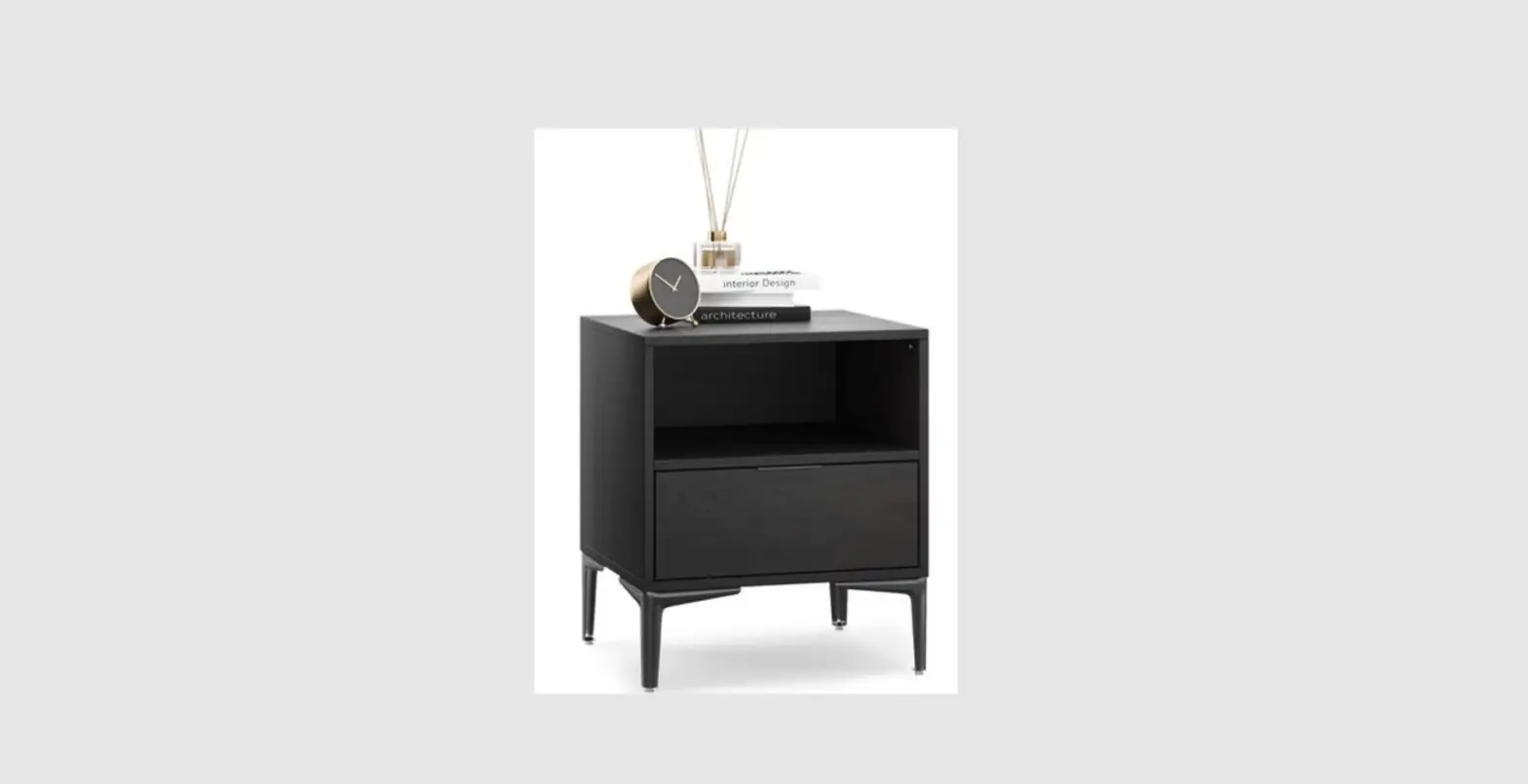

Kogan Shangri-la Honeycomb Entertainment Unit User Guide

Kogan Shangri-la Honeycomb Entertainment Unit User Guide

kogan-logo

kogan SHANGRI-LA Honeycomb Entertainment Unit
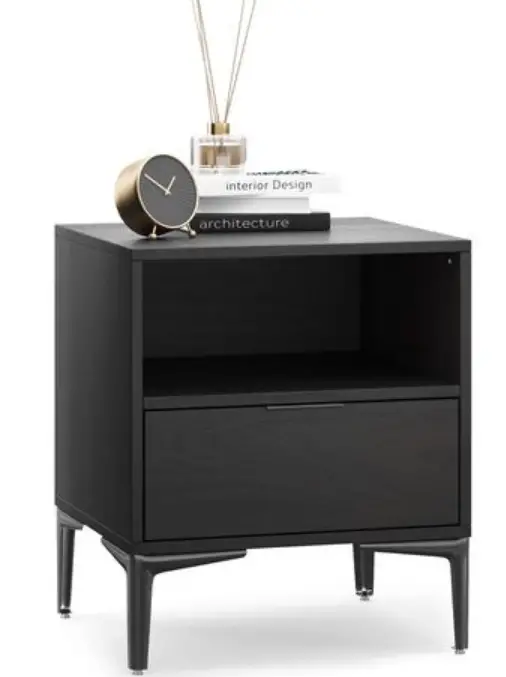
kogan-SHANGRI-LA-Honeycomb-Entertainment-Unit-

COMPONENTS

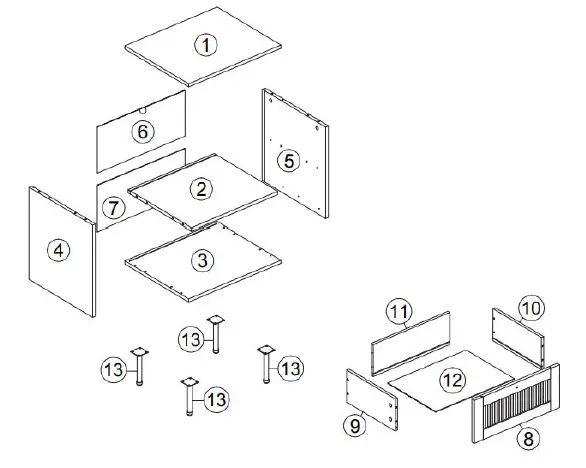
Lay all components out on a clean floor and ensure all parts are included. If any pieces are missing, check all packaging thoroughly, then contact help.Kogan.com for assistance. kogan-SHANGRI-LA-Honeycomb-Entertainment-Unit-fig-1
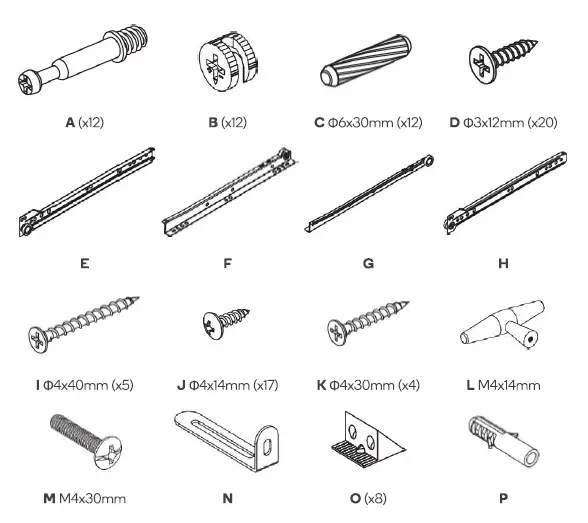
Hardwarekogan-SHANGRI-LA-Honeycomb-Entertainment-Unit-fig-2

ASSEMBLY

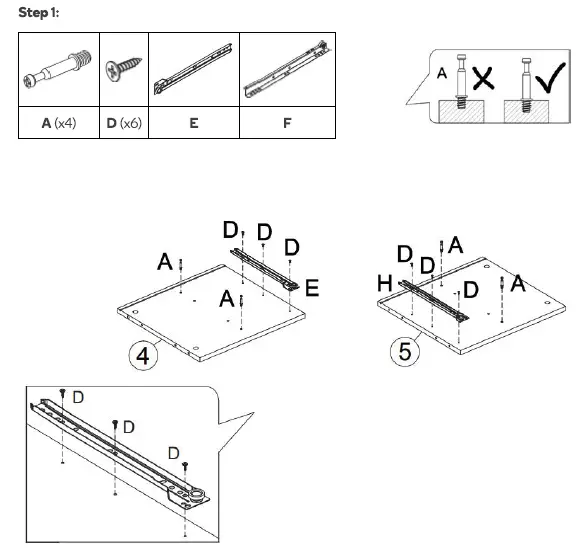
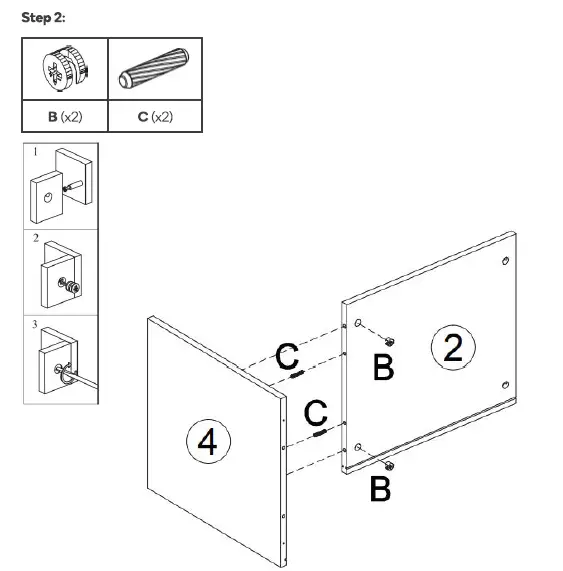
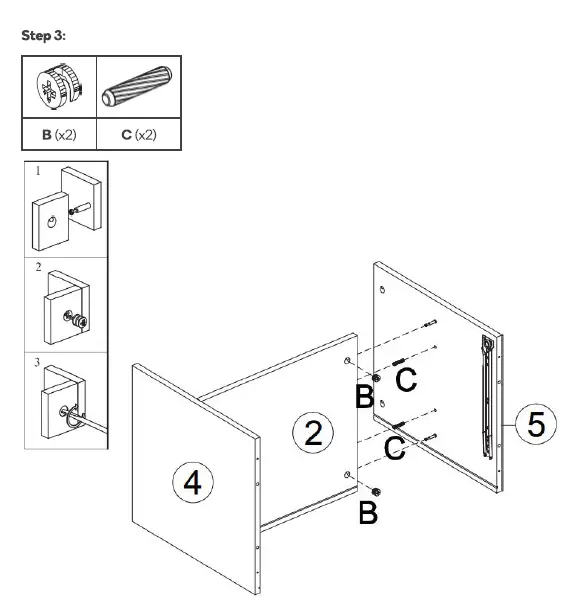
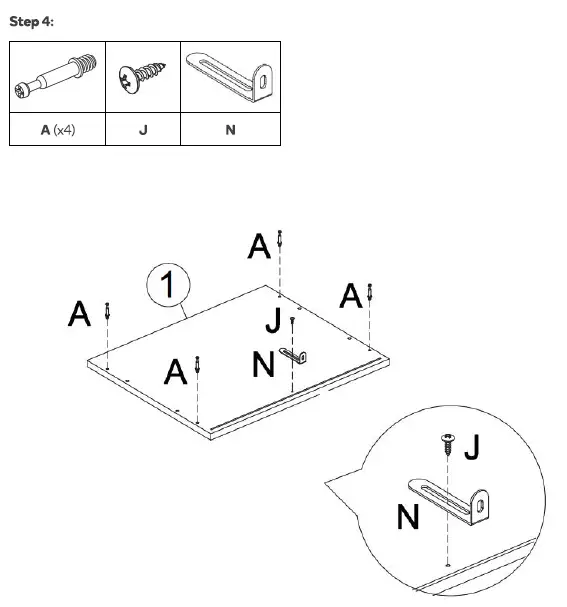
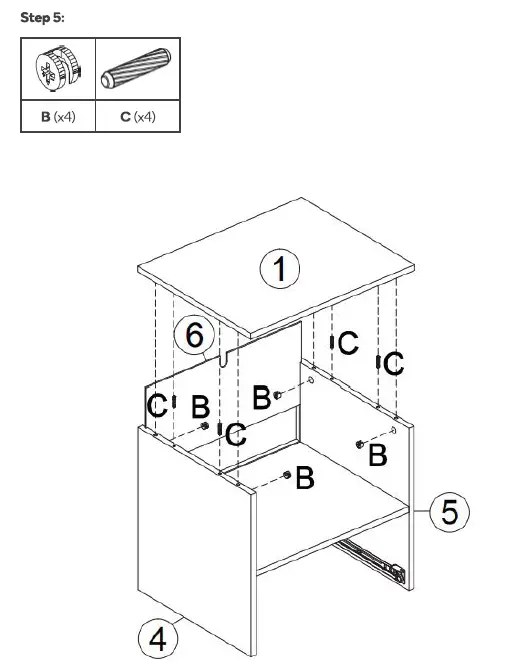
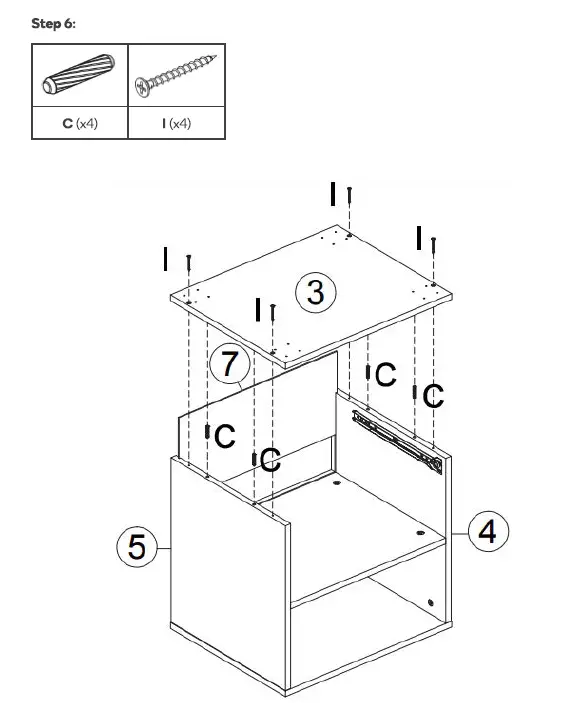
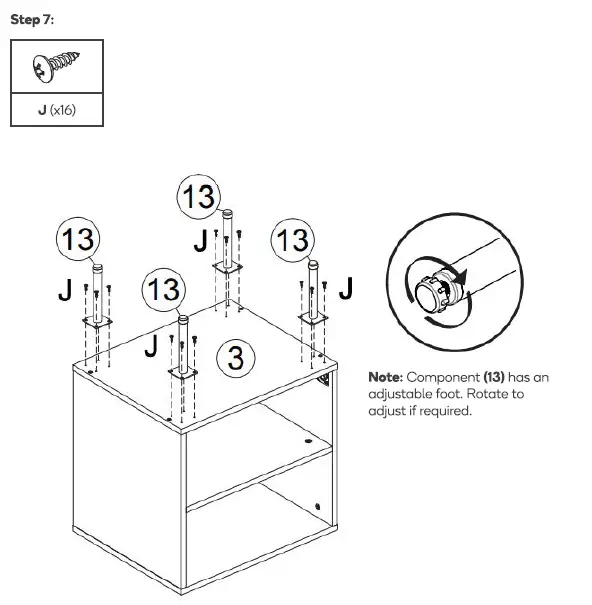
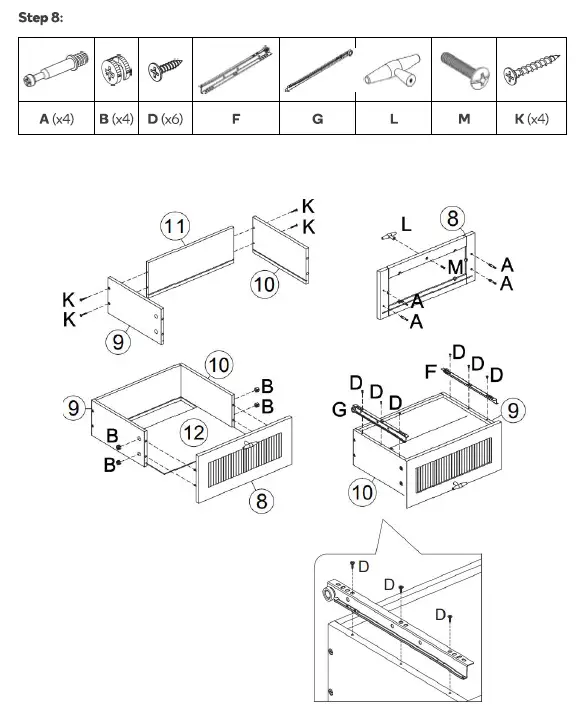
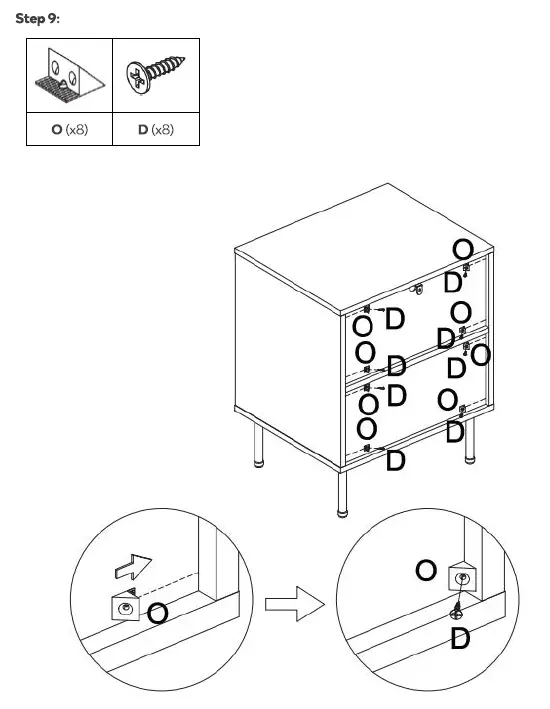
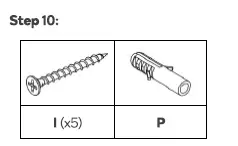
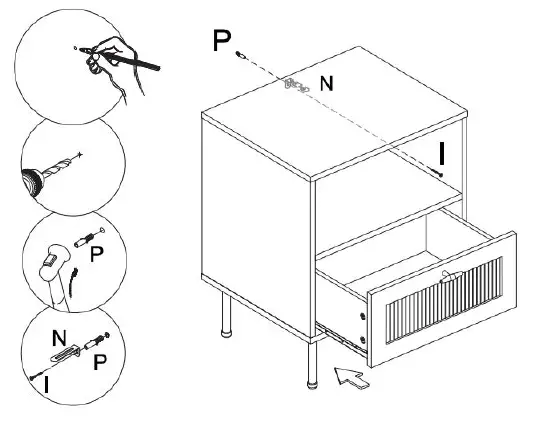
kogan-SHANGRI-LA-Honeycomb-Entertainment-Unit-fig-3kogan-SHANGRI-LA-Honeycomb-Entertainment-Unit-fig-4kogan-SHANGRI-LA-Honeycomb-Entertainment-Unit-fig-5kogan-SHANGRI-LA-Honeycomb-Entertainment-Unit-fig-6kogan-SHANGRI-LA-Honeycomb-Entertainment-Unit-fig-7kogan-SHANGRI-LA-Honeycomb-Entertainment-Unit-fig-8kogan-SHANGRI-LA-Honeycomb-Entertainment-Unit-fig-9kogan-SHANGRI-LA-Honeycomb-Entertainment-Unit-fig-10kogan-SHANGRI-LA-Honeycomb-Entertainment-Unit-fig-11kogan-SHANGRI-LA-Honeycomb-Entertainment-Unit-fig-12kogan-SHANGRI-LA-Honeycomb-Entertainment-Unit-fig-13

Need more information?
We hope that this user guide has given you the assistance needed for a simple set-up.
For the most up-to-date guide for your product,
as well as any additional assistance you may require, head online to help.kogan.com


Documents / Resouces

Download manual
Here you can download full pdf version of manual, it may contain additional safety instructions, warranty information, FCC rules, etc.


Related Manuals