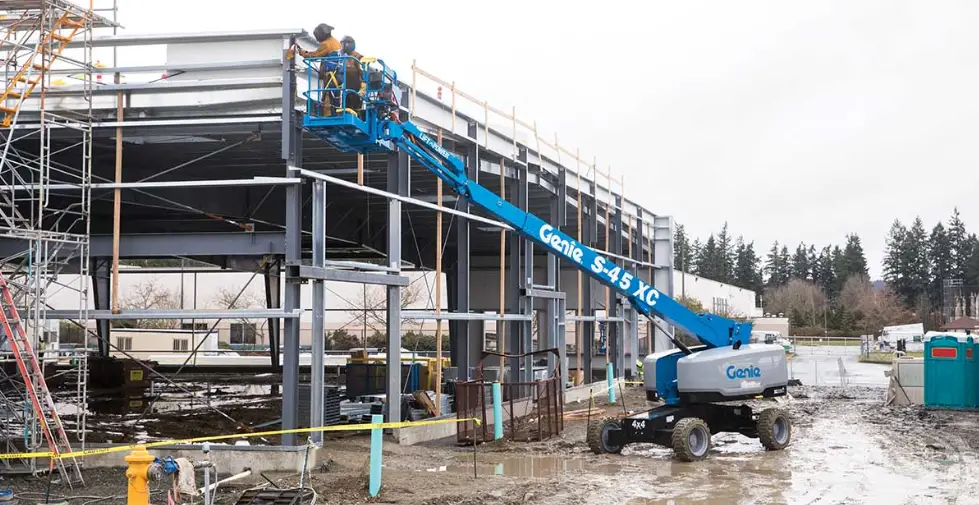
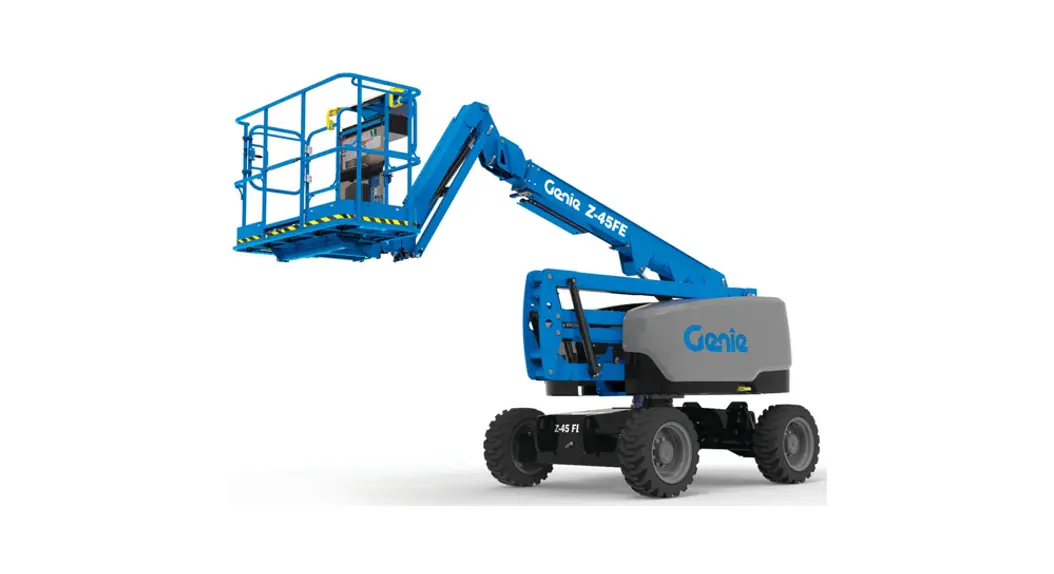
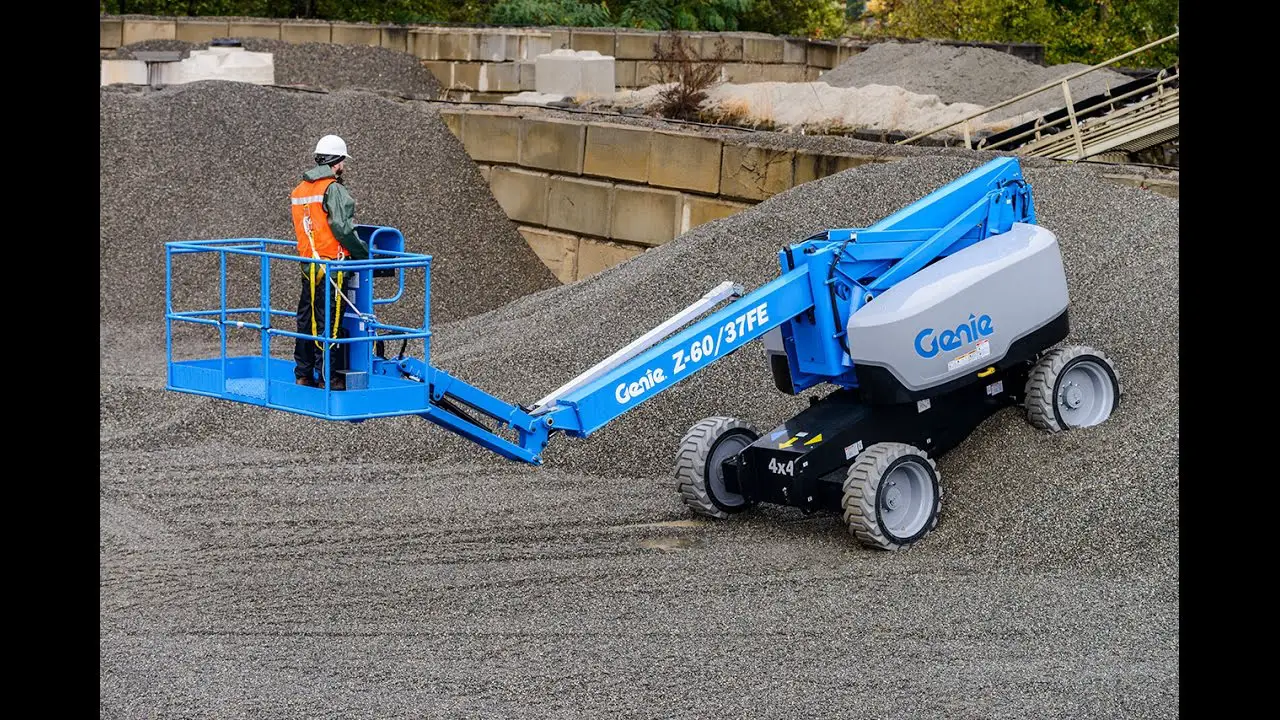
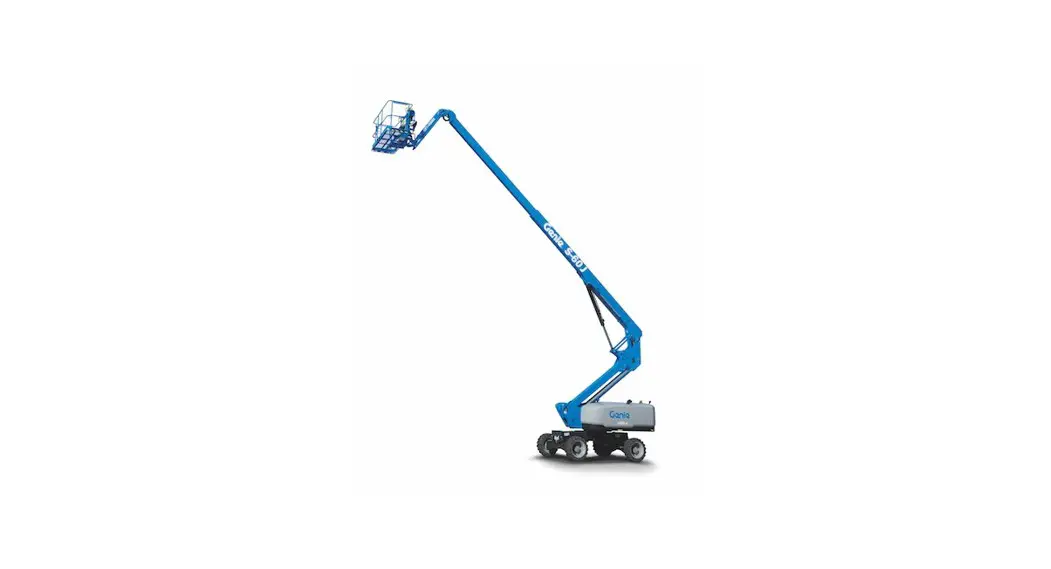
S-45 XC CE Telescopic Boom Lift
Product Information
This is an operator’s manual supplement for the 4m Platform
manufactured by Terex Global GmbH. The manual provides important
safety rules and operating instructions for the machine. The
approved models for the 13ft / 4m platform are S-45 XC, S-45 XC
Trax, S-65 XC, S-65 XC Trax, and S-85 XC. The manual also lists
authorized and non-authorized platform configurations.
Product Usage Instructions
- Read the entire operator’s manual supplement and understand all
safety rules and operating instructions before operating the
machine. - Only trained and authorized personnel should operate the
machine. - Keep this manual with the machine at all times as it is
considered a permanent part of the machine. - For any questions or concerns, contact Genie Industries through
their website: www.genielift.com or via email at
[email protected] - Do not install the 13ft / 4m platform on any Genie product
other than the approved models listed in the manual. - Ensure that the appropriate software version for the 13ft / 4m
platform is installed before operating the machine. Each approved
model requires the specific software version. - Observe all warnings and instructions provided with the 13ft /
4m platform. Failure to do so may result in death or serious
injury. - Do not exceed the rated platform capacity of the 13ft / 4m
platform. - Verify that the 13ft / 4m platform is securely installed before
use.
Operator’s Manual Supplement
4m Platform
S®-45 XCTM
CE
S®-45 XCTM TraXTM
S®-65 XCTM
S®-65 XCTM TraXTM
S®-85 XCTM
Original Instructions First Edition Tenth Printing Part No. 1295772GT
Intr oducti on
Operator’s Manual Supplement
Introduction
Manufacturer: Terex Global GmbH Bleicheplatz 2 Schaffhausen, 8200 Switzerland EU Authorized representative: Genie Industries B.V. Boekerman 5 4751 XK OUD GASTEL The Netherlands UK Authorized representative: Genie UK Limited The Maltings Wharf Road Grantham NG31 6BH UK
Contact Us:
Internet: www.genielift.com E-mail: [email protected]
First Edition · Tenth Printing
Important
Read, understand and obey these safety rules and operating instructions before operating this machine. Only trained and authorized personnel shall be permitted to operate this machine. This manual should be considered a permanent part of your machine and should remain with the machine at all times. If you have any questions, contact us.
Approved Model
S®-45 XCTM
CE/UK Models
S®-45 XCTM TraxTM
CE/UK Models
S®-65 XCTM S®-65 XCTM TraxTM S®-85 XCTM
CE/UK Models CE/UK Models CE/UK Models
Do not install the 13ft / 4m platform on any Genie product other than the approved models.
Copyright © 2020 by Terex Corporation
First Edition: Tenth Printing, May 2023 Genie and “S” are registered trademarks of Terex South Dakota, Inc. in the U.S.A. and many other countries.
“XC” and “TraX” are trademarks of Terex South Dakota, Inc.
These machines comply with
Complies with EC Directive 2006/42/EC See EC Declaration of Conformity
Supply of Machinery (Safety) Regulations 2008
2
4m Platform
Part No. 1295772GT
First Edition · Tenth Printing
Operator’s Manual Supplement
S-45 XC, S-45 XC Trax, S-65 XC, S-65 XC Trax, S-85 XC with 13ft / 4m Platform
S-45 XC , S-45 XC Trax, S-65 XC, S-65 XC Tr ax, S-85 XC with 13ft / 4m Platform
Danger Failure to obey the instructions and safety rules in this manual will result in death or serious injury.
Note: These installation instructions only apply to the Genie models listed on the front cover.
Using the 13ft / 4m Platform with the options below will result in death or serious injury. Using the 13ft / 4m Platform on a machine without the appropriate 13ft / 4m platform software will result in death or serious injury.
Authorized Platform Configurations :
Lift Guard Contact Alarm (option) Pipe Cradle (option)
Non-Authorized Platform Configurations:
Panel cradle – single piece (option) 6 ft Half mesh Plate/Gate (option) 8 ft Half mesh Plate/Gate (option) 6 ft Auxiliary Top Rail (option) 8 ft Auxiliary Top Rail (option) 6 ft Aircraft Protection (option) 8 ft Aircraft Protection (option) Operator Protective Structure (OPS) (option) Lift Tools Access Deck (option) Lift Tools Expo Installer (option) Fall Arrest Bar (option)
Part No. 1295772GT
4m Platform
3
Operator’s Manual Supplement
First Edition · Tenth Printing
S-45 XC, S-45 XC Trax, S-65 XC, S-65 XC Trax, S-85 XC with 13ft / 4m Platform
13ft / 4m Platform Safety
Read, understand and obey all warnings and instructions provided with the 13ft / 4m platform.
Do not exceed the rated platform capacity.
Verify the 13ft / 4m platform is securely installed.
Install the 13ft / 4m platform software appropriate for the approved model, before operating the machine.
Verify the Installation of the appropriate software of the 13ft / 4m platform before operating the machine. Each approved model requires the appropriate software version.
Do not move the platform into the unrestricted range of motion zone.
When the 13ft / 4m platform assembly is attached, this manual should be considered a permanent part of your machine and should remain with the machine at all times.
Symbol and Hazard Pictorials Definitions
Read the supplement, part number 1295772GT.
Tip-over hazard
Maximum capacity 600 lbs/272 kg
Lanyard anchorage points
Crushing hazard
4
4m Platform
Part No. 1295772GT
First Edition · Tenth Printing
Operator’s Manual Supplement
S-45 XC, S-45 XC Trax, S-65 XC, S-65 XC Trax, S-85 XC with 13ft / 4m Platform
Pre-operation Inspection
Verify the operator’s manual and any necessary supplements are complete, legible and in the storage container located in the platform.
Verify all decals are legible and in place.
Check the 13ft / 4m Platform for damage, improperly installed or missing parts and unauthorized modifications.
Nuts, bolts and other fasteners
Cracks in structural components
Dents or damage to 13ft / 4m Platform
Part No. 1295772GT
4m Platform
5
Operator’s Manual Supplement
First Edition · Tenth Printing
S-45 XC, S-45 XC Trax, S-65 XC, S-65 XC Trax, S-85 XC with 13ft / 4m Platform
Decal Inspection – S-45 XC, S-45 XC Trax
Use the inspection to verify that all decals are legible and in place. Decals may vary depending on machine configuration. These decals are also applicable to S-45 XC Trax, even if the picture does not show the tracks.
Part No. Decal Description
Qty
1290025 Label Warning, Crushing Hazard, 50X25
1
1309687 Decal, Lock Transport
1
1309688 Decal – Swing Lock, 13ft / 4m Platform
2
1299669 Decal, Label, Tip-over Hazard, 13ft / 4m Platform
1
1309685 Danger Capacity, S45XC 13ft / 4m Platform
1
1312387 Label – 13ft / 4m Platform, Max Allowable Chassis Inclination, Symbol
1
Shading indicates decal is hidden from view, i.e. under covers
1309688 1309688
1290025 1309687
1309685
1299669 1312387
6
4m Platform
Part No. 1295772GT
First Edition · Tenth Printing
Operator’s Manual Supplement
S-45 XC, S-45 XC Trax, S-65 XC, S-65 XC Trax, S-85 XC with 13ft / 4m Platform
Decal Inspection – S-65 XC, S-65 XC Trax
Use the inspection to verify that all decals are legible and in place. Decals may vary depending on machine configuration. These decals are also applicable to S-65 XC Trax, even if the picture does not show the tracks.
Part No. Decal Description
Qty
1290025 Label Warning, Crushing Hazard, 50X25
1
1290026 Decal, Lock Transport
1
1295271 Danger Capacity, S65XC 13ft / 4m Platform
1
1299668 Decal – Swing Lock, 13ft / 4m Platform
2
1299669 Decal, Label, Tip-over Hazard, 13ft / 4m Platform
1
1312387 Label – 13ft / 4m Platform, Max Allowable Chassis Inclination, Symbol
1
Shading indicates decal is hidden from view, i.e. under covers
1312387
1299668
1299668 1290025 1290026
1295271
Part No. 1295772GT
4m Platform
1299669 7
Operator’s Manual Supplement
First Edition · Tenth Printing
S-45 XC, S-45 XC Trax, S-65 XC, S-65 XC Trax, S-85 XC with 13ft / 4m Platform
Decal Inspection – S-85 XC
Use the inspection to verify that all decals are legible and in place. Decals may vary depending on machine configuration.
Part No. Decal Description
Qty
1290025* Decal, Warning, Crush Hazard
1
1299669 Decal, Label, Tip-over Hazard, 13ft / 4m Platform
1
1312380* Decal, Lock Transport
1
1312368 Decal, Swing Lock, 13ft / 4m Platform
2
1312369 Decal, Danger, Capacity, S-85 XC 13ft / 4m Platform, Symbol
1
1312387 Label – 13ft / 4m Platform, Max Allowable Chassis Inclination, Symbol
1
Shading indicates decal is hidden from view, i.e. under covers
1312387
1312368
1312368 1290025
1312380
1312369
1299669
8
4m Platform
Part No. 1295772GT
First Edition · Tenth Printing
Operator’s Manual Supplement
S-45 XC, S-45 XC Trax, S-65 XC, S-65 XC Trax, S-85 XC with 13ft / 4m Platform
Platform Capacity Range
Range of motion is controlled automatically based on platform load.
S-45 XC, S-45 XC Trax with 13ft / 4m Platform, Range of Motion Chart
S-65 XC, S-65 XC Trax with 13ft / 4m Platform, Range of Motion Chart
Maximum platform capacity 1 600 lbs 272 kg
Vertical Values
Horizontal Values
2 -5 ft -1.52 m
15 -10 ft -3.05 m
3 0 ft 0 m
16 -5 ft -1.52 m
4 5 ft 1.52 m
17 0 ft 0 m
5 10 ft 3.05 m
18 5 ft 1.52 m
6 15 ft 4.57 m
19 10 ft 3.05 m
7 20 ft 6.1 m
20 15 ft 4.57 m
8 25 ft 7.62 m
21 20 ft 6.1 m
9 30 ft 9.14 m
22 25 ft 7.62 m
10 35 ft 10.67 m
23 30 ft 9.14 m
11 40 ft 12.19 m
24 35 ft 10.67 m
12 45 ft 13.72 m
25 40 ft 12.19 m
13 50 ft 15.24 m
14 55 ft 16.76 m
Maximum platform capacity
1 600 lbs 272 kg
Vertical Values
Horizontal Values
2 -20 ft -6.1 m
13 -10 ft -3.05 m
3 -10 ft -3.05 m
14 0 ft 0 m
4 0 ft 0 m
15 10 ft 3.05 m
5 10 ft 3.05 m
16 20 ft 6.1 m
6 20 ft 6.1 m
17 30 ft 9.14 m
7 30 ft 9.14 m
18 40 ft 12.19 m
8 40 ft 12.19 m
19 50 ft 15.24 m
9 50 ft 15.24 m
20 60 ft 18.29 m
10 60 ft 18.29 m
11 70 ft 21.34 m
12 80 ft 24.39 m
Part No. 1295772GT
4m Platform
9
Operator’s Manual Supplement
First Edition · Tenth Printing
S-45 XC, S-45 XC Trax, S-65 XC, S-65 XC Trax, S-85 XC with 13ft / 4m Platform
S-85 XC with 13ft / 4m Platform, Range of Motion Chart
Maximum platform capacity
1 600 lbs 272 kg
Vertical Values
Horizontal Values
2 -10 ft -3.05 m
14 -10 ft -3.05 m
3 0 ft 0 m
15 0 ft 0 m
4 10 ft 3.05 m
16 10 ft 3.05 m
5 20 ft 6.1 m
17 20 ft 6.1 m
6 30 ft 9.14 m
18 30 ft 9.14 m
7 40 ft 12.19 m
19 40 ft 12.19 m
8 50 ft 15.24 m
20 50 ft 15.24 m
9 60 ft 18.29 m
21 60 ft 18.29 m
10 70 ft 21.34 m
22 70 ft 21.34 m
11 80 ft 24.39 m
23 80 ft 24.39 m
12 90 ft 27.43 m
13 100 ft 30.48 m
Tilt Sensor Activation Settings
Model
Tilt/Slope (front Maximum Boom Angle/
to back)
Platform Load
272 kg
S-45 XC
5°
75°
S-45 XC Trax
S-65 XC
4°
S-65 XC Trax
71.7°
S-85 XC
3°
69°
Model
Tilt/Slope (front Maximum Platform
to back)
Height/Platform Load
272 kg
S-45 XC
5°
S-45 XC Trax
13.59 m
S-65 XC
4°
S-65 XC Trax
19.81 m
S-85 XC
3°
25.91 m
Model
Tilt/Slope (front Maximum Platform
to back)
Reach/Platform Load
272 kg
S-45 XC
5°
S-45 XC Trax
9.66 m
S-65 XC
4°
S-65 XC Trax
14.32 m
S-85 XC
3°
19.66 m
10
4m Platform
Part No. 1295772GT
First Edition · Tenth Printing
Operator’s Manual Supplement
S-45 XC, S-45 XC Trax, S-65 XC, S-65 XC Trax, S-85 XC with 13ft / 4m Platform
The range of motion light is on when the platform load exceeds 272 kg.
Light on indicates restricted range of motion due to platform weight.
The range of motion light is on when the platform load is less than 272 kg and on a slope.
Light on indicates restricted range of motion due to platform weight and slope angle.
Note: When the Machine On Incline indicator light is on and the tilt alarm sounds, the following functions are affected; drive and lift up functions are disabled. Follow the Operator Envelope Indicator Lights procedure to restore drive and lift functions.
Securing the Platform S-45 XC, S-45 XC Trax with 4m Platform
Make sure the jib and platform are in the stowed position.
Transporting a machine with a 13ft / 4m Platform on a standard width trailer requires the turntable to be rotated 4 degrees. Lock the rotated turntable using the Off-center Transport Lock (p/n 1309686GT). The 13ft / 4m Platform must be fully rotated as shown in the image below.
Secure the platform with a nylon strap placed parallel to the strap guides. Do not use excessive downward force when securing the boom section.
Model
S-45 XC, S-45 XC Trax with 13ft / 4m Platform
Overall transportation length, platform rotated
10.52 m
Turntable rotation angle
4.0°
Platform dimensions, 13ft / 4m (length x width)
400 cm x 91 cm
Continuous improvement of our products is a Genie policy. Product specifications are subject to change without notice or obligation.
Part No. 1295772GT
4m Platform
11
Operator’s Manual Supplement
First Edition · Tenth Printing
S-45 XC, S-45 XC Trax, S-65 XC, S-65 XC Trax, S-85 XC with 13ft / 4m Platform
Securing the Platform S-65 XC, S-65 XC Trax with 4m Platform
Make sure the jib and platform are in the stowed position.
Transporting a machine with a 13ft / 4m Platform on a standard width trailer requires the turntable to be rotated 3.5 degrees. Lock the rotated turntable using the Off-center Transport Lock (p/n 1296096GT). The 13ft / 4m Platform must be fully rotated as shown in the image below.
Secure the platform with a nylon strap placed parallel to the strap guides. Do not use excessive downward force when securing the boom section.
Securing the Platform S-85 XC with 4m Platform
Make sure the jib and platform are in the stowed position.
Transporting a machine with a 13ft / 4m Platform on a standard width trailer requires the turntable to be rotated 3.5 degrees. Lock the rotated turntable using the Off-center Transport Lock (p/n 1312367GT). The 13ft / 4m Platform must be fully rotated as shown in the image below.
Secure the platform with a nylon strap placed parallel to the strap guides. Do not use excessive downward force when securing the boom section.
Model
S-65 XC, S-65 XC Trax with 13ft / 4m Platform
Overall transportation length, platform rotated
11.29 m
Turntable rotation angle
3.5°
Platform dimensions, 13ft / 4m (length x width)
400 cm x 91 cm
Continuous improvement of our products is a Genie policy. Product specifications are subject to change without notice or obligation.
Model
S-85 XC with 13ft / 4m Platform
Overall transportation length, platform rotated
13.73 m
Turntable rotation angle
3.5°
Platform dimensions, 13ft / 4m (length x width)
400 cm x 91 cm
Continuous improvement of our products is a Genie policy. Product specifications are subject to change without notice or obligation.
12
4m Platform
Part No. 1295772GT
First Edition · Tenth Printing
Operator’s Manual Supplement
Installation Instructions
Installation Ins tructi ons
Observe and Obey:
This procedure shall be completed by a
person authorized to install the 13ft / 4m Platform.
Immediately tag and remove from service a
damaged or malfunctioning machine.
Repair any machine damage or malfunction
before operating the machine.
Before Starting Installation:
Read, understand and obey the safety rules
and operating instructions in the appropriate operator’s manual.
Be sure that all necessary tools and parts are
available and ready for use.
Read this procedure completely and adhere to
the instructions. Attempting shortcuts may produce hazardous conditions.
Tools required:
Assorted SAE wrenches Assorted SAE sockets Ratchet Service and Repair Manual
Tools for software update (if required):
Torx T15 screwdriver PC or Laptop with Internet Browser USB flash drive
Contents of Kit 1295770GT
Item Part No. Decal Description
Qty.
(1) 1281184
Label Runaway Machine
1
Hazard, S-80/85 XC
(2) 1284099
Warning Runaway
1
Machine Hazard, S60/65 XC
(3) 1289063
Warning Runaway
1
Machine Hazard, S40/45 XC
(4) 1295271 Danger Capacity, S65XC 13ft / 4m
1
Platform
(5) 1295772 Instructions Installation, 13ft / 4m
1
Platform
(6) 1295776 Assembly, Tri-Entry 13ft / 4m
1
Platform
(7) 1299668 Decal – Swing Lock, 13ft / 4m
2
Platform
(8) 1309685 Danger Capacity, S45XC 13ft / 4m
1
Platform
(9) 1309688 Decal – Swing Lock, 13ft / 4m
2
Platform
(10) 1312368 Decal – Swing Lock, 13ft / 4m
2
Platform, S85XC
(11) 1312369 Danger Capacity, S85XC, 13ft / 4m
1
Platform
(12) 1312387 Label – 13ft / 4m Platform, Max
1
Allowable Chassis Inclination, Symbol
Part No. 1295772GT
4m Platform
13
Operator’s Manual Supplement
Installation Instructions
First Edition · Tenth Printing
Note: Perform this procedure on a firm, level surface with the machine in the stowed position unless otherwise instructed.
1 Adjust the jib so the platform is approximately 12 inches / 30.5 cm off the ground.
2 Remove any optional accessories from the platform and set aside.
Example: Welder, Contact Alarm, Panel Cradle, etc.
Note: Most optional accessories can be reinstalled on the 13ft / 4m platform. Refer to the list of accessories that are NOT approved for use on the 13ft / 4m platform.
3 Remove the cable clamp from the top of the platform mounting weldment.
4 Remove the mounting fasteners from the power to platform outlet box bracket. Lay the outlet box and bracket assembly off to the side. Do not disconnect the wiring.
5 Remove the foot switch mounting fasteners.
6 Remove the cover plate from the bottom of the foot switch to access the foot switch wire terminals.
7 Tag and disconnect the foot switch wiring from the foot switch. Remove the cable from the back of the platform.
8 Remove the platform control box mounting fasteners. Lower the control box and set it aside.
Component damage hazard. Cables can be damaged if they are kinked or pinched.
Note: If your machine is equipped with an airline to platform option, the airline must be disconnected from the platform before removal.
9 Support and secure the platform to an appropriate lifting device.
14
4m Platform
Part No. 1295772GT
First Edition · Tenth Printing
Operator’s Manual Supplement
Installation Instructions
10 Remove the platform mounting fasteners and remove the platform from the machine.
Crushing hazard. The platform could become unstable and fall when it is removed from the machine if not properly supported.
11 Install the provided Operator’s Manual Supplement into the manual storage box in the platform.
12 Install the 13ft / 4m platform using the removal procedure in reverse order.
13 Install the contact alarm onto the platform.
Note: Do not install any optional accessories onto the platform until the platform load cell has been calibrated. Calibration is required.
14 If required, update the machine software. Software update is required when the 13ft / 4m platform is installed onto an approved model. Refer to Checking the Application and Bootloader Revisions from the Ground Controls.
Tip-over hazard. Failure to upload the appropriate software version for the correct approved model and/or failure to select the appropriate platform type, will result in death or serious injury.
Part No. 1295772GT
4m Platform
15
Operator’s Manual Supplement
Software Update
First Edition · Tenth Printing
Softwar e U pdate
Checking the Application and Bootloader Revisions from the Ground Controls.
Verifying the machine application and bootloader firmware revision levels must be completed before updating the software. Not all machines will require a software update. Software update is required when the 13ft / 4m platform is installed onto a different approved model.
1 Turn the key switch to ground controls. 2 Press and hold buttons 1 and 4. Pull out the
red Emergency Stop button to the on position. 3 Read and record the firmware revisions.
Bootloader Firmware:
Application Firmware:
Note: The application firmware revision is shown under Current Firmware. 4 Press Escape. Press OK to exit bootloader
mode.
Bootloader Firmware
Result: The Bootloader Firmware does not need to be updated. Continue to Selecting the Platform Option – Revision “F” or higher.
Result: The Bootloader Firmware must be updated. Continue to Updating the Machine Software – Revision “E” or lower.
Application Firmware
S-45 XC, S-45 XC Trax, S-65 XC, S-65 XC Trax: The Application Firmware must be updated to revision 1.7.4 or higher. If the Current Firmware revision is lower, continue to Updating the Machine Software. If the Current Firmware revision is 1.7.4 or higher, continue to Selecting the Platform Option.
S-85 XC: The Application Firmware must be updated to revision 1.8.0 or higher. If the Current Firmware revision is lower, continue to Updating the Machine Software. If the Current Firmware revision is 1.8.0 or higher, continue to Selecting the Platform Option.
Note: If a Firmware update is not required, a zero load platform calibration must be performed. Refer to Repair Procedure, How to Perform a Zero Load Platform Calibration in the Service and Repair manual that is appropriate for your machine.
16
4m Platform
Part No. 1295772GT
First Edition · Tenth Printing
Updating the Machine Software
Note: Access to the internet is required to perform this procedure. 1 Click on the Hyperlink below or open an
internet browser and copy and paste or type the link into the address bar and press enter. https://firmware.genielift.com/ https://www.genielift.com/en/support/firmware 2 Select the model that is appropriate for your machine under Machine Model. Select Search. 3 Select the appropriate Firmware File to be updated. Select I Accept. Save or print a copy of the ALC-600 Software Update instructions 1295343GT. 4 Follow the instructions to update the machine software in the following order. Checking the File System Format of a USB
Flash Drive. Firmware Site Download How to Enter ALC-600 Software Update
Mode Model Configuration and Region Settings
(Note: Do not perform steps 11 and 12.) 5 Push in the red Emergency Stop button to the
off position.
Operator’s Manual Supplement
Software Update
Part No. 1295772GT
4m Platform
17
Operator’s Manual Supplement
Software Update
First Edition · Tenth Printing
Selecting the Platform Option.
The appropriate platform option must be selected when installing or removing the 13ft / 4m platform.
Tip-over hazard. Not selecting the appropriate platform option will result in death or serious injury.
1 Press and hold buttons 2 and 3. Pull out the red Emergency Stop button to the on position.
2 You will be prompted for a password.
Enter 3 – 3 – 2 – 4.
3 Press the Settings button to access the settings menu.
Note: There will be a delay while the menu is being loaded on the display screen.
4 Select Model Configuration. Press OK.
5 Select Platform. Press OK.
6 Select the appropriate platform. Press OK. Standard 4m / 13 ft
7 Press Escape / Escape / Escape.
8 Push in the red Emergency Stop button to the off position.
9 Perform a zero load platform calibration. Refer to Repair Procedure, How to Perform a Zero Load Platform Calibration in the Service and Repair manual that is appropriate for your machine.
10 Perform function test. Refer to the Operator’s Manual located on your machine.
11 Return the machine to service.
4m Pl atform
Part No. 1295772GT
Operator’s M anual Suppl ement
First Edition · Tenth Printi ng
18
4m Platform
Part No. 1295772GT
 Home | Genie