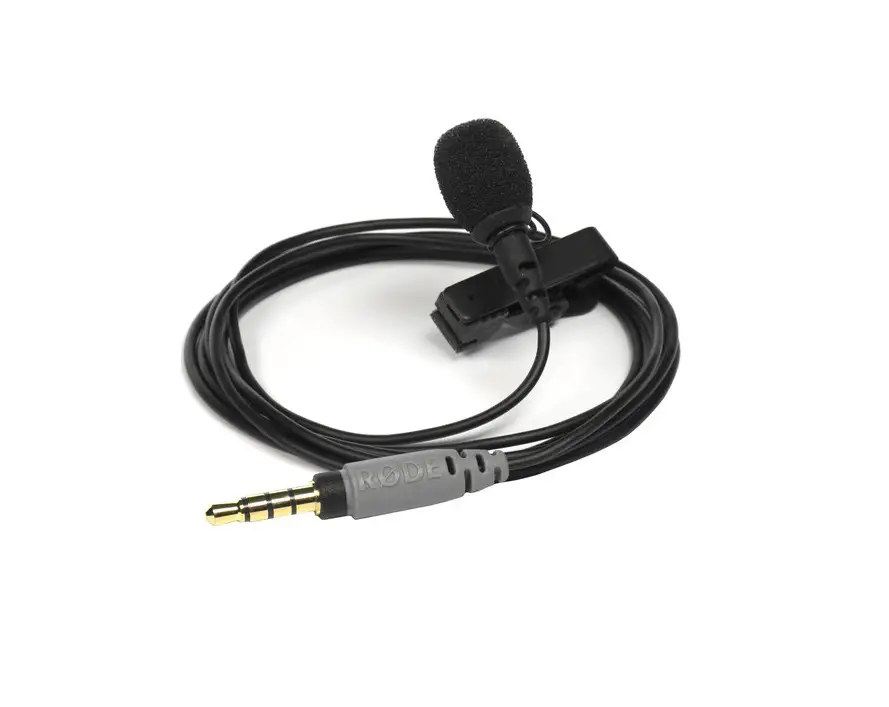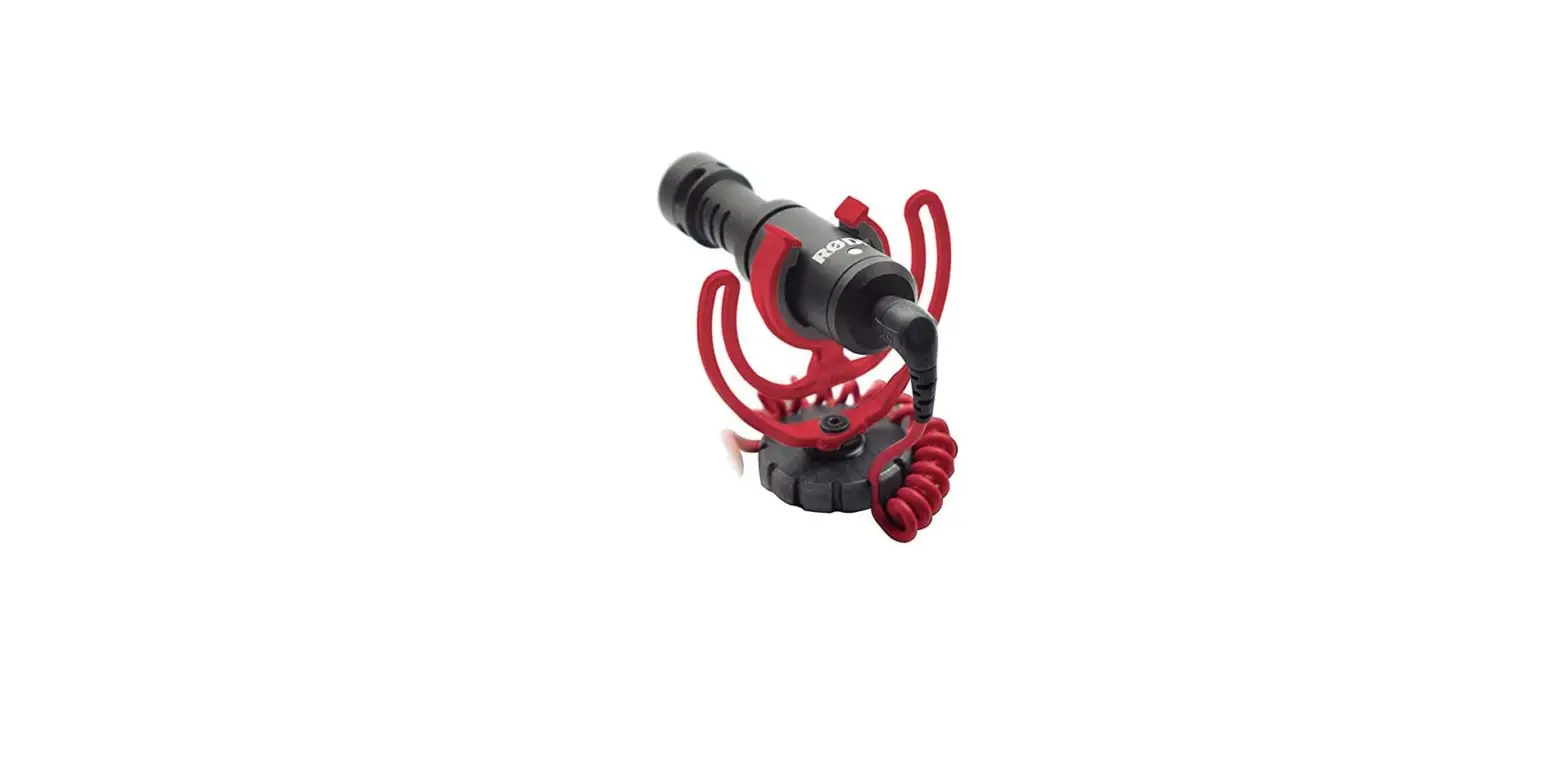

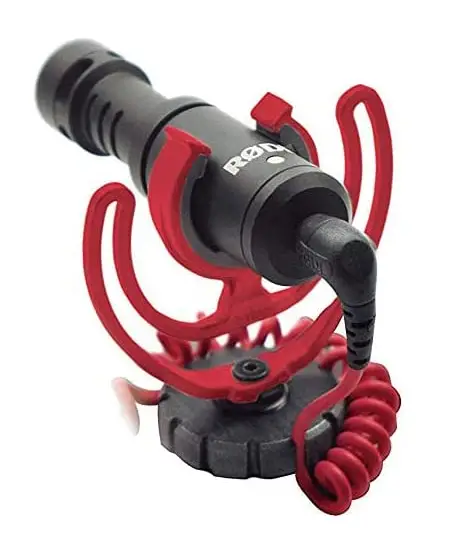
Rode VideoMicro Compact On-Camera Microphone with Rycote Lyre Shock Mount
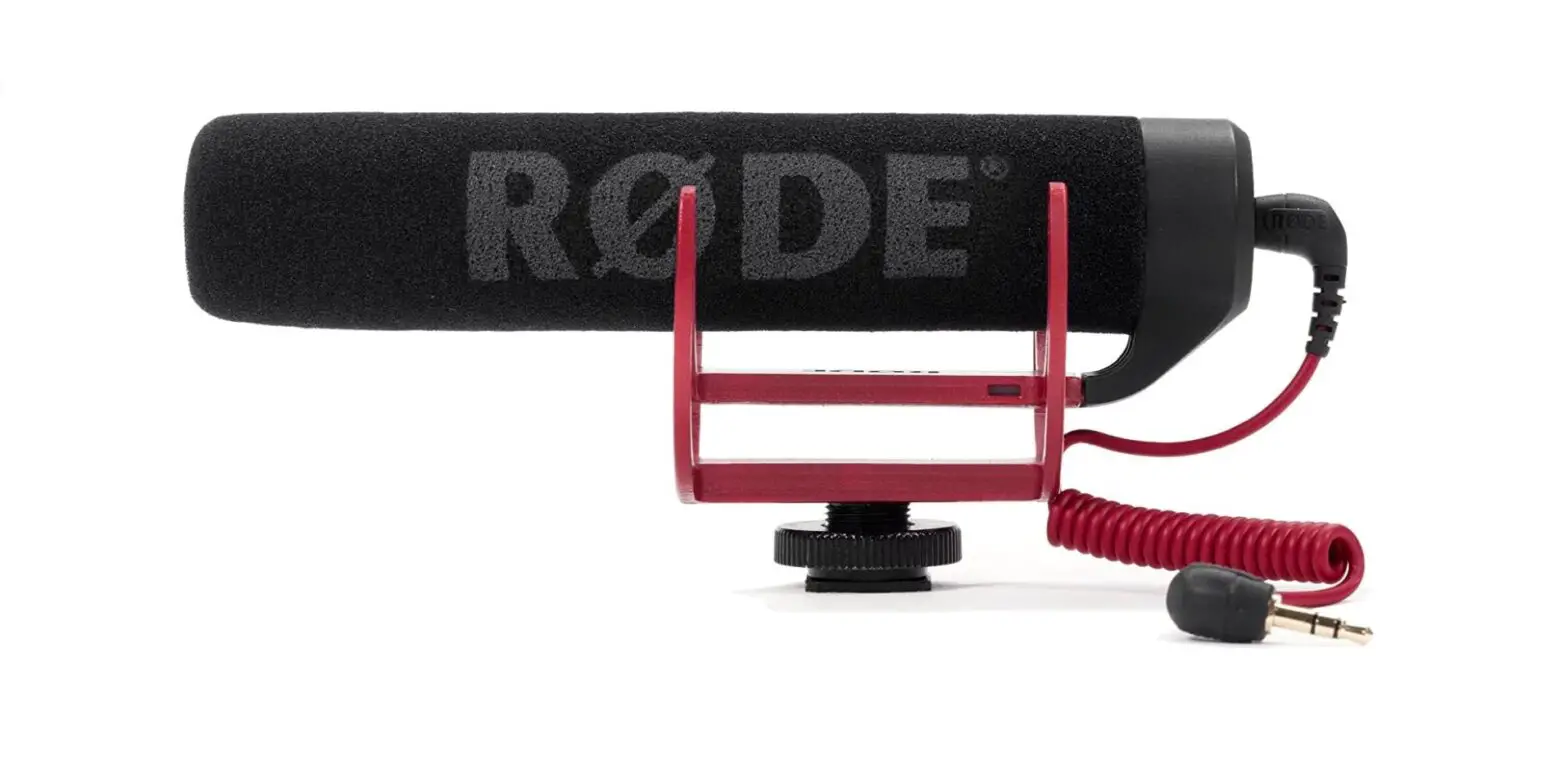
PARTS GUIDE
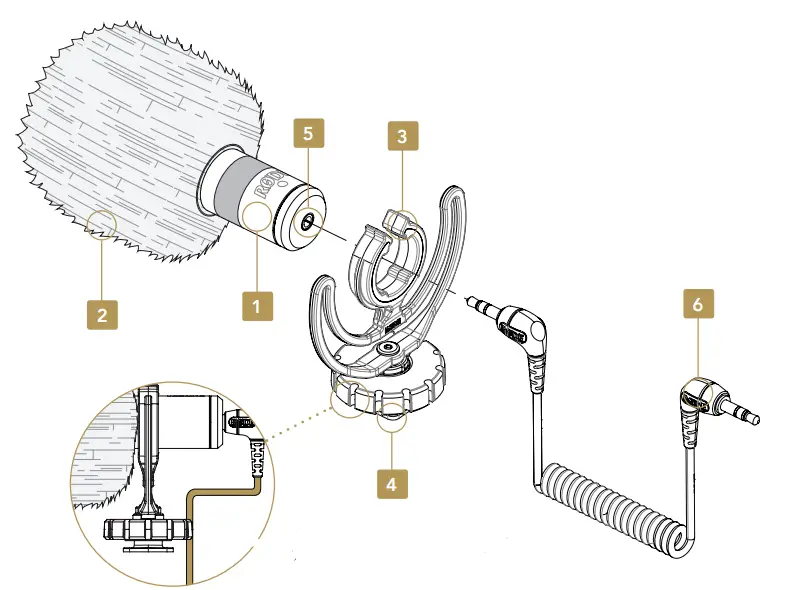
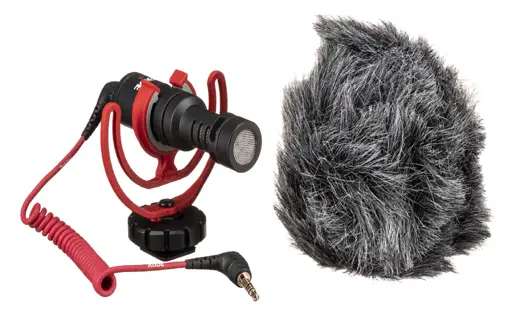
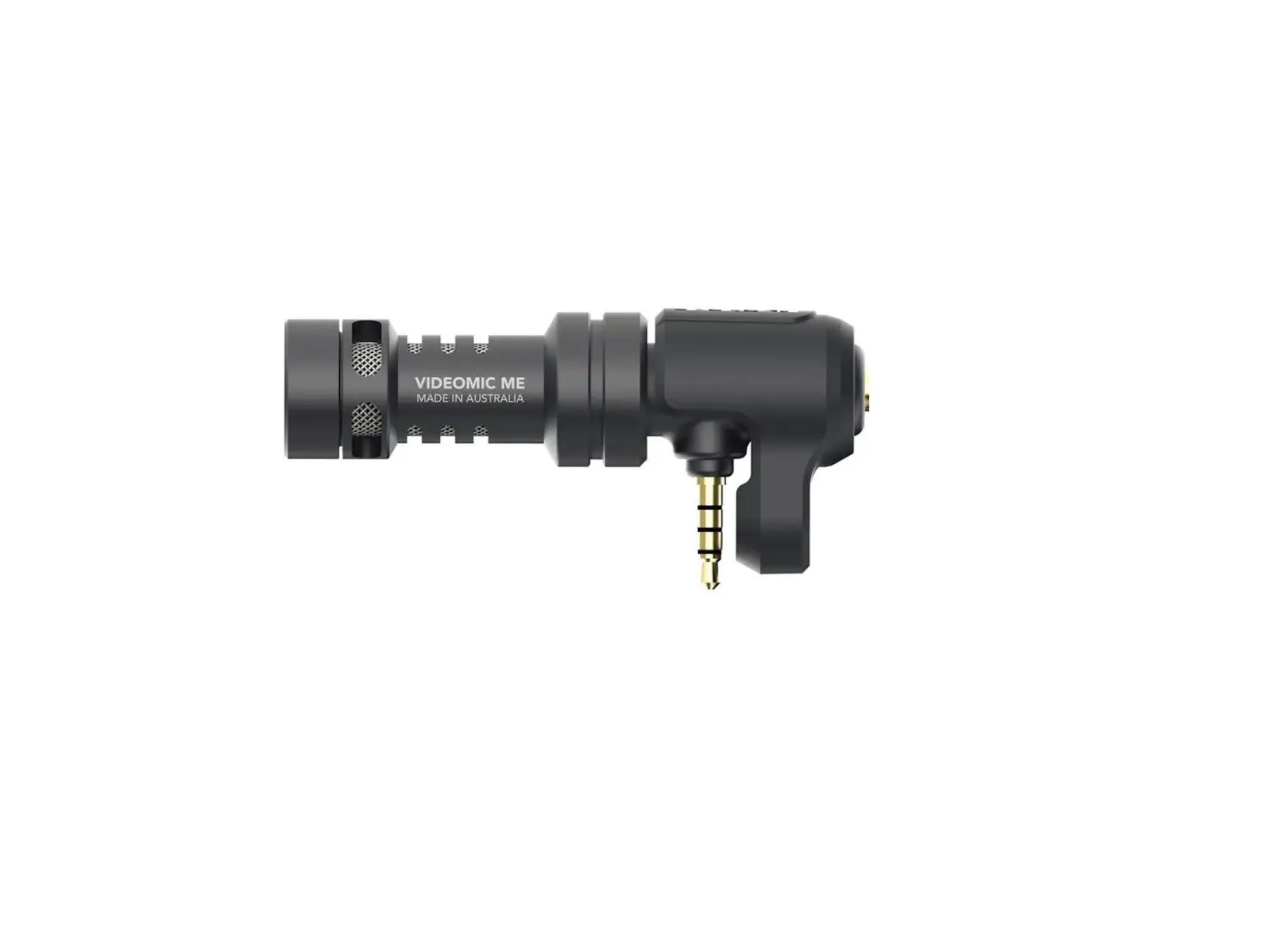
- Microphone Body
- WS9 Deluxe Windshield
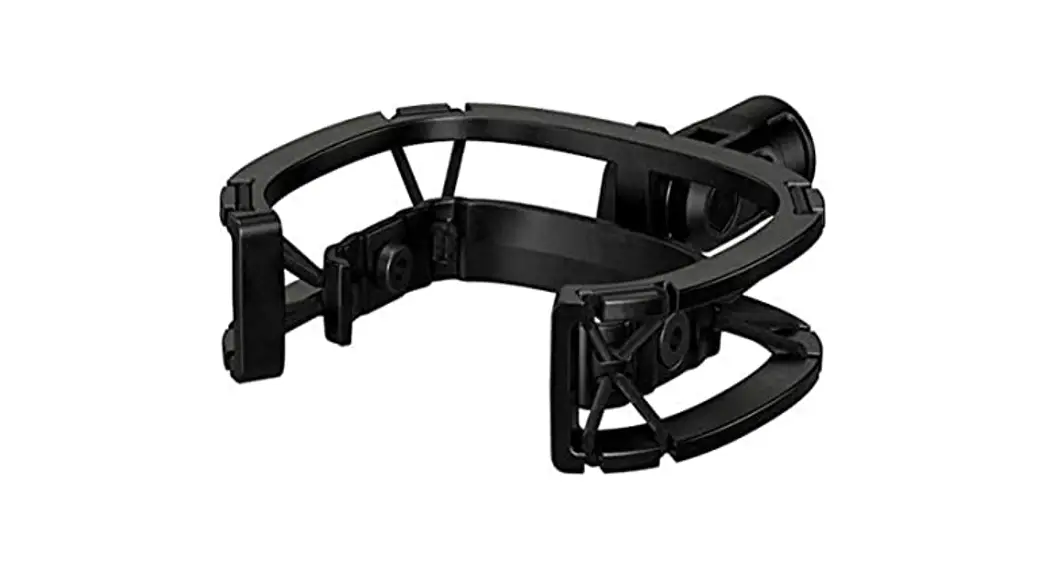
- Rycote Lyre Shockmount
- Camera Shoe Mount with 3/8” thread
- 3.5mm microphone output socket
- 3.5mm dual mono output cable
INITIAL SETUP
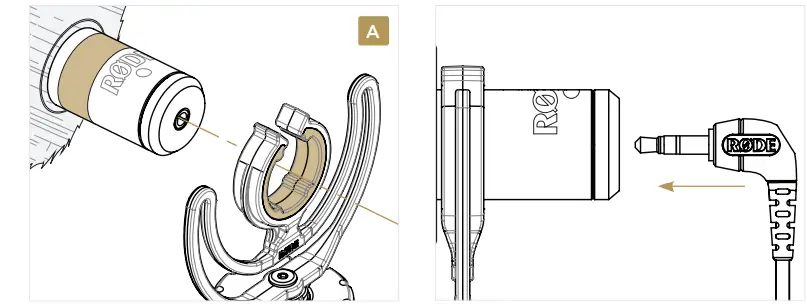
- Insert the microphone body into the captive mount on the Rycote Lyre Shockmount. Place the lyre within the located groove as in diagram A. Ensure the microphone body is centered and well-balanced.
- Attach the WS9 Deluxe Windshield onto the front of the microphone body. A recessed section of the foam will accept the shape of the microphone body, holding it in place.
- Connect the 3.5mm dual mono output cable to the 3.5mm output socket on the microphone body.
MOUNTING
Installation
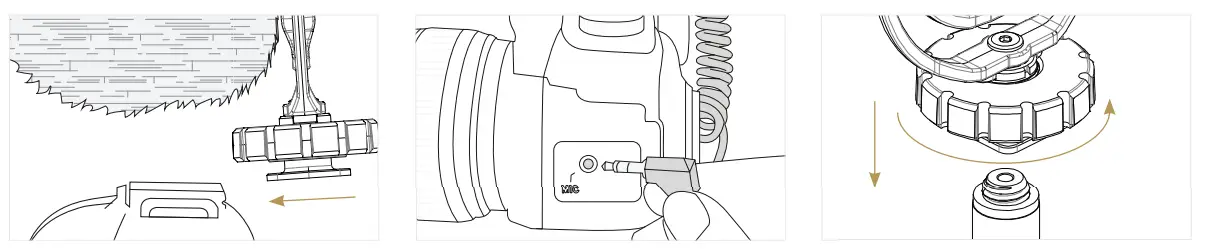
Mounting to Camera
- Turn the tightening ring above the camera shoe mount counter-clockwise to loosen the camera shoe connection, before attaching to camera.
- Slide the camera-shoe into place on the camera mount. Once the mic is in place, secure it by tightening the ring clockwise.
- Connect one end of the 3.5mm output cable into the output socket on the rear of the microphone and the other end of the 3.5mm output cable to the camera’s ‘Microphone In’ socket.
SETTING UP YOUR CAMERA FOR USE
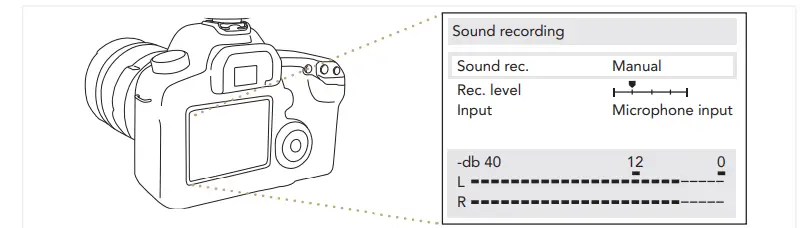
The VideoMicro does not require batteries for operation, but instead uses the plugin power supplied via your camera’s microphone input. For best results with the VideoMicro, set your camera’s audio input to the following settings where possible.
- Audio input: Microphone input.
- Audio Level/Gain control: Manual (when available)
- Plugin Power: ON
Refer to the user manual supplied with your camera for instructions on adjusting audio settings.
WARNING
Do not supply phantom power to the VideoMicro. Phantom power is the 24 or 48-volt powering option supplied through professional XLR microphone inputs on some cameras. The VideoMicro requires Plugin power, which is typically supplied by default through your camera’s 3.5mm microphone input socket at around 2 – 3 Volts.

Protect your VideoMicro™. Register online now for your 2 year warranty.
Frequently Asked Questions
Is the patch cable for connecting to my cell phone included?
Only the camera cable is included; the phone’s SC7 cable must be purchased separately.
Is it compatible with the iPad?
Well. It is compatible with older versions of the iPad. If the new PAD is similar to the iPhone 7/8X, it cannot be used because it lacks a 3.5 jack. Please check your device; if it has a 3.5 jack (the standard earplug type), it can use this.
Is video micro compatible with the iPhone X?
A 3.5mm adapter is required, but it will work.
Can I use this in conjunction with AirPods?
It is dependent on the configuration. Yes, if you have controls to only allow the AirPods to be used for listening.
Is this compatible with the GoPro Hero 4 Silver?
You should be fine as long as there is an input for a stereo mic cable (such as a headphone jack).
Has anyone tried it with DSLR cameras?
Yes, it works perfectly with a Canon 60D and will most likely work with any digital camera with a 3.5mm audio input.
How can I get rid of the static that the microphone picks up?
So, before you begin recording your content, simply press the record button on your camera and remain silent for a few seconds. Then record what you need to, and then go adjust the sound settings in a program like an audacity, which you can find tutorials for on YouTube.
Does this work with the Osmo action camera?
Yes, it should, but make sure your osmo camera has a hot shoe mount if you want to attach it to the top of your camera.
How do I adjust the gain on the VideoMicro?
The gain is set by the camera.
Why isn’t my VideoMicro compatible with my DSLR?
DSLR cameras with 3.5mm microphone input are incompatible with the VideoMicro. An adapter cable from Rode is required to use your VideoMicro with a DSLR.