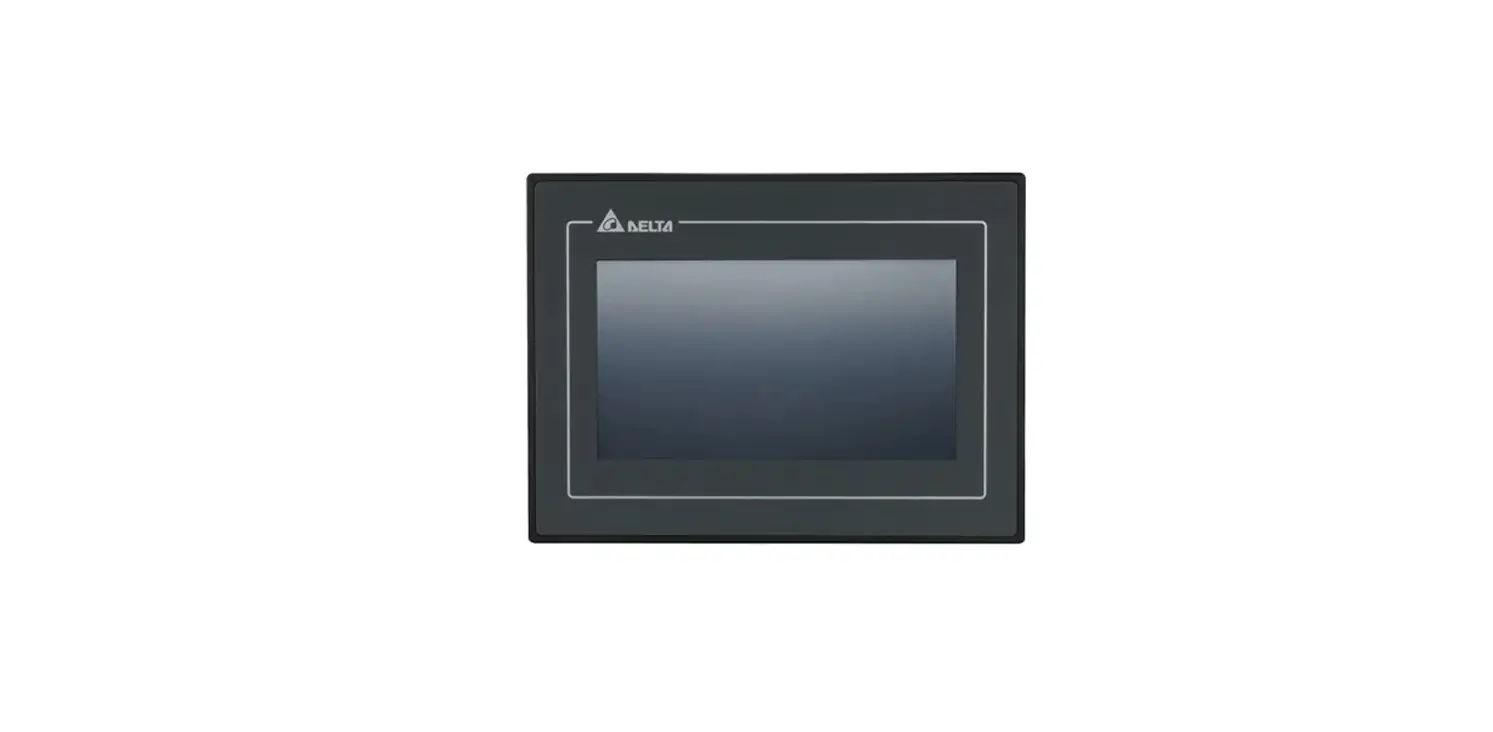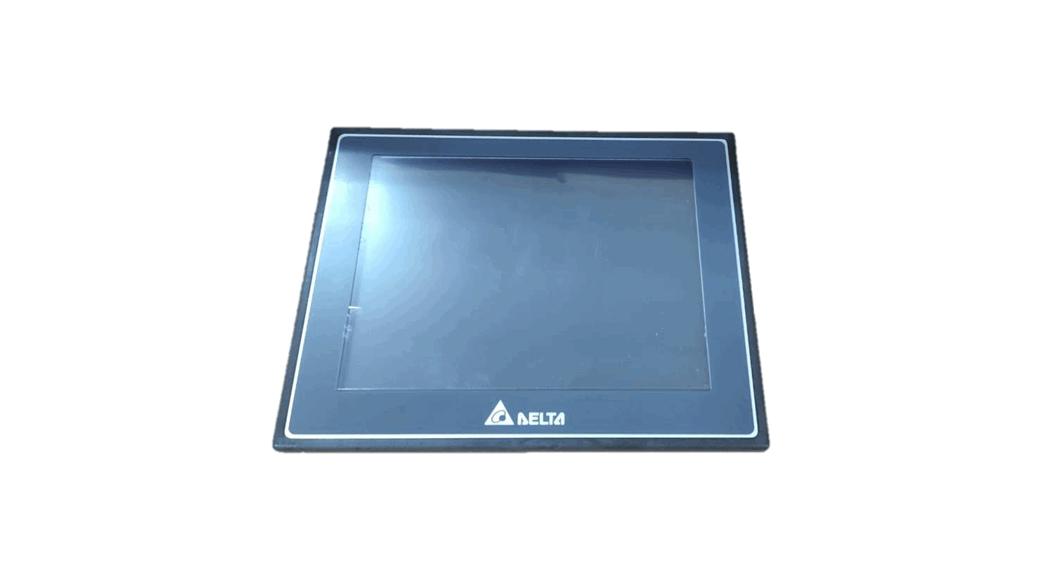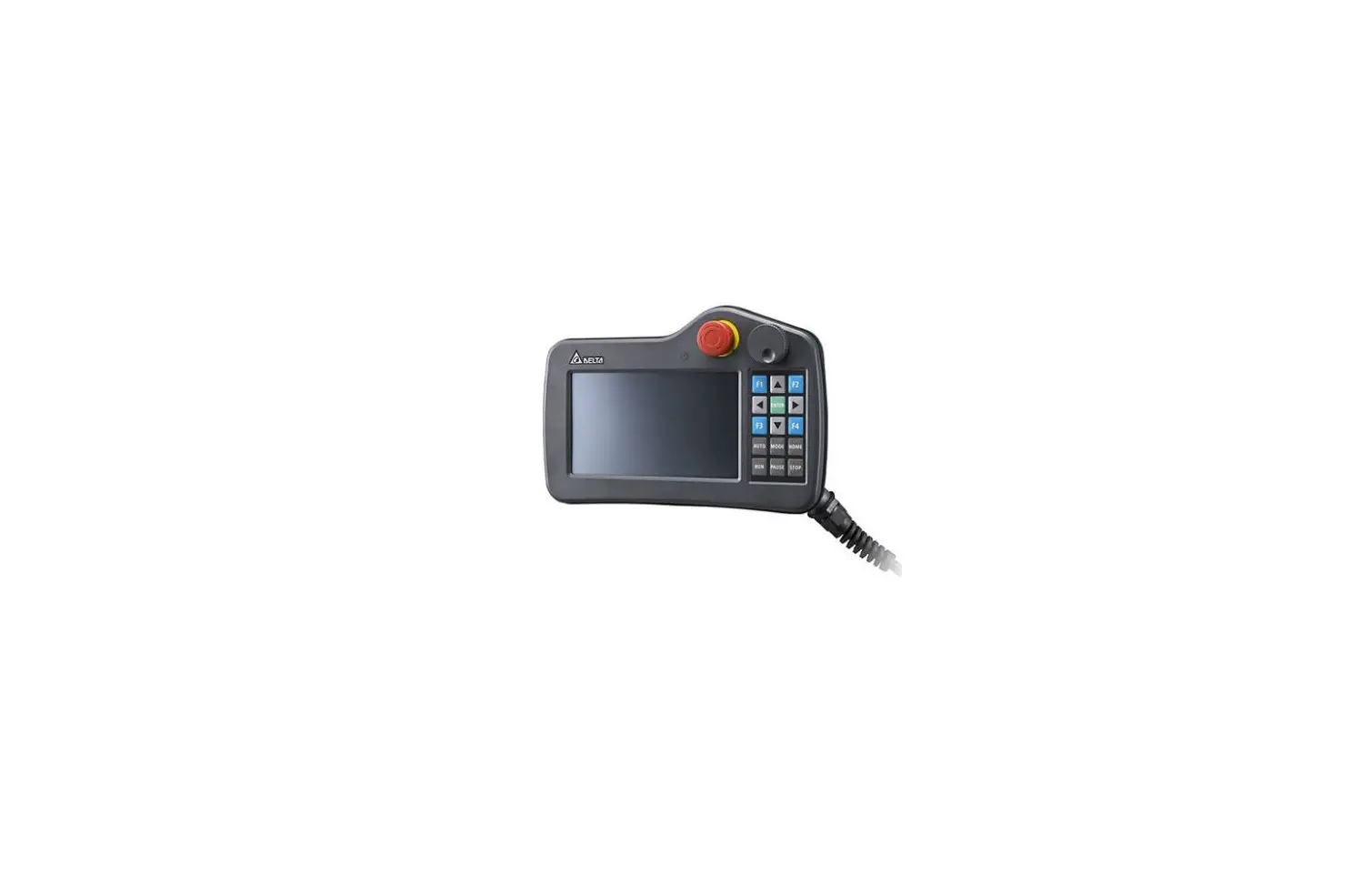

DELTA DOP-107H Touch Panel HMI – Human Machine Interfaces
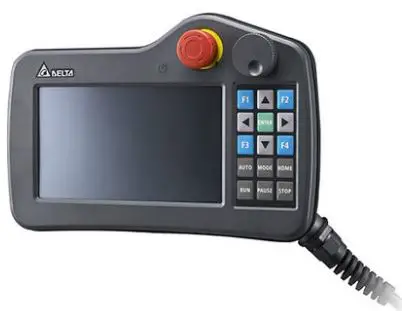
Product Information
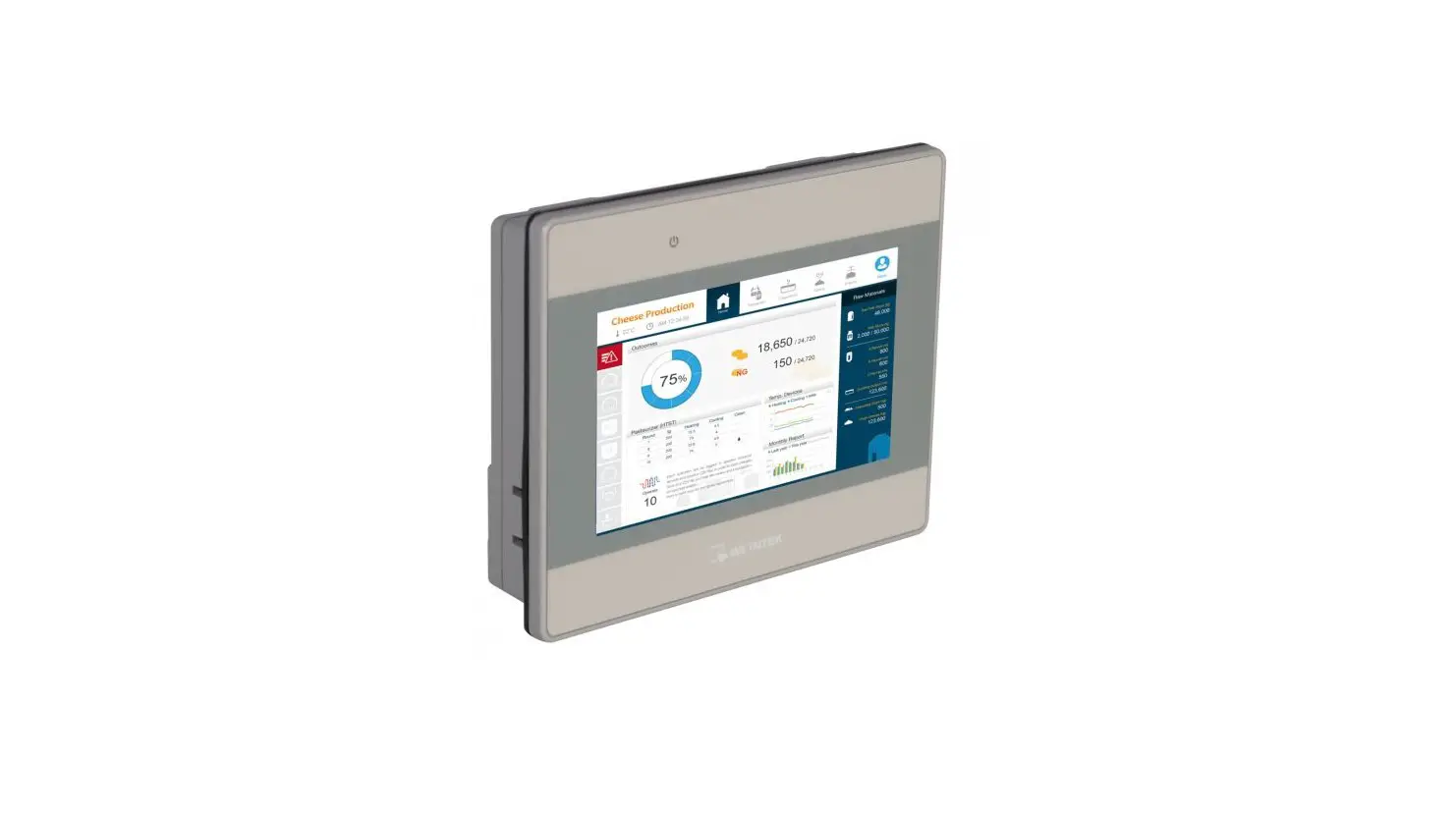
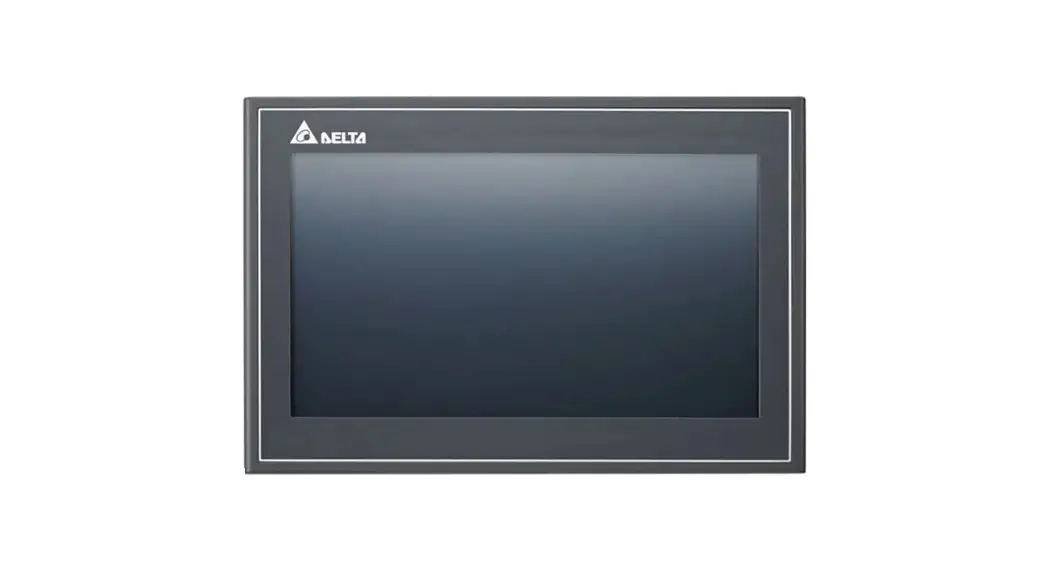
The DOP-107H is a series of High color Controllable User-friendly HMI (Human Machine Interface) produced by Delta Electronics Inc., based in Taiwan. The product is designed for indoor use and features a WVGA display with a panel size of 7.0 inches. The HMI comes in two types – HE (Ethernet) and HS (standard).
Model Explanation
The model number DOP-107HS465ZM can be broken down as follows:
- Product name: DOP (Delta Operation Panel)
- Series: 100 series HMI
- Panel size: 7.0
- Type: HS (standard)
- Display resolution: WVGA
- External device: none
- Cable length: 65
Product Usage Instructions
Before using the DOP-107H, it is important to read through the instruction sheet carefully to ensure correct use of the product.
The following are general and safety precautions to keep in mind:
General Precautions
- Install the product in an indoor environment free of vapor, corrosive, and inflammable gas.
- Refer to the wiring diagram when connecting wires.
- Ensure the product is correctly grounded according to national standard guidelines.
- Do not change the wiring when power is on.
- Do not touch the power supply when power is on, or it may cause electric shock.
- Contact the local distributor or Delta Customer Service Center for battery replacement when the HMI displays a low power notification.
- If you have any inquiries during operation, contact the local distributors or Delta Customer Service Center.
Safety Precautions
- Connect the ground terminals to class-3 ground system. Ground resistance should not exceed 100.
- Do not connect other wire rods to extend the cable length, or it may cause poor communication or malfunction.
- Do not change the wiring when power is on, or it may cause electric shock or personnel injury.
- Do not touch the panel with sharp objects or it may make a dent in the panel, resulting in abnormal operation of the HMI.
- Do not touch the internal parts of the HMI or it may cause electric shock or damage to the product.
- Do not touch the wiring terminals within 10 minutes after turning off the power. The residual voltage may cause electric shock.
- The voltage applied to the HMI should not exceed the specified range, or it may cause product damage, electric shock, or fire.
Wiring Method
- If any cable removal is forced, check the connection again before resuming operation.
- Ensure the ground circuit is correct to avoid poor communication.
- To prevent excessive interference from causing abnormal operation of the HMI, place the communication cable, all power cables, and the motor power cable in separate conduits.
By following these precautions and guidelines, users can ensure safe and effective use of the DOP-107H HMI from Delta Electronics Inc.
Instruction Sheet
General precautions
Thank you for purchasing this product. This DOP-107H instruction sheet provides information for the DOP-107H series HMI. Before using this product, read through this instruction sheet carefully to ensure the correct use of the product.
Keep this sheet handy for quick reference whenever needed. Before finishing reading this sheet, follow the following instructions.
- Install the product in an indoor environment which is free of vapor, corrosive and inflammable gas.
- Refer to the wiring diagram when connecting the wires.
- Ensure this product is correctly grounded. The grounding method must comply with the national standard guidelines (refer to NFPA 70: National Electrical Code, 2005 Ed.).
- Do not change the wiring when power is on.
- Do not touch the power supply when power is on, or it may cause electric shock.
- When the HMI displays a low power notification and requires a battery change, contact the local distributor or Delta Customer Service Center for the replacement. Do not change the batteries by yourself.
If you have any inquiry during operation, contact the local distributors or Delta Customer Service Center. The instruction sheet may be revised without prior notice. Contact our distributors or download the latest version from the Delta website (http://www.deltaww.com).
Product Safety precautions
Pay attention to the following safety precautions during installation, wiring, operation, maintenance, and inspection.
Installation
DANGER
- Comply with the instructions specified in the user manual for installation, or it may cause damage to the equipment.
- Avoid exposing the product to an environment containing vapor, corrosive gas, inflammable gas, or other foreign matter, or it may cause product damage, electric shock, fire, or explosion.
- Do not install the HMI in an environment where the ambient temperature exceeds the specified range, or it may cause abnormal operation or product damage.
- This product has the approval of KC Class A (for commercial devices), which is designed for commercial or industrial use, rather than for domestic use. If you have unintentionally purchased or sold the HMI products, replace them with products having the approval of KC Class B (for domestic use).
- Do not install the HMI to the machinery that may cause personnel injury, equipment damage, or emergency stop.
Wiring
DANGER
- Connect the ground terminals to class-3 ground system. Ground resistance should not exceed 100Ω.
Improper grounding may cause communication error, electric shock, or fire. - Do not connect other wire rods to extend the cable length, or it may cause poor communication or malfunction.
Operation
- Program the HMI screens with the DOPSoft software. If the HMI is not well-programmed, it may cause abnormal operation. To avoid personnel injury or equipment damage during operation, ensure the communication error occurring between the HMI and controller or equipment does not cause malfunction when programming the HMI screens.
WARNING - Back up the programmed HMI screens and programs to avoid unexpected data loss.
- Place the HMI on a flat surface or hang it with the hook on its back to prevent it from falling and thus crashing.
STOP
- Do not change the wiring when power is on, or it may cause electric shock or personnel injury.
- Do not touch the panel with sharp objects, or it may make a dent in the panel, resulting abnormal operation of the HMI.
Maintenance and inspection
STOP
- Do not touch the internal parts of the HMI, or it may cause electric shock or product damage.
- Do not touch the wiring terminals within 10 minutes after turning off the power. The residual voltage may cause electric shock.
Wiring method
WARNING
- The voltage applied to the HMI should not exceed the specified range, or it may cause product damage, electric shock, or fire.
- If any cable removal is forced, check the connection again before resuming the operation.
Communication wiring
WARNING
- Ensure the ground circuit is correct to avoid poor communication.
- To prevent excessive interference from causing abnormal operation of the HMI, place the communication cable, all power cables, and the motor power cable in separate conduits.
Product Model explanation

| (1) | Product name | DOP: Delta Operation Panel (HMI) | ||||||
| (2) | Series | 1: 100 series HMI | ||||||
| (3) | Panel size | 07: 7.0″ | ||||||
| (4) | Type | HE: Ethernet HS: standard | ||||||
| (5) | Display resolution | 4: WVGA | ||||||
|
(6) |
External device | Code | MPG | SD | 15 Keys | 21 Keys | ||
| 2 | ● | ● | ||||||
| 6 | ● | ● | ● | |||||
| 7 | ● | ● | ● | |||||
| (7) | Cable length | 5: 5 m A: 10 m | ||||||
| (8) | Connector | ZM / ZD: D-SUB connector | ||||||
Description of each part
DOP-107HE42x / DOP-107HE46x / DOP-107HS42x / DOP-107HS46x (front view)
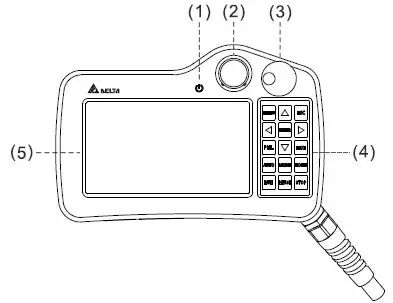
DOP-107HE42xZM / DOP-107HE46xZM (front view)
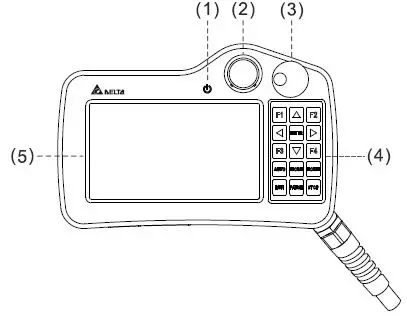
DOP-107HE47xZD (front view)
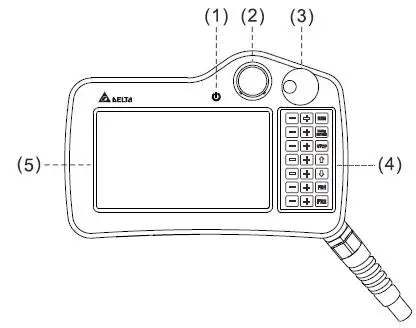
- Power indicator
- Emergency stop switch
- MPG
- Auxiliary keyboard
- Operation/display area
DOP-107HE42x /DOP-107HE42xZM / DOP-107HE46x / DOP-107HE46xZM / /DOP-107HE47xZD / DOP-107HS42x / DOP-107HS46x (rear view)
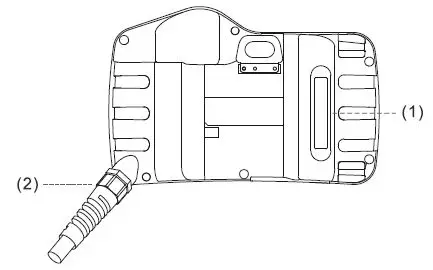
- 3-position operation switch
- Bus
DOP-107HE42x / DOP-107HE42xZM / DOP-107HE46x / DOP-107HE46xZM / DOP-107HE47xZD / DOP-107HS42x / DOP-107HS46x (bottom view)
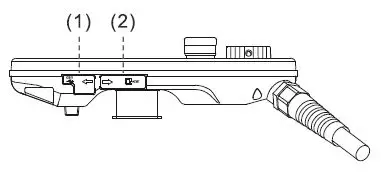
- USB slave
- SD card
Installation environment
Before installation, this product must be kept in the shipping carton. In order to retain the warranty coverage and for maintenance, follow the following instructions for storage. While the product is temporarily not in use:
- Store the product in a dust-free and dry place.
- Store the product in an ambient temperature of -10°C to +60°C (14°F to 140°F).
- Store the product in a relative humidity range of 10% to 90% RH (non-condensing).
- Avoid storing the product in an environment containing corrosive gas and liquids.
- Properly wrap the product and place it on a shelf or platform.
- The suitable installation environment should be a location that is free of devices that generate excessive heat, water, vapor, dust and oily dust, corrosive and inflammable gas and liquids, airborne dust and metal particles, vibration, and electronic interference.
- This product must be used at an altitude below 2,000 m (6,561.68 feet).
Wiring
D-SUB connector
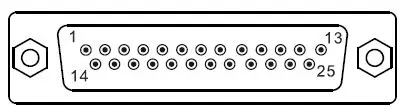
Pin assignment for DOP-107HE42xZM / DOP-107HE46xZM / DOP-107HE47xZD series (D-SUB)
| 25-pin D-SUB | Function |
| 1 | LAN RD+ |
| 2 | LAN RD- |
| 3 | Reserved |
| 7 | Emergency stop – NO(A) |
| 8 | Emergency stop – NO(A) |
| 9 | Emergency stop – NC(B) |
| 10 | Emergency stop – NC(B) |
| 13 | 0Vdc input (use SELV power supply, isolated from MAINS by double insulation) |
| 14 | LAN TD+ |
| 15 | LAN TD- |
| 18 | external power input of MPG |
| 20 | output point A of MPG |
| 21 | output point B of MPG |
| 22 | 3-position operation switch – NO(A) |
| 23 | 3-position operation switch – NO(A) |
| 25 | 24Vdc input (use SELV power supply, isolated from MAINS by double insulation) |
Wiring of DOP-107HS42x / DOP-107HS46x
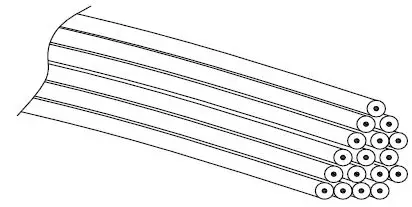
Cable definition for DOP-107HS42x / DOP-107HS46x series
| Color of bare wire | Cable (twisted pairs are represented with identical codes) | Function |
| White and orange | A | RS422 TX+ / RS485 D+ |
| White and black | – | SG (RS422, RS485) |
| White and green | B | RS422 RX+ (labelled as “12”) |
| Brown | – | 3-position operation switch – NO(A) |
| Orange | A | RS422 TX- / RS485 D- |
| Green | B | RS422 RX- |
| White and brown | – | 3-position operation switch – NO(A) |
| Red | – | 24VDC input ( use SELV power supply, isolated from MAINS by double insulation) |
| Black | – | 0VDC input ( use SELV power supply, isolated from MAINS by double insulation) |
| White | – | FGND power ground ( use SELV power supply, isolated from MAINS by double insulation) |
| Yellow | C | DOP-107HS46x only: output point A of MPG |
| White and yellow | C | DOP-107HS46x only: output point B of MPG |
| White and purple | D | Emergency stop – NC(B) |
| White and green | D | Emergency stop – NC(B) |
| White and red | – | DOP-107HS46x only: external power input of MPG |
| Blue | E | Emergency stop – NC(B) |
| White and blue | E | Emergency stop – NC(B) |
Wiring of DOP-107HE46x
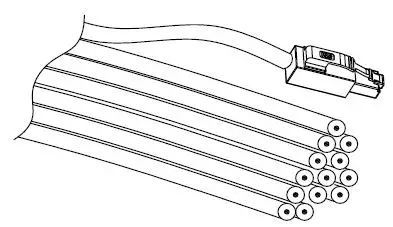
Cable definition for DOP-107HE46x series
| Color of bare wire | Cable (twisted pairs are represented with identical codes) | Function |
| RJ45 pin1 | A | LAN RD+ |
| White and black | – | Reserved |
| RJ45 pin3 | B | LAN TD+ |
| Brown | – | 3-position operation switch – NO(A) |
| RJ45 pin2 | A | LAN RD- |
| RJ45 pin6 | B | LAN TD- |
| White and brown | – | 3-position operation switch – NO(A) |
| Red | – | 24VDC input (use SELV power supply, isolated from MAINS by double insulation) |
| Black | – | 0VDC input (use SELV power supply, isolated from MAINS by double insulation) |
| White | – | FGND power ground (use SELV power supply, isolated from MAINS by double insulation) |
| Yellow | C | DOP-107HE46x only: output point A of MPG |
| White and yellow | C | DOP-107HE46x only: output point B of MPG |
| White and purple | D | Emergency stop – NC(B) |
| White and green | D | Emergency stop – NC(B) |
| White and red | – | DOP-107HE46x only: external power input of MPG |
| Blue | E | Emergency stop – NC(B) |
| White and blue | E | Emergency stop – NC(B) |
Basic inspection
| Item | Content |
| General inspection | Periodically check if the screws are securely tightened at the connection between the HMI and equipment. If the HMI is installed in a location containing dust or harmful gas, take precautions to prevent the dust and harmful gas from entering the HMI. |
| Inspection before operation (without power) | Ensure the communication wiring is correct, or it may cause abnormal operation. Ensure there is no electrically conductive objects, such as screws or sheet metal, or inflammable objects inside or near the HMI. Reduce the electromagnetic interference if there is electromagnetic interference with the peripheral devices. Ensure the external voltage level for the HMI is correct. |
| Inspection before operation (power is applied) | Check if the power indicator is enabled. Check if the communication among equipment is functioning normally. If the HMI operates abnormally, contact the local distributors or Delta Customer Service Center. |
Output description of MPG
Electrical specifications
| Input voltage (white and red wire) | Output current |
| DC 5V +/- 5% | 20 mA (Max.) |
| DC 24V +/- 5% | 30 mA (Max.) |
Configuration
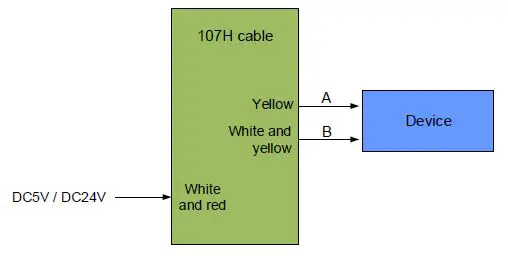
Note:
- If connecting more than one devices for MPG control is required, connect them according to the electrical specifications for MPG output to avoid malfunction.
- DC 5V and DC 24V devices that receiving pulses are supported. Ensure the device complies with the required voltage, or it may cause damage to the equipment.
Hardware specifications
| Model | DOP-107HS42x DOP-107HS46x | DOP-107HE42x DOP-107HE46x | DOP-107HE47xZD | DOP-107HE42xZM DOP-107HE46xZM | |
|
Display | Panel type | 7″ TFT LCD (65535 colors) | |||
| Resolution | 800 x 480 pixels | ||||
| Backlight | LED backlight (half-life under room temperature 25°C > 20,000 hours) (Note 1) | ||||
| Display size | 154.08 x 85.92 mm | ||||
| CPU | ARM Cortex-A8 (800 MHz) | ||||
| Flash ROM | 256 Mbytes | ||||
| RAM | 256 Mbytes | ||||
| Non-volatile memory | 32 Kbytes | ||||
| Touch panel | 4-wire resistive touchscreen > 10,000,000 operated | ||||
| Buzzer | Multi-tone frequency (2 to 4 kHz) / 80 dB | ||||
| Network interface | N/A | 10/100 Mbps auto-detection (built-in isolated power circuit) (Note 2) | |||
| Serial communication port | RS422 / RS485 (Note 2) | N/A | |||
| Memory card | SD / SDHC | ||||
| USB | 1 USB client Ver 2.0 | ||||
|
Emergency stop switch | B contact x 2 | A contact x 1 / B contact x 1 | |||
| Rated voltage: < DC 30V Maximum rated current: 1A Minimum allowable load: DC 5V / 1 mA Complies with IEC60947-5-1, EN60947-5-1, IEC60947-5-5, EN60947-5-5, UL 508, CSA C22.2 No.14, GB 14085.5 | |||||
|
3-position operation switch | A contact x 1 Rated voltage: < DC 30V Maximum rated current: 700 mA Minimum allowable load: DC 3V / 5 mA Complies with EN/IEC60947-5-8, IEC60947-5-1, EN60947-5-1, JIS C8201-5-1, UL508, CSA C22.2 NO. 14 Applicable standards for use with ISO12100-1,-2/EN12100-1, -2, IEC60204-1/EN60204-1, ISO11161/prEN11161, ISO10218/EN775, ANSI/RIA R15.06, ANSI B11.19 | ||||
|
MPG | The MPG function is not available on DOP-107HE42x, DOP-107HS42x, and DOP- 107HE42xZM models. Rated voltage: < DC 24V Resolution: 50(P/R) Output waveform: square wave Output phase: A, B Phase difference between A and B: 90° ± 45° Maximum frequency response: 200 Hz | ||||
| Auxiliary keyboard | DOP-107HE47xZD : 21 function keys ; DOP-107HE42x / DOP-107HE46x / DOP-107HE46xZM / DOP-107HS42x / DOP-107HS46x / : 15 function keys | ||||
| Cable length | 5 m (when end of model name = 5) 10 m (when end of model name = A) | ||||
| Calendar | Built-in |
| Cooling method | Natural cooling |
| Safety approval | CE (Note 3) |
| Protection rating | IP54 |
| Operating voltage | DC +24V (±15%) (built-in isolated power circuit) (Note 2) (supplied by SELV circuits (isolated from MAINS by double insulation)) |
| Leakage current | AC500V for one minute (between DC24 and FG terminals) |
| Power consumption | 4.896 W (Note 4) |
| Backup battery | 3V lithium battery CR2450 × 1 |
| Backup battery life | About 5 years or more at 25°C (77°F) (subject to operation temperature and condition) |
| Operation temperature | 0°C to 40°C (32°F to 104°F) |
| Storage temperature | -10°C to +60°C (14°F to 140°F) |
| Operating environment | 10% to 90% RH [0 to 40°C (32 to 104°F) ], 10% to 55% RH [41 to 50°C (105.8 to 122°F) ] pollution degree: 2 |
| Vibration resistance | Conforms to IEC61131-2: continuous vibration 5 Hz to 8.3 Hz with amplitude 3.5 mm; 8.3 Hz to 150 Hz with amplitude 1G |
| Shock resistance | Conforms to IEC60068-2-27: 11 ms, 15G Peak , in X, Y, Z directions each for 6 times |
| Dimensions (W) x (H) x (D) mm | 257.4 x 170.3 x 71.8 (emergency stop switch and hook included) |
| Weight | 750 g (cable excluded) |
Note:
- The half-life of the backlight is defined as the maximum luminance being reduced by 50% when the maximum drive current is supplied to the HMI. The life of LED backlight shown here is estimated at the room temperature of 25°C (77°F) with ambient humidity.
- The withstand voltage of the isolated power circuit is 1500V peak for 1 minute.
- The certification for some models is under application. Contact the local distributor for the certificated models.
- The HMI power consumption is the power consumed when the HMI is not connecting with other peripheral devices. To ensure normal operation of the HMI, the recommended capacity of the power supply is 1.5 to 2 times of the specified power consumption.
- Isolated power supply unit is suggested.
- You can download the DOP-107H series programming software DOPSoft, user manual, and HMI installation sheet from Delta’s website. The instruction sheet may be revised without prior notice. Download the latest version from the Delta website (http://www.deltaww.com).
- The DOP-107H series products can be used with industrial automation equipment. Read though this instruction sheet carefully and install the product according to the instructions to avoid danger.
- Cleaning method: use a dry cloth to clean the product.
- For repair and maintenance, contact Delta Electronics, Inc. Address: No. 18, Xinglong Rd., Taoyuan City, Taiwan. TEL: +886-3-3626301.
High color‧Controllable‧User-friendly
Delta Electronics Inc,
No.18, Xinglong Rd., Taoyuan City 33068, Taiwan
 Welcome to Delta