
Mark-10 TSA750 Series TS Force Measurement Test Stand
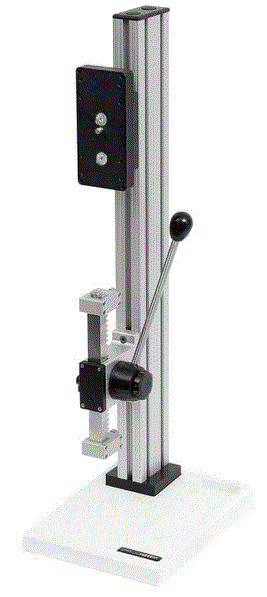
Mark-10 Series TS Force Measurement Test Stand
Thank you for purchasing a Mark-10 Series TS Force Measurement Test Stand. This product is designed to provide accurate and reliable force measurement for laboratory and industrial environments. The following models are available:
- TSA750
- TSA750H
- TSB100
- TSC1000
- TSC1000H
- TSF
- TSFH
User’s Guide
This User’s Guide provides unpacking, setup, and operator instructions, along with dimensions and specifications. Our technical support and engineering teams are available to provide additional information or answer any questions you may have.
Unpacking and Setting Up
Mount the test stand to a firm, flat, and level working surface for maximum safety and accuracy using four 5/16 screws (not included). Use the included mounting hole drill template to accurately drill the holes. Testing can take place without securing the test stand in such a manner, however, it is strongly recommended that the stand be secured, especially for large forces.
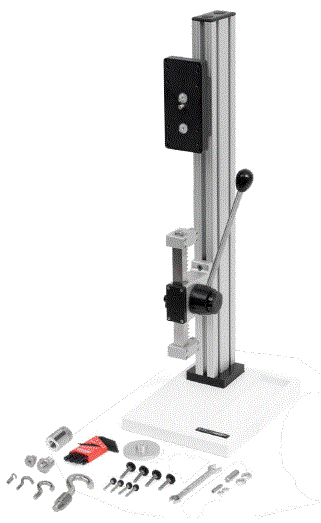
- Carefully unpack the stand and inspect for any damage. Check to make sure that you have received a complete test stand with all accessories – see List of Included Items. Save original packaging materials in case future transportation is required.
- Install the loading lever. The position of the loading lever can be adjusted as required – see the Operation section for your particular model.
- Place the stand on a firm, flat and level working surface free from vibration to ensure accurate readings. It is recommended that the test stand be secured to a workbench – see Operation section.
List of Included Items
The following items are included with your Mark-10 Series TS Force Measurement Test Stand:
| Item | TSA750 / TSA750H | TSB100 | TSC1000 / TSC1000H | TSF / TSFH |
|---|---|---|---|---|
| Test Stand | 1 | 1 | 1 | 1 |
| Gauge Plate | 1 | 1 | 1 | 1 |
| Thumb Screws | 4 | 4 | 4 | 4 |
| Drill Template | 1 | – | – | – |
| Attachments | – | – | – | 2 |
Operation
To operate your Mark-10 Series TS Force Measurement Test Stand, follow these steps:
- Mount the test stand to a firm, flat, and level working surface using four 5/16 screws (not included).
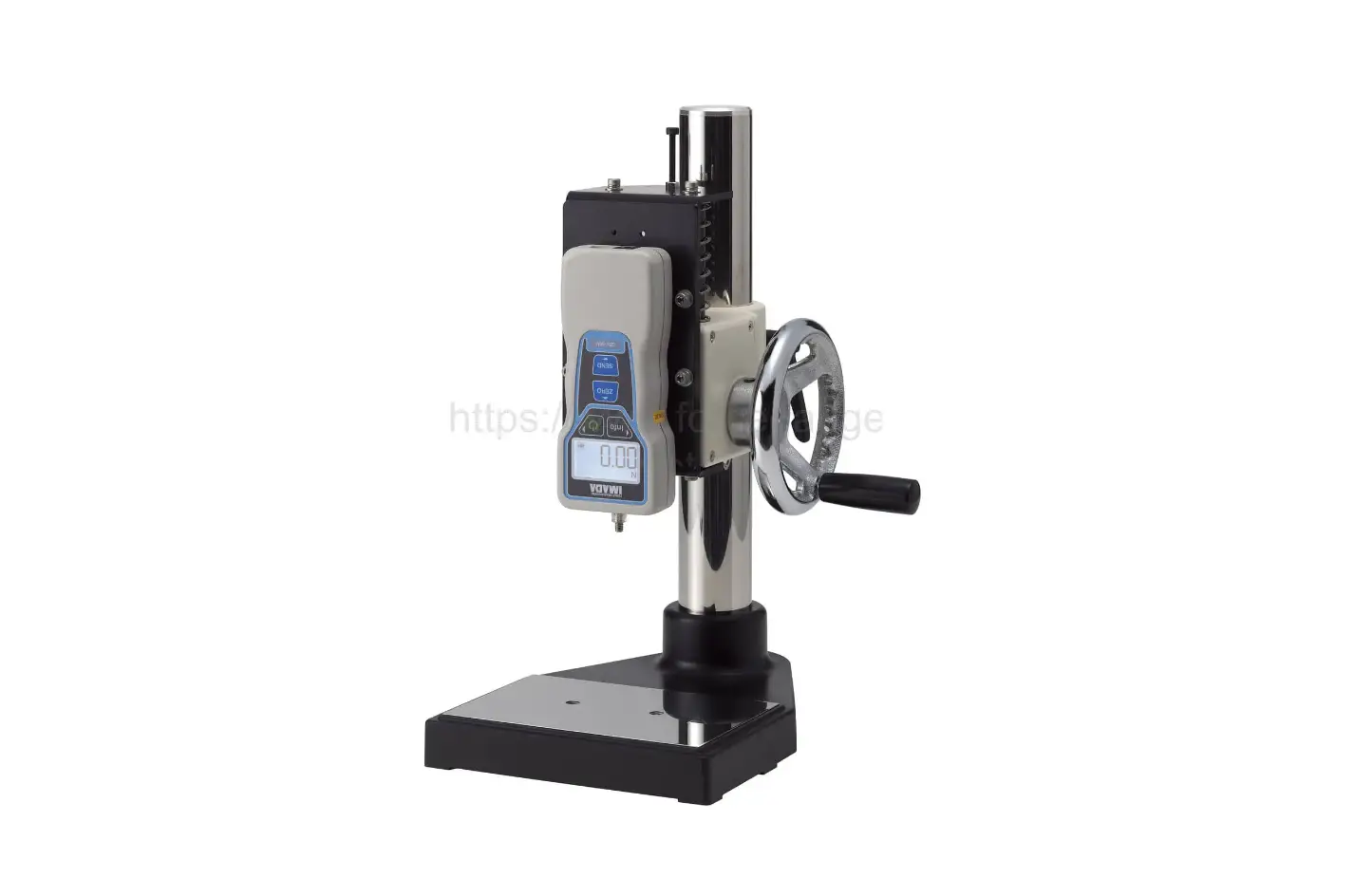
- Install a force gauge onto the gauge plate with four thumb screws.
- Install any needed attachments, including grips, adapters, and other materials necessary for your test sample. Make sure these items are set up in a secure and safe manner.
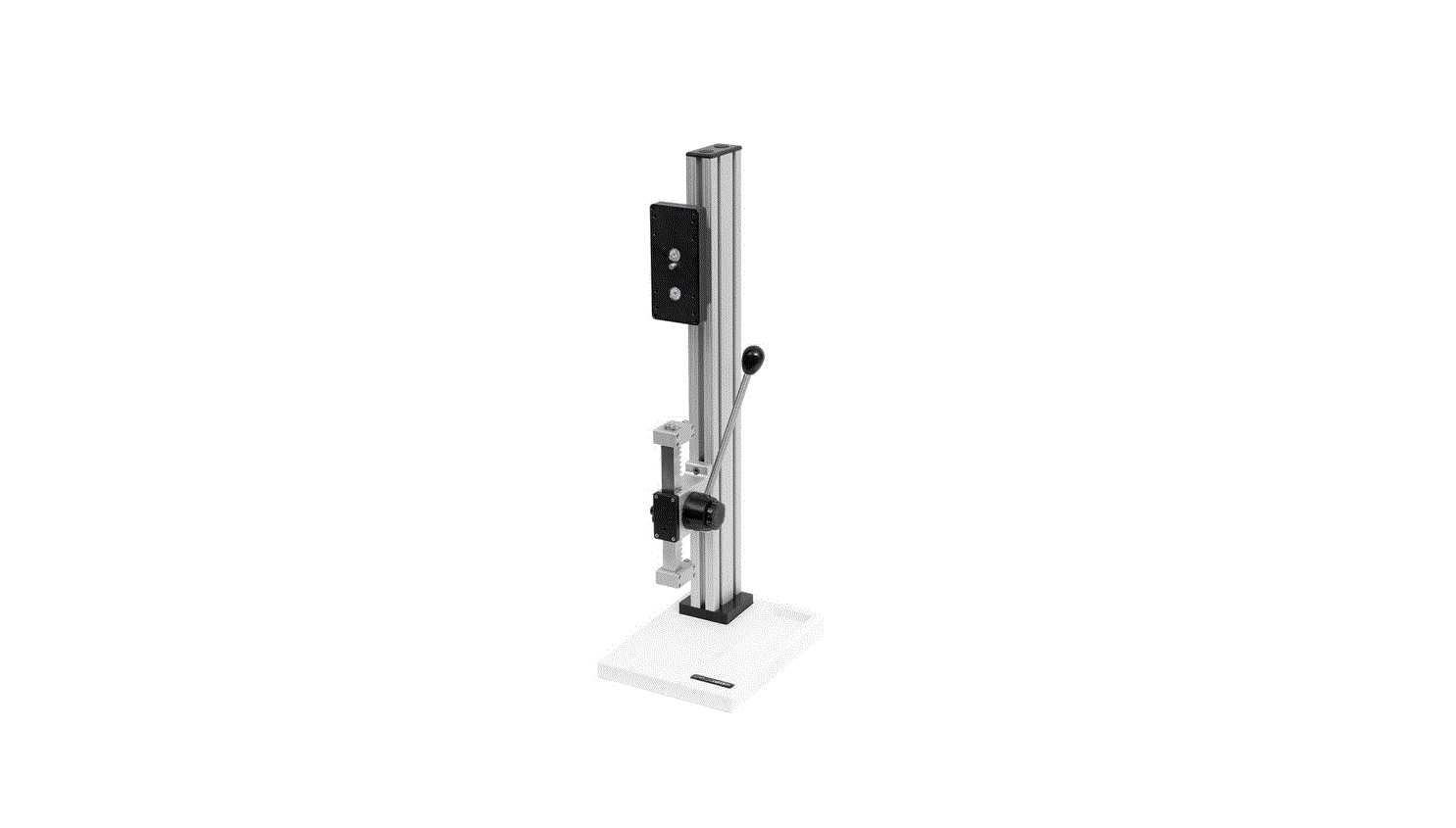
- Zero out the force gauge, then begin the test by rotating the lever clockwise for compression or counter-clockwise for tension.

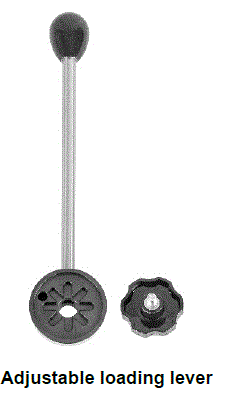
The loading lever can be adjusted to allow for ease of operation. Reposition the loading lever by removing the knob and realigning the lever pin in the mounting hub.
The rack brake can be set by loosening the wing nut, positioning the rack to the desired location and re-tightening the wing nut.
The clearance on the rack can be set by adjusting the four set screws using the tools provided.
The travel stops can be adjusted in 0.5” [12.7 mm] increments along the rack by moving the blocks to the desired location and tightening two screws. Fine adjustments can be made using adjusting screws on the housing and locking the jam nuts.
Note: To maintain smooth functioning of the stand, avoid overloads and repetitive shock loads.
Reversible Gauge Mounting Plate
The gauge mounting plate is reversible for compatibility with force gauges of all capacities. Reverse the plate by removing two screws, then flip it around and reinstall.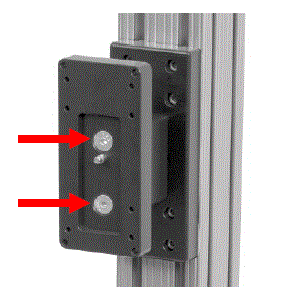
Optional Equipment Digital Travel Display Kit
6″ [150 mm] travel, 0.0005″ [0.01 mm] resolution, SPC output for automated data collection. Requires travel stops kit. To output data to a PC via USB, use communication adapter part no. MU100 and AC1105 cable. 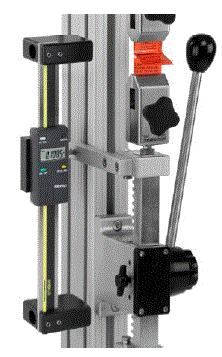
DIMENSIONS in [mm]
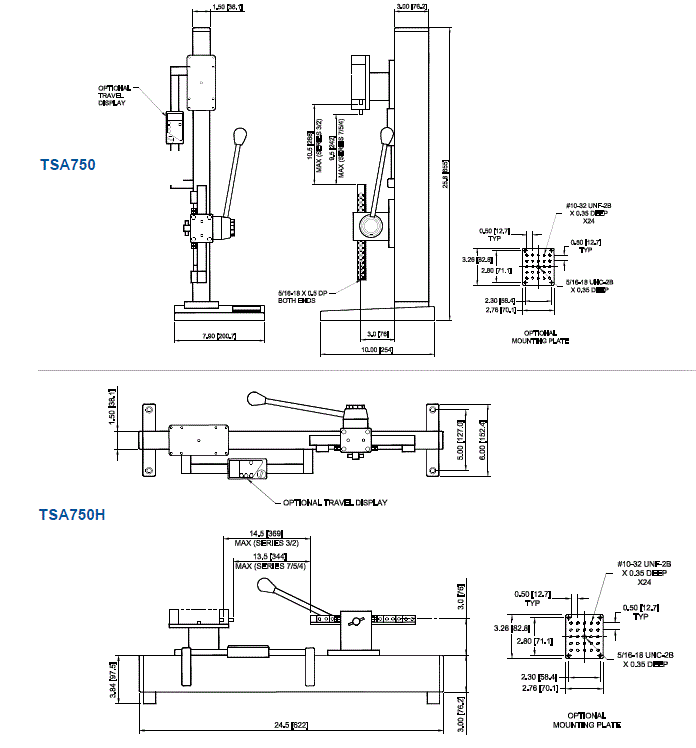
Specifications
The following specifications apply to the Mark-10 Series TS Force Measurement Test Stand:
- Maximum Force: varies by model
- Accuracy: +/- 0.1% of full scale
- Dimensions: varies by model
TSC1000 / TSC1000H
UNPACKING AND SETTING-UP
- Carefully unpack the stand and inspect for any damage. Check to make sure that you have received a complete test stand with all accessories – see List of Included Items. Save original packaging materials in case future transportation is required.
- Place the stand on a firm, flat and level working surface free from vibration to ensure accurate readings. It is recommended that the test stand be secured to a workbench – see Operation section.
LIST OF INCLUDED ITEMS
| Quantity | Item |
| 1 | G1009 – compression plate, 2″ dia. |
| 1 | G1009-1 – compression plate, 3″ dia. |
| 1 | G1028 – small hook |
| 1 | G1030 – thread adapter, 5/16-18M to #10-32F |
| 1 | G1035 – large hook |
| 1 | G1037 – coupling, 5/16-18 F/F |
| 1 | G1038 – medium hook |
| 1 | G1039 – coupling, #10-32 F/F |
| 1 | G1041 – thread adapter, 5/16-18M to #1/2-20M |
| 1 | G1042 – extra large hook |
| 1 | G1044 – 1/2-20F adapter plate with mounting hardware |
| 1 | 5/16-18 stud with jam nuts |
| 1 | #10-32 stud with jam nuts |
| 1 | Base (TSC1000H) |
| 2 | Mounting leg with hardware (TSC1000H) |
| 1 | Additional column cap with hardware (TSC1000H) |
| 4 | Thumb screw for force gauges with 0.12 – 500 lbF capacities |
| 4 | Thumb screw for force gauges with 750 – 2,000 lbF capacities |
| 1 | Allen wrench set |
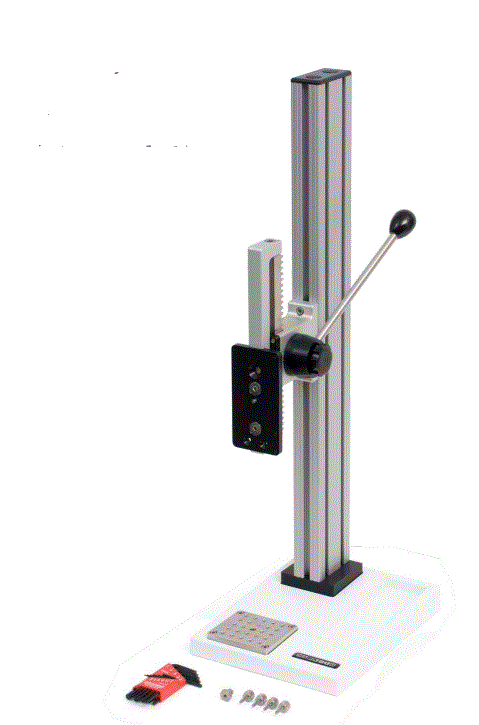
Reversible Gauge Mounting Plate
The gauge mounting plate is reversible for compatibility with force gauges of all capacities. Reverse the plate by removing two screws, then flip it around and reinstall.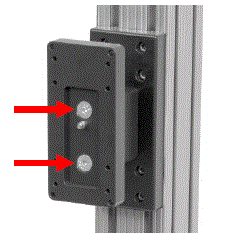
Optional Equipment Digital
Travel Display Kit 6″ [150 mm] travel, 0.0005″ [0.01 mm] resolution, SPC output for automated 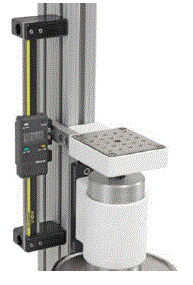
DIMENSIONS in [mm]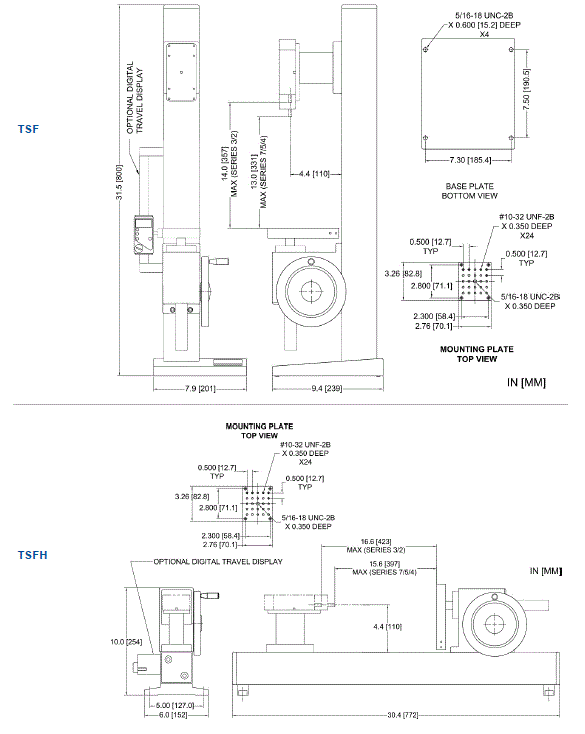
TSF / TSFH
UNPACKING AND SETTING-UP
- Carefully unpack the stand and inspect for any damage. Check to make sure that you have received a complete test stand with all accessories – see List of Included Items. Save original packaging materials in case future transportation is required.
- Place the stand on a firm, flat and level working surface free from vibration to ensure accurate readings. It is recommended that the test stand be secured to a work bench – see Operation section.

DIMENSIONS in [mm]
Mark-10 Corporation has been an innovator in the force and torque measurement fields since 1979. We strive to achieve 100% customer satisfaction through excellence in product design, manufacturing and customer support. In addition to our standard line of products we can provide modifications and custom designs for OEM applications. Our engineering team is eager to satisfy any special requirements. Please contact us for further information or suggestions for improvement.
Force and torque measurement engineered better Mark-10 Corporation
11 Dixon Avenue
Copiague, NY 11726 USA
888-MARK-TEN
Tel: 631-842-9200
Fax: 631-842-9201
www.mark-10.com
[email protected]
 Mark-10 Force and Torque Measurement