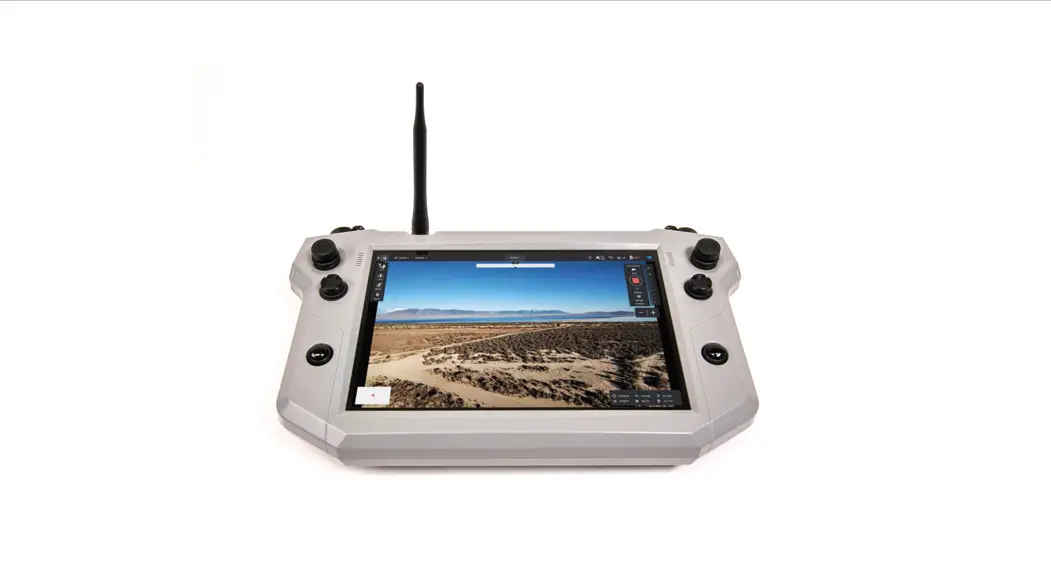


Golden Eagle / Teal Air Control
Q U I C K S T A R T G U I D E
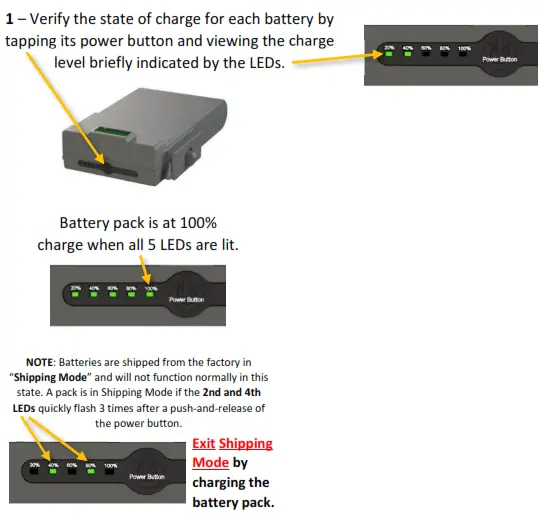
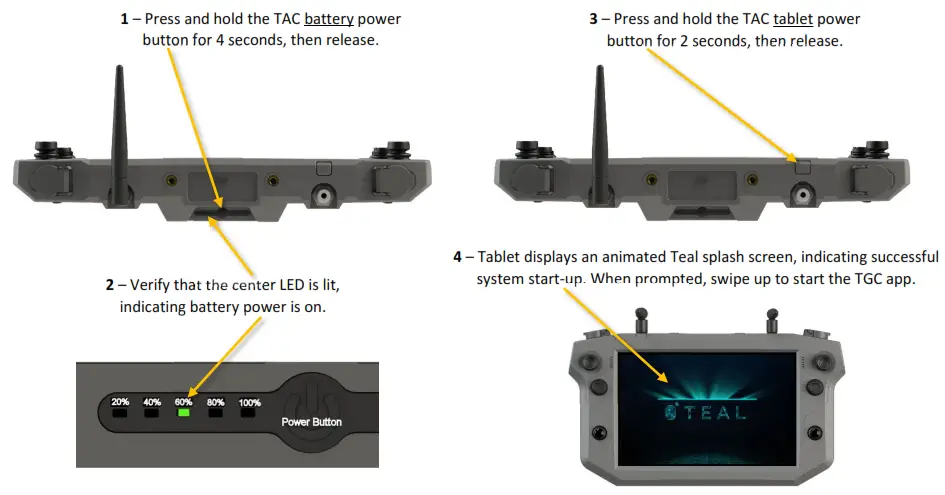
| User Action | LED Action | Mode |
| Tap Power Button | 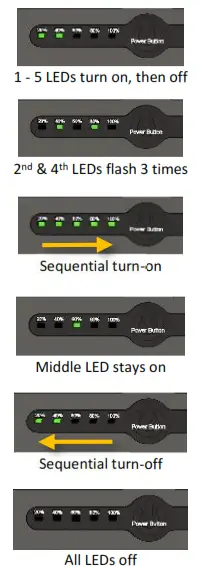 | Charge Level indication for 2 seconds |
| Tap Power Button | In low-power Shipping Mode! Charge to exit! | |
| Press & Hold for 4 seconds | Toggles battery Power to ON | |
| Release after 4sec hold | Battery Power is ON | |
| Release after 4sec hold | Toggles battery Power to OFF | |
| Release after 4sec hold | Battery Power is OFF |
Step 1 – Check & Charge the Batteries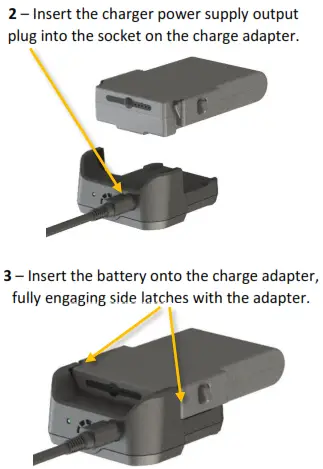
Step 2 – Prepare the Teal Air Control (TAC)
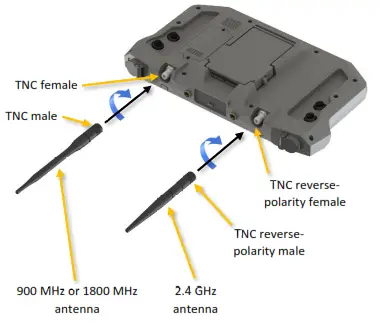
- – Attach the antenna(s) by securely screwing them clockwise onto the TNC connectors on the TAC.

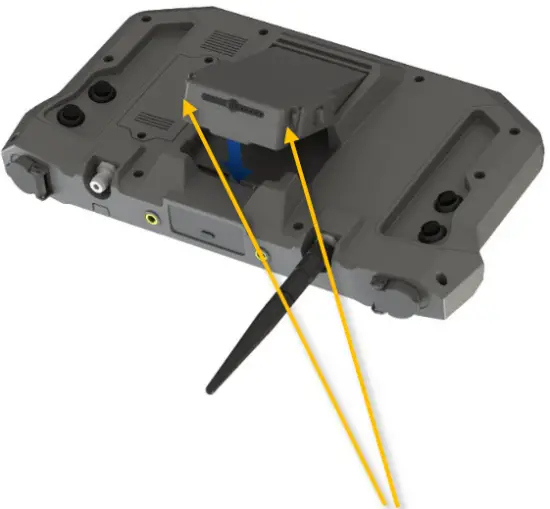
- – Insert and securely latch a fully-charged battery into the TAC battery compartment.

- – Verify that both battery side latches are fully engaged with the TAC housing to securely capture the battery!
Step 3 – Power Up the TAC
Step 4 – Prepare the Golden Eagle
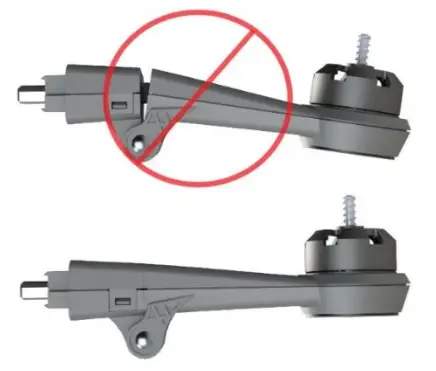
- – Unfold arms and securely lock into their fully-extended position.
 If arm lock mechanism is worn and does not securely lock, replace arm.
 Check that props are not! damaged. Replace if nicked or cracked!
 3 – Insert and securely latch a fully charged battery into the drone battery compartment.
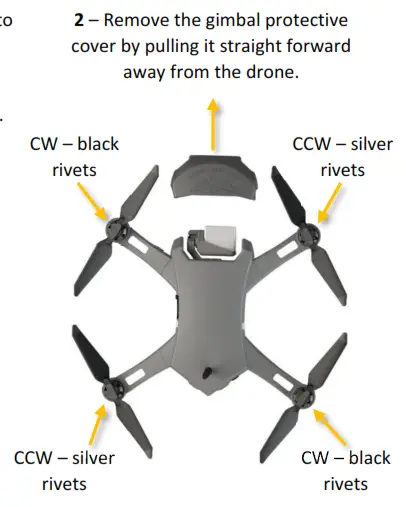 3 – Insert and securely latch a fully charged battery into the drone battery compartment.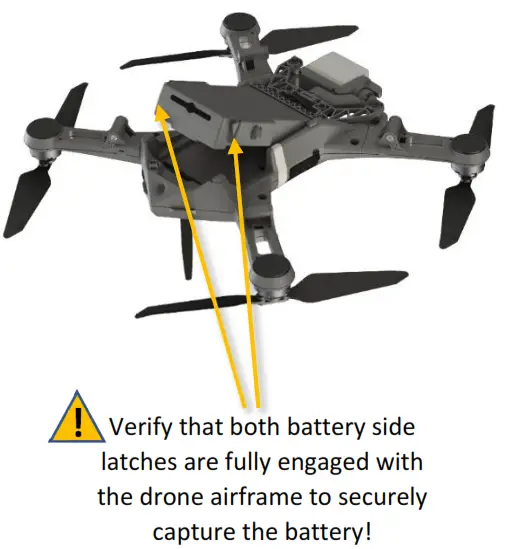
Step 5 – Power Up the Golden Eagle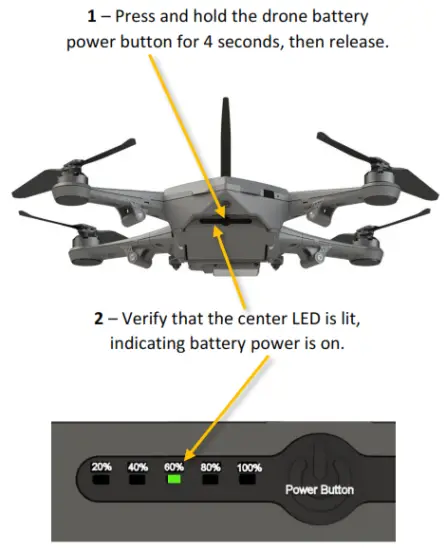
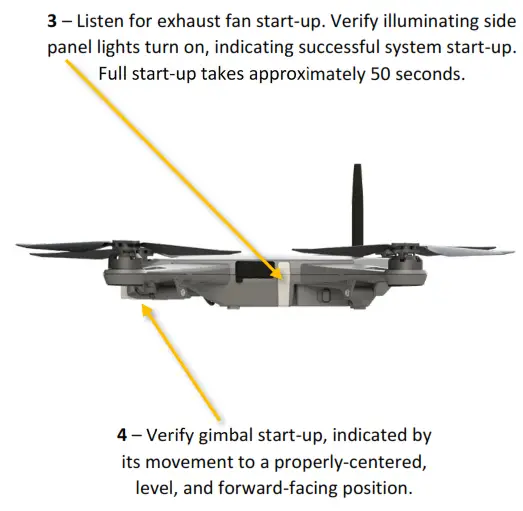
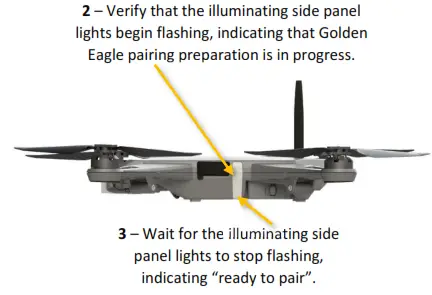
Step 6 – Prepare the Golden Eagle for Pairing 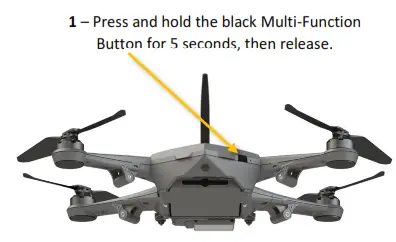
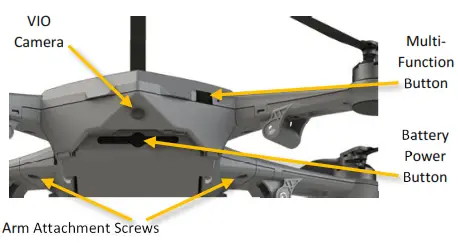
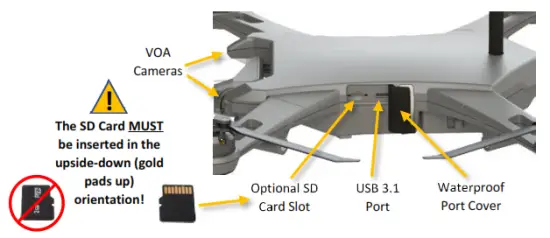
 Golden Eagle Controls & Ports
 Step 7 – Pair the TAC with the Golden Eagle
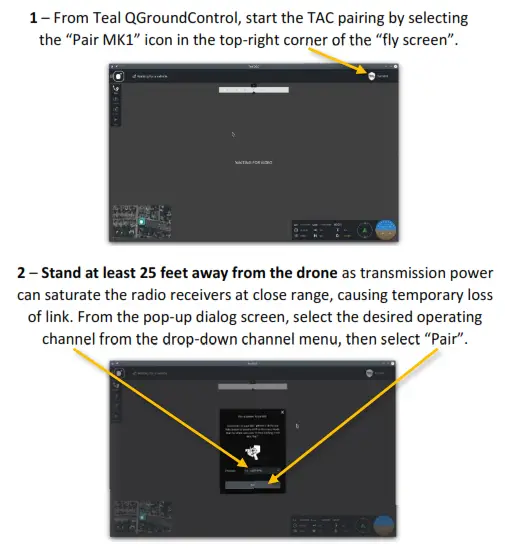 3 – When prompted, select the desired radio power. The higher the power setting, the longer the range, but higher power increases the chance of receiver saturation at close range.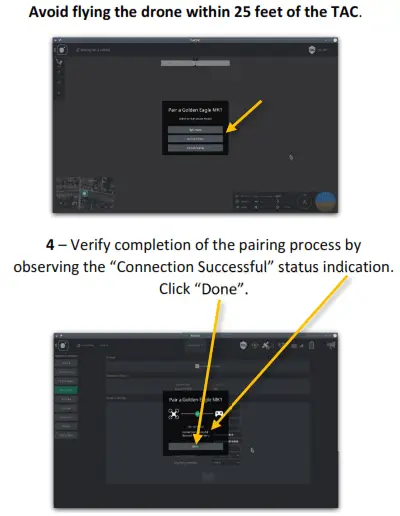
Default TAC Flight Controls & Ports
 This Quick Start Guide is intended for experienced pilots! Refer to the operator manual before attempting flight!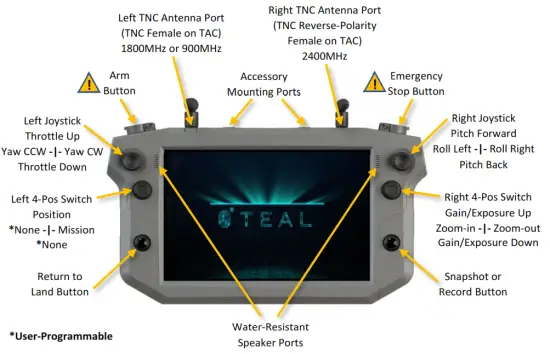
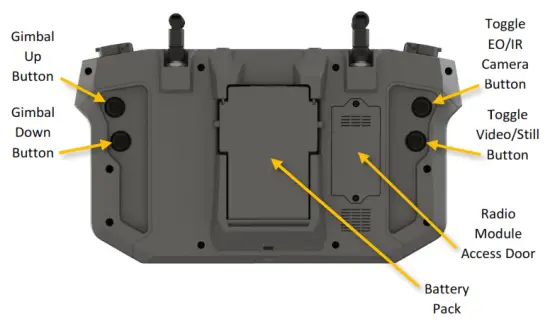
Refer to the Operator Manual for additional Warnings and Cautions!
Scan QR code to access
Operator Manual