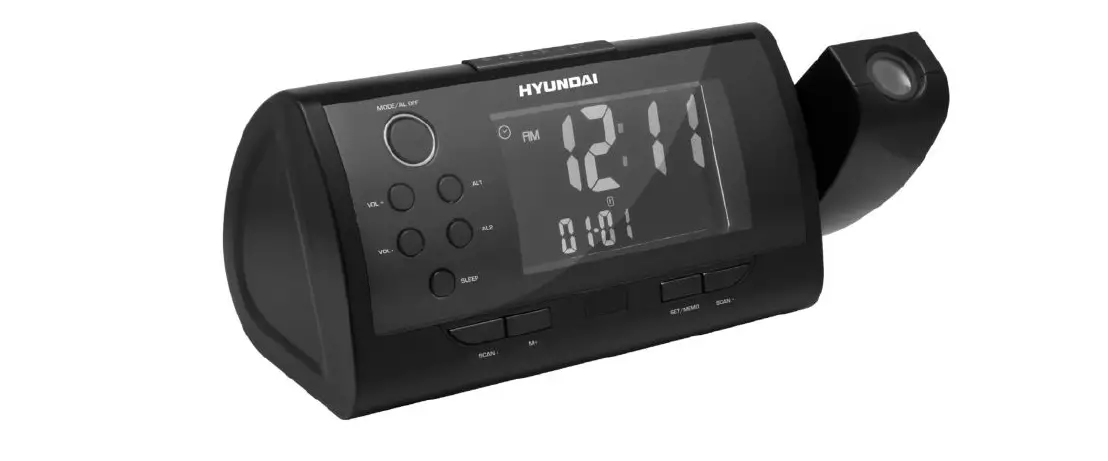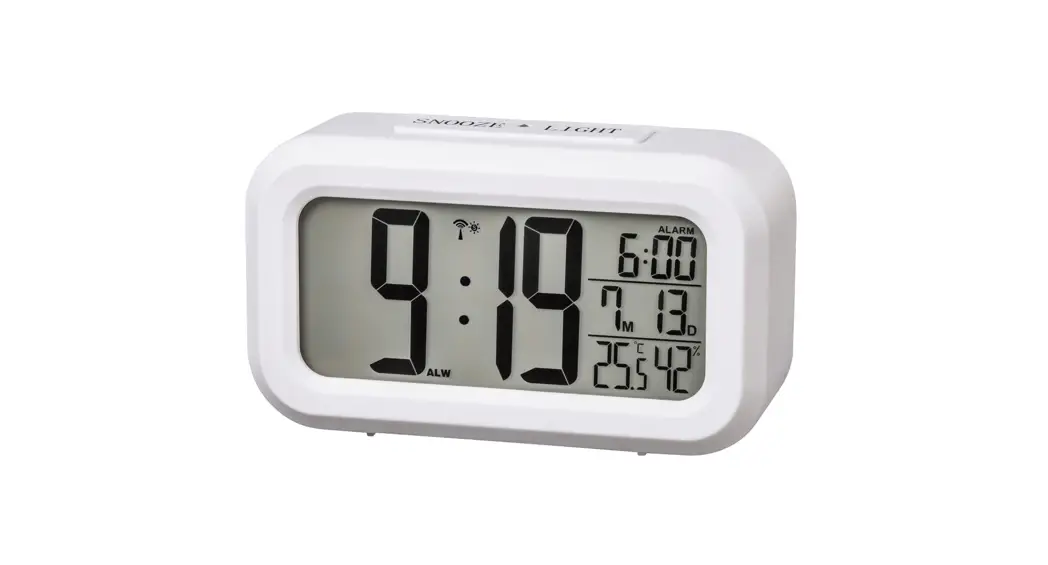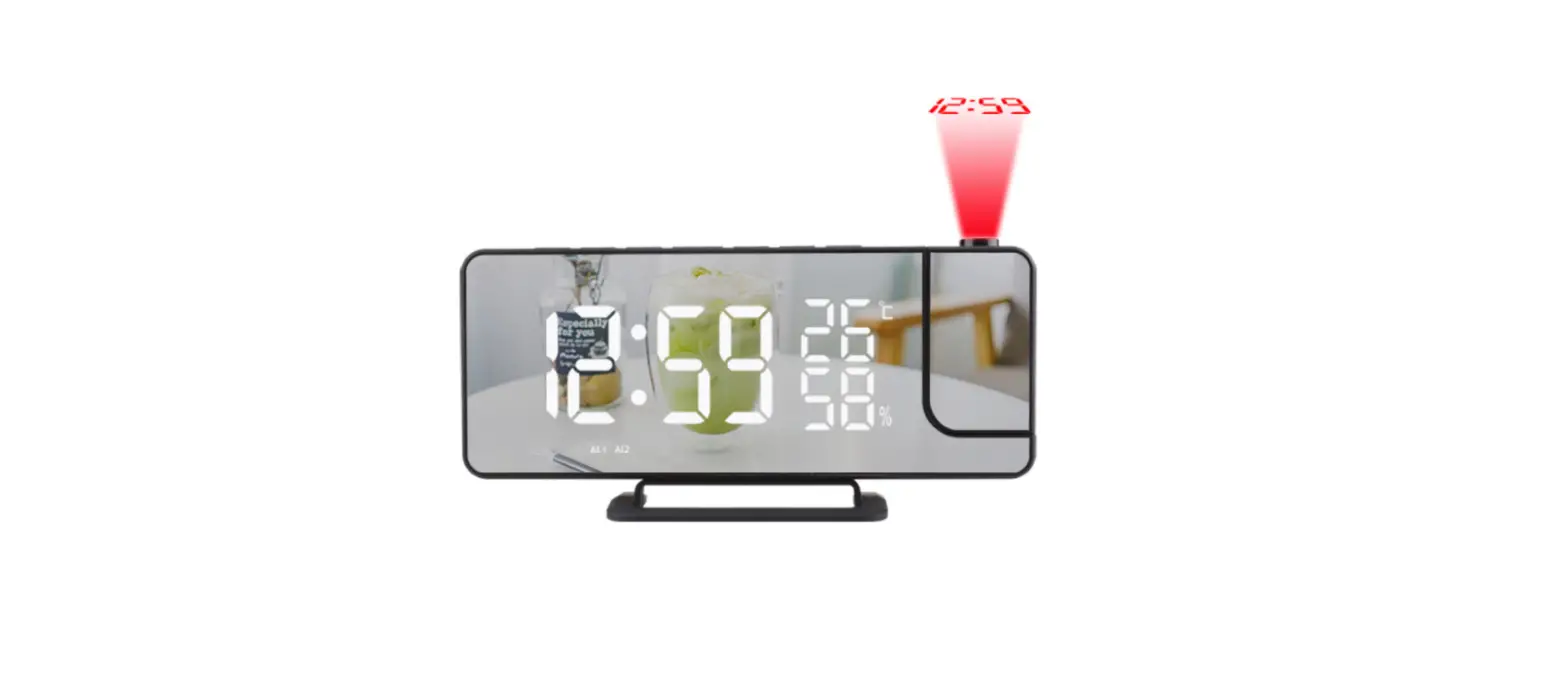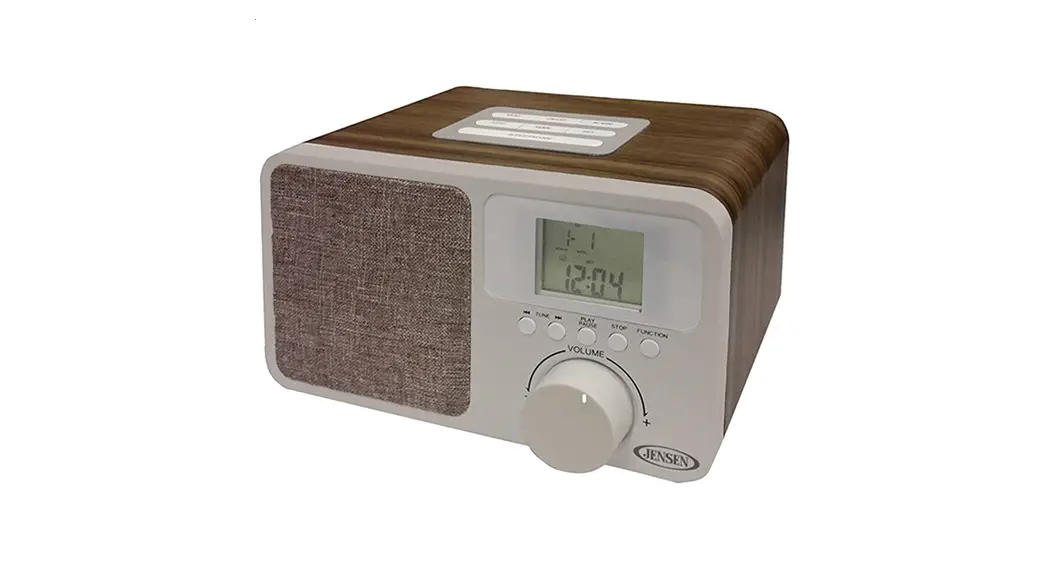

CP280 Clock Radio
Instruction Manual
MODE d’emploi
 http://www.thomsonaudiovideo.eu/
SAFETY RECOMMENDATIONS
Carefully read the instructions of this manual, respecting recommendations for use and safety. Keep this document and tell potential users about it. This appliance has been designed solely for domestic use; the manufacturer’s liability shall not be engaged in the event of any professional use, any misuse or any use not complying with the operating instructions. This symbol, representing a lightning bolt inside an equilateral triangle, is intended to alert the user to the presence of uninsulated, dangerous voltage in the product’s enclosure that is high enough to present a risk of electrical shock.
 This symbol, representing an exclamation mark inside an equilateral triangle, is intended to alert the user to the presence of operating and maintenance instructions in the documentation accompanying the product.
 This symbol complies with the standards in force for this type of product.
 Disposing of the appliance at the end of its life This appliance bears the WEEE mark (Waste of Electric and Electronic Equipment) signifying that, at the end of its life cycle, it should not be disposed of with household waste, but at a recycling center. The recycling of waste contributes to the conservation of our environment.
 Disposing of batteries at the end of their life In order to respect the environment, do not throw used batteries out with household waste. Dispose of them at your nearest recycling center or at a used battery collection point.
WARNING CONCERNING USE AND INSTALLATION
ATTENTION: To avoid all risk of fire or electrical shock, do not expose the appliance to rain or humidity. Therefore, the appliance should not be used near a water supply point or in a humid location (bathroom, swimming pool, sink, etc).
ATTENTION: Never immerse the appliance in water or in any liquid whatsoever.
- Do not place any object containing water (e.g. vases, etc.) on the appliance.
- Do not place the appliance in full sunlight, close to heating equipment or any heat source, or in a location subject to excessive dust or mechanical shocks.
- Do not expose the appliance to extreme temperatures. The appliance is designed for use in moderate climates.
- Do not place any object that produces heat (candle, ashtray, etc.) close to the appliance.
- Place the appliance on a surface that is flat, rigid and stable.
Important safety instructions
- Read these instructions.
- Keep these instructions.
- Heed all warnings.
- Follow all instructions.
- Refer all servicing to qualified service personnel.
- Do not expose the unit to dripping or splashing and make sure that no objects filled with liquids, such as vases, are placed on it.
- Class, I appliances must be connected to the main socket outlet with a protective-earth connection.
- The mains plug connects the device and should remain operable during use.
- To disconnect the unit from the mains, the plug should be fully disconnected from the mains socket outlet. The main plug should not be obstructed and should be easily accessible during use.
- When a power indicator light is on, it indicates the unit is connected to the main supply. When the light is off, it indicates the unit is fully disconnected from the main supply.
INFORMATION ABOUT BATTERIES (applicable only if batteries are included)
- Polarity must be respected when inserting batteries.
- The batteries should be inserted in such a way as to avoid any short circuit.
- Do not mix used and new batteries.
- Do not mix alkaline, standard (carbon-zinc), and rechargeable (nickel-cadmium) batteries.
- Do not expose the battery to excessive heat such as sunshine or fire.
- Remove the batteries when they have not been used for a long time.
- If the liquid contained in the batteries comes in contact with the eyes or skin, immediately and carefully wash the affected area with clear water and consult a doctor.
- The product/remote control may contain a coin/button type battery:
WARNING Do not ingest the battery. Chemical bum hazard. This product contains a coin/button cell battery. If the coin/button cell battery is swallowed, it can cause severe internal burns in just 2 hours and can lead to death. Keep new and used batteries away from children. If the battery compartment does not close securely, stop using the product and keep it away from children. If you think batteries might have been swallowed or placed inside any part of the body, seek immediate medical attention.
CAUTION Danger of explosion if the battery is incorrectly replaced. Replace the battery only with the same or equivalent type.
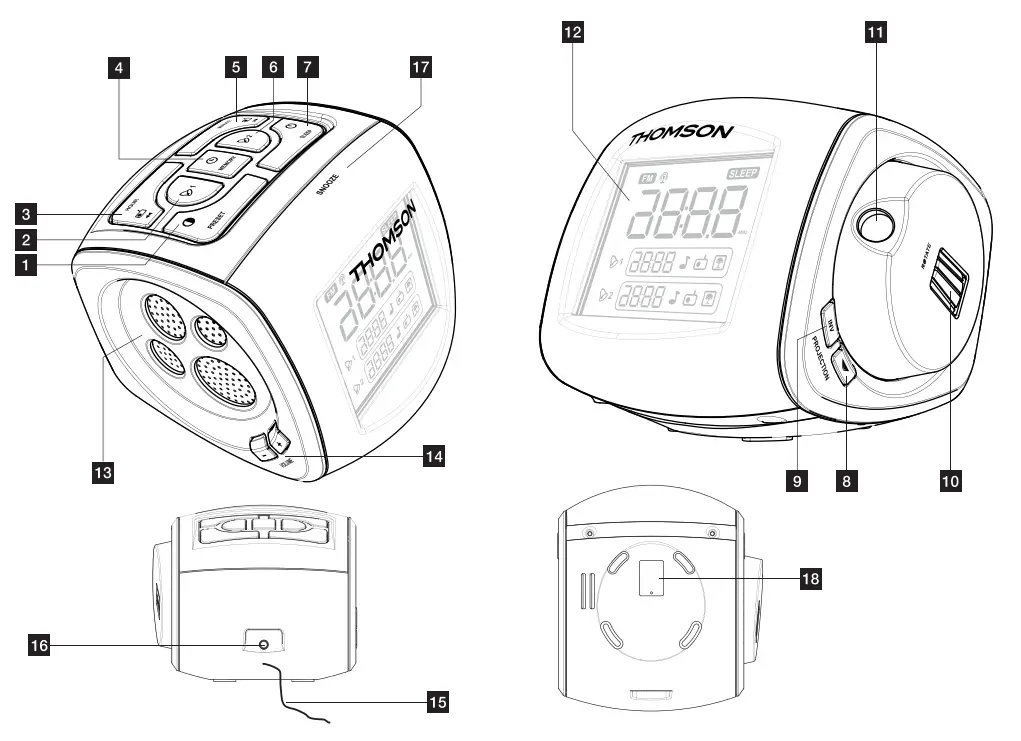
DESCRIPTION OF THE COMMANDS
(see the description at the beginning of the manual)
| 1 |  | Research and automatic preset stations (20 stations max)/Reducing the screen brightness. |
| 2 |  | Setting the alarm time 1. |
| 3 |  | Setting the frequencies – / Setting the hours. |
| 4 |  | Setting the clock / Memorize the stations manually. |
| 5 |  | Setting the frequencies + / Setting the minutes. |
| 6 |  | Setting the alarm time 2. |
| 7 |  | Radio ON/OFF/Sleep. |
| 8 |  | ON/OFF projector. |
| 9 | INV | Reverse projection. |
| 10 | ROTATE | Rotation of the projection. |
| 11 | Projector | |
| 12 | LCD screen | |
| 13 | Speaker | |
| 14 |  | Setting the volume -/Setting the volume +. |
| 15 | Wire aerial | |
| 16 | POWER SUPPLY: connection plug for the mains voltage adapter | |
| 17 | SNOOZE | Repeat alarm. |
| 18 | Battery compartment |
USE
POWER SUPPLY
- Before using the product for the first time, remember to remove the plastic tab from the battery compartment.
- Only use the adaptor provided. Before using another adaptor, check that it has the same ratings and complies with current regulations.
CHANGING THE BACKUP BATTERY
The backup system ensures that the clock continues to function in the event of a power cut.
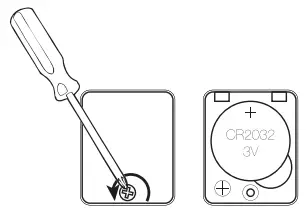
- Open the battery compartment on the underside of the device.
- Insert 1 CR.2032-type 3V battery, polarity as indicated (+/-).
- Close the battery compartment.
 BATTERY WARNING
KEEP OUT OF REACH OF CHILDREN Swallowing can lead to chemical bums, perforation of soft tissue, and death. Severe burns can occur within 2 hours of ingestion. Seek medical attention immediately.
SETTING THE TIME
The radio is in OFF:
- Press
 : on the display “0:00” flashes.
 - Press
 to set the hours.
 - Press
 to set the minutes.
 - Press to confirm.
SETTING THE ALARM (1 and 2)
- Hold down
 or
or  for 2 seconds: “0:00” flashes on the display.
 - Press to set the hours.
- Press to set the minutes.
- Press or to confirm.
 for 2 seconds: “0:00” flashes on the display.
ACTIVATING THE ALARM AND CHOOSING ITS MODE
- Press or repeatedly to choose the alarm mode; the symbol light will come on (alarm activated).
 (alarm)/
  (Radio)/
  : there are 4 different nature sounds (nature sound 1: waves)/(nature sound 2: stream)/(nature sound 3: frog)/(nature sound 4: birdsong).
 (alarm)/
  (Radio)/
  : there are 4 different nature sounds (nature sound 1: waves)/(nature sound 2: stream)/(nature sound 3: frog)/(nature sound 4: birdsong).
SNOOZE
- Press SNOOZE to temporarily interrupt the alarm; it will be activated automatically again 9 minutes later. The symbols / and the ring type flash.
SWITCHING OFF THE ALARM
- Press
 to switch of the alarm, which will come on again the next day (after 24 hours).
DEACTIVATING THE ALARM
- Press / repeated) y to deactivate alarm 1 or 2.
- The symbols / / disappear (alarm deactivated).
SLEEP FUNCTION
The radio must be turned on:
- Press repeatedly at any time to choose the duration: 120, 90, 60, 45, 30, 15, 10 or 5 minutes.
- The radio turns itself off automatically after the selected time delay.
BACK-UP SYSTEM
The alarm time is saved in the internal memory in the event of a power cut.
USING THE RADIO
- Press : the radio will turn on and the LCD screen will display the frequency.
- Press and to find your preferred frequency.
- Hold down and for 2 seconds to begin an automatic search. The search will stop automatically when a radio station is tuned into correctly.
- Press VOLUME -/+ to adjust the volume.
- Hold down for 2 seconds to turn off the radio.
NOTE: use the wire-filament aerial.
MEMORY (up to 20 radio stations) The radio must be turned on:
Manual storage:
- Select a frequency by pressing and .
- Press : the P01 display will flash on and off. Press again to store the radio frequency.
- Repeat these steps to memorize up to 20 stations.
Automatic storage:
- Hold down PRESET/
 for 2 seconds: a frequency search will be performed automatically and will store up to 20 stations.
 for 2 seconds: a frequency search will be performed automatically and will store up to 20 stations.
ACCESSING THE MEMORY
The radio must be turned on:
- Press PRESET/ repeatedly to move from one stored radio station to the next (P01 to P20).
SETTING THE PROJECTOR
The projector (12) displays the time on any flat surface in a room. For the best possible display, the projection surface should ideally be at a sufficient distance from the appliance.
- Press
 ; to turn on the projector and start displaying the time on one of the room’s surfaces (wall, ceiling).
 - Turn the projector knob to change the orientation of the projector.
- Turn the ROTATE knob to find the best projection angle.
- Press INV to reverse the clock display.
TECHNICAL SPECIFICATIONS
CHARACTERISTICS Frequency ranges:
- FM: 88.8 to 108MHz Mains voltage adaptor:
Input : 100-240V ∼ 50/60Hz 0.35A
Output : 4V 350 mA
Adaptor specification
- Adaptor manufacturer name or trademark: DongGuan Obelieve Electronic Co., Ltd.
- Address: Huazhaoxin Industrial Park B-4/F, Golden Phoenix Industrial Zone, Fengxian Town, Dongguan, Guangdong Province, P.R.C.
- Adaptor Model Number : OBL-0400350E/ OBL-0400350B/ OBL-0400350R
- Input voltage and frequency: 100-240V-, 50/60Hz
- Output voltage, current, power: 4.0Vdc, 0.35A, 1.4W
- Average active efficiency: 73.90%
- Efficiency at low load (10 %) : %
- No-load power consumption : 0.032W
MAINTENANCE AND CLEANING
Consult the following table if there is a problem with the appliance.
MAINTENANCE AND CLEANING
- Unplug the appliance before cleaning it.
- Remove fingerprints and dust with a soft and slightly damp cloth. Do not use abrasive products or solvents that may damage the appliance’s surface.
ATTENTION: Never immerse the appliance in water or in any liquid whatsoever. - If it is not used for a long time, unplug the appliance and remove the batteries. Note: Unit design and specifications are subject to change without notice. The manufacturer reserves the right to make the necessary improvements.
Remark: In order to save energy when the unit has no sound output for a while, the unit will be switched to standby automatically. It can be switched ON by using the function selector again. Don’t throw the electrical and electronic appliances into the usual dustbin. - Bring them to a collecting point.
- Some parts contained in these appliances may be dangerous for health and the environment.
DECLARATION OF CONFORMITY
The undersigned, Bigben Interactive declares that the radio equipment of the CP280/CP284 type complies with the 2014/53/EU directive. The complete text is available at https://www.bighen-interactive.co.uk/support/
Imported by BIGBEN INTERACTIVE SA
396, Rue de la Voyette
CRT2 – FRETIN CS 90414 59814
LESQUIN Cedex – France www.bigben.eu
THOMSON is a trademark of TECHNICOLOR SA or its affiliates used under license to Bigben Interactive.