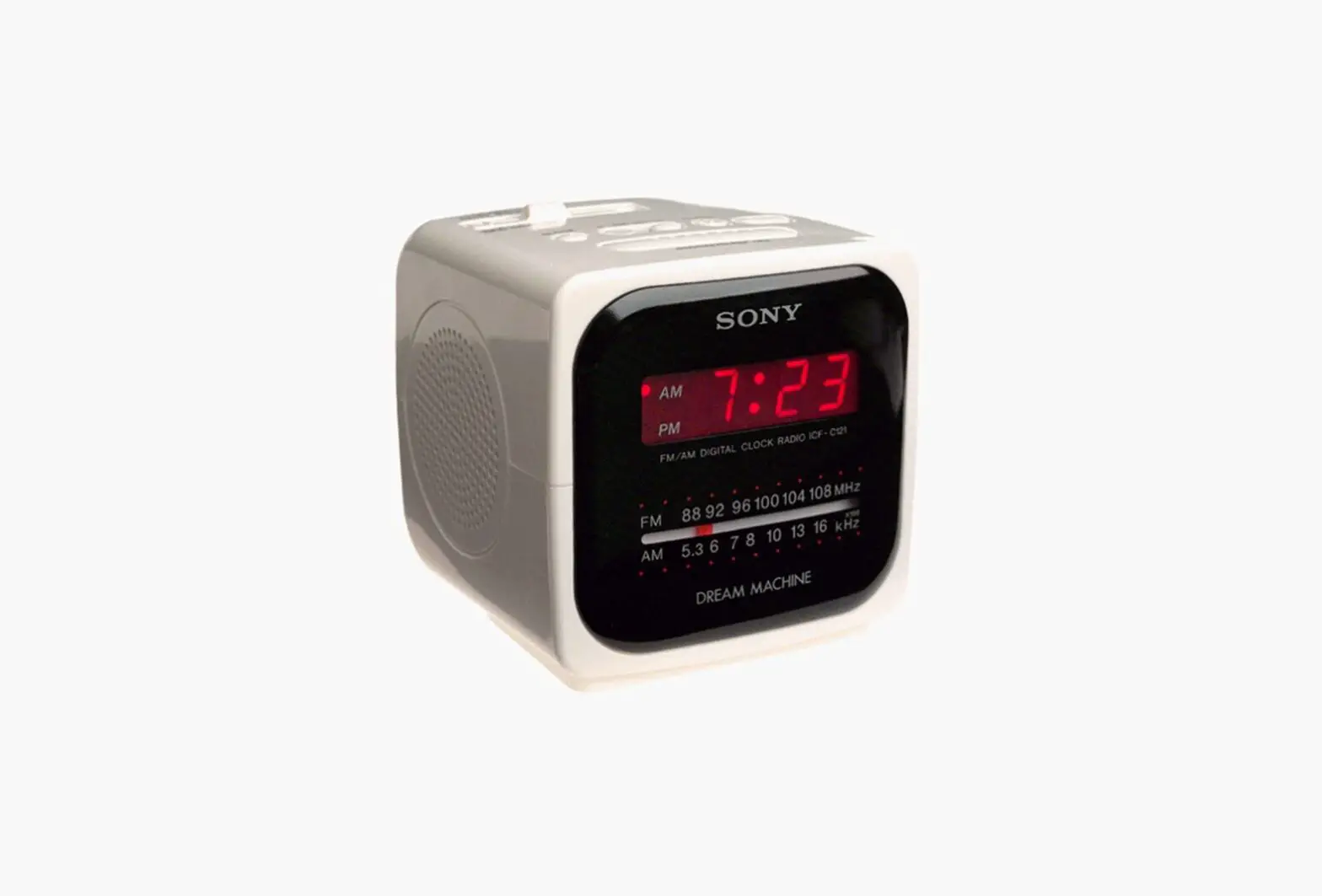
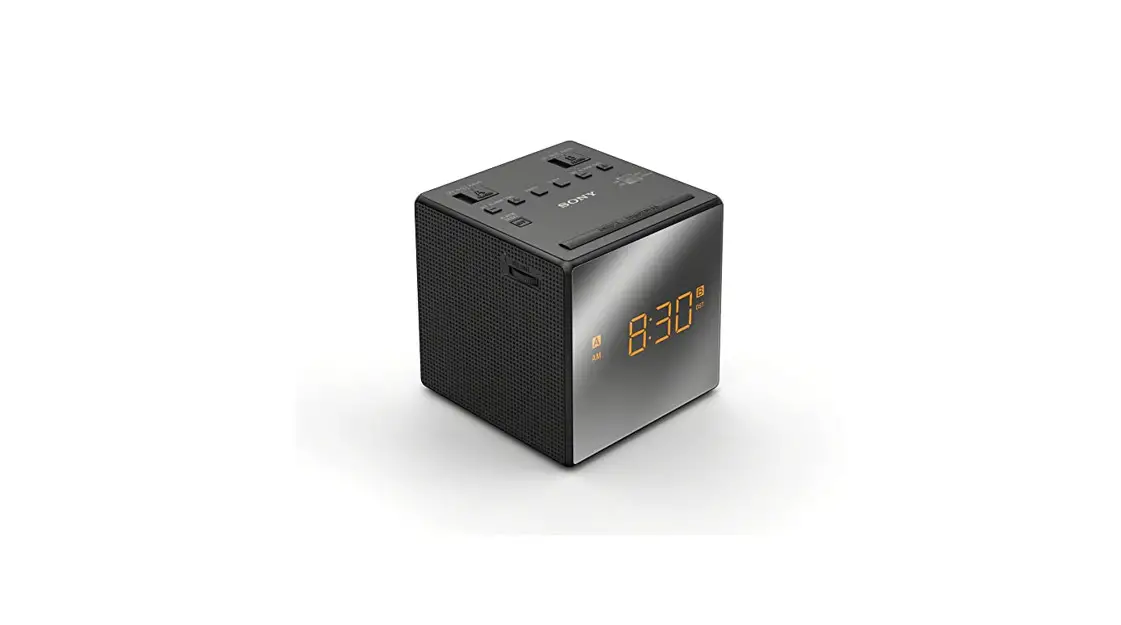
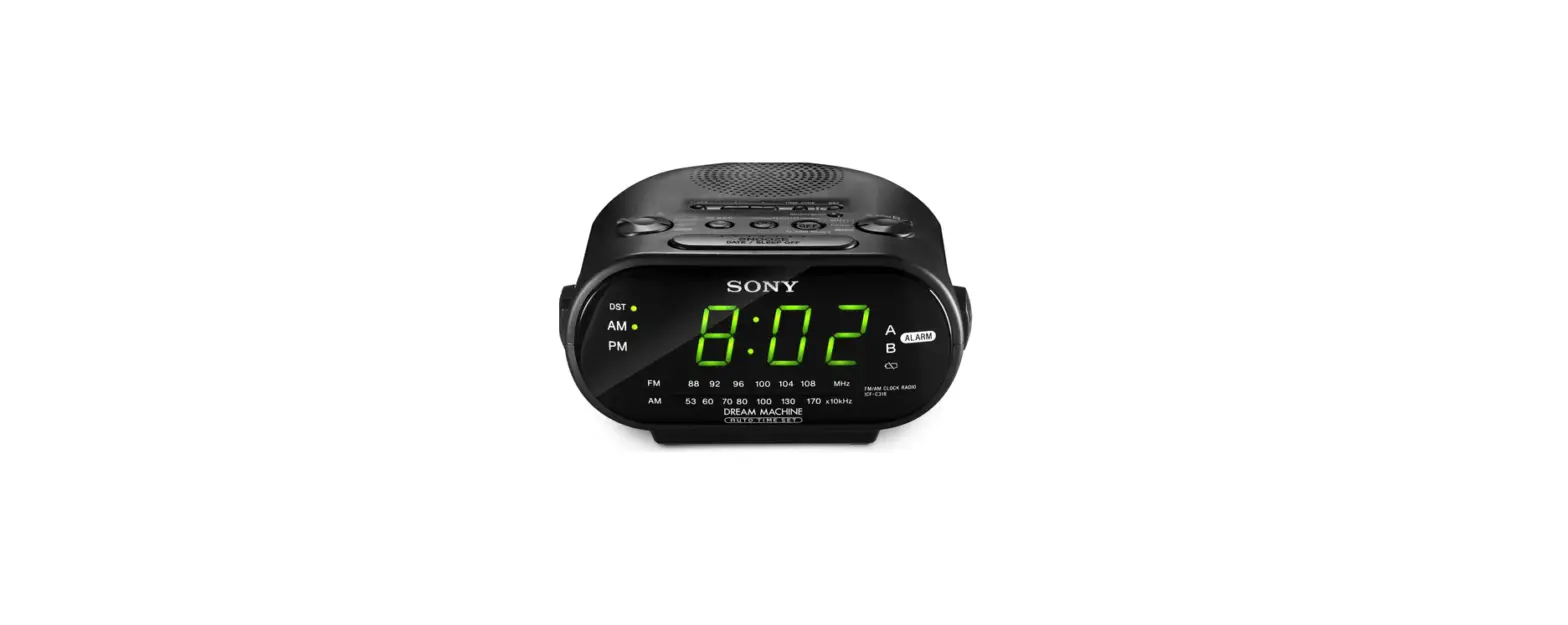
ICF-C490 FM-AM Clock Radio
Sony ICF-C490 FM/AM Clock Radio
The Sony ICF-C490 is a clock radio that allows you to listen to
your favorite FM/AM radio stations. It is equipped with a polarized
AC power cord plug or a three-wire grounding type plug. The clock
radio should only be operated from the type of power source
indicated on the marking label. The product is trademarked as Dream
Machine by Sony Corporation.
Product Usage Instructions
Before using the clock radio, ensure that you have read and
understood the user manual completely. Carefully observe all
warnings, precautions, and instructions on the appliance and in the
operating instructions, and adhere to them. Follow these
instructions for proper usage of the Sony ICF-C490 clock radio:
Installation
- Do not use powerline operated appliances near water, such as a
bathtub, washbowl, kitchen sink, laundry tub, wet basement, or
swimming pool. - Do not place the appliance near or over a radiator or heat
register or expose it to direct sunlight. - Do not place the appliance on an unstable cart, stand, tripod,
bracket, or table. Use only a cart, stand, tripod, bracket, or
table recommended by Sony. - If your appliance can be mounted to a wall or ceiling, mount it
only as recommended by Sony.
Power Source
This appliance should be operated only from the type of power
source indicated on the marking label. If you are not sure of the
type of electrical power supplied to your home, consult your dealer
or local power company. For those appliances designed to operate
from battery power or other sources, refer to the operating
instructions.
Grounding or Polarization
This appliance is equipped with a polarized AC power cord plug
(a plug having one blade wider than the other), or with a
three-wire grounding type plug (a plug having a third pin for
grounding). Follow the instructions below:
- For the appliance with a polarized AC power cord plug: This
plug will fit into the power outlet only one way. If you are unable
to insert the plug fully into the outlet, try reversing the plug.
If the plug should still fail to fit, contact your electrician to
have a suitable outlet installed. Do not defeat the safety purpose
of the polarized plug by forcing it in.
Important Safeguards
For your protection, please read these safety instructions
completely before operating the appliance, and keep this manual for
future reference. Carefully observe all warnings, precautions, and
instructions on the appliance and in the operating instructions,
and adhere to them.
3-241-419-22(1)
FM /AM Cloc k Ra dio
Operating Instructions
Dream Machine is a trademark of Sony Corporation.
ICF-C490
Sony Corporation © 2002 Printed in China
For customers in the USA Please register this product on line at http://www.sony.com/productregistration. Proper registration will enable us to send you periodic mailings about new products, services, and other important announcements. Registering your product will also allow us to contact you in the unlikely event that the product needs adjustment or modification. Thank you.
WARNING
To prevent f ire or shock hazard, do not expose t he unit t o rain or m oist ure.
This symbol is intended to alert the user to the presence of uninsulated “dangerous voltage” within the product’s enclosure that may be of sufficient magnitude to constitute a risk of electric shock to persons.
This symbol is intended to alert the user to the presence of important operating and maintenance (servicing) instructions in the literature accompanying the appliance.
* The graphical symbols are on the bottom enclosure.
WARNING
You are cautioned that any changes or modifications not expressly approved in this manual could void your authority to operate this equipment.
Downloaded from: https://www.usersmanualguide.com/
IM PORTANT SAFEGUARDS
For your protection, please read these safety instructions completely before operating the appliance, and keep this manual for future reference. Carefully observe all warnings, precautions and instructions on the appliance and in the operating instructions, and adhere to them.
INSTALLATION
Wat er and M oist ure Do not use powerline operated appliances near water – for example, near a bathtub, washbowl, kitchen sink, or laundry tub, in a wet basement, or near a swimming pool, etc.
Heat Do not place the appliance near or over a radiator or heat register, or where it is exposed to direct sunlight.
Ventilation The slots and openings in the cabinet are provided for necessary ventilation. To ensure reliable operation of the appliance, and to protect it from overheating, these slots and openings must never be blocked or covered. -Never cover the slots and openings with a cloth or other materials. -Never block the slots and openings by placing the appliance on a bed, sofa, rug or other similar surface. -Never place the appliance in a confined space, such as a bookcase, or built-in cabinet, unless proper ventilation is provided.
Accessories Do not place the appliance on an unstable cart, stand, tripod, bracket, or table. The appliance may fall, causing serious injury to a child or an adult, and serious damage to the appliance. Use only a cart, stand, tripod, bracket, or table recommended by Sony. -An appliance and cart combination should be moved with care. Quick stops, excessive force, and uneven surfaces may cause the appliance and cart combination to overturn.
Wall or Ceiling M ount ing If your appliance can be mounted to a wall or ceiling, mount it only as recommended by Sony.
USE
Pow er Source This appliance should be operated only from the type of power source indicated on the marking label. If you are not sure of the type of electrical power supplied to your home, consult your dealer or local power company. For those appliances designed to operate from battery power, or other sources, refer to the operating instructions.
Grounding or Polarizat ion This appliance is equipped with a polarized AC power cord plug (a plug having one blade wider than the other), or with a three-wire grounding type plug (a plug having a third pin for grounding). Follow the instructions below:
-For t he appliance w it h a polarized AC pow er cord plug: This plug will fit into the power outlet only one way. This is a safety feature. If you are unable to insert the plug fully into the outlet, try reversing the plug. If the plug should still fail to fit, contact your electrician to have a suitable outlet installed. Do not defeat the safety purpose of the polarized plug by forcing it in.
-For t he appliance w it h a t hree-w ire grounding t ype AC plug: This plug will only fit into a grounding-type power outlet. This is a safety feature. If you are unable to insert the plug into the outlet, contact your electrician to have a suitable outlet installed. Do not defeat the safety purpose of the grounding plug.
Overloading Do not overload wall outlets, extension cords or convenience receptacles beyond their capacity, since this can result in fire or electric shock.
When not in use Unplug the power cord of the appliance from the outlet when left unused for a long period of time. To disconnect the cord, pull it out by grasping the plug. Never pull the plug out by the cord.
Pow er-Cord Prot ect ion Route the power cord so that it is not likely to be walked on or pinched by items placed upon or against them, paying particular attention to the plugs, receptacles, and the point where the cord exits from the appliance.
Light ning For added protection for this appliance during a lightning storm, or when it is left unattended and unused for long periods of time, unplug it from the wall outlet and disconnect the antenna or cable system. This will prevent damage to the appliance due to lightning and powerline surges.
Object and Liquid Ent ry Never push objects of any kind into the appliance through openings as they may touch dangerous voltage points or short out parts that could result in a fire or electric shock. Never spill liquid of any kind on the appliance.
Cleaning Unplug the appliance from the wall outlet before cleaning or polishing it. Do not use liquid cleaners or aerosol cleaners. Use a cloth lightly dampened with water for cleaning the exterior of the appliance. Clean the appliance only as recommended by Sony.
At t achm ent s Do not use attachments not recommended by Sony, as they may cause hazards.
ANTENNAS
Out door Ant enna Grounding If an outdoor antenna or cable system is installed, follow the precautions below.
An outdoor antenna system should not be located in the vicinity of overhead power lines or other electric light or power circuits, or where it can come in contact with such power lines or circuits. WHEN INSTALLING AN OUTDOOR ANTENNA SYSTEM, EXTREME CARE SHOULD BE TAKEN TO KEEP FROM CONTACTING SUCH POWER LINES OR CIRCUITS AS CONTACT WITH THEM IS ALMOST INVARIABLY FATAL.
Be sure the antenna system is grounded so as to provide some protection against voltage surges and built-up static charges. Section 810 of the National Electrical Code provides information with respect to proper grounding of the mast and supporting structure, grounding of the lead-in wire to an antenna discharge unit, size of grounding conductors, location of antenna-discharge unit, connection to grounding electrodes, and requirements for the grounding electrode.
Ant enna Grounding According t o t he Nat ional Elect rical Code
Antenna Lead-in Wire
Ground Clamps
Antenna Discharge Unit (NEC Section 810-20)
Electric Service NEC-NATIONAL Equipment ELECTRICAL CODE
SERVICE
Grounding Conductors (NEC Section 810-20) Ground Clamps
Power Service Grounding Electrode System (NEC Art 250 Part H)
Dam age Requiring Service
Unplug the appliance from the wall outlet and refer servicing to qualified service personnel under the following conditions: -When the power cord or plug is damage or frayed. -If liquid has been spilled or objects have fallen into the appliance. -If the appliance has been exposed to rain or water. -The appliance does not appear to operate normally or exhibits a marked change in performance. -This indicates a need for service. -If the appliance does not operate normally when following the operating instructions, adjust only those controls that are specified in the operating instructions. Improper adjustment of other controls may result in damage and will often require extensive work by a qualified technician to restore the appliance to normal operation. -If the appliance has been subject to excessive shock by being dropped, or the cabinet has been damaged.
Servicing
Do not attempt to service the appliance yourself as opening or removing covers may expose you to dangerous voltage or other hazards. Refer all servicing to qualified service personnel.
Replacem ent part s
When replacement parts are required, be sure the service technician has used replacement parts specified by Sony that have the same characteristics as the original parts. Unauthorized substitutions may result in fire, electric shock, or other hazards.
Saf et y Check
Upon completion of any service or repairs to the appliance, ask the service technician to perform routine safety checks (as specified by Sony) to determine that the appliance is in safe operating condition.
RADIO BUZZER
HOLD
CLOCK
RADIO BUZZER
OFF
RADIO+BUZZER
ALARM TIME/CLOCK SET TIME SET
FAST
ALARM MODE
FAST
SLEEP
RADIO OFF
ALARM RESET
RADIO ON
ALARM RADIO BUZZER
SNOOZE
Indicat or
BUZZER VOLUME BRIGHTNESS
LOW
HIGH
AC pow er cord
A
St and
FM w ire antenna
BAND AM FM
VOL
TUNING
There is a tactile dot beside volume to show the direction to turn up the volume.
Bef ore You Begin
Thank you for choosing the Sony Dream Machine! The Dream Machine will give you many hours of reliable service and listening pleasure. Before operating the Dream Machine, please read these instructions thoroughly and retain them for future reference.
Feat ures
· Easy to-see Large 1.4 inch green LED · Alarm Vol. Control (Super Loud/Loud/Quiet) · Display Angle Adjuster · Dual alarm · Easy to-see alarm indicator · Forward/reverse time setting · Brightness control (High, Low) · Full power backup to keep the clock and the
alarm (radio and buzzer) operating during a power interruption with a 6F22 battery (not supplied) installed.
Inst alling t he Bat t ery
To keep good time, your Dream Machine needs one 6F22 battery (not supplied), in addition to house current. The battery keeps the clock operating in the event of a power interruption. Before setting the time on your Dream Machine, open the lid at the bottom of the unit, install the battery with correct polarity and then close the lid. After a power interruption, the displayed time may not be always correct (It may gain or lose about 10 minutes per hour).
Know ing When to Replace the Battery To check the battery power, unplug the power cord from the wall outlet and plug it in again after a few minutes. If the displayed time is incorrect, replace the battery with a new one.
Set t ing Up t he St and (See Fig. A)
Lift up the stand at the bottom.
Set t ing t he Clock
To control the visibility of the display, set BRIGHTNESS for the display to HIGH or LOW according to your preference.
1 Plug in the clock radio.
The display will flash “AM 12:00”.
2 Set the ALARM TIM E/CLOCK SET
switch to CLOCK.
3 Press FAST+, FAST or + to adjust the
time. When you press FAST+, the time is raised rapidly. When you press FAST, the time is lowered rapidly. When you press +, the time is raised in oneminute steps.
4 Set the ALARM TIM E/CLOCK SET
switch to HOLD. Make sure that the ALARM TIM E/ CLOCK SET switch is set to HOLD. When it is set to HOLD, you cannot see the red label underneath. Otherwise, the displayed time might be changed if FAST+, FAST or + happens to be pressed.
To display minute and second, press SNOOZE. Example: When the current time is 7:15:10, the
display will become:
7 :15 , 5 :10
Low er of minute digit Second digits
The display returns to the current time when you release SNOOZE. To adjust the time exactly to the second, press + briefly with the time signal.
Playing t he Radio
1 Press RADIO ON to turn on the radio and
adjust VOL (volume).
2 Select FM or AM and tune in to a station
using TUNING.
To turn off the radio Press ALARM RESET· RADIO OFF.
Improving the Recept ion
FM : Extend the FM wire antenna fully to improve FM reception.
AM : Rotate the unit horizontally for optimum reception. A ferrite bar antenna is built into the unit.
Set t ing t he Alarm
This radio is equipped with 3 alarm modes RADIO, BUZZER and RADIO+BUZZER. Before setting the alarm, make sure to set the clock (see “Setting the Clock”).
To set the radio alarm, first tune in to a station and adjust the volume.
1 Set the ALARM TIM E/CLOCK SET
switch to RADIO or BUZZER.
2 Press FAST+, FAST or + to select the
desired time. When you press FAST+, the time is raised rapidly. When you press FAST, the time is lowered rapidly. When you press +, the time is raised in oneminute steps.
3 Set the ALARM TIM E/CLOCK SET
switch to HOLD. Make sure that the ALARM TIM E/ CLOCK SET switch is set to HOLD after setting the clock. When it is set to HOLD, you cannot see the red label underneath.
4 Set the ALARM M ODE switch to RADIO,
BUZZER or RADIO+BUZZER. The ALARM RADIO or ALARM BUZZER indicator lights up. When you set both alarm times, both ALARM RADIO and ALARM BUZZER indicators light up.
The alarm will come on at the preset time and will automatically turn itself off after about 59 minutes. If the same alarm time is set for both RADIO and BUZZER, RADIO will take priority.
To check the alarm setting Set the ALARM TIM E/ CLOCK SET switch to RADIO or BUZZER.
To Doze for a Few M ore M inutes
Press SNOOZE. The radio or buzzer turns off but will automatically come on again after about 6 minutes. You can repeat this process as many times as you like.
Precaut ions
· Operate the unit on the power source specified in “Specifications”.
· To disconnect the power cord (mains lead), pull it out by the plug, not the cord.
· Do not leave the unit in a location near a heat source such as a radiator or airduct, or in a place subject to direct sunlight, excessive dust, mechanical vibration, or shock.
· Allow adequate air circulation to prevent internal heat build-up. Do not place the unit on a surface (a rug, a blanket, etc.) or near materials (a curtain) which might block the ventilation holes.
· Should any solid object or liquid fall into the unit, unplug the unit and have it checked by a qualified personnel before operating it any further.
· To clean the casing, use a soft cloth dampened with a mild detergent solution.
Battery Warning When the unit will be left unplugged for a long time, remove the battery to avoid undue battery discharge and damage to the unit from battery leakage.
If you have any questions or problems concerning your unit, please consult your nearest Sony dealer.
Specif icat ions
Time display 12-hour system Frequency range FM : 87.5 – 108 MHz AM : 530 – 1 710 kHz Speaker Approx. 6.6 cm ( 2 5/8 inches) dia. 8 Pow er output 120 mW (at 10 % harmonic distortion) Pow er requirements 120 V AC, 60 Hz For power backup: 9 V DC, one 6F22 battery Battery life Approx. 9 hours (for clock and alarm backup) using Sony 006P (6F22) battery Dimensions Approx. 200 × 94 × 113 mm (w/h/d) (7 7/8 × 3 3/4 × 4 1/2 inches) not incl. projecting parts and controls M ass Approx. 645 g (1 lb 6.75 oz) not incl. battery
Design and specifications are subject to change without notice.
To Stop the Alarm
Press ALARM RESET· RADIO OFF to turn off the alarm. The alarm will come on again at the same time the next day.
To Deactive the Alarm
Set the ALARM M ODE switch to OFF. ALARM RADIO, ALARM BUZZER or both indicators will be turned off.
To Adjust the Alarm Level
(BUZZER VOLUM E)
Adjust the loudness of the alarm by setting BUZZER VOLUM E to (Quiet), (Loud), or (Super Loud).
Note If you select the RADIO+BUZZER mode, set the BUZZER alarm time earlier than the RADIO alarm time, and then use the SNOOZE button to turn off the buzzer, the radio will not come on even if the RADIO alarm time comes during the snooze period; only the buzzer will come back on after the snooze period is over.
Set t ing t he Sleep Tim er
Enjoy falling asleep to the radio using the built-in sleep timer.
Press SLEEP. The radio turns on. You can set the sleep timer to durations up to 59 minutes. When you keep pressing SLEEP, the time is lowered in one-minute steps.
When you press FAST+ or FAST while holding down SLEEP, the time is changed rapidly. When you press + while holding down SLEEP, the time is raised in one-minute steps. The radio will play for the time you set, then turn off.
To turn off the radio before the preset time Press ALARM RESET· RADIO OFF.
Downloaded from: https://www.usersmanualguide.com/
This file has been downloaded from: www.UsersManualGuide.com
User Manual and User Guide for many equipments like mobile phones, photo cameras, monther board, monitors, software, tv, dvd, and othes.. Manual users, user manuals, user guide manual, owners manual, instruction manual, manual owner, manual owner’s, manual guide, manual operation, operating manual, user’s manual, operating instructions, manual operators, manual operator, manual product, documentation manual, user maintenance, brochure, user reference, pdf manual
Downloaded from: https://www.usersmanualguide.com/
 Complete Your Registration (US) | Sony Product Registration en
 User Manual, users guide, operation instruction