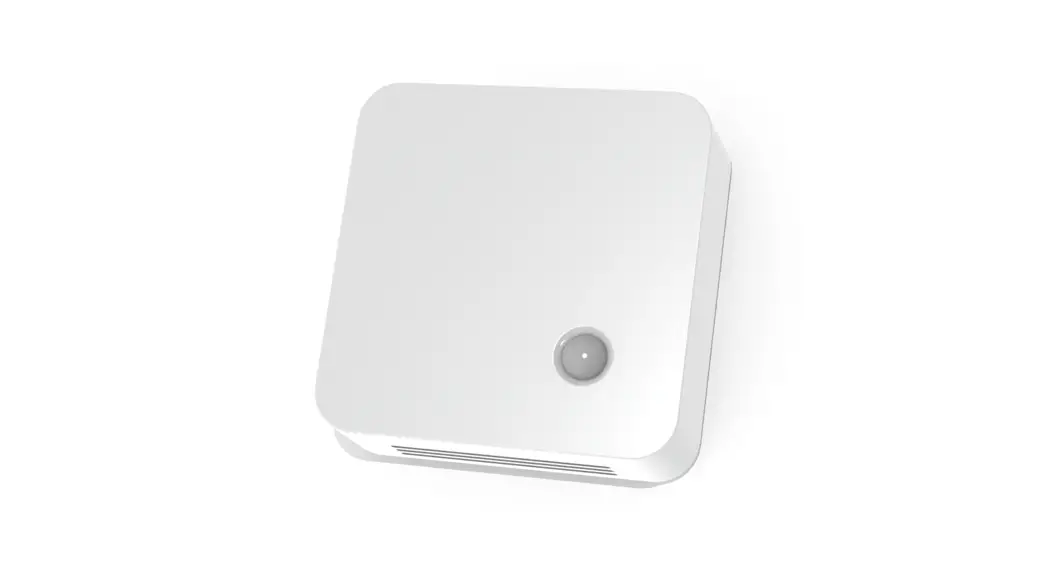
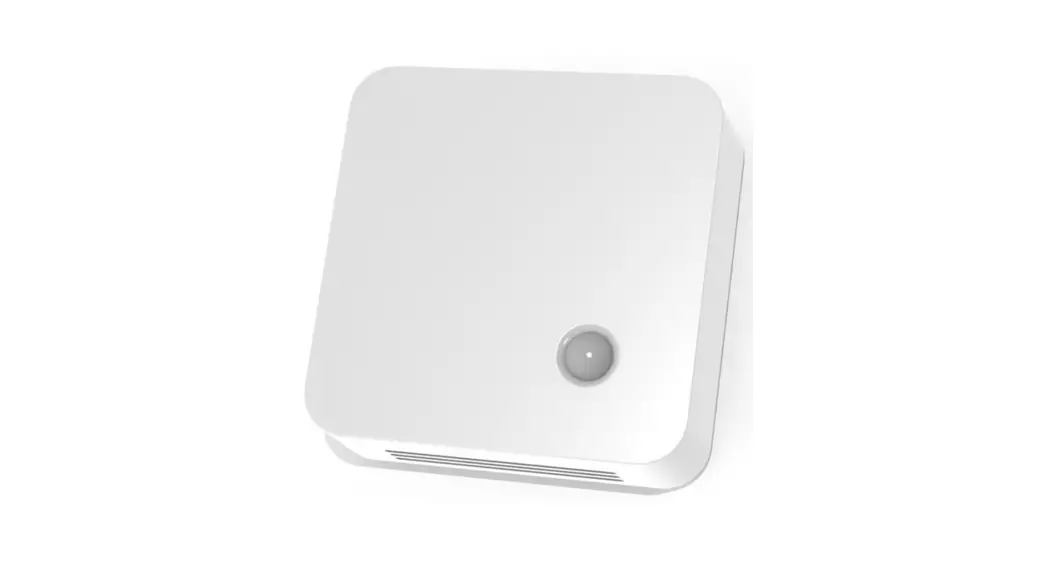
HarvyLR-36 IoT Sensor
Product Information: IoT Sensor HarvyLR
The HarvyLR is a LoRaWAN sensor that is designed to record AC
and DC currents. It comes in two variants, HarvyLR-36 and
HarvyLR-360, with different shunt values and maximum inputs. The
sensor has an intelligent event filter that provides accurate
metering series at a defined maximum rate, even for low signal
currents. The product can be integrated into the deZem DataSuite
for online access to metered value histories.
Safety Instructions
It is important to keep the product away from dust and dirt.
Intended Use
The HarvyLR is intended for recording AC and DC currents via
LoRaWAN. Any other use or modification to the product is considered
improper and may impair its protective effect.
Functional Description
The HarvyLR records AC and DC currents via LoRaWAN. The
intelligent event filter integrated in the sensor provides metering
series (inrush currents, etc.) accurate to the second at a defined
maximum rate. Even a signal current (AC or DC) of only 0.15 mA on
average is sufficient to record and send metered values every 10
minutes on average. Even higher data rates are possible with larger
input currents.
LoRaWAN Payload Encoding (Port 1)
The sensor has a LoRaWAN Payload Encoding system that includes
various fields such as firmware version, shunt value, amplifier
gain, system voltage, RMS current, and more. These fields are used
to encode the data in the payload for transmission.
Product Usage Instructions
- Ensure that the HarvyLR sensor is kept away from dust and dirt
to maintain its performance. - Connect the sensor to the power source and the device that is
used to record the data. - Configure the sensor settings according to the desired metering
interval and data rate. - Integrate the HarvyLR into the deZem DataSuite for online
access to metered value histories. - Check the LoRaWAN Payload Encoding system and ensure that all
necessary fields are included for accurate transmission of
data.
IoT sensor HarvyLR
User manual and technical data of the LoRaWAN sensors HarvyLR-36 and HarvyLR-360
© 2023 deZem GmbH
Version 2.2 Feb 2023
deZem GmbH Wilmersdorfer Str. 60, 10627 Berlin Phone: +49 30 31 800 730 Fax: +49 30 31 800 731 [email protected] · www.dezem.de
User manual IoT sensor HarvyLR Contents
1 Introduction………………………………………………………………………………………………………………………………………….. 3 2 Safety instructions …………………………………………………………………………………………………………………………………. 3 3 Product description ……………………………………………………………………………………………………………………………….. 4
3.1 Product designation ……………………………………………………………………………………………………………………….. 4 3.2 Intended use …………………………………………………………………………………………………………………………………. 4 4 Functional Description……………………………………………………………………………………………………………………………. 5 5 Installation ……………………………………………………………………………………………………………………………………………. 6 5.1 First time charging of HarvyLR …………………………………………………………………………………………………………. 6 5.2 Connecting the sensor ……………………………………………………………………………………………………………………. 6 6 Disposal ……………………………………………………………………………………………………………………………………………….. 7 7 Technical Data ………………………………………………………………………………………………………………………………………. 8 8 Support ………………………………………………………………………………………………………………………………………………… 9
Page 2 of 9
User manual IoT sensor HarvyLR
1 Introduction
Please read the following information carefully. Keep the manual or pass it on to other users of the product. Visit our website www.dezem.de with the respective website belonging to the product. There you may find further information about the product. This product complies with the legal, national and European requirements. All company names and product designations contained herein are trademarks of their respective owners. All rights reserved.
2 Safety instructions
The device complies with electrical protection class III. · To maintain the protection class III, only external sensors/power sources which also comply with SELV
(safety extra-low voltage) requirements protection class III may be connected to the device. · Avoid shocks or impacts. · If the housing or cable is damaged, please contact deZem GmbH and do not install the affected device. · Do not connect deZem clamp-on current transformers to uninsulated or damaged cables. · The product must be installed professionally and in accordance with the specified installation guidelines. · Installation may only be carried out by appropriately qualified personnel. · For safety and approval reasons, unauthorised conversion and/or modification of the product is not per-
mitted. · Maintenance, adjustment or repair work may only be carried out by a specialist or a specialist workshop
that is familiar with the associated dangers and the relevant regulations. · Do not expose the product to extreme temperatures, direct sunlight or strong vibrations. Protect the prod-
uct from dust and dirt.
Page 3 of 9
User manual IoT sensor HarvyLR
3 Product description
3.1 Product designation
Type Shunt value
HarvyLR-36 1 Ohm (+/- 1 %)
Max. input
25 mA AC
36 mA DC
* when using these transformer types protection class II is valid
HarvyLR-360
0.091 Ohm (+/- 2 %) – 1 Ohm und 0.1 Ohm in parallel 250 mA AC
360 mA DC
In the following, the general short designation “HarvyLR” refers to both product variants.
LoRaWAN® and the LoRAWAN® logo are trademarks and are used under licence from the LoRa Alliance®.
3.2 Intended use
HarvyLR is used for wireless acquisition of AC and DC currents via LoRaWAN and it is self-powered, i.e. it does not require an external power supply or battery. It is particularly suitable for the acquisition of RMS currents using the deZem clamp-on current transformers as well as industrial 420 mA output signals. The intelligent event filter integrated in the sensor provides metering t series (inrush currents, etc.) accurate to the second at a defined maximum rate.
Any application other than described above, as well as modifications to the product, are considered improper use and may impair the protective effect.
Page 4 of 9
User manual IoT sensor HarvyLR
4 Functional Description
The HarvyLR records AC and DC currents via LoRaWAN. The intelligent event filter integrated in the sensor provides metering series (inrush currents, etc.) accurate to the second at a defined maximum rate. Even a signal current (AC or DC) of only 0.15 mA on average is sufficient to record and send metered values every 10 minutes on average. Even higher data rates are possible with larger input currents.
Optionally, the HarvyLR can be integrated into the deZem DataSuite, see chapter 5.3. There, its metered value histories are immediately available online for further purposes.
Metering interval Isec (avg-long)
<= 30 mA OR Vsys > FastSampleLevel >= 20 mA >= 10 mA >= 5 mA >= 2 mA Else
Metering interval 1 sec. 3 sec. 5 sec. 10 sec. 20 sec. 30 sec.
LoRaWAN Payload encoding (Port 1)
Name
Type
Bytes
Version Shunt Value
uint8[3] 02
uint8
3
Amplifier Gain uint8
4
Vsys (current) uint16
56
Vsys (min)
uint16
78
Vsys (max)
uint16
910
Vamp (rms) Isec (current)
uint16 uint16
1112 1314
Isec (avg-long) uint16 1516
Isec (avgshort)
uint16 1718
Description
Example
Firmware version
1, 5, 1 v1.5.1
Value of shunt resistance on hw 1/10 Ohm
10 1 Ohm 1 0.1 Ohm
Gain, typical 100x
System voltage or charge of 0.47 F su- 29470 percaps; system voltage in 1/10 mV 29 47 mV
2.947V
Minimum system voltage since last LoRaWAN uplink package; system voltage in 1/10 mV
Maximum system voltage since last LoRaWAN uplink package; system voltage in 1/10 mV
Output voltage (RMS value) of ampli- 35991
fier (x100 Gain) in 1/10 mV
3.5991 V
RMS current (calculated from shunt value and Vamp); Secondary current CT in 1/100 mA
3101 31.01 mA 12034 120.34 mA
Moving Average Filter since Power Up above Isec (current); calculation (exponent=4): Filtered Value = (15 * oldValue + newValue) / 16; secondary current CT in 1/100 mA
Average value filter with Reset at last LoRaWAN upload (max. 600 values); secondary current CT in 1/100 mA
Value range
<= 3600 mV
0…36 mA (1 Ohm) 0…360 mA (0.1 Ohm)
”
”
Page 5 of 9
User manual IoT sensor HarvyLR
Name Isec (min) Isec (max) Meas. Counter
Last upload Temp Power Loss?
Type
Bytes
uint16 1920
uint16 2122
uint16 2324
uint16 2526
int16 uin8
2728 29
Description
Example
Value range
Minimum secondary current since last LoRaWAN uplink package; secondary current CT in 1/100 mA
Maximum secondary current since last LoRaWAN uplink package; secondary current CT in 1/100 mA
Number of measurements since last LoRaWAN upload
0x000f 15 Measurements since last uplink
Seconds since last upload/duration of creating average value; Time in seconds since last uplink
Temperature in 1/10 °C; nRF52832 temp sensor +-5°C accuracy;
1= Power Loss detected
0 = No Power loss detected; when Isec < 0.75 mA
” ” x (uint32)
x seconds
5 Installation
5.1 First time charging of HarvyLR
Prerequisite: HarvyLR is set up on a LoRaWAN server (e.g. deZem IoT platform, i.e. deZem.io). 1. For initial charging, we recommend connecting the HarvyLR to the computer via the optional USB adapter cable.
As soon as values are transmitted from the sensor to the LoRaWAN server, the HarvyLR is sufficiently charged. The charging time is max. 6 min. when using the USB adapter cable. 2. Disconnect the HarvyLR from the computer and remove the USB adapter cable.
Alternatively, the sensor can also be connected directly without charging beforehand, as described in the next section. In this case, approx. 2 mAh are required for charging. Depending on the primary current, it may take a different amount of time until the HarvyLR transmits values for the first time.
5.2 Connecting the sensor
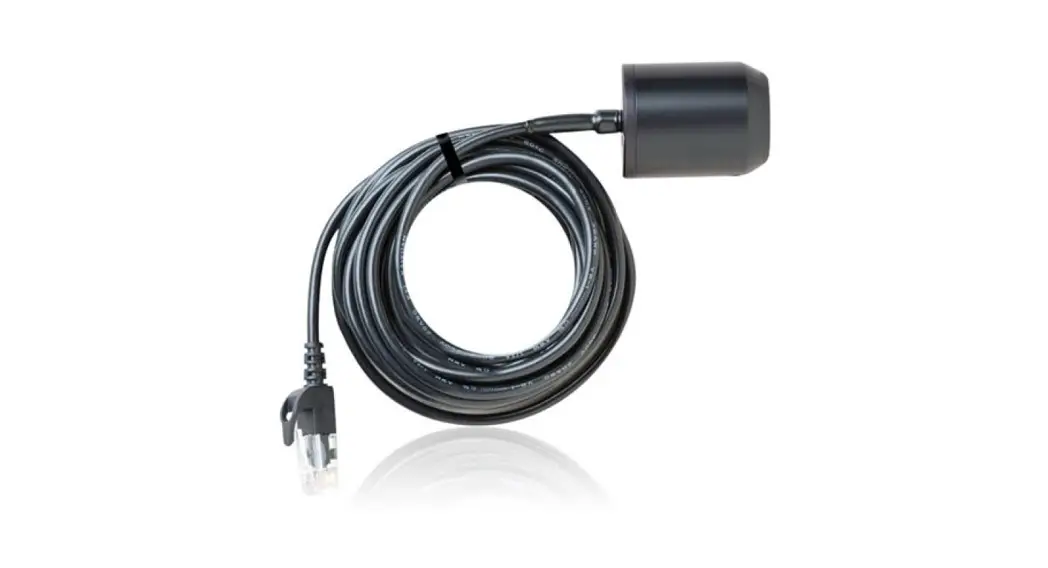
1. Connect the HarvyLR to the appropriate deZem clamp-on current transformer for an RMS current measurement or to the adapter cable (for 420 mA signals). The sensor housing can be operated freely suspended or fixed with cable ties.
Page 6 of 9
User manual IoT sensor HarvyLR
HINT
For the 4-20 mA signal there is no need to pay attention to the polarity.
WARNING
NEVER connect a clamp-on current transformer to a conductor unless it is connected to the HarvyLR or other terminal device. Otherwise, high voltages may build up at the transformer output. It is imperative that additional insulation is fitted between the conductor and the clamp-on current transformer in order to comply with the above-mentioned SELV requirements (cf. chapter 2, Safety instructions) of sensors/current sources connected externally to the device.
5.3 Configuration in deZemAd
Type of current transf.
Max. primary current
[in A]
T80 T80/26,6 T150/40 T300 T300/40 T500 T500/40
HarvyLR-360 HarvyLR-36
80
50
80
75
150
94
300
30
300
188
500
50
500
312
Min. primary current
[in A]
Nominal secondary
current [in mA]
Current ratio
Max. wire-Ø [in mm]
Max. wire cross-sect. [in mm²]
deZem clamp-on current transformers
0,8
40
2000
5,6
25
1
26,7
3000
5,6
25
1
40
3750
8
50
0,9
250
1200
13,8
150
1,6
40
7500
13,8
150
0,8
250
2000
19,5
300
2,8
40
1250
19,5
300
4 20 mA analog signals
Scale factor deZemAd
2 3 3,75 1,2 7,5 2 12,5
0,001
6 Disposal
In Germany and for products delivered directly from Germany: All devices must be disposed of in an orderly manner. Due to the applicable regulations, the electrical and electronic devices of deZem GmbH may not be disposed of via the public collection points for electrical devices. The complete electronic devices of deZem GmbH must be returned to us for disposal. The prepaid delivery must be sent to the following address:
deZem GmbH, Wilmersdorfer Str. 60, 10627 Berlin.
In countries of the European Union outside Germany: Information on the correct disposal can be obtained from your dealer or the responsible sales department.
Page 7 of 9
User manual IoT sensor HarvyLR
7 Technical Data
Type Housing dimensions Weight Power supply Input current
Connection IoT protocol Permissible ambient conditions
Permissible transport conditions
HarvyLR-36
HarvyLR-360
HxWxD: 22x69x49 mm
50 g
Self-powered, Input voltage max. 3 V
025 mA AC 036 mA DC
0250 mA AC 0360 mA DC
1x JST-socket, suitable for deZem clamp-on current transformers
LoRaWAN v1.03, Class A Device, EU863-870 Mhz
Temperature: 055 °C Humidity: 3060 % Protection type: IP20
Temperature: -1055 °C Humidity: 2070 %
Page 8 of 9
User manual IoT sensor HarvyLR
HarvyLR Default parameter Name ShuntVal
TxMinInterval LoRaLevel ColdStartEndLevel
ExpFilterExponent IsecBrownout
FastSampleLevel FilterAbs FilterRel
LogUart
Typ 1000
900 3100 2700
4 500
3500 180 85
false
Bytes
Shunt resistance in [mOhm] When set to 100, actually 91 is used! Min. LoRaWAN upload interval in [s]
Min. voltage level for regular LoRaWAN uploads in [mV] Min. voltage level for the end of initial cold start in [mV]. As soon as once Vsys > ColdStartEndLevel, the sensor starts measuring
Exponential filter exponent (2^x), Default: 4 -> 16 Isec value in [A], that considered a “brownout” and sent via confirmable uplink System voltage in [mV], when above sample every second Absolute Vamp difference in [mV], to trigger uplink
Required relative change of Isys in [%] to trigger instant upload. Value [1..100] e.g. => +/- 15 % Set to ,,true” to print more detailed logs on UART (needs more power). Even with ,,false”, some logs are generated
LoRaWAN Frequencies
Direction
Frequency
Bandwidth
RX + TX
868.1 MHz
+/- 0.0625 MHz
RX + TX
868.3 MHz
RX + TX
868.3 MHz
RX + TX
868.3 MHz
RX + TX
868.5 MHz
RX + TX
867.1 MHz
RX + TX
867.5 MHz
RX + TX
867.7 MHz
RX + TX
867.9 MHz
RX: receive mode, TX: transmit mode
+/- 0.0625 MHz +/- 0.0625 MHz +/- 0.125 MHz +/- 0.0625 MHz +/- 0.0625 MHz +/- 0.0625 MHz +/- 0.0625 MHz +/- 0.0625 MHz
Modulation
LoRa
LoRa LoRa LoRa LoRa LoRa LoRa LoRa LoRa
Duty Cycle
1%
1% 1% 1% 1% 1% 1% 1% 1%
Transmission power 14 dBm
14 dBm 14 dBm 14 dBm 14 dBm 14 dBm 14 dBm 14 dBm 14 dBm
8 Support
Do you have any further questions about set-up and operation? Our deZem team will be happy to answer them. Give us a call: +49 30 3180 0730 or write us an email to [email protected].
Page 9 of 9
 IoT-Daten erfassen und analysieren | deZem GmbH