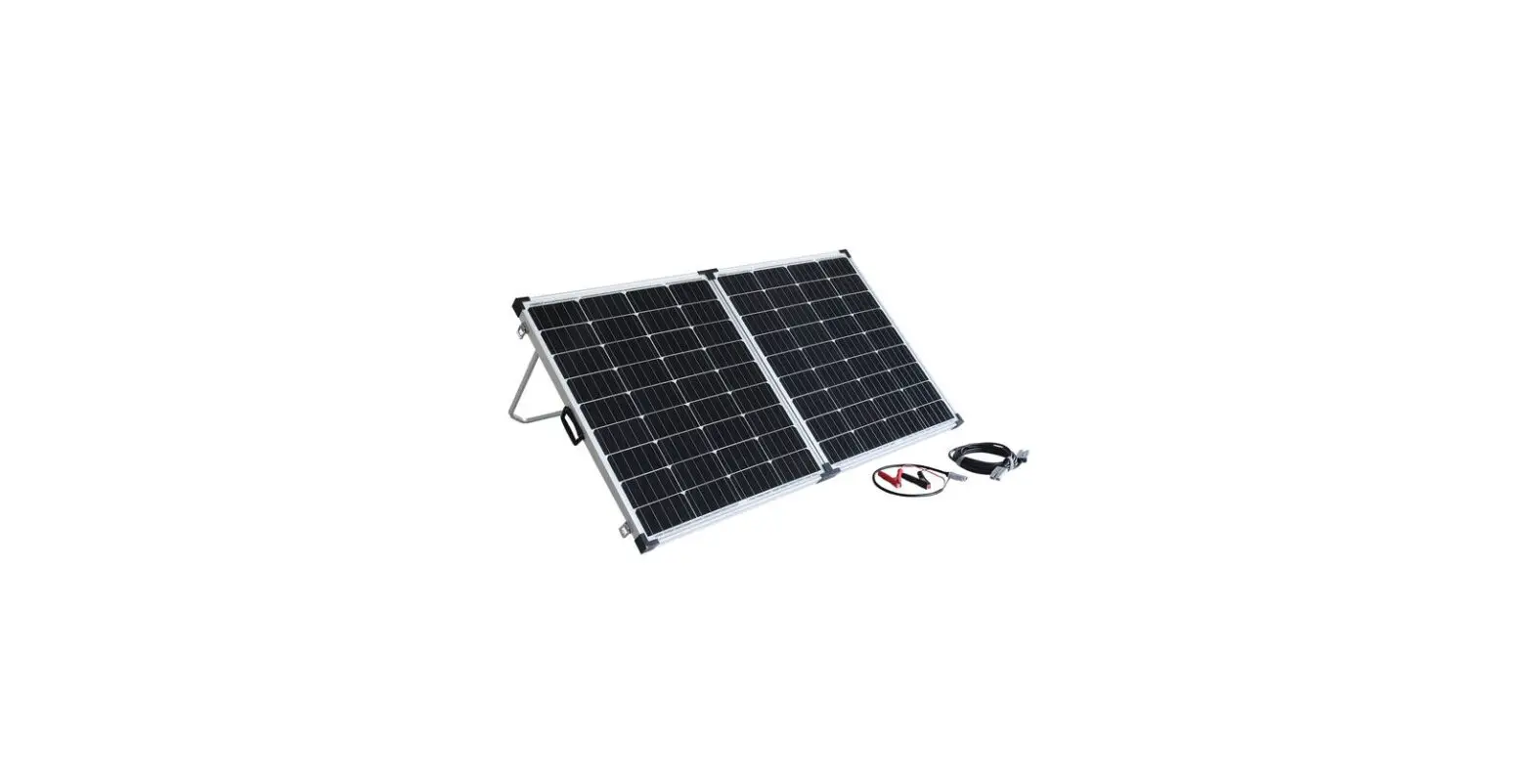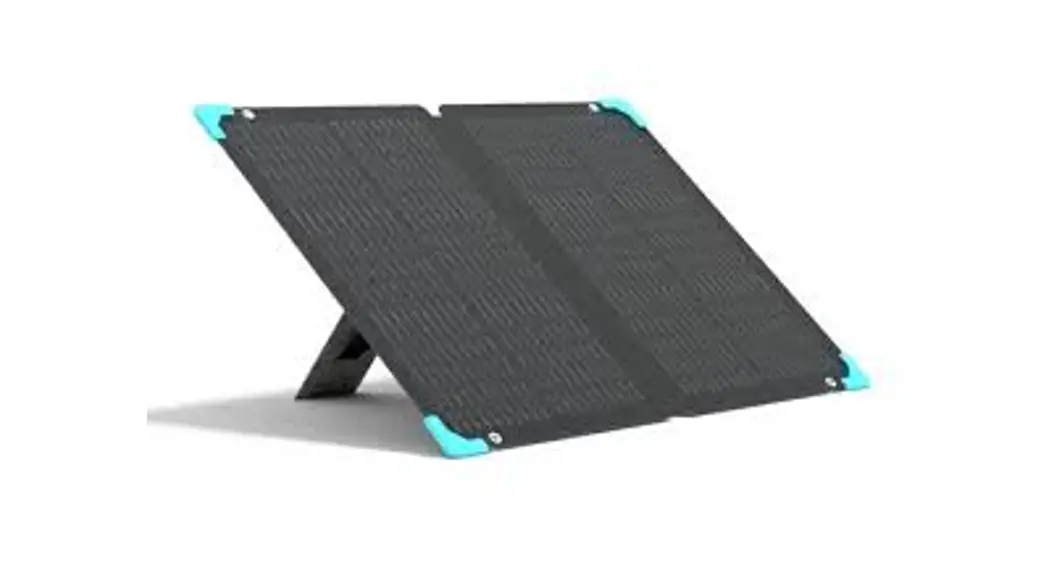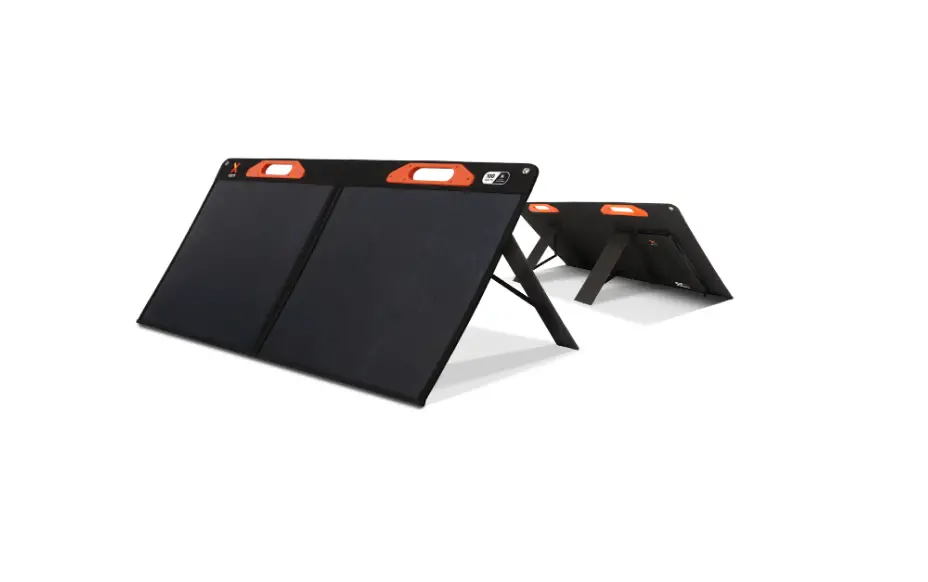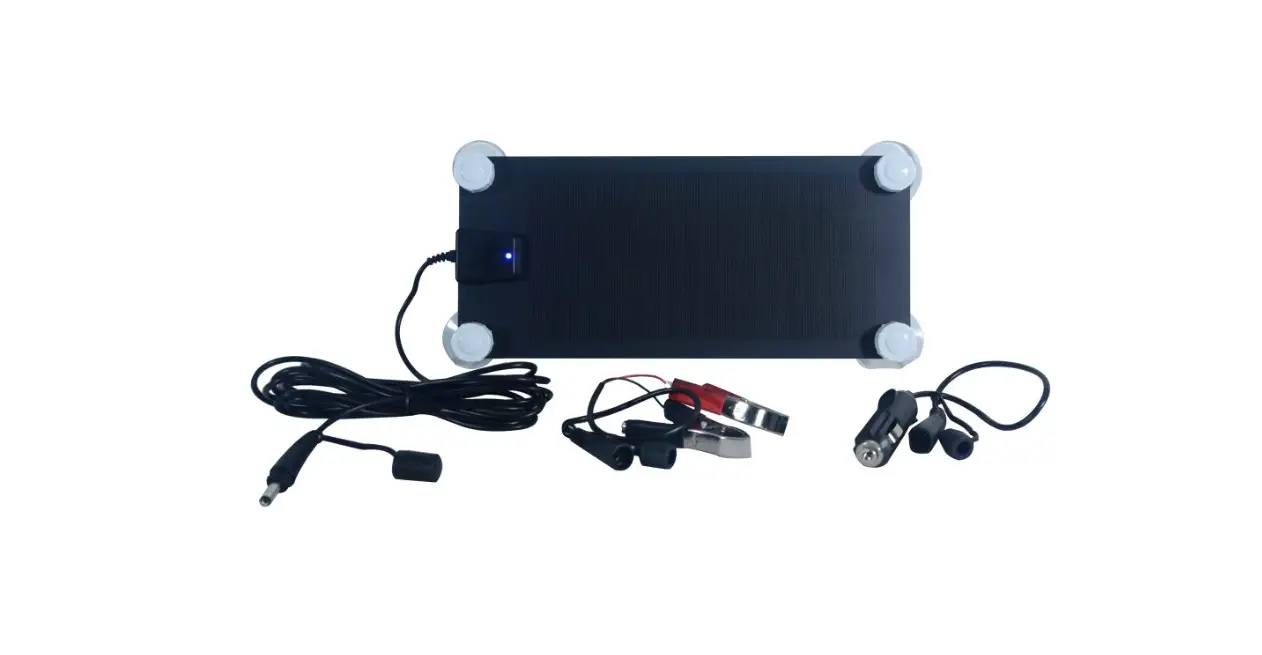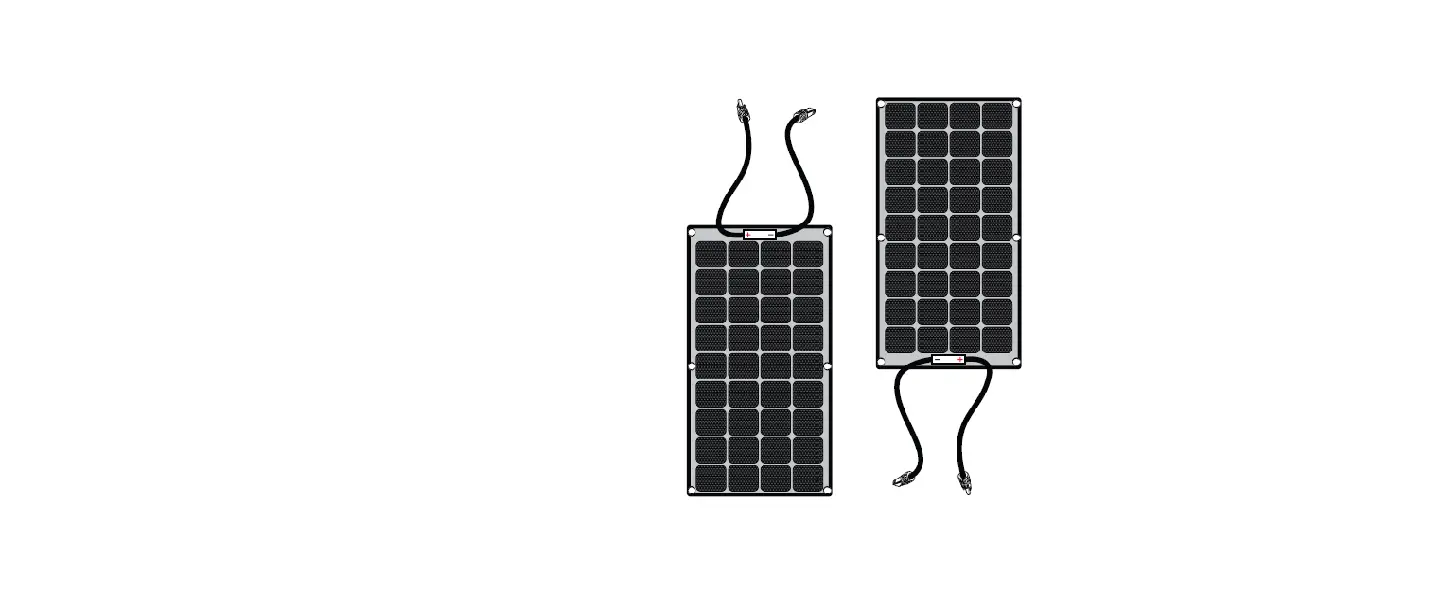

xantrex 781-0110 110W Solar Flex Panel
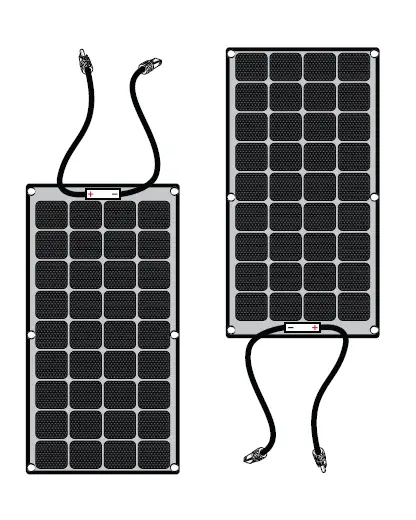
Thank you for purchasing the Xantrex Solar Flex Panel. The Xantrex Solar Flex Panel is a high quality, carbon emissions-free, and sustainable power source for your vehicle such as, recreational vehicle (RV), truck, or boat. It is designed to take solar energy and quietly produce power for your vehicle’s DC appliances and store energy to a battery during daylight hours.
The Xantrex Solar Flex Panel base package includes the following items:
- one Xantrex Solar Flex Panel
- one Installation Guide
- six #12 size, 1″ length, hex drive screws
NOTE: If any of the accessories, materials, and other items are missing, contact Xantrex or any authorized Xantrex dealer for replacement. See Contact Information on the back cover.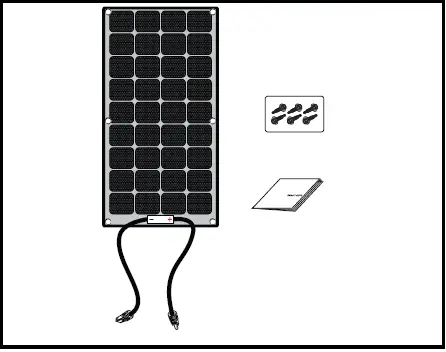
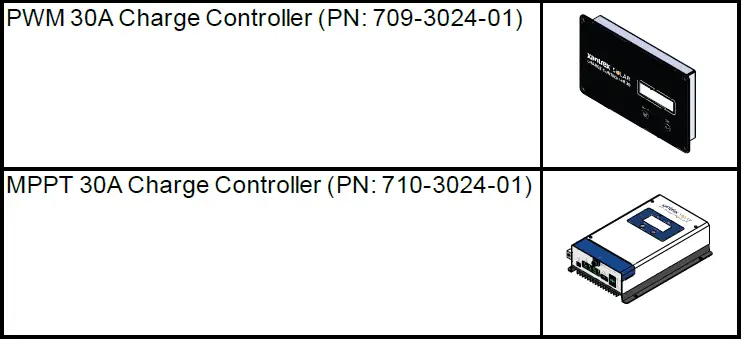
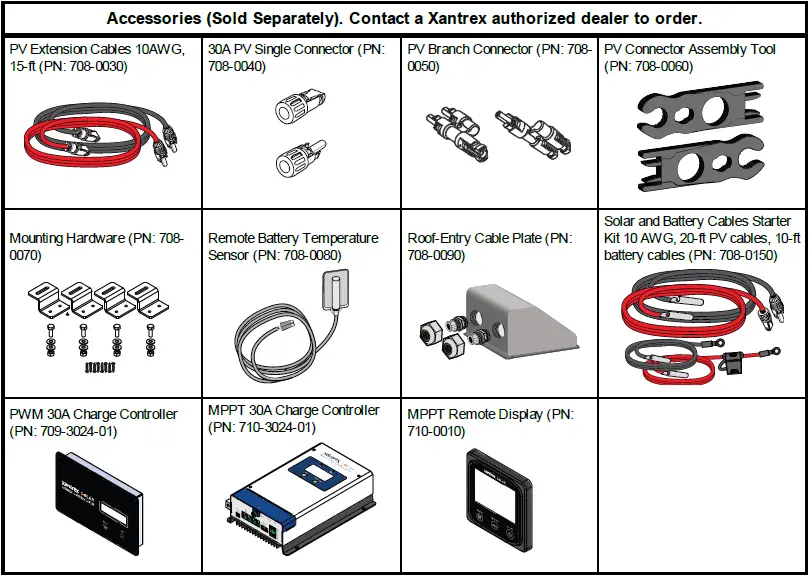
The following Xantrex accessories are available to complete your solar system and are sold separately:
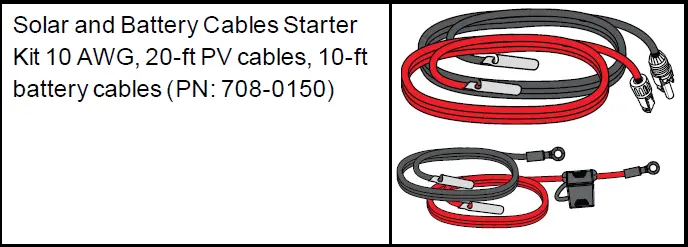
- Solar and Battery Cables Starter Kit (PN: 708-0150)
- PWM 30A Charger (PN: 709-3024-01)
- MPPT 30A Charger (PN: 710-3024-01)
- MPPT Remote Display (PN: 710-0010)
Safety Information
Important Information
READ AND SAVE THIS INSTALLATION GUIDE FOR FUTURE REFERENCE.
Read these instructions carefully and look at the equipment to become familiar with the device before installing, operating, configuring, maintaining, and troubleshooting it. The following special messages may appear throughout this documentation or on the equipment to warn of potential hazards or to call attention to information that clarifies or simplifies a procedure.
- The addition of either symbol to a “Danger” or “Warning” safety label indicates that an electrical hazard exists which will result in personal injury if the instructions are not followed.
- This is the safety alert symbol. It is used to alert you to potential personal injury hazards. Obey all safety messages that follow this symbol to avoid possible injury or death.
Product Safety Information
- Before using the solar flex panel, read all instructions and cautionary markings on the solar flex panel’s components, the batteries, and all appropriate sections of this guide.
- Use of accessories not recommended or sold by the manufacturer may result in injury to persons, a risk of electric shock, or a risk of fire.
- The solar flex panel is designed to be connected to your DC electrical systems. The manufacturer recommends that all wiring be done by a certified PV technician or electrician to ensure adherence to the local and national electrical codes applicable in your jurisdiction.
- To avoid a risk of fire and electric shock, make sure that existing wiring is in good condition and that wire is not undersized. Do not operate the solar flex panel with damaged or substandard wiring.
- Do not operate the solar flex panel if it has been damaged in any way.
- This solar flex panel does not have any user-serviceable parts. Do not disassemble the solar flex panel except where noted for connecting wiring and cabling. See your warranty for instructions on obtaining service. Attempting to service the solar flex panel yourself may result in a risk of electrical shock or fire.
- To reduce the risk of electrical shock, disconnect the solar flex panel from all devices and or components before attempting any maintenance or cleaning on the solar flex panel.
- To reduce the chance of short-circuits, always use insulated tools when installing or working with this equipment.
- Remove personal metal items such as rings, bracelets, necklaces, and watches when working with electrical equipment.
- Do not ground any PV conductors.
- Do not install the solar panel on top of a residential structure.
Basic Installation Steps
Safety Instructions
Before beginning your installation:
- Read this entire Installation section so you can plan the installation from beginning to end.
- Assemble all the tools and materials you require for the installation.
- Be aware of all safety and electrical codes which must be met.
WARNING
ELECTRICAL SHOCK AND FIRE HAZARD
- The power system must be designed by a certified vehicle solar system designer and installed by a certified solar system technician.
- All wiring should be done by qualified personnel to ensure compliance with all applicable installation codes and regulations.
- Disconnect all power sources.
- Disable and secure disconnect devices.
Failure to follow these instructions can result in death, serious injury, or equipment damage
Tools and Materials
You may need the following tools to install the Xantrex Solar Flex Panel:
- Drill with hex drill bit set
- Wrench set
- Torque driver
- Plan the power system and where to mount the solar panel.

1 Solarpanel See section on Solar PanelWiring formore information.
3 DC fuse (orbatterydisconnect) 2 Charge controller(PWM or MPPT) See section on Solar PanelWiring formore information.
4 Battery(12Vor 24V - Plan where to mount the charge controller, fuses, and cable locations.
- Identify and gather information about your vehicle.
Some vehicles are factory-installed with roof cable entry points.
If a cable entry point is absent, factory-installed vents can be used to route cables through. - Locate a suitable location for the charge controller inside the vehicle. Select an area that is readily accessible, viewable, and free from exposure to moisture.
- Plan the route and measure the lengths of cables needed to reach their connection points factoring in bends and slack.
- You may add additional solar panels. For more information, see Solar Panel Wiring on page 7.
WARNING: ELECTRIC SHOCK AND FIRE HAZARD
Do not ground any PV conductors. Failure to follow these instructions can result in death, serious injury, or equipment damage.
- Identify and gather information about your vehicle.
- Mount the solar panel.
TIP 1: Once applied to a surface, any industrial grade outdoor UV-rated adhesive sealant cannot be easily removed without damaging the solar panel.- Unpack the solar panels and prepare all installation tools and materials.
- Prepare the roof mounting surface by removing dust, dirt, and debris. Clean and degrease the roof surface with isopropyl alcohol and dry completely.

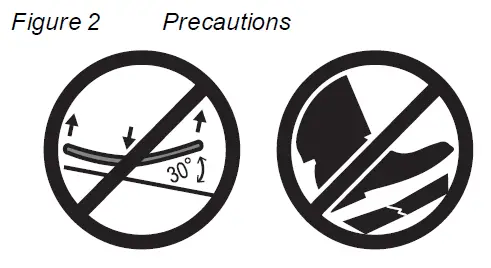
NOTICE: GENERAL PRECAUTIONS- Do not bend more than 30° when handling and mounting the solar panel.
- Do not step on the solar panel’s cells with hard footwear. Failure to follow these instructions can result in physical damage to vehicles and property.
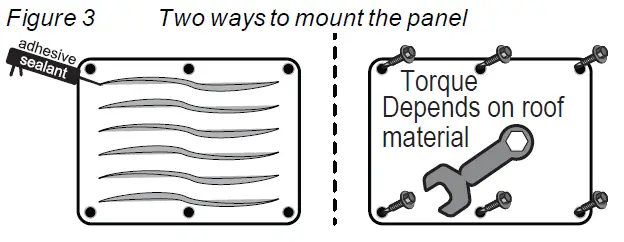
- For permanent mounting, apply an adhesive sealant (see TIP 1) to the solar panel’s backside and place the panel on the exact and intended location. Alternatively, install the solar panel on the roof using appropriate screws and washers to fasten the panel.
NOTICE: ADDITIONAL PRECAUTIONS- Do not mount the solar panel near other roof fixtures that can obstruct direct exposure to sunlight.
- Select the mounting area carefully and mark the exact and intended location of the solar panel.
Failure to follow these instructions can result in physical damage to vehicles and property.
TIP 2: If using screws to mount the standard flex panel, apply a silicon outdoor UV-rated, waterproof sealant around the screw holes and on the screw head after fastening to prevent water ingress into the roof. Contact the vehicle/vessel manufacturer for recommendations on roof sealant.
- Apply an RV roof sealant (see TIP 2) to the screw heads.

- Connect the DC cables.
NOTICE: REVERSE POLARITY
Check polarity at all terminals before making the final DC connection. Pos(+) (red) must connect to charge controller pos(+) (red); Neg(–) (black) must connect to charge controller neg(–) (black).
Failure to follow these instructions can result in equipment damage.- Cover the solar panel with a blanket (or the packaging box) to de-energize it.
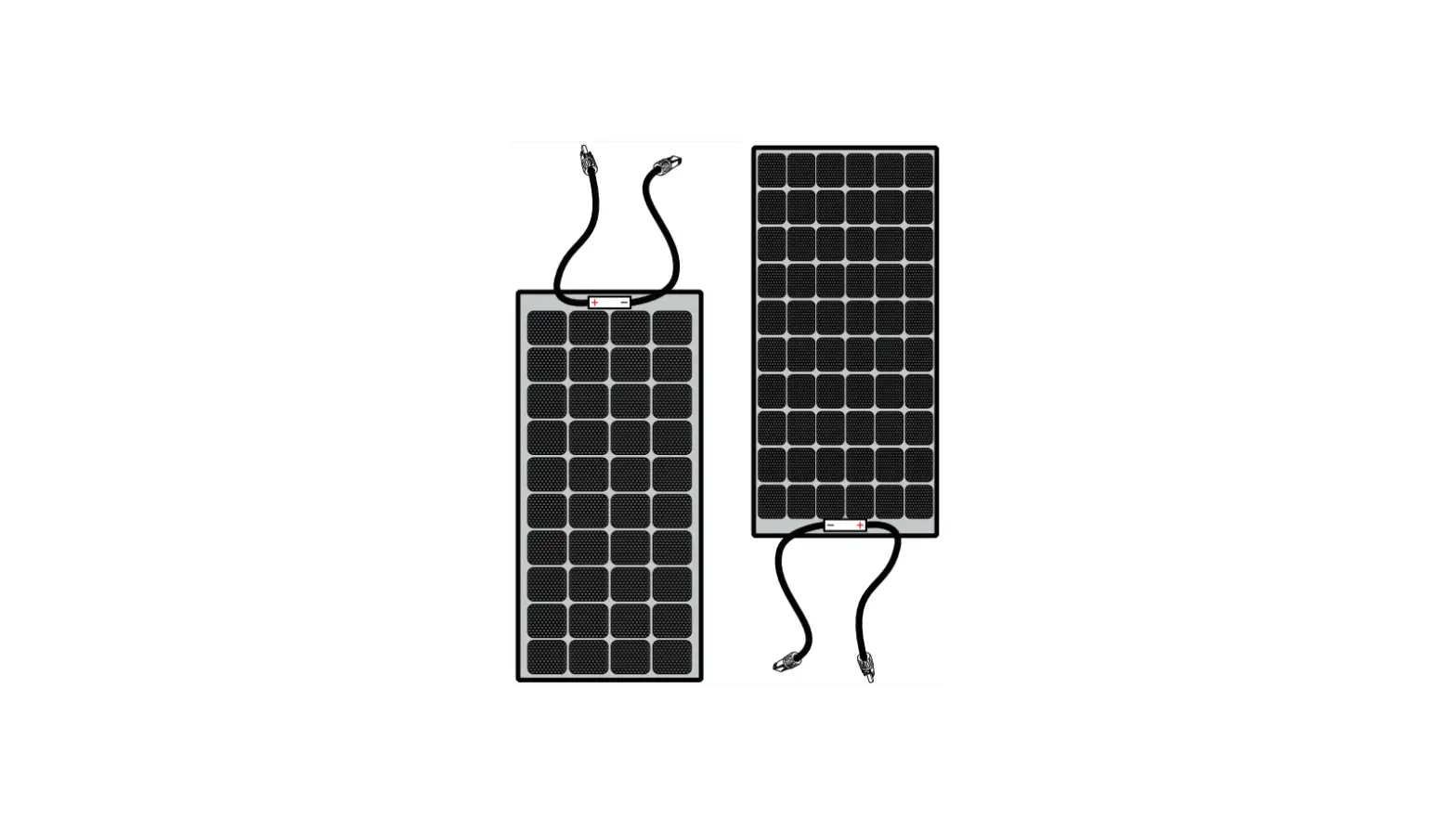
- Connect the red pos (+) and black neg (–) PV cables to the solar panel using the MC4-type connectors.

T3: 10.6 lb-in, Torque 1.2 N-m - Route the PV cables through the roof entry point and connect the red pos (+) and black neg (–) PV cables to the charge controller. See T3.
- Connect the red pos (+) and black neg (–) battery cables to the charge controller. See T3.
- Route the battery cable inside the vehicle and connect the red pos (+) and black neg (–) battery cables to the respective battery terminals.
- Secure all cables with clamps (and/or cable ties) and additional strain-relief as necessary.
- Clear the roof and the cable routes of tools and other debris that may have been left during installation.
- Operate and maintain the system.
- Remove the blanket (or the packaging box) covering the solar panel to start energizing the solar panel.
- Refer to Solar Panel Maintenance and Care on page 9 for best practices.

Solar Panel Wiring
- Depending on your power needs and installation type, you have two kinds of solar charge controllers available.
Solar Charge Controller Amp Output Voltage Part Number Pulse width modulation 30A 12/24VDC 709-3024-01 Maximum power point tracking 30A 12/24VDC 710-3024-01 - Solar panels can be configured in series, parallel, or a combination of both series and parallel.
 Pos (+) of first panel connects to Neg (-) of next panel and so on and terminating with the Pos (+) of the solar charge controller.
Neg (-) of first panel extends to Neg (-) terminal of the solar charge controller. Optimized for MPPT solar charger.
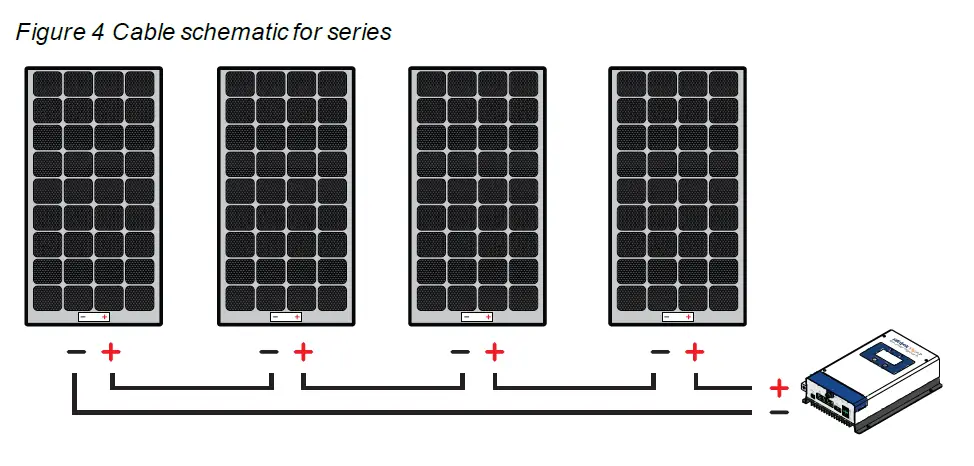 Pos (+) of first panel connects to Neg (-) of next panel and so on and terminating with the Pos (+) of the solar charge controller.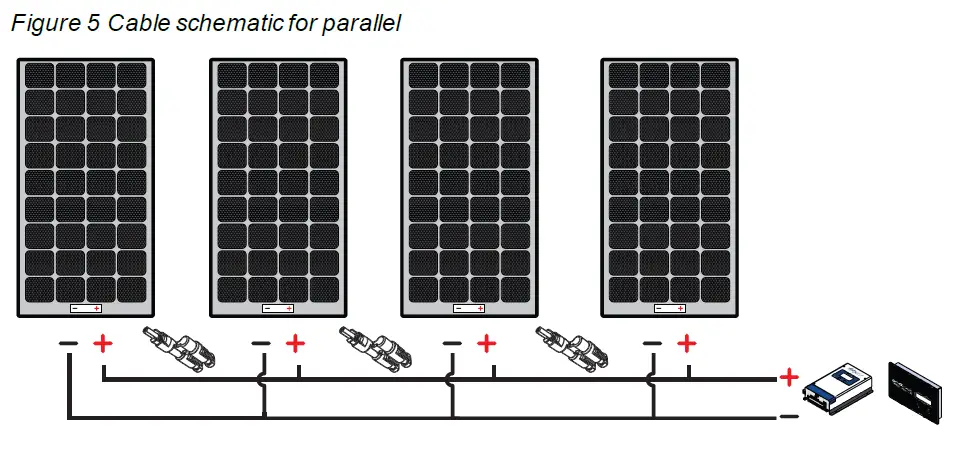
Pos (+) of first panel connects to Pos (+) of next panel using branch connectors and so on and terminating with the Pos (+) of the solar charge controller.
Neg (-) of first panel connects to Neg (-) of next panel using branch connectors and so on and terminating with the Neg (-) of the solar charge controller.
Optimized for MPPT or PWM solar charger.
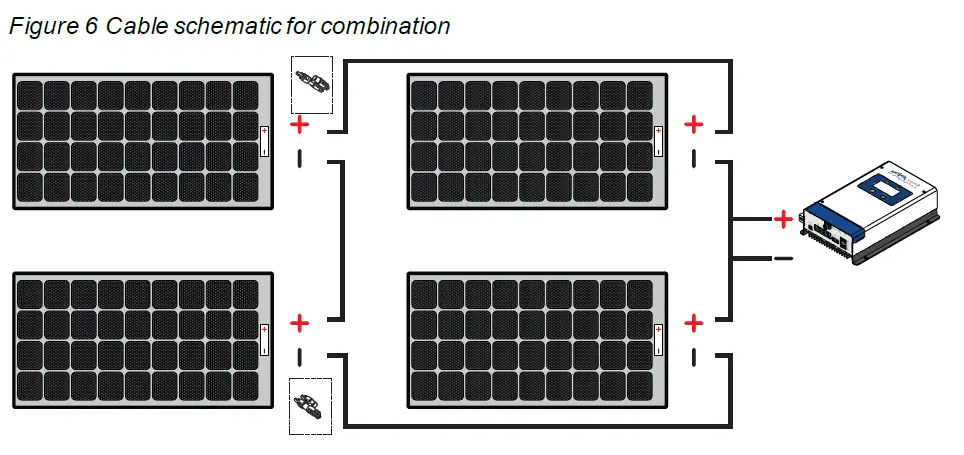
One set of panels connect in series to form one string and so on. Two or more strings connect in parallel.
Optimized for MPPT solar charger.
Solar Panel Maintenance and Care
Although a well designed vehicle-mounted solar system requires minimal maintenance, it is highly recommended to perform an inspection and cleaning of the solar panels during the warranty period. This helps to ensure optimal system performance and reliability through a few simple steps.
Visual Inspection
Perform a visual inspection of the solar system on a monthly basis to identify if there are any visual defects or improper connections.
- Check for any sharp objects on the solar panel surface.
- Check for any signs of corrosion or burnt hotspots around the solar cell and backsheet area.
- Check that the solar panel is clear of any shading by any foreign material or unwanted obstacles. Just a small amount of shade on the solar panel surface can cause significant power output loss.
- Check that all mounting hardware is tightly screwed down per torque recommendations.
- If the solar panel has slight discoloration over a period of usage, this is considered normal for solar panels that use an anti-reflection coating laminate.
Cleaning Solar Panels
The power output of a solar panel is proportional to the amount of sunlight that reaches the solar cells. Therefore, any build-up of dust or dirt on the surface of the solar panel will result in a loss of power. This is a trade-off between the maximizing the power output of the solar panel versus the cost and time to perform regular cleaning.
- Do not clean solar panels if there is broken plastic material or exposed wiring because this creates a risk for electric shock.
- Do not step or kneel on the solar panel during cleaning.
- Check the solar panel periodically during seasons that the vehicle is in-use. If there is a build-up of dust or dirt on the surface of the solar panel, it is recommended to clean it.
- Clean the solar panel in the early morning or early evening when the solar panel is cooler, especially in hot regions. This will reduce the risk for electrical and thermal shock.
- Clean using a soft cloth together with clean water and mild detergent or soap.
- Make sure there is no soap residue remaining after cleaning.
- Avoid using water with high mineral content that may leave deposits on the solar panel surface.
- Do not use abrasive materials to clean the solar panel.
- Do not use chemicals to clean the solar panel.
- Do not pressure wash the solar panel.
Troubleshooting
WARNING: ELECTRICAL SHOCK HAZARD
If the in-line fuse on the 10AWG positive (+) battery cable blows, replace with a 30A/32V green ATC blade fuse. Failure to follow these instructions can result in death, serious injury, or equipment damage.
NOTE: To obtain service go to Contact Information on page 1.
| Problem | Possible Cause | Solution |
| Battery does not get charged even when sunlight is present. | Solar panel is partially shaded or there is insufficient sunlight. | Move the vehicle or vessel so the whole solar panel is exposed to direct sunlight. |
| Loose or no DC cable connections. | Connect DC cables to the battery and solar panel and tighten terminal connections. | |
| Fuse is blown. | Replace the blown fuse with a 30A/32V green ATC blade fuse. |
Specifications
NOTE: Specifications are subject to change without prior notice.
| Part number | 781-0110 |
| Dimensions | 39.6 × 26.9 × 0.12 inches (1005 × 683× 3 mm) |
| Unit weight | 5.5 lbs.(2.5 kg) |
| Cell Type | Monocrystalline PERC |
| Maximum power at STC* | 110 W |
| Maximum power voltage | 18.9 V |
| Maximum power current | 5.83 A |
| Open circuit voltage | 19.49 V |
| Short circuit current | 5.95 A |
| Maximum system voltage | 600 VDC |
| Safety | Class III PV Module |
Accessory List
+1-800-670-0707
+1-408-987-6030
[email protected]
http://www.xantrex.com/power-products-support/
http://www.xantrex.com