 Audio-Technica ATH-AD500X Audiophile Open-Air Headphones
 Audio-Technica ATH-AD500X Audiophile Open-Air Headphones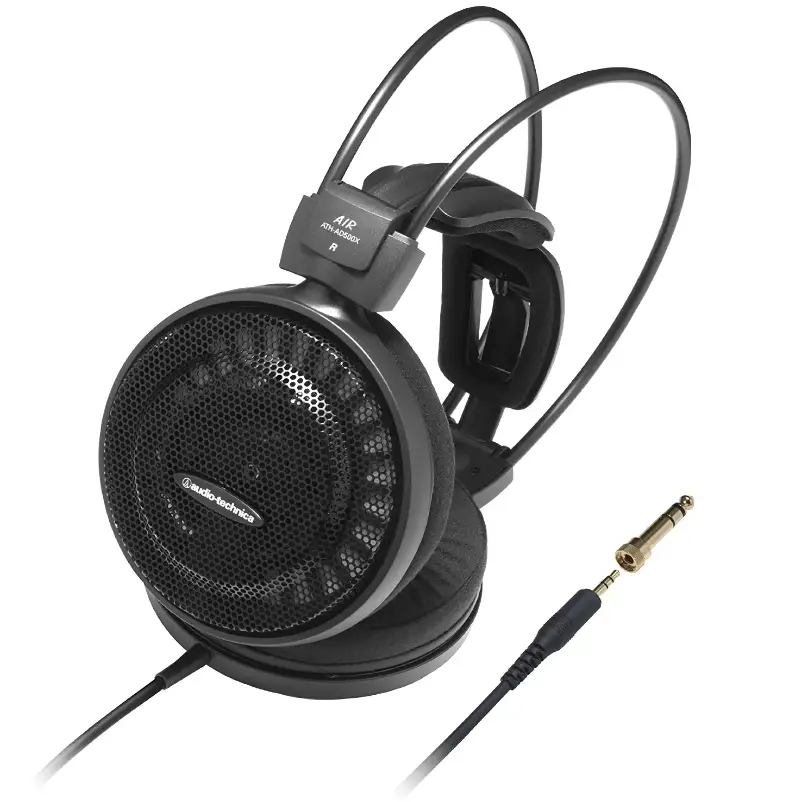
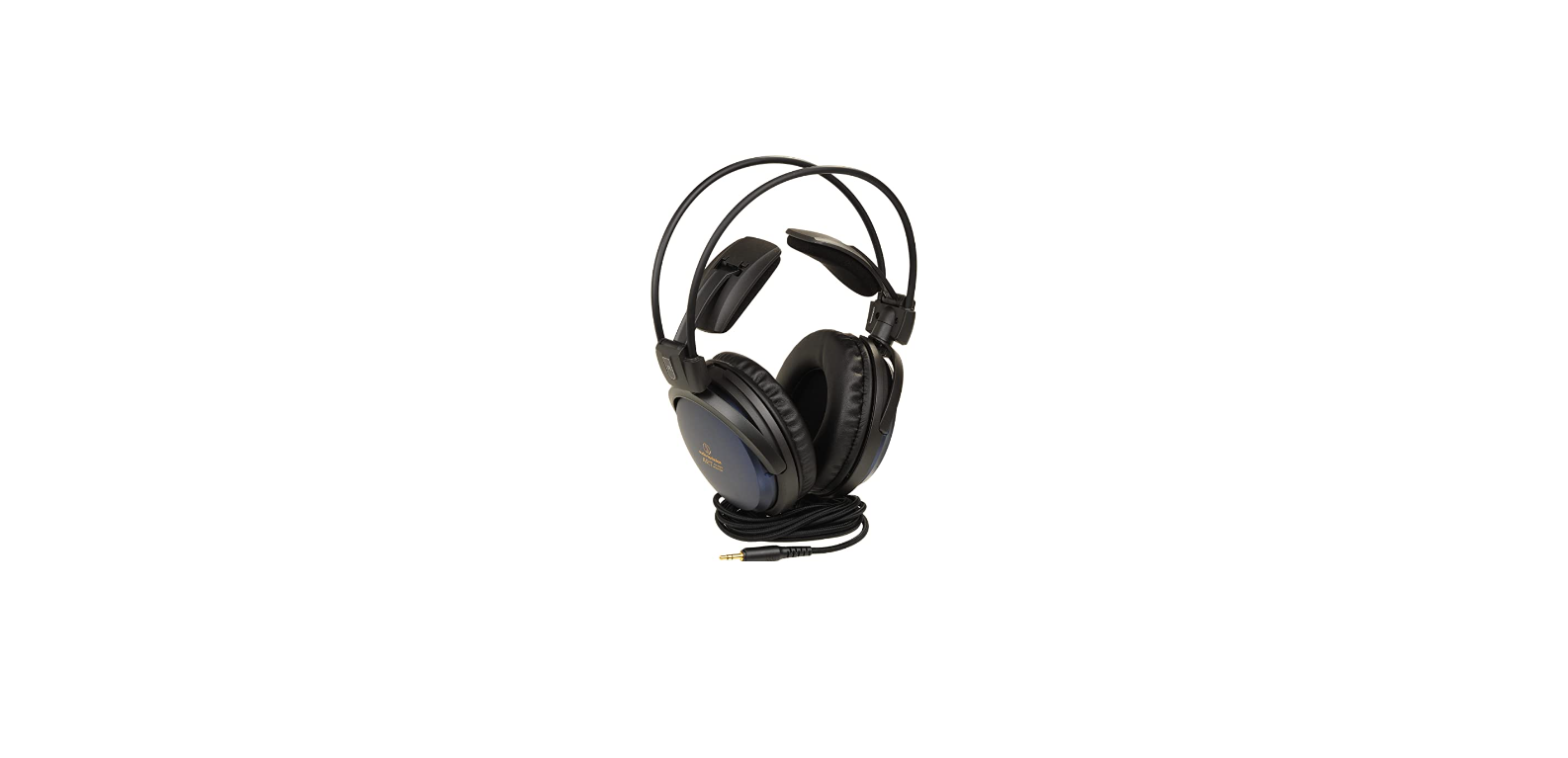
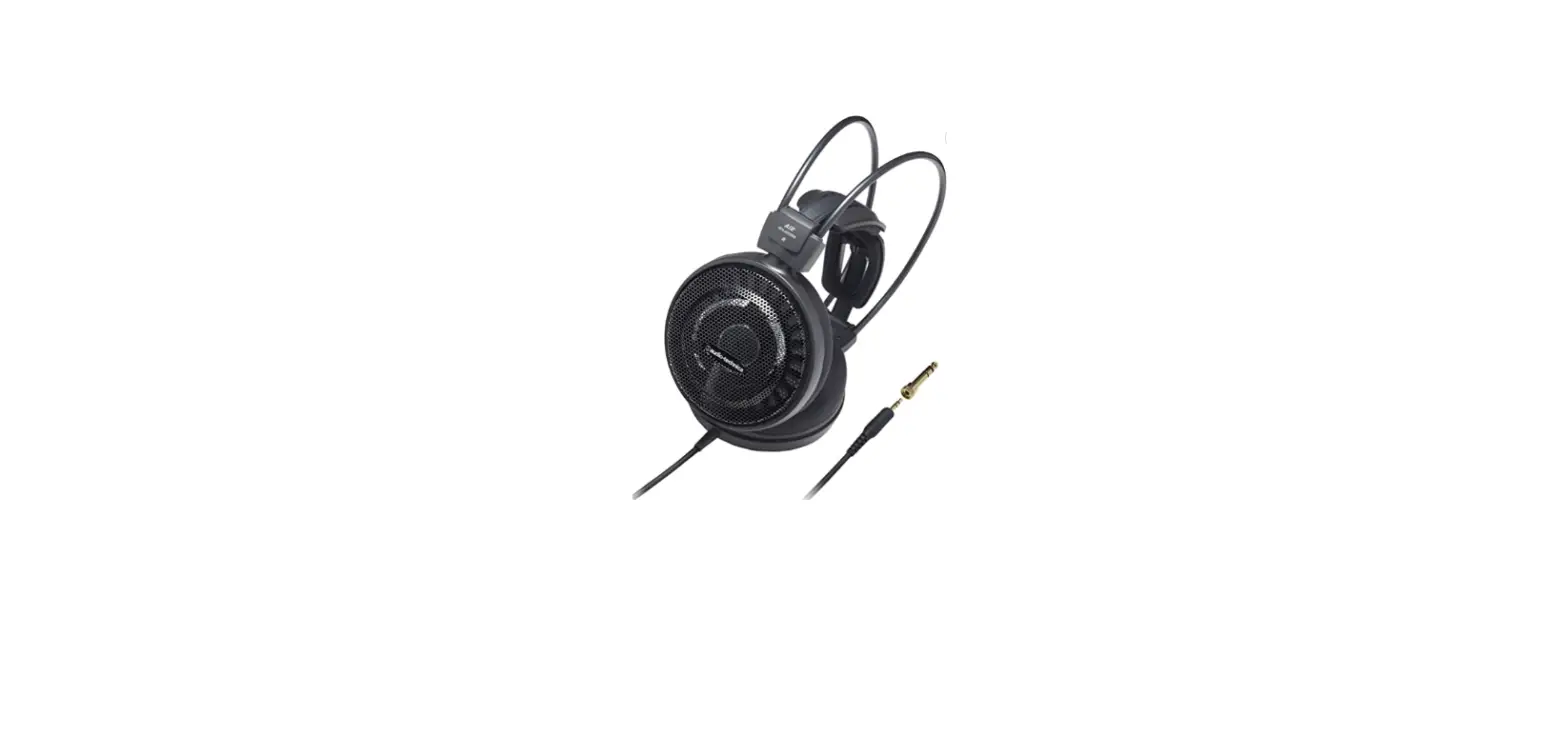
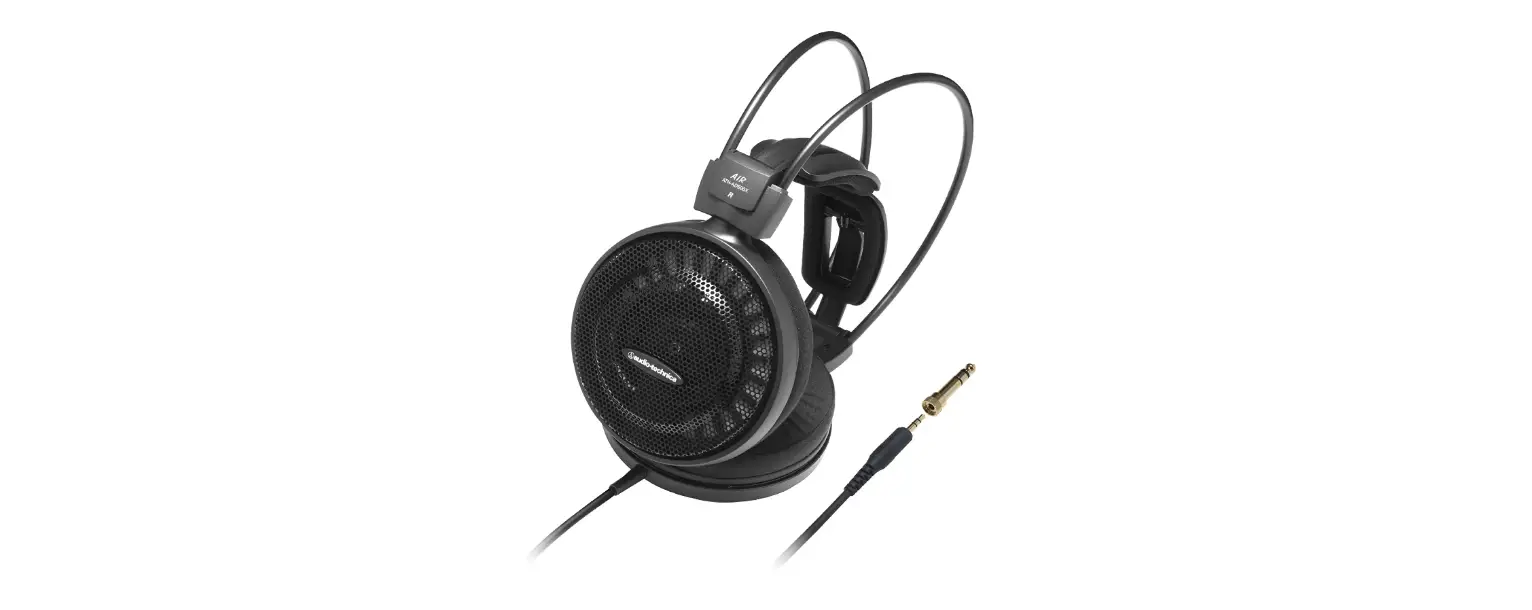
designed to make listening incredibly cozy. These open-air headphones include a lightweight honeycomb aluminum case and a magnesium frame structure, which prevent pressure from being felt on the ears and provide a very natural listening experience. The sound reproduced by newly developed 53 mm speakers with CCAW voice coils is remarkably realistic, with powerful bass and exceptional vocal projection. The self-adjusting wing support adapts itself to the size of your head. At the left earpiece, a straight OFC wire terminates to a small plug using the supplied 1/4″ adaptor.
CAUTION
Please read these cautions before using your headphones.
To ensure safety, observe all cautions while using this equipment.
WARNINGS
- Never use the headphones while driving a car, riding a motorcycle or bicycle or operating any other vehicle.
- Do not use the headphones in places where the inability to hear ambient sound presents a serious risk (such as at railroad crossings, train stations, construction sites or on roads where vehicles and bicycles are traveling).
- To prevent damage to your hearing, do not raise the volume too high. Listening to loud sounds for an extended period may cause temporary or permanent hearing loss.
Discontinue use if skin irritation results from direct contact with the product.
- Do not disassemble, modify or attempt to repair the headphones.
Please do not use the headphones without the wing supports as this could cause injury.
CAUTIONS
- To ensure compatibility and correct usage, always consult the user manual of any device before connecting the headphones to it.
- These headphones are designed to easily dissipate noise to the outside. On public transport systems or in other public places, keep the volume low so as not to disturb other people.
- Please minimize the volume on your audio device before connecting the headphones in order to avoid hearing damage from sudden exposure to excessive volume.
- When using this product in a dry environment, you may feel a tingling sensation in your ears. This is caused by static electricity accumulated on your body, not by a headphone malfunction.
- Do not subject the headphones to strong impact.
- Connect /disconnect the cord by holding the plug. Pulling directly on the cord can result in a broken wire and the risk of electric shock.
- Do not wrap the cord around a rack, furniture or another object. Do not allow the cord to be pinched.
- Do not store the headphones under direct sunlight, near heating devices or in a hot, humid or dusty place.
- Prolonged exposure to ultraviolet rays (especially direct sunlight) may cause the headphones to fade in color.
- Please do not expose the headphones to excessive stress or pressure, which could result in damage or deformation.
- To clean the headphones, wipe the soiled area with soft cloth. Do not use alcohol, thinner or other solvents. Take care to keep the plug and adapter clean. A dirty adapter or plug could result in unwanted noise.
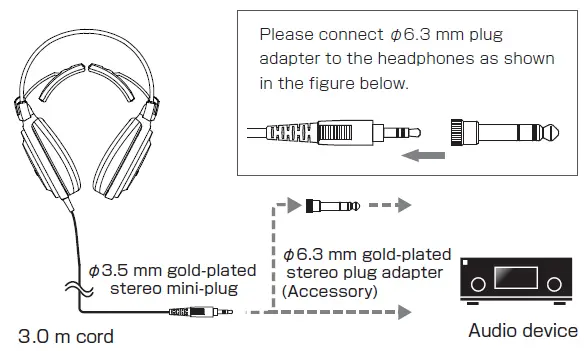
- Please purchase the appropriate conversion plug adapter if you need to connect to other than φ6.3 mm and φ3.5 mm stereo headphone jacks.
- Lengthening the headphone cord requires a separate extension cord available from your dealer.
CLEANING
Get into the habit of regularly cleaning your headphones to ensure that they will last for a long time. Do not use alcohol, paint thinners or other solvents for cleaning purposes.
CLEANING THE HEADPHONES
Use a cleaning cloth to wipe away dirt on the headphones. When cleaning the housing with a cloth, do not apply strong force. Dust the surface first, and then wipe the surface gently using a dry cloth.
CLEANING THE CORDS
If the cords have become soiled (by perspiration, for instance), wipe them with a dry cloth immediately after use. Using cords that are dirty may cause them to deteriorate, become hard and give rise to problems.
CLEANING THE PLUG
Using the plug when it is dirty may cause intermittent sound or noise. When the plug is dirty, wipe it with a dry cloth.
CLEANING THE EARPADS AND HEADPADS
To clean, wipe with a dry cloth. Earpads and headpads may fade if sweat or water dries on them. If the earpads get wet, we recommend wiping them with a dry cloth and allowing them to dry in the shade.
- For long-time storage, keep the headphones in a well-ventilated place without high temperatures and humidity.
- The earpads and headpads deteriorate over time due to use or storage. For information about replacing earpads and headbands or other parts, or for information about other serviceable parts, contact your Audio-Technica dealer or service center.
PART NAMES
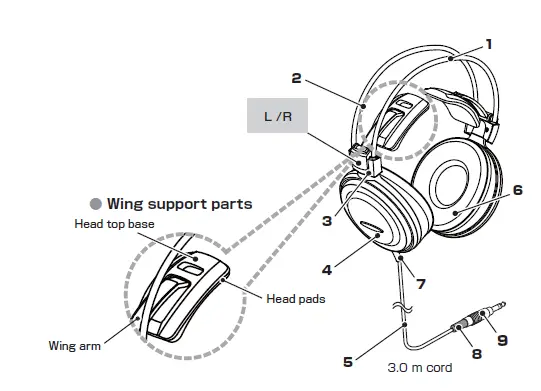
Please confirm each part before using this headphone.
- Head band
- Wing support (See below)
- Joint
- Housing
- Cord
- Earpads
- Cord bushing for main unit
- Cord bushing for plug
- φ3.5 mm gold-plated stereo mini-plug
HOW TO USE
- Minimize the volume of each sound device, then connect the headphones to the headphone terminal.
- Please make sure to position the earpads correctly (L/R position and with the earpad covering the whole ear).
- Turn on your audio device, and adjust the volume as necessary.
Please also read the instruction manual of audio device.
CONNECTION SAMPLES
SPECIFICATIONS
| ATH-AD900X | ATH-AD700X | ATH-AD500X | |
| Type | Open air dynamic | ||
| Driver | φ53 mm | ||
| Output sound pressure level | 100 dB/mW | ||
| Frequency response | 5 ~ 35,000 Hz | 5 ~ 30,000 Hz | 5 ~ 25,000 Hz |
| Maximum input power | 1,000 mW | 700 mW | 500 mW |
| Impedance | 38 Ω | 38 Ω | 48 Ω |
| Weight | 265 g(without cord) | 265 g(without cord) | 235 g(without cord) |
| Plug | φ3.5 mm gold-plated stereo mini-plug | ||
| Cord length | 3.0 m | ||
| Accessory | φ6.3 mm gold-plated stereo plug adapter | ||
| Spare earpads | HP-AD900X | ||
FAQs
Open-back headphones are common in high-end, pricey models because they produce a more natural and crisp sound.
They are well-fitting and include a battery that can run continuously for more than 60 hours.
The closed-back variants below are also a fantastic choice for producers seeking for headphones to bring on the road. Audio Technica headphones are a great choice for beginner producers who want to become used to using studio headphones without breaking the budget (great for planes, coffee shops, etc).
Open-back and semi-open headphones, for instance, frequently exhibit substantial sound leakage. Even so, the majority of audiophiles still like them because, compared to closed-back models, they offer a more natural listening experience.
Since the design of open-back headphones lessens the intensity of the sound transmitted, they are safer for prolonged use and better for your ears. Open-back headphones also lessen the danger of eardrum damage from loud noises, as well as ear canal problems and heat rash.
A well-known company with headphones at more reasonable prices is Audio-Technica. They frequently have less-than-ideal builds, despite producing sounds that can compete with higher-end models. When compared to other companies offering comparable functionality, their noise-cancelling series also falls short.
The outer shell of the ear covering is intentionally punctured with open-back headphones; normally, this is done with horizontal cutouts. Closed-back headphones have a solid outer shell that doesn’t contain any kind of holes, effectively enclosing the entire ear.
Open-back headphones are more pleasant on the ears since they are made of velour or other breathable fabrics. However, closed-back headphones tend to be more soundproof to the user’s ears. The open design also allows air to circulate these pads, preventing heat buildup and discomfort in your ears.