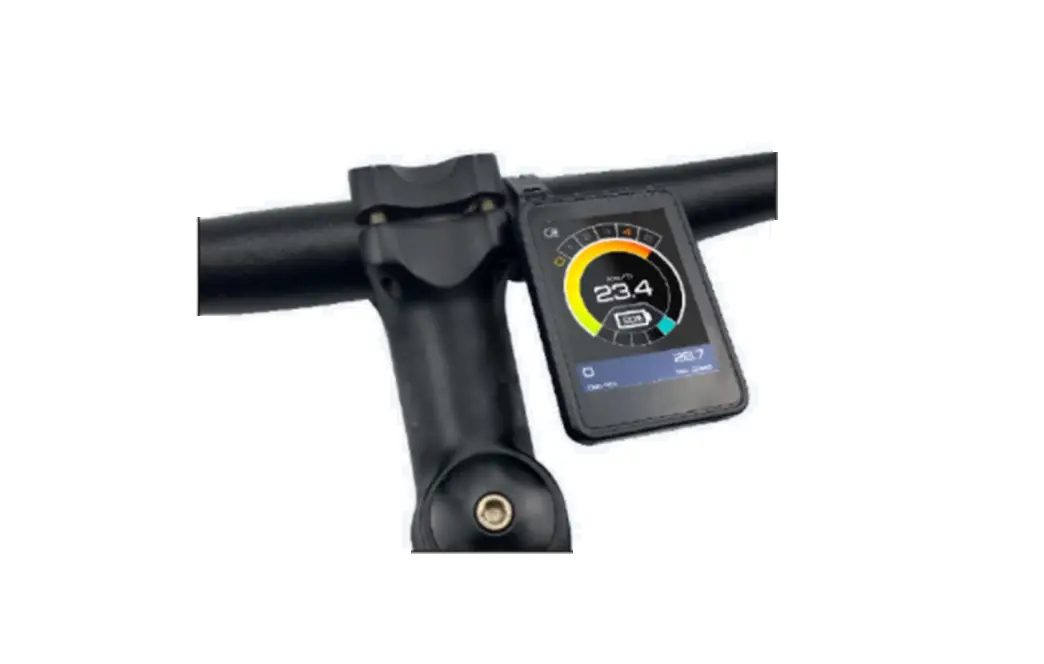
ZP930-A 3.1 Inch LCD VA Black Film Color Screen
Product Information
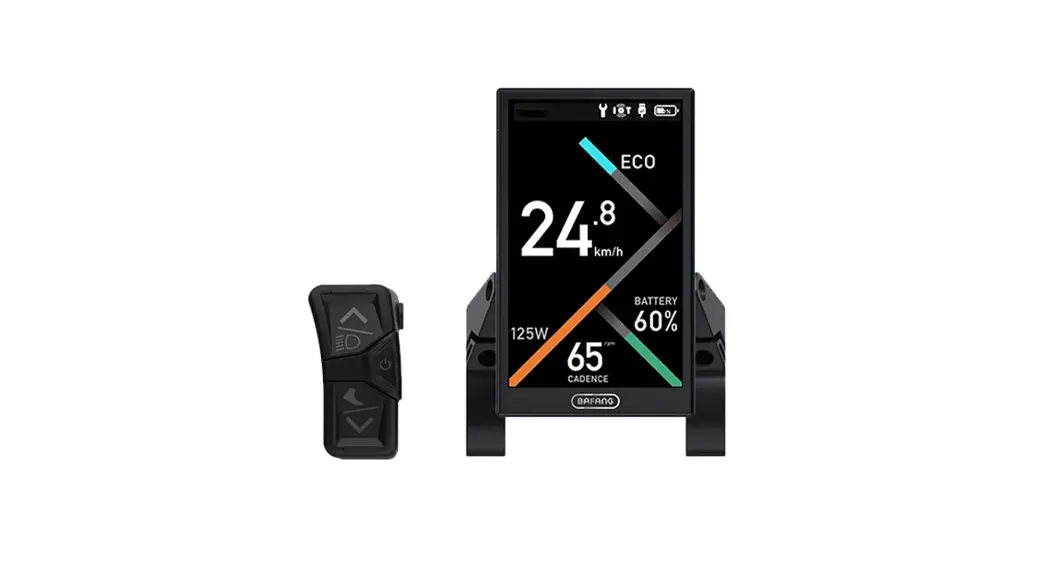
The ZP930-A product is equipped with a 3.1-inch LCD VA black
film color screen with light buttons and a matte textured black
finish. The instrument interface has a clear and intuitive
functional area distribution, and the high-brightness LED backlight
makes the display content visible even in sunlight. The product is
made of nylon buckle, ABS shell, hardened PC mirror waterproof
glass and can be used normally in temperatures ranging from -25 to
80 degrees Celsius. It ensures good electrical and mechanical
performance.
Function
- Battery indicator, Malfunction indicator, Gear indicator, Speed
indicator, Cruise indicator, Headlight icon, 6KM boost indicator,
Unit indicator and Bluetooth icon display. - Communication protocol: UART
- Contents on the display:
- Speed & Power display, The Maximum display to 199KM/H
- Voltage status level
- Multifunctional display area:
- Total mileage
- Single mileage
- Real-time voltage display
- Running time prompt
- Fault prompt
- Switch handle voltage value
- Fault status display area: Displays the fault content
corresponding to the number in the multifunction area. The specific
status is as follows:- ERRO 1: Motor failure
- ERRO 2: Accelerator throttle failure
- ERRO 3: Controller failure
- ERRO 4: Brake failure
- ERRO 5: Undervoltage protection
- ERRO 6: Communication failure, the display cannot receive the
output from the controller - ERRO 7: Communication failure, the controller cannot receive
the output from the display
- Gear display
- Single/dual drive riding mode selection, the default mode is
single drive:- S-drive: One motor drive
- D-drive: Two motors drive
- Starting mode of the scooter:
- ECO: Non-zero startup mode
- Accessibility display:
- NORMAL: Zero startup mode
- Cruise mode / 6KM boost mode / Headlights on reminder
- USB charging prompt (Not supported) / Bluetooth connection
status prompt USB (Not supported)
Key Functions
- ON/OFF Button: POWER ON/POWER OFF
- Press and hold the ON/OFF button for 3 seconds to turn
on/off. - Short press the ON/OFF button to turn on/off the
headlight.
- Press and hold the ON/OFF button for 3 seconds to turn
- UP Button: GEAR UP
- Short press the UP button to increase the gear.
- Press and hold the UP button to enable/disable dual drive
mode.
- DW Button: GEAR DOWN
- Short press the DW button to downshift.
- Long press the DW button to enter/exit the 6KM boost mode (need
to be supported by a controller).
- Function menu settings: Press the UP button & DW button at
the same time to enter the function menu interface. Short press the
ON/OFF button to switch function options, short press the UP button
or DW button to set the corresponding parameter value. After the
setting is completed, press the UP & DW button at the same time
to exit.- Enter the menu, short press the plus or minus key, the value
00099 flashes, and the display returns to the main interface after
long-pressing the plus key for 5 seconds, the setting is
successfully done.
- Enter the menu, short press the plus or minus key, the value
Product Usage Instructions
- To turn on/off the product, press and hold the ON/OFF button
for 3 seconds. - To turn on/off the headlight, short press the ON/OFF
button. - To increase the gear, short press the UP button.
- To enable/disable dual drive mode, press and hold the UP
button. - To downshift, short press the DW button.
- To enter/exit the 6KM boost mode, long press the DW button
(need to be supported by a controller). - To enter the function menu interface, press the UP button &
DW button at the same time. Short press the ON/OFF button to switch
function options, short press the UP button or DW button to set the
corresponding parameter value. After the setting is completed,
press the UP & DW button at the same time to exit. - To view the product display, refer to the product information
section for a detailed description of the display content.
Product Introduction The ZP930-A product adopts a 3.1-inch LCD VA black film color screen, with light
buttons,matte textured black . The functional area distribution of the instrument interface is clear and intuitive, and the high-brightness LED backlight is selected, and the display content is still clearly visible in the sun. The product adopts nylon buckle, ABS shell, hardened PC mirror waterproof glass, the product can be used normally in the temperature of -25-80, and can ensure good electrical performance and mechanical performance.
FUNCTION
1. Display function Battery indicator, Malfunction indicator ,Gear indicator, Speed indicator, Cruise indicator, Headlight icon, 6KM boost indicator, Unit indicator and Bluetooth icon display. 2. Communication protocolUART 3. Contents on the display
Display content introduction 1) Speed & Power display,The Maximum display to 199KM/H
2) Voltage status level
From bottom to top, the battery level increases sequentially, the lowermost display grid represents low battery, and the uppermost display grid represents high battery. The left side displays the corresponding remaining battery percentage (percentage example display)
3)Multifunctional display area
Display: total mileage, single mileage, real-time voltage display, running time prompt, fault prompt, switch handle voltage value
4).Fault status display area The number corresponding to the multi-function area represents the corresponding fault content. The specific status is as follows: ERRO 1Motor failure ERRO 2Accelerator throttle failure ERRO 3Controller failure ERRO 4: Brake failure ERRO 5Undervoltage protection ERRO 6Communication failure, the display cannot receive the output from the controller ERRO 7Communication failure, the controller cannot receive the output from the display
5).Gear display
6).Single/dual drive riding mode selection, the default mode is single drive
S-drive: One motor drive
D-drive: Two motors drive
7).Starting mode of the scooter
ECO: Non-zero startup mode 8).Accessibility display
NORMAL: Zero startup mode
Cruise mode /
6KM boost mode / Headlights on reminder
USB charging prompt (Not supported) / Bluetooth connection status prompt USB (Not supported)
INTRODUCTION TO KEY FUNCTIONS
UP
DW
ON/OFF
1)ON/OFF Button : POWER ON/POWER OFF 1.1 Press and hold the ON, OFF button for 3 seconds to turn on/off. 1.2 Short press the ON/OFF button to turn on/off the headlight.
2)UP Button GEAR UP 2.1Short press the UP button to increase the gear 2.2: Press and hold the UP button to enable/disable dual drive mode.
3)DW ButtonGEAR DOWN 3.1 Short press the DW button to downshift 3.2 Long press the DW button to enter/exit the 6KM boost mode (need to be supported by a controller)
4)Function menu settings Press the UP button&DW button at the same time to enter the function menu interface. Short press the ON/OFF button to switch function options, short press the UP button or DW button to set the corresponding parameter value. After the setting is completed, press the UP& DW button at the same time to exit.
5)Parameter setting and definition P02mileage unit0KM1MILE default: 0 P03Voltage mode default: 60V P04Sleep time from 0-60mins0 means always on ,default: 5mins) P06: Wheel diametercalculated by inchprecision0.1 default: 10 P07:Number of tachometer magnetsRange1-100 Default: 30 P09Zero start/non-zero start settings0Zero start1Non-zero start Default: 1 P10Smart speed limit settings, 0:Speed released, 1:Speed lockedDefault: 1 P12Activate strength setting.Range:from 0 to 5 5 most powerDefault: 5 P15Motor drive signal percentage setting Rangefrom 1 to 100; Default: 100 P16Auto cruise setting 1:Auto cruise Activated 0 Auto cruise Locked Default: 0 P99Restore to initial settings
Enter the menu, short press the plus or minus key, the value 00099 flashes, and the display returns to the main interface after long-pressing the plus key for 5 seconds, the setting is successfully done.
ODO: To clear ODO In the ODO parameter setting interface, briefly press the + button and then press and hold for 5-6 seconds until the number is zero.
INTRODUCTION OF CONNECTORS AND DEFINITIONS
1
2
3
5
4
Connector 1: 3P-accelerator interface
GND ZB
(
Connector 2: 4P-Three-position button interface
DW(-)
UP(+)
VCC
ON/OFF
GND
Connector 3: 6p-Instrument connection controller interface
BAT+
BAT-
DS
ZB
Connector 4&5: 2P-brake interface
SL
TX
RX
GND
Note: Due to the upgrade of the company’s products, the displayed content of the product you get may be different from the manual, but it will not affect your normal use.