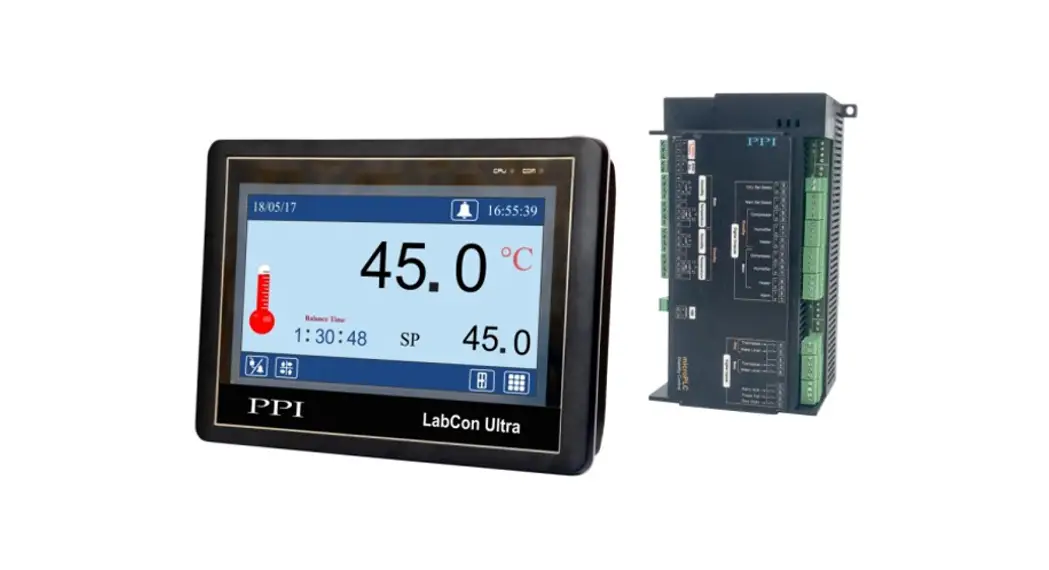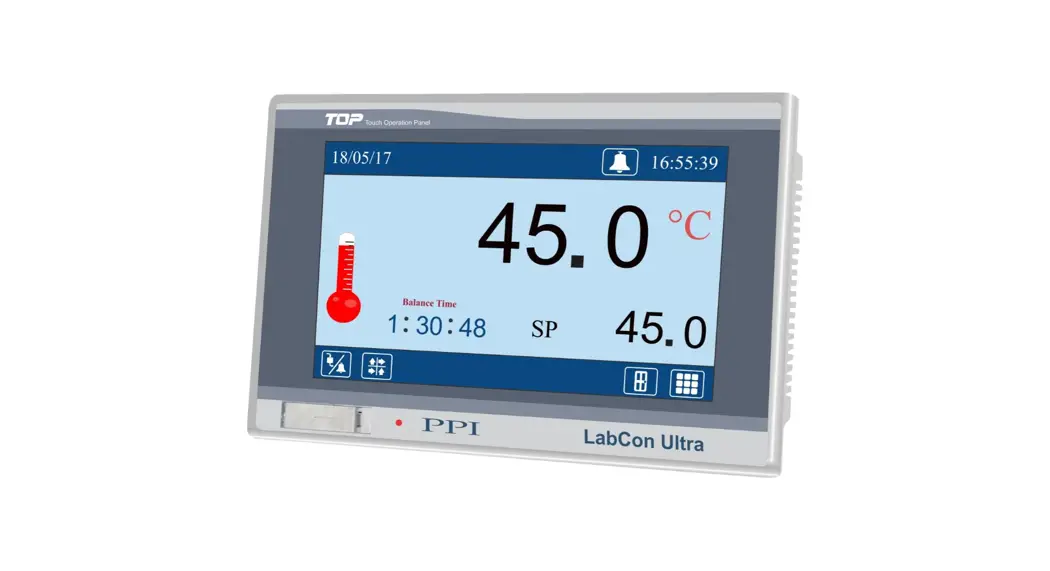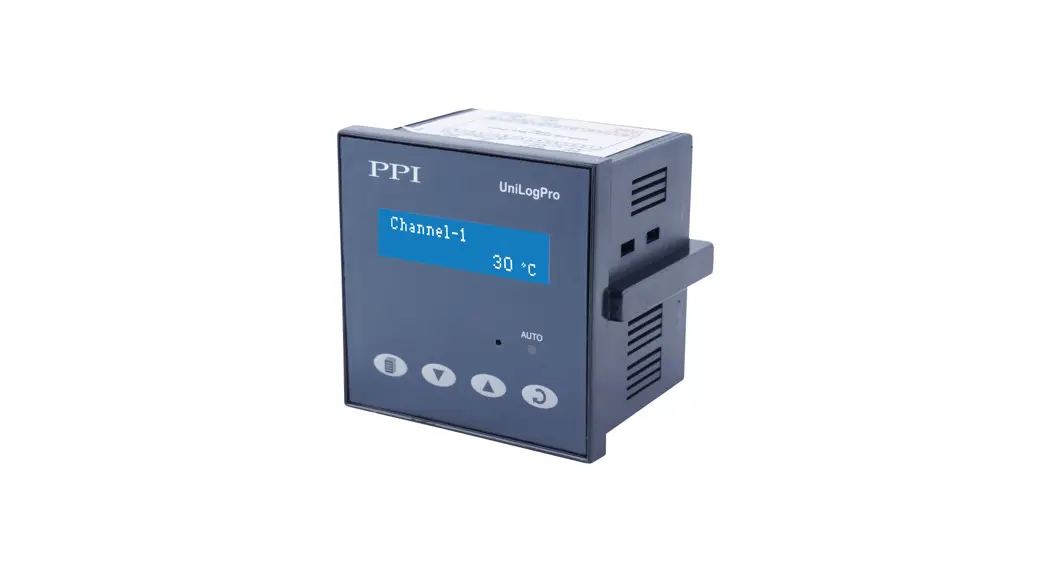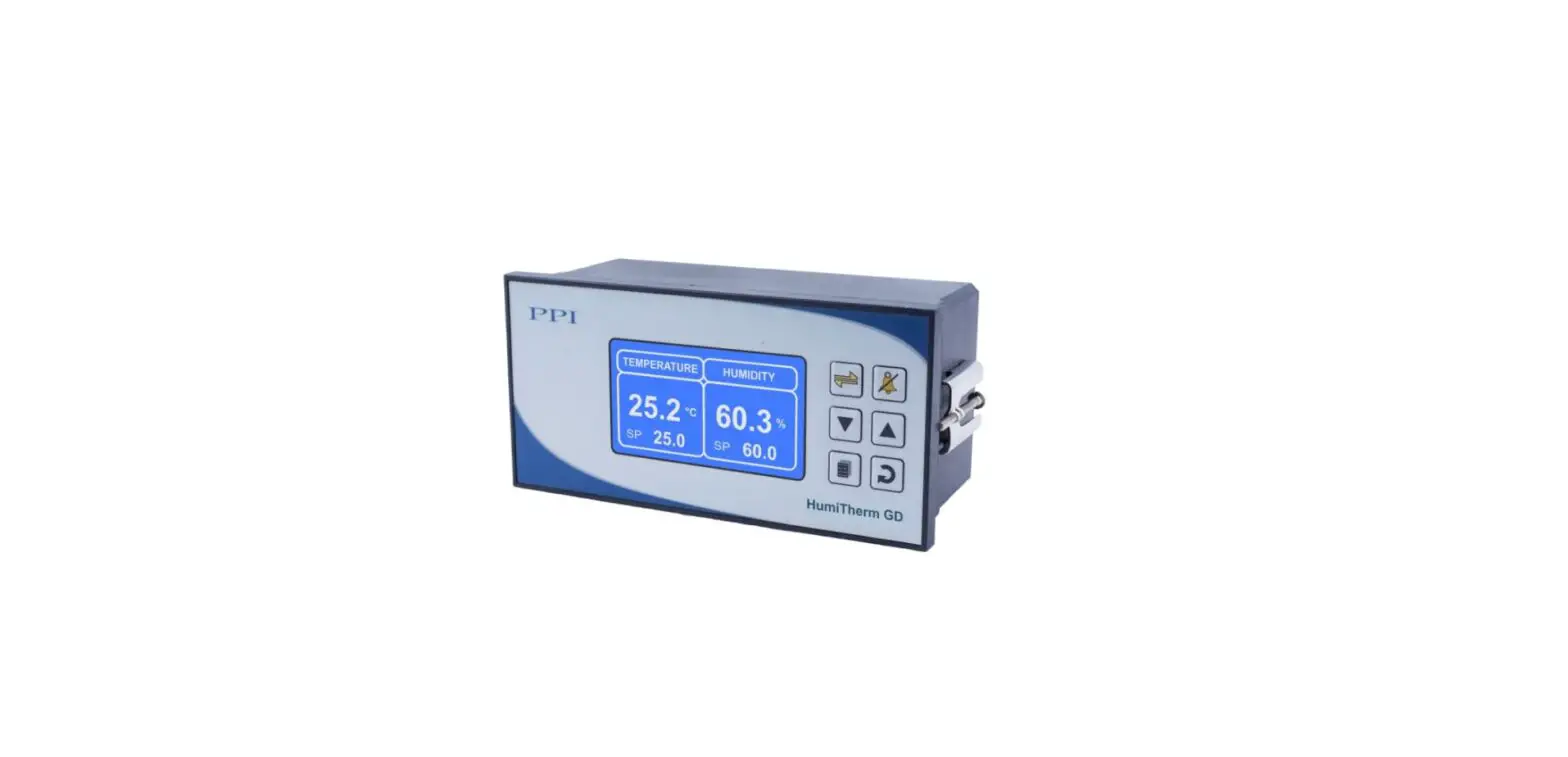

LabCon Map PC Recording 4 Channel Mapping PC Software
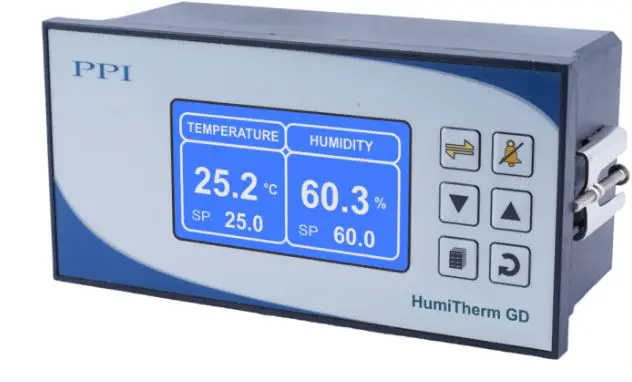
This brief manual is primarily meant for quick reference to wiring connections and parameter searching. For more details on operation and application; please log on to www.ppiindia.net
OPERATOR PAGE PARAMETERS
| Parameters | Settings (Default Value) |
| Time Start Command >> Time Abort Command >> | Yes No (Default : No) |
| Time Interval (H:M) >> | 0.00 to 500.00 (HH:MM) (Default : 0.10) |
| Ctrl Set Value >> | Setpoint LO limit to Setpoint HI limit (Resolution 0.1°C for RTD / DC Linear & 1°C for Thermocouple) (Default : 25.0) |
| Ctrl Lo Deviation >> | For RTD & DC Linear : 0.2 to 99.9 For Thermocouple : 2 to 99 (Default : 2.0) |
| Ctrl Hi Deviation >> | For RTD & DC Linear : 0.2 to 99.9 For Thermocouple : 2 to 99 (Default : 2.0) |
| Change Password >> | 1 to 100 (Default : 0) |
SUPERVISORY
SUPERVISORY > SENSOR INPUT
| Parameters | Settings (Default Value) |
| Ctrl Zero Offset >> | -50 to 50 (Resolution 0.1°C for RTD / DC Linear & 1°C for Thermocouple) (Default : 0.0) |
| Map-1 Zero Offset >> Map-2 Zero Offset >> Map-3 Zero Offset >> Map-4 Zero Offset >> | -50 to 50 (Resolution 0.1°C for RTD / DC Linear & 1°C for Thermocouple) (Default : 0.0) |
SUPERVISORY > RECORDING
| Parameters | Settings (Default Value) |
| Rec. Interval (min) >> | 0 to 250 Min (Default : 5 Min) |
| Alarm Toggle Record >> | Enable Disable (Default : Enable) |
| Del PC Records >> | Yes No (Default : No) |
| Del Display Record >> | Yes No (Default : No) |
| GSM Machine ID >> (refer note) | 1 to 128 (Default : 1) |
| RTC Time >> | 0 to 23 for Hour 0 to 59 for Min (Default : NA) |
| RTC Date >> | 1 to 31 (Default : NA) |
| RTC Month >> | 1 to 12 (Default : NA) |
| RTC Year >> | 2000 to 2099 (Default : NA) |
| Device Id >> | 1 to 127 (Default : 1) |
SUPERVISORY > CONTROL
| Parameters | Settings (Default Value) |
| Tune >> | Yes No (Default : No) |
| Setpoint LO Limit >> | Min Range for the Selected Input Type to Setpoint HI Limit (Resolution 0.1°C for RTD / DC Linear & 1°C for Thermocouple) (Default : 0.0) |
| Setpoint | Setpoint LO Limit to |
| HI Limit >> | Max Range for the Selected Input Type |
| (Resolution 0.1°C for RTD / | |
| DC Linear & 1°C for Thermocouple) | |
| (Default : 600.0) | |
| Compressor | 0 to 100 |
| Setpoint | (Resolution 0.1°C for RTD / DC Linear & 1°C for Thermocouple) |
| (Default : 45.0) | |
| Compressor Hyst >> | 0.1 to 99.9 (Default : 2.0) |
| Heat Ctrl Action >> | ON-OFF PID (Default : PID) |
| Heat Hyst >> | 0.1 to 99.9 (Default : 0.2) |
| Heat Only Control | Heat + Cool Control Zone : Single | Heat + Cool Control Zone : Dual |
| Proportional Band >> 0.1 to 999.9 (Default : 50.0) | Proportional Band >> 0.1 to 999.9 (Default : 50.0) | Cz Prop Band >> Proportional Band for Cool Pre-dominant zone 0.1 to 999.9 (Default : 50.0) |
| Integral Time >> 0 to 3600 sec (Default : 100 sec) | Integral Time >> 0 to 3600 sec (Default : 100 sec) | Cz Integral Time >> Integral Time for Cool Pre-dominant zone 0 to 3600 sec (Default : 100 sec) |
| Derivative Time >> 0 to 600 sec (Default : 16 sec) | Derivative Time >> 0 to 600 sec (Default : 16 sec) | Cz Derivative Time >> Derivative Time for Cool Pre-dominant zone 0 to 600 sec (Default : 16 sec) |
| Cycle Time >> 0.5 to 100.0 sec (Default : 10.0 sec) | Cycle Time >> 0.5 to 100.0 sec (Default : 10.0 sec) | Hz Prop Band >> Proportional Band for Heat Pre-dominant zone 0.1 to 999.9 (Default : 50.0) |
| Overshoot Inhibit >> Enable Disable (Default : Disable) | Overshoot Inhibit >> Enable Disable (Default : Disable) | Hz Integral Time >> Integral Time for Heat Pre-dominant zone 0 to 3600 sec (Default : 100 sec) |
| Cutoff Factor >> 1.0 to 2.0 sec (Default : 1.2 sec) | Cutoff Factor >> 1.0 to 2.0 sec (Default : 1.2 sec) | Hz Derivative Time >> Derivative Time for Heat Pre-dominant zone 0 to 600 sec (Default : 16 sec) |
| Cycle Time >> 0.5 to 100.0 sec (Default : 10.0 sec) | ||
| Overshoot Inhibit >> Enable Disable (Default : Disable) | ||
| Cutoff Factor >> 1.0 to 2.0 sec (Default : 1.2 sec) |
SUPERVISORY > PASSWORD
| Parameters | Settings (Default Value) |
| Change Password >> | 1000 to 1999 (Default : 123) |
SUPERVISORY > EXI
| Parameters | Settings (Default Value) |
| Exit Setup Mode >> | Yes No (Default : No) |
FACTORY
FACTORY > CONTROL SENSOR INPUT
| Parameters | Settings (Default Value) |
| Input Type >> | Refer Table 1 (Default : RTD Pt100) |
| Signal LO >> | |
| Signal HI >> | |
| Range LO >> | -199.9 to RANGE HI (Default : 0.0) |
| Range HI >> | RANGE LO to 999.9 (Default : 100.0) |
FACTORY > MAPPING PARAMETERS
| Parameters | Settings (Default Value) | ||||||||||||||||||
| Mapping Points >> | 0 to 4 (Default : 0) | ||||||||||||||||||
| Input Type >> | Refer Table 1 (Default : RTD Pt100) | ||||||||||||||||||
| Signal LO >> |
| ||||||||||||||||||
| Signal HI >> |
| ||||||||||||||||||
| Range LO >> | -199.9 to RANGE HI (Default : 0.0) | ||||||||||||||||||
| Range HI >> | RANGE LO to 999.9 (Default : 100.0) |
FACTORY > ALARM PARAMETERS
| Parameters | Settings (Default Value) |
| Hysteresis >> | 0.1 to 99.9 (Default : 0.2) |
| Inhibit >> | Yes No (Default : Yes) |
FACTORY > HEAT COOL SELECT
| Parameters | Settings (Default Value) |
| Control Strategy >> | Heat Only Cool Only Heat + Cool (Default : Heat + Cool) |
| Control Strategy : Cool Only | |
| Time Delay (sec) >> | 0 to 1000 Sec (Default : 200 Sec) |
| Control Strategy : Heat + Cool | |
| Compressor Strategy >> | CONT. OFF CONT. ON SP BASED PV BASED (Default : CONT. ON) |
| CONT. ON | SP BASED | PV BASED | ||
| Time Delay (sec) >> 0 to 1000 Sec (Default : 200 Sec) | Boundary Set Value >> 0 to 100 (Resolution 0.1°C for RTD / DC Linear & 1°C for Thermocouple)
| Time Delay (sec) >> 0 to 1000 Sec (Default : 200 Sec) |
FACTORY > SOAK TIMER PARAMETERS
| Parameters | Settings (Default Value) |
| Enable >> | No Yes (Default : No) |
| Start Band >> | 0 to 999.9 (Default : 0.5) |
| Holdback Strategy >> | None Up Down Both (Default : None) |
| Hold Band >> | 0.1 to 999.9 (Default : 0.5) |
| Heat Off >> | No Yes (Default : No) |
| Cool Off >> | No Yes (Default : No) |
| Power Recovery >> | Abort Restart Continuous (Default : Restart) |
FACTORY > DOOR OPEN
| Parameters | Settings (Default Value) |
| Enable >> | No Yes (Default : No) |
| Start Band >> | 0 to 999.9 (Default : 0.5) |
| Holdback Strategy >> | None Up Down Both (Default : None) |
| Hold Band >> | 0.1 to 999.9 (Default : 0.5) |
| Heat Off >> | No Yes (Default : No) |
| Cool Off >> | No Yes (Default : No) |
| Power Recovery >> | Abort Restart Continuous (Default : Restart) |
FACTORY > MAINS FAILURE
| Parameters | Settings (Default Value) |
| Enable >> | No Yes (Default : No) |
| Start Band >> | 0 to 999.9 (Default : 0.5) |
| Holdback Strategy >> | None Up Down Both (Default : None) |
| Hold Band >> | 0.1 to 999.9 (Default : 0.5) |
| Heat Off >> | No Yes (Default : No) |
| Cool Off >> | No Yes (Default : No) |
| Power Recovery >> | Abort Restart Continuous (Default : Restart) |
FACTORY > SMS ALERT
| Parameters | Settings (Default Value) |
| Enable >> | No Yes (Default : No) |
| Start Band >> | 0 to 999.9 (Default : 0.5) |
| Holdback Strategy >> | None Up Down Both (Default : None) |
| Hold Band >> | 0.1 to 999.9 (Default : 0.5) |
| Heat Off >> | No Yes (Default : No) |
| Cool Off >> | No Yes (Default : No) |
| Power Recovery >> | Abort Restart Continuous (Default : Restart) |
FACTORY > FACTORY DEFAULT
| Parameters | Settings (Default Value) |
| Set To Default >> | Yes No (Default : No) |
FACTORY > PASSWORD
| Parameters | Settings (Default Value) |
| Set To Default >> | Yes No (Default : No) |
FACTORY > EXIT
| Parameters | Settings (Default Value) |
| Exit Setup Mode >> | Yes No (Default : No) |
TABLE 1
| TABLE 1 | ||
| What it means | Range (Min. to Max.) | Resolution |
| Type J Thermocouple | 0 to +960°C |
Fixed 1°C |
| Type K Thermocouple | -200 to +1376°C | |
| Type T Thermocouple | -200 to +385°C | |
| Type R Thermocouple | 0 to +1770°C | |
| Type S Thermocouple | 0 to +1765°C | |
| Type B Thermocouple | 0 to +1825°C | |
| Type N Thermocouple | 0 to +1300°C | |
| Reserve | Reserved for customer specific Thermocouple type not listed above. The type shall be specified in accordance with the ordered (optional on request) Thermocouple type. | |
| 3-wire, RTD Pt100 | -199.9 to 600.0°C | Fixed 0.1°C |
| 0 to 20mA DC current |
-199.9 to 999.9 units |
Fixed 0.1 unit |
| 4 to 20mA DC current | ||
| 0 to 5.0V DC voltage | ||
| 0 to 10.0V DC voltage | ||
| 1 to 5.0V DC voltage | ||
FRONT PANEL KEYS
| Symbol | Key | Function |
 | Scroll | Press to scroll through various Process Information Screens in Normal Operation Mode. |
 | Alarm Acknowledge | Press to acknowledge and mute (if active) alarm output. |
 | DOWN | Press to decrease the parameter value. Pressing once decreases the value by one count; keeping pressed speeds up the change. |
 | UP | Press to increase the parameter value. Pressing once increases the value by one count; keeping pressed speeds up the change. |
 | SET-UP | Press to enter or exit set-up mode. |
 | ENTER | Press to store the set parameter value and to scroll to the next parameter. |
PV ERROR INDICATIONS
| Message | Error Type | Cause |
| OPEN | Sensor Open | Sensor (RTD Pt100) Broken / Open |
| OVR | Over-range | Temperature above Max. Specified Range |
| UNR | Under-range | Temperature below Min. Specified Range |
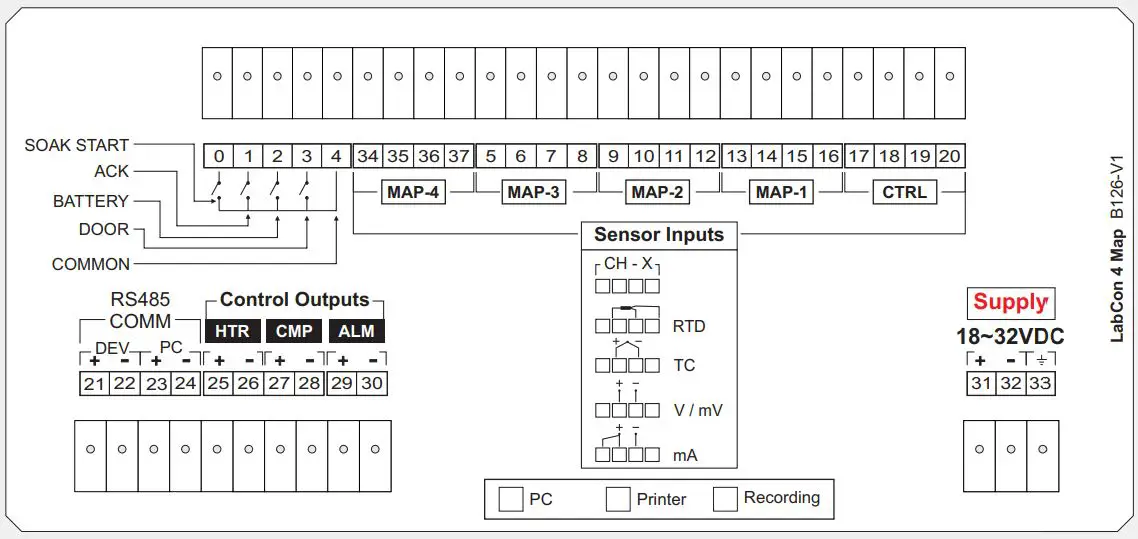
ELECTRICAL CONNECTIONS
4 Mapping Channels
CONTACT
Address: 101, Diamond Industrial Estate, Navghar, Vasai Road (E), Dist. Palghar – 401 210.
Sales: 8208199048 / 8208141446
Support: 07498799226 / 08767395333
E: [email protected],
[email protected]
 Factory Automation Products India | Automation Solutions in India