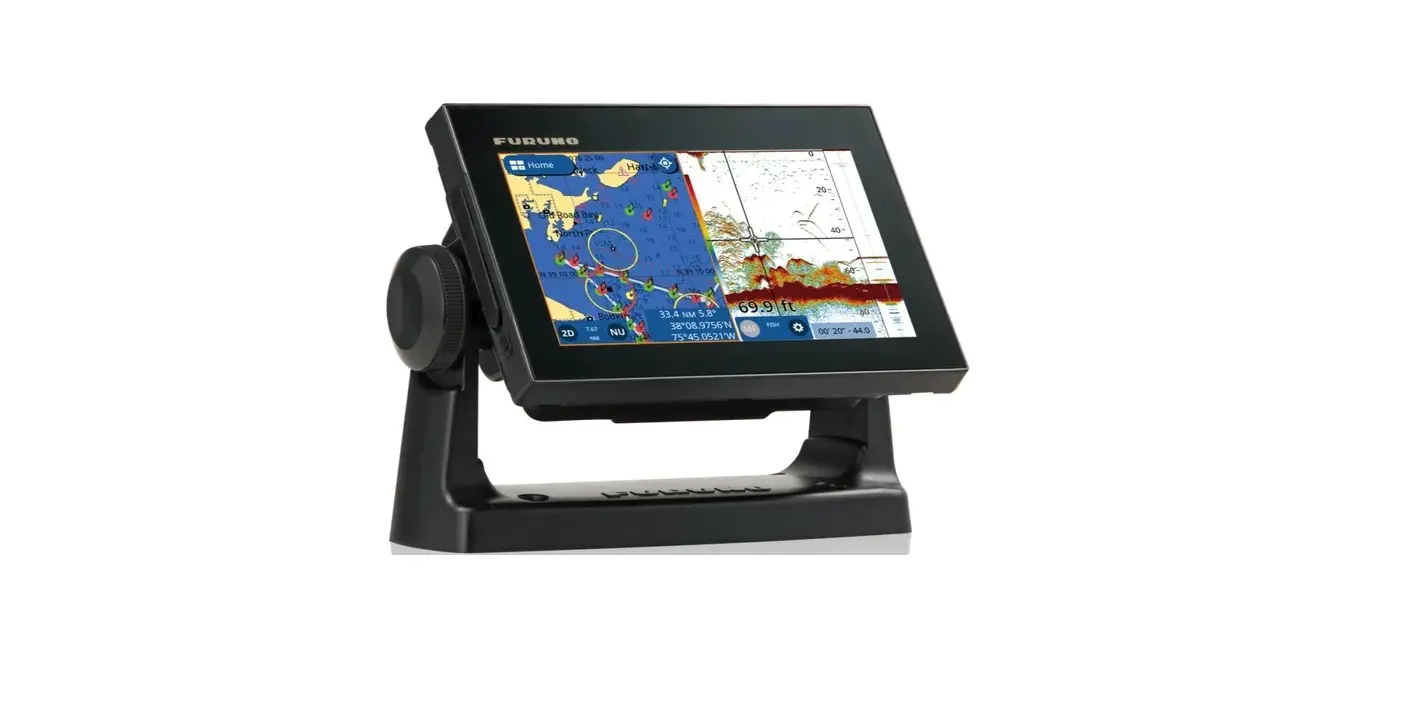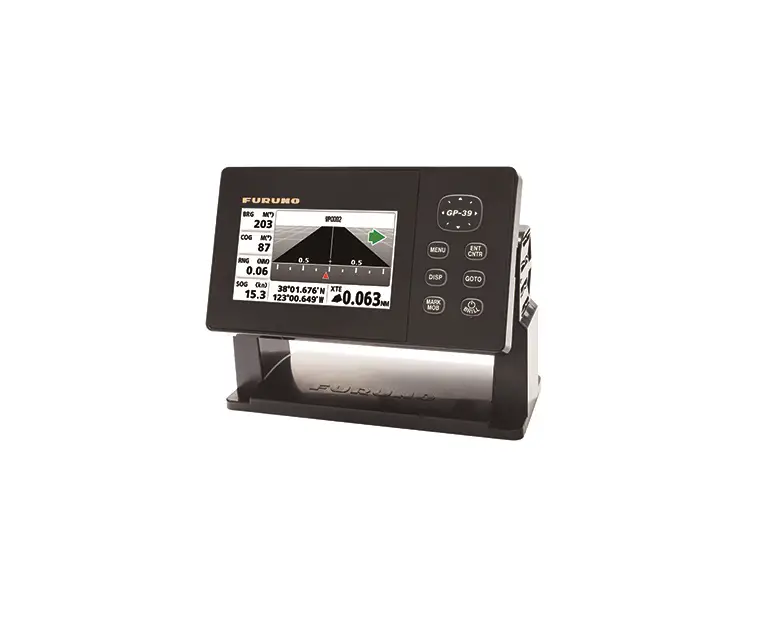
FURUNO GP-39 4.2-Inch GPS Navigator
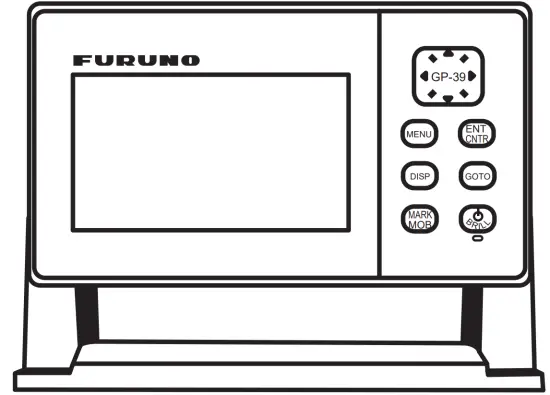
How to select a language
Only once after installation.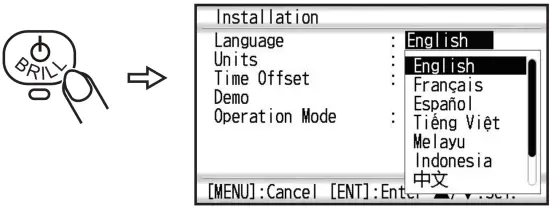
Note: When the SCX-21 is connected, set the “Operation Mode” menu to “SCX-21” to use the GP-39 as a control unit of the SCX-21.
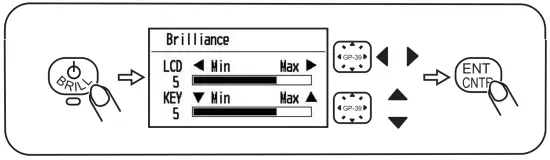
How to adjust brilliance of LCD and key
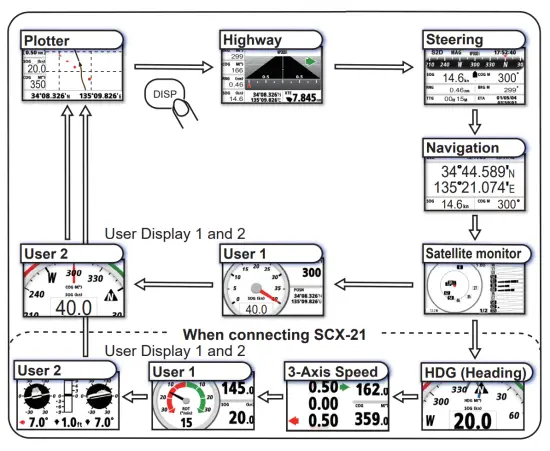
How to select a display
How to enter a waypoint
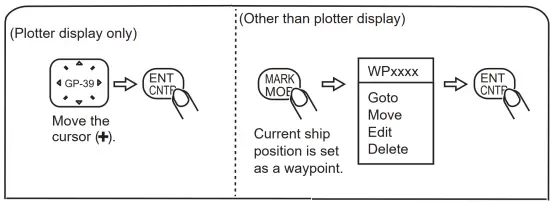
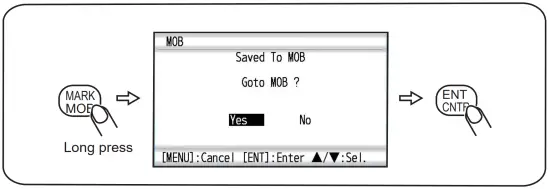
How to enter a MOB
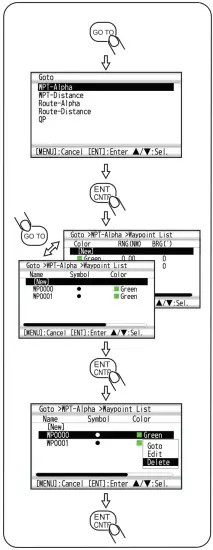
How to go to/Edit/Delete a waypoint
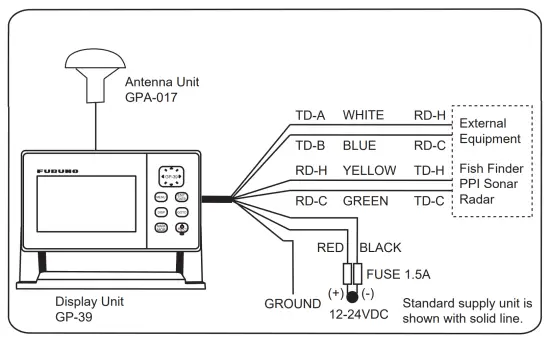
Interconnection with other equipment
Note for treatment of LCD
| Wipe the LCD carefully to prevent scratching, using tissue paper and a soft cloth. To remove dirt or salt, use a damp soft cloth, wiping slowly so as to dissolve the dirt or salt. Rinse the cloth regularly so the dirt or salt will not scratch the LCD. Do not use solvents such as thinner, acetone or benzene for cleaning. Also, do not use degreaser or antifog solution. |
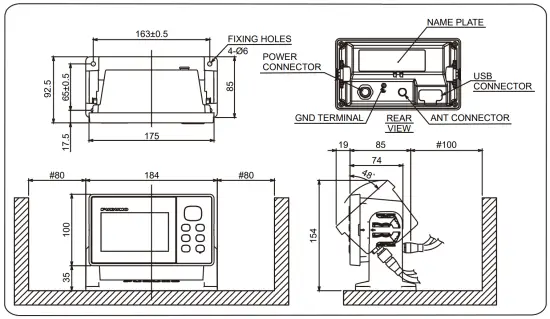
Outline Drawing
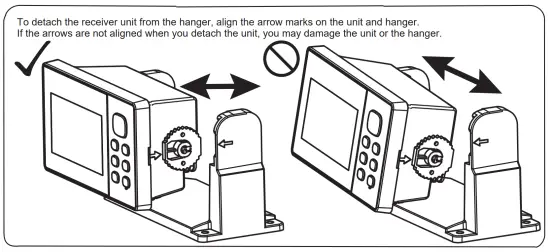
Attaching/Detaching the display unit to/from the hanger
Troubleshooting
This section provides simple troubleshooting procedures which the user can follow to restore normal operation. If you cannot restore normal operation, do not attempt to check inside the unit. Any trouble should be referred to a qualified technician.
| Symptom | Remedy |
| You cannot turn on the power. | Check that power cable is firmly fastened. |
| Check for damaged power cable and connector. | |
| Check battery for proper voltage output. | |
| No picture appears. | Press the /BRILL key several times to adjust the brilliance. |
| There is no response when a key is pressed. | Turn off and on the power. If no change, ask your dealer. |
| Position is not fixed within 90 seconds. | Check that antenna connector is firmly fastened. |
| Check the number of satellites on Satellite Monitor display. If there are two or less, check for obstructions between antenna unit and satellites. | |
| Position is wrong. | Check that the correct geodetic chart system is selected on the GPS Setting screen. |
| Enter position offset on the GPS Setting screen. | |
| Bearing is wrong. | Check [Magnetic Variation] on the Plotter Setup screen. |
Use of the proper fuse
Use of the wrong fuse can damage the equipment or cause fire.
The 1.5 A fuse (Type: FGMB 125V 1.5A PBF, Code No.: 000-157-464-10) in the fuse holder inside of the unit protects the unit from overcurrent and equipment fault. If you cannot turn on the power, check the fuse to see if it has blown. If the fuse has blown, find the reason before you replace the fuse. If the fuse blows again after the replacement, contact your dealer for advice.
SPECIFICATIONS
| 1 ANTENNA UNIT | |
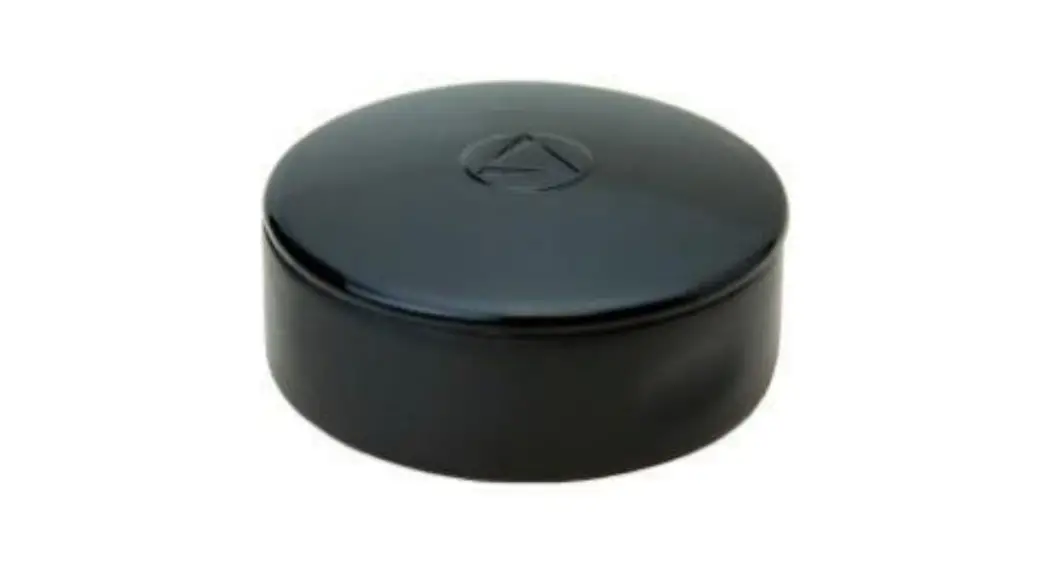
| 1.1 Receiving channel | GPS: 12 channels parallel, 12 satellites tracking SBAS: 2 channels QZSS: 4 channels |
| 1.2 Rx frequency | 1575.42 MHz ±1.023 MHz |
| 1.3 Rx code | GPS: C/A code, SBAS: L1 C/A |
| 1.4 Position fixing system | All in view, 8 state Kalman filter |
| 1.5 Position accuracy | GPS 10 m (95% of the time, HDOP ≦ 4) WAAS 3 m (95% of the time, HDOP ≦ 4) MSAS 7 m (95% of the time, HDOP ≦ 4) QZSS (SLAS) 3 m (95% of the time, HDOP ≦ 4) |
| 1.6 Tracking velocity | 1000 kn |
| 1.7 Position fixing time | Warm start: 12 s typical, Cold start: 90 s typical |
| 1.8 Position update interval | 1 s |
| 2 DISPLAY UNIT | |
| 2.1 Display system | 4.2-inch Color LCD, 480 × 272 dots, 92.88 (W) × 52.632 (H) mm |
| 2.2 Display mode | Plotter, Highway, Steering, NAV data, Satellite monitor, User display |
| 2.3 Brilliance | 700 cd/m2 nominal |
| 2.4 Projection | Mercator |
| 2.5 Range scale | Plotter: 0.02/0.05/0.1/0.2/0.5/1/2/5/10/20/40/80/160/320 NM Highway: 0.2/0.4/0.8/1/2/4/8/16 NM |
| 2.6 Memory capacity | Track: 3000 pts, Waypoint: 10,000 pts w/ comment 13 character |
| 2.7 Storage capacity | 100 routes w/ 30 waypoint each |
| 2.8 Alarms | Arrival and anchor watch, Cross track error, Ship’ s speed, SBAS, Time, Trip, Odometer |
| 3 INTERFACE | |
| 3.1 Number of ports | NMEA0183 V1.5/2.0/3.0: 1 port, current roop USB: 1 port, USB2.0 |
| 3.2 Data sentences | Input: RTE, TLL Output: AAM, APB, BOD, BWC, BWR, DTM, GGA, GLL, GSA, GSV, RMB, RMC, VTG, XTE, ZDA |
| 3.3 Output proprietary sentences | PFEC GPrst, GPrtc, GPwpl, GPxfr, SDmrk |
| 4 POWER SUPPLY | |
| 4.1 Display unit | 12-24 VDC: 0.7-0.3 A |
| 5 ENVIRONMENTAL CONDITIONS | |
| 5.1 Ambient temperature | Antenna unit -25°C to +70°C (storage: -30°C to +75°C) Display unit -15°C to +55°C (storage: -30°C to +75°C) |
| 5.2 Relative humidity | 93% or less at +40°C |
| 5.3 Degree of protection | Antenna unit IP56 Display unit IP55 |
| 5.4 Vibration | IEC 60945 Ed.4 |
| 6 UNIT COLOR | |
| 6.1 Antenna unit | RAL9010 |
| 6.2 Display unit | N1.0 |
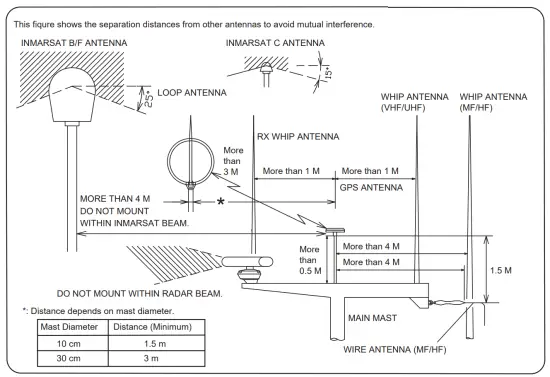
Mounting Location of Antenna
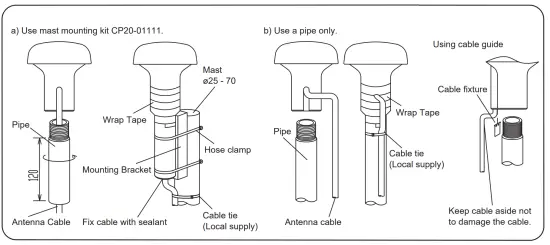
Mast Mounting
Downloading Operator’s Manual
| Please download the Operator’s Manual from the following URL or quick response code to the right. URL: http://www.furuno.com/en/support/manuals/terms |  |
 Terms and Conditions of Use for Instruction Manual Download Service | Manual Download | Support | FURUNO