UC6226NIS GNSS Positioning Chip Evaluation Kit
Product Information
The UC6226NIS GNSS Positioning Chip Evaluation Kit is a product
offered by Unicore Communication, Inc. It is designed to provide
technicians familiar with GNSS chips with the necessary tools to
evaluate and test the UC6226NIS chip.
Revision History
Version: R1.0
Date: Apr. 2023
Legal Right Notice
This manual and all the information contained within it are the
property of Unicore Communication, Inc. All rights, including
copyrights, patents, trademarks, and other proprietary rights, are
fully reserved. The trademarks of Unicore, including UNICORECOMM,
are held by Unicore.
This manual does not grant or transfer any rights or interests
in Unicore’s products or trademarks.
Disclaimer
This manual is provided “as is” and is believed to be accurate
at the time of publication. However, Unicore does not make any
commitments or warranties regarding the fitness for a particular
purpose, accuracy, reliability, or correctness of the information
contained herein.
The information in this manual, including product specifications
and user guides, may be subject to change without prior notice. It
is recommended to contact Unicore or their authorized distributor
for the most up-to-date version of this manual.
Product Usage Instructions
Target Users
This manual is intended for technicians who are familiar with
GNSS chips. It assumes prior knowledge and expertise in this field
and may not be suitable for general readers.
Contents
- 1 Overview
- 2 EVK Introduction
- 3 Interfaces & Indicator
- 4 Installation & Function Test
- 4.1 Installation
- 4.2 Power Consumption Test
- 5 Notes
Installation
To install the UC6226NIS GNSS Positioning Chip Evaluation Kit,
follow the instructions provided in section 4.1 of this manual.
Power Consumption Test
To perform a power consumption test on the UC6226NIS chip, refer
to section 4.2 of this manual for detailed instructions.
Notes
Refer to section 5 of this manual for important notes and
additional information regarding the usage of the UC6226NIS
EVK.
INSTALLATION AND OPERATION
QUICK GUIDE
WWW.UNICORECOMM.COM
UC6226NIS
GNSS Positioning Chip Evaluation Kit
Copyright© 2009-2023, Unicore Communications, Inc. Data subject to change without notice.
Revision History
Version Revision History R1.0 First release
Date Apr. 2023
Legal right notice
This manual provides information and details on the products of Unicore Communication, Inc. (“Unicore”) referred to herein.
All rights, title and interest to this document and the information such as data, designs, layouts contained in this manual are fully reserved, including but not limited to the copyrights, patents, trademarks and other proprietary rights as relevant governing laws may grant, and such rights may evolve and be approved, registered or granted from the whole information aforesaid or any part(s) of it or any combination of those parts.
Unicore holds the trademarks of “”, “UNICORECOMM” and other trade name,
trademark, icon, logo, brand name and/or service mark of Unicore products or their product serial referred to in this manual (collectively “Unicore Trademarks”).
This manual or any part of it, shall not be deemed as, either expressly, implied, by estoppel or any other form, the granting or transferring of Unicore rights and/or interests (including but not limited to the aforementioned trademark rights), in whole or in part.
Disclaimer
The information contained in this manual is provided “as is” and is believed to be true and correct at the time of its publication or revision. This manual does not represent, and in any case, shall not be construed as a commitments or warranty on the part of Unicore with respect to the fitness for a particular purpose/use, the accuracy, reliability and correctness of the information contained herein.
Information, such as product specifications, descriptions, features and user guide in this manual, are subject to change by Unicore at any time without prior notice, which may not be completely consistent with such information of the specific product you purchase.
i
UC6226NIS EVK Quick Guide
Should you purchase our product and encounter any inconsistency, please contact us or our local authorized distributor for the most up-to-date version of this manual along with any addenda or corrigenda.
ii
Foreword
This document provides information of Unicore’s UC6226NIS evaluation kit (EVK). It can be used together with UPrecise_User Manual.
Target Readers
This manual is written for technicians who are familiar with GNSS chips. It is not for general readers.
iii
UC6226NIS EVK Quick Guide
Contents
1 Overview……………………………………………………………………………………….1 2 EVK Introduction …………………………………………………………………………… 1 3 Interfaces & Indicator …………………………………………………………………….. 2 4 Installation & Function Test……………………………………………………………..4
4.1 Installation……………………………………………………………………………………………4 4.2 Power Consumption Test……………………………………………………………………….5
5 Notes ……………………………………………………………………………………………6
I
1 Overview
UC6226NIS evaluation kit (hereinafter referred to as EVK) is mainly used to test and evaluate the function and performance of UC6226NIS chip for user convenience.
The delivered package contains:
Table 1-1 UC6226NIS EVK Package
Type
Contents
Number
Main device UC6226NIS EVK Suite
1
Accessory Alligator clip test leads
2
Accessory 12V power adapter
1
Accessory GNSS antenna – OSAnm10854G
1
Accessory Straight through serial cable
1
Accessory Micro-B USB cable
1
2 EVK Introduction
The figure below shows the appearance of UC6226NIS EVK Suite.
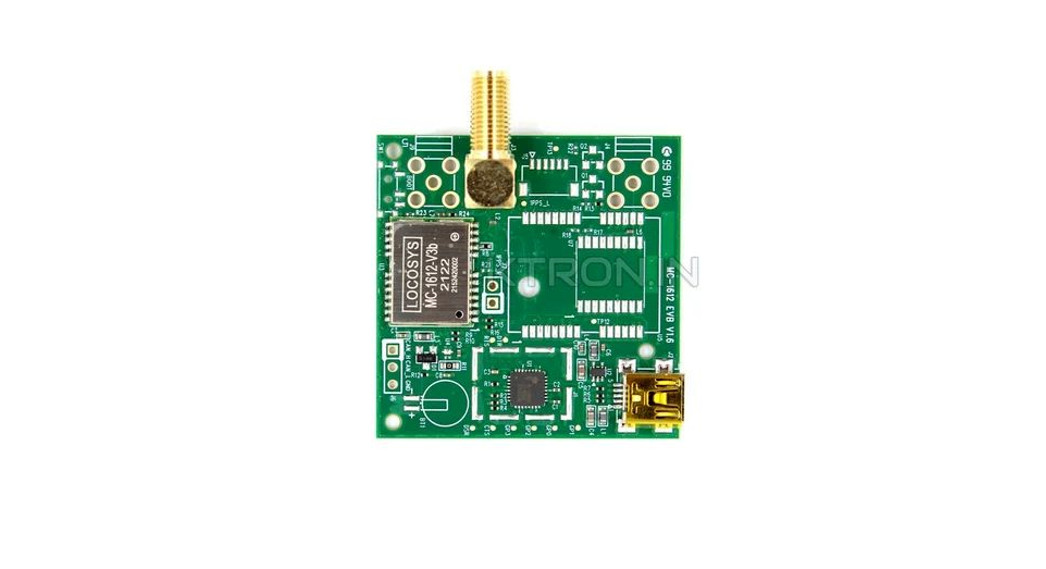
Figure 2-1 UC6226NIS EVK Suite 1
3 Interfaces & Indicator
UC6226NIS EVK Quick Guide
1
2
3
4
5
Figure 3-1 Interfaces & Indicator on UC6226NIS EVK (Front Panel)
6
7
8
Figure 3-2 Interfaces & Indicator on UC6226NIS EVK (Rear Panel)
Table 3-1 Interfaces & Indicator on UC6226NIS EVK
No.
Interface/ Indicator
Description
1
DC/12V
+12V power adapter interface
2
USB
Power supply and data interface: use a mobile phone communication cable to connect the EVK and a computer for power supply of + 5V and data transmission
2
No.
Interface/ Indicator
Description
3
VSEL
Power and communication selection interface: as shown in Figure 3-3, when the jumper connects pin 2 and pin 4, the power supply is 12 V, and the communication interface is DB9-232; when the jumper connects pin 4 and pin 6, the power supply is 5 V, and you can use the USB cable for both power supply and data transmission.
4
Indicator
Power / PPS indicator, which flashes when the positioning state is effective.
5
ANT
RF signal input: this interface is connected to the antenna
6
CLK
Backup
VCC_IO interface: control the UC6226NIS IO power on and off using the jumper
7
CFG
VCC_CORE interface: control the UC6226NIS core power on and off using the jumper; it can be used to test the chip power consumption
V_BACK interface: control V_BACK power on and off using the jumper (recommended not to move)
8
UART
Backup
2
4
6
1
3
5
2
4
6
1
3
5
Figure 3-3 Jumper on the VSEL Interface (Left: +12V power supply using the adapter; right: +5V power supply using the USB cable)
3
V_BACK VCC_CORE
VCC_IO
UC6226NIS EVK Quick Guide
Figure 3-4 Details of the CFG Interface
4 Installation & Function Test
4.1 Installation
Step 1: Make sure to take full anti-static measures, such as wearing anti-static wrist straps and grounding the workbench. Step 2: Select the GNSS antenna with appropriate gain (the GNSS systems and frequencies supported by the antenna should be in line with the chip), fix it in the nonblocking area, and connect the antenna to the ANT port on the EVK. Step 3: Connect the EVK to the PC. There are two ways to supply power and transfer data: 1) If you use the USB cable, you should install the jumper on the top right-hand corner
at the VSEL interface (see Figure 3-3), and connect the EVK to the PC for power supply and data transmission. 2) If you use the 12 V power adapter, you should install the jumper on the top left-hand corner at the VSEL interface (see Figure 3-3), and use the straight through serial cable to transfer data. Step 4: Open the UPrecise software on the PC. Step 5: Configure the receiver through UPrecise to display the constellation view, data stream, tracking status, etc. For more information, please refer to UPrecise_User Manual.
4
Antenna PC
Figure 4-1 Installation of the EVK
4.2 Power Consumption Test
Taking the power consumption of VCC_CORE as an example, when the EVK is powered off, remove the jumper on the VCC_CORE interface (as shown in Figure 3-4), and use two alligator clip test leads; connect one end of the leads to the tested pins and the other end to a multimeter. Adjust the multimeter to the current mode, and set the gear to “A”. Power on the EVK, and check the test current of the ammeter after normal positioning, and the value of 3.3V * test value is the chip’s core power consumption. Use similar method to test the power consumption of VCC_IO and V_BACK respectively.
Figure 4-2 Power Consumption Test 5
5 Notes
UC6226NIS EVK Quick Guide
When using the USB cable for power supply and communication, there may be a serial port mouse conflict. At this time, the serial enumerator needs to be removed from the serial port settings, as shown below:
1
2
6
8
Figure 5-1 Port Settings
7
Unicore Communications, Inc. 7
F3, No.7, Fengxian East Road, Haidian, Beijing, P.R.China, 100094 www.unicorecomm.com Phone: 86-10-69939800 Fax: 86-10-69939888 [email protected]
www.unicorecomm.com
 和芯星通北斗导航芯片-北斗导航模块北斗高精度定位板卡国内外领先的芯片、OEM板卡和产品解决方案提供商