PTP Field Upgrade Kit for CyTime SER-3200
Product Information
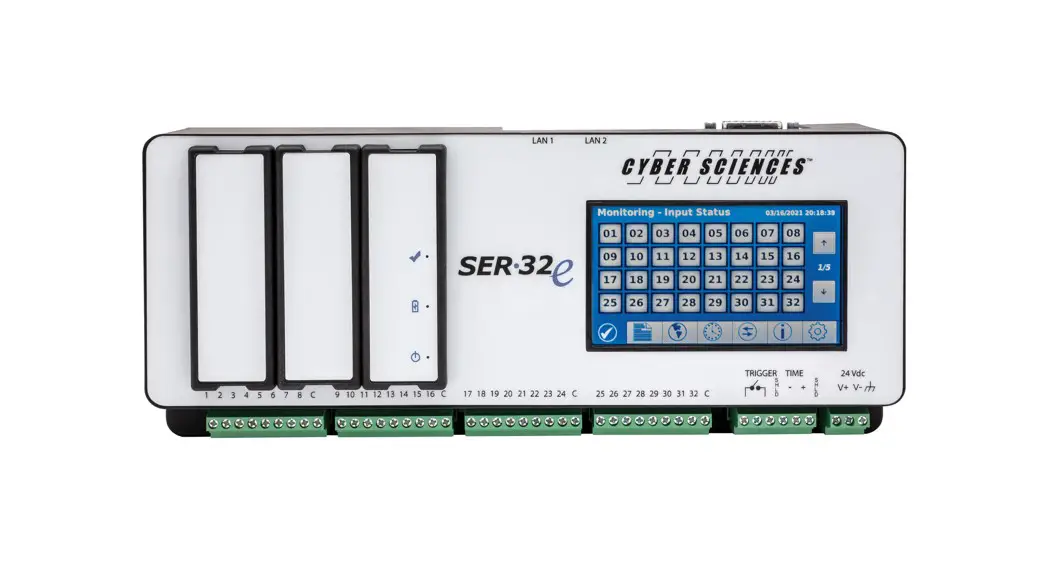
The PTP Field Upgrade Kit is designed for use with CyTime
SER-3200 / SER-2408 products. This upgrade kit enables the
Precision Timing Protocol (PTP) feature on the devices, allowing
them to synchronize their clocks with other PTP-enabled devices
over Ethernet. The upgrade process involves updating the device
firmware to the latest version, entering a PTP license key, and
configuring the desired PTP time settings.
The CyTime SER-3200 and SER-2408 are timing devices that provide
accurate and reliable time synchronization for power systems and
other critical infrastructure. These devices use advanced timing
technologies to ensure precise timing signals, even in harsh
environments.
Product Usage Instructions
- Check the current firmware version on your device. The latest
firmware version required for the PTP upgrade is v2.11 or later. If
your device firmware is not up-to-date, download the latest
firmware, instructions, and release notes from www.cyber-sciences.com/downloads. - Enter the PTP license key via the Setup-Admin web page:
- Log in to the Setup-Administration web page using your username
and password. - Enter the PTP license key from your certificate.
- Click the Activate button. A green check mark will appear to
confirm a valid key.
- Log in to the Setup-Administration web page using your username
- Confirm the upgrade and select the desired PTP time settings
via the Setup-Time web page:- Set the Time Source to PTP (if PTP slave: time-sync over
Ethernet from PTP master). - Set the Time-sync Output to PTP (if PTP master, to sync all
other SERs over Ethernet). - Set the PTP domain number to match all other SERs (default =
0).
- Set the Time Source to PTP (if PTP slave: time-sync over
Note: For more information on using the CyTime SER-3200 /
SER-2408 devices and the PTP Field Upgrade Kit, refer to the CyTime
SER User’s Guide (IB-SER-01), CyTime SER Reference Guide
(IB-SER-02), EZC Instruction Bulletin (IB-EZC-01), PLX Instruction
Bulletin (IB-PLX-01), Tech Note: Hi-res Time Sync using PTP/1588
(TN-100), and Tech Note: SER System Architectures (TN-101).
INSTRUCTION BULLETIN
MAC address label
Serial number label
UPGRADE INSTRUCTIONS UPGRADE PROCESS OVERVIEW: 1) UPDATE firmware to latest version (v2.11 or later required). 2) ENTER PTP KEY via Setup-Admin web page. 3) CONFIRM upgrade and select desired PTP time setting via Setup-Time web page.
IB-SER-03 May-2023
PTP Field Upgrade Kit for
CyTime TM
SER-3200 / SER-2408
CyTimeTM Sequence of Events Recorders, models SER-3200 and SER-2408, from Cyber Sciences, come with PTP (IEEE 1588) technology factory-installed (catalog suffix -PTP or -32GB). In addition, base models (suffix -P2X2) can be upgraded with PTP in the field by purchasing a PTP license. Existing units must have hardware version B1 or later, and the serial number and MAC address must be provided at the time of the upgrade order. (The PTP license key is generated from the MAC address and is unique to each SER.) The MAC address and serial number are found on the product label (pictured left) and are also displayed on the SER Diagnostics web page. The PTP field upgrade kit consists of the following: · License certificate with PTP key (32-digit) · Instruction bulletin (this document) · PTP upgrade label
1) UPDATE firmware to the latest release (if needed):
a. v2.11 or later (required). b. Get latest firmware, instructions and release notes:
www.cyber-sciences.com/downloads
2) ENTER PTP KEY in Setup-Admin web page:
a. Enter license key from certificate. b. Click “Activate” button. (A green check mark will appear to confirm valid key).
Step 1: Enter User Name / Password Step 2: Enter PTP Key Step 3: Click “Activate”
1 2
3
Setup-Administration web page (with field to enter PTP license key)
Precision Timing for Reliable Power. Enabled.SM
IB-SER-03 | May-2023
INSTRUCTION BULLETIN–PTP Upgrade for CyTime SER-3200/SER-2408
UPGRADE INSTRUCTIONS (cont.)
3) CONFIRM upgrade (green check mark) and select desired PTP time
setting(s) via Setup-Time web page:
a. Time Source = PTP (if PTP slave: time-sync over Ethernet from PTP master). b. Time-sync Output = PTP (if PTP master, to sync all other SERs over Ethernet). c. Set PTP domain number to match all other SERs (default = 0).
For More Information
CyTime SER User’s Guide (IB-SER-01) CyTime SER Reference Guide (IB-SER-02) EZC Instruction Bulletin (IB-EZC-01) PLX Instruction Bulletin (IB-PLX-01) Tech Note: Hi-res Time Sync using PTP/1588 (TN-100) Tech Note: SER System Architectures (TN-101)
Setup-Time web page (with fields to enter PTP settings)
The service marks, “Precision Timing for Reliable Power. Enabled.” and “I-Heart-1588”, CyTime, and the Cyber Sciences stylized logo are trademarks of Cyber Sciences. All other trademarks are the property of their respective owners.
MADE IN USA
RoHS
Pb
Lead-Free
I 1588SM
Cyber Sciences, Inc. (CSI) 229 Castlewood Drive, Suite E Murfreesboro, TN 37129 USA Tel: +1 615-890-6709
www.cyber-sciences.com
Doc. no: IB-SER-03 May-2023 (Supersedes July 2016)
 Sequence of Events Recorders | Monitor & Restore Power Quickly