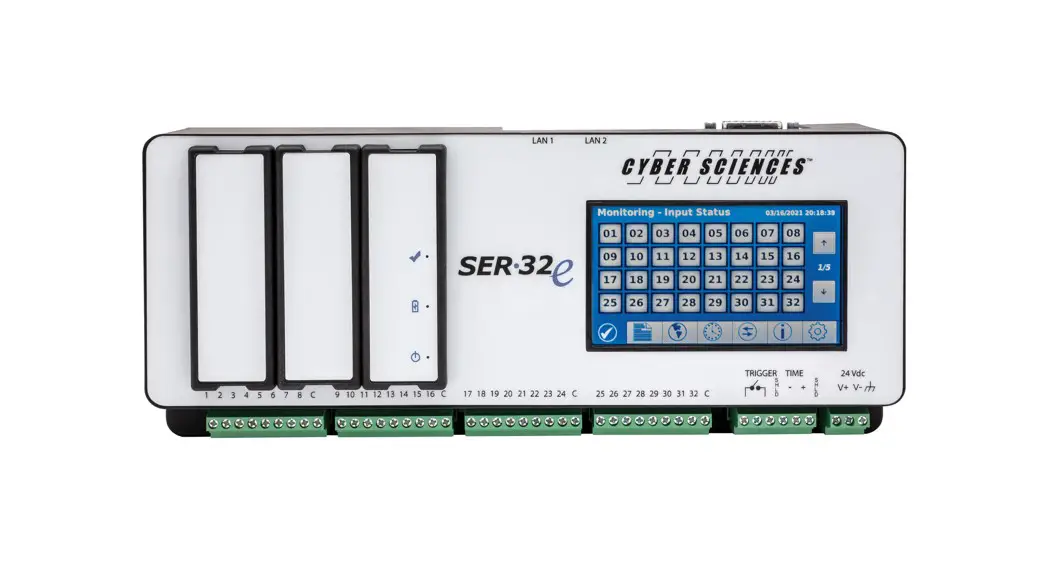
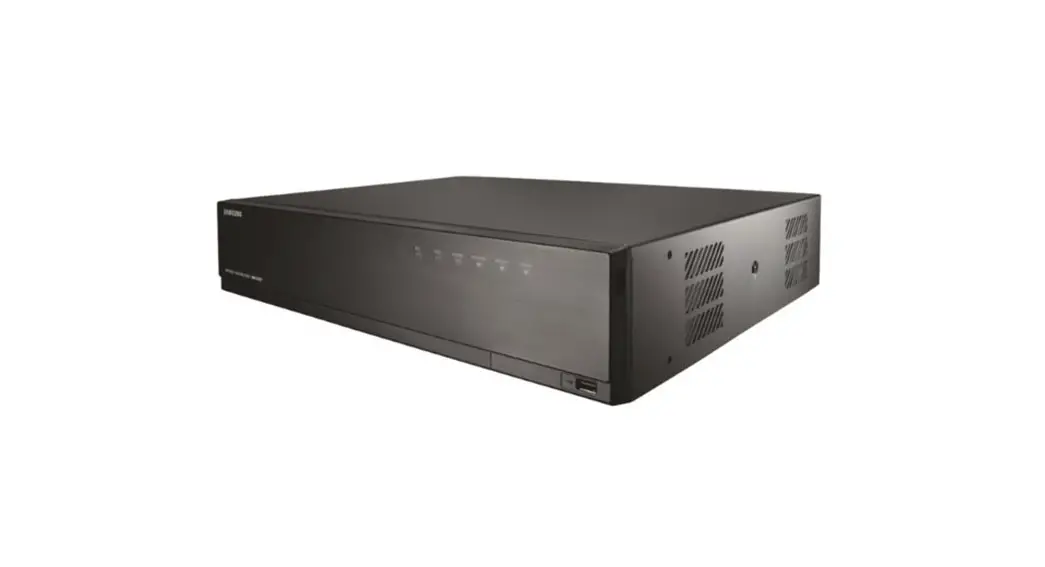
CyTime Sequence of Events Recorder SER-32e Digital Input Module
Product Information
The CyTime TM Sequence of Events Recorder is a reliable and
precise timing device that is used to record the sequence of events
in a power system. The device is equipped with a SER-32e Digital
Input Module, also known as the eXM-DI-08, which is responsible for
recording digital input signals. The device is manufactured by
Cyber Sciences, Inc.
Key Features of SER-32e
- Records 32 digital input channels
- Precision timing and synchronization
- Web server for easy configuration and monitoring
- Compact size and easy installation
Product Usage Instructions
Installation
The device has a compact size and can be easily installed using
the provided mounting instructions. The dimensions of the device
are available in the user manual. It is important to follow the
safety precautions outlined in the manual before attempting to
install or service the equipment.
Wiring
The user manual provides basic wiring instructions for
connecting digital input signals to the device. Before wiring,
ensure that all power supplying the equipment in which the device
is to be installed is turned off.
Operation
The device records digital input signals and stores them in its
memory. The user can access this data through the web server
interface provided by the device. The user manual provides detailed
instructions on how to configure and monitor the device through the
web server.
Troubleshooting
In case of any issues with the device, the user manual provides
a troubleshooting guide that can help diagnose and resolve common
problems.
It is important to note that electrical equipment should be
serviced only by qualified personnel and all safety precautions
should be followed before attempting to install, service, or
maintain electrical equipment.
IB-eXM-01
May-2023
INSTRUCTION BULLETIN
USER’S GUIDE
CyTime TM
Sequence of Events Recorder
SER-32e Digital Input Module
(eXM-DI-08)
Precision Timing for Reliable Power. Simplified.SM
IB-eXM-01 May-2023
INSTRUCTION BULLETIN–User’s Guide Digital Input Module eXM-DI-08
ii
www.cyber-sciences.com
© 2023 Cyber Sciences, Inc. All rights reserved.
INSTRUCTION BULLETIN–User’s Guide Digital Input Module eXM-DI-08
IB-eXM-01 May-2023
TABLE OF CONTENTS
1–INTRODUCTION ————————————————-1
Product Overview of SER-32e ——————————————- 1 Benefits of SER-32e ——————————————————— 2 Key Features of SER-32e ————————————————– 3 Introduction to Digital Input Unit ————————————— 4 Overview ———————————————————————— 5 Ordering Information ——————————————————- 5
2–INSTALLATION ————————————————–6
Dimensions——————————————————————— 6 Mounting / Installation —————————————————– 6
3–WIRING ————————————————————7
Basic Wiring ——————————————————————- 7
4–OPERATION ——————————————————8
Input Channels —————————————————————- 8
5–SETUP (WEB SERVER)—————————————9
Inputs Setup ——————————————————————- 9 Configuration Settings —————————————————– 9
6–PRODUCT SPECIFICATIONS —————————– 10
7–TROUBLESHOOTING —————————————- 11
© 2023 Cyber Sciences, Inc. All rights reserved.
www.cyber-sciences.com iii
IB-eXM-01 May-2023
INSTRUCTION BULLETIN–User’s Guide Digital Input Module eXM-DI-08
SAFETY PRECAUTIONS
Important safety precautions must be followed before attempting to install, service, or maintain electrical equipment. Carefully read and follow the safety precautions outlined below.
NOTE: Electrical equipment should be serviced by qualified personnel. No responsibility is assumed by Cyber Sciences, Inc. for any consequences arising out of the use of this material. This document is not intended as an instruction manual for untrained persons.
! DANGER
HAZARD OF ELECTRIC SHOCK, EXPLOSION, OR ARC FLASH
Only qualified workers should install this equipment. Such work should be performed only after reading this entire set of instructions.
NEVER work alone.
Before performing visual inspections, tests, or maintenance on this equipment, disconnect all sources of electric power. Assume that all circuits are live until they have been completely de-energized, tested, and tagged. Pay particular attention to the design of the power system. Consider all sources of power, including the possibility of backfeeding.
Apply appropriate personal protective equipment (PPE) and follow safe electrical practices. For example, in the USA, see NFPA 70E.
Turn off all power supplying the equipment in which the device is to be installed before installing and wiring the device.
Always use a properly rated voltage sensing device to confirm that power is off.
Beware of potential hazards, wear personal protective equipment, and carefully inspect the work area for tools and objects that may have been left inside the equipment.
The successful operation of this equipment depends upon proper handling, installation, and operation. Neglecting fundamental installation requirements may lead to personal injury as well as damage to electrical equipment or other property.
Failure to follow these instructions can result in death or serious injury.
iv www.cyber-sciences.com
NOTICE
FCC (Federal Communications Commission) This equipment has been tested and found to comply with the limits for a Class A digital device, pursuant to part 15 of the FCC Rules. These limits are designed to provide reasonable protection against harmful interference when the equipment is operated in a commercial environment. This equipment generates, uses and can radiate radio frequency energy and, if not installed and used in accordance with the instruction manual, may cause harmful interference to radio communications. Operation of this equipment in a residential area is likely to cause harmful interference in which case the user will be required to correct the interference at his own expense. The user is cautioned that any changes or modifications not expressly approved by Cyber Sciences, Inc. may void the user’s authority to operate the equipment.
The Class A digital apparatus complies with CISPR 11, Class A, Group 1 (EN 55011) and Canadian ICES-003. (EN 61326-1) L’appareil numérique de classe A est conforme aux normes CISPR 11, classe A, groupe 1 (EN 55011) et à la norme Canadiene ICES-003. (EN 61326-1)
© 2023 Cyber Sciences, Inc. All rights reserved.
INSTRUCTION BULLETIN–User’s Guide Digital Input Module eXM-DI-08
IB-eXM-01 May-2023
Product Overview (SER-32e)
Note: The Cyber Sciences Digital Input Module is an optional addition to the CyTimeTM SER-32e Sequence of Events Recorder. For more information on the SER-32e Sequence of Events Recorder, visit www.cyber-sciences.com/our-support/tech-library. SER-32e User’s Guide SER-32e Reference Guide
1–INTRODUCTION
Sequence of Events Recorder Overview (SER-32e): The CyTimeTM Sequence of Events Recorder provides precise time-stamped event reporting for 32 channels to enable root-cause analysis and advanced system diagnostics.
Configurable event recording: Each input is individually configurable with digital filter, debounce and contact chatter functions to ensure reliable operation.
Event log: The CyTime SER records the date and time associated with all state changes to one (1) millisecond and stores up to 8192 events in non-volatile memory. Each event record contains the date/time stamp, event type, channel number and state, time quality, and unique sequence number.
Export events to Comma Separated Variable (CSV): An export button allows the user to save event data to a CSV file for further analysis in Excel® or other software.
EPSS data log groups: Inputs can be assigned to a group for data logging purposes. If any input in a group changes state, then the states of all group members are recorded in its EPSS data log. This enables specialized reporting for mandatory tests of emergency power supply systems (EPSS) to document compliance with standards for healthcare and other critical-power facilities.
Operations counters: Operations counters are maintained for all 32 channels (inputs), with date/time of last reset. Each channel can be reset individually.
Ethernet communications: Network data communications to a host system are supported via 10/100BaseTx Ethernet using Modbus TCP and/or RESTful web service. The device also features an embedded secure web server to simplify setup, operation, firmware updates and file transfers. In addition, PTP (Precision Time Protocol (IEEE 1588) or NTP (Network Time Protocol) can be used for time synchronization over Ethernet.
Web Browser
(Device setup, control, and basic monitoring)
Application Software
(Advanced monitoring, EPMS, SER, SCADA, etc.)
Ethernet Network
Figure 1-1. CyTime Sequence of Events Recorder SER-32e
© 2023 Cyber Sciences, Inc. All rights reserved.
www.cyber-sciences.com
1
IB-eXM-01 May-2023 Product Overview SER-32e (cont.)
Status monitoring examples: Breaker status: open/closed/tripped Breaker control switch: open/close commands Relay trip signal: normal/trip Auto-transfer switch (ATS) status:
normal/emergency/test Control scheme status: auto/manual/test UPS status: normal/bypass Generator status: stopped/running Battery status: normal/alarm
INSTRUCTION BULLETIN–User’s Guide Digital Input Module eXM-DI-08
Time synchronization (PTP). High-resolution time sync (100 µs) is supported using PTP (Precision Time Protocol, per IEEE 1588) over the Ethernet network used for data communications. (Timestamps ± 0.5 ms.) The SER-32e can be configured as the PTP master (grandmaster clock for all other SERs and PTP-compatible devices) or a PTP slave, synchronized to a PTP grandmaster (another SER or third-party clock).
Time synchronization (other protocols). Hi-res time sync (100 µs) using `legacy’ protocols such as IRIG-B (unmodulated) or DCF77 is also supported. (Timestamps ± 0.5 ms.) NTP or Modbus TCP time-sync are supported, but accuracy depends on network design and is typically ± 100 ms or more.
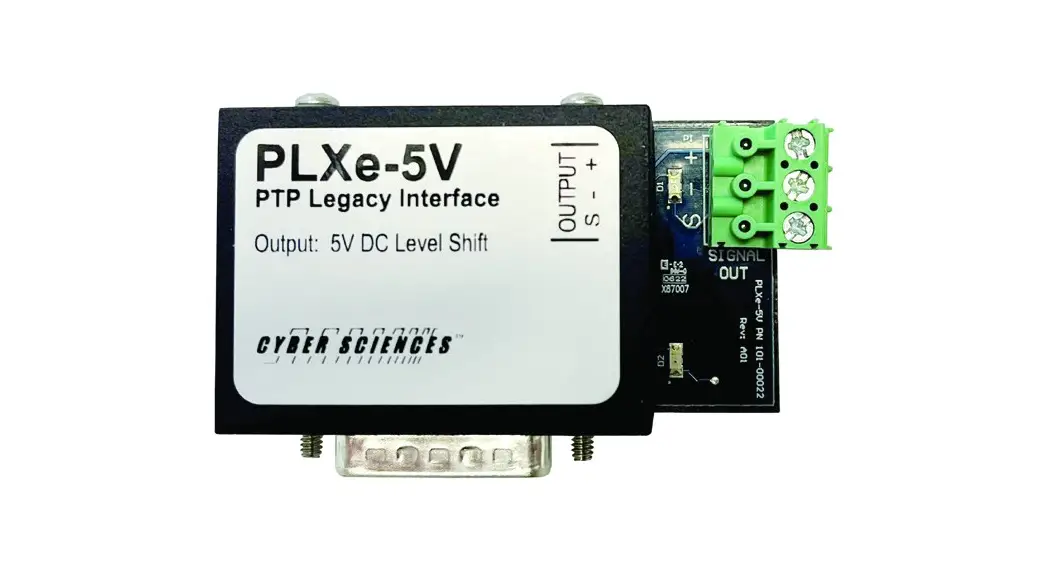
Time-sync master. One SER can serve as a time-sync master to other devices via PTP or an RS-485 subnet. RS-485 serial protocol is either IRIG-B or DCF77 (per the input time source) or ASCII (selectable). When PTP or NTP is the time source, an SER can output IRIG-B, DCF77 or 1per10 using an optional interface (PLX-5V or PLX-24V).
Trigger output. Any input can be configured to close a high-speed output contact to trigger an associated action, such as a power meter’s capture of voltage and current waveforms coincident with an event. The trigger occurs in the same millisecond interval during which the event is detected, with no filtering applied.
Multiple Modbus masters. The SER supports data access from multiple Modbus TCP masters (up to 44 simultaneous Modbus connections). This enables integration of multiple systems and flexibility in how application software manages sockets.
Settings stored in non-volatile memory. All settings are stored in non-volatile flash memory in XML file format. Configuration is accomplished using a standard web browser, or by modifying the setup file directly (by advanced users).
Benefits SER-32e
Benefits for end users, system integrators and OEMs include:
Time-critical information for root-cause analysis (1 ms) Time-stamped record of events–up to 8192 events stored in non-volatile memory.
Reliable event recording with “zero blind-time” Event-recording engine records all events, even those occurring in rapid succession.
Advanced troubleshooting High-speed trigger output to capture waveforms by a compatible power meter.
Simple setup using a web browser–no proprietary software Embedded web server hosts user-friendly pages for setup and monitoring.
No maintenance required Event data and user setup data is stored in non-volatile flash memory.
Easy system integration Integrate with multiple systems via Ethernet: Modbus TCP, RESTful API and secure web interface.
Flexible time synchronization choices PTP, IRIG-B, DCF77, NTP, Modbus TCP or SER inter-device (RS-485).
EPSS generator test-compliance reports enabled 16 data logs: when any group member changes state, all members’ states are recorded.
Easy replacement If a unit ever needs to be replaced, settings are transferable via XML setup file.
Regulatory approvals to global standards UL-Listed (UL/IEC 61010), CSA 22.2, CE, RoHS-compliant.
2
www.cyber-sciences.com
© 2023 Cyber Sciences, Inc. All rights reserved.
INSTRUCTION BULLETIN–User’s Guide Digital Input Module eXM-DI-08
Key Features SER-32e
IB-eXM-01 May-2023
The CyTime SER-32e Event Recorder is designed to be mounted on a standard DIN rail. The table below gives a description of each key feature.
1. Embedded Secure
Web Server
7. 2 x 10/100BaseTx Ethernet
6. EZ-Connector for
IRIG-B or DCF77 Input
OR
(optional)
6. PLX-Connector for IRIG-B, DCF77, 1per10 OUT
(optional)
8. 2 x Option Slots
9. Power Control Module
5. Color Touchscreen
2. High-Speed I/O (32 Digital Inputs)
3. High-Speed Trigger Output
Figure 1-2. CyTime Event Recorder key features
4. RS-485 IN/OUT Inter-SER or ASCII
Table 1-1–Key Features
Feature
Description
Embedded Secure Web Server
Set up the device, monitor status, counters, diagnostics, and view event log records. Use web browser for firmware updates, manage security certificates, and upload/download configuration files.
High-Speed I/O
32 digital inputs in four (4) groups of eight (8) inputs.
High-Speed Trigger Output
Time Sync IN/OUT (RS-485)
Color Touchscreen
EZC-IRIG-B/DCF77 (IN) or PLX-5V/PLX-24V (OUT)
Ethernet Interface (10/100BaseTx)
Expansion Slots
Digital output contact which can be configured to close momentarily on state change of one or more inputs to trigger an action, such as a waveform capture (WFC) by a compatible power meter.
Time sync OUT (when serving as a time-sync master to other devices) or time sync IN (when synchronized to another SER time-sync master) over RS-485 (2-wire plus shield). ASCII / RS-485 output is selectable.
Color resistive touchscreen display (4.3″ TFT, 480 x 272 pixels) for local access to status, events and setup parameters. User configurable brightness and screen saver.
DB-15-to-screw-terminal connector: EZ Connector (EZC) to accept IRIG-B or DCF77 time source (IN), or PLX (PLX-5V or PLX-24V) to output IRIG-B, DCF77 or 1per10 (OUT).
Two Standard Ethernet RJ-45 network interface, with indicator LEDs for speed (10 or 100 Mbps) and link/ activity. The SER auto-detects Ethernet wiring polarity and network speed.
Two expansion slots available for Digital Input and Digital Relay expansion modules.
Power Control Module
Provides over 10 seconds of control power ride-through to ensure power system events are recorded. Includes replaceable battery for RTC (Real-Time Clock) backup.
© 2023 Cyber Sciences, Inc. All rights reserved.
www.cyber-sciences.com
3
IB-eXM-01 May-2023
Introduction Digital Input Module
INSTRUCTION BULLETIN–User’s Guide Digital Input Module eXM-DI-08
The Digital Input Module is an optional accessory for the CyTimeTM SER-32e Sequence of Events Recorder. Each input module provides eight (8) high-speed digital inputs with millisecond time stamping. The CyTimeTM SER-32e Sequence of Events Recorder provides two (2) option slots allowing its native 32 high-speed inputs to be expanded to a maximum of 48 inputs, all with millisecond time stamping to enable root-cause analysis and advanced system diagnostics.
Configurable event recording: Each input on the SER and its option modules is individually configurable with digital filter, debounce and contact chatter functions to ensure reliable operation through the SER’s web interface.
Event log: The SER records the date and time associated with all state changes to one (1) millisecond and stores up to 8192 events in non-volatile memory. Each event record contains the date/time stamp, event type, channel number and state, time quality, a unique sequence number and delta time between recorded events.
EPSS data log groups: Inputs and outputs can be assigned to user defined groups for data logging purposes. If any input or output in a group changes state, the states of all group members are recorded in its EPSS (Group) data log. This enables specialized reporting for mandatory tests of emergency power supply systems (EPSS) to document compliance with standards for healthcare and other critical-power facilities.
Operations counters: Operations counters are maintained for all input and output channels, with date/time of last reset. Each channel can be reset individually.
Key features: The Digital Input Module provides the ability to expand the native 32 high-speed inputs of the SER-32e to 40 or 48 inputs without the need for additional space or control power.
Slot #1 Slot #2
Power Control Module
Example: 2 x Digital Input Units for a total of 16 additional inputs.
C
C
Figure 1-3. SER-32e with 2 x Digital Inputs Added
4
www.cyber-sciences.com
© 2023 Cyber Sciences, Inc. All rights reserved.
INSTRUCTION BULLETIN–User’s Guide Digital Input Module eXM-DI-08
Digital Input Module Overview
IB-eXM-01 May-2023
The Digital Input Module provides 8 high-speed inputs, input status indicators, and an indicator for the presence of control power and module status. Control power for the input module is provided by the SER-32e. Inputs on the Digital Input Module provide the same high-speed performance and features as the inputs native to the SER.
Mounting Latches
Module Status Control Power LED
C
Input Status LEDs
Input Connections
Mounting Latches
Table 1-2–Ordering Information
Figure 1-4. eXM-DI-08
Catalog Number SER-32e eXM-DI-08 eXM-RO-08 EZC-IRIG-B EZC-DCF77 PLXe-5V PLX-5V PLX-24V
Description CyTime Event Recorder, 32-input, PTP, secure web, 2x option slots, control power ride-thru 8-input option module, 24 VDC, pluggable screw terminal connector 8-output option module, 24 VDC, pluggable screw terminal connector EZ connector for SER (input: IRIG-B time source) EZ connector for SER (input: DCF77 time source) PTP Legacy Interface, Self-Powered (5V DCLS, for unmodulated IRIG-B output) PTP Legacy Interface (5V DCLS, for unmodulated IRIG-B output) PTP Legacy Interface (DCF77, 1per10 or 24V IRIG-B output to STR-IDM)
© 2023 Cyber Sciences, Inc. All rights reserved.
www.cyber-sciences.com
5
IB-eXM-01 May-2023
Dimensions
INSTRUCTION BULLETIN–User’s Guide Digital Input Module eXM-DI-08
2–INSTALLATION
The dimensions for the Digital Input Module are illustrated below.
C
Mounting / Installation
6
www.cyber-sciences.com
Figure 2-1. Digital Input Module Measurements
Mounting Considerations The Digital Input Module is designed to be mounted in one (1) of the two (2) option slots in the SER-32e. Connections are made to the front of the module using pluggable connectors.
Installing the Digital Input Module The Digital Input Module is installed by inserting it into either of the two (2) option slots on the SER-32e (slot 1 or slot 2). (see figure 1-3)
Installation Procedure 1) Refer to Safety Precautions on page iv for electrical safety guidance, proper PPE
and procedures. 2) Remove control power from the SER. 3) Monitor the LED indicators on the Power Control module until they are all OFF. 4) Remove the blank cover from the desired option module slot by pressing the two
latches on the top and bottom of the cover and pull out. We recommend retaining the cover for future use. 5) Align the module in the guide rails with the connector on the right side of the module. 6) Insert the module into the option slot by pressing it into the SER until the latches “click” into place. 7) Reapply control power to the SER. 8) Confirm the SER recognizes the option module by viewing the Monitoring Status screen on either the SER display or web page.
© 2023 Cyber Sciences, Inc. All rights reserved.
INSTRUCTION BULLETIN–User’s Guide Digital Input Module eXM-DI-08
IB-eXM-01 May-2023
Wiring Connections for eXM-DI-08
3–WIRING
The Digital Input Module has 8 isolated digital inputs, each sharing a common return, wired as shown. Control power for the module is provided by the SER the module is mounted in. Recommended wiring for digital inputs is Belden 8760 (18 AWG, shielded, twisted pair) cable, or equivalent.
Input connections are made via a removable screw terminal plug equipped with locking screws for mounting. It is recommended the locking screws be secured to ensure retention of the plug-in connector.
Refer to Safety Precautions on page iv for electrical safety guidance, proper PPE and procedures before wiring the input module.
–
24 Vdc Class 2 / LPS
C
+
Figure 3-1. Digital Input Module Wiring
© 2023 Cyber Sciences, Inc. All rights reserved.
www.cyber-sciences.com
7
IB-eXM-01 May-2023
INSTRUCTION BULLETIN–User’s Guide Digital Input Module eXM-DI-08
Dimensions
Note: If an input module is installed in option slot #2, but not option slot #1, channels 33 – 40 will be reported as disabled.
4–OPERATION
The inputs on the SER-32e Digital Input Module are reported based on the option slot in which they are installed. See table below.
Table 4-1–Input Channels
Module(s) Installed
Slot #1
Slot #2
Yes
No
No
Yes
Yes
Yes
Channels
33 – 40 41 – 48 33 – 48
The Digital Input Module status can be viewed on the SER’s touchscreen display and web interface on the Monitoring > Status screen(s).
The additional 8 (up to 16) inputs on the Digital Input Module are shown at the bottom of the display screen.
Note: Refer to SER-32e User’s Guide (IB-SER32e-01) and SER-32e Reference Guide (IB-SER32e-02) for additional information on SER-32e display screen and SER-32e web client.
Figure 4-1. Monitoring status screen. (SER-32e) Image shows one additional Input Module added (Inputs: 33-40).
The additional inputs (up to 16) are shown on the right side of the Monitoring Status web page.
8
www.cyber-sciences.com
Figure 4-2. Monitoring status web page (SER-32e) © 2023 Cyber Sciences, Inc. All rights reserved.
INSTRUCTION BULLETIN–User’s Guide Digital Input Module eXM-DI-08
IB-eXM-01 May-2023
Input(s) Setup
5–SETUP (WEB SERVER)
Clicking “Inputs” under the Setup tab brings up the Input’s setup page:
Figure 5-1. Input setup web page (SER-32e)
Table 5-1– Initial configuration settings
This web page allows the configuration of each individual input. Configuration parameters include:
Option Input
Description
Each input can be enabled for event recording. This does not affect status monitoring–only recording of state changes.
Available values Enabled or Disabled
Default Enabled
Input Name
Text string (UTF-8) to describe a given input.
32 characters max
Input nn
Filter
Filter time is the minimum time that an input must remain in its new state before it is recorded as an event. This helps eliminate false events due to noise, transients, etc.
0 to 65535 ms
20ms
Debounce Chatter
Debounce time is the period that event processing is suspended for a given input after an event has been recorded. This prevents recording multiple events for a single state change.
Chatter count is the maximum number of events recorded for a given input per minute. If the number of events per minute exceeds the setpoint, the input will be disabled for further event processing until the number of events per minute drops below the setpoint. This prevents recording an excessive number of events due to a faulty input. Events are also generated to indicate the time event processing was suspended / resumed.
0 to 65535 ms
0 to 255 (0 = Disabled)
20ms 0 (disabled)
Off Text and On Text Customized label to describe an input’s “off” state and “on” state
UTF-8, 16-char.
On / Off
High-speed Trigger Output
Any input can be configured to close the “Trigger Out” contact on status change. This is typically used to trigger a compatible power meter to capture current and voltage waveforms coincident with an event to aid analysis and troubleshooting.
Enabled or Disabled
Disabled
Inverted
Any input can be designated as “inverted” and status reported opposite of its sensed state
Normal or Inverted
Normal
Group Assignment (for Data Logs)
Each input can be assigned to a data log group for reporting purposes
None, or Group 01 to Group 16
None
Only the following special characters are available: ! @ # $ & * ( ) _ – + = { } [ ] ; . ~ ` ‘ Setting this time too low (e.g., < 5 ms) can cause unwanted events to be recorded; setting too high (e.g., > 100 ms) can result in missed events.
© 2023 Cyber Sciences, Inc. All rights reserved.
www.cyber-sciences.com
9
IB-eXM-01 May-2023
INSTRUCTION BULLETIN–User’s Guide Digital Input Module eXM-DI-08
6–PRODUCT SPECIFICATIONS
Electrical Digital inputs Mechanical
Environmental
Regulatory
Number of inputs Voltage, operating Input impedance / current draw (max.) Must turn ON/OFF voltage Turn ON time / turn OFF time (max.) Isolation
8 24 Vdc (-15% to +10%), Class 2 / LPS 10K ohms resistive / 1 mA Turn on: 20 Vdc / Turn off: 9 Vdc 0.5 ms Each input is isolated to 2.5 KV
Mounting Wire sizes supported Dimensions (W x H x D) Dimensions (W x H x D) in packaging Weight (product alone / product packaged)
Option slot on SER-32e Sequence of Events Recorder #24 to #12 AWG 1.26″ x 3.65″ x 1.71″ (32mm x 92.7mm x 43.5mm) 8.0″ x 3.0″ x 8.0″ (203.2mm x 76.2mm x 203.2mm) 0.375 lbs. (0.17kg) / 0.75 lbs. (0.34kg)
Operating Temperature Storage Temperature Humidity Rating Altitude Rating
Sustainablitiy / Compliance
-25 to +70 OC -40 to +85 OC 5% to 95% relative humidity (non-condensing) at +40 oC 0 to 3000 meters (10,000 feet) RoHS 2 (2011/65/EU), RoHS 3 (2015/863/EU), Pb free California Proposition 65, Low Halogen, Conflict Minerals
Safety, USA Safety, Canada Safety, Europe Emissions / Immunity Radiated emissions Electrostatic discharge Radiated immunity Electrical fast transient / burst immunity Surge immunity Conducted radio frequency immunity
UL listed (NRAQ-cULus, UL 61010-1, UL 61010-2-201 CAN/CSA-C22.2 (61010-1-12, 61010-2-201) CE Mark (EN 61010-1 : 2010, EN 61010-2-201 : 2017) EN 61326-1 (IEC 61326-1 : 2012) CISPR 11, Class A, Group 1 (EN 55011) / FCC Part 15B, Class A EN 61000-4-2 EN 61000-4-3 EN 61000-4-4 EN 61000-4-5 EN 61000-4-6
10 www.cyber-sciences.com
© 2023 Cyber Sciences, Inc. All rights reserved.
INSTRUCTION BULLETIN–User’s Guide Digital Input Module eXM-DI-08
IB-eXM-01 May-2023
7–TROUBLESHOOTING
Symptom
Module status LED not ON
Input(s) not functioning
Input status for Inputs 33-40 is reporting as disabled
Possible Cause Connection issue with SER Wetting voltage or common connection issue or missing. Input connector dislodged.
No Input module installed in option slot #1
Suggested Action(s) Remove power from SER. Remove Input module. Examine the edge connector for damage. Re-insert Input module.
Confirm wetting voltage (24 Vdc) and common connections. Ensure Input connector is secured.
There is no issue using option slot #2 and not using option slot #1. For sequential input numbering, move the Input module to option slot #1.
NOTE: you will need to reconfigure the input module when moving it from option slot #2 to slot #1.
© 2023 Cyber Sciences, Inc. All rights reserved.
www.cyber-sciences.com 11
IB-eXM-01 May -2023
INSTRUCTION BULLETIN–User’s Guide Digital Input Module eXM-DI-08
MADE IN USA
Pb
RoHS Lead-Free
Cyber Sciences, Inc. (CSI) 229 Castlewood Drive, Suite E Murfreesboro, TN 37129 USA Tel: +1 615-890-6709 Fax: +1 615-439-1651
Doc. no: IB-eXM-01 May -2023
The service marks, “Precision Timing for Reliable Power. Simplified.”, CyTime, and the Cyber Sciences stylized logo are trademarks of Cyber Sciences. All other trademarks are the property of their respective owners.
www.cyber-sciences.com
© 2023 Cyber Sciences, Inc. All rights reserved.
 Sequence of Events Recorders | Monitor & Restore Power Quickly