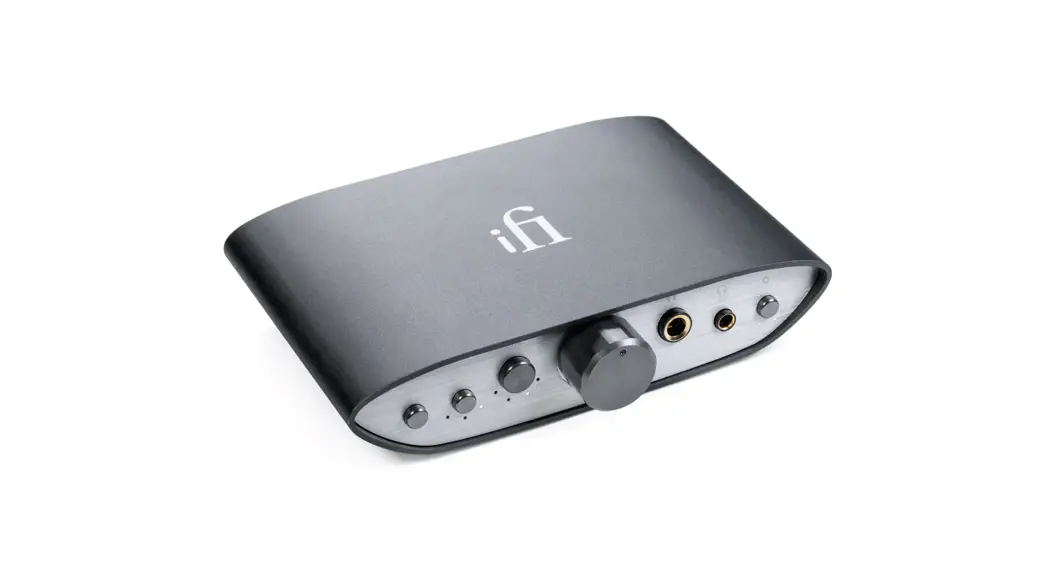
 Premium HD DAC + Powerful Balanced Headamp
User Manual
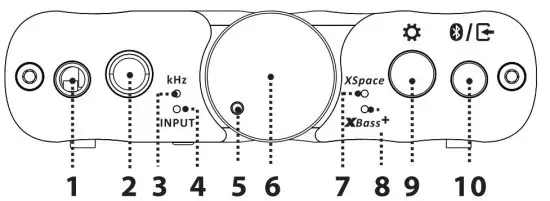
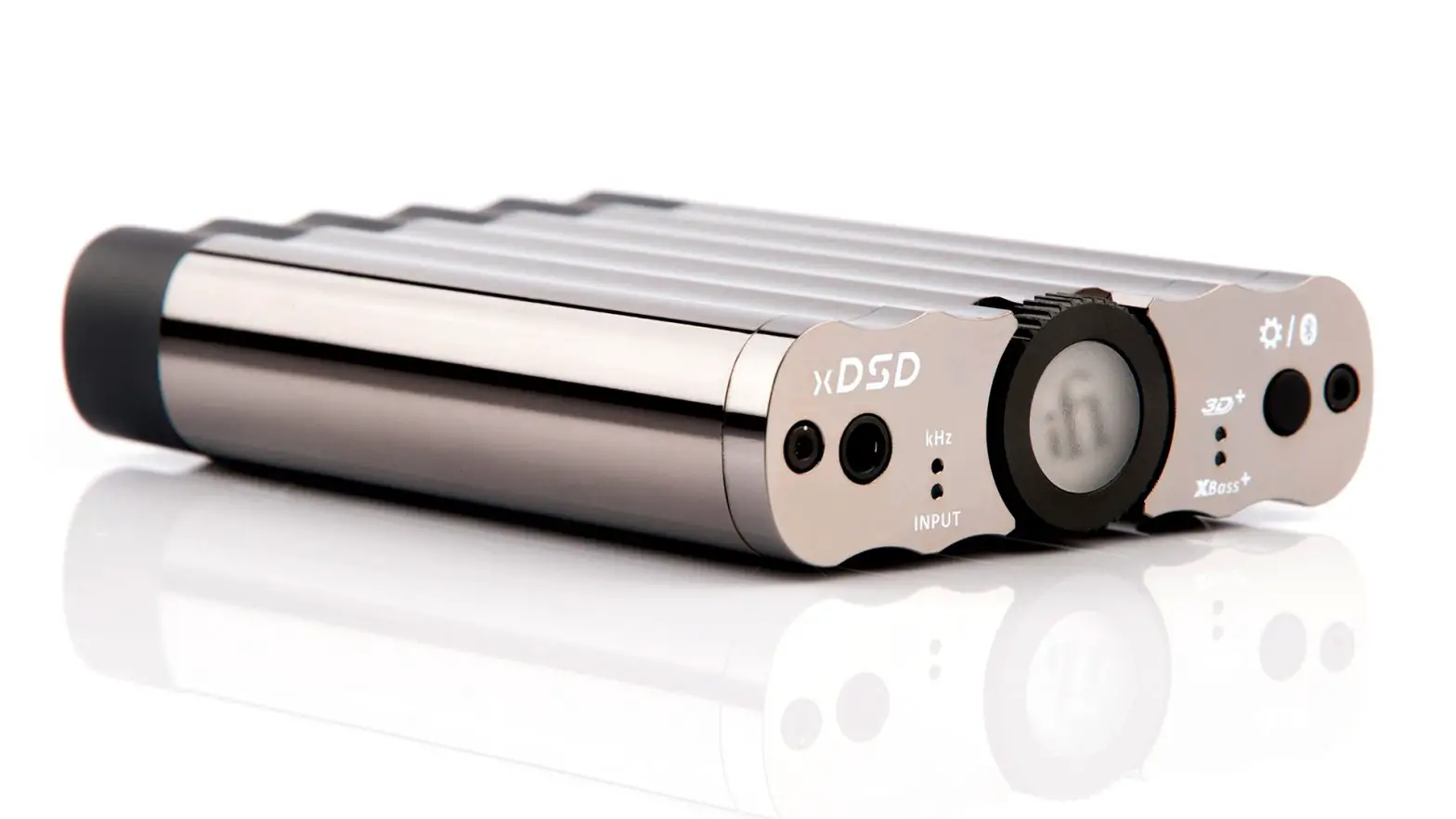
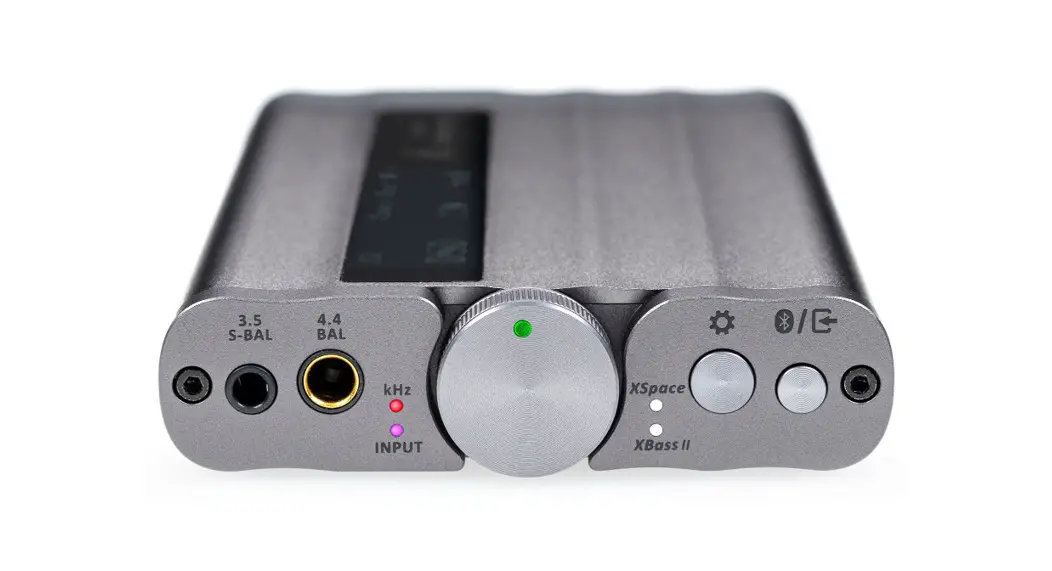
S-Balanced 3.5mm headphone output
Connect 3.5mm headphones.
Balanced 4.4mm headphone output
Connect balanced 4.4mm headphones.
Audio Format LED (kHz)
The LED colour scheme indicates the audio format and sampling frequency received by the xDSD Gryphon from the music source.
| LED Yellow White Cyan Red Green Blue Magenta *MQB | Mode PCM 48/44.1kHz PCM 768/705.6/384/352.8/192/176.4/ 96/88.2kHz DSD 128/64 DSD 512/256 MQA MQA Studio Original Sample Rate* |
INPUT LED
| LED White Green Blue Blue (flashing) Blue/Red (flashing) | INPUT USB S/PDIF WirelessBluetooth (Connected) Wireless Bluetooth (Awaiting connection) Wireless Bluetooth (Pairing) |
Volume LED
The LED colour scheme indicates the xDSD Gryphon current volume.
| LED Red Yellow Green Cyan Magenta Blue Off | Volume -9 to 0 dB (100%-91%) -27 to -10 dB (90%-73%) -45 to -28 dB (72%-55%) -63 to -46 dB (54%-37%) -81 to -64 dB (36%-19%) -101 to -82 dB (18%-0%) Mute |
ON/OFF and Analogue Volume Control
Long press the power switch to power on/off the xDSD Gryphon.
Warning: Due to the high power of xDSD Gryphon, always start off at a low volume level so that there is no risk of damage to your headphones or your hearing. iFi audio is not responsible for any hearing or equipment damage from misuse.
XSpace Matrix LED
The XSpace Matrix(on/off ) recreates a holographic sound field.
It is a pure analogue signal processing circuit designed for listening to headphones as if one was listening to speakers. This addresses the ‘music inside the head’ sensation, which makes for unsettling listening.
XBass+ LED
Many headphones lack the correct bass response. XBass+ is an analogue circuit designed to ‘add back’ the lost bass response for a ore accurate reproduction of the original music.
Tip: Sonically-hindering DSP is NOT used for XBass nor XSpace Matrix systems. They use the highest-quality discrete components and operate purely in the analogue domain. Hence all the clarity and resolution of the original music is retained.
Settings
This button cycles between (Please refer to item 4):
Off > XBass > XSpace > XBass + XSpace (short click)
Input channel selector/Bluetooth pairing
See the OLED display for information, the button cycles between the following inputs:
USB > S/PDIF > Balanced 4.4mm > S-E 3.5mm > Bluetooth
Note: Please select the input channel according to your audio source input mode. For example, when using USB input, you need to switch the input channel to “USB”.
The xDSD Gryphon receives Bluetooth signals via aptX, aptX HD, aptX Adaptive, aptX LL, LDAC, LHDC/HWA, AAC and SBC.
Bluetooth pairing
When the Bluetooth input is selected, the Bluetooth icon in the OLED will flash and search for a previously paired device. If a stored device is not found, it will automatically enter pairing mode and flash.
To enter pairing mode, press and hold the button (for three seconds) until the Bluetooth icon flashes. To pair, find the iFi Hi-Res Audio Bluetooth device from the nearby devices list on your phone.
The xDSD Gryphon can store up to 8 paired Bluetooth devices.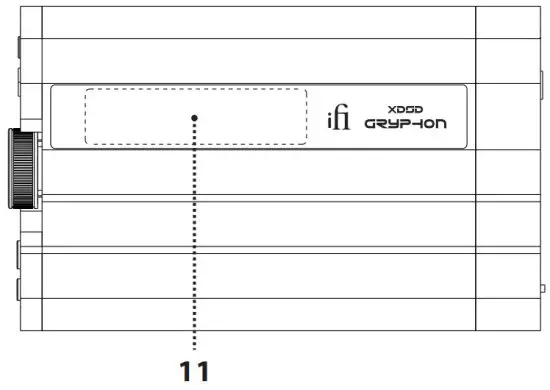
OLED display
The OLED display shows the audio format, sampling rate, volume and input mode.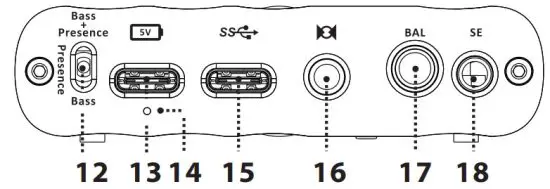
XBass mode adjustment
In recent times, new research into headphone frequency response showed that a purely ‘flat’ response is not correct. Our long present XBass fits the profile of the low-frequency correction required.
However, it was also shown that a certain amount of lower midrange boost is needed to give many headphones a more ‘natural’ sound. As this lower midrange region is usually also called the “presence” region we have used this term to indicate the lower midrange correction. In the xDSD Gryphon, XBass (or perhaps better HP-EQ) can be selected to have either Bass + Presence correction, only Bass or Presence correction only. Select according to listening preference.
USB-C (5V) battery charge input
For charging only. Due to the very high-power nature of the xDSD Gryphon, it will take ~12 hours and ~6 hours for a standard and high-powered charger respectively to fully recharge the xDSD Gryphon.
Tip: When the xDSD Gryphon is off and a 5V USB power supply is detected, the LED will change colour to show the various states of charge (see next section).
Tip: We advise you to charge the xDSD Gryphon switched off. You can listen to music while charging, but it may take longer to be fully charged, depending on the volume level and the headphones used.
Tip: The xDSD Gryphon may be slightly warm to touch when it is simultaneously in use and being charged.
LED for Battery Status
| LED White* Green* Red* Red (flashing) | Status > 75% > 25% > 10% ≤ 10% |
*Battery LED will flash when it is charging.
USB-C input
For data transfer only. Connect your phone to the xDSD Gryphon with a Lightning to a USB Camera Adapter (Apple) or USB On-The-Go (OTG) cable (Android). When using other audio sources, please connect with a USB cable.
Tip: For Apple iOS and Android devices, please use battery power, otherwise you may receive error messages from your device.
Note: For use with a PC it is necessary to download drivers.
Tip: For all the latest firmware updates please refer to our website here: www.ifiaudio.com/downloads/
S/PDIF 3.5mm Coaxial/Optical input
When USB is not used, connect to a Coaxial/Optical cable (through a Toslink Mini-Plug).
Tip: The USB signal has priority over S/PDiF. To enter S/PDiF mode, please make sure there is no signal going through the USB input.
Tip: a Toslink Mini-Plug to Toslink adaptor is included for connecting a Toslink optical cable.
Balanced 4.4mm line outputs
This is a balanced analogue line output.
Single-ended 3.5mm line outputs
For connecting single-ended 3.5mm line output.
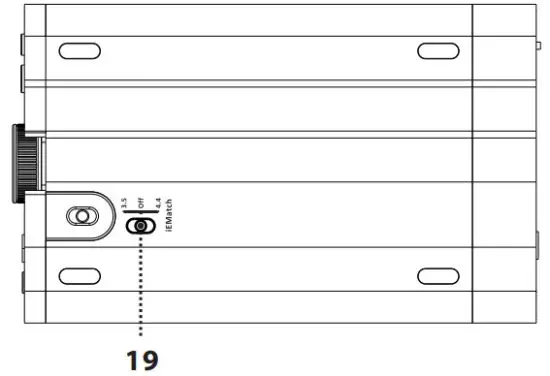
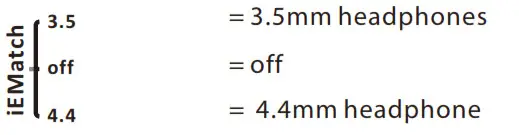
iEMatch switch
With the iEMatch, even the most sensitive In-Ear-Monitors (IEMs) can be matched to the xDSD Gryphon.
Specifications
| Chipset: | Qualcomm QCC 5100 Series/Bit-Perfect DSD & DXD DAC by Burr-Brown |
| Input: | USB -C/Bluetooth 5.0™ (AAC, SBC, aptX, aptX HD, aptX Adaptive, aptX LL, LDAC, LHDC/HWA Codec)/S-PDIF 3.5mm Coaxial/Balanced 4.4mm/Single-Ended 3.5mm |
| Dynamic Range: | >113dB (A) |
| Volume Adjustment: | -101dB…0dB in 1dB steps |
| Output power: | >2.82V/500 mW @ 16 Ω >3.7V/270 mW @ 50 Ω >3.8V/48 mW @ 300 Ω >3.8V/24 mW @ 600 Ω |
| Line out Level: | >2.1V @ 0dBFS |
| THD &N: | <0.005%(1V/16Ω) |
| Output Impedance: | <2 Ohm |
| Battery: | 3.8V/2200mAh |
| Dimensions: | 123 x 75 x19 mm 4.8″ x 3.0″ x 0.7″ |
| Weight: | 215 g (7.6 oz) |
| Warranty period: | 12 months |
*Specifications are subject to change without notice.
FCC Statement
This equipment has been tested and found to comply with the limits for a Class B digital device, pursuant to Part 15 of the FCC Rules. These limits are designed to provide reasonable protection against harmful interference in a residential installation. This equipment generates uses and can radiate radio frequency energy and, if not installed and used in accordance with the instructions, may cause harmful interference to radio communications. However, there is no guarantee that interference will not occur in a particular installation. If this equipment does cause harmful interference to radio or television reception, which can be determined by turning the equipment off and on, the user is encouraged to try to correct the interference by one or more of the following measures:
- Reorient or relocate the receiving antenna.
- Increase the separation between the equipment and receiver.
- Connect the equipment into an outlet on a circuit different from that to which the receiver is
- Consult the dealer or an experienced radio/ TV technician for help.
This device complies with part 15 of the FCC Rules. Operation is subject to the following two conditions:(1) This device may not cause harmful interference, and (2) this device must accept any interference received, including interference that may cause undesired operation.
Any changes or modifications not expressly approved by the party responsible for compliance could void the user’s authority to operate the equipment.
The device has been evaluated to meet general RF exposure requirements. The device can be used in portable exposure conditions without restriction.
 IfiAudio.com is for sale | HugeDomains