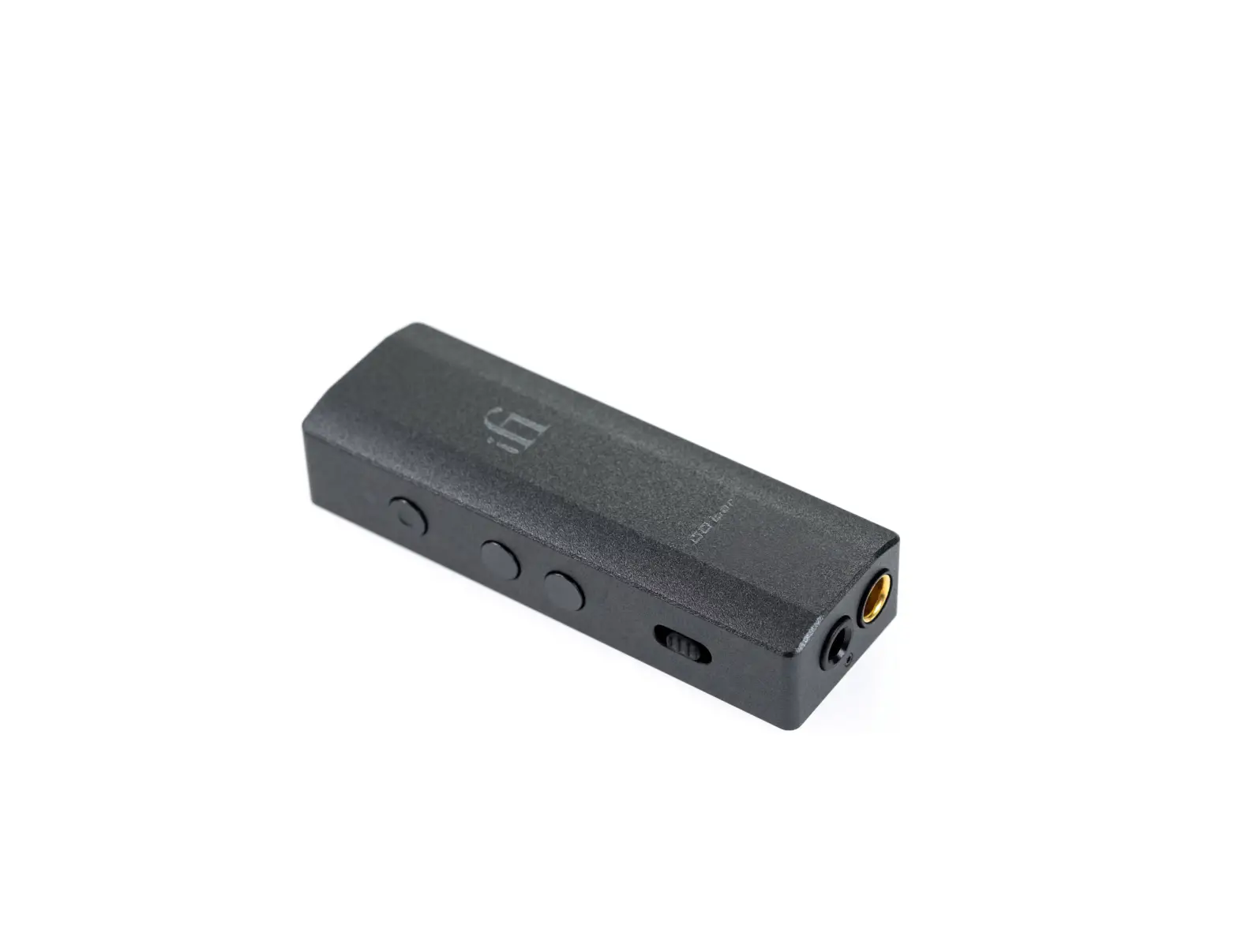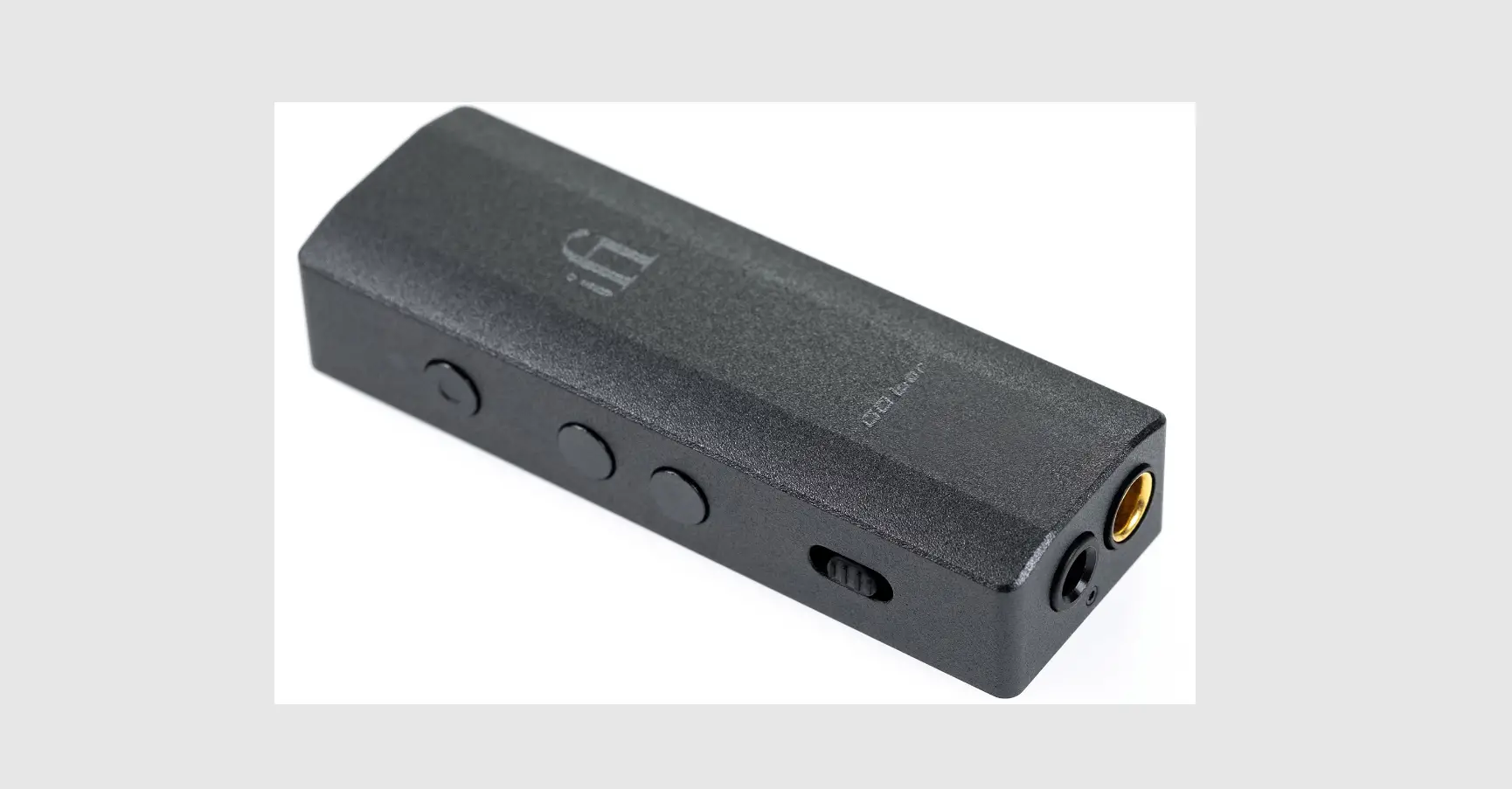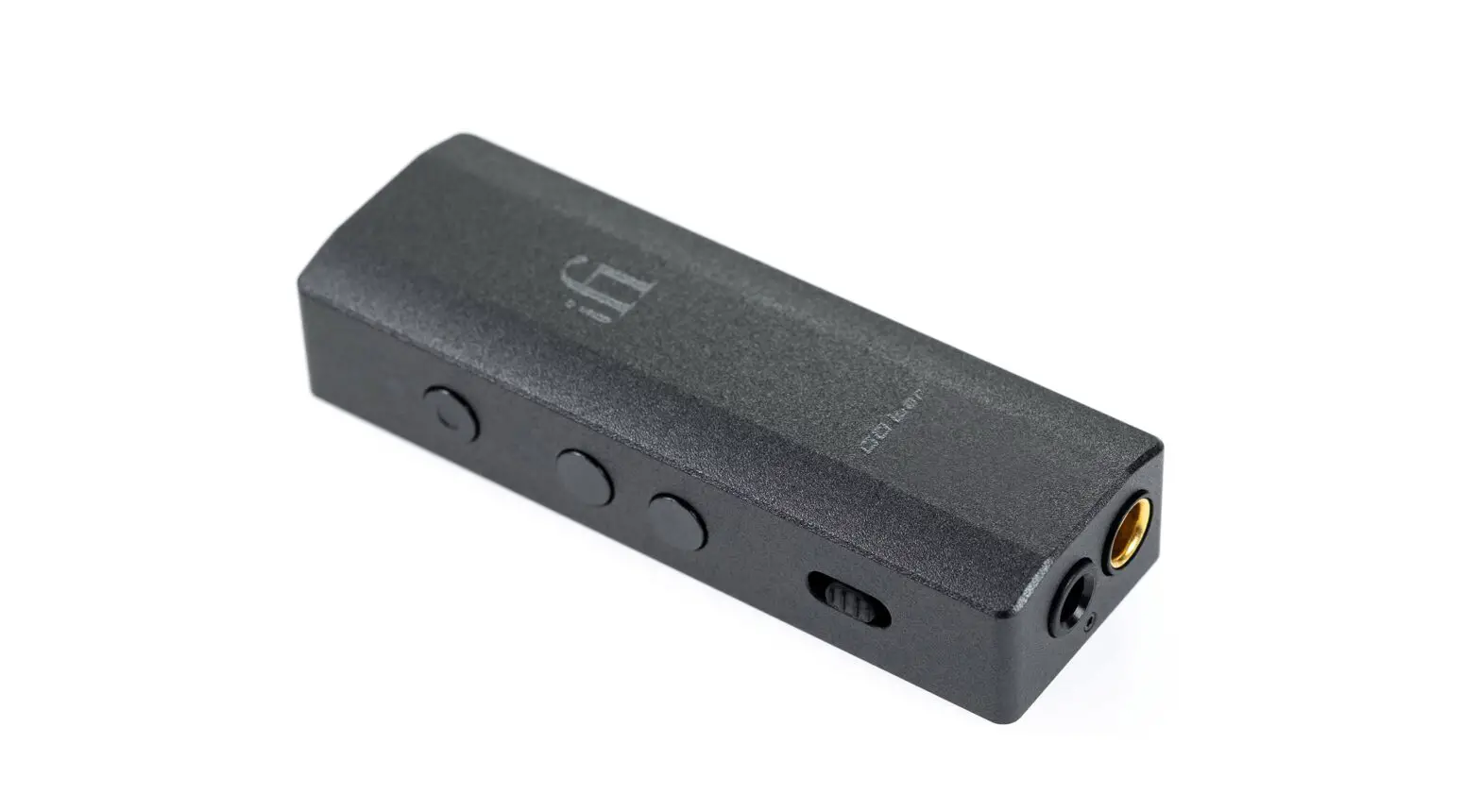
 Go Bar Ultraportable DAC Headphone Amp
Instruction Manual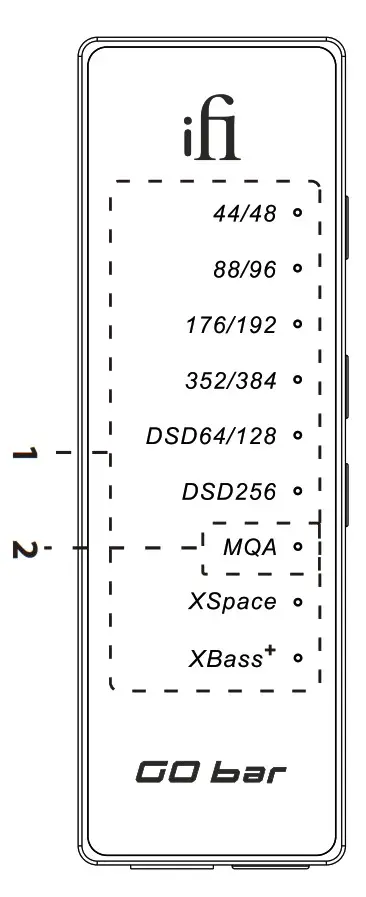
Go Bar Ultraportable DAC Headphone Amp
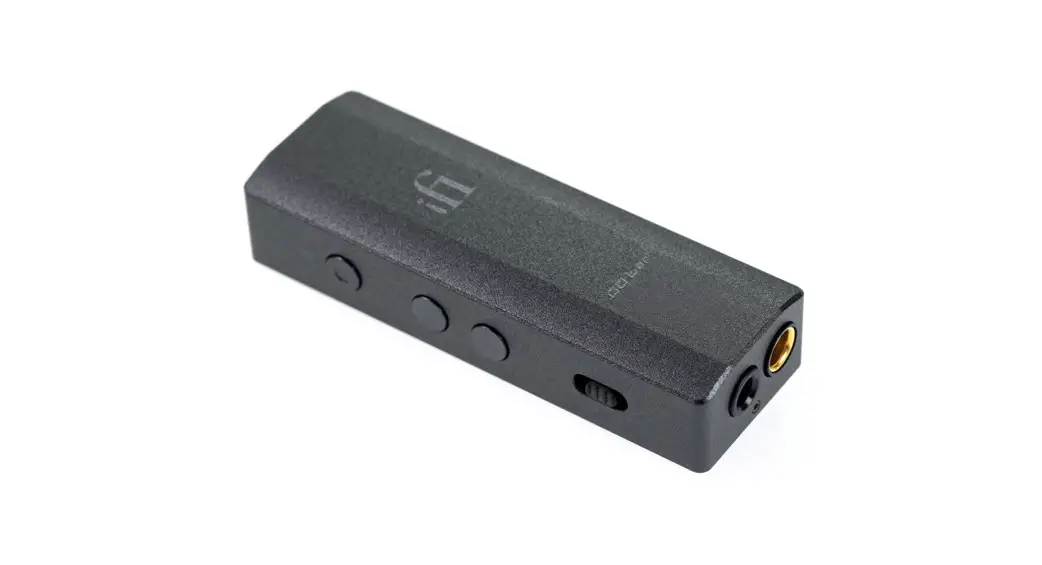
Thank you for purchasing the bar from the GO series. The bar is a balanced USB audio DAC amplifier.
Audio format, frequency and sound effects LED
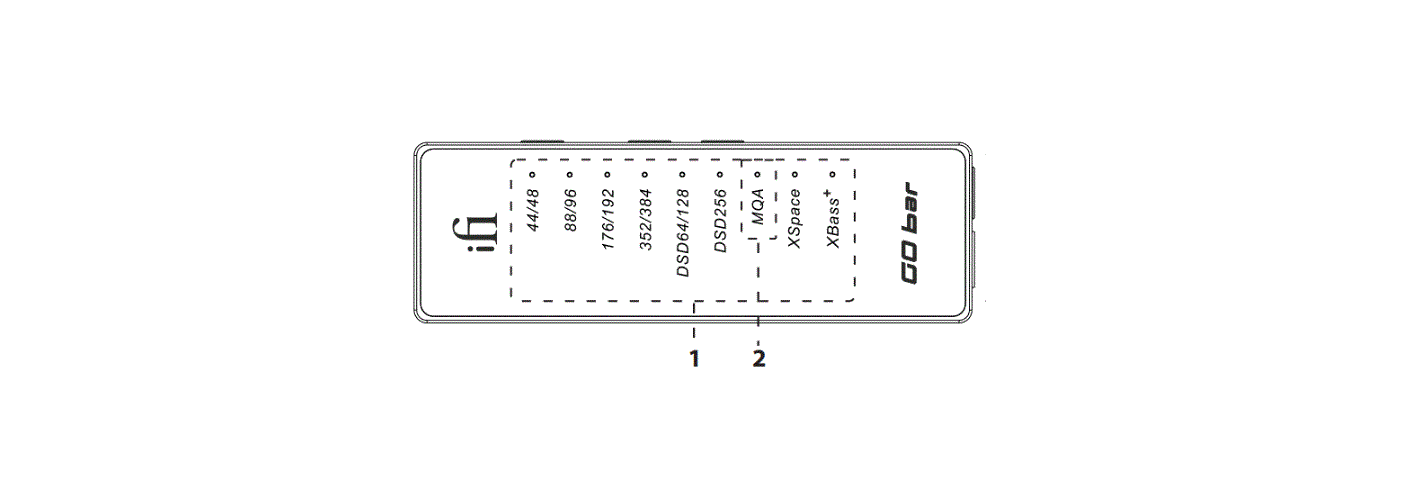
The LED colour scheme indicates the current sampling frequency and audio format received by the GO bar from the music source. Sound effect modes are also indicated.
| LED | Mode |
| White | 44.1/48kHz |
| White | 88.2/96kHz |
| White | 176.4/192kHz |
| White | 352.8/384kHz |
| White | DSD 64/128 |
| White | DSD 256 |
Sound effects
| LED | Status |
| Blue | XSpace |
| Orange | XBass |
Tip: Sonically-hindering DSP is NOT used for XBass+ nor XSpace systems. They use the highest-quality discrete components and operate purely in the analogue domain. Hence all the clarity and resolution of the original music is retained.
MQA and Digital filter LED
| MQA: | |
| Green | MQA |
| Blue | MQA Studio |
| Magenta *MQB | Original Sample Rate* |
Digital Filter for PCM Playback:
| LED | Mode |
| Cyan | BP |
| White | GTO |
| Red | STD |
| Yellow | MIN |
| Off | DSD playback |
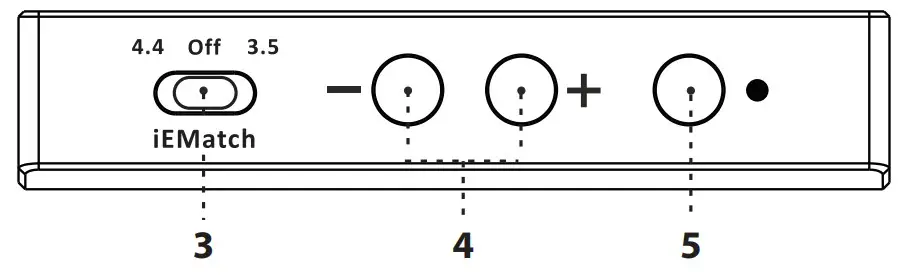
iEMatch switch
With the iEMatch, even the most sensitive In-Ear-Monitors (IEMs) can be matched to the GO bar.
iEMatch
| 3.5 | = 3.5mm headphones |
| off | = off |
| 4.4 | = 4.4mm headphone |
Tip: The Go bar and the earphone will not be damaged if iEMatch is adjusted incorrectly, but the attenuation level will not be correct.
Volume control and gain
The increase or decrease of the volume is synchronised with the volume of the mobile phone/computer.
Press the + and – volume buttons together for ≥ 2s to switch to turbo mode (volume +6dB). Turbo mode is indicated by 6 LEDs lighting up at the same time for 1s. Normal mode is indicated by only the top 2 LEDs lighting up for 1s.
Settings and Digital filter mode
This button cycles between (Please refer to item 1): Off > XSpace > XBass > XSpace + XBass (short click)+ Digital filter (long press ≥2s)
Digital filter
To enter filter selection mode, press and hold the button for ≥2s, the MQA LED will flash, then press the volume +- buttons (4) to select the filter, a short press on the set button (5) will select and exit the filter mode, see item (2) for the LED colour of the digital filter mode.
The following 4 digital filters are available:
| ‘BP’ (Cyan) | Bit-Perfect: no digital filtering, no pre or post ringing |
| ‘STD’ (Red) | Standard, modest filtering, modest pre and post ringing |
| ‘MIN’ (Yellow) | Minimum phase, slow roll-off, minimum pre and post ringing |
| GTO’ (White) | Gibbs Transient-Optimized: upsampled to 352/384kHz, minimum filtering, no preringing, minimum post ringing |
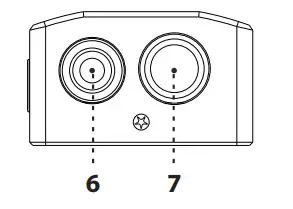 S-Balanced 3.5mm headphone output
For connecting 3.5mm headphones.
Balanced 4.4mm headphone output
For connecting balanced 4.4mm headphones.
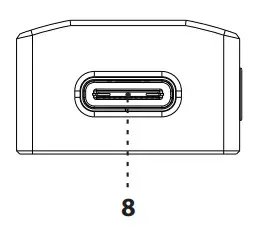
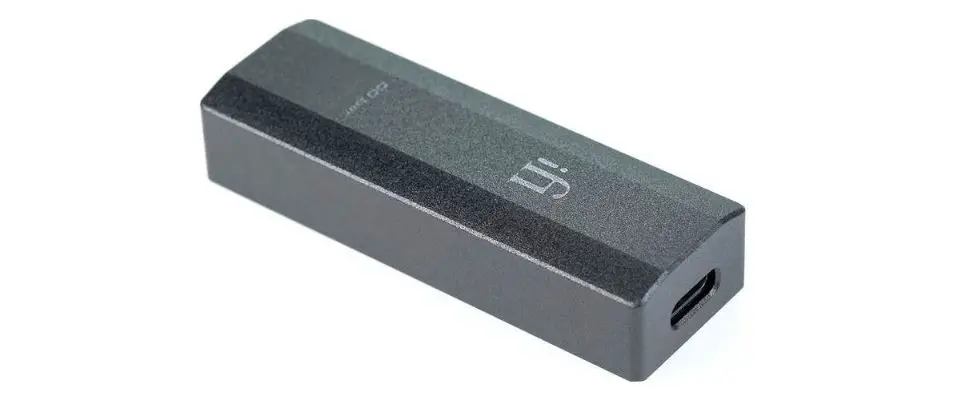
USB-C input
The USB-C socket plays up to 32-bit 384kHz, has full MQA decoding, and native DSD up to DSD256.
Tip: When the phone battery is low ( 30%), the Go bar on older iPhones (6S or before) may < not be able to operate.
Specications
| input: | USB-C |
| Formats: | |
| PCM | 44.1/48/88.2/96/176.4/192/352.8/384kHz |
| DSD | 2.8/3.1/5.6/6.1/11.3/12.3MHz |
| DXD | 352.8/384kHz |
| MQA | Full Decoder |
| DAC: | Bit-Perfect DSD & DXD DAC by Cirrus Logic |
Headphone Outputs:
| Balanced: | 4.4mm |
| UnBAL: | 3.5mm |
Power Output:
| Balanced: | 475mW@32Ω; 7.2V@600Ω |
| UnBAL: | 300mW@32Ω; 3.8V@600Ω |
Output Impedance:*
| Balanced: | 475mW@32Ω; 7.2V@600Ω |
| UnBAL: | 300mW@32Ω; 3.8V@600Ω |
SNR:
| Balanced: | <1Ω |
| UnBAL: | <1Ω |
DNR:
| Balanced: | 132dBA |
| UnBAL: | 108dBA |
THD + N:
| Balanced: | 109dB(A) |
| UnBAL: | 108dB(A) |
| Balanced: | <0.002% (6.5mW/2.0V @ 600Ω) |
| UnBAL: | <0.09% (100mW/1.27V @ 16Ω) |
| Frequency Response: | 20Hz – 45kHz (-3dB) |
| Power: | <4W max. |
| Dimensions: | 65 x 22 x 13.2 mm (2.6″ x 0.9″ x 0.5”) |
| Net weight: | 28.5g (1.0 oz) |
| Warranty period: | 12 months |
- With iWatch engaged: <3.6Ω
- Speciation are subject to change without notice.
 iFi audio | the Award-Winning Audio Technology Company