Document Instructions
Rev. Date 4.24.2023
Order Code 11806
Model # ECHFOPIRLV
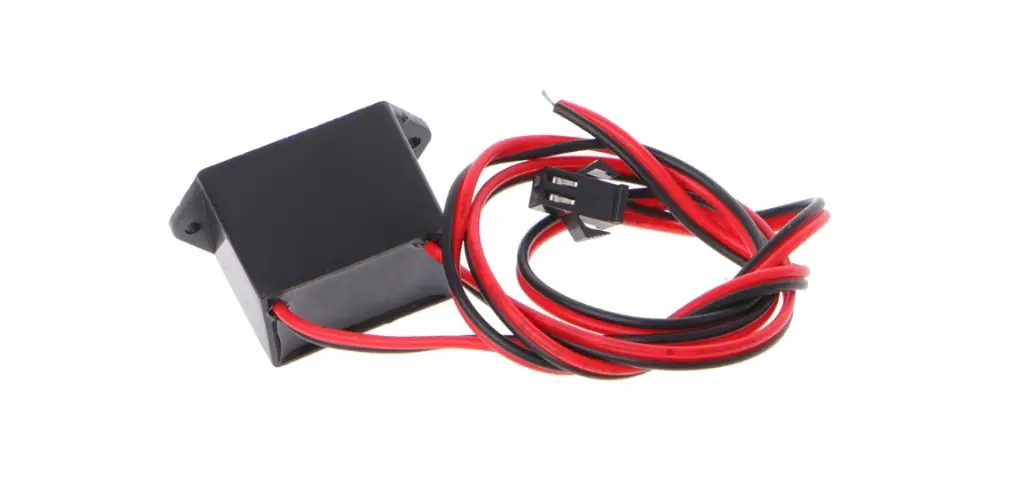
Plug & Play Controller/ Node
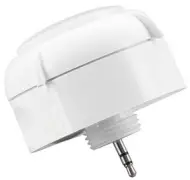
With Plug-in Sensor (Audio Jack) 12V DC, built-in PIR Sensor
WARNING
Please consult a licensed electrician for installation. Turn off the power at circuit breaker before installing the unit.
FEATURES
- Drill 1/2″ KO in the sheet metal for ECHBPIR1 installation, make sure the ECHBPIR1 is fixed in the luminaire.
- Please call a licensed electrician for installation.
- Drill 1/2″ KO in the sheet metal forSC01 receptacle installation, make sure the SC01 well fixed in the luminaire.
- Make sure the luminaire can be 0-10V dim to off, and the driver have AUX output.
- Screw in the sensor into the receptacle and make sure the connection is tight.
- Ensure the rubber gasket touches the outside surface of t he fixture.
- Attach the lens to sensor and turn the lens module clockwise to ensure it locks in place.
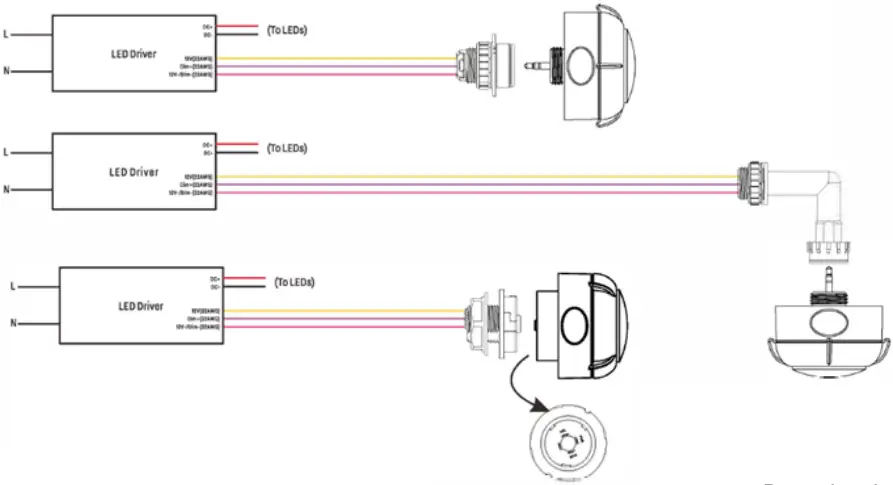
- Please refer below diagram for Wiring.
- Return power back to source.
- Commissioned the sensor via EArthConnect App.
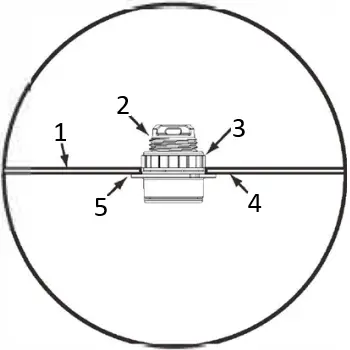
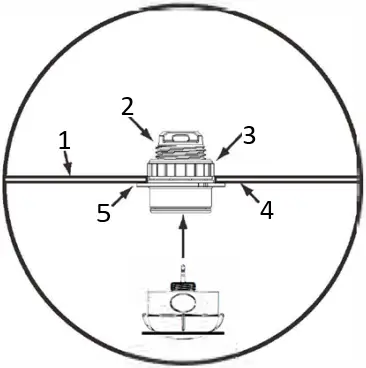
- Inside Fixture wall
- 1/2″Threaded Nipple
- Screw Nut
- Outside Fixture Wall
- Rubber Gasket
WIRIING
Download the EarthConnect App




Download the app instructions

App Instructions
LEARN MORE: EarthConnect www.earthtronics.com/earthconnect
EarthTronics, Inc. | Norton Shores, MI 49441 | www.earthtronics.com | Email: [email protected]
Toll Free: 866.632.7840 Rev. 4.25.23 | EC11806
 EarthTronics is an LED lighting product manufacturer and supplier