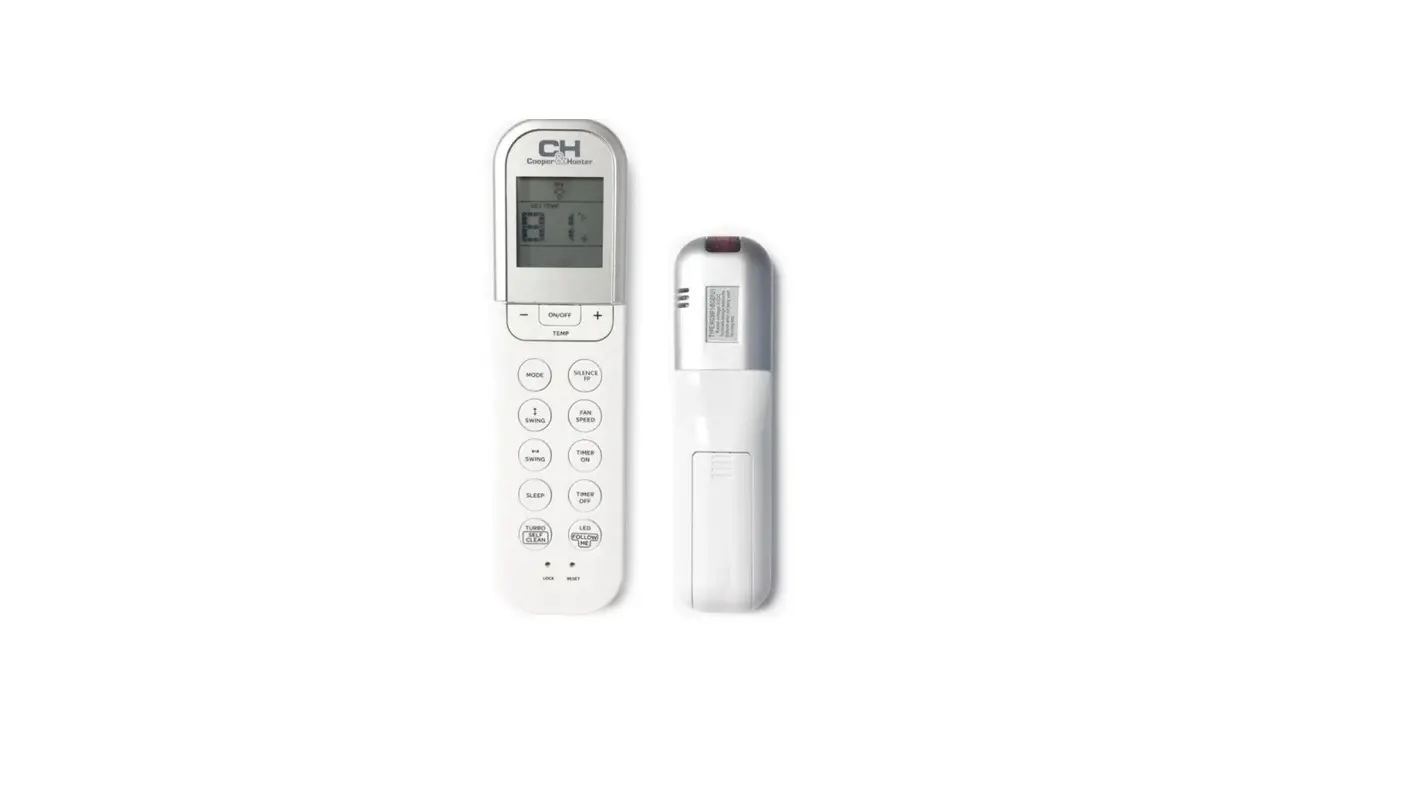
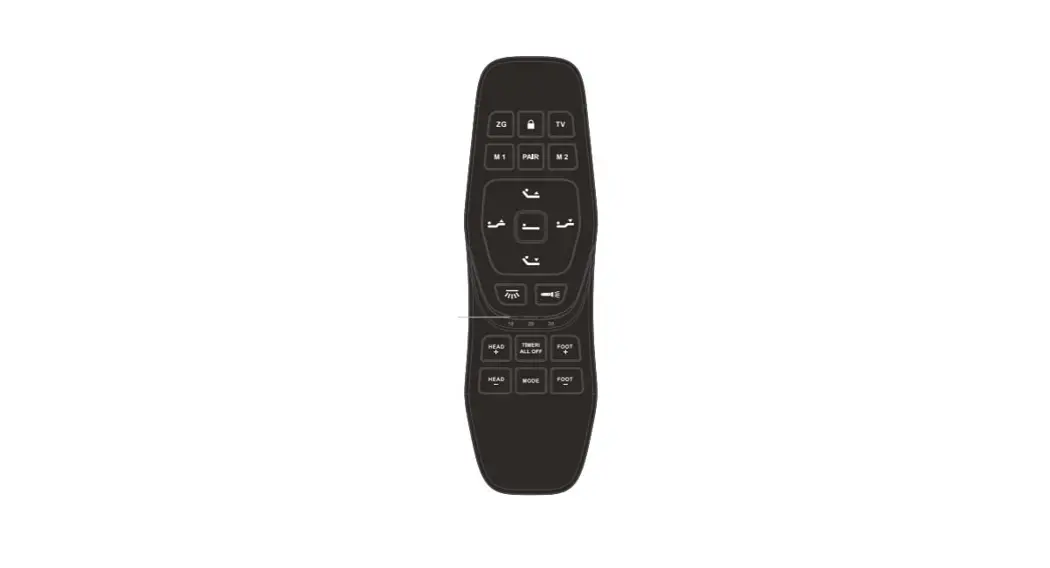
SPRC-101 Wireless Remote Controller
Product Information
Product Name: Wireless Remote Controller
Model: SPRC-101
Contents:
- Before Installation
- Mounting of Battery
- Instructions
- Description
- Signal Transmission
- Operation
- Installation
Thank you for selecting C&H central air conditioner! The
wireless remote controller is designed to ensure convenient and
efficient operation of your air conditioner. This manual provides
detailed instructions on the usage of the wireless remote
controller. Please read this manual carefully before use and keep
it for future reference. For any questions or assistance, please
contact your dealer or our service center.
The wireless remote controller (SPRC-101) offers additional
functions such as Health, ECO, Sleep, Boost, Electric Heater,
Quiet, I Feel, Wind-free, and Self-cleaning. Please note that not
all functions may be supported by your indoor unit. In such cases,
the displays on the controller may not synchronize with each other.
This is a normal phenomenon.
In situations where your indoor unit does not support the
3D/Ultra function, the displays may not synchronize with each other
when set to it. When using a wired remote controller with signal
receiving function, the display may vary due to the types of indoor
units when setting the lower limit of temperature. This is also a
normal phenomenon.
1. Before Installation
1) Please check if the following items are complete:
| Name | Quantity | Application |
|---|---|---|
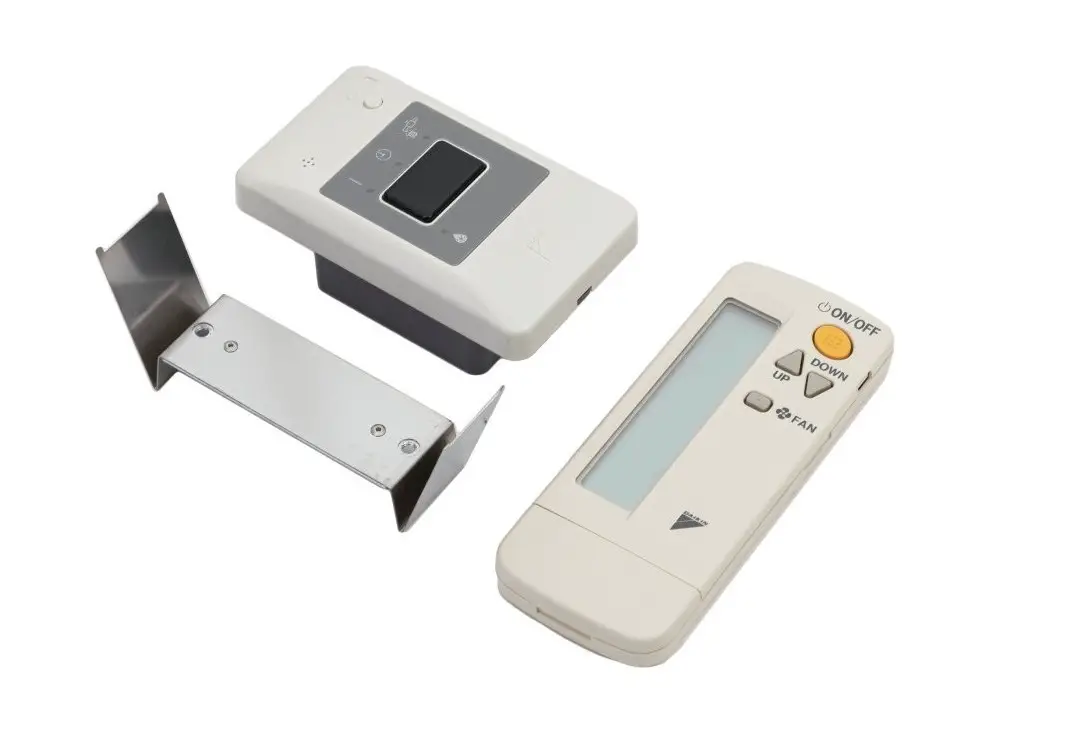
| Wireless remote controller | 1 | For operation and control |
| Holder | 1 | For holding the controller |
| Fixing the holder | 2 | – |
2. Mounting of Battery
1) Insert two AAA dry batteries inside the controller.
Pull out the cover and insert the batteries. Pay attention to
the electrode orientation when inserting the batteries.
Instructions
- Take out the batteries if the controller is not regularly
used. - Replace both batteries simultaneously.
Description
The wireless remote controller consists of a signal transmission
part and a display screen. The signal transmission part allows you
to send commands to the indoor unit, while the display screen shows
various settings and information such as temperature, operating
time, louver position, operation mode, and air volume type. Please
note that the displayed icons may vary in practice.
The controller features various buttons with different
functions, including Health, Temperature adjustment, Mode
selection, ECO mode, Sleep mode, Electric Heater control, Timer
settings, Light control, Power ON/OFF, Fan speed adjustment, Louver
control, Boost function, Quiet mode, and 3D/Ultra mode.
Signal Transmission
To transmit signals to the indoor unit:
- Point the controller perpendicularly to the receiver on the
indoor unit. - The signal icon will flash to indicate successful
transmission.
It is important to ensure that the controller is close to the
indoor unit when sending signals. The controller should be
perpendicular to the plane where the receiver is located. If the
plane is not perpendicular or fluorescent light is used, the
transmission distance may be shorter.
When transmitting signals, the controller should be within a
cone range of 120 degrees based on the receiver plane. The
reception angle becomes larger and the transmission distance gets
shorter when the indoor unit is mounted at a low elevation. This
may vary depending on the building structure.
Operation Manual
Wireless Remote Controller Model: SPRC-101
Contents
1. Before Installation
1
2. Mounting of Battery
1
3. Instructions
1
4. Description
1
5. Signal Transmission
2
6. Operation
3
7. Installation
14
Thank you for selecting C&H central airconditioner! To ensure using the wireless remote controller correctly, please read this manual carefully before use, and keep it properly. For any questions, please contact your dealer or our service center.
Operation Manual for ire ess e ote ontro er
Mode: SPRC-101
To ensure using the controller correctly, please read this manual carefully before use. This manual should be read along with the installation manual of air-conditioner (A/C). Additional functions of this controller include Health, ECO, Sleep, Boost, Electric Heater, Quiet, I Feel, and Wind-free, Self-cleaning. If a function is not supported by your indoor unit, when setting this function from the controller, the displays may not synchronize with each other, which is a normal phenomenon.
When your indoor unit does not support 3D/Ultra function, the displays may not synchronize with each other when setting to it. When cooperating with wired remote controller with signal receiving function, the display may be inconsistent due to the types of indoor unit when setting lower limit of temperature, which is a normal phenomenon. Please tick in the box “” when confirmed no problem.
1. Before Installation
1) Please check if the following items are complete.
Name
Quantity
Application
Wireless remote controller
1
For operation and control
Holder
1 For holding the controller
Screw (M4×16)
2 For fixing the holder
2. Mounting of Battery
1) Insert two AAA dry batteries inside the controller.
Pull out the cover. Insert the batteries.
Please pay attention to the electrode when inserting batteries.
3. Instructions
1) Take out the batteries if the controller is not regularly used.
2) Please replace the two batteries simultaneously.
4. Description
Wireless remote controller Wireless remote controller is a device transmitting
instructions, such as operation mode and time setting, to indoor unit by pointing to the signal receiver on indoor unit and pressing button to send IR signals. The maximum transmission distance is about 5 meters, or even shorter when transmission path of IR signals is not perpendicular to the receiver or when there is any electronic lighting device nearby. The controller supports the function to light up backlight automatically. The backlight will light up when vibration or shaking is detected by the controller.
1
Signal transmission part
Point the controller perpendicularly to the receiver on indoor unit when transmitting signals, and the signal icon will keep flashing.
Signal transmission indication
Display screen
Display setting temperature, operating time, position of louver, operation mode and air volume type, etc.
All the icons are displayed here for reference, the display will be different in practice.
Button Description:
Health
Temp “+” Mode ECO Sleep
Electric heater Timer Light
ON/OFF
Temp “-” Fan
Louver Boost Quiet 3D/Ultra
. i na rans ission
Point signal transmitter on controller to the receiver on
indoor unit.
Operation of sending signals should be close to the indoor unit,
and make the controller perpendicular to the plane where the receiver is located. If the plane is not perpendicular or fluorescent light is used at this moment, the transmission distance will be shorter.
When transmitting signals, the controller should be in a cone
range of 120 degree based on the receiver plane. When indoor unit is mounted at a low elevation, the reception angle becomes larger and transmission distance gets shorter, which varies depending on the building structure.
As battery is exhausting, signal transmission distance will get
shorter, and might get failed to control / . n such case, replace the batteries in time.
2
Max. transmission distance: 5m
Signal receiver
Controller
Virtual line between signal
transmitter and receiver
Please note: the ceiling ducted type A/C shown in the figure above
is taken as an example. Other types may vary from this one.
Tips
Signal receiver will beep when signal received. When
there is no beeping, the signal is not successfully transmitted, please try again.
Beep may not be heard due to interference of noises nearby.
Note: In some special cases, such as in centralized control state, the signal is received but indoor unit does not operate, at this point the buzzer gives a long beep for 1 second.
Caution
. Operation
When operating the controller, according to
[5. Signal transmission], the signal transmitter of controller should point to the receiver on indoor unit, and operate by pressing function buttons.
Do not place the controller at any location with elevated temperature in case of malfunction. · Direct sunlight · Nearby the stove
Please be careful when using the controller, otherwise it may break down if dropping onto the ground or affected by damp.
ON/OFF
For protection of the compressor, it should be powered on 12 hours before startup. Do not switch off the power source when A/C is regularly used.
After the controller is powered on, the receiver LED will keep flashing at every 0.5 second, which is a process of initialization and no operation available, and then goes off.
3
ON/OFF
Mode Button
Point signal transmitter of the controller to the signal receiver and press , the signal receiver will beep once to indicate a successful reception.
ON/OFF operation should be performed at an interval of min.3s, otherwise it may lead to a failure to actuate.
Mode
The icons on screen will switch in the following sequence at each press of Mode button
Cool Dry Heat Fan Auto
When heat mode stops, sometimes air-supply operation will last for 2 minutes automatically.
When there are three levels of Dry operation, hold “Mode+Fan” for over 3s when controller is OFF to switch to “dC” unit type.
When Auto-dry function is available, hold “Mode+Fan” for over 3s when controller is OFF to switch to “AC” unit type.
Temperature and Humidity
Point signal transmitter on the controller to the signal receiver, and press
. Each press of will increase the temperature by 1°F
Each press of will decrease the temperature by 1°F
4
Temperature
Humidity
Point signal transmitter on the controller to the signal receiver, and press
.
Each press of
will increase the humidity by 5% (max. 90%)
Each press of
will decrease the humidity by 5% (min. 35%).
Humidity can be adjusted when in auto-Dry mode.
Fan
Press to set speed.
Each press of the button will adjust as the following sequence:
3-level:
( L M H AUTO )
4-level:
Fan
( L M H SH AUTO )
6-level:
(Breeze SL L M
(AUTO SH
H
In Dry mode, it is adjustable, but indoor unit is defaulted at the level of Low.
Auto-fan mode is available only when indoor unit supports this function.
Hold “Fan+ ” for over 3s when the controller is OFF to select Level 3, 4 or 6.
Louver
Angle of louver varies along with the types of indoor unit. Please refer to the manual of indoor unit.
The location of louver on screen may not match with the actual location when the louver is swinging.
In Cool and Dry modes, only Mode 1~5 are available.
Louver setting when connected with 4-way cassette type indoor unit.
5
1 Press “ON/OFF” to start operation, then press “Louver” to adjust direction of air flow. The louver will adjust as the following sequence at each press.
Louver setting when connected with 3D panel.
Hold “Louver+Health” for over 3s to switch to “3d” for controlling 3D panel.
When the controller is ON,
press “Louver”, and the
icon of up&down air supply
flashes. During flashing,
press
to adjust
1
the location of louver. The icon stops flashing
after 5s, and the louver is
at the set location.
When the controller is ON,
press “Louver”, and the icon
of up&down air supply
flashes, then press “Louver”
2
again, the icon of left&right air supply flashes. During
flashing, press
to
adjust the location of louver.
The icon stops flashing after
5s, and the louver is at the
set location.
When the controller is ON,
press “3D/U.L.” and the icon
is displayed, indicating
3
the louver is in 3D air supply mode.
6 6
When the controller is
, press “3D/U. .” and
4
the icon is displa ed. Press “3D/U. .” again and
the icon is displa ed,
indicating the louver is in
ultra far air suppl mode.
Louver setting when connected with 1-way panel.
Hold “Louver+Health” for over 3s to switch to “1F” to control 1-way panel.
When the controller is ON,
press “Louver”, and the
icon of up&down air supply
flashes. During flashing,
1
press
to adjust
the location of louver.
The icon stops flashing
after 5s, and the louver is
at the set location.
When the controller is ON,
press “Louver”, and the icon
of up&down air supply
flashes, then press “Louver”
2
again, the icon of left&right air supply flashes. During
flashing, press
to
adjust the location of louver.
The icon stops flashing after
5s, and the louver is at the
set location.
When the controller is ON,
press “3D/U.L.” and the icon
3
is displayed, indicating
the louver is in 3D air supply
mode.
7
Louver setting when connected with K3 4-way or K3 2way cassette type indoor units
Hold “Fan+Health” for over 3s to switch to “4F” to control the louver.
Louver unified setting:
when the controller is ON,
press “Louver”, the icon of
up&down air supply flashes.
During flashing, press
1
to adjust the location of
louver.
The icon stops flashing after
5s, and the louver is at the
set location
2
(1)
(2)
Louver separate setting:
When the controller is ON, hold “Louver”
for over 3s to enter louver separate setting
mode. And the display of screen is as Fig.
(1), indicating that No.1 louver is in setting
state. Then press “Louver” again, the
display on screen is as Fig. (2), indicating
that No.2 louver is in setting state. (No.1~4
louvers available).
The display returns to common interface
when there is no operation within 5s.
3
(1)
(2)
Louver separate setting:
When the controller is ON, hold “Louver” for
over 3s. And the display of screen is as Fig.
(1), indicating the louver is in separate
setting state, and “01” means the first
louver to be set separately. Then press
“Louver” to select target louver, and adjust
louver by pressing
. The display
returns to Fig (2) When there is no
operation within 5s.
8
The setting content will be memorized, no repeat setting is required in daily operation. If the setting has to be changed, please refer to this page (setting of temperature, fan and volume)
Timed Operation
Functions
Timed operation is to turn ON/OFF A/C after a certain period of time.
Timer can be switched on or off. Press when the A/C is OFF, and the A/C will turn on at set time.
Press when the A/C is ON, and the A/C will turn off at set time.
Timer
Press when the / is , the screen displa s that the / will turn in . h, and the icon of . h flashes. he timer will be ad usted once at each press of or
when the icon is flashing.
The timer jumps by 0.5 hour interval within 10 hours; and 1 hour interval over 10 to max.23 hours.
Press when the / is , the screen
displa s that the / will turn
in . h, and
the icon of . h flashes, the time will be
ad usted once at each press of or
when the icon is flashing.
When setting a imer, the one set last time will
displa on screen.
When the timer is adjusted, point the signal transmitter on controller to the signal receiver, and press . The time on screen will stop flashing, indicating a successful setting, and the LED on the receiver lights up.
When there is a timer to be canceled, point the signal transmitter on controller to the signal receiver, and press . The receiver LED goes off, indicating the Timer is canceled.
Additional Functions
9
Setting
Cancel
he following additional functions are not available for ever / , please consult distributer for details. When set an additional function from wireless remote controller, it does not wor if the / does not have this function. When there is conflict between additional functions, the previousl set function will be canceled automaticall . t this point, the receiver will beep twice.
When A/C is turned ON, point the signal transmitter on controller to signal receiver, and press . .
The receiver beeps once, indicating a successful setting, and the A/C is switched to ECO mode.
ECO
Press
to exit from ECO
mode.
Only part of A/C models
have this function.
When setting ECO from controller, speed and temperature can not be adjusted, which will be controlled automatically by the indoor unit.
ECO mode will be canceled when controller is switched from ON to OFF.
ECO mode will be canceled when operation mode is changed.
When A/C is turned ON,
point the signal
transmitter on controller
to signal receiver, and
press
.
The A/C is switched to Quiet mode.
Quiet
Press
to exit from
Quiet mode.
Only part of A/C models
have this function.
The indoor unit controls speed automatically in Quiet mode. When setting
Quiet mode from controller, current speed is displayed and non-adjustable. Quiet mode will be canceled when controller is switched from ON to OFF.
Quiet mode will be canceled when operation mode is changed.
Sleep
When A/C is turned ON,
point the signal
transmitter on controller
to signal receiver, and
press
.
The icon of Sleep on controller screen lights up, indicating the A/C is switched to Sleep mode.
Press
to exit from
Sleep mode.
Sleep mode is defaulted as 8h, and can be adjusted by pressing .
Only part of A/C models have this function.
10
Sleep mode is available when controller is ON.
Sleep mode will be canceled when operation mode is changed.
Sleep mode will be canceled when controller is switched from ON to OFF.
When the Timer is canceled by pressing Timer button, Sleep mode will also be canceled.
When A/C is turned ON, point the signal transmitter on controller to signal receiver, and press .
Boost
Icon of Boost lights up on the screen, indicating the A/C is switched to Boost mode.
Press
to exit from
Boost mode.
Only part of A/C models have this function.
Boost mode can be set only when in Cool or Heat mode. Speed is non-adjustable after setting to Boost. Boost mode will be canceled when controller is switched
from ON to OFF. Boost mode will be canceled when operation mode is
changed.
Point the signal transmitter on
controller to signal receiver,
and press .
Electric Heater
Icon of Ele.Heater lights up on the screen, indicating the A/C is switched to Electric Heater mode.
Press to exit from Electric Heater mode.
Only part of A/C models have this function.
This function is available only when in Heat mode. Electric Heater mode will be canceled when controller is
switched from ON to OFF. Electric Heater mode will be canceled when operation mode
is changed.
Point the signal transmitter on controller to signal receiver, and press .
Health
Icon of Health lights up on the screen, indicating the A/C is switched to Health mode.
Press mode.
to exit from Health
Only part of A/C models have this function.
This function is available only when the controller is ON.
Health mode will be canceled when controller is switched
from ON to OFF.
11
Point the signal transmitter on
controller to signal receiver,
and hold
for over 3s.
Wind-Free
The icon
lights up on
the screen, indicating the
A/C is switched to Wind-Free
mode.
Hold
for over 3s to exit
from Wind-Free mode.
Wind-Free mode is available when operating in Fan, Cool, Heat and Dry modes.
Wind-Free mode will be canceled when Fan and Louver information is changed.
Screen does not display Fan and Louver when in WindFree mode.
Wind-Free mode will be canceled when controller is switched from ON to OFF.
Wind-Free mode will be canceled when operation mode is changed.
Point the signal transmitter on
controller to signal receiver,
and hold
for over 3s.
I Feel
The icon
lights up on
the screen, indicating the
A/C is switched to I Feel
mode.
Only part of A/C models have this function.
This function is available only when controller is ON. I Feel mode will be canceled when controller is switched
from ON to OFF. I Feel mode will be canceled when operation mode is changed.
When in I Feel mode, keep the signal transmitter aiming to receiver.
Room temperature will display after setting to I Feel mode.
Self-cleaning
When A/C is turned OFF, point the signal transmitter on
controller to signal receiver,
and hold
for over 3s.
Only word “CLEANING” displayed on the screen, indicating the A/C is in Selfcleaning mode. Turn off A/C to exit. Only part of A/C models have this function.
When in Self-cleaning mode, turning OFF A/C is the only way to exit.
The defaulted operation duration of Self-cleaning mode by the controller is 1h, there might be a difference from that of the A/C.
12
Additional Functions
old
for over 3s.
The icon lights up on the screen, indicating the buttons of the controller are locked.
Press for over 3s to unlock.
Button Lock
Adjacent Unit Setting
Light
When controller is turned OFF, hold “Mode+Quiet” for over 3s to enter Adjacent Unit Setting mode, and switch between Mode A/B.
The receiving end should have sync settings to realize this function.
Point the signal transmitter on controller to signal receiver, and press to turn on or off the display panel on A/C. Only part of A/C models have this function.
Screen Auto-ON
This wireless remote controller supports the function to light up backlight automatically. This function is defaulted as auto-ON. When vibration or shaking is detected, the backlight will light up automatically. Turn on or off this function by holding “Fan+Quiet” for over 3s.
13
. Insta ation
Note: when the controller is installed on the wall, do not operate it directly from the wall just in case the indoor unit failing to receive signals. Please take the controller off from the wall, and operate by pointing it to the receiver.
The location of controller should be at a place accessible to user, but not at any places as shown below:
Within the reach of children
Exposed to direct air stream from air conditioner.
Exposed to cooking fume or oil drops
Exposed to humidity
Please consider the following tips when the controller is at a location exposed to electromagnetic wave:
Do not install the controller at a location where there would be interference from electromagnetic wave.
Keep the controller at least 3 meters away from any device emitting electromagnetic wave to minimize the interference to signal transmission.
The controller shall not be exposed to any flammable gases.
Please keep a distance at least 30cm away from the power line when installing the controller on the wall.
14
e o pan is co itted to continuous product i pro e ent. e reser e t e ri t t ere ore to a ter t e product in or ation at an ti e and it out prior announce ent.
05.2022 V00